


 )
or https:// means you've safely connected to the .gov website. Share sensitive information only on official, secure websites.
)
or https:// means you've safely connected to the .gov website. Share sensitive information only on official, secure websites.


- 7.15.1 Employee Plans User Manual Introduction
- 7.15.1.1 Program Scope and Objectives
- 7.15.1.1.1 Background
- 7.15.1.1.2 Authority
- 7.15.1.1.3 Roles and Responsibilities
- 7.15.1.1.4 Program Management and Review
- 7.15.1.1.5 Program Controls
- 7.15.1.1.6 Terms and Acronyms
- 7.15.1.1.7 Related Resources
- 7.15.1.2 Windows Based
- 7.15.1.3 System Support
- 7.15.1.4 User Community
- 7.15.1.5 Logon
- 7.15.1.6 Password
- 7.15.1.7 TEDS Business Rules
- 7.15.1.7.1 Converting Information into Electronic Format
- 7.15.1.7.2 How Business Rules Work
- 7.15.1.7.3 Business Rules Results
- 7.15.1.7.4 Opening Business Rules
- 7.15.1.7.5 Closing Business Rules
- 7.15.1.7.6 Editing Business Rules
- 7.15.1.8 Case Establishment
- 7.15.1.9 TEDS Determination Process
- 7.15.1.10 TEDS Status Codes
- 7.15.1.11 TEDS Sub-Status Codes
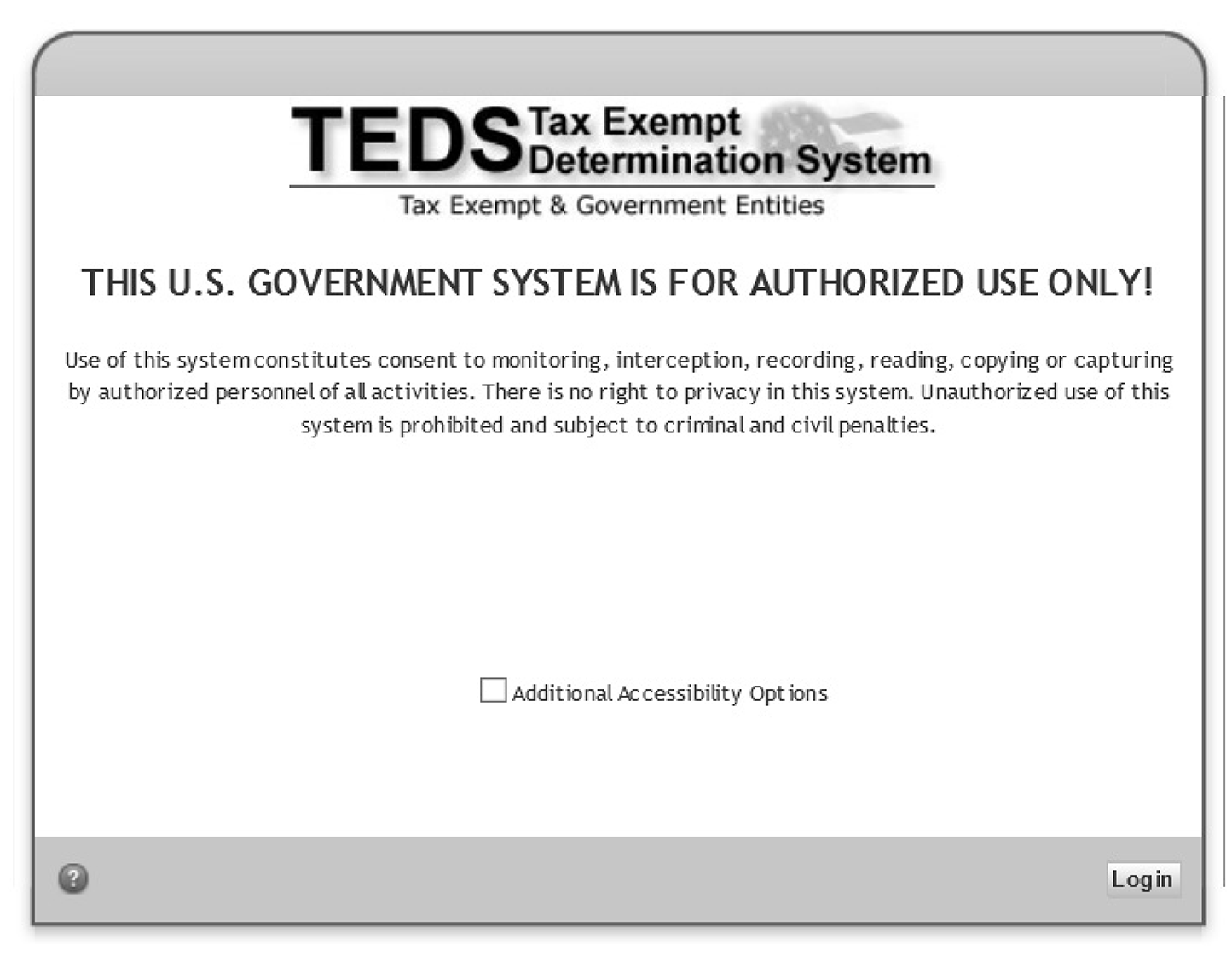
- Exhibit 7.15.1-1 TEDS Initial Login Screen
- Exhibit 7.15.1-2 Status Code Process Steps Table
- 7.15.1.1 Program Scope and Objectives
Part 7. Rulings and Agreements
Chapter 15. Employee Plans TEDS User Manual
Section 1. Employee Plans User Manual Introduction
7.15.1 Employee Plans User Manual Introduction
Manual Transmittal
August 21, 2025
Purpose
(1) This transmits revised IRM 7.15.1, Employee Plans TEDS User Manual, Employee Plans User Manual Introduction.
Material Changes
(1) Deleted references to TE/GE Operational Program Support (TOPS).
(2) IRM 7.15.1.1(5), added Primary Stakeholders.
(3) IRM 7.15.1.1.3, added Roles and Responsibilities.
(4) IRM 7.15.1.1.4, added Program Management and Review.
(5) IRM 7.15.1.1.5, added Program Controls.
(6) IRM 7.15.1.1.6, changed the name to Terms and Acronyms.
(7) IRM 7.15.1.1.7, added Related Resources.
(8) Deleted reference to OS Get Services and replaced with IRWorks.
(9) IRM 7.15.1.1.6(2), updated link to IT How-to-Unlocking or Resetting your LAN Account Password with SecureAuth.
(10) Various edits have been made throughout the IRM for clarity, removal of outdated items and for plain language.
Effect on Other Documents
This supersedes IRM 7.15.1, dated March 15, 2022.Audience
Tax Exempt and Government EntitiesEmployee Plans
Effective Date
(08-21-2025)Eric D. Slack
Director, Employee Plans
Tax Exempt and Government Entities
-
Purpose: This IRM is an introduction to the IRM 7.15 series IRMs - Employee Plans TEDS User Manual. The Tax Exempt Determination System (TEDS) is a web-based information system used by Tax Exempt and Government Entities (TE/GE) Determination programs. TEDS is an electronic case and inventory management system.
-
Audience: The determination application processing procedures in this manual are for employees in Employee Plans (EP) who work in TEDS.
-
Policy Owner: Director, EP.
-
Program Owner: EP.
-
Primary Stakeholders
-
Internal - Director, Employee Plans; Director, Employee Plans Rulings and Agreements; EP Tax Law Specialists and Agents; Actuaries; Associate Chief Counsel (EEE), TE/GE Division.
-
External - Plan sponsors, plan representatives, and plan participants.
-
-
Program Goal: The Goal of TEDS is to provide:
-
Real-time access to inventory data.
-
Reduced cycle time through electronic transfer of case files and online review.
-
Increased uniformity and consistency in case processing.
-
Interfacing with Letter and Information Network User-fee System (LINUS).
-
Interfacing with legacy systems, Employee Plans-Exempt Organizations Determination System (EDS), to establish and update master file entities and account information.
-
-
The Tax Exempt Determination System (TEDS) is the primary system Employee Plans (EP) uses to process Determination Letter (DL) applications. Generally, EP will establish and work DL applications in TEDS but create the final DL in the EP/EO Determination System (EDS).
-
TEDS stores in an electronic Records Repository:
-
Images of original determination applications and associated data.
-
Subsequent related documentation.
-
-
Delegation Order 7-1, IRM 1.2.2.8.1, states the Director, Employee Plans has authority to issue favorable DLs on the qualified status of:
-
Pension, profit-sharing, stock bonus, annuity, and employee stock ownership plans under IRC 401, IRC 403(a), IRC 409, IRC 4975(e)(7).
-
The status for exemption of any related trusts or custodial accounts under IRC 501(a).
-
-
Find a complete list of delegation orders governing EP Rulings and Agreements at Delegation orders and policy statements by process.
-
The mission of Employee Plans is to provide EP’s customers top-quality service by helping them understand and comply with applicable tax laws and to protect the public interest by applying the tax laws with integrity and fairness to all.
-
The Director, EP, reports to the Deputy Commissioner, TE/GE, and is responsible for planning, managing, directing and executing nationwide EP activities.
-
EP responsibilities include:
-
Employee plans (including the qualification of pension, annuity, profit-sharing, and stock bonus plans, simplified employee pensions, saving incentive match plans for employees, and tax-sheltered annuities) and related trusts.
-
Tax treatment of participants and their beneficiaries and deductions for employer contributions.
-
Procedural and administrative provisions with respect to such plans.
-
-
The Director, EP R&A, reports to the Director, EP, and is responsible for three types of services for retirement plans - voluntary compliance, determination letters, and technical guidance.
-
Responsibilities of the EP R&A staff include:
-
Processing determination letter requests from employers regarding the qualified status of their pension, annuity, profit sharing and stock bonus plans.
-
Issuing opinion and advisory letters to specific requestors regarding preapproved pension, annuity, and profit-sharing plans, including individual retirement accounts, simplified employee pensions and savings incentive match plans for employees, and tax-sheltered annuities.
-
Developing and operating voluntary correction programs, such as the Employee Plans Compliance Resolution System (EPCRS) program and issuing compliance statements or entering into closing agreements under these programs.
-
Processing requests for changes in funding method and making other actuarial determinations and interpretations.
-
Coordinating with Chief Counsel on requests for funding waivers.
-
Developing and maintaining responsibility for actuarial publications and other standards for the valuation of transfers of future interests for income, estate and gift tax purposes.
-
Coordinating with TE/GE Division Counsel, Associate Chief Counsel and the DOJ on litigation issues and declaratory judgment cases under the Internal Revenue Code (IRC 7476).
-
-
Program reports:
-
The EP Determinations program uses Business Objects to view, create, and modify inventory and employee records. Business Objects uses tools to provide a built-in interface to query and analyze data and to build reports.
-
Monthly reports detailing the current inventory of cases by area and their status are produced and provided to the Director, EP R&A, Area Managers, and frontline managers.
-
Ad-hoc reports are produced as requested by determinations personnel with appropriate permission.
-
Each quarter, EP Determinations Quality Assurance issues reports to summarize the results of their TEQMS reviews. See IRM 7.11.3, Tax Exempt Quality Measurement System (TEQMS).
-
-
Program effectiveness:
-
EP Determinations monitors business unit progress toward completing and closing cases in inventory. They provide status and progress reports to IRS leadership on a regular, recurring basis. Effectiveness is measured by analysis of compliance trends and results.
-
-
The IRS receives EP determination letter applications and user fees from taxpayers on Pay.gov
-
The user fee information is then transferred to LINUS to ensure it is properly recorded.
-
The application information from Pay.gov is transferred to Tax Exempt Determination System (TEDS) and EP/EO Determination System (EDS), which are the systems that EP Determinations uses to control their inventory.
-
TEDS contains roles and permissions to ensure proper separation of duties IRM 7.15.4
-
The EP Determinations Area Managers coordinate the assignment of inventory.
-
In order to ensure a consistent level of managerial engagement in the process of making key strategic decisions during a determination letter review, the specialist submits requests for approval by their manager through TEDS.
-
The manager approves or rejects any request through TEDS.
-
EP Determinations QA reviewers perform reviews on mandatory review cases and for cases selected for the Tax Exempt Quality Measurement System (TEQMS) to ensure that specialists are conducting their determination letter reviews per technical, procedural and administrative requirements. See IRM 7.11.3 and IRM 7.11.9 for more information.
-
The IRS is fully committed to protecting the privacy rights of taxpayers and employees. Privacy laws are included in the IRC, the Privacy Act of 1974, the Freedom of Information Act, and IRS policies and practices. For more information about these laws, visit the FOIA Library\Internal Revenue Service (irs.gov).
-
For questions about privacy, email *Privacy.
-
For questions about disclosure, email *Disclosure.
-
-
The table lists commonly used acronyms and their definitions.
Acronym Term BEARS Business Entitlement Access Request System BRE Business Rules Engine CRX Correspondence Letter System CSPC Cincinnati Service Processing Center DL Determination Letter DLN Document Locator Number EEE Office of Associate Chief Counsel (Employee Benefits, Exempt Organizations and Employment Taxes) EDS Employee Plans-Exempt Organizations Determination System EP Employee Plans IT Information Technology LINUS Letter and Information Network User-fee System NUI National Unassigned Inventory NAI National Assigned Inventory OCR Optical Character Recognition PWM Password Management R&A Rulings and Agreements TE/GE Tax Exempt and Government Entities TEDS Tax Exempt Determination System
-
TEDS is user-friendly and requires basic computer skills such as:
-
Locating data files.
-
Using tool bars.
-
Printing files.
-
Maintaining files.
-
-
The TE/GE Business Systems Planning (BSP) function manages TEDS.
-
TE/GE Business Customer Support provides functional support and informational bulletins to TEDS users.
-
TEDS allows users to access case files electronically. Not all TEDS users have case access abilities.
-
TEDS users include:
-
Determination Specialists (including Screeners and Quality Assurance Reviewers).
-
Group Secretaries/Clerks.
-
Processing Clerks.
-
Unpostable Clerks.
-
User Fee Adjusters.
-
Group Managers.
-
Area Managers.
-
National Unassigned Inventory (NUI) Managers.
-
TE/GE Business Customer Support.
-
Functional Security Managers.
-
Records Managers.
-
Researchers I.
-
Researchers II.
-
Researchers III.
-
-
Users gain initial access to TEDS through the BEARS process. TEDS users with locked accounts can reset through IRWorks.
-
Once the user is approved, they will receive an email from BEARS.
-
Included in the email is a link to the TEDS home page and instructions to set up a desktop shortcut.
-
-
To logon to TEDS, the user must click “login”. See Exhibit 7.15.1-1, TEDS Initial Login Screen.
-
Each TEDS user is assigned only one user login.
-
TEDS:
-
Limits the number of login attempts to three before disabling the user’s password.
-
Identifies and authenticates all users accessing any of TEDS application components.
-
-
The TEDS password is aligned with the users’ Windows/LAN account password.
-
If a users’ TEDS account is locked the Windows account is also locked. Use Password Management (PWM), a self-service tool to unlock your own workstation. Instructions for PWM setup and use are on the Information Technology (IT) website: IT How-To-Unlocking or Resetting your LAN Account Password with SecureAuth.
-
TEDS uses the Business Rules Engine (BRE), a managerial software program, which automates operational business decisions.
-
TEDS uses BRE to program information from the application package into an electronic format.
-
The BRE allows the IRS to improve writing, viewing, managing, or changing TEDS business processes as needed.
-
The BRE covers a case’s complete cycle within TE/GE EP Determinations.
-
TEDS business rules:
-
Streamline administrative duties.
-
Improve the determination process.
-
Facilitate accurate and consistent EP Determinations business policy across the country.
-
-
Data transcribed from the following returns develops TEDS business rules results:
-
Form 5300, Application for Determination for Employee Benefit Plan.
-
Form 5307, Application for Determination for Adopters of Volume Submitter Plans.
-
Form 5316, Application for Group or Pooled Trust Ruling.
-
Form 5310, Application for Determination Upon Termination.
-
Form 5310A, Notice of Plan Merger or Consolidation, Spinoff, or Transfer of Plan Assets or Liabilities; Notice of Qualified Separate Lines of Business.
-
Form 8717, User Fee for Employee Plan Determination Letter Request.
-
-
The data establishes summary information about the case, such as:
-
Case grade.
-
Preliminary user fee validation.
-
Open case status.
-
-
There are two categories of business rules:
-
Opening business rules. See IRM 7.15.1.7.4, Opening Business Rules.
-
Closing business rules. See IRM 7.15.1.7.5, Closing Business Rules.
-
-
Cincinnati Service Processing Center (CSPC) prepares the hardcopy file for scanning.
-
Business rules transcribe data from various fields of Form 5307, 5300 or 5310 either:
-
Manually.
-
Automatically, using optical character recognition (OCR).
-
-
TEDS translates the data into "if – then" statements, which are uploaded into the BRE.
-
After CSPC scans an application package and a case number is assigned, business rules run based on the following factors:
-
Case classification.
-
Case complexity.
-
Case completeness.
-
Case category.
-
Case grade.
-
Cycle business rules.
-
Disclosability.
-
User fee validation business rules.
-
-
Some business rules results record case data, found in the "Case Information" file on the "General Case Information" and "Receipt and Handling" tabs.
-
Other business rules results are stored within the BRE Results folder.
-
Business rules:
-
Identify issues that may need development in the determination process.
-
Determine why a case was classified in a particular way.
-
Identify why a case is unable to close to the manager for review.
-
-
View business rules results by opening the BRE folder. Possible contents:
-
Summary Messages.
-
BRE Response.
-
Closing Rule Results.
-
-
The disclosability business rules determine whether the case is:
-
Disclosable (greater than 25 participants).
-
Non-disclosable (less than or equal to 25 participants).
-
-
Case classification business rules consider the following:
-
Outcome of case complexity.
-
Case completeness.
-
User fee opening business rules.
-
-
Case completeness business rules determine if the application package is complete. The application package must include a plan document.
-
Case category business rules determine the case type:
-
Initial application/submission.
-
Amended plan.
-
Affiliated Service Group.
-
-
Case grading business rules determine the grade.
-
Closing business rules automatically run when one of the following occurs:
See IRM 7.15.1.10, TEDS Status Codes and IRM 7.15.7, Electronic Case Processing.-
A specialist attempts to update a case to the manager in status 74PC for proposed closure.
-
The case is updated to status 21 for closure on EDS.
-
-
After a case updates to status 74PC, the closing business rules run. This may prevent the case from rolling to status 74PC.
-
The CSPC performs the determination letter request case establishment following procedures described in IRM 3.45.1, Processing Employee Plan and Exempt Organization Determination Applications and User Fees.
-
Receipt and Handling, a part of the Processing Division, performs the initial stages of the Determination processing.
-
After CSPC scans the application, they ship the hard copy file to Files in Florence, KY.
-
-
LINUS is the system of record for all user fee payments, refunds, and adjustments. From LINUS a case is assigned a Document Locator Number (DLN). The DLN is used to control, identify and locate a case. All application packages processed at CSPC are stamped with either a remit DLN or non-remit DLN, as appropriate. For further explanation, see IRM 3.45.1.8.1, Document Locator Number (DLN).
-
The final determination letter and closing documents are prepared in the Forms/Pubs/Products Repository. See IRM 7.15.7, Electronic Case Processing.
-
All closing information is processed to the Master File. See IRM 3.45.1.
-
CSPC inserts separator sheets between various document types.
-
TEDS captures and stores electronic images in Tagged Image File Format (TIFF).
-
Both sides of each sheet of paper are scanned.
-
Blank pages are deleted after scanning.
-
Envelopes are never scanned.
-
Non-scannable items are notated on an input sheet, which is scanned into TEDS.
-
-
CSPC:
-
Manually transcribes data fields from the application packages and related forms (e.g., Form 2848, Form 8717, etc.). OCR is used to automatically transcribe data fields from Forms 5307, 5300 and 5310.
-
After scanning, verifies images and data as readable and correct.
-
Re-scans application packages with unreadable images.
-
Reassembles all documents and places them in a case file. The file has a printed label attached to the outside.
-
Ships the paper copies of application packages to the Cincinnati Processing Unit. See IRM 7.11.1, Employee Plans Determination Letter Program.
Control Date: 03/01/2006 Case Grade: 12 Name: XYZ Co. Form # 5307 Case #: XX1234567 Type of Request: I EIN: XX-3456789 Plan #: 002 Case Classification: Merit Potential Dup. #: XX8910111213 BBTS #: 6090 DLN: XX12345678901234 Non-Scan Item: N -
-
EP Determination processes changed significantly with TEDS.
-
The new processes include:
-
Creating a unique TEDS case number. The TEDS and EDS case numbers both populate to EDS.
-
Automatic and manual case data transmission from TEDS to LINUS and EDS (status updates).
-
Automatic closure to the TEDS Records Repository for Forms 5310-A.
-
Case history record updates to show new information such as case assignments, status updates, transition to manual case processing, etc.
-
Electronic storage of case images and data in the TEDS Records Repository.
-
-
TEDS creates a case chronology record for each case. TEDS automatically updates the case chronology for some entries, such as case assignment. Specialists make case chronology entries to cases in their assigned inventory and can view all the entries. Other users can only view the entries they make.
-
TEDS transmits case data to Correspondence Letter System (CORRESPONDEX, CRX). Using this information, CRX generates the acknowledgement notice.
-
Status codes in TEDS are treated the same way as status codes in EDS.
-
An application is assigned status code 63 immediately upon establishment on TEDS. Once the case is in status 63 the opening business rules determine whether the case updates to status 51, 61 or 21AC for the 5310A applications.
-
Every application that is in the National Unassigned Inventory (NUI) or the National Assigned Inventory (NAI) has the potential to update to any status code, but must follow a specific status flow.
-
Opening business rules automatically:
-
Determine and update the status codes to the NUI status code 51 or 61.
-
Update the status code 21AC for the 5310A and places the case(s) in the Archived inventory.
-
-
See Exhibit 7.15.1-2, Status Code Process Steps Table, for a comprehensive list of status code process steps.
-
TEDS may assign a sub-status code to a status code. A sub-status code provides information on the current state of a case and may impact future case actions.
-
Sub-status codes appear as part of the listed status of the case. Sub-status codes are reflected in TEDS but not in EDS.
-
Sub-status Codes are listed in the table below.
Sub-status Code Sub-status Code Name Description AC Auto Closure -
Automatic closed case.
-
Use with status 21 and 71.
-
Is an automatic update.
AD Additional Document -
Additional documents were scanned in and associated with an open or closed case.
-
Is an automatic update.
AI Awaiting Information -
Use when the TEDS user sends a request for additional information and is awaiting a response from the applicant.
-
The TEDS user must manually check the awaiting information indicator in the case chronology entry to trigger the sub-status update.
-
Is a manual update.
AR Administrative Re-Opening -
Administrative Re-opening.
-
Use with statuses 21, 57 and 59.
-
Is a manual update.
BR Auto Closure Closing Business Rule Error -
Used with status 71.
-
Is an automatic update (Only Records Manager can work or reassign to a specialist in 72).
CC Closed Case -
Case is in a final closed state.
-
Use with status 21 to indicate closed cases scanned into TEDS for Archival Purposes only.
-
Is an automatic update.
GR Group Suspense -
Group Suspense.
-
Use with status 37.
-
Is a manual update.
PC Proposed Closure -
Used with status 74.
-
Is a manual update.
UI Unassigned Suspense -
Unassigned Inventory, use with status 37
-
Is an automatic update.
-
This exhibit provides a comprehensive list of status code process steps. If a case is in the "From" status, it may be updated to any of the "To" status's.
| Package Type | From | To | Description | Transition Requirement | From Container Path/Location | To Container Path/Location | Comments |
|---|---|---|---|---|---|---|---|
| 21 | 21AD | Closed to Closed (Additional Document) | Automatic | Archived Cases → EP Cases → Archive Year →Case→ Documents→ (and appropriate sub folders). | Case remains in the Archive with no change in the container structure. | ||
| 21CC | 21AD | Closed Case -to- Closed (Additional Document) | Automatic | Archived Cases → EP Cases → Archive Year →Case→ Documents→ (and appropriate sub folders). | Case remains in the Archive with no change in the container structure. | ||
| 21AC | 21AD | Auto Closure –to-Closed (Additional Document) | Automatic | Archived Cases → EP Cases → Archive Year →Case→ Documents→ (and appropriate sub folders. | Case remains in the Archive with no change in the container structure. | ||
| 21 | 21AR | Closed to Administrative Re-Opening | Manual – Generally to print a letter | Archived Cases → EP Cases → Archive Year →Case→ Documents→ (and appropriate sub folders). | Case remains in the Archive with no change in the container structure. | ||
| 21CC | 21AR | Closed Case -to- Administrative Re-Opening | Manual | Archived Cases → EP Cases → Archive Year →Case→ Documents→ (and appropriate sub folders). | Case remains in the Archive with no change in the container structure. | ||
| 21AC | 21AR | Auto Closure –to- Administrative Re-Opening | Manual | Archived Cases → EP Cases → Archive Year →Case→ Documents→ (and appropriate sub folders). | Case remains in the Archive with no change in the container structure. | ||
| 21AD | 21AR | Closed (Additional Document) –to- Administrative Re-Opening | Manual | Archived Cases → EP Cases → Archive Year →Case→ Documents→ (and appropriate sub folders). | Case remains in the Archive with no change in the container structure. | ||
| 21AR | 21 | Administrative Re-Opening to Closed | Manual | Archived Cases → EP Cases → Archive Year →Case→ Documents→ (and appropriate sub folders). | Case remains in the Archive with no change in the container structure. | Closed with applicable Closing Code | |
| 21AR | 21CC | Administrative Re-Opening -to- Closed Case | Manual | Archived Cases → EP Cases → Archive Year →Case→ Documents→ (and appropriate sub folders). | Case remains in the Archive with no change in the container structure. | ||
| 21AR | 21AC | Administrative Re-Opening -to- Closed Case | Manual | Archived Cases → EP Cases → Archive Year →Case→ Documents→ (and appropriate sub folders). | Case remains in the Archive with no change in the container structure. | ||
| Initial Application | 37 | 51 | Suspense -to- Unassigned Inventory (non-merit) | Manual | NUI→ EP Cases→ Case→ Documents→ (and appropriate sub folders). | Remains in NUI. | Suspense Code used with Appropriate Sub-Status. Depending on when the case is put in suspense is where case will come from. |
| Initial Application | 37 | 61 | Suspense (Technical Screening) -to- Unassigned Inventory (Technical Screening) | Manual | NUI→ EP Cases→ Case→ Documents→ (and appropriate sub folders). | Remains in NUI. | Suspense Code used with Appropriate Sub-Status. Depending on when the case is put in suspense is where case will come from. |
| Initial Application | 37 | 71 | Suspense (Technical Screening) -to- Unassigned Inventory (Accelerated Processing) | Manual | NUI→ EP Cases→ Case→ Documents→ (and appropriate sub folders). | Remains in NUI. | |
| Initial Application | 37 | 74 | Suspense -to- For Managerial Review | Manual | NAI→ EP Cases→ Case→ Documents→ (and appropriate sub folders). | Case remains in NAI with no change in the container structure. | Suspense Code used with Appropriate Sub-Status |
| Initial Application | 37 | 75 | Suspense -to- Group Inventory | Manual | NAI→ EP Cases→ Case→ Documents→ (and appropriate sub folders). | Case remains in NAI with no change in the container structure. | Suspense Code used with Appropriate Sub-Status |
| Initial Application | 51 | 37 | Unassigned inventory (non-merit) -to- Suspense | Manual | NUI→ EP Cases→ Case→ Documents→ (and appropriate sub folders). | Remains in NUI. Move all documents to the NAI container with the same sub folder structure as for the NUI. | Suspense code used with applicable sub-status code |
| Initial Application | 52 | 74 | Assigned to specialist – non-merit -to- For managerial review | Manual | NAI → EP Cases→ Case→ Documents→ (and appropriate sub folders). | Case remains in NAI with no change in the container structure. | No Closing Rules to be run. |
| Initial Application | 52 | 74PC | Assigned to specialist – non-merit -to- Managerial Review (Proposed Closure) | Manual | NAI → EP Cases→ Case→ Documents→ (and appropriate sub folders). | Case remains in NAI with no change in the container structure. | Closing Business Rules would be run. |
| Initial Application | 52 | 75 | Assigned to specialist – non-merit -to- Group Inventory | Manual | NAI → EP Cases→ Case→ Documents→ (and appropriate sub folders). | Case remains in NAI with no change in the container structure. | |
| Initial Application | 53 | 74 | Return to Specialist (Non-Merit) -to- For Managerial Review | Manual | NAI →EP Cases→ Case→ Documents→ (and appropriate sub folders). | Case remains in NAI with no change in the container structure. | No Closing Rules. |
| Initial Application | 53 | 74PC | Return to Specialist (Non-Merit) -to- Managerial Review (Proposed Closure) | Manual | NAI →EP Cases→ Case→ Documents→ (and appropriate sub folders). | Case remains in NAI with no change in the container structure. | |
| Initial Application | 53 | 75 | Return to Specialist (Non-Merit) -to- Group Inventory | Manual | NAI →EP Cases→ Case→ Documents→ (and appropriate sub folders). | Case remains in NAI with no change in the container structure. | |
| Initial Application | 61 | 37 | Unassigned inventory (technical screening) -to- Suspense | Manual | NUI → EP Cases→ Case→ Documents→ (and appropriate sub folders). | Case remains in NUI. | Suspense Code used with Associated Sub-Code |
| Initial Application | 61 | 75 | Unassigned inventory (technical screening) -to- Group Inventory | Manual – when the case is assigned to a group | NUI → EP Cases→ Case→ Documents→ (and appropriate sub folders). | Move all documents to the NAI container with the same sub folder structure as for the NUI. | The following automated flows are possible: 61 to 52 (via 75) 61 to 62 (via 75) 61 to 72 (via 75) |
| Initial Application | 62 | 74PC | Assigned to technical screener –to- For managerial review (Proposed Closure) | Manual – when the case is assigned to a specialist as a non-merit case | NAI → EP Cases→ Case→ Documents→ (and appropriate sub folders). | Case remains in NAI with no change in the container structure. | EP Closing Business Rules to run prior to reaching 74PC |
| Initial Application | 62 | 74 | Assigned to technical screener -to- For managerial review | Manual | NAI → EP Cases→ Case→ Documents→ (and appropriate sub folders). | Case remains in NAI with no change in the container structure. | Remove EP Closing Business Rules from 62 to 74 flow. |
| Initial Application | 62 | 75 | Assigned to technical screener -to- Group Inventory | Manual – when the case is assigned to a group from technical screening | NAI → EP Cases→ Case→ Documents→ (and appropriate sub folders). | Case remains in NAI with no change in the container structure. | |
| EPCC | 63 | 21CC | Case established -to- Closed | Automatic – after status ‘63’ when TEDS case is a Closed Case using EP Closed Case & Case is nonexistent in TEDS | Archived Cases → EP Cases→ Archive Year →Case→ Documents→ (and appropriate sub folders). | No change in container structure. | |
| 5310A | 63 | 21AC | Case established -to- Closed | Automatic – when the application is form 5310A | NUI→ EP Cases→ Case→ Documents→ (and appropriate sub folders). | Archived Cases→ EP Cases→ Archive Year →Case→ Documents→ (and appropriate sub folders). | Closing Code is 08 |
| Initial Application | 63 | 51 | Case established -to- Unassigned inventory (non-merit) | Automatic – immediately after status ‘63’ when result of initial business rules is a non-merit case classification. | NUI→EP Cases→ Case→ Documents→ (and appropriate sub folders). | No change in container structure. | |
| Initial Application | 63 | 61 | Case established -to- Unassigned inventory (technical screening) | Automatic – immediately after status ‘63’ when result of initial business rules is a merit, merit-proposed-auto, or auto-closure case classification) | NUI→ EP Cases→ Case→ Documents→ (and appropriate sub folders). | No change in container structure. | |
| 5330 & 5310 | 63 | 71AC | Case Established -to- Unassigned Inventory (Accelerated Processing) | Automatic | NUI→ EP Cases→ Case→ Documents→ (and appropriate sub folders). | NUI→ EP Cases→ Case→ Documents→ (and appropriate sub folders). | |
| Initial Application | 64 | 74PC | Manager returned technical screener case to specialist -to- Managerial Review (Proposed Closure) | Manual | NAI→ EP Cases→ Case→ Documents→ (and appropriate sub folders). | Case remains in NAI with no change in the container structure. | EP Closing Business Rules to Run. |
| Initial Application | 64 | 74 | Manager returned technical screener case to specialist -to- For Managerial Review | Manual | NAI→ EP Cases→ Case→ Documents→ (and appropriate sub folders). | Case remains in NAI with no change in the container structure. | Remove Closing Rules from 64 to 74 flow. |
| Initial Application | 64 | 75 | Manager returned technical screener case to specialist -to- Group Inventory | Manual | NAI→ EP Cases→ Case→ Documents→ (and appropriate sub folders). | Case remains in NAI with no change in the container structure. | |
| Initial Application | 71 | 37 | Unassigned inventory (Accelerated Processing) -to- Suspense | Manual | NUI→EP Cases→ Case→ Documents→ (and appropriate sub folders). | Case remains in NUI with no change in the container structure. | |
| Initial Application | 71 | 75 | Unassigned inventory (Accelerated Processing) -to- Group Inventory | Manual –when case is assigned to a group | NUI→ EP Cases→ Case→ Documents→ (and appropriate sub folders). | Move all documents to the NAI container with the same sub older structure as for the NUI. | The following automated flows are possible: 71 to 52 (via 75) 71 to 62 (via 75) 71 to 72 (via 75) |
| 5300 & 5310 | 71AC | 21AC | Unassigned Inventory (Accelerated Processing) –to- Auto Closure | Automatic | NUI→ EP Cases→ Case→ Documents→ (and appropriate sub folders). | Archived Cases →EP Cases→ Archive Year →Case→ Documents→ (and appropriate sub folders). | Transition if: - Current date is greater than control date + 60 days and - Closing business rules successful |
| 5300 & 5310 | 71AC | 37 | Unassigned Inventory (Accelerated Processing) –to- Suspense | Manual | NUI→ EP Cases→ Case→ Documents→ (and appropriate sub folders). | Case remains in the NUI with no change in the container structure. | |
| 5300 & 5310 | 71AC | 71BR | Auto Closure –to- Closing BR Incomplete | Automatic | NUI→ EP Cases→ Case→ Documents→ (and appropriate sub folders). | Case remains in the NUI with no change in the container structure. | Transition if: - Current date is greater than control date + 60 days and - Closing business rules failed |
| 5300 & 5310 | 71AC | 75 | Auto Closure – to – Group Inventory | Manual | NUI→ EP Cases→ Case→ Documents→ (and appropriate sub folders). | Move all documents to the NAI container with the same subfolder structure as for the NUI. | The following automated flows are possible: 71AC to 52 (via 75) 71AC to 62 (via 75) 71AC to 72 (via 75) |
| 5300 & 5310 | 71BR | 71AC | Closing BR Incomplete –to- Auto Closure | Manual | NUI→ EP Cases→ Case→ Documents→ (and appropriate sub folders). | ||
| 5300 & 5310 | 71BR | 37 | Closing BR Incomplete –to- Suspense | Manual | NUI→ EP Cases→ Case→ Documents→ (and appropriate sub folders). | Case remains in the NUI with no change in the container structure. | |
| 5300 & 5310 | 71BR | 75 | Closing BR Incomplete – to – Group Inventory | Manual | NUI→ EP Cases→ Case→ Documents→ (and appropriate sub folders). | Move all documents to the NAI container with the same subfolder structure as for the NUI. | The following automated flows are possible: 71BR to 52 (via 75) 71BR to 62 (via 75) 71BR to 72 (via 75) |
| Initial Application | 72 | 74PC | Assign to Technical Screener (AP/IP) -to- Managerial Review (Proposed Closure) | Manual | NAI→ EP Cases→ Case→ Documents→ (and appropriate sub folders). | Case remains in NAI with no change in the container structure. | May require Closing Business Rules to be run. |
| Initial Application | 72 | 74 | Assign to Technical Screener (AP/IP) -to- For Managerial Review | Manual | NAI→EP Cases→ Case→ Documents→ (and appropriate sub folders). | Case remains in NAI with no change in the container structure. | No Closing Business Rules. |
| Initial Application | 72 | 75 | Assign to Technical Screener (AP/IP) -to- Group Inventory | Manual – when the case is assigned to a group from technical screening | NAI→EP Cases→ Case→ Documents→ (and appropriate sub folders). | Case remains in NAI with no change in the container structure. | |
| Initial Application | 73 | 74PC | Return to Technical Screener (AP/IP) -to- Managerial Review (Proposed Closure) | Manual | NAI→ EP Cases→ Case→ Documents→ (and appropriate sub folders). | Case remains in NAI with no change in the container structure. | May Require Closing Business Rules. |
| Initial Application | 73 | 74 | Return to Technical Screener (AP/IP) -to- For Managerial Review | Manual | NAI→ EP Cases→ Case→ Documents→ (and appropriate sub folders). | Case remains in NAI with no change in the container structure. | No Business Rules would be run. |
| Initial Application | 73 | 75 | Return to Technical Screener (AP/IP) -to- Group Inventory | Manual – when the case is assigned to a group from technical screening | NAI→ EP Cases→ Case→ Documents→ (and appropriate sub folders). | Case remains in NAI with no change in the container structure. | |
| Initial Application | 74 | 37 | For managerial review -to- Suspense | Manual | NAI→ EP Cases→ Case→ Documents→ (and appropriate sub folders). | Case remains in NAI with no change in the container structure. | Suspense Code used with Associated Sub-Code |
| Initial Application | 74 | 51 | For managerial review -to- Unassigned inventory (non-merit) | Manual | NAI→ EP Cases→ Case→ Documents→ (and appropriate sub folders). | NUI → EP Cases→ Case→ Documents→ (and appropriate sub folders). | |
| Initial Application | 74 | 52 | For managerial review -to- Assigned to specialist – non-merit | Manual | NAI→ EP Cases→ Case→ Documents→ (and appropriate sub folders). | Case remains in NAI with no change in the container structure. | |
| Initial Application | 74 | 53 | For managerial review -to- Return to Specialist (Non-Merit) | Manual | NAI→ EP Cases→ Case→ Documents→ (and appropriate sub folders). | Case remains in NAI with no change in the container structure. | |
| Initial Application | 74 | 61 | For managerial review -to- Unassigned inventory (technical screening) | Manual | NAI→ EP Cases→ Case→ Documents→ (and appropriate sub folders). | NUI→ EP Cases→; Case→; Documents→ (and appropriate sub folders). | |
| Initial Application | 74 | 62 | For managerial review -to- Assigned to technical screener | Manual | NAI→ EP Cases→ Case→ Documents→ (and appropriate sub folders) | Case remains in NAI with no change in the container structure. | |
| Initial Application | 74 | 64 | For managerial review -to- Manager Returned Technical Screening Case to Specialist | Manual | NAI→ EP Cases→ Case→ Documents→ (and appropriate sub folders). | Case remains in NAI with no change in the container structure. | |
| Initial Application | 74 | 71 | For managerial review -to- Unassign Case (AP/IP) | Manual | NAI→ EP Cases→ Case→ Documents→ (and appropriate sub folders). | NUI →EP Cases→ Case→; Documents→; (and appropriate sub folders). | |
| Initial Application | 74 | 72 | For managerial review -to- Assign to Technical Screener (AP/IP) | Manual | NAI→ EP Cases→ Case→ Documents→ (and appropriate sub folders). | Case remains in NAI with no change in the container structure. | |
| Initial Application | 74 | 73 | For Managerial Review -to- Return to Technical Screener (AP/IP) | Manual | NAI→ EP Cases→ Case→ Documents→ (and appropriate sub folders). | Case remains in NAI with no change in the container structure. | |
| Initial Application to another group (and vice versa) | 74 | 74 | For managerial review -to- For managerial review | Manual - Use when going between one group to another Group and vice versa | NAI→ EP Cases→ Case→ Documents→ (and appropriate sub folders). | Case remains in NAI with no change in the container structure. | Need to determine when this flow would be used. |
| Initial Application | 74 | 75 | For managerial review -to- Group Inventory | Manual | NAI→ EP Cases→ Case→ Documents→ (and appropriate sub folders). | Case remains in NAI with no change in the container structure. | |
| Initial Application | 74 | 91 | For managerial review –to- Unassigned Inventory (Washington) | Manual | NAI→ EP Cases→ Case→ Documents→ (and appropriate sub folders). | NUI→EP Cases→ Case→ Documents→ (and appropriate sub folders). | |
| Initial Application | 74PC | 37 | Managerial Review (Proposed Closure) -to- Suspense | Manual | NAI→ EP Cases→ Case→ Documents→ (and appropriate sub folders). | Case remains in NAI with no change in the container structure. | Suspense Code used with Associated Sub-Code |
| Initial Application | 74PC | 51 | Managerial Review (Proposed Closure) -to- Unassigned inventory (non-merit) | Manual | NA/NUII→ EP Cases→ Case→ Documents→ (and appropriate sub folders). | NUI→ EP Cases→ Case→ Documents→ (and appropriate sub folders). | |
| Initial Application | 74PC | 52 | Managerial Review (Proposed Closure) -to- Assigned to Specialist (Non-merit) | Manual | NAI→ EP Cases→ Case→ Documents→ (and appropriate sub folders). | Case remains in NAI with no change in the container structure. | |
| Initial Application | 74PC | 53 | Managerial Review (Proposed Closure) -to- Manager returned to specialist | Manual | NAI→ EP Cases→ Case→ Documents→ (and appropriate sub folders). | Case remains in NAI with no change in the container structure. | |
| Initial Application | 74PC | 21 | Managerial Review (Proposed Closure) | Manual | NAI→ EP Cases→ Case→ Documents→ (and appropriate sub folders). | Case remains in NAI with no change in the container structure. | |
| Initial Application | 74PC | 61 | Managerial Review (Proposed Closure) -to- Unassigned inventory (technical screening) | Manual | NAI→ EP Cases→ Case→ Documents→ (and appropriate sub folders). | NUI→ EP Cases→ Case→ Documents→ (and appropriate sub folders). | |
| Initial Application | 74PC | 62 | Managerial Review (Proposed Closure) -to- Assigned to a Technical Screener | Manual | NAI→ EP Cases→ Case→ Documents→ (and appropriate sub folders). | Case remains in NAI with no change in the container structure. | |
| Initial Application | 74PC | 64 | Managerial Review (Proposed Closure)-to- Manager returned technical screener case to specialist | Manual | NAI→ EP Cases→ Case→ Documents→ (and appropriate sub folders). | Case remains in NAI with no change in the container structure. | |
| Initial Application | 74PC | 71 | Managerial Review (Proposed Closure) -to- Unassigned inventory (Accelerated Processing) | Manual | NAI→ EP Cases→ Case→ Documents→ (and appropriate sub folders). | NUI→ EP Cases→ Case→ Documents→ (and appropriate sub folders). | |
| Initial Application | 74PC | 72 | Managerial Review (Proposed Closure) -to- Assign to Technical Screener (AP/IP) | Manual | NAI→ EP Cases→ Case→ Documents→ (and appropriate sub folders). | Case remains in NAI with no change in the container structure. | |
| Initial Application | 74PC | 73 | Managerial Review (Proposed Closure) -to- Return to Technical Screener (AP/IP) | Manual | NAI→ EP Cases→ Case→ Documents→ (and appropriate sub folders). | Case remains in NAI with no change in the container structure. | |
| Initial Application | 74PC | 74 | Managerial Review (Proposed Closure) -to- For Managerial Review | Manual | NAI→ EP Cases→ Case→ Documents→ (and appropriate sub folders). | Case remains in NAI with no change in the container structure. | |
| Initial Application to Group Inventory | 74PC | 75 | Managerial Review (Proposed Closure) -to- Group Inventory | Manual | NAI→ EP Cases→ Case→ Documents→ (and appropriate sub folders). | Case remains in NAI with no change in the container structure. | |
| Initial Application to QA | 74PC | 75 | Managerial Review (Proposed Closure) -to- Group Inventory in QA | Automatic | NAI→ EP Cases→ Case→ Documents→ (and appropriate sub folders). | Case remains in NAI with no change in the container structure. | |
| Initial Application | 75 | 37 | Group Inventory -to- Suspense | Manual | NAI→ EP Cases→ Case→ Documents→ (and appropriate sub folders). | Case remains in NAI with no change in the container structure. | Suspense Code used with Associated Sub-Code |
| Initial Application | 75 | 51 | Group Inventory -to- Unassigned inventory (non-merit) | Manual | NAI→ EP Cases→ Case→ Documents→ (and appropriate sub folders). | NUI→EP Cases→ Case→ Documents→ (and appropriate sub folders). | |
| Initial Application | 75 | 52 | Group Inventory -to- Assigned to specialist - non-merit | Manual | NAI→ EP Cases→ Case→ Documents→ (and appropriate sub folders). | Case remains in NAI with no change in the container structure. | |
| Initial Application | 75 | 61 | Group Inventory -to- Unassigned inventory (technical screening) | Manual | NAI→ EP Cases→ Case→ Documents→ (and appropriate sub folders). | NUI→ EP Cases→ Case→ Documents→ (and appropriate sub folders). | |
| Initial Application | 75 | 62 | Group Inventory -to- Assigned to technical screener | Manual – when the case is assigned to a technical screener | NAI→ EP Cases→ Case→ Documents→ (and appropriate sub folders). | Case remains in NAI with no change in the container structure. | |
| Initial Application | 75 | 71 | Group Inventory -to- Unassign Case (AP/IP) | Manual | NAI→ EP Cases→ Case→ Documents→ (and appropriate sub folders). | NUI→EP Cases→ Case→ Documents→ (and appropriate sub folders). | |
| Initial Application | 75 | 72 | Group Inventory -to- Assign to Technical Screener (AP/IP) | Manual –when the case is assigned to a specialist as an AP case. | NAI→ EP Cases→ Case→ Documents→ (and appropriate sub folders). | Case remains in NAI with no change in the container structure. | |
| Initial Application | 75 | 74 | Group Inventory -to- For Managerial Review | Manual | NAI→ EP Cases→ Case→ Documents→ (and appropriate sub folders). | Case remains in NAI with no change in the container structure. | Used to correct an error. No Closing Business Rules to Run. |
| Initial Application | 75 | 75 | Group Inventory -to- Group Inventory | Manual (Mgr to Mgr) | NAI→ EP Cases→ Case→ Documents→ (and appropriate sub folders). | Case remains in NAI with no change in the container structure. | Allows manager-to-manager reassignment |
| EPCC | All | 21 | All - to- Closed | Automatic- when EPCC received for case not in 21 | No change in container structure. |