


 )
or https:// means you've safely connected to the .gov website. Share sensitive information only on official, secure websites.
)
or https:// means you've safely connected to the .gov website. Share sensitive information only on official, secure websites.


- 8.20.7 Closing Procedures
- 8.20.7.1 Program Scope and Objectives
- 8.20.7.1.1 Background
- 8.20.7.1.2 Authority
- 8.20.7.1.3 Roles and Responsibilities
- 8.20.7.1.4 Program Reports
- 8.20.7.1.5 Terms and Acronyms
- 8.20.7.1.6 Related Resources
- 8.20.7.2 Introduction to Closing Procedures
- 8.20.7.2.1 Appeals Inventory Validation System (AIVP)
- 8.20.7.2.2 Common Account Adjustment and Research Command Codes Used by APS
- 8.20.7.2.3 Appeals Feedback Loop Process and Requirements
- 8.20.7.2.4 Electronic Case Closures (ECC)
- 8.20.7.2.5 Paperless Examination Case Closures
- 8.20.7.2.6 Electronically Stored Documents in the Appeals Centralized Database System (ACDS)
- 8.20.7.3 Appeals Quality Measurement System (AQMS) Review
- 8.20.7.3.1 Automated AQMS Coversheet
- 8.20.7.3.2 Cases Selected for AQMS Review
- 8.20.7.3.2.1 AQMS Cases Closed on ACDS but No Tax, Penalty, or Interest Adjustments are Processed by APS
- 8.20.7.3.2.2 AQMS Cases Closed on ACDS and Processed by APS
- 8.20.7.3.2.3 Controlling Cases Shipped to AQMS Reviewers
- 8.20.7.3.2.4 Related Cases with a Different WUNO
- 8.20.7.3.2.5 Shipping Cases to the AQMS Reviewer
- 8.20.7.3.2.5.1 ACDS Category IC and CIC/LCC Cases Selected for AQMS Review
- 8.20.7.3.2.6 AQMS Refile Procedures for Non-Collection Cases
- 8.20.7.3.3 AQMS Reviewed Cases Returned to APS for Correction
- 8.20.7.3.4 Errors That Require Correction but Do Not Require a Potential Error Report (PER)
- 8.20.7.4 Complex Interest Quality Measurement System (CIQMS) Notification of Interest Error
- 8.20.7.5 Appeals Account and Processing Support - Complex Interest Team (APS-CIT)
- 8.20.7.6 Balance Due > $10 Million Additional Closing Requirements
- 8.20.7.7 Expedite Processing for Certain Large Dollar Cases >$100,000
- 8.20.7.7.1 Quick Assessment Requirements
- 8.20.7.7.2 Form 5403, Appeals Closing Record, Preparation for AIMS Closure
- 8.20.7.8 Form 3210, Document Transmittal, Follow-up Requirement
- 8.20.7.8.1 E3210 Awareness
- 8.20.7.9 Procedures for Shipping Personally Identifiable Information (PII)
- 8.20.7.10 Form 5403 Instructions to APS Worksheet
- 8.20.7.10.1 Specific Dollar Settlements Under Authority of Policy Statement 8-48 - Non-Docketed Cases
- 8.20.7.10.2 Specific Dollar Settlements - Docketed Cases
- 8.20.7.10.3 Credit Reference Numbers (CRN) and Item Reference Numbers (IRN)
- 8.20.7.10.4 General Income Tax Credit Reference Numbers and Item Reference Numbers
- 8.20.7.10.5 Refundable and Non-Refundable Credit Adjustments
- 8.20.7.10.6 Self-Employment Tax Adjustment
- 8.20.7.10.7 Schedule H, Household Employment Tax Adjustments
- 8.20.7.10.8 Item Reference Numbers for Estate Tax and Gift (E&G) Tax
- 8.20.7.10.9 Penalty Reference Numbers for IRC 6662 (Replace PRN 680)
- 8.20.7.10.10 Penalty Reason Code Entered in Item 02 of Form 5403, Appeals Closing Record
- 8.20.7.10.11 Restricted Interest and Special Processing Cases
- 8.20.7.10.11.1 Form 5403, Appeals Closing Record, Item 08 Entry When There Are Two Agreements
- 8.20.7.10.11.2 Interest Related Account Features and Awareness
- 8.20.7.10.11.3 APS Responsibility for Identifying and Securing Interest Related Forms and Schedules
- 8.20.7.10.12 Railroad Retirement Tax
- 8.20.7.11 Integrated Automation Technology (IAT)
- 8.20.7.12 Integrated Data Retrieval System (IDRS) Command Code Job Aid
- 8.20.7.13 Administrative File Closing Assembly Order
- 8.20.7.13.1 Forms Prepared in Appeals Cases
- 8.20.7.13.2 Closing Letter
- 8.20.7.13.3 Form 872-A, Special Consent to Extend the Time to Assess Tax
- 8.20.7.14 AIMS CC: AMCLSA General Processing
- 8.20.7.14.1 ZAP Approvals
- 8.20.7.14.2 Non-AIMS Adjustments General Closing
- 8.20.7.14.3 Non-AIMS CC: REQ54/ADJ54
- 8.20.7.14.4 Whistleblower / Informant Claim Examiner (ICE) Cases
- 8.20.7.14.5 Final Disposition of the Taxpayer's Account Balance
- 8.20.7.15 Bankruptcy Examination Case Closing Procedures
- 8.20.7.15.1 Identifying Bankruptcy Cases
- 8.20.7.15.2 Bankruptcy Case Closing Procedures
- 8.20.7.15.3 Bankruptcy - Agreed Closing Procedure
- 8.20.7.15.4 Bankruptcy - Unagreed Case Processing/Closing
- 8.20.7.15.5 Bankruptcy - Dismissed Docketed Case Closing Procedure
- 8.20.7.16 Civil Penalty MFT 13 (BMF) MFT 55 (IMF) Closing Procedures
- 8.20.7.16.1 Abusive Transaction IRC 6707A Penalty Closing Procedures
- 8.20.7.16.2 Accelerated International Penalty Case Closing Procedures
- 8.20.7.16.3 Return Preparer Penalty Closing Procedures
- 8.20.7.17 Claim Case Closings
- 8.20.7.17.1 Agreed or Defaulted 90-Day Cases Involving Claims
- 8.20.7.17.2 Abatement of Interest Claim Cases
- 8.20.7.17.3 Methods and Examples for Computing Interest Abatement
- 8.20.7.17.4 Claim Cases - Campus Source
- 8.20.7.17.5 Claim Cases - Field Source
- 8.20.7.17.5.1 Claim Closing When AIMS Controls Are Open
- 8.20.7.17.6 Excess Social Security and Medicare Tax (Formerly FICA Tax) Claims Processing
- 8.20.7.18 Closing Agreements (CA)
- 8.20.7.19 Collection Appeal Program (CAP) Case Closing Procedures
- 8.20.7.19.1 Collection Appeal Program (CAP) Field Case Closing
- 8.20.7.19.2 Automated Collection System (ACS) CAP Case Closing
- 8.20.7.19.3 Accounts Management CAP Case Closing
- 8.20.7.20 Collection Due Process (CDP) Overview of Back-End Processing
- 8.20.7.20.1 CDP Case Closing Actions
- 8.20.7.20.1.1 Verifying and Correcting CDP Tax Period Discrepancies
- 8.20.7.20.1.2 Processing Employee Automated System (PEAS)
- 8.20.7.20.2 APS TE CDP Closing Responsibilities Overview
- 8.20.7.20.3 ACDS Entries: CDP, EH, Retained Jurisdiction (RJ) and CDP Timeliness Determination (CDPTD)
- 8.20.7.20.3.1 ACDS Closing Codes (cc)
- 8.20.7.20.3.2 ACDS Dates and Action Codes
- 8.20.7.20.3.2.1 CDP Default: CLOSINGCD = 05
- 8.20.7.20.3.2.2 CDP Waiver Form 12257: CLOSINGCD = 04
- 8.20.7.20.3.2.3 CDP or EH Closed With Form 12256 Withdrawal: CLOSINGCD = 16
- 8.20.7.20.3.2.4 CDP or EH Closed as a Disregarded Hearing Request: CLOSINGCD = 13
- 8.20.7.20.3.2.5 CDP or EH Closed as a Premature Referral: CLOSINGCD = 20
- 8.20.7.20.3.2.6 EH Closure: CLOSINGCD = 14 (sustained) or 15 (not sustained)
- 8.20.7.20.3.2.7 Retained Jurisdiction: CLOSINGCD = 14, 15, or 16
- 8.20.7.20.3.2.8 CDPTD: CLOSINGCD = 14, 15, or 16
- 8.20.7.20.3.2.9 IDRS Closing Actions for CDP and EH Cases
- 8.20.7.20.4 Determine the TC 521 Date for CDP Cases
- 8.20.7.20.5 How to Input TC 521 and 971 Transaction Codes
- 8.20.7.20.6 Input of TC 522 for Disregarded and Non-Processable Hearing Requests
- 8.20.7.20.7 Closing ACS-originated Control Bases
- 8.20.7.20.8 Closing SB/SE Field Originated Cases
- 8.20.7.20.9 CDP and EH Bankruptcy Case Closing Procedures
- 8.20.7.20.10 CDP Rapid Response Appeals Process (RRAP) APS Closing Procedures
- 8.20.7.20.11 CDP Docketed Cases with Restitution-Based Assessment (RBA) MFT 31 Adjustment Components
- 8.20.7.20.12 CDP and EH Closing Actions for the Case File
- 8.20.7.20.12.1 ACS Notification of CDP and EH Closures
- 8.20.7.20.12.2 Revenue Officer Notification of CDP and EH Closures
- 8.20.7.20.13 CDP Closing Letters
- 8.20.7.20.13.1 CDP Equivalent Hearing: Decision Letters
- 8.20.7.20.13.2 CDP/EH Withdrawal Acknowledgement Letter
- 8.20.7.20.13.3 CDP/Equivalent Hearing (EH) Disregarded Hearing Letter
- 8.20.7.20.13.4 CDP/EH OIC Acceptance Letter
- 8.20.7.20.13.5 Form 12257 Waiver Closing Letter
- 8.20.7.20.13.6 Retained Jurisdiction Closing Letter
- 8.20.7.20.14 CDP Timeliness Determination (CDPTD) Closing Procedures
- 8.20.7.20.15 CDP Notices of Determination (NOD) Default Closing Procedures
- 8.20.7.20.16 CDP Case Tax Court Decision Closing Procedure
- 8.20.7.20.16.1 CDP Appealed Tax Court Decision Closing Procedures
- 8.20.7.20.16.2 CDP Assessment of Civil Penalties under IRC 6673 Closing Procedures
- 8.20.7.20.17 CDP or EH Collection Alternatives and Reporting an Account Currently Not Collectible
- 8.20.7.20.17.1 Currently Not Collectible (CNC)
- 8.20.7.20.17.2 CDP or EH Adjustments
- 8.20.7.20.17.2.1 CDP With Related Liability WUNO
- 8.20.7.20.17.2.1.1 Automated Substitute for Return (ASFR)/Substitute for Return (SFR) in CDP
- 8.20.7.20.17.2.2 CDP With Related PENAP WUNO
- 8.20.7.20.17.2.3 CDP With Related TFRP WUNO
- 8.20.7.20.17.2.4 CDP With Related Abatement of Interest WUNO
- 8.20.7.20.17.3 CDP With an Innocent Spouse Claim
- 8.20.7.20.18 CDP/EH With an Installment Agreement
- 8.20.7.20.19 CDP Premature Referral
- 8.20.7.20.20 CDP and EH Offer in Compromise (OIC) Processing: Overview
- 8.20.7.20.20.1 CDP OIC Processing: Accepted OIC
- 8.20.7.20.20.1.1 Accepted OIC - Collection Investigated
- 8.20.7.20.20.1.2 Accepted OIC - Appeals Considered
- 8.20.7.20.20.1.3 Automated Offer in Compromise (AOIC) - Accepted CDP OIC
- 8.20.7.20.20.2 Rejected CDP OIC Processing
- 8.20.7.20.20.2.1 ACDS and IDRS Inputs for Rejected CDP OIC
- 8.20.7.20.20.3 Withdrawn OIC
- 8.20.7.20.20.3.1 ACDS and IDRS Inputs for Withdrawn CDP OIC
- 8.20.7.20.20.4 TIPRA Statute Considerations
- 8.20.7.20.21 Paperless CDPs Received from Automated Collection System Support (ACSS)
- 8.20.7.20.21.1 Premature Referrals and Frivolous/Disregarded Cases
- 8.20.7.21 Conversion of Tax Return Cases
- 8.20.7.21.1 Form 1041 to Form 1120 Conversion
- 8.20.7.21.2 Form 1120S to Form 1120 Conversion
- 8.20.7.21.3 Joint to Separate Return Conversion
- 8.20.7.21.4 Separate to Joint Return Conversion
- 8.20.7.22 Criminal Investigation Division (CID) MF "-Z" , or "Z-" Freeze
- 8.20.7.23 Department of Justice Cases
- 8.20.7.24 Docketed Cases
- 8.20.7.24.1 Docketed Case Closing
- 8.20.7.24.1.1 Docketed BBA Cases
- 8.20.7.24.1.1.1 Tried Cases or Counsel Settlements
- 8.20.7.24.1.1.2 Tax Court Decision Appealed
- 8.20.7.24.1.1.3 Final Decision from Appeal of Tax Court Decision
- 8.20.7.24.1.1.4 Department of Justice Cases
- 8.20.7.24.2 Dismissed for Lack of Jurisdiction Case Closing, Other Than a Premature Petition or CDP NOD
- 8.20.7.24.3 Dismissed for Lack of Jurisdiction for Assessment of Less than the Notice of Deficiency Amount
- 8.20.7.24.4 Dismissed for Lack of Jurisdiction - Compliance-Issued Statutory Notice of Deficiency is No-Changed After Petition Filed
- 8.20.7.24.5 Dismissed for Lack of Prosecution Case Closing
- 8.20.7.24.6 Docketed Personal Holding Company Tax Cases
- 8.20.7.24.7 Docketed Closing When a Delinquent Return has been Processed
- 8.20.7.24.8 Docketed Closing When a Substitute for Return (SFR) is the Only Return Posted
- 8.20.7.24.9 Sealed Case
- 8.20.7.25 e-file Procedures (DOP)
- 8.20.7.26 Early Referral (ER) Case Closing Procedures
- 8.20.7.27 EITC Recertification Program (Refundable Credits ACTC/CTC/AOTC/EIC)
- 8.20.7.28 Employer Shared Responsibility Payment (ESRP) Cases
- 8.20.7.29 Employee Tax Compliance (ETC) Case Closing Procedures
- 8.20.7.30 Employment Tax Case Closing
- 8.20.7.30.1 FICA - Employee Share of FICA Tax Assessment (Form 1040)
- 8.20.7.30.2 Federal Insurance Contribution Act (FICA) Form 941 (MFT 01) Adjustments
- 8.20.7.30.3 IRC 6205 Interest-Free Adjustments Form 941
- 8.20.7.30.4 Federal Unemployment Tax Act (FUTA) Form 940 MFT 10 Adjustments
- 8.20.7.31 Estate Tax and Gift Tax Case Closing
- 8.20.7.31.1 Docketed Estate and Gift Tax Closings Which Include IRC 6161
- 8.20.7.31.2 Non-Docketed Estate Tax IRC 6161 Closing (MFT 52)
- 8.20.7.31.3 Non-Docketed Gift Tax IRC 6161 Closing (MFT 51)
- 8.20.7.31.4 Docketed and Non-Docketed Estate Tax IRC 6166 Closing
- 8.20.7.31.5 IRC 2057 or IRC 2032A Closing
- 8.20.7.31.5.1 Restricted Interest in Estate Tax Cases
- 8.20.7.31.6 Gift Tax Case Closing
- 8.20.7.31.7 Gift Tax MFT 51 / MFT 54 Item 422 and Item 425 Entries
- 8.20.7.32 Excise Tax IRC 4251 - Direct Assessment
- 8.20.7.32.1 Excise Tax - Preparing Form 1331
- 8.20.7.32.2 Dyed Fuel and Refusal Penalty Case Closing
- 8.20.7.32.3 MFT 40 Ultimate Purchaser Claims
- 8.20.7.33 Fast Track Mediation Collection (FTMC) Case Closing Procedure
- 8.20.7.33.1 FTMC Offer In Compromise WUNO Closing Procedure
- 8.20.7.33.2 FTMC Trust Fund Recovery Penalty (TFRP) WUNO Closing Procedure
- 8.20.7.34 Fast Track Settlement (FTS) SB/SE Cases
- 8.20.7.34.1 FTS SB/SE Closing Package
- 8.20.7.34.2 FTS SB/SE Closing Procedure
- 8.20.7.35 Fast Track Settlement (FTS) Tax Exempt / Government Entity (TE/GE) Case Closing Procedure
- 8.20.7.35.1 Closing Procedure for Terminated, Withdrawn, or Unresolved TE/GE FTS Cases
- 8.20.7.35.2 Closing Procedure for Fully or Partially Resolved TE/GE FTS Cases
- 8.20.7.36 Foreign Bank and Financial Account (FBAR) Penalty Case Closing Procedure
- 8.20.7.36.1 FBAR Closing - Premature Referral
- 8.20.7.36.2 FBAR Closing - Pre-Assessment Case
- 8.20.7.36.3 FBAR Closing - Post-Assessment Case
- 8.20.7.37 Freedom of Information Act (FOIA) Case Closing
- 8.20.7.38 ID Theft Liability Adjustments
- 8.20.7.38.1 ID Theft Income Related Adjustment
- 8.20.7.38.2 ID Theft Return Related Adjustment -Taxpayer Didn't File
- 8.20.7.38.3 ID Theft Return Related Adjustment - Multiple Returns Filed
- 8.20.7.38.4 Identity Theft - Additional References
- 8.20.7.39 Individual Retirement Account (IRA) Closing Procedure
- 8.20.7.40 Innocent Spouse Case Closing Overview
- 8.20.7.40.1 Innocent Spouse/CDP Case Closing
- 8.20.7.40.2 Innocent Spouse Routing for Closure
- 8.20.7.40.3 Innocent Spouse APS Statute Responsibility
- 8.20.7.40.4 Innocent Spouse Preliminary Closing Procedures
- 8.20.7.40.5 Innocent Spouse ACDS Closing
- 8.20.7.40.6 Innocent Spouse Unprocessable Requests for Relief and Requests Not Meeting Basic Requirements (No Consideration)
- 8.20.7.40.7 Innocent Spouse Invalid Joint Election
- 8.20.7.40.8 Innocent Spouse Relief Allowed in Full
- 8.20.7.40.9 Innocent Spouse Relief Denied in Full
- 8.20.7.40.10 Innocent Spouse Relief Partially Allowed
- 8.20.7.40.11 Innocent Spouse Pre-Assessment Cases
- 8.20.7.40.12 Innocent Spouse AIMS Closings
- 8.20.7.40.13 Innocent Spouse NMF Account Processing
- 8.20.7.40.14 Innocent Spouse Inputting TC 972
- 8.20.7.40.15 Innocent Spouse Form 12810 Procedures
- 8.20.7.40.16 Innocent Spouse Collection Statute Expiration Date (CSED) Expired
- 8.20.7.40.17 Innocent Spouse Special Processing Instructions
- 8.20.7.40.18 Innocent Spouse Validation Reports
- 8.20.7.40.19 Innocent Spouse Reconsideration Closing Procedures
- 8.20.7.40.20 Innocent Spouse Case File Assembly
- 8.20.7.41 Installment Agreements (IA)
- 8.20.7.41.1 Installment Agreement (IA) APS General Information
- 8.20.7.41.2 Installment Agreement in a CDP Case - APS Processing Information
- 8.20.7.42 IRC 7430 Docketed Case - ACDS Update Request
- 8.20.7.42.1 IRC 7430 Administrative Cost Case Closing
- 8.20.7.43 Joint Committee (JC) Cases
- 8.20.7.43.1 Non-Docketed JC Case Closing Procedures
- 8.20.7.44 MFT 31 Separate Assessment Module Overview
- 8.20.7.44.1 MFT 31 Conditions
- 8.20.7.44.2 MFT 31 Mirrored Accounts
- 8.20.7.44.3 MFT 31 Exam/Appeals/AUR Modules
- 8.20.7.45 Manual Refund Processing
- 8.20.7.46 Non-Docketed Case Closing
- 8.20.7.46.1 Agreed Pre 90-Day Case Processing Procedures
- 8.20.7.46.1.1 Closing the Case on ACDS
- 8.20.7.46.2 Delinquent Return Included in an Appeals Case
- 8.20.7.46.3 Substitute for Return (SFR) Cases Processed in Appeals
- 8.20.7.47 Non-Filer Barred Refund Statute Expiration Date (RSED) Overpayment Cases
- 8.20.7.48 Non-Master File (NMF) Processing
- 8.20.7.49 Offer in Compromise (OIC) Non-CDP Cases
- 8.20.7.49.1 Collection Originated OIC Acceptance Procedures
- 8.20.7.49.1.1 AOIC Closing Procedures for Accepted Offer
- 8.20.7.49.2 Collection Originated Withdrawn OIC Procedures
- 8.20.7.49.2.1 AOIC Closing Procedures for a Withdrawn Offer
- 8.20.7.49.3 Collection Originated Rejected OIC Procedures
- 8.20.7.49.3.1 AOIC Closing Procedures for Rejected Offers
- 8.20.7.49.3.2 OIC Premature Referrals
- 8.20.7.49.3.2.1 AOIC Closing Procedures for Premature Referrals
- 8.20.7.49.4 Examination or Specialty Originated DATL OIC Cases
- 8.20.7.49.4.1 Non-Examination or Specialty Originated DATL OIC Cases
- 8.20.7.49.4.2 Examination or Specialty Originated OIC Acceptance Procedures
- 8.20.7.49.4.3 Examination or Specialty Originated Withdrawn OIC Procedures
- 8.20.7.49.4.4 Examination or Specialty Originated Rejected OIC Procedures
- 8.20.7.49.5 AOIC Closing Procedures for a Potential Default Case
- 8.20.7.49.6 Paperless OIC Closures
- 8.20.7.50 Penalty Appeal (PENAP) Case Closing Procedures
- 8.20.7.51 Petitioning/Non-Petitioning Spouse Case Closing Procedures
- 8.20.7.51.1 Non-Petitioning Spouse (NPS) Assessed on MFT 31
- 8.20.7.51.2 Non-Petitioning Spouse (NPS) Assessed on NMF
- 8.20.7.51.3 Non-Petitioning Spouse (NPS) Previously Assessed and Final Settlement Closing Procedures
- 8.20.7.51.4 Closing ACDS on Non-Petitioning Spouse Case
- 8.20.7.51.5 MFT 31 Spousal Assessments Additional References
- 8.20.7.52 Premature Referrals or Improper Referrals
- 8.20.7.52.1 Jurisdiction Released on Premature or Improper Referrals
- 8.20.7.52.2 Jurisdiction Not Released on Premature or Improper Referrals
- 8.20.7.53 Reference Returns
- 8.20.7.54 Shared Responsibility Payment (SRP) Closing Procedures
- 8.20.7.55 Statutory Notice of Deficiency (SND) 90-Day/150-Day Case Closing
- 8.20.7.55.1 APS Procedures to Close Agreed Appeals-Issued SND 90-Day/150-Day Cases
- 8.20.7.55.2 Defaulted Statutory Notice of Deficiency (SND) 90/150-day Cases
- 8.20.7.55.3 Statutory Notice of Deficiency (SND) Disposition of Agreed or Defaulted SND Cases Involving Claims
- 8.20.7.56 Tax Equity and Fiscal Responsibility Act (TEFRA) Investor Case Closings
- 8.20.7.56.1 Case Routing
- 8.20.7.56.2 TEFRA Interest Rules
- 8.20.7.56.3 ACDS Processing
- 8.20.7.56.4 Closing the Investor Case
- 8.20.7.56.5 Closing the CIC Corporation, LCC, Joint Committee, or Other Corporate Specialty Investor Case
- 8.20.7.56.5.1 Closing Package
- 8.20.7.57 Tax Equity and Fiscal Responsibility Act (TEFRA) Defaulted Cases (No Petition Filed)
- 8.20.7.57.1 Closing the Case after FPAA Defaults
- 8.20.7.57.2 Petition to the U.S. Court of Federal Claims or a U.S. District Court
- 8.20.7.57.3 Authorization to Send Administrative File
- 8.20.7.57.4 Preparing Administrative File and Closing Package
- 8.20.7.57.5 Closing the TEFRA Case
- 8.20.7.57.6 Preparation of Key Case Administrative File
- 8.20.7.57.7 Tried Cases or Counsel Settlement
- 8.20.7.57.8 Tax Court Decision Appealed
- 8.20.7.57.9 Final Decision from Appeal of Tax Court Decision
- 8.20.7.57.10 Closing Docketed TEFRA Key Cases
- 8.20.7.57.11 Department of Justice TEFRA Cases
- 8.20.7.57.12 Closing the Case
- 8.20.7.58 Tax Exempt and Government Entity (TE/GE) Cases
- 8.20.7.58.1 Employee Plans Exempt Organizations (EP/EO) Examination Taxable Returns
- 8.20.7.58.2 EP and EO General Case Closing Procedures
- 8.20.7.58.2.1 EP and EO Determination Case Closing Procedures
- 8.20.7.58.2.2 EP and EO Revocation Case Closing Procedures
- 8.20.7.58.2.3 EP and EO Examination Cases
- 8.20.7.59 Taxpayer Advocate Service (TAS) Cases
- 8.20.7.60 Termination and Jeopardy Assessment Case Processing
- 8.20.7.60.1 Notice of Deficiency Involving Termination Assessment under IRC 6851 (Termination of Taxable Period)
- 8.20.7.60.2 Jeopardy Assessment Notice of Deficiency
- 8.20.7.61 Transferee/Transferor Case Closing
- 8.20.7.61.1 Jurisdiction of Tax Court
- 8.20.7.62 Trust Fund Recovery Penalty (TFRP) Cases
- 8.20.7.62.1 TFRP Closing Actions -TBOR2 (pre-assessment) Appeals
- 8.20.7.62.2 TFRP Closing Actions-Jeopardy Assessment Reconsiderations
- 8.20.7.62.3 TFRP Closing Actions-Claims and Claim Reconsiderations
- 8.20.7.63 Unpostables
- 8.20.7.63.1 Online Research Resources for Unpostables
- 8.20.7.63.2 APS Online Input and Non-AIMS Adjustment Monitoring Procedures
- 8.20.7.63.3 APS Unpostable Team - AIMS Unpostable Procedures
- Exhibit 8.20.7-1 Form 5403, Appeals Closing Record (Instructions)
- Exhibit 8.20.7-2 Sample AQMS Coversheet
- Exhibit 8.20.7-3 ACDS Attachments Required for the AQMS TE/TCS Reviewers
- Exhibit 8.20.7-4 Innocent Spouse - ACDS STATDATE/Statute CODE Tables
- Exhibit 8.20.7-5 Sources of Information and IDRS References
- Exhibit 8.20.7-6 How to Determine the TC 521 Date
- Exhibit 8.20.7-7 APS Instructions - Method and Example For Computing Interest Abatement
- Exhibit 8.20.7-8 General Acronyms and Acronym Definitions Included in APS IRMs 8.20.5, 8.20.6, and 8.20.7
- Exhibit 8.20.7-9 Appeals Centralized Database System (ACDS) Acronyms and Codes Included in IRMs 8.20.5, 8.20.6, and 8.20.7
- Exhibit 8.20.7-10 Audit Information Management System (AIMS) Acronyms and Command Codes (CC) Included in IRMs 8.20.5, 8.20.6 and 8.20.7
- Exhibit 8.20.7-11 Integrated Data Retrieval System (IDRS) and Corporate Files On-Line (CFOL) Acronyms and Command Codes (CC) Included in IRMs 8.20.5, 8.20.6, and 8.20.7
- Exhibit 8.20.7-12 Interest-Related IRC, Rev. Proc., Rev. Rul., and Applicable IRM References
- Exhibit 8.20.7-13 Table of the Most Common Credit Reference Numbers (CRN) and Item Reference Numbers (IRN) Applicable to an Income Tax (MFT 30/05/02) Account
- Exhibit 8.20.7-14 Entries for the Final Form 5403 Preparation to Close AIMS After a Quick Assessment has been Processed
- Exhibit 8.20.7-15 Assembly Order for Non-Collection Cases
- Exhibit 8.20.7-16 TC 520 Closing Codes (cc) and Master File (MF) Freezes
- Exhibit 8.20.7-17 Automated Offer in Compromise (AOIC) Update Procedures
- Exhibit 8.20.7-18 Electronic Case Closures (ECC) Frequently Asked Questions (FAQs)
Part 8. Appeals
Chapter 20. Account and Processing Support (APS)
Section 7. Closing Procedures
8.20.7 Closing Procedures
Manual Transmittal
May 13, 2026
Purpose
(1) This transmits revised IRM 8.20.7, Account and Processing Support (APS), Closing Procedures.
Material Changes
(1) IRM 8.20.7.1.1, Background - Removed information regarding 2003 reorganization.
(2) IRM 8.20.7.1.4, Program Reports - Removed reference to IRM 8.20.2, which is obsolete as of 12/06/2024.
(3) IRM 8.20.7.2, Introduction to Closing Procedures - Removed reference to previously expired interim guidance memorandum.
(4) IRM 8.20.7.2.3, Appeals Feedback Loop Process and Requirements, IRM 8.20.7.3.1, Automated AQMS Coversheet, IRM 8.20.7.3.2, Cases Selected for AQMS Review, IRM 8.20.7.3.2.5 Shipping Cases to the AQMS Reviewer, IRM 8.20.7.3.2.5.1, ACDS Category IC and CIC/LCC Cases Selected for AQMS Review, IRM 8.20.7.24, Docketed Cases, IRM 8.20.7.24.1, Docketed Case Closing, IRM 8.20.7.56.1. Case Routing, and IRM 8.20.7.56.5, Closing the CIC Corporation, LCC, Joint Committee, or Other Corporate Specialty Investor Case - Incorporated Interim Guidance AP-08-0423-0004, Including Large Corporate Compliance (LCC) Returns in the Coordinated Industry Case (CIC) Category. Updated references for CIC to include LCC throughout this IRM.
(5) IRM 8.20.7.2.4, Electronic Case Closures (ECC), IRM 8.20.7.62, Trust Fund Recovery Penalty (TFRP) Cases, IRM 8.20.7.62.1, TFRP Closing Actions - TBOR2 (pre-assessment) Appeals, and IRM 8.20.7.62.1.1, TFRP TBOR2 Cases for Appeals Quality Measurement System (AQMS) Review - Incorporated Interim Guidance AP-08-0724-0015, Trust Fund Recovery Penalty (TFRP) procedures update.
(6) IRM 8.20.7.2.5 , Paperless Examination Case Closures (new), IRM 8.20.7.52.1, Jurisdiction Released on Premature or Improper Referrals - Incorporated Interim Guidance AP-08-0923-0008, Appeals Electronic Case Files Initiative (ECFI) for Small Business/Self-Employed (SB/SE) Field Examination Cases Implementation, into new IRM 8.20.7.2.5 and into existing IRM 8.20.7.52.1.
(7) IRM 8.20.7.2.5 , Paperless Examination Case Closures (new), IRM 8.20.7.52.1, Jurisdiction Released on Premature or Improper Referrals - Incorporated Interim Guidance AP-08-0524-0008, Appeals Electronic Case Files Initiative (ECFI) for Large Business & International (LB&I) International Individual Compliance (IIC) Cases Implementation, into new IRM 8.20.7.2.5 and into existing IRM 8.20.7.52.1.
(8) IRM 8.20.7.2.6, Electronically Stored Documents in the Appeals Centralized Database System (ACDS) - Updated to remove reference to Deviation Memorandum PQCS-15-01 as this is now standard practice
(9) IRM 8.20.7.7.1, Quick Assessment Requirements - Updated table to remove step-by-step instructions to access Letter 3535.
(10) IRM 8.20.7.7.1, Quick Assessment Requirements, IRM 8.20.7.48, Non-Master File (NMF) Processing, IRM 8.20.7.55.1, APS Procedures to Close Agreed Appeals-Issued SND 90-Day/150-Day Cases, and IRM 8.20.7.55.2, Defaulted Statutory Notice of Deficiency (SND) 90/150-Day Cases - Incorporated Interim Guidance AP-08-0425-0001, Mandatory Use of the Automated Form 2859 Portal.
(11) IRM 8.20.7.8.1, E3210 Awareness - Updated to remove historical reference and updated information for link to the Corporate Database Initiative site.
(12) IRM 8.20.7.14, AIMS CC: AMCLSA General Processing - Added information regarding Whistleblower Office if ICE indicator is present.
(13) IRM 8.20.7.14.1, ZAP Approvals - Created new IRM section to outline this type of closure and the steps needed for approval.
(14) IRM 8.20.7.17.1, Agreed or Defaulted 90-Day Cases Involving Claims - Updated title of this section to remove "Expedite the Processing of Large Dollar Cases" to get in line with list presented in IRM 8.20.7.17.
(15) IRM 8.20.7.19, Collection Appeal Program (CAP) Case Closing Procedures - Updated to remove reference to emailing closing documents to APS.
(16) IRM 8.20.7.19.2, Automated Collection System (ACS) CAP Case Closing, and IRM 8.20.7.19.3, Accounts Management CAP Case Closing - Removed reference to IRM Exhibit 8.24.1-2, this exhibit has been removed from the IRM.
(17) IRM 8.20.7.20, Collection Due Process (CDP) Overview of Back-End Processing - Added new (2) to highlight priority closures for cases with project code WOW.
(18) IRM 8.20.7.20.4, Determine the TC 521 Date for CDP Cases - removed reference to Letter 4439, Decision - Equivalent Hearing & Innocent Spouse, and Letter 4440, Equivalent Hearing & Interest Abatement, from the table in (2). These letters are issued as part of an Equivalent Hearing and do not have a requirement for input of TC 521.
(19) IRM 8.20.7.20.7, Closing ACS-originated Control Bases - Updated to indicate that cases are only assigned to Holtsville APS and removed references to other Campus APS locations. This reflects information in IRM 5.19.8.4.9.
(20) IRM 8.20.7.20.8, Closing SB/SE Field Originated Cases - Created new section to Incorporate Interim Guidance AP-08-0525-0006, Reissuance of Electronic Collection Due Process (CDP) Case Management for Cases from SB/SE Field Collection.
(21) IRM 8.20.7.20.10, CDP Rapid Response Appeals Process (RRAP) APS Closing Procedures - Incorporated Interim Guidance AP-08-0924-0020, Interim Guidance for Collection Due Process (CDP) requests in the Rapid Response Appeals Process (RRAP).
(22) IRM 8.20.7.20.12.1, ACS Notification of CDP and EH Closures, and IRM 8.20.7.20.21, Paperless CDPs Received from Automated Collection System Support (ACSS) - Updated to remove use of EEFax and added the use of email for providing closing information to ACSS. Additionally, added that the Shared Team of Administrative and Redaction Support (STARS) may also provide the closing documents.
(23) IRM 8.20.7.20.14, CDP Timeliness Determination (CDPTD) Closing Procedures - Deleted (4) in this section. Reference to shredding Form 5402 is no longer applicable as cases are paperless.
(24) IRM 8.20.7.20.17.2.3, CDP With Related TFRP WUNO - Updated information to clarify emailing of closing documents to *CEASO Advisory CPM. Removed information for CPM contact listing.
(25) IRM 8.20.7.20.20, CDP and EH Offer in Compromise (OIC) Processing: Overview, and IRM 8.20.7.20.20.1.2, Accepted OIC - Appeals Considered - Incorporated Interim Guidance AP-08-0424-0006, Collection Due Process/Offer in Compromise closed case routing and AOIC processing timing. Additionally, updated CPM contact information to include email address.
(26) IRM 8.20.7.20.20.1.1, Accepted OIC - Collection Investigated, IRM 8.20.7.20.20.1.2, Accepted OIC - Appeals Considered, and IRM 8.20.7.49.1.1, AOIC Closing Procedures for Accepted Offer - Incorporated Interim Guidance AP-08-0424-0007, Obsoleting Form 14640, Addendum to Form 656, and amending offers in compromise. Removed all references to Form 14640 and replaced with references to amended Form 656 throughout this IRM.
(27) IRM 8.20.7.24.1, Docketed Case Closing - Removed reference to Form 14758. There is no longer a requirement to include this form. Also added reference to Exhibit 8.20.7-1, Form 5403, Appeals Closing Record (Instructions), for information on Counsel time and grade details.
(28) IRM 8.20.7.24.1.1.1, Tried Cases or Counsel Settlements - Removed reference to Laguna Niguel APS - cases are not required to be sent to this APS office.
(29) IRM 8.20.7.25, e-file Procedures (DOP) - Added clarification for type code DOP and clarified closing procedures for Andover EPSS paperless cases. Added information to outline separate email addresses for Service Center and Field cases for closing documents.
(30) IRM 8.20.7.28, Employer Shared Responsibility Payment (ESRP) Cases - Incorporated Interim Guidance AP-08-0724-0014, Appeals procedures for paperless closures of certain Employer Shared Responsibility Payment (ESRP) liability cases.
(31) IRM 8.20.7.33, Fast Track Mediation Collection (FTMC) Case Closing Procedure - Updated title to add Collection and update acronym to FTMC.
(32) IRM 8.20.7.33.1, FTMC Offer in Compromise WUNO Closing Procedure - Updated references from FTM to FTMC to specify Collection.
(33) IRM 8.20.7.33.2, FTMC Trust Fund Recovery Penalty (TFRP) WUNO Closing Procedure - Updated references from FTM to FTMC to specify Collection. Also deleted duplicative paragraph (1) since it is currently outlined in IRM 8.20.7.33.
(34) IRM 8.20.7.37, Freedom of Information Act (FOIA) Case Closing - Removed reference to Fresno APS and added additional closing information for input on ACDS.
(35) IRM 8.20.7.42, IRC 7430 Docketed Case - ACDS Update Request - Clarified payment information when approved as part of a Tax Court decision.
(36) IRM 8.20.7.42.1, IRC 7430 Administrative Cost Case Closing - Clarified APS is not responsible for issuance of payment if the case is approved in Appeals.
(37) IRM 8.20.7.46.3, Substitute for Return (SFR) Cases Processed in Appeals - Updated to reflect guidance outlined in IRM 8.21.2.6, Updating Statutes on ACDS and AIMS. Removed reference to leaving statute date as MM-"EE" -YYYY as a statute date is required for closing.
(38) IRM 8.20.7.49.6 (new), Paperless OIC Closures, IRM 8.20.7.49.1, Collection Originated OIC Acceptance Procedures, IRM 8.20.7.49.2, Collection Originated Withdrawn OIC Procedures, IRM 8.20.7.49.3, Collection Originated Rejected OIC Procedures, IRM 8.20.7.49.3.2, OIC Premature Referrals, and IRM 8.20.7.49.3.2.1, AOIC Closing Procedures for Premature Referrals - Incorporated Interim Guidance AP-08-0524-0009, Paperless Offer in Compromise (OIC) procedures for Appeals Account & Processing Support (APS).
(39) IRM 8.20.7.52.1, Jurisdiction Released on Premature or Improper Referrals - Incorporated Interim Guidance AP-08-0424-0005, Appeals Procedures for Large Business & International (LB&I) Issue Management System (IMS) electronic cases returned to LB&I as premature or improper referrals.
(40) IRM 8.20.7.52.1, Jurisdiction Released on Premature or Improper Referrals - Updated to remove reference to the note requesting further review and reversal of the TC 520 by Compliance.
(41) IRM 8.20.7.57, Tax Equity and Fiscal Responsibility Act (TEFRA) Defaulted Cases (No Petition Filed), IRM 8.20.7.57.1, Closing the Case after FPAA Defaults, IRM 8.20.7.57.2, Petition to the U.S. Court of Federal Claims or a U.S. District Court, IRM 8.20.7.57.7, Tried Cases or Counsel Settlement, IRM 8.20.7.57.8, Tax Court Decision Appealed, IRM 8.20.7.57.9, Final Decision from Appeal of Tax Court Decision, IRM 8.20.7.57.11, Department of Justice TEFRA Cases - Removed reference to Laguna Niguel APS. TEFRA case closures are not limited to Laguna Niguel APS.
(42) IRM 8.20.7.57.10, Closing Docketed TEFRA Cases - Updated to remove reference to shipping to Laguna Niguel APS, and to clarify closing procedures, including Form 14642 information.
(43) IRM 8.20.7.57.12, Closing the Case - Updated to remove reference to shipping to Laguna Niguel APS. Removed reference to APS mailing the case file to CPF, and added reference to Form 14642.
(44) IRM 8.20.7.58.2.3, EP and EO Examination Cases - Removed reference to Exhibit 8.7.8-1, Employee Plans and Exempt Organization Areas, because this information is no longer included in this exhibit.
(45) Exhibit 8.20.7-1, Form 5403, Appeals Closing Record (Instructions) - Updated table to correct instructions for input of line 36 - Hash Total. Added blocking series 77X for paperless closures in the Block Number section. Outlined Counsel grade and time reporting requirements on Form 5403. Additionally, clarified entry to Appeals grade for employees GS-11 and below.
(46) Exhibit 8.20.7-6, How to Determine the TC 521 Date - Updated ACDS closing code from "7" to "17" for Tax Court decision with wording "Pursuant to the determination of the Court" signed only by the judge.
(47) Exhibit 8.20.7-8, General Acronyms and Acronym Definitions Included in APS IRMs 8.20.5, 8.20.6, and 8.20.7 - Updated exhibit by adding Campus Pass-through Function (CPF), updating Fast Track Mediation Collection (FTMC), updating "PR" from Premature Referral to Partnership Representative, adding Recertification Indicator (RI), and adding Taxpayer (TP).
(48) Removed information from IRM 8.20.7.10.7(4) regarding Advanced Earned Income Tax Credit that referenced IRM 21.7.2. IRM 21.7.2 was updated to remove IRM 21.7.2.4.3, Advanced Earned Income Tax Credit (AEITC) - Form 941, Form 943, Form 944, and Schedule H, noting that this is outdated information that is no longer needed.
(49) Updated all references from Campus TEFRA Function (CTF) to Campus Pass-through Function (CPF) in this IRM. IRM 4.31.3.1.6 refers to CPF as "Formally CTF" , and replaced references using CPF.
(50) Removed all IRM 4.4.14 and IRM 4.4.25 references throughout this IRM and provided updated IRM sections where applicable. These IRMs are now obsolete.
(51) Updated IRM references throughout based on updates to other IRM sections.
(52) Updated reference from Appeals to the IRS Independent Office of Appeals.
(53) Updated APS leadership information based on changes to organizational structure.
(54) Updated internet links throughout this IRM.
(55) Updated form titles as appropriate.
(56) Made editorial changes throughout this IRM.
(57) Renumbered parts of this IRM based on these material changes.
Effect on Other Documents
This IRM supersedes IRM 8.20.7, Account and Processing Support (APS), Closing Procedures, dated January 22, 2025 and incorporates the following Interim Guidance Memoranda:Interim Guidance AP-08-0423-0004, Including Large Corporate Compliance (LCC) Returns in the Coordinated Industry Case (CIC) Category.
Interim Guidance AP-08-0525-0006, Reissuance of Electronic Collection Due Process (CDP) Case Management for Cases from SB/SE Field Collection.
Interim Guidance AP-08-0424-0006, Collection Due Process/Offer in Compromise closed case routing and AOIC processing timing.
Interim Guidance AP-08-0424-0007, Obsoleting Form 14640, Addendum to Form 656, and amending offers in compromise.
Interim Guidance AP-08-0424-0005, Appeals Procedures for Large Business & International (LB&I) Issue Management System (IMS) electronic cases returned to LB&I as premature or improper referrals.
Interim Guidance AP-08-0524-0008, Appeals Electronic Case Files Initiative (ECFI) for Large Business & International (LB&I) International Individual Compliance (IIC) Cases Implementation.
Interim Guidance AP-08-0923-0008, Appeals Electronic Case Files Initiative (ECFI) for Small Business/Self-Employed (SB/SE) Field Examination Cases Implementation.
Interim Guidance AP-08-0524-0009, Paperless Offer in Compromise (OIC) procedures for Appeals Account & Processing Support (APS).
Interim Guidance AP-08-0724-0014, Appeals procedures for paperless closures of certain Employer Shared Responsibility Payment (ESRP) liability cases.
Interim Guidance AP-08-0724-0015, Trust Fund Recovery Penalty (TFRP) procedures update.
Interim Guidance AP-08-0924-0020, Interim Guidance for Collection Due Process (CDP) requests in the Rapid Response Appeals Process (RRAP).
Interim Guidance AP-08-0425-0001, Mandatory Use of the Automated Form 2859 Portal.
Audience
AppealsEffective Date
(05-13-2026)Steven M. Martin
Director, Operations Support
Purpose. This IRM section describes the closing actions and procedures used by Account and Processing Support (APS). A closing action is required to process the applicable resolution for the IRS Independent Office of Appeals (Appeals) or the United States Tax Court’s (USTC) final determination for the respective taxpayer’s case. APS uses the appropriate closing form(s) and documents provided by the technical employee, to prepare the adjustment document(s) for all database and systems applicable to the taxpayer’s account(s) being released and concluded under Appeals’ or USTC jurisdiction. IRM 8.20.7, Account and Processing Support (APS), Closing Actions:
Provides guidance and procedures for the range of closing actions applicable to the full range of case types under Appeals’ and/or Counsel jurisdiction.
Provides specific instructions for processing closing actions for all systems and databases associated with the taxpayer’s case.
Includes instructions for identifying closing requirements for both docketed and non-docketed cases.
Includes an exhibit for editing and completing Form 5403, Appeals Closing Record.
Includes an exhibit of the Sample Appeals Quality Measurement System (AQMS) Coversheet.
Includes an exhibit for the ACDS Attachments Required for the AQMS TE/TCS Reviewers.
Includes an exhibit for the Innocent Spouse - ACDS Statute Date/Code Table.
Includes an exhibit for Sources of Information and IDRS References.
Includes an exhibit for How to Determine the TC 521 Date.
Includes an exhibit for APS Instructions - Method and Example For Computing Interest Abatement.
Includes an exhibit for General Acronyms and Acronym Definitions Included in APS IRMs 8.20.5, 8.20.6, and 8.20.7.
Includes an exhibit for Appeals Centralized Database System (ACDS) Acronyms and Codes Included in APS IRMs 8.20.5, 8.20.6, and 8.20.7.
Includes an exhibit for Automated Information Management System (AIMS) Acronyms and Command Codes (CC) Included in APS IRMs 8.20.5, 8.20.6, and 8.20.7.
Includes an exhibit for Integrated Data Retrieval System (IDRS) and Corporate Files Online (CFOL) Acronyms and Command Codes (CC) Included in APS IRMs 8.20.5, 8.20.6, and 8.20.7.
Includes an exhibit for Interest-Related IRC, Rev. Proc., Rev. Rul., and Applicable IRM References.
Includes an exhibit entitled Table of the Most Common Credit Reference Numbers (CRN) and Item Reference Numbers (IRN) Applicable to an Income Tax (MFT 30/05/02) Account.
Includes an exhibit for Entries for the Final Form 5403 Preparation to Close AIMS After a Quick Assessment has been Processed.
Includes an exhibit for Assembly Order for Non-Collection Cases.
Includes an exhibit for TC 520 Closing Codes (cc) and Master File (MF) Freezes.
Includes an exhibit for Automated Offer in Compromise (AOIC) Update Procedures.
Includes an exhibit for Electronic Case Closures (ECC) Frequently Asked Questions (FAQs).
Audience. APS Employees.
Policy Owner. Appeals Policy is under Director, Operations Support.
Program Owner. Appeals Policy is the program office responsible for providing technical and procedural guidance to the Appeals organization.
Contact Information. Appeals employees follow established procedures on How to Contact an Analyst. All other employees should contact the Product Content Owner provided on the Product Catalog page for this IRM.
The APS specific Internal Revenue Manuals (IRM) are in IRM 8.20, Account and Processing Support (APS).
APS responsibilities are described in IRM 8.20.7.1.3, Responsibilities.
IRM 8.20, Account and Processing Support (APS), establishes the APS program and policy framework for Appeals.
The Director, Operations Support, is the executive responsible for designing, developing, delivering, and monitoring short- and long-range tax administration policies, programs, strategies, and objectives for the Appeals organization.
The Director, Policy, Planning, Quality and Analysis, is responsible for providing technical and procedural guidance to Appeals employees, establishing and maintaining policies and standard procedures for Appeals work streams.
Policy is comprised of two teams of analysts: Collection Policy and Examination Policy. The analyst(s) responsible for APS programs report to the manager for Collection Policy.
The Policy analyst shown on the Product Catalog page as the originator is the assigned author of this IRM.
For more information on Appeals Policy, see the Policy, Planning, Quality & Analysis page on the Appeals website, where you can navigate to the two Policy teams’ web pages.
APS is comprised of three areas: APS Collection, APS Examination, and APS Specialty. The Director for each of these areas is the senior manager responsible for the control and processing of all Appeals cases. They report to the Director, Case Support. For more information on APS, see the APS page on the Appeals website.
APS has primary responsibility for the following:
Receiving, controlling, and processing ACDS, AIMS, IDRS, and other system/account update requests from the Appeals Technical Employees (ATE) and Counsel attorney.
Mailing closing letters prepared by the technical employee when appropriate.
Verifying and updating assessment statute expiration dates (ASED) for each taxpayer’s account in Appeals’ or Counsel’s jurisdiction.
Processing and monitoring final account adjustment processing based upon the disposition of the case to ensure the correct billing notice or refund is released to protect the taxpayer’s right to finality for their respective case.
Identifying account adjustment errors and/or unpostable conditions and expeditiously performing corrective actions to ensure the taxpayer’s account is accurate and resolved.
Adherence to the Appeals Feedback Loop requirements based upon the case type.
The APS function utilizes a variety of reports from the following systems to verify, control, analyze, monitor, and close cases resolved under Appeals and/or Counsel jurisdiction:
Appeals Centralized Database System (ACDS)
Automated Information Management System (AIMS)
Automated Offer In Compromise System (AOIC)
Innocent Spouse Tracking System (ISTS)
Integrated Data Retrieval System (IDRS)
Processing Employee Automated System (PEAS)
The following IRMs provide specific information related to APS program reports:
IRM 8.10.1, Appeals Reports and Projects - Internal Reports
IRM 8.20.3, Account and Processing Support (APS) - Appeals Centralized Database System (ACDS)
IRM 8.20.10, Account and Processing Support (APS) - Appeals Processing Employee Automated System (PEAS)
The APS processing IRM terms and acronyms are provided in the following Exhibits:
Exhibit 8.20.7-8, General Acronyms and Acronym Definitions Included in APS IRMs 8.20.5, 8.20.6, and 8.20.7
Exhibit 8.20.7-9, Appeals Centralized Database System (ACDS) Acronyms and Codes Included in APS IRMs 8.20.5, 8.20.6, and 8.20.7
Exhibit 8.20.7-10, Automated Information Management System (AIMS) Acronyms and Command Codes (CC) Included in APS IRMs 8.20.5, 8.20.6, and 8.20.7
Exhibit 8.20.7-11, Integrated Data Retrieval System (IDRS) and Corporate Files Online (CFOL) Acronyms and Command Codes (CC) Included in APS IRMs 8.20.5, 8.20.6, and 8.20.7
Additional APS program information and resources are available as provided below:
APS SharePoint site
IRM 8.20.5, Account and Processing Support (APS) - Carding New Receipts
IRM 8.20.6, Account and Processing Support (APS) - Interim Actions
IRM 8.20.10, Account and Processing Support (APS) - Processing Employee Automated System (PEAS)
Account and Processing Support (APS) is responsible for the following closing actions:
Processing Master File (MF) and Non-Master File (NMF) account updates and adjustments for all docketed and non-docketed cases in the Appeals work streams
Updating and closing Appeals Centralized Database System (ACDS) records
Updating and closing Audit Information Management System (AIMS) controls
Updating Automated Offer In Compromise (AOIC)
Updating Innocent Spouse Tracking System (ISTS)
Updating and closing Partnership Control System (PCS)
Updating and closing Processing Employee Automated System (PEAS) records
Updating taxpayer’s entity (e.g., Name Line, Address, Filing Status)
Updating taxpayer’s IDRS account(s) via appropriate tax, credit, penalty, interest adjustment(s)
Updating all relevant reference item adjustments (TXI, AGI, SE, etc.)
Updating taxpayer’s IDRS account(s) via input of miscellaneous transaction codes and/or closing the TC 520 with the correct closing code (cc)
Using all applicable processing strategies to avoid an Unpostable Condition on the taxpayer’s account
The term Appeals Technical Employee (ATE) is used throughout this IRM and is defined in exhibit IRM 8.1.1-1, Common Terms Used in Appeals.
The Appeals Team Manager (ATM) will enter the ACAPDATE (ATM Approval Date) on ACDS prior to forwarding the case to APS for closing actions.
The ACAP action is required for all CLS (closing) submissions to APS for processing action(s).
The ACAP entry generates a PEAS unassigned record for the designated Processing Team Manager (PTM) who then assigns the case to an APS TE.
In addition to researching the Appeals specific IRMs, APS TEs must also research the appropriate non-Appeals IRMs for general IDRS, AIMS, and account processing guidance. Non-Appeals specific IRM guidance is the primary "source" of policy and procedural instruction to staff, owned by the originating Business Operating Divisions (BODs) and must be referenced as the source information to ensure that all users adhere to the same policy and procedure throughout the IRS.
Closing procedure details vary based on the type of case being processed, the presence or absence of AIMS Controls, the Master File Tax (MFT) Code, and final disposition of the case.
Closing actions that generally apply to every case type closed by APS are listed below:
Analyze IDRS transcript to identify account status and take all necessary adjustment/update actions
Confirm critical data fields for Appeals Inventory Validation Program (AIVP)
Date and mail closing letters (if applicable)
Follow Disclosure Guidelines and transmit copies of the applicable documents to the designated Fed/State office identified on the Disclosure Spreadsheet
Identify and resolve MF freeze codes and account conditions when release of the refund or notice is appropriate* (see example below)
Process and monitor Non-AIMS Adjustments until posted
Process Appeals/Counsel/Tax Court final decision on taxpayer's account(s)
Recognize potential unpostable conditions and use the correct priority code (PC) and/or transaction code (TC) to avoid an unpostable
Submit cases selected for AQMS to the designated reviewer
Transmit Administrative File and account adjustment source documents as appropriate
Transmit Form 5402, Appeals Transmittal and Case Memorandum, and attachment(s) per ATE instruction to comply with Appeals Feedback Loop agreements (this action should be taken when ACDS is closed and should not be delayed until PEAS is closed)
Update and close ACDS
Update and close AIMS Control(s)
Update, suspense, and document Case Activity Records on PEAS, and close PEAS inventory case when all processing and monitoring action(s) is/are completed
Update tracking systems (AOIC, ISTS)
Verify the ATE included all interest-related notations, forms, and schedules** (see Reminder in (10) below)
Example:
*For a Collection Due Process (CDP) work unit number (WUNO):
APS TE Closing Actions for a CDP WUNO A.) Research IDRS CC: SUMRY to identify the Appeals’ taxpayer accounts (Tax Periods) with collection activity currently suspended in IDRS and MF Collection Status 72 with a "-W" freeze. B.) Compare the Status 72 tax periods with the tax periods reflected on the ACDS CDP WUNO/ACAP’d Form 5402 for CDP closing actions. C.) Steps to Resolve discrepancies: If the CC: SUMRY tax periods in Status 72 match the tax periods listed on the Form 5402, then no discrepancy exists - comparison complete.
All Status 72 tax periods must be researched whether they also have a Master File -L AIMS freeze or not. If one or more tax periods are in Status 72, but they are not included in the CDP WUNO you are currently closing, then use the ACDS Search feature to verify if another CDP WUNO is open for the TIN and includes all of the additional tax periods - go to step 3.
If there are additional periods listed on SUMRY, before contacting the ATE, the account must be researched for an open TC 520 with cc 76/77. Refund litigation cases and accounts related to certain bankruptcies may be in status 72 with a -W freeze. Or, if the separate CDP WUNO includes all of the additional tax periods in Status 72, then no discrepancy exists - comparison complete, Go to Step 5, If not go to step 4.
Use secure email to alert the ATE about the discrepant tax period(s) and place the case in PEAS Suspense until the discrepancy is resolved and additional actions can be taken.
✓ Provide the ATE with the WUNO, tax period(s) in Status 72 but not on ACDS or Form 5402, and the TC 520 76/77 date. *The discrepant tax period(s) may be the result of a new CDP case in transit to Appeals for which a TC 522 should not be input.
✓ If the ATE verifies that the discrepant tax period(s) should be closed go to step 5.
✓ If the ATE verifies that the discrepant tax period(s) should not be closed, go to row D.) and close only the periods included on ACDS and Form 5402.To close a period in Status 72 per ATE instructions received in step 4, input a TC 522 cc 76/77 with the same date as the TC 520 being reversed. Also close the open control base.
D.) See IRM 8.20.7.20, Collection Due Process (CDP) Overview of Back-End Processing for continuation of the closing instructions. Upon receipt of the case, verify that the ASED is correctly reflected on both ACDS and AIMS (when applicable) and ensure that the file contains all returns identified for the WUNO if applicable, per ACDS and Form 3210/E3210. See IRM 8.21.2, Account and Processing Support (APS) Statute Responsibility, for guidance on APS tax examiner (TE) statute verification responsibilities. If the correct ASED is not reflected on both ACDS and AIMS, the ASED must be corrected on ACDS within 24 hours of assignment of the case.
The APS TE assigned to close a case must be aware of interest-related case features, recognize and analyze interest-related forms and documents, and must also recognize when any of the interest-related instructions are missing or incomplete.
Whenever an interest-related form, document, or notation is missing or incomplete, the APS TE will use encrypted email (Cc both your PTM and the ATM) to request the necessary form, document, or notation from the ATE be provided by MM-DD-YYYY (allow 10 business days). Enter the response due date in the subject line of the encrypted email.
If no further action can be taken on the case, place the case in the applicable PEAS Suspense Reason Code*, and set a PEAS Follow-up for the day after the response due date. When the ATE timely provides the requested interest-related item(s), associate the item(s) with the respective case, remove the case from PEAS Suspense, and prioritize the case as appropriate for processing and closing actions. Whenever the ATE/TCS attaches the requested interest-related document to the ACDS record using the ACDS Attachment functionality instead of submitting the document directly to the APS TE, they must notify the APS TE. Providing the requested information and notifying APS closes the document request PEAS suspense period.
*S01 - Waiting on ATE for information/response (use this suspense for non-docketed cases when the ATE did not provide or secure the interest-related instruction(s) from TCS prior to submitting the case to APS for closing). The ATE is responsible for preparing the Form 3608 to request interest-related instruction(s) from TCS.
*S10 - Waiting on TCS information/response (use this suspense for Docketed cases when Counsel did not provide or secure the interest-related instruction(s) from TCS prior to submitting the case to APS for closing). The APS TE is responsible for preparing the Form 3608 to request interest-related instructions from TCS.
Reminder:
*All MFT 30 cases (whether docketed or non-docketed) received by APS for AIMS closing, must have the applicability of IRC 6404(g) verified in writing by the ATE, TCS, or Counsel attorney. The ATE, TCS, or Counsel attorney will provide a 6404(g) worksheet for all MFT 30 tax periods on which IRC 6404(g) is applicable, and when IRC 6404(g) is NOT applicable, the ATE must make a notation on the Form 5402 stating that "IRC 6404(g) does not apply" . When an MFT 30 docketed case does not already include a Form 5402, the Counsel attorney will provide APS with the required IRC 6404(g) information as well as the determination as to if IRC 6404(g) does not apply whenever appropriate. See IRM 20.2.7.8.5.2, Recording IRC 6404(g) Notice Date, and IRM 20.2.7.8.5.3, Input of IRC 6404(g) Notice Date on Master File, for additional information.
Note:
If the case was never assigned to an ATE and the Counsel attorney did not include the interest-related documentation in the docketed case file, the APS TE must submit a request to TCS for preparation of the missing documents. Use APGolf to generate the Form 3608 and select the appropriate TCS ATM from the drop down menu in Item 13. This will systemically generate a Form 3608 assignment to the TCS ATM. The general instructions for preparing the Form 3608, Request for TCS Services, are accessible via the Technical Support - Tax Computation Specialists page:
⇒ Click Request for Tax Computation - Instructions and Forms in the For Appeals Only section
⇒ Click on a. Appeals - Information for TCS Requests and the Information for TCS Requests for Computations will open
⇒ Use the TCS Assignment Grid, to identify the correct TCS ATM for your Appeal’s POD (ATCL cases will have been assigned to an ATCL so these procedures do not apply to assigned ATCL cases)Instructions for APS to Complete Form 3608 to Request TCS Preparation of "Interest-Related" Documentation on Docketed Cases
Information for TCS Requests for Computations Form 3608 Section and Page Number for Instructions Identify taxpayer information Box 1 - 6 will auto-populate APGolf Form 3608 SEQUA Worksheet Box 7 Secondary Items Other 1. pg. 3 Form 2285 Box 7 Secondary Items Other 2. pg. 3 IRC 6404(g) Spreadsheet Box 12 Additional Clarification pg. 4
Exception:
If the requested interest-related item(s) are not received timely, notify the ATE, PTM, and ATM via encrypted email that you are rejecting the case back to the ATE to make it "fit for use." Always include the earliest ASED in the encrypted email subject line. The ATE must make all applicable corrections and resubmit it to their ATM to be reviewed and approved with a new ACAPDATE. Always document the PEAS Case Activity Record (CAR) to reflect your actions and decisions prior to rejecting the case back to the ATE and verify that ACDS is open/reopened as appropriate.
Each administrative file may contain the following items:
Appeals generated forms, letters, waivers, notices, and Form 5402, Appeals Transmittal and Case Memorandum (ACM)
Statute Extension form(s)
Form 5403 Instruction Worksheet
Form 3870, Request for Adjustment, prepared and signed by the ATE
Interest related forms and worksheets
Counsel generated forms, letters, settlement computations, and transmittal
Tax Court Entered Decision or Order Entered document and/or settlement computations
Compliance generated forms, letters, waivers, notices and, work papers
IDRS and AIMS prints utilized by other IRS and Appeals personnel to perform their job duties throughout the casework cycle
Note:
For all assigned cases submitted to APS for processing, the ATE is responsible for organizing the administrative file contents in a logical and chronological order prior to submitting the case to their ATM for review and approval. The ATM will ensure all closing documents relevant to the processing of the case are included in the front of the case for access by APS.
When the APS TE completes a processing action and can take no further action on the case until adjustment verification is received, or the input transaction posts, they must notate the PEAS CAR and place the case in PEAS Suspense for the appropriate time frame based upon the reason they are placing the case in suspense.
Types of Appeals Specialized Case Closings and Account Adjustments:
Bankruptcy IRM 8.20.7.15
Civil Penalty IRM 8.20.7.16
Claims IRM 8.20.7.17
Closing Agreements IRM 8.20.7.18
Collection Appeal Program (CAP) IRM 8.20.7.19
Collection Due Process (CDP) IRM 8.20.7.20
Conversions IRM 8.20.7.21
Criminal Investigation Division (CID) Freeze
Department of Justice (DOJ) IRM 8.20.7.23
Docketed IRM 8.20.7.24
e-fileIRM 8.20.7.25
Early Referral IRM 8.20.7.26
EITC Recertification Program (Refundable Credits ACTC/CTC/AOTC/EIC) IRM 8.20.7.27
Employer Shared Responsibility Payment (ESRP) IRM 8.20.7.28
Employee Tax Compliance (ETC) IRM 8.20.7.29
Employment Tax IRM 8.20.7.30
Estate Tax & Gift Tax (E&G) IRM 8.20.7.31
Excise Tax including Dyed Fuel and Refusal Penalty IRM 8.20.7.32
Fast Track Mediation Collection (FTMC) IRM 8.20.7.33
Fast Track Settlement (FTS) SB/SE IRM 8.20.7.34
Fast Track Settlement (FTS) TE/GE IRM 8.20.7.35
Foreign Bank and Financial Accounts (FBAR) Penalty IRM 8.20.7.36
Freedom of Information Act (FOIA) IRM 8.20.7.37
Identity Theft (IDT) IRM 8.20.7.38
Individual Retirement Account (IRA) IRM 8.20.7.39
Innocent Spouse (INNSP) IRM 8.20.7.40
Installment Agreements (IA) IRM 8.20.7.41
IRC 7430 Administrative Cost IRM 8.20.7.42
Joint Committee IRM 8.20.7.43
MFT 31 Separate Assessments IRM 8.20.7.44
Manual Refund IRM 8.20.7.45
Non-Docketed IRM 8.20.7.46
Non-Filer Barred Refund IRM 8.20.7.47
Non-Master File (NMF) IRM 8.20.7.48
Offer In Compromise (OIC) IRM 8.20.7.49
Penalty Appeal (PENAP) IRM 8.20.7.50
Petitioning/Non-Petitioning Spouse IRM 8.20.7.51
Premature/Improper Referrals IRM 8.20.7.52
Reference Returns IRM 8.20.7.53
Shared Responsibility Payment (SRP) IRM 8.20.7.54
Statutory Notice of Deficiency (90/150-Day) Letter IRM 8.20.7.55
Tax Equity and Fiscal Responsibility Act (TEFRA) IRM 8.20.7.56 and IRM 8.20.7.57
Tax Exempt and Government Entity (TE/GE) IRM 8.20.7.58
Taxpayer Advocate Service (TAS) Cases IRM 8.20.7.59
Termination and Jeopardy IRM 8.20.7.60
Transferee/Transferor IRM 8.20.7.60
Trust Fund Recovery Penalty (TFRP) IRM 8.20.7.62
Unpostables IRM 8.20.7.63
In docketed cases, verify that the decision document, settlement computation, and Form 5403, Appeals Closing Record, all contain the same:
Taxpayer Identification Number (TIN)
Taxpayer Name
Tax Period
Tax Adjustment Amount
Penalty Adjustment Amount
Note:
If the docketed case has never been assigned to an ATE and there is no Appeals Time Applied, a Form 5402, Appeals Transmittal and Case Memorandum, will not be included with the case or uploaded as an ACDS attachment. Instead, a completed Form 1734, Transmittal Memorandum, or other Transmittal/Memorandum prepared by Counsel, will be included with the case and serve as the transmittal.
Reminder:
Whether the case is docketed or non-docketed, the accurate application of interest law is mandatory, thus all interest-related forms, schedules, and notations must be provided to APS by Counsel and/or TCS to support APS ability to accurately update the taxpayer’s account and accurately process the case resolution adjustments. Whenever interest-related forms, schedules, and notations are missing, or are incorrect, the APS TE must prepare Form 3608, Request for TCS Service, to request the missing or corrected information. See IRM 8.20.7.2 (10) Note for procedures on preparing Form 3608. Whenever the case has not previously been assigned to an ATE/TCS, access the TCS Assignment Grid for Non-ATCL Cases via the TCS SharePoint site to identify the correct TCS ATM on the Form 3608.
All Non-Docketed cases submitted to APS for closing must either have the Form 5402 attached to the ACDS record, or have a paper copy included in the case file. Regardless of the process used to provide the Form 5402 to APS (electronic or hard copy), APS must always verify that the ATM Approval signature block and the ACAPDATE entry are completed. If the ATM Approval signature is missing on the hard copy, check the ACDS attachments for the WUNO to locate the “ATM-approved” Form 5402. When you cannot locate the "ATM-approved" Form 5402, contact the ATE for assistance.
In all agreed cases, verify that the signed and executed agreement form, decision document, settlement computation, and Form 5403, Appeals Closing Record, all contain the same:
TIN
Tax period
Taxpayer name
Tax
Penalty
The employee who is responsible for processing the AIMS adjustments must review the Fed/State Disclosure criteria to determine if the IRS has an existing Fed/State Disclosure Agreement applicable to the taxpayer based on their address at the time their return was filed. The link to the Docketed and Non-Docketed Disclosure spreadsheets and the Disclosure Codes is available on the APS SharePoint site under the Fed/State Issues section. Follow the Docketed or Non-Docketed Disclosure guidance provided for the state in which the taxpayer lived at the time they filed their return. If there is an existing Fed/State Agreement in place for the state and type of tax return being processed, the spreadsheet will identify the type(s) of documents you must copy and include in the Disclosure Package. The spreadsheet will provide the address and designated name to include in the "Attention:" line to which the Disclosure Package must be mailed. All documents containing PII must be transmitted via Form 3210/E3210. Each time you perform a disclosure, you must also document the taxpayer's account by entering the applicable State Disclosure Code in Item 39 on Form 5403, Appeals Closing Record.
If Compliance sends a disk containing the work papers, Revenue Agent Report (RAR), etc., leave the disk in the administrative file.
Valid ACDS CLOSINGCDs (cc):
03 - Agreed Pre-Ninety
04 - Agreed Statutory Notice of Deficiency/Non-Filer
05 - Defaulted Statutory Notice of Deficiency
08 - Agreed Docketed - Appeals Secured Agreement
10 - Agreed Docketed - Counsel Secured Agreement with Appeals Time
11 - Dismissed for Lack of Jurisdiction (Appeals-Issued Statutory Notice of Deficiency or Notice of Determination ONLY)
12 - Dismissed for Lack of Prosecution (Appeals-Issued Statutory Notice of Deficiency or Notice of Determination ONLY)
13 - Unagreed Pre-Ninety/CDP Disregarded Request/Section 6330(g)
14 - Claim Fully Disallowed/OIC Rejected/Penalty Appeal Fully Sustained
15 - Claim Fully Allowed/OIC Accepted/Penalty Appeal Fully Abated
16 - Claim Partially Allowed/OIC Withdrawn/Penalty Appeal Partially Abated
17 - Tried Tax Court Case
18 - TEFRA key/other Department of Justice (DOJ) case Claims Court
19 - TEFRA key/other Department of Justice (DOJ) District Court/Bankruptcy
20 - Premature Referral/Returned to Campus or Compliance Technical Services function
21 - Premature Referral Jurisdiction Released/Returned to Compliance Technical Services (CTS), Dismissed Compliance Area or Campus Notice cases with No Appeals time, or a Tried Counsel Secured Agreement that was never assigned in Appeals
30 - Transfer to Another Appeals Area
40 - Reassigned Within the Same Appeals Area
42 - Docketed Appeals Jurisdiction
43 - Docketed Counsel Jurisdiction (Trial Prep)
45 - Reference/Team Member Closing
98 - Reject Corrected
99 - Removed
A closing validation is required on all Appeals cases using the Validation System on ACDS. The ATE first conducts a validation and submits the case for approval. Once the ATM has approved the case, it is then routed to the APS TE for an additional validation. Detailed explanations of these validations are discussed in IRM 8.10.3, Appeals Inventory Validation Process.
APS account adjustment work requires an understanding of multiple AIMS and IDRS Command Codes (CC). The most common CCs used by APS are listed below and associated with a link to their respective IRMs. When an APS TE receives an error message based upon the data they’ve input, they must access the applicable IRM to locate the Error Message cause and cure. The IRM associated with the respective CC also provides detailed explanations for the various fields applicable to the CC.
Command Code (AIMS/CAF/CFOL/IDRS/PCS) Internal Revenue Manual ACTON
(IDRS)IRM 2.3.12, Command Code ACTON ADD24/34/48
ADC24/34/48
(IDRS)IRM 2.4.17, Command Codes ADD24/34/48, ADC24/34/48, FRM34 and DRT24/48 ADJ54
REQ54
(IDRS)IRM 2.4.16, Command Codes REQ54 and ADJ54 AM424
(AIMS)IRM 2.8.2, AIMS Command Code AM424 AMAXU
(AIMS)IRM 2.8.6, AIMS Command Code AMAXU AMCLS
(AIMS)IRM 2.8.7, AIMS Command Code AMCLS AMDIS
(AIMS)IRM 2.8.3, AIMS Command Code AMDIS AMSOC
(AIMS)IRM 2.8.5, AIMS Command Code AMSOC AMSTU
(AIMS)IRM 2.8.4, AIMS Command Code AMSTU BMFOL
BMFOR
(CFOL)IRM 2.3.59, Command Codes BMFOL and BMFOR BRTVU
(CFOL)IRM 2.3.57, Command Code BRTVU CFINK
(CAF)IRM 2.3.31, Command Codes CFINK, RPINK, KAFFQ and KAFTQ for CAF Inquiry EMFOL
(CFOL Entity)IRM 2.3.64, Command Code EMFOL ENMOD
(IDRS Entity)IRM 2.3.15, Command Code ENMOD ENREQ
INCHG
IRCHG
BNCHG
BRCHG
(IDRS Entity)IRM 2.4.9, Command Codes ENREQ, INCHG, IRCHG, BNCHG and BRCHG ESTAB
(IDRS)IRM 2.3.62, Command Code ESTAB IDT48
IDT58
RPM48
RPM58
ELP45
(IDRS)IRM 2.4.61, Command Code IDT48/IDT58/RPM48/RPM58/CSO48/CSO58/ELP45 IMFOL
(CFOL)IRM 2.3.51, Command Code IMFOL INOLE
SPARQ
(CFOL)IRM 2.3.47, Command Codes INOLE, EOGEN, and SPARQ INTST
ICOMP
COMPA
(IDRS)IRM 2.3.29, Command Codes INTST, ICOMP, and COMPA ISTSD
(IDRS)IRM 2.3.76, Command Code ISTSD ISTSE
(IDRS)IRM 2.3.77, Command Code ISTSE ISTSR
(IDRS)IRM 2.4.56, Command Code ISTSR MFREQ
RECON
(IDRS)IRM 2.3.10, Command Codes MFREQ and RECON NAMES
NAMEE
(CFOL Entity)IRM 2.3.60, Command Codes NAMES, NAMEE, NAMEI, NAMEB, FINDS, FINDE, AND TPIIP REQ54
ADJ54
(IDRS)IRM 2.4.16, Command Codes REQ54 and ADJ54 REQ77
FRM77
FRM7A
(IDRS)IRM 2.4.19, Command Codes REQ77, FRM77 and FRM7A RTVUE
RTFTP
(CFOL)IRM 2.3.52, Command Code RTVUE and RTFTP STAUP
STATI
STATB
(IDRS)IRM 2.4.28, Command Codes STAUP, STATI AND STATB TERUP
(IDRS)IRM 2.4.13, Command Code TERUP TRDBV
TRPRT
(CFOL)IRM 2.3.73, Command Codes TRDBV, TRERS, TRPRT, and R8453 TSCHG
(PCS)IRM 2.2.3, PCS Command Code TSCHG TSCLS
(PCS)IRM 2.2.7, PCS Command Code TSCLS TSUMY
(PCS)IRM 2.2.9, PCS Command Code TSUMY TXMOD
SUMRY
(IDRS)IRM 2.3.11, Command Codes TXMODA and SUMRY UPDIS
(Generalized Unpostable Framework (GUF))IRM 2.3.48, Command Code UPDIS for the GUF System UPTIN
(GUF)IRM 2.3.37, Command Code UPTIN for the GUF System XSINQ
(Excess Collection File (XSF))IRM 2.3.45, Command Code XSINQ
When the ATE does not populate the "Instruction to APS" on the Form 5402, APS does not perform feedback loop procedures (see the Exception below for SB/SE Field Examination cases).
Several work streams (e.g., ACDS Category Industry Case (IC) and Coordinated Industry Case (CIC)/Large Corporate Compliance (LCC) case types among others) require the ATE or ATM to forward the Form 5402 and ACM to the Compliance function and for these cases, the Form 5402 will not include "Instruction to APS" to forward the Form 5402.
When the ATE provides instructions to transmit a copy of the Form 5402 and ACM back to the originating function, APS must use a secure electronic process when available for the specific workstream; otherwise see (4) below. When necessary, make a copy of the Form 5402, Appeals Transmittal and Case Memo, and ACM to retain the original in the administrative file.
The Step Action Chart below provides instructions for APS Employees to electronically transmit Appeals Feedback Loop documents to the compliance function designated by the ATE on Form 5402:Note:
APS is not required to prepare or include a Form 3210/E3210 when electronically transmitting the Appeals Feedback Loop file.
Step Action Chart for Transmitting the Electronic Appeals Feedback Form 5402 to Compliance
Step No. Action 1. Perform ACDS closing data entry and validation using existing procedures. 2. Save the ACDS Form 5402 and ACM attachment named "WUNOXXXXXXXXXX-ACM" to your computer the actual WUNO is inserted in place of the Xs). 3. Open the saved Form 5402 and select the email option from the PDF to generate an email to the compliance function identified by the ATE in the Instruction to APS field. 4. Attach the Form 5402 and ACM file saved in Step 2 to the email opened in Step 3. 5. Encrypt the email and enter the following information in the Subject line: "WUNO-XXXXXXXXXX" (inserting the correct WUNO for the Xs). Click Send. 6. Delete the saved Form 5402 and ACM from the temporary working folder on your computer. Note:
APS will electronically transmit all final ACMs/5402s, according to the instructions on Form 5402, for all Small Business / Self-Employed (SB/SE) Exam cases.
Exception:
For SB/SE Field Examination cases with PBCs 201 through 207, upload the feedback documents using the SBSE Feedback Loop link found on the APS SharePoint site.
If the Primary Business Code (PBC) is ... And the Form 5402 Instructions to APS... Then... 201 through 207 Say Send the Form 5402. Do not send the ACM. APS will send both Form 5402 and the ACM to the email address printed on Form 5402. General hardcopy Form 5402 Appeals Feedback Loop distribution procedures are detailed below and are used when electronic transmission is not possible:
Transmit all hard copy documentation containing Personally Identifiable Information (PII) via Form 3210/E3210. In a high volume office the Form 5402 and ACM Feedback Copies can be batched and submitted to the appropriate office weekly. In a lower volume office, each Form 5402 "Feedback Copy" may be transmitted individually. Local procedures should be implemented and followed based on efficiency, accuracy, and mail cost savings.
Use Form 3210/E3210 for the purpose of transmitting ACM Feedback Copies which list the name control and TIN of each case for which PII is being transmitted. Follow existing Form 3210/E3210, suspense, and follow-up guidance to verify the PII is received by the designated recipient and the acknowledgement copy is returned timely. In addition, maintain a copy of the Feedback Loop Form 3210/E3210, in a separate binder to verify the feedback was sent to the address designated by the ATE on the Form 5402.
Electronic case closures (ECC) allows for a flexible closure process which enables the closure of selected Collection Appeals, Examination Appeals, and Specialized Examination Programs & Referrals (SEPR) cases without the shipment of the case file to APS. ECC is limited to the case types listed in the table below, Case Eligibility and Required Documentation.
ACDS notifies APS of an ECC closure when feature codes PL (Paperless) and EC (Electronic Closing) are entered. ATEs will enter feature codes PL and EC and upload all pertinent closing documents to ACDS.
-
The ATM will confirm that all documents required for APS processing are uploaded into ACDS. The ATE or ATM, as appropriate, will electronically sign closing letters. The ATM will sign and date other forms requiring the ATM's signature and ACAP the case in ACDS. The ATE/ATM will retain possession of the closed case file until shipping instructions are provided by APS. APS will perform the normal case closing actions, including any feedback loop processes. After APS has completed all closing actions:
APS will prepare a Form 3210, Document Transmittal, and a Form 9856, Attachment Alert, as appropriate, upload to ACDS; and
Notify ATE/ATM, via email, that the closing actions are complete, attaching a copy of the Form 3210 and Form 9856 (if applicable), as well as the date to be used on the closing letter (to match the ACDS closing date).
The ATE/ATM will mail the signed and dated closing letter(s) to the taxpayer (TP)/REP, placing a copy in the administrative file; and
The ATE will attach Form 3210 and Form 9856 (if applicable) to the front of the closed case file and provide the file to a case processor for shipping. If no case processor is available at the ATE’s location, the ATE/ATM will ensure the case file is shipped.
Case Eligibility and Required DocumentationCollection Appeals
Case Type Disposition Required Documents CDP EH ALL Form 5402, ACM, Form 433-D, Form 3870, Form 12256, appropriate closing letter CDP Waiver Form 5402, Form 433-D, Form 3870, Form 12257 CDP Withdrawal Form 5402, ACM*, Form 12256 CDP Premature Referral Form 5402 Only CDP Frivolous Form 5402, ACM* OIC Acceptance Form 5402, ACM, Form 656 and addendum, signed acceptance letter, Form 7249 OIC Rejection Form 5402, ACM*, Letter 5197, Form 3040* OIC Withdrawal Form 5402, ACM*, Letter 241, Form 3040* TFRP / TBOR2 All Form 5402/Form 866, ACM and appropriate closing letter 1536, 5123 or 5124
* If necessaryExamination Appeals/SEPR
Case Type Required Documents AGREED, Non-Docketed Form 1040 Form 5402, Schedule of Adjustments (SOA), ACM, Form 870, income tax change report, closing letter. If case includes SRP, then Form 5402, 8278 & tax comp are required.
If case includes FICA tax, then Form 5402 must include separate tax period with "F" modifier, a computation of FICA tax and penalty (RGS Form 885-T), and Form 2504 (if secured).
AGREED, Non-docketed Form 1120, 1120S or 1065 Form 5402, SOA, ACM, Form 870, Income tax change report, closing letter. AGREED, Non-docketed Form 940 & 941 Form 5402, SOA, ACM, Form 2504, examination reports (Forms 4666 - 4668), Form 5403 instructions to APS, Form 906 (if applicable), closing letter. AGREED, Non-Docketed Form 706 & 709 Form 5402, Form 5403 instructions, SOA, ACM, Form 870 or Form 890, estate or gift tax changes report, closing letter. AGREED, Docketed Form 1040, Form 1120 Form 5402, SOA, ACM, Form 5278, Form 5403 instructions to APS (if on AIMS), Decision Document, closing letter, Form 1734/Counsel Memo. AGREED, Docketed Form 706 & 709 Form 5402, Form 5403 instructions (if on AIMS), SOA, ACM, estate or gift tax changes report, decision document, closing letter. Claims Form 5402, Form 5403 instructions (if on AIMS), SOA, ACM, tax change report, closing letter. PENAP Form 5402, SOA, ACM, closing letter, Form 8278, if applicable. Innocent Spouse Agreement Form, Final determination letter or entered decision, Form 5402, Form 5278, and Exam paperwork, Form 3870, Allocation Worksheet completed by Compliance or Appeals, if applicable. ALL types of Premature Referrals Form 5402, Form 10467, if applicable.
APS will follow these steps to close a paperless case:
Step APS Actions 1. Appeals assessments to IDRS will have a Document Locator Number (DLN) with blocking series 77X to identify them as electronic. 2. If the case is agreed/settled and non-docketed, APS will close the case in ACDS and IDRS. 3. If the case is unagreed and non-docketed: the ATE will prepare a Statutory Notice of Deficiency (SND) as needed.
APS will date, mail (by certified mail), and upload the SND to ACDS.
If the taxpayer doesn’t petition Tax Court:APS will close the case on IDRS and ACDS.
If the taxpayer petitions Tax Court:APS will notify Counsel via SharePoint and will update the ACDS action code to DCJUR using the CC 42/32 update screen.
For Appeals-issued notices (e.g., SND), Counsel will complete their work on the case (e.g., settle or try the case) and submit the case to APS via SharePoint. APS will then fully close the case in IDRS using the attorney’s instructions included in the case file.
APS will update the DKTNO, DC OFFICE, and Attorney fields - combine all ACDS attachments to a PDF file and upload it to Counsel’s SharePoint site.
4. If the case is settled and docketed: The ATE will upload signed documents in ACDS following normal case procedures. Chief Counsel will continue to upload decision documents to ACDS for Docketed EZ Close cases. Counsel will upload the Form 1734, Transmittal Memorandum, decision, and other closing documents to ACDS and submit a closing/assessment request to the APS SharePoint site. If Counsel has the administrative file, they will keep it.
Once the case is closed, APS will send a Form 3210 to either Counsel through their SharePoint site or the ATE with information to send the case to Files.
APS will notify Counsel through the Counsel SharePoint site.
Once a decision is entered with the Tax Court, Counsel will upload closing documents to ACDS and submit an intake request for closure and assessment through the SharePoint site.
APS will close the case in ACDS and IDRS following normal case procedures.
5. If the case is unagreed and docketed: APS will forward the case to Counsel for trial preparation via SharePoint site.
The closed case will be stored electronically in ACDS. Counsel will upload the Form 1734, Transmittal Memorandum, decision, and other closing documents to ACDS and submit a closing/assessment request to the APS SharePoint site. If Counsel has the administrative file they, will keep it.
6. If the case is selected for Appeals Quality Measurement System (AQMS): APS will receive a pop-up notification advising which AQMS reviewer is assigned.
APS will email the selection sheet to the AQMS reviewer.
AQMS reviewer will access the case using Appeals CEAS View and ACDS.
APS will close case in PEAS upon confirmation of case receipt by AQMS reviewer.
APS will verify IDRS postings.
APS employees will not print documents for archiving if the documents are already uploaded to ACDS. The procedures for printing documents during the closing stage is described below:
Electronic cases require uploading all case documents to the ACDS record.
Paper cases may require APS to print the respective document(s) for association with the case file, as well as create a PDF record to upload as an ACDS attachment.
Do not print paper copies of the document if the sole purpose is for storage and retention in the administrative file.
Mail a paper copy of the documents to another operating division (i.e., feedback loop), if required.
See (2) below for additional information about documents which APS must print and associate with the paper case file, as well as hardcopy documentation requirements for manual interest computations.
Account and Adjustment Source Documents must still be completed and affixed to the paper case file or adjustment authorization document(s) by APS when submitting the completed paper case to Campus Files function.
Note:
When a paper copy of the various document(s), form(s) and/or interest computation is required to be associated with the paper case file, the APS TE can also upload the item as an ACDS attachment. This practice facilitates post-closure access to an item that would otherwise require an ESTAB request for the paper case file from Campus Files or another function.
All manual interest computations must be printed and associated with the respective source document(s):
Form 2859, Request for Quick or Prompt Assessment
Form 3753, Manual Refund Posting Voucher
Form 3870, Request for Adjustment
Form 5403, Appeals Closing Record
Form 5792, Request for IDRS Generated Refund (IGR)
Form 8485, Assessment Adjustment Case Record
IRM 20.2.1.4.2.1, Manual Calculation of Interest - Documentation, provides details for the interest computation documentation requirements.
IRM 8.20.6.3.6, ACDS Attachments, provides details for uploading an item as an ACDS attachment as well as a recommended attachment description process.
AQMS relies on a statistically valid sample of closed cases in completing the quality review of the Appeals process. AQMS selects cases for review by setting a unique skip interval of closed cases for each area on ACDS. These individual skip intervals are monitored throughout the year and are adjusted accordingly by AQMS.
The validity of the statistical sample is critical to AQMS and the receipt of selected cases directly impacts the ability to achieve a statistically valid sample. In order to ensure the validity of the reviews, the Manager, AQMS periodically sends a report of cases selected but not received to the Director, APS for appropriate follow-up.
Standard 8 measures the following actions taken by APS employees on Collection cases:
Compliance with processing procedures for CDP/EH, OIC, CAP, and TFRP cases
Accuracy of adjustments
Appropriateness of time spans
Standard 8 Collection cases are rated at the maximum allowable score when the following occurs:
Front-end and back-end processing procedures for Collection cases are correctly applied
Adjustments are accurately processed and posted prior to sending the case to AQMS and
APS employee's actions are timely and appropriate
Standard 8 measures the following factors on Non-Collection cases:
Accuracy of interest computation(s)
Accuracy of ACDS update(s)
Final closing documents and processing instructions are accurate and present
Computational and assessment/abatement procedures are followed
Accuracy and timeliness of assessments/abatements
Appropriate time spans and time applied
Standard 8 Non-Collection cases are rated at the maximum allowable score when the following occurs:
Interest is correctly computed by the TE
ACDS is updated with the revised statute date and tax/penalty/claim amount
All final closing documents and instructions are accurately prepared and in the administrative file
Proper procedures for assessment/abatements are applied
Assessments/abatements are completed timely and accurately
Time span and time applied are appropriate
When APS closes a case on ACDS and the case is selected for AQMS review, an automated and completed AQMS Coversheet will appear on the screen indicating where to send the case for AQMS review. See Exhibit 8.20.7-2 for a sample of the AQMS Coversheet which auto-populates with the name of the AQMS reviewer and his/her office location.
The APS employee closing the case will:
Print the AQMS Coversheet
Attach the AQMS Coversheet to the front of the case file.
Process the case and attach the AQMS TE-required reviewer documentation to the file and/or ACDS Record. Verify the AQMS TCS-required reviewer documentation is attached to the ACDS Record and upload missing documentation as necessary.
Four types of cases will be identified for AQMS review:
Cases closed on ACDS but account adjustments are not processed by APS - these cases are normally Collection cases. See IRM 8.20.7.3.2.1 for instructions on closing Collection cases selected for AQMS Review. APS will not re-charge the Collection case types identified in IRM 8.20.7.3.2.1 to AQMS.
Cases closed on ACDS and Non-AIMS Collection cases that require account adjustments are processed by APS - these cases are normally non-AIMS but may include some Collection cases that require APS to process account adjustments. When a case is selected for AQMS review, the case will be identified via the AQMS Coversheet (Exhibit 8.20.7-2) and a six-digit number listed on the AQMSSELECT line located on the case summary card. After processing the AIMS/Non-AIMS adjustment(s), the APS TE will suspense and monitor the taxpayer’s account(s) until all adjustments have posted to the account, and AIMS controls are closed as appropriate. The entire administrative file is then forwarded by APS to the AQMS reviewer.
Reminder:
APS must suspense and monitor the case until all required Appeals adjustments, credit adjustments, credit transfers, etc., are posted to the account(s) before submitting the case to AQMS. APS must also use CC ACTON to close any open Appeals IDRS Control Base, 66XXX, prior to releasing the case to AQMS.
ACDS Category IC and CIC/LCC Cases Selected for AQMS Review - see IRM 8.20.7.3.2.5.1 for APS procedures.
The table below identifies specific types of cases, some of which APS processes an adjustment as an interim action but for which an adjustment is not processed at closing:
Type of Case Action Collection: CDP
CDP and Equivalent Hearing (EH)
CDP with OIC
CDP with liability issue or penalty appeal
EH
Offer in Compromise (OIC)
Trust Fund Recovery Penalty (TFRP) (also see additional instructions below)
TFRP Claim
Print, complete and attach the AQMS Coversheet to the front of the file.
Process all required Appeals account updates (suspense and monitor the case until all account updates are posted, e.g., credit transfers, TC 481, 521, 571, before submitting the case to AQMS).
Paperless Collection Appeal Program (CAP) APS will: Save the AQMS Review Selection Sheet as a PDF file (Example: AQMS 9945320015 CAP.pdf). The number included in the file name is the WUNO.
Forward the entire electronic CAP case file along with the AQMS Review Selection Sheet PDF file to the designated AQMS reviewer via encrypted email.
APS will select the Request Delivery Receipt option to track the email.
The Request Delivery Receipt replaces the need for APS to create an electronic Form 3210/E3210.
When the APS TE receives verification of delivery of the electronic case file to AQMS, it serves the same purpose for APS as the return of Form 3210/E3210 and the TE will update the ACDS FROMDATE to close the record.
The AQMS reviewer will purge the CAP email upon completion of their review.
FBAR EEFax Form 5402 and if agreed, also fax the Form 13449, Agreement to Assessment and Collection of Penalties Under 31 USC 5321 (a)(5) and 5321 (a)(6), to Enterprise Computing Center.
Suspense case in PEAS until assessment of the verification is received.
Print, complete and attach the AQMS Coversheet to the front of the file.
Send the original FBAR case directly to the AQMS reviewer with a copy of the Appeals generated documents and applicable adjustment document(s).
Prepare the Form 3210/E3210 for AQMS to send the FBAR case to the Enterprise Computing Center after their review is completed.
TFRP TBOR2 cases See IRM 8.20.7.62.1.1 TFRP TBOR2 Cases for Appeals Quality Measurement System (AQMS) Review, for procedures.
Dyed Diesel Fuel Send the original case file to the originating function.
Send the AQMS Coversheet and copies of the file to the AQMS reviewer.
-
Form 3210/E3210 Procedures for Returning cases after AQMS review. When the APS TE closes a case type identified above for AQMS review, the following procedures apply:
Complete Form 3210/E3210, for the AQMS reviewer to use when shipping to the recipient. Ensure the proper address, return information and your return address is notated with your name, phone and fax numbers as the releasing official.
Prepare a separate Form 3210/E3210, for each recipient, if the case requires multiple recipients.
Sign and address the Form 3210/E3210, as the Releasing Official. Send all 4 parts of the Form 3210 or 2 prints of the E3210, to the AQMS reviewer.
Ship the case to the AQMS reviewer with all Form 3210/E3210s in an envelope/file folder notated Form 3210/E3210 and the reviewer's name.
See Table #1 Form 3210 Part and Purpose below if you generate Form 3210 from ACDS and are not actively using the Transmittal Database to generate E3210s.
See Table #2 E3210 Print and Purpose below if you are actively using the Transmittal Database to generate E3210s.
Table #1 Form 3210 Part and Purpose
Form 3210 Part Purpose Part 1 For the recipient(s) records. Part 2 For the AQMS reviewer to retain for his/her records. Part 3 For the recipient(s) to acknowledge receipt of the case and return to the originator. Part 4 For the AQMS reviewer to return to the APS TE upon shipment of the case to the recipient(s). In addition, the AQMS reviewer will provide a copy of the UPS Shipping Receipt which lists the UPS tracking numbers or submit Form 12634, Routing Sheet, when tracking is not applicable.
When the APS TE has access to the CCS Transmittal site and initiates E3210s instead of Form 3210s, only 1 print of the E3210 is needed to transmit the paper case to the AQMS reviewer. The AQMS reviewer will verify the item(s) listed on the E3210 as received, then sign and date the E3210 as acknowledged and return the acknowledged E3210 to the EEFax number identified by the initiator. Upon receipt of the EEFax acknowledged E3210, the initiator will acknowledge the E3210 in the mailbox folder by (Month, YYYY), and also "self-acknowledge" the E3210 in the Transmittal Database. This closes the E3210 process with only 1 paper print needed to transmit the paper case to AQMS.
When both the E3210 Initiator and the E3210 Recipient have access to the SB/SE CDI Transmittal Database, then the receipt and acknowledgement process is performed within the Transmittal Database and the EEFax acknowledgement process is not necessary.
-
See Table #2 below for the E3210 print requirements for the AQMS E3210 Envelope/Folder Package:
Table #2 E3210 Print and Purpose for AQMS Cases ONLY
E3210 Envelope/Folder E3210 Details Purpose 2 Prints Addressed to the appropriate Campus Files function using the applicable Distribution ID
APS TE information entered as the initiator
Request Acknowledgement via EEFax
1 print of E3210 is for the Campus Files EEFax Acknowledgement upon receipt of the case after the AQMS review is completed.
1 print is for the AQMS reviewer to retain for their records after they EEFax it to the APS TE once they’ve shipped the case to Campus Files.
In addition, the AQMS reviewer will EEFax a copy of the UPS Shipping Receipt which lists the UPS tracking numbers or EEFax the Form 12634, Routing Sheet when tracking is not applicable.
Upon completion of the AQMS review, the AQMS reviewer will use the Form 3210/E3210 prepared by APS to transmit the case to the campus files and/or field function as appropriate. If APS did not provide the Form 3210/E3210 for AQMS to transmit the reviewed file to the campus files function, AQMS will return those files to the originating APS office.
Update the ACKCLS FROMDATE upon receipt of the Form 3210/E3210 acknowledgement from the campus files and/or field function to avoid cases aging on the ACDS ACKCLS follow-up report during the AQMS review time frame.
When identified as an AQMS selected review case, the following actions will be taken:
Print the pre-populated AQMS Coversheet and attach it to the front of the file. See Exhibit 8.20.7-2, Example of AQMS Coversheet.
Process all required Appeals adjustments. (APS must suspense the case until all required Appeals adjustments, credit transfers, etc., are posted on the transcript before sending the case to AQMS).
Make the required copies for the applicable AQMS TE/TCS packages (See Exhibit 8.20.7-3 for a listing of required documentation when a manual interest computation is prepared.)
Re-charge the file to the AQMS reviewer assigned to the case at the time of closing. Use IAT Tool Fill Forms to prepare Form 2275, Records Request, Charge and Recharge, including the AQMS reviewer's name and office address in Part C section 15 E on the Form 2275 for case tracking purposes. In addition enter in remarks "Please enter new DLN from Form 5147 in Item #6" . Attach Form 2275 to the APS Adjustment Document (Form 5403/3870/8485/IAT Tag, etc...) and ship to the appropriate Campus Files function.
Reminder:
When the Campus Files function returns the receipted Form 3210/E3210 acknowledging receipt of the refile package for association with the Form 5147, Transaction Record, the APS TE will enter the FROMDATE to close the ACDS record and eliminate the potential for the ACDS record to reflect as overage on the ACKCLS Follow-up Report during the time AQMS is completing their review.
Take the following actions on ACDS for cases selected for AQMS review:
Update the LACTION field in CASES to QXXX, with XXX equal to the AQMS reviewer's POD initials.
Prepare Form 3210/E3210 when sending the case to the AQMS reviewer and monitor the Form 3210/E3210 suspensed copy to verify receipt of the acknowledgement copy returned by AQMS.
Enter LACTION To Date - the date the case is sent to the AQMS reviewer.
Enter LACTION From Date - the date the Form 3210/E3210 acknowledgment is received from the AQMS reviewer.
Update the ACKCLS FROMDATE upon receipt of the Form 3210/E3210 acknowledgement received from the Campus Files function to avoid cases aging on the ACDS ACKCLS follow-up report during the AQMS review time frame.
Send related cases with a different WUNO to the AQMS reviewer. The reviewer will determine if the case file forwarded to AQMS contains sufficient information for conducting a review. In general, the AQMS reviewer needs all items that were produced by the ATE, such as Form 5402, ACM, settlement computation, Appeals correspondence/issue files, etc. for the AQMS selected case as well as what was received from the originating function (e.g., tax returns, administrative/workpaper files obtained from the revenue agent, revenue officer, or Service Center). Complete case file information also includes the Appeals case files for any cases related to the case selected for AQMS review.
Examples of related cases are provided in the table below:
Type of Case Types of Related Cases Non-Collection Cases Flow Through Entities such as Partnerships, "S" Corporations, Trusts/Estates
Examinations of Individuals and Corporations with proposed offsetting, whipsaw and other types of issues
Employment Tax cases
Transferee/Transferor cases
Collection Cases OICs filed during CDP cases and the related CDP case
Related CDP lien and levy cases
Timely CDP and related EH cases
Related officer files for TFRP cases
Related OIC files (e.g., if husband and wife have separate offers, AQMS needs the related file)
Underlying liability and innocent spouse files related to CDP/EH cases
Each Area Office has specific AQMS reviewers assigned based on the type and grade of the case. The AQMS reviewer's name and POD are found on the generated selection sheet. See IRM 8.20.7.3.2.5.1, ACDS Category IC and CIC/LCC Cases Selected for AQMS Review for APS procedures when an ACDS category "IC" or "CIC/LCC" case is selected for AQMS review.
Use the following instructions for the shipment of cases to the AQMS reviewer:
Forward the AQMS selected case along with all related cases to the attention of the AQMS reviewer listed on the AQMS Coversheet.
Enter the AQMS reviewer's name and office location on the Form 3210/E3210 and annotate "AQMS REVIEW - NOT FOR CARDING BY APS."
List the AQMS selected case along with the related cases (if applicable) on the Form 3210/E3210.
Add the AQMS reviewer's name on the shipping envelope/boxes to facilitate easy identification of the work.
For non-Collection cases, include copies of various documents for the AQMS TE/TCS reviewers. Refer to Exhibit 8.20.7-3 for details.
All ACDS Category "IC" (Industry Case) and "CIC/LCC" (Coordinated Industry Case / Large Corporate Compliance) will have all of the documents needed by the AQMS reviewers for Standards 1 through 7 uploaded to IMS by the ATCL and TCS before the case is submitted to APS-CIT for closing. The APS-CIT TE will take the following actions when the Category IC/CIC/LCC case is selected for AQMS review:
Convert the AQMS Selection Sheet to a PDF and attach it to the ACDS record. (This PDF will be submitted to the AQMS reviewer once all case closing and account monitoring actions are completed in step f. below).
Document the PEAS CAR for the AQMS review-selected case(s) with the AQMS Selection Number and add a NOTE to forward the AQMS Selection Sheet PDF to the AQMS reviewer when you close the case on PEAS.
Complete all processing actions, place the case in PEAS Suspense as appropriate, and monitor the adjustment(s) until fully posted.
Use the ACDS attachment functionality to attach all completed adjustment documents, all manual interest computations, and all interest-related forms and schedules to the ACDS record.
Transmit the administrative file and all tax periods to Campus Files following existing procedures.
Note:
The AQMS AO and the AQMS TCS will use the IMS case documentation to complete their review. The AQMS Tax Examiners will use the ACDS attachments to complete their Standard 8 review. The APS-CIT TE who closes the IC or CIC/LCC case will not prepare an:
♦ AQMS TCS review folder
♦ AQMS APS review folder
♦ AQMS Form 3210/E3210When all case closing actions are completed, and all account adjustments are posted, forward the PDF of the AQMS Selection Sheet to the designated AQMS reviewer using secure email. This alerts the AQMS reviewer that all case actions are completed and all account transactions are posted so the IC/CIC/LCC case is ready for AQMS review.
Document your actions in the PEAS CAR and close PEAS.
The AQMS reviewer will send all non-Collection cases to the Campus Files function identified by the APS TE on the Form 3210/E3210, prepared by APS for AQMS.
Note:
If Appeals has been alerted to forward the closed case to a function other than Campus Files, the APS TE will use IAT Tool Fill Form to prepare Form 2275, Records Request, Charge and Recharge, as well as the applicable Form 3210/E3210(s). APS Re-Charge requirements are provided above in IRM 8.20.7.3.2.2 (1) d).
When the APS TE closes a case identified for AQMS review, the following procedures apply:
Prepare Form 9856, Attachment Alert, and attach it to the front of each return.
See:
✓ Exhibit 8.20.7-3, ACDS Attachment(s) Required for AQMS Cases
✓ IRM 8.20.7.2.6, Electronically Stored Documents in the Appeals Centralized Database System (ACDS)
✓ IRM 8.20.7.13, Administrative File Closing Assembly Order
✓ Exhibit 8.20.7-15, Assembly Order for Non-Collection Cases, table row 9 - Work Papers for multi-year WUNOs cross-referencing TC 971 AC 057 procedures.Complete Form 3210/E3210, for the AQMS reviewer to use when shipping the case to Campus Files. Ensure the proper Campus address, return information, refile DLN and your return address are notated with your name, phone and fax numbers as the releasing official.
Sign and address the Form 3210/E3210, as the Releasing Official. Send the 3210 folder/envelope, to the AQMS reviewer per the instruction provided in Table #1 or Table #2 above as applicable.
Ship the case to the AQMS reviewer.
Note:
If the appropriate forms(s) are not attached to the returns and/or the Form 3210/E3210(s) are not included, the AQMS reviewer will return the case to the originating APS office for refile action. In addition, if there are any potential errors, the AQMS reviewer may return the case to the originating APS office for corrective action.
AQMS reviewed cases requiring account correction(s) will be returned to APS.
AQMS will:
Email the Potential Error Report (PER) to the APS Director.
Ship the administrative file to the APS office to the attention of the PTM or TE.
Notify the PTM if PTM is not co-located with the TE, and transmit the administrative file to the TE.
APS will:
Verify the ASED for each tax period requiring correction.
Import and Assign as a New Case on PEAS, do not reopen the closed PEAS case, and ensure the correct ASED is reflected for each tax period to be corrected as required by the AQMS Potential Error Report (APERT).
Identify the case as a Post Closure case by using PEAS feature code PC.
Process the correction(s) to the taxpayer account as identified by AQMS.
Document the PEAS CAR to reflect actions taken and apply direct time.
Place case in PEAS Suspense and monitor adjustments until fully posted.
Notify PTM when account corrections have posted.
Close case on PEAS and send to campus files or refile as appropriate.
The following list provides an explanation of errors that result in AQMS-selected cases being returned to APS but do not require issuance of a PER:
Form 3210/E3210 prepared incorrectly or incomplete.
Errors that must be corrected by APS but are not caused by APS, e.g., Incorrect Item Reference Number adjustment amount or adjustment omitted from 5403 Instruction Worksheet.
Upon returning the case to APS for their action, an email is also sent to the APS Area Manager, PTM and APS TE. Appeals AQMS has no provision for informally returning or referring cases with errors to the Tax Computation Specialist (TCS), Appeals Examination, Appeals Collection, or Appeals Specialty Examination Program and Referrals (SEPR.)
The APS TE who processes the account correction is also responsible for suspense and monitoring actions until the adjustment/correction is fully posted.
When AQMS returns a case to an ATE or TCS for correction(s), APS is responsible for processing any account corrections based upon the ATE/TCS-corrected forms/schedules/documentation as necessary.
Upon identification of an interest error by CIQMS, the CIQMS reviewer will complete a report and email it to the:
APS TE who processed the interest adjustment
PTM of the APS TE
Appeals Interest Program Manager
The Appeals Interest Analyst will forward the CIQMS Report to the APS Senior Technical Advisor, the applicable APS Area Manager, and the APS Area Technical Advisor(s) for their information and follow-up as appropriate.
If the CIQMS Review designation of the error is "Information Only," APS will consider the review specifics for training and development purposes as appropriate.
If the CIQMS Review designation of the error is "Correction must be made," APS will follow the steps below to Import and Assign the case and take all necessary action(s) to process the interest correction in a timely manner.
APS will:
Verify the ASED for each tax period requiring correction.
Reminder:
The ASED verification is for statute awareness purposes and to remind the TE that the tax assessment must not be abated in error when processing the interest correction. Interest corrections do not require an open ASED but an interest assessment must be posted within the 10 year collection statute expiration dated (CSED) date for the respective tax adjustment. An interest abatement can be processed at any time regardless of the ASED or CSED.
Import and Assign as a Fast Import for Non-Closing on PEAS, do not reopen the closed PEAS case, and ensure the correct ASED is reflected for each tax period to be corrected as required by the CIQMS Error Report.
Identify the case as Type = "OTH" and Feature Code = "PC."
Process the correction(s) to the taxpayer account as identified by CIQMS and confirmed as accurate by APS.
Document the PEAS CAR to reflect actions taken and apply direct time.
Place case in PEAS Suspense and monitor adjustment(s) until fully posted.
Notify PTM when account correction(s) have posted.
Close case on PEAS and send adjustment documents to campus files or refile as appropriate
APS-CIT provides the following interest accuracy support actions for Appeals:
Interest computation "assistance" to the ATE on Interest Abatement Claim cases in compliance with IRM 8.7.7.18.5, Procedures and Methods of Resolution
Pre-assessment interest review upon request by an APS PTM
Interest computation "assistance" to the Appeals TCS in compliance with IRM 8.17.5.25, Refund Litigation Cases
APS-CIT examiners correct their own unpostable account adjustments.
APS-CIT examiner work requires mandatory review by the manager or lead if the interest adjustment amount is ≥$500,000.00.
For additional information on APS-CIT see APS Complex Interest Team Resources on the APS SharePoint site.
-
When a case has a balance due over $10 million, including interest and penalty, APS will follow the procedures in IRM 4.38.1.9.7.4, Over $10 Million Deficiency, and send a copy of the following forms to the Chief Financial Office Staff at the address provided below:
Form 5402
ACM
Settlement Computations
Agreement or Decision Document
Form 2859, Request for Quick or Prompt Assessment
Special Handling Instructions
Office of Unpaid Assessment Analysis
Attn: OS:CFO:R:R:B
333 W. Pershing Road
Mail Stop S-2 1035
Kansas City, MO 64108-4302
Upon receipt of an agreed and unpaid deficiency (as defined in IRC 6211, relating to Income, Gift, Estate, and certain Excise Taxes) where the Deficiency >$100,000, APS will assign the case on PEAS for expedited processing.
The assessment of an agreed and unpaid deficiency must be processed with a 23C Date prior to the waiver + 30 day date to avoid a deficiency interest suspension under IRC 6601(c).
If processing the adjustment via CC: AMCLSA will cause the 23C date of the assessment to be later than the waiver + 30 day date, the assessment must be processed via Form 2859, Request for Quick or Prompt Assessment, in order to avoid a suspension of deficiency interest whenever possible. See IRM 20.2.7.9, IRC 6601(c), Suspension of Interest on Deficiencies, and IRM 4.38.1.9.7.2, Processing Agreed and Unpaid Deficiencies, for additional information.
Upon receipt of a Large Dollar Overpayment >$100,000 case, APS will assign the case on PEAS for expedited processing. Expedited processing of large dollar overpayments reduces the amount of credit interest accrual the government must pay under IRC 6611. See IRM 21.4.4, Refund Inquiries, Manual Refunds, for guidance on manual refund processing.
Managerial review is mandatory for each tax period with an adjustment greater than $100,000.
PEAS Fields used when processing a large dollar case are identified in the table below:
PEAS Field Entries for Large Dollar and/or Short Statute Expedite Processing
PEAS Field Filed Entry Options Description TYPE CLS Closing SubTYPE SP
RI
NR
Normal Interest
Restricted Interest
Net Rate Netting
Feature Code MR
Blank
Manual Refund
Quick Assessment
Priority Statute
>100K
>1M
>10M
TAMRA
Imminent Statute
Deficiency of one hundred thousand dollars but less than one million dollars
Deficiency of one million dollars but less than 10 million dollars
Deficiency of 10 million dollars or more
Refund of overpayment plus interest due within 120 days after the court’s decision becomes final
Priority Date Enter the earliest date by which the case must be processed This is the date by which the adjustments must be processed
PEAS Suspense Suspense Code
See IRM 8.20.10.7.2.2.4, PEAS Suspense From Full UpdateUse the most applicable PEAS Suspense Code to identify why additional processing action(s) cannot be taken as of the date the case is placed in PEAS Suspense
Set a PEAS Follow-up Date to alert you of the earliest Follow-up Date
PEAS CAR Self-explanatory The APS TE must update the PEAS CAR to reflect the reason why the case is in suspense and provide an explanation of next action to be taken once the PEAS Suspense timeframe is expired
See Example below
Example:
PEAS CAR entry on 12/15/2016 - Form 2285 included with the administrative file was incomplete/incorrect. Contacted TCS Jane Doe via email 12/15/2016 and confirmed via telephone to request a corrected Form 2285. Follow-up date 12/22/2016. (PEAS Suspense Code S10).
PEAS CAR entry on 12/21/2016 - Corrected Form 2285 received and Quick Assessment (MAAS) prepared and submitted with a 12/30/2016 23C Date. Follow-up date 12/30/2016. PEAS Suspense Code S09).The APS TE will place the case in PEAS Suspense for monitoring until the required account adjustment verification is received.
APS will monitor all manual assessments and manual refunds until DLN verification of the transaction is received.
All APS employees are required to use the AMA2859 tool in the Automated Form 2859 Portal when preparing Form 2859, Request for Quick or Prompt Assessment. Use of the portal by APS TEs and PTMs requires a BEARS request for access. Information on the use of this tool is available at the Automated Manual Assessments SharePoint site.
When an APS TE prepares the Form 2859, Request for Quick or Prompt Assessment, a complete manual re-computation of the interest for the account which is also known as a "running module balance" is required. See IRM 20.2.5.6.2, Manual Computations, and the specific paragraphs identified below in ( ) for the following information:
(1) Interest accuracy review requirements
(2) Random quality review requirements
(3) Source document and interest computation attachment requirements
(3)c. Note: Non-Restricting Transaction Code (TC) 340 guidance
(5) Manual debit interest transactions must include "DB-INT-TO-DT"
(6) Use of TC 190 on quick and prompt assessments unless the interest already is restricted, or must be restricted with a TC 340
(7) Mandatory module recomputation for all manually calculated interest
(8) Reversal of some tax credits require manual computation and restriction of debit interest
(9) Posting delay code (PDC) and adjustment cycling procedures are required when a TC 772 is included on the adjustment document but the taxpayer’s account is in credit balance status so the credit must be held via a hold code to avoid an erroneous refund or incorrect computer generated overpayment interest
(10) Use of TC 342 and Priority Code 5
(11) IRC 6631 Notice Requirement Letter 3535, Interest Computation Cover Letter
(12) All manual interest computations must be associated with the applicable documentation supporting the interest computation
(13) All manual interest computations must be uploaded to ACDS as an attachment
The online Form 2859 includes detailed instructions on page 3. Instruction 5 directs the reader to a table of Special Instructions specific to the respective Tax Return Form Number. Part C entries must be completed per the instructions based upon the MFT being assessed.
Note:
Whenever an IRC 6662 accuracy-related penalty must be included on Form 2859, the TE must enter the correct Penalty Reference Number (PRN) on the correct line (4c). In the Remarks field, also identify the exact IRC 6662 penalty being assessed since each IRC 6662 penalty, now has a unique PRN. This is important so that the RACS Unit will accurately post the IRC 6662 penalty with the respective PRN to identify it as a "Return Related Penalty" for interest computation purposes. If a TC 240 is entered, and the correct PRN is not associated when posted, IDRS programming will compute underpayment penalty interest from the 23C Date of the assessment instead of the Return Due Date.
Example:
Form 2859 prepared for a Form 1040, 201012 to assess:
Tax Deficiency $ 178,111.00
IRC 6662(a) Penalty $ 35,622.20 (See Caution * below)
Failure to File Penalty $ 44,527.75
23C Date of 10/10/2017Form 2859 Entries for the Example:
Form 2859 Part C - Assessment Information: Transaction Code Transaction Amount Line 4b. Tax - Exam/Appeals 300 $ 178,111.00 Line 4c. Reference Code 680 $ 35,622.20 Line 6. Failure to File Penalty 160 $ 44,527.75 Line 17. Interest 190 $ 58,781.74 Line 18. Total Assessments N/A $ 317,042.69 Line 22. Total Lines 18-21 N/A $ 317,042.69 Line 24. Balance of Tax Due N/A $ 317,042.69 Remarks:
If a different IRC 6662 PRN is appropriate, always enter the correct PRN to ensure accurate posting to the taxpayer’s account.IRC 6662(a) PRN 680 Identifies TC 240 as IRC 6662 Return Related Penalty assessment with penalty interest due from the Return Due Date of 04152011, instead of a miscellaneous penalty with penalty interest accruing as of 10102017.
Caution:
* IRC 6662(a) was used as an "umbrella" IRC reference during the timeframe where each IRC 6662 reference did not have a unique PRN assigned. Whenever IRC 6662(a) is the only identifier provided to APS for an IRC 6662 penalty assessment, the TE will use PRN 680, unless they can ascertain the specific IRC 6662 penalty and then utilize the appropriate PRN for the assessment. See the table in IRM 20.1.5.4.2(8), Penalty Assessments and Abatements, for a list of IRC 6662 (b), (h), (i), and (j) PRNs. The 680 PRN historically used to assess the IRC 6662(a) is no longer specifically listed because it should not be used unless the correct PRN cannot be determined based upon the assessment authority document.
The interest transaction code (TC) and interest amount are entered in Item 17 of the Form 2859, Request for Quick or Prompt Assessment, using Transaction Code (TC) 190 (manually computed interest not restricted), or TC 340 (manually computed interest restricted).
When a manual interest computation is prepared, the tax examiner who manually calculates the interest must prepare and mail to the taxpayer Letter 3535, Interest Computation Cover Letter, and the ACT Report 490 Activity Summary in compliance with IRC 6631. Adherence to this requirement supports the Taxpayer Bill of Rights:
The Right to Be Informed
The Right to Quality Service
The Right to Pay No More than the Correct Amount of Tax
A PEAS CAR entry is required to document the date Letter 3535 and Report 490 Activity Summary are prepared and mailed to the taxpayer. A dated copy of the Letter 3535 and Report 490 Activity Summary must also be included in the administrative file.
Letter 3535 can be accessed via the IRS publishing web site, or ACDS APGolf.
How to Access Letter 3535
Access Point for Letter 3535 Procedure Steps IRS Publishing Website From the Product Catalog page:Letter 3535. Complete the entries as appropriate for the case.
ACDS From the ACDS Home Page: Click on the APGolf tab
In the Select Category drop down menu (left side of the screen) click on Closing
Under the Select Form/Letter menu, scroll down to and then select Letter 3535 Interest Computation
Within the Forms/Letters Generator - Select A Case screen, enter the WUNO and all other appropriate search criteria
Complete the fill-in form and under the Signature Block click on the radio button for Other, enter your name and your title
In the Enclosures section, enter Interest Computation Report
Identify cc recipient if applicable
Click on the Generate Letter/Form button
For additional information on the requirement to provide manual interest computations to the taxpayer, see IRM 20.2.5.6.2(11), Manual Computations.
See IRM 4.38.1.7.3.4.4, Research and Actions Required Prior to Quick Assessment, CCP or Campus Examination Procedures for IDRS related actions.
Reminder:
Input two history items on TXMOD as follows:
History Items and Actions Required for Quick Assessments
History Item Requirement Purpose "MAAS with the 23C date" Alerts other IRS employees than an assessment is in the process of being posted with the 23C date provided.
Prevents a manual refund of any payment sitting on the account that must be used to pay the deficiency.
"HOLDDOC51" This causes the module to stay active on IDRS until a Doc Code 51 posts.
See IRM 4.38.1, Centralized Case Processing (CCP), Organization and Responsibilities, for additional guidance of preparation of the Form 2859, Request for Quick or Prompt Assessment.
See SERP - Prompt, Quick, Jeopardy & Termination Assessments for a list of Campus fax numbers and after-hours assessment contacts for each Campus Accounting function.
See IRM 4.38.1.7.3.4.10, Quick Assessment Verification Form 3552, Prompt Assessment Billing Assembly, paragraphs (1) - (3) are included below for emphasis and insertion of specific APS actions:
Receipt of a copy of Form 3552, Prompt Assessment Billing Assembly, is verification the assessment has been made.
Upon receipt, verify the accuracy of the assessment amount, as well as the name, address, TIN, and tax period on Form 3552 for consistency with Form 2859.
If any errors are detected on Form 3552, IMMEDIATELY contact the campus accounting function for issuance of a corrected bill. Do not remove the statute date from ACDS, and do not enter the Statute Code ASESD until a corrected Form 3552 is received and verified to be correct.
IRM 4.38.1.7.3.4.10.1, Follow-up on Form 3552, paragraphs are partially duplicated below for emphasis and insertion of specific APS actions:
Upon submission of the Form 2859 to the campus function for processing, the APS TE will place the case in PEAS Suspense and set a PEAS Follow-up for the 23C Date.
The APS TE must:
▸ Follow-up with the campus if verification of the assessment is not received by the 23C Date entered on the Form 2859.
▸ Document the follow-up action(s) in the PEAS CAR and include the name of the person contacted and their phone number.
▸ Alert their lead and/or PTM if the Form 3552 is not faxed as requested, and the ASED is within 30 days of expiring.
Reminder: All follow-up actions must be documented on the PEAS CAR.Upon receipt of the Form 3552 assessment verification:
▸ Enter the DLN of the assessment in the PEAS record for each respective tax period.
▸ Remove the statute date on ACDS, and enter the Statute Code ASESD to exclude the ACDS record from appearing on a future ACDS or PEAS Statute Reports.
▸ Use PEAS suspense and monitor the account(s) until all transactions are fully posted.
When quick assessment procedures are used to process the account adjustments, the APS TE must record the Form 5403, Appeals Closing Record, Item 800 and 801 entries in the same manner as if the account adjustments had been included in Items 12 and 15. The Item 80X entry process ensures that the AIMS database correctly reflects systemic accounting for Appeals and Counsel audit adjustment results and reporting purposes.
The PEAS record can be closed upon completion of the following actions:
AMCLSA input
Verification of the Quick Assessment DLN(s)
Mailing of the Letter 3535 and Report 490 Activity Summary
Conclusion of all suspense and monitoring requirements
Shipment of the administrative file to AQMS or Campus Files
Once the tax, penalty (if any) and interest has been processed for assessment using a Form 2859, Request for Quick or Prompt Assessment, the APS TE must also prepare a Form 5403 to post the item and reference entries to the taxpayer’s account, update the AIMS database and properly close the AIMS controls.
The following acronyms and abbreviations are used within Exhibit 8.20.7-14, Entries for the Final Form 5403 Preparation to Close AIMS After a Quick Assessment has been Processed:
AIMS Adjustment (Doc. Cd. 47)
AIMS Status Code (ST)
Assessment Statute Expiration Date (ASED)
Blocking Series (BS)
Carry-Back (C/B)
Command Code (CC)
Credit Reference Number (CRN)
Delinquent Return Indicator (Del-Ret-Ind)
Disposal Code (DC)
Document Code (Doc. Cd.)
Document Locator Number (DLN)
Failure to File Penalty (FTF) and (TC 160)
General Adjustment (GA)
Hold Code (HC)
Item Reference Number (IRN)
Manual Assessment (Doc. Cd. 51)
Master File (MF)
Overpayment (OP)
Penalty Reason Code (PRC)
Priority Code (PC)
Quick Assessment (Q/A)
Transaction Code (TC)
Revenue Accounting Control System (RACS)
Restricted Interest (RI)
Return Due Date (RDD)
Underpayment (UP)
Unpostable Code (UPC) and UPC Reason Code (RC)
See Exhibit 8.20.7-14, Entries for the Final Form 5403 Preparation to Close AIMS After a Quick Assessment has been Processed, for detailed instructions.
See IRM 3.13.62.8.2, Suspense Copies, Form 3210, for procedures on Form 3210 monitoring and acknowledgement follow-up requirements.
Appeals uses the Corporate Database Initiative (CDI) Transmittal Database for Form 3210. This has replaced printing multiple copies, filing, follow-up, physical retention and maintenance, storage, and the manual purge process of Form 3210 with an electronic process. The CDI Transmittal Database SharePoint site provides an active user with the following benefits and efficiencies:
Electronic process for creating document transmittals (E3210) with auto-population of initiator’s identifying information as well as auto-population of recipient information using a Distribution ID list item selected by the user
Systemic process to acknowledge an E3210 when the recipient is also an active user of the CDI Transmittal Database
Systemic process to self-acknowledge an E3210 when the receipted E3210 is returned to the initiator via a tradition method or EEFax
Systemic retention of the acknowledged/self-acknowledged E3210 for 12 months from the acknowledgement date
Systemic transfer of the acknowledged E3210 at 12 months to an inactive archive for an additional 6 month retention
Systemic deletion of the electronic record at 18th month from the acknowledgement date
Research capability for any E3210 by the transmittal number assigned by the database, or by the TIN throughout the 12 month retention period
E3210 initiators will click on the "Unacknowledged" button to retrieve a listing of the unacknowledged transmittals associated with their User Profile. This systemic process replaces the manual process of locating the retained paper copy of the Form 3210 to perform mandatory follow-up and acknowledgement verification.Note:
A paper case will require one (1) print of the E3210 which will be affixed to the front of the paper case. The recipient of the paper case will perform receipt and acknowledgement and return the acknowledged E3210 using the EEFax number provided by the initiator. Upon receipt of the acknowledgement, the initiator will self-acknowledge the E3210 in the CDI Transmittal Database. If the recipient is also an active user of the CDI Transmittal Database, they will acknowledge the E3210 within the CDI Transmittal Database, and the initiator need take no further action because the system will change the E3210 status to "Acknowledged" and the document transmittal record will be flagged for the systemic purge at 12 months from the acknowledgement date.
The IRS shipping policy and data protection procedures for PII documents is covered in IRM 10.5.1.6.9.3, Shipping through Private Delivery Carrier. Additional guidance and procedures for shipping PII is found in the following online references:
Postal and Transport Policy
Shipping Procedures for Personally Identifiable Information
Proper PII Shipping Procedures
Disclosure and Privacy Knowledge Base site
Form 5403 Instructions to APS Worksheet is completed by the ATE or TCS who prepares the settlement computation. The Form 5403 Instructions to APS Worksheet provides specific account adjustment information for each tax period being submitted for processing and is meant to assist APS in preparing Form 5403, Appeals Closing Record.
There are two types of case resolutions for which a Form 5403 Instructions to APS Worksheet will NOT be prepared for APS, and thus APS will not be responsible to enter Item Reference Numbers or their respective adjustment amounts in Item 15 of the Form 5403:
Non-Docketed case settled for a "Specific Dollar Amount" in Appeals Jurisdiction
Docketed case settled for a "Specific Dollar Amount" in Counsel Jurisdiction
When a Docketed or Non-Docketed case is settled for a "Specific Dollar Amount" by the ATE, or by Counsel, the Form 5403 Instructions to APS Worksheet may not be prepared, or if prepared, may not include the specific Item 15 entries since the dollar amount settlement was not calculated using RGS and thus the relative item adjustments cannot be numerically calculated. For these specific cases, APS is not required to enter Item Reference Numbers or their respective adjustment amounts in Item 15.
Reminder:
Whether the Form 5403 Instructions to APS Worksheet is prepared or not, all interest-related laws and provisions apply to the tax and penalty assessments in the same manner as any other type of closing, thus the interest-related documentation, forms, worksheets, and/or notations must be provided to APS just like any other AIMS assessment or abatement case. See Exhibit 8.20.7-12, Interest-Related Internal Revenue Codes (IRC), Revenue Procedures (Rev. Proc), Revenue Rulings (Rev. Rul.), and Applicable Internal Revenue Manual (IRM) References for details on information the ATE, TCS, or Counsel attorney must provide to APS when submitting a case for closing actions.
See IRM 8.20.7.2 (8) for information and procedures to follow when the interest-related information is not provided by the ATE, TCS, or Counsel and associated with the case submitted to APS for closing actions.
It is of critical importance to illustrate the distinction between an Appeals’ Agreed case which is settled based upon hazards of litigation under IRM 1.2.1.9.6, Policy Statement 8-47 (Rev. 1), Consideration to be given to offers of settlement, and an Appeals’ Agreed case which is settled based upon a percentage or stipulated amount of the tax in controversy under IRM 1.2.1.9.7, Policy Statement 8-48 (Rev. 2), Split-Issue and Specific Dollar Settlements Permitted Under Certain Circumstances. The table below is provided to assist APS in recognizing the type of settlement (non-docketed case resolution) and then also, the processing information prepared for APS to accurately process the adjustment(s) to the taxpayer’s account.
Appeals Non-Docketed Case Resolutions and Associated Documentation Provided to APS
Appeals Non-Docketed Case Resolution Processing Documentation APS Requirements Agreed - Fully Sustained Compliance Determination ACDS cc 03
Approved Form 5402
Signed Form 870-AD
Form 5403 Instructions to APS Worksheet
Applicable Interest-Related Instructions
Update and Close ACDS based on approved Form 5402
Prepare account adjustment documents to reflect agreed upon adjustments
Review and verify all interest-related documentation
Request interest-related instruction whenever it is needed but was not provided
Agreed - Settled Based on Hazards of Litigation (Policy Statement 8-47) ACDS cc 03
Approved Form 5402
Signed Form 870-AD
Form 5278, Statement - Income Tax Changes
Form 5403 Instructions to APS Worksheet
Applicable Interest-Related Instructions
Update and Close ACDS based on approved Form 5402
Prepare account adjustment documents to reflect agreed upon adjustments
Review and verify all interest-related documentation
Request interest-related instruction whenever it is needed but was not provided
Agreed - Settled Based on a Percentage or Stipulated Amount (Policy Statement 8-48) ACDS cc 03
Approved Form 5402
Signed Form 870-AD
Applicable Interest-Related Instructions
Update and Close ACDS based on approved Form 5402
Prepare account adjustment documents to reflect agreed upon adjustments
Review and verify all interest-related documentation
Request interest-related instruction whenever it is needed but was not provided
Reminder:
When Appeals cannot reach a settlement with the taxpayer, the ATE requests TCS prepare an SND. APS issues the SND and suspenses the case following procedures in IRM 8.20.6, Interim Actions. If the taxpayer signs the SND waiver of agreement (cc 04) or defaults (cc 05), APS uses the Form 5403 Instructions to APS and interest-related forms and documentation provided by the TCS to process the agreed or defaulted adjustments to the taxpayer’s account. If the taxpayer files a petition to the United States Tax Court (USTC), APS pulls the case from SND suspense, updates ACDS and AIMS and transmits the case to Counsel Jurisdiction. Under normal circumstances, the case will not return to Appeals until the case is submitted to APS for closing actions. In this instance, Counsel acquires responsibility for ensuring the interest-related information is provided to APS when the case is submitted to APS for processing.
Once Compliance issues an SND, and the taxpayer files a petition to the USTC, the case is resolved in one of the following ways:
Docketed Case Resolutions and Associated Documentation Provided to APS
Docketed Counsel/Appeals Resolution Processing Documentation APS Requirements Appeals secures agreement Agreed - Fully Sustained Compliance SND
Agreed - Settled Compliance SND
ACDS cc 08
Entered Decision Document with waiver paragraph
Form 5403 Instructions to APS Worksheet
Applicable Interest-Related Instructions
Update and Close ACDS based on approved Form 5402 and Entered Decision Document
Prepare account adjustment documents to reflect agreed upon adjustments
Review and verify all interest-related documentation
Request interest-related instruction from ATE/TCS whenever it is needed but not provided
Counsel secures agreement: Agreed - Fully Sustained Compliance SND
Agreed - Settled Compliance SND
ACDS cc 10
Entered Decision Document with waiver paragraph
Form 5403 Instructions to APS Worksheet
Applicable Interest-Related Instructions
Update and Close ACDS based on approved Form 1734 and Entered Decision Document
Prepare account adjustment documents to reflect agreed upon adjustments
Review and verify all interest-related documentation
Request interest-related instruction from TCS whenever it is needed but was not provided
Tax Court Tried and Decided ACDS cc 17
Entered Decision Document without a waiver paragraph
Form 5403 Instructions to APS Worksheet will not be provided when the case is *settled for a specific dollar amount and the Form 5403 Item 15, Item Reference Numbers and adjustment amounts will not be provided to APS
Applicable Interest-Related Instructions
* See IRM 8.20.7.10 (3), IRM 8.20.7.10 (8), and IRM 8.20.7.10.2, Specific Dollar Settlements - Docketed Cases for additional informationWhen the waiver paragraph is absent, verify that at least 100 days have elapsed from the Entered Decision Date** (see Note below) and do NOT include an agreement date on the adjustment document
Update and Close ACDS based on approved Form 1734 and Entered Decision Document
Prepare account adjustment documents to reflect tax and penalty determination included in the Entered Decision
Review and verify all interest-related documentation
Request interest -related instruction from TCS whenever it is needed but was not provided
The APS TE is responsible for the following actions:
Verify the Form 5403 Instructions to APS Worksheet information is accurate and complete prior to transferring the code(s) and adjustment amount(s) to the Form 5403, Appeals Closing Record.
Analyze and compare the Form 5403 Instructions to APS Worksheet information with the current account transcript to ensure inputting the data will not create an unpostable on the account and will correctly update the taxpayer's account.
Resolve discrepancies or omissions upon their discovery (this includes omissions of interest-related instructions which must be prepared and provided by the ATE/TCS/Counsel).
Identify when the Form 5403 Instructions to APS Worksheet has not been included within the administrative file but should have been. APS will request the Form 5403 Instructions to APS Worksheet using the Form 3608 procedures provided in IRM 8.20.7.2 (10).
If RGS is used for the computation, instead of entering the Item 15 Reference Number information on the Form 5403 Instruction Worksheet, the ATE or TCS may print either the RGS Form 5403, Appeals Closing Record or the RGS Form 5344, Examination Closing Record, and attach one of them to the Form 5403 Instructions Worksheet. The Form 5403 Instructions Worksheet has a line to indicate that the RGS Form 5403, Appeals Closing Record or Form 5344, Examination Closing Record is attached.
See IRM 8.17.5.2, Form 5403 Instructions to APS Worksheet, for additional information.
When a case is settled by Appeals or by Counsel for a specific dollar amount agreed to by both parties, TCS is not required to prepare Form 5278, Statement - Income Tax Changes, or provide amounts to change reference codes since these adjustments cannot be determined. Cases on which Appeals or Counsel reaches a settlement for a specific dollar amount agreed to by both parties will not include a Form 5403 Instruction Worksheet in the case file. These types of closings require special consideration by the APS TE assigned to process the taxpayer's settlement. The APS TE will not submit a request to TCS for a Form 5403 Instruction Worksheet on these case closings and must instead make an entry in the PEAS CAR:
Example:
"Case settled for a specific dollar amount agreed to by both parties and Form 5403 Item 15 entries cannot be determined."
This PEAS CAR entry serves the purpose of meeting the AQMS Standard 8 for Form 5403 Item 15 accuracy.Regardless of the method used to resolve the taxpayer’s case, all applicable interest-related requirements continue to apply according to the law, and whenever the interest-related information is missing, or is incorrect, the APS TE must request TCS prepare the required interest-related information to ensure an accurate account adjustment that results in an accurate interest adjustment.
IRC 6404(g), Suspension of interest and certain penalties where Secretary fails to contact taxpayer, interest suspension requires TCS prepare the 6404(g) worksheet for APS. (All MFT 30 cases must be flagged to identify if 6404(g) Does Apply or 6404(g) Does Not Apply per IRM 20.2.7.8.5.2, Recording IRC 6404(g) Notice Date.
IRC 6601(d), Income tax reduced by carryback or adjustment for certain unused deductions, interest application requires TCS to prepare the Form 2285, Concurrent Determinations of Deficiencies, for APS (BMF and IMF cases).
IRC 6621(c), Increase in underpayment rate for large corporate underpayments (LCU), interest require the TCS to identify the earliest notice date that triggers LCU interest application for APS (BMF cases only).
Rev. Rul. 99-40, "May/Sequa" interest suspension requires TCS to prepare a May-Sequa Spreadsheet for APS (BMF and IMF cases).
When the APS TE must suspense the case until the required document(s) is/are received, document the PEAS CAR as follows:
1) Identify the date when the "Interest Related Requirements Request" was sent via secure email
2) Provide a brief identification of the requested items, e.g., "May/Sequa WS" , "F-2285" , "6404(g) WS" , "LCU Date"
3) Identify the person to whom the request was sent, e.g., "ATE Oak" , "TCS Elm" , "TCS ATM Maple"
4) Place the case in PEAS Suspense Reason Code "S10" , "Waiting on TCS information/response"
5) Set a follow-up date for no later than 10 business days from the request date
6) Update the PEAS CAR when additional suspense time is required and return case to PEAS Suspense Reason Code "S10" , "Waiting on TCS information/response"
7) Notate the item(s) received on the PEAS CAR upon receipt
8) Remove the case from PEAS Suspense
9) Continue processing actions
IRM 1.2.1.9.7, Policy Statement 8-48, states that Appeals may consider and accept proposals for "Specific Dollar Settlements" . Whenever the ATE resolves their case by means of a "Specific Dollar Settlement" , they will provide the following statement on the Form 5402 in the Remarks Section: "This is an Appeals Settlement for a specific dollar amount. There is no audit statement or schedule or adjustments, and the change to AGI and TXI can’t be determined."
The ATE must provide APS with the interest-related forms, schedules, worksheets, and spreadsheets in the same manner as any other case despite the fact that the "Specific Dollar Settlements" will not go through a TCS. See Exhibit 8.20.7-12, Interest-Related Internal Revenue Codes (IRC), Revenue Procedures (Rev. Proc.), Revenue Rulings (Rev. Rul.), and Applicable Internal Revenue Manual (IRM) References for additional information.
When Counsel resolves their case by means of a "Specific Dollar Settlement" , the Counsel attorney will include a Counsel Settlement Memorandum within the case as well as a notation on the Form 1734, Transmittal Memorandum, to alert APS that there are no tax computations associated with the case that match the tax and/or penalty included in the Entered Decision Document. See Chief Counsel Directives Manual 35.5.2, Settlements by Counsel, for additional information.
The Counsel attorney must provide APS with the interest-related forms, schedules, worksheets, and spreadsheets in the same manner as any other case despite the fact that the "Specific Dollar Settlements" will not go through a TCS for the purpose of a tax computation or Rule 155 Computation. See Exhibit 8.20.7-12, Interest-Related Internal Revenue Codes (IRC), Revenue Procedures (Rev. Proc.), Revenue Rulings (Rev. Rul.), and Applicable Internal Revenue Manual (IRM) References for additional information.
Each tax return/tax class has a variety of Credit Reference Numbers (CRN) and Item Reference Numbers (IRN) which populate and/or update the associated field on the transcript of account when reported on a filed return, or are adjusted during the IRS review, correction, or audit process.
SERP Document 6209 contains a detailed listing of CRNs and IRNs for the following types of Tax Returns/Forms:
See Document 6209, Section 8C - Master File Codes, for each code and code definition.Form 706, United States Estate (and Generation Skipping Transfer) Tax Return
Form 709, United States Gift (and Generation Skipping Transfer) Tax Return
Form 720, Quarterly Federal Excise Tax Return
Form 940, Employer's Annual Federal Unemployment Tax Return
Form 941, Employer's Quarterly Federal Tax Return
Form 943, Employer’s Annual Federal Tax Return for Agricultural Employees
Form 944, Employer’s Annual Federal Employment Tax Return
Form 945, Annual Return of Withheld Federal Income Tax
Form 990, Return of Organization Exempt From Income Tax
Form 1040, U.S. Individual Income Tax Return
Form 1041, U.S. Income Tax Return for Estates and Trusts
Form 1042, Annual Withholding Tax Return for U.S. Source Income of Foreign Persons
Form 1116, Foreign Tax Credit (Individual, Estate or Trust)
Form 1120, U.S. Corporate Income Tax Return
Form 2441, Child and Dependent Care Expenses
Form 3468, Investment Credit
Form 3800, General Business Credit
Form 4136, Credit for Federal Tax Paid on Fuels
Form 5329, Additional Taxes on Qualified Plans (Including IRAs) and Other Tax-Favored Accounts
Form 5695, Residential Energy Credits
Form 5884, Work Opportunity Credit
Form 5884-A, Employee Retention Credit for Employers Affected by Qualified Disasters
Form 6478, Biofuel Producer Credit
Form 6765, Credit for Increasing Research Activities
Form 8396, Mortgage Interest Credit
Form 8586, Low-Income Housing Credit
Form 8801, Credit for Prior Year Minimum Tax - Individuals, Estates and Trusts
Form 8804, Annual Return for Partnership Withholding Tax (Section 1446)
Form 8820, Orphan Drug Credit
Form 8826, Disabled Access Credit
Form 8830, Enhanced Oil Recovery Credit
Form 8834, Qualified Electric Vehicle Credit
Form 8835, Renewable Electricity Production Credit
Form 8839, Qualified Adoption Expenses
Form 8844, Empowerment Zone Employment Credit
Form 8845, Indian Employment Credit
Form 8846, Credit for Employer Social Security and Medicare Taxes Paid on Certain Employee Tips
Form 8847, Credit for Contributions to Selected Community Development Corporations
Form 8849, Claim for Refund of Excise Taxes
Form 8860, Qualified Zone Academy Bond Credit
Form 8861, Welfare-to-Work Credit
Form 8962, Premium Tax Credit
Form 8864, Biodiesel, Renewable Diesel, or Sustainable Aviation Fuels Credit
Form 8965, Health Coverage Exemptions
Form 8863, Education Credits (American Opportunity and Lifetime Learning Credits)
Form 8874, New Markets Credit
Form 8880, Credit for Qualified Retirement Savings Contributions
Form 8881, Credit for Small Employer Pension Plan Startup Costs
Form 8882, Credit for Employer-Provided Childcare Facilities and Services
Form 8896, Low Sulfur Diesel Fuel Production Credit
Form 8900, Qualified Railroad Track Maintenance Credit
Form 8906, Distilled Spirits Credit
Form 8907, Nonconventional Source Fuel Credit
Form 8908, Energy Efficient Home Credit
Form 8910, Alternative Motor Vehicle Credit
Form 8911, Alternative Fuel Vehicle Refueling Property Credit
Form 8912, Credit to Holders of Tax Credit Bonds
Schedule H, Household Employment Taxes
Schedule R, Credit for the Elderly of the Disabled
Schedule 8812, Child Tax Credit
For additional information on account analysis and account codes, see:
IRM 21.5, Account Resolution
IRM 21.6, Individual Tax Returns
IRM 21.7, Business Tax Returns and Non-Master File Accounts
IRM 21.8, International
The Credit Reference Numbers (CRN) and Item Reference Numbers (IRN) provided in this IRM are the most common adjustment types for Appeals’ and Counsel cases accounts. The CRNs and the IRNs are entered in Item 15 of Form 5403, Appeals Closing Record, when AIMS controls are open and are entered on a Form 3870, Request for Adjustment, or a Form 8485, Assessment Adjustment Case Record, when AIMS controls are not open.
Income Tax Credits apply to Income Tax Forms 1040 (MFT 30), 1041 (MFT 05) and 1120 (MFT 02). Income Tax MFT 30/05/02 accounts also include Item Reference fields which must be adjusted to reflect the changes associated with the income tax adjustment whenever applicable. MFT 30 accounts are controlled on the Individual MF (IMF) and MFT 05 and MFT 02 accounts are controlled on the Business MF (BMF).
Form 5403, Appeals Closing Record Items 51, 52, and 53 are used whenever an IMF Reason Code (RC) must be associated with a CRN/IRN adjustment. The AMCLS IMF Reason Codes mimic the purpose of the ADJ54 IMF Reason Codes and their entry, (up to 3), triggers the correlating message on the taxpayer’s notice to explain the item(s) adjusted on their IMF account. When more than one IMF RC is required, enter them in ascending numeric order, e.g., lowest IMF RC in Item 51 to highest Item 52 or Item 53. See Exhibit 8.20.7-13, Table of the Most Common Credit Reference Numbers (CRN) and Item Reference Numbers (IRN) Applicable to an Income Tax (MFT 30/05/02) Account. For a complete listing of IMF Reason Codes, see Document 6209, Section 8C 2-2 IMF Reason Codes or IRM 21.6.7-1 Exhibit, Reason Codes.
When the CRN and IRN adjustment entries exceed the maximum number of entries allowable on either type of adjustment document, use the decision table in IRM 8.20.7.10.4 (5) below to accurately process multiple account adjustments input within the same IDRS Cycle.
See Exhibit 8.20.7-13, Table of the Most Common Credit Reference Numbers (CRN) and Item Reference Numbers (IRN) Applicable to an Income Tax (MFT 30/05/02) Account, for additional information.
See IRM 8.20.7.10.5, Refundable and Non-Refundable Credit Adjustments, for additional information.
See IRM 8.20.7.10.6, Self-Employment Tax Adjustment, for additional information.
See IRM 8.20.7.10.7, Schedule H, Household Employment Tax Adjustments, for additional information.
See IRM 8.20.7.27, EITC Recertification Program (Refundable Credits (ACTC/CTC/AOTC/EIC)
Reminder:
The APS TE must always verify the Item Reference Numbers (IRN) and Credit Reference Numbers (CRN), their associated amounts, and "+/-" provided on the Form 5403 Instruction Worksheet before inputting the entries on the adjustment document to ensure the entry of the code(s) or amount(s) will not cause an unpostable condition.
When two separate adjustment documents must be used in order to input the full range of CRNs/IRNs applicable to that tax period’s account, use the decision table below to determine how the first and the final adjustment documents must be prepared for the AIMS or the Non-AIMS adjustment(s).
Decision Table when more than one adjustment document is required to process the changes to the taxpayer’s account
Condition Requirement Purpose First adjustment document. Always use Hold Code 4.
Avoid release of a premature notice or an erroneous refund.
Use PEAS Suspense to effectively monitor posting of the adjustment(s).
Final adjustment document. Always use a PDC (1-6) on the final adjustment if both the first and the final adjustment documents are input in the same cycle.
Include adjustment to tax, penalty, interest (if restricted), and credit adjustments (if applicable) on the Final adjustment document.
When inputting both the first and the final adjustment documents in the same cycle, a PDC must be included with the final adjustment document to control the cycle in which Master File will process the final account adjustment(s) and release the notice or refund to the taxpayer.
Use PEAS Suspense to effectively monitor posting of the adjustment(s).
See Reminder below.
ASED within 60 days of the posting cycle 23C for the final AIMS adjustment.
(CC: AMCLS)Determine if Quick Assessment procedures are required. ASED protection.
ASED within 90 days of the posting cycle 23C for the final Non-AIMS adjustment.
(CC: ADJ54)Determine if Quick Assessment procedures are required. ASED protection.
IRN or CRN which also requires an IMF Reason Code in Item 51-53. Associate the IRN/CRN with the respective IMF Reason Code when inputting the adjustment. Avoid an unpostable condition and accurately process the adjustment.
Both Self-employment and Medicare IRNs apply to the period being adjusted. Associate the SE and Medicare IRNs on the first adjustment document. Efficient resolution of unpostable conditions applicable to one or more of the SE and Medicare IRNs.
CRNs apply to the period being adjusted. Associate the credit adjustments with the final tax adjustment. Control the account module balance condition and avoid the release of an erroneous notice or erroneous refund.
This practice also ensures the debit or credit interest computation "to date" matches the final account resolution and timing of the notice or refund, regardless of whether interest is computer generated or manually computed.
Reminder:
Underpayment interest (which is not also subject to an interest suspension) accrues daily on tax and "return-related penalties" from the effective interest date until full paid. Assessed penalties accrue interest from the 23C date until full paid. Assessed interest accrues compound interest until full paid. When the taxpayer’s balance due notice is systemically prevented with input of a hold code (2, 3, or 4), Master File will not post accruals of Failure to Pay (FTP) penalty (IRC 6651(a)(3), or interest. To avoid the necessity to take additional account correction/update actions, enter the tax, penalty, interest (if TC 34X is needed) and any credit adjustments (CRN) on the Final adjustment document. See IRM 20.2.5.2.2, Assessment of Interest Accruals, for additional information.
Credits associated with a taxpayer’s account can serve the purpose of reducing the net tax amount due, or they can serve the purpose of reducing the amount the taxpayer owes once the tax amount is determined. The Internal Revenue Tax Code differentiates between a credit which is refundable (Refundable Credit), and a regulated credit which only serves the purpose of reducing the amount of tax due (Non-Refundable Credit). Some Non-Refundable Credits are limited to the current year’s tax liability, and others can be carried back to prior years or carried forward to subsequent years to offset a tax deficiency. IDRS uses specific codes to identify and record the refundable credits and credit amounts. Whenever a refundable or non-refundable credit is adjusted as a result of an Appeals or Counsel settlement, the TCS will provide the IRN and CRN adjustment information to APS via the Form 5403 Instruction Worksheet.
A credit which is refundable serves a dual purpose, first, it is applied to pay the tax liability and if any excess credit remains, it becomes available for offset to pay another outstanding liability for the taxpayer or it can be released as a refund to the taxpayer.
A regulated credit is Non-Refundable and is limited to the amount of the tax liability.
See IRM 21.6.3.4.1, Non-Refundable Credits Procedures, and IRM 21.6.3.4.2, Refundable Credits, for additional information.
See IRM 8.20.7.27, EITC Recertification Program (Refundable Credits ACTC/CTC/AOTC/EIC) for detailed processing requirements subject to Recertification procedures.
Self-employment adjustments for returns posted after December 31, 1985, are updated using reference numbers on the Form 5403, Appeals Closing Record, in Item 15. The ATE or TCS who prepares the settlement computation provides the correct Item Reference Number(s) (IRN) and adjustment amount(s) via the Form 5403 Instructions to APS Worksheet.
The Form 5403, Appeals Closing Record, for a no-change case with self-employment income/tax adjustments must reflect any adjustments to IRN 878/879, 895/896, and 889. Complete as follows for Items 12, 13, and 15:
Item 12 - Enter TC 300 for 0.00
Item 13 - Enter Disposal Code 12
Item 15 - Enter appropriate Item Reference Number(s) and amount(s)
To view the Social Security Tax Rate Table and Wage Limitation established for each tax year see:
✓ Social Security Tax Rate Table.Reminder:
The Social Security Wage Limitation is programmed for each tax year. If the IRNs 873, 874, 878, 879, 891, or 892 adjustment(s) will cause the Self-Employment Income amount to exceed the assigned wage limitation set for that tax period, the adjustment will unpost with UPC 189 Reason Code (RC) 8. The APS TE may need to access this resource, prior to input of their adjustment document entries, to verify that their account adjustment entries will not create an unpostable condition.
See the following resources for additional information:
for additional information.IRM 8.17.5.2, Form 5403 Instructions to APS Worksheet
IRM 8.20.7.63, Unpostables
Schedule H can be filed with a Form 1040, Form 940, Form 941, or it can be filed separately. Schedule H carries its own ASED which is NOT based on the filing requirements of the taxpayer’s Form 1040, Form 940, Form 941. Schedule H taxes can be assessed even if the original filer’s ASED has expired per IRM 21.6.4.4.8, Schedule H, Household Employment Taxes (7).
Schedule H adjustments, when are authorized by a signed Form 2504, Agreement to Assessment and Collection of Additional Tax and Acceptance of Overassessment (Employment Tax Adjustments Not Subject to IRC 7436), or a signed Form 2504-AD, Offer of Agreement to Assessment and Collection of Additional Tax and Offer of Acceptance of Overassessment (Employment Tax). Schedule H adjustment amount(s) are provided to APS via the following forms:
Form 5278, Statement - Income Tax Changes
Form 5403 Instructions
Schedule H
The following Item Reference Numbers are used to process Social Security and Medicare adjustments to the MFT 30 Schedule H account fields:
Schedule H Item Credit Reference Numbers (CRN) and Item Reference Numbers (IRN) and Titles
IRN Title Adjusts TXMODA Field: CRN 003 Primary Taxpayer
CRN 903 Secondary Taxpayer
Schedule H Income Tax Withheld for tax period 199512 and subsequent FICA WAGES PAID: PR-FICA-PD>
SE-FICA-PD>
Combines with P/S-FD-INC-TX-WTHLD> field to equal P/S-TOT-FICA>IRN 004 Primary Taxpayer
IRN 904 Secondary Taxpayer
Total Social Security Administration (SSA) Schedule H Wages Total Schedule H Wages: P-F8919-SSA-WGS-CMP>
S-F8919-SSA-WGS-CMP>
IRN 007 Primary Taxpayer
IRN 907 Secondary Taxpayer
Sum of SSA Tax and Medicare Tax Adjusts sum of SSA Tax and Medicare Tax: P-CMB-FICA-MED-TX>
S-CMB-FICA-MED-TX>
IRN 073 Primary Taxpayer
IRN 973 Secondary Taxpayer
Total Medicare Wages Adjusts Schedule H Wages subject to Medicare: PR-MED-TX>
SE-MED-TX>
IRN 074 Primary Taxpayer
IRN 974 Secondary Taxpayer
Additional Medicare Tax (AdMT) Posts Schedule H Additional Medicare Tax: PR-ADDL-MED-TX-AMT>
SCD-ADDL-MED-TX-AMT>
IRN 993 Primary Taxpayer
IRN 994 Secondary Taxpayer
Enter .00
Enter .00Schedule H EIN
See IRM 21.6.4.4.8.2, Schedule H, Household Employment Taxes - EIN CorrectionsPrimary or Secondary Taxpayer’s Schedule H EIN entered in CC: ADJ54 "XREF-TIN" field. PRIM-EIN>
SECNDRY-EIN>
CRN 335
IRN 885
Schedule H Advanced Earned Income Credit (AEITC) Posts as a TC 766/767 with CRN 335
IRN 885 adjusts AEIC> field
When the ATE identifies that IRC 6205, Special Rules Applicable to Certain Employment Taxes, Interest-free provision applies, use a TC 308/298 for the Schedule H Medicare Tax amount only. If there is also a general tax adjustment use a TC 300/290 for the applicable assessment amount. A TC 308/298 requires an Interest Computation Date entry to identify the underpayment interest start date for the amount of tax entered with the TC 308/298. The applicable interest start date is provided by the ATE. See IRM 21.6.4.4.8.6, Schedule H, Household Employment Taxes - Interest - Free Provisions - Underpayments, for additional information.
The following Item Reference Numbers are used to process Federal Unemployment Tax Act (FUTA) adjustments to the MF Schedule H account fields:
Schedule H FUTA State Code and Item Reference Numbers (IRN) and Titles
IRN for State Code (XX) Tax and Wages Title Adjusts MF Field: TXX (997) Primary
YXX (995) Secondary
Federal Unemployment Schedule H Tax Schedule H FUTA Tax for Primary or Secondary Taxpayer P-FUTA-TOT>
S-FUTA-TOT>
WXX (998) Primary
ZXX (996) Secondary
Federal Unemployment Schedule H Wages Schedule H FUTA Wages for Primary or Secondary Taxpayer P-FUTA-TXBL>
S-FUTA-TXBL>
Schedule H adjustments must be processed correctly to avoid the following Unpostables:
UPC 189 RC 1 - Input reference number attempts to reduce the related field below zero
UPC 291 RC 3-1 - Input reference number input without a significant money amount (cannot be 0.00)
UPC 290 RC 4 j - Input attempts to post to an invalid tax period
UPC 169 RC 8 - Secondary taxpayer reference numbers input on other than a MFJ account (903, 904, 907, 973, 994, 995, 996)
UPC 169 RC 0 - Schedule H adjustment input and no EIN is present for the primary/secondary taxpayer
UPC 150 RC 3 - Schedule H tax assessment is input to a module where the ASED has expired and Priority Code 1 is not used
Item Reference Numbers (IRN) for Form 706, Estate Tax Return, and Form 709, Gift Tax Return, are provided by the TCS or the ATE who prepare the computations and Form 5403 Instruction Worksheet.
Estate and Gift tax IRNs are used to identify adjustments to each specific tax type:
074 - Generation Skipping Tax (MFT 51 and MFT 52)
076 - Net Estate Tax (MFT 52)
077 - Net Gift Tax (MFT 51)
IRN 074 when entered on either an Estate Tax or Gift Tax adjustment will be combined with the IRN 076 or IRN 077 amount to = the TC 300 amount.
IRN 076 is required on all Estate Tax adjustments and will = the TC 300 amount unless IRN 074 is also entered per IRM 8.20.7.10.8 (3) above.
IRN 077 is required on all Gift Tax adjustments and will = the TC 300 amount unless IRN 074 is also entered per IRM 8.20.7.10.8 (3) above.
The following fields are also entered for MFT 51/54 on page 2 of Form 5403, Appeals Closing Record, when adjustment amounts are included on the Form 5403 Instructions to APS prepared by the TCS:
Item 422, Applicable Credit Adj Amount
Item 425, DSUE Amount (Deceased Spousal Unused Exclusion)
The employee who prepares the settlement computation is responsible for completing the Form 5403 Instruction Worksheet. If a Counsel case is received by APS and the Form 5403 Instruction Worksheet is not included, APS can submit a Form 3608, Request for TCS Service, to request preparation of a Form 5403 Instruction Worksheet. See IRM 8.20.7.2 (10) for instructions on how to prepare and submit Form 3608.
Report Generation Software (RGS) version 16.0 (and subsequent versions) use more specific PRN for the accuracy-related penalty previously entered in Item 15 of Form 5403, Appeals Closing Record, via a single PRN "680." When the TCS does not use the RGS generated From 5403 to prepare the tax computation and report, then the TCS should identify the correct PRN for APS on the Form 5403 Instructions.
The new more specific PRNs are as follows:
PRN 681 - IRC 6662A - Accuracy-Related Penalty on Reportable Transactions
PRN 683 - IRC 6662(b)(7) and IRC 6662(j) - Undisclosed foreign financial asset understatement
PRN 780 - IRC 6662(b)(6) - Transaction lacking economic substance
PRN 781 - IRC 6662(i) - Non-disclosed noneconomic substance transactions
PRN 786 - IRC 6662(b)(1) and IRC 6662(c) - Negligence
PRN 787 - IRC 6662(b)(2) and IRC 6662(d) - Substantial understatement
PRN 788 - IRC 6662(b)(3) and IRC 6662(e) - Substantial valuation misstatement
PRN 789 - IRC 6662(b)(4) and IRC 6662(f) - Substantial overstatement of pension liabilities
PRN 790 - IRC 6662(b)(5) and IRC 6662(g) - Substantial estate of gift tax valuation understatement
PRN 792 - IRC 6662(h) - Increase in penalty in case of gross valuation misstatements
Interest on accuracy-related penalties is applicable per IRM 20.2.5.3, Interest on Penalties and Additions to Tax.
Penalty Reason Codes (PRCs) were established to enable the IRS to systemically track the abatement and suppression of penalties. Accurate reporting of the PRC is vital for the IRS to generate an accurate report to Congress. PRCs provide the basis for determining a taxpayer’s compliance history and also provides the foundation for analyzing trends in penalty abatements. PRCs are used with both BMF and IMF Document Code 54 and 47 transactions. See IRM 20.1.1.5.1, Master File Penalty Reason Codes, for source guidance and additional information.
IRM 20.1.1.5.1, Master File Penalty Reason Codes (4) c. "Appeals: The PRC must be used to identify the reason for the abatement or non-assertion of a penalty when completing any of the following forms: Form 5403, Appeals Closing Record (CC: ADJ47), Form 5402, Appeals Transmittal and Case Memo (CC: ADJ54), and Form 8278, Assessment and Abatement of Miscellaneous Civil Penalties (CC: ADJ54)."
APS TEs process adjustments on AIMS and Non-AIMS cases. The Form 5403 is an AIMS adjustment document (Document Code 47), and the Form 5403 Item 02, Penalty Reason Code is a 2 digit code entered by the APS TE to identify the justification provided by the ATE or Counsel attorney for reducing or suppressing the penalty(ies) proposed by the Compliance revenue agent. Reduction of a proposed penalty is different than reduction of a previously assessed penalty because although the penalty amount was proposed, it has not been assessed prior to being transferred into Appeals’ or Counsel Jurisdiction. For procedures on partially or fully abating "previously assessed" penalties using a Non-AIMS Command Code ADJ54, see the following IRM section(s) as applicable:
IRM 8.20.7.14.3, Non-AIMS CC: REQ54/ADJ54
IRM 8.20.7.16, Civil Penalty MFT 13 (BMF) MFT 55 (IMF) Closing Procedures
IRM 8.20.7.50, Penalty Appeal (PENAP) Case Closing Procedures
When the ATE considers a case on which a penalty is proposed, the ATE must always select the appropriate Penalty Resolution Reason ID (1 through 10) when preparing the Form 5402. Identification of the applicable Penalty Resolution Reason ID communicates the ATE’s penalty determination for the respective case and provides APS with the necessary case processing information to accurately adjust the taxpayer’s account and accurately employ penalty suppression techniques as appropriate to avoid erroneous computer generated penalty assessments.
Whenever a docketed case decision is entered and the penalty is NOT fully sustained and the penalty relief reason is not otherwise identified, APS will enter the correct PRC based upon the disposition of the penalty Item 02 on Form 5402.
The APS TE must recognize and determine the appropriate processing actions to take when the proposed (not yet assessed) penalty is only partially sustained, or when the taxpayer is granted full relief from the penalty assessment. MF programming will systemically assess IRC 6651(a)(1), Failure to File Penalty (TC 166), and IRC 6651(a)(2), Failure to Pay Tax Shown on Return Penalty (TC 276), on a balance due delinquent return unless the penalty is manually restricted via input of a TC 160 or TC 270 for a specific dollar amount or manually suppressed via input of a TC 160 or TC 270 for 0.00+.
When the FTP (TC 27X) is sustained but has not previously been restricted and has not been calculated to be assessed at a specific dollar amount, APS may use a priority code (PC) to trigger the IDRS programming computation and adjustment for FTP (TC 27X). See list below for PC 5 and PC 9 criteria:
PC 5 - "Causes IMF or BMF MCC posting process to generate and post assessments (or abatements) of accrued, unrestricted FTP penalty and/or interest based upon the adjustment to which it is associated. PC 5 may be used with TC 290 or TC 300 for any amount and in combination with other transaction codes."
PC 9 - "FTP back to RDD for TC 300 adjustment - Only necessary on IMF. BMF automatically generates FTP from RDD unless TC 270 is input. Entering a TC 270 amount will prevent MF from computing back to RDD even though PC 9 is input. Use PC 9 when inputting a return or adjustment, if the module contains an SFR, to compute FTP from return due date."
Additional information on Priority Code 5 and 9 is provided via the following online references:
Reference Link Title Document 6209 Processing Codes
Document 6209, Section 8C 2 - Source Codes, Reason Codes, Hold Codes and Priority Codes
See 4 - Priority Codes
IRM 4.13.1.5.3.5
Recalculating SFR Penalties
IRM 20.1.1.4.1
The Appeals Function
Pre-Assessment Appeals
Post-Assessment Appeals
Deficiency Procedures
Non-Deficiency Procedures
Master File Indicators
Master File Penalty Reason Codes
Penalty Transaction Codes
Penalty Reference Numbers
Corporate Files On-Line (CFOL)
IRM 20.1.2.2.5
Manual Penalty Adjustments
IRM 20.2.5.2.2
Assessment of Interest Accruals
When the taxpayer’s AIMS account reflects a late filed return (AMDISA Del-Ret-Ind = 1) and the ATE does not sustain assessment of the Failure to File Penalty (FTF) and/or Failure to Pay Tax (FTP) penalty shown on the RAR Form 4549 prepared by Compliance, the APS TE must systemically "suppress" Master File programming from generating the TC 16X and/or TC 27X penalty. APS will enter the applicable PRC in Item 02 of Form 5403, and also enter the applicable penalty TC in Item 12 with a 0.00 to suppress the FTF and FTP penalty.
TC 16X = FTF penalty IRC 6651(a)(1)
TC 27X = FTP penalty IRC 6651(a)(2)
Example:
An individual taxpayer filed their 201112 1040 on December 14, 2013. The Compliance RAR reflected an additional tax deficiency of $1,000.00, a FTF penalty of $ 250.00, and a FTP penalty of $ 225.00. The ATE settled the taxpayer’s case for the full amount of the tax deficiency but did not sustain the proposed FTF/FTP penalties for any amount. The ATE selected Penalty Resolution Reason ID"5" Not sustained in full by Appeals due to the lack of proper development of the penalty issue by the examiner, to document their penalty determination on the Form 5402. APS will prepare the Form 5403 for the tax deficiency and penalty determination as shown in the table below:
Form 5403 Item Number and Title APS Entry Based on Example Item 02, Penalty Reason Code 42 Item 12, Tax Liability Adjustment TC 300 1,000.00+ Item 12, Penalty TC 160 0.00 + Item 12, Penalty TC 270 0.00 + To suppress master file programming from generating the FTF and/or FTP enter the manual assessment TC 160 and/or TC 270 in Item 12 Form 5403, Appeals Closing Record, with 0.00+. The TC 160 0.00 entry in Item 12 of Form 5403, bypasses the Delinquent Return Indicator (Del-Ret-Ind) and restricts MF from computer generated updates for this TC. The TC 270 0.00 entry in Item 12 of Form 5403, restricts computer generated updates of the IRC 6651(a)(2) FTP Penalty.
IRC 6651(a)(1) (FTF Penalty suppression) and IRC 6651(a)(2) TC 270 0.00 (FTP Penalty suppression). When ACDS includes an amount in the PropdPen field on ACDS and the APS TE enters a lesser amount in the Revsdpen field, then the APS TE must also enter the applicable PRC in Item 02 of Form 5403.
Example:
A Compliance Non-Docketed case RAR includes a proposed accuracy-related penalty. The ATE settles the case for the full tax amount, but with no penalty. The ATE selects Penalty Resolution Reason ID 7 - Settled using hazards of litigation. Using the crosswalk below, the APS TE will enter PRC 40 in Item 02 of the Form 5403. The ACDS record will reflect that a penalty was proposed but was not sustained. The ACDS Return Level PropdPen field will include $$$ and the Revsdpen field will be blank. Form 5403 will include a TC 300 for the tax assessment amount but will not include a Penalty Transaction Code for the proposed but not sustained accuracy-related penalty. See (11) below for additional information.
Caution:
Entry of an accuracy-related penalty code with a $ 0.00 will cause the TC 29X/30X adjustment to go unpostable. Unpostable Code 291-3, TC 29X or TC 30X with invalid line reference items.
Example:
A Compliance Non-Docketed case RAR includes a Failure to File Penalty (FTF) and the Del-Ret-Ind field is set to "1" on TXMODA and is also reflected on AIMS. The ATE settles the case and uses Penalty Resolution Reason ID 4 - Not sustained in full by Appeals due to the merits of the taxpayer’s argument or because the taxpayer meets reasonable cause criteria. Using the crosswalk below, the APS TE will enter PRC 22 in Item 02 of the Form 5403. The ACDS record will reflect that a penalty was proposed but not sustained. The ACDS Return Level PropdPen field will include $$$ and the Revsdpen field will be for less $$$, or will be blank if the ATE deemed the FTF penalty does not apply.
Reminder:
Whenever the Del-Ret-Ind field is set to "1" , all subsequent account adjustment transactions, including a TC 300 for 0.00 must also include the TC 16X for the correct penalty adjustment amount, or for 0.00 to avoid the AIMS Reject Message "DELINQUENT RETURN IND SET Delinquency Penalty Must be Addressed" and the Unpostable Code 179 RC 0 or RC 1.
IRC 6662, Accuracy-Related Penalty, (TC 240 assessed via entry of the applicable PRN in Item 15). The accuracy-related penalty is not systemically assessed by MF programming, thus a proposed accuracy-related penalty which is not sustained only requires entry of the PRC on Form 5403 in Item 02 but does not require a manual entry of a penalty suppression TC 240 for 0.00 in Item 12 or Item 15. The IRC 6662 accuracyrelated penalty is only posted and adjusted via a manual assessment or a manual abatement entry input via CC: AMCLS or CC: REQ54.
The PRCs available for manual input in Item 02 of Form 5403 on a non-docketed or docketed case are as follows:
Crosswalk of Penalty Relief Reason and Applicable Penalty Reason Code Entry in Form 5403 Item 02
Penalty Abatement or Suppression Reason Identified By/On: Penalty Relief Reason ID and Description: Penalty Reason Code Used on the Adjustment Document: ATE/Form 5402 1 - Sustained in full by Appeals 41 ATE/Form 5402 2 - Not sustained in full by Appeals due to a computation adjustment only 42 ATE/Form 5402 3 - Not sustained in full by Appeals due to additional information provided by the taxpayer in Appeals 30 ATE/Form 5402 4 - Not sustained in full by Appeals due to the merits of the taxpayer’s argument of because the taxpayer meets reasonable cause criteria 22 ATE/Form 5402 5 - Not sustained in full by Appeals due to the lack of proper development of the penalty issue by the examiner 42 ATE/Form 5402 6 - Not sustained in full by Appeals due to the misapplication of tax law by the examiner 45 ATE/Form 5402 7 - Settled using hazards of litigation 40 ATE/Form 5402 8 - N/A, includes no penalty was proposed by the examiner Blank ATE/Form 5402 9 - Not sustained in full by Appeals for a reason not listed 42 ATE/Form 5402 10 - Not resolved (e.g., cc 13, 43, 20, 30, 40) If penalty is not fully sustained at closing, identify the correct PRC based upon the final determination.
Restricted interest and/or special processing actions may apply to a variety of case types. APS TEs will perform interest computation and special processing actions as appropriate to each tax period. The TCS prepares the following forms and/or notates the Form 5403 Instructions to APS Worksheet when specific interest provisions apply:
Form 2285, Concurrent Determinations of Deficiencies (Increases in Tax) and Overassessments (Decreases in Tax) in Cases Involving Restricted Interest Provisions of the Internal Revenue Code
Sequa Worksheet when Rev. Rul. 99-40 applies
IRC 6404(g), Suspension of interest Worksheet when applicable on an Individual MF account.
Reminder:
IRM 20.2.7.8.5.2(1), Recording IRC 6404(g) Notice Date, states "Examiners must notate IRC 6404(g) does not apply or IRC 6404(d) does apply and the date the notice was provided on the following forms or equivalent:"
Forms Prepared by Compliance and Used to Identify if IRC 6404(g) Applies
6404(g) Documentation Form Title Appeals Use For 6404(g) Awareness Form 3198 Special Handling Notice for Examination Case Processing The ATE selects one of the following when preparing the Form 5402 6404(g) Applies: Yes
No
When 6404(g) Applies is Yes, the ATE will also include the 6404(g) Worksheet to provide APS with the Interest Suspension Start and End Dates and Amount.Form 4549 Report of Income Tax Examination Changes The ATE selects one of the following when preparing the Form 5402 6404(g) Applies: Yes
No
When 6404(g) Applies is Yes, the ATE will also include the 6404(g) Worksheet to provide APS with the Interest Suspension Start and End Dates and Amount.Form 4605-A Examination Changes - Partnerships, Fiduciaries, S Corporations, and Interest Charge Domestic International Sales Corporations The ATE selects one of the following when preparing the Form 5402 6404(g) Applies: Yes
No
When 6404(g) Applies is Yes, the ATE will also include the 6404(g) Worksheet to provide APS with the Interest Suspension Start and End Dates and Amount.
Reminder:
The APS TE must ensure that the 6404(g) TC 971 AC 064 is posted whenever IRC 6404(g) applies. For additional information see IRM 20.2.7.8.5.3, Input of IRC 6404(g) Notice Date on Master File.
Caution:
Whenever the ATE determines IRC 6404(g) does not apply, but the TC 971 AC 064 indicator is present on the taxpayer’s account, APS must reverse the 6404(g) indicator via a TC 972 AC 064. CC: FRM77 is used to post or reverse the 6404(g) indicator. The IRC 6404(g) notice date is entered in the TRANS-DT field, and the liability amount eligible for IRC 6404(g) interest suspension must be entered in the FREEZE-RELEASE-AMT field. For additional information see IRM 20.2.7.8.5.3, Input of IRC 6404(g) Notice Date on MF.
Earliest 30-Day or 90-Day Notice Date and Amount when IRC 6621(c) Large corporate underpayment, applies.
See IRM 8.17.6, Interest Issues in Settlement Computations, for additional information.
See IRM 20.2, Interest, for service-wide guidance and procedures for all interest-related topics.
See IRM 20.2.1.2.2, Notice Requirements, for guidance on providing the manual interest computation to the taxpayer.
When closing a case with two agreements, special processing steps must be taken to ensure both timely assessment and accurate interest application.
To avoid unnecessarily restricting IDRS programming from performing interest computation, take the following steps to process each agreement separately whenever the ASED date allows for the timely assessment of both account adjustment documents:
Process the first agreement as a partial assessment and enter the applicable agreement date in Item 08 on Form 5403, Appeals Closing Record. This will allow AIMS to remain open, as well as associate the earliest agreement date with the first amount of agreed deficiency.
Once the partial assessment for the first agreement has posted, process the second agreement for the additional deficiency agreed to as the final closing and enter the second agreement date in Item 08 on Form 5403, Appeals Closing Record.
When appropriate, the second adjustment for final closing can be input within the same cycle as the partial adjustment as long as the appropriate PDC is entered on Form 5403, Appeals Closing Record, in Item 43 to ensure that both transactions do not attempt to post to the account within the same cycle.
Ensure that the total tax posted to the account will not exceed the total amount of tax agreed to by the taxpayer.
If the ASED will not provide enough time to process both the first and the second agreement as two different adjustments, the combined amount of tax from the separate agreements can be assessed as one TC 30X, however, the deficiency interest must be manually computed to ensure accurate application of the agreement date to each respective tax amount. Once the total interest amount is determined, the interest assessment can then be posted with a TC 340. This will set the MF "-I" freeze on the account. "Non-Restricting TC 340" procedures must be used whenever possible to avoid unnecessarily restricting the module to allow MF to generate future interest calculations on the account.
When closing a case where Appeals secured and assessed a partial agreement (1st Agreement), enter the following on Form 5403, Appeals Closing Record:
Item 12 = Final Tax to be assessed according to the second agreement;
Item 800 = Final settlement amount to be assessed PLUS the partial agreement amount previously assessed by Appeals;
Item A - Special Handling Instructions = Enter partial agreement date and amount. If more than one partial agreement, list separately.
Determine if MF can computer generate the interest computation and if not, follow restricted interest computation and assessment actions.
The ATE or the TCS who prepares the case determination and closing information documents for APS must identify the following interest-related account features as well as prepare the applicable worksheets or notifications to alert APS and support interest accuracy on the taxpayer’s accounts.
The ATE and TCS interest-related account features and awareness responsibilities apply to both non-docketed and docketed cases.
One or more of the following interest features may be applicable to the Individual Master File (IMF) MFT 30 account:
IMF Interest Feature ACDS Code MF Code(s) ATE/TCS Identifies (Yes or No) IRM Reference(s) Carryback Loss Allowance or Recapture IRC 6511(d)(2) Statute Date Alpha Code "BB" for Loss Year MF Freeze -I or TC 294
TC 295
TC 308
TC 309
Yes Form 2285
Form 5403 Instructions
IRM 20.2.9, Interest on Carryback of Net Operating Loss
Combat Zone IRC 7508 None Module or Entity Freeze -C TC 150 CCC K
TC 500 cc 52, 54, or 56
No IRM 20.2.7.11, IRC 7508, Combat Zone
Disaster Relief IRC 7508A Feature Code "DR" with start and stop date(s) in Notes Field MF Freeze -O MF Freeze-STC 971 AC 86 or AC 87
TC 971 AC 688
Yes on ACDS IRM 20.2.7.13, IRC 7508A, Authority to postpone certain deadlines by reason of Federally declared disaster, significant fire, or terroristic or military actions
Untimely Notice IRC 6404(g) None TC 971 AC 064
Yes via 6404(g) Worksheet IRM 20.2.7.8, IRC 6404(g) Interest Suspension
May/SEQUA Rev. Rul. 99-40 None TC 836
TC 846
TC 896
TC 971 AC 653
Yes via May/Sequa Worksheet IRM 20.2.5.7, Revenue Ruling 99-40, Use of Money
One or more of the following interest features may be applicable to the Business MF MFT 02 account:
BMF Interest Feature ACDS Code MF Code(s) ATE/TCS Identifies
(Yes or No)IRM Reference(s) Carryback Loss Allowance or Recapture IRC 6511(d)(2) Statute Date Alpha Code "BB" for Loss Year MF Freeze -I or TC 294
TC 295
TC 308
TC 309
Yes Form 2285
Form 5403 Instructions
IRM 20.2.9, Interest on Carryback of Net Operating Loss
Disaster Relief IRC 7508A Feature Code "DR" with start and stop date(s) in Notes Field MF Freeze -O MF Freeze-STC 971 AC 86 or AC 87
TC 971 AC 688
Yes ACDS
IRM 20.2.7, IRC 7508A, Authority to postpone certain deadlines by reason of Federally declared disaster, significant fire, or terroristic or military actions
General Agreement on Tariffs and Trade (GATT) IRC 6621 (a)(1)(B) None Prior or Current Overpayment in excess of $10, 000.00 TC 836
TC 84X
Yes and No The O/P amount is provided on Form 5402, and APS is responsible for determining if the GATT Threshold has been met
IRM 20.2.4.10.1, GATT Credit Interest - Computations on Overpayments
MAY/SEQUA Rev. Rul. 99-40 None TC 836
TC 846
TC 896
TC 971 AC 653
Yes Sequa Worksheet
IRM 20.2.5.7, Revenue Ruling 99-40, Use of Money
During the APS TE’s initial review of a case assigned for closing action, the APS TE must take the following actions to verify that the case is "Fit for Use" , meaning it is complete and ready to be analyzed and processed without additional delay:
Verify the ASED
Verify that all account adjustment documentation is associated and properly authorized via signature whenever applicable
Verify that all interest-related forms, schedules and documentation is provided when necessary - the paragraphs below provide more specific detail with respect to the interest-related information
All "compliance-sourced" IMF MFT 30 cases with open AIMS controls being closed through APS must always include an IRC 6404(g) statement on the Form 5402 prepared by the ATE, and be signed by the ATM. The IRC 6404(g) statement will identify if IRC 6404(g) applies or does not apply. If IRC 6404(g) applies, the ATE will also provide the interest suspension beginning and ending dates and the dollar amount to which IRC 6404(g) applies. Without the 6404(g) statement, the case is not "Fit For Use."
If a "collection-sourced" account adjustment is required on an IMF MFT 30 account, the IRC 6404(g) determination will have already been made by the Compliance revenue agent at the time of the tax assessment; however, if the account adjustment also requires a manual interest computation, the APS TE must identify if the IRC 6404(g) indicator is present and when present, incorporate the 6404(g) interest suspension into the manual interest computation. Master File programming can accurately update the interest unless two separate 6404(g) suspense periods are applicable to the account.
Whenever IRC 6404(g) applies, APS will then verify that the TC 971 AC 064 is posted to the taxpayer’s account, or if it is not yet posted, APS will input the 6404(g) TC 971 AC 064 using CC: REQ77. See IRM 20.2.7.8.5.3, Input of IRC 6404(g) Notice Date on Master File, for additional information.
Reminder:
If the 6404(g) Indicator (TC 971 AC 064) is set, but the ATE notifies APS that IRC 6404(g) does not apply to the account, then use CC: REQ77 to post a TC 971 AC 164 to the account. This removes the indicator and allows underpayment interest to accrue without application of the interest suspense period. Always document the PEAS CAR with the reason for the entry of TC 971 AC 164 to provide a clear audit trail and to justify the reversal of the 6404(g) Indicator.
IMF MFT 30 account adjustments may also require the following interest-related form, schedule(s), or instruction(s):
IRC 6404(a) Interest Abatement (Form 3870)
IRC 6404(d) Interest Abatement (Form 3870)
IRC 6404(e) Interest Abatement (Form 3870)
IRC 6601(d) Carryback of a Net Operating Loss (Form 2285(s))
IRC 6603 Deposit posted to the account (over-deposited or under-deposited)
IRC 6611(e)(3) IRS Initiated Overpayment (Remark on Form 5402 to alert APS)
IRC 7508 Combat Zone (CZ) (MF “-C” freeze)
IRC 7508A Disaster Area or Terroristic or Military Actions, (ACDS feature code "DR" and MF “-O” or “-S” freeze)
Revenue Ruling 99-40, Use of Money (SEQUA), (SEQUA Spreadsheet)
If the required interest-related form(s), schedule(s), or instruction(s) are not provided by the ATE, the case is not fit for use and the APS TE will take the following action:
Use secure email to contact the ATE, identify the missing item(s) and request they provide the required documentation within 5 business days (Cc the ATM and your PTM).
Document your action in PEAS CAR and use the PEAS Follow-up feature to set a reminder for yourself on the applicable date.
Place the case in PEAS Suspense Reason Code 1.
When the requested item is received, associate it with the case file, document the PEAS CAR, and remove the case from PEAS Suspense and reinsert the file in the applicable inventory processing order.
If the requested item(s) are not received timely, notify your PTM before rejecting the case back to the ATE/ATM. The ATE will then have to complete their work on the case, get the case re-ACAP’d and then resubmit to APS for closing.
Close PEAS using cc 20 Returned to ATE/ATM for additional work.
Reminder:
When the verification process steps 1-6 are taken, the problem is identified as early as possible, and an attempt to resolve the problem at the lowest level provides the most efficient resolution for the ATE, APS TE, and ultimately, the taxpayer. This process allows the ATE to complete their actions while they still have recall of the case, and the APS TE can continue to process their existing inventory without delay because as they open each case for processing and closing, the case is "Fit For Use."
Process Table for Making a Case Fit For Use
Case Status Case Movement Additional Actions by APS ACAP’d by the ATE Case transmitted to APS Monitor PEAS Unassigned Systemically moved into APS PEAS Unassigned Case received in APS Form 3210/E3210 reviewed, verified, receipted and returned to initiator PTM or lead assigns to an APS TE in PEAS Case assigned to an APS TE in PEAS APS TE performs case receipt and verification APS TE performs a Fit For Use verification upon accepting the assignment Case is Fit For Use
Case is NOT Fit For Use
If case is Fit For Use, APS prioritizes the case within their existing inventory
If case is NOT Fit For Use, APS takes action to secure the missing item(s) from the ATE
APS TE uses secure email to request the missing or incomplete items from the ATE within 5 business days APS TE enters a PEAS CAR to include a brief explanation of the items requested from the ATE. Case remains in APS TE’s PEAS Inventory in PEAS Suspense and APS TE sets a Follow-up Date APS TE continue to work existing Fit For Use inventory until the Follow-up Date APS TE receives the completed items timely via EEFax or Email APS TE enters a PEAS CAR to document the receipt of the items, removes the case from PEAS Suspense, and prioritizes case within existing inventory APS TE processes the Fit For Use case timely and accurately If the completed correct documents are not received timely, APS rejects the case back to the originator APS TE enters a PEAS CAR to document the reason why the case cannot be closed and to whom the case is being returned and on what date APS TE closes their PEAS record once the case is in transit back to the ATE
If the adjustment involves railroad retirement tax Form CT-1, Employer's Annual Railroad Retirement Tax Return (MFT 09), and/or Form CT-2, Employee Representative's Quarterly Railroad Tax Return (MFT 72), the ATE or ATCL will prepare the disclosure information package for APS to forward to the Railroad Retirement Board (RRB):
Form 5402, Appeals Transmittal and Case Memo;
Appeals Case Memorandum, if prepared in addition to Form 5402;
Form 4549, Income Tax Examination Changes, and/or Form 5278, Statement - Income Tax Changes; and
Settlement Computations
For Docketed Tax Court Cases, APS will secure and also include the following document:
Entered Decision Document, or
Entered Order of Dismissal
-
APS will use Form 3210/E3210 to transmit the disclosure package to the RRB at the following address:
Railroad Retirement Board
Attention: Chief Financial Officer
844 N. Rush Street
Chicago, IL 60611
APS will not enter a Disclosure Code in Item 39 on Form 5403, Appeals Closing Record, for RRB disclosures.
Integrated Automation Technology (IAT) is available to all IDRS users and use of IAT is mandatory for all APS employees. IAT automates many of the AIMS and IDRS command code input screens, provides real-time analysis of the taxpayer's account to identify account condition(s) which may cause an unpostable, and auto-populates field entries to reduce keystrokes and eliminate input errors.
For additional information, visit the IAT Home Page.
The following CCs are available via IAT:
Type of Input Action Command Code AIMS and Non-AIMS Adjustment(s) to Tax, Penalty, Credit Reference Number(s) (CRN) and Item Reference Number(s) (IRN) AMCLS
ADJ54
CMODE
TSCHG
TSCLS
AIMS Status AMSOC
AMSTU
Control Base Actions ACTON
Credit Transfers ADD24
ADD34
ADD48
DRT24
DRT48
FRM34
Populate the ASED field on taxpayer’s account
(Only for Delinquent Return Received
Sets the ASED on MF TC 599 cc 89*
*IRS Received Date Required entry in the
COR-RECD-DATE field.)FRM49
Entity Changes BNCHG
INCHG
Installment Agreements (IA) IADIS
IAGRE
IAPND
IAREV
Manual Refund Forms 3753 and 5278 Form Completion Only
Request or Re-Charge a Return ESTAB
Stop Computer Generated Refund TC 846 NOREF
Suspend Notice and Collection Action STAUP
STATI
STATB
Unpostables UPTIN
UPCAS
UPRES
The IAT Job Aid page displays an extensive list of job aids for existing tools. The IAT Tools have required command codes for the specific IDRS user, based upon the tool’s functionality. Each job aid identifies the required CCs for the respective tool. CC SFDISP is used to display all active command codes in an IDRS user’s profile. After using CC: SINON, type SFDISP then transmit to see a list of your active command codes. You can access the IAT instructions and job aids listed below via the following link: IAT Job Aids.
IAT Jobs AIDS for Existing Tools Crosswalk for Identified Command Codes
IAT Tool Title Command Code Interaction/Functionality Act On ACTON
IDRS user can also create a personalized list of the most common history item entries they utilize for one click efficiency on all subsequent ACTON inputs.
Examples:MAAS 23C MM-DD-YYYY
F-3753 MR MM-DD-YYYY
F-5792 MR MM-DD-YYYY
F-12810 MM-DD-YYYY
Address ENREQ
BNCHG
INCHG
RECON
AIMS Closures
Minimum CC requirements in the users IDRS SFDISP Profile:BMFOL
ENMOD
IMFOL
INOLE
TXMOD
AMAXU
AMCLS* (A/F/I/S/U)
AMSOC
AMSTU
FRM77**
REQ77**
TSCHG
TSCLS
TSUMY
Partial list of automated options:*Hash Calculator - For Appeals: The tool will automatically compute the hash total based on the information entered into the Form 5403 line number fields.
** TC 971 AC 057 Cross-reference workpaper tax period(s).
** TC 971 AC 064 Identify 6404(g) critical data for systemic or manual interest application.
** TC 971 AC 256 Identifies adjustments authorized by a Closing Agreement.
** TC 971 AC 282 Sets the ASED when a Delinquent Return is secured after the posting of an SFR TC 150. Will not set the duplicate return freeze. Use only when a delinquent return has been secured and do not use for an agreement on an SFR account which is not deemed a return under IRC 6020(a). Also See CC: FRM49 in table above.
** TC 971 AC 653 Identify Rev. Rul 99-40 verification for the respective module was completed and is applicable.
This tool opens and allows on screen preparation of the following forms:Form 5403
Form 2275
Clerical ACTON
ESTAB
STAUP
Code Search Index (CSI) Tool The CSI is designed to: Provide customers with easy access to nearly 30 code databases.
Allow single or multiple code type searches.
Replace the Code Lookup and 6209 Search Tools.
Compliance Suite There are too many CCs to list separately - see link below to access the Compliance Suite Command Codes Spreadsheet.
IAT Compliance Suite Job Aid
Credit Transfer ADD24
DRT24
ADD34
FRM34
ADD48
DRT48
Quick Command Code Tool (QCC) Purpose and Scope of the QCC: (partial listing) Initiate CCs on IDRS
Navigate through IDRS tax periods
Page through CCs
Provide Multi-Print and Legacy Grab Print functionality
Provide multiple tax period functionality for CCs BMFOLB, IMFOLB, MFREQ, RECON, STAUP
ESTAB Tool ESTAB
Fill Forms Tool Partial List of Available Forms: Form 2275
Form 2424
Form 2859
Form 3809
Form 8758
FRM49 Purpose and Scope of the QCC: (partial listing) Allows single or multiple input of TC 59X
Allows user to create custom list of TCs and cc’s used to perform work - user can name lists for quick reference and selection.
Auto-populates account TIN when TXMOD is already opened.
Automatically alerts user if the CC requires X-reference information.
Manual Refund Tool Tool displays all fields for user input: Form 3753
Form 5792
REQ54 Tool- Adjustment Calculator Available for Forms: 940
941
1040
Additional functionality is in development.
The tool can be used to input adjustment column data for other types of returns although the as posted figures may not display correctly.All REQ54 fields are available on the tool.
REQ77 Tool Tool provides drop-down menus and fillable fields for all REQ77 TCs and related entries. Universal Unpostable Tool Tool is designed to assist Tax Examiners in research, decision, and repetitive tasks related to UPs. UPTIN Histories Allows user to add, update or delete unpostable history items.
For a listing of AIMS and IDRS CCs, their purpose, and the applicable field names and descriptions applicable for each CC, see the IDRS Command Code Job Aid.
When closing an Appeals (non-collection source) case, the APS TE will insert any additional forms, computations, and other documents as applicable in the administrative file prior to releasing the case to the next recipient:
AQMS
Campus Files function
Compliance (when requested by the ATE)
Court of Appeals
Other
The Assembly Order for Non-Collection Cases is provided in Exhibit 8.20.7-15. This is not all inclusive, but is intended to serve as a guide for the APS TE when closing their case and describes the order of documents from the top to the bottom of the file(s).
-
Below is a list of forms prepared in different cases but not necessarily in every case. The following guidance is provided for associating these forms with the tax return at closing.
Agreement Forms with AD Extensions Form 870-AD, Offer to Waive Restrictions on Assessment and Collection of Tax Deficiency and to Accept Overassessment, Form 2504-AD, Offer of Agreement to Assessment and Collection of Additional Tax and Offer of Acceptance of Overassessment (Employment Tax), etc. – Send a copy of the agreement form to the taxpayer with the closing letter. Include the original agreement in the administrative file.
Form 885-E, Schedule for FICA Tax Adjustment of Wages not Previously Reported - Attach behind the return or to the face of the return.
Form 885-F, Self-Employment Tax Adjustment - Attach behind the return or to the face of the return.
Form 885-T, Adjustment of Social Security Tax on Tip Income Not Reported to Employer - Attach behind the return.
Form 866 and Form 906, Closing Agreements - Attach a copy of the closing agreement to each applicable return. Include a copy with the closing letter. Send a copy to Compliance if noted on Form 5402, Appeals Transmittal and Case Memo by the ATE.
Reminder:
Since APS no longer creates a Closed Office File, the APS TE must transmit one of the duplicate Original Closing Agreements to the address below, using Form 3210/E3210, where all Closing Agreements will be retained for 6 years to comply with the Appeals Records Control Schedule retention period.
Form 1331 or Form 1331-B, Notice of Adjustment - Attach the original to Form 5403.
Form 2285, Concurrent Determinations of Deficiencies - Attach original form to reverse side of the front page of return.
Form 2859, Request for Quick or Prompt Assessment - Attach the original form to the front page of the return.
Form 3753, Manual Refund Posting Voucher - Attach the original form to the front page of the return.
Form 3870, Request for Adjustment - Attach the original form to the front page of the return.
Form 5792, Request for IDRS Generated Refund (IGR) - Attach the original form to the front page of the return.
Form 5403, Appeals Closing Record - Attach Form 5403 and Form 5403 Instructions to APS Worksheet, on top of the return.
Form 8485, Assessment Adjustment Case Record - Attach the completed form to the front page of the return.
Form 8758, Excess Collections File Addition - Prepared by APS when refundable credits are barred from refund and must be moved to Excess Collections in order to resolve the taxpayer’s account. Attach the completed form to the front page of the return.
Form 8765, IDRS Control File Credit Application - Prepared by APS to request credits that have been moved to Excess Collections be returned to offset an outstanding balance on the same tax period from which they were originally applied. Attach the completed form to the front page of the return.
Appeals
Attn: Closing Agreement Suspense
55 North Robinson
Oklahoma City, OK
73102-9226
Appeals sends a closing letter to notify taxpayers that their case is being closed.
The ATE:Prepares the letter.
Signs it if authorized to do so, or leaves the signature section blank and prepared for the ATM’s signature.
The letter is left undated in the administrative file.
Generally, APS dates and mails the closing letter, although an ATM may direct a secretary or other employee under their supervision to date and send the closing letter. The date on the closing letter must be on or after the ACAPDATE.
The employee who sends the closing letter will:
Date the closing letter.
Mail the closing letter to the taxpayer and if there is a Power of Attorney (POA), also mail a copy to the closing letter to the POA using cover Letter 937, Transmittal for Power of Attorney.
Include copies of applicable enclosures (870-AD, 2504-AD, Form 906 Closing Agreement, Form 872-T, etc.) as stated on the closing letter.
Retain copies in the administrative file.
If the statute is open under a Form 872-A, Special Consent to Extend the Time to Assess Tax, and the return is closed no-change, the ATE will prepare a Form 872-T, Notice of Termination of Special Consent to Extend the Time to Assess Tax, which APS will mail to the taxpayer with the closing letter.
Exercise caution prior to sending a Form 872-T on a no change case. You must ensure carryback years with statutes controlled by the originating year Form 872-A are protected or assessed. The statute date for any carryback returns open under an originating year Form 872-A is 90 days from the date 872-T is mailed.
Verify that all required forms and documents necessary for processing and closing the case are included, contain the correct taxpayer name and entity information, and include all necessary signatures.
Form 5402, Appeals Transmittal and Case Memorandum is signed and dated
Form 5403 Instructions to APS Worksheet, if applicable
Form 5403, Appeals Closing Record
Interest related worksheets and forms (e.g., 6404(g) Worksheet, Sequa Worksheet, Form 2285, Concurrent Determinations of Deficiencies, specialized forms required for specific case types and return types, as applicable)
Agreement Form (signed), Entered Decision, or Defaulted SND as appropriate to legally authorize the account adjustment(s) and closing action(s)
Review AIMS and IDRS prints for each tax period to identify AIMS and MF freeze codes and account conditions, which require special actions to accurately process the account adjustments.
Verify item and credit adjustments will correctly adjust the respective field on the account without creating an unpostable condition.
IRN 886 reduction (-) cannot be for an amount greater than the Taxable Income (TXI) Field Amount currently posted.
IRNs for Self-Employment Income (SEI) increase cannot cause the total SEI amount to exceed the maximum SEI for the tax period.
IRNs for secondary self-employment income, and/or secondary Medicare income adjustments cannot be made to an account with a filing status other than Married Filing Joint.
CRN 764 cannot increase a refundable credit (e.g., Earned Income Credit) to an amount greater than the maximum allowed amount for the respective tax period.
CRN reductions cannot decrease an existing credit below 0.00.
See Document 6209 for specific information on Transaction Codes, Credit Reference Numbers, Item Reference Numbers, MF Freeze Codes, and Unpostable Codes.
Exhibit 8.20.7-1 provides instructions for completing Form 5403, Appeals Closing Record.
Caution:
When processing an agreed assessment on a TC 150 0.00 SFR account, and the taxpayer has not filed an original delinquent return, the agreement date must be entered in Item 08 and associated with the SFR assessment transaction(s) to ensure accurate computer generated interest assessment (TC 196/336). Rev. Rul. 2005-59 revoked Rev. Rul. 74-203 which means that when a taxpayer signs a waiver of agreement, e.g., Form 870, Form 870-AD, Form 4549, or has an Entered Tax Court Decision which also includes the 6213 Waiver Paragraph, the agreement is for assessment of a deficiency, and is not in "lieu of a return" (original tax). If the agreed SFR deficiency assessment is not posted with a 23C date within 30 days of the waiver date (agreement date), the underpayment interest is suspended until the earlier of:
⇒ Full paid date
⇒ 23C (assessment date)Form 2285, Concurrent Determinations of Deficiencies, is needed for cases involving carry-back adjustments. The TCS function completes the top portion of the form and will provide APS with all prior Form(s) 2285 as appropriate when there have been multiple carry-back transactions posted to the account. APS is responsible for performing the complete module recomputation using ACT/DMI and attaching the interest computation along with the Form(s) 2285 behind the front page of the return.
Verify the agreement form, settlement computation and Form 5403 all have the same:
Tax amount
Penalty amount
TIN
Tax period
Taxpayer name
Verify signature and date on Form 5402.
Follow the applicable Feedback Loop procedure using the information provided by the ATE on Form 5402.
Affix the completed AMCLSA adjustment source document on top of the applicable return.
Follow appropriate administrative file procedures for cross-referencing the location of the workpapers via input of TC 971 AC 057.
Access the Docketed/Non-Docketed Disclosure Spreadsheet on the APS SharePoint site applicable to the type of case you are processing to determine if the adjustment meets the disclosure criteria. If the disclosure criteria are met, enter the applicable Disclosure Code in Item 39 on Form 5403 and transmit copies of all required documents to the address provided on the Disclosure Spreadsheet using Form 3210/E3210.
Monitor account adjustment posting and update/suspense/close PEAS timely in compliance with current APS policy and procedure. PEAS CAR entries must be brief and yet clearly document the processing action(s) taken and/or the reason the case must be placed in suspense. A TC521 is required to reverse the TC 520 that generated to the tax module when it was originally updated to Status 82 on AIMS or if the TC 520 was manually input. The TC 521 will generate when the AIMS database is closed via CC AMCLSA. The posting of AIMS closures and their related transactions are monitored though the AIMS Unpostable Reports. If the TC 521 or related transactions go unpostable, PEAS will be open/controlled until the resolution of the unpostable condition(s).
See IRM 21.1.7.11.4, Suspense Copies, Form 3210, Document Transmittal, for procedures on monitoring and acknowledgement follow-up requirements.
Occasionally, due to programming issues, records on AIMS cannot be closed through CC AMCLS or cannot be updated out of Status 90. The only way to remove the record is to request a "ZAP" . This is a special utility that only the IDRS user support staff at the campus can input. A contact list for the campus IDRS user support is available at Campus User Support.
Approval by designated APS Exam technical advisors must be secured before the ZAP request can be completed. ZAP approval will not be given if the AIMS record can be removed in any other manner (e.g., CC AMSOC/CC AMCLS or allowing the AIMS record to age out of the database).
Prepare Form 6759, Request for Taxpayer Data, and forward to a designated APS Exam approver as listed on the APS SharePoint site. Once the signed Form 6759 is received back, forward to the appropriate user support contact.
APS also receives cases for closing action which are not controlled on AIMS.
These Non-AIMS adjustment closings are explained within this IRM under each case type:
Abatement of Interest Claim
Campus Source Claim
CDP
Identity Theft
OIC (OIC DATC and certain OIC DATL)
PENAP
Form 3870, Request for Adjustment, is prepared and approved by the ATE/ATM and is submitted to APS for processing Non-AIMS account adjustments via CC: REQ54/ADJ54. The Approving Official Signature authorizes APS to process the account adjustments requested by the ATE.
IRM 2.4.16, IDRS Terminal Input - Command Codes REQ54 and ADJ54, provides detailed item entry instructions and explanations for reference by APS TEs authorized to input Non-AIMS adjustments.
APS must verify the following items when entered by ATE, or complete the following items on Form 3870 as follows:
Item 15 Sequence Number, identified by IDRS upon completion of the adjustment input action.
Item 16 Blocking Series:
⇒ 00 - Original return is associated with the Non-AIMS adjustment Source Document (SD)
⇒ 05 - IMF adjustment made without the original return
⇒ 15 - BMF adjustment made without the original return
⇒ 18 - Adjustment without the original return - creates a Refile DLN
⇒ 96 - Penalty Appeal Indicator -N Master File freeze is set - creates a Refile DLN
⇒ 97 - Penalty Appeal Indicator -N Master File freeze is released
⇒ 98 - Certified Claim Disallowance Letter issued by Appeals - adjustment SD without original return
⇒ 99 - Certified Claim Disallowance Letter issued by Appeals - adjustment SD includes the original returnItem 17 Deficiency Interest to Date, MM-DD-YYYY when restricted interest TC 34X is adjusted.
Item 18 Source Code, this is a required field for IMF TC 29X adjustments. The Source Code (SC) chooses the beginning explanation appearing on the taxpayer's adjustment notice with the reason code (RC) completing the statement. See Document 6209, Section 8C - Master File Codes, Source Codes, Reason Codes, Hold Codes and Priority Codes to identify the appropriate Source Code for the Appeals adjustment. The most common SC used for Appeals adjustments is "02" which begins the adjustment notice with "We changed your [YYYYMM]" account to correct your [RC].
Item 19 Reason Code, this is a required entry and up to 3 RCs may be input. When a penalty RC is also appropriate, it is entered in position #4. When multiple RCs are input, enter them in numeric order from lowest number to highest number. RC 099 is used when other RCs do not apply and to complete the notice statement with "Account Information" . See Document 6209, Section 8C - Master File Codes, Source Codes, Reason Codes, Hold Codes and Priority Codes to identify the appropriate Reason Code for the Appeals adjustment.
Item 21 Hold Code, is entered when appropriate. See Document 6209, Section 8C - Master File Codes, Source Codes, Reason Codes, Hold Codes and Priority Codes to identify the appropriate hold code for the Appeals adjustment.
Item 23 Priority Code, is entered by APS whenever necessary and must be used when certain conditions exist on the module. The most common PC used on Appeals non-AIMS adjustments is "1" whenever the taxpayer’s account includes an unreversed TC 420 or a TC 424. Input of PC 1 will bypass the following Unpostable Codes:
✓ UPC 150 RC 3
✓ UPC 160 RC 0
✓ UPC 328 RC 1
✓ UPC 330 RC 1
✓ UPC 330 RC 2
See Document 6209, Section 8C - Master File Codes, Source Codes, Reason Codes, Hold Codes and Priority Codes to identify the appropriate priority code for the Appeals adjustment.Item 24 Posting delay code, is entered by APS when the adjustment is input during the current cycle, but the posting of the transactions must be delayed from 1-6 cycles. A PDC is only entered when needed.
Item 25 Source Document (SD) Attached, this is a required entry.
"Y" , means the SD will be submitted to files for association with the REQ54/ADJ54 Form 5147, IDRS Transaction Record.
"N" means no SD "NSD" will be submitted to files
"R" , means the SD is being retained by the input functionItem 29 TC No. is where the Transaction Code(s) being adjusted are entered along with the increase or decrease dollar amount for each respective TC entered on the associated row, e.g., 291, 161, 271, 341.
Caution:
In the rare instance where a Non-AIMS Adjustment is authorized for a TAX Increase (TC 290/298) and an Agreement Date (Waiver Date) must also be associated with the tax assessment (ASED must be open and at least 90 days from the REQ54 input date*), the TE uses the "Correspondence Received Date (CRD)" field for entry of the applicable Agreement Date. Master File programming recognizes the CRD for underpayment interest computation in the same manner as the 870 Agreement Date (TC 30X AIMS assessment). See IRM 8.20.7.14.3 (8) for applicable IRS and Appeals IRM references.
* If the ASED is less than 90 days from the current date, Quick Assessment processing is required. The Agreement Date is entered in the Form 2859 Correspondence Received Date field (instead of the 870 Agreement Date (TC 30X Only) field, and the Non-AIMS Tax Assessment amount is entered in row 4a Tax - Adjustment TC 290.Item 29 Ref. No. Item Adjustment is where the IRN(s) being adjusted are entered along with the increase or decrease amount for each respective IRN, e.g., 888, 886, 889, 878, 887.
Item 29 Ref. No. Credit Adjustment is where the CRN(s) being adjusted are entered along with the increase or decrease amount for each respective CRN, e.g., 807, 765, 338, 256, 257.
Item 30 Remarks is used to identify any other specific information needed to complete the adjustment, e.g., Refund Statute Control Date (RFSCDT), TCB-DT, and other information not specifically provided an item entry.
Item 31 Complete as appropriate.
A Form 8485, Assessment Adjustment Case Record, or Form 12249, Adjustment Document, can be prepared by APS, based on the Form 3870 provided by the ATE, to process the Non-AIMS account adjustments if additional fields are needed since the Form 3870 only allows for 4 TC Numbers to be entered.
The APS TE must verify that their adjustments have posted to the account before closing the PEAS record. PEAS Suspense must be used as appropriate. See IRM 8.20.10, Account and Processing Support - Processing Employee Automated System (PEAS), for additional information.
All adjustments AIMS and Non-AIMS must have the Adjustment Source Document associated with the administrative file as well as a copy of the Adjustment Source Document sent to Campus Files for association with the Form 5147, IDRS Transaction Record, when Item 25 SD = "Y" .
The adjustment source document must be affixed to the face of the return or if no return is present, on top of the case closing package serving as the administrative file under Appeals jurisdiction.
The following IRM references provide guidance on Non-AIMS Adjustments and the Correspondence Received Date (CRD):
IRM 2.4.16.3.1, Terminal Messages (ADJ54) (Message Numbers are Displayed With the Message on the Screen for Easy Cross Referencing to the Definitions below). See (45) ASED IS IMMINENT/EXPIRED, CLEAR THROUGH STATUTE UNIT (3) states that only certain authorized employee numbers can bypass this validity check. APS TEs must use Quick Assessment procedures.
Exhibit IRM 2.4.16-4, Input Screen CC ADJ54 CORSP-DT (CORRESPONDENCE DATE)
IRM 3.13.222.40, Correspondence Received Date (CRD)
IRM 21.7.7.6.23.1.4, Correspondence Received Date
Reminder:
APS TEs must follow guidance in IRM 8.21.2, Appeals Statute Responsibility - Account and Processing Support (APS) Statute Responsibility for consistent ASED protection throughout the time the taxpayer’s case is under Appeals and/or Counsel jurisdiction:
✓ Verifying the Statute of Limitations on New Receipts see (6) c.
✓ Cases Not Accepted by Appeals
✓ Actions When Statute Date is Uncertain
✓ Statute Verification on Case Closings
✓ Processing Closings on Short Statute Cases
✓ Cases That Reject as Closing
Accounts showing an Informant Claim Indicator of "3" on CC AMDISA cannot be processed through AIMS without contacting the Whistleblower Office (WBO). IDRS will not allow the adjustment to be input. Tax Examiners are required to reach out to WBO to request the ICE-Ind be updated. Requests will be emailed to the ICE team at *WO ICE Team. The following closing documents must be included with the request:
Copy of the ACM
Tax Computations
Form 906 or 870-AD
Narratives
Form 3610 and workpapers
Form 5278
The Taxpayer Bill of Rights requires all account actions to be made in a timely and accurate manner. The APS TE must ensure the account actions/updates/adjustments are completed as authorized and the applicable balance due notice, refund of overpayment, and interest adjustment(s) supporting the following taxpayer rights are upheld with the closing of the Appeals or Tax Court case:
The Right to Be Informed
The Right to Quality Service
The Right to Pay No More than the Correct Amount of Tax
The Right to Finality
The Right to a Fair and Just Tax System
When a case is decided or determined with finality, by Appeals, Counsel, or the USTC, the APS TE is responsible for taking the following actions:
Analyze each tax account to identify Master File freezes or other account conditions which may impact the current account adjustment(s).
Identify the appropriate processing codes to use when processing the adjustment(s) to avoid an unpostable condition, and or a delay in the release of the refund or notice to the taxpayer.
Process the legally authorized account adjustment(s) on each respective tax period, which, upon posting will result in the final settlement of the taxpayer's account.
When the taxpayer's account after posting of the adjustment(s) results in a balance due, a notice to the taxpayer is computer generated unless an HC 2, 3, or 4 is input with the adjustment transaction(s).
When the taxpayer's account after posting of the adjustment(s) results in a credit balance, IDRS will (in most cases) offset the credit to any outstanding balance due account(s) for the taxpayer, and then refund the remaining credit with applicable overpayment interest unless an HC 2 is input with the adjustment transaction(s).
An HC should only be used when appropriate. When the APS TE uses an HC for a specific reason, i.e., to hold a credit balance until the credit can be offset to an outstanding balance, the APS TE must ensure that upon completion of the transfer action, the HC is released to allow final settlement of the taxpayer's account.
When the taxpayer's accounts require manual processing of the offset of credit to an outstanding balance due account, the tax examiner performing the account adjustment(s) must ensure that their action fully resolves the taxpayer's accounts before the PEAS record is closed.
Bankruptcy cases require unique processing and statute controls. This section explains the APS procedures for closing Appeals bankruptcy examination cases.
The bankruptcy automatic stay does not prohibit assessments that are allowed to be immediately assessed absent a bankruptcy. The TFRP and most excise taxes do not involve deficiency procedures and are immediately assessable. See IRM 8.25.1, Trust Fund Recovery Penalty (TFRP) Overview and Authority, for additional information.
The ATE will identify a bankruptcy case on Form 5402, Appeals Transmittal and Case Memo.
The following conditions identify a bankruptcy filing:
Transaction Code TC 520 with bankruptcy closing codes (cc’s 60-67, 81, and 83-89) on TXMODA
"-V" freeze or a "-W" freeze for cc’s 81 and 84 on TXMODA
"Bankruptcy" on the 1st page of the AMDISA
"E/BNK" Status Code on ACDS which is defined as "Inactive, TP in Bankruptcy"
Bankruptcy cases require unique processing, statute control and closing procedures.
The ATE will address all bankruptcy conditions on their case prior to forwarding the case to APS for processing actions whether the case is agreed, or unagreed. The IRS is not prohibited from making assessments and the ASED is not suspended as a result of the bankruptcy filing. APS must be aware that on Non-docketed cases, the assessment must be made or the SND must be issued prior to the existing ASED.
Agreed cases, the ATE will identify the date the taxpayer filed bankruptcy.
Unagreed field sourced cases are returned to Compliance Technical Services (CTS) as directed by the ATE for monitoring and statute control.
Unagreed campus sourced cases are returned to the originating campus as directed by the ATE for monitoring and statute control.
Form 5402, Appeals Transmittal and Case Memo, Form 5403, Appeals Closing Record, and closing letter are forwarded to APS by the ATE. The ATE will identify the correct ASED for APS in Item A on the Form 5403.
APS will otherwise use general closing procedures to complete the case processing.
When the ATE submits the unagreed case to APS for issuance of the SND, APS will take the following steps:
Issue the SND using Letter 1384, Notice of Deficiency, provided by the ATE.
Return field sourced cases to Examination Technical Services.
Return campus sourced cases to the originating campus function.
Close ACDS using cc = 05, Defaulted SND.
If Examination established the AIMS Controls, use CC: AMSTUB to update AIMS controls to appropriate AIMS Status.
Field Examination Technical Services cases are updated to AIMS Status 21.
Campus Cases are updated to AIMS Status 20.
If Appeals established the AIMS Controls, use CC: AMCLSA with Disposal Code 01 and cc 33 to remove the record from the AIMS database.
When the taxpayer files an objection to the Government’s claim during the time the case is in the ATE's active inventory, the ATE will stop working the case, identify the Counsel or the Department of Justice Office address where the administrative file must be sent after issuance of the notice, and forward the case to APS for the following actions:
Issue an SND using the Letter 1384, Notice of Deficiency, prepared by the ATE. The file will not be suspended.
Close ACDS using CLOSINGCD = 19.
Close AIMS via CC: AMCLSA using Form 5403, Appeals Closing Record:
Use the Copy Blocking Series 79X,
Item 12 = TC 300 0.00,
Enter cc 19 in Item 811.Attach a copy of the face of the return and a copy of the Form 5403, Appeals Closing Record to the completed Form 2275, Records Request, Charge and Recharge.
Form 2275 is forwarded to Campus Files for association with the Form 5147, IDRS Transaction Record, to identify that the administrative file has been re-charged to either Counsel or the Tax Division, U.S. Department of Justice.
Transmit the administrative file to the Counsel or Department of Justice office identified by the ATE, using Form 3210/E3210.
See IRM 8.20.7.11, Integrated Automation Technology (IAT), for a link to the ESTAB Tool and additional information.
Certain docketed cases may be dismissed by the Tax Court due to lack of jurisdiction.
11 U.S.C. 362(a)(8), states that a case may not be filed with the Tax Court if the automatic stay is in place due to a bankruptcy filing.
To identify these cases, the typical wording from the court on its order of dismissal will state "On (MM-DD-YYYY), respondent filed a Motion To Dismiss for Lack of Jurisdiction, on the ground that the petition was filed in violation of the automatic stay imposed under 11 U.S.C. 362(a)(8). Respondent states in the motion to dismiss that petitioners do not object to the granting of the motion. ORDERED that respondent's Motion To Dismiss for Lack of Jurisdiction is granted and this case is dismissed for lack of jurisdiction."
APS will not process the assessment on these cases.
Docketed cases that are dismissed due to this reason must be returned to the originating function to monitor the bankruptcy. When the automatic stay is lifted or terminates, the originating function will make the assessment at the appropriate time or send the case back to Appeals as a new docketed case if the taxpayer repetitions the Tax Court.
Field sourced cases will be returned to the Exam Technical Services Bankruptcy Coordinator.
Campus sourced cases will be sent back to the campus functional unit that issued the SND:
Automated Under Reporter (AUR)
Automated Substitute for Return (ASFR)
Correspondence Exam (CORR EXAM)
To return the case to the originating function, APS will take the following actions:
Processing Steps for Dismissed Docketed Bankruptcy Cases
Step Action Update AIMS or Close AIMS:
Compliance Status (21)
or
Close AIMS with cc 33If the campus functions, established the case on AIMS, update the AIMS controls to Status 21 using CC: AMSTUB.
If Appeals established the AIMS control, close the AIMS control via CC: AMCLSA, Disposal Code 01 and cc "33" Erroneous AIMS Account.Close the ACDS database ACDS is closed using cc 21 unless the ATE has charged time on the case, then use cc 08. ACDS NOTE field Enter a remark in the NOTE field that the case is being returned to either the Exam Technical Services coordinator or the campus function (ASFR, AUR, CORR EXAM) that issued the stat notice. In the NOTE field, place the name of the function and the address where the case is being sent. Scan the SND and any other document which is necessary to accurately make a protective assessment in the event this action is necessary to avoid a barred statute Attach the scanned file(s) to the ACDS record using the ACDS Attachment functionality. Prepare Form 3210/E3210 Affix the Form 3210/E3210 to the outside of the case file. Complete Form 3210/E3210 as follows:
In the "To" field, place the name and address of the Exam Technical Services coordinator or the name and address of the appropriate campus function where the file is being returned as identified by the ATE.
In the "Remarks" field, place the following text "Tax Court petition filed in violation of the bankruptcy automatic stay."
In the body of the Form 3210/E3210 place the exact name of the taxpayer as it is listed on the SND and list all of the tax year or years included on the SND.
Below the listing of the taxpayer's name and tax year, include the following text:
"APPEALS HAS NO JURISDICTION" .
"The U.S. Tax Court has dismissed this petition due to lack of jurisdiction."
"This case is being returned to the originating function due to an erroneous Tax Court filing. The automatic stay provisions of bankruptcy code section 362(a)(8) preclude a debtor from filing a petition with the U.S. Tax Court until the stay is lifted or is terminated. The stay in this case remains in effect. The taxpayer may re-file a valid Tax Court petition upon the lifting or termination of the stay. The bankruptcy should be monitored so that the assessment is made at the appropriate time."
Complete the remaining fields of Form 3210/E3210 as appropriate.
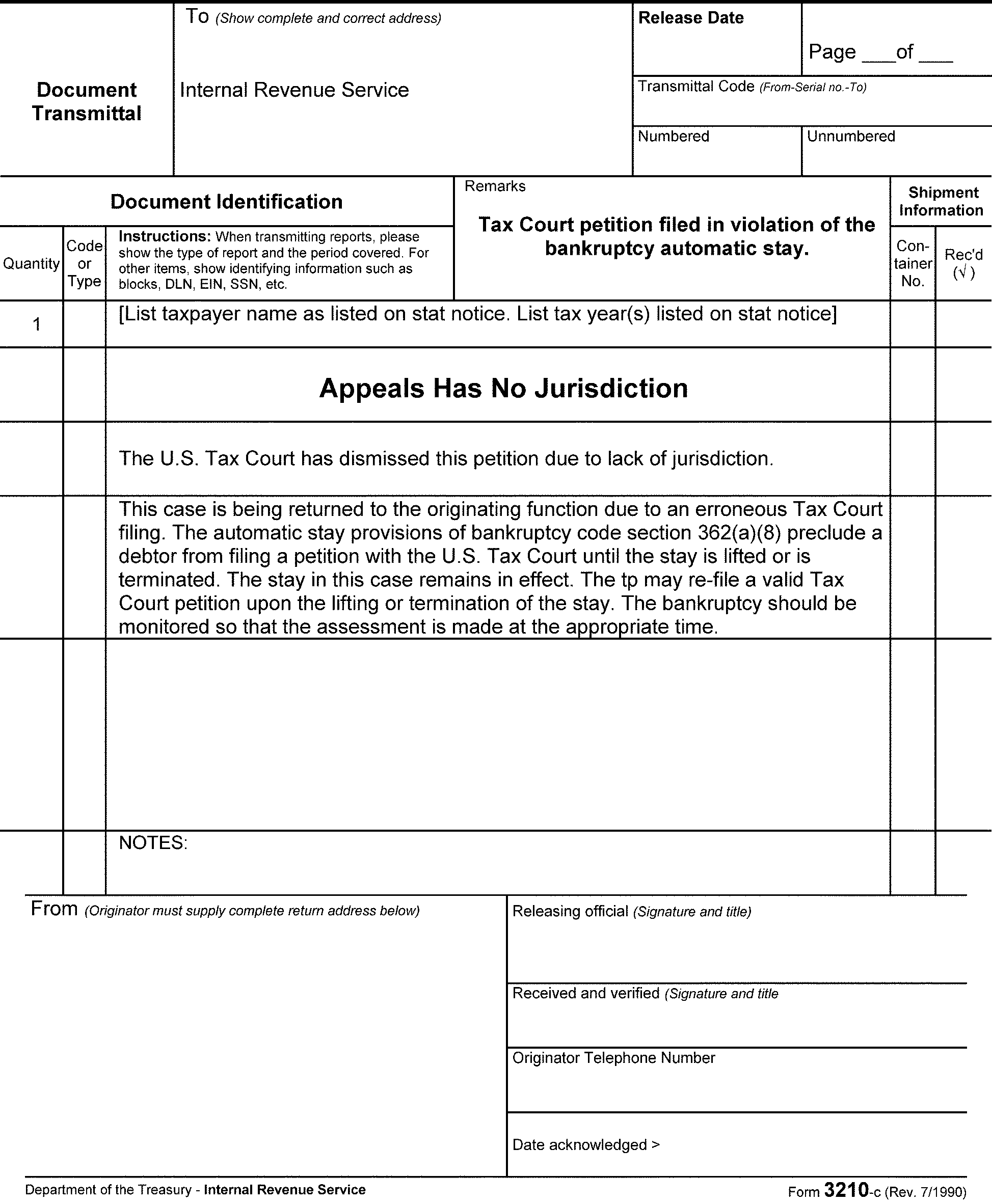
This section provides procedures for processing both pre-assessed and post-assessed Civil Penalty (CVPN) Appeals.
When a CVPN case is submitted to APS for processing, APS must identify if the CVPN module(s) have already been created or if the Appeals determination will require the CVPN module be established by APS.
There are several CVPN codes which carry an ASED and for those cases, ASED protection and assessment time frames apply. The ATE will validate the ASEDs upon receipt and assignment of the case. Upon closing, the ATE will also enter the ASED for each period on the respective closing document.
When a Form 8278, Assessment and Abatement of Miscellaneous Civil Penalties, is used, the ATE will complete the following items:
If the CVPN adjustment does not have an ASED, the ATE will check the box in Item 4 "Check if no ASED"
If the CVPN adjustment does have an ASED, the ATE will enter the ASED in Item 6 "Statute date (mandatory) (mmddyyyy)"
A pre-assessed CVPN Appeals determination will likely require that the MFT 13 or MFT 55 CVPN Module be established for each period being closed.
If the MFT 13 (for BMF) or MFT 55 (for IMF) account has not been established, APS will follow guidance in:
IRM 20.1.7.7, Creating Entities or Name Lines for Non-Return Civil Penalty Cases
IRM 20.1.7.7.1, BMF Entities
IRM 20.1.7.7.2, IMF Entities, to establish a Civil Penalty Module for a secondary taxpayer, or for a tax period that is earlier than the earliest tax period associated with the existing entity name line.
A pre-assessed CVPN case is routed to Appeals according to the "All Penalty Appeal cases from IRS Field Offices" instructions on the Appeals Case Routing web page and may not already have the CVPN MFT account established.
A pre-assessed Dyed Fuel and Refusal Penalty is routed to Appeals according to the "Excise Tax Case Routing" instructions on the Appeals Case Routing web page and may not already have the CVPN MFT account established. See IRM 8.20.7.32.2, Dyed Fuel and Refusal Penalty Case Closing, for additional information on this type of case closing.
Once the CVPN name line is established, the first TC 290 0.00 assessment entered with the applicable Penalty Reason Code (PRC) and penalty assessment amount is processed with a Blocking Series (BS) 52X, the CVPN module is created. All subsequent CVPN assessments for that same tax module are posted using BS 53X.
A post-assessed CVPN Appeals determination will already have an MFT 13 or MFT 55 CVPN module established, and must be adjusted whenever the final determination is to partially sustain or fully allow the taxpayer’s penalty appeal. When the Compliance determination and assessment are fully sustained, APS will close the taxpayer’s CVPN appeal via a TC 290 0.00 with a Blocking Series 96X to identify that Appeals has made a final determination on the respective account.
Post-assessment CVPN cases are submitted to Appeals as a PENAP case (Ogden PENAP work stream).
When APS receives the CVPN case for closing, APS will:
Assign the case to an APS employee on PEAS
Review closing documents for special instructions
Review and update ACDS with the closing information according to the Form 5402, Appeals Transmittal and Case Memorandum
ACDS ACTION - enter ACKCLS
ACDS RevisedPen - enter the amount of the penalty sustained
Input the CVPN account adjustments using IDRS CC: REQ54
Send feedback to Compliance when an address is provided by the ATE in the Route To: field on the Form 5402
All Non-AIMS adjustments must be monitored until they are posted to the account. When the CVPN adjustment(s) is input, place the case in PEAS Suspense with a follow-up date for no later than the applicable 23C Date.
The ATE will prepare and provide Form 5402 with the revised penalty amounts APS needs to update ACDS.
Depending on the resolution, a Form 8278, Assessment and Abatement of Miscellaneous Civil Penalties, is prepared by the ATE, and is used as the source document for APS processing adjustment(s).
-
The following ACDS cc’s apply to the Abusive Transaction penalty WUNO:
Determination Made CLOSINGCD Fully Sustained (penalties are neither adjusted nor removed) 14 Not Sustained (penalties are fully removed/fully abated) 15 Partially Sustained (penalties are partially abated) 16 If there is a related income tax work unit, regular closing codes and procedures apply.
Use general closing guidelines for additional ACDS updates required at closing.
Expedited processing is required for these cases.
All adjustments must be made within five (5) business days of receipt of the case in APS.
The ACDS cc’s for these types of cases are as follows:
Determination Made CLOSINGCD Fully Sustained (penalties are neither adjusted nor removed) 14 Not Sustained (penalties are fully removed/fully abated) 15 Partially Sustained (penalties are partially abated) 16 APS will send a copy of the Form 5402, Appeals Transmittal and Case Memo and ACM, to the Compliance location identified by the ATE in the remarks section.
Return Preparer Penalties are closed the same as other civil penalty cases with the following additions:
Form 5402 will be included in the closing package from the ATE. It should include information on the revised penalty amounts needed to update ACDS.
Depending on the resolution, Form 8278, Assessment and Abatement of Miscellaneous Civil Penalties, when prepared by the ATE, is processed by APS.
Update ACDS following general closing procedures.
The following ACDS cc’s apply:
Determination Made CLOSINGCD Fully Sustained (penalties are neither adjusted nor removed) 14 Not Sustained (penalties are fully removed/fully abated) 15 Partially Sustained (penalties are partially abated) 16 Forward copy of ACM and Form 5402 to Compliance per the instructions on the Customized Form 5402.
APS will assess or abate the penalty per the ATE prepared Form 5402 and Form 8278 instructions.
Several types of Claim cases are worked in Appeals:
Agreed or Defaulted 90-Day Cases Involving Claims
Abatement of Interest
Campus Source Claim
Field Source Claim
If, in response to a notice of deficiency, the taxpayer submits an agreement or fails to file a petition within the time provided, a notice of claim disallowance must be issued before the case is forwarded for assessment, unless the taxpayer submits Form 2297, Waiver of Statutory Notification of Claim Disallowance.
The tax law provides for interest on overpayments in respect to any internal revenue tax, in accordance with IRC 6611. For an examination-sourced case, Appeals will expedite the closing of an overpayment case that meets the "large dollar criteria" - described in IRM 4.4.18, AIMS Procedures and Processing Instructions, Large Dollar Cases and as shown on Exam’s Form 3198, Special Handling Notice for Examination Case Processing. An overpayment case meets the "large dollar criteria" if the total amount of a period’s tax overpayment plus penalties exceeds $100,000.
The expedite procedures include the following:Note:
These procedures do not apply to cases requiring Joint Committee Review. See IRM 8.7.9.6, Appeals Responsibility in Joint Committee (JC) Cases.
APS - APS will expedite the closing of a "large dollar" overpayment case, as" flagged" by the ATE. APS will assign the case on PEAS and identify the case as a "high priority" requiring "expedite processing." APS will make every effort to process a large dollar overpayment within 30 days of Appeals’ receipt of a waiver form and/or closing agreement.
Under IRC 6404(e)(1), the IRS has the authority to abate interest in certain situations.
The ATE will provide APS with an Abatement of Interest customized Form 5402, an ACM, and Form 3870, Request for Adjustment, for each claim period.
For abatement of interest claims allowed in full:
Date and send closing Letter 2393, Abatement of Interest - Fully Allowed or Letter 913, Closing Letter - Agreed Cases, by regular mail.
Review the adjustment document (Form 3870) for the appropriate closing codes, based on the ATE's conclusion to fully allow the interest abatement claim - TC 290 $0.00 and TC 341 with the amount of the interest to be abated. Note "Reason Code (RC) 82" on the adjustment form.
For abatement of interest claims allowed in part:
Close as a defaulted disallowance letter, tried case, Counsel settled case, or dismissed from Tax Court. (See (6) below for ACDS closing codes.)
Process the adjustment document with TC 290 $0.00, TC 341 interest abatement amount, RC 81 (partially abated), or RC 82 (fully abated), if the Tax Court decides further abatement if allowed.
Process the adjustment document with TC 290 $0.00, if the Tax Court decides that no further abatement is warranted or the case is closed as a default or dismissal.
For abatement of interest claims disallowed in full:
Close as a defaulted Letter 2392, Disallowance Letter for Abatement of Interest, tried case, Counsel settled case, or dismissed from Tax Court. (See (6) table below for ACDS closing codes.)
Process with TC 290 $0.00, RC 80 on the adjustment document.
Update ACDS for all abatement of interest closings using general closing procedures and the following cc’s:
CLOSINGCD Definition 03
Agreed fully allowed abatement of interest non-docketed case - with closing Letter 2393
05
Defaulted disallowance letter for a fully disallowed or partially allowed abatement of interest case
08
10
11
12
17
Agreed Docketed
DC Settled
Dismissed Lack of Jurisdiction
Dismissed Lack of Prosecution
Tried
20
Premature Referral
RevsdTax - enter the negative amount approved for abatement, e.g., fully sustained will have $-0-.
DDAMTDIS - enter only the amount disallowed, e.g., full disallowance reflects the full amount of the claim and full allowance reflects $-0-. Partial allowance reflects the difference between the DDAMTCL and the RevsdTax.
The APS TE must resolve all freeze codes on the taxpayer's account to ensure that any refund due to the taxpayer is released and refunded timely.
Use PEAS Suspense when an account adjustment must be monitored until fully posted.
Upon completion of the account adjustment and verification that the appropriate refund amount has been released to the taxpayer, remove the case from PEAS suspense and close PEAS.
See Exhibit 8.20.7-7, for guidance on processing an Interest Abatement case which can be submitted to APS as a partial (interim) or a final determination closing.
Campus claims are normally not controlled on AIMS.
When AIMS controls have not been established, process the adjustment to IDRS using Non-AIMS CC: REQ54:
Form 3870, Request for Adjustment, or Form 8485, Assessment Adjustment Case Record.
Form 5402, Appeals Transmittal and Case Memo.
A separate Form 3870 or Form 8485 is needed for each tax period being adjusted.
Date and mail one of the following closing letters, prepared by the ATE:
Letter 2681, Appeals Full Disallowance After Previous Claim Disallowance
Letter 2682, Appeals Full Claim Allowance
Letter 2683, Appeals Partial Disallowance After Previous Claim Disallowance
Note:
An Appeals disallowance Letter 2681 or Letter 2683 will contain a reminder that the taxpayer has two (2) years from the date of the statutory claim disallowance letter (usually Letter 105-C or Letter 106-C) to file suit in either the U. S. Court of Federal Claims or a U.S. District Court. Generally, the Compliance Campus has already issued the statutory claim disallowance letter (by certified or registered mail) giving the taxpayer an opportunity to go to Claims Court or District Court. Therefore, send the closing letter by regular mail.
These cases are not held for suspense.
The following are the ACDS entries required at closing:
ACDS cc’s:
CLOSINGCD Definition 14 Full Disallowance 15 Full Allowance 16 Partial Disallowance RevsdTax - enter the negative amount approved for abatement/refund, e.g. full disallowance would be $–0–.
APPEALS AMTDIS - enter only the amount of the claim disallowed by Appeals.
Note:
Follow these procedures for non-AIMS controlled claim cases, if a claim disallowance letter was not previously mailed or Form 2297, Waiver of Statutory Notification of Claim Disallowance, was not signed. The ATE will prepare the appropriate closing letter and provide the appropriate closing instructions on Form 5402, Appeals Transmittal and Case Memo. If the claim case is controlled on AIMS, follow the general procedures for closing AIMS-controlled cases. The ATE could make a determination to secure an agreement form and/or send (by certified or regular mail) a statutory claim disallowance letter (or secure a Form 2297 in lieu of the statutory claim disallowance letter).
Actions for inputting the adjustment on claims:
Input TC 29X for appropriate tax change along with applicable reason code(s).
Use blocking series 00 if the original return is with the claim.
Use blocking series 05 (IMF) or 15 (BMF) if the original return is not with the claim.
Claims for abatement and/or refund may require one or both of the following actions:
Issuance of a certified letter of claim disallowance
Account adjustments/abatements
For claim cases originating from Field Compliance, the amount of the claim that Compliance disallowed will be on the second page of the AMDISA. Close the case on ACDS by following normal closing procedures (docketed or non-docketed). In addition:
RevsdTax - enter the net deficiency or overassessment with a (-) sign.
DDAMTDIS - enter the claim amount disallowed by Appeals. This amount cannot be more than the claim amount shown on the second page of the AMDISA. (If a deficiency is to be assessed, enter the full amount of the claim.)
Appeals AMTDIS - enter only the amount of Appeals AMTCLM (claim filed directly with the ATE - hasn't been seen by Exam) which was subsequently disallowed by Appeals. (If a deficiency is to be assessed, enter the full amount of the claim.)
Prepare Form 5403, Appeals Closing Record, according to Exhibit 8.20.7-1 to include applicable Claim related entries. The Form 5403 claim entries are:
Item 20 - "MM-DD-YYYY" = date the signed Form 2297, Waiver of Statutory Notification of Claim Disallowance, was received in Appeals or the date the claim disallowance letter was issued.
Item 808 - enter the amount of claim from Compliance that Appeals disallowed.
Item 809 - (if applicable), enter the amount of a new claim received by the ATE after assignment of the case. This amount will not be reflected on page 2 of the AMDISA under Exam Claim Amount Disallowed).
Item 810 - enter the amount Appeals disallowed in Item 809, if applicable.
Date and mail the closing letter:
Letter 913 - letter for allowed claims or Form 2297 received
Letter 1363 - partial claim disallowance letter sent certified mail
Letter 1364 - full claim disallowance letter sent certified mail
Excess Social Security and Medicare Tax Claims require unique processing of the tax abatement on the BMF entity and a manual refund of the claim amount allowed to the employee/claimant. The ATE determines the fully or partially allowed withholding adjustment amount which is posted as a TC 291 abatement to the employer’s BMF account; but the refund of the abatement must be issued to the employee who filed the claim.
Guidance for processing partially or fully allowed Excess Social Security and Medicare Tax Claims is provided in IRM 21.6.4.4.8.5.1, Social Security and Medicare Tax Erroneously Withheld - Employee Claims for Refund - Schedule H, (2) table row 4.
Excess Social Security and Medicare Tax Claim refunds must be processed via manual refund procedures. See IRM 21.4.4, Why Would A Manual Refund Be Needed?
Guidance for processing the manual refund to the claimant is provided in IRM 21.4.4 subsections, Preparation of Manual Refund Forms, and Preparation of Form 5792, IDRS Generated Refund.
APS will take the following actions for a case settled via a Form 906, Closing Agreement:
Scan the signed Form 906, Closing Agreement, and Form 4222, Closing Agreement Checklist (all pages).
Attach the scanned file to the applicable ACDS case record.
In PEAS, select CA for the PEAS feature code.
Use IDRS CC: FRM77 to input a TC 971 AC 256 for each tax period covered by the CA.
Update the PEAS CAR to document the actions taken.
Affix the original Closing Agreement to the most recent tax return (latest tax period) covered by the Closing Agreement.
Forward a copy of the Form 5402, the ACM, and an original of the Form 906, Closing Agreement, with Form 4222, Closing Agreement Checklist, to the office identified by the ATE on the Form 5402.
-
All Closing Agreements will be retained for six (6) years to comply with the Appeals Records Control Schedule retention period.
Appeals
Attn: Closing Agreement Suspense
55 North Robinson
Oklahoma City, OK 73102–9226
When the ATM enters an ACAP date to the ACDS database, the approved case is electronically transmitted to the appropriate APS PEAS inbox.
The critical CAP time restraints require the closing of a CAP case in APS by the end of the business day following the date the case was received in APS.
APS will close the case on ACDS using closing instructions as provided by the ATE on Form 5402.
See IRM 8.20.7.3.2.1 for instructions on paperless CAP cases selected for AQMS review.
The ACDS CASES Type Codes used to track this program are identified in the table below:
ACDS TYPE Code Is used for CAPLV Levies
Third Party Claims to property under IRC 6343(b)
Taxpayer requests for return of property under IRC 6343(d)
CAPLN Liens
Lien issues
Denials of requests to issue lien certificates, such as subordination, withdrawal, discharge or non-attachment
CAPSZ Seizures
CAPIA Rejected Installment Agreement(s)
Modified Installment Agreement(s)
Proposed Installment Agreement Modification(s)
Terminated Installment Agreement(s)
Proposed Installment Agreement Termination(s)
ACDS cc’s are identified and explained in the table below:
If the Collection Action is Use CLOSINGCD When Fully sustained 14 The collection action is supported with no change. Not sustained 15 The collection action is completely overturned. For example, closing code 15 would be used when a levy is released. Partially sustained 16 Only minor changes are made in the collection action. For example, if filing of a Notice of Federal Tax Lien is proposed, a minor change would be to give the taxpayer 10 more days to come up with the funds before the lien is filed. APS will forward the following items via encrypted email to the originating function:
Form 5402
Appeals Case Memorandum (if provided)
Closing Letter
Collection CAP cases are transmitted via encrypted email to the originating revenue officer (RO) with a Cc: to the RO group manager identified by the ATE on the Form 5402.
APS is responsible for entering the date on the closing letter by using the Typewriter Feature in Adobe.
APS will send an encrypted email to the originating RO with a Cc: to the RO group manager and include the following attachments:
Form 5402
"Dated" Closing Letter
ACM, if one is prepared by the ATE
APS will also transmit the closing letter to the taxpayer and/or their POA via fax or mail (if a fax number is not provided), on the same day as the email is sent.
The electronic CAP case can be purged after 30 days.
For additional information on the Step-by-Step Paperless CAP Process (For Field Sourced Cases) see IRM 8.24.1, Exhibit 8.24.1-3.
Upon closing an ACS CAP case, the Form 4442, Inquiry Referral, if used, will be returned via encrypted email to the sending ACS CAP Case Coordinator together with the Form 5402 and a copy of the closing letter.
To properly close a CDP case, the APS TE takes the following actions when applicable:
Issue Notice(s) of Determination by certified mail.
Monitor the case during the suspense period and if the taxpayer files a Tax Court petition, until the Tax Court decision becomes final and the file is returned from Counsel.
Input TC 971 AC 277 to indicate that Appeals has completed their consideration and issued a determination letter.
Accurately input TC 521 cc 76 and/or cc 77, to end the suspension of the collection statute on each CDP tax period.
Input of any collection alternatives or adjustments to IDRS, e.g., IA, currently not collectible (CNC), Form 3870
Close a CDP OIC off the AOIC system.
Forward the Form 433-D to Compliance Service Collection Operations (CSCO), when appropriate.
Forward the Form 5402 to the address specified by the ATE.
Input TC 481 for CDP OIC cases that are not loaded on the AOIC system.
Transmit an accepted CDP OIC file to Memphis or Brookhaven Monitoring OIC (MOIC).
Forward the case(s) to the Florence APS office, or other APS office as directed by management, where an innocent spouse (IS) issue was raised by the same taxpayer who filed the CDP.
Input the closing information on ACDS and close PEAS.
Close the IDRS control base on CDP or EH cases originating from ACS.
CDP and EH cases received with Project Code WOW (waiver or withdrawal) will be treated as priority case closings. These are cases in which an IA has been reached or the taxpayer has withdrawn their appeal. They will use the following closing codes:
04 - Waiver signed as part of a CDP hearing
15 - Agreement reached as part of an EH
16 - Withdrawal of the hearing request
When there is a related innocent spouse case, a timely CDP offer case, or an EH case associated with the CDP case, the related cases may be closed off ACDS at the time the Notice of Determination (NOD) is issued. However, the case files should be kept together with the CDP case during the monitoring period.
All CDP NODs are issued and suspended for 60 days by the designated APS team. The date of the Notice of Determination Letter and the postmark must be the same. If the taxpayer does not petition Tax Court for a review of the Appeals determination within 30 days after the day the CDP Notice of Determination is issued, APS will commence back-end processing on or after the 60th day from the CDP NOD issuance date.
Note:
Additional suspense time is required for the following Notice of Determination combination letters as identified below:
Letter 4390 for Innocent Spouse cases (suspended for 90 days) + 30 days
Letter 4389 for Abatement of Interest cases (suspended for 180 days) + 30 days
Letter 4439 for EH Innocent Spouse cases (suspended for 90 days) + 30 days
Letter 4440 for EH Abatement of Interest cases (suspended for 180 days) + 30 days
Holtsville, Florence, Fresno, Memphis, and Philadelphia APS teams process CDP and EH case closures.
This section provides guidance for APS employees on closing responsibilities for CDP and EH cases and for processing collection alternatives and adjustments.
APS completes back-end closing actions on all CDP and EH cases regardless of the originating source function (e.g., Field Collection or ACS).
When the ATM enters an ACAPDATE on the ACDS record, the Direct Ship table assigns the closure to the appropriate APS Team.
APS TEs are responsible for identifying and for resolving any discrepancy between the tax periods identified on the ACAP’d CDP Form 5402, and the tax periods reflected on IDRS with collection activity suspended in Status 72.
APS TE Closing Actions for a CDP WUNO A.) Research IDRS CC: SUMRY to identify the Appeals’ taxpayer accounts (Tax Periods) with collection activity currently suspended in IDRS and MF Collection Status 72 with a "-W" freeze. B.) Compare the Status 72 tax periods with the tax periods reflected on the ACDS CDP WUNO/ACAP’d Form 5402 for CDP closing actions. C.) Steps to Resolve discrepancies: If the CC: SUMRY tax periods in Status 72 match the tax periods listed on the Form 5402, then no discrepancy exists - comparison complete.
If the CC: SUMRY tax periods listed in Status 72 include additional tax periods WITHOUT a Master File "-L" AIMS freeze, then use the ACDS Search feature to verify if another CDP WUNO is open for the TIN and includes all of the additional tax periods - go to step 3.
If the separate CDP WUNO includes all of the additional tax periods in Status 72 then no discrepancy exists - comparison complete. If not go to step 4.
Use secure email to alert the ATE about the discrepant tax period(s) and place the case in PEAS Suspense until the discrepancy is resolved and additional actions can be taken.
✓ Provide the ATE with the WUNO, tax period(s) in Status 72 but not on ACDS or Form 5402, and the TC 520 76/77 date. *The discrepant tax period(s) may be the result of a new CDP case in transit to Appeals for which a TC 522 should not be input.
✓ If the ATE verifies that the discrepant tax period(s) should be closed go to step 5.
✓ If the ATE verifies that the discrepant tax period(s) should not be closed, close only the periods included on ACDS and Form 5402.To close a period in Status 72 per ATE instructions received in step 4, input a TC 522 cc 76/77 with the same date as the TC 520 being reversed. Also close the open control base.
Exception:
Each CDP WUNO, whether related to another CDP WUNO or not, is treated separately based upon the final resolution of the respective WUNO. For example, if a liability on an MFT 30 IMF WUNO and a liability on the taxpayer’s Limited Liability Corporation (LLC) are each closed unagreed thus requiring an NOD be issued, then the TC 520s for each of the respective tax periods cannot be reversed until the NOD default date when the ACDS Records for each WUNO will be closed cc 05. If the LLC WUNO is closed agreed (cc 04), but the IMF WUNO is unagreed, then the tax periods for the LLC WUNO must have the TC 520s reversed accordingly, and an NOD is issued for the MFT 30 tax periods. The MFT 30 tax periods’ TC 520s are not reversed until the NOD default date at which time the ACDS record is closed cc 05.
Assign the CDP WUNO on PEAS when received in the centralized APS campus office.
The PEAS type will be "CLS" , and the subtype selected will reflect the action required on the case:
"ACDS Only"
Special Processing – if adjustments or account action is required
APS employees will:
Close cases from ACDS.
Determine and input the TC 521 date for all CDP tax periods.
Input adjustments to accounts.
Input collection alternatives.
Close the AOIC database whenever applicable (see Exhibit 8.20.7-17, Automated Offer in Compromise (AOIC) Update Procedures, for step-by-step instructions).
The case will not be closed out of the TE’s inventory on PEAS until all actions have been completed and all IDRS transactions have fully posted.
If the record has multiple years, each year may be closed as action has been completed; the entire case must not be closed until all closing and processing actions have been complete and all accounts updates have fully posted.
Use PEAS Suspense when necessary, during the closing process.
See IRM 8.20.10, Account and Processing Support (APS) - Appeals Processing Employee Automated System (PEAS), for detailed PEAS guidance and procedure.
This section provides guidance for ACDS entries for closing CDP, EH, Retained Jurisdiction (RJ), and CDP Timeliness Determination (CDPTD) cases.
CDP cases are closed with the following closing codes:
CLOSINGCD Action 04 Agreed with waiver (Form 12257) 05 Defaulted determination letter 10 (Docketed) Agreement Secured - Used for a case settled with a secured agreement, whether it was secured by Appeals or Counsel 11 Dismissed - Lack of Jurisdiction 12 Dismissed - Lack of Prosecution 13 Disregarded Hearing Request 16 Withdrawn (Form 12256 or other written withdrawal) 17 Tried Case - Used for any cases tried by Counsel which resulted in a court rendered decision 20 Premature referrals or rescinded CDP cases 42 Remanded cases (interim) 43 Petitioned cases (interim) EH cases are closed with the following cc’s:
CLOSINGCD Action 13 Disregarded Hearing request 14 Fully sustained 15 Partially or not sustained 16 Withdrawal 20 Premature Referral RJ cases are closed with the following cc’s:
CLOSINGCD Action 14 Collection is following Appeals' CDP determination 15 Collection is not following Appeals' determination 16 Appeals' CDP determination is revised in cases involving change in circumstances Separate Timeliness Determination (CDPTD) cases are closed with the following cc’s:
CLOSINGCD Action 14 Appeals agrees with Collection's timeliness determination 15 Appeals disagrees with Collection's timeliness determination 16 Appeals partially agrees with Collection's determination
This section provides guidance on ACDS dates and action codes for CDP closing types.
ACDS Entries:
ACTION = ACKCLS
TODATE = Date case sent for closing
LACTION = TC 521
LTODATE = Enter the date of the TC 521
DATECLSD = Enter date closed in APS
ACDS Entries:
ACTION = ACKCLS
TODATE = Date case sent for closing
LACTION = TC 521
LTODATE = Date ATM or ATE signed Form 12257
DATECLSD = Enter date closed in APS
ACDS Entries:
ACTION = ACKCLS
TODATE = Date case sent for closing
LACTION = TC 521 For CDP cases only
LTODATE = Date Appeals received Form 12256
DATECLSD = Enter date closed in APS
ACDS Entries:
ACTION = ACKCLS
TODATE = Date case sent for closing
LACTION = TC 522 (For timely CDP only or where TC 520 cc 76/77 was input)
LTODATE = Enter date TC 522 is input (An EH case will not have a TC 522)
DATECLSD = Enter date closed in APS
ACDS Entries:
ACTION: ACKCLS
TODATE: Date case sent for closing
LACTION = TC 522 (For timely CDP only or where TC 520 cc 76/77 was input)
LTODATE = Enter date TC 522 is input (An EH case will not have a TC 522)
DATECLSD: Enter date closed in APS
See IRM 8.20.7.20.6, Inputting TC 522 for Disregarded and Non-Processable Hearing Requests, for information on the use of TC 522 for CDP cases closed using cc 20.
ACDS Entries:
ACTION = ACKCLS
TODATE = Date case sent for closing
LACTION = Leave blank
LTODATE = Leave blank
DATECLSD = Enter date closed in APS
ACDS Entries:
ACTION = ACKCLS
TODATE = Date case sent for closing
LACTION = Leave blank
LTODATE = Leave blank
DATECLSD = Enter date closed in APS
ACDS Entries:
ACTION = ACKCLS
TODATE = Date case sent for closing
LACTION = Leave blank
LTODATE = Leave blank
DATECLSD = Enter date closed in APS
APS must accurately input TC 52X and TC 97X on the taxpayer’s account when closing a CDP and EH case from ACS or from Field Collection.
The TC 521 cc used are determined by the CDP TYPE code:
DPLN = 76
DPLV = 77
DPL2 = 76
The TC 521 date is determined by APS per guidance provided in IRM 8.20.7.20.4 below.
See the table below for the TC 52X and TC 97X requirements for each type of closing:
Type Transaction Code Requirement CDP TC 521 with applicable closing code and date
TC 971 AC 277 with the date of APS closing action*
EH TC 971 AC 280 with the date of APS closing action*
Verify there is not an open TC 520 76/77 on each period when there is no open timely CDP. If there is an unreversed TC 520 76/77 determine if a TC 522 76/77 should be input
CDP Disregarded Hearing (ACDS cc 13) TC 522 with the applicable closing code and the same date as the TC 520 being reversed
TC 972 AC 275 and the same date as the TC 971 being reversed
CDP Premature Referral (ACDS cc 20) TC 522 with the applicable closing code and the same date as the TC 520 being reversed
TC 972 AC 275 and the same date as the TC 971 being reversed
EH Disregarded Hearing (ACDS cc 13) TC 972 AC 278 and the same date as the TC 971 being reversed
EH Premature Referral (ACDS cc 20) TC 972 AC 278 and the same date as the TC 971 being reversed
APS must close the IDRS Control Base for all CDP or EH cases referred to Appeals by ACS.
The TC 521 date is the date the determination becomes final. APS must input the TC 521 date and monitor IDRS to verify it posted to the taxpayer's account.
If the taxpayer does not file for a judicial review, compute the TC 521 as follows:
If Then Letter 3193, Notice of Determination Concerning Collection Actions Under Sections 6320 and 6330, is issued and CDP case is closed cc 05 TC 521 = 30 days after the letter is issued. Form 12257, Summary Notice of Determination and Waiver of Right to Judicial Review, is secured and CDP case is closed using cc 04 TC 521 = date ATM or Hearing Officer signed Form 12257. Form 12256, Withdrawal of Request for Collection Due Process or Equivalent Hearing, or a withdrawal is received and CDP case is closed cc 16 TC 521 = the date Appeals received the withdrawal as shown on Letter 4383, Withdrawal Acknowledgment. CDP/IS Combo Letters Letter 4390, Notice of Determination - Request for Relief from Joint and Several Liability, is issued as closing letter because the CDP taxpayer raised a spousal issue TC 521 = Notice of Determination Letter date + 90 days if the taxpayer does not petition Tax Court. CDP/ABINT Combo Letter 4389, Notice of Determination - Abatement of Interest, is issued as closing letter because the CDP taxpayer raised an abatement of interest issue TC 521 = Notice of Determination Letter date + 180 days if the taxpayer does not petition Tax Court. The CDP case is closed as a premature referral (cc 20) do not input TC 521, input TC 522 with same date as TC 520. The CDP case is closed as a disregarded hearing request (cc 13) do not input TC 521, input TC 522 with same date as TC 520. If the taxpayer requested judicial review, the TC 521 date will be computed as follows:
If The Determination Document Then states "Pursuant to the agreement of the parties" without an IRC 6330(e) waiver paragraph and the taxpayer does not petition a higher court (cc 10) TC 521 = Date decision entered + 90 days. states "Pursuant to the agreement of the parties" with an IRC 6330(e) waiver paragraph (cc 10) TC 521 = Date decision entered. states "Pursuant to the determination of the court" and is only signed by the judge (cc 17) TC 521 = Date decision entered + 90 days is an Order to Dismiss and the taxpayer does not petition a higher court (cc 11) TC 521 = Date decision entered + 90 days Note:
If a taxpayer appeals a Tax Court decision to a U.S. Court of Appeals and/or U.S. Supreme Court, the above time periods will be extended. A chart referencing the various situations that may arise can be found in Chief Counsel Directives Manual 36.2.5.3. Use this chart to assist in the determination of the TC 521 date. Counsel will generally hold cases until the decision of the Tax Court is final. The TC 521 date should be determined after Counsel returns the case. If there is a question in determining the TC 521 date, consult with APS management or contact the Counsel attorney directly for assistance in determining the correct date.
The CSED is systemically computed by IDRS with the input of the TC 521.
A manual computation of the CSED is required ONLY when the account is joint and only one of the joint taxpayers (Primary (P) or Secondary (S)) requested the hearing. See (6) and (7) below for additional information.
The new CSED can be manually computed using the following tools:
ACDS Utilities Number of Days calculator. This tool calculates the number of days between the TC 520 and TC 521 dates.
ACDS Utilities Target Date calculator. This tool calculates the new CSED date when the number of days the CSED is suspended (see (a) above) is added to the current CSED.
If the CSED was suspended for only "P" or "S," a new CSED is input via REQ77 with TC 550.
Note:
The CSED date on the joint IMF module will only reflect the earliest of the spouse's CSED dates. When only one spouse requests a CDP hearing, input a TC 550 with the CSED extension date and a CSED TIN Indicator of either "P" or "S" to the MFT 30 CDP module to show the later of the two CSED dates for either the primary or secondary spouses. A TC 550 is not necessary when the joint MFT 30 CDP module(s) have been mirrored to MFT 31 modules for each spouse. In that case, the TC 521 input will systemically update the CSED.
APS will use the IAT IDRS CC: REQ77 tool to input TC 52X and TC 97X transactions.
APS will suspend a CDP or EH case on PEAS using PEAS suspense reason code S09 and monitor the account(s) until the transaction(s) post.
If the TC 521 or TC 971 input goes unpostable, the CDP or EH case will remain in suspense until APS resolves the unpostable condition.
When working MFT 31 accounts, verify all TC 520s have been addressed:
Research MFT 30 and both MFT 31 accounts.
If only one spouse was requesting the hearing, input TC 522 on the non-requesting spouse and MFT 30 account, and input the appropriate TC 521 on the requesting spouse.
When the TC 521 and TC 971 have posted to all of the tax periods for the WUNO, APS will remove the WUNO from PEAS suspense, and close PEAS using closing code 03.
APS will input a TC 522 with the appropriate TC 52X closing code, to the periods on any CDP case where the ATE closes the case as a disregarded hearing request using ACDS closing code 13. A disregarded hearing request is one submitted by a taxpayer where all the taxpayer's issues are considered frivolous or raised with a desire to impede collection. The net result of TC 522 input is that there is no suspension of the collection statute for the period of time begun with a Disregarded or Non-processable CDP hearing request.
APS will input a TC 522, to the periods on any CDP case where the ATE closes the case as a premature referral, using cc 20.
TC 522 is input using the same date as the TC 521 being reversed, via the IAT IDRS CC: FRM77 tool.
ACS establishes and assigns an IDRS control base (6619500001) to the Holtsville APS team when they forward a CDP or EH case to Appeals, following IRM 5.19.8, Forwarding Cases to Appeals.
APS uses IDRS Command Code ACTON to close the IDRS control base at the conclusion of CDP back-end processing on all ACS originated cases.
See IRM 2.3.12, IDRS Terminal Responses, Command Code ACTON, Exhibit 2.3.12–2 for ACTON format.
When the ATM enters an ACAP date to the ACDS database, the approved case is electronically transmitted to the appropriate APS PEAS inbox using the Direct Ship criteria. Take the following actions:
Step Issue Action 1. APS applies the date of mailing and certified mail receipt number APS applies dates to the Form 5402 and closing letter(s). The closing letter(s) is sent certified or regular mail as required by the hearing type. 2. APS includes a PDF of the closing letter with the date and certified mail receipt number and attaches it to ACDS APS includes a final PDF of the dated closing letter(s) issued to the taxpayer and/or the POA and attaches the letter(s) to ACDS. 3. Retain related paper files When an NOD is issued, or when an EH decision letter is issued (where the timeliness of the appeal is in dispute), retain with the case any related WUNO paper files or other administrative paper files that were secured from closed files, and which were used in making the determination or decision.
Note: This typically is for when a liability issue is considered for a TFRP assessment or Examination assessment, but may include other paper administrative records.
The documents are forwarded to APS by the ATM or ATE after ACAP is entered, following the case routing instructions in ACDS. APS will suspend these related paper files along with the electronic CDP or EH administrative file by following current guidance in IRM 8.20.6.20.2, CDP Notices of Determination.4. Cases closed with ECC procedures For closures of field originated CDP cases where an agreement has been reached and a waiver or withdrawal has been secured, the Collection Appeals ATM will retain these files until such time that APS informs them closing actions have been processed in accordance with ECC procedures. CDP cases where an NOD is issued do not qualify for closure via ECC procedures (IRM 8.20.7.2.4). 5. Certain Paper Case Closures Returned via Email Certain closures should be sent by the AO/ATM to APS via the support request SharePoint site. These cases are closed using ECC procedures and include: Withdrawals
Premature referrals
Frivolous/Disregarded cases closed with L4381
Include the original PDF file, closing documents, and digital copies of any other documents submitted to Appeals. APS will forward the documents to the originator of the case in Collection*.
*RO and group manager contact information can be found on Form 14461, Transmittal of CDP/Equivalent Hearing Request, located within the original PDF upload received from Collection.6. Cases NOT closed with ECC procedures For CDP Field cases where an NOD must be issued, Collection Appeals sends any ride-along paper file (if there is one) to APS to issue the NOD, monitor the Tax Court filing, or default and close. 7. At the appropriate time, APS closes the case on ACDS. When applicable, upload the certified mailing receipt to ACDS After any applicable case suspense period, APS closes the case on ACDS and performs all established closing procedures following IRM 8.20.7.20.12.2, Revenue Officer Notification of CDP and EH Closures, including inputting TC 290 for 0.00 and NSD (no source document). 8. APS forwards to Collection the digital attachments from ACDS Except for the PDF file Collection sent with the initial referral to Appeals, upon closing the CDP case, APS will send all other ACDS digital attachments to the RO via encrypted e-mail with a "cc" to the RO group manager. Contact information can be found on the Form 14461 that was in the PDF file sent to Appeals.
If neither Collection recipient is available via e-mail, APS will take no further action. If the digital attachments are later needed by Collection, they will contact the Appeals Account Resolution Specialist Customer Service Team via its Customer Service Request Site and choose “Submit Customer Service Request Form”.9. The electronic file resides on ACDS When the CDP case is entirely electronic, there will not be any administrative paper file to send to "files." These administrative files are housed on ACDS and purged at a later time.
APS will not receive requests for abatements from the ATE based upon bankruptcy "dischargeability" determinations. If an ATE believes that a particular tax year was dischargeable and should be abated, the abatement has to be completed by the Insolvency function. If APS receives such a request by the ATE, the case should be sent back to the ATE to resolve the "dischargeability" issue with Insolvency.
"Dischargeability" issues may arise on a CDP case if the taxpayer petitions the Tax Court. If APS receives a stipulated decision or directives from Counsel that a tax year was dischargeable and should be abated, APS will contact the Centralized Insolvency Organization (CIO) to coordinate with the appropriate Insolvency office to have the liability abated. APS will provide the following documentation to CIO:
Name of the Counsel attorney for the case
Closing instruction from Counsel
Stipulated Decision
The Insolvency function will contact APS once the requested abatements are completed. The Insolvency function will only make adjustments based upon "dischargeability" determinations and will not make any adjustments based upon tax recomputations. Adjustments based upon tax recomputations will be processed by APS. To contact the Centralized Insolvency Organization by phone, access the Insolvency Liaisons site.
The Insolvency function is the only function that can input bankruptcy transactions onto IDRS. APS must not input requests for TC 520/521 with bankruptcy closing codes nor should APS input any TC 971 with abatement or partial abatement action codes.
See Exhibit 8.20.7-16, TC 520 Closing Code (cc) and MF Freezes, for more details.
When the ATM enters an ACAP on the ACDS record, the case will be assigned to the appropriate APS Team per the Direct Ship table.
Upon receipt of the RRAP case from the ATM, APS takes the following actions:
Issue the appropriate letter within ten (10) calendar days of the ACAPDATE.
If an NOD is issued, suspend the case for a total of sixty (60) days.
If the taxpayer petitions the USTC, take no action until the Tax Court case is closed and Counsel has returned the case to Appeals.
APS will close the case after the decision is final and will email the closing documents listed below to the originating RO:
Form 5402, Appeals Transmittal and Case Memo
Letter 3193, Notice of Determination Concerning Collection Actions Under Sections 6320 and 6330 with Appeal Case Memorandum (ACM), or
Form 12257, Summary Notice of Determination and Waiver of Right to Judicial Review, with cover letter or
Form 12256, Withdrawal of Request for Collection Due Process or Equivalent Hearing, with cover letter
Other documents obtained by Appeals during the CDP hearing process
When APS receives a Docketed CDP case for final closure and the decision document includes language to abate 6201(a)(4) interest and/or penalty, APS will follow the process steps below:
Convert the Tax Court Decision Document into a PDF (if needed)
Attach the PDF to the ACDS record
Close ACDS following current CDP closing instructions
Use Secure E-mail to transmit the Tax Court Decision Document to *SBSE TECH SVS Criminal Restitution
Place the case in PEAS Suspense (Suspense Reason code = S03 - Waiting on Compliance for information/response)
Within 15 Business days, the RBA Team will respond to the originator via secure E-mail that the RBA adjustment document has been prepared and submitted for the RBA adjustments. A copy of Form 3870 should be attached. APS will follow the process steps below to close the case :
Verify the MFT 31 RBA account adjustment(s) is either adjustment pending (AP) or pending (PN) (may take up to 30 days to post)
Convert the E-mail to a PDF
Attach the PDF and Form 3870 to the ACDS Record
Close ACDS following current CDP closing instructions:
✓ Input TC 521, and any other application IDRS actions
✓ Monitor actions until posted
✓ Input PEAS closing code
✓ Prepare the CDP case file for transmission to the appropriate location using current CDP and Form 3210/E3210 procedures
✓ For field CDP cases, input the Action FROMDATE upon receipt of the "Acknowledged" Form 3210/E3210
Whenever there is judicial review of a CDP or an EH with a related case that has judicial review, the case files should be kept together until the suspense period expires or the matter is resolved in the courts.
For cases originated by ACS, on IDRS input TC 290 for 0.00 with HC 3 and blocking series 18X on the most recent CDP tax period.
All Non-AIMS adjustments (TC 29X), and account updates (TC 52X, TC 971) must be placed in PEAS suspense and monitored until all input transactions have fully posted.
APS will establish an appropriate follow-up date to access the taxpayer's account and verify all transactions have posted.
Close PEAS once suspense and monitoring actions are completed.
Use PEAS cc 03.
"Complete Date" for a CDP or an EH case is the date APS closes the case off PEAS.
ACS case files will not be returned to ACS. ACS cases with a physical file will be sent to the "Campus Files function" . Related OIC cases will also be sent to the "Campus Files function" if the offer was not accepted. CDP OIC files are not sent back to COIC. If the CDP OIC was accepted, only the OIC file is sent to MOIC and the CDP file is sent to the "Campus Files function" .
APS, or the Shared Team of Administrative and Redaction Support (STARS), will use email to provide the ACS Support (ACSS) CDP coordinator with a copy of Form 5402. For IAs:
Direct Debit IA (DDIA) requiring special processing or mirroring are transmitted to ACS by APS via email
These DDIAs must be identified on Form 3210/E3210
These DDIAs are input by ACS
Manually Monitored IA (MMIA) and mirrored CNC requests are transmitted to ACS by APS via email
Form 433-D and mirrored CNC requests must be identified on the Form 3210/E3210
ACSS submits these requests to Centralized Case Processing (CCP) for input on IDRS
The ACS Support CDP Coordinator’s contact information is accessible via the SERP ACS CDP Coordinators site.
For CDP cases where the taxpayer has raised frivolous or hybrid issues, the ATE will indicate such on the Form 5402, and the following documents must be transmitted to ACS in addition to the Form 5402:
Copy of the taxpayer's frivolous CDP hearing request
Copy of Letter 4380, Appeals Received Your Request for a Collection Due Process and/or Equivalent Hearing and a copy of Letter 3846, Appeals Received Your Request for a Collection Due Process Hearing if issued
Copy of the Notice of Determination
Copy of the case history
Copy of any written communications received from the taxpayer as a result of the withdrawal solicitation in either Letter 4380 or Letter 3846
RO Collection case files will be returned to the originating RO group manager after the case is closed on ACDS. Related OIC case files will be sent to MOIC if the offer is accepted or be sent with the CDP case file to the RO group manager if the OIC is rejected.
Prepare Form 3210/E3210 with the address of the originating RO group manager provided on Form 5402 "Route Case To" field, to transmit the original administrative file to the RO group manager.
A closing letter is prepared for most CDP and EH. The type of letter and mailing requirements for each letter are discussed below.
When a closing letter is issued on a CDP case, a copy of the letter will be included within the administrative file upon mailing of the letter.
Stand-alone EH cases (Letter 3210, Decision Letter Concerning Equivalent Hearing Under Section 6320 and/or 6330 / Letter 5145, Agreed Equivalent Hearing Closing Letter) are closed and processed by APS CDP back-end Campus offices.
Combination EH and innocent spouse or EH and Abatement of Interest claim (Letter 4440, Decision Letter - Equivalent Hearing & Interest Abatement and Letter 4439, Decision Letter - Equivalent Hearing & Innocent Spouse) are processed by Campus back-end APS AFTER the suspense period for the NODs.
If a case has both EH and CDP work units, close the EH work unit. Do not hold the EH work unit pending the resolution of the CDP unless it has been chosen for AQMS review.
An EH WUNO must be suspended with a related abatement of interest (ABINT) or IS WUNO. The EH WUNO cannot be closed on ACDS until the related ABINT or IS WUNO is also closed.
In all cases where Appeals has previously sent the taxpayer the Substantive Contact Uniform Acknowledgement Letter (UAL), the ATE will prepare a Letter 4383, Collection Due Process/Equivalent Hearing Withdrawal Acknowledgement if a Form 12256, Withdrawal of Request for Collection Due Process or Equivalent Hearing, is secured.
The Letter 4383:
Provides the taxpayer with the date Appeals received the withdrawal.
Provides APS with the date Appeals received the withdrawal. The received date of the withdrawal is used for input of the TC 521 cc 76/77.
Is signed by either the ATE or the ATM.
If joint taxpayers are living at the same address, send a single letter addressed to both taxpayers.
If joint taxpayers are not living at the same address, send separate letters.
Do not enclose a copy of Form 12256.
Send the taxpayer the original closing letter with a copy to their authorized representative, if applicable.
Appeals will not send the taxpayer Letter 4383 if the withdrawal was received before Appeals acknowledged receipt of the case with the Substantive Contact Uniform Acknowledgement Letter.
When issuing a Letter 4381, Disregard CDP/EH Request, follow established procedures for issuing a notice of determination or a decision letter.
The Letter 4381 will be sent by first class mail. Certified or registered mailing is not required.
If the hearing request is signed by both joint taxpayers who are living at the same address, send a single letter addressed to both taxpayers.
Send separate letters to joint taxpayers that are not living at the same address.
Send a copy of the letter(s) to the authorized representative, as appropriate.
Verify addresses using ENMOD, INOLES, or SPARQ.
Place a copy of the letter and all attachments in the administrative file.
The ATE will prepare the OIC acceptance Letter 5490, for CDP/EH OICs they accept.
APS will date and issue the OIC acceptance letter to the taxpayer as an attachment to the CDP Notice of Determination, EH Decision letter, or Form 12257, Summary Notice of Determination and Waiver of Right to Judicial Review.
The ATE will prepare closing Letter 4382, Form 12257 Closing, if a Form 12257 is secured.
The closing letter requires the ATM or ATE's signature.
Send the taxpayer the original closing letter and the original waiver with a copy to the authorized representative, if applicable.
If joint taxpayers are living at the same address, send a single letter addressed to both taxpayers at that address.
Send separate letters to joint taxpayers who are not living at the same address and enclose Form 12257 with each.
CDPTD cases will not have a closing letter. Appeals does not communicate with the taxpayer regarding timeliness determinations. Appeals timeliness determination is provided to Collection who relays the information to the taxpayer.
Use Form 5402 to close the case on ACDS. The Form 5402 will not have an ATM signature; no review is necessary.
Separate CDPTD cases are closed with the following cc’s:
CLOSINGCD Description 14 Appeals agrees with Collection's timeliness determination 15 Appeals disagrees with Collection's timeliness determination 16 Appeals partially agrees with Collection's determination
After the applicable suspense period for the CDP NOD has expired and no petition has been filed, close the WUNO on ACDS.
Update ACDS using general closing instructions. Input the following:
CLOSINGCD - 05
ACTION - ACKCLS
If the ATE prepared and provides a Form 3870, Request for Adjustment, process the authorized account adjustments. Suspense the PEAS case for monitoring until the adjustment(s) fully post.
IRC 7481 governs the finality of a Tax Court Decision. Counsel will hold cases pending the filing of an appeal, or if no appeal is filed, until the decision becomes final, which is 90 days after the decision is entered in Tax Court, plus 10 days to allow for mailing. "The appeal period may be extended by a motion to vacate or revise the decision or by a motion for litigation costs." For additional information, see:
CCDM 36.2.5.3, Chief Counsel Directives Manual, Finality of Tax Court Decisions and Mandamus
CCDM 36.2.5.6.4, Chief Counsel Directives Manual, Time for Filing Notice of Appeal
When the Tax Court decision is final, Counsel will return the case to Appeals on Form 1734, Transmittal Memorandum.
Review Form 1734 and input the appropriate ACDS closing code:
A "Docketed Case" requiring closing code 10 is one that was docketed but was settled with an agreement. Docketed cases are generally settled with a decision document beginning with the words "Pursuant to the agreement of the parties in this case..." , or similar wording and are signed by the judge, the taxpayer and Counsel.
A "Tried Case " requiring closing code 17 is one that was docketed and not settled, was tried and received a court rendered decision. Cases requiring closing code 17 are those with a decision document from the court beginning with the words "Pursuant to the determination of the Court..." , or similar wording, are signed only by the judge and do not first refer to an agreement.
Input TC 521 with a closing code 76 or 77, as appropriate. The date of TC 521 will be the date the Tax Court decision became final. Consult with APS management or contact the Counsel attorney if assistance is needed in determining the correct TC 521 date.
Caution:
If the case does not contain a waiver paragraph, and Counsel submits the case to APS prior to the date on which the decision becomes final, APS must suspense the case for the remainder of the 90 days plus 10 days, because the TC 521 cannot be input with a future date. Exception - Delinquent Original Return that settles the case.
If a decision document contains a waiver of the restrictions on collection in accordance with IRC 6330(e), which would be placed below the judge's signature, the collection statute resumes on the date the decision is entered.
A Tax Court may grant litigation fees and costs to a petitioner (taxpayer) in a CDP case. The field attorney who handled the case, not APS, is responsible for handling litigation fees and costs.
The taxpayer’s petition may be dismissed for Lack of Jurisdiction, or for Lack or Prosecution.
An Order to Dismiss for Lack of Jurisdiction results from one or more of the following conditions:
Petition not filed on or before the last date to file a Petition with the USTC identified on the NOD
Petition filing fee was not paid and the requirement to pay the filing fee was not waived
Petition was withdrawn by the petitioner
Any combination of the conditions listed above
An Order to Dismiss for Lack of Prosecution results from one or more of the following instances:
Petitioner did not appear and the failure to appear is determined to be an unexcused absence by the Court
APS will take the following actions to close ACDS and update IDRS as appropriate:
Dismissed Lack of Jurisdiction (LOJ) - ACDS CLOSINGCD = 11
Dismissed Lack of Prosecution (LOP) - ACDS CLOSINGCD = 12
Input TC 521 with the applicable closing code to close the TC 520 and resume collection activity
Place the PEAS case in Suspense and monitor the IDRS account until the TC 521 is posted.
APS will forward the CDP case to the location identified by the ATE on Form 5402 using Form 3210/E3210 as appropriate.
A Tax Court decision can be appealed by either the petitioner or the U.S. Government.
Counsel retains case files for at least 90 days + 10 days (100 days total) after the Tax Court decision is entered.
Counsel will notify Appeals when the decision becomes final (after the case is finished in the U.S. Court of Appeals and/or Supreme Court). At this point, the TC 521 date must be determined. If there is a question in determining the TC 521 date, consult with APS management or contact the Counsel attorney directly for assistance in determining the correct date.
The Tax Court may impose a penalty against a taxpayer not exceeding $25,000 under IRC 6673 (a)(1) if:
a taxpayer institutes or maintains a proceeding primarily for delay,
takes a position that is frivolous or groundless, or
unreasonably fails to pursue available administrative remedies.
For identification of the IRC 6673 civil penalty amount imposed, refer to the Entered Tax Court Decision.
If a court other than the Tax Court, including appellate courts, determines that the taxpayer is proposing a frivolous or groundless suit, the court may award sanctions, penalties, or costs not exceeding $10,000 under its rules. IRC 6673 (b)(2) and (3) allows the "award" to be assessed and collected like a tax.
The tax examiner will prepare a Form 8485, Assessment Adjustment Case Record, as the civil penalty assessment source document. In this instance, a Form 8278 will not be prepared by the ATE.
APS will assess civil penalties asserted under IRC 6673 (a)(1) (PRN 643) and IRC 6673 (b)(2) and (3) (PRN 644).
The IRC 6673 penalty is assessed on a CVPN module:
MFT 13 (BMF)
MFT 55 (IMF)
Since the IRC 6673 penalty is not associated with a particular tax year before the court, but instead is a sanction imposed by the court for groundless delay, the penalty is assessed using the month and the year of the Court's order imposing the IRC 6673 penalty.
IMF Entities (MFT 55) - Any month can be used to identify the CVPN 55 Tax Period. Refer to IRC 6673 CVPN IMF Table below.
BMF Entities (MFT 13) - Calendar year month end is used to identify the CVPN 13 Tax Period. Refer to IRC 6673 CVPN BMF Table below.
IRC 6673 CVPN IMF Table
IF Ordered Entered by the Court on THEN Use Period June 6, 2014 201406 December 7, 2013 201312 February 22, 2012 201202 IRC 6673 CVPN BMF Table
IF Ordered Entered by the Court on THEN Use Period April 14, 2014 201412 August 6, 2013 201312 November 22, 2012 201212 If the CVPN account is not yet established, reference the following IRMs and take the appropriate action(s) to establish the CVPN account for assessment of the IRC 6673 penalty:
IRM 20.1.7.7, Creating Entities or Name Lines for Non-Return Civil Penalty Cases
IRM 20.1.7.7.1, BMF Entities
IRM 20.1.7.7.2, IMF Entities
IRM 20.1.10.8.1, IRC 6673(a) - Tax Court Proceedings
IRM 20.1.10.8.1.2, Assertion/Assessment of 6673(a)
IRM 20.1.10.8.2, IRC 6673(b) - Proceedings in Other Courts
IRM 20.1.10.8.2.2, Assertion/Assessment of 6673(b)
Process the CVPN assessment:
Research IDRS command codes BMFOL, IMFOL, INOLE, NAMES/E to ensure the penalty is being assessed on the correct filer’s account.
Use IDRS CC: ADJ54 to input a TC 290 0.00*.
Input the appropriate PRN:
• PRN 643 for Tax Court (6673(a))
• PRN 644 for other than Tax Court (6673(b))Input the dollar amount of the penalty as identified on the Entered Tax Court Decision.
Use blocking series 52X (required for the first assessment). Use blocking series 53X if this is NOT the first CVPN assessment to the MFT 13 (BMF) or MFT 55 (IMF) for the respective taxpayer and tax period.
Use a PDC if the CVPN entity is PN or input the ADJ54 adjustment in the cycle immediately following the cycle in which the CVPN Entity is fully established.
Do not use an HC (see Caution below) because the IRC 6673 Civil Penalty is immediately assessable under the authority of the Court imposing the CVPN and is immediately collectable as of the assessment’s 23C date.
Caution:
If you are processing a credit transfer or offsetting an available overpayment from the same taxpayer’s IDRS account(s), then use the appropriate HC to suspend the notice until the credit transfer(s) post(s). Always monitor the account to confirm all transactions post and once the account correctly reflects all transactions, post a TC 290 0.00 Blocking Series 96X without a hold code to release the balance due notice and freeze the CVPN from subsequent abatement action by non-Appeals personnel.
Take all necessary steps to avoid an unpostable condition.
The IRC 6673 penalty imposed by the Court cannot be mitigated by a subsequent claim or penalty abatement request filed by the taxpayer. For this reason, APS must also post a second TC 290 for 0.00 with a Blocking Series 96X to freeze the CVPN from subsequent abatement action by non-Appeals personnel.
There is no return of tax to trigger the running of the statute of limitations prescribed by IRC 6501. The costs to be assessed under the authority of IRC 6673(b)(2) are not reported on any document filed by a taxpayer. Additionally, the costs are neither related to nor based on a tax return filed by taxpayer.
APS will assess the IRC 6673(b)(2) penalty promptly upon receipt of the judgment (i.e., order of the court).
Collection Alternatives or back-end processing that may be requested on CDP or EH cases include:
Credit transfers
CNC
Innocent spouse (INNSP)
IA
ABINT
OIC
Penalty Abatement
Tax Abatement
The ATE will enter a CNC closing code on Form 5402, Appeals Transmittal and Case Memo. The ATE will also indicate in the "Remarks" section of Form 5402, any non-CDP periods which should also be placed into CNC status.
Caution:
If the APS TE notices CDP or non-CDP balance due tax period(s) which are NOT also identified by the ATE for closure as CNC with a TC 530, review the decision portion of the ACM or Form 12257 to see if the omitted balance due tax period(s) is/are indicated and should have been identified for closure with a TC 530. If the omitted balance due tax period is not identified in the ACM, nor identified on the Form 12257, notify the ATE using encrypted email, and request written confirmation that the balance due tax period(s) should or should not also have a TC 530 posted to place them in CNC status. This collaborative verification process supports:
★ The Taxpayer’s Right toQuality Service
★ The Taxpayer’s Right toFinalityUse IAT REQ77 tool to input TC 530 with the cc provided by the ATE (01-39) to place an account in CNC status.
The ATE must prepare a paper Form 53, Report of Currently Not Collectible Taxes if they request a mandatory follow-up. Send the paper Form 53 to ACS or the originating revenue officer to forward to Compliance Case Processing (CCP) for input.
When CNC requests are made for one taxpayer on a joint liability, the account must be mirrored. APS will not mirror these accounts and will process these requests through the Compliance RO and ACS.
An account adjustment on a CDP or EH may involve tax, penalty, and/or interest.
IRM 21.5, Account Resolution, contains the guidelines for processing adjustments.
Additional IRM references are provided below:
IRM 3.8, Deposit Activity
IRM 5.19, Liability Collection
IRM 20.1, Penalty Handbook
IRM 20.2, Interest
IRM 21.1.2, Reference Materials Overview
IRM 21.1.3, Operational Guidelines Overview
IRM 21.5.3, General Claims Procedures
IRM 21.5.4, General Math Error Procedures
IRM 21.5.6, Freeze Codes
IRM 21.6, Individual Tax Returns
IRM 21.6.2.2, Multiple Individuals Using the Same TIN (Identity Theft)
IRM 21.7, Business Tax Returns and Non Master File Accounts
IRM 25.6, Statute of Limitations
IRM 25.23.4, IDTVA Paper Process
Tax issues heard within CDP will generally have a separate WUNO if the ATE determines that the assistance of another ATE is required to determine the correct tax liability.
APS will process tax abatements and other adjustments to the account as directed by the ATE.
The following documents are used to request adjustments:
Form 2424, Account Adjustment Voucher
Form 3870, Request for Adjustment
Form 4159, Payment Tracer Request
Form 4549, Income Tax Examination Changes
Form 5278, Statement - Income Tax Changes
Assign the CDP and Income Tax WUNO to the TE on PEAS for closing with PEAS TYPE "CLS" and the appropriate Sub TYPE for the case.
Follow general procedures for closing the Income Tax WUNO.
The ASFR program is a non-filer or return delinquency program Compliance uses to assess tax against taxpayers who have not filed or refuse to file individual income tax returns.
If the ATE receives a valid delinquent return from the taxpayer, the return will be sent by the ATE to the ASFR Recon Team for processing. The ASFR Recon Team will make all of the necessary adjustments to the account. The ASFR Contacts are available at ASFR Contacts.
Once the delinquent return from the taxpayer is processed, if the ATE determines additional adjustments are necessary to accurately resolve the taxpayer’s case, APS will make additional tax abatements or other adjustments to the account as directed by the ATE via Form 3870, Request for Adjustment.
Reminder:
An assessment for a tax deficiency on an SFR TC 150 0.00 account, which is legally authorized by a signed agreement, an agreed SND waiver, or an Entered Tax Court Decision with a waiver paragraph, must have the Agreement Date associated with the assessment transaction(s).
Caution:
Original tax assessment authorized by the taxpayer’s signature on a filed return is not a tax deficiency and thus does not have an agreement date associated with the original tax assessment transaction(s).
Close the case on ACDS according to the Form 5402, Appeals Transmittal and Case Memo, prepared by the ATE.
APS must monitor the account adjustment(s) and when all actions are completed and all account adjustments are fully posted, APS will close the case on PEAS.
The ATE will prepare Form 3870, Request for Adjustment, with the abatement information.
The ATE will request blocking series 96X (penalty abatement refusal) for the TC 290 (-0-) transaction if they deny a penalty abatement.
If Appeals determines later to abate a penalty previously sustained by Appeals, the ATE will prepare Form 3870, Request for Adjustment, with the abatement information. APS will use IDRS CC: REQ54 to input a TC 290 0.00, enter the penalty abatement TCs and amounts as determined by the ATE, and use blocking series 97X (reversal of penalty abatement refusal) on the adjustment document.
APS does not process TFRP adjustments. Instead, APS will email Form 5402, Appeals Transmittal and Case Memo, Appeals Case Memo (ACM), and Form 3870, Request for Adjustment (if Form 3870 was prepared by the ATE), to *CEASO ADVISORY CPM.
The ATE will resolve an abatement of interest case via one of the following determinations:
Fully Sustained
Fully Abated
Partially Abated
Interest abatement cases are controlled on a separate WUNO using type code ABINT and feature code DP.
Request for abatements are made on Form 3870, Request for Adjustment, or Form 8485, Assessment Adjustment Case Record.
Note:
The amount of interest to be abated may have been previously computed on some of the cases Appeals will handle. In those cases in which it has not, the ATE will determine the "from" and "to" dates for the interest abatement and the amount of tax on which to compute the interest. In some settled cases, the ATE may obtain a Form 906, Closing Agreement.
Refer to the following for guidance on interest abatement:
IRM 1.2.2.14.1, Delegation Order 20-1, (Rev. 2, formerly DO-228, Rev. 3), Abatement of Interest
IRM 20.2, Interest Handbook
IRM 20.2.7, Interest, Abatement and Suspension of Debit Interest, IRC 6404 and IRC 7508
IRM 8.7.7, Claim and Over Assessment Cases
Exhibit 8.20.7-7, APS Instructions - Method and Example For Computing Interest Abatement
Close the case as follows:
Step Action Additional Instructions 1. Control the CDP and ABINT case Use separate work unit numbers 2. Cross-reference the WUNOs of the CDP and ABINT in Notes on the case summary card N/A 3. Assign the CDP WUNO to the TE on PEAS for closing Use PEAS TYPE "CLS" 4. Assign the appropriate SubTYPE for the case Use PEAS SubTYPE ACDS "Only" 5. Assign the ABINT WUNO to the TE on PEAS, using PEAS TYPE "SND" PEAS SubTYPE "Issue" N/A 6. Issue the determination letter See IRM 8.20.6 for instructions on issuing the ABINT determination letter 7. Close the CDP WUNO on ACDS N/A 8. Suspend the CDP case on PEAS Use Suspense Reason Code S99-Other 9. Add a PEAS follow up date equal to the ABINT default date The default date is the SNDATE plus 240 Suspend the CDP file with the ABINT file until the ABINT case defaults or is closed from Court.
Close the ABINT work unit.
The APS Teams designated to process CDP cases will send all CDP/IS cases where the CDP is for the requesting spouse (RS) to the Florence Campus Appeals APS unit for final closure.
The Florence APS unit will:
Control the CDP/IS (RS) case on PEAS
Update the ISTS
Update IDRS
Verify CCISO account Mirroring status and suspense the case until closing actions can be completed*
Input CDP/IS (RS) adjustments, as needed
Close the CDP/IS (RS) case on ACDS
Suspend the CDP/IS (RS) case on PEAS with appropriate Suspense Reason Code for actions needed
Add a PEAS follow-up date equal to the expected posting date
Close the CDP/IS (RS) case on PEAS after adjustments post
File the CDP/IS (RS) administrative file according to standard procedures
Perform all back end closing actions for CDP/IS (RS) cases
APS inputs IDRS-monitored IMF and BMF IAs. The source IRM guidance for IA command codes and input content is provided below:
IRM 2.4.30, History Items, for an overview of IA history item content.
Exhibit IRM 2.4.30-1, Command Code IAGRE Input Request
Exhibit IRM 2.4.30-2, Command Code IAGRE Response - IAORG or IAPND or IAREV
Exhibit IRM 2.4.30-3, Command Code IAORG
Exhibit IRM 2.4.30-4, Command Code IAPND
Exhibit IRM 2.4.30-5, Command Code IAREV
Exhibit IRM 2.4.30-6, Command Code IADFL
Exhibit IRM 2.4.30-7, Command Code IADIS Input Request
Exhibit IRM 2.4.30-8, Command Code IADIS Output Request for Active or Defaulted Modules
Exhibit IRM 2.4.30-9, Command Code IADIS Output Request for Deferred Modules
IDRS Command Code Job Aid
All IAs require a paper document, either a Form 433-D, Installment Agreement or Form 2159, Payroll Deduction Agreement.
Both the Payroll Deduction IA (PDIA) and DDIA require the taxpayer’s signature. The IRS accepts the following as legal signatures:
Original signature
Electronic signature
Faxed signature
DDIAs allow the IRS to debit a taxpayer’s checking account for the agreed upon installment. Both Field Collection sourced cases and ACS sourced DDIAs are input by APS.
DDIAs requiring special processing or mirroring for Field Collection sourced cases are processed in the CSCO sites. Fax the signed DDIA along with the routing and account number (usually provided via a voided check) to the DDIA Coordinator for input. See the DDIA Liaison website and input the Business Operating Division (BOD) and the state where the taxpayer resides to identify the appropriate fax number.
DDIAs requiring special processing or mirroring for ACS sourced cases are input by ACSS. Affix the original DDIA signed documents to a copy of the Form 5402 and forward to ACSS via EEFax. If these documents are not faxed individually, but instead are batched in high volume APS Offices, they must be submitted via EEFax within 5 business days using Form 3210/E3210. Identify on Form 3210/E3210 which Forms 5402 have DDIAs associated for input.
Manually Monitored IAs (MMIAs) are not compatible with IDRS monitoring. The ATE identifies an MMIA on the CDP Form 5402 by selecting the MMIA from the IA drop down menu.
APS will not update an MMIA account to status 60, instead, APS will send a copy of the Form 5402 along with the administrative file to the designated revenue officer for them to submit to Centralized Case Processing. APS will also forward a copy of the Form 5402 and Form 433-D to ACS for processing.
For (5) - (8) above, APS will always verify that the TC 971 AC 043 is posted to the respective account(s).
The following list identifies the four types of status codes for IAs:
Status 60 - Active Agreement
Status 61 - Suspended Agreement
Status 63 - Deferred Agreement (Used to cross-reference TINs where collection activity has been deferred until modules under related accounts have been satisfied. These IAs are common on business taxpayers where the officer has a related trust fund recovery penalty assessment.)
Status 64 - Defaulted Agreement
When Appeals denies the taxpayer’s IA, also known as a "Rejected Installment Agreement" , the TC 971 AC 043 must be reversed with TC 972 AC 043. The TC 971 and TC 972 dates must be the same if the TC 971 043 was entered in Error. The TC 972/043 date will either be the same as the TC 521 date or for an EH case the date the letter was mailed.
See IRM 8.20.7.41, Installment Agreements (IA), for guidance.
A CDP hearing request may be classified as a premature referral PR and returned to Collection if the ATE determines that a CDP notice was issued in error.
The Appeals ATE will no longer rescind CDP notices they determine were issued in error but only send the case back as a premature referral.
APS will take the following actions on premature referrals:
Reverse the TC 520 with TC 522. Use TC 520 date as TC 522 date
Close on ACDS with Premature Referral cc 20
Close IDRS control base
Transmit case to originating function per Form 5402, Appeals Transmittal and Case Memo, instruction from ATE
An OIC, also referred to as an offer, is an agreement between a taxpayer and the IRS that settles their tax liability for less than full payment. Taxpayers may submit an OIC as an alternative to collection in a CDP or EH hearing.
The Centralized OIC (COIC) Unit will, with few exceptions, investigate all CDP or EH OICs which meet COIC criteria to determine if the OIC is accepted, returned, considered withdrawn or rejected.
After COIC completes the investigation and makes their determination to accept, return, or reject the OIC or if the offer is considered withdrawn, COIC will forward all returned or rejected offers to Appeals for consideration.
In cases where COIC accepts the offer, COIC will complete all back-end processing and return a copy of the accepted OIC document(s) to the ATE for association with the CDP case.
In cases where COIC returns or rejects the offer, the ATE will make the final determination which will be one of the following:
Accept the OIC
Return the OIC
Reject the OIC
Withdraw the OIC
CDP OICs which were returned or rejected by COIC and have not already been processed must be processed by the APS TE assigned to close the CDP/OIC case.
Characteristics of a CDP case with a related OIC:
The CDP and OIC are controlled under separate WUNOs
Both WUNOs have a feature code of DP
The CDP and OIC WUNOs include a cross-referenced to each other in Notes on the case summary card
APS is responsible for closing CDP OICs that have been loaded onto the AOIC database by Collection. See Exhibit 8.20.7-17, Automated Offer in Compromise (AOIC) Update Procedures, for step-by-step instructions.
All OIC cases are worked only at the APS campus locations. Any OIC case received in a Field APS location should be forwarded to the appropriate campus location IMMEDIATELY upon receipt using established shipping protocols.
Back-end processing on OIC cases accepted by Compliance is completed by Compliance.
Back-end processing on OIC cases rejected by Compliance and accepted by Appeals is completed by APS.
Back-end processing of the CDP and EH portion of the case will not change regardless of which function processes the accepted OIC.
The Appeals CDP or EH OIC file where Collection accepted the OIC should contain the following copies of OIC documents:
Note:
The following copies will stay with the CDP or EH case file. APS is not required to send any documents on Collection-accepted OICs to MOIC.
Form 656 and amended Form 656, Offer in Compromise
Form 7249, Offer Acceptance Report
Acceptance Letter 5490, signed by the authorized party
Financial statements
Asset, Income and Equity tables
The Appeals CDP or EH file where Collection accepted the OIC should contain the following original CDP/EH documents:
Closing letter, i.e., Waiver Form 12257, Summary Notice of Determination and Waiver of Right to Judicial Review
Customized CDP Form 5402, Appeals Transmittal and Case Memo
Amended Form 656 (if applicable)
Separate ACM, if applicable
Case activity record
Original correspondence between the IRS and the taxpayer
Form 12153, Request for a Collection Due Process or Equivalent Hearing, (or other written request)
Form 12153-B, Referral Request for CDP Hearing from ACS Support (with instructions)
APS will take the following closing actions on CDP or EH cases where Collection investigates and accepts the OIC:
Issue the CDP Notice of Determination, EH decision letter or Form 12257 Waiver following established procedures.
Close the OIC WUNO on ACDS.
ACDS inputs for accepted OIC WUNO:
Note:
Immediately close the CDP OIC WUNO on ACDS when the CDP is closed with a Form 12257 Waiver. Suspend the OIC documentation with the CDP WUNO where the CDP is closed with a Notice of Determination.
CLOSINGCD = 15 (OIC Accepted)
WUaccptOfrAmt: = No entry
RevsdTax = Entries as follows:
Enter the amount of the accepted offer in the field for the earliest tax period
NOTES – Collection accepted OIC. Direct ship by Collection to MOIC
When Appeals accepts an OIC associated with a CDP and EH case, the following original documents will be included in the file by the ATE:
Form 656 and amended Form 656, Offer in Compromise
Form 7249, Offer Acceptance Report
OIC Form 5402, Appeals Transmittal and Case Memo
Appeals Case Memo (Form 14559)
Acceptance Letter 5490 signed by the approving official
Financial statements
Asset, Income and Equity tables (Form 14561)
When a CDP NOD is issued, the CDP file is suspensed for 30 + 30 = 60 days to allow for timely filing of a Tax Court Petition by the taxpayer. The OIC Acceptance file must be processed to MOIC as of the date the CDP NOD is issued. In this instance, the OIC Acceptance is considered closed but the OIC file remains with the CDP NOD file in suspense for 30 days + 30 days = 60 days.
AOIC is closed at the time of OIC acceptance / letter issuance (see Exhibit 8.20.7-17, Automated Offer in Compromise (AOIC) Update Procedures, for step-by-step instructions).
Note:
If the CDP case is petitioned and the offer is at issue, the offer can be reopened on AOIC when the CDP is remanded when Appeals decides to accept it. If the decision is to accept a remanded offer that was previously closed and is now going to be accepted, email *SBSE Coll Policy OIC. In the email, include the taxpayer’s name, TIN, offer number, and state that the rejected CDP OIC was remanded by Tax Court and is now being accepted, and it needs to be reopened on AOIC so the acceptance can be processed.
TC 520 is not reversed with a TC 521 until the date the NOD defaults
ACDS (OIC WUNO only) is closed at the time the case is suspensed
APS Campus will ensure the case is ready and complete for closing by verifying inclusion of:
Form 5402, Appeals Transmittal and Case Memo for both CDP and OIC
Acceptance Letter 5490
Form 7249, Offer Acceptance Report, including Counsel signature, when applicable
ACM (Form 14559)
Unsanitized Transcript Delivery System (TDS) or AOIC transcript
ATM's approval
APS Campus will date and issue the OIC acceptance letter to the taxpayer as an attachment to the CDP Notice of Determination or EH Decision letter or Form 12257.
The APS CDP TE will process three (3) separate files:
OIC acceptance file
CDP case file
OIC Public Inspection File (Form 7249)
OIC acceptance file - Forward the following documents on Form 3210/E3210 to the Holtsville or Memphis Campus MOIC unit. See "Offer-in-Compromise (OIC) Compliance Campus Locations for Back-end" at the SERP"Who/Where" tab. The documents listed below are original documents unless indicated otherwise:
Form 656 and amended Form 656 (if applicable)
Form 7249, Offer Acceptance Report
OIC Form 5402, Appeals Transmittal and Case Memo (copy)
Appeals Case Memo (copy)
Acceptance Letter 5490, signed by the ATM; it may also be signed by the Area Director, Director, Collection Appeals; Director, Examination Appeals or the Director, Specialized Examination Programs and Referrals (copy)
CDP determination or decision letter and attachment or Form 12257 Waiver (copy)
Unsanitized TDS or AOIC transcript
Financial statements
AET and IET schedules (Form 14561)
ACDS history (copy)
CDP or EH administrative file - OIC documents for the CDP or EH administrative case file are as follows. These are copies of the original documents:
Form 656, Offer in Compromise, and amendments
Form 5402, Appeals Transmittal and Case Memo, for OIC WUNO
Form 7249, Offer Acceptance Report
TDS or AOIC transcript
Signed and dated Acceptance Letter 5490
Collateral agreements, if applicable
ACDS inputs for accepted OIC WUNO:
CLOSINGCD = 15 (OIC Accepted)
WUaccptOfrAmt = No entry
RevsdTax = Entries as follows:
Enter the amount of the accepted offer in the field for the earliest tax period
NOTES – Accepted OIC file to MOIC (Memphis or Brookhaven)
Process any OIC payments to the campus OIC unit noted on the acceptance letter.
Input STAUP 71 on all CDP periods to prevent levy action.
For information on AOIC Closing Procedures and Validating Procedures for an Accepted Offer, see Exhibit 8.20.7-17, Automated Offer in Compromise (AOIC) Update Procedures.
APS is responsible for closing actions on AOIC for any CDP offer accepted by Appeals that has been loaded onto AOIC.
This section provides general information for closing an accepted OIC case on the AOIC system.
Accepted CDP OICs must be closed, validated and released on AOIC and the OIC case file sent to the appropriate MOIC campus for monitoring. It is critical that the actions are promptly taken to close the case on AOIC and the case immediately sent to MOIC because:
IRS releases a tax lien once the taxpayer pays the accepted offer amount in full, and
MOIC is responsible for monitoring the taxpayer's compliance with the terms and conditions of the offer, so the closing information and case file are needed for this purpose, and
Aged case inventory must be closed as soon as possible.
See Exhibit 8.20.7-17, Automated Offer in Compromise (AOIC) Update Procedures, for step-by-step instructions.
As soon as possible after closing the closed accepted offer on AOIC, validate and release it to the appropriate MOIC campus for monitoring.
Once the case is validated, control of the offer goes to MOIC and the file must be sent to them as soon as possible. Use the destination list from the drop down menu to determine where the file must be sent.
Prepare Form 3210/E3210 and mail to the appropriate MOIC campus. Be sure the file contains the original copies of:
Initial Form 656, Offer in Compromise
Amended Form 656, if applicable
Signed Acceptance Letter 5490 (may be a signed copy)
Form 7249, Offer Acceptance Report
Collateral agreement, if applicable
The back-end processing instructions are the same for CDP or EH OICs investigated by COIC and returned with a rejection recommendation and CDP or EH OICs considered and rejected by Appeals because Appeals makes the final determination on all OICs.
A rejected CDP or EH OIC will have a separate file, but the file is not returned to COIC. The rejection file remains with the CDP or EH file.
The rejected OIC will not have a rejection letter separate from the determination or decision letter. The ATE discusses the rejection in the attachment to the decision or determination letter.
Note:
If the expiration of the TIPRA statute is imminent, the ATE may choose to issue a Letter 5197, Offer in Compromise Rejection, rejecting the offer directly to the taxpayer so that the TIPRA statute is protected. Upon resolution of the CDP, the ATE will still close the cases as discussed in (2) above and the date of the TC 481 should be the date the Letter 5197 was issued. If the taxpayer has filed for bankruptcy protection, the ATE will close the CDP OIC WUNO, retain pertinent documents in the CDP file and forward the CDP OIC WUNO to APS for all closing actions.
All OIC documents remain with the CDP or EH file.
See Exhibit 8.20.7-17, Automated Offer in Compromise (AOIC) Update Procedures, for step-by-step instructions.
Close the CDP or EH OIC on ACDS when issuing the Notice of Determination or decision letter.
ACDS inputs for rejected OIC WUNO:
CLOSINGCD = 14 (OIC Rejected)
WUaccpOFRAmt = 0 (zero)
RevsdTax must be the same as PropdTax for the earliest tax period.
IDRS inputs for a rejected OIC are completed after the suspense period expires and if the taxpayer petitions Tax Court, after the Tax Court decision becomes final.
If the case was opened on AOIC, the AOIC database will input the TC 481 systemically upon closure. If the case was not opened on the AOIC database, input TC 481 on each tax period included in the rejected OIC.
Caution:
Sometimes COIC will input a TC 480 manually. TC 480s that were input manually to IDRS will not systemically reverse when closing AOIC. In these instances, the correct reversal code must be input manually on IDRS. If the TC 480 was manually input, there should be a notation in the AOIC remarks.
The date of the Notice of Determination or decision letter = date of TC 481 and closing date of OIC WUNO.
A withdrawn CDP or EH OIC will have a separate file, but the file is not returned to COIC. The withdrawn OIC file will remain with the CDP file.
The withdrawn OIC will not have a withdrawal letter separate from the Notice of Determination or Decision letter. The ATE discusses the withdrawal in the attachment to the decision or determination letter.
Note:
If the expiration of the TIPRA statute is imminent on an Appeals considered CDP/EH offer, the ATE may choose to issue a Letter 241, Offer in Compromise Withdrawal, to the taxpayer to protect the statute. Upon resolution of the CDP, the ATE will close the case and the date of the TC 482 is the date the Letter 241 is issued unless the withdrawal was sent via certified mail or hand delivered, in which case the TC 482 is the IRS received date.
See Exhibit 8.20.7-17, Automated Offer in Compromise (AOIC) Update Procedures, for step-by-step instructions.
The CDP or EH OIC should be closed both on IDRS and ACDS when issuing the Notice of Determination or decision letter.
ACDS inputs for withdrawn OIC WUNO:
CLOSINGCD = 16 (OIC Withdrawn)
WUaccpOFRAmt = 0 (zero)
IDRS inputs for withdrawn OIC:
If the case was opened on AOIC, the AOIC database will input the TC 482 systemically upon closure. If the case was not opened on the AOIC database, input TC 482 on each tax period included in the rejected OIC.
Caution:
Sometimes COIC will input a TC 480 manually. TC 480s that were input manually to IDRS will not systemically reverse when closing AOIC. In these instances, the correct reversal code must be input manually on IDRS. If the TC 480 was manually input, there should be a notation in the AOIC remarks.
Where the OIC withdrawal was sent via certified mail or hand delivered, the date of the TC 482 is the IRS received date.
Where the request for withdrawal was received via fax, phone or regular mail, the TC 482 date is the same as the date of the Notice of Determination or decision letter and the closing date of the OIC WUNO.
The Tax Increase Prevention and Reconciliation Act of 2005 (TIPRA) created IRC 7122(f), which provides that if the IRS does not reject the OIC within 24 months from the date it is received by the IRS, it will be statutorily accepted. It is effective for all OICs received on or after July 16, 2006. Once the IRS issues an OIC rejection letter, the 24 month TIPRA statute closes.
If a liability included in the offer is disputed in any court proceeding, that time period is omitted from the calculation of the two-year period. In the event the taxpayer disputes in court a tax liability included in the OIC, the 24 month period will be suspended during the time the case is under any court jurisdiction.
Cases received with an open TIPRA statute are subject to special consideration when in Appeals.
Cases with an open TIPRA statute are subject to the same back-end processing time frames as are listed in IRM 8.21.3, Appeals Technical Employees Statute Responsibility, and IRM 8.21.4, Appeals Management Statute Responsibility, which means:
The written concurrence of the ATM is required to keep the OIC case open beyond 120 days remaining on the 24-month TIPRA statute period.
The ATE is responsible for ensuring the OIC case is presented to APS for closing with at least 90 days remaining prior to the expiration of the 24-month TIPRA statute period.
If less than 90 days remain on a TIPRA statute, the PTM must be notified via encrypted e-mail when the case is to be submitted to APS. To verify receipt of the case, APS should ensure a Form 3210/E3210 is receipted and returned to the ATM or ATE.
APS should ensure timely closing actions are taken on the case.
Responsibility for such statutes is jointly held by the PTM and the ATM.
The APS PTM checks the PEAS or ACDS 2.0 unassigned report and assigns the case to a TE.
APS finalizes the closing letter(s), sending certified or regular mail as required by the hearing type.
APS converts to PDF (if needed) the dated closing letter(s) issued to the taxpayer and or the POA and attaches the letter(s) to ACDS.
APS mails the closing letter(s) on the same day they are dated.
After any applicable case suspense period, APS closes the case on ACDS and performs all established closing procedures including inputting TC 290 for 0.00 and NSD (no source document). APS then electronically sends the following documents to ACS as a PDF:
The Form 5402
Form 433-D for DDIA (if required)
Cases closed as a premature referral should be sent by APS back to the ACSS originator via secure E-mail. Additionally, Frivolous/Disregarded cases closed with Letter 4381 may also be returned to ACSS via secure E-mail or EEFax. Include the original PDF file and any closing document.
This subsection provides guidance for the various types of conversions that may occur in cases considered by Appeals. It covers converting one type of tax return to another; converting separate returns to joint returns; and converting joint to separate returns.
See IRM 4.38.1.9.8, Conversions, for additional information.
When Appeals sustains conversion of Form 1041, U.S. Income Tax Return for Estates and Trusts to Form 1120, U.S. Corporation Income Tax Return the case requires the following special processing actions:
There should be Form 1120 prepared by Compliance in the file and marked "1041 converted to 1120 by Compliance." Forward the form to the Campus for processing to Master File. Retain a copy for closing.
Prepare Form 2363, Master File Entity Change, and input TC 016 (CC ENREQ/BNCHG) to eliminate Form 1041 filing requirements.
After the return posts to MF, input TC 424 to establish the Form 1120 account on AIMS.
After the AIMS account is fully established, prepare Form 5403, Appeals Closing Record following normal procedures. Annotate Item A "Form 2363 to eliminate Form 1041 FR prepared/input by Appeals."
Process the AIMS closure on the MFT 02 account per the Appeals Settlement.
When Appeals sustains the conversion from Form 1120S, U.S. Income Tax Return for an S Corporation, to Form 1120, U.S. Corporation Income Tax Return, the case requires the following two steps:
Prepare Form 2363, Master File Entity Change, and input TC 091 to change the filing requirements to corporation.
Process Form 2363 and Form 5403, Appeals Closing Record, in the same cycle.
Send the following notification to Entity Control Section at the Campus: "Form 1120S converted to Form 1120 by Appeals. Please update Form 2553, Election by Small Business Corporation."
Furnish the following information:
TP name, address, and TIN
Effective date of termination
Reason for termination
Appeals office
Statement indicating that Form 2363 has been input
Prepare Form 5403 in the usual manner. Annotate the following in Item A: "Form 2363 to change FR (filing requirement) from Form 1120S to Form 1120 prepared/input and Entity Control notified by Appeals."
Process the AIMS closure on the MFT 02 account per the Appeals Settlement.
Taxpayers who originally file a joint return may NOT change the filing status to separate once the time for filing the return of either spouse expires.
For Non-Docketed cases, the ATE/TCS will provide the Form 5278, Statement - Income Tax Changes, and Form 5403 Instructions to APS to identify the approved changes for the taxpayer’s account(s).
For Docketed cases, the TCS/Counsel attorney will provide the Form 5278 and Form 5403 Instructions to APS to identify the approved changes for the taxpayer’s account(s).
The following instructions apply when it is deemed appropriate to convert the filing status from joint to separate. Process Form 5403 for the spouse’s account being adjusted. Remove the other spouse’s name in Item 4. Annotate "Joint to Separate" in Item A.
Prepare Form 2363, Master File Entity Change and input name change and filing status change via IDRS.
Update ACDS following the instructions provided on Form 5402 or Form 1734 to close ACDS.
DO NOT change name line on ACDS. Leave the joint names and primary SSN because ACDS must reflect the filed return under consideration in Appeals.
RevsdTax - Enter the combined liability amount.
NOTES - Enter a brief description to explain the disposition, e.g., "Conversion to separate filing status." Separate revised deficiency amounts may also be entered, e.g., "Primary TP - $1200, Secondary TP - $1000."
Each conversion of a Joint to Separate, Single, or Head of Household account must be analyzed and processed based upon the applicable account condition(s). See the following IRM 21.6.1, Filing Status and Exemption/Dependent Adjustments, sections for additional information:
Married Filing Joint to Married Filing Separate, Single, or Head of Household Procedures
Allowable Claims Procedures
Only One Spouse Requesting Filing Status Change
Married Filing Joint or Married Filing Separate is Invalid or Filed with Incorrect Status
Taxpayers may elect to go from separate filing status to joint filing status if the following apply in that taxable year:
Joint return is filed within three (3) years of the due date of the return
Neither spouse files a petition in Tax Court after a notice of deficiency is issued (this applies where returns are filed - see note below)
Neither spouse has a suit in any Court for a claim (recovery of tax)
Neither spouse has entered into a closing agreement
For returns beginning before July 30, 1996, the tax shown on the joint return is paid in full
Each conversion of Separate to a Joint account, must be analyzed and processed based upon the applicable account condition(s). See IRM 21.6.1, Processing Married Filing Separate to Married Filing Joint Adjustments, for additional and supplementary information.
For Non-Docketed cases, the ATE/TCS will provide the Form 5278, Statement - Income Tax Changes, and Form 5403 Instructions to APS to identify the approved changes for the taxpayer’s account(s). See IRM 8.20.7.21.4 (4)Reminder below.
For Docketed cases, the TCS/Counsel attorney will provide the Form 5278, Statement - Income Tax Changes, and Form 5403 Instructions to APS to identify the approved changes for the taxpayer’s account(s).
Reminder:
The APS TE will both validate and update the taxpayer entity as identified by the ATE/TCS/Counsel attorney instructions. Whenever necessary, ensure the Filing Status and Name Line changes have processed prior to inputting adjustments that may cause the release of an erroneous/premature billing notice, an erroneous refund or an unpostable condition.
See the following IRM 21.6.1 sections for additional and supplementary information:
Filing Status Change Procedures
Processing Married Filing Separate to Married Filing Joint Adjustments
Married Filing Separate to Married Filing Joint and Both Taxpayer’s Previously Filed
Married Filing Separate to Married Filing Joint and One Taxpayer Did Not Previously File
Statute of Limitations Procedures for Married Filing Separate to Married Filing Joint
If both taxpayers filed separate returns and there are two AIMS accounts, prepare a Form 5403, Appeals Closing Record, for each spouse’s return.
Prepare Form 5403 for the primary taxpayer's (PTP) account as follows:
Item 4 - Add secondary taxpayer's (STP) name.
Item 12 - Enter the adjustment amount to equal the correct tax and penalty minus that assessed on the PTP's return.
Item 15 - In addition to the applicable Item Reference Numbers (IRN) identified on the Form 5403 Instructions for the PTP adjustments based on the STP account, enter the amount of the STP's unrefundable withholding credits. Circle the plus (+) sign since these credits now apply to the Joint account under the PTP and STP name line.
Items 800 through 811 - Enter statistical data.
Prepare Form 2363, Master File Entity Change, and input name change and filing status change using IDRS
See IRM 8.20.7.21.4 (4)Reminder above.
Prepare Form 5403 for the STP's account. This form becomes a tax adjustment document.
Item 12 - Enter the amount necessary to reduce all assessed tax and penalties to zero.
Item 15 - In addition to the applicable IRN(s) identified on the Form 5403 Instruction to adjust the STP account Return Level Entries to 0.00, also enter the amount necessary to reduce the *unrefunded prepayment credit by the amount allowed as a credit on the joint return (STP's credits). Circle the minus (–) sign. These fields adjusted to 0.00 will be adjusted as applicable on the PTP MFJ account per (2) c) action above. Also enter reference number 999 (with blank amount in (–) field). This entry prevents the case from subsequently appearing in the Campus Multiple-Filer Program.
Items 800 through 811 - Enter statistical data.
Item A - Check "Other" block and enter "Change from separate to joint return. See Form 5403 for (PTP's Name)-(SSN)." If the STP made payments of estimated tax or if there are payments on the return, request that Form 2424, Account Adjustment Voucher, transfer the credits as requested by the ATE.
Update ACDS using general closing instructions. In addition:
NOTES - Add a brief statement to each spouse’s case to explain the disposition, e.g., "Converted to joint filing status under SSN (enter PTP's SSN)." Also indicate the amount of the total joint liability, e.g., "Joint liability assessed is $1,000."
RevsdTax - Half the joint liability for each spouse’s case.
If only one spouse filed a return, process one Form 5403, Appeals Closing Record.
Prepare Form 2363, Master File Entity Change, to change the filing status to joint, and add the spouse's name and SSN to the joint account.
See IRM 8.20.7.21.4 (4)Reminder above.Item 4, Form 5403 - Include both spouse's names.
Item 12, Form 5403 - Enter the adjustment amount to equal the correct tax and penalty minus the amounts assessed on the filed return.
Item 15, Form 5403 - Enter the change to adjusted gross income (AGI) and taxable income (TXI) and circle the plus (+) sign. APS is responsible for transferring credits to the joint account.
Follow general closing instructions to close ACDS. In addition:
DO NOT change name line. Leave only the name of the primary taxpayer because ACDS must reflect the filed return under consideration by Appeals.
NOTES - Add a brief statement to explain the disposition, e.g., "Converted to joint filing status (both taxpayer's names)."
RevsdTax - Enter the total joint liability amount.
See IRM 21.6.1, Married Filing Separate to Married Filing Joint and Separate to Joint and One Taxpayer Did Not Previously File, for additional information.
Appeals and the Tax Court receive and make determinations on civil tax cases. Occasionally, a criminal investigation is opened during the time the civil tax case is also open. When this happens, CID posts one of the following transaction codes on the civil tax entity or MF account:
TC 914 active criminal investigation freeze "-Z"
TC 916 refund freeze "Z-"
TC 918 refund scheme freeze "Z-"
If a civil tax case is open in Compliance at the time the CID freeze is posted to the account, the case will be routed by Compliance to their Fraud Suspense Unit. On rare occasions, a civil tax case is not properly placed in fraud suspense and can enter Appeals inventory (Non-Docketed), or be routed to Counsel as (Docketed).
IRM 1.2.1.5.11 , Policy Statement 4–26 (Formerly P-4-84), requires that when a case has a CID freeze MF "-Z" or "Z-" , coordination between the responsible functions is necessary. This coordination must be initiated by the ATE who is assigned the case, or the Counsel attorney who is preparing the Answer to the Petition. For additional information, see IRM 8.7.1.9, Cases Involving Criminal Prosecution and Restrictions on Appeals Jurisdiction in Criminal Cases, and also see Chief Counsel Directives Manual 38.3.1.8, Balancing Criminal and Civil Aspects.
If And Then Tax Period has an open CID freeze CID Approval to allow the Civil Enforcement Action is not provided by the ATE or Counsel attorney Notify your PTM via encrypted email and include the earliest ASED in the subject line
Place the case in PEAS Suspense "S01" , or "S02" as appropriate.
The PTM forwards the email to the respective ATM or Counsel attorney for response.ATM or Counsel attorney has not previously coordinated the civil action with CID The ASED is more than 90 days from current date APS will reject the case back to the ATM, ATE, or Counsel attorney as appropriate and close PEAS with cc 20. ATM or Counsel attorney has not previously coordinated the civil action with CID The ASED is 90 days or less from the current date APS will fax the Form 5402 and the Authority for Assessment document* to the ATM or Counsel attorney for immediate coordination with CID.
*Signed Agreement
*Defaulted SND
*Entered Tax Court Decision or Dismissal
APS will place the case in PEAS Suspense "S01" , or "S02" as appropriate.
APS will set a PEAS Follow-up for 1 week and involve the PTM if a response is not received from the ATM/ATE, or Counsel attorney by the follow-up date.ATE or Counsel attorney has previously coordinated the civil action with CID The written approval to proceed with the civil action is included in the file APS will process the Appeals determination, Counsel settlement, or Entered Tax Court Decision and fax the written approval to proceed with the civil action to the Scheme Development Center (SDC) contact for the campus location where the adjustment was input.
Appeals is notified when the case jurisdiction changes to Department of Justice (DOJ).
The ATE prepares the case for release to DOJ, and forwards the case to APS for ACDS and AIMS closing.
Update ACDS following general closing instructions:
CLOSINGCD - 18 or 19, as appropriate
ACTION - ACKCLS
TODATE - Date administrative file is transmitted to Counsel
FROMDATE - Date acknowledgment received from Counsel
APS will prepare Form 5403, Appeals Closing Record, to close the AIMS controls using Copy Blocking Series 79X and complete the following entries:
Item 9 - Priority Code (2 or 3 as appropriate)
Item 12 - Enter TC 300 for $0
Item 13 - Disposal Code 01
Items 800 through 810 - Enter appropriate statistical information
Item 811 - Enter closing code 18 or 19, as appropriate
Attach a copy of the face of the return and Form 2275, Records Request, Charge and Recharge, to the Form 5403. Use IAT Tool Fill Forms to prepare Form 2275.
Forward Form 2275 to the Campus to "re-charge" the administrative file and original return to Department of Justice.
Upon completion of the closing actions, APS will transmit the administrative file to the Counsel office identified by the ATE on Form 5402.
The above instructions only apply to cases in Appeals jurisdiction. If a taxpayer petitions the District Court or Claims Court while in Examination jurisdiction, the DOJ transfer is coordinated between Examination and Counsel without involvement by Appeals. This case WILL NOT be controlled on ACDS.
Reminder:
Appeals does not process Department of Justice (DOJ) Refund Litigation case adjustments, nor is APS-CIT designated the responsibility to calculate interest on DOJ cases. See IRM 8.20.7.5, Appeals Account and Processing Support Complex Interest Team (APS-CIT), (3) for additional information.
APS is responsible for final processing actions on all docketed cases. APS must ensure that all TC 520 cc 72 transactions are reversed using a TC 521 with no closing code. Some Appeals docketed cases may also contain modules that have both a TC 520 cc 72 and a TC 520 cc 74. The input of a TC 521 with no closing code will reverse both of these transaction codes. APS must ensure that a TC 521 with no closing code properly posts to IDRS for each module associated with the docketed case. See (2) below for cases which must be forwarded to APS-CIT for final processing actions.
APS-CIT is responsible for final processing actions on all:
⇒ Estate and Gift (E&G) tax cases (includes IRC 6161 and IRC 6661 E&G cases)
⇒ ACDS Category IC cases
⇒ ACDS Category CIC/LCC cases
⇒ All Other Work streams as assigned through Direct ShipWhen an E&G, IC, or CIC/LCC case is received from Counsel, the APS PTM must prepare a CIT Referral Form and submit it to the *AP Complex Interest email address for assignment of an APS-CIT TE. See the APS SharePoint site, go to the APS Complex Interest Team Resources section then click on the CIT Referral Form to open the form.
APS management, or its designated employees, perform Tax Litigation Counsel Automated Tracking System (TLCATS) research weekly to identify tax litigation cases on which a Decision or Order has been entered. Upon review of the report, APS updates ACDS for each case identified as having an Entered Decision or Entered Order. In addition, the APS TE enters a LACTION of "COMING" along with a TODATE to identify the date on which the Counsel office will notify APS via the Appeals Support Work Request portal the case is ready for closure and or assessment and that applicable closing documents have been uploaded to ACDS; or the administrative file was shipped to the respective APS office for processing of the decision. Upon receipt by APS, the case is assigned on PEAS to an APS TE for processing and closing actions.
Exception:
Counsel will not have an administrative file to return to Appeals when an Order to Dismiss for Lack of Jurisdiction (LOJ) is entered because an SND has not been issued to the taxpayer. The taxpayer’s case, ASED protection responsibility, and the AIMS control remain under Compliance Jurisdiction. This type of petition is premature and thus unique carding and unique closing procedures must be followed. Procedures for the APS Docketed Information Management System (DIMS) team to create a skeletal record which remains in the DIMS team Area Office code (AOC) for Premature Petitioned cases are provided in IRM 8.20.5.5.1.5.1, Premature Petition Carding and Certification Procedure. The Premature Petition ACDS record is not transferred to any other AOC but instead remains in the DIMS team’s AOC. Upon notification that the Order to Dismiss for Lack of Jurisdiction is entered, the DIMS TE closes ACDS using CLOSINGCD 21.
Counsel sends all tax court cases back to Appeals for final processing of the decision and closing actions with the one exception of a Premature Petition case explained in IRM 8.20.7.24 (4) above.
When the entered decision, entered order, or the dismissed case (except for a premature petition) is returned to APS, Counsel prepares Form 1734, Transmittal Memorandum, or equivalent. See Exhibit 8.20.7-1 for additional information regarding time applied and attorney grade information.
If the Docketed case is received by an APS office other than the one identified on the orange Routing Sheet, the case will not be re-routed or rejected. The APS office receiving the case will take the necessary steps to update ACDS and process all applicable account actions and assure timely assessment of the deficiencies in the case.
All Docketed closing administrative files must include the Entered Decision, Entered Order, or Order of Dismissal document.
If The Entered Decision/Order document, or the Order of Dismissal is not available as an ACDS attachment, it is available via the United States Tax Court Website.
Note:
As case types and functions transition to paperless processing, the court documents will either already be attached to the ACDS record, or APS will need to access the document(s) via the United States Tax Court Website, convert the document to a PDF, and upload the PDF as an attachment to the ACDS record.
The APS TE must always verify whether or not an Entered Decision includes the IRC 6213(a) waiver paragraph.
Reminder:
When an Entered Decision includes the IRC 6213(a) waiver paragraph, the entered decision date serves as the Agreement Date which must be input with the tax assessment. The Agreement Date identifies the action that gives the IRS authority to process the tax assessment and also documents the taxpayer's account for underpayment interest accrual and suspension application for the "agreed" tax and penalty adjustments.
If the waiver paragraph is not included, the APS TE must verify that 100 days (90 + 10) have elapsed from the decision entered date to avoid an invalid/premature assessment action during the period of time the taxpayer or the IRS can file an appeal the Tax Court decision.
Reminder:
When an Entered Decision does not include the IRC 6213(a) waiver paragraph, the entered decision date is not an agreement date and must not be input with the tax assessment. The assessment based on an Entered Decision, or Order of Dismissal which does not include a waiver paragraph, is legally authorized at the conclusion of the timeframe during which the taxpayer, or the IRS may file an appeal of the Tax Court’s decision with the United States Court of Appeals.
See Chief Counsel Directives Manual 35.8.2.4, Waiver Paragraph, for additional information.
When closing a docketed Bipartisan Budget Act (BBA) case, the ATE will prepare Letter 1645, Approval of Settlement/Docketed Case, and leave an undated copy in the file so that it can be dated and mailed by APS when the case is sent to Counsel for entry of decision.
When the stipulated decision document has been signed and returned by the Partnership Representative (PR), the ATE will close the case to APS for routing to the Ogden BBA Unit, M/S 4705, Arka Monterey Park Building, 1973 North Rulon White Blvd., M/S 4705, Ogden, UT 84404-5402.
See IRM 8.19.14.7, Docketed Case Procedures, and subsections for additional details regarding docketed BBA cases.
For cases that are either tried or settled by Counsel, after the decision is entered Counsel will return the case to Appeals TEFRA/BBA Team (ATT) for closing along with a copy of the entered decision, the Counsel Settlement Memorandum (if applicable) and any special instructions. The case should be sent to APS. ATT will assist, if necessary, in preparing the case for closing. If the case is not appealed, the case will be routed to the Ogden BBA Unit by APS for final closing.
If a PR or the government appeals the decision of the Tax Court, Counsel will return the case to Appeals for interim processing. Counsel will prepare instructions for processing the case. The case should be sent to ATT. ATT will assist, if necessary, in preparing the case for closing.
After notification of the appeal is received, APS will:
Update ACDS with ACTION: APPEALED and TODATE;
Update the remarks section of ACDS; and,
Forward the case to Counsel who will then route the case to DOJ.
When an appeal from a Tax Court decision is final, the Department of Justice will return the case to Appeals through Counsel to complete processing. The case should be sent to ATT. ATT will assist, if necessary, in preparing the case for closing. APS will forward the case to the Ogden BBA Unit for final closing.
When a decision is final for a case that had previously been in Appeals and which was petitioned to a District Court of the United States or the U.S. Court of Federal Claims (or a case appealed from these courts), the Department of Justice may return the case to Appeals through Counsel if assistance is needed to complete processing. The case should be sent to ATT. ATT will assist, if necessary, in preparing the case for closing. APS will forward the file to the Ogden BBA Unit.
The following APS instructions are for Tax Court Orders to Dismiss for Lack of Jurisdiction (LOJ) AFTER an SND has been issued to the taxpayer. These instructions do not apply to the following case types:
Premature Petition where an SND has NOT been issued:
✓ See IRM 8.20.5.5.1.5.1, Premature Petition Carding and Certification Procedure
✓ See IRM 8.20.7.24 (4)Exception for a brief explanation of the process used by the APS DIMS team to control and close a Premature Petition case on ACDS.CDP NOD has been issued (see IRM 8.20.7.20.16, CDP Case Tax Court Decision Closing Procedure (7)).
The Order of Dismissal for Lack of Jurisdiction identifies the reason for the dismissal and will also identify if a tax or penalty adjustment must be made. The APS TE will identify the reason for the dismissal and follow the instructions below to close ACDS and resolve the taxpayer’s account. Reasons for Dismissal:
✓ Petition Filing Fee Not Paid
✓ Petition Filed Late
✓ Petition No-Change Certification
✓ Petition WithdrawnUpdate and close ACDS using the applicable ACDS CLOSINGCD:
⇒ 08 - Dismissed Compliance Notice of Deficiency with Appeals Time
⇒ 11 - Dismissed Appeals Notice of Deficiency or CDP Notice of Determination
⇒ 21 - Dismissed Compliance Notice of Deficiency with no Appeals TimeComplete Form 5403 to process any tax and/or penalty adjustment and close AIMS controls using CC: AMCLSA
If the Order of Dismissal is not included with the case file, access the United States Tax Court site to locate the Order of Dismissal, open and print it.
An assessment made as the result of a "prematurely" defaulted SND when the taxpayer has timely filed a petition are not legal/valid assessments. APS follows procedures in IRM 8.20.6, Partial (Interim) Asessment/Abatement AIMS CC: AMCLSF upon receipt of written approval from their PTM, the ATM, or the Counsel attorney to abate the premature assessment. As long as no other condition affects the Tax Court Jurisdiction, the case will be controlled as a Docketed Case with an ASED suspended from the SND issuance date, until the Tax Court Decision is entered + 150 days.
If the case was dismissed because the petition was not timely filed or because the petitioner did not pay the filing fee:
Verify that the SND has been assessed by reviewing a current TXMODA.
If the tax/penalty on the notice of deficiency is assessed and it is a valid assessment, it does not need to be abated and re-assessed.
If AIMS controls are open, prepare Form 5403, Appeals Closing Record for TC 300 for 0.00+ Note in Item A - Tax/penalty assessed previously on MMDDYYYY (MMDDYYYY = the 23C date associated with the previous assessment.) If the Del-Ret-Ind is set, a TC 160 for 0.00+ is also required to avoid an unpostable condition.
If AIMS controls are closed, prepare a Form 8485, Assessment Adjustment Case Record to post a TC 290 for 0.00 and in the Remarks field enter Tax/penalty assessed previously on MMDDYYYY. If a TC 16X Failure to File penalty has been previously assessed, also enter a TC 160 for 0.00+ to avoid an unpostable condition. Also prepare a Form 3177, Notice of Action for Entry on Master File to post a TC 521 with the applicable closing code to manually reverse the TC 520 litigation freeze and resume collection activity. This TC 520 closing process is programmed to occur systemically when the adjustments are input using CC: AMCLSA.
Example:
A "Valid" assessment is made timely, prior to the ASED and in compliance with all applicable laws and statutes. Taxpayer files a petition to the USTC after the last day to file a petition. Counsel Dismisses the petition for LOJ. APS close the ACDS record with CLOSINGCD 11, posts a TC 290 for 0.00 on the taxpayer’s account and also inputs a TC 521 with the correct closing code to reverse the TC 520 litigation freeze and resume collection activity. APS then forwards the closed case (dummy file or administrative file) to the appropriate Campus Files function. The original default assessment posted to the taxpayer’s account will not be altered.
If there is an invalid assessment that has not already been reversed as an interim adjustment per IRM 8.20.6, Interim Account Adjustment - Assessment or Abatement Prior to Final Determination, APS will follow the written authority from the PTM, ATM, or Counsel attorney to process any abatement as a partial adjustment CC: AMCLSF, and then also process the final assessment prior to the ASED.
Reminder:
The abatement adjustment* must post before the assessment adjustment so use a posting delay code on the final adjustment both documents are input in the same cycle. When processing an adjustment to tax, penalty, or credit reference that is within $10.00 of a previously posted tax, penalty or credit reference amount, Priority Code 8 must be included with the adjustment input to avoid an unpostable condition. If the abatement (partial account adjustment) and the assessment (final account adjustment) are both within $10.00 of the previously posted transactions then a Priority Code 8 must be included on both adjustment inputs.
If the tax/penalty on the notice of deficiency has NOT been assessed, prepare Form 5403 to make the assessment through AIMS. See Exhibit 8.20.7-1, Form 5403, Appeals Closing Record, for detailed instructions.
Item 08 - leave blank
⇒ A Dismissed for Lack of Jurisdiction for any of the reasons identified in IRM 8.20.7.24.2 (2) above are not authorized by an AgreementItem 12 - use the SND for the tax/penalty amounts
Item 14 - enter the correct statute date and only use tack-on-time when appropriate and approved*
Item 15 - enter the Item Reference Numbers and Credit Reference Numbers to correctly update the taxpayer’s account per the SND and supporting documentation
Item 811 - 08 (if there is ATE time) or 10 (if there is no ATE time)
APS updates the ACDS record with the correct ASED and STATDATE and closes the dismissed case on ACDS using the applicable CLOSINGCD:
⇒ 08 - Dismissed Compliance Notice of Deficiency with Appeals Time
⇒ 11 - Dismissed Appeals Notice of Deficiency
⇒ 21 - Dismissed Compliance Notice of Deficiency with no Appeals Time
When the Order to Dismiss for LOJ identifies a tax deficiency and/or penalty assessment for less than the amount(s) provided on the SND, APS must verify if the SND has already been assessed or not.
When the SND has been assessed for the full amount reflected on the SND, APS will abate the difference between the SND assessed amount and the lesser amount identified on the Order to Dismiss. APS will use CC: AMCLSA if AIMS controls are open, or use CC: ADJ54 if AIMS controls are not open.
Example:
An Order to Dismiss for LOJ identifies a tax deficiency of $1,000.00 and an IRC 6651(a)(1) (TC 160) penalty for $225.00. The APS TE verifies that the Compliance-Issued SND has already been assessed with a TC 300 tax deficiency of $1,100.00 and a TC 160 $225.00. To correct the account based upon the lesser tax deficiency identified on the Order to Dismiss, the APS TE will prepare Form 5403 with a TC 301 for $100.00- and a TC 160 0.00.
When the SND has not already been assessed, APS will use CC: AMCLSA if AIMS controls are open, or CC: ADJ54 if AIMS controls are closed, to assess the tax and/or penalty in the amount provided on the Order to Dismiss prior to the ASED.
APS will update the RevsdTax and RevsdPen amounts as appropriate and close the case on ACDS with the appropriate CLOSINGCD:
⇒ 08 - Dismissed Compliance Notice of Deficiency with Appeals Time
⇒ 11 - Dismissed Appeals Notice of Deficiency
⇒ 21 - Dismissed Compliance Notice of Deficiency with no Appeals Time
When the Compliance function that issued the Notice of Deficiency secures additional information which fully resolves the underlying amount of tax in dispute, a "No-Change Certification" is provided to the Counsel office with jurisdiction for the taxpayer’s petition. The Counsel attorney considers the new information for any case under their jurisdiction. If the taxpayer’s petition is determined to be defective for one or more reasons, an Order to Dismiss for Lack of Jurisdiction is prepared, dated and provided to APS for next action(s).
When APS receives both an Order to Dismiss for Lack of Jurisdiction along with the No-Change notification, APS will take the following actions:
Use CC TXMODA to verify that the SND has not already been assessed.
Update ACDS RevsdTax and RevsdPen amount of 0.00 and use the applicable CLOSINGCD per IRM 8.20.7.24.2 (2) above.
Use CC: AMCLSA to post the TC 300 for 0.00+ and if the Del-Ret-Ind is set, also enter TC 160 for 0.00+ to avoid an unpostable condition.
Forward the case to the appropriate Campus Files function using Form 3210/E3210.
This type of dismissal is used when the taxpayer did not pursue their case in the manner required by the Tax Court rules and procedures, for example, failure to appear at calendar call.
The Order of Dismissal for Lack of Prosecution states the tax/penalty amounts to assess.
Close the case following general closing instructions. In addition, the entries for Form 5403, Appeals Closing Record are:
Item 08 - Leave Blank
Item 12 - enter tax/penalty to be assessed per the amounts provided on the Order of Dismissal
Item 14 - enter the correct statute date and only use tack-on-time when necessary
Item 15 - enter the Item Reference Numbers and Credit Reference Numbers to correctly update the taxpayer’s account per the Form 5403 Instructions
Item 811 - 08 (if there is ATE time) or 10 (if there is no ATE time)
Close ACDS using general closing instructions and CLOSINGCD 12.
In cases where the liability in personal holding company tax has been established by a decision of the USTC but deficiency dividends have not been paid and a Form 976, Claim for Deficiency Dividends Deductions by a Personal Holding Company, Regulated Investment Company, or Real Estate Investment Trust, has not been filed, APS will:
Prepare Form 5403.
Assess the deficiency according to the entered decision.
Enter hold code 3 in Item 07 on Form 5403. Hold code 3 prevents the issuance of a notice for the adjustment transaction on which it is entered but does not prevent the issuance of any other notice.
Close the case on ACDS.
Send the administrative file after assessment by Form 3210/E3210, to the Compliance function identified by the ATE to await the filing of Form 976 by the taxpayer.
See the following IRM references for additional information:
IRM 4.10.8.11, Personal Holding Company (PHC) - Deficiency Dividends
IRM 8.6.4.8.1, Form 2198 Agreement - Personal Holding Company Tax
IRM 8.7.1.2, Personal Holding Company Tax Alleviated by Deficiency Dividend
When a delinquent return has been received the normal ASED is computed by adding 3 years to the Return Received Date. The normal ASED is suspended as of the date the SND is issued, until:
A waiver of agreement is received (non-docketed closing)
Taxpayer defaults on the SND (non-docketed closing)
Taxpayer petitions the USTC and the docketed case is finalized via:
▸ Dismissal for Lack of Jurisdiction
▸ Dismissal for Lack of Prosecution
▸ Entered Tax Court Decision with a waiver paragraph becomes final
▸ Entered Tax Court Decision without a waiver paragraph becomes final after the 90 + 10 day appeal period concludes
▸ Court of Appeals’ determination becomes finalSee IRM 8.20.7.46.2 (8), Delinquent Return Included in an Appeals Case, for additional closing instructions
When the taxpayer’s account includes an SFR TC 150 0.00, and a return has not been filed, the ASED on AIMS will be MM-"EE" -YYYY and the ASED on IDRS will remain blank. Unless and until the taxpayer files a return, the ASED on master file is:
▸ NOT populated (leave it blank)
▸ Do not enter an ASED in Item 14 Statute Date
▸ Do not post a TC 560 to the taxpayer’s account because there is no IRS Received Date from which to calculate the normal ASED
▸ CC: AMCLSA will close AIMS and leave the AIMS ASED recorded as an SFR "EE" statute, and leaving Item 14 blank, will not post an incorrect TC 560 to the taxpayer’s accountIf the IRS or Appeals has issued an SND the case is finalized by one of the events listed below:
A waiver of agreement is received (non-docketed closing)
Taxpayer defaults on the SND (non-docketed closing)
Taxpayer petitions the USTC and the docketed case is finalized via:
▸ Dismissal for Lack of Jurisdiction
▸ Dismissal for Lack of Prosecution
▸ Entered Tax Court Decision with a waiver paragraph becomes final
▸ Entered Tax Court Decision without a waiver paragraph becomes final after the 90 + 10 day appeal period concludes
▸ Court of Appeals’ determination becomes finalSee IRM 8.20.7.46.3 (6), Substitute for Return Cases Processed in Appeals, for additional closing instructions
A docketed case can be "sealed" by a USTC Judge. The Counsel attorney will notify their designated APS PTM to redact the ACDS record and overlay all identifying information as determined by Counsel. The WUNO will stay the same for inventory control purposes.
APS will process the Entered Order or Entered Decision following normal processing guidelines and update the taxpayer's accounts to reflect the Court's determination per the Entered Order or Entered Decision.
APS will document the PEAS CAR to state that they were not able to apply the Fed/State Disclosure guidelines to this case because the case is sealed.
The APS TE must process the account adjustments and place the case in PEAS Suspense until all adjustments post.
Upon verifying that all adjustment have posted to the account, take the following actions to physically seal the case for transmission to campus files:
Associate all documents according to closed case assembly guidelines.
Enclose each tax period separately in opaque material (brown paper, brown folder, etc.)
Use shipping tape to affix opaque material around each tax period.
Clearly annotate the following information on the top of the opaque material:
Sealed Case
Appeals WUNO (enter complete WUNO)
Controlling DLN (enter complete Controlling DLN for each applicable package)
Prepare Form 3210/E3210 with the following exceptions:
Instead of using the taxpayer name or name control, use "Sealed Case" if preparing a Form 3210, or XXXX with the term Sealed Case in the comments field if using the SB/SE CDI Transmittal Database to generate an E3210. The taxpayer’s complete TIN must be entered in the TIN field of the Transmittal Database but when the E3210 is printed, all but the last four digits will be masked.
Include the WUNO for reference and privacy of case identification.
Identify each tax period and include the controlling DLN for each tax period.
Enter a Remark on the Form 3210/E3210 This case has been sealed by the Tax Court, do not open sealed items and do not disclose case information.
e-file cases are identified on ACDS by case type code DOP (Denial of Participation).
The following guidelines are provided for closing e-file cases on ACDS:
e-file cases from Andover Electronic Products & Services Support (EPSS) are 100% paperless effective as of September 8, 2015. These cases have source code SC, and all signed documents and letters are uploaded to ACDS. See (3) and (4) below for Andover EPSS paperless closing instructions.
e-file cases from the field have source code FE and are closed using procedures provided in IRM 8.20.7.25 (5) below.
When the ATM enters the ACAPDATE on ACDS, the paperless case is assigned to the APS PEAS INBOX based on the Direct Shipment Case Routing Table. All signed closing documents and the signed closing letter are attached to the ACDS record by the ATE/ATM.
The PTM or lead will assign the case to an APS TE for closing. The APS TE will:
Update and close the ACDS record using the information provided on the Form 5402.
Send an encrypted email to *TS EPSS OOA to transmit the following ACDS case document attachments to EPSS:
• Signed closing letter
• Signed Form 5402 and ACM (if present)
Update and close the ACDS record using the information provided on the Form 5402
Send an encrypted email to *TS EPSS OOA to transmit the following ACDS case document attachments to EPSS:
• Signed closing letter
• Signed Form 5402 and ACM (if present)
Note:
APS will enter the following in the email subject line: "T2-CD-EPSS-DOP-Appeals-WUNO-Closure to EPSS"
T2 = Team Number
CD = Use Assistor Initials
WUNO = Enter the complete WUNO of the case
The e-file field source cases are closed using the procedures below:
Mail the original and one copy of the letter and Decision (if applicable) to the appellant and power of attorney. Place one copy of the letter, Decision document, and the e-file transmittal form in the file.
If there is no power of attorney, mail the original letter and Decision document to the appellant. Place one copy of the letter, Decision document, and the e-file transmittal form in the file.
Send an encrypted email to *SBSE HQ RPC Analyst Inquiry to transmit the following case documents to EPSS:
• Signed closing letter
• Signed Form 5402 and ACM (if present)
When closing the case off of ACDS, the employee will select each case to be closed by the WUNO. Update the following fields:
CLOSINGCD
CLOSINGCD Definition 14 Rejection/Reprimand Sustained 15 Rejection/Reprimand Not Sustained 16 Partially Sustained 20 Premature Referral DATECLSD – Date case is closed must be in the current month
ACTION – ACKCLS
TODATE – Date case is closed
ER issues are NOT controlled on AIMS by Compliance Examination or Compliance Collection, so APS will not prepare or process Form 5403, Appeals Closing Record.
ACDS is updated as follows:
CLOSINGCD - 03 (agreed) or 13 (unagreed)
RevsdTax - Revised dollars is computed the same way as the proposed deficiency except use the amount determined by Appeals for an agreed case. For an unagreed case, enter the proposed deficiency.
Forward the original documents to Compliance Examination or Compliance Collection using Form 3210/E3210.
The Protecting Americans from Tax Hikes (PATH) Act was enacted December 18, 2015. The PATH Act prohibits taxpayers from retroactively claiming certain TIN related credits for any tax year in which the taxpayer, spouse, or qualifying child did not have a valid SSN assigned or ITIN/ATIN application received by the return due date or due date as extended. See IRM 3.11.6.4.4.1, Protecting Americans from Tax Hikes (PATH Act), for detailed information covering the account conditions and account update procedures that may occur prior to the protested or petitioned case being submitted to Appeals. This IRM section provides information for awareness and procedural instructions for the following Recertification Program topics:
Recertification Program Overview and Procedures Contained in this IRM Section
Recertification Topic Find in Paragraph Credit Adjustment Codes (2) Recertification Indicators (RI) awareness (3) Setting the 2 Year Ban and when more than one adjustment document must be used (4) RI(s) setting and update instructions and 10 Year Ban awareness (5) When APS processing actions set or adjust the RI(s) (6) How the RI(s) impact the taxpayer’s account and future filing requirements (7) How the ATE identifies and provides Recertification instructions to APS (8) Reversing the RI(s) as instructed (9) Source IRM references for additional research if needed (10) Taxpayer Bill of Rights (11) Recertification cases are carded on ACDS with feature code "EI" and can be applicable to an income tax case with Open AIMS Controls, a Campus Audit Reconsideration Case or can be part of a CDP case. The Recertification Indicator (RI) can apply to one or a combination of the following refundable credit types:
Additional Child Tax Credit (ACTC) - CRN = 336 +/-
Child Tax Credit (CTC) - CRN = 336 +/-
American Opportunity Tax Credit (AOTC) CRN 260 +/-
Earned Income Credit (EIC) - CRN 764 +/765 -
When the IRS denies the taxpayer certain refundable credit(s) at filing, or later reverses all or part of the refundable credit(s) under deficiency procedures, an RI is set for the adjusted refundable credit(s). (Current IRS procedures use -IND for the EIC-RECERT and use -CD for the AOTC-RECERT and ACTC-RECERT.) For the purpose of this IRM section, the literal -IND and -CD mean the same thing with respect to the Recertification process and adjustment of the respective credits. The RI fields identified below are visible on the taxpayer’s ENMOD:
ACTC-RECERT-CD> set when Child Tax Credit or Additional Child Tax Credit is denied or reversed as an adjustment
AOTC-RECERT-CD> set when American Opportunity Tax Credit is denied or reversed as an adjustment
EIC-RECERT-IND> set when Earned Income Credit is denied or reversed as an adjustment
When the Technical Employee instructs APS to set the 2 year ban for one or more of the refundable credits, a Priority Code 6 must also be input on the adjustment document containing the refundable credit adjustment(s). A PC 7 is used in place of the PC 6, if an Amended Return "-A" freeze is also present on the account to both set the 2 year ban and also bypass the Master File -A freeze.
Reminder:
If the taxpayer’s account requires adjustments to more CRNs and IRNs than will fit in Item 15, process the Item Reference Numbers (IRN) using Partial CC: AMCLSF procedures, then cycle the final AIMS Closing with the Tax, Pen, and CRNs and IMF Reason Codes using CC: AMCLSA. See (5) Decision Table in IRM 8.20.7.10.4, General Income Tax Credit Reference Numbers and Item Reference Numbers, for additional guidance when more than one adjustment document is required to process account adjustments.
Each of the refundable credit recertification fields (identified in (3) above) will display its own applicable RI/RI Code and each RI must be addressed at closing to accurately resolve the taxpayer’s account(s) and release the refund or billing notice:
0 (or blank) - Recertification not required
1 - Recertification (Form 8862) is required for subsequent year Form 1040 series return (systemically set when the specific refundable credit is initially partially or fully disallowed):
✓ TC 29X/30X and IMF Reason Code 181 sets ACTC-RECERT-CD>
✓ TC 29X/30X and IMF Reason Code 178 sets AOTC-RECERT-CD>
✓ TC 765 sets EIC-RECERT-IND>2 - Credit denied for 2 years after the disallowed year set by including PC 6 or PC 7 on the credit adjustment document
4 - Credit denied for 10 years after the disallowed year set by Compliance after concurrence by the Manager/Team Leader, Functional Fraud Coordinator (FFC), or Campus Fraud Coordinator/Exam Fraud Coordinator and posting of the specific code applicable to each refundable credit:
✓ TC 29X/30X and IMF Reason Code 183 sets ACTC-RECERT-CD> 4
✓ TC 29X/30X and IMF Reason Code 180 sets AOTC-RECERT-CD> 4
✓ TC 29X/30X, TC 765, TC 240 with Penalty Reference Code 680 with PC 6 or 7 sets EIC-RECERT-IND> 48 - Reserved
9 - Recertification (Form 8862) is set instead of the 1 when a TC 971 AC 156 is input and posted and recertification will be required for subsequent year Form 1040 series return
If one or all of the refundable credits were fully allowed when the taxpayer filed their return, and as a result of an examination, the open audit results in a pre-assessment protest to Appeals (DC 07) or pre-assessment petition to USTC (DC 11), the resolution of the case may require APS to set one or more of the RIs when closing the case. APS will follow the instructions provided by the ATE/Counsel attorney to set the Recertification Indicator using the procedures provided below:
TC 29X/30X, CRN 336 and IMF Reason Code 181 (Child Tax Credit (CTC) and Additional Child Tax Credit (ACTC) disallowed/reversed) will set the ACTC-RECERT-CD> to 1
TC 29X/30X, CRN 336 and IMF Reason Code 181 (Child Tax Credit (CTC) and Additional Child Tax Credit (ACTC) disallowed/reversed) and input with PC 6 or 7 will set the ACTC-RECERT-CD> to 2
TC 29X/30X, CRN 260 and IMF Reason Code 178 (American Opportunity Tax Credit (AOTC) disallowed/reversed) will set the AOTC-RECERT-CD> to 1
TC 29X/30X, CRN 260 and IMF Reason Code 178 (American Opportunity Tax Credit (AOTC) disallowed/reversed) and input with PC 6 or 7 will set the AOTC-RECERT-CD> to 2
TC 29X/30X and CRN 765 (Earned Income Credit (EIC) denied) will set the EIC-RECERT-IND> to 1
TC 29X/30X and CRN 765 (Earned Income Credit (EIC) denied) and input with a PC 6 or 7 will set EIC-RECERT-IND> to 2
Once the EITC RI is set, the taxpayer must submit a Form 8862, Information to Claim Earned Income Credit After Disallowance, to recertify they are eligible to receive one or a combination of the EIC, AOTC, ACTC, or CTC credits for the respective tax period.
Note:
The source IRM 4.19.14.7, Recertification:
✓ (5) states "If the EITC, combined CTC/ACTC, or AOTC is disallowed or reduced, a CP 79 will be sent to the taxpayer informing them that the credits were disallowed and that they will be required to file Form 8862 to recertify the next time they claim the credit. An RI will remain on the account until the taxpayer recertifies."
✓ (6) states "Credits claimed by taxpayers who are required to recertify but do not attach Form 8862 to their next return will be denied through Math Error procedures during the processing of the tax return under IRC 6213(g)(2)(k), (P) and (Q)."
✓ (7) states "Master File programming automatically removes the RI 1 or 9 when a case is closed and the taxpayer receives the full EITC, CTC/ACTC, or AOTC claimed under the conditions detailed below."
⇒ EIC - Current posted TC 764 with an amount equal or exceeding a prior TC 765 with Doc. Code 47 (CC: AMCLS)
★ All other conditions will require manual removal of the RI by input of TC 971 AC 056.
⇒ CTC/ACTC - Current posted TC 766 CRN 336 with an amount equal or greater than the amount of a previously posted TC 767 Doc. Code 47 with CRN 336
★ All other conditions will require manual removal of the RI by input of TC 971 AC 161.
⇒ AOTC - Current posted TC 766 CRN 260 with an amount equal or greater to the amount of previously posted TC 767 Doc Code 47 with CRN 260
★ All other conditions will require manual removal of the RI by input of TC 971 AC 160.The ATE will select one of the following literal statements from the Recertification Closing Action on the customized Form 5402:
"None" , Recertification was not at issue in the appealed case
"Reverse Recertification Indicator - Input TC 971, AC 56" , RI must be reversed by APS input of TC 971 AC 056
"Do Not Reverse Recertification Indicator do not input TC 971 AC 056" , RI must remain in place
"Recertification Ban Imposed by Compliance/Reversed by Appeals" , Input TC 971 AC 056
"Recertification Ban Imposed by Compliance/Sustained by Appeals" , do not input TC 971 AC 056, RI must remain in place
"Recertification Ban Not Imposed by Compliance/Imposed by Appeals" :
✓ Use Priority Code 6 to set the 2 Year ban on tax period YYYYMM
✓ Use Priority Code 7 to set the 2 Year ban on tax period YYYYMM and bypass the amended return freeze"Recertification Ban Not Imposed by Compliance/Not Imposed by Appeals" , RI was not set
To accurately process a Recertification case and Reverse one or more of the RI per the ATE instructions, APS will use CC: REQ77/FRM77 to input:
TC 971 AC 161, if requested by the ATE to Reverse the ACTC Recertification CD
TC 971 AC 160, if requested by the ATE to Reverse the AOTC Recertification CD
TC 971 AC 056, if requested by the ATE to Reverse the EITC Recertification IND
Source IRMs for the guidance contained in this IRM section and this particular type of account condition are provided below:
IRM 2.3.15-4, IMF Entity
IRM 4.38.1.7.3.1.19, Item 09: Priority Code, (2) table PC 6 and PC 7 rows
IRM 4.19.14, Liability Determination - EITC Revenue Protection Strategy:
✓ Recertification
✓ Math Error Referrals to Examination - EITC, CTC/ACTC, AOTCIRM 4.19.15, Liability Determination - Discretionary Programs:
✓ Child and Dependent Care Credit
✓ Lifetime Learning Credit and Hope/American Opportunity Tax Credit (AOTC)IRM 4.19.20, Liability Determination, Automated Correspondence Exam (ACE) Processing Overview
IRM 8.10.1.3.2, Appeals Program Level Reports
IRM 8.17.3-4, Settlement Computations - Overpayment with Frozen Refund, plus Earned Income Credit and Additional Child Tax Credit Adjustment
IRM 8.22.8.9, Earned Income Tax Credit
IRM 21.6.3, Individual Tax Returns - Credits:
✓ Credits Procedures
✓ Form 8863, Education Credits
✓ Form 8863, Adjusting the Account
✓ Child Tax Credit
✓ CTC - Adjusting the Account
✓ Refundable Credits
✓ Earned Income Tax Credit (EITC)
✓ EITC - Adjusting the Account
✓ EITC Recertification
✓ EITC Recertification Math Errors
✓ Additional Child Tax Credit (ACTC)
✓ ACTC Adjusting the Account
✓ American Opportunity Tax Credit
Accurate processing of the Credit Recertification case supports the following Taxpayer Bill of Rights:
The Right to Be Informed
The Right to Quality Service
The Right to Pay No More than the Correct Amount of Tax
The Right to Finality
The Right to A Fair and Just Tax System
In the fall of 2017, SB/SE’s ESRP compliance group issued letters to certain employers regarding their potential liability for an ESRP under IRC 4980H. The ESRP is a new workstream for the IRS and is assessed on Master File Tax (MFT) 43.
APS will take the following case closure actions:
Make any necessary closing actions on ACDS.
.Date stamp and mail the closing letter (Letter 5917 with enclosures) to the Employer and representative (if applicable), upload a copy of the letter to ACDS.
Send via encrypted email a dated copy of Letter 5917 with enclosures, Form 5402, ACM and agreement form (if applicable), to *SBSE ESRP Issues. When emailing the closed case file to the SB/SE Compliance group, APS will:
1. Request a read receipt.
2. Include closed case in the subject line.
3. Attach Form 3210, Document Transmittal and request the SB/SE ESRP group sign, date, and return the Form 3210 to APS.
4. Upload read receipt to ACDS.
IRS employees are entitled to the same privacy and security measures as any other taxpayer regardless of whether they are in an active or inactive employment status. If you know the employee, take the case to your manager or lead for reassignment. If you do not know the employee, continue processing the case.
When the ATM enters an ACAP on the ACDS record, the Direct Ship table assigns the closure to the appropriate APS Team. Upon receipt of the ACAP’d case, the APS TE will:
Close the case off of ACDS.
Mail the closing letter to the taxpayer and/or POA.
Process the Appeals determination and make adjustment(s) as applicable.
Update the AIMS status code to 21.
Use IAT Tool Fill Forms to prepare Form 2275, Records Request, Charge and Recharge, to identify the location of the case. See the agency address below.
Associate a copy of the Form 5403 and front page of the tax return with the Form 2275 and transmit the Re-charge Package to the appropriate Campus Files function for association with the Form 5147, Transaction Record.
Forward all ETC cases to Compliance at the following address:
Internal Revenue Service
Attn: Technical Services
31 Hopkins Plaza
Baltimore, MD 21201
See IRM 10.5.5.3.5, Employee UNAX Responsibilities, for additional information.
IRS Examination and Collection functions forward employment tax cases to Appeals.
If the case originated in Collection, send a copy of the Form 5402 and the closing agreement to the Employment Tax Examinations (ETE) coordinator, as indicated in the routing instructions.
If the case originated in Examination, send a copy of the Form 5402 to the employment tax analyst as indicated in the routing instructions.
When an income tax case also contains an adjustment for the employee’s share of FICA tax, prepare two Form 5403s. The assessments are done separately because the 30-day interest free waiver period (agreement date) does not apply to the employee share of FICA tax. Prepare Form 5403 for the FICA tax assessment as follows:
Check "AMCLSF"
Item 08 - leave blank
Item 12 - TC 300 amount should reflect only the amount of the employee share of FICA Tax to be assessed and is identified on Form 2504, Agreement to Assessment and Collection of Additional Tax and Acceptance of Overassessment
Item 16 - no entry
Item 800 - Enter the Appeals Results Amount in Item 800 if appropriate
Item 801 - Enter the Counsel Results amount in Item 801 if appropriate
Item A Note “Form 885-E included See 2nd Form 5403 for income tax deficiency”
Prepare Form 5403, for income tax assessment:
Check "AMCLSA"
Item 08 - enter agreement date if the assessment is authorized by an agreement
Item 12 - TC 300 amount = income tax assessment only (FICA tax assessment must not be duplicated on AMCLSA Form 5403)
Item 800 - total assessment of FICA tax, income tax and penalty
Complete the Form 5403 with all other appropriate closing information provided via the Form 5403 Instruction Worksheet
Item A - Note "See 1st Form 5403, Appeals Closing Record, for employee share of FICA Tax assessment"
If inputting both the employee share of FICA adjustment and the income tax adjustment in the same cycle, use a PDC 1 on the second adjustment (closing) input since only one TC 30X can post per cycle. If the adjustment documents are input in different cycles, then the PDC is not required.
If only the employee share of FICA tax is being assessed, prepare one Form 5403 and leave Item 08 blank.
Form 2504, reflecting taxpayer’s agreement to the FICA tax must be present in the administrative file. Since the employee share of FICA tax is not an income tax, it is not subject to deficiency procedures and cannot be included on a SND. When a SND is being issued, the ATE will notify APS to process the employee share of FICA as a partial assessment.
Form 941, Employer’s Quarterly Federal Tax Return, is filed by employers who withhold income taxes from wages or who must pay Social Security or Medicare tax. The type of tax reported on a Form 941 is also referred to as FICA tax and is posted to Master File on MFT 01. FICA tax audit examination adjustments are documented on one or more of the following forms and included as applicable with the Employment Tax case closing package submitted to APS for processing and closing:
Form 4666, Summary of Employment Tax Examination. The entries summarize FICA taxes, Railroad Retirement Taxes (RRTA), Federal Unemployment Taxes (FUTA), income tax withholding, and backup withholding adjustments. Tax credit(s) and penalty(ies) are also summarized on this form.
Form 4667, Examination Changes - Federal Unemployment Tax. This form is used to calculate FUTA adjustments for a Form 940 examination. See IRM 8.20.7.30.4 below for additional MFT 10 FUTA procedures.
Form 4668, Employment Tax Examination Changes Report. This form is used to calculate FICA and income tax withholding adjustments for employment tax examinations of Form 941 and Form 943, Employer’s Annual Federal Tax Return for Agricultural Employees, MFT 11.
Form 4669, Statement of Payments Received. This form is used by the payor to show that it is entitled to relief under IRC 3402(d), Tax Paid By Recipient, IRC 3102(f), Special Rules For Additional Tax, IRC 1463, Tax Paid By Recipient Of Income, or Regulations section 1.474-4.
Form 4670, Request for Relief of Payment of Certain Withholding Taxes. This form is used by the employer to request relief from the payment of income tax required to be withheld from wages when the employee has reported the wages and paid the tax.
Individual Income employment tax and withholding adjustments are reported by the taxpayer on their Form 1040 Income Tax return and/or attachment:
Schedule H, Household Employment Tax Adjustments
Form 4137, Social Security and Medicare Tax on Unreported Tip Income
Form 8919, Uncollected Social Security and Medicare Tax on Wages
Form 8959, Additional Medicare Tax
FICA tax adjustments (MFT 30 or MFT 01) are not subject to deficiency procedures under IRC 6211 - IRC 6215 which apply to Income, Estate and Gift taxes imposed by subtitles A and B and Excise taxes imposed by Chapters 41, 42, 43, and 44 nor under IRC 6212 which applies to the same tax types identified for IRC 6211. For this reason, the ATE will request APS process the individual taxpayer FICA tax adjustments types (Schedule H, Tip Income Tax, Employee Share of FICA) as interim action partial assessments).
When assigned to process an Employment Tax MFT 01 non-docketed closing, the APS TE will prepare Form 5403 for each Quarter reflected on the Form 4668 by entering the appropriate tax, penalty, credit reference and item reference codes and amount(s) on Form 5403 for all increases or decreases in FICA-related adjustments (Social Security and Medicare Tax) reflected on Form 4668, Employment Tax Examination Changes Report. See IRM 8.20.7-1 Exhibit Table, Form 5403, FICA Tax MFT 01 Item 12 and Item 15 Entries for details covering Tax/Pen/Int adjustments and Credit Reference Numbers (CRN) and Item Reference Number (IRN) codes, and Form 4668 for specific details and explanations.
Reminder:
When Form 5403 Item 15 entries exceed the number allowable for a single CC: ADJ47 AIMS adjustment input, the APS TE must use a two-step process to accurately cycle the account adjustments. STEP 1 - when AIMS controls are open, the APS TE can either prepare a Form 8485 (Non-AIMS CC: ADJ54)) or a Form 5403 (Partial AIMS CC: AMCLSF) to process the overflow Item 15 entries in the current IRDS Cycle. STEP 2 the final Form 5403 (Full AIMS) closure must be cycled to post in a later cycle. The APS TE can use Form 5403 Item 43 PDC to systemically delay posting of the Final Form 5403, or they can input the CC: ADJ47 AMCLSA in a later cycle. (See Reminder and Caution below).
Reminder:
Entry of Item 43 PDC is considered a "systemic" ” cycling procedure and allows input of both adjustment documents on the same day. Inputting the second adjustment document on a later date/subsequent cycle is considered a "manual" cycling procedure. The systemic cycling procedure using Item 43 PDC is preferred when there is no known risk of the first adjustment creating an unpostable condition. The manual cycling procedure where the APS TE monitors the posting of the first adjustment input and then once all adjustments post, then inputting the second adjustment document is preferred when the risk of an unpostable condition is not certain. Regardless of the cycling procedure used by the APS TE, the taxpayer’s case must be suspensed in PEAS and the taxpayer’s account must be monitored until all input transactions fully post.
Caution:
*Only one TC 290/300 carrier transaction code can post in a single cycle. TC 308/309 (IRC 6205 Interest Free Adjustment tax assessment) are compatible with the TC 300 carrier transaction code and TC 298/299 (Non-AIMS IRC 6205 Interest Free Adjustment) are compatible with TC 290 carrier transaction code.
See the table below for additional FICA Tax adjustment information and details:
Employment Tax-Related Internal Revenue Manuals and Applicable Subsection Titles
IRM Number and Title: Subsection Title: IRM 4.23.8, Employment Tax - Determining Employment Tax Liability Processing Interest-Free Employment Tax Cases
IRM 4.23.10, Employment Tax - Report Writing Guide for Employment Tax Examinations Examination Procedures for IRC 3402(d) and IRC 3102(f)(3) Relief (includes case processing instructions)
Form 5344/Form 5599 Additional Entries for Completion of Employment Tax Closures (includes case processing instructions)
IRM 8.7.16, Technical and Procedural Guidelines, Appeals Employment Tax Procedures Fact Sheet of Settlement Computations
Form 4668, Employment Tax Examination Changes Report
Computations for Unreported Tip Income Cases
Computations Involving Adjustments to Household Employment Taxes (Schedule H)
Employment Tax Reference Codes
Adjustment for Employee FICA Tax (Form 885-E)
Interest-Free Adjustment under IRC 6205(a)
Closing Employment Tax Changes
IRM 20.2.10, Interest - Interest on Estate, Excise, Employment, and Foreign Taxes Employment Taxes
Underpayment Adjustments on Employment Taxes
Combined Annual Wage Reporting (CAWR) Assessments (IRC 6205 Interest-Free Adjustment)
Household Employment Taxes
Interest on Income Tax Withholding Assessments Abated under IRC 3402(d)
COBRA Benefits
IRM 21.7.2, Business Tax Returns and Non-Master File Accounts - Employment and Railroad Tax Returns Item Reference Numbers (IRNs) and Credit Reference Numbers (CRNs) - Employment Taxes
C 29X / Item Reference Number (IRN) Valid Adjustment Formulas - Employment Taxes (The validity checks identified in this section also apply to TC 30X Employment Tax adjustments.)
Interest-Free Adjustments (Employment Tax Returns)
Income Tax Withholding, Backup Withholding, and Additional Medicare Tax Adjustments
Social Security and Medicare Tax Adjustments
IRC 6205 Interest-Free Adjustment cases are identified by the ATE on the Form 5402.
Prepare Form 5403 following general closing instructions. In addition:
Item 11 - Enter the date the signed Form 2504, Agreement to Assessment and Collection of Additional Tax and Acceptance of Overassessment, is received by Appeals
Item 12 - Use TC 308 (instead of TC 300) with the tax amount
See the following references for additional information:
IRM 8.7.16.13, Interest-Free Adjustment under IRC 6205(a)
IRM 20.2.10.5.1, Underpayment Adjustments on Employment Taxes
IRM 20.2.10.5.4, Underpayments of Federal Insurance Contributions Act (FICA) and Railroad Retirement Tax Act (RRTA)
Prepare Form 5403 as follows:
Enter the appropriate reference code for all increases or decreases in FUTA tax or wages in Item 15. The reference code(s) reflect the state for which the tax/wages are being adjusted.
The three digit reference code for the tax portion of the adjustment is comprised of a "T" followed by the two character state code, e.g., California is TCA; New Jersey is TNJ, etc. The total of the tax (T) reference code amount must equal the TC 300/301 tax adjustment. If the "T" reference code amount does not equal the tax amount or is not entered, the adjustment will reject.
If the adjustment is due to an increase or decrease in wages, a wage reference code(s) is also required. The three digit reference code for the wage adjustment is comprised of a "W" followed by the two character state code.
If adjustments are made to more than one state, the appropriate reference code(s) and the tax and/or wage adjustment amount(s) attributed to each state is required.
Estate Tax and Gift Tax returns are often worked together. Closing procedures for both Estate Tax (Form 706) and for Gift Tax (Form 709) are provided within this section.
ATEs will use the customized Form 5402 and provide special processing instructions to APS-CIT for processing and closing the following types of Estate and Gift Tax Cases:
IRC 6161, Extension of Time to Pay Estate Tax
IRC 6166, Election to Make Installment Payment
IRC 2032A, Notice of Special Use Valuation Election
IRC 2057, Notice of Special Use Valuation Election
The APS TE will use Form 5403 to process all AIMS closings using the information provided by the ATE or TCS on the Form 5403 Worksheet.
Upon resolution of a Docketed Estate Tax or Docketed Gift Tax case on which IRC 6161 is applied, the APS TE will:
Process the tax and penalty adjustments as determined in the Stipulated or Entered Decision Document using Form 5403 CC: AMCLSA.
Enter a TC 340 0.00 in Item 12 of Form 5403 because the interest on the account must be calculated and posted by the Estate and Gift Tax Unit located at the Covington Campus.
Close ACDS using the information provided on the Form 5402.
Make a copy of the adjustment authority and adjustment document to send to campus files for association with the Form 5147, Transaction Record.
Use IAT Tool Fill Forms to prepare Form 2275, Records Request, Charge and Recharge, to re-charge the administrative file to the Estate and Gift Tax Unit. Associate a copy of the front page of the tax return and a copy of the Form 5403 and submit the Re-charge package to the appropriate Campus Files function for association with the Form 5147.
Non-Docketed Estate Tax IRC 6161 cases are submitted to APS for ACDS closing actions via a customized Form 5402. APS will update ACDS using the cc provided on the Form 5402:
14 if unagreed (i.e., extension denied)
15 if agreed (i.e., extension granted)
APS will use IAT Tool Fill Forms to prepare Form 2275, Records Request, Charge and Recharge, to re-charge the case to the Advisory employee identified by the ATE.
If the Estate Tax IRC 6161 case is related to an Estate Tax Deficiency case, there will be one WUNO for each type.
APS will process the Estate Tax deficiency based upon the final disposition document, (agreement, default, entered tax court decision) but an Estate Tax IRC 6161 closing by itself requires no AIMS or IDRS update.
Non-Docketed Gift Tax IRC 6161 cases are submitted to APS for ACDS closing actions via a customized Form 5402. APS will update ACDS using the cc provided on the Form 5402:
14 if unagreed (i.e., extension denied)
15 if agreed (i.e., extension granted)
APS will use IAT Tool Fill Forms to prepare Form 2275, Records Request, Charge and Recharge, to re-charge the case to the Advisory employee identified by the ATE.
If the Gift Tax IRC 6161 case is related to a Gift Tax Deficiency case, there will be one WUNO for each type.
APS will process the Gift Tax deficiency based upon the final disposition document, (agreement, default, entered tax court decision) but a Gift Tax IRC 6161 closing by itself requires no AIMS or IDRS update.
IRC 6166, Installment Election, only applies to the Form 706, Estate Tax Return, MFT 52 account and when approved, will post as a TC 468 with a closing code 02 which sets the IDRS Status to 14. If the IRC 6166 was denied and is being appealed the TC 468 closing code will be 04. All STAT 14 modules must be manually maintained and billed, so the APS TE will process the Appeals determination, or the Entered Decision via the appropriate TCs and input a TC 340 0.00 to restrict the account from computer generated interest. The organizational mailbox for the 6166 Unit is FOR INTERNAL USE ONLY.
-
The APS TE will use IAT Tool Fill Forms to prepare Form 2275, Records Request, Charge and Recharge, to re-charge the case to the Advisory employee identified by the ATE, see the address below:
SB/SE Estate and Gift 6166
201 W. Rivercenter Blvd. Stop 824G
Covington, KY 41011
For IRC 2057 and IRC 2032A cases, the ATE will prepare a customized Form 5402 which includes IRC 2057, and IRC 2032A closing procedure instructions for APS.
To properly close estate tax cases, it is important to understand the definitions of net deficiency/overassessment and gross deficiency/overassessment:
Net deficiency/overassessment - the amount determined when the maximum amount of state or foreign death taxes is allowed as a credit in the settlement computation.
Gross deficiency/overassessment - the amount determined when the settlement computation only allows the amount of state or foreign death taxes that have been paid.
When closing a net deficiency estate tax case, show the "net" deficiency in Item 12 of Form 5403 if either of the following two situations exists:
Substantiation of payment of state or foreign death taxes is not required; or
Substantiation of payment of state or foreign death taxes is required, but the waiver provides for an additional assessment in event substantiation is not timely submitted, and ample time remains for assessment of the unsubstantiated credit.
For estate cases that do not involve state or foreign death tax credits, enter the "gross" deficiency/overassessment in Item 12, Form 5403.
In docketed cases, whether settled or tried, if required substantiation of state or foreign death tax has not been submitted, make the assessment for gross deficiency or gross overpayment and follow the same credit procedure as in agreed nondocketed cases. The petitioner may obtain credit for state inheritance taxes after the decision is entered in the United States Tax Court case if a claim is submitted to the IRS within the statutory period.
Enter the "net" deficiency or overassessment in Item 800/801, Form 5403.
Appeals will expedite the closing of a certain "agreed and unpaid deficiency" or overpayment case, if the case meets the "large dollar" criteria described in IRM 8.2.1, Expedite Processing for Certain Large Dollar Cases.
To close the case, APS will:
Update and close ACDS according to Form 5402 instructions.
Prepare and process Form 5403 as appropriate and input via CC: AMCLSA.
Use IAT Tool Fill Forms to prepare Form 2275, Records Request, Charge and Recharge, to re-charge the case to the Advisory Employee identified by the ATE.
Make a copy of the closing document and the front page of the return for association with the Form 2275 and send to Campus Files for association with the Form 5147, IDRS Transaction Record, generated by the CC: AMCLSA adjustment.
Prepare Form 3210/E3210 to send the administrative file to the Estate and Gift Examiner identified on the Form 5402.
Estate and Gift will process the case pursuant to IRM 4.25.11.2, IRC 2032A Special Use Valuation Election, and IRM 5.5.8.4, Special Valuation Estate Tax Lien Under IRC 6324B.
Interest may be limited to specific time periods or rates, or it may be statutorily prohibited; this gives rise to the term "restricted interest." Restricted interest is subject to the same variables (time, rate, amount) as "normal" interest. The primary difference between normal and restricted interest is that the computer may not be able to identify all conditions involved in a restricted interest situation and therefore restricted interest computations may have to be performed manually.
See IRM 8.7.4, Technical and Procedural Guidelines, Appeals Estate and Gift Tax Cases, and Exhibit 8.7.4-2, Restricted Interest Provisions for Estate Tax, for additional information.
If the case involves any of the Code Sections listed in IRM 8.7.4-2, the TCS or ATE will prepare Form 1366, Tax Analysis Worksheet for Overassessment of Estate Tax Involving Restricted Interest, as part of the settlement computation for use by APS in computing the restricted interest.
The TCS or ATE will also notate that restricted interest applies on the Form 5403 Instruction Worksheet. This alerts APS to look for the Form 1366.
The ATE is responsible for ensuring that the Form 1366 is attached to the Form 5403 Instruction Worksheet and that both documents are attached to the inside left flap of the administrative file folder when the case is closed.
See IRM 20.2.1.4, Normal and Restricted Interest, for further information concerning restricted interest computations.
See IRM 20.2.10.2.5, Combination Adjustments, for further information concerning Form 1366.
The special purpose agreement form for gift tax cases is Form 870-AD or a Form 890. Form 890 is only used when the only issue is the amount of the exemption and there is no tax due.
The detailed instructions for preparing Form 5403 are found in Exhibit 8.20.7-1, Form 5403 - Appeals Closing Record (Instructions).
Appeals will expedite the closing of a certain "agreed and unpaid deficiency" or overpayment case, if the case meets the "large dollar" criteria. For additional information, see IRM 8.2.1, Expedite Processing for Certain Large Dollar Cases.
.
The ATE or TCS who prepares the tax computations and the Form 5403 Instruction Worksheet will identify the correct Item Reference Number and adjustment amount when there are updates required to the Applicable Credit via Item 422 and/or the Deceased Spousal Unused Exclusion (DSUE) Item 425.
Excise tax imposed by IRC 4251 is assessed directly against the user of communications facilities and services if the tax is not paid to the collecting agency. Although liable for the tax, the user is not required to file an Excise Tax Return, nor is the tax assessed against an MFT 03 account.
Process the assessment as a Non-Master File (NMF) assessment in the name of the person against whom the direct assessment is to be made using Form 1331, Notice of Adjustment.
If there is an overassessment of a NMF direct assessment, process the overassessment on Form 1331.
If NMF AIMS controls are open, use Form 5403, to close AIMS via CC: AMCLSA.
Apply these procedures to other direct assessments. See IRM 4.24.6.2.6, Direct Assessment Procedures Under IRC 4251, 4261, and 4271, for more information regarding direct assessments.
Letter 4451, Employment Tax Closing Letter Unagreed Non WC, will be used for unagreed cases. Letter 913, Closing Letter - Agreed Cases, will be used for agreed cases. APS will date and mail all copies of the closing letter addressed to the taxpayer.
The Telephone Excise Tax Refund (TETR) Form 8913, applied to the 2006 tax period only. The TETR Credit Reference Numbers (253 and 254) are retained in this IRM for historical purposes only and to provide an explanation of these codes for use in analyzing a 2006 tax period. See Exhibit 8.20.7-13, Table of the Most Common Credit Reference Numbers (CRN) and Item Reference Numbers (IRN), for additional information.
This form is a three-part assembly, and depending upon local arrangements, may be prepared in part by APS and in part by the Campus on NMF overassessments. The form is not required for an overassessment for which a restricted interest worksheet is prepared. Form 1331-C, Notice of Adjustment (Wage or Excise Tax), is used for NMF excise tax cases.
For excise tax cases involving restricted interest, the ATE will use the Form 5402 and the Form 5403 Instructions to APS Worksheet to provide notification to APS of the interest restriction. The ATE will Include the type of tax and IRC section or applicable regulation authorizing the restriction of interest in the "Special Handling Instructions" section of the Form 5403 Instructions to APS Worksheet.
APS will update and close ACDS according to the Form 5402 instructions provided by the ATE.
See IRM 8.20.7.16, Civil Penalty MFT 13 (BMF) MFT 55 (IMF) Closing Procedures, for guidance on how to establish the MFT 13 and MFT 55 CVPN account.
APS will not transmit the Form 5402 back to the originating function for this case type because this action is completed by the ATM per IRM 8.7.10.19, Routing Form 5402 and ACM Feedback to SB/SE for Excise Tax Cases.
The APS TE will take the following actions to process a Dyed Fuel and Refusal penalty case assigned to them on PEAS:
Review closing documents for special instructions.
Review and update ACDS with the closing information according to the Form 5402.
Input the CVPN account adjustments via IDRS CC: REQ54 according to the Form 8278, Assessment and Abatement of Miscellaneous Civil Penalties.
See IRM 8.20.7.32.2 (5) below for the specific penalty reference number associated with each Dyed Fuel or Refusal penalty IRC.
Enter your IDRS number in Item 12a "Terminal operator" .
Enter the amount of the penalty sustained in ACDS RevisedPen field.
Enter ACKCLS in ACDS ACTION field and close ACDS.
Suspense the case and monitor the account for posting of the adjustment(s).
Transmit the closed file per the ATE instructions or to campus files function as appropriate using Form 3210/E3210.
Each Dyed Fuel penalty IRC is assessed via a unique PRN as identified on Form 8278 in block 9 C Excise:
Dyed Fuel and Refusal Penalty IRC and the Associated Penalty Reference Number
Dyed Fuel and Refusal Penalty IRC Penalty Reference Number (PRN) IRC 6675 661 IRC 6715 656 IRC 6715(a)(1) 665 IRC 6715(a)(2) 665 IRC 6717 655 IRC 6718 657 IRC 6719 670 IRC 6720(A) 673 IRC 6725 667 When processing more than one Penalty Reference Code per CVPN module, use a sequential PDC for the Blocking Series 53X adjustment(s).
Since the taxpayer has availed themselves of their pre-assessment appeal rights, APS must also input a TC 290 0.00 with Blocking Series 96X to set the Appeals Refusal Abatement Indicator on each of the CVPN modules being closed as the last account adjustment.
APS will update and close ACDS according to the instructions provided by the ATE on Form 5402.
Use one of the following CLOSINGCDs:
14 - Case fully resolved
15 - Case not resolved
16 - Case partially resolved
20 - Withdrawal
Use one of the following CLOSINGCDs:
14 - Case fully resolved
15 - Case not resolved
16 - Case partially resolved
20 - Withdrawal
Collection already received a copy of the Form 13370, Fast Track Mediator's Report, at the conclusion of the FTMC session, so APS does not need to send anything to Collection as part of closing the FTMC OIC WUNO.
Use one of the following CLOSINGCDs:
14 - Case fully resolved
15 - Case not resolved
16 - Case partially resolved
20 - Withdrawal
Collection already received a copy of the Form 13370, Fast Track Mediator's Report, at the conclusion of the FTMC session, so APS does not need to forward anything to Collection as part of closing the FTMC TFRP WUNO.
An ATE serves as the FTS Appeals Official in Fast Track Settlement (FTS) cases. The FTS Appeals Official will prepare the SB/SE FTS Closing Package.
The "SB/SE FTS Closing Package" includes the following documents:
Form 5402 - signed by the FTS Appeals Official
Form 14000, Fast Track Session Report (signed by all parties)
ACM - Required on a hazards settlement
Special Appeals Agreement Forms (AD) or Form 906/866 Closing Agreement (if required)
Letter 1595, Draft Closing Agreement Request for Taxpayer Signature Transmittal Letter, to transmit a copy of executed Closing Agreement to the taxpayer
The Proposed and Revised Adjustment dollars are provided by the FTS Appeals Official on the FTS Session Report or the Form 5402.
The FTS Appeals Official will:
Prepare a Form 5402 and include the following entries:
Proposed and the Revised FTS Adjustment dollars
Item 11 remarks: SB/SE Fast Track Settlement Case
CLOSINGCDs for SB/SE FTS cases are as follows:
14 - Fully resolved
15 - Not Resolved - Including taxpayer withdrawal
16 - Partially Resolved
20 - Withdrawn for procedural reasons (further development, bankruptcy)
Submit a copy of the Form 5402, Form 14000, Fast Track Session Report, and the CAR to APS for ACDS closing ONLY. If a hazards settlement, the FTS Appeals Official will also provide APS with any Special Agreement Forms and a copy of the ACM.
Forward the "SB/SE FTS Closing Package" to the SB/SE examiner/group manager using Form 3210/E3210.
Send a copy of Form 14000 and a copy of Form 5402, and the ACM, if required, to the SB/SE FTS Program Manager.
AAn ATE serves as the FTS Appeals Official in FTS cases. Although Appeals does not receive an administrative file in a TE/GE FTS case, APS must take appropriate action to close the case off ACDS using the information provided by the FTS Appeals Official on Form 5402.
TE/GE FTS cases that are terminated, withdrawn, or fully unresolved will be closed on ACDS and returned to TE/GE for appropriate action.
The FTS Appeals Official will prepare a "TE/GE FTS Closing Package," which contains the following documents:
Form 14000, Fast Track Session Report, signed by all parties.
Two copies of Letter 5203, Unagreed Fast Track Settlement Closing Letter, one copy addressed to the taxpayer and the other copy to TE/GE.
The FTS Appeals Official will route the original "TE/GE FTS Closing Package" to TE/GE through the ATM.
The FTS Appeals Official will send a copy of the Form 14000, Fast Track Session Report, and Form 5402 to the TE/GE FTS Program Manager.
The ATM will send a copy of the "TE/GE FTS Closing Package" to APS for ACDS closing ONLY.
APS will update and close ACDS using the following information provided on the Form 5402:
Proposed and the revised FTS Adjustment dollars, which will be the same amount on both the Form 5402, and the Form 14000.
Item 11 remarks: TE/GE Fast Track Settlement Case
Closing codes:
15 - Unresolved or voluntary withdrawal
20 - Withdrawn or terminated for procedural reasons
For TE/GE FTS cases that are fully or partially resolved, the FTS Appeals Official will prepare a "TE/GE FTS Closing Package" , which contains the following documents:
Form 14000, Fast Track Session Report, signed by all parties.
Two copies of Letter 5202, Agreed Fast Track Settlement Closing Letter, one addressed to the taxpayer and the other to TE/GE.
A Form 5402 with the following entries:
Proposed and the Revised FTS Adjustment dollars
Item 11 remarks: TE/GE Fast Track Settlement Case
Closing codes:
14 - Fully resolved
16 - Partially Resolved
A brief ACM, if the issues were resolved based on hazards of litigation (whether factual or legal).
Closing Agreement(s), if applicable.
If the FTS Appeals Official resolves the issues using mediation techniques only, TE/GE will secure the appropriate agreement form.
If the FTS Appeals Official settles the issues using Appeals settlement authority and/or the settlement is based on hazards of litigation, the FTS Appeals Official will secure the appropriate special agreement documents, such as Form 870-AD, Offer to Waive Restrictions on Assessment and Collection of Tax Deficiency and to Accept Overassessment, Form 866, Agreement as to Final Determination of Tax Liability, or Form 906, Closing Agreement on Final Determination Covering Specific Matters.
On Joint Committee Cases, Appeals does not execute any closing agreement until the settlement is cleared by Joint Committee. In those cases, the FTS Appeals Official will prepare a Form 5402 which states, This case may not be closed until Joint Committee approval is received. Upon receipt of the Joint Committee letter, Appeals will execute a closing agreement and the case may then proceed through TE/GE closing procedures.
The FTS Appeals Official will route the original "TE/GE FTS Closing Package" to TE/GE through the ATM.
The FTS Appeals Official will send a copy of the Form 14000 and Form 5402 to the TE/GE FTS Program Manager.
The ATM will send a copy of the "TE/GE FTS Closing Package" to APS to close the case off of ACDS.
APS will update and close ACDS using the following information provided on the Form 5402:
Proposed and the Revised FTS Adjustment dollars
Item 11 remarks: TE/GE Fast Track Settlement Case
Closing codes:
14 - Fully resolved
16 - Partially Resolved
There are three types of closing for an FBAR penalty case. Determine the type of case and follow those instructions outlined in the following sections:
Premature Referral
Pre-Assessment
Post-Assessment
ACDS CLOSINGCDs for FBAR cases:
Determination Made CLOSINGCD Agreed or No Change - valid only for pre-assessment case 03 Unagreed or Partially Sustained - valid only for pre-assessment case 13 Sustained in Full - valid only for post-assessment case 14 Not Sustained - valid only for post-assessment case 15 Partially Sustained - valid only for post-assessment case 16 Premature Referral - valid for either pre-assessment or post-assessment 20
When Appeals receives the income tax case or international penalty case along with the FBAR case, and the ATE determines it is a premature referral, special procedures must be followed.
-
See the table below for information on closing the premature referral:
If Premature Referral - jurisdiction is released on the Then Combined FBAR case with related case close combined cases
return to the originating Compliance office, generally the Technical Services
ATE prepares Form 5402, to notify the Enterprise Computing Center FBAR Penalty Coordinator jurisdiction is released
FBAR case only is being returned as a premature referral return to the originating group
ATE prepares Form 5402, to notify the Enterprise Computing Center FBAR Penalty Coordinator jurisdiction is released
ACDS field entries for closing the premature referral. Case level entries are:
CLOSINGCD: 20 - Premature Referral (Jurisdiction Released)
Date Closed: Date case sent to the Technical Services
ACAPDATE: Date ATM signed Form 5402
Action: ACKCLS
TODATE: Date case sent to Technical Services
FROMDATE: Date the receipted Form 3210/E3210 is received
No entries are required at the return level.
Transmit the Form 5402 and ACM via secure email to Enterprise Computing Center:
Email Address - *SBSE BSA Compliance-FBAR Penalty Coordinator
-
Transmit the FBAR file using Form 3210/E3210 to Technical Services at the address below:
Internal Revenue Service
Attn: FBAR Penalty Coordinator
985 Michigan Avenue
Detroit, MI 48226
The ATE will prepare the closing letter and Form 5402.
There are two types of Agreed Pre-Assessed FBAR cases:
Agreed with signed waiver Form 13449, Agreement to Assessment and Collection of Penalties Under 31 USC 5321(a)(5) and 5321(a)(6).
No Change case - FBAR is not sustained and signed Form 13449 is not required.
An unagreed case is when the FBAR penalty is fully or partially sustained for which a Form 13449 is not required.
The ATE will date and mail the letter prior to submitting the case to APS for closing actions.
ACDS Closing entries:
CLOSINGCDs: see IRM 8.20.7.36 (2)
Date Closed : Date Case sent to Enterprise Computing Center
ACAPDATE: Date ATM signed Form 5402
ACTION: ACKCLS
TODATE: Date case was sent to the FBAR Penalty Coordinator at Enterprise Computing Center
FROMDATE: Date the receipted Form 3210/E3210 was acknowledged by Enterprise Computing Center
Revised Penalty - Def/OA:
Pre-Assessment CLOSINGCD (cc) Dollar entry for each tax period Agreed with waiver (cc 03) enter total amount of penalty agreed to No Change (cc 03) enter zero (0) Unagreed (cc 13) total amount of the penalty imposed
The FBAR administrative file is prepared by the ATE and will contain the following additional documents when submitted to APS for closing:
Form 13449 and itemized attachment
Form 5402 and settlement memorandum
FBAR penalty computation, if any changes were made
Appeals closing letter - dated
Original and copy of any delinquent FBAR(s) secured by Appeals
-
APS sends the FBAR file by UPS Ground with Form 3210/E3210 to:
Internal Revenue Service
Enterprise Computing Center
Attn: FBAR Penalty Coordinator
985 Michigan Ave
Detroit, MI 48232
Post-assessment FBAR cases are priority cases and require expedite handling.
Assignment to ACAPDate = 120 days
ACAPDate to Date Closed = 10 days
The ATE will prepare the closing letter and Form 5402.
The ATE will mail the closing letter prior to submitting the case to APS for closing.
ACDS field entries for closing post-assessment FBAR cases:
ACDS cc’s:
ACDS CLOSINGCD cc Definition 14 sustained in full 15 not sustained 16 partially sustained
Date Closed: Date case sent to the FBAR Penalty Coordinator at Enterprise Computing Center
ACAPDATE: Date ATM signed Form 5402
Action: ACKCLS
TODATE: Date the case was sent to the FBAR Penalty Coordinator at Enterprise Computing Center
FROMDATE: Date receipted copy of Form 3210/E3210 received from Enterprise Computing Center
Revised Penalty amounts:
Post-assessment CLOSINGCD (cc) Dollar entry for each tax period Sustained in full (cc 14) enter total amount of penalty agreed to Not Sustained (cc 15) enter zero (0) Partially Sustained (cc 16) revised penalty amount
The FBAR administrative file is prepared by the ATE and will contain the following additional documents when submitted to APS for closing:
Form 13449, Agreement to Assessment and Collection of Penalties under 31 USC 5321(a)(5) and 5321(a)(6)
Form 5402 and settlement memorandum
FBAR penalty computation, if any changes were made
Appeals closing letter - dated
Form 13448, Penalty Assessment Certification Summary (Title 31 FBAR)
Transmit the Form 5402 and ACM via encrypted email to Enterprise Computing Center:
Email Address - *SBSE BSA Compliance-FBAR Penalty Coordinator
-
APS sends the FBAR file by UPS Ground with Form 3210/E3210 to:
Internal Revenue Service
Enterprise Computing Center
Attn: FBAR Penalty Coordinator
985 Michigan Ave
Detroit, MI 48232
Freedom of Information Act (FOIA) cases are identified on ACDS by type code FOIA.
After the ATE makes a determination on the administrative appeal, the ATM reviews the determination, signs, dates, and mails the closing letter and distributes all copies as appropriate.
Upon receipt of the completed FOIA case, APS closes the case on ACDS according to the Form 5402:
Closing Code:
- Closing Code 14: Rejection sustained
- Closing Code 15: Request granted, reversing Adverse Determination Letter
- Closing Code 16: Request partially sustained or request withdrawnDATECLSD: Date case is closed must be in the current month
ACTION: ACKCLS
TODATE: Date case is closed
Holtsville APS is responsible for all processing and adjustments on ID Theft cases in Appeals’ jurisdiction. These cases are identified on ACDS with a feature code "ID" and a TC 971 AC 522 on ENMOD.
Prior to submitting the ID Theft case to Holtsville APS, the ATE must:
Ensure the taxpayer's address in IDRS is correct. Failure to verify and update IDRS to the taxpayer's correct address may result in the ID thief getting the taxpayer's mail from the IRS, including the Identity Protection Personal Identification Number (IP PIN) needed to file in future years.
Prepare and sign Form 3870, Request for Adjustment, if needed and as appropriate to accomplish correction of the taxpayer's account.
Unless the ATE specifies otherwise, APS will:
Utilize the ID Theft streamlined process.
Utilize the IDT 48/58 procedures (see Note below).
Assume the ATE verified the good taxpayer via their request for an Appeals hearing, Form 14039, Identity Theft Affidavit, and the proof of ID provided.
Assume the ATE verified the taxpayer's correct address in IDRS on receipt of the case and at closing
APS will resolve any problems with the adjustment requests with the ATE initiator. If the ATE initiator is not responsive or the issue remains unresolved, raise the issue to the PTM/ATM level.
The ATE information within the subsections below is included for APS reference to verify the type of "ATE-prepared" documents and instructions that are required for each type of ID Theft case.
When it is confirmed that an ID thief used the taxpayer's SSN to earn income, the ATE must provide instructions to APS (see Step Process Table below for reference) for adjusting the account to reflect the taxpayer's correct account information and to remove the "bad" transactions:
ID Theft Income Related Adjustment Step Process Table
Step Process 1. The ATE will: Prepare Form 3870 and write "ID theft adjustment" at the top. Identify the bad transaction(s) that must come off of the account.
2. The ATE will prepare Form 4844 for APS to input TC 971 AC 501 after the account is adjusted. 3. The completed case will be forwarded to Holtsville APS for processing after it has been ACAP'd.
When it is confirmed that an ID thief used the taxpayer's SSN to file a fraudulent return AND the taxpayer had no filing requirement, the ATE must instruct APS to adjust the liability to make the taxpayer whole:
ID Theft Return Related Adjustment Step Process Table - No Return Filed
Step Process 1. The ATE will: Prepare Form 3870 and write "ID theft adjustment-treat this fraudulent return as a nullity" at the top.
Identify the bad transaction(s) that must come off of the account.
Address any refunds, prepayment credits or payments on the account.
2. The ATE will prepare Form 4844 for APS to input TC 971 AC 501 after the account is fully adjusted. 3. The completed case will be forwarded to Holtsville APS for processing.
When it is confirmed that an ID thief used the taxpayer's SSN to file a fraudulent return and the taxpayer also filed, the ATE must instruct APS to adjust the liability to make the taxpayer whole:
ID Theft Return Related Adjustment Step Process Table - Multiple Returns Filed
Step Process 1. The ATE will: Prepare Form 3870 and write "ID theft adjustment-treat this fraudulent return as a nullity" at the top.
Identify the bad transaction(s) that must come off of the account.
Address any refunds, prepayment credits or payments on the account.
2. The ATE will: Prepare Form 4844 for APS to input TC 971 AC 501 after the account is fully abated/adjusted.
3. The ATE will: Attach a copy of the good taxpayer's "duplicate" TC 976 return (electronic or paper) or the taxpayer's original return if not posted as a "duplicate" TC 976 return.
4. The completed case will be forwarded to Holtsville APS for processing.
The links provided below provide additional references and information for processing IDT Cases:
IRM 2.4.61, IDRS Terminal Input, Command Codes IDT48, IDT58, RPM48, RPM58, CSO48, CSO58 and ELP45
IRM 3.28.4, Special Processing Procedures - Identity Theft Returns for Submission Processing
IRM 21.4.5, Refund Inquiries, Erroneous Refunds
IRM 25.23, Identity Protection and Victim Assistance
Examination of Form 1040, Individual Income Tax Return, for 1975 and subsequent tax periods may require adjustments to the IRA Master File (IRA MF) in addition to the normal adjustment to the Individual MF (IMF) account.
Separately post the following adjustments to the IRA MFT 29:
6% tax when the taxpayer contributes more than the maximum amount to the retirement fund
50% tax when the taxpayer does not take enough money out of the retirement fund (distributions are required at a certain age)
See IRM 21.6.5, Individual Retirement Arrangements (IRA), Coverdell Education Savings Accounts (ESA), Archer Medical Savings Accounts (MSA) and Health Savings Accounts (HSA), and IRM 21.2.4, Master File Accounts Maintenance, for additional information.
When joint filers each have separate IRA accounts and both are adjusted, prepare two Form 5403s for the IRA accounts. Check AMCLSI box on the top of each form. Process these forms before processing the joint MFT 30 Form 5403.
Item 1 - If the IRA adjustment is to the account of the spouse with the secondary SSN on Form 1040, line through the primary SSN.
Item 2 - Enter MFT 30. After completion of CC: AMCLSI, MFT 29 is generated systemically to the IRA record for transfer to MF. MFT 29 is never reflected on the terminal screen.
Item 4 - Enter the name control.
Item 01 - If the IRA adjustment is to the account of the spouse with the secondary SSN on Form 1040, enter the SSN of the spouse. If the IRA adjustment is to the primary SSN, leave this item blank.
Item 12 - Enter the "excess contribution tax" in the plus or minus field, whichever is applicable. Valid TC’s are 300, 301, 340, 341, 342, 770, and 772.
Item 15 - Enter the reference number and amounts, either increase+ or decrease-. The dollar amount entered for reference number 160 or 162 must be the same dollar amount as the Item 12 TC 30X amount.
IRAF Reference Numbers and Definitions
Ref. No. Definition 160 Increase or decrease 6% tax on excess contributions 162 Increase or decrease 50% tax on under distribution Items 800 through 811 - Omit entries. The Item 800 and Item 811 entries are included in the MFT 30 Form 5403 Items 800/811.
Item A - Enter "IRA adjustment" and cross reference the IMF account with the name and TIN of the related Form 1040.
Prepare Form 5403 for income tax adjustments in the usual manner. Include the IRA adjustments in results (Items 800/801).
Additional IRM reference for IRA Accounts and IRA Adjustments:
IRM 21.6.5, Individual Tax Returns, Individual Retirement Arrangements (IRA), Coverdell Education Savings Accounts (ESA), Archer Medical Savings Accounts (MSA) and Health Savings Accounts (HSA)
This section contains instructions for the processing of innocent spouse cases after the request is determined to be disallowed, partially disallowed, nonqualifying, or allowed in full and the modules are not mirrored. For instructions on processing mirrored modules see IRM 25.15.15, Mirror Modules for Requests for Relief from Joint and Several Liability.
Allocation of liability could apply to either allowed or partially allowed requests. A partial allowance occurs when the taxpayer does not qualify for full relief but is entitled to some relief. Partial allowance does not include a situation where a taxpayer is eligible for full relief under IRC 6015(c), but is not allowed a refund of payments/offsets made against the liability. Relief under IRC 6015(c) is available only for unpaid liabilities resulting from understatements of liability. This determination is made by the ATE.
Assessments against only one spouse of a joint return were made:
Prior to January, 2001, on the separate Non-Master File (NMF) MFT 20 account.
Effective January 2001, on the separate MF MFT 31 account.
See IRM 8.20.7.44, MFT 31 Separate Assessment Module Overview for additional information.
All innocent spouse cases along with related CDP cases are routed to the Florence APS for closure and should remain together.
APS will follow the steps below:
Close the CDP and IS work units on ACDS.
Update the ISTS. See IRM 25.15.14, Innocent Spouse Tracking System, for procedures.
Input all required IS and CDP adjustments/transactions. See IRM 8.20.7.20, Collection Due Process (CDP) Overview of Back-End Processing, for additional information on CDP transactions.
When all adjustments/account transfers have been completed and posted to IDRS close IS and CDP work units on PEAS.
The administrative files should be filed according to standard procedures.
Florence Campus APS closes and processes innocent spouse cases in Appeals. This includes closing ACDS, processing account adjustments, and updating ISTS. Florence Campus APS processes these types of cases when:
Form 870-IS, Waiver of Collection Restrictions in Innocent Spouse Cases, is received
Taxpayer now accepts Compliance's preliminary determination and asks Appeals to close out their case
Request for relief is unprocessable or does not meet the basic requirements
There is an invalid joint election
The final determination letter defaults
The U.S. Tax Court enters a decision
A Circuit Court enters a decision regarding a Tax Court decision
If a final determination letter was issued, and by the 121st day, no notification is received that the RS has petitioned the Tax Court, APS purges the case within seven (7) calendar days and closes the case as a defaulted determination letter.
If a petition with the Tax Court is filed in response to the final determination letter, the issuing APS office updates ACDS and sends the administrative file to Counsel for "Answer" and trial preparation no later than two days after notification is received the case is docketed.
APS is responsible for verifying and monitoring the statute dates on all tax periods and returns under their jurisdiction. Correct statute dates must be promptly determined and updated on ACDS and IDRS (AIMS) following the requirements in IRM 8.21.2.6, Updating Statutes on ACDS and AIMS, and the procedures contained in the Pipeline Training Course Material.
Information for determining and updating statutes on post-assessed cases can be found in Exhibit 8.20.7-4, Innocent Spouse - ACDS Statute Date/Code Table.
For pre-assessed cases, statute dates should be computed and updated in the following order when sufficient time remains on the statute to allow for normal processing through IDRS:
Normal statute (never shorten the normal 3 year statute)
Normal or extended statute plus 150 days
Decision/Dismissal entered date plus 150 days
Tack-on time (computations must be signed and approved by manager)
ACDS is programmed to enter a statute date equal to 150 days from the decision entered date; this date is a conservative action that aids in the statute monitoring process. APS is responsible for reviewing and determining the actual ASED and updating as follows.
Decision entered on a petitioned Tax Court case:
Enter a date 150 days from what the normal or extended statute date was before the notice of deficiency was issued or 150 days from the decision entered date, whichever is later.
Delete the statute code DOCKT.
If using a tack-on statute date, also input ACDS Statute CODE FINAL.
See IRM 8.21.2.6, Updating Statutes on ACDS and AIMS, and Exhibit 8.20.7-4, Innocent Spouse - ACDS Statute Date/Code Table.
Upon receipt of an administrative file for closing, the innocent spouse case is assigned to an APS employee on PEAS. That employee is responsible for closing ACDS, processing account adjustments, and updating appropriate systems including IDRS and the ISTS.
First, the assigned employee reviews the closing instructions. The instructions must address:
Transaction codes: which transactions are to be transferred to MFT 31 or state the Entire Account must be transferred. Entire Account means the TC 150 and all subsequent transactions must be transferred to MFT 31.
Payments: which payments must be transferred to MFT 31 and which payments must be refunded. Allocation of any payments and credits must be identified. If this information is not available on the closing instructions, reject the case back to the ATE.
See IRM 25.15.9.5.3, Payment and Credit Disposition, for additional information.
See IRM 25.15.9.5.5, Credit Transfers, for instructions on credit transfers.
See IRM 25.15.9.5.6, Manual Refunds, for instructions on manual refunds.Freeze codes:"-L" (AIMS), "-Z" , and "Z-" (are both Criminal Investigation (CI) freezes). The ATE must have contacted CI and documented the conversation and if account adjustments are needed, CI must have agreed to allow the account to be mirrored (which means that CI temporarily removes the CI freeze), or the case must be rejected to the ATE.
If CI will not allow the account to be mirrored, the ATE should close the case as a premature referral and return it to CCISO for suspense.
The assigned Florence APS employee reviews the file to:
Verify the appropriate closing documents are in the administrative file, e.g., agreement form, a final determination letter, or an entered decision. Verify any current Power of Attorney(s) (POA(s)).
Verify Transaction Code (TC) 971, Action Code (AC) 065 is posted correctly. See IRM 25.15.2.4.2, Innocent Spouse Indicator Transaction Code (TC) 971/972, for TC 971 AC 065 instructions.
Verify TC 130 is posted correctly on CC ENMOD. See IRM 25.15.2.4.3, TC 130 Entire Account Frozen From Refunding, for additional information on TC 130 and TC 131.
Check for freeze codes (-A, -L, -Y, -Z, Z-) which could change prior closing instructions. See IRM 25.15.9, Account Processing of Requests for Relief from Joint and Several Liability.
Identify and review the account for transactions involving levies, liens, OICs, IAs, missing payments, and collection statute expiration dates. Any problems with these transactions must be coordinated with the ATE for resolution.
Identify whether any payments and credits must be allocated. If this information is not available on the closing instructions, reject back to the ATE.
Resolve account problems. (See IRM 25.15.9, Account Processing of Requests for Relief from Joint and Several Liability, and IRM 25.15.9.7.1, Account Problems, for guidance in resolving account problems.)
APS will use procedures in IRM 25.15.9, Account Processing of Requests for Relief from Joint and Several Liability, for a reference when closing out innocent spouse cases. For innocent spouse and CDP/EH "combo" cases, the ATE working the innocent spouse portion of the case will make the mirroring request using the Appeals Intake Form or Intake List links which are accessible from the Appeals Innocent Spouse page under the RESOURCES section. The ATE does not need to hold their case once they’ve submitted the mirroring request to CCISO but can forward the case to APS for closing action if all other ATE and ATM actions have been completed. The ATE will include a note in the Form 5402 Remarks: section to document the mirroring request has been submitted.
Caution:
The APS TE assigned to process the case for closing is responsible for verifying the mirrored accounts have been established by CCISO prior to closing the Appeals case. See IRM 25.15.9, Partially Allowed Claims - Mirrored, and, Not Mirrored, for additional mirroring verification and processing guidance.
Refer to IRM 25.15.9, Overview: Accounts Processing of Innocent Spouse Cases, for a number of additional IRM resources to use when processing innocent spouse cases.
Refer to IRM 25.15.7, Form 12412, Operations Assistance Request (OAR), for instructions on Form 12412, Operations Assistance Request (OAR).
Close the key case account on ACDS following general closing instructions and follow the additional instructions described below:
CLOSINGCD - Enter the appropriate cc for the innocent spouse determination which includes 03, 04, 05, 08, 10, 11, 12, 17, 18, 19, or 21 (See general closing instructions for cc description and the link to the ACDS CLOSINGCD Definitions / Business Rules posted on the ACDS page.)
Revised Tax Def/-OA - Figure 8.20.7-2, Revised Dollars
Revised Pen Def/-OA - Figure 8.20.7-2, Revised Dollars
APPEALS AMTCLM - Leave blank
APPEALS AMTDIS - Leave blank
Close the non-key cases on ACDS:
CLOSINGCD - 45
Revised Tax Def/OA - Leave blank
Revised Pen Def/OA - Leave blank
APPEALS AMTCLM - Leave blank
APPEALS AMTDIS - Leave blank
When the ATE determines the request for relief is unprocessable or does not meet the basic requirements, APS will:
Input TC 290 0.00. If relief is nonqualifying for multiple years, input one TC 290 on the latest nonqualifying year. Enter the following on the TC 290 adjustment document:
✓ Blocking Series (BS) 00 (with original return) or 05 (without original return) or 99 (if tax period is more than 10 years earlier and the original return has been destroyed)
✓ Reason code (RC) = 97
✓ Source Documents (SD) = Y
✓ Source Code (SC) = 2
✓ Hold Code (HC) = 3Assemble the file. See IRM 25.15.9.9, Case File Assembly, for case assembly instructions.
Reverse TC 971 AC 065 if one is on the account, by inputting TC 972 AC 065. See IRM 25.15.2.4.2, Innocent Spouse Indicator Transaction Code (TC) 971/972, for additional information.
Reverse TC 130, if appropriate. See IRM 25.15.2.4.3, TC 130 Entire Account Frozen From Refunding, IRM 5.1.12.21.5, Use TC 131 to Release a TC 130 Freeze, and IRM 8.20.7.61 (3) table, Form 3177 Entries for Posting TC 130/131, for additional information.
Update ISTS to Stage 29 including the appropriate activity code and Stage 30, Activity NOACCTP. See IRM 25.15.14, Innocent Spouse Tracking System Inventory Validation Instructions, for information on the ISTS.
Transmit the administrative file to Campus Files using Form 3210/E3210.
A return may contain an invalid joint election if the filing status is joint but the return was processed without a signature or if the taxpayer states he/she did not sign the return and there is no indication of intent to file a joint return. The following situations could be determined to be an invalid joint election:
An original or amended joint return was filed and processed with only one signature.
The return was signed, however, it was established that the signature was forged and there was no tacit consent.
The return was signed under duress.
A return may contain an invalid joint election if the taxpayer filed a joint return, but had no legal right to file jointly. This situation occurs when the taxpayers were not married the year the joint return was filed. If the taxpayer seeks to invalidate the joint election the taxpayer must submit verification for the ATE’s consideration.
When it is determined the secondary taxpayer is not liable because of an invalid joint election, APS will:
Correct the entity to remove the secondary taxpayer's name, TIN, and change the filing status to 1, 3, 4, or 6 as applicable. To remove the secondary taxpayer's TIN, input 000-00-0001 in the SPOUSES-TIN field on ENREQ if filing status is changed to 6. Filing Status 6 applies to forgery cases only.
Process any adjustment, if needed, such as a credit transfer or manual refund.
Input TC 290 0.00 with the following entries:
BS = 00 (with original return) or 05 (without original return) or 99 (if tax period is more than 10 years earlier and the original return has been destroyed)
RC = 03/97 (unless the ATE specifies another reason code)
SC = 2
HC = 3Reverse TC 971 AC 065 if one is on the account, by inputting TC 972 AC 065. Do not extend the CSED since IRC 6015 was not applicable. See IRM 25.15.2.4.2, Innocent Spouse Indicator Transaction Code (TC) 971/972, for additional information.
Reverse TC 130, if appropriate using TC 131 procedures. Do not reverse the TC 130 on the Entity if there are other innocent spouse years open.
Update ISTS to Stage 29, Activity INVA and Stage 30, Activity ACCTCORR.
Close the IDRS control base using CC: ACTON.
Transmit the administrative file to Campus Files using Form 3210/E3210.
When it is determined the primary taxpayer is not liable because of an invalid joint election, APS will:
Update ISTS to Stage 29 with activity "INVA" and then to Stage 27.
Request a transfer to secondary spouse’s MFT 31 account.
Transfer any credits and/or issue refunds as instructed by the ATE. IRM 25.15.9.5.5, Credit Transfers, and IRM 25.15.9.5.6, Manual Refunds, for additional instructions.
Prepare Form 12810, Transfer Request Checklist. See IRM 25.15.9.3.4, Preparing Form 12810 for Liability Transfer, for detailed instructions.
Update ISTS to Stage 28.
Document PEAS activity record with actions taken and suspense the case on PEAS.
Refunds due a taxpayer for payments made with respect to a tax liability stemming from invalid joint elections are available if the claim was received within 3 years of the date the return was filed, or 2 years from the payment date, whichever is later, and a married filing separate (MFS) return was filed, or the taxpayer was not required to file a return. The amount of the refund will be limited to payments made within the applicable look back period in IRC 6511(b).
Instructions are provided for closing a fully allowed innocent spouse case when the tax was assessed on the joint account (either from the tax on the return not being paid or from an additional assessment).
Claims are considered fully allowed when the RS is granted full relief from all the items giving rise to a deficiency or to the entire underpayment reported on the joint return, regardless of whether the RS has made payments towards the liability. This includes when the RS is granted relief, but is not entitled to a refund. For example, in an election under IRC 6015(c), or when a refund is barred by IRC 6511. The important thing to remember is that "relief" relates to whether the RS remains liable for any of the deficiency or underpayment, not whether the RS is eligible for a refund.
APS will:
Review the case and account information to make sure the transaction codes (TC 971 AC 065, TC 971 AC 104 and TC 130) are posted correctly whether the case is partially allowed or fully allowed. If not, make the appropriate changes. See IRM 25.15.2, Innocent Spouse Indicator Transaction Code (TC) 971/972, for additional instructions.
Note:
If TC 971 AC 104 has been input with an incorrect date - do not make a correction to correct the date. A programming problem has been identified and an attempt to re-input the TC 971 AC 104 will unpost. If this does occur and the MFT 31 account was established with the first input, the transfer can still be done. If TC 971 AC 104 has been input in error - a TC 972 AC 104 must be input on both MFT 30 and MFT 31 accounts to reverse the TC 971 AC 104.
If the account is mirrored input the TC 290 0.00 to MFT 31 of RS. See IRM 25.15.15, Mirror Modules for Requests for Relief from Joint and Several Liability, for additional required transactions.
If the account can be mirrored see IRM 8.20.7.44.2, MFT 31 Mirrored Accounts, for mirroring instructions. Once the account is mirrored input the TC 290 0.00 to MFT 31 of RS. See IRM 25.15.15, Mirror Modules for Requests for Relief from Joint and Several Liability, for additional required transactions.
If the account cannot be mirrored input TC 290 0.00 on MFT 30 (BS 00 or 05, RC 98, SD Y, SC 2, and HC 3) on the primary MF account, for each year the request was allowed. On the joint account, use command code REQ77/FRM77 to input TC 971, AC 103, XREF TIN = non-requesting spouse TIN (this will create an MFT 31 account). Prepare and process Form 12810, Account Transfer Request Checklist, to the campus (this will move the liability to the non-requesting spouse's account). After the liability has been transferred, if a TC 470 is on the account, use command code REQ77/FRM77 to input TC 472 to start collection activity. Do not reverse the IDRS transaction codes until the TC 402 posts.
Research to determine if the TC 130 is still needed on the account. Do not remove if there are other innocent spouse years open. Check ISTS to ensure all innocent spouse years are in stage 30. Do not remove TC 130 if input by another campus unless the DLN of the TC 971 AC 065 and the TC 130 DLN are for the same center and posting cycle of the TC 130 is one cycle later than the posting cycle of the TC 971 AC 065.
Mail the appropriate closing letters.
Update ISTS, see IRM 25.15.14, Innocent Spouse Tracking System Inventory, and the ISTS Reference Guide.
Close ACDS and PEAS.
Transmit the administrative file to Campus Files using Form 3210/E3210.
Instructions are provided for closing a fully denied innocent spouse case.
APS will:
Adjust the account(s) as required.
If the account is mirrored input the TC 290 0.00 to MFT 31 of RS.
If the account can be mirrored see IRM 8.20.7.44.2, MFT 31 Mirrored Accounts, for mirroring instructions. Once account is mirrored input the TC 290 0.00 to MFT 31 of RS.
If the account cannot be mirrored input the TC 290 0.00 to MFT 30 (BS 00, 05, 98 or 99, SD Y, RC 97, SC 2, and HC 3) on the primary MF account, for each year the request was disallowed.
Input TC 972 AC 065. See IRM 8.20.7.40.14, Innocent Spouse Inputting TC 972 and IRM 25.15.2, Innocent Spouse Indicator Transaction Code (TC) 971/972, for additional guidance.
Research to determine if the TC 130 is still needed on the account. Do not remove if there are other innocent spouse years open. Check ISTS to ensure all innocent spouse years are in Stage 30. Do not remove TC 130 if input by another campus unless the DLN of the TC 971 AC 065 and the TC 130 DLN are for the same campus and posting cycle of the TC 130 is one cycle later than the posting cycle of the TC 971 AC 065.
Mail the appropriate closing letters.
Update ISTS, see IRM 25.15.14, Innocent Spouse Tracking System Inventory Validation Instructions, and the ISTS Reference Guide.
Close ACDS and PEAS.
Transmit the administrative file to Campus Files, using Form 3210/E3210.
See IRM 8.20.7.40.20, Innocent Spouse Case File Assembly, for additional information.
Partial relief occurs when the RS remains liable for some portion of the deficiency or underpayment, regardless of whether the RS is eligible for a refund of any payments the RS made towards the liability.
A claim is considered to be a partial if any part of a tax assessment (including EITC reversal, withholding credit, accuracy-related penalty, etc.) is allocated between the spouses' mirrored accounts before considering any payments by the RS.
APS will:
Adjust the account(s) as required.
If the account is mirrored input the TC 290 0.00 to MFT 31 of RS. See IRM 25.15.15, Mirror Modules for Requests for Relief from Joint and Several Liability, for additional required transactions.
If the account can be mirrored see IRM 8.20.7.44.2, MFT 31 Mirrored Accounts, and IRM 25.15.15, Mirror Modules for Requests for Relief from Joint and Several Liability, for mirroring instructions.
If the account cannot be mirrored input the TC 290 0.00 to MFT 30 (BS 00, 05, 98 or 99, SD Y, RC 97 and 98, SC 2, and HC 3) on the primary MF account, for each year the request was partially disallowed. Input TC 971 AC 103 to establish MFT 31 for the NRS. Prepare Form 12810, Transfer Request Checklist, and route to the Account Transfer Team. See IRM 25.15.9.3.4.1, Routing Form 12810, Account Transfer Request Checklist, to Account Transfer Team, for additional information.
Input TC 972 AC 065 after all adjustment transactions are posted to both the MFT 30 and MFT 31 accounts. See IRM 8.20.7.40.14, Innocent Spouse Inputting TC 972, and IRM 25.15.2.4.2, Innocent Spouse Indicator Transaction Code (TC) 971/972, for additional instructions.
Research to determine if the TC 130 is still needed on the account. Do not remove if there are other innocent spouse years open. Check ISTS to ensure all innocent spouse years are in stage 30. Do not remove TC 130 if input by another campus unless the DLN of the TC 971 AC 065 and the TC 130 DLN are for the same campus and posting cycle of the TC 130 is one cycle later than the posting cycle of the TC 971 AC 065.
Mail the appropriate closing letters.
Update ISTS. See IRM 25.15.14, Innocent Spouse Tracking System, and the ISTS Reference Guide.
Close ACDS and PEAS.
Transmit the administrative file to Campus Files, using Form 3210/E3210.
See IRM 8.20.7.40.20, Innocent Spouse Case File Assembly, for additional information.
The following instructions are provided for when the assessment has NOT been made and innocent spouse is allowed in part or in full.
If innocent spouse relief is granted on a pre-assessment case, APS will process the case using normal procedures for making an assessment to MFT 31. Pay particular attention to the other information section of the Form 5278, Statement - Income Tax Changes, and Form 5402 for instructions on how the tax is to be assessed to the taxpayers. Examples of situations that can occur (not all-inclusive):
An assessment against the NRS only
An assessment against the NRS and an assessment against the joint account
An assessment against the NRS and an assessment against the RS
An assessment against the NRS and an overassessment against the RS
If Appeals denies relief and no account adjustment is needed, and the case is on AIMS, APS prepares/inputs a Form 5403 TC 300 $0.00 for the joint account when:
the determination letter defaults
the taxpayer asks Appeals to close out their request for innocent spouse consideration
the Tax Court determines that innocent spouse does not apply
If an account adjustment is needed, and the case is on AIMS, APS will:
Close ACDS.
Use command code REQ77/FRM77 to input TC 971, AC 103, XREF-TIN = TIN of non-requesting spouse (this will establish the MFT 31 account).
Process Form 5403 for each account with AMCLSS.
Process Form 5403 with AMCLSA after MFT 31 assessment posts.
After the MFT 31 assessment posts, use command code REQ77/FRM77 to input TC 472 on the MFT 31 account (this will resume collection).
Mail the appropriate closing letters.
Update ISTS. See IRM 25.15.14, Innocent Spouse Tracking System Inventory Validation Instructions, and the ISTS Reference Guide.
Process Form 3177 using REQ77/FRM77 to release the "L–" innocent spouse freeze on the account with TC 972. See IRM 8.20.7.40.14, Innocent Spouse Inputting TC 972. This section provides procedures for determining the correct transaction date.
Transmit the administrative file to Campus Files using Form 3210/E3210.
See IRM 8.20.7.40.20, Innocent Spouse Case File Assembly, for additional information.
When the case is open on AIMS, close the case through AIMS using Form 5403.
✓ Prepare a Form 5403 for the MFT 30 joint account. See Table #1 below.
✓ Prepare a second Form 5403 for the non-requesting spouse MFT 31 account (CC: AMCLSS). See Table #2 below.
✓ If both spouses are granted innocent spouse relief, prepare a third Form 5403 for the other spouse MFT 31 account (CC: AMCLSS). See Table #3 below.
✓ Once TC 300 for the MFT 30 account posts and released the MF -L freeze, see IRM 25.15.15, Mirror Modules for Requests for Relief from Joint and Several Liability, for the mirroring process.Additional Form 5403 instructions are provided in the tables below:
Table #1 Form 5403 Instructions - Joint Account
Item Entry Command Code ✓ AMCLSA TIN TIN of Joint account MFT 30 Item 12 TC 300 = amount for which both spouses are liable. Item 14 MFT 30 ASED Item 800 or Item 801 Amount Appeals Results/Counsel Results Item A Note: "TPW or TPH is innocent spouse – Transfer liability of $__ to (culpable spouse's) MFT 31 account." Table #2 Form 5403 Instructions - Non-Requesting Spouse
Item Entry Check AMCLSS ✓ AMCLSS
At the top of Form 5403, Appeals Closing RecordTIN TIN of Non-Requesting Spouse MFT 30 Item 12 TC 300 = tax to be assessed against the non-requesting spouse only Item 14 MFT 30 ASED Item 800 or Item 801 Amount Appeals Results/Counsel Results Item 56 ✓ PA if NRS is the primary TIN
✓ SA* if NRS is the secondary TIN (checking PA or SA will determine on which MFT 31 account the assessment is made)Item 57* *Enter the name control of secondary spouse when NRS is secondary spouse Table #3 Form 5403 Instructions - Requesting Spouse
Item Entry Command Code ✓ AMCLSS TIN TIN of Requesting Spouse (RS) MFT 30 Item 12 TC 300 = amount for which both spouses are liable Item 14 MFT 30 ASED Item 800 or Item 801 Amount Appeals Results/Counsel Results Item 56 ✓ PA if RS is the primary TIN
✓ SA* if NRS is the secondary TIN (checking PA or SA will determine on which MFT 31 account the assessment is made)Item 57* *Enter the name control of secondary spouse when RS is secondary spouse Item A Note: "TPW or TPH is innocent spouse – Transfer liability of $__ to (culpable spouse's) MFT 31 account." Form 5403 Item 13 Disposal Codes for Innocent Spouse Cases
Description MFT 30 Disposal Code Allowed in full 03
No change 01
Disallowed in full
Agreement or no response to 30-day letter01
Change to Tax and/or Penalty 03
Defaulted on final determination letter 12
Petitioned with Entered Decision Fully Disallowed - 03
Partially Disallowed - 03
Fully Allowed - 03
Change to Reference Codes Only 01
Accounts were assessed on NMF prior to January 2001. The following instructions are provided for tax assessed on NMF and innocent spouse relief is allowed for all or part of the tax.
Prepare Form 5403 to abate the tax/penalty on the innocent spouse:
TIN = innocent spouse TIN with an "N"
MFT = 20
TC 301 = amount of tax to be abated
Note in ITEM A: "TPW (or TPH) is granted innocent spouse relief for this liability"
Attach a copy of the NMF transcript to the Form 5403.
Prepare a Form 1331, Notice of Adjustment, and forward it with the Form 5403 to the Florence Campus Accounting Branch, Stop 21, to process the abatement.
Mail the appropriate closing letter to the requesting spouse. Mail a separate letter to the non-requesting spouse.
Process Form 3177, Notice of Action for Entry on MF, using REQ77/FRM77 to release the "L–" innocent spouse freeze on the account with TC 972. See IRM 8.20.7.40.14, Innocent Spouse Inputting TC 972. This section provides information on determining the correct transaction date.
Update ISTS.
Close ACDS.
When a Form 8857, Request for Innocent Spouse Relief, is received, a TC 971 AC 065 is input in the account to represent the beginning of the CSED suspension period. See IRM 25.15.2.4.2, Innocent Spouse Indicator Transaction Code (TC) 971/972, for TC 971 AC 065 instructions. A TC 972 AC 065 must be input before the AIMS or IDRS closing. The TC 972 AC 065 represents the ending date of the CSED suspension period.
The RS's CSED is suspended for the period during which the IRS is prohibited from collecting pursuant to IRC 6015(e)(1)(B) plus 60 days. The prohibition on collection runs from the time the claim is filed under IRC 6015 until the earlier of:
the date the IRS signs Form 870-IS, Waiver of Collection Restriction in Innocent Spouse Cases, on behalf of the Commissioner
the 90/150 day period for filing a petition with Tax Court expires
if a Tax Court petition is filed, until the Tax Court decision becomes final*
Reminder:
*
⇒ An Entered Decision which includes the waiver paragraph becomes final as of the Entered Date.
⇒ An Entered Decision which does NOT include the waiver paragraph becomes final as of the 100th day from the Entered Decision Date.
⇒ The 100 days = 90 day period during which the IRS or the taxpayer can appeal the decision to a higher court + 10 days.
Although the IRS is not permitted to collect against the RS while the claim is pending, collection actions against the NRS during this period are not prohibited and should continue.
Because of the amendment of IRC 6015(e) and the revision to Form 8857, Request for Innocent Spouse Relief, treat any claim for relief filed on or after December 20, 2006, as suspending the CSED from the date the claim was received, no matter which revision of Form 8857, Request for Innocent Spouse Relief, is used by the RS.
For claims for relief filed before December 20, 2006, for which the RS only requested relief under IRC 6015(f), the prohibition on collection and suspension of the CSED start on December 20, 2006, and not on the date the claim for relief was received.
If the claim for relief was filed before December 20, 2006, and also included an election under (b) or (c), then the prohibition on collection and suspension of the CSED do begin on the date the claim for relief was received.
The TC 972 AC 065 transaction date for IRC 6015 claim is determined by one of the following:
Notice of Final Determination date + 150 days (for cases in which the RS didn't petition the Tax Court)
Tax Court Decision + 150 days (for cases in which the RS did petition the Tax Court)
The date the ATM signed (executed) Form 870-IS, Waiver of Collection Restrictions in Innocent Spouse Cases, plus 60 days
When the CSED is not being extended, the TC 972 AC 065 transaction date is the same transaction date used for the TC 971 AC 065.
See IRM 25.15.2.4.2, Innocent Spouse Indicator Transaction Code (TC) 971/972, for more information on the tolling of the CSED during the pendency of innocent spouse cases.
Form 12810, Account Transfer Request Checklist, is used to request transfer of part or all of a tax assessment to MFT 31 or NMF 20. See IRM 25.15.9.3.4, Preparing Form 12810 for Liability Transfer, and IRM 25.15.9, Account Processing of Requests for Relief from Joint and Several Liability, for additional information.
Once the Form 12810 request is submitted to the Credit and Account Transfer Unit, the APS TE will monitor for TC 400 and TC 402 posting. Once posted, the case is ready for final closure.
The CSED is suspended upon receipt of Form 8857, Request for Innocent Spouse Relief, so if the CSED was open when the claim was received, the claim must be evaluated by the ATE.
If the CSED expired for the RS prior to the filing of Form 8857, the ATE will return the case to CCISO as a premature referral.
The most common conditions that could affect the CSED are:
TC 290 (Additional tax assessment)
TC 300 (Additional tax assessment by Compliance)
TC 340 (Restricted Interest)
TC 480 (OIC)
TC 520 (Bankruptcy)
TC 550 (Waiver to extend to CSED)
TC 971 AC 065 (Innocent Spouse Claim)
CDP hearing request
Combat Zone - multiple deployments
Pending IAs
Refer to IRM 25.15.9.7.3, Collection Statute Expiration Date (CSED), for guidance on determining the last CSED.
For additional information on CSED determination see the following IRM sections:
IRM 5.1.19.2.2, Integrated Data Retrieval System (IDRS) Transaction Codes (TC) That Suspend Or Extend A CSED
IRM 5.1.19.3, Case Actions That Can Suspend And/Or Extend A CSED
IRM 5.19.10.4, Collection Statute Expiration Date (CSED) Verification and Correction
IRM 5.19.10.4.1, Transaction Codes with a Ten-Year CSED
IRM 5.19.10.4.2, Transaction Codes and Case Actions that Suspend or Extend the CSED
IRM 5.19.10.4.3, CSED Fields on Integrated Data Retrieval System (IDRS)
IRM 5.19.10.4.4, Determining the Correct CSED
IRM 5.19.10.4.4.2, MFT 31 Issues
IRM 5.19.10.4.5.1, Correcting an Existing CSED, No TC 550 on Account
IRM 25.15.9, Account Processing of Requests for Relief from Joint and Several Liability, contains processing instructions for cases needing special processing consideration. This list is not all inclusive.
Bankruptcy: Freeze -V and/or -W
Barred Statute One Signature (BSOS)
Disaster: -O Freeze
Interest Considerations
Manual Refunds
Non-Restricting TC 340
OIC: -Y Freeze
Penalty Considerations
IRM 25.15.9-1, Value Codes, for TC 971 AC 131
Validation reports may be generated from either the ACDS AMATCH sub-system or ISTS.
APS is responsible for working the validation reports.
The ACDS AMATCH sub-system matches ACDS information against data received from the ISTS to ensure cases are received and in the proper status on ISTS.
The following ACDS/ISTS AMATCH report listings are available:
On ISTS Not on ACDS Open
On ACDS Open Not on ISTS
ISTS Stage 07 List
Mismatched Data
Validation reports generated from ISTS may be periodically sent to Appeals to be worked. IRM 25.15.14, Validating the Inventory Validation Listing (IVL) - Appeals, contains the procedures to follow when an ISTS inventory listing is received that must be validated:
Stage 07 - Transferred
Stage 15 - Claim is open in Appeals and assigned to an ATE
Stage 16 - Appeals issued SND SNTYPE = 090A and STATUS = E/TSN
Stage 19 - Taxpayer filed a Petition with USTC
Stage 20 - Decision is entered DATECLSD = MM/DD/YYYY and ACDS CLOSINGCD = 21 or lower
When the reconsideration determination is no change to the prior determination and a final determination letter is not issued, APS will follow normal closing procedures and also associate the claim with previous Transaction Code (TC) 290, using Form 9856, Attachment Alert.
When forwarding the case to Files, assemble it in the following manner:
Form 11272, Associable IDRS Input Document Label
If not mirrored, use controlling DLN document
If mirrored, refile all previous adjustment documents including original return
Form 8857, Request for Innocent Spouse Relief, with original correspondence or statement "Original Form 8857 and workpapers Are With The YYYYMM Tax Year" as applicable
ISTSR Input Record
History Sheet
Account Management Services (AMS) workpapers
Other documentation the IS case file assembly may include:
IRPTRL Prints
Divorce Decree
Questionnaires
Form 12508, Innocent Spouse Information Request
AMS Prints
Allocation Worksheet(s)
Phone logs
Form 3465, Adjustment Request
IAs are arrangements where the IRS allows taxpayers to pay liabilities over time. When an ATE receives an IA on their assigned case, they will take appropriate action(s) and notify their designated APS office if a specific account action is required.
APS will input IDRS-monitored IMF and BMF agreements upon notification by the ATE. For a description, format, "History Item" entries, and response for the Command Codes relating to IAs, see:
IRM 2.4.30, IDRS Terminal Input, Command Codes IAGRE, IAORG, IAPND, IAREV, IADFL, and IADIS
IRM Exhibit 2.4.30 (1 through 9)
Command Code IRM Reference CC: IAGRE Input Request IRM 2.4.30-1 CC: IAGRE Response IRM 2.4.30-2 CC: IAORG IRM 2.4.30-3 CC: IAPND IRM 2.4.30-4 CC: IAREV IRM 2.4.30-5 CC: IADFL IRM 2.4.30-6 CC: IADIS Input Request IRM 2.4.30-7 CC: IADIS Output Request for Active or Defaulted Modules IRM 2.4.30-8 CC: IADIS Output Request for Deferred Modules IRM 2.4.30-9 SERP Job Aid Streamlined Installment Agreements
All IAs require a paper document, either Form 433-D, Installment Agreement or Form 2159, Payroll Deduction Agreement.
PDIAs or DDIAs require a taxpayer signature.
DDIAs allow the IRS to debit a taxpayer’s checking account for the agreed upon installment amount and also require a taxpayer signature. DDIAs that are input using only IDRS will be processed by APS. See (5) below for exception.
DDIAs requiring special processing or account mirroring for Field Collection sourced cases are processed in the CSCO sites. EEFax the IA along with the routing and account number (usually a voided check) to a DDIA Liaison for input. For ACS sourced cases that require special processing or account mirroring, affix the original DDIA documents to a copy of the Form 5402, Appeals Transmittal and Case Memo and batch and mail once per week to the originating ACSS location. Identify the cases with a DDIA attached on the Form 3210/E3210.
Note:
There is a legal requirement for any DDIA to have the taxpayer’s signature. The IRS can accept an original signature, electronic signature or faxed signature.
Reminder:
Ensure the taxpayer’s account correctly reflects a pending IA. Review each TXMOD to confirm that a TC 971 AC 043 is present. If no TC 971/043 is reflected on the account, contact the ATE for the appropriate date to use and input a TC 971/043 via REQ77 with that date. Monitor the account to verify posting of the TC then close PEAS.
In January 2019, a new field was added to IA CCs (IAGRE, IAORG, IAREV, etc.) on IDRS to record the ability of qualifying low-income taxpayers to make electronic payments through a debit instrument by entering into a DDIA. The new field shows whether the taxpayer is Unable to Make Electronic Payments (UTMEP).
Complete the UTMEP Field as follows:
"Y" – if Form 5402 "Remarks" notes "Unable to enter a DDIA" .
"N" – if Form 5402 "Remarks " notes "Able to enter a DDIA" .
BLANK – if Form 5402 "Remarks" does not have a notation.
IAs not compatible with IDRS-monitoring are designated as MMIAs. The ATE will identify an MMIA on the CDP Form 5402 by selecting MMIA from the IA drop down menu.
Centralized Case Processing (CCP) will only accept MMIAs for processing from ROs or ACS. As a result, APS will not input an MMIA to status 60. APS will send a copy of the Form 5402 and the administrative file to the revenue officer identified by the ATE for submission to CCP. For ACS cases, APS will return a copy of the Form 5402 andForm 433-D, Installment Agreement, to ACS for processing.
There are four types of status codes for IAs:
Status 60 – Active agreement
Status 61 – Suspended agreement
Status 63 – Deferred agreement
Status 64 – Defaulted agreement
When the ATE denies the taxpayer an IA, reverse TC 971 AC 043 with TC 972 AC 043. The date of the 972 AC 043 will be the date the closing letter was sent to the taxpayer or representative.
For additional information pertaining to IDRS inputs for all types of IAs see the applicable section in IRM 5.19.1, Liability Collection, Balance Due:
Account Statuses Affecting IAs
User Fee Modules (MFT 13 and MFT 55)
Innocent Spouse — IA Request
Front End Mirror Assessments Process for IA and CNC Closures
Back End Mirror Assessments Process for IA Closures
Input of IA
IA Originator Codes
DDIA
Input of PDIA
MMIAs
Withdrawal of IA Requests
PPIA
Front End Mirror Assessments Process for IA and CNC Hardship Closures
Use the following procedures when closing a CDP case with an IA:
Close the case on ACDS
Suspend the case on PEAS with Suspense Reason Code S09 – Monitoring On-Line Adjustment
Add a PEAS follow-up date equal to the expected TC 521 posting date
Once the TC 521 posts, input Command Code IAGRE with the terms of the Form 433-D (posting issues may arise if the IA is input prior to the TC 521)
Input the IA CC: IAGRE
If an OIC was also submitted through CDP and rejected, then the TC 480 must also be reversed via TC 481 and must also post before an IA can be input.
If both a CDP TC 521 and an OIC TC 480 reversal is required:
Input both reversals
Suspend the case in PEAS and monitor the account for posting of the reversals
Input the IA CC: IAGRE
Suspend the case in PEAS and monitor the account for posting of the IA input
When appropriate, the ATE will request that APS enter "7430 qualified offer" in the notes section of the ACDS Record.
When an IRC 7430 claim has been approved as part of a Tax Court decision, payment of the award will be the sole responsibility of the Office of the Associate Chief Counsel (Procedure and Administration).
If approved in Appeals, the ATE forwards the IRC 7430 Administrative Cost Closing Package to the Appeals Policy Program Analyst, who then forwards the approved claim to the Treasury Judgement Fund for processing a payment of the award. APS is not responsible for the issuance of this payment.
The ATE will provide the closing package to APS for ACDS closing.
APS will update ACDS per the ATE closing instruction:
CLOSINGCD
14 - if the request was disallowed
15 - if the request was allowed
16 - if the request was partially allowedDATECLSD
If allowed - enter the date agreement (Form 9333) is signed by the Area Director, ATM, or Appeals Team Case Leader (ATCL)
If disallowed - enter the date of the letter to the taxpayerACTION – ACKCLS
TODATE – Enter the date mailed to Collection, Campus and Appraisal Services for payment or the date a partial or full disallowance letter is issued
FROMDATE – Enter the date receipt is acknowledged
APPEALS AMTDIS – Enter the amount disallowed (If the full amount of the claim is allowed, no entry is made on the return information screen)
Cases with adjustments exceeding a designated threshold must be submitted to the Joint Committee (JC) for review and approval. Once the JC approves the adjustment(s), the ATE will forward the case to APS for processing of the adjustment(s) and closing of the case.
Assign to an APS employee on PEAS.
ACDS will be closed following general closing instructions and will include final processing of adjustments and update of appropriate systems.
On each Form 5402, verify the following remark is entered: "Joint Committee’s clearance letter dated MM-DD-YYYY)."
Date and mail the Letter 1537, Joint Committee No Exception.
Prepare Form 5403 to close to AIMS:
Item 12 - process adjustment(s) cleared by the JC
All partial assessments/abatements will be incorporated in the Item 800/801 amount
All other items on the Form 5403 are completed using general closing procedures
MFT 31 contains split spousal assessments meeting one or more of the following conditions:
Collection action is prohibited against only one spouse
Each spouse is liable for different amounts
Extensions or suspensions result in different CSED or ASED for each spouse
See IRM 21.6.8, Split Spousal Assessments (MFT 31), for detailed information about MFT 31 accounts.
Check NMF, as well as MFT 30 and MFT 31 to verify information relating to joint accounts.
MFT 31 is an individual (IMF) MFT account code and is used for assessments against an individual taxpayer on a joint module and is generated by one or more of the following:
TC 971 AC 100 - Bankruptcy - either spouse is discharged or dismissed from bankruptcy.
TC 971 AC 101 - OIC - either spouse makes an offer on a liability.
TC 971 AC 102 - Criminal Restitution - an assessment of criminal restitution ordered payable to the IRS has been made* (see Caution below).
TC 971 AC 103 - Tax Court - only one spouse files a petition to the tax court on a MFJ account, (Field Exam, Correspondence Exam, Automated Underreporter (AUR), Automated SFR, RICS, AQC, or Appeals issued the SND).
TC 971 AC 104 - Innocent Spouse - an assessment is made against a joint module but one spouse is relieved of the liability fully or partially. Innocent Spouse MFT 31 accounts may also be Mirrored which is initiated via entry of a TC 971 AC 145 on the MFT 30 MFJ account. (TC 971 AC 145 generates a TC 400 without updating the control DLN on the MFT 30).
TC 971 AC 105 - Exam or Appeals agreed/unagreed cases - when only one spouse agrees to the tax deficiency or SND, while the other spouse does not agree on the same date (see Reminder below).
TC 971 AC 106 - Taxpayer Assistance Order- either spouse files Form 911, Request for Taxpayer Advocate Service Assistance (And Application for Taxpayer Assistance Order).
TC 971 AC 107 - IA - either spouse requests an IA.
TC 971 AC 108 - One spouse requests a CDP hearing.
TC 971 AC 109 - CNC - account qualifies for CNC based on either spouse's financial status.
Caution:
* APS does not have authority to assess, abate, or otherwise adjust an MFT 31 Restitution Based Assessment (RBA). See IRM 21.6.8.4.3, Exam/Appeals/AUR MFT 31 Module Overview, to resolve RBA account issues.
Reminder:
IRC 6601(c), Suspension of Interest in Certain Income, Estate, and Gift and Certain Excise Tax Cases, applies to each taxpayer separately on a Married Filing Joint Income Tax account once the MFT 30 MFJ SND is issued to each taxpayer. When the MFJ taxpayers jointly agree, jointly petition, or jointly default, the tax, penalty, and interest is assessed on the MFT 30 account. When the joint taxpayers each take a separate action in response to the SND, MFT 31 split account processing must be used to timely and accurately process the adjustments based upon the respective spouse’s separate action. When one of the taxpayers signs the SND waiver and the other taxpayer does not sign the same waiver, but instead signs a separate waiver received on a later date, or defaults, or files a single signature Petition to the USTC, each taxpayer is jointly liable for the same tax and penalty amount, but are individually liable for different underpayment interest amounts applied in accordance with IRC 6601. The final tax and penalty amount applicable to the MFT 30 MFJ account must be paid only once, but when each of the joint taxpayer’s action causes a separate and different underpayment interest application for their spousal accounts, the lesser interest amount results in a lower balance due for one spouse and a higher balance due for the other spouse on their MFT 31 account based upon the underpayment interest suspension allowed by law and the variation between each adjustment’s 23C date or payment application date.
There are three types of MFT 31 accounts:
Split/Transfer - MFT 31 accounts created or in process prior to January 2005 or a qualifying NMF MFT 20 account (CSED expired after January 1, 2005).
Mirrored - Bankruptcy by only one spouse, innocent spouse claim, agreement to tax adjustment by only one spouse, OIC filed by only one spouse, joint OIC defaulted by one spouse, Form 911 filed by only one spouse, one spouse requests an IA or one spouse qualifies for CNC.
Exam / Appeals / AUR - one spouse appeals (non-docketed case) or petitions (docketed case) the tax court (not Mirrored).
The TC 971 action code utilized to create the MFT 31 account will identify the triggering event. See IRM 21.6.8.4, What are MFT 31 / MFT 65 Modules, for a list of triggering events.
When the MFT 31 account is generated by input of a TC 971 AC 10X (non-mirroring process), if a TC 460 is posted to the taxpayer’s MFT 30 account, and the MFT 31 assessment will include a return related penalty (TC 160 or TC 240 with a PRN), then the TC 460 must be separately posted to the MFT 31 account(s) in order to ensure correct computer generation of Return Related Penalty interest from the Extended Return Due Date (ERDD) instead of the earlier Return Due Date (RDD). The APS TE will follow the TC 460 input process as described below and whenever needed to ensure accurate penalty interest computation:
MFT 31 TC 460 Input Requirements and Instructions
Steps: Actions: Notes: 1. Identify the TC 460 is posted on MFT 30
Will a Return Related Penalty be assessed on MFT 31?TC 160 IRC 6651(a)(1) Failure to File
TC 240 with an IRC 6662 PRC
If Return Related Penalties are not applicable to the account, then TC 460 on MFT 31 is not required.
If TC 460 is not posted to the MFT 30 account then TC 460 procedures are not followed for MFT 31.
2. Verify that the MFT 31 account is active
If the TC 971 AC 10X has not fully generated the MFT 31 account, then input of CC: FRM77 to post a TC 460 cannot be initiated until the MFT 31 account is fully active.
3. Use CC: FRM77 to input the following entries: SSN
MFT 31
Tax Period
Name Control
TC>460
PDC>3
Extension-DT>MMDDYYYY
DLN-CD>10
Remark: "TC 460 Filing Extension from MFT 30 account"
Transmit and verify "REQUEST COMPLETED" appears on the screen
Once the TC 460 in input, use PEAS Suspense (S09) and monitor the MFT 31 account(s) for posting.
Posting Delay Code:
A PDC of 3 can be associated with the TC 460 input to allow 3 cycles for the MFT 31 account to be activated (normally 2 cycles) and the TC 460 to post in the next cycle.4. Monitor the MFT 31 account(s) for posting of the TC 460.
Once the TC 460 posts to the MFT 31 account, then the MFT 31 adjustments can be input and the Return Related Penalty interest will generate from the ERDD instead of the earlier RDD.
5. Process the MFT 31 account adjustment(s)
Monitor the MFT 31 account(s) for posting of the adjustment(s)
Once the MFT 31 account adjustment(s) are input, use PEAS Suspense (S09).
Once the MFT 31 account adjustment(s) post, remove the case from PEAS Suspense and proceed to Step 6.
6. Complete the case closing actions and input the MFT 30 CC: AMCLSA to update the MFT 30 account and close AIMS controls.
Update the PEAS CAR to identify the action(s) taken.
Place the case in PEAS Suspense (S09) to monitor the MFT 30 account.
Once the MFT 30 account adjustment(s) have posted, complete all other closing activities and close PEAS.
Master File programming for the MFT 31 generated by input of a TC 971 AC 145 allows for the systemic "mirroring" of the MFT 30 married filing joint (MFJ) account when certain events occur resulting in one or both spouses being fully or partially liable for the same tax and/or penalty. The mirroring process is only employed on innocent spouse MFT 31 modules and allows for the correct computation of each taxpayer’s ASED, CSED, and interest law application based upon the action/inaction of each spouse.
The mirroring process creates two MFT 31 accounts; one for each spouse’s TIN. It provides a greater ability to systemically handle separate treatment of spouses; while maintaining a necessary cross-referencing capability.
Mirroring allows collection activity to continue for the non-requesting spouse (NRS) or non-petitioning spouse whenever appropriate.
See IRM 21.6.8.4.2.1, Mirrored Modules, or IRM 25.15.15, Mirror Modules for Requests for Relief from Joint and Several Liability, for the details of how the mirroring process occurs.
When one spouse on a Married Filing Joint (MFJ) account is deceased or if one spouse has an invalid SSN, specialized procedures must be used to allow creation of an MFT 31 account for the deceased spouse or spouse with an invalid SSN.
When the secondary spouse for a MFJ entity has an invalid SSN, see IRM 5.19.7, Validating the Secondary SSN, and take the actions necessary to validate the secondary SSN.
When one spouse is deceased and the Mail Filing Requirement (MFR) is set to 08 on their entity, take the following steps to temporarily “lift” the MFR 08 and allow Master File programming to create the MFT 31 account for the deceased TP:
Use CC: FRM77 to input a TC 012 on the deceased TP’s entity
Suspense and monitor until the MFR 08 is changed to MFR 05 (Follow the cycle chart to determine when TC 012 will post)
Once MFR 05 is reflected on the deceased TP’s entity, then use CC: FRM77 to post a TC 971 AC 103 using the deceased TP’s SSN on the MFT 30 account
Suspense and monitor until the MFT 31 account for the deceased TP is fully posted (Follow the cycle chart to determine when the MFT 31 account will be fully posted)
Prepare the MFT 31 Form 5403 assessment document for the deceased TP’s non-petitioning spouse assessment
Use CC: AMCLSS to input the NPS MFT 31 assessment
Use CC: FRM77 to input a TC 020 on the deceased TP’s Entity which will reinstate the MFR 08
Suspense and monitor until the MFT 31 account adjustment(s) and the Entity MFR 08 post
Caution:
The step-by-step process defined above is a new procedure approved for Appeals APS TEs to avoid the more costly and time-consuming NMF processing requirements employed prior to development of these procedures. Stringent adherence to each step is mandatory to control, monitor and accomplish the MFT 31 account creation previously restricted when an MFR 08 was present on the deceased taxpayer’s entity.
Some situations require additional actions prior to mirroring:
Modules with a credit balance. See IRM 25.15.15.9, Resolving Credit Balance
Modules with an unresolved unpostable condition. See IRM 25.15.15.8, Resolving Mirroring Unpostable Transaction Codes
The mirroring process occurs through a series of transactions:
Two TC 971s are input on the MFT 30 account. Each TC 971 contains a XREF-TIN field entry, one with the primary TIN and one with the secondary TIN.
The TC 971 action code of 100, 101, 104, or 106 on the MFT 30 account indicates the account is mirrored on MFT 31. The action code (AC) identifies the reason.
A TC 971 AC 145 input on the MFT 30 account triggers the mirroring process, generates a TC 400 on the MFT 30 account, and copies all transactions on the MFT 30 account to the two MFT 31 accounts. An "M-" freeze is generated on all three accounts. Credits are generated to all three accounts, making them appear to be in zero balance.
TC 971 AC 110 is generated to both MFT 31 modules and allows a systemic cross-referencing for payments unless the payment has a Designated Payment Code (DPC) of 31.
A pending TC 971 AC 10X on the MFT 30 joint account indicates an MFT 31 account(s) is being created.
See IRM 25.15.15.3, First Read, for procedures on innocent spouse mirrored modules.
Exam/Appeals/AUR MFT 31 modules are created when only one spouse petitions Tax Court with regard to a proposed tax adjustment or agrees to a tax adjustment.
The modules are systemically established but not mirrored.
Exam/Appeals/AUR MFT 31 accounts are established using similar procedures as for mirrored accounts, except the account is not mirrored because only one TC 971 AC 102 or 103 is input. The non-petitioning spouse's TIN is input as the TC 971 cross-reference TIN.
See IRM 21.4.4, Refund Inquiries, Manual Refunds, for guidance on processing manual refunds.
Always refer to the source IRM 21.4.4, for the current and controlling guidance for case and/or account conditions which require a manual refund process, and note the specific policy and procedural changes listed below:
IRM 21.4.4.2, What Is A Manual Refund? (2) Note, which states that as of January 1, 2016, digital signatures are required on Form 3753 and Form 5792. See IRM 3.17.79, Employees Authorized to Sign Requests for Refunds (19)(b).
IRM 21.4.4.3, Why Would a Manual Refund Be Needed? (3)(g), which changes the dollar limitation for a manual refund to $100 million or more. If no other case condition or account condition requires the refund be issued manually, a refund for < $100 million can be released as a computer generated refund TC 846. A refund for ≥ $100 million must be processed via manual refund procedures.
IRM 21.4.4.4.1, Refund Statute Expiration Date (3) Note, which states that if the RSED is expired, a notation must be included in the Remarks section of the manual refund Form 3753, or Form 5792. Notations must be clear and can include "Timely Filed, No RSED Issue" or "RSED allowable" .
IRM 21.4.4.5, Preparation of Manual Refund Forms.
IRM 21.4.4.6, Other Manual Refund Requirements (4) d), states: "Each refund reviewed must have the "Interest Approved" signature and date" . "Accounting will reject any manual refund requested by Accounts Management more than $1 million that has not been reviewed by the *Technical Unit." For Appeals, *Technical Unit translates to the designated interest reviewer.
IRM 21.4.4-2 Exhibit, Manual Refund Checklists, is updated to include the items listed above.
IRM 21.4.4-3 Exhibit, Accounting Function - Manual Refund Team Contact Information, provides the address, telephone number, and email address for each respective Manual Refund Team.
APS is responsible for processing ACDS, AIMS, and IDRS closing actions on all Non-Docketed cases within Appeals’ jurisdiction.
The term Non-Docketed encompasses all cases in which the taxpayer requests an Appeals hearing (protest) prior to the petition of an SND. When Appeals issues an SND, the taxpayer(s) can agree, default, or file a petition. An agreed or defaulted SND is considered a Non-Docketed closing because AIMS controls remain in AIMS Status 80 in Appeals Jurisdiction. Once the taxpayer files a petition to the USTC, the case becomes Docketed, and AIMS controls are updated to AIMS Status 82 Counsel Jurisdiction.
Note:
Audit Reconsideration cases are included in the Non-Docketed cases category because if the assessment for which the taxpayer is now submitting an Audit Reconsideration was authorized by agreement or default of a Compliance-issued or Appeals-issued SND, the taxpayer did not timely petition the USTC prior to the SND default date.
This section contains general ACDS closing guidance for cases on which an SND has not been issued to the taxpayer by any IRS office, or Appeals has issued an SND, and the taxpayer(s) have signed the waiver of agreement, or have defaulted on the Appeals-Issued SND.
To close all tax periods included in the WUNO on PEAS, select "Update Case."
Select the WUNO/tax period(s) to be closed.
Update ACDS using general closing instructions. In addition input the following:
CLOSINGCD (see IRM 8.20.7.46.1.1 (5) table below)
ACTION - ACKCLS
STATDATE - enter current or newly computed statute date
RevsdTax/Pen/Claim - enter the amounts from the notice of deficiency or notice of determination for Claim cases
Prepare Form 5403 for assessment.
Update the following fields if they are active (not greyed out)
CLOSINGCD -
Pre-90 (non-docketed) CLOSINGCDs
CLOSINGCD Description 03 Agreed Pre-Ninety
Rev. Rul. 2005-59 treats an agreed SFR tax assessment as a tax deficiency (not original tax) so the agreement date is input with the assessment transaction(s).04 Agreed Notice of Deficiency
Rev. Rul. 2005-59 treats an agreed SFR tax assessment as a tax deficiency (not original tax) so the agreement date is input with the assessment transaction(s).05 Defaulted SND or Determination letter 14 Campus Claim Fully Disallowed/Penalty Appeal Fully Sustained 15 Campus Claim Fully Allowed/Penalty Appeal Fully Abated 16 Campus Claim Partially Allowed/Penalty Appeal Partially Abated 20 Premature Referral 30 Transfer 40 Re-assignment 45 Reference return closing (ACDS TYPE = REF) 98 Reject Corrected and closed 99 Case removed (erroneously established on ACDS) DATECLSD – Date case is closed
ACTION – ACKCLS
TODATE – Date case is closed
FROMDATE – Enter the same date as the TODATE on all cases being fully processed by APS and sent to Campus Files. The FROMDATE on all cases being sent to another function (Compliance, AOIC, Exam, Collection, etc...) is the date of the acknowledged Form 3210/E3210. This includes premature referrals going back to the originator.
STATDATE – statute date
CODE – statute code
RevsdTax – revised tax
Revsdpen – revised penalty
DD AMTDIS – amount of claim disallowed (claim received from Examination)
APPEALS AMTDIS – amount of claim disallowed (claim received from a Campus or directly from a taxpayer)
Select Submit Return
After the TE updates the case for Closing, if a change was made to one or more of the AIVP validation fields, Closing Validation will be required. The TE will be prompted to confirm that all original and updated data fields match the source documents. If the ACDS data is correct, the TE will select Validate from the screen menu and submit. ACDS is updated in "real time" .
Place case in PEAS Suspense and monitor all non-AIMS adjustments until fully posted. Once all transactions post, close PEAS using Closing Code 03.
APS will transmit the closed administrative file to the appropriate Campus Files using Form 3210/E3210.
If a delinquent return is received by Appeals after a Substitute for Return (SFR) TC 150 has posted, the ATE must determine the Return Received Date and the disposition of the delinquent return as well as any impact to the existing case before Appeals. Since an SFR TC 150 was posted, the case will have been opened on AIMS by Compliance prior to transmitting the Non-Docketed case to Appeals.
APS does not process original delinquent returns, however, the ATE may have accepted and date stamped an original delinquent return and submitted it to the Submission Processing (SP) function for processing during the time the Appeals case was open for consideration. Receipt of a delinquent return starts the ASED date as of the IRS/Appeals/Counsel Return Received Date.
Upon receiving a case for closing on which an original delinquent return was received by Appeals and processed by the respective SP function, always analyze a current transcript to ensure all tax and credits shown on the delinquent return along with any applicable penalties (as directed by the ATE) have been assessed and considered as Tax Per Return or as Previously Adjusted within the Appeals tax computation.
The ATE is responsible for ensuring that the final Appeals decision and determination accurately reflect the correct and final tax and penalty amounts to be processed by APS.
If entity changes are necessary, the ATE will prepare Form 2363, Master File Entity Change and input the changes (name, TIN, address, filing status, etc.) to correct the taxpayer’s entity information.
General closing instructions apply to the case. Prepare Form 5403 using Exhibit 8.20.7-1.
When the case is being closed non-docketed, Form 5403 will be completed as follows:
Item 08 - Enter agreement date only if an additional agreed tax deficiency is to be assessed in Item 12
Item 09 - Use Priority Code 9 to allow Master File to calculate Failure to Pay penalty from the Return Due Date
Item 12 - Enter the tax and penalty amount(s) per the Appeals Settlement. (Do not duplicate a previous assessment of tax and/or penalty)
Item 14 - Delinquent return received date + 3 years, if Appeals also issued an SND and the taxpayer has agreed, or defaulted, then update the ASED based upon Agreed or Defaulted SND ASED computation procedures. See IRM 8.21.2:
▸ Agreement Received during 90(150)-Day Notice Period
▸ Defaulted Statutory Notice of Deficiency Cases
▸ Statutory Notice of Deficiency Issued on a Tax Period Extended with Form 872-A, Special Consent to Extend the Time to Assess TaxItem 800/801 - Include the amount of tax on the return sent to the SP function for Delinquent Return Processing as well as any additional adjustments reflected in Item 12 and Item 15
If the case is being closed docketed, prepare the Form 5403 using general guidelines and in addition enter the following:
Item 08 - Enter decision entered date only if an additional tax "deficiency" is to be assessed in Item 12 and the Waiver Paragraph is included on the Entered Decision Document.
Reminder:
A TC 150 0.00 "SFR" account, for which the taxpayer has signed either a waiver of agreement or an Entered Decision which includes the waiver paragraph, entry of the agreement date is required because the assessment is considered a "Tax Deficiency" authorized per a signed agreement. IRC 6601(c), Suspension of Interest in Certain Income, Estate, Gift, and Certain Excise Tax Cases, will apply to the unpaid account adjustment(s) whenever the 23C date for the assessment is earlier than the waiver + 30 day date. Conversely, if the taxpayer files a delinquent tax return, the assessment(s) processed based solely upon the delinquent return are not associated with a waiver date because those adjustments are considered "Original Tax" . "Original Tax" does not qualify for IRC 6601(c) underpayment interest suspension because it is not considered a deficiency under IRC 6211.
Item 12 - enter the additional tax and penalty assessment amount per the Entered Decision.
Item 14 - compute using tack–on time (normal statute date is delinquent return received date + 3 years).
Item 800/801 - Include the amount of tax on the return sent to the SP Campus as well as any additional adjustments reflected in Item 12 and Item 15.
Item A - Enter "Original delinquent return processed and assessed ___(23C Date)" to clarify that the first assessment is for Original Tax (based on SP Campus’ processing of an original delinquent return), and the second assessment is for an Agreed Deficiency when the Entered Decision Document contains the IRC 6213 waiver paragraph.
Close on ACDS following general closing instructions.
If conversion of filing status from separate to joint is required on MF, follow instructions outlined in IRM 8.20.7.21, Conversion of Tax Return Cases.
When SFR returns are prepared by the originating BOD, the Master File account will include a TC 150 0.00 SFR and AIMS controls will have been established prior to transmitting the docketed (Disposal Code 11) or non-docketed (Disposal Code 07) case to Appeals.
If entity changes are necessary, the ATE will notify APS. APS prepares Form 2363, Master File Entity Change, and inputs the changes (name, TIN, address, filing status, etc.) as requested by the ATE.
Prepare Form 5403 following instructions provided in Exhibit 8.20.7-1, Form 5403 Appeals Closing Record (Instructions).
In a non-docketed SFR case, the ATE may secure a signed agreement when the taxpayer has neither submitted nor filed a delinquent return. Rev. Rul. 2005-59 revoked Rev. Rul. 74-203 which had allowed the signed agreement to be accepted in lieu of a return (original tax). As a result of the revocation, an agreed assessment on an SFR account requires the agreement date be input with the tax deficiency assessment transaction because the taxpayer agreement authorizes the IRS to assess a tax deficiency. If the agreed and unpaid tax deficiency is not posted with a 23C date on or prior to the waiver + 30 day date, IRC 6601(c) underpayment interest is suspended until the account is full paid or the 23C date, whichever is earlier.
Prepare Form 5403, Appeals Closing Record, for an agreed SFR assessment following general procedures and with the following special instructions:
Item 08 - Enter the agreement date.
Item 14 - Compute the statute date: Default Date + 3 years.
Caution:
An SFR account must have a TC 150 0.00 SFR posted before the docketed or non-docketed case can be transmitted to Appeals. Docketed and Non-Docketed SFR cases must have an open AIMS record to comply with Appeals Policy and ASED protection guidance. The SFR account may NOT have the ASED field populated UNLESSone of the following transaction codes have already been posted:
✓ TC 599 cc 89 indicates the SFR TC 150 0.00 SFR account is updated and the Taxpayer Delinquency Investigation (TDI) is resolved because a signed delinquent return has been secured. Since the signed return was secured, there is a live ASED that will be 3 years from the Return Received Date. Posting of a TC 599 cc 89 sets the ASED.
✓ TC 971 AC 282 indicates that a signed delinquent return has been received. The posting of a TC 971 AC 282 will set the ASED field to 3 years from the Return Received Date but will NOT set the duplicate return freeze.Item 811 - 04 (will also be CLOSINGCD on ACDS).
On docketed SFR cases, the married taxpayer(s) may elect "joint" status; however, this election must be made by filing a return. SFR for single taxpayers may elect Head of Household (HOH) filing status (FS); however this election can only be made by filing a return.
✓ An SFR FS 1 (single) can be converted to FS 4 (head of household) by the taxpayer filing a return electing the HOH FS.
✓ An SFR FS 3 (married filing separate) can be converted to FS 2 (married filing joint) by the joint taxpayers filing a return electing MFJ FS.For processing instructions for separate to joint see IRM 8.20.7.21.4, Separate to Joint Conversion.
For cases which include an original delinquent return see IRM 8.20.7.46.2, Delinquent Return Included in an Appeals Case.
Reminder:
A tax assessment posted based on an original delinquent return is considered "original tax" and not a tax "deficiency" thus an agreement date is NOT associated with that original tax assessment transaction. An agreed SFR tax assessment (no tax return filed) must have the agreement date associated with the tax "deficiency" assessment transaction because per Rev. Rul. 2005-59, the interest on the tax "deficiency" is calculated under IRC 6601(c) and if the TC 300 is not posted with a 23C date prior to the waiver + 30 date, underpayment interest is suspended until the account is full paid, or until the 23C date, whichever is earlier.
Prepare Form 5403 for a docketed SFR case following Exhibit 8.20.7-1. In addition:
Item 08 - Enter date decision was entered if the waiver paragraph is included on the decision document.
Item 14 = Compute the statute date: Decision Entered Date + 3 years + 150 days = the newly computed statute date. For example: entered date = March 1, 2014 + three years = March 1, 2017 + 150 days = July 29, 2017. The newly computed statute date is July 29, 2017.
Close on ACDS following general closing instructions.
The following IRM reference links are provided to allow the reader quick access to the Servicewide policy and procedure governing the setting of the ASED on MF. The previous IRM 8.20.7 guidance to enter a date in Item 14 regardless of whether or not a return had been secured was incorrect and if followed, potentially caused the ASED on MF to set in error and in absence of a signed return.
IRM 1.2.1.4.15, Policy Statement 3-15 (Formerly P-2-89), Reconsideration of an Unpaid Assessment
IRM 2.3.47.1.1, Background, On Line Entity (OLE) Description (4)
IRM 4.4.9.4, Delinquent Return Secured - No TC 150 Posted
IRM 4.4.9.5, SFR
IRM 4.4.9.6, Delinquent Return Received After SFR TC 150 Posted at Master File
IRM 4.38.1.7.3.1.23, Item 14: Statute Extended to
IRM 4.8.9.25.2.2, Delinquent Return Secured
IRM 4.12.1:
✓ No Return Secured - Agreed Closure IRC 6020(a)
✓ IRC 6020(a)
✓ IRC 6020(b)
✓ Substitute for Return
✓ References - Substitute and Delinquent ReturnsIRM 5.1.15, Substitute For Return (SFR) Reconsiderations
IMPORTANT: When the ATE, Counsel, or the USTC determines with finality that an overpayment is due to the taxpayer and the RSED has expired, the APS TE must analyze a current transcript of account to verify if all or a portion of the overpayment is not needed to full pay the tax, penalty, or underpayment interest on the respective tax module. Any remaining overpayment must be moved to the "Excess Collections File" . Barred refunds can only be used to full pay the tax period to which they apply and cannot be offset to another tax period as a credit and may not be released for refund to the taxpayer.
It is also important to remember the distinction between docketed/non-docketed non-filer returns:
A docketed case for tax year ending before August 5, 1997 has an RSED of 2 years prior to the notice of deficiency.
A docketed case for tax year ending after August 5, 1997 has an RSED of 3 years prior to the notice of deficiency.
A non-docketed case has an RSED of 3 years prior to the notice of deficiency.
The following IRM 25.6.1 sections provide additional information for barred refund case processing:
Time When Payments and Credits are Considered to be Made
Excess Collection File (XSF) and Unidentified Remittance File (URF)
Transferring Credit To XSF
Researching The XSF
Transferring Credits From the XSF
Substitute For Return (SFR)
If the RSED has expired and is identified as such by the ATE or Counsel attorney, no refund can be issued to the taxpayer even though the tax liability has been overpaid. On Form 5403 enter the following:
Item 07 Hold Code = 4
Note in Item A – "Expired RSED"
If after a credit which is barred from refund and has been moved to excess collections, a deficiency is subsequently determined for the same taxpayer and the same tax period, the barred refund amount which had previously been transferred to excess collections can be requested back from excess collections in order to pay the balance due. The APS TE must calculate the balance due as of the credit availability date and only request the amount of the credit required to full pay the balance on the respective account.
Caution:
Any credit barred from refund is also barred from offset/transfer to a different tax period's outstanding balance (OBL). If only a portion of the credit is needed to full pay the account balance, request only the amount needed and the remaining portion of the credit which is barred from refund will remain in the excess collection account.
To request a transfer of a credit which had been moved in excess collections, the APS TE will prepare and submit Form 8758, Excess Collection File Addition. See IRM 3.17.220, Accounting and Data Control, Excess Collections File, and IRM 3.17.220.2, Excess Collections File, for additional information.
See IRM 4.13.1.4.10, Statute of Limitations, (3) for additional information on determining the RSED.
NMF processing is required for several types of account adjustments:
Form 2438, Regulated Investment Company Undistributed Capital Gains Tax Return
Form 1296, Assessment Against Transferee or Fiduciary
Form CT-2, Employee Representative’s Quarterly Railroad Retirement Tax Return
IRC 4251, Excise Tax Direct Assessment
Additional forms are required for processing the NMF returns and documents below.
Form Number and Title
All pre-ADP from Document 6209NMFT Code Form 2438, Regulated Investment Company Undistributed Capital Gains Tax Return 38 Form 1296, Assessment Against Transferee or Fiduciary MFT of Transferor Form CT-2, Employee Representative’s Quarterly Railroad Retirement Tax Return 72 For instructions applicable to petitioning spouse/non-petitioning spouse NMF account see IRM 8.20.7.51.2, Non-Petitioning Spouse (NPS) Assessed on NMF.
The APS TE will prepare a Form 2859, Request for Quick or Prompt Assessment, through the Automated Form 2859 Portal to include all tax, penalty, and interest assessments to be posted to the NMF account.
The APS TE will prepare a Form 1331-B, Notice of Adjustment, when necessary to request an NMF Abatement of tax, penalty, and/or interest.
Interest adjustments for a NMF account must be manually computed and will be posted with a TC 340. Allow at least 7 days for the NMF Team when determining the 23C Date for the underpayment "Interest To Date" .
The APS TE will also prepare a Form 3177, Notice of Action for Entry on Master File to post a:
TC 470, Taxpayer Claim Pending, prevents Collection notices and refunds from generating on the Master File (MFT 30) account until TC 29X or TC 30X (input without a hold code) posts and reverses TC 470 input without a cc. MF resumes balance due routine at the point the module was frozen by updating the next status and releasing the appropriate notice.
Exception:
If the last status was 58, 22, 24, or 25 and 18 cycles have passed since the 4th notice was issued, the 4th notice will be reissued. If less than 18 cycles, TDA/BAL DUE will be issued.
TC 470 information taken from Document 6209 Section 11 - Collection, Part 8 - Status Indicators, G. TC 470 Closing Code Chart.
To request an NMF assessment, the APS TE will fax the Form 2859, Form 3177 and DMI/ACT 490 Activity Summary to:
Kansas City CFO Account East
Kansas City RACS Team
Fax Number: 866-805-2235See IRM 8.20.7.7.1, Quick Assessment Requirements (8), for History Item entry requirements to identify when a Quick Assessment is pending but not yet posted. Inputting a History Item will open an IDRS Control Base on the MFT 30 account. Once the NMF assessment/adjustment is posted, APS can process the final AMCLSA on MFT 30 which will auto-close the IDRS Control Base.
To request an NMF Abatement, the APS TE will fax the Form 1331-B, Notice of Adjustment, and Form 3809, Miscellaneous Adjustment Voucher, to 855-254-9596.
APS must suspense the case in PEAS and monitor the entity update(s) and the NMF account adjustment(s) until fully posted.
Upon receipt of the NMF Assessment DLN, affix the assessment/overassessment document to the front of the return.
See IRM 4.4.22, AIMS/Processing Handbook, Non-Master File (NMF) Processing, for additional information.
This section provides procedures for closing out completed OIC cases. OICs worked as part of a CDP or EH case closing procedures are in IRM 8.20.7.20.20, CDP and EH Offer in Compromise (OIC) Processing Overview.
The following types of offers originate in the Collection function and are controlled on the AOIC system:
Doubt as to Collectibility (DATC)
Effective Tax Administration (ETA) based upon both economic hardship and public policy/equity considerations
Doubt as to Liability (DATL) offers involving TFRP or Personal Liability for Excise Tax (PLET) assessments are processed by the Collection function and are controlled on AOIC.
DATL offers involving liabilities other than TFRP and PLET assessments originate in the Compliance function and are controlled on AOIC.
APS is responsible for verifying and monitoring the Statute Date on all tax periods and returns under their jurisdiction in accordance with IRM 8.21.2, Account and Processing Support (APS) Statute Responsibility.
The work unit will be assigned to the tax examiner on PEAS for closing, with PEAS TYPE "CLS" and the appropriate SubTYPE for the case. Since APS is responsible for backend AOIC closing, PEAS SubTYPE "SP" applies to this type of closing.
The following actions apply to an accepted OIC case:
The ATE completes the case and submits it to the ATM for approval.
The ATM signs the Form 7249, Offer Acceptance Report, Letter 5490, Appeals OIC Acceptance Letter, or Letter 5521, Offer in Compromise Acceptance - Doubt as to Liability, dates and signs the Form 5402 and enters the ACAPDATE on ACDS.
The ATM submits the case to APS for final closing.
The OIC case file contains the following documents:
Original Letter 656, Offer in Compromise
Original Amended Form 656, Offer in Compromise, if applicable
Original Form 7249, Offer Acceptance Report
Form 7249, Offer Acceptance Report
Collection rejection letter
Taxpayer's written request for appeal
Envelope used for mailing the taxpayer's request for appeal, if applicable
Form 5402
Appeals Case Memorandum, if applicable
Financial information, including Form 433-A and/or Form 433-B, bank statements, property records, and other information used to make the acceptability determination
Copy of the OIC acceptance letter
If an offer is received from one spouse on a joint liability, the MOIC site is responsible for creating mirror assessments on the accepted OIC.
Close the OIC work unit on ACDS following general closing instructions. In addition:
CLOSINGCD = 15 (OIC Accepted)
WUaccptOfrAmt = No entry
RevsdTax = For the earliest tax period, enter the amount of the accepted offer (see Form 5402 or Form 7249 under "Terms of this Offer" ). Enter –0– (zero) for all other tax periods
All offers will be established by the Collection function on the AOIC database. APS is responsible for closing the AOIC database for offers worked to conclusion in Appeals. See Exhibit 8.20.7-17, Automated Offer in Compromise (AOIC) Update Procedures, for step-by-step instructions.
Date the Letter 5490, Appeals OIC Acceptance Letter, and mail to the taxpayer and/or POA as appropriate. Include the following documents as attachments:
A copy of the Form 656 or amended Form 656
A copy of the collateral agreement, which may include Form 2261, Collateral Agreement - Future Income (Individual), Form 2261-A, Collateral Agreement - Future Income Corporation, Form 2261-B, Collateral Agreement — Adjusted Basis of Specific Assets, Form 2261-C, Collateral Agreement - Waiver of Net Operating Losses, Capital Losses, and Unused Business Credits, or a special-use collateral agreement, if applicable (collateral agreements are not common)
Convert the following dated documents into a PDF and attach them to the ACDS record:
Letter 5490, Appeals OIC Acceptance Letter
Form 7249, Offer Acceptance Report
From the MOIC Portfolio attached to ACDS, APS will:
date the Letter 5490 or Letter 5521 acceptance letter,
print and mail to taxpayer, and POA if applicable, with copy of accepted Form 656 or amended, and any collateral agreement,
save the dated acceptance letter to the MOIC Portfolio, and
save the MOIC portfolio to ACDS.
From the MOIC Portfolio attached to ACDS, APS will:
date the AOIC Form 7249,
save the Form 7249 to the MOIC Portfolio, and
save the MOIC portfolio to ACDS.
APS will upload the following electronic documents to the SB/SE SharePoint site in a single PDF portfolio with the naming convention: name control, OIC # and acceptance date (for example, BART 1001000000 03252024).
Original 656, Offer in Compromise, or amended offer, if applicable
Form 7249, Offer Acceptance Report, dated with acceptance date
Acceptance Letter 5490 or Letter 5521, dated with acceptance date
ACM or Form 14559, Appeals Offer in Compromise Memorandum
Form 14561, Income and Expense/Asset Equity Calculation Table
Collateral agreement, if any
APS will send the case file to the appropriate campus MOIC unit based on the state where the taxpayer resides: Monitoring Accepted Offers.
APS will close PEAS using cc 03 with a completion date equal to the date the above actions were completed.
This section provides general information for closing an accepted OIC case on the AOIC system.
The Non-CDP OIC case is comprised of two files:
Administrative OIC File
Public Inspection File (PIF)
APS AOIC closing actions:
Date and mail AOIC acceptance closing letter (Letter 5490 or Letter 5521).
APS will create an electronic PIF:
Scan PIF document (Form 7249) to create an electronic PIF.
Upload OIC PIF to Appeals Library on the SB/SE SharePoint site.
See Exhibit 8.20.7-17, Automated Offer in Compromise (AOIC) Update Procedures, for step-by-step instructions.
Note:
During the course of an offer investigation, if a TIPRA payment(s) (which includes the initial payment submitted with the offer, subsequent periodic installment payments, and/or the payment submitted with an amended offer) contributes to the full payment of a tax period, that period must remain part of the offer and must be listed on any subsequent amended Form 656 or addendum and the Form 7249, Offer Acceptance Report. Even though the tax debt is fully paid, the payment or payments used to satisfy the tax debt are still part of the overall offer amount, so all satisfied periods must remain part of the offer.
As soon as possible after closing the accepted offer on AOIC, validate and release it to the appropriate MOIC campus for monitoring. Validation and release on AOIC is required and may be performed by the APS employee or the PTM at the discretion of APS management. See Exhibit 8.20.7-17, Automated Offer in Compromise (AOIC) Update Procedures, for step-by-step instructions.
Once the case is validated, control of the offer goes to MOIC, and the file must be sent to them as soon as possible. Use the destination list from the drop down menu to determine where the file must be sent.
Prepare Form 3210/E3210 and mail to the appropriate MOIC campus. Be sure the file contains the original copies of:
Initial Form 656, Offer in Compromise
Amended Form 656, if applicable
Signed Acceptance Letter 5490, Appeals OIC Acceptance Letter, or Letter 5521, Offer in Compromise Acceptance - Doubt as to Liability (may be a signed copy)
Form 7249, Offer Acceptance Report
Collateral agreement, if applicable
Form 3040, Authorization to Apply Offer in Compromise Deposit to Liability, or other written authorization if applicable
If an offer is received from one spouse on a joint liability, mirror assessment procedures apply. COIC or Collection is responsible for mirror assessment actions on a withdrawn OIC.
Close ACDS following general closing instructions. In addition:
CLOSINGCD = 16 (OIC withdrawn)
WUaccptOfrAmt = No entry
RevsdTax = For the earliest tax period, the entry is the same as proposed tax (which should be the amount of the total unpaid liability). RevsdTax for other periods = $0
NOTE - Withdrawn offer closed on AOIC and closing documents reside in ACDS
Generally, all offers will be established by the Collection function on the AOIC database. APS is responsible for closing the AOIC database for offers worked to conclusion in Appeals. See Exhibit 8.20.7-17, Automated Offer in Compromise (AOIC) Update Procedures, for step-by-step instructions.
Date, print, and mail the Letter 241, Offer in Compromise Withdrawal, to the taxpayer, and POA if applicable, at the same time the case is closed in ACDS. Attach a copy of dated Letter 241 to ACDS as Print to PDF.
Close PEAS using PEAS cc 03 with a completion date equal to the date the above actions were completed.
The Collection function also processes Doubt as to Liability (DATL) offers when the tax debt involves a TFRP or PLET assessments. These cases are also loaded on AOIC.
This section provides general information for closing a withdrawn OIC case on the AOIC system.
See Exhibit 8.20.7-17, Automated Offer in Compromise (AOIC) Update Procedures, for step-by-step instructions.
Note:
TIPRA 20% down payments are not refundable. An amount paid in excess of the 20% that is designated as an offer deposit is normally refunded unless the taxpayer provided written authorization allowing the IRS to apply the deposit to the existing tax liability. A Form 3040, Authorization to Apply Offer in Compromise Deposit to Liability is typically used, but any written authorization satisfies the requirement. The APS TE closing the case must include in the file, the Form 3040 or other written authorization and must also route the Form 3040 or written authorization to the appropriate MOIC campus that processed the payment via EEFax or to the MOIC Organizational Mailbox:
MOIC Campus Organizational Mailbox Brookhaven MOIC *SBSE EEF BSC MOIC Deposit Memphis MOIC *SBSE EEF Memphis MOIC Deposit Print the first page of AOIC for the case and attach it to the front of the closed file. Route the case file back to the Area Office/COIC offer coordinators. They will maintain the closed offer and ship it to the FRC. Attaching the first page from AOIC will assist them in routing the case properly.
If an offer is received from one spouse on a joint liability, mirror assessment procedures apply. COIC or field Collection is responsible for creating mirror assessments on a rejected OIC.
Close the OIC work unit on ACDS following general closing instructions. In addition:
CLOSINGCD = 14 (OIC rejection sustained)
WUaccptOfrAmt = No entry
RevsdTax = For the earliest tax period, the entry is the same as the proposed tax (which should be the amount of the total unpaid liability). RevsdTax for other periods = $0
NOTE - Rejected offer closed on AOIC and closing documents reside in ACDS
Generally, all offers will be established by the Collection function on the AOIC database. APS is responsible for closing the AOIC database for offers worked to conclusion in Appeals. See Exhibit 8.20.7-17, Automated Offer in Compromise (AOIC) Update Procedures, for step-by-step instructions.
Date, print, and mail the Appeals OIC rejection Letter 5197, Offer in Compromise Rejection, to the taxpayer and POA (if applicable) at the same time the case is closed in ACDS. Attach a copy of dated Letter 5197 to ACDS as Print to PDF.
If an offer deposit was made and it was input onto AOIC, direct the disposition of the payment by selecting the appropriate option on AOIC.
Note:
TIPRA 20% down payments are not refundable. An amount paid in excess of the 20% that is designated as an offer deposit is normally refunded unless the taxpayer provided written authorization allowing the IRS to apply the deposit to the existing tax liability. A Form 3040, Authorization to Apply Offer in Compromise Deposit to Liability, is typically used, but any written authorization satisfies the requirement. The APS TE closing the case must include in the file, the Form 3040 or other written authorization and must also route the Form 3040 or written authorization to the appropriate MOIC campus that processed the payment via EEFax or to the MOIC Organizational Mailbox:
MOIC Campus Organizational Mailbox Brookhaven MOIC *SBSE EEF BSC MOIC Deposit Memphis MOIC *SBSE EEF Memphis MOIC Deposit Close PEAS using PEAS closing code 03 with a completion date equal to the date the above actions were completed.
The Collection function also works Doubt as to Liability (DATL) offers when the tax debt involves a TFRP or PLET assessments. These cases are also loaded on AOIC.
This section provides general information for closing a rejected OIC case on the AOIC system.
See Exhibit 8.20.7-17, Automated Offer in Compromise (AOIC) Update Procedures, for step-by-step instructions.
TIPRA 20% down payments are not refundable. An amount paid in excess of the 20% that is designated as an offer deposit is normally refunded unless the taxpayer provided written authorization allowing the IRS to apply the deposit to the existing tax liability. A Form 3040, Authorization to Apply Offer in Compromise Deposit to Liability is typically used, but any written authorization satisfies the requirement. The APS TE closing the case must include in the file, the Form 3040 or other written authorization and must also route the Form 3040 or written authorization to the appropriate MOIC campus that processed the payment via EEFax or to the MOIC Organizational Mailbox:
MOIC Campus Organizational Mailbox Brookhaven MOIC *SBSE EEF BSC MOIC Deposit Memphis MOIC *SBSE EEF Memphis MOIC Deposit Close PEAS using PEAS cc 03 with a completion date equal to the date the above actions were completed.
Hearing officers may determine that an OIC case must be returned to the originating function as a premature referral. Some of the reasons for this can be:
The request for an Appeals hearing was not timely
The taxpayer did not request Appeals consideration
The offer was never rejected by the IRS
Close the OIC work unit on ACDS following general closing instructions. In addition:
CLOSINGCD = 20 (OIC Premature Referral)
WUaccptOfrAmt = No entry
RevsdTax = For the earliest tax period, the entry is the same as the proposed tax (which should be the amount of the total unpaid liability). RevsdTax for other periods = $0
Close PEAS using PEAS closing code 03 with a completion date equal to the date the above actions were completed.
Take the following actions based on the source of the OIC:
If OIC is... Then ... Field Collection sourced, ATEs will indicate in Form 5402 Remarks the email address where APS is to send the electronic OIC file.
APS will email closing documents to the email address of the originating SCOIC office that ATE stated in Remarks of Form 5402.
Campus Collection sourced, ATEs will indicate in Form 5402 Remarks the Memphis or Brookhaven COIC email address where APS is to send the electronic OIC file.
APS will email closing docs to the email address of the originating Memphis or Brookhaven COIC office that ATE stated in Remarks of Form 5402.
When returning an OIC as a premature referral, the AOIC database is not closed but updated to reflect the Area office assignment number for premature referrals. To return an offer to the originating Area office on AOIC, See Exhibit 8.20.7-17, Automated Offer in Compromise (AOIC) Update Procedures - Premature Referrals.
APS will note in AOIC remarks which email address the file was sent to and the date it was emailed.
DATL offers originating in Compliance will now be controlled on the AOIC system as well as ETA offers based upon public policy/equity consideration.
DATL offers may have open AIMS Controls and will require an AIMS Closing action upon conclusion of the Appeals case.
DATL offers may require Non-AIMS account adjustments as determined by the ATE per Form 3870.
The work unit will be assigned to the APS tax examiner on PEAS for closing with PEAS TYPE "CLS" and the appropriate SubTYPE for the case.
These DATL offers will be identified on ACDS by using feature code "LI" .
To determine if a TC 480 was manually entered access the Transaction Summary Screen on AOIC. If the TRAN CODE and XMT Date are blank, the TC 480 was manually entered on IDRS.
The AOIC system will reverse the TC 480s systemically upon closure. When closing a rejected or withdrawn non-AOIC DATL case, manually input on IDRS the following, as needed:
Manually input TC 481 using the date the case is closed/Appeals rejection letter date
Manually input TC 482 using the withdrawal date that is indicated on the closing letter
The Collection function handles DATL offers involving TFRP and PLET liabilities.
These DATL offers will be identified on ACDS by using feature code "LI" .
If the offer is not loaded to AOIC, follow the manual closing instructions below.When closing a rejected or withdrawn non-AOIC DATL case, manually input on IDRS the following, as needed:
Manually input TC 481 using the date the case is closed/Appeals rejection letter date
Manually input TC 482 using the withdrawal date that is indicated on the closing letter
The OIC case file will contain the following documents:
Original Form 656, Offer in Compromise
Amended Form 656, Offer in Compromise if applicable
Original Form 7249, Offer Acceptance Report
Form 7249, Offer Acceptance Report
Form 5402
ACM, if applicable
Examination rejection letter
Taxpayer's written request for appeal and envelope with postmark (if applicable)
Acceptance Letter 5521, signed by the ATM
If the case is controlled on AIMS, close the AIMS controls using AIMS closing code 33.
Close the OIC work unit on ACDS following general closing instructions. In addition:
CLOSINGCD = 15 (OIC Accepted)
WUaccptOfrAmt = No entry
RevsdTax = For the earliest tax period, enter the amount of the accepted offer (see Form 5402 or the Terms of this Offer section on Form 7249). For all other tax periods, enter -0- (zero)
The following closing actions should occur on the date the case is closed on ACDS:
Date and mail the acceptance letter to the taxpayer and/or POA and include copies of the Form 656 or amended Form 656 and any collateral agreements as attachments.
Copy the acceptance letter with attachments for the administrative file.
Ensure the OIC file contains the information in (1) above (except TDS or AOIC transcript).
Close PEAS (cc 03) with a completion date = to the date all closing actions were completed.
Forward the closed file to MOIC in Memphis or Brookhaven.
Forward any OIC payments to the campus OIC unit. After the case is closed, the taxpayer should send payments directly to the campus OIC unit.
When the ATE and the taxpayer reach an agreement on the correct tax liability, a "compromise" is not required and the taxpayer will generally withdraw the OIC. The tax is adjusted to the correct amount via Form 3870, Request for Adjustment.
The case file for a withdrawn OIC should contain:
Form 5402
ACM, if information not already contained in Form 5402
Letter 241, Offer in Compromise Withdrawal, signed by the ATM
Form 3040, Authorization to Apply Offer in Compromise Deposit to Liability, or other written authorization to apply the deposit, if applicable
Compliance rejection letter
Taxpayer's written request for appeal and envelope with postmark
Form 3870, if applicable
Close ACDS following general closing instructions. In addition:
CLOSINGCD = 16 (OIC withdrawn)
WUaccptOfrAmt = No entry
RevsdTax for earliest tax period = Should be the same as proposed tax. The "total assessed balance" from IMFOLI or BMFOLI may also be used. RevsdTax for other periods = $0
The ATE will indicate if adjustment actions are required. If yes, input the appropriate adjustments to IDRS.
For a case that is not on AOIC, manually input TC 482 using the same date as the withdrawal date that is indicated in the closing letter.
Note:
The legal withdrawal date is the IRS received date if the taxpayer's withdrawal letter was mailed certified or hand delivered, in which case the date should be indicated by the ATE in the body of Letter 241. If the request to withdraw was received by any other method, the withdrawal date is the date Letter 241 is mailed to the taxpayer.
If an offer deposit was made and it was input onto AOIC, direct the disposition of the payment by selecting the appropriate option on ACDS.
Note:
TIPRA 20% down payments are not refundable. An amount paid in excess of the 20% that is designated as an offer deposit is normally refunded unless the taxpayer provided written authorization allowing the IRS to apply the deposit to the existing tax liability. The APS TE closing the case must include in the file, the Form 3040 or other written authorization and must also route Form 3040 or written authorization to the appropriate MOIC campus that processed the payment via EEFax or to the MOIC Organizational Mailbox:
MOIC Campus Organizational Mailbox Brookhaven MOIC *SBSE EEF BSC MOIC Deposit Memphis MOIC *SBSE EEF Memphis MOIC Deposit Date and mail the Withdrawal Letter 241 to the taxpayer and/or POA. Keep a copy in the administrative file.
Return the case to the originating Compliance office.
Close PEAS using PEAS cc 03 with a completion date equal to the date the above actions were completed.
Note:
When Compliance has worked the offer to conclusion before it was sent to Appeals, APS will return the case file to the originating Compliance function upon completion of all closing actions. If Appeals determined the liability and is the first evaluator of the offer, APS will send the case file to "files" upon the completion of all closing actions.
A case is processed as Appeals sustaining rejection of the offer when the taxpayer does not agree with the conclusion of the ATE and does not otherwise withdraw the offer.
The case file for a rejected OIC should contain:
Form 5402
Letter 5197, Offer in Compromise Rejection Letter, signed by the ATM
ACM
Form 1271, Rejection and Withdrawal Memorandum
Form 3040, Authorization to Apply Offer in Compromise Deposit to Liability, or other written authorization to apply the deposit, if applicable
Compliance rejection letter
Taxpayer's written request for appeal and envelope with postmark
Form 3870, Request for Adjustment, if applicable
Close ACDS following general closing instructions. In addition:
CLOSINGCD = 14 (OIC rejected)
WUaccptOfrAmt = No entry
RevsdTax for earliest tax period = same as proposed tax (which should be the amount of the total unpaid liability). RevsdTax for other periods = 0
For a case that is not on AOIC, manually input TC 481 using the same date the case is closed/Appeals rejection letter date.
The ATE will indicate if adjustment actions are required. If yes, input the appropriate adjustments to IDRS using Non-AIMS adjustment procedures.
If an offer deposit was made and it was input onto AOIC, direct the disposition of the payment by selecting the appropriate option on ACDS.
Note:
TIPRA 20% down payments are not refundable. An amount paid in excess of the 20% that is designated as an offer deposit is normally refunded unless the taxpayer provided written authorization allowing the IRS to apply the deposit to the existing tax liability. The APS TE closing the case must include in the file, the Form 3040 or other written authorization and must also route Form 3040 or written authorization to the appropriate MOIC campus that processed the payment via EEFax or to the MOIC Organizational Mailbox:
MOIC Campus Organizational Mailbox Brookhaven MOIC *SBSE EEF BSC MOIC Deposit Memphis MOIC *SBSE EEF Memphis MOIC Deposit Date and mail the Appeals OIC Rejection Letter 5197, Offer in Compromise Rejection, to the taxpayer and/or POA and place a copy in the administrative file.
Return the case to the originating Compliance office.
Close PEAS using PEAS cc 03 with a completion date equal to the date the above actions were completed.
Note:
When Compliance has worked the offer to conclusion before it was sent to Appeals, APS will return the case file to the originating Compliance function upon completion of all closing actions. If Appeals determined the liability and is the first evaluator of the offer, APS will send the case file to "files" upon the completion of all closing actions.
When an OIC case is returned to Appeals as a potential default, take the following AOIC closing actions when the case is ready to be closed.
In AOIC Remarks enter the Appeals’ action (e.g., Offer to be defaulted).
See Exhibit 8.20.7-17, Automated Offer in Compromise (AOIC) Update Procedures, for step-by-step instructions.
Close ACDS following regular OIC Closing procedures above.
The APS PTM checks the PEAS or ACDS 2.0 unassigned report and assigns the case to a TE.
APS finalizes and dates the signed closing letter(s) downloaded from ACDS and mails to the taxpayer and POA (if applicable) on the same day the closing letter is dated.
APS saves the dated and signed closing letter(s) as Print to PDF to ACDS and, if there is an acceptance letter, it is saved as an attachment in ACDS and in the MOIC portfolio of acceptance documents.
APS dates Form 5402 with same date as closing letter and saves to ACDS.
When APS receives the PENAP case for closing from the ATM, APS will:
Assign the case to an APS employee on PEAS.
Determine if there is an Open Control Base on IDRS. (IDRS # 66###). If a control base is opened under an Appeals IDRS number, the TE must close the control base as part of their case processing actions. The Control Base can be closed using one of the two following methods:
Use CC: ACTON to close the control base
Use CC: ACTON to assign the control base to your IDRS NumberReview closing documents for special instructions.
Update and Close ACDS as appropriate.
ACDS update and closing information is outlined below:
Determination Made CLOSINGCD Sustained (penalties are not removed) 14 Abated (penalties are fully removed) 15 Partially Abated (only part of the penalties are removed) 16 Verify that the ACAPDATE is entered by the ATM as a result of closing the case on the ATM module
Enter in the field ACTION- ACKCLS
Enter in RevisedPen, the amount of the sum of the penalties sustained for each tax period. This is taken from the Form 5402 or Form 8278, Assessment and Abatement of Miscellaneous Civil Penalties.
Form What to enter in RevisedPen Form 5402 use the total for each period in the AMT SUS (amount sustained column) Form 8278 subtract the amount abated from the amount assessed Send feedback to Compliance when an address is provided in the Route To: field on the Form 5402, Appeals Transmittal and Case Memo.
Multiple tax periods may be listed on Form 5402. If multiple tax periods are being adjusted for the same taxpayer, the workpapers will be associated with the latest period and that period will be input as a source document. All other related tax periods require the input of the literal "NSD" within the remarks field to satisfy Campus Files requirements. A TC 971 AC 057 to cross reference the tax period associated with the workpapers must also be input for each non-workpaper tax period.
Example:
Form 5402 identifies penalty abatements for the following tax periods: 200412, 200512, 200612, 200712, 200812, 200912.
200412 ADJ54 Remarks =" NSD" and a TC 971 AC 057 XREF 200912 is posted
200512 ADJ54 Remarks =" NSD" and a TC 971 AC 057 XREF 200912 is posted
200612 ADJ54 Remarks =" NSD" and a TC 971 AC 057 XREF 200912 is posted
200712 ADJ54 Remarks = "NSD" and a TC 971 AC 057 XREF 200912 is posted
200812 ADJ54 Remarks = "NSD" and a TC 971 AC 057 XREF 200912 is posted
200912 will be input as a source document and sent to files
For "Fully Abated" (cc 15), input a TC 290 0.00 and the appropriate TCs for the penalty abatements, use the appropriate Blocking Series. A second adjustment with Blocking Series 96X is not required since all penalties will be abated.
For "Fully Sustained" (cc 14), input a TC 290 0.00 and use Blocking Series 96X to set the "-N" freeze on the account.
For "Partially Sustained" (cc 16), input a TC 290 0.00 and the appropriate TCs for the partial penalty abatements. Use the appropriate Blocking Series to process the partial penalty abatement(s) identified on the Form 5402 and then as a second adjustment, use Blocking Series 96X to set the "-N" freeze on the account.
The "-N" freeze can only be reversed by Appeals via the input of a TC 290 0.00 adjustment with a Blocking 97X.
Note:
Once the "-N" freeze is on the account reflecting Appeals determination, penalties cannot be abated by any other function without Appeals involvement. If an ATE/ATM determines that additional penalty adjustments are appropriate, APS will input TC 290 $0.00 with Blocking Series 97X, and then input the additional penalty abatement amount from the Form 5402.
Additional information on adjustment actions are found in IRM 20.1.2, Failure To File/Failure To Pay Penalties, and IRM 2.4.16, Command Codes REQ54 and ADJ54.
If APS has cases in their inventory awaiting processing, APS should verify through IDRS that the penalty has been abated. If the account/transcript is inconsistent with the conclusion on the Form 5402 and other closing documents, APS will return the case to the ATM so that the ATE can update the closing letter and recommendation on the Form 5402 and ACM.
Non-petitioning spouse assessments are normally posted using MFT 31 split account procedures. See IRM 8.20.7.44, MFT 31 Separate Assessment Module Overview, for additional guidance on MFT 31 accounts.
Whenever a Non-Master File assessment process has already been used for one spouse, both spousal assessment must be posted using Non-Master File (NMF) procedures. NMF is subject to "Manual Journalizing" of debits and credits but MF is programmed to "Systemically Journalize" debits and credits. The Journalizing process must be consistently applied to both spouse’s accounts whenever they have a jointly owed debt. By ensuring both spouses’s accounts are controlled using the same journalizing methodology the IRS ensures accurate and timely application of credits and accurate billing notice issuance. In addition, once Collection Activity Resumes, the spouse’s accounts must be linked to ensure accurate assignment of the jointly liable accounts to the Collection revenue officer. See the table below for the list of conditions which require that the NPS assessment must be processed using NMF. Whenever the PS/NPS assessment requires Non-Master File processing, see IRM 8.20.7.51.2, Non-Petitioning Spouse (NPS) Assessed on NMF, for NMF processing guidance and detailed NMF account adjustment and closing instructions.
Non-Petitioning Spouse (NPS) is the...
Primary TP or Secondary TPCondition Requiring NMF 20 Assessment Primary Taxpayer (Deceased) PTP Entity Mail Filing Requirement (MFR) = 8 Secondary Taxpayer (Deceased) STP No Entity Established Secondary Taxpayer (Deceased) STP Invalid SSN* see Note below Reminder:
The previous practice of only posting the NPS to NMF 20 and then later posting the PS adjustment(s) to MFT 31 per the Entered Tax Court Decision resulted in post closure account IMBALANCES. This past practice resulted in multiple post-closure problems for the IRS Accounting Functions, the IRS NMF Unit, the IRS Collection function as well as the taxpayers who did not receive accurate notices or received untimely notices.
When a petitioning spouse docketed case is received in APS for closing, the assigned APS TE must compare the tax and/or penalty amount(s) on the decision with the amount(s) previously assessed for the NPS on their MFT 31 account. See the examples and table below for an overview of the processing requirements for each of the three potential outcomes. Specific details are described in IRM 8.20.7.51.1, Non-Petitioning Spouse (NPS) Assessed on MFT 31.
Example:
If the full amount of tax and/or penalty assessed against the NPS is also reflected on the Entered Decision, then the PS MFT 31 account must be assessed for the same amount(s). See Table row #1 below.
Example:
If a lesser amount of tax and/or penalty than what was assessed against the NPS is reflected on the Entered Decision, then the NPS MFT 31 account tax and/or penalty must be adjusted to reduce the assessed amounts to the amount(s) as determined by the Tax Court. See Table row #2 below.
Example:
If the Entered Decision completely eliminates the SND proposed tax deficiency and/or penalty, then the MFT 31 assessment for the PS must be reversed. See Table row #3 below.
Row# PS Entered Decision Document includes: NPS Account assessed based on SND: Documents Prepared for PS MFT 31: 1. Tax and Penalty same as the SND amount: *If PS Entered Decision includes a waiver paragraph, include Item 08 Agreement Date with PS MFT 31 assessment.
MFT 30 MFJ Account:After PS/NPS MFT 31 accounts are complete and accurate, then AIMS control for MFT 30 MFJ account can be closed.
✓ Prepare MFT 30 Form 5403 for closing:
Item 08 - Leave Blank when the waiver does not apply to both taxpayers
Item 12:
⇒ TC 300 0.00+
⇒ TC 160 0.00+ (if needed)
Item 14:
⇒ Enter PS ASED to update AIMS and MF.
Item 15:
⇒ Enter IRNs and adjustments per Form 5403 InstructionsFollow Form 5403 general instructions for all other item entries.
NPS MFT 31 Account: No Change to Tax and/or Penalty.
Verify or input TC 971 AC 110 to ensure systemic mirroring of payments.
Take action to manually mirror any previously posted payments which apply to the joint liability on the PS MFT 31 account.
Monitor account updates until fully posted.
If TC 470 is posted, reverse using a TC 472 to Resume Collection Activity on MFT 31.
PS MFT 31 Account: Form 3177 - TC 971 AC 103 input on MFT 30 (Input Cycle #1).
Monitor MFT 31 until present on IMFOL.
Form 5403* - PS MFT 31 Assessment (Input Cycle #2).
✓ Use Item 07 HC if needed.
✓ Enter Item 08 Agreement Date if applicable.
✓ Enter Item 14 ASED for PS.Monitor adjustment(s) until posted.
Form 8485 - Manual Mirroring of Credits
✓ if NPS MFT 31 account includes credits applicable to MFJ liability (Input Cycle #3).
✓ Use HC if needed.
✓ Always cycle credits to post after assessment to avoid an erroneous refund.Release MFT 31 account freezes on final input document to Resume Collection Activity.
2. Tax and/or Penalty Less than the SND amounts: If PS Entered Decision includes a waiver paragraph, Include Item 08 Agreement Date with PS MFT 31 assessment.
MFT 30 MFJ Account:After PS/NPS MFT 31 accounts are complete and accurate, then close AIMS control for MFT 30 MFJ account:
✓ Prepare MFT 30 Form 5403 for closing in the same manner as Row 1 above.
NPS MFT 31 Account: Process abatement to match correct Tax and/or Penalty.
Verify or input TC 971 AC 110 to ensure systemic mirroring of payments.
Take action to manually mirror any previously posted payments which apply to the joint liability on the PS MFT 31 account.
Monitor adjustment(s) until fully posted.
If TC 470 is posted, reverse using a TC 472 to Resume Collection Activity on MFT 31.
PS MFT 31 Account: Form 3177 - TC 971 AC 103 input on MFT 30 (Input Cycle #1).
Monitor MFT 31 until present on IMFOL.
Form 5403* - PS MFT 31 Assessment (Input Cycle #2).
✓ Use Item 07 HC if needed.
✓ Enter Item 08 Agreement Date if applicable.
✓ Enter Item 14 ASED for PS.Monitor adjustment(s) until posted.
Form 8485 - Manual Mirroring of Credits
✓ If NPS MFT 31 account includes credits applicable to MFJ liability (Input Cycle #3).
✓ Use HC if needed.
✓ Always cycle credits to post after assessment to avoid an erroneous refund.Release MFT 31 account freezes on final input document to Resume Collection Activity.
3. Tax and/or Penalty = 0.00
MFT 30 MFJ Account:After NPS MFT 31
⇒ account is abated,
⇒ credits are transferred to MFT 30,
⇒ TC 972 AC 103 is posted to remove MFT 31 from MF;
⇒ Then input Form 5403 No-Change closing.
✓ Enter Item 14 ASED for PS.
NPS MFT 31 Account: Process Form 5403 abatement to reduce SND Tax/Pen assessments to 0.00
Transfer any credits to MFT 30 MFJ account.
Monitor MFT 31 account adjustments until fully posted.
Reverse MFT 31 by posting TC 972 AC 103 XREF for NPS SSN on MFT 30 MFJ account.
PS MFT 31 Account: When the Tax Court decision determines the tax and/or penalty amounts on the SND are not upheld, then there is no MFT 31 account created for the PS.
If an MFT 31 account has been erroneously created, post a TC 972 AC 103 XREF PS SSN to MFT 30 MFJ account.
If the non-petitioning spouse was assessed on MFT 31, and the Entered Decision does not entirely eliminate the tax deficiency and/or penalty assessment, then the petitioning spouse must also be assessed on MFT 31.
APS will process the adjustments in the following manner:
Establish MFT 31 account for petitioning spouse. Input TC 971, AC 103, XREF TIN = petitioning spouse TIN on the MFT 30 MFJ account.
MFT 31 account must appear on IMFOLI prior to any additional input for adjustments/updates to the MFT 31 account.
Identify both MFT 31 accounts as having duplicate assessments. Input TC 971, AC 110 on both MFT 31 accounts.
If a TC 640 Advanced Payment is posted to the MFT 30 account, a Master File "-F" freeze will also be present to freeze the module from generating a refund or offset. The TC 640 must be moved to one of the MFT 31 accounts and mirrored to the other. If a TC 640 is posted to the NPS MFT 31 account, then APS must manually mirror the credit to the PS MFT 31 account at closing.
Manually mirror any payments posted prior to the TC 971 AC 110 date to the respective MFT 31 Account using guidance provided in IRM 21.6.8.5.1, Split Spousal Assessments - Missing Payments
Caution:
Always ensure the payment posted to the MFT 30 account is accurately applied to the correct balance due module (MFT 31) before input of the TC 300 AMCLSA closing on MFT 30. If the TC 300 AMCLSA posts to the MFT 30 account and the TC 640 payment has not been properly applied to the correct balance due account, the TC 300 will release the MF "-F" freeze and result in an erroneous refund or offset as well as an incorrect notice to the taxpayer.
Process the AMCLSS adjustment(s) on MFT 31.
After MFT 31 assessments/adjustments post, process AMCLSA closing for joint account (see Caution above if a TC 640 payment is posted to MFT 30).
If either MFT 31 account includes a TC 470, input TC 472 on both MFT 31 accounts to start collection activity. Monitor the TC 472 until posted.
Prepare Form 5403 for the petitioning spouse:
Check "AMCLSS"
TIN - TIN of joint account:
✓ Item 56 PA to direct MF to post the Petitioning Spouse assessment to the Primary Taxpayer’s SSN
✓ Item 56 SA to direct MF to post the Petitioning Spouse assessment to the Secondary Taxpayer’s SSN. Item 57 STP Name Control is also required whenever Item 56 SA is checked.MFT - 30
Item 08 - Agreement Date if the IRC 6213 waiver paragraph is included on the Entered Decision Document
Item 08 - Agreement Date is left blank if the IRC 6213 waiver paragraph is not included on the Entered Decision Document
Item 12 - tax and penalty on decision document
Item 13 – enter disposal code 03
Item 14 – enter statute date for petitioning spouse
Item 15 – enter appropriate Credit Reference Numbers and amounts, do NOT enter Item Reference Numbers and amounts as these will be included on the MFT 30 AMCLSA closing in order to update the MFT 30 Return Level Fields. (See IRM 8.20.7.51.1 (8) for additional details about adjusting MFT 31 accounts)
Item 800 through 811 – leave blank
Item 42 – leave blank
If the tax/penalty on the decision document equals the amount assessed on the MFT 31 account, the NPS MFT 31 account will not require an adjustment at closing, and Form 5403 is prepared to adjust the PS MFT 31 account for accurate interest law application based upon an agreement or entered decision without a waiver paragraph.
If the tax/penalty on the decision document is less than the amount assessed on the MFT 31 account BECAUSE the petitioning spouse is found to be an innocent spouse, do NOT adjust the non-petitioning spouse account. Forward the case to the Florence APS team for processing and closing.
If the tax/penalty on the decision document is less than the amount assessed on MFT 31, and there is NO innocent spouse issue, prepare Form 5403 for the non-petitioning spouse:
Check "AMCLSS"
TIN = TIN of joint account:
✓ Item 56 PA to direct MF to adjust the NPS MFT 31 account and the NPS is the PTP.
✓ Item 56 SA to direct MF to adjust the NPS MFT 31 account and the NPS is the STP. Item 57 STP Name Control is also required whenever Item 56 SA is checked.MFT = 30
Item 12 entry:
⇒ TC is 301 is entered for the amount of tax abatement to reduce the SND tax amount assessed to the reduce Tax Court Decision tax amount. Circle the minus sign.
⇒ If any penalties were assessed based upon the SND, enter the correct TC to reverse the penalty amount(s) to the reduced Tax Court Decision amount. Circle the minus sign.Item 13 – enter disposal code 03
Item 15 – enter appropriate Credit Reference Number(s) and amount(s), do NOT enter Item Reference Numbers or amounts. (See IRM 8.20.7.51.1 (8) for additional details about adjusting MFT 31 accounts)
Item 800 through 811 – leave blank
Prepare Form 5403 for the MFT 30 joint account but do not input the AIMS Closing until the MFT 31 account adjustments are fully posted:
Check "AMCLSA"
MFT = 30
Item 12 = TC 300 0.00+ (If the Delinquent Return Indicator is set, also enter TC 160 0.00+.)
Item 14 - Enter the correct ASED based upon the Docketed Case to update AIMS and post a TC 560 to the MFT 30 account.
Item 15 – enter appropriate Item Reference Number(s) and adjustment amount(s) per the Form 5403 Instructions
Items 800 through 810 – show statistical data for the entire work unit
Item 811 – enter closing code based on the result of the docketed case: 08, 10, 11, 12 or 17
Item 42 – Enter appropriate code (was tax owed, paid, not paid or partially paid)
Item A - Cross-reference to the MFT 31 assessments of both petitioning and non-petitioning spouse
✓ If a RI/Code is present on CC: ENMOD, see IRM 8.20.7.27, EITC Recertification Program (Refundable Credits ACTC/CTC/AOTC/EIC), for additional information and procedures.Only MFT 31 account adjustments (debit and credit amounts attributable to the Individual Spouse can post to their MFT 31 account.
Each MFT 31 account must be carefully analyzed to correctly process adjustments to refundable credits.
See IRM 21.6.8.5.2, Adjusting Accounts, for procedures to manage adjustments to refundable credits on MFT 31.
Whenever a reversal to a refundable credit(s) is required, but the credit(s) is not already posted to the MFT 31 account, ALWAYS include Priority Code 9 with the adjustment to avoid UPC 168 RC 0 Description #24.
If the non-petitioning spouse was assessed on the NMF 20 account, the petitioning spouse assessment must also be processed on NMF 20.
Prepare a Form 5403 for the MFT 30 joint account: (This Form 5403 is used to post adjustment(s) to any Item Reference Numbers applicable to the MFT 30 MFJ account and to also update the ASED (as appropriate) and close AIMS once the NMF account adjustments are fully posted.)
Note:
DO NOT input the CC: AMCLSA for the MFT 30 MFJ account until all NMF account adjustments are posted.
Check "AMCLSA"
MFT = 30
Item 12 TC 300 0.00+
Item 12 - If the Delinquent Return Indicator is set then also input a TC 160 0.00+ to avoid an AIMS Reject
Item 14 - Enter the correct ASED based upon the PS docketed case’s resolution
Item 15 - Include entries as appropriate (DO NOT enter adjustments to Refundable Credit Reference Numbers - these are included on the NMF 20 account(s)).
Items 800 through 810 – Show statistical data for the entire work unit
Item 811 – Enter the Appeals Closing Code based on the result of the docketed case: 08, 10, 11, 12 or 17 see Exhibit 8.20.7-1, Form 5403, Appeals Closing Record (Instructions), Table #1 Item 811 CLOSINGCD for a detailed description of each Appeals Closing Code.
Item 42 - Enter the appropriate ARDI code for an AGREED joint liability - is the account full paid, no payment received, partial payment received. The account status on the date the APS TE is preparing the Form 5403 is used to determine the ARDI Code. For an Unagreed Assessments e.g., a Defaulted SND, Item 42 entry is not required.
Reminder:
Each taxpayer will have their own NMF account for their joint income tax liability but the total liability must only be paid once. This means that a credit on one spouse’s NMF 20 account must be manually mirrored to the other spouse’s NMF 20 account. If the NPS NMF 20 account has enough credits to full pay the entire balance, then when those credits are mirrored to the other spouse’s NMF 20 account by the NMF Unit, the total liability may be full paid. If one spouse is liable for a greater amount than the other, e.g. in the instance of a fraud penalty or underpayment interest application, then one spouse’s account may be full paid while the other spouse’s account is not. The MFT 30 Item 42 entry must reflect the correct Account Receivable Dollar Inventory (ARDI) code based upon the largest liability owed by either of the taxpayers. See Exhibit 8.20.7-1, Form 5403 General Instructions, Table #1, Item 42, ARDI Indicator for detailed instructions on determining the correct ARDI to enter on the AIMS Closing Document.
Item A - Enter cross-reference to NMF assessments for both petitioning and non-petitioning spouse.
Do not input the CC: AMCLSA for the MFT 30 MFJ account until all NMF account adjustments are posted. When an NMF 20 account has a balance due, the ANMF transcript can be accessed and viewed using CC: TXMODA by entering the TIN followed by an "N" and NMFT = 20.
Reminder:
All IRM Requirements applicable to Quick Assessments also apply when preparing a Form 2859 to assess the NPS and the PS on Non-Master File. See IRM 8.20.7.7.1, Quick Assessment Requirements, for detailed procedures and instructions. Always document the MFT 30 account with the History Item "MAASMMDDYY" and "NPS = PTP or STP" when submitting the Non Petitioning Spouse NMF assessment. Always document the MFT 30 account with the History Item "MAASMMDDYY" and "PS = PTP/STP" when submitting the Petitioning Spouse NMF assessment.
Entry of the "HOLDDOC51" History Item is not necessary when processing the NPS/PS adjustments on NMF because all notices will be issued by ANMF and the AIMS controls on the MFT 30 MFJ Account will not be closed until all NMF adjustments are fully posted.Prepare a Form 2859, Request for Quick or Prompt Assessment, for the NMFT 20 assessment for the Petitioning Spouse assessment following normal procedures and include the following additional information:
Write "Petitioning Spouse Assessment" at the top of the form
Include "Non-Petitioning Spouse XREF TIN" in the Remarks Field
Also include the reason the NPS had to be assessed using NMF procedures:
⇒ "NPS Invalid TIN"
⇒ "NPS Deceased - no entity"
⇒ "NPS Deceased - MFR = 8"
If the tax/penalty on the decision document equals the amount already assessed on the Deceased NPS NMF account, prepare a Form 3177, Notice of Action for Entry on MF with TC 471" Resume Collection" . This Form 3177 is faxed to the NMF unit on the same day the PS NMF documentation is faxed.
If the tax/penalty on the decision document is less than the amount assessed on the NMF account BECAUSE the petitioning spouse is found to be an innocent spouse, do NOT adjust the non-petitioning spouse account. Forward the case to the Florence APS team for processing and closing. The APS TE who closes the case will send a Form 3177, Notice of Action for Entry on MF with TC 471 "Resume Collection" to the NMF unit for the non-petitioning spouse.
If the tax/penalty on the decision document is less than the amount assessed on the NMF account, and there is NO innocent spouse issue, prepare a Form 1331-B, Notice of Adjustment, for the non-petitioning spouse NMF 20 abatement action.
The NMF assessment/adjustment documentation must be completed per the table below:
NMF 20 Documentation Requirements for Primary Taxpayer (PTP) and Secondary Taxpayer (STP)
ROW # Spouse SND Action and Requirement for NMF 20: Interim Action for NPS Assessment to NMF 20 Documentation Requirements: 1. Non-Petitioning Spouse: PTP Deceased MFR = 8
STP Invalid TIN
STP Deceased No Entity
IF: NPS (PTP/STP) is added to the petition, then NMF procedures are not required because there is no longer an NPS go to Doc. Req. column →
NPS is not added to the petition, then go to row 2 for PTP or row 3 for STP.
ACDS: Convert email exchange with Counsel to a PDF and upload as an ACDS attachment.
Perfected Petition to include both TPs will also be attached to ACDS.
Correct ACDS to remove any MFT Spousal related records
Verify that ACDS Docketed WUNO does not include PS/NPS remarks.
2. Non-Petitioning Spouse (PTP): Deceased MFR = 8
PTP NMF Assessment: Must be posted with a 23C date prior to PTP ASED
Form 2859 must include notation:"NPS Assessment"
"Decd. MFR = 8"
XREF PS TIN NNN-NN-NNNN
Verify ACDS includes Spousal Records for MFT 20
Update STATUTE date and Statute CODE entries as appropriate
Prepare:Form 2859
Form 3177 with TC 130 and TC 470
Include:Assessment Authorization (Defaulted SND
Manual Interest DMI 490 Report
3. Non-Petitioning Spouse (PTP): Invalid TIN
Deceased No Entity
STP NMF Assessment: Must be posted with a 23C date prior to STP ASED
Form 2859 must include notation:"NPS Assessment"
"Invalid TIN"
"Decd. No Entity"
XREF PS TIN NNN-NN-NNNN
Verify ACDS includes Spousal Records for MFT 20
Update STATUTE date and Statute CODE entries as appropriate
Prepare:Form 2859
Form 3177 with TC 130 and TC 470
Include:Assessment Authorization (Defaulted SND
Manual Interest DMI 490 Report
Once the final resolution for the MFT 30 account is determined, the case is submitted to APS for final account processing actions.
The APS TE is responsible for analyzing the NPS MFT 31 account, the MFT 30 MFJ account, and the PS MFT 31 account (if one has already been established), to determine the correct processing actions to take in order to provide the correct and final billing notice or refund (if appropriate) to both taxpayer’s.
Important factors to know and understand:
The total amount of tax, penalty, and interest applicable to the MFT 30 MFJ account must only be paid once. This means that any payments/credits posted to the NPS MFT 31 account and attributable to the Joint Tax/Pen/Int deficiency, must be either systemically or manually mirrored (credited) to the MFT 31 account for the PS.
Reminder:
When the TC 971 AC 110 is posted to the NPS and/or PS MFT 31 accounts, all subsequent payments/credits will systemically mirror to the MFT 31 accounts for the same tax period. Any payments posted prior to the TC 971 AC 110 23C date will not systemically mirror, but instead must be manually credited via TC 290 procedures using CRN 337. See IRM 21.6.8 sections provided below for additional detailed guidance:
⇒ IRM 21.6.8.4.3 , Exam/Appeals/AUR MFT 31 Modules
⇒ IRM 21.6.8.5 , Split Spousal Assessments - Inquiries / Claims
⇒ IRM 21.6.8.5.1, Split Spousal Assessments - Missing Payments
⇒ IRM 21.6.8.5.2, Split Spousal Assessments - Adjusting Accounts
⇒ IRM 21.6.8.5.3 , Split Spousal Assessments - Refunds
⇒ IRM 21.6.8.6 , Split Spousal Assessments - Transcripts
⇒ IRM 21.6.8.6.1 , DUPASMT Transcripts
If the entered decision for the Petitioning Spouse, results in a lesser tax deficiency and/or penalty then APS must adjust the MFT 31 account for the NPS, and only assess the Entered Decision amount(s) on the MFT 31 for the PS. Any credits posted to the NPS MFT 31 are mirrored to the PS MFT 31 account.
Example:
NPS MFT 31 was assessed as a Default SND for TC 300 5,000.00+, and TC 240 for 1,000.00+. The Entered Decision for the PS, does NOT contain a waiver paragraph, and determines a tax deficiency of $ 4,000.00 and an accuracy-related penalty of $ 800.00. The NPS MFT 31 must be adjusted with a TC 301 for 1,000.00- and a TC 240 for 200.00-. Any payments posted to the MFT 31 must be mirrored to the PS MFT 31 account unless a TC 971 AC 110 had already mirrored the payments systemically to the PS MFT 31 account. The tax assessment of $4,000.00+ and penalty assessment of $800.00+ will be assessed on the PS MFT 31 account but an agreement date will NOT be associated with the TC 300 assessment because the Entered Decision did not contain a waiver paragraph.
Once all MFT 31 account adjustments are posted, then the MFT 30 account is closed CC: AMCLSA using TC 300 0.00 in Item 12 and all applicable Item Reference Number adjustments in Item 15 to ensure the Return Information is accurately reflected on TXMODA page 1.
Listed below are examples of account conditions which illustrate how the PS MFT 31 account and the NPS MFT 31 account balance due amounts can differ:
NPS defaulted, PS Entered Decision includes the waiver paragraph. Underpayment interest suspension applies to the PS, but not to the NPS.
NPS agreed, PS Entered Decision includes the waiver paragraph but the waiver dates are different.
NPS was assessed a fraud penalty, PS was relieved of the fraud penalty.
Caution:
The list above is not intended to be all inclusive and complex scenarios may require Technical Employee assistance to ensure the taxpayer’s and each of the taxpayers pay no more than the correct amount of tax. Involve your lead TE and/or PTM as necessary. Follow IRM 8.20.7.2 (10) procedures to request TCS assistance when necessary.
PS/NPS processing requires multiple account actions which must be controlled and monitored for accurate posting. The APS TE must also ensure Notice Suppression and Credit Freeze procedures are employed. The APS TE may need to use a hold code, priority code, and/or a posting delay code for each account adjustment in order to avoid an unpostable condition, issuance of an erroneous billing notice, or release of an erroneous refund. The APS TE will utilize PEAS Suspense and PEAS Follow-up as appropriate to control all accounts requiring multiple actions. See IRM 8.20.7.63.2, APS Online Input and Non-AIMS Adjustment Monitoring Procedures, for additional information.
When closing a non-petitioning spouse case on ACDS, update and close both MFT 31 records as well as the key case MFT 30 record.
Example:
Dan and Sandra Daisy filed a joint return. A statutory notice of deficiency for $5,000 tax was issued to both taxpayers. Dan filed a petition with Tax Court. Sandra signed and returned the SND Waiver of Agreement to the originating function on July 30, 2017. The originating function assessed the full amount of the SND deficiency on Sandra’s MFT 31 account (Agreement Date = 07302017), and forwarded the Dummy File to APS for association with the docketed case for Dan Daisy. The docketed case for Dan Daisy is now in APS for closing. The Decision document for Dan Daisy shows a deficiency of $2,000 tax, includes the waiver paragraph, and the Entered Decision date is September 20, 2017. There were NO innocent spouse issues in this case and no payments have been made to date. The deficiency for both Dan and Sandra Daisy should be $2,000.
Prepare three (3) Form 5403s as follows:Assess Dan Daisy $2,000 on MFT 31 Agreement Date = 09202017.
CC: AMCLSS
Item 56 PA✓
Monitor until posted
Account is not restricted and IDRS will systemically post and update interest accruals
Follow TC 290 CRN 337 procedures to manually mirror any credits posted to NPS MFT 31 account
Post a TC 971 AC 110 to the PS MFT 31 account to systemically mirror payments to the NPS MFT 31 accountAdjust Sandra Daisy's MFT 31 account from $5,000.00 to $2,000.00 via TC 301 for $3,000.00-.
CC: AMCLSS
Item 56 SA ✓
Item 57 DAIS
Monitor until posted
No agreement date is entered for abatements
07302017 agreement date was already associated with MFT 31 TC 300 assessment and IDRS interest will systemically update
Post a TC 971 AC 110 to the NPS MFT 31 account to systemically mirror payments to the PS MFT 31 accountJoint account for $0 CC: AMCLSA
APS will update all Item 15 reference numbers as provided on Form 5403 Instruction Worksheet prepared by TCS
APS will verify the payments posted prior to input of the TC 971 AC 110 are manually mirrored to the other MFT 31 account
APS will verify the TC 971 AC 110 is posted to both MFT 31 account to ensure systemic mirroring of all future payments made by either spouse
APS will verify the MFT 31 adjustments are posted and Master File freezes are released to commence balance due notice routine for collection action
Close the joint key case on ACDS using general closing procedures. In addition:
CLOSINGCD – use the code for the docketed case: 08, 10, 11, 12, 17, or 21
ACTION – ACKCLS
REVSDTAX – Enter the correct joint liability amount as reflected in the Tax Court decision or Order
Close the petitioning spouse case on ACDS:
CLOSINGCD – 08, 10, 11, 12, 17 or 21
ACTION – ACKCLS
STATDATE – compute new statute with tack-on time.
REVSDTAX and Pen – zero (the revised tax/penalty is reflected on the joint key case)
Close the non-petitioning spouse case on ACDS:
CLOSINGCD – 45
ACTION – ACKCLS
REVSDTAX and Pen – zero (the revised tax/penalty is reflected on the joint key case)
When the APS TE completes a processing action and can take no further action on the case until adjustment verification is received, or the input transaction posts, they must properly notate the PEAS CAR, and place the case in PEAS Suspense for the appropriate timeframe. PEAS also has a Follow-up Date option which is recommended for the most efficient inventory management. The APS TE must determine the appropriate Follow-up Date based upon the reason they are placing the case in PEAS Suspense.
IRM 21.6.8, Individual Tax Returns - Split Spousal Assessments (MFT 31 / MFT 65), is the primary source of procedural guidance. See the following sections for additional information:
IRM 21.6.8.4.1 , Split/Transfer Module Overview
IRM 21.6.8.4.2, Mirrored Module Overview
IRM 21.6.8.4.3, Exam/Appeals/AUR MFT 31 Module Overview
When it is determined that a case was improperly or prematurely sent to Appeals, the case should be returned to the originating office (Compliance, Collection, EP, EO, etc.) for further consideration.
ACDS is closed using the information provided by the ATE on Form 5402.
Use Form 3210/E3210 whenever transmitting hard copy taxpayer data.
If Appeals is releasing jurisdiction to the originating office, APS will close the ACDS WUNO using cc 20 and will return AIMS controls to the originating function using CC: AMSTUB as follows:
.Compliance cases – update AIMS to status 21 using CC: AMSTUB.
EP/EO cases – if on AIMS, update to status 20. These cases are usually returned to the originating office.
Campus compliance cases are generally not returned to the Campus for further development. The ATE will identify the where the case will be sent to for corrective action.
Collection cases are not on AIMS and are returned to the originating office identified by the ATE on Form 5402.
Close ACDS following general closing procedures. In addition:
CLOSINGCD = 20
ACTION = ACKCLS
No entries are required on the return level – use zeroes for the revised tax/penalty
If the taxpayer provided electronic records, as uploaded to ACDS by the ATE, the ATE will include a note in the "Remarks" block of the Form 5402 to alert APS of these records and the names of the specific files. APS will return these by encrypted email with the Form 5402 to the Technical Services group manager, and alternate. See Technical Services Codes and Status 21 Addresses.
On cases where Appeals releases jurisdiction, Appeals is responsible for the statute of limitations ONLY until a copy of the Form 3210/E3210 is acknowledged. The Form 3210/E3210 must clearly identify the earliest ASED for each tax period being returned to the originating function.
If the ATE determines that Appeals will retain jurisdiction of the case but send the file back to the originating office for further development, then jurisdiction is not released. ACDS is kept open and AIMS is usually not changed (if case is on AIMS).
Generally, when cases are controlled on AIMS, the AIMS data base will remain in the current Appeals status while the originating office considers the Appeals request.
Appeals is responsible for the statute of limitations on cases where Appeals retains jurisdiction.
Update ACDS:
ACTION = DDJRET
TODATE = date case sent to originating office
Returns associated with protested or petitioned cases for information purposes only (no proposed dollar adjustment), are "reference" returns. These reference returns include:
Non-Taxable Form 1120-S, U.S. Income Tax Return for an S Corporation
Non-Taxable Form 1065, U.S. Return of Partnership Income
Reference returns, when controlled on AIMS are in Status 80.
Although reference returns controlled on AIMS are generally in status 80, there may be older inventory still in status 86 which may (other than return Form 1120-S and Form 1065) be closed using Form 5570, Appeals Short Closings. All non-taxable returns controlled on AIMS must also be closed off of AIMS using Form 5403, Appeals Closing Record in order to provide information in Item 802, "Appeals Adjustment Amount Non-Taxable" , and Item 805, "Counsel Adjustment Amount Non-Taxable" . The ATE provides closing instructions for all cases in the WUNO and Related WUNO(s) on the Form 5402.
If Compliance closes the reference returns on AIMS prior to sending the case to Appeals, APS will request the AIMS database from Compliance.
Close reference returns from ACDS using CLOSINGCD 45.
SRP cases will come with docketed and non-docketed MFT 30 cases. These cases may be assessed or not assessed at time of closing. if not assessed, APS will establish MFT 35 on IDRS via ACTON. APS will verify MFT 35 is on TXMODA. If not established on TXMODA, pull AMDISA of MFT 30 and overlay with ACTON. Use the format below to establish a dummy module of TXMODA, where an immediate assessment can be made:
FORMAT:
ACTON_35_YYYYMM_NC
C#,,B,TPRQ
*,*
When APS receives the case for closing, APS will:
Assign the case to an APS employee on PEAS.
Review closing documents for special instructions.
Update and Close ACDS as appropriate.
ACDS update and closing information is outlined below:
Determination Made CLOSINGCD Fully Sustained 14 Not Sustained 15 Part Sustained 16 Enter the Closing Code which will generate ACKCLS in the ACTION Field.
-
Enter in "RevsdPen" , the amount from the Form 5402 or Form 8278, Assessment and Abatement of Affordable Care Act (ACA) Assessable Payments.
Form What to enter in RevisedPen Form 5402 use the total for each period in the AMT SUS (amount sustained column) Form 8278 subtract the amount abated from the amount assessed. For "Not Sustained" , cc 15, input a TC 290 0.00 and the appropriate TCs for the SRP payment abatements, use the appropriate Blocking Series.
For "Fully Sustained" , cc 14, input a TC 290 0.00 and use Blocking Series 05X.
For "Partially Sustained" , cc 16, input a TC 290 0.00 and the appropriate TCs for the partial SRP payment abatements. Use the appropriate Blocking Series to process the partial SRP payment abatement(s) identified on the Form 5402.
Additional information on adjustment actions are found in IRM 2.4.16, Command Codes REQ54 and ADJ54.
Multiple tax periods may be listed on Form 5402 for MFT 35. On each tax period input TC 971 AC 057 to cross reference to MFT 30 via REQ77.
This section provides closing instructions for the following:
Agreed 90/150 Day SND
Defaulted 90/150 Day SND
Defaulted 90/150 Day SND involving a Claim
If the taxpayer agrees to the Appeals-Issued SND during the 90-day (150-day) period, upon receipt of the signed waiver of agreement, the APS TE must use the table below to ensure timely and accurate processing of the agreed deficiency.
Processing Agreed "Appeals-Issued" Statutory Notice of Deficiency (SND)
IF AND THEN SEE Form 872-A was controlling the ASED until the Appeals SND was issued the taxpayer signs and submits a signed waiver for the Appeals Issued SND add 60 days to the waiver received date and update ACDS with the revised ASED. The deficiency must be processed using Quick Assessment (MAAS) procedures. There is no Tack-On Time available in this scenario. IRM 8.21.2.6 Updating Statutes on ACDS and AIMS (2) f
IRM 8.20.7.7.1, Quick Assessment RequirementsThe original or extended ASED (Form 872, Consent to Extend the Time to Assess Tax) was controlling the ASED when the Appeals SND was issued the taxpayer signs and submits a signed waiver for the Appeals Issued SND adding 60 days to the waiver received date to calculate the ASED will require a Quick Assessment so Tack-On Time must be considered and applied whenever possible to bypass the requirement for processing a MAAS. IRM 8.21.2.6.1, Adding Tack-On Time to Statutes The revised ASED does not expire within 60 days, the agreed deficiency is ≥ $100,000 and is unpaid, the assessment must be processed using Quick Assessment procedures. IRM 8.20.7.7, Expedite Processing for Certain Large Dollar Cases > $100,000 The revised ASED does not expire within 60 days, the agreed deficiency is < $100,000 and unpaid the assessment can be processed via CC: AMCLSA, however, every effort must be made to input the assessment during an IDRS Cycle in which the 23C date will be earlier than the waiver + 30 day date to avoid deficiency interest suspension under IRC 6601 (c). IRM 20.2.7 IRM 20.2.7.9, RC 6601(c), Suspension of Interest on Deficiencies
IRM 20.2.7.9.1 , IRC 6601(c) Suspension Period Calculation
The revised ASED does not expire within 60 days the agreed deficiency is full paid, regardless of the amount of the deficiency, the assessment can be processed via CC: AMCLSA under general processing time frames Priority #1 - process the assessment timely and accurately
Priority #2 - process the assessment in the most efficient manner
Once the revised ASED is calculated and the payment status identified to determine the correct processing requirements, update ACDS as follows:
Determine the revised ASED, see IRM 8.21.2.6, Updating Statutes on ACDS and AIMS.
If the revised ASED ≤ 60 days, determine if TACK-ON Time is available to avoid the need to process a Quick Assessment, see IRM 8.21.2.6.1, Adding Tack-On Time to Statutes.
Identify the current payment status = Paid, Partially Paid, Unpaid.
Identify if expedite processing is required for an unpaid deficiency >$100,000.00.
Identify if quick assessment procedures are required to ensure the 23C date of the unpaid deficiency >$100,000.00 is prior to the waiver plus 30 day date.
Determine the revised ASED and consider the payment status to ensure timely and accurate processing of the agreed adjustments.
Compare the agreement form with the copy of the notice of deficiency to ensure the amounts of deficiency and overassessment, if any, are the same. If they differ, notify your PTM, or the ATM, for resolution of the discrepancy.
Compute the new statute as follows:
Example:
Revised Statute = the later of the Agreement received date + 60 days, or the original statute date + 60 days. If the statute was previously opened under Form 872-A, the revised ASED is 60 days from the Agreement received date.
Reminder:
When the ASED is open under a Form 872-A, Special Consent to Extend the Time to Assess Tax, the issuance of an SND is the legal action which closes the open ended consent. Once the SND is issued, the ASED is suspensed until the next legal action occurs:
• An agreement to the SND is received, or
• A petition if filed, or
• The SND defaults.Update ACDS as follows:
STATDATE - Revised Statute Date (60 days from the agreement received date, or normal ASED, whichever is later.)
CLOSINGCD - 04
ACTION - ACKCLS
STATDATE - Revised Statute Date (Default ASED) (See IRM Exhibit 8.20.7-1).
RevsdTax/Pen/Claim - enter the amounts from the SND.
Ensure the correct updated ASED is entered in Item 14 of Form 5403, Appeals Closing Record, which when input via AIMS CC: AMCLSA will update the ASED on both AIMS and IDRS (TC 560). See IRM 8.21.2.9.2, Agreement Received During 90(150)-day Notice Period, for guidance.
APS will expedite the processing of the case when the ATE has annotated Form 5402 with language similar to the following to indicate the new statute date:
"Agreed SND, must be assessed within 60 days of the agreement received date of MM-DD-YYYY."
Prepare Form 5403 using procedures provided in Exhibit 8.20.7-1.
Close the case on ACDS and open in PEAS using general closing instructions. Use FROMDATE = current date MM-DD-YYYY.
Close the case on PEAS upon input of the account adjustments unless mandatory monitoring actions are necessary such as when a Quick Assessment is processed or when multiple account actions/adjustments must be input.
When the APS TE completes a processing action which requires mandatory monitoring, and can take no further action on the case until adjustment verification is received, they must properly notate the PEAS CAR, and place the case in PEAS Suspense for the appropriate timeframe. PEAS also has a Follow-up Date option which is recommended for the most efficient inventory management. The APS TE must determine the appropriate Follow-up Date based upon the reason they are placing the case in PEAS Suspense.
Upon the SND Default Date (90/150) plus 30 days (120/180), a case that does not appear on the Docket List is considered defaulted.
When the 120 or 180-day period expires in these cases, assess the deficiency using default procedures if the taxpayer has not filed a petition with the United States Tax Court. A defaulted case is a case where a party fails to timely file a valid petition as required under IRC 6213(a).
Update ACDS using general closing instructions. In addition input the following:
CLOSINGCD - 05
ACTION - ACKCLS
STATDATE - Revised Statute Date (Default ASED) (See Exhibit 8.20.7-1)
RevsdTax/Pen/Claim - enter the amounts from the notice of deficiency
SN Defaulted - Y indicates that a 90 day letter was issued
Prepare Form 5403 for assessment. If the revised ASED is <60 days, the assessment must be processed using a Form 2859, Request for Quick or Prompt Assessment. See IRM 8.20.7.7.1, Quick Assessment Requirements. When a Quick Assessment is processed, the Form 5403 is used to update applicable IRN amounts on the taxpayer's account, as well as to post the corrected ASED and close the AIMS Controls via posting of the TC 421.
Close the case on PEAS upon input of the account adjustments unless mandatory monitoring actions are necessary such as when a Quick Assessment is processed or multiple account adjustment actions are required.
When the APS TE completes a processing action which requires mandatory monitoring, and can take no further action on the case until adjustment verification is received, they must properly notate the PEAS CAR, and place the case in PEAS Suspense for the appropriate timeframe. PEAS also has a Follow-up Date option which is recommended for the most efficient inventory management. The APS TE must determine the appropriate Follow-up Date based upon the reason they are placing the case in PEAS Suspense.
If, in response to a statutory notice of deficiency, the taxpayer submits an agreement or fails to file a petition within the time provided, the notice of claim disallowance prepared by the ATE and included within the suspensed case, must be issued before the SND tax periods are assessed, unless the taxpayer submits Form 2297, Waiver of Statutory Notification of Claim Disallowance.
This section provides instructions when closing TEFRA Cases, including:
TEFRAP - TEFRA Penalty Only Case
TEFRAI - TEFRA Investor Only Case
The TEFRA web page provides the following reference topics which may be of interest and benefit to APS:
Customized Form 5402 Instructions
A link to the Appeals TEFRA Resource Person
A link to IRM 8.19 , Appeals Pass-Through Entity Handbook
A link to the Appeals TEFRA/BBA Team SharePoint Library
If a TEFRA audit remains open, the assessments to the non-TEFRA issues must be done as partials AIMS adjustments CC: AMCLSF. ACDS is closed when all cases within the WUNO are ready for final closing actions.
The ATE will determine the proper routing of the investor case file by researching the Partnership Control System (PCS). The ATE will note the proper routing in the remarks of the Form 5402 for APS. After closing, APS will forward cases with an open TEFRA linkage to the appropriate destination as follows:
CIC corporation, LCC, Joint Committee, or other corporate specialty case files should be sent to the appropriate Compliance Technical Services (CTS) unit based on the location of the originating Examination group.
All other case files should be sent to the key case Campus Pass-through function (CPF).
Underpayment interest laws, rules and procedures which apply to partnerships:
Table of Underpayment Interest Rules Applicable to Partnerships
Legal Statute and Title Details and Resources IRC 6601(c), Suspension of Interest in Certain Income, Estate, Gift, and Certain Excise Tax Cases MFT 02 Form 1120
MFT 05 Form 1041
MFT 30 Form 1040
MFT 51 Form 709
MFT 52 Form 706
Appeals Technical Employees (ATE) and APS share responsibility for ensuring timely processing of Agreed and Unpaid Deficiencies >$100,000 in order to avoid and/or reduce the underpayment interest suspension timeframe and costs to the government and U.S. Treasury Revenue Base.
Applies to partnership tax years beginning AFTER August 5, 1997.
When adjustments are authorized via a signed waiver of agreement, the applicable Agreement Date must be associated with the TC 30X tax assessment amount.
For agreed and unpaid tax assessments > $100,000, Expedite Processing procedures must be followed to avoid and/or minimize the underpayment interest suspension time period.
ATE identifies the necessity for Expedite Processing upon receipt of the executed agreement without corresponding payment, and takes appropriate action(s) to accurately document Form 5402 with applicable agreement date(s) and provide APS with the case adjustment documentation and assessment authority in a timely manner to allow for processing actions prior to the waiver + 30 day date.
All interest-related forms and schedules must be available to APS for accurate account adjustment and timely processing action(s).
IRM References:IRM 8.19.1.7, Special Interest Features for TEFRA Partners (1) for additional information.
IRM 8.21.6.4.6, Assessing the Tax from TEFRA Issues
IRM 20.2.5.9.4, Waiver Date Processing Regarding TMT Interest and Tax Equity and Fiscal Responsibility Act of 1982 (TEFRA)
IRM 8.20.7.10.11.1, Form 5403, Appeals Closing Record, Item 08 Entry When There Are Two Agreements
Exhibit 8.20.7-12, Interest-Related IRC, Rev. Proc., Rev. Rul. and IRM References
IRC 6404(g), Suspension of Interest and Certain Penalties Where Secretary Fails to Contact Taxpayer MFT 30 Form 1040 ONLY
Applies to tax years ending AFTER July 22, 1998.
The ATE identifies if IRC 6404(g) interest applies on an MFT 30 account, and documents the applicability 6404(g) Applies - Yes, or No on the Form 5402.
Whenever 6404(g) applies, the ATE/TCS prepares the 6404(g) Worksheet and associates it with the case when submitted to APS for processing of an adjustment.
IRM References:IRM 8.19.1, Special Interest Features for TEFRA Partners (2) for additional information.
IRM 20.2.7, IRC 6404(g) Interest Suspension
IRM 8.20.7.10.11.2, Interest Related Account Features and Awareness
IRM 8.20.7.10.11.3, APS Responsibility for Identifying and Securing Interest-Related Forms and Schedules
Exhibit 8.20.7-12, Interest-Related IRC, Rev. Proc., Rev. Rul. and IRM References
IRC 6621 (c), Increase in Underpayment Rate for Large Corporate Underpayments (LCU) Form 1120 which also includes a "C-CORP>1" indicator at the top of the TXMODA page 1.
Any other BMF taxable entity with a Form 1120, U.S. Corporation Income Tax Return filing requirement (Except Form 1120-S) will include a "C-CORP>1" indicator at the top of the TXMODA page 1.
The ATE/TCS identifies if IRC 6621(c) LCU interest applies by documenting the EARLIEST notice issuance date of a computational adjustment for a tax deficiency on the Form 5403 Instructions Worksheet.
IRM References:IRM 20.2.5, Large Corporate Underpayment (LCU)
IRM 20.2.5.8, Requirement for Application of LCU Rate
IRM 20.2.5.8.1, Definition of a C Corporation
IRM 8.20.7.10.11.2, Interest Related Account Features and Awareness
IRM 8.20.7.10.11.3, APS Responsibility for Identifying and Securing Interest-Related Forms and Schedules
Exhibit 8.20.7-12, Interest-Related IRC, Rev. Proc., Rev. Rul. and IRM References
Rev. Rul. 99-40, Use of Money Page 2 of AMDISA indicates if the module contains a TC 836.
TC 971 AC 653 posted to an account identifies if Rev. Rul. was previously considered.
When Rev. Rul. 99-40 is applicable, and the TC 971 AC 653 is not already posted to the account, the APS TE must use CC: REQ77 to input TC 971 AC 653.
ATE/TCS will identify when Rev. Rul 99-40 applies to an account.
Whenever Rev. Rul. 99-40 applies, the ATE/TCS will prepare a Sequa Spreadsheet for each applicable tax period and associate it with the case prior to closing the case to APS.
IRM References:IRM 20.2.5.7, Revenue Ruling 99-40 (Modifies and Supersedes Revenue-Ruling 88-98) Use of Money
IRM 8.20.7.10.11.2, Interest Related Account Features and Awareness
IRM 8.20.7.10.11.3, APS Responsibility for Identifying and Securing Interest-Related Forms and Schedules
Exhibit 8.20.7-12, Interest-Related IRC, Rev. Proc., Rev. Rul. and IRM References
Additional Underpayment Interest Rules and Interest Suspensions apply
IRM 20.2.1.2.2, Notice Requirements
IRM 20.2.5.3, Interest on Penalties and Additions to Tax
IRM 20.2.5.4, Notice and Demand and Underpayment Interest
IRM 20.2.5.5, Application of IRC 7503 for Interest Computations
IRM 20.2.5.6.3, Non-Restricting Transaction Code (TC) 340
IRM 20.2.5.11, Special Rules for Determining Due Date of Payments
IRM 20.2.7.13, IRC 7508A, Presidentially Declared Disaster or Terroristic or Military Actions
Systemically identified with a TC 971 and AC 086, 087, or 688IRM 20.2.9, Interest on Carryback of Net Operating Loss
IRM 20.2.9.7, Combination of Adjustments -- Form 2285, Concurrent Determinations of Deficiencies
IRM 20.2.9-2, Form 2285
Note:
The ATE will include a comment in the remarks of the Form 5402 to alert APS to enter the applicable agreement date in Item 08 of Form 5403. Entry of the agreement date will allow Master File programming to recognize the IRC 6601(c) waiver for systemic interest programming application. The comment will include the amount of deficiency from each TEFRA linkage to be assessed, the name of the TEFRA key case, and the date the settlement agreement is accepted on behalf of the Commissioner. If multiple TEFRA linkages will be assessed, there must be an IRC 6601(c) comment for each TEFRA linkage to which IRC 6601(c) suspension of interest applies.
Overpayment interest laws, rules and procedures which apply to partnerships:
Table of Overpayment Interest Rules Applicable to Partnerships
Legal Statute and Title Details and Resources IRC 6611, Interest on Overpayments ATEs and APS share responsibility for ensuring accurate and timely processing of overpayments and refunds in order to avoid and/or reduce the overpayment interest costs to the government and protection of the U.S. Treasury Revenue Base.
Appeals will expedite the closing of "large dollar" examination-sourced overpayment cases.
The expedite procedures apply to the following Appeals employees:
⇒ ATE
⇒ ATCL
⇒ ATM
⇒ APSSee IRM 8.7.7.14, Expedite Closing of Large Dollar Examined-Sourced Overpayment Cases (1) - (5) for details applicable to each employee type identified above.
Additional IRM References:IRM 8.21.6.4.7, Account and Processing Support (APS) Closing TEFRA Partner Cases
IRM 20.2.4.2, Overpayment Interest Overview
IRM 20.2.4.3, Definition of Overpayment
IRM 20.2.4.4, Availability Dates for Overpayments
IRM 20.2.4.7, Offsets
IRM 20.2.4.7.6, Master File and Systemic Offsets
IRM 20.2.4.8, Refunds
IRM 20.2.4.9, Special Rules
IRM 20.2.4.10, Special Overpayment Interest Rules for Corporations
The ATE will verify the TYPE TEFRAP for TEFRA penalty only cases and for affected item only cases.
The investor case may be either docketed or non-docketed.
Since the investor will have resolved the partnership issues, the statute for a non-docketed investor case is the one-year assessment date or as extended depending on the type of event that started the one-year ASED.
ASED Extension Form Number Form Title Form 872-F Consent to Extend the Time to Assess Tax Attributable to Items of a Partnership That Have Converted Under Section 6231(b) of the Internal Revenue Code Form 872 Consent to Extend the Time to Assess Tax Form 872-A Special Consent to Extend the Time to Assess Tax The ASED for a docketed case is the same as any other deficiency determined under IRC 6503, IRC 7481, and IRC 7483. The issuance of an affected item notice of deficiency during the one year period will suspend the period for assessment under IRC 6503 in the same manner as a normal notice of deficiency.
For partnership tax years ending after August 5, 1997, penalties are assessed when the tax from the partnership items is assessed. Any partner who objects to the penalty must pay the account balance and file a claim for refund.
If the investor defaults on a statutory notice of deficiency for penalties/other affected items or is an agreed non-docketed/docketed closing, APS will prepare the case for final closing as instructed by the ATE on the Customized Form 5402, the Form 5403 Instructions to APS Worksheet, and any applicable interest-related forms or worksheets.
APS will update the Partnership Control System (PCS) as instructed by the ATE on Form 8339, PCS Change, and/or Form 8344, PCS Change - Multiple Investor Records, using CC: TSCHG.
Review CC AMDIS to verify the PICF Code
Review CC TSUMY to verify related key linkage status. If TSUMYI indicates the key linkage has a one-year statute date of 11111111 for TEFRA Cases the assessment(s) have already been made.
If all linkages have been closed on TSUMYI or TSUMYP, full closure can be completed by the local APS
Close ACDS using normal proceduresIf the PICF is 5, use CC TSCLS to update the PICF to 7 prior to the input of AMCLSA
If the PICF is 6, use CC TSCLS to update the PICF to 8 prior to the input of AMCLSA
If key linkage is open on in AIMS status 33,34,80 or 82 follow the procedures below:
Process the assessment as a partial closing using CC AMCLSF or Quick Assessment depending on the statute.
Close ACDS using normal procedures.
Suspend PEAS until the assessment has posted.
Once the Assessment has posted update AIMS to Status 34 (for PICF 5) or Status 33 (For PICF 6) (CPF Status) via CC AMSTUB.
Close the administrative file to CPFPull TSINQ(P) to verify the CPF unit you will be mailing the administrative file.
Mail administrative file to CPF Unit via Form 3210, in remarks indicate “Partial assessment has been made. AIMS has been updated to Status 33 or 34”.
Close PEAS following normal procedures
If the investor defaults on a statutory notice of deficiency for penalties or other affected items, APS will prepare the case for final closing as instructed by the ATE on the Customized Form 5402, the Form 5403 Instructions to APS Worksheet, and any applicable interest-related forms or worksheets.
APS will update the Partnership Control System (PCS) as instructed by the ATE on Form 8339, PCS Change, and/or Form 8344, PCS Change - Multiple Investor Records, using CC: TSCHG.
Upon receipt of the case closing package from the ATE, the APS TE will process the ACDS/AIMS/PCS updates as instructed by the ATE:
Account/System Update and Closing Instructions for APS Action:
Account or System Required Fields and Entries Additional Information and Resources ACDS
Agreed TEFRA Partnership Case: CLOSINGCD - 03/04/08/10
DATECLSD - Form 5402 ACAPDATE
ACTION - ACKCLS
TODATE - MMDDYYYY
RevsdTax - Enter amount from Form 5402*
RevsdPen - Enter amount from Form 5402 (if applicable)*
Verify each return level STATDATE and Statute CODE is accurate based upon the case condition at time of closing.
* AIMS
Agreed TEFRA Partnership Case: PICF other than 4 or 5, can be closed on AIMS via CC: AMCLSA
PICF of 4 or 5 must be processed using CC: AMCLSF Partial Assessment procedures.
APS will follow the case closing instructions provided by the ATE and Exhibit 8.20.7-1, Appeals Closing Record (Instructions) for an AIMS partial or full closing as appropriate.Item 08 - Agreement Date:
⇒ Enter the MMDDYYYY Agreement Date on agreed (MFT 02/05/30/51/52) tax increase adjustments
⇒ Leave Blank for 1120S and any other MFT adjustment
⇒ Leave Blank for No-Change
⇒ Leave Blank for a TC 301/309 Tax Abatement adjustment
⇒ Leave Blank for an adjustment based on a Default FPAA or Entered Decision which does not also contain a 6213 Waiver Paragraph.Item 13 Disposal Code:
⇒ 03 = Agreed
⇒ 01 = No Change
⇒ 12 = Other than Agreed or No-ChangeItem 14 Statute Extended to Date
⇒ MMDDYYYY entry will update the ASED reflected on the IDRS account if it is different from the ASED currently reflected.
⇒ Posts TC 560 to account.Item 811 Closing Code:
⇒ 03 = Agreed pre-FPAA or No-Change
⇒ 04 = Agreed FPAA
⇒ 05 = Defaulted FPAA
⇒ 08 = Agreed Appeals Settled
⇒ 10 = Agreed Counsel Settled
⇒ 11 = Dismissed LOJ
⇒ 12 = Dismissed LOP
⇒ 13 = Unagreed TEFRA key case returned to CPF to issue FPAA
⇒ 14 = Claim Fully Disallowed
⇒ 15 = Claim Fully Allowed
⇒ 16 = Claim Partially Allowed
⇒ 17 = Tried with Appeals Time
⇒ 18 = Closed to DOJ Claim
⇒ 14 = Closed to DOJ Bankruptcy
⇒ 20 = Premature Referral
⇒ 45 = Reference Return
AIMS Freezes The CPF will release the AIMS "H" freeze once a One-Year-Date (OYD) is entered on all key case partners.
Ogden and Brookhaven CPFs track carry-over or carry-back returns related to the linked loss year return. The carry-over or carry-back returns are not linked in PCS but instead are controlled and tracked via AIMS freeze code 6. Once the tracked return is received in the appropriate EGC, the Ogden or Brookhaven Campus PCS Coordinator will release the freeze.
IRM References:IRM 4.31.3, Pass-Through Entity Handbook - TEFRA Examinations - CPF Procedures
▸ IRM 4.31.3.9 , H Freeze Release
▸ Freeze Code 6
▸ IRM 4.31.3.13.7 , Processing of Adjustments
▸ IRM 4.31.3.13.13 , No Change Partner Returns
▸ IRM 4.31.3.13.13.1 , Special Processing for Tax Changes over $10 Million
▸ IRM 4.31.3.14 , Key Case Administrative File Suspense
PCS
CC: TSCLS is input prior to CC: AMCLSA if all of the linkages have been set to a closed status via CC: TSCHG.
Updates PICF Code from 5 to 7
Updated PICF Code from 6 to 8
IRM 2.2.7, Partnership Control System, PCS Command Code TSCLS
There will be two audit statements in the file, one for the non-TEFRA adjustments and the other for the TEFRA adjustments. If there is one combined statement, there should be a statement identifying the deficiency attributable to the TEFRA issues for each partnership for each tax year. APS will:
Update ACDS to reflect the revised tax and penalties attributable to the non-TEFRA adjustments
Use the Form 8339, PCS Change, provided by the ATE to reflect the revised tax attributable to the TEFRA adjustments and to close the linkage with a statute date of "11111111"
If the non-TEFRA issues case is transferred to associate area counsel jurisdiction before all TEFRA partnership issues are resolved, APS will return the case to the ATE to take additional action. The ATE will ensure Counsel is aware of the transfer of statute responsibility for the TEFRA adjustments prior to returning the case to APS for transfer to Associate Area Counsel.
APS is responsible for the following items when the ATE prepares the closing package for mailing:
Ensure all documents listed on the Form 3210 are attached,
Send the completed package to the CPF and/or examiner
Monitor the return of the acknowledged Form 3210
APS is not responsible for the completeness of the closing package when the Appeals TEFRA Team (ATT) ATE transmits the closing package electronically. If the closing package is transmitted electronically, Form 14298, Appeals Notice Package Check Sheet, is used in place of E3210.
The ATT ATE will indicate on the Form 5402 the date the closing package was transmitted electronically.
Using instructions and information from the closing package that is prepared by the ATE, the key case CPF and/or the examiner will mail agreements to investors that they are holding in suspense. If the key case was linked on PCS, the key case CPF will release the "H" freeze on the key case once the results of the examination of the key case have been associated with the last investor and the last investor one-year assessment date field is updated to 22222222.
APS will monitor the docket lists. If a petition has not been identified within 180 days, APS will forward the administrative file to the ATT ATE for preparation of the default package along with the appropriate Form 3210, or Form 14298, Appeals Notice Package Check Sheet.
Notification of a default may also come from the key case CPF if they issued the FPAA to the TMP.
APS will electronically transmit the default closing package to the key case CPF by 195 days after the FPAA is mailed to the TMP, unless the FPAA is petitioned
APS prepares Form 14298 to electronically transmit the default closing package to CPF. The documents required for the default closing (the FPAA package) are saved on the shared server used for electronic transmission.
APS will enter the one-year statute date on ACDS. in computing the one-year statute date on ACDS, one day should be subtracted from the date that the FPAA defaulted.
After Laguna Niguel ATT ATE has prepared the default package, they will forward the case to APS for closing.
Enter TEFRA Key Case Closing in the Form 5403 Special Handling Instructions section.
After the key case CPF has input the one-year assessment date on PCS for all direct partners and has released the AIMS "H" freeze, APS will close the case from AIMS unless it has a PICF code of 4 or 5.
If the case has a PICF Code of 4 or 5, it is a partner in another TEFRA partnership and has to be sent to the key case CPF. Instructions for identifying the key case CPF are outlined on the Appeals Technical Guidance - TEFRA web page. Instructions for sending the case to the key case CPF are as follows:
Prepare Form 5403 following partial procedures. In item A, Special Handling Instructions, write "TEFRA Linkage – After Partial Closing, Forward to CPF" .
Update the AIMS database to status 34.
Update the PBC to 295 (for the Brookhaven CPF) or 398 (for the Ogden CPF).
Forward the administrative file via Form 3210 to the appropriate CPF. Ensure that a copy of the input ("Request Completed" Form 5403 is attached to the face of the return. The CPF will place the file in suspense awaiting the outcome of the TEFRA examination.
APS ensures that copies of the following documents are in the administrative file before it is closed:
Appeals Form 4605-A, Examination Changes - Partnerships, Fiduciaries, Small Business Corps. & Domestic Intl. Sales Corp. (Unagreed and Excepted Agreed)
Appeals Form 886-Z, TEFRA Partners' Shares of Income
Appeals Case Memorandum
Affected item Appeals Case Memorandum (if applicable)
Form 5402
All agreement forms or closing agreements for partners who agreed
Form 5403
Partnership statute extensions
APS closes the case from ACDS as follows:
Closing code 05 and date closed
ACTION-ACKCLS & TODATE
RevsdTax-Enter revised tax from Form 5402 (also enter PropdTax if not previously entered); if the Form 5402 does not contain the revised tax, have the ATT ATE compute the amount using IRM 8.19.10-1, Formula for Assigning Dollar Value to Partnership Case for ACDS
APS responsibilities when the taxpayer files a petition to the U.S. Court of Federal Claims or a U.S. District Court (Bankruptcy):
Identify petitioned case on the Electronic Docket List (EDL)
Preparing the administrative file and Closing Package
Closing the TEFRA case on ACDS
Preparing the Key Case administrative file for closing
For additional information, see IRM 8.19.12, Final Partnership Administrative Adjustment.
Petitions to the U.S. Court of Federal Claims or a U. S. District Court may be listed on the Electronic Docket List (EDL).
If there is no listing on the EDL, a copy of the first page of the petition will be accepted by APS as authorization to close these cases from ACDS.
If a valid petition is filed with one of these courts, APS will give the file to the ATT ATE. The ATT ATE will prepare and electronically transmit the closing package to the key case CPF in order that the partners may be assessed whether or not the deposit was paid. The ATT ATE is responsible for the accuracy and completeness of the Form 14298, including the one-year statute date.
Filing a petition with the U.S. Court of Federal Claims or with a U. S. District Court does not trigger the one-year assessment date. However, for control purposes the ATT ATE will enter a one-year assessment date on the Form 14298, Appeals Notice Package Check Sheet when the closing package is transmitted electronically, instructing the CPF to enter a one-year assessment date on PCS. The ATT ATE will use a one-year assessment date that is 60 days after the date that the closing package is mailed to the CPF.
The ATT ATE will return the case to APS to suspense until the “H” freeze is released.
After the ATT has prepared the closing package, APS will verify that the documents listed on the transmittal are included in the closing package.
Once the CPF has acknowledged transmittal and the “H” freeze has been released, APS will forward the administrative file to Associate Area Counsel via Form 2828, Transmittal Memorandum. Associate area counsel will forward the file to the Department of Justice. APS will close the case from ACDS as follows:
ACTION - ACKCLS
Statute CODE - DOCKT
For cases petitioned to the U.S. Court of Federal Claims, input Docket Number 99999-99C and cc 18
For cases petitioned to a U. S. District Court, input Docket Number 99999-99D and cc 19
Closing date - Enter the date ACDS is closed
NOTE: Enter "Department of Justice-Petitioned U.S. Court of Federal Claims or U. S. District Court" as applicable to match the respective cc 18/19
Action - ACKCLS
TODATE - Date closed
STATDATE - remove any date to leave this field BLANK
RevsdTax - Enter revised tax from Form 5402 (also enter PropdTax if not previously entered); if the Form 5402 does not contain the revised tax, request the ATT ATE compute the amount.
Enter TEFRA Key Case Closing in the Form 5403 Special Handling Instructions.
After the key case CPF has input the one-year assessment date on PCS for all direct partners and has released the AIMS "H" freeze, APS will close the case from AIMS unless it has a PICF Code of 4 or 5.
If the case has a PICF Code of 4 or 5, it is a partner in another TEFRA partnership and must be updated on AIMS to the key case CPF (even though the file is sent to associate area counsel). Instructions for identifying the key case CPF are found on the Appeals TEFRA website. Instructions for updating the case to the key case CPF are as follows:
Prepare Form 5403 following partial procedures to keep AIMS controls open. In item A, Special Handling Instructions, enter TEFRA Linkage – After Closing, Forward to CPF.
Update the AIMS database to status 34 and update the PBC to 295 (for the Brookhaven CPF) or 398 (for the Ogden CPF).
Refer to IRM 8.19.13, Docketed and Department of Justice Cases, for procedures to follow when the case is resolved by the Department of Justice and is returned to Appeals through Associate Area Counsel.
Ensure that the following documents are prepared and are in the file before closing the case:
E3210 addressed to key case CPF
Form 5403, Appeals Closing Record
Form 5402, Appeals Transmittal and Case Memo
Appeals Form 4605-A, Examination Changes - Partnerships, Fiduciaries, Small Business Corps. & Domestic Intl. Sales Corp. (Unagreed and Excepted Agreed)
Appeals Form 886-Z, TEFRA Partners' Shares of Income
ACM
Form 2828, Transmittal Memorandum
Copies of all FPAAs that were issued
Copy of Electronic Docket Listing (EDL) or first page of petition/complaint
Form 2275, Records Request, Charge and Recharge
Affected item Appeals Case Memorandum (if applicable)
Refer to Figure 8.20.7–2 and Figure 8.20.7–3 for the number and distribution of copies. * These documents should be clearly marked "Information Only-Do Not Mail to Taxpayer."
-
Use IAT Tool Fill Forms to prepare Form 2275.
Figure 8.20.7-3
Required Forms for Processing Cases to the U.S. Court of Federal Claims or a U. S. District Court
Description Original Copies E3210 addressed to CPF
Only 1 print is necessary to affix to the top of a paper case file. Acknowledgement will be provided to the EEFax or Organizational Mailbox as requested.X 0 Form 5403 X 2 Form 5402* X 3 Form 4605–A* X 2 Form 886–Z* X 2 Appeals Case Memo* X 3 Form 2828 X 2 FPAA 2 EDL or first page of complaint/petition 3 Form 2275 X 2 Penalty ACM, if applicable X 2 Small return envelope X 0
Figure 8.20.7-4
Distribution of Documents For CPF Package and Administrative File
Documents Package to CPF Administrative File E3210 addressed to CPF Original 1 copy acknowledged Form 5403 Original Form 5402 1 copy Original Form 4605-A 1 copy Original Form 886-Z 1 copy Original Appeals Case Memorandum 1 copy Original Form 2828 Original and 1 copy FPAA 1 copy Original EDL or first page of complaint/petition 1 copy 1 copy Form 2275 Original Penalty ACM 1 copy Original Small return envelope 1
When the decision becomes final (90 days after the Tax Court entered the decision unless an appeal is filed), APS will:
Update the statute on ACDS to reflect the one-year assessment date. In computing the one-year assessment date, one day should be subtracted from the date that is one year from when the decision became final.
Return the case to the ATT to prepare and transmit a closing package to the CPF. The ATT ATE will use Form 14298, Appeals Notice Package Check Sheet, when electronically transmitting the closing package to CPF.
The ATT AO will ensure that all required documents are included in the closing package. The ATT AO is ultimately responsible for the accuracy and completeness of the Form 14298, including the one-year statute date. The ATT AO will electronically transmit the closing package to the CPF using the secure server. After the CPF acknowledges receipt of the package, the ATT AO will return the file to APS.
For more information see IRM 8.19.13, Docketed and Department of Justice Cases.
If the Tax Court decision is appealed, Associate Area Counsel will return the Case to Appeals. The ATT ATE will assist, if necessary, in preparing the cases for closing. After notification of the appeal is received, APS will:
Update ACDS with ACTION = APPEALED and TODATE.
Update the remarks section of ACDS.
Return the case to the ATE to prepare and transmit a closing package to the CPF. The ATT ATE will use Form 14298, Appeals Notice Package Check Sheet, when electronically transmitting the closing package to CPF.
The ATT AO will ensure that all required documents are included in the closing package. The ATT AO is ultimately responsible for the accuracy and completeness of the Form 14298, including the one-year statute date. The ATT AO will electronically transmit the closing package to the CPF using the secure server. After the CPF acknowledges receipt of the package, the ATT AO will return the file to APS.
After mailing the closing package to the key case CPF, APS will return the file to Associate Area Counsel unless the Form 9724, TEFRA Cases Only (Memorandum), provides other instructions for where the file should be sent.
For more information see IRM 8.19.13, Docketed and Department of Justice Cases.
When the decision becomes final (90 days after the Tax Court entered the decision), APS will:
Update the statute on ACDS to reflect the one-year assessment date. In computing the one-year assessment date, one day should be subtracted from the date that is one year from when the decision became final.
Return the case to the ATT ATE to prepare and electronically transmit a closing package to the CPF using the secure server. Form 14298, Appeals Notice Package Check Sheet is the cover sheet the ATT uses to electronically transmit documents to the CPF.
The ATT AO will ensure that all required documents are included in the closing package. The ATT AO is ultimately responsible for the accuracy and completeness of the Form 14298, including the one-year statute date. The ATT AO will electronically transmit the closing package to the CPF using the secure server. After the CPF acknowledges receipt of the package, the ATT AO will return the file to APS.
For more information see IRM 8.19.13, Docketed and Department of Justice Cases.
All TEFRA key cases must be closed by the assigned APS TEFRA team once the ATT has prepared the closing package, sent it to the CPF coordinator, and the H freeze is released. The ATT will notify APS when the TEFRA key file is ready for final closure.
See Exhibit 8.20.7-1, Form 5403, Appeals Closing Record (Instructions), for instructions on completing Form 5403, Appeals Closing Record, and also enter "TEFRA Key Case Closing" in the Special Handling section.
After the key case CPF has input the one-year assessment date on PCS for all direct partners and has released the AIMS “H” freeze, APS will follow the closing instructions found on Form 14642, Appeals TEFRA Team (ATT) TEFRA Key Case Transmittal. APS will either close the case on AIMS, or forward the case to the CPF unit (if the case has a PICF code 4 or 5 and there are unresolved issues open in the campus).
If Form 14642 instructs APS to update the case to CPF when there is a PICF code of 4 or 5, instructions for sending the case (paper files must be shipped) to the key case CPF are as follows:
Prepare Form 5403 following partial procedures. In item A, Special Handling Instructions, write "TEFRA Linkage – After Partial Closing, Forward to CPF."
Update the AIMS database to status 34 and update the PBC to 295 (for the Brookhaven CPF) or 398 (for the Ogden CPF).
Forward the administrative file using an Form 3210 to the appropriate CPF. Ensure that a copy of the input Form 5403 is attached to the face of the return. The CPF will place the file in suspense awaiting the outcome of the TEFRA examination.
APS will ensure that copies of the following documents are in the administrative file before it is closed:
Appeals Form 4605-A, Examination Changes - Partnerships, Fiduciaries, Small Business Corps. & Domestic Intl. Sales Corp. (Unagreed and Excepted Agreed)
Appeals Form 886-Z, TEFRA Partners' Shares of Income
Appeals Case Memorandum
Affected item Appeals case Memorandum (if applicable)
Form 5402, Appeals Transmittal and Case Memo
Form 5403, Appeals Closing Record
All agreement forms or closing agreements for partners who agreed (Tax Court Rules 248(b) or 248(c))
FPAA issued to the TMP
Certified mailing list
Tax Court petition
Dated/entered decision (or motion and decision) for each Court
Counsel settlement memorandum (if applicable)
Stipulation signed by the TMP (Tax Court Rule 248(a) only)
Form 9724, TEFRA Cases Only (Memorandum) (Counsel memorandum), if applicable
Acknowledged Form 3210
To close ACDS, APS will input the appropriate CLOSINGCD:
08 - docketed Appeals settlement
10 - Counsel settled
11 - dismissed for lack of jurisdiction
12 - dismissed for lack of prosecution
17 - tried case
APS will also input the following on ACDS:
ACTION - ACKCLS
TODATE - Date shipped or date CPF notified of AIMS update to Status 34
RevsdTax - Enter revised tax from Form 5402 (also enter PropdTax if not previously entered); if the Form 5402 does not contain the revised tax, request the ATT ATE compute the amount
When a decision is final for a case for which an FPAA was issued by Appeals and which was petitioned to a U. S. District Court or the U. S. Court of Federal Claims (or a case appealed from these courts), the Department of Justice may return the case to Appeals through Counsel if assistance is needed to complete the processing of the partnership items of the partners and to process the penalties and other affected items. The ATT will assist, if necessary, in preparing the cases for closing.
When the decision becomes final (60 days after the Court entered the decision), APS will:
Create a new work unit on ACDS using the information from the previously closed work unit.
Update the statute on ACDS to reflect the one-year assessment date. In computing the one-year assessment date, one day should be subtracted from the date that is one year from when the decision became final.
Return the case to the ATT ATE to prepare and electronically transmit a closing package to the CPF using the secure server. Form 14298, Appeals Notice Package Check Sheet, is the cover sheet the ATT uses to electronically transmit documents to the CPF.
The case should not be on AIMS as AIMS should have been closed once the petition was filed in accordance with the procedures in IRM 8.19.12.13.3, Closing the Case. Accordingly, if the file is returned by the Department of Justice, it can simply be closed to files.
For more information see IRM 8.19.13, Docketed and Department of Justice Cases.
The ATM signs the Letter 913, Closing Letter - Agreed Cases, and Form 5402 and forwards the administrative file to APS. The AC-FR and ACAP codes are not input at this time.
After the key case CPF has received signed agreement forms from all direct partners, has input a one-year assessment date on PCS for all direct partners, and the CPF has released the AIMS “H” freeze, APS will:
The ATT performs a procedural review. The ATT ATM will notify the field when it is time to enter AC-FR and ACAP. When it is verified those codes have been entered, the ATT will forward the administrative file to APS.
APS closes the case from ACDS as follows.
Closing code 03 and date closed
ACTION - ACKCLS & TODATE
RevsdTax - Enter revised tax from Form 5402 (also enter PropdTax if not previously entered); if the Form 5402 does not contain the revised tax, request the TEFRA Team compute the amount.
See Exhibit 8.20.7-1, Form 5403, Appeals Closing Record (Instructions), for instructions on completing Form 5403 and in addition, enter "TEFRA Key Case Closing" in the Special Handling section.
APS will close the case from AIMS (per Form 14642 after confirming H freeze release) unless it has a PICF Code of 4 or 5. The case should not be sent to the key case CPF unless it has a PICF Code of 4 or 5.
If the case has a PICF Code of 4 or 5, it is a partner in another TEFRA partnership and has to be sent to the key case CPF. Verify there are no other open TEFRA linkages. Instructions for sending the case to the key case CPF are as follows:
Prepare Form 5403 following partial procedures. In item A, Special Handling Instructions, write "TEFRA Linkage – After Partial Closing, Forward to CPF. "
Update the AIMS database to status 34 and update the PBC to 295 (for the Brookhaven CPF) or 398 (for the Ogden CPF).
Ensure that a copy of the input Form 5403 is attached to the face of the return. The CPF will place the file in suspense awaiting the outcome of the TEFRA examination.
Forward the administrative file to the appropriate CPF.
APS ensures that copies of the following documents are in the administrative file before it is closed:
Appeals Form 4605-A, Examination Changes - Partnerships, Fiduciaries, Small Business Corps. & Domestic Intl. Sales Corp. (Unagreed and Excepted Agreed)
Appeals Form 886-Z, TEFRA Partners' Shares of Income
Appeals Case Memorandum (and Counsel Settlement Memorandum, if applicable)
Affected Item Appeals Case Memorandum (if applicable)
Form 5402
All agreement forms or closing agreements for partners who agreed
Closing letter to the TMP (Letter 913, Closing Letter - Agreed Cases)
Form 5403 (original)
Partnership statute extensions
TE/GE cases are processed by the APS Complex Interest Team (CIT).
See IRM 4.5.1, TE/GE AIMS Manual, TE/GE AIMS Processing, for additional guidance.
Both EP and EO examinations involve imposing various taxes due to the plan (EP) or organization (EO) engaging in financial transactions.
Examination cases are generally non-docketed, but it is possible to have excise tax and unrelated business income tax issues in docketed status.
Examination cases are on AIMS, some accounts are MF and others are Non-Master File (NMF). NMF is used for inventory control purposes.
When closing EP and EO cases, in addition to the general closing procedures, there are several specialized procedures that must be followed and are explained in this subsection.
The ATE submits an agreed case to APS with the Form 5402 and ACDS closing instructions. APS will process the agreement for each applicable account and use PEAS Suspense to control and monitor the account until the adjustments post. APS will forward the administrative file to the controlling Campus Files function for association with the Form 5147, IDRS Transaction Record.
Cases where final adverse letters pursuant to IRC 7476, or a notice of deficiency is issued are closed when the earliest of the following events occurs:
agreement to the notice of deficiency is received
default the notice of deficiency when 120 days have elapsed from the date the notice or letter was issued
a tax court decision is entered
Upon receipt of an agreement to a notice of deficiency, APS will process the agreement for each applicable account and use PEAS Suspense to control and monitor the account until the adjustments post. APS will forward the administrative file to the controlling Campus Files function for association with Form 5147.
Upon default of a notice of deficiency, APS will notate the Form 5402 with the Default Date in Remarks. APS will process the default assessment for each applicable account and use PEAS Suspense to control and monitor the account until the adjustments post. APS will forward the administrative file to the controlling Campus Files function for association with Form 5147.
If the ATE identifies on Form 5402 that issues remain unresolved on a case after Appeals consideration, close the case using the ACDS cc identified by the ATE and transmit the case to the originating TE/GE office for their action.
Ensure that the Form 5402, and the Appeals notification or determination letter sent to the employer or sponsor is included in the administrative file before closing the case.
Determination cases are not on AIMS and Form 5403 is not prepared. Close ACDS using the information provided by the ATE on Form 5402 and transmit the case to EP or EO. (APS does not make adjustments to the account.)
Ensure the application form is fastened on top of the documents in the administrative file.
ACDS is closed using one of the following cc’s:
03 - Agreed/Approved
05 - Adverse determination letter is defaulted
17 - Tried case with an entered decision
-
Send the EP determination file to:
Internal Revenue Service
Employee Plans
550 Main St. Room 7008
Cincinnati, Ohio 45202-3222
-
Send the EO determination file to:
Internal Revenue Service
Exempt Organizations
550 Main St. Room 7008
Cincinnati, Ohio 45202-3222
When it is determined the taxpayer should have filed taxable returns but did not, the ATE annotates on Form 5402 that one of the following forms (with a copy of the revocation letter) must be forwarded to Examination:
Form 5666, EP Information Report (EP cases)
Form 5349, Examination Information Report (EO cases)
Upon receipt of the administrative file from Appeals, Examination will initiate the deficiency procedures as appropriate.
APS will mail a copy of the final adverse letter to the appropriate state official as identified on the APS Disclosure Spreadsheet.
-
Revocation cases include returns which are on AIMS and require the following actions:
Prepare Form 5403 and enter Item 12 tax amount 0.00. Input Form 5403 using AIMS CC: AMCLSA to close AIMS controls.
If the revocation is sustained, or if there is a change in the exempt status (EO) or plan status (EP), forward a completed Form 2363-A, Request for IDRS Input for BMF/EO Entity Change to:
Internal Revenue Service
TE/GE
1100 Commerce Street
M/S 4920
Dallas, TX 75242–1027
EP and EO examination cases are closed the same way as other examination cases. The assessment if needed, is made on the taxable return MF account:
The non-taxable returns are closed on Form 5403, Item 12 TC 300 = 0.00Form 990-T, Exempt Organization Business Income Tax Return
Form 5330, Return of Excise Taxes Related to Employee Benefit Plans
Form 4720, Return of Certain Excise Taxes on Charities and Other Persons Under Chapters 41 and 42 of the IRC
Form 1120, U.S. Corporation Income Tax Return
Form 1041, U.S. Income Tax Return for Estates and Trusts
Form 940, Employer's Annual Federal Unemployment (FUTA) Tax Return
Form 941, Employer's Quarterly Federal Tax Return
Form 730, Monthly Tax Return for Wagers
Form 990, Return of Organization Exempt From Income Tax
Form 990-PF, Return of Private Foundation or Section 4947(a)(1) Trust Treated as Private Foundation
Form 5500, Annual Return/Report of Employee Benefit Plan
All taxable returns, with the EXCEPTION of Form 5330, Return of Excise Taxes Related to Employee Benefit Plans, and Form 990-BL, Information and Initial Excise Tax Return for Black Lung Benefit Trusts and Certain Related Person, are assessed on the MF account NMF AIMS is for inventory control purposes only it is not where the assessment is made.
If NMF AIMS controls are established, close the NMF AIMS controls by preparing a Form 5403 with Item 12 TC 300 = 0.00. Note in Item A: "AIMS closing only."
NMF assessments for Form 990-BL, Information and Initial Excise Tax Return for Black Lung Benefit Trusts and Certain Related Person and Form 5330, Return of Excise Taxes Related to Employee Benefit Plans are processed at the Cincinnati Campus. Prepare Form 5403 for the NMF account with the tax assessment.
APS does not process original returns. If the ATE receives an original return during the hearing, the ATE must forward the unprocessed original return to the appropriate Campus function for processing. When a return has not been previously filed, there will not be a TC 150 posted with a Return Received Date on the module to start the running of the ASED. Once the original return has posted, APS is responsible for making adjustments to the account according to the ATE's determination.
If the AIMS control for the taxable return is on the MF account, prepare Form 5403 using Exhibit 8.20.7-1, Form 5403, Appeals Closing Record (Instructions), Form 5403 Instructions for TE/GE Entries Item 702 - Item 731, for detailed guidance.
Complete the case following general closing instructions.
See TAS & Appeals Service Level Agreement for Appeals guidance on receiving and responding to TAS Operation Assistance Requests (OAR). The TAS and Appeals Service Level Agreement web page links provide all Appeals employees with information and instructions for resolving a TAS case.
These cases will not be controlled on AIMS unless the taxpayer files a return with Compliance for the full taxable year. If the taxpayer does file, Compliance will establish the full year return on AIMS.
Appeals findings will result in one of the following actions:
Compliance action sustained in full
Compliance action sustained in part
Jeopardy or Termination assessment not warranted (the collection of the tax was not in jeopardy)
Taxpayer agreement with the action taken
If Appeals sustains the Compliance action in full (taxpayer does not agree):
Close ACDS following general closing instructions CLOSINGCD = 20.
Return the file to originating Compliance function, identified by the ATE on Form 5402.
If Appeals sustains the Compliance action in part (taxpayer does not agree):
The ATE will request, via Form 5402 that the Compliance function make the appropriate abatement.
Close ACDS following general closing instructions. CLOSINGCD = 13.
Return the file to originating Compliance function, identified by the ATE on the Form 5402.
If Appeals finds that the jeopardy or termination assessment was not warranted:
The ATE will request via Form 5402, that Compliance abate the entire assessment, release liens and any levies, as appropriate, and effect appropriate refund or credit.
Close ACDS following general closing instructions. CLOSINGCD = 03.
Return the file to originating Compliance function, identified by the ATE on the Form 5402.
If Appeals reaches agreement with the taxpayer:
The ATE will request via Form 5402, that Compliance abate any excessive tax assessed.
Close ACDS following general closing instructions. CLOSINGCD = 03.
Return the file to originating Compliance function, identified by the ATE on the Form 5402.
If the taxpayer files a civil suit at any time prior to the conclusion of the administrative appeal, Collection (Advisory) will request the entire file, including Form 5402. The Appeals hearing will be suspended.
Retain a copy of the file to issue a statutory notice of deficiency within the required period for issuance, which, for a termination assessment, is 60 days after the later of the date the taxpayer files a return for the full taxable year or the due date of the return as extended. The 60-day period does not commence until a return for the taxpayer’s annual accounting period is filed. For a jeopardy assessment, the statutory notice of deficiency must be issued within 60 days after the assessment is made. Send a copy of any report prepared by the ATE to Counsel within 24 hours. On ACDS, enter:
ACTION = DDJRET
TODATE = the date the case file was sent to special procedures function, Collection Division
Send the following to the Compliance Area Director identified by the ATE:
Copies of reports of reconsideration by Appeals
Copies of any statutory notices issued by Appeals on cases under Appeals jurisdiction
The ATE will coordinate requests for abatements with Compliance prior to notifying APS to returning the case files. APS will prepare Form 5403, marking the "Source Document Only" box at the top of the page.
In Item 12 enter TC 301 and the amount to be abated
Make no entry in Item 800-811
In Item A, enter the following: "Abate excessive portion of jeopardy assessment. Full year return has not been filed. Do not process through terminal"
Prepare Form 1331, Notice of Adjustment
Prepare Form 5403 for any full year returns established on AIMS. In Item 12 enter TC 300/301 for the amount of the NET deficiency/overassessment. Consider the amount previously assessed (including the termination assessment) and the tax liability on any tax return filed for the full year.
Show the following computation in Item A or as an attachment, cross-referenced in Item A. Include a transcript of account in the administrative file.
Termination Assessment (adjusted for any overassessment allowed) $___
Liability per full year return (assessed or unassessed) $____
Total of 1 and 2 $___
Correct liability $____
Item 12 amount (+ or –) $____
See IRM 8.17.4.24, Notice of Deficiency Involving Termination Assessment under IRC 6851 (Termination of Taxable Period), for TCS case preparation for APS.
If any part of the termination assessment is determined by the ATE, to be in excess of the statutory deficiency, then a Form 5403, reflecting the overassessment to be abated will be processed by APS when the case is closed. If all or any part of such excess has been paid, no refund is allowed until the case is closed.
See IRM 8.17.4.23, Notice of Deficiency on Jeopardy Assessment Case, for TCS case preparation for APS.
If the ATE determines that the deficiency for any year is either greater or less than the corresponding jeopardy assessment, the notice should reflect such determined deficiency. If any part of the jeopardy assessment is determined to be in excess of the statutory deficiency, Form 5403, reflecting the overassessment to be abated should be processed by APS. If all or any part of such excess has been paid, no refund is allowed until the case is closed.
If the transferee is on AIMS, prepare Form 5403 for the transferor following IRM Exhibit 8.20.7-1. Also make the following entries:
Item 12 - Enter TC 300 and the tax assessment to be made against the transferor
If no tax assessment is to be made against the transferor, enter TC 300 0.00
Complete Items 800 through 811 as appropriate
Item A - enter the cross reference information for the transferee, when applicable, and enter "Total transferee liability exceeds transferor liability"
If the transferee(s) is/are not on AIMS, Form 5403 is not prepared, instead, assess each transferee on NMF using the information provided on Form 1296, Assessment Against Transferee or Fiduciary. See IRM 8.7.5.5.3, Form 1296, Assessment Against Transferee or Fiduciary, for additional information.
Forward Form 1296, and Form 5403 (when also prepared) for the transferor to the appropriate Campus function.
Reminder:
When the Master File and Non-Master File account both include the tax/penalty/interest assessment(s) APS must also prepare Form 3177, Notice of Entry for Action on Master File, to input a TC 130, "Entire Account Frozen from Refunding" on the Master File Entity/ies. The APS TE must monitor the TC 130 until posted.
Form 3177 Entries for Posting TC 130/131
Fields: Details: Identifying information fields on row 1 and 2 Complete entries for the input action: Row 1 is used to identify the requestor and the date of the request
Row 2 is used to identify the taxpayer and their TIN
TRC 130 Account frozen from refunding Section Enter 2-digit Service Center Number, e.g., 17 for Florence (Covington), 28 for Philadelphia.
MFT Enter MFT for the TIN MF Entity, e.g., 02, 05, 30, 52.
Taxable Period Enter the earliest tax period with an NMF liability for documentation purposes only. The TXPD is not input via CC: FRM77.
References:IDRS Campus and File Location Codes
IRM 2.3.15-19 Exhibit, ENMOD - Entity Short Pending Transaction Display
IRM 3.17.46.7.12, Master File Entity Freeze TC 130
IRM 5.1.12.21.4, Document Preparation to Request TC 130
To Reverse a TC 130, enter TC 131 in the bottom blank space Complete the Form 3177 entries in the same manner provided above for the applicable Taxpayer Entity.
References:IRM 5.1.12.21.5, Use TC 131 to Release a TC 130 Freeze
Update ACDS using general closing instructions. In addition make the following entries:
RevsdTax for the transferor case - enter the amount of tax to be assessed against transferor. If no tax is to be assessed against transferor, enter $ 0.00 (same as Form 5403).
RevsdTax for the transferee cases - enter the amount from Form 1296, Assessment Against Transferee or Fiduciary (amount of unpaid tax liability). If no tax is due (Form 1296 is not prepared) enter $ 0.00.
See the following IRMs for additional information:
IRM 8.7.5, Technical and Procedural Guidelines, Transferee and Transferor Liabilities
IRM 4.10.13.3, Transferee-Transferor Liability
IRM 4.5.3.12.6.1, Processing Form 5599 and Form 3177
IRM 5.19.1.1.3, NMF Adjustment File (3) If... Then... Table last row 3.
IRM 5.19.1.5.3.1, Deceased Taxpayer - Balance Due Actions (8)
IRM 5.19.1.5.5, Credit Offset (TC 130) and BMF TC 130 Procedures
IRM 5.19.1.5.5.1, BMF TC 130 Procedures
IRM 25.6.22.6.17, Special Situations and Transferee Liability
IRM 25.6.22.6.17.1, Transferee Liability
IRM 20.2.11.7, Transferee Interest and Assessments
Tax Court has jurisdiction to redetermine the deficiency determined by the IRS. In a case commenced in the Court by a transferee or fiduciary, jurisdiction depends upon the issuance by the Commissioner of a notice of liability to the transferee or fiduciary.
The ATE or Counsel may prepare the settlement documents on cases involving transferee or fiduciary liability.
The ATE/ATM will return the physical TFRP case file to the CPM Site Manager, 3211 S. Northpointe Drive Stop 22001, Fresno, CA 93725 or to the AQMS reviewer when the case has been selected for review.
Reference files are associated/kept with the original case file and are returned by the ATE/ATM to either AQMS or to the CPM Group in Fresno CA. APS notifies the ATE/ATM by email with directions to mail the physical case file to AQMS or the CPM Group in Fresno CA.
APS will update ACDS for the reference files associated with each responsible individual:
CLOSINGCD = 45
Because there are no returns associated with reference files, there is no revised penalty amount
TFRP cases are subject to the guidance included in IRM 8.21.2, Appeals Statute Responsibility, and IRM 8.2.1.10.1, Expedite Processing for Certain Large Dollar Cases.
In closing TBOR2 (pre-assessment) appeals, the ATE completes the customized Form 5402 for each potentially responsible individual. The ATE/ATM will hold onto the physical case file until APS provides shipping instructions. APS will notify the ATE/ATM by email when the F3210/E3210 has been uploaded to ACDS for the ATE/ATM to forward the case to either AQMS or to the CPM group (CPM Site Manger 3211 S. Northpointe Drive Stop 22001, Fresno CA 93725). The revised penalty section will reflect the exact dollars and cents of the trust fund recovery penalty to be assessed per tax period. The revised penalty amount on Form 5402 cannot be rounded. Update ACDS following the closing instructions provided below:
ACDS CLOSINGCD 03, 13, or 20 Action STATDATE = the Form 5402, or Form 866 approval date plus 30 days, or the normal statute, whichever is later REVSDPEN = the exact trust fund in dollars and cents to be assessed per tax period The following expedite closing procedures apply to TFRP TBOR2 cases in which the ASED will expire 30 days after the ATM’s approval signature on Form 5402, or Form 866, Agreement as to Final Determination of Tax Liability.
Note:
ACDS is programmed to remove the TBOR2 statute code when the ACAPDATE is entered by the ATM. ACDS adds 30 days to the ACAPDATE to set the ACDS Statute Date. This date is entered in the Earliest Statute Date field and covers all tax periods. The ATM should ensure that the approval signature dates on Form 5402 and Form 866, match the Appeals Closing Approval (ACAPDATE).
Note:
If local agreement does not specify that the ATM will complete steps 1 and 2, or the case arrives in APS for processing without these steps completed, then APS is responsible for ensuring these steps are taken.
ATE/ATM ensures the final Form 5402 is submitted to *CEASO ADVISORY CPM and to ensure the closing letter is mailed to the taxpayer/representative. If the ATE/ATM are prevented from submitting Form 5402 and/or the closing letter (unable to print, technical issues, etc.), then the ATE must clearly document the Form 5402 with instructions for APS to follow.APS Tax Examiner (TE) assigned to process the case will:
Step Action 1. Upon assignment of the case or the assessment documents, immediately transmit Form 5402 and Form 2749 via secure email or EEFax to the Control Point Monitor in Advisory at the fax number listed in the "To" box on Form 5402. If the ATE/ATM is prevented from transmitting Form 5402 to Civil Enforcement Advice and Support Operations (CEASO), the ATE/ATM will upload the approved Form 5402 that is signed and dated to ACDS and include APS instructions to transmit the Form 5402 to *CEASO ADVISORY CPM. APS will upload a copy of the email used to transmit the Form 5402 to ACDS. 2. If the ATE/ATM was prevented from mailing the closing letter to the taxpayer, the Form 5402 will include APS instructions to mail the closing letter. The ATE/ATM will have uploaded the signed closing letter to ACDS and if applicable any Letter 937 for the representative. APS will date and mail the closing letter to the taxpayer/representative. APS will upload a copy of the final closing letter to ACDS that is signed and dated.
If the TFRP TBOR2 case is selected by AQMS for review:
APS will include the following statement on a fax or email transmittal to CPM Advisory: "The TFRP case was systemically selected for review by AQMS. AQMS will complete its review expeditiously (normally within 30 days), and then mail the TFRP case to the attention of: CPM Site Manager, 3211 S. Northepoint Drive Stop 22001, Fresno, CA, 93725."
The ATM or ATE will either transmit or request APS immediately transmit Form 5402 by email to *CEASO ADVISORY CPM.
At the conclusion of the review, AQMS will mail the TFRP TBOR2 case, via ground mail, to CPM Site Manger, 3211 S. Northpointe Drive Stop 22001, Fresno, CA 93725. AQMS will inform Advisory via Form 3210/E3210, that the Form 5402 was previously faxed to the CPM by Appeals and the case file was delayed due to Appeals' Quality Review random selection process.
APS will verify Form 5402 receipt from CEASO Advisory CPM via email and the date confirmation is received will be entered as the FROMDATE on ACDS.
APS will maintain receipt of acknowledged Form 3210/E3210s.
TFRP cases are not controlled on AIMS.
Appeals findings will result in one of the following actions:
Compliance determination is sustained in full
Compliance determination is sustained in part
Jeopardy assessment not warranted (the collection of the tax was not in jeopardy)
Taxpayer agrees with the action taken
If Appeals sustains the Compliance determination in full (taxpayer does not agree):
Close ACDS following general closing instructions. CLOSINGCD = 20
Return the file to originating Control Point Monitor (CPM) Advisory Unit
If Appeals sustains the Compliance determination in part (taxpayer does not agree):
On Form 5402 the ATE will request that the Compliance function make the appropriate abatement.
Close ACDS following general closing instructions. CLOSINGCD = 13.
Return the file to CPM Advisory Unit.
If Appeals finds that the jeopardy assessment was not warranted:
On Form 5402, the ATE will request that the CPM Advisory Unit abate the entire assessment, release liens and any levies, as appropriate, and effect appropriate refund or credit.
Close ACDS following general closing instructions. CLOSINGCD = 03.
Return the file to CPM Advisory Unit.
If Appeals reaches agreement with the taxpayer:
On Form 5402 the ATE will request the CPM Advisory Unit abate any excessive tax assessed.
Close ACDS following general closing instructions. CLOSINGCD = 03.
Return the case to the CPM Advisory Unit.
Normal claim closing actions apply to TFRP claim cases.
APS employees will date and mail the closing letter prepared by the ATE:
For claims not previously considered, the following letters are prepared by the ATE and sent via certified mail:
Letter 1363, Appeals Partial Disallowance of Claim - Certified Letter,
Letter 1364, Appeals Full Disallowance of Claim - Certified Letter, or
Letter 2682, Appeals Full Claim Allowance.For claim reconsiderations, the following letters are prepared by the ATE and sent via certified mail:
Letter 2681, Appeals Full Disallowance After Previous Claim Disallowance,
Letter 2682, Appeals Full Claim Allowance, or
Letter 2683, Appeals Partial Disallowance After Previous Claim Disallowance, which can be sent by regular mail.
These cases are not held for suspense.
The following are the ACDS entries required at closing:
APS will follow procedures in IRM 8.20.7.62.1.1, TFRP TBOR2 Cases for Appeals Quality Measurement System (AQMS) Review, if a TFRP Claim or Claim Reconsideration case is selected by AQMS for review.
AQMS will complete its review expeditiously (normally within 30 days) and mail the TFRP case, via ground mail, to the attention of the CPM in the applicable Advisory office.
Unpostable (UP) transactions occur when the input transaction fails to bypass one or more validity checks programmed into IDRS for the purpose of ensuring MF account accuracy.
Unpostables must be avoided to ensure the ASED is protected, and to ensure the taxpayer receives a timely and accurate resolution to their Appeals or United States Tax Court case.
APS Unpostables are categorized into two general categories for monitoring and corrective actions:
AIMS Unpostables (UP) - corrected by the APS Unpostable Team
Online Input/Non-AIMS Unpostables (UP) - corrected by the APS TE who input the adjustment
On a weekly basis, the APS Unpostable Team performs monitoring and correction of all APS generated AIMS Unpostables.
On a monthly basis, the APS Area Managers will provide the CCA 42-43 - IDRS Overage Report (Non-AIMS UPs) to each PTM for assignment and correction of the online input/Non-AIMS UPs.
The APS Unpostable Team actions do not relieve or replace the APS TE responsibility for monitoring the transaction(s) input on their assigned inventory.
Online Input/Non-AIMS step-by-step monitoring process is provided in IRM 8.20.7.63.2, APS Online Input and Non-AIMS Adjustment Monitoring Procedures.
The following references are used to identify, research, and correct Unpostables:
IRM 1.4.22.11.3, CCA 42-43 - IDRS Overage Report
IRM 2.3.37, IDRS Terminal Responses, Command Code UPTIN for the GUF System
IRM 2.9.1.14.2, IDRS Case Control Inventory Reports and Overage Listings
IRM 2.9.1.15.1, General IDRS Transaction Input
IRM 2.9.1.15.2, Cycling of IDRS Transactions
IRM 3.12.32, Cycling of IDRS Transactions
IRM 3.12.32.20.3, (GUF 11-40) New Unpostable Report and Summary
IRM 3.12.32.20.21, (GUF 55-40) UP Employee Assignment/Aged Listing and (GUF 55-42) Summary
IRM 3.12.32.20.25, GUF 55-46, Nullified Distribution Summary
IRM 3.12.38.5.7.1, IDRS Procedures
IRM 3.12.166, EPMF Unpostables
IRM 3.12.179, Error Resolution, Individual MF (IMF) Unpostable Resolution
IRM 3.12.179, Aged Inventory
IRM 3.12.278, Exempt Organization Unpostable Resolution
IRM 3.12.279, BMF/CAWR/PMF Unpostable Resolution
IRM 3.12.279.2.2, Generalized Unpostable Framework (GUF)
IRM 3.12.279.17, BMF Unpostables Resolution
IRM 3.12.279.114, Unpostable Category
IRM 3.13.2.7.1.13, CC UPTIN
IRM 3.13.2.7.1.14, CCs UPDIS/UPRES
IRM 8.21.2, Account and Processing Support, (APS) Statute Responsibility
IRM 8.21.2.11.4, Unpostable Closings
IRM 21.2.4, Master File Accounts Maintenance
IRM 21.5.5, Unpostables
IRM 21.5.5.2, What Is An Unpostable?
IRM 21.5.5.3, Unpostables Research
IRM 21.5.5.3.1, Identifying Unpostables
IRM 21.5.5.3.1.1, IDRS Pending Transaction Identification Codes
IRM 21.5.53.1.2, Unpostables Nullified Distribution Listing (GUF 55-47)
IRM 21.5.5.3.2, Researching Unpostables on IDRS
IRM 21.5.5.3.2.1, Unpostable Command Codes
Document 6209 Section 8B, Master File Codes provides a listing of UPCs, UPC Reason Codes (UPC RC), and an explanation of the cause and corrective action.
An online input transaction is made using the following command codes:
FRM77/REQ77
TC 13X
TC 47X
TC 48X
TC 52X
TC 53X
TC 55X
TC 56X
TC 97XADD24/34/48
DRT24/48
ENMOD
INCHG
BNCHG
If the online input transaction fails one or more IDRS validity checks, it becomes unpostable and an IDRS Control Base "NLUN" will be opened under the input employee's IDRS Number. The APS TE must close this control base using CC: ACTON.
A Non-AIMS adjustment is processed using CC: ADJ54/REQ54.
When the APS TE processes a Non-AIMS adjustment, the IDRS control base will default to "C" which closes the IDRS Control Base assigned to their IDRS Number.
APS TEs are required to place the PEAS case in Suspense for Monitoring.
When the transaction(s) post, remove the PEAS case from Suspense and close the PEAS record.
If the online input transaction, or Non-AIMS adjustment goes Unpostable (UP), the APS TE must:
Use CC: TXMODA and CC: UPTIN to research the cause of the UP.
Verify that an IDRS Control Base, Category = NLUN is opened and assigned to their IDRS number.
Check CC: UPTIN to verify that the UP has been Auto Voided (closed) so it does not erroneously appear on future General Unpostable Framework (GUF) Report(s).
Research and perfect the adjustment to resolve all potential unpostable conditions.
Reinput the corrected online input or corrected Non-AIMS adjustment to resolve the UP and use CC: ACTON to close the NLUN IDRS Control Base when necessary.
Reminder:
If the IDRS "NLUN" Control Base is not closed by the APS TE timely, it will generate to the CCA 42-43 IDRS Overaged Report, which is sent to the appropriate APS Area Managers for distribution to the respective PTM and APS TE for resolution. See IRM 8.20.7.63, Unpostables, and the Exception and Reminder below for additional information.
Place the case in PEAS Suspense for monitoring.
Refile corrected source documents as appropriate.
Close PEAS when the adjustment has posted.
The APS Unpostable Team works the following GUF Reports on a weekly basis:
The reports are generated using Control-D (SYSM and SYSL) and imported into a file which is then sorted and all cases identified are imported and assigned on PEAS to each APS UP tax examiner (TE) for research and correction of the UP. For statute protection purposes, all unpostables must be assigned on PEAS within 3 business days of the report date.New Unpostable Report and Summary GUF 11-40
UP Employee Assignment/Aged Listing GUF 55-40
Unpostables Nullified Distribution Listing GUF 55-47
CCP, Exam & Appeals UP Inventory GUF 55-50
The APS UP PTM enters feature code PC to identify the case as a Post Closure case.
The APS UP TE will:
Research IDRS CC TXMODA and CC UPTIN.
Identify the status of the UP.
Identify corrective action(s) required to resolve the UP condition.
Reinput the adjustment(s) to bypass the UP condition and complete the adjustment(s) to the taxpayer's account.
Monitor the adjustment(s) until posted.
Refile corrected source documents as applicable.
Apply direct time for the action(s) taken.
Close PEAS.
The APS Unpostable Team TE does not correct APS-CIT Unpostables, however, the APS UP Team PTM does notify the CIT TE via encrypted email of their UP case and reassigns the UP on UPTIN to the APS-CIT TE.
The APS UP TE will keep the UP case open on PEAS and contact the originating APS TE when coordination of the account correction is appropriate.
The APS TE assigned to close the Docketed or Non-Docketed Case on AIMS is responsible for analyzing the current AIMS and IDRS transcript (AMDISA and TXMODA) to identify the following account status and condition(s):
Verify the TIN, TXPD, and Name Control match the account adjustment authority, case documents and case closing instruction(s).
Identify and address all AIMS freeze codes (AMDISA page 1) and Master File freeze codes (TXMODA page 1). See Document 6209 Examination AIMS Freeze Codes, and see Document 6209 Master File Freeze Codes and IDRS Status 48 for MF freeze codes and definitions.
Always verify the ASED and whenever applicable also verify the RSED on the account to ensure accurate processing steps and processing actions are taken to resolve the account without error, unpostable conditions, or unanticipated delay.
Determine if and when a hold code is required to avoid issuance of an erroneous notice or refund to the taxpayer.
Determine if and when a priority code is required to bypass an unpostable condition.
Determine if special processing is required to ensure the final account condition will result in the accurate billing notice or accurate refund will be released to the taxpayer in a timely manner. See IRM 8.20.7.14.5, Final Disposition of the Taxpayer’s Account Balance.
Identify when interest must be restricted and when interest restriction is necessary, use a Non-Restricting TC 340 whenever possible.
Identify when the necessary interest-related form(s) and/or worksheet(s) are present and when they are missing which requires the APS TE to follow-up with the appropriate Technical Employee to secure them. See IRM 8.20.7.10.11.2, Interest Related Account Features and Awareness, and also see IRM 8.20.7.10.11.3, APS Responsibility for Identifying and Securing Interest-Related Forms and Schedules.
Monitor posting of AIMS adjustments when also processing a credit transfer, quick assessment, manual refund, or multiple adjustment inputs which include a posting delay code.
Form 5403 Coding and Editing General Instructions
Item 702 - Enter the appropriate two-digit subsection code from the table below:
| Code | Code Section | Code | Code Section |
|---|---|---|---|
| 01 | 501(c)(1) | 14 | 501(c)(14) |
| 02 | 501(c)(2) | 15 | 501(c)(15) |
| 03 | 501(c)(3) | 16 | 501(c)(16) |
| 04 | 501(c)(4) | 17 | 501(c)(17) |
| 05 | 501(c)(5) | 18 | 501(c)(18) |
| 06 | 501(c)(6) | 19 | 501(c)(19) |
| 07 | 501(c)(7) | 20 | 501(c)(20) |
| 08 | 501(c)(8) | 21 | 501(c)(21) |
| 09 | 501(c)(9) | 40 | 501(d) |
| 10 | 501(c)(10) | 50 | 501(e) |
| 11 | 501(c)(11) | 60 | 501(f) |
| 12 | 501(c)(12) | 80 | 521 |
| 13 | 501(c)(13) | 90 | NECT |
ITEM 703 – When closing a 990–PF account, enter the appropriate one-digit code from the table below. In all other instances, leave blank.
| Code | Asset Range | ||
|---|---|---|---|
| 0 | No Assets | ||
| 1 | Under $5,000 | ||
| 2 | $5,000 — $9,999 | ||
| 3 | $10,000 — $24,999 | ||
| 4 | $25,000 — $99,999 | ||
| 5 | $10,000 — $499,999 | ||
| 6 | $500,000 — $999,999 | ||
| 7 | $1,000,000 — $9,999,999 | ||
| 8 | $10,000,000 — $49,999,999 | ||
| 9 | $50,000,000 — Greater | ||
Items 704, 705, 28, and Items 707-731
Form 5403, FICA Tax MFT 01 Item 12 and Item 15 Entries
| This case has been selected for AQMS review. Print this screen and attach to the case file. |
| Do not refile this case or related cases. Please forward this case and all closed related cases to the: Albany, NY AQMS Office 111 Main Street Albany, NY 11223 Attn: Reviewer's Name WUNO: 1234567890 Taxpayer: John Smith Date Closed: July 20, 2017 Type of case: [ ] AIMS OR [ ] Non-AIMS Admin File Attached [ ] ACDS Print [ ] [ ] Case Activity Record is enclosed [ ] All closed Related and Reference cases are being shipped to AQMS with this case [ ] APS Contact: name, address and phone number is pre-populated |
Some cases require upload of the AQMS TE and/or AQMS TCS documentation as attachments to the ACDS record. For the AQMS TE and AQMS TCS documentation that is not already uploaded, the APS TE will follow procedures in IRM 8.20.7.2.6, Electronically Stored Documents in the Appeals Centralized Database System (ACDS), to upload the following documents which are applicable to the particular case:
ACDS Attachments Required for AQMS Review
Non-Docketed Pre-Assessment:
| ASED Jurisdiction: | Joint Return Key Case | Requesting Spouse Related Case | Non-Requesting Spouse Related Case |
|---|---|---|---|
| Proposed Deficiency/Appeals’ Responsibility |
|
|
|
| Proposed Deficiency/Exam’s Responsibility |
|
|
|
Non-Docketed Post-Assessment:
| Both Spouses Assessed: | Joint Return Key Case | Requesting Spouse Related Case | Non-Requesting Spouse Related Case |
|---|---|---|---|
| Mirrored on MFT 31 Accounts |
|
|
|
| Jointly on MFT 30 |
|
|
|
Docketed Pre-Assessment:
| Both Spouses Petition SND: | Joint Return Key Case | Requesting Spouse Related Case | Non-Requesting Spouse Related Case |
|---|---|---|---|
| Same Docket Number |
|
|
|
| Separate Docket Number |
|
|
|
Note:
Each separate Docket Number must be controlled as a key case record on ACDS with a cross reference in the NOTE field to the other WUNO/Docket Number.
Requesting Spouse (RS) Petitions, Non-Requesting Spouse (NRS) is a Non-Petitioning Spouse (NPS):
| Status of NRS NPS Assessment: | Joint Return Key Case | Requesting Spouse Related Case | Non-Requesting Spouse Related Case |
|---|---|---|---|
| NRS NPS not yet assessed |
|
|
|
| NRS NPS assessment is posted |
|
|
|
Note:
Once APS has verified the posting of the non-requesting Spouse (NRS)/Non-Petitioning Spouse (NPS) assessment, the NRS/NPS ACDS record STATDATE, Statute CODE fields must be updated to accurately reflect the correct ASED information for the NRS/NPS and the 23C Date of the NRS/NPS assessment must be entered in the NOTE field.
Requesting Spouse (RS) Petitions Notice of Determination - Assessment Posted:
| Assessment Posted: | Joint Return Key Case | Requesting Spouse Related Case | Non-Requesting Spouse Related Case |
|---|---|---|---|
| Jointly on MFT 30 |
|
|
|
| Separately on MFT 31 |
|
|
|
Note:
When a Requesting Spouse files a Petition of a Notice of Determination, and the assessment has already been processed for both taxpayers on a Married Filing Joint return on their MFT 30 or their separate MFT 31 accounts, Appeals is neither obligated, nor responsible for monitoring or controlling the Collection Statute thus the STATDATE will be blank and the Statute CODE will reflect ASESD.
Married Filing Separate (MFS) Returns ACDS STATDATE/Statute CODE Entries (For Married Taxpayers Who Filed Separate Returns in Community Property States (IRC 66(c)):
| Non-Docketed/Docketed & Assessment Status: | Requesting Spouse MFS MFT 30 Key Case | Non-Requesting Spouse MFS MFT 30 Related Case |
|---|---|---|
| Non-Docketed 66(c) Assessed |
|
|
| Non-Docketed 66(c) Not Assessed |
|
|
| Docketed 66(c) Assessed |
|
|
| Docketed 66(c) Not Assessed |
|
|
Note:
When the Non-Requesting Spouse (NRS) is not already assessed and AIMS control is in Appeals’ or Counsel’s Jurisdiction (AIMS Status 80/81/82) leave the ACDS Related WUNO Statute CODE Blank to ensure the NRS ASED will be included on the applicable ACDS and AIMS Statute Reports. When the NRS is not already assessed and the AIMS control is NOT open in Appeals or Counsel Jurisdiction, enter EXAM in the ACDS Statute CODE field to exempt the NRS ASED from being controlled and monitored for Appeals statute protection purposes. Appeals only controls and monitors ASEDs under Appeals’ or Counsel’s Jurisdiction in AIMS Status 80/81/82.
The following sources of information explain the IDRS requirements for back-end processing of collection alternatives:
| Source | Description |
|---|---|
| Document 6209 | IRS Processing Codes & Information – a reference guide on IDRS |
| IRM 2.3 | IDRS Terminal Responses – Use and contents of IDRS – also provides instructions on command codes |
| IRM 2.4 | IDRS Terminal Input – Instructions for input of Entity and Tax Account Transaction Codes |
| IRM 2.8 | Audit Information Management System (AIMS) - Use and content of AIMS - also provides instructions on command codes |
| SERP | Reference Materials Overview, for additional information on SERP see SERP Job Aids
|
TC 521 Determination Checksheet
| ✓ Box | Type of Action Triggering TC 521 Date | ACDS cc | TC 521 Date |
|---|---|---|---|
| Expiration of NOD/TP did not petition Tax Court | 05 | TC 521 date is 30 days after NOD date | |
| Form 12257 waiver secured | 04 | TC 521 is date ATM or ATE signed waiver | |
| Form 12256 withdrawal secured | 16 | TC 521 is date Appeals received the withdrawal as indicated on Letter 4383 | |
| Expiration of NOD with spousal defense issues and taxpayer seeks review of only the IRC 6015 determination. TP did not petition Tax Court. | 05 | TC 521 date is 90 days after NOD date | |
| Expiration of NOD with abatement of interest issues and taxpayer seeks review of only the IRC 6404(e) determination. TP did not petition Tax Court. | 05 | TC 521 date is 180 days after NOD date | |
| Tax Court decision "Pursuant to the agreement of the parties" withoutan IRC 6330(e) waiver paragraph. TP did not appeal to a higher court | 10 | TC 521 date is 90 days after decision entered | |
| Tax Court decision "Pursuant to the agreement of the parties" with an IRC 6330(e) waiver paragraph | 10 | TC 521 is date decision entered | |
| Tax Court decision with wording "Pursuant to the determination of the Court" signed only by the judge | 17 | TC 521 date is 90 days after decision entered | |
| Dismissed in Tax Court for lack of jurisdiction (cc 11), lack of prosecution (cc 12) or as moot (cc 11). TP did not appeal to a higher court. | 11 12 | TC 521 is date 90 days after decision entered | |
| Disregarded Hearing Request (only frivolous issues raised) | 13 | TC 522 is used not TC 521 | |
| Premature Referrals | 20 | TC 522 is used not TC 521 | |
| Tax Court decision appealed to a higher court | * | Use ACDS cc most applicable to outcome of appeal court decision. Chief Counsel Directives Manual (CCDM) 36.2.5 |
TC 521 Determination Checksheet
| ✓ Box | Method Used to Determine the TC 521 Date |
|---|---|
| Computed by using "Target Date" calculator from the ACDS utilities menu | |
| Computed manually | |
| TC 521 date provided by Counsel on Form 1734 | |
| TC 521 date provided by Counsel after APS requested date from attorney | |
| The Tax Court website was researched and TC 521 date was computed using the "Target Date" calculator from the ACDS utilities menu. Caution: (APS should view the actual document on the Tax Court website to verify the date entered and not rely on the docket sheet date) | |
| The Tax Court website was researched and TC 521 date was calculated manually Caution: (APS should view the actual document on the Tax Court website to verify the date entered and not rely on the docket sheet date) | |
| Other (Write a brief description) |
Use the following method to compute the interest abatement amount, based on information provided by the ATE. The ATE will provide the "principal amount" and the "interest suspension period" to allow for this computation. The ATE might decide to abate interest for more than one suspension period and/or in regards to more than one "principal amount" .
The effective date for an assessment is the date from which interest is due. Generally, the same effective date (used for the assessment) is used to compute interest on the abatement. There are exceptions to this general rule. The effective date for credits is the date the credit is available for application (generally the transaction date). Credits dated prior to the return due date cannot have an effective date prior to the due date of the return.
Method for Computing Interest Abatement
| Step # | Action |
|---|---|
| 1. | Using a current TXMODA, compute a running module balance to the latest interest assessment date using DMI/ACT. The "Deficiency Interest As Computed Amount" (on the 490 Report) should match the total amount of deficiency interest assessed on TXMODA. |
| 2. | Using a current TXMODA, compute a separate running module balance to the latest "interest assessment date" - using DMI/ACT. Include an" interest suspension period" for the "principal amount" , using the dates provided by the ATE. The "Deficiency Interest As Computed Amount" (on the 490 Report) will be the total corrected amount of interest that should have been assessed. The difference between the "Deficiency Interest As Computed Amount" in Step 1 and Step 2 is the Total Interest Abatement Amount, and this sum will be reflected on the 490 report as the Deficiency Interest Adjustment Amount. |
| 3. | If this is an interim request, provide the following information to the ATE via fax: "DMI/ACT Interest Computation 490 Reports" (completed in Steps 1 and 2). Identify the "Interest Abatement Amount/Adjusted Deficiency Interest Amount" from the interest computation (completed in Step 2). |
| 4. | When processing an Interest Abatement via Form 3870, use a current TXMODA - to determine if the account has been updated or restricted subsequent to the latest interest assessment date used in Step 2. If the account has not been updated or previously restricted, seeIRM 20.2.8 for non-restricting TC 34X procedures; and process the interest abatement. If the TXMODA indicates account activity subsequent to the interest computation date used in step 2, prepare an updated interest computation to determine the correct "Interest Abatement Amount/Adjusted Deficiency Interest Amount." Contact your Primary or Secondary CIT Interest reviewer for assistance as necessary. |
| Acronym | Acronym Definition |
|---|---|
| AARS | Appeals Account Resolution Specialist |
| ABINT | Abatement of Interest |
| AC |
|
| ACA | Affordable Care Act |
| ACDS | Appeals Centralized Database System |
| ACM | Appeals Case Memorandum |
| ACS | Automated Collection System |
| ACT/DMI | Automated Computation Tool (Decision Modeling Inc.) |
| ACTC | Additional Childcare Tax Credit |
| ACTC-RECERT-CD | ACTC Recertification Code |
| AEITC | Advanced Earned Income Credit |
| AGI | Adjusted Gross Income |
| AIVP | Appeals Inventory Validation Process |
| AMT | Alternative Minimum Tax |
| AOC | Appeals Office Code |
| AOIC | Automated Offer In Compromise |
| AOTC | American Opportunity Tax Credit |
| AOTC-RECERT-CD | AOTC Recertification Code |
| AP |
|
| APO | Army or Air Force Post Office |
| APS | Account and Processing Support |
| AQC | Automated Questionable Credit |
| ARDI | Accounts Receivables Dollar Inventory |
| ASED | Assessment Statute Expiration Date |
| ATCL | Appeals Team Case Leader |
| ATE | Appeals Technical Employee which includes:
|
| ATM | Appeals Team Manager |
| ATT | Appeals TEFRA Team |
| AUR | Automated Underreporter |
| AWR | Appeals Work Request |
| BMF | Business Master File |
| BOD | Business Operating Division |
| BS | Blocking Series |
| C-CORP | Large Corporation Indicator |
| CAF | Centralized Authorization File |
| CAP | Collection Appeal Program |
| CAR | Case Activity Record |
| cc | Closing code associated with:
|
| CC | Command Code |
| CCDM | Chief Counsel Directives Manual |
| CCISO | Cincinnati Centralized Innocent Spouse Operation |
| CCP | Compliance Case Processing |
| CDI | Corporate Data Initiative |
| CDP | Collection Due Process |
| CDP/EH | Collection Due Process Equivalent Hearing |
| CDPTD | Collection Due Process Timeliness Determination |
| CFO | Chief Financial Officer |
| CG | Computer Generated |
| CI | Criminal Investigation |
| CNC | Currently Not Collectable |
| COBRA | Consolidated Omnibus Budget Reconciliation Act |
| CPF | Campus Pass-through Function |
| CPM | Control Point Monitor |
| CRD CORSP-DT COR-RECD-DATE | Correspondence Received Date |
| CRN | Credit Reference Number |
| CSED | Collection Statute Expiration Date |
| CTC | Child Tax Credit |
| CTF | Campus TEFRA Function |
| CTS | Compliance Technical Services |
| CVPN | Civil Penalty |
| DATC | Doubt as to Collectability |
| DATL | Doubt as to Liability |
| DC | Disposal Code |
| DDIA | Direct Deposit Installment Agreement |
| DIMS | Docketed Information Management System |
| DKTNO | Docket Number |
| DLN | Document Locator Number |
| DO | District Office |
| DPC | Designated Payment Code |
| DPO | Diplomatic Post Office |
| E&G | Estate and Gift |
| E3210 | Electronic 3210 |
| EDL | Electronic Docket List |
| EEFax | Electronic Employee Fax number |
| EGC | Employee Group Code |
| EH | Equivalent Hearing |
| EIC | Earned Income Credit |
| EIN | Employer Identification Number |
| EITC | Earned Income Tax Credit (covers ACTC, AOTC, CTC, and EIC for Recertification procedures) |
| EMPL | Employment |
| EIC-RECERT-IND | EIC Recertification Indicator |
| EP/EO | Employee Plan Exempt Organization |
| EPSS | Electronic Products & Services Support |
| ES | Estate Tax |
| ESA | Coverdell Education Savings Accounts |
| ESOF | Employee Share of FICA |
| EX | Excise |
| FBAR | Foreign Bank and Financial Account |
| FE | Field Examination |
| FFC | Functional Fraud Coordinator |
| FLC | File Location Code |
| FOIA | Freedom of Information Act |
| FPAA | Final Partnership Administrative Adjustment |
| FPO | Fleet Post Office |
| FS | Filing Status |
| FTE | Flow Through Entity |
| FTHBC | First Time Homebuyer Credit |
| FTMC | Fast Track Mediation Collection |
| FTS | Fast Track Settlement |
| GUF | Generalized Unpostable File |
| HC | Hold Code |
| HIRE | Hiring Incentives to Restore Employment Act |
| HOH | Head of Household |
| HSA | Health Savings Accounts |
| IA | Installment Agreement |
| IAT | Integrated Automation Tool |
| IDT | Identify Theft |
| IGM | Interim Guidance Memorandum |
| IMF | Individual MF |
| IMS | Issue Management System |
| INNSP | Innocent Spouse |
| INTL | International |
| IRA | Individual Retirement Account |
| IRA MF | Individual Retirement Account Master File |
| IRC | Internal Revenue Code |
| IRM | Internal Revenue Manual |
| IRN | Item Reference Number |
| IRS | Internal Revenue Service |
| IRSN | Internal Revenue Service Number |
| ISTS | Innocent Spouse Tracking System |
| ITIN | IRS Individual Taxpayer Identification Number |
| LOJ | Lack of Jurisdiction |
| MAAS | Manual Assessment (Literal used to identify a Quick Assessment) |
| MCC | Martinsburg Computing Center |
| MF | Master File |
| MMIA | Manually Monitored Installment Agreement |
| MEF | Modernized E-File |
| MFJ | Married Filing Joint |
| MFS | Married Filing Separate |
| MFT | Master File Tax |
| MOIC | Monitoring Offer In Compromise |
| MR | Manual Refund |
| M/S | Mail Stop |
| MSA | Archer Medical Savings Accounts |
| NAP | National Account Profile |
| NF | Non-Filer |
| NMF | Non Master File |
| NLUN | Nullified Unpostable |
| NOD | Notice of Determination |
| NPS | Non-Petitioning Spouse |
| NPY | Non-Petitioned Year |
| NRN | Net Rate Netting |
| NRS | Non-Requesting Spouse |
| NRU | Non-Returns Unit |
| NSD | No Source Document |
| OAR | Operations Assistance Request |
| OBL | Outstanding Balance |
| OIC | Offer In Compromise |
| OMB | Organizational Mailbox |
| OYD | One Year Date |
| PAM | Post Appeals Mediation |
| PC |
|
| PCS | Partnership Control System |
| PDC | Posting Delay Code |
| PDIA | Payroll Deduction Installment Agreement |
| PEAS | Processing Employee Automated System |
| PENAP | Penalty Appeal |
| PER | Potential Error Report (AQMS) |
| PICF | Partnership Investor Control File |
| PIF | Public Inspection File |
| PII | Potentially Identifiable Information |
| POA | Power of Attorney |
| POD | Post of Duty |
| IP PIN | Identity Protection Personal Identification Number |
| PPIA | Partial Pay Installment Agreement |
| PLET | Personal Liability Excise Tax |
| PR | Partnership Representative |
| PREPSTIP | Stipulation sent to Counsel for preparation |
| PRN | Penalty Reference Number |
| PS | Petitioning Spouse |
| PTM | APS Processing Team Manager |
| Q/A | Quick Assessment (Manual Assessment MAAS) |
| RAR | Revenue Agents Report |
| RBP | Revenue Base Protection |
| RDD | Return Due Date |
| REF | Reference |
| REP | Representative |
| Rev. Proc. | Revenue Procedure |
| Rev. Rul. | Revenue Ruling |
| RI | Recertification Indicator |
| RICS | Return Integrity and Compliance Services |
| RJ | Retained Jurisdiction |
| RFRTN | Reference Return |
| RRAP | Rapid Response Appeals Process |
| RRB | Railroad Retirement Board |
| RS | Requesting Spouse |
| RSD | Retained Source Document |
| RSED | Refund Statute Expiration Date |
| SB/SE | Small Business Self-Employed |
| SC | Source Code (If not used for Source Code, may be used to indicate Service Center (Campus), e.g., SC Claim) |
| SD | Source Document |
| SEPR | Specialized Examination Program and Referrals |
| SFR | Substitute For Return |
| SND | Statutory Notice of Deficiency |
| SP |
|
| SSN | Social Security Number |
| ST | Status |
| STIPFF | Filing of Stipulation by Counsel |
| SUB | Substitute For Return (ACDS Statute Code) |
| SYSL | Control-D System Tennessee (Memphis) Computing Center (TCC):
|
| SYSM | Control-D System Martinsburg Computing Center (MCC):
|
| TAS | Taxpayer Advocate Service |
| TBOR2 | Taxpayer Bill of Rights 2 |
| TC | Transaction Code |
| TCC | Tennessee (Memphis) Computing Center |
| TCS | Tax Computation Specialist |
| TDA/BAL DUE | Taxpayer Delinquent Account Balance Due |
| TE | APS Tax Examiner |
| TE/GE | Tax Exempt Government Entities |
| TEFRA | Tax Equity and Fiscal Responsibility Administration |
| TETR | Telephone Excise Tax Refund |
| TFINV | TEFRA Investor |
| TFRP | Trust Fund Recovery Penalty |
| TG | Technical Guidance |
| TIN | Taxpayer Identification Number |
| TIPRA | Tax Increase Prevention and Reconciliation Act of 2005 |
| TS | Taxpayer Services |
| TL | Team Leader |
| TLCATS | Tax Litigation Counsel Automated Tracking System |
| TM | Team Member |
| TMP | Tax Matters Partner |
| TP | Taxpayer |
| TR | Transfer |
| TSA | Technical Services Advisory |
| TXI | Taxable Income |
| TMT | Tax Motivated Transaction |
| UNC | Unclaimed Notice |
| UND | Undeliverable Notice |
| USC | United States Code |
| USTC | United States Tax Court |
| UP | Unpostable |
| VTS | Validation Tracking System |
| WH | Withholding |
| WHC | Withholding Compliance |
| WUNO | Work unit Number |
| Acronym/Code | Acronym/Code Definition |
|---|---|
| ACAPDATE | Appeals Team Manager Approval Date |
| ACDS | Appeals Centralized Database System |
| ACTION | Type of Action taken on case |
| APPEALS AMTCLM | Amount of Claim Received While Under Appeals Jurisdiction |
| APPEALS AMTDIS | Amount of AMTCLM Disallowed by Appeals |
| AQMSSELECT | Six-digit Indicator automatically set when the case is selected for AQMS review |
| ASESD | Statute Code for a posted assessment which identifies a protected ASED |
| CAPIA | Collection Appeal Program Installment Agreement (ACDS CASES Type Code) |
| CAPLN | Collection Appeal Program Lien (ACDS CASES Type Code) |
| CAPLV | Collection Appeal Program Levy (ACDS CASES Type Code) |
| CAPSZ | Collection Appeal Program Seizure (ACDS CASES Type Code) |
| CARATS | Case Activity & Automated Timekeeping System |
| CLOSINGCD | Code representing type of case disposition |
| DATECLSD | ACDS Action Date |
| DCJUR | Case in Counsel Jurisdiction |
| DCOTHER | Case in Counsel for Review suspense |
| DDAMTCL | Amount of Claim Considered by Compliance Examination |
| DDAMTDIS | Amount of Claim Disallowed by Compliance Examination |
| DDJRET | Case in Compliance Appeals Retains Jurisdiction |
| DECENT | Decision Entered by the Tax Court |
| DKTNO | Docket Number |
| E/BNK | ACDS CARATS Status Code - Inactive - Taxpayer Bankruptcy |
| FEATRCD | Approved code to identify a special feature |
| FPA(A/S/D) | Final Notice of Appeals issued by (function) |
| FROMDATE | The date the action was completed |
| INTERIM | Interim assessment or abatement requested |
| LACTION | Local Action reserved for local definition |
| LFROMDATE | Date the local action was completed |
| LTODATE | Date the local action was taken |
| ORDENT | Order of Dismissal by Tax Court |
| PART | Identified case jurisdiction (1, 2, or 3) |
| PETNRCVD | Petition received and awaiting the administrative file |
| PREPSTIP | Stipulation sent to Counsel for preparation |
| RevsdPen | Appeals revised determination of penalty liability |
| RevsdTax | Appeals revised determination of tax liability |
| SHIPPED | Ship case between offices/PODs in the same Appeals Area |
| SNDATE | Date Notice of Deficiency or Notice of Determination was mailed |
| SNDC | Statutory Notice of Deficiency sent to Counsel for Concurrence |
| SNEXPDATE | Statutory Notice of Deficiency expiration date |
| SNTYPE | Source and Type of Notice of Deficiency or Notice of Determination mailed |
| TODATE | The date the action was taken |
| TRXXX | Case transferred from one Appeals Area to another Appeals Area |
| WUNO | Work unit Number |
| Acronym/CC | Acronym/CC Definition |
|---|---|
| AIMS | Audit Information Management System |
| AM424 | AIMS CC used to request establishment of AIMS controls IRM 2.8.2 |
| AMAXU | AIMS CC used to update the AIMS Database IRM 2.8.6 |
| AMCLS | AIMS CC used to input account adjustments IRM 2.8.7 |
| AMDIS | AIMS research CC IRM 2.8.3 |
| AMSOC | AIMS CC used for short closing of the AIMS record IRM 2.8.5 |
| AMSTU | AIMS CC used to update the AIMS Status Code IRM 2.8.4 |
| Acronym/CC | Acronym/CC Definition |
|---|---|
| ACTON | IDRS CC used to open, update and close an IDRS control base. IRM 2.3.12 |
| BMFOL | CFOL CC used to research a business taxpayer's account information. IRM 2.3.59 |
| CFINK | CFOL CC used to research Power of Attorney (POA) information on the Centralized Authorization File (CAF). IRM 2.3.31 |
| CFOL | Corporate Files On-Line. |
| ENMOD | IDRS CC used to research a taxpayer's entity information. IRM 2.3.15 |
| ESTAB | IDRS CC used to enter requests for original paper documents, copies, information, etc. The kind of request made depends on the request code input with CC ESTAB. IRM 2.3.17, IRM 2.3.18, IRM 2.3.56, IRM 2.3.62, IRM 2.3.81, and IRM 2.3.82 |
| IDRS | Integrated Data Retrieval System. |
| IMFOL | CFOL CC used to research an individual taxpayer's account information. IRM 2.3.51 |
| INOLES | CFOL CC used to research a taxpayer's entity information. IRM 2.3.47 |
| ISTS(D/E/R) | ISTSR with Definer A displays a case with all its data fields, stages and comments. IRM 2.3.76 and IRM 2.3.77 |
| MFREQ | IDRS CC with definer C is used to bring the module data from Master File to IDRS upon display of Request Approved. IRM 2.3.10 |
| RECON | IDRS CC used to download the module data from CFOL to IDRS upon display of Request Approved. IRM 2.3.10 |
| REQ77/FRM77 | IDRS CC used to input miscellaneous transaction codes to the tax module. IRM 2.4.19 |
| STAUP | IDRS CC used to update/suspend MF Status for modules that are or have been balance due modules. Command Code STAUP is valid for IMF, BMF, IRAF, and NMF. IRM 2.4.28 |
| TERUP | IDRS CC used to allow an employee to delete their erroneous entry on the day of input. IRM 2.4.13 |
| TSCHG | PCS CC used to effect changes to PICF data elements. IRM 2.2.3 |
| TSCLS | PCS CC used to close the partnership/partner linkage. IRM 2.2.7 |
| TSUMY | PCS CC used access a Partner record and all of Its linkage records. IRM 2.2.7 |
| TXMODA | IDRS CC used to display a taxpayer's account, monitor account updates, and research pending, posted and unpostable transaction codes. IRM 2.3.11 |
| UPCAS | GUF CC used to add information to aid in the resolution of the unpostable condition. |
| UPDIS | GUF CC used to display all open unpostable cases for a specific sequence number. IRM 2.3.48 |
| UPRES | GUF CC generated with the input of UPDIS and generates CC: UPCAS |
| UPTIN | GUF CC used to display all open and closed Unpostables for a specific TIN and will maintain the Unpostable on its file for display purposes for 90 days after it is closed. IRM 2.3.37 |
| XSINQ | IDRS CC used to research the Excess Collections File. IRM 2.3.45 |
| Item/Credit Reference Number (IRN/CRN) | MFT, Form and Definition | Type of Change to Tax Account |
|---|---|---|
|
| See IRM 8.20.7.10.7, Schedule H, Household Employment Tax Adjustments for specific guidance. |
|
|
|
|
|
|
|
|
|
|
|
|
|
|
|
|
|
|
|
|
|
FTHBC IRNs:
|
|
|
|
|
|
|
|
If the EITC (AOTC) 2 year ban is asserted IMF Reason Code 179 is input with the AOTC (CRN 260 -) reversal |
|
|
|
PTC IRNs:
|
|
Enter applicable IMF RC in Item 51, 52 or 53
|
|
|
|
|
|
|
|
|
|
|
|
|
ADV EIC IRN is:
|
|
|
|
|
|
|
|
|
|
|
|
|
|
|
|
|
|
|
|
|
|
|
|
|
|
If the 2 year or 10 year EITC ban is imposed by Compliance, their TC 300 adjustment will include Priority Code 6 or 7. ⇒ PC 6 with a PRC 680 sets the 2 year ban. ⇒ PC 6 with a TC 320 sets the 10 year ban. ⇒ PC 7 is used when the account also includes a MF -A freeze. |
|
|
|
|
|
|
|
|
|
|
|
|
|
|
|
|
|
|
|
|
|
|
|
|
|
|
|
|
|
|
|
|
|
|
|
|
|
|
|
|
|
|
|
|
|
|
|
|
|
|
|
|
|
|
|
|
|
|
|
|
|
|
|
|
|
|
|
|
|
|
|
|
|
|
|
|
|
MFT 30 Adjustments ONLY:
|
|
|
|
|
|
|
|
|
|
|
|
|
|
|
|
|
|
|
|
FTHBC IMF RCs:
2nd FTHBC IMF RCs:
|
See IRM 21.6.4 for FTHBC IMF RC descriptions. |
|
FTHBC IMF RCs:
|
See IRM 21.6.4 for FTHBC IMF RC descriptions |
|
|
|
| Order/Document | Type |
|---|---|
1 - Current Adjustment Document
| Adjustment Type
|
2 - Legal Tax Document Filed by Taxpayer
| Return Type
|
3 - Attachments to Return
| *Prior Account Adjustment Source Document(s):
**Legal Authorities:
|
| 4 - Behind last Page of Tax Return | Adjusted Return(s) or Claim
|
5 - Authority for Adjustment
| Authority Type
|
6 - Audit Statement
| Statement Types
|
7 - Closing Instructions
| Title(s)
|
| 8 - Closing Letter(s) |
|
9 - Work Papers
|
|
| TC 520 cc | Master File Freeze | IDRS Status | Notes |
|---|---|---|---|
| 60 | -V | 72 |
|
| 61 | -V | 72 |
|
| 62 | -V | 72 |
|
| 63 | -V | 72 |
|
| 64 | -V | 72 |
|
| 65 | -V | 72 |
|
| 66 | -V | 72 |
|
| 67 | -V | 72 |
|
| 70 | -W | 72 |
|
| 72 | -W | No Change |
|
| 76 | -W | 72 |
|
| 77 | -W | 72 |
|
| 80 | -W | 72 |
|
| 81 | -W | 72 |
|
| 82 | -W | 72 |
|
| 83 | -V | 72 |
|
| 85 | -V | 72 |
|
| 86 | -V | 72 |
|
| 87 | -V | 72 |
|
| 88 | -V | 72 |
|
| 89 | -V | 72 |
|
Accepted OIC
| Screen | Input Fields |
|---|---|
| Query | Enter TIN |
| AO Offer Query Results | Select case from list |
| AO Offer Update |
|
| Update AO Offer |
|
| AO Offer | Select MFT Tab |
| MFT Summary |
|
| AO Offer |
|
| AO Offer |
|
| Remarks & Case History |
|
| AO Offer | Select "Update Offer" |
| Update AO Offer | Select "Final Disposition" |
| Update Final Disposition |
|
| AO Offer |
|
Rejected OIC
| Screen | Input Actions |
|---|---|
| Query | Input TIN |
| AO Offer Query Results | Select case from list |
| AO Offer |
|
| Remarks and Case History | Select "Submit" and return to "AO Offer" Screen |
| AO Offer | Select "Update Offer" |
| AO Offer | Select "Remarks" and indicate the offer was rejected |
| Update AO Offer | Final Disposition |
| Update Final Disposition |
|
| AO Offer | Verify the case is closed |
Withdrawn OIC
| Screen | Input Actions |
|---|---|
| Query | Input TIN |
| AO Offer Query Results |
|
| AO Offer | Select "Update Offer" |
| Update AO Offer |
|
| AO Offer | Verify the case is closed |
Potential Default
| Screen | Input Actions |
|---|---|
| AO Offers Query | TIN |
| AO Offer | Select "Remarks" |
| Add Remark to Case History |
|
Premature Referral
| Screen | Input Actions |
|---|---|
| Query | Input TIN |
| AO Offer Query Results | |
| AO Offer | Verify the case is assigned to correct area |
Is ECC Mandatory?
The ECC process is optional, at the discretion of management. Managerial Decision Point – Local management (both APS and Technical) will need to determine if the event impacting the POD warrants the usage of ECC. The following may be considered when making the determination (not all inclusive):Severity of the event
Anticipated duration
Mandatory evacuation order
If no emergency event is occurring, management will consider the efficiency of continuing to use ECC.Do both EC and PL ACDS feature codes need to be on the account?
ECC requires the usage of EC and PL feature codes. The PL feature code contains the ACDS programming to alert APS of the closure. EC must be used to indicate that it is an ECC closure.How will APS know it’s an ECC closing when there is a PL feature code?
ECC requires both EC and the PL feature code. EC will let APS know that is an ECC Case.Why can’t feature code EC on its own trigger to APS that the case is closing electronically?
Programming and resource constraints prevent this. The PL feature code already has the required programming to notify APS of the closing. The EC feature code is not programmed on its own to issue that notification and would require ACDS programming hours that we don’t have.What is the difference between ECC and Paperless cases?
Paperless cases and ECC are two different processes. A Paperless case has no physical administrative file during the entire case lifecycle from card-in, the employee working the case, to closing and feedback loop. An ECC case has a traditional paper case, it will be carded in as physical case file, worked by the ATE as a physical case file and sent to files/final destination as a physical case file. The electronic component comes in the closure portion (ECC). After the employee makes the determination and prepares the closing documentation, all documentation is uploaded to ACDS and the AC/FR is entered. The uploaded documents will be the Substitute Case File for closing purposes. The ATM will review the uploaded documents and approve the case. The documents are dated and signed electronically and ACAP is entered. The programming to ship the case over to APS is in the PL feature code, the EC feature code will let APS know it is an ECC case. APS then takes the closing actions using the Temporary Substitute Case File. We still have a physical case file that needs to go to either files, counsel or the originating function. After APS is finished with the closing actions it will send the Form 3210 and association form to the ATE. The ATE then has to ensure everything is printed (letters, etc) and ships it to the appropriate location based on the type of case closed using the Form 3210 provided by APS.Does the ATM need to email APS when they ACAP an ECC Case?
ATMs do not have to send an email alert to APS for ECC cases unless an imminent statute exists. Follow existing protocols to notify APS when there is an imminent statute.Who sends the closing letters?
Managerial Decision Point - Judgment must be exercised by APS and ATE management. Conditions will vary from location to location. Management should consider the availability of necessary resources including printers, postage, paper and envelopes. Disputes that arise should be resolved by management.Are physical case files sent to APS?
No. APS will supply the ATE with the necessary documents to send the case to files or back to the originating function.What needs to be in the closing file?
This is still a paper case. All documents that would be in a regular paper case should be in the case file when it is sent to files or the originating function, including but not limited to printed copies of agreements, 5402s, letters and forms. A signed and dated copy of the closing letter must be printed and placed in the paper administrative file.