


 )
or https:// means you've safely connected to the .gov website. Share sensitive information only on official, secure websites.
)
or https:// means you've safely connected to the .gov website. Share sensitive information only on official, secure websites.


- 3.11.23 Excise Tax Returns
- 3.11.23.1 Program Scope and Objectives
- 3.11.23.1.1 Background
- 3.11.23.1.2 Authority
- 3.11.23.1.3 Roles and Responsibilities
- 3.11.23.1.4 Program Management and Review
- 3.11.23.1.5 Program Controls
- 3.11.23.1.6 Terms and Acronyms
- 3.11.23.1.7 Related Resources
- 3.11.23.2 General Information
- 3.11.23.2.1 General Instructions
- 3.11.23.2.2 ♦ Business Master File Consistency ♦
- 3.11.23.2.3 ♦ IRM Deviation Procedures ♦
- 3.11.23.2.4 General Guidelines
- 3.11.23.2.5 ♦ Taxpayer Advocate Service - (TAS) ♦
- 3.11.23.2.5.1 ♦ TAS Service Level Agreements ♦
- 3.11.23.2.6 ♦ Business Master File (BMF) Identity (ID) Theft ♦
- 3.11.23.2.7 ♦ Foreign Currency ♦
- 3.11.23.2.8 Frivolous Arguments
- 3.11.23.2.9 Centralized Authorization File and Power of Attorney
- 3.11.23.2.10 Statute Returns
- 3.11.23.2.11 ♦ Amended Returns ♦
- 3.11.23.2.12 Document Locator Number
- 3.11.23.2.13 Blocking Returns and Documents
- 3.11.23.2.14 Document Count
- 3.11.23.3 Edit Marks
- 3.11.23.4 Transcription Lines
- 3.11.23.5 ♦ Action Codes ♦
- 3.11.23.6 Refund Returns (45-Day Jeopardy and High Dollar Refunds)
- 3.11.23.7 Routing Guide for Attachments
- 3.11.23.8 Unprocessable Returns
- 3.11.23.8.1 Perfecting of Unprocessable Returns
- 3.11.23.8.2 Rejection of Returns
- 3.11.23.8.3 ♦ Correspondence ♦
- 3.11.23.8.3.1 ♦ Definition of Correspondence from Taxpayers ♦
- 3.11.23.8.3.2 Issuing Correspondence
- 3.11.23.8.3.3 ♦ Correspondence Imaging Inventory (CII) Returns ♦
- 3.11.23.8.3.4 ♦ Use of Fax for Taxpayer Submissions ♦
- 3.11.23.8.3.5 ♦ IRS Employee Contacts ♦
- 3.11.23.8.4 Processing No Reply Cases
- 3.11.23.9 Signature
- 3.11.23.9.1 Third-Party Designee Checkbox - Form 720, Quarterly Federal Tax Return, Form 2290, Heavy Highway Vehicle Use Tax Return, and Form 2290(SP), Heavy Vehicle Use Tax Return (Spanish Version)
- 3.11.23.9.1.1 Third-Party Designee Identification Number
- 3.11.23.9.1.2 Paid Preparer Tax Identification Number
- 3.11.23.9.1.3 Paid Preparer Employer Identification Number
- 3.11.23.9.1.4 Paid Preparer Phone Number
- 3.11.23.9.2 Paid Preparer Section - Form 11-C, Occupational Tax and Registration Return for Wagering, and Form 730, Monthly Tax Return for Wagers
- 3.11.23.9.2.1 Paid Preparer Tax Identification Number
- 3.11.23.9.2.2 Paid Preparer Employer Identification Number
- 3.11.23.9.2.3 Paid Preparer Phone Number
- 3.11.23.9.1 Third-Party Designee Checkbox - Form 720, Quarterly Federal Tax Return, Form 2290, Heavy Highway Vehicle Use Tax Return, and Form 2290(SP), Heavy Vehicle Use Tax Return (Spanish Version)
- 3.11.23.10 ♦ Entity Perfection - General ♦
- 3.11.23.10.1 ♦ Bankruptcy ♦
- 3.11.23.10.2 ♦ Entity Perfection - Employer Identification Number ♦
- 3.11.23.10.3 ♦ Entity Perfection - Name Control ♦
- 3.11.23.10.4 ♦ Entity Perfection - "In-Care-of" Name ♦
- 3.11.23.10.5 ♦ Entity Perfection - Domestic Addresses ♦
- 3.11.23.10.6 ♦ Entity Perfection of Foreign Addresses ♦
- 3.11.23.10.6.1 ♦ Country Code - Canada ♦
- 3.11.23.10.7 Entity Perfection of Tax Period
- 3.11.23.10.7.1 Early Filed Excise Tax Return Form 720 and Form 2290
- 3.11.23.10.7.2 Early Filed Excise Tax Return Form 11-C and Form 730
- 3.11.23.10.7.2.1 Early Filed Excise Tax Return Form 11-C
- 3.11.23.10.7.2.2 Early Filed Excise Tax Return Form 730
- 3.11.23.10.7.3 Entity Perfection of Tax Period (Form 720)
- 3.11.23.10.7.4 Entity Perfection of Tax Period (Form 2290 / Form 2290(SP))
- 3.11.23.10.7.5 Entity Perfection of Tax Period (Form 11-C)
- 3.11.23.10.7.6 Entity Perfection of Tax Period (Form 730)
- 3.11.23.10.8 Payment Processed to Incorrect Tax Period or Master File Tax (MFT) Code
- 3.11.23.11 Received Date
- 3.11.23.12 Computer Condition Codes
- 3.11.23.12.1 CCC "D" Reasonable Cause for Failing to Pay Timely
- 3.11.23.12.2 CCC "F" - Final Return
- 3.11.23.12.3 CCC "G" Amended Returns
- 3.11.23.12.4 CCC "J" Reasonable Cause for Failing to Make Timely Deposits
- 3.11.23.12.5 CCC "L" - IRC 6114 Election (Form 720)
- 3.11.23.12.6 CCC "O" - Module Freeze
- 3.11.23.12.7 CCC "R" - Reasonable Cause for Failing to Timely File Return
- 3.11.23.12.8 CCC "U" - Unprocessable Document
- 3.11.23.12.9 CCC "W" - "Cleared by Statute" Stamped on Return
- 3.11.23.12.10 CCC "X" - Refund/Settlement Freeze
- 3.11.23.12.11 CCC "Z" - Missing Abstract Number (Form 720)
- 3.11.23.12.12 CCC "1" - Wagers Authorized Under the Laws of the State in Which Accepted (Form 11-C)
- 3.11.23.12.13 CCC "3" - No Reply to Correspondence
- 3.11.23.12.14 CCC "4" - 6020(b) Return
- 3.11.23.12.15 CCC 5 - IRS Number 150 and Form 7208 (Form 720)
- 3.11.23.12.16 CCC 6 - IRS Number 150 and Form 7208 (Form 720)
- 3.11.23.12.17 CCC 8 - IRS Number 150 and Form 7208 (Form 720)
- 3.11.23.13 Taxpayer Reports Precomputed Penalty Interest
- 3.11.23.14 Precomputed Penalties (Form 720)
- 3.11.23.15 Penalty and Interest Box - Form 720
- 3.11.23.16 Processing Form 720
- 3.11.23.16.1 Form 720 Part I and Part II
- 3.11.23.16.1.1 IRS Numbers 108, 109, and 113 Perfection
- 3.11.23.16.1.2 IRS Number 136, Medical Devices Tax Perfection
- 3.11.23.16.1.3 IRS Number 133, Patient-Centered Outcomes Research Fee Perfection
- 3.11.23.16.2 Form 6627, Environmental Taxes
- 3.11.23.16.2.1 Form 6627, Part I (Revision January 2023 and January 2024)
- 3.11.23.16.2.2 Form 6627, Part I (Revision July 2022)
- 3.11.23.16.2.3 Form 6627, Part II (Revisions January 2024 and January 2023)
- 3.11.23.16.2.4 Form 6627, Part III (Revisions January 2024 and January 2023)
- 3.11.23.16.2.5 Form 6627, Part IV (Revisions January 2024 and January 2023)
- 3.11.23.16.2.6 Form 6627, Part V (Revisions January 2024 and January 2023)
- 3.11.23.16.2.7 Form 6627, Part VI (Revisions January 2024 and January 2023)
- 3.11.23.16.2.8 Form 6627, Part I (Revision January 2021 and prior)
- 3.11.23.16.2.9 Form 6627, Part II (Revision January 2021 and prior)
- 3.11.23.16.2.10 Form 6627, Part III (Revision January 2021 and prior)
- 3.11.23.16.2.11 Form 6627, Part IV (Revision January 2021 and prior)
- 3.11.23.16.3 Form 6197, Gas Guzzler Tax
- 3.11.23.16.4 Foreign Insurance Taxes - IRS Number 30
- 3.11.23.16.5 Floor Stock Taxes
- 3.11.23.16.6 Repealed Excise Taxes
- 3.11.23.16.7 Perfection of the IRS Number Area (Part I and Part II)
- 3.11.23.16.8 Form 720, Part III, Line 3 - Total Tax
- 3.11.23.16.8.1 Part III, Line 4 - Claims
- 3.11.23.16.8.2 CRNs 396, 304, and 305
- 3.11.23.16.8.3 Part III, Line 5 - Deposits Made for the Quarter
- 3.11.23.16.8.4 Part III, Line 6 - Overpayment from Previous Quarters
- 3.11.23.16.8.5 Part III, Line 7 - Amount from Form 720-X
- 3.11.23.16.8.6 Part III, Line 8 - Total of Lines 5 and 6 and Line 9, Total of Lines 4 and 8
- 3.11.23.16.8.7 Part III, Line 10 - Balance Due
- 3.11.23.16.8.7.1 Balance Due Amount Contains Penalty and/or Interest
- 3.11.23.16.8.8 Part III, Line 11 - Overpayment
- 3.11.23.16.9 Schedule A, Excise Tax Liability
- 3.11.23.16.10 Consolidation of Monthly Form 720s for a Monthly Filer
- 3.11.23.16.1 Form 720 Part I and Part II
- 3.11.23.17 Processing Form 2290, Heavy Highway Vehicle Use Tax Return and Form 2290(SP), Declaración del Impuesto sobre el Uso de Vehículos Pesados en las Carreteras (Heavy Highway Vehicle Use Tax Return (Spanish Version))
- 3.11.23.17.1 Filing Status
- 3.11.23.17.2 Categories of Vehicles
- 3.11.23.17.3 Line 2 - Total Tax
- 3.11.23.17.4 Line 3 Additional Tax
- 3.11.23.17.5 Line 4 - Total Tax
- 3.11.23.17.6 Line 5 - Credits
- 3.11.23.17.7 Line 6 - Balance Due
- 3.11.23.17.8 Form 2290 Consent to Disclosure of Tax Information
- 3.11.23.17.8.1 Form 2290 Consent to Disclosure of Tax Information Indicator
- 3.11.23.17.9 Tax Data
- 3.11.23.17.9.1 Green Rocker - Form 2290 and Form 2290(SP)
- 3.11.23.17.10 Prior Year Returns
- 3.11.23.17.11 Suspension Of Tax
- 3.11.23.17.12 Proof of Payment (Schedule 1)
- 3.11.23.17.12.1 Form 2290 Alternative Proof of Payment Program
- 3.11.23.18 Form 11-C, Occupational Tax and Registration Return for Wagering
- 3.11.23.18.1 Taxable and Non-Taxable Wagers
- 3.11.23.18.2 Due Dates
- 3.11.23.18.3 Form 11-C - Tax Settlement and Editing Parts I, II, and III
- 3.11.23.18.4 "First Return" Filing Status
- 3.11.23.18.5 "Supplemental Registration Return" Filing Status
- 3.11.23.18.5.1 Change in Control
- 3.11.23.18.6 "Renewal Return" Filing Status
- 3.11.23.19 Form 730, Monthly Tax Return for Wagers
- 3.11.23.19.1 Editing Tax Data
- 3.11.23.20 Multiple Period Returns (Form 720, Form 11-C, Form 730, and Form 2290)
- 3.11.23.20.1 Non-Taxable Returns Reflecting No Line Entries
- 3.11.23.21 International Returns
- 3.11.23.22 ♦ Compliance Secured Returns/Prepared Returns ♦
- 3.11.23.22.1 ♦ IRC 6020(b) Prepared by Collections ♦
- 3.11.23.22.2 ♦ Collection Secured ♦
- 3.11.23.22.3 ♦ Examination Prepared ♦
- 3.11.23.22.4 ♦ Examination Secured ♦
- 3.11.23.23 Re-Entry Document Procedures
- 3.11.23.23.1 ♦ Form 3893, Re-entry Document Control ♦
- 3.11.23.23.2 Form 13596, Reprocessing Returns
- 3.11.23.24 Prior Year (Quarter) Return Revisions
- 3.11.23.25 Prompt, Quick and Jeopardy Assessments
- 3.11.23.26 Extension of Time to File and/or Pay
- Exhibit 3.11.23-1 Form 720, Quarterly Federal Excise Tax Return
- Exhibit 3.11.23-2 Form 6627, Environmental Taxes
- Exhibit 3.11.23-3 Form 6197, Gas Guzzler Tax
- Exhibit 3.11.23-4 Form 8849, Claim for Refund of Excise Taxes
- Exhibit 3.11.23-5 Form 2290, Heavy Vehicle Use Tax Return
- Exhibit 3.11.23-6 Form 11-C, Occupational Tax and Registration Return for Wagering
- Exhibit 3.11.23-7 Form 730, Monthly Tax Return for Wagers
- Exhibit 3.11.23-8 Credit Reference Numbers (CRNs)
- Exhibit 3.11.23-9 Action Codes
- Exhibit 3.11.23-10 Frivolous Return Criteria
- Exhibit 3.11.23-11 U.S. Possessions ZIP Codes
- Exhibit 3.11.23-12 Province, Foreign State and Territory Abbreviations
- 3.11.23.1 Program Scope and Objectives
Part 3. Submission Processing
Chapter 11. Returns and Documents Analysis
Section 23. Excise Tax Returns
3.11.23 Excise Tax Returns
Manual Transmittal
October 16, 2025
Purpose
(1) This transmits revised IRM 3.11.23, Returns and Document Analysis, Excise Tax Returns.
Material Changes
(1) IRM 3.11.23.1.7 - Added a table. (IPU 25U0287 issued 02-28-2025)
(2) IRM 3.11.23.2.5(6) - Updated the Exceptions to Taxpayer Advocate Service Criteria link.
(3) IRM 3.11.23.2.5.1(2) - Updated the Service Level Agreements link.
(4) IRM 3.11.23.2.10(3) - Updated Statute Returns clearing exception from 2020 to 2021. (IPU 25U0287 issued 02-28-2025)
(5) IRM 3.11.23.2.10(4) - Added reference to subsection for clarification. (IPU 25U0287 issued 02-28-2025)
(6) IRM 3.11.23.2.10(1)(3) - Updated language for consistency.
(7) IRM 3.11.23.2.11(5)(6) - Updated table and added IRM references for consistency.
(8) IRM 3.11.23.3(4)(6) - Updated language for consistency.
(9) IRM 3.11.23.5(1)(2)(6)(8)(9) - Updated language for consistency and added Action Code table and IRM reference.
(10) IRM 3.11.23.6(1) - Updated language for consistency.
(11) IRM 3.11.23.8.3.2(5) - If/And/Then Table - Updated Action Codes to clarify information. (IPU 25U0287 issued 02-28-2025)
(12) IRM 3.11.23.9(1)(2)(5) - Updated language for consistency.
(13) IRM 3.11.23.9(5) - If/Then Table - Updated Action Codes to clarify information. (IPU 25U0287 issued 02-28-2025)
(14) IRM 3.11.23.10.2(3) - Added instructions for Form 4227.
(15) IRM 3.11.23.10.3(4) - Added instructions for Form 4227.
(16) IRM 3.11.23.10.5(3) - Updated language for consistency.
(17) IRM 3.11.23.10.7(1) - Added exception for Form 730 per feedback.
(18) IRM 3.11.23.10.7.1(4) - Revised If/And/Then table. (IPU 25U0062 issued 01-16-2025)
(19) IRM 3.11.23.10.8(1) - Added notation instructions for Form 4227.
(20) IRM 3.11.23.11(2)(8)(9)(10)(12) - Updated language for consistency and added a table.
(21) IRM 3.11.23.11(6) - Updated dates in table. (IPU 25U0287 issued 02-28-2025)
(22) IRM 3.11.23.11(10)(12) - Updated tables. (IPU 25U0287 issued 02-28-2025)
(23) IRM 3.11.23.11(12) - Updated table. (25U0300 issued 03-04-2025)
(24) IRM 3.11.23.16.1(4) - Updated with subsection names. (IPU 25U0287 issued 02-28-2025)
(25) IRM 3.11.23.16.1(4) - Updated the Note.
(26) IRM 3.11.23.16.1.3(4)(6) - Updated note.
(27) IRM 3.11.23.16.2(2)(3)(4) - Updated Form revision information.
(28) IRM 3.11.23.16.2.1 - Updated the subsection title.
(29) IRM 3.11.23.16.2.3 - Updated the subsection title.
(30) IRM 3.11.23.16.2.4 - Updated the subsection title.
(31) IRM 3.11.23.16.2.5 - Updated the subsection title.
(32) IRM 3.11.23.16.2.6 - Updated the subsection title.
(33) IRM 3.11.23.16.2.7 - Updated the subsection title.
(34) IRM 3.11.23.16.7(2)(3) - Reordered caution and exception for IRS No. 150 and removed caution in paragraph 3.
(35) IRM 3.11.23.16.7 - Changed Abstract to Number to match tax form. (IPU 25U0287 issued 02-28-2025)
(36) IRM 3.11.23.16.7(2) - Corrected title and added exception to clarify IRS Number 150.(IPU 25U0300 issued March 4, 2025)
(37) IRM 3.11.23.16.8.1(2) - Added note regarding CRNs.
(38) IRM 3.11.23.16.8.6(3) - Added instruction for a blank Line 9.
(39) IRM 3.11.23.16.8.8(1) - Added instructions for a possible misplaced entry.
(40) IRM 3.11.23.16.10(1)(2)(4)(5) - Updated the name of the group where returns are routed.
(41) IRM 3.11.23.17.12.1(5) - Updated liaison.
(42) IRM 3.11.23.18.6(4) - Added Principal Operator Code guidance per Focus Group meeting.
(43) IRM 3.11.23.22.1(2) - Updated information for consistency. (IPU 25U0287 issued 02-28-2025)
(44) Exhibit 3.11.23-2 - Added column for TY 2026.
(45) Exhibit 3.11.23-8 - Added CRN 475.
(46) Revised the Internal Revenue Manual (IRM), where necessary, for the following types of editorial changes:
-
Removed consistency diamonds from subsections that are not consistent
-
Corrected spelling and grammatical errors
-
Corrected references, citations and links
-
Updated figures and exhibits
-
Updated dates throughout
-
Updated form titles
Effect on Other Documents
IRM 3.11.23, dated November 18, 2024 (effective January 1, 2025) is superseded. The following IRM incorporates the following IRM Procedural Updates (IPUs): 25U0062 issued January 16, 2025, 25U0287 issued February 28, 2025 and 25U0300 issued March 4, 2025.Audience
Taxpayer Services Submission Processing Document Perfection Code and Edit employees, managers and management officials.Effective Date
(01-01-2026)Scott Wallace
Director, Submission Processing
Taxpayer Services
-
This section contains instructions for coding and editing excise tax returns processed on the business master file and the non-master file systems.
-
Purpose: The purpose of Document Perfection is to Code & Perfect (edit) documents.
-
Audience: These procedures apply to Taxpayer Services (TS) Submission Processing Code and Edit (C&E) employees but may also be used by others.
-
Policy Owner: Director, Submission Processing
-
Program Owner: Return Processing Branch, Business Master File (BMF) Section
-
Primary Stakeholders: Other areas that may be affected by these procedures include (but not limited to):
-
Accounts Management (AM)
-
Chief Counsel
-
Electronic Products and Services Support (EPSS)
-
Information Technology (IT) Programmers
-
Small Business/Self-Employed (SB/SE)
-
Submission Processing (SP)
-
Taxpayer Advocate Service (TAS)
-
-
The purpose of Document Perfection is to code and edit (perfect) returns and other documents for input through the Integrated Submission and Remittance Processing System (ISRP). In addition, Document Perfection forwards any other documents or attachments not related to the processing of the returns to the function responsible for handling them. It is not the purpose of Code and Edit to mathematically verify or to check the validity of the returns and other documents being processed unless otherwise specified in the applicable section.
-
Authority for these procedures is found in the following sections of the Internal Revenue Code (IRC) and their corresponding Treasury Regulations:
-
IRC 6201(a)
-
IRC 6213(b)
-
-
The Director monitors operational performance for the Submission Processing Campus.
-
The Operations Manager monitors operational performance for their operation.
-
The Team Manager/Lead monitors performance monitoring and ensures employees have the tools necessary to perform their duties.
-
The Team Employees follows the instructions contained in the IRM and maintain updated IRM procedures.
-
Program Goals
-
Code and Edit: Ensure documents are code and edit ready for transcription.
-
Error Resolution: Enter corrections on the paper Error Registers for any errors falling out through Service Center Replacement System (SCRS) in Error Resolution.
-
-
Program Reports: The Batch Block Tracking System (BBTS) captures and stores a vast amount of data, which can be used in performance monitoring and production projections. System control reports are on the Control-D WebAccess (CTDWA) and a general listing of the reports are located in IRM 3.12.38, Error Resolution, BMF General Instructions.
-
Program Effectiveness: The program goals are measured by using the following tools:
-
Embedded Quality Submission Processing (EQSP)
-
Balanced Measures
-
Managerial Reviews
-
-
Annual Review: The processes outlined in this IRM must be reviewed annually to ensure accuracy and promote consistent tax administration.
-
Quality Review conducts a statistical valid sample size review of completed work to ensure IRM guidelines are followed.
-
An acronym is a word formed from the initial letter or letters of each of the successive parts or major parts of a compound term such as IDRS for Integrated Data Retrieval System.
-
Acronyms used in this IRM will be identified and explained in each subsection. After the acronym is identified and explained then only the acronym will be used throughout the rest of the subsection. Some acronyms are used universally throughout the IRS and identifying and explaining these in multiple subsections would be unnecessary. Some examples of these universal acronyms are IRM, IRC, and IDRS.
-
The following is a list of acronyms used throughout this IRM:
-
Accounts Management (AM)
-
Business Master File (BMF)
-
Code and Edit (C&E)
-
Computer Condition Code (CCC)
-
Criminal Investigation (CI)
-
Correspondence Imaging Inventory (CII)
-
Document Locator Number (DLN)
-
Error Resolution System (ERS)
-
Identification or Identity (ID)
-
Integrated Data Retrieval System (IDRS)
-
Integrated Submission and Remittance Processing (ISRP)
-
Internal Revenue Code (IRC)
-
Modernized e-File (MeF)
-
Master File Tax (MFT)
-
Month Month Day Day Year Year Year Year (MM-DD-YYYY)
-
Ogden Submission Processing Campus and/or Ogden Submission Processing Center (OSPC)
-
Receipt and Control (R&C)
-
Small Business/Self-Employed (SB/SE or SBSE)
-
Submission Processing (SP)
-
Taxpayer Advocate Service (TAS)
-
Tax Return Print (TRPRT)
-
Taxpayer Services (TS)
-
Transaction Code (TC)
-
Zone Improvement Plan (ZIP)
-
-
The following is a list of some of the resources available to help in performing the work as outlined in this IRM:
Resource Link/Title Excise Tax e-File and Compliance (ETEC) N/A Integrated Automation Technologies (IAT) Integrated Automation Technologies (IAT) Integrated Data Retrieval System (IDRS) N/A Instructor’s Corner for Submission Processing Instructor’s Corner for Submission Processing Servicewide Electronic Research Program (SERP) Servicewide Electronic Research Program (SERP)
-
This subsection contains procedures for the coding and editing of certain Excise Tax Returns.
-
The returns to be processed based on the instructions in this chapter are:
-
Form 11-C, Occupational Tax and Registration Return for Wagering
-
Form 720, Quarterly Federal Excise Tax Return
-
Form 730, Monthly Tax Return for Wagers
-
Form 2290, Heavy Highway Vehicle Use Tax Return, and Form 2290(SP), Declaración del Impuesto sobre el Uso de Vehículos Pesados en las Carreteras, (Heavy Highway Vehicle Use Tax Return (Spanish Version))
-
-
Block Control Document - Each block of documents processed under the ISRP system is required to have a Block Control Document attached for control and identification purposes.
-
If blocks, or unblocked documents which should have been blocked, are received without a Block Control Document, return the block to the originating area (through Accounting) for correction. These returns can be identified by the Remittance Processing System (RPS) imprinted Document Locator Numbers (DLN) and are considered non-remittance returns since the payments have been posted to the Business Master File (BMF) to provide "Fact of Filing" . The Block Control Documents are:
-
Form 813, Document Register - Used with remittance documents.
-
Form 1332, Block and Selection Record - Used for non-remittance documents.
-
If a numbered remittance document(s) is in a numbered non-remittance block controlled by Form 1332, the document must be "U" coded (Action Code 611 on Form 720) and must be reblocked for account maintenance.
-
If every document in a non-remittance block has a remittance attached, return the block to Receipt and Control for reblocking.
-
-
Form 3893, Re-Entry Document Control - Used for reinput control of a document under its original DLN.
-
If a single document is being reinput, the Form 3893 will be attached to the face of the document.
-
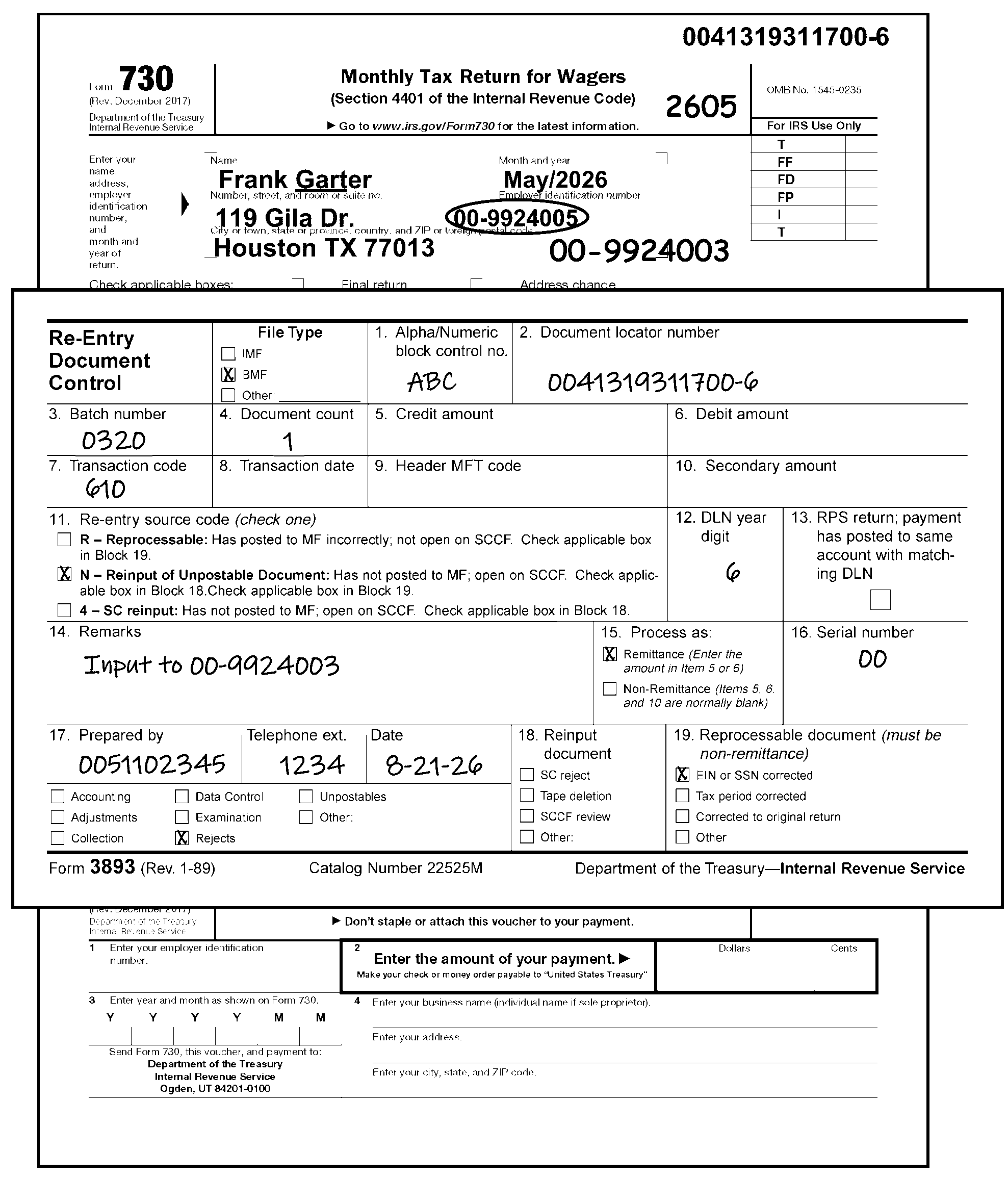
If more than one document from the same original block is being reinput, the Form 3893 will be attached to the first document in the reinput block. See Figure 3.11.23-1, Form 730 and Form 3893, Re-Entry Document Control.
-
-
Form 13596, Reprocessing Returns - Used to resubmit incorrectly processed returns.
-
This IRM cannot address every possibility that may arise while perfecting returns or documents. Taxpayer intent must be taken into consideration. In some cases, it may be necessary to refer the issue to your subject matter expert (SME), lead and/or manager to determine the proper corrective action.
-
The purpose of Code and Edit is to code and edit (perfect) returns and other documents to make them processable for transcription. This is necessary to input these items to the Integrated Submission and Remittance Processing (ISRP) system.
-
Another purpose is to ensure that necessary action is taken on all attachments to the return, including preparation of other documents and initiating taxpayer correspondence when necessary to perfect the return.
-
It is not the purpose of Code and Edit to mathematically verify or to check the validity of the returns and other documents being processed unless otherwise specified in the applicable section. The computer and/or Error Correction (Resolution) will perform these functions if the returns and other documents are coded and edited as prescribed in the applicable subsections of this section.
-
The purpose of this initiative is to achieve consistency in the Business Master File (BMF) Code and Edit (C&E) processing IRMs.
-
Ogden, Kansas City, and Return Processing Branch, BMF Code and Edit and Error Resolution System (ERS) identified and developed topics for BMF Consistency.
-
A ♦ (diamond) before and after the subsection title shows BMF Consistency subsections.
-
Text in normal print is the common process for BMF returns. The text in BOLD print is form specific and applies to this IRM only.
-
Submit IRM deviations in writing following instructions from IRM 1.11.2.2.3, When Procedures Deviate from the IRM, and elevate through proper channels for executive approval.
-
General instructions are provided to eliminate the repetition of the same instructions for the specific return. If there is a conflict between the general instructions and the specific instructions, the specific instructions will prevail.
-
The Taxpayer Advocate Service is an independent organization within the Internal Revenue Service (IRS), led by the National Taxpayer Advocate, that helps taxpayers and protects taxpayer rights. TAS offers free help to taxpayers when a tax problem is causing a financial difficulty, when they’ve tried and been unable to resolve their issue with the IRS, or when they believe an IRS system, process, or procedure just isn't working as it should. TAS strives to ensure that every taxpayer is treated fairly and knows and understands their rights under the Taxpayer Bill of Rights. TAS has at least one taxpayer advocate office located in every state, the District of Columbia, and Puerto Rico.
-
TAS uses Form 12412, Operations Assistance Request (OAR), to initiate the OAR process of referring a case to the Taxpayer Services (TS) Division, to affect the resolution of the taxpayer’s problem. For more information, refer to IRM 13.1.19, Taxpayer Advocate Service, Taxpayer Advocate Case Procedures, Advocating With Operations Assistance Requests (OARs).
-
Refer taxpayers to TAS when the contact meets TAS criteria or when Form 911, Request for Taxpayer Advocate Service Assistance (and Application for Taxpayer Assistance Order), is attached and steps cannot be taken to resolve the taxpayer's issue the same day. See IRM 21.1.3.18, Taxpayer Advocate Service (TAS) Guidelines.
-
The definition of same day resolution is within 24 hours. The following two situations meet the definition of "same day resolution" :
-
The issue can be resolved within 24 hours.
-
The IRS takes steps within 24 hours to resolve the taxpayer’s issue.
-
-
When making a TAS referral, use Form 911, and forward to TAS following your local procedures.
-
For more information, see IRM 13.1.7, Taxpayer Advocate Service (TAS) Case Criteria, and IRM 13.1.7.4, Exceptions to Taxpayer Advocate Service Criteria, for information on cases that TAS will no longer accept.
-
The National Taxpayer Advocate reached agreements with the Commissioners or Chiefs of the Taxpayer Services (TS) Division, Small Business/Self Employed (SB/SE) Division, Tax Exempt Government Entities (TEGE), Criminal Investigation (CI), Independent Office of Appeals, and Large Business and International (LB&I) that outline the procedures and responsibilities for processing Taxpayer Advocate Service (TAS) casework when either the statutory or delegated authority to complete case transactions rests outside of TAS. These agreements are known as Service Level Agreements (SLAs).
-
The SLAs are located at TAS Service Level Agreements.
-
BMF Identity (ID) Theft is increasing. If a case is found with attachments or correspondence showing the taxpayer is a victim of "ID Theft" , give the entire case to the manager/lead.
-
The manager/lead will expedite the case to the Planning and Analysis (P&A) staff for referral to one of the Submission Processing (SP) BMF ID Theft liaisons. The taxpayer must show that they are a victim of "ID Theft" ; do not send cases that are subject to Criminal Investigation (CI), Examination (Exam), or Fraud review.
-
For returns completed in other than U.S. currency, process as filed. However, if corresponding for missing/incomplete item(s), include in the letter to resubmit in U.S. currency.
-
A frivolous argument is used to illegally avoid or reduce tax liabilities by expressing dissatisfaction with the substance, form or administration of the tax laws. Recognized frivolous arguments made by businesses include, but are not limited to, the examples in IRM 25.25.10, Frivolous Return Program (FRP), shown in Exhibit 3.11.23-10, Frivolous Return Criteria.
-
Review the return to determine whether it appears to be a frivolous return.
If Then The return meets any of the conditions shown in Exhibit 3.11.23-10, Frivolous Return Criteria. Remove return from the batch and place the return in the locally designated basket for Examination, Frivolous Return Program (FRP) for review. Examination has selected the return as frivolous, (e.g., shown by an Action Code 331), a CCC "X" and a Form 4227 with the remarks, "Refer to Exam FRP for audit after processing" , but sends the return for processing Continue processing the return using procedures in this IRM. However, do not circle or void the Action Code or CCC "X" indicating a frivolous return. -
Do not consider the following returns as frivolous, unless there is other evidence of a frivolous argument:
-
Returns that have only zeros, blanks, or no entries.
-
Returns showing "None" , "Not Liable" , etc.
-
-
Editing the Centralized Authorization File (CAF) code is no longer required.
-
The Centralized Authorization File (CAF) contains the type of authorization that taxpayers give to representatives about the taxpayer’s accounts. Representatives may submit Form 2848, Power of Attorney and Declaration of Representative, or Form 8821, Tax Information Authorization (TIA).
If Then Form 2848 or Form 8821 is attached, -
Detach Form 2848 or Form 8821 from the return.
-
Edit taxpayer name and Employer Identification Number (EIN) on Form 2848 or Form 8821, if missing.
-
Edit received date & action trail on Form 2848 or Form 8821.
-
Route Form 2848 or Form 8821 to Mail Stop 6737.
-
Edit action trail on tax return.
A "General Power of Attorney" or a "Durable Power of Attorney" or "Tax Information Authorization" is submitted on any document other than Form 2848 or Form 8821, -
Take no action.
-
Leave the Power of Attorney or Tax Information Authorization attached to the return.
-
Do not route to the CAF function.
-
-
Any return with a Received Date that is two years and nine months or more after the Return Due Date is a potential statute control return.
-
Statute returns must be routed to the Statute Control daily or more often if needed.
-
If any of the conditions listed below are present, don’t route to Statute Control for clearance. Instead, edit CCC "W" and continue processing.
-
Dummy returns prepared by Centralized Specialty Tax Operation (CSTO).
-
Compliance IRC 6020(b) returns.
-
Secured by Examination/Collections, Secured by TE/GE, Secured by TE/GE EP Exam.
-
Returns with "TC 59X" or "ICS" notated on the face of the return.
-
Returns showing "substitute for returns prepared by Examination (SFR)" in top margin of the return.
-
Returns with a stamp indicating a previous clearance by Statute Control within the last 90 days.
-
Return is a 2021 or prior year original. Due to the COVID-19 pandemic and subsequent Submission Processing (SP) and Accounts Management (AM) site closures, SP and AM developed procedures to bypass AM statute clearance and be processed. In addition, any 2021 or prior year returns previously cleared by AM statute will not be returned by SP to AM to be cleared again if the 90-calendar day statute stamp has expired.
-
-
If a return has any of the following computer paragraphs (CPs) or letters attached, do not route to Statute Control for clearance. Edit CCC "W" if the return needs processing. See IRM 3.11.23.7, Routing Guide for Attachments, for more information.
-
CP 259, Master File Generated 1st TDI Notice
-
CP 959, Master File Generated 1st TDI Notice (Spanish version)
-
CP 518, Final Notice - Return Delinquency
-
Letter 112C, Payment/Overpayment/Credit Applied; No Record of Return Filed
-
Letter 282C, Return Not Received: Copy Requested/Received
-
Letter 2255C, Delinquent Return (Forms 720, 1041, 1065, 1120)
-
Letter 2284C, Delinquent Return (Form 940, 941, 942, 943)
-
-
If a return has a Form 12412, Operations Assistance Request (OAR), from TAS and is a potential statute control return but is not stamped "Cleared by Statute" , give it to the lead. The lead contacts the TAS employee listed on the OAR for rejection of the return and sends it back to TAS for clearance by the Statute Control.
-
Statute returns are unprocessable until they are cleared by Statute Control.
If Then The return is numbered -
Edit Action Code 310, or CCC "U" , on the return.
-
Attach Form 4227, Intra SC Reject or Routing Slip, and check the box for Statute Control.
-
Leave the return in the batch and continue processing.
The return is unnumbered -
Do not continue processing.
-
Pull the return from the batch.
-
Attach Form 4227 and check the box for Statute Control.
-
-
Edit CCC "W" if the Statute Control stamps or shows clearance on the front of the return.
-
Follow the chart below to determine if CCC "W" is needed.
If And Then The return received date is two years and nine months or more after the Return Due Date The return is stamped, "No Statute issue" , "Statute N/A" , or a similar statement indicating there is no statute issue, Edit CCC W The return received date is less than two years and nine months from the Return Due Date The return is stamped, "No Statute issue" , "Statute N/A" , or a similar statement indicating there is no statute issue, Do not edit CCC W
-
An amended return may be identified by such words as "Amended" , "Supplemental" (except Form 11-C), "Additional" , or any other positive indication that the taxpayer has filed previously. Filing a "Copy" of a return is not sufficient proof to label a return "Amended" unless accompanied by a positive statement from the taxpayer.
-
Form 720 (Amended) - Route Amended Form 720 to Centralized Specialty Tax Operation (CSTO) at the following address:
Internal Revenue Service
Stop 5701G
7940 Kentucky Drive
Florence, KY 41042 -
Form 2290 has two check boxes for Amended Return and Vehicle Identification Number (VIN) Correction added under the entity area. If either or both of these two boxes are checked process the return as an Amended Return.
-
Examine the return for attachments.
-
Do not separate any related attachments from the return that the taxpayer has submitted to explain the reason for the amended return, this information will be used by the Centralized Specialty Tax Operation (CSTO).
-
Detach any unrelated documents and route them to the correct function using Form 4227, Intra SC Reject or Routing Slip. Edit an action trail on the return.
-
-
Follow the instructions in the chart below when there is a sign of an amended return (Form 11-C, Form 730, and Form 2290).
If Then TC 59X or ICS was entered on the return by Compliance Services, and/or the return is stamped "Delinquent Original Cleared for Processing" by Statute Control. Do not edit CCC "G" . Process the return as an original. Form 3893, Re-Entry Document Control, or Form 13596, Reprocessing Returns, is attached, Do not edit CCC G. IRM 3.11.23.23, Re-Entry Document Procedures. None of the above are present, Edit CCC "G" . No other codes may be used with CCC "G" . -
The following data must be present or edited on all amended returns (Form 11-C, Form 730, and Form 2290):
If the taxpayer indicated the return is an amended return but did not complete an amended return checkbox, it is not necessary for the box to be checked.-
Name Control. See IRM 3.11.23.10.3, Entity Perfection - Name Control.
-
Employer Identification Number (EIN). See IRM 3.11.23.10.2, Entity Perfection - Employer Identification Number.
-
Tax Period. See IRM 3.11.23.10.7, Entity Perfection of Tax Period.
-
CCC "G" and/or CCC "W" and/or "3" . See Exception in last box of the table above.
-
Received Date. See IRM 3.11.23.11, Received Date.
-
Signature. See IRM 3.11.23.9, Signature.
-
Consent to Disclosure of Tax Information Indicator. See IRM 3.11.23.17.8.1, Form 2290 Consent to Disclosure of Tax Information Indicator.
-
Do not perfect the address on amended returns (CCC G).
-
-
If a Form 2290 is filed because of the following, edit CCC "G" :
-
If the vehicle(s) is (are) later driven over the mileage limitation (e.g., 5,000/7,500) during the tax period, the vehicle is taxable for the entire tax period and the taxpayer must file Form 2290 by the end of the month following the month in which the mileage limitation is exceeded. This return must be "G" coded since a return was previously filed for the non-taxable status.
-
If the taxpayer is filing a second Form 2290 just to correct the Vehicle Identification Number (VIN). Do not return Schedule 1.
Note:
When the taxpayer has filed an amended Form 2290 and requests that the Schedule 1 be returned on an expedited basis (e.g., "as soon as possible" , "ASAP" , "need Schedule 1 to get tags" , etc.), fax the amended Form 2290 with the Schedule 1 requested to the Centralized Specialty Tax Operation (CTSO) at (855) 386-5124. Notate on the cover sheet "Expedite Sch. 1" . If a copy of the return was made for faxing, dispose of the copy as classified waste. Continue processing the originally filed amended return.
Note:
Classified waste is documentation containing taxpayer entity or account information that is not part of the case and is not needed for audit trail purposes. Refer to IRM 21.5.1, General Adjustments for guidance on handling classified waste to prevent inadvertent/unlawful destruction of records.
-
-
The document locator number (DLN) is the basic identification number assigned to each document processed in the ISRP System. This number is assigned when the document is blocked and brought under Accounting Control.
-
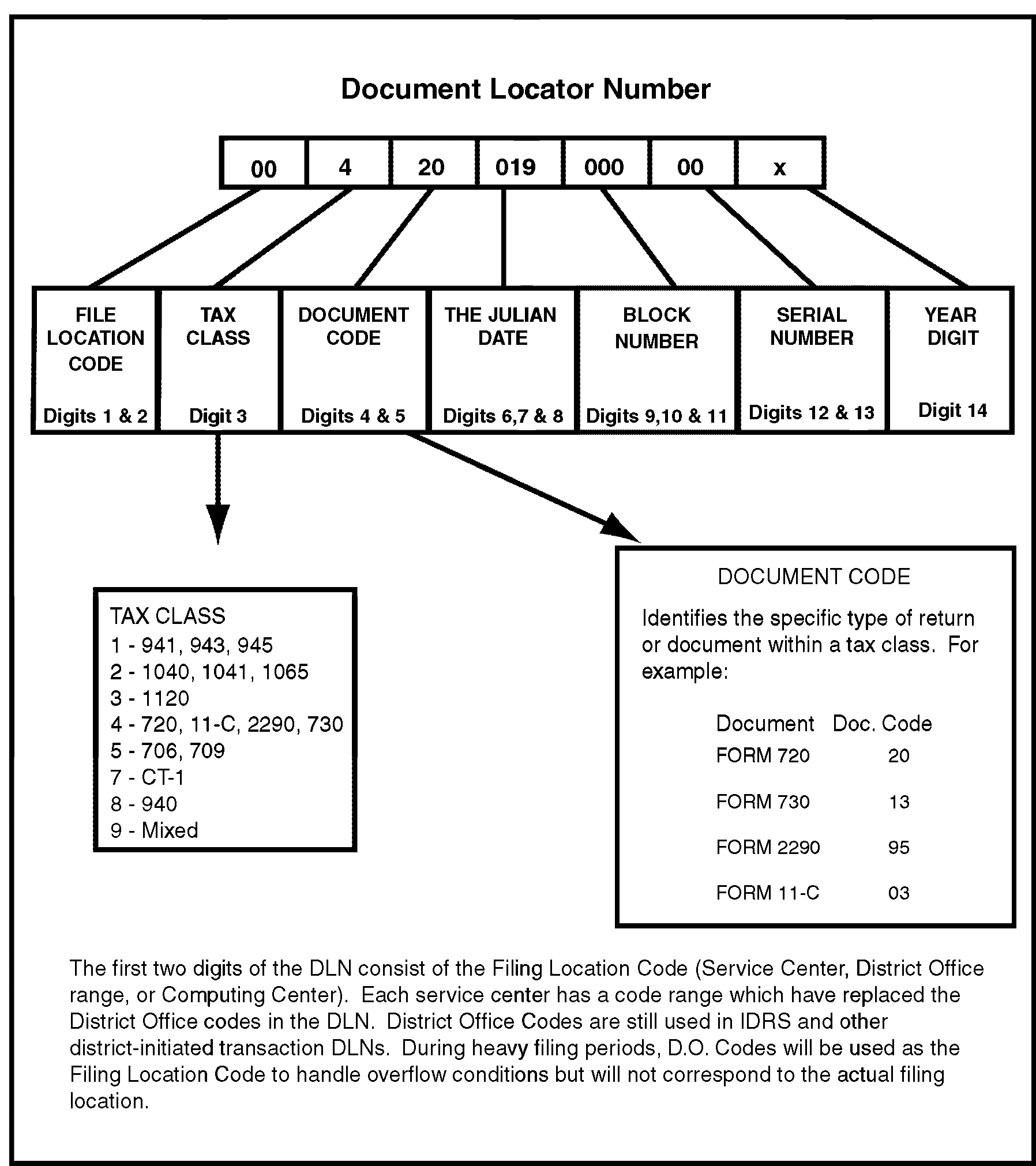
It will be used to locate the document as long as it (or a substitute document) remains in the files, unless it becomes the subject of subsequent action. See Figure 3.11.23-2, How to Determine DLN.
The Parts of the DLN are as follows: Description: Part 1 File Locator - The location where the tax return was filed. Part 2 Tax Class - Identifies the type of return or document. Tax Class 4 represents Excise Tax (Business Master File). Part 3 Document Code - A specific type of return or document within a tax class. Part 4 Julian Date - The day of the year the return or document is numbered (001 through 365). Part 5 Block Number - The block number specifically identifies each block of numbered documents. Example: This block, 000, shows the blocking series for non-remittance documents. Part 6 Serial Number - The sequence of a document within a block. This serial number, 00, shows it is the first document of the block. Part 7 Year - The year the document is being processed. This digit is assigned later on in the processing cycle (14th position). -
On numbered blocks, compare the first return in the block to Form 813, Document Register, or Form 1332, Block and Selection Record.
-
If the documents have not been blocked, all documents in a block or a batch must be of the same type. The type of document is determined by a specific Tax Class and Document Code.
-
The first eleven digits of the DLN of each document in a block must be the same as the corresponding digits stamped on the face of the Form 813 or Form 1332.
-
It is necessary to check only the DLN of the first document in a block to make the above comparisons of DLNs. A document may have two different DLNs stamped on it because of reblocking. If this happens, circle the Incorrect DLN. The correct DLN can be determined from Form 813, or Form 1332.
-
-
All returns and documents to be input to the ISRP System are assembled into blocks of 100 documents or less before being numbered. A separate control is put on each block.
-
A document must not be taken out of a numbered block during the code and edit process. However, a document can be withdrawn from a batch before it is numbered. A document may be taken out of a batch when the return is unprocessable because of reasons specified in IRM 3.11.23.8, Unprocessable Returns.
-
The total number of returns in a numbered block is usually shown on the Form 813, Document Register, or Form 1332, Block and Selection Record, by a circled number for a partial block or blank for a full block of 100. If the block is a partial and the number is not shown then take the following actions:
-
Form 813 - circle one number higher than the last sequence number on the form
-
Form 1332 - circle one number higher than the last DLN in the block
-
-
Edit marks are edited on the return for transcription to the Automatic Data Processing (ADP) System through the Integrated Submission and Remittance Processing (ISRP) system. Enter edit marks in brown, red, orange, purple, or green pencil or pen.
-
Only edit items on the return that are for transcription except where specific instructions require editing of a non-transcribed item. Leave lines blank if the entry would be a zero amount unless otherwise instructed.
-
Do not obliterate, alter, or erase the original entry on a return when deleting or correcting an entry. Always exercise care to ensure that the original entry remains legible. Perfected entries provide a legible "edit trail" for anyone who may work with the return later.
-
Do not re-edit edit marks entered by other areas, such as Collections, Entity or Accounts Management, except to place the marks in the correct area or to perfect for legibility. If Remittance Processing System (RPS) or the Lockbox function has edited data that is obviously incorrect, circle the incorrect information and re-edit correctly.
-
Photocopied Returns - Re-edit or underline any valid, black edit marks. See IRM 3.11.23.8.3.3, Correspondence Imaging Inventory (CII) Returns, and IRM 3.11.23.23, Re-Entry Document Procedures.
-
For a description of specific edit marks, see the table below:
-
Transcription lines (T-lines) are located on various IRS forms and schedules. T-line entries must be entered by the tax examiner when amounts are available (if not already entered by the taxpayer/tax preparer), but amounts do not need to be computed unless otherwise instructed.
-
Attachments must be used to perfect T-lines. T-line entries will be picked up by the ISRP. T-lines for specific forms and schedules are explained in this manual. When necessary to compute T-lines, use tax form and instructions unless otherwise instructed.
-
If an entry on a T-line must be supported by another form or schedule, and an attachment is present with the necessary information, a "dummy" form or schedule may be prepared by entering the T-line data to a blank form or schedule.
-
Action Codes are used to indicate whether correspondence, research, or some other action is needed. The Action Code sets the suspense period for the return and places the return in the workable or unworkable suspense inventory. See Exhibit 3.11.23-9, Action Codes.
-
When necessary, assign a three-digit Action Code.
-
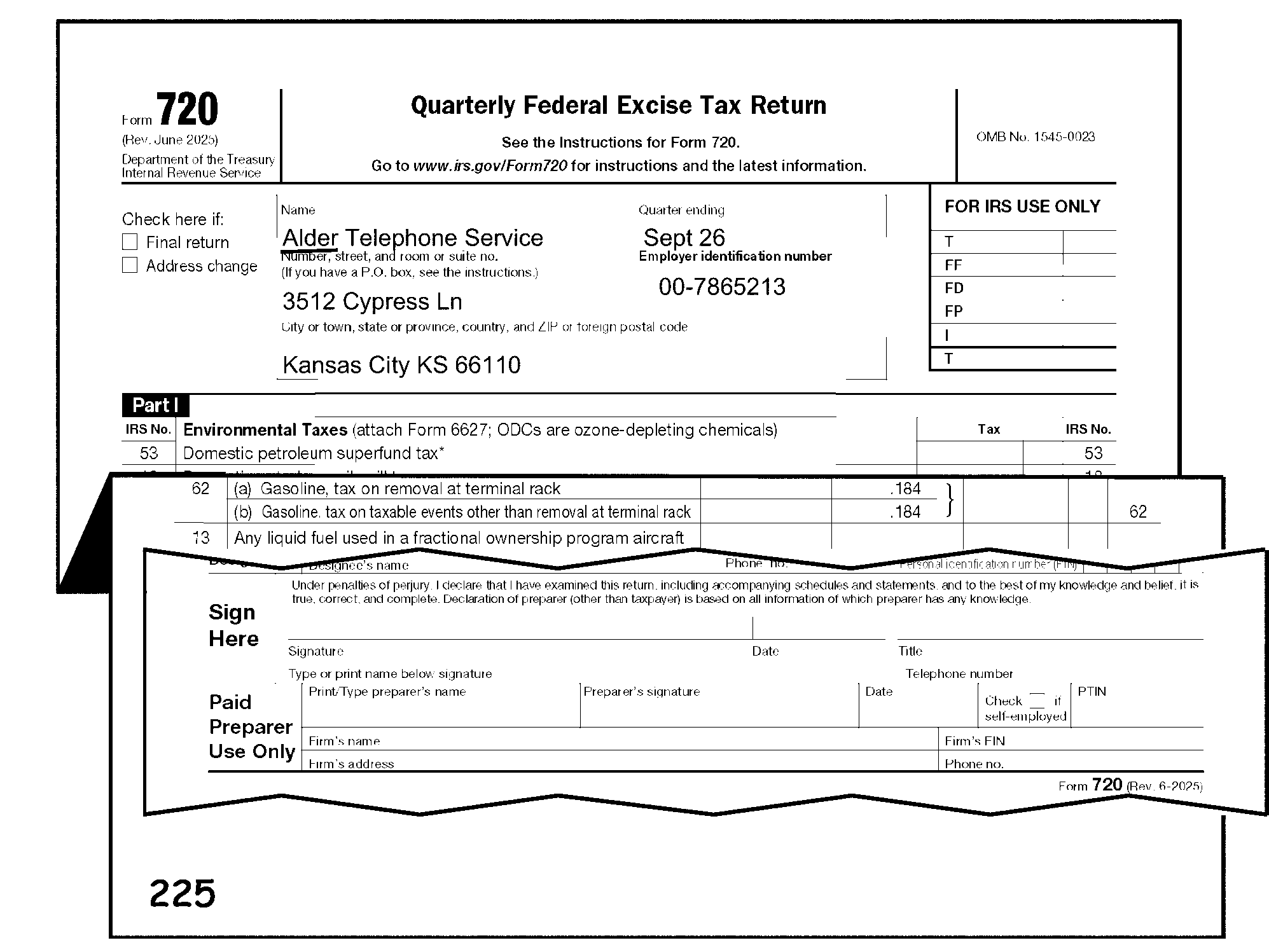
Edit the Action Code in the bottom left margin of the return. See Figure 3.11.23-3, Form 720 and Placement of Action Code.
-
Assign Action Codes in the following priority order:
-
Action Code 310 (Statute Control)
-
Action Code 320 (Entity Control)
-
Action Code 4XX
-
Action Code 6XX
-
Action Code 3XX
-
Action Code 2XX (Correspondence)
-
-
Use the following table if more than one Action Code is needed:
If Then Action Codes include 211, 215, 225 or 226 and Action Code 341, -
Edit the Action Code 211, 215, 225 or 226.
-
Edit Action Code 341 on the Form 4227, Intra-SC Reject or Routing Slip.
Action Codes have the same priority, -
Edit the Action Code with the shorter suspense period.
-
Edit the second Action Code on the Form 4227, Intra-SC Reject or Routing Slip.
-
See Exhibit 3.11.23-9, Action Codes, for suspense periods.
Action Codes have different priorities, -
-
Edit the following Action Codes when a return cannot be perfected from the information present:
Action Code: Description: 211 - "First Correspondence" (Missing Information and/or Signature (Refund Returns) or
215 - "First International Correspondence" Missing Information and/or Signature (Refund Returns)-
Return is illegible, incomplete or contradictory and therefore unprocessable.
-
Unsigned returns
-
The taxpayer notates on the return or attachment that they are reporting tax for more than one Tax Period or for more than one type of tax
225 - Correspondence (Signature Only- Balance Due/Zero Balance/Credit Elect Returns) -
Unsigned return (only issue for correspondence)
226 - International Correspondence (Signature Only - Balance Due/Zero Balance/Credit Elect Returns) -
Unsigned return (only issue for correspondence)
430 - Notice 2020-48 or Notice 2020-55 -
Any Forms 720 that have “Notice 2020-48” or “Notice 2020-55” written in the top-center margin of the return will be edited with AC 430 in the bottom-left margin.
450 - Tax Period Is Different Than Lockbox -
When tax period differs from Lockbox tax period
480 - Early Filed Suspense -
The return is an early filed current year return
610 - Renumbered Non-Remittance or
611 - Renumbered with Remittance-
A return is mis-blocked (e.g., Form 720 found in a Form 2290 batch of work)
640 - Void -
To delete the assigned DLN on the return (e.g., Re-Entry Returns)
650 - International -
Excise International return
-
-
Continue perfecting the return after editing the Action Codes.
-
Valid Action Codes are listed below:
Action Code Description Workday Suspense Period 211 First Correspondence (Missing Information and/or Signature (Refund Returns)) 40 212 Second Correspondence 25 215 First International Correspondence (Missing Information and/or Signature (Refund Returns)) 45 216 Second International Correspondence 45 225 Correspondence (Signature Only - Balance Due/Zero Balance/Credit Elect Returns) 40 226 International Correspondence (Signature Only - Balance Due/Zero Balance/Credit Elect Returns) 40 310 Statute Control 10 320 Entity Control 10 331 Frivolous Review 3 341 Manual Refund 10 342 Credit Verification 10 343 Black Liquor 10 352 Name Research 3 360 Other-in-House Research 10 420 Management Suspense A 5 440 Management Suspense C 15 450 Management Suspense D 20 480 Early Filed Suspense 150 610 Renumber Non-remit 0 611 Renumber Remit 0 640 Void 0 650 International 0 -
For more information and applicable Action Codes, see IRM 3.12.38.3.4, Error Resolution System (ERS) Action Codes, and the exhibit in IRM 3.12.38-1, Action Codes.
-
Document Perfection identifies refunds and initiates requests for manual refunds.
If Then A refund return is batched in a non-refund batch, -
Pull the return from the non-refund batch and merge into a refund batch using local procedures.
-
Code and edit the return as completely as possible.
The processing date is more than 20 days after the Received Date or the Return Due Date (whichever is later) and the refund amount is ≡ ≡ ≡ ≡ ≡ ≡ ≡ ≡ ≡ ≡ ≡ ≡ -
Unnumbered Returns:
-
Numbered Returns:
The refund is ≡ ≡ ≡ ≡ ≡ ≡ ≡ ≡ ≡ ≡ ≡ ≡ ≡ ≡
-
Unnumbered Returns:
-
Numbered Returns:
-
-
Review all attachments to the return before the return can be considered processable.
Note:
If there is an indication the document has already been to Centralized Specialty Tax Operation (CSTO) (e.g., date stamp from Centralized Specialty Tax Operation, etc.), continue processing.
-
Only detach attachments when specifically instructed.
-
Edit Action Trail(s) (e.g., "2848 DETACHED" ) in the lower left corner going vertically up the side of the return.
-
Edit the name and EIN (if not present) on the detached document. Also, edit the return received date (e.g., Rec’d MM/DD/YY) in the lower left margin of the detached document before routing.
-
-
Follow the general guidelines below written for each attachment:
Note:
These instructions pertain to all excise tax form types unless otherwise noted in parenthesis ().
-
A return must contain specific items before it is considered processable. Perfect all returns to the extent possible from schedules, taxpayer letters and other attachments. The specific items needed are:
-
TIN
-
Legible name (for name control)
-
Valid tax period
-
Legible tax data, if tax liability is indicated, and
-
Signature
-
-
Conditions that make a return unprocessable are:
-
Name so illegible or incomplete that the name control cannot be determined.
-
EIN or SSN are other than nine numeric digits (XX-XXXXXXX), and cannot be perfected from information on the return or attachment.
-
Taxpayer has combined liability for more than one tax period or more than one type of tax.
-
Tax data entries on the return are so incomplete, illegible or contradictory that the tax liability cannot be determined.
-
The return has been mis-blocked (e.g., Form 2290 in a Form 720 block).
-
The return is unsigned.
-
The return has only entity data and no other statements, attachments or signature by the taxpayer.
-
Any condition set forth as unprocessable in the specific instructions.
-
-
Perfect all returns if possible. Examine schedules and other attachments for the information necessary to make the return processable. If an EIN is found on an attachment or schedule, edit to the correct area on the return.
-
Returns with unresolved entity problems must be routed to Entity Control function after utilization of Integrated Data Retrieval System (IDRS) research (includes CC NAMEE and INOLE).
-
On a numbered return with multiple EINs or SSNs, or illegible name, take the following action:
-
Form 720 - Circle the multiple/partial EIN(s). The return will automatically be placed on the Error Inventory of ERS.
-
Form 2290 Series - Circle the multiple/partial EIN(s). The return will automatically be placed on the Error Inventory of ERS.
-
Form 11-C - Edit CCC "U" and prepare Form 4227 for research action.
-
Form 730 - Edit CCC "U" and prepare Form 4227 for research action.
-
-
If the return is unnumbered, pull the return from the block and route the return to the Research function.
-
If the return is identified by the words "Copy Secured or Prepared by Examination" , see IRM 3.11.23.22.3, Examination Prepared.
-
Rejection action of excise tax returns.
-
Prepare Form 4227. Indicate the reason for rejection and attach the form to the document immediately under the entity data.
-
If the return is unnumbered, do not process; take it out of the block and forward it to the correct function.
-
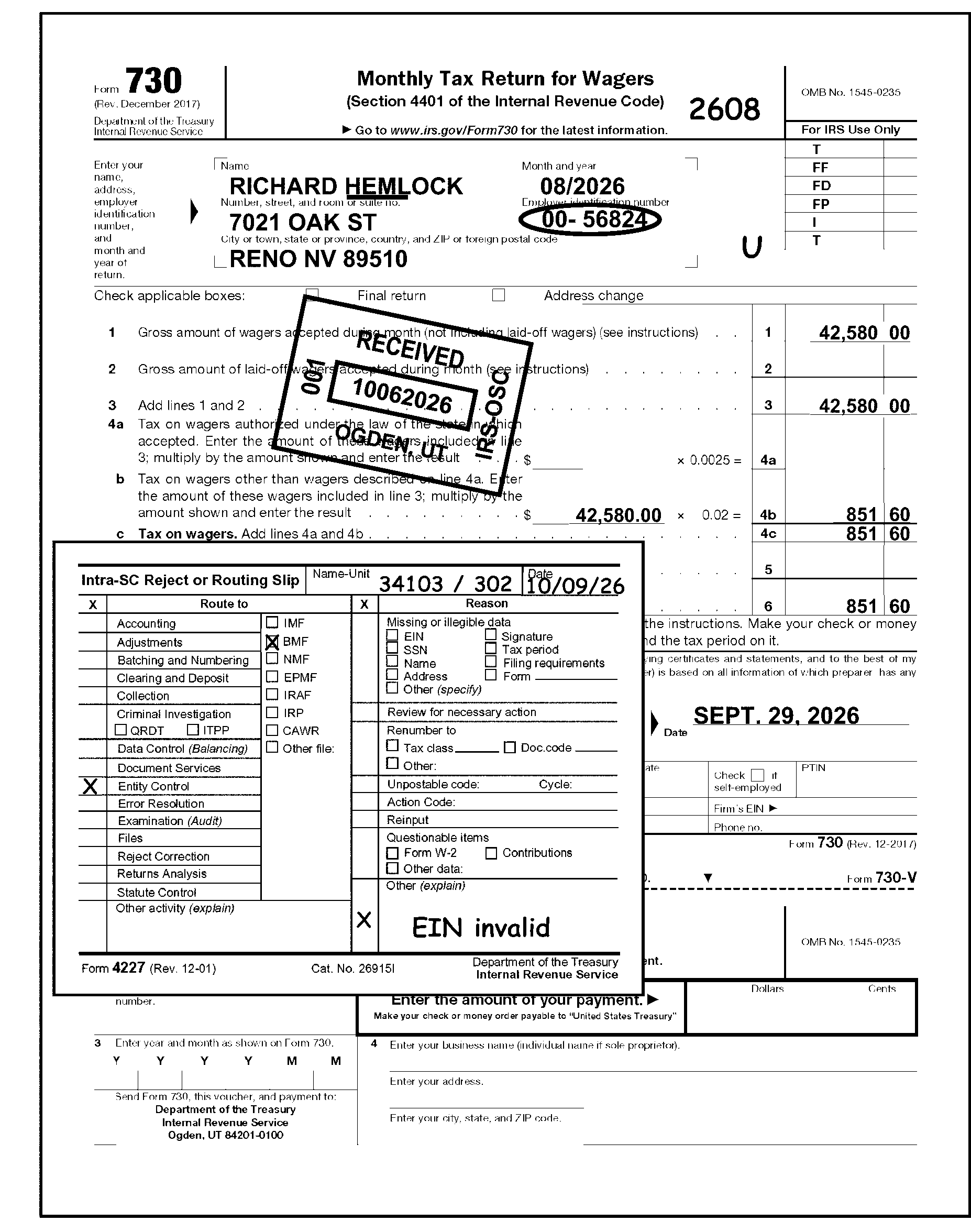
If the return has been numbered, edit CCC "U" for Form 11-C and Form 730 or Action Code (AC) for Form 720 and Form 2290 and leave it in the block. See Figure 3.11.23-4, Form 730 and Rejection of Return.
-
-
There are two types of correspondence that Code and Edit may encounter:
-
Correspondence received from taxpayers
-
Correspondence issued to taxpayers
-
-
Correspondence is all written communications from a taxpayer or his or her representative, excluding tax returns, whether solicited or unsolicited. This includes:
-
Written communications in response to the IRS requests for information or data.
-
Written communications, including annotated notice responses, that provide more information or dispute a notice.
-
A telephone call that results in a written referral or research (Form e-4442, Inquiry Referral).
-
-
The key to identifying taxpayer correspondence is to ask the following questions:
-
Is taxpayer waiting for a response from us?
-
Is taxpayer waiting for an action to be taken by us?
-
Is taxpayer asking a question?
-
-
Issue correspondence to resolve any conditions causing the return to be unworkable or unprocessable.
-
If the return is incomplete and appears to be a duplicate, give the return to the lead. The lead will initiate research for a Transaction Code (TC) 150 and/or any other research necessary to determine if the return will continue to be processed or other actions taken. If research determines a duplicate return, see IRM 3.11.23.2.11, Amended Returns, and continue processing.
Exception:
Form 720 (Amended) - Route Amended Form 720 to Centralized Specialty Tax Operation (CSTO) at the following address:
Internal Revenue Service
Stop 5701G
7940 Kentucky Drive
Florence, KY 41042 -
A duplicate return could include any of the following:
-
A one-page return, with or without a signature.
-
Incomplete returns indicating "Payment Only" .
-
Incomplete returns indicating they have previously e-filed.
-
-
Some re-entry returns may have originally been filed electronically (E-file). These returns may be identified by the presence of Mod E-File printouts orefile GRAPHIC print - DO NOT PROCESSor"TRPRT Print Do Not Process" in lieu of an actual return. Do not correspond for missing signatures on these documents.
-
Examine the return so that all of the conditions can be included in the same correspondence.
If And Then The return needs correspondence, Requires a response, -
Complete an approved Correspondence Action Sheet indicating the letter number (86C transferring to another areas, 140C for Form 2290), 1887C for Form 720, etc.), MFT, and the correct paragraphs.
-
Attach the approved Correspondence Action Sheet to the front of the return below the entity area.
-
Edit applicable Action Code on the return: 211 - First Correspondence (Missing Information and/or Signature (Refund Returns)) or
215 - First International Correspondence Missing Information and/or Signature (Refund Returns) or
225 - Correspondence (Signature Only - Balance Due/Zero Balance/Credit Elect Returns) or
226 - International Correspondence (Signature Only - Balance Due/Zero Balance/Credit Elect Returns). -
Finish editing the return and leave in the batch.
Correspondence is needed, Does not require a response, -
Complete an approved Correspondence Action Sheet indicating the letter number (86C, 140C, 854C, 1887C, etc.), MFT, and the correct paragraphs.
-
Photocopy first page of return and attach the Correspondence Action Sheet below the Entity area on the front of the copy of the return. Be sure the name and address shows clearly above the Correspondence Action Sheet.
-
Forward the copy to the Correspondence Area.
-
Edit an Action Trail (e.g., "140C SENT" ) in the lower left corner going vertically up the side of the return.
-
Finish editing the return and leave in batch.
-
-
Correspondence Imaging Inventory (CII) is an inventory system for scanning all Accounts Management (AM) receipts into digital images and working the cases from those images.
-
"CII" returns are identified with "CII Image - Do not correspond for signature" stamped below the signature line or "CII" annotated on the front of the return.
-
Verify all edit marks on a "CII" return.
If Then The edit marks are black, Underline the edit mark if correct or circle if incorrect. The edit marks are red or green, Circle if incorrect. The edit marks are missing or incorrect, Perfect as necessary -
Follow the correspondence instructions below for "CII" returns.
If And Then The "CII" return has a Form 13596 attached The return is incomplete (e.g., missing signature, schedules, or forms) -
Do not correspond.
-
Remove the return from the batch and route to AM.
-
If the return comes back from AM with incomplete, send the return to AM again to secure all the missing information. Indicate "Additional information needed to process incomplete CII return," or similar language on Form 4227 (or other proper routing slip).
The "CII" return does not have a Form 13596 attached, The return is incomplete (e.g., missing signature, schedules, or forms) Follow normal correspondence procedures. -
-
Tax return information can be received via fax as part of return perfection even if a taxpayer signature is required. In circumstances where contact with the taxpayer has been made and documented, fax signatures are acceptable.
-
Contact with the taxpayer may be by telephone or correspondence. Follow local procedures to determine which method of contact will be used.
-
Code and Edit tax examiners will indicate the fax paragraph on the approved Correspondence Action Sheet to advise taxpayers of the options to fax their response.
-
Use the following resources to make sure you are speaking with the taxpayer or authorized representative before disclosing any tax information:
-
IRM 21.1.3.2.3, Required Taxpayer Authentication
-
IRM 21.1.3.2.4 Additional Taxpayer Authentication
-
-
Before leaving any messages on a taxpayer's answering machine, review:
-
IRM 10.5.1.6.7.2, Answering Machine or Voicemail
-
IRM 10.8.1, Information Technology (IT) Security, Policy and Guidance
-
-
The Internal Revenue Service (IRS) Restructuring and Reform Act of 1998 (RRA 98) Section 3705(a), gives identification requirements for all IRS employees working tax-related matters.
-
All IRS employees who communicate by telephone, face-to-face, or any other method of correspondence with taxpayers or their personal representatives on tax-related matters must give (at a minimum) the following information:
-
Telephone Contact - Their title (e.g., Mr., Mrs., Ms., Miss), last name and badge identification (ID Card) number. Toll-free employees may also give their location for identification purposes. Treat faxes to taxpayers on tax-related matters as correspondence and include the required information.
-
Face to Face Contact - Their title (e.g., Mr., Mrs., Ms., Miss), give as appropriate during the conversation, their last name and badge identification (ID Card) number.
-
Correspondence (sent to the taxpayer and authorized representatives) - A telephone number that taxpayers can call for answers to questions. In addition, manually generated correspondence must have the employee’s title (e.g., Mr., Mrs., Ms., Miss), last name, Integrated Data Retrieval System (IDRS) number, and letter system number, which are systemically generated by IDRS. Treat faxes to taxpayers on tax-related matters as correspondence and include the required information.
-
Correspondex letters - Specific employee name and telephone number if the employee initiating the correspondence is in the best position to respond to any questions the taxpayer may have or if the taxpayer is being asked to give more case-related information. If the taxpayer does not need to contact a specific employee, the correspondence needs only an IRS telephone number and standard signature.
-
-
When a taxpayer requests to speak with a specific employee who previously worked their inquiry or request, or complains about the level of service previously given, make every attempt to resolve the taxpayer's inquiry. If unable to resolve the issue, refer the inquiry using established procedures to the manager.
-
Secretaries, receptionists, or other people who answer the telephone in functional offices need to identify themselves. They will provide their badge identification (ID Card) number only if they are answering telephones which are routinely used to give tax or account information.
-
It is not necessary to repeat the badge identification (ID Card) number on a subsequent contact, when the nature of an employee's work involves multiple contacts with the same taxpayer and the employee has given the taxpayer (either telephone or in-person) his or her badge identification (ID Card) number on the first contact.
-
Only one correspondence attempt is required. If a reply is not received after the prescribed suspense period, input the return.
-
Complete the return without jeopardizing the IRS compliance.
-
Edit CCC "X" on an overpaid return to prevent any credits from refunding.
-
Always edit a CCC "3" and continue processing on all no reply cases. See Figure 3.11.23-5.
-
-
IRM 3.11.23.22.1, ♦IRC 6020(b) Prepared by Collections♦, and IRM 3.11.23.22.3, ♦Examination Prepared♦.
-
Conditions requiring correspondence and the suggested correspondence action are shown in the following tables:
All Excise Tax Forms
Conditions Requiring Correspondence: Correspond for: Action for No Reply or Undeliverable: Signature is missing Signature -
Edit CCC "3"
-
If the return is overpaid, also edit CCC "X"
-
Continue processing
Multiple quarter or period return, unnumbered, and no return breakdown present Separate returns for each Quarter or tax period -
Edit CCC "3"
-
If return is also overpaid, edit CCC "X"
-
Continue processing
Form 720, Quarterly Federal Excise Tax Return
Conditions Requiring Correspondence: Correspond for: Action for No Reply or Undeliverable: Entry of ≡ ≡ ≡ ≡ ≡ ≡ ≡ ≡ ≡ ≡ ≡ present on the IRS Number(s) 16, 17, 18, 19, 20, 21 53, 54, or 98 on Form 720withoutForm 6627 Form 6627, Environmental Taxes Continue processing Entry of ≡ ≡ ≡ ≡ ≡ ≡ ≡ ≡ ≡ ≡ ≡ ≡ ≡ on the IRS Number (No.) 40 without Form 6197 Form 6197, Gas Guzzler Tax Continue processing Federal Tax Deposits or remittance of ≡ ≡ ≡ ≡ ≡ ≡ ≡ ≡ is the only tax data entry Missing information -
Edit Action Code 355
-
Edit CCC "3"
-
Attach Form 4227 with notation "Excess Remittance"
-
Continue processing
Schedule A is missing or blank and Part I, Line 1, Form 720 shows a total of ≡ ≡ ≡ ≡ ≡ ≡ ≡ ≡ ≡ which consists of an IRS Number entry of ≡ ≡ ≡ ≡ ≡ ≡ ≡ ≡ ≡ Schedule A -
Edit CCC "3"
-
Continue processing
ZIP Codes of Frivolous Filers missing (see Exhibit 3.11.23-11, U.S. Possessions ZIP Codes) ZIP codes needed on current and future returns -
Edit CCC "3"
-
Continue processing
The IRS Number (No.) 40 - Form 6197, Gas Guzzler Tax - Number of cars sold, or identity of all models missing. Only correspond if the IRS Number 40 ≡ ≡ ≡ ≡ ≡ ≡ ≡ ≡ ≡ ≡ ≡ ≡ ≡ Information needed on number of cars sold -
Edit CCC "3"
-
Continue processing
Form 6197 or Form 6627 - Discrepancy of ≡ ≡ ≡ ≡ ≡ ≡ ≡ ≡ between amounts on Form(s) 6197 or 6627 and Form 720 Correct tax Continue Processing Form 2290, Heavy Highway Vehicle Use Tax Return, and Form 2290(SP), Heavy Vehicle Use Tax Return (Spanish Version)
Conditions Requiring Correspondence: Correspond for: Action for No Reply or Undeliverable: A discrepancy between the tax rate and the amount of tax being reported, and no number is entered in Column 3, Page 2 Number of vehicles -
Edit CCC "3"
-
Do not return Schedule 1
-
Continue processing
Unable to determine the number of vehicles Number of vehicles -
Edit CCC "3"
-
Do not return Schedule 1
-
Continue processing
Schedule 1 - Lines a and b do not agree with the entries reported in Column 3 on Page 2 of Form 2290 Correct information -
Edit CCC "3"
-
Do not return Schedule 1
-
Continue processing
Vehicle Identification Number(s) (VIN) missing on Schedule 1 VIN(s) -
Edit CCC "3"
-
Do not return the Schedule 1 to the taxpayer
-
Continue processing
Form 2290 received without Schedule 1 Schedule 1 -
Edit CCC "3"
-
Prepare a dummy Schedule 1 if possible
-
Continue processing
Form 730, Monthly Tax Return for Wagers
Conditions Requiring Correspondence: Correspond for: Action for No Reply or Undeliverable: Entry on Line 5 but no explanation is attached The required explanation -
Cross (X) out the Line 5 entry
-
Add the taxpayer entry on Line 5 to entry on Line 6
-
Enter the new dollar total to Line 6
-
Continue processing
An entry on Line 6 but no entries on Lines 1 through 5 Correspond for the information -
Edit CCC "3"
-
Continue processing
-
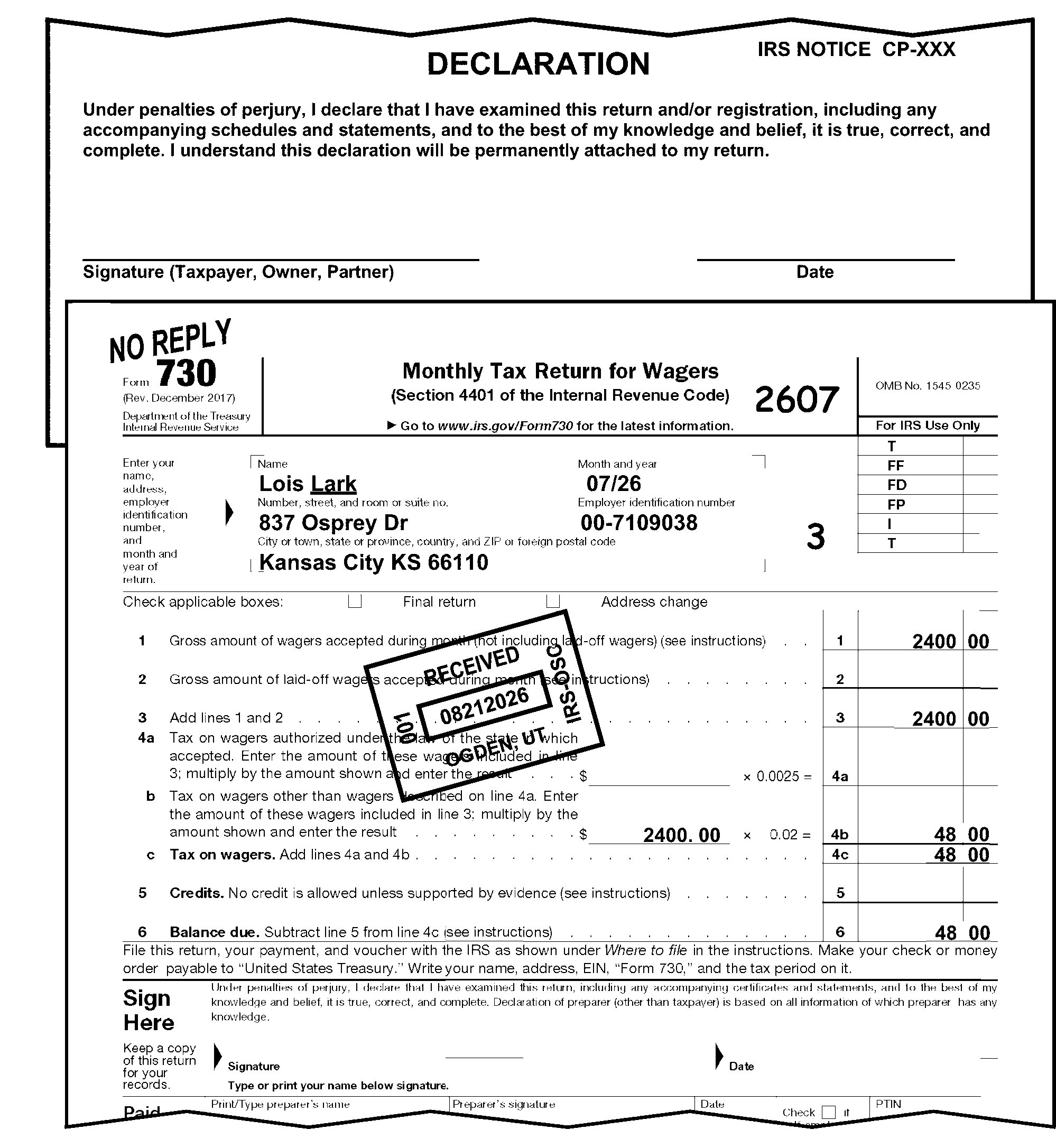
-
A signature and jurat are required on all returns except the following:
-
Returns prepared under IRC 6020(b). These returns must be signed by a revenue officer or Compliance Function representative. See IRM 3.11.23.22.1, IRC 6020(b) Prepared by Collections.
-
Returns prepared by Examination (e.g., SFR (Substitute for Return)). See IRM 3.11.23.22.3, Examination Prepared.
-
Dummy returns prepared by the IRS.
-
Returns attached to taxpayer response to the IRS correspondence containing a jurat and the taxpayer’s signature.
-
Re-entry returns originally filed electronically (E-file). These returns may be identified by the presence of Mod E-File printouts orefile GRAPHIC print - Do Not Processor"Tax Return Print (TRPRT) Do Not Process" in lieu of an actual return.
-
Form 2290 with no tax, stating that they are "under 55,000 pounds" , "out of business" , "no longer in business for several years" , checked the "Final Return" box, stated "NOT LIABLE" , "deceased" , etc.
Note:
Reporting tax as suspended is different than not being liable for the tax. Vehicles reported as tax suspended may still be registered and used on the public highways not to exceed the 5,000 (7,500 agricultural use) mileage limitation. A taxpayer must sign a Form 2290 return reporting a suspension of tax for one or more vehicles.
-
Non-taxable Final Form 720 not signed will be routed to the Centralized Specialty Tax Operation (CSTO) using Form 4227. See IRM 3.11.23.12.2, CCC "F" - Final Return.
-
-
Do not correspond for a signature on Correspondence Imaging Inventory (CII) returns with a Form 13596, Reprocessing Returns, attached. See IRM 3.11.23.8.3.3, Correspondence Imaging Inventory (CII) Returns, for processing instructions.
-
A "constructive signature" (a signature on an attached check, letter, etc.), is not acceptable unless there is a perjury statement "JURAT" on the document which contains the signature. The jurat on the attachment must contain the same language as the jurat on the tax return. In the absence of a perjury statement, the signature must be on the return.
-
Tax examiners are not handwriting experts. 26 Code of Federal Regulations (CFR) 301.6064-1 allows the Service to presume that the signature on a return, statement, or other document is the true signature of the person who actually signed the document. Do not question any signature on the return.
-
The return must be signed on the line designated for the signature. If a signature is missing correspond:
If Then -
The return is not signed on the line designated for the signature, or
-
The jurat is not present on the line designated for the signature (non-standard return),
-
The return has a mechanically affixed signature, stamped signature, or signed digitally,
-
Only the Entity information is present and there are no attachments containing tax data,
-
The return is a copy.
-
Edit applicable Action Code: 211 - First Correspondence (Missing Information and/or Signature (Refund Returns)) or
215 - First International Correspondence Missing Information and/or Signature (Refund Returns)) or
225 - Correspondence (Signature Only - Balance Due/Zero Balance/Credit Elect Returns) or
226 - International Correspondence (Signature Only - Balance Due/Zero Balance/Credit Elect Returns). -
Leave in batch and continue processing.
-
-
Correspond one time for the signature. If you do not receive a reply after the prescribed suspense period, input the return:
If Then The return has an overpaid condition, Edit CCC "3" and CCC "X" and continue processing. The return is a balance due or zero condition, Edit CCC "3" and continue processing. -
If one of the following returns are mailed on or after August 28, 2020 accept a digital signature.
-
Form 11-C, Occupational Tax and Registration Return for Wagering
-
Form 730, Monthly Tax Return for Wagers
-
-
The Third-Party Designee Checkbox is located above the taxpayer signature area. It indicates whether the taxpayer has elected to allow the Third-Party Designee to inquire about the return as it is processed.
-
No action is required.
-
The PIN is self-selected by the taxpayer or designee. It is not assigned by the IRS.
-
This field can be up to five characters long.
-
The entry may be a combination of alpha (A-Z) and numeric (0-9).
-
Circle out the entry if it is illegible.
-
The Paid Preparer Tax Identification Number (PTIN) is located in the lower right-hand corner below the signature line.
-
No action is required on amended returns.
-
A PTIN begins with the alpha "P" followed by an eight-digit number (e.g., PXXXXXXXX). Circle out the SSN/PTIN if it is invalid, all zeros or all nines.
-
The Firm's EIN is also located in the lower right-hand corner below the signature line.
-
No action is required on amended returns.
-
The Firm's EIN must be a nine-digit number. The EIN cannot be all zeros or all nines.
-
Circle out the Firm's EIN if it is invalid.
-
The Paid Preparer's Phone Number is located below the Firm's EIN toward the right-hand side.
If Then The return is amended, No action required. The Preparer's Phone Number is more than 10 digits, No action is required. The Preparer's Phone Number is illegible or less than 10 digits, Circle the Phone Number.
-
The Paid Preparer Section is located below the signature area.
-
The PTIN is located to the right of the Preparer's Signature in the lower right-hand corner below the signature line.
-
No action is required on amended returns.
-
A PTIN begins with the alpha "P" followed by an eight-digit number (e.g., PXXXXXXXX). Circle out the SSN/PTIN if it is invalid, all zeros or all nines.
-
The Preparer's EIN is located below the PTIN in the lower right-hand corner.
-
The Preparer's EIN must be a nine-digit numeric number. The EIN cannot be all zeros or all nines.
-
Circle out the Preparer's EIN if it is invalid.
-
The Paid Preparer's Phone Number is located below the Paid Preparer's EIN in the lower right-hand corner.
-
No action is required on amended returns.
-
If a complete Paid Preparer Phone Number is located on the Paid Preparer's Phone Number line, no editing of this line is necessary.
-
If the return is for a tax period prior to 2001, circle out the phone number.
-
If the Paid Preparer's Phone Number is incomplete, illegible, or less than 10 digits, quickly review the return and all attachments.
Note:
If more than 10 digits are present, continue processing the return. Only the first 10 digits will be transcribed (captured).
If Then A complete Paid Preparer's Phone Number is located elsewhere on the return or attachments, Edit to the "Phone No." line. A complete Paid Preparer's Phone Number is not located or the number is illegible, Circle the incomplete or illegible phone number.
-
The entity area of excise tax returns identifies the taxpayer on the Business Master File. The entity section of the return contains the following:
-
EIN
-
Name
-
"In-care-of" name
-
Address
-
-
If the return indicates bankruptcy (e.g., shows RECEIVER, TRUSTEE, or DEBTOR IN POSSESSION) in the entity area or on an attachment, route to Entity Control. Follow local procedures using Form 13934, Entity Document/C&E Merge Transmittal.
-
Completely edit the return except the name control prior to routing to Entity Control.
-
The EIN is a nine-digit number (XX-XXXXXXX) assigned to identify the taxpayer.
-
Determine the EIN as follows:
If Then You can determine the correct EIN from the attachments and/or schedules, Edit the EIN to the correct location. The EIN is either a PTIN or SSN, -
Unnumbered:
-
Research IDRS.
-
If an EIN is found, edit to the correct location.
-
If not found, route to Entity.
-
-
Numbered:
-
Edit Action Code 320 (or CCC "U" ).
-
Attach Form 4227, and leave in batch.
-
Multiple EINs are present, -
Unnumbered:
-
Research IDRS.
-
If an EIN is found, edit to the correct location.
-
If not found, route to Entity.
-
-
Numbered:
-
Edit Action Code 320 (or CCC "U" ).
-
Attach Form 4227 and leave in batch.
-
The EIN contains any of the following conditions and cannot be determined from attachments and/or schedules: -
Illegible;
-
Missing;
-
Other than nine digits;
-
All zeros; or,
-
All nines
-
Unnumbered:
-
Research IDRS.
-
If not found, route to Entity.
-
-
Numbered:
-
Circle out all illegible EINs, zeros or nines.
-
Edit Action Code 320 (or CCC "U" ).
-
Attach Form 4227 and leave in the batch.
-
"Pending" , "applied for" , etc., is indicated in the EIN area, -
Unnumbered
-
Research IDRS.
-
If not found, route to Entity.
-
-
Numbered
-
Edit Action Code 320 (or CCC "U" ).
-
Attach Form 4227 and leave in batch.
-
-
-
When completing the Form 4227, Include the following:
-
Your name or C&E stamp.
-
Where the document(s) are being routed.
-
The reason for routing the document(s).
-
Any instructions for the receiving area.
-
-
The Name control consists of four characters or less.
-
Valid characters are alpha, numeric, ampersand (&), hyphen (-), and blank. However, blanks are only valid in the last three positions.
-
Disregard the word "The" in the Name Control only when more than one word follows.
Note:
If an individual and a trade name are present and it can be determined that the trade name is for a corporation or partnership, follow the Name Control procedures for corporations or partnerships. If other than a corporation or partnership, follow the Name Control procedures for individuals, regardless of which line the individual’s owner name is listed.
-
-
See Job Aid Document 7071-A, Name Control Job Aid - For Use Outside the Entity Area, to properly determine the Name Control.
-
Edit the Name Control as follows:
-
If And Then Able to determine the name control, Numbered or Unnumbered Underline the Name Control A second name line is present and begins with "FKA" (formerly known as), Numbered or Unnumbered Continue processing A second name line is present and begins with "AKA" (also known as) or "DBA" (doing business as), Numbered or Unnumbered Circle out the abbreviations Unable to determine the Name Control, Unnumbered Research IDRS Unable to determine the Name Control, Numbered -
Edit Action Code 352 (Name Research) or CCC "U"
-
Attach Form 4227 and leave in the batch
-
-
-
When completing the Form 4227, Include the following:
-
Your name or C&E stamp.
-
Where the document(s) are being routed.
-
The reason for routing the document(s).
-
Any instructions for the receiving area.
-
-
An "in-care-of" name can be identified by the words "in care of" or the symbols "c/o" or "%" (percent).
-
Ensure that the "in-care-of" name is located in the proper location.
If Then The "in-care-of" name is located on the street address line preceding the street address, No editing is required. The "in care of" name is located above the first name line or below the street address, Arrow the "in-care-of" name so it appears below the first name line and above the street address. The "in care of" name is shown on an attachment, Edit the "in care of" name above the street address beginning with the "%" or "c/o" in the first position. The street address for the "in-care-of" name is different from the street address of the entity, -
Arrow the "in-care-of" street address below the "in-care-of" name or edit the "in-care-of" street address below the "in-care-of" if located on an attachment.
-
Underline the second street address.
-
Notate TC 014 in the upper left margin.
-
Pull the return for research/input of TC 014 by the Code and Edit Research Clerk.
-
-
A change in the "in-care-of" name can be determined by any of the following:
-
A check mark in the "Name change" box, or
-
A check mark in the "Address change" box, or
-
An indication that the "in-care-of" name is changed (e.g., the taxpayer crossed out the original "in-care-of" name and added the new name or has entered the new "in-care-of" name in brackets)
If Then An "in-care-of" name is changed but there is no indication of an address change, -
Edit the "in-care-of" name as shown above.
-
Continue editing the return.
An "in-care-of" name is present and the "Address change" box is checked (or there is an indication of an address change), -
Edit the "in-care-of" name as shown above.
-
Correct the address.
-
Continue editing the return.
-
-
Perfection of the address is necessary when the mailing address (Street or P.O. Box) is not easily identified.
-
A business may have two addresses. One is the mailing address and the other is the location address or physical location of the business.
-
The procedures for perfection of addresses are as follows:
If And Then The address contains information other than a street address or P.O. Box, No perfection is necessary. ISRP will enter the complete address. An attachment shows the address has been changed, or the "Address change" check box has been marked, Edit the new address in the Entity section of the return. Form 8822, Change of Address, or Form 8822-B, Change of Address or Responsible Party- Business, is attached, All of the following applies: -
Mailing address information is the same,
-
No location address is listed on Form 8822 or Form 8822-B, Line 7,
-
No entry on Form 8822-B, Lines 8 or 9,
Take no action. Form 8822, Change of Address, or Form 8822-B, Change of Address or Responsible Party- Business, is attached, Any of the following applies: -
Mailing address information is different,
-
Location address is listed on Form 8822 or Form 8822-B, Line 7,
-
An entry is listed on Form 8822-B, Lines 8 or 9,
Detach Form 8822 or Form 8822-B and route to Entity Control following local procedures using Form 13934, Entity Document/C&E Merge Transmittal. Both a P.O. Box and a street address are shown, -
Notate "TC 014" - in the upper left margin.
-
Pull the return for research/input of TC 014 by the Code and Edit Research Clerk.
Two street addresses are shown, -
Underline the second street address.
-
Notate "TC 014" in the upper left margin.
-
Pull the return for research/input of TC 014 by the Code and Edit Research Clerk.
One street address is shown, The taxpayer changes the address to a P.O. box, -
Notate "TC 014" in the upper left margin.
-
Pull the return for research/input of TC 014 by the Code and Edit Research Clerk.
The city and state are not shown on the return, but are shown on an attachment, Edit the city and state on the form in the Entity section. The Zip Code is missing or illegible, Is not available from the return or attachments, -
Determine using Exhibit 3.11.23-11, U.S. Possessions ZIP Codes, or
-
See Document 7475, State and Address Abbreviations, Major City Codes (MCC), ZIP Codes and Countries, to determine the ZIP Code.
Only the first three digits of the Zip Code can be determined, Edit "01" for the fourth and fifth digits. The Address Change box is checked, An "in-care-of" name is present, Edit the "c/o" or "%" (percent sign) to the left of the in-care-of name (in the first position) followed by the correct name. It is necessary to edit the street address, See Document 7475, State and Address Abbreviations, Major City Codes (MCC), ZIP Codes and Countries, for current Address/Street Abbreviations. -
-
The USPS established new address requirements for APO/DPO/FPO addresses. If the old address appears convert to the new State Code abbreviation based on the ZIP Code (e.g., APO New York, NY 091XX would be converted to APO AE 091XX). APO/DPO/FPO addresses are considered domestic addresses. Refer to APO/DPO/FPO conversion chart below:
ZIP Code: State Code: 340 AA 090-098 AE 962-966 AP
-
A foreign (international) address is any address that is not in the 50 states or the District of Columbia.
-
Returns with APO, DPO, or FPO addresses are considered domestic addresses. See IRM 3.11.23.10.5, Entity Perfection - Domestic Address.
-
Excise Tax Returns with foreign addresses are worked at the Ogden Submission Processing Center (OSPC).
-
Returns with addresses in the following U.S. Possessions are considered to be a foreign address for processing purposes but are edited in the same way as domestic addresses.
-
A two-character alpha code must be edited for the Possession/Territory name.
U.S. Possession/Territory: Abbreviation: American Samoa AS Federated States of Micronesia FM Guam GU Marshall Islands MH Northern Mariana Islands MP Palau PW Puerto Rico PR Virgin Island (U.S.) VI -
A ZIP Code must be present for U.S. Possessions/Territories. Edit the correct ZIP Code if one is not provided. See Exhibit 3.11.23-11, U.S. Possessions ZIP Codes.
-
-
All other foreign addresses are edited the same as a domestic address with the following exceptions:
-
The foreign country must be the last entry in the address.
-
Circle the foreign country and edit the country code preceded by a "/" and followed by "/$" (e.g., "/GM/$" is edited for Germany). See Document 7475, State Addresses Abbreviations, Major City Codes (MCC), ZIP Codes and Countries, for official foreign Country Codes.
-
If the foreign address is from Australia, Brazil, Cuba, Italy, Mexico or The Netherlands, check if the address has a province, state or territory. In this instance, it is likely to have both a province/state/territory code as well as a foreign country code.
If Then A province, state or territory is present, -
Circle out province, state or territory name.
-
Enter correct abbreviation. See Exhibit 3.11.23-12, Province, Foreign State and Territory Abbreviations.
A province, state or territory is not present, Continue editing the return. Province, state or territory is shown in abbreviated format, Continue editing the return. -
-
A ZIP code is not required on a foreign address. Foreign addresses use a postal code that is entered before the city or foreign country and is part of the address.
-
In an effort to help Compliance with workload assignment, returns filed with an address in Canada will be edited using a unique Country Code based on the Province/Territory:
If Then The postal code is present, Determine the province from the postal code in the table below. The foreign address contains a Canadian Province/Territory name or abbreviation shown in the table below, -
See table below to ensure the correct Canadian Province/Territory abbreviation is present or edited to the return.
-
Edit the correct Country Code based on the province/territory preceded by a "/" and followed by a "/$" as the last entry in the address.
The foreign address does not contain a Canadian Province/Territory name or abbreviation shown in the table below, -
Circle the country name.
-
Edit the Country Code "/CA/$" as the last entry in the address.
♦ Canadian Province/Territory Abbreviations, Postal Codes and Foreign Country Codes Table ♦
Canadian Province/Territory Province/Territory Abbreviation Postal Code Beginning Country Code Alberta AB T XA British Columbia BC V XB Manitoba MB R XM New Brunswick NB E XN Newfoundland and Labrador NL A XL Northwest Territories NT X XT Nova Scotia NS B XS Nunavut NU X XV Ontario ON K, L, M, N, or P XO Prince Edward Island PE C XP Quebec QC G, H, or J XQ Saskatchewan SK S XW Yukon YT Y XY -
-
The rest of the foreign address is edited using procedures in IRM 3.11.23.10.6, Entity Perfection of Foreign Address.
-
If the taxpayer enters the due date of the return instead of the tax period ending, perfect the Tax Period if it is a prior quarter return. Current returns do not require the tax period to be edited.
-
Prepare a dummy return for each Tax Year involved when more than one tax year is shown on a return.
Exception:
Correspond with the taxpayer for any Form 2290 filed for multiple tax periods or if a dummy return cannot be prepared for Form 720, Form 11-C, and Form 730. See IRM 3.11.23.20, Multiple Period Returns (Form 11-C, Form 720, Form 730, and Form 2290). Form 11-C and Form 730 always require a tax period.
-
On prior year returns (prior quarter), edit or underline the Tax Period.
-
Never send an excise tax return back to the taxpayer.
-
An early filed Form 720 quarterly return is defined as a return filed where the Tax Period Beginning Date is after the current (received) date.
-
An early filed Form 2290 return is defined as a return filed where the Tax Period Beginning Date is after the current (received) date.
-
If the month of the tax period is the same or after the month of the process date, determine how early the tax return has been filed:
If And Then Form 720 is early filed for the 3rd or 4th quarter of the current year, No TC 150 has posted for the applicable quarter of the previous year, Process the return for the correct quarter of the appropriate year. Form 720, The tax period is equal to or later than the process date by 3 months or less (e.g., the process date is in April but the tax period is June), Process as usual. Form 720, The tax period is later than the process date by more than 3 months (e.g., the process date is in April but the tax period is in September), -
Edit Action Code 211 for correspondence. Complete and attach Form 15211 for Letter 1887C to request confirmation of the tax period.
-
Completely edit the return. Edit the future tax period indicated by the taxpayer.
-
Leave the return in batch.
-
See Figure 3.11.23-6, Early Filed Form 720 and Form 2290 and With the Tax Period Edited.
Exception:
Form 720 reporting Floor Stock Taxes for the IRS Number 20 see IRM 3.11.23.16.5, Floor Stock Taxes, and see Exhibit 3.11.23-2, Form 6627, Environmental Taxes.
Exception:
Form 720 reporting Patient-Centered Outcomes Research (PCOR) Taxes for the IRS Number 133, see IRM 3.11.23.16.1.3, IRS Number 133, Patient-Centered Outcomes Research (PCOR) Fee Perfection.
If And Then Form 2290 The process date and the Tax Period Beginning (TPB) are the same month (e.g., the process date and the TPB are both July) or,
The process date is prior to the TPB by 3 months or less (e.g., the process date is in May but the TPB is July or later),Process as usual. Form 2290 The process date is prior to the TPB by more than 3 months (e.g., the process date is March but the TPB is July or later), -
Edit Action Code 211 for correspondence. Complete and attach Form 15208 for Letter 140C.
-
Completely edit the return. Edit the future tax period indicated by the taxpayer.
-
Leave the return in the batch.
-
Do not return Schedule 1.
-
See Figure 3.11.23-6, Early Filed Form 720 and Form 2290 and With the Tax Period Edited.
-
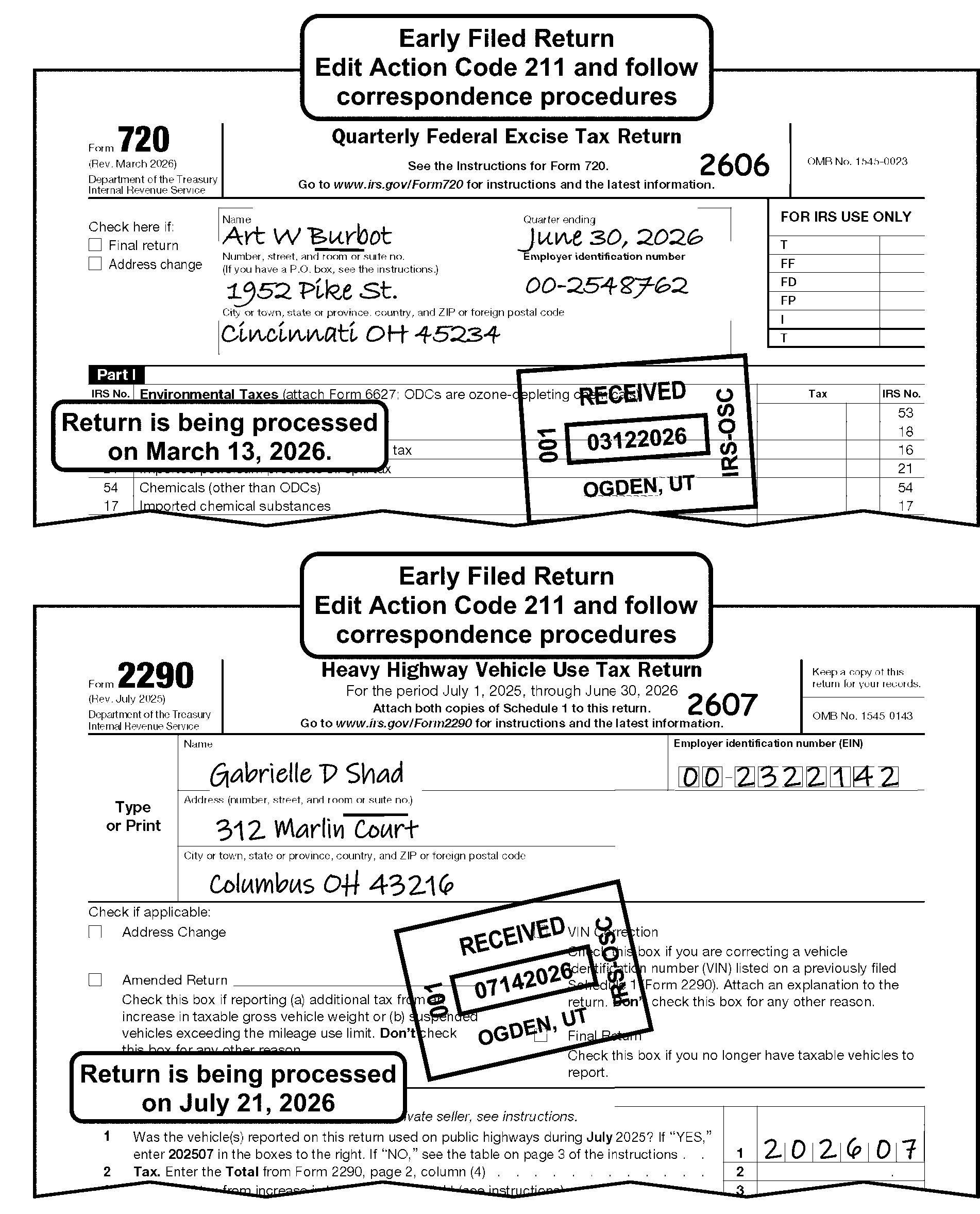
-
Never send an excise tax return back to the taxpayer.
-
If the month of the tax period is the same or after the month of the received date, determine how early the return has been filed.
Note:
On early filed Form 11-C only: if the received date on Form 11-C is prior to the beginning of tax period, edit the return due date as the received date.
If Then The tax period is less than 3 months of the process date, Process as usual. See Figure 3.11.23-7, Early Filed Form 11-C and Form 730 with the Tax Period Edited. The tax period is greater than 3 months of the process date, -
Edit CCC "U" and attach Form 15210, to request confirmation of the tax period.
-
Completely edit the return including the future tax period by the tax payer.
-
Leave the return in the batch.
-
-
Form 730 can never be filed early. (Taxpayer must file Form 730 for each month for which taxpayer has taxable wagers, by the end of the following month.) Follow procedures in IRM 3.11.23.10.7.6, Entity Perfection of Tax Period (Form 730), for determining the correct tax period on Form 730. See Figure 3.11.23-7, Early Filed Form 11-C and Form 730 with the Tax Period Edited. Use the signature date to help in determining the correct tax period.
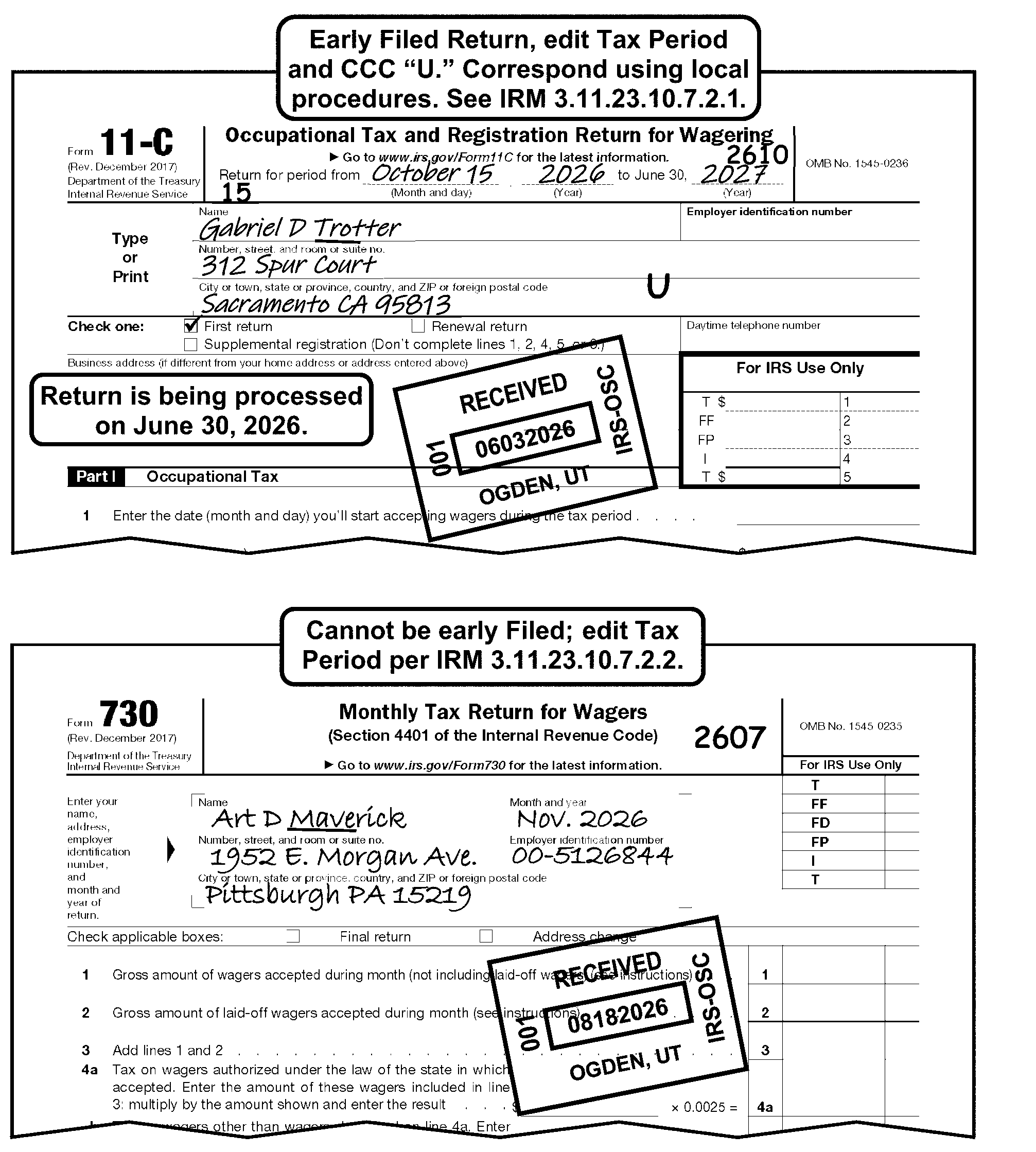
-
The tax period is edited to left of the Office of Management and Budget (OMB) number.
-
The quarter ending dates for Form 720 is March 31, June 30, September 30, and December 31.
Quarter Ending: Edit as Follows: 202612 2612 202609 2609 202606 2606 202603 2603 202512 2512 202509 2509 202506 2506 202503 2503 -
If the taxpayer does not enter the quarter ending date on the return, search the return and any attachments for an indication of the tax period. If found, edit the tax period in "YYMM" format to the left of the OMB number. See Figure 3.11.23-8, Editing Tax Period in "YYMM" Format on Form 720.
-
If the quarter ending cannot be determined, process as a current period's return.
Reminder:
When the tax period has not been clearly indicated on a Form 720 reporting the IRS Number 133 use the IRS Received Date to help determine the tax period. If the return was received December 31 or prior, process to the preceding 2nd quarter (e.g., Form 720 reporting the IRS Number 133 received on December 31, 2025, process as 202506). If the return was received after December 31, process to the subsequent 2nd quarter (e.g., Form 720 reporting the IRS Number 133 received on January 3, 2026, process as 202606).
-
If the return is an "early filed" return, see IRM 3.11.23.10.7.1, Early Filed Excise Tax Return Form 720 and Form 2290.
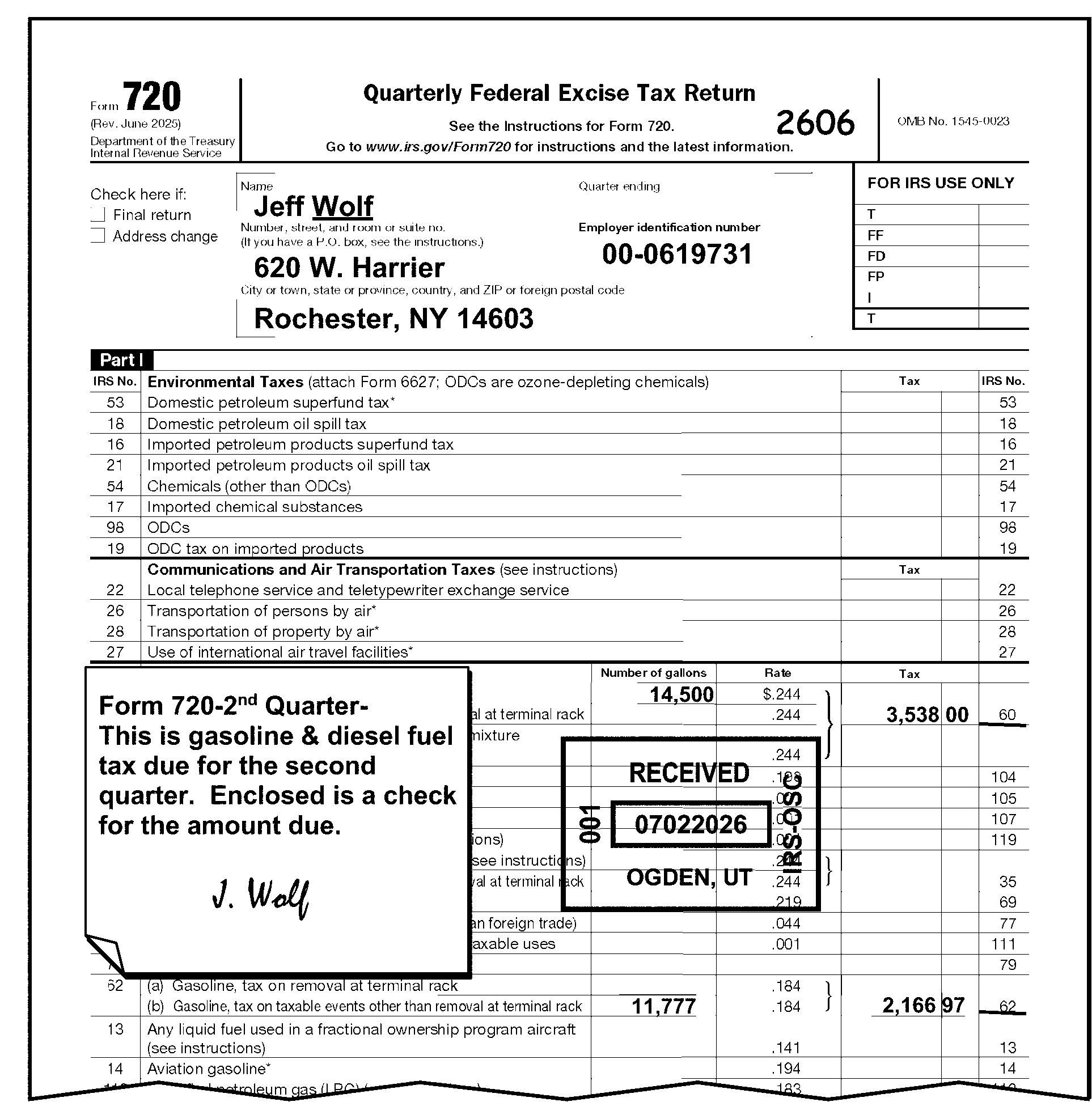
-
Form 2290 and Form 2290(SP) with a remittance go to Lockboxes. The amount of remittance will be notated in red in the upper left-hand portion of the Form 2290 by the Lockbox function. The tax period will be notated under the remittance amount, if the lockbox processed the remittance to a month OTHER THAN 07. Follow procedures in IRM 3.11.23.10.8, Payment Processed to Incorrect Tax Period, if the payment has been processed to the incorrect tax period.
-
The tax period is edited to left of the Office of Management and Budget (OMB) number. It is not necessary to edit the two-digit century (e.g., 20) on the return. This has been pre-programmed on the ISRP screen.
See Figure 3.11.23-9, Editing Tax Period on Form 2290.Note:
If Form 2290 is received from April-June reporting July tax liability amounts with no indication of amendment, research TC 150 for July of the current year. If a TC 150 is posted process as July of the subsequent year. Otherwise process as current year
-
To determine the correct tax period, use the following procedures:
If Then "Month" box (line 1) has an entry other than "July" , Edit the month from the taxpayer entry in the "Month" box after verifying that the tax on Line 2 agrees with the month shown. The beginning month in the "Month" box does not agree with the amount of tax on Line 2, Use the rate of tax, amount of tax, and number of vehicles to determine the tax period. The return is an Early Filed return, Follow procedures outlined in IRM 3.11.23.10.7.1, Early Filed Excise Tax Return Form 720 and Form 2290. A handwritten entry is present and the "Month" box is blank, Edit the month based on the taxpayer's computation. The taxpayer has filed multiple Form 2290 tax returns for the same tax period, Combine all returns into one single return when possible. Make sure to address all Schedule 1s as appropriate. The taxpayer indicates return is for more than one tax period, Action Code 211 and correspond for the taxpayer to complete the separate and Form 2290 Schedule 1 for each tax period. Unable to determine tax period and no other correspondence required, Process as current year. Unable to determine the beginning month and other correspondence is required, Request clarification of the tax period. -
If the taxpayer's reply indicates that the full year’s tax is correct and the beginning month is wrong, process as an annual return. (e.g., beginning month 07).
-
If the full year’s tax was in error and the beginning month was correct, edit the beginning month as the correct tax period.
No reply to correspondence, Edit "July" for the beginning month. See IRM 3.11.23.8.4, Processing No Reply Cases. Note:
If there are multiple tax periods indicated circle out all except for the one determined to be the correct tax period.
Tax Rate Table for Vehicles Except Logging Vehicles
Category July
(12)Aug.
(11)Sep.
(10)Oct.
(9)Nov.
(8)Dec.
(7)Jan.
(6)Feb.
(6)Mar.
(4)Apr.
(3)May
(2)Jun.
(1)A 100.00 91.67 83.33 75.00 66.67 58.33 50.00 41.67 33.33 25.00 16.67 8.33 B 122.00 111.83 101.67 91.50 81.33 71.17 61.00 50.83 40.67 30.50 20.33 10.17 C 144.00 132.00 120.00 108.00 96.00 84.00 72.00 60.00 48.00 36.00 24.00 12.00 D 166.00 152.17 138.33 124.50 110.67 96.83 83.00 69.17 55.33 41.50 27.67 13.83 E 188.00 172.33 156.67 141.00 125.33 109.67 94.00 78.33 62.67 47.00 31.33 15.67 F 210.00 192.50 175.00 157.50 140.00 122.50 105.00 87.50 70.00 52.50 35.00 17.50 G 232.00 212.67 193.33 174.00 154.67 135.33 116.00 96.67 77.33 58.00 38.67 19.33 H 254.00 232.83 211.67 190.50 169.33 148.17 127.00 105.83 84.67 63.50 42.33 21.17 I 276.00 253.00 230.00 207.00 184.00 161.00 138.00 115.00 92.00 69.00 46.00 23.00 J 298.00 273.17 248.33 223.50 198.67 173.83 149.00 124.17 99.33 74.50 49.67 24.83 K 320.00 293.33 266.67 240.00 213.33 186.67 160.00 133.33 106.67 80.00 53.33 26.67 L 342.00 313.50 285.00 256.50 228.00 199.50 171.00 142.50 114.00 85.50 57.00 28.50 M 364.00 333.67 303.33 273.00 242.67 212.33 182.00 151.67 121.33 91.00 60.67 30.33 N 386.00 353.83 321.67 289.50 257.33 225.17 193.00 160.83 128.68 96.50 64.33 32.17 O 408.00 374.00 340.00 306.00 272.00 238.00 204.00 170.00 136.00 102.00 68.00 34.00 P 430.00 394.17 358.33 322.50 286.67 250.83 215.00 179.17 143.33 107.50 71.67 35.83 Q 452.00 414.33 376.67 339.00 301.33 263.67 226.00 188.33 150.67 113.00 75.33 37.67 R 474.00 434.50 395.00 355.50 316.00 276.50 237.00 197.50 158.00 118.50 79.00 39.50 S 496.00 454.67 413.33 372.00 330.67 289.33 248.00 206.67 165.33 124.00 82.67 41.33 T 518.00 474.83 431.67 388.50 345.33 302.17 259.00 215.83 172.67 129.50 86.33 43.17 U 540.00 495.00 450.00 405.00 360.00 315.00 270.00 225.00 180.00 135.00 90.00 45.00 V 550.00 504.17 458.33 412.50 366.67 320.83 275.00 229.17 183.33 137.50 91.67 45.83 Tax Rates for Logging Vehicles
Category July
(12)Aug.
(11)Sep.
(10)Oct.
(9)Nov.
(8)Dec.
(7)Jan.
(6)Feb.
(5)Mar.
(4)Apr.
(3)May
(2)Jun.
(1)A 75.00 68.75 62.49 56.25 50.00 43.74 37.50 31.25 24.99 18.75 12.50 6.24 B 91.50 83.87 76.25 68.62 60.99 53.37 45.75 38.12 30.50 22.87 15.24 7.67 C 108.00 99.00 90.00 81.00 72.00 63.00 54.00 45.00 36.00 27.00 18.00 9.00 D 124.50 114.12 103.74 93.37 83.00 72.62 62.25 51.87 41.49 31.12 20.75 10.37 E 141.00 129.24 117.50 105.75 93.99 82.25 70.50 58.74 47.00 35.25 23.49 11.75 F 157.50 144.37 131.25 118.12 105.00 91.87 78.75 65.62 52.50 39.37 26.25 13.12 G 174.00 159.50 144.99 130.50 116.00 101.49 87.00 72.50 57.99 43.50 29.00 14.49 H 190.50 174.62 158.75 142.87 126.99 111.12 95.25 79.37 63.50 47.62 31.74 15.87 I 207.00 189.75 172.50 155.25 138.00 120.75 103.50 86.25 69.00 51.75 34.50 17.25 J 223.50 204.87 186.24 167.62 149.00 130.37 111.75 93.12 74.49 55.87 37.25 18.62 K 240.00 219.99 200.00 180.00 159.99 140.00 120.00 99.99 80.00 60.00 39.99 20.00 L 256.50 235.12 213.75 192.37 171.00 149.62 128.25 106.87 85.50 64.12 42.75 21.37 M 273.00 250.25 227.49 204.75 182.00 159.24 136.50 113.75 90.99 68.25 45.50 22.74 N 289.50 265.37 241.25 217.12 192.99 168.87 144.75 120.62 96.50 72.37 48.24 24.12 O 306.00 280.50 255.00 229.50 204.00 178.50 153.00 127.50 102.00 76.50 51.00 25.50 P 322.50 295.62 268.74 241.87 215.00 188.12 161.25 134.37 107.49 80.62 53.75 26.87 Q 339.00 310.74 282.50 254.25 225.99 197.75 169.50 141.24 113.00 84.75 56.49 28.25 R 355.50 325.87 296.25 266.62 237.00 207.37 177.75 148.12 118.50 88.87 59.25 29.62 S 372.00 341.00 309.99 279.00 248.00 216.99 186.00 155.00 123.99 93.00 62.00 30.99 T 388.50 356.12 323.75 291.37 258.99 226.62 194.25 161.87 129.50 97.12 64.74 32.37 U 405.00 371.25 337.50 303.75 270.00 236.25 202.50 168.75 135.00 101.25 67.50 33.75 V 412.50 378.12 343.74 309.37 275.00 240.62 206.25 171.87 137.49 103.12 68.75 34.37 -
-
Lockbox Issues - If the Lockbox function edits a tax period in the T-line area for tax periods correctly per the procedures, no action is needed. If incorrect, circle out the incorrect tax period and edit the correct tax period.
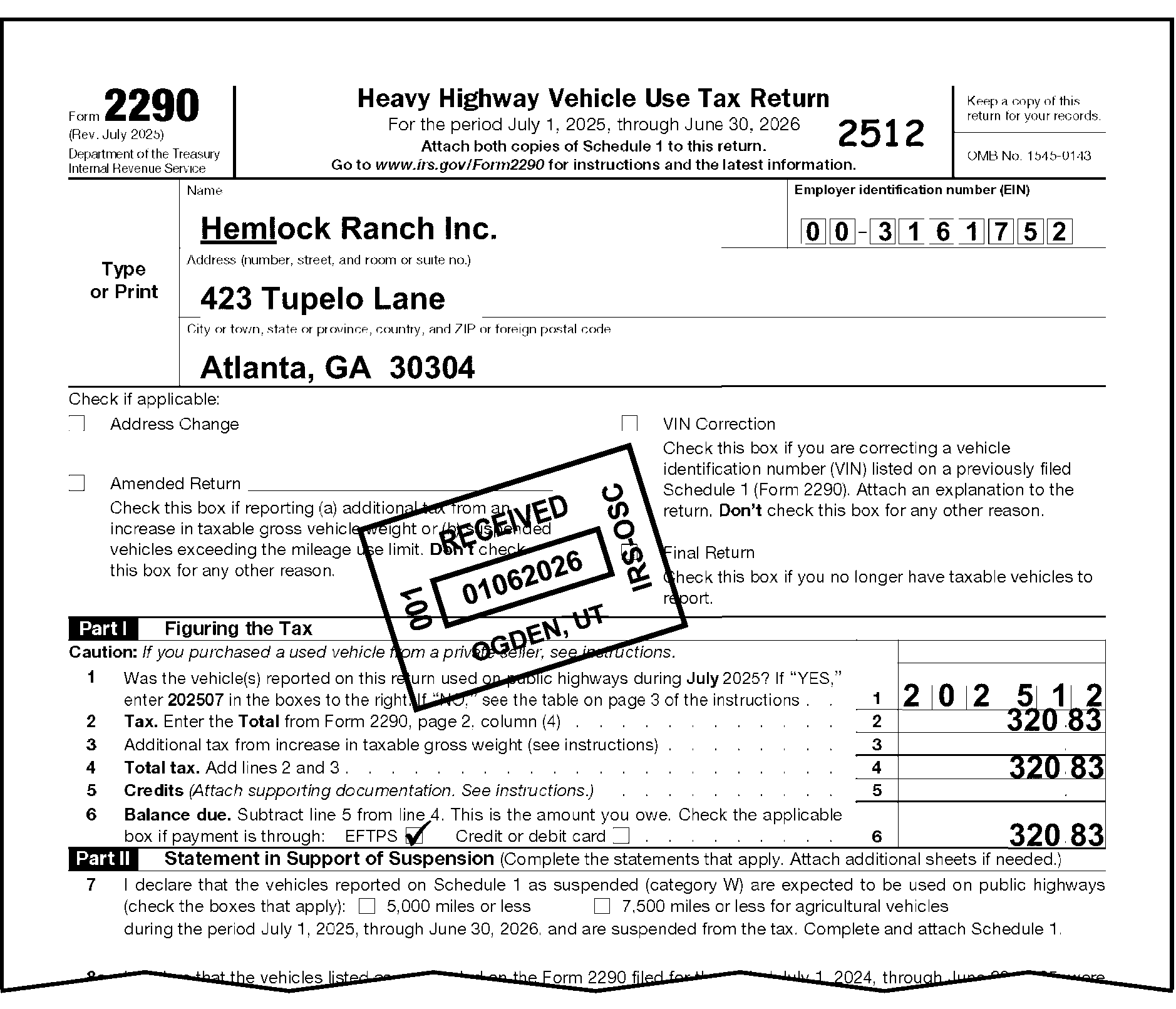
-
Compare the amount of tax entered on Form 11-C, Part 1, Line 2 to the tax rate charts below. If the tax period is not entered on the Form 11-C, or is not entered correctly, edit the month corresponding to the amount of tax reported as the tax period for the return.
Note:
Edit the tax period to the left of the OMB number in YYMM format. If the amount of tax reported does not exactly match an amount in the tables below, select the tax period that closest matches the amount of tax reported. If the amount of tax is greater than the amounts reflected for July, then process the return to the July tax period.
Figure 3.11.23-10a
-
The tax period block for Form 730 requests the month and year for which taxable wagers are received. Edit the tax period on every Form 730 in YYMM format to the left of the OMB Number area of the return. If the tax period is not entered on the Form 730 by the taxpayer, edit the month and year preceding the month in the signature date as the tax period. See Figure 3.11.23-11, Editing a Tax Period on Form 730 with a Signature Date.
-
When editing an early filed Form 730 return, edit the tax period to be the month and year preceding the month of the signature date. If the signature date is not present, edit the month and year preceding the month of the received date.
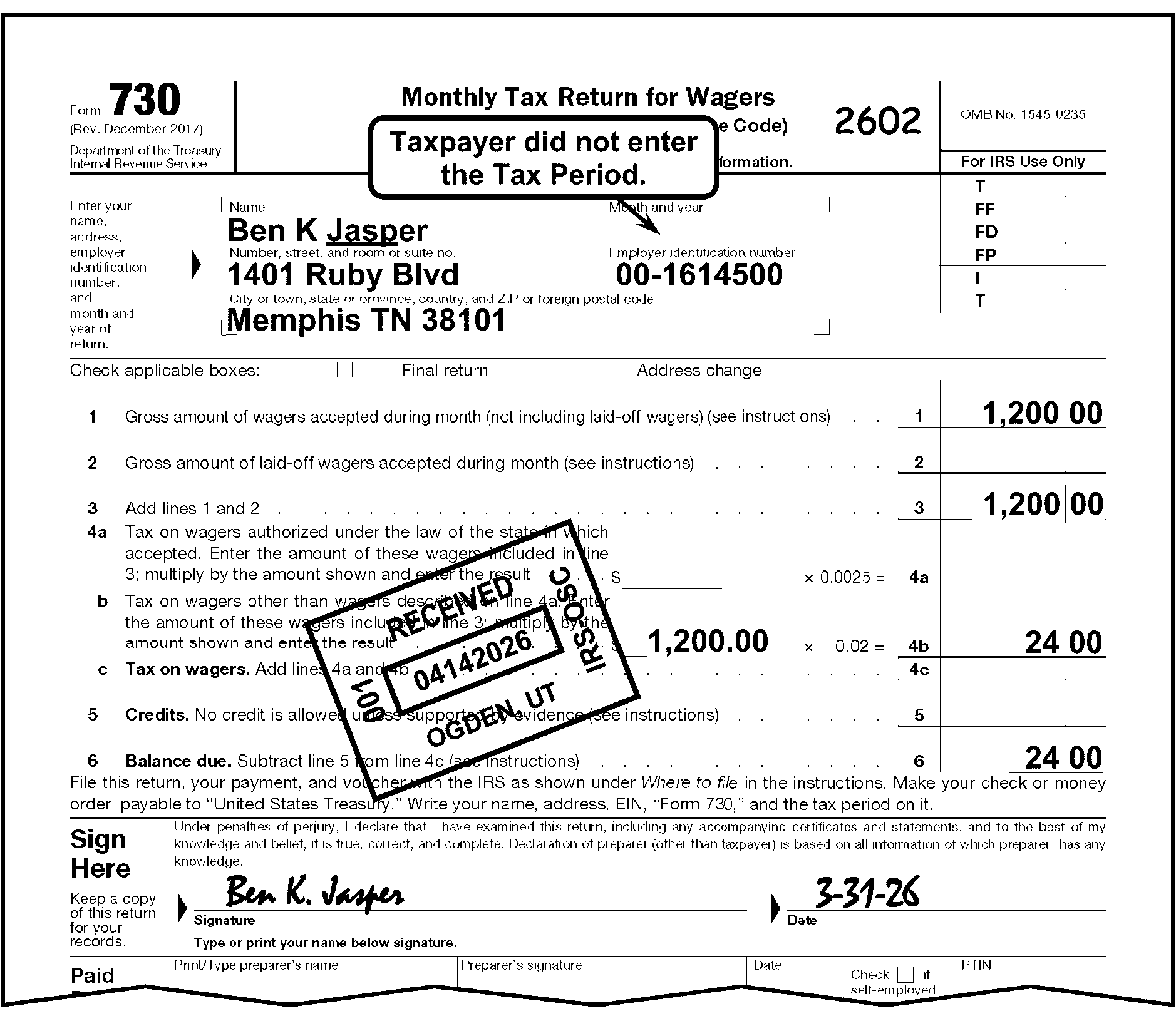
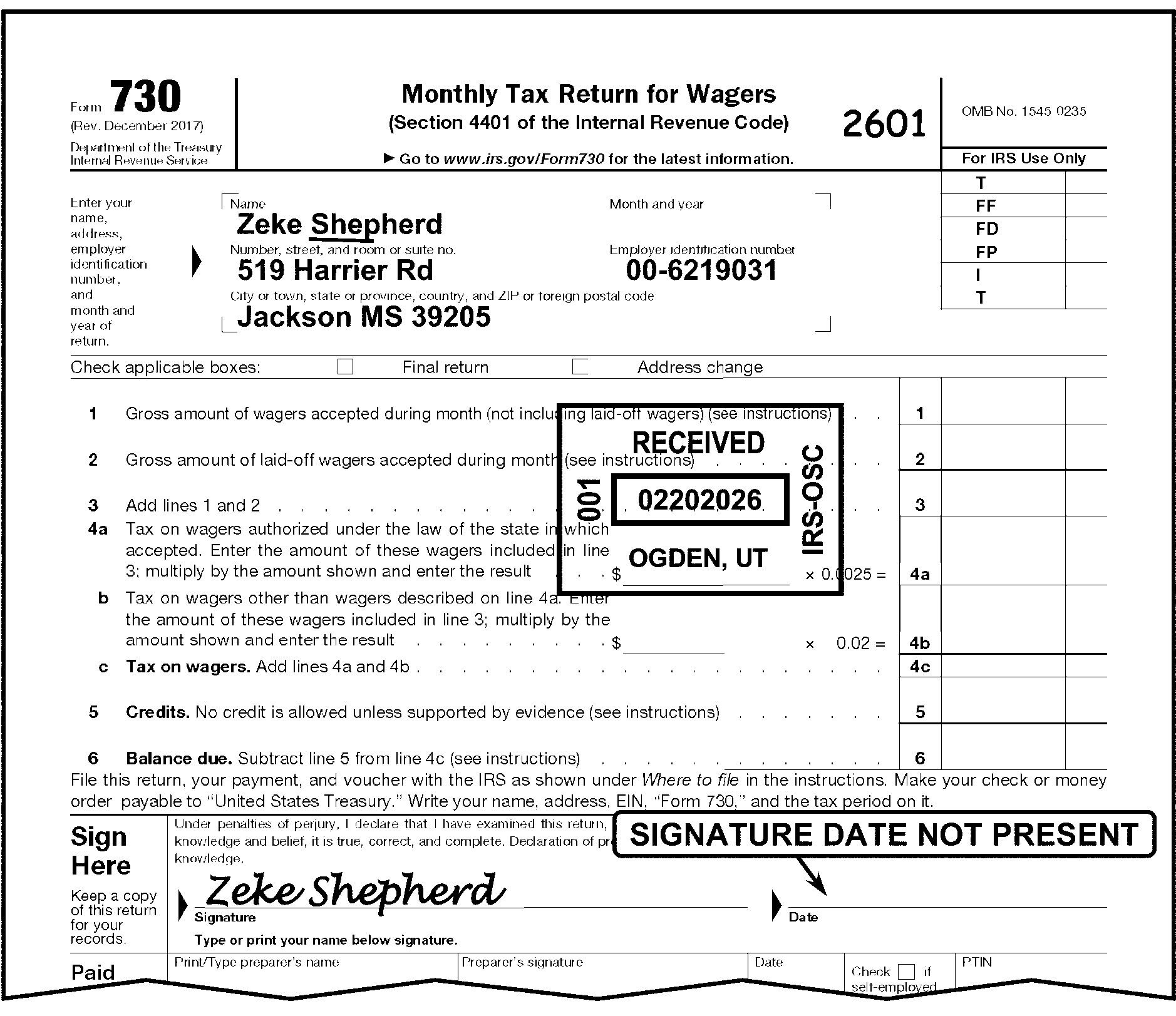
-
The payment received with Form 720, Form 11-C, Form 730, Form 2290 or Form 2290(SP) processed by RPS, a Lockbox, or within a field office may be applied to an incorrect tax period.
Reminder:
Patient-Centered Outcomes Research (PCOR) payments for Form 720 PCOR tax will only be applied to 2nd quarter tax periods. If the payment has been applied to a quarter other than the 2nd quarter have the PCOR payment applied to the same 2nd quarter that the Form 720 PCOR return was intended.
If Then The payment was processed to an incorrect tax period or to an incorrect MFT, -
Edit Action Code 450 or CCC "U" as appropriate.
-
Attach Form 4227 noting that the remittance was processed to an incorrect tax period and/or MFT, notating the corrected Tax Period.
-
Leave return in pack for continued processing.
There are Electronic Federal Tax Payment System (EFTPS) receipts or other payment documents attached to the return indicating that the payment has been applied incorrectly, -
Edit Action Code 450 or CCC "U" as appropriate.
-
Attach Form 4227 noting that the remittance was processed to an incorrect account.
-
Leave return in pack for continued processing.
-
-
The date a document is received in the Campus or the IRS Office is the date stamped as the "IRS Received Date" .
-
An IRS Received Date is required on all Form 720, Form 11-C, Form 730, and those within the Form 2290 series.
-
≡ ≡ ≡ ≡ ≡ ≡ ≡ ≡ ≡ ≡ ≡ ≡ ≡ ≡ ≡ ≡ ≡ ≡ ≡ ≡ ≡ ≡ ≡ ≡ ≡ ≡ ≡ ≡ ≡ ≡ ≡ ≡ ≡ ≡ ≡ ≡ ≡ ≡ ≡ ≡ ≡ ≡ ≡ ≡ ≡ ≡ ≡ ≡ ≡ ≡ ≡ ≡ ≡ ≡ ≡ ≡ ≡ ≡ ≡ ≡ ≡ ≡ ≡ ≡ ≡ ≡ ≡ ≡ ≡ ≡ ≡ ≡ ≡ ≡ ≡ ≡ ≡ ≡ ≡ ≡ ≡ ≡ ≡ ≡ ≡ ≡ ≡ ≡ ≡ ≡ ≡ ≡ ≡ ≡ ≡ ≡ ≡ ≡ ≡ ≡ ≡ ≡ ≡ ≡ ≡ ≡ ≡ ≡ ≡ ≡ ≡ ≡ ≡ ≡ ≡ ≡ ≡ ≡ ≡ ≡ ≡ ≡ ≡ ≡ ≡ ≡ ≡ ≡ ≡ ≡ ≡ ≡ ≡ ≡ ≡ ≡ ≡ ≡ ≡ ≡ ≡ ≡ ≡ ≡≡ ≡ ≡ ≡ ≡ ≡ ≡ ≡ ≡ ≡ ≡ ≡≡ ≡ ≡ ≡ ≡ ≡ ≡ ≡ ≡ ≡ ≡ ≡ ≡ ≡ ≡ ≡ ≡ ≡ ≡ ≡ ≡ ≡ ≡ ≡ ≡ ≡ ≡ ≡ ≡ ≡ ≡ ≡ ≡ ≡ ≡ ≡ ≡ ≡ ≡ ≡ ≡ ≡ ≡ ≡ ≡ ≡ ≡ ≡ ≡ ≡ ≡ ≡ ≡ ≡ ≡ ≡ ≡ ≡ ≡ ≡ ≡ ≡ ≡ ≡ ≡ ≡ ≡ ≡ ≡ ≡ ≡ ≡ ≡ ≡ ≡ ≡ ≡ ≡ ≡ ≡ ≡ ≡ ≡ ≡ ≡ ≡ ≡ ≡ ≡ ≡ ≡ ≡ ≡ ≡ ≡ ≡ ≡ ≡ ≡ ≡ ≡ ≡
-
≡ ≡ ≡ ≡ ≡ ≡ ≡ ≡ ≡ ≡ ≡ ≡ ≡ ≡ ≡ ≡ ≡ ≡ ≡ ≡ ≡ ≡ ≡ ≡ ≡ ≡ ≡ ≡ ≡ ≡ ≡ ≡ ≡ ≡ ≡ ≡ ≡ ≡ ≡ ≡ ≡ ≡ ≡ ≡
-
When a Form 720 or Form 2290 is delinquent and the taxpayer explains the return is late due to the rejection of a timely filed electronic return, check the return for a MeF rejection notification.
Note:
Taxpayers are instructed to notate in red in the top margin of the return "REJECTED ELECTRONIC RETURN" to indicate the timely filed return cannot be filed electronically. The notation could be anywhere on the return and is not required, but they must attach a copy of the MeF rejection notification in order to show they qualify for an edited Received Date.
-
If a MeF rejection notification is not attached, perfection of the Received Date is not necessary. If a notification is attached, edit the IRS stamped Received Date as follows:
Note:
The taxpayer has 10 days to resubmit an electronically filed return after being rejected and 10 days to submit a paper return after the last rejection. The first transmission of any rejected return must have been filed before the due date of the relevant form for this rule to apply.
If And Then The postmark date is within 10 days of the date of the rejection, Edit the IRS Received Date to be the date of the rejection.
For example, postmark date is 05-07-2026 and first rejection is 04-30-2026. Change Received Date to 04-30-2026.The postmark date is more than 10 days after the date of the rejection, Leave the IRS Received Date as is.
For example, postmark date is 05-14-2026 and first rejection is 04-30-2026. Leave the Received Date as is.There are two rejections, Within 10 days of one another and one is within 10 days of the postmark date, Edit the IRS Received Date to be the date of the first rejection.
For example, postmark date is 05-13-2026, the second rejection is 05-04-2026. The first rejection is 04-30-2026 Change the Received Date to 04-30-2026.There are two rejections with the time between the first rejection and the second rejection greater than 10 days, The second rejection is within 10 days of the postmark date, Edit the IRS Received Date to be the date of the second rejection.
For example, postmark date is 05-08-2026, the second rejection is 04-30-2026. The first rejection is 04-16-2026. Change the Received Date to 04-30-2026.There are two rejections, Not within 10 days of one another and second rejection not within 10 days of the postmark date, Leave the IRS Received Date as is.
For example, postmark date is 05-18-2026, the second rejection is 05-04-2026. The first rejection is 04-13-2026. Leave the Received Date as is. -
The IRS Received Date will be stamped on the face of the return.
-
A valid IRS Received Date Stamp may consist of the following:
-
The word "Received"
-
Month (alpha or numeric)
-
Day (for example "1" or "01" )
-
Year - four digits
-
"Area Office" , "Campus" , "Field Office" , "Taxpayer Assistance Center" (TAC), plus the city, location, or functional area within one of these sites (e.g., Compliance Services Collection Operations (CSCO), Examination, Image Control Team (ICT), Correspondence Imaging Inventory (CII), Accounts Management (AM), etc.).
Exception:
Not all IRS offices are designated places for filing, and not all IRS employees are authorized to accept a tax return for processing. If a return contains a received date stamp from other than a Taxpayer Assistance Center (TAC), Lockbox, or IRS campus (Compliance, Accounts Management, or Submission Processing (SP)), circle out the invalid Received Date and edit the correct IRS Received Date according to instructions below. For example, returns received by the Taxpayer Advocate Service (TAS), Department/Bureau of Motor Vehicles (DMV/BMV) or the IRS Office of Chief Counsel are not properly filed and a Received Date by that office is not the "IRS Received Date" .
-
-
If the IRS Received Date stamp is not present or the date is illegible or invalid, edit the IRS Received Date in MMDDYY format in the middle of page one of the return.
-
Edit the Received Date according to the following priority:
-
The earliest legible Postmark Date (U.S. Postal Service, Foreign Postmark, or Private Delivery Service) on the envelope. Rules for using the U.S. Postal Service (USPS) Postmark, Foreign Postmark date, or Private Delivery Service (PDS) dates are as follows:
If Then An envelope is not attached, Use the postmark date stamped on the face of the return. A document was returned for insufficient postage, Use the postmark date that corresponds with the correct delivery of the return. The postmark is missing and the envelope is certified, Look for the USPS.com Track & Confirm record that was attached to the return (should be in front of the envelope) Use the acceptance date on the record to determine timeliness and follow normal editing procedures. See paragraph 13 below for the return due dates.
If the USPS.com Track & Confirm record is not attached, take no action.An envelope has both a USPS, foreign, or PDS and private metered postmark, Always use the USPS, Foreign, or PDS Postmark. An envelope has two private meter postmarks, Always use the latest private metered postmark. An envelope has only one private meter postmark, Use the private metered postmark. -
Service Center Automated Mail Processing System (SCAMPS) digital date
-
Revenue officer's or other IRS official's signature date
-
Signature date (only if within current year)
-
DLN Julian control date minus 10 days
-
Current date minus 10 days
-
-
If a return has been faxed to another area of the IRS and then sent to Submission Processing for processing, do not edit the Enterprise Electronic Fax (EEFax) Date as the IRS Received Date. Edit a Received Date according to normal procedures.
-
Edit the Received Date as follows:
-
See the charts below for the due dates of Form 720, Form 11-C, Form 2290, and Form 730. If the due date falls on a Saturday, Sunday, or legal holiday, the form is due the next business day.
Form 720 All IRS Numbers Due Dates (Except the IRS Number 20 and the IRS Number 133)
Tax Period Tax Period Ending Due Date ≡ ≡ ≡ ≡ ≡ ≡ ≡ ≡ ≡ ≡ ≡ ≡ ≡ ≡ ≡ 202612 12/31/26 02/01/27 ≡ ≡ ≡ ≡ ≡ 202609 09/30/26 11/02/26 ≡ ≡ ≡ ≡ ≡ 202606 06/30/26 07/31/26 ≡ ≡ ≡ ≡ ≡ ≡ ≡ 202603 03/31/26 04/30/26 ≡ ≡ ≡ ≡ ≡ 202512 12/31/25 02/02/26 ≡ ≡ ≡ ≡ ≡ ≡ ≡ 202507 09/30/25 10/31/25 ≡ ≡ ≡ ≡ ≡ ≡ ≡ Form 720 IRS Number 20 Due Date
Tax Period Tax Period Ending Due Date ≡ ≡ ≡ ≡ ≡ ≡ ≡ ≡ ≡ ≡ ≡ ≡ ≡ ≡ 202606 06/30/26 07/31/26 ≡ ≡ ≡ ≡ ≡ ≡ 202506 06/30/25 07/31/25 ≡ ≡ ≡ ≡ ≡ Form 720 IRS Number 133 Due Date
Tax Period Tax Period Ending Due Date ≡ ≡ ≡ ≡ ≡ ≡ ≡ ≡ ≡ ≡ ≡ ≡ ≡ 202606 06/30/26 07/31/26 ≡ ≡ ≡ ≡ ≡ Form 11-C Annual Due Date
Filing Frequency Tax Period Due Date ≡ ≡ ≡ ≡ ≡ ≡ ≡ ≡ ≡ ≡ ≡ ≡ ≡ ≡ Annual 202607 07/01/26 ≡ ≡ ≡ ≡ ≡ Form 2290 and Form 2290(SP) Due Date
Filing Frequency Tax Period Due Date ≡ ≡ ≡ ≡ ≡ ≡ ≡ ≡ ≡ ≡ ≡ ≡ ≡ Annual 202507 09/03/26 ≡ ≡ ≡ ≡ ≡ ≡ ≡ , Sunday or legal holiday, the due date is the next business day.Form 2290 and Form 2290(SP) Due Date when a Vehicle is first placed in service on a public highway
IF, in this period, the vehicle is first used during... THEN, Form 2290 and payment is due by... AND this date should be entered on Form 2290, Line 1 July 2025 September 2, 2025 202507 August 2025 September 30, 2025 202508 September 2025 October 31, 2025 202509 October 2025 December 1, 2025 202510 November 2025 December 31, 2025 202511 December 2025 February 2, 2026 202512 January 2026 March 2, 2026 202601 February 2026 March 31, 2026 202602 March 2026 April 30, 2026 202603 April 2026 June 1, 2026 202604 May 2026 June 30, 2026 202605 June 2026 July 31, 2026 202606 Form 730 Monthly Due Dates
Tax Period Due Date ≡ ≡ ≡ ≡ ≡ ≡ ≡ ≡ ≡ ≡ ≡ ≡ ≡ ≡ ≡ 202612 02/01/27 ≡ ≡ ≡ ≡ ≡ 202611 01/04/27 ≡ ≡ ≡ ≡ ≡ ≡ ≡ 202610 12/02/26 ≡ ≡ ≡ ≡ ≡ ≡ ≡ 202609 11/02/26 ≡ ≡ ≡ ≡ ≡ ≡ 202608 09/30/26 ≡ ≡ ≡ ≡ ≡ ≡ 202607 08/31/26 ≡ ≡ ≡ ≡ ≡ ≡ ≡ 202606 07/31/26 ≡ ≡ ≡ ≡ ≡ ≡ 202605 07/01/26 ≡ ≡ ≡ ≡ ≡ 202604 06/01/26 ≡ ≡ ≡ ≡ ≡ ≡ 202603 04/30/26 ≡ ≡ ≡ ≡ ≡ ≡ ≡ 202602 04/01/26 ≡ ≡ ≡ ≡ ≡ ≡ 202601 03/02/26 ≡ ≡ ≡ ≡ ≡ 202512 02/02/26 ≡ ≡ ≡ ≡ ≡ ≡ ≡ 202511 12/31/25 ≡ ≡ ≡ ≡ ≡ ≡ ≡ 202510 12/01/25 ≡ ≡ ≡ ≡ ≡ ≡ ≡ 202509 10/31/25 ≡ ≡ ≡ ≡ ≡ ≡ ≡

-
For heavy highway motor vehicles used on public highways in July, Form 2290 and Form 2290(SP) must be filed by August 31.
-
For vehicles whose first use is in a later month, Form 2290 must be filed by the last day of the month following the month of the vehicle's first use.
-
For vehicles for which tax is suspended during the taxable period under the 5,000/7,500-mile exemption, an amended Form 2290 return is due, if the vehicle later exceeds the applicable mileage limit. The amended Form 2290 must be filed by the last day of the month following the month in which the vehicle's use exceeded the limit.
-
Form 2290 is often received with multiple received dates indicated on Page 2 and Schedule 1. Circle out the erroneous received dates on Page 2 in such a manner that the tax data is still legible for the ISRP function.
-
The IRS has developed a Memorandum of Understanding (MOU) with various state agencies that allow the agency to accept the Form 2290 and payment for the IRS on behalf of the taxpayer. This MOU is referred to as the Alternative Proof of Payment (APP) program. When a Form 2290 is received from a state Department of Motor Vehicles (DMV) treat the filing as if it is part of the APP program.
-
When the IRS has received a Form 2290 from a state agency participating in the APP program that accepts a Form 2290 from a taxpayer and mails the Form 2290 to the IRS, the Form 2290 is not considered received until it has been received by the IRS. Use the date the IRS received the Form 2290 as the Received Date. See IRM 3.11.23.17.12.1, Form 2290 Alternative Proof of Payment Program, for more information.
-
Computer Condition Codes (CCC) are used to identify a special condition or computation to post to the Master File.
-
Computer Condition Codes are edited to the right of the entity area.
-
"D" - Reasonable Cause for Failing to Pay Timely (All Excise Forms). CCC D will no longer be edited by Code and Edit tax examiners. If the taxpayer requests an abatement for Failing to Pay Timely when the return is submitted, send Letter 1382C, Penalty Removal Request Incomplete, which will inform the taxpayer of the proper procedure to follow to request abatement, if, and when a penalty is assessed. In the cases of a disaster, Code and Edit tax examiners will be provided with the coding procedures to follow.
-
"F" - Final Return (All Excise Forms) - Edit CCC F when the taxpayer checks the Final box or gives a positive indication that they are not liable for filing future returns. Notations such as (but not limited to):
-
Final
-
Deceased
-
Out of Business
-
Liquidation
-
Exempt under IRC 501(c)(3)
-
Dissolved
-
One-time filer
-
-
Form 720:
-
When the taxpayer indicates final, no entries on return and no signature, attach a Form 4227 with a note and send to the Centralized Specialty Tax Operation (CSTO). If a form is received with this criteria but has a signature, CCC "F" and process as usual.
-
-
Form 2290::
-
Form 2290 received in Code and Edit with no tax and either signed or not signed stating that they are "under 55,000 pounds" , "out of business" , "no longer in business for several years" , checked the "Final Return" box, stated "NOT LIABLE" , "deceased" , etc., code with CCC "F" and process as usual. It is not necessary to correspond for a signature on these returns if it is missing.
-
If the Form 2290 is received with this criteria, has a signature and a tax amount on Line 2, edit CCC "F" , return the Schedule 1 as appropriate (e.g., tax paid, current year, etc.) and process as usual. If the signature is missing on a taxable return correspond.
-
-
Edit CCC "J" when the return is late and Form 3198, Special Handling Notice for Examination Case Processing, or similar attachment indicating the return has been secured under IRC 4741-4784.2 is attached.
-
Otherwise, do not edit CCC "J" if the taxpayer requests an abatement for Failing to make timely deposits when the return is submitted. Instead, send Letter 1382C, Penalty Removal Request Incomplete, which will inform the taxpayer of the proper procedure to follow to request abatement, if, and when a penalty is assessed. In the cases of a disaster, Code and Edit tax examiners will be provided with the coding procedures to follow.
-
Edit CCC "L" if:
-
Taxpayer writes "IRC 6114 Election" on the top of the Form 720.
-
Form 8833, Treaty-Based Return Position Disclosure Under Section 6114 or 7701(b), is attached.
-
Taxpayer attaches a letter referring to IRC 6114 to the Form 720.
-
Taxpayer writes at the top of the Form 720 in red print the following statement: "Election to participate in FET Voluntary Compliance Initiative pursuant to Announcement 2008-18."
-
-
CCC "O" is entered when a pre-settlement manual refund will be made and a Form 3753 (Manual Refund Posting Voucher), Form 5792 (Request for IDRS Generated Refund (IGR)) or Form 12857 (Refund Transfer Posting Voucher) is attached. Verify that the Name Control, EIN and Tax Period on the return is the same as the data on the form. See Figure 3.11.23-14, CCC "O" - Module Freeze.
Note:
When issuing a CCC "O" research to determine if TC 840 (Manual Refund Transaction) has posted.
If Then TC 840 has posted, -
Enter CCC "O"
-
Continue processing
TC 840 has not posted, -
Enter Action Code 344 to issue Manual Refund
-
Prepare Form 4227 and notate Manual Refund
-
Continue processing
-
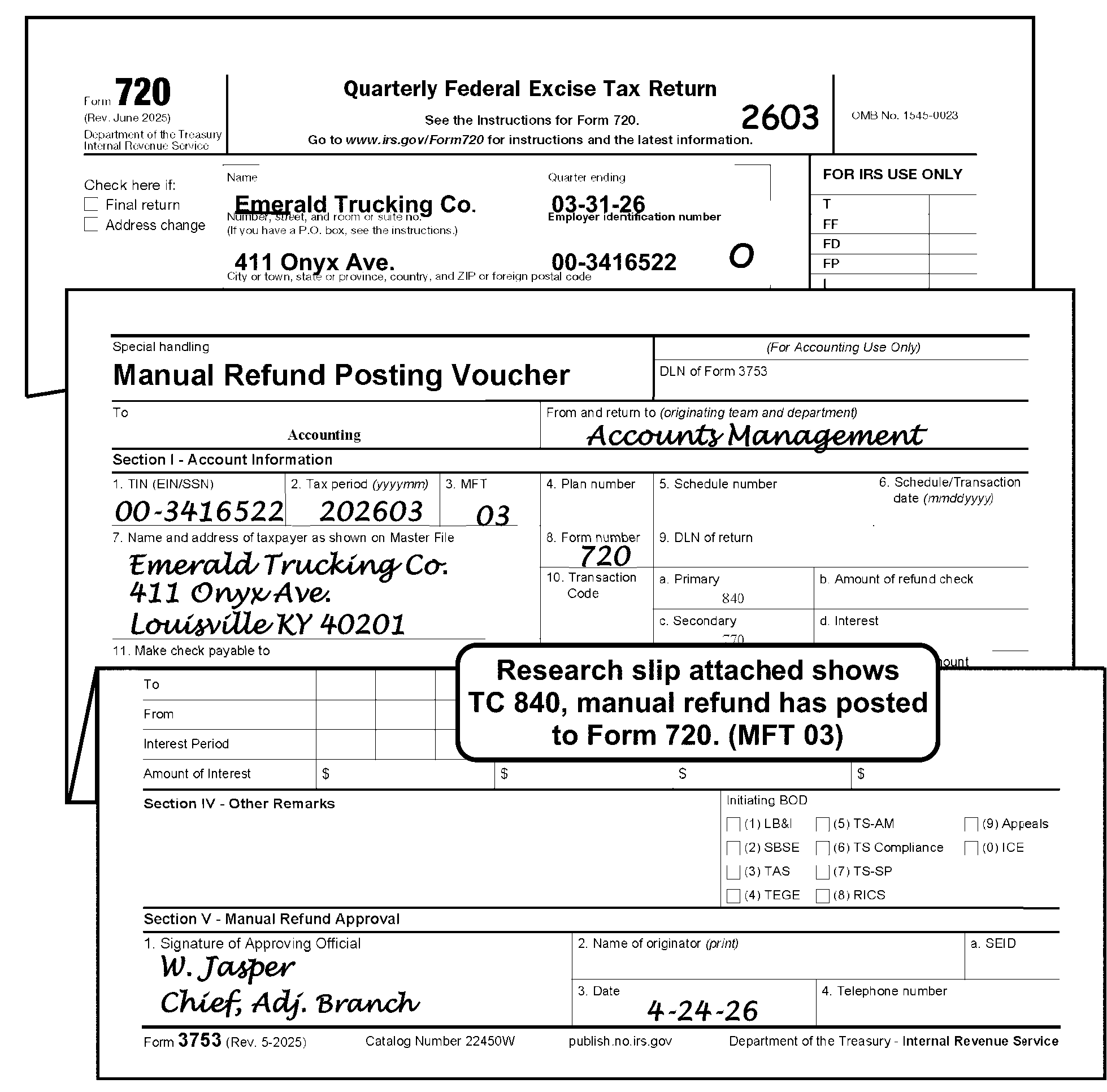
-
If the taxpayer requests an abatement for Reasonable Cause for Failing to Timely File Return when the return is submitted, send Letter 1382C, Penalty Removal Request Incomplete, which will inform the taxpayer of the proper procedure to follow to request abatement, if, and when a penalty is assessed. In the cases of a disaster, Code and Edit tax examiners will be provided with the coding procedures to follow.
-
Edit CCC "R" with a Penalty and Interest (P/I) Code "1" only when the taxpayer has paid an amount for precomputed penalty or interest and the return was received ≡ ≡ ≡ ≡ ≡ ≡ ≡ ≡ ≡ ≡ ≡ ≡ ≡ ≡ ≡ ≡. The P/I Code is shown to the right of the Penalty and Interest box. See IRM 3.11.23.13, Taxpayer Reports Precomputed Penalty Interest.
-
Refer to IRM 3.11.23.2.10, Statute Returns.
-
Edit CCC "X" when the taxpayer requests any balance left over after paying tax and/or penalties to be applied to another tax module:
-
Prepare Form 3465, Adjustment Request, and route to Centralized Specialty Tax Operation (CSTO) with the request and a photocopy of Page 1 of the return.
-
Annotate on the return "3465 prepared" .
-
On no reply cases for a signature, CCC "X" will be edited on overpaid returns.
-
-
When an Abstract Number (the IRS Number (Number)) is missing, and the amount is over $100.00, CCC "Z" sends a transcript to the Centralized Specialty Tax Operation for the Reports Analyst to determine the correct Abstract Number. The Abstract Number determines the Government Agency that will receive the money from the trust fund, for example, the Department of Transportation receives money for the Highway Trust Fund and the Airport and Airway Trust Fund.
-
Edit CCC "Z" when an amount of $100.00 or more is on Part I, Line 1, Part II Line 2 and/or Part III Line 3, but no Abstract Number (the IRS Number) is indicated.
-
Edit CCC "1" when the "Renewal" box is checked and the $50.00 category is paid rather than the $500.00 category. The lower amount is used for those wagers authorized by their respective states.
-
Edit CCC "3" when the taxpayer either does not respond to a correspondence or the correspondence is returned undeliverable.
-
Edit CCC 6 when the IRS Number (Abstract Number) 150 has a significant amount (greater than zero) and Form 7208, Excise Tax on Repurchase of Corporate Stock, is not attached.
-
The Penalty/Interest (P/I) Code is used when the taxpayer has paid an amount for penalty or interest even though the return was received ≡ ≡ ≡ ≡ ≡ ≡ ≡ ≡ ≡ ≡ ≡ ≡ ≡ ≡ ≡. The P/I Code will allow the computer to compute penalty and/or interest when it normally would not.
-
Enter Code "1" to the right of the Penalty and Interest box when precomputed delinquency penalty and/or interest is shown. If only precomputed interest is shown, edit CCC "R" as well as "1" . CCC "R" will override the P/I Code 1 where delinquency penalty is concerned. See Figure 3.11.23-15, Precomputed Interest on Form 2290.
-
If there is a taxpayer precomputed penalty and/or interest on the return, a received date must be present. See IRM 3.11.23.11, Received Date.
-
If the date in (3) above is ≡ ≡ ≡ ≡ ≡ ≡ ≡ ≡ ≡ ≡ ≡ ≡ ≡ ≡ ≡, edit the P/I Code.
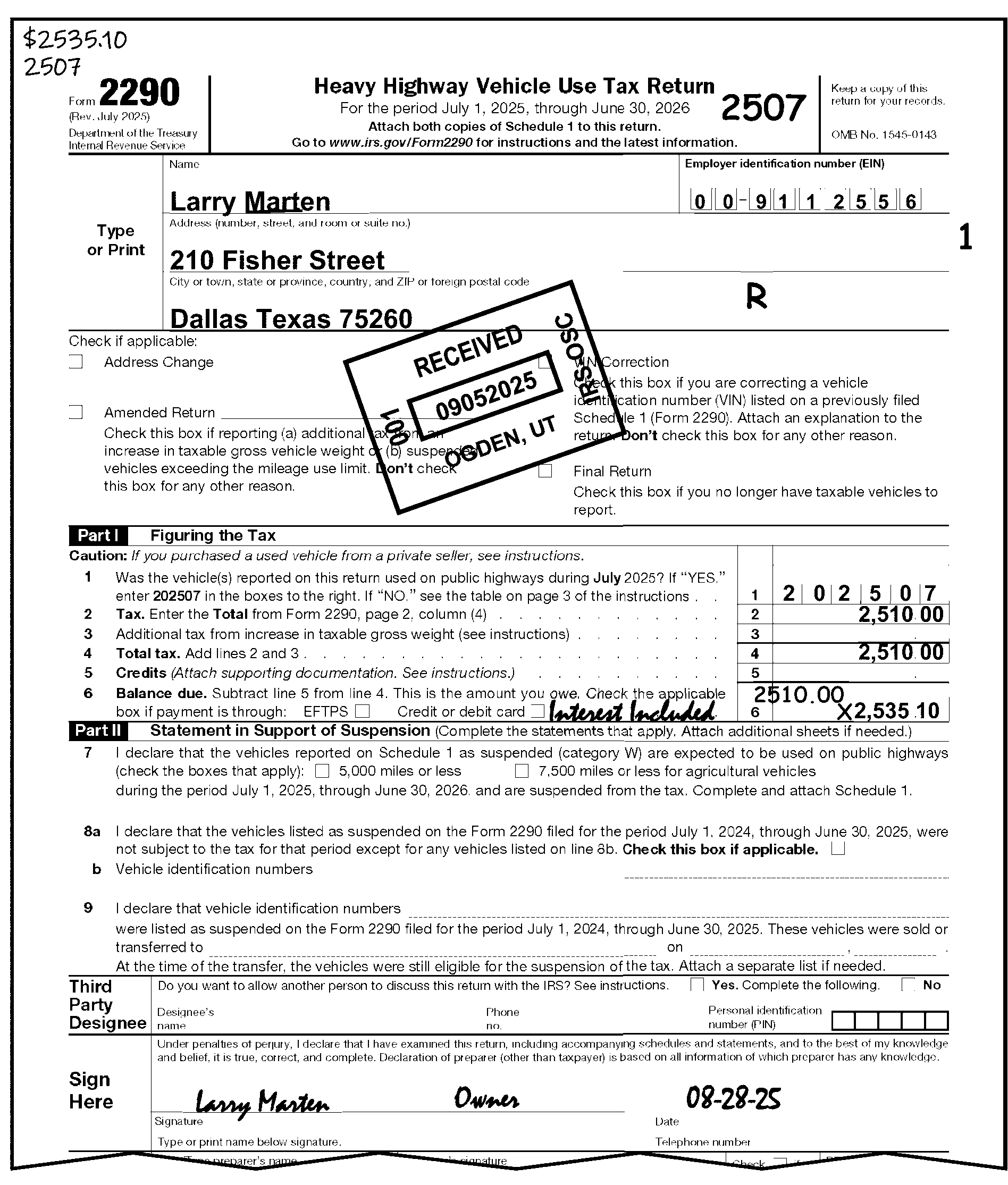
-
The Internal Revenue Code provides for other penalties to be assessed against taxpayers, such as for "Fraud" . Provisions have not been made for assessing these other penalties on the original input of the return. Therefore, they should not be included in the penalty and interest box, if shown on the return.
-
These other penalties can be identified as follows:
-
IRC 6663 - Fraud
-
IRC 6674 - Fraudulent statement provided to employee or failure to provide statement to employee, where statement required under IRC 6051 or 6053(b)
-
IRC 6721(a)(2)(B) - Failure to include all information required on return, or inclusion of incorrect information
-
-
Precomputed penalties other than delinquency, Federal Tax Deposit (FTD) or Failure to Pay (FTP) will be handled as follows:
-
Prepare Form 3465, Adjustment Request, to request an assessment of the penalty. If a remittance amount includes all or part of the penalty, indicate on Form 3465 that this portion of the remittance is available for application to the assessment.
-
Annotate in the left margin of the return that "3465 Prep" . Route Form 3465 to the Centralized Specialty Tax Operation (CSTO).
-
Edit CCC "R" on any return which shows an assessment of "fraud" penalty.
-
Edit CCC "X" to freeze the refund until the assessment for penalty posts to the BMF.
-
-
If the FD line in the Penalty and Interest Box is blank, edit the Failure to Deposit (FTD) Penalty shown on Form 4364, Delinquency Computations, or attachments, if present.
-
If the FTD Penalty is present, make sure it is added to the balance due or subtracted from the overpayment.
-
Subtract any penalties or interest (other than FTD Penalty) included in the balance due.
-
For penalties other than the FTD Penalty, Delinquency or Failure to Pay, prepare Form 3465, Adjustment Request, and route to the Centralized Specialty Tax Operation (CSTO).
-
-
Form 720 is the return for reporting many of the federal excise taxes.
Note:
The Form 720 is revised, as needed, to reflect changes in the tax law. The IRS Numbers might not be in the same place as on earlier returns, and a taxpayer might not notice the change. Be on the lookout for possible misplaced entries and move to correct Abstract Number (the IRS Number). For example, a large trucking company selects the IRS Number 29 (Ship Passenger Tax). Move this tax to the IRS Number 33 (Retail Tax). If there is any question, see your lead.
-
The valid Computer Condition Codes on Form 720 are D, F, G, J, L, O, R, W, X, Z, 3, 4, 5, 6 and 8.
-
Follow normal procedures for:
-
Edit Marks - IRM 3.11.23.3, Edit Marks
-
Unprocessable Returns - IRM 3.11.23.8, Unprocessable Returns
-
Signature - IRM 3.11.23.9, Signature
-
Third-Party Designee - IRM 3.11.23.9.1, Third-Party Designee Checkbox - Form 720, Quarterly Federal Tax Return, Form 2290, Heave Highway Vehicle Use Tax Return, and Form 2290(SP), Heavy Vehicle Use Tax Return (Spanish Version)
-
Entity Perfection - IRM 3.11.23.10, Entity Perfection - General
-
Entity Perfection of Domestic Addresses - IRM 3.11.23.10.5, Entity Perfection - Domestic Addresses
-
Entity Perfection of Foreign Addresses - IRM 3.11.23.10.6, Entity Perfection of Foreign Addresses
-
Entity Perfection of Tax Period - IRM 3.11.23.10.7.3, Entity Perfection of Tax Period (Form 720)
-
Received Date Editing - IRM 3.11.23.11, Received Date
-
Computer Condition Codes - IRM 3.11.23.12, Computer Condition Codes
-
Amended Returns - IRM 3.11.23.2.11, Amended Returns
-
-
Form 720 must be edited for dollars and cents.
-
Form 720 has several pages and attachments that must be attached. Document Perfection arranges Form 720 in the following order when transcription line entries are present:
-
Page 1 (Part I taxes)
-
Page 2 (Continuation of Part I taxes and Part II taxes)
-
Page 3 (Part III computations)
-
Page 4 (Schedule A and T)
-
Pages 5, 6, and 7 (Schedule C)
-
All other forms and schedules may be in any order
-
-
See Exhibit 3.11.23-1, Form 720, Quarterly Federal Excise Tax Return, for Form 720 transcription lines (T-lines).
-
Form 720 return processing volume and time is reported under the following Program Codes:
Program Code Program 11800 General Form 720 processing 11801 Form 720 with Line 3 tax of $1 million or more 11802 Form 720 refund returns 11804 Form 720 reporting the IRS Number 133, Patient-Centered Outcomes Research Fee 11809 Form 720 reporting the IRS Number 136, Taxable Medical Devices -
After coding any Form 720 return showing one million dollars or more in tax, Code and Edit must send a copy to Centralized Specialty Tax Operation (CSTO) million dollar return database following procedures established between SBSE Specialty Tax and the Ogden Submission Processing Center.
The Form 720 return includes Schedule C. -
Any Form 720 return that has "Notice 2020-48" or "Notice 2020-55" written in the top-center margin of the return must be edited with Action Code 430 in the bottom-left margin.
-
If the taxpayer enters the number of gallons (Fuel and Floor Stock Taxes), number of persons (Ship Passenger Tax), number of tons (Manufacturers Taxes), number of doses (Vaccine Taxes), premiums paid (Other Excise Taxes), amount of obligations (Obligations not in Registered Form) and the "Tax" column is blank or zero, compute and edit the tax for the correct IRS number. Also, adjust Line 3 accordingly.
-
If the taxpayer has an entry ≡ ≡ ≡ ≡ ≡ ≡ ≡ ≡ ≡ ≡ ≡ ≡ for the IRS Number(s) 16, 17, 18, 19, 21, 53, 54, or 98 in Part I or 20 in Part II, on Form 720, Form 6627, Environmental Taxes, must be attached.
-
If attached, Form 6627 must be math verified. See IRM 3.11.23.16.2, Form 6627, Environmental Taxes.
-
Do not math verify if the entries that require math verification are on an attachment to Form 6627 rather than on Form 6627.
-
If not attached or is incomplete, correspond to secure a completed Form 6627.
-
If no reply, edit CCC "3" .
-
Continue processing.
-
-
The medical device excise tax was repealed by the Further Consolidated Appropriations Act 2020, Public Law (PL) 116-94.
-
The Excise Tax on Repurchase of Corporate Stock (Form 7208, the IRS Number 150), created by P.L 117-169, Inflation Reduction Act (IRA) of 2022, Section 10201, was placed on Form 720 starting on tax period 202306 and later. See IRM 3.11.23.12.15, CCC 5 - IRS Number 150 and Form 7208, IRM 3.11.23.12.16, CCC 6 - IRS Number 150 and Form 7208, and IRM 3.11.23.12.17, CCC 8 - IRS Number 150 and Form 7208.
-
The Excise Tax on Sales of Designated Drugs During Statutory Periods (the IRS Number 142), created by P.L 117-169, IRA 2022, Section 11003, is valid for tax periods 202403 and later.
-
Perfect entries for the IRS Numbers 108, 109, and/or 113 on Form 720 per the table below:
If And Then There is a tax amount reported on Line(s) 108, 109, and/or 113, The number of tires is reported on the corresponding lines toward the middle of the form, Underline the IRS Number and underline the number of tires. There is a tax amount reported on Line(s) 108, 109, and/or 113, The number of tires is not reported on the corresponding lines toward the middle of the form, -
Correspond for the missing information.
-
Enter the taxpayer’s response on the correct line(s) for the number of tires.
-
Underline the IRS Number and the number of tires.
There is a number of tires reported on Line(s) 108, 109, and/or 113 toward the middle of the form, The corresponding tax amount cannot be easily ascertained, -
Correspond for the missing information.
-
Enter the amount of tax based on the taxpayer’s response on the correct line(s).
-
Underline the IRS Number and the number of tires.
A version of Form 720 prior to the January 2009 version has been used to file for quarter(s) ending March 31, 2009 or subsequent, The taxpayer is reporting tire tax on Line(s) 108, 109, and/or 113 and the number of tires cannot be ascertained from the form or attachments, -
Correspond for the current revision of Form 720.
-
When the response has been received underline the IRS Number and the number of tires.
The taxpayer has provided the tire and tire tax information, It is not reported on a January 2009 or subsequent revision, -
Prepare a complete new revision of Page 2 of the Form 720 for the tax information.
-
"X" out the tax information on the old version of Page 2 of the Form 720.
-
-
Perfection of the Medical Devices Tax requires both Sales Price and Tax be present. Both amounts are to be perfected for dollars and cents.
Caution:
The medical device excise tax was repealed by the Further Consolidated Appropriations Act 2020, Public Law (PL) 116-94.
If And Then The Sales Price is present, The tax amount is not present, -
Multiply the Sales Price by 2.3 percent (.023).
-
Enter the result in the tax column for the IRS Number 136.
A tax amount is present for the IRS Number 136, The Sales Prices is not present, -
Divide the tax amount by 2.3 percent (.023).
-
Enter the result in the column for Sales Price.
-
-
The IRS Number 133 is used to report tax on specified health insurance policies and applicable self-insured health plans annually.
-
The IRS Number 133 must be reported on the 2nd quarter Form 720 only with a return due date of July 31 each year.
-
If the IRS Number 133 is reported in any other tax period other than the 2nd quarter, change the tax period to the 2nd quarter if it is the only tax reported on Form 720.
-
If the IRS Number 133 is reported with other IRS Numbers present and the tax period is other than the 2nd quarter then:
Exception:
In this instance, if the taxpayer has filed a Form 720 for quarters 1, 3, and/or 4 and the PCOR tax being reported is zero, N/A, none, - (dash), etc., do not prepare a dummy return for the 2nd quarter just to post the zero amount for PCOR tax. Do not underline the IRS Number 133 when only zero, N/A, none, - (dash), etc., has been entered, so transcription does not pick it up.
Note:
When the tax period has not been clearly indicated on a Form 720 reporting the IRS Number 133 use the IRS Received Date to help determine the tax period. If the return was received December 31 or prior, process to the preceding 2nd quarter (e.g., Form 720 reporting the IRS Number 133 received on December 31, 2025 process as 202506). If the return was received after December 31, process to the subsequent 2nd quarter (e.g., Form 720 reporting the IRS Number 133 received on January 3, 2026 process as 202606).
-
Perfection of the PCOR tax requires the Average Number of Lives Covered, Column (c) Fee, and the tax amount for both types of policies, Specified Health Insurance Policies and Applicable Self-Insured Health Plans, be present. Beginning with the 2nd quarter 2016 Form 720 the PCOR area will be expanded to more accurately accommodate the rates of the fees prior to October 1 each year and the inflation adjusted rates on or after October 1 each year. Column (a) amounts and Column (c) amounts must be perfected as applicable when the IRS Number 133 contains a fee (tax) amount.
-
The tax amount for the IRS Number 133 will be the total tax reported for both column (c) for specified health insurance policies added to column (c) for applicable self-insured health plans. Beginning with the 2nd quarter 2016 Form 720, the applicable rates will be pre-printed on the form in the expanded PCOR area. If any amounts cannot be perfected from the return or attachments, correspond for the correct breakdown of the PCOR reporting area. The table below will be used for Form 720 revisions prior to Rev. 4-2016.
If And Then The amount in column (c) is less than the number of lives in column (a), the amount in column (c) appears to be the rate for column (b), (the rates will vary from year to year based on inflation rate adjustments) Calculate the fee by multiplying column (a) by the implied rate for column (b) and edit in column (c). There is a tax amount present for the IRS Number 133, There are no entries in the average number of lives covered (column (a)) and/or the column (c) lines, Use the tax amount to try and back into the average number of lives covered and/or column (c) lines. There is a tax amount present for the IRS Number 133, There is no manner in which to determine the average number of lives covered (column (a)) and/or the column (c) lines, Correspond for the correct breakdown of the number of lives (column (a)) and the column (c) lines. Note:
Ensure Average Number of Lives for both Specified Health Insurance Policies and Applicable Self-Insurance Health Plans are numeric whole number entries. If the taxpayer has entered a partial life then apply traditional rounding. If .5 or greater round up and if less than .5 round down (e.g., if 100.5 lives are reported input 101 lives and conversely if 100.4 lives are reported, edit 100 for the number of lives). If less than one, round up (e.g., .4 lives reported input 1 life).
-
Form 6627, Environmental Taxes, is used to figure the environmental tax on petroleum and imported petroleum products, chemicals (other than ozone-depleting chemicals (ODCs)), imported chemical substances, ODCs, imported products that used ODCs as materials in the manufacture or production of the product, and the floor stocks tax on ODCs. The hazardous substance superfund financing rate (the IRS Numbers 53 (domestic) and 16 (imported) was reinstated with the Inflation Reduction Act (IRA22). The oil spill liability tax (the IRS Numbers 18 and 21) was reinstated effective January 1, 2020, after expiring December 31, 2018.
-
See IRM 3.11.23.16.2.1 for Form 6627, Part I (Revision January 2023 and January 2024) information. See IRM 3.11.23.16.2.2 for Form 6627, Part I (Revision July 2022) information.
-
See IRM 3.11.23.16.2.3 through IRM 3.11.23.16.2.7 for Form 6627, Part II through Form 6627, Part VI (Revisions January 2024 and January 2023) information
-
See IRM 3.11.23.16.2.8 through IRM 3.11.23.16.2.11 for Form 6627 (Revision January 2022 and prior) information.
-
For perfection of Form 6627, Environmental Taxes. See Exhibit 3.11.23-2, Form 6627, Environmental Taxes.
-
If the IRS Number(s) reported on Form 6627 and Form 720 do not agree, change Form 720 to agree with the IRS Number reported on Form 6627.
-
Verify that the taxpayer is using the correct rates. See Exhibit 3.11.23-2, Form 6627, Environmental Taxes.
-
Verify that the correct name and EIN are present on Form 6627 and agree with the information on the Form 720. If the information is missing or incorrect, research and then edit the correct information.
-
Edit a check mark next to applicable line to indicate the math verification completed on the Form 6627.
-
-
The hazardous substance superfund financing rate (the IRS Numbers 53 (domestic) and 16 (imported) was reinstated with the Inflation Reduction Act (IRA22)). Taxpayers who claim an amount on Form 720, Part I for the IRS Number(s) 16 and 53 will complete Form 6627, Environmental Taxes.
-
Part I (the IRS Number 53):
-
Verify that column a (barrels) times column b (rate) equals column c (tax).
-
Add column c, Lines 3(a) and 4(a), and compare the total to the Line 5 amount.
-
Verify that the amount on Line 5 equals the amount for the IRS Number 53 on Form 720, Part I.
-
Correspond for any discrepancy ≡ ≡ ≡ ≡ ≡ ≡ ≡ ≡ ≡ ≡ ≡ ≡ ≡.
-
If no reply, edit the larger amount.
-
-
Part I (the IRS Number 18):
-
Verify that column a (barrels) times column b (rate) equals column c (tax).
-
Add column c, Lines 3(b) and 4(b), and compare the total to the Line 6 amount.
-
Verify that the amount on Line 6 equals the amount for the IRS Number 18 on Form 720, Part I.
-
Correspond for any discrepancy ≡ ≡ ≡ ≡ ≡ ≡ ≡ ≡ ≡ ≡ ≡.
-
If no reply, edit the larger amount.
-
-
Part I (IRS Number 16):
-
Verify that column a (barrels) times column b (rate) equals column c (tax).
-
Verify that the amount on Line 7 equals the amount for the IRS Number 16 on Form 720, Part I.
-
Correspond for any discrepancy ≡ ≡ ≡ ≡ ≡ ≡ ≡ ≡ ≡ ≡ ≡ ≡ ≡.
-
If no reply, edit the larger amount.
-
-
Part I (the IRS Number 21):
-
Verify that column a (barrels) times column b (rate) equals column c (tax).
-
Verify that the amount on Line 8 equals the amount for the IRS Number 21 on Form 720, Part I.
-
Correspond for any discrepancy ≡ ≡ ≡ ≡ ≡ ≡ ≡ ≡ ≡ ≡ ≡.
-
If no reply, edit the larger amount.
-
-
Here is suggested language for corresponding: "Your tax amount on Form 6627, Environmental Taxes, Part (fill-in correct part) does not match the amount on Form 720 for the IRS number (fill-in the IRS number). Explain the difference and the correct the figures, if necessary."
-
See IRM 3.11.23.16.2.3 through IRM 3.11.23.16.2.7 for Form 6627, Part II through Form 6627, Part VI (Revisions January 2024 and July 2023) information.
-
The oil spill liability tax (the IRS Numbers 18 and 21) was reinstated effective January 1, 2020, after expiring December 31, 2018. Taxpayers who claim an amount on Form 720, Part I for the IRS Number(s) 18 and 21 must complete Form 6627, Environmental Taxes.
-
Part I (the IRS Number 18):
-
Verify that column a (barrels) times column b (rate) equals column c (tax).
-
Add column c, Lines 3 and 4, and compare the total to the Line 5 amount.
-
Verify that the amount on Line 5 equals the amount for the IRS Number 18 on Form 720, Part I.
-
Correspond for any discrepancy ≡ ≡ ≡ ≡ ≡ ≡ ≡ ≡ ≡ ≡ ≡ ≡.
-
If no reply, edit the larger amount.
-
-
Part I (the IRS Number 21):
-
Verify that column a (barrels) times column b (rate) equals column c (tax).
-
Verify that the amount on Line 6 equals the amount for the IRS Number 21 on Form 720, Part I.
-
Correspond for any discrepancy ≡ ≡ ≡ ≡ ≡ ≡ ≡ ≡ ≡ ≡ ≡ ≡.
-
If no reply, edit the larger amount.
-
-
Here is suggested language for corresponding: "Your tax amount on Form 6627, Environmental Taxes, Part (fill-in correct part) does not match the amount on Form 720 for the IRS number (fill-in the IRS number). Explain the difference and the correct the figures, if necessary."
-
See IRM 3.11.23.16.2.3 through IRM 3.11.23.16.2.7 for Form 6627, Part II through Form 6627, Part VI (Revisions January 2023 and July 2022) information.
-
The Infrastructure Investment and Jobs Act reinstated the section 4661 excise tax on chemicals (other than ODCs), effective July 1, 2022, after expiring on December 31, 1995. Taxpayers who claim an amount on Form 720, Part I for the IRS Number 54 will complete Form 6627, Environmental Taxes. See Exhibit 3.11.23-2, Form 6627, Environmental Taxes.
-
Part II (the IRS Number 54):
-
Verify that column a (tons) times column b (rate) equals column c (tax).
-
Add column c, Lines 1 through 42 and compare the total to the Line 43 amount.
-
Verify that the amount on Line 43 equals the amount for the IRS Number 54 on Form 720, Part I.
-
Correspond for any discrepancy ≡ ≡ ≡ ≡ ≡ ≡ ≡ ≡ ≡ ≡ ≡ ≡ ≡.
-
Suggested language for corresponding: "Your tax amount on Form 6627, Environmental Taxes, Part (fill-in correct part) does not match the amount on Form 720 for the IRS number (fill-in the IRS number). Explain the difference and the correct the figures, if necessary."
-
If no reply, edit the larger amount.
-
-
The Infrastructure Investment and Jobs Act reinstated the section 4671 tax on imported chemical substances, effective July 1, 2022, after expiring on December 31, 1995. Taxpayers who claim an amount on Form 720, Part I for the IRS Number 17 must complete Form 6627, Environmental Taxes.
-
Part III (the IRS Number 17) - There are three different methods of computing the tax.
Method Procedures Conversion factor Verify that column b (tons) times column d (conversion factor or entry value) times column e (rate) equals column f tax). The IRS provided a tax rate (No conversion factor) Verify that column b (tons) times column e (rate) equals column f (tax). Appraised entry value (No conversion factor or the IRS provided tax rate) Verify that column d (conversion factor or entry value) times column e (rate) equals column f (tax). -
Add column f, Lines 1 through 3 and compare the total to the Line 4 amount.
-
Verify that the amount on Line 4 equals the amount for the IRS Number 17 on Form 720, Part I.
-
Correspond for any discrepancy ≡ ≡ ≡ ≡ ≡ ≡ ≡ ≡ ≡ ≡ ≡ ≡.
-
Suggested language for corresponding: "Your tax amount on Form 6627, Environmental Taxes, Part (fill-in correct part) does not match the amount on Form 720 for the IRS number (fill-in the IRS number). Explain the difference and the correct the figures, if necessary."
-
If no reply, edit the larger amount.
-
Part IV (the IRS Number 98):
-
Verify column b (number of pounds) times column c (tax per pound) equals column d (tax).
-
Add column d, Lines 1 through 3 and compare the total to the Line 4 amount.
-
Verify that the amount on Line 4 equals the amount for the IRS Number 98 on Form 720, Part I.
-
Correspond for any discrepancy ≡ ≡ ≡ ≡ ≡ ≡ ≡ ≡ ≡ ≡ ≡ ≡.
-
Suggested language for corresponding: "Your tax amount on Form 6627, Environmental Taxes, Part (fill-in correct part) does not match the amount on Form 720 for the IRS number (fill-in the IRS number). Explain the difference and the correct the figures, if necessary."
-
If no reply, edit the larger amount.
-
-
Part V (the IRS Number 19): There are two different methods of computing the tax.
Method Procedures No Entry Value Verify column b (number of products) times column c (tax per pound) times column d (tax per pound) equals column f (tax). Entry Value Verify column d (tax per pound) times column e (entry value) equals column f (tax). -
Add column f, Lines 1 through 3 and compare the total to the Line 4 amount.
-
Verify that the amount on Line 4 equals the amount for the IRS Number 19 on Form 720, Part I.
-
Correspond for any discrepancy ≡ ≡ ≡ ≡ ≡ ≡ ≡ ≡ ≡ ≡.
-
Suggested language for corresponding: "Your tax amount on Form 6627, Environmental Taxes, Part (fill-in correct part) does not match the amount on Form 720 for the IRS number (fill-in the IRS number). Explain the difference and the correct the figures, if necessary."
-
If no reply, edit the larger amount.
-
Part VI (the IRS Number 20):
-
Verify that column b (number of pounds) times column c (tax per pound) equals column d (tax).
-
Add column d, Lines 1 through 3 and compare the total to the Line 4 amount.
-
Correspond for any discrepancy ≡ ≡ ≡ ≡ ≡ ≡ ≡ ≡ ≡ ≡ per chemical.
-
Suggested language for corresponding: "Your tax amount on Form 6627, Environmental Taxes, Part VI does not math verify for each chemical listed. Explain the difference and the correct the figures, if necessary."
-
If no reply, edit the larger amount.
-
-
Verify that the amount on Line 4 equals the amount for the IRS Number 20 on Form 720, Part I.
-
The amount(s) present on Form 720 must agree with the amount(s) present on Form 6627 for applicable IRS Number(s). If there is a discrepancy ≡ ≡ ≡ ≡ ≡ ≡ ≡ ≡ ≡ ≡ ≡ ≡ ≡, correspond with the taxpayer.
-
Suggested language for corresponding: "Your tax amount on Form 6627, Environmental Taxes, Part VI does not match the amount on Form 720 for the IRS number 20. Explain the difference and the correct the figures, if necessary."
-
If no reply, edit the larger amount.
-
The oil spill liability tax (the IRS Numbers 18 and 21) was reinstated effective January 1, 2020, after having expired after December 31, 2018. Taxpayers who claim an amount on Form 720, Part I for the IRS Number(s) 18 and 21 will complete Form 6627.
-
Verify Part I:
-
Multiply column a (barrels) times column b (rate) and compare the amount to that shown in column c (tax).
-
Add column c, Lines 3 and 4, and compare the total to the Line 5 amount.
-
Verify that the amount on Line 5 equals the amount for the IRS Number 18 on Form 720, Part I.
-
If an amount appears on Line 6, then multiply column a (barrels) times column b (rate) and compare the amount to that shown in column c (tax).
-
Verify that the amount on Line 6 equals the amount for the IRS Number 21 on Form 720, Part I.
-
Correspond for any discrepancy ≡ ≡ ≡ ≡ ≡ ≡ ≡ ≡ ≡ ≡.
-
Suggested language for corresponding: "Your tax amount on Form 6627, Environmental Taxes, Part (fill-in correct part) does not match the amount on Form 720 for the IRS number (fill-in the IRS number). Explain the difference and the correct the figures, if necessary."
-
If no reply, edit the larger amount.
-
-
Verify Part II:
-
Multiply column b (number of pounds) times column c (tax per pound) and compare the amount to that shown in column d (tax).
-
Add column d, Lines 1 through 3 and compare the total to the Line 4 amount.
-
Verify that the amount on Line 4 equals the amount for the IRS Number 98 on Form 720, Part I.
-
Correspond for any discrepancy ≡ ≡ ≡ ≡ ≡ ≡ ≡ ≡ ≡ ≡.
-
Suggested language for corresponding: "Your tax amount on Form 6627, Environmental Taxes, Part (fill-in correct part) does not match the amount on Form 720 for the IRS number (fill-in the IRS number). Explain the difference and the correct the figures, if necessary."
-
If no reply, edit the larger amount.
-
-
Verify Part III - There are two methods of computing the tax which follow:
-
Method One:
-
Verify that column b times column c times column d equals column f.
-
-
Method Two (if the entry value method is used):
-
Verify that column d times column e equals column f.
-
-
Add the amounts in column f, Lines 1 through 3 and compare the total to Line 4.
-
Verify the amount on Line 4 equals the amount for the IRS Number 19 on Form 720.
-
Correspond for any discrepancy ≡ ≡ ≡ ≡ ≡ ≡ ≡ ≡ ≡ ≡ ≡ ≡.
-
Suggested language for corresponding: "Your tax amount on Form 6627, Environmental Taxes, Part (fill-in correct part) does not match the amount on Form 720 for the IRS number (fill-in the IRS number). Explain the difference and the correct the figures, if necessary."
-
If no reply, edit the larger amount.
-
Verify Part IV:
-
Multiply column b (number of pounds) times column c (tax per pound).
-
Compare the amount to that shown in column d (tax).
-
Add column d, Lines 1 through 3.
-
Compare the total to Line 4.
-
Correspond for any discrepancy ≡ ≡ ≡ ≡ ≡ ≡ ≡ ≡ ≡ ≡ ≡ per chemical.
-
Suggested language for corresponding: "Your tax amount on Form 6627, Environmental Taxes, Part IV does not math verify for each chemical listed. Explain the difference and the correct the figures, if necessary."
-
If no reply, edit the larger amount.
-
-
Verify that the amount on Line 4 equals the amount for the IRS Number 20 on Form 720.
-
The amount(s) present on Form 720 must agree with the amount(s) present on Form 6627 for applicable IRS Number(s). If there is a discrepancy ≡ ≡ ≡ ≡ ≡ ≡ ≡ ≡ ≡ ≡, correspond with the taxpayer.
-
Suggested language for corresponding: "Your tax amount on Form 6627, Environmental Taxes, Part (fill-in correct part) does not match the amount on Form 720 for the IRS number (fill-in the IRS number). Explain the difference and the correct the figures, if necessary."
-
If no reply, edit the larger amount.
-
Form 6197, Gas Guzzler Tax, is used to figure the gas guzzler tax. The gas guzzler tax is imposed on the sale, use, or lease by the manufacturer or importer of an automobile of a model type that does not meet certain standards for fuel economy. Automobiles imported for business or personal use are subject to the tax. See Exhibit 3.11.23-3 for Form 6197, Gas Guzzler Tax.
-
If an entry of less than $1,000.00 is present on the IRS Number 40, it is in the wrong place. Review attached forms or explanations for the correct IRS number.
-
If unable to determine, correspond with the taxpayer for either a completed Form 6197, Gas Guzzler Tax, or the correct IRS Number.
-
If no reply, edit CCC "3" and edit to the IRS Number 80, and continue processing.
-
-
If Form 6197 is not attached, correspond with the taxpayer for a completed form. If no reply, edit CCC "3" and continue processing.
-
If Form 6197 is attached, it must be examined as follows:
-
Verify that the correct name, TIN and tax period are present, and that they agree with the Form 720.
-
Verify that the amount reported is in whole dollars.
-
≡ ≡ ≡ ≡ ≡ ≡ ≡ ≡ ≡ ≡ ≡ ≡ ≡ ≡ ≡ ≡ ≡ ≡ ≡ ≡ ≡ ≡ ≡ ≡ ≡ ≡ ≡ ≡ ≡ ≡ ≡ ≡ ≡ ≡ ≡ ≡ ≡, an error has been made in calculating the amount. Correct the error by following (4) and (5) below.
-
Math verify the form.
-
Verify that column (d) multiplied by column (c) equals column (e).
-
Verify that the total amounts in column (e), Lines 2 through 12, add up to the Total Tax Due amount on Line 13.
-
Verify that the amount entered on Line 13 has been correctly entered next to the IRS Number 40 on Form 720.
-
If there is a discrepancy ≡ ≡ ≡ ≡ ≡ ≡ ≡ ≡ ≡ ≡ ≡ ≡ ≡, edit the larger amount on Form 720.
-
If there is a discrepancy ≡ ≡ ≡ ≡ ≡ ≡ ≡ ≡ ≡ ≡ ≡ ≡ ≡, correspond.
-
Suggested language for corresponding: "Your Form 6197, Gas Guzzler Tax, is incomplete. Please complete all columns in Part I and Part II of Form 6197 and return it to us."
-
If no reply, edit the larger amount to Form 720.
-
Verify that taxpayer has correctly identified all models.
-
As errors are located, make all necessary corrections.
-
-
Take the following actions on the conditions listed for Form 6197:
If Then The name, TIN, or tax period for Form 6197 cannot be located via Form 720 or research, or Correspond with the taxpayer for all missing information. The number of cars sold in column (d) cannot be determined, or Correspond with the taxpayer for all missing information. The taxpayer does not correctly identify all models (e.g., model's name is missing), Correspond with the taxpayer for all missing information. -
If no reply, edit CCC "3" and continue processing.
-
The IRS Number 30, Foreign Insurance Taxes - If the taxpayer files Form 720 with the notation "Section 6114 Election" on the top of the return, or has a Form 8833, Treaty-Based Return Position Disclosure, or a letter referring to IRC 6114 attached to the return:
-
and the taxpayer does not attach a statement or Form 8833, correspond for missing information.
-
and Form 8833 or a statement is attached, enter CCC "L" on the Form. Then, continue to process the return.
-
-
If the taxpayer has notated at the top of the Form 720 in red print the following statement: "Election to participate in FET Voluntary Compliance Initiative pursuant to Announcement 2008-18" , enter CCC "L" on the Form 720 and continue processing the return.
-
The IRS Number 20 is used for reporting Floor Stock tax on Ozone Depleting Chemicals (ODC) annually.
Note:
If the taxpayer has an entry ≡ ≡ ≡ ≡ ≡ ≡ ≡ ≡ ≡ ≡ ≡ for the IRS Number 20 on Form 720, Form 6627, Environmental Taxes, must be attached. See IRM 3.11.23.16.2, Form 6627, Environmental Taxes.
-
The floor stock on ODC (IRS Number 20) will continue annually with the return due by July 31.
-
If the IRS Number 20 is reported in any other tax period other than the 2nd quarter, change the tax period to the 2nd quarter if it is the ONLY tax reported on Form 720.
-
If the IRS Number 20 is reported with other IRS Numbers present and the tax period is other than the 2nd quarter then:
If Then Numbered return, -
Edit AC 610 (renumber) or 611 (remittance-renumber).
-
Prepare and attach Form 4227 notated "Multiple IRS numbers present with the IRS Number 20. Prepare a dummy return for the IRS Number 20" .
Unnumbered return, -
Prepare dummy return for the IRS Number 20 for the 2nd quarter.
-
Ensure the Received Date is edited to the dummy return.
-
Notate “Dummy Return Prep” in the action trail of both returns.
-
Delete the amount present for the IRS Number 20 on the original return.
-
Adjust Line 3 and subsequent lines accordingly.
-
-
When the tax period has not been clearly indicated on a Form 720 reporting the IRS Number 20, use the IRS Received Date to help determine the tax period. If the return was received December 31 or prior, process to the preceding 2nd quarter (e.g., Form 720 reporting the IRS Number 20 received on December 31, 2025 process as 202506). If the return was received after December 31, process to the subsequent 2nd quarter (e.g., Form 720 reporting the IRS Number 20 received on January 3, 2026, process as 202606).
-
-
If there is a clear indication that the taxpayer is trying to file a final return for a repealed excise tax (e.g., taxpayer writes, "Repealed Tax" and the return is for zero amount), edit CCC "F" and the IRS Number 80.
-
Underline every IRS Number with an amount present in Part I of Form 720 up to a maximum of 25 entries. Integrated Submission and Remittance Processing (ISRP) has the capability to enter a maximum of 25 dollar amounts and 25 IRS Numbers for Part I taxes.
-
Underline every IRS Number with an amount present in Part II of Form 720. ISRP has the capability to enter a maximum of 12 dollar amounts and 12 IRS Numbers for Part II taxes.
Caution:
If there is an amount reported for the IRS Number 133 (Patient-Centered Outcomes Research (PCOR) Fee) on a 2nd quarter Form 720 for PCOR taxes, ensure it is included in the edited IRS Numbers.
Exception:
If Form 720 is filed for the 1st, 3rd, and/or 4th quarter with zero, N/A, none, - (dash), etc., entered as the PCOR amount, do not underline the IRS Number 133 so transcription does not pick it up. See IRM 3.11.23.16.1.3, the IRS Number 133, Patient-Centered Outcomes Research Fee Perfection, for more information.
Exception:
If the IRS Number 150 is reported with a value of zero, N/A, none, - (dash), blank etc., entered as the Repurchase of corporate stock amount, and Form 7208 is not attached, do not underline IRS Number 150 so transcription does not pick it up.
Exception:
If the IRS Number 150 is reported in the 1st or 2nd quarter in 2024, change the tax period to the 3rd quarter if it is the only tax reported on Form 720 with a Form 7208 attached.
Exception:
If the IRS Number 150 is reported in the 1st or 2nd quarter of 2024 with other IRS Numbers reporting a tax liability, follow the instructions in IRM 3.11.23.16.8.1(4), Part III, Line 4 - Claims, to request the Ogden SBSE Excise Tax Specialist send the "TPNC 90" with literal 330 as the explanation to be used on the notice.
-
For every IRS Number reported with zero or a significant amount, underline the IRS Number following the limitations noted in (1) and (2) above. Be sure to edit the IRS Numbers with taxable amounts first, then edit the IRS Numbers where there are no tax amounts reported. This also includes "N/A" , "none" , or "not applicable." See Figure 3.11.23-16, Perfecting Abstract Area on Form 720.
-
See IRM 3.11.23.20.1, Non-Taxable Returns Reflecting No Line Entries.
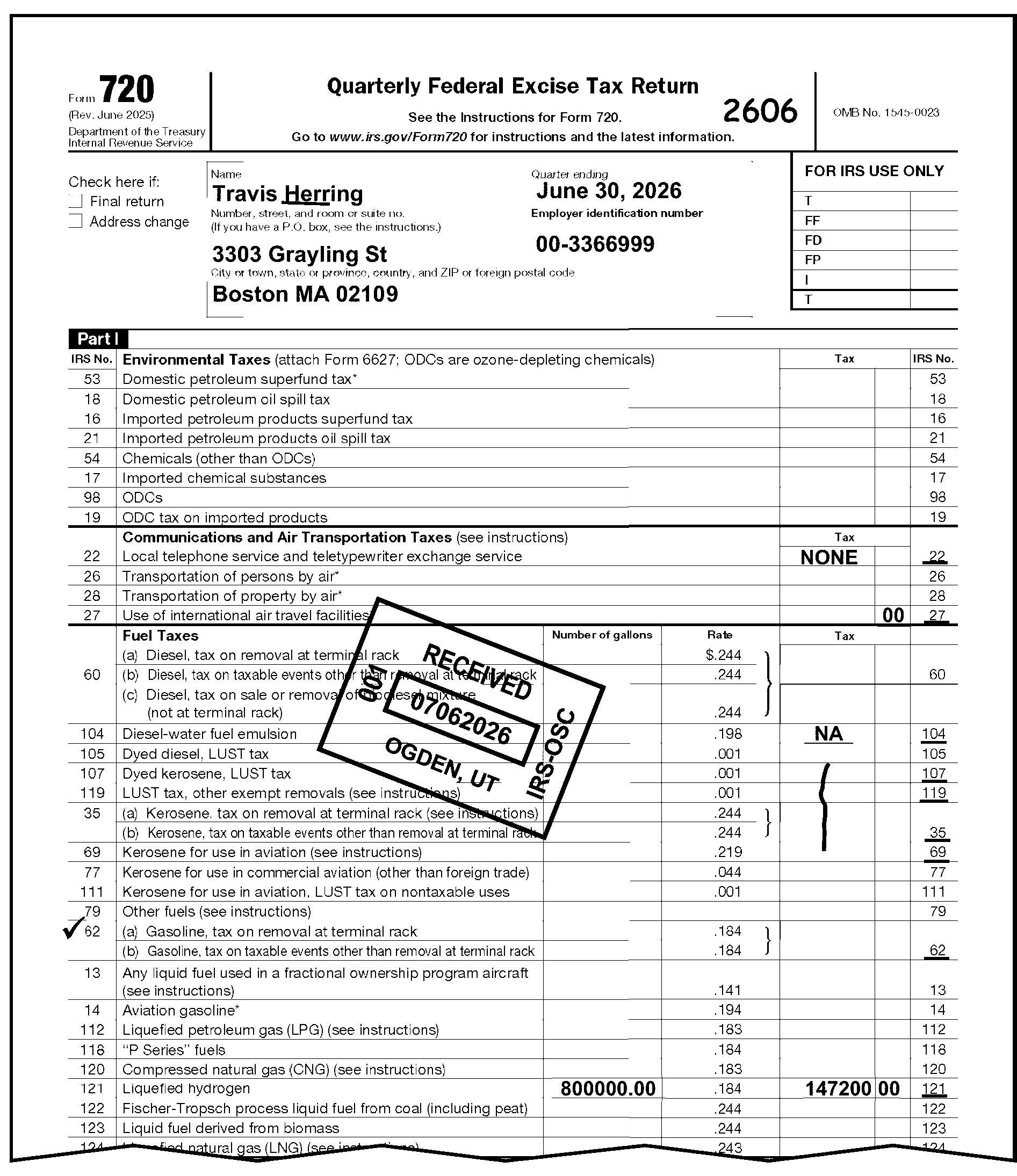
-
Process Line 3 (Total Tax) as follows:
If And Then Line 3 is zero, none, not applicable, or N/A is present on Line 3 and the taxpayer does not indicate an IRS Number, The correct IRS Number can be determined from attachments, -
Edit zero to the correct IRS Number.
-
Also underline that number.
Line 3 is zero, none, not applicable, or N/A is present on Line 3 and the taxpayer does not indicate an IRS Number, You are unable to determine the correct IRS Number, Edit and underline IRS Number 80 to the right of Part III, Line 3. See Figure 3.11.23-17, Perfecting Abstract Area on Form 720. Line 3 is blank, You are unable to determine the correct IRS Number and the conditions below do not apply, Edit and underline the IRS Number 80 to the right of Line 3. See Figure 3.11.23-17, Perfecting Abstract Area on Form 720. Line 3 contains an amount ≡ ≡ ≡ ≡ ≡ ≡ ≡ ≡ ≡ ≡ ≡ and the taxpayer does not indicate an IRS Number in the Abstract Area, The correct IRS Number can be determined from attachments, -
Edit the amount to the correct IRS Number.
-
Underline the IRS Number.
Line 3 contains an amount ≡ ≡ ≡ ≡ ≡ ≡ ≡ ≡ ≡ ≡ ≡ ≡ and the taxpayer does not indicate an IRS Number in the Abstract Area, You are unable to determine the correct the IRS Number, -
Edit the IRS Number 80 to the right of Line 3.
-
Underline the IRS Number 80.
Line 3 contains an amount ≡ ≡ ≡ ≡ ≡ ≡ ≡ ≡ ≡ ≡ ≡ ≡ ≡ and the taxpayer does not indicate an IRS Number in the Abstract Area, The correct IRS Number can be determined from attachments, -
Edit the amount to the correct IRS Number.
-
Underline the IRS Number.
Line 3 contains an amount ≡ ≡ ≡ ≡ ≡ ≡ ≡ ≡ ≡ ≡ ≡ ≡ ≡ and the taxpayer does not indicate an IRS Number in the Abstract Area, You are unable to determine the correct IRS Number, Line 3 is a million dollars or more, Line 3 is blank or zero, Positive amounts are listed in the Abstract Area, Compute and edit the total of the Part I and Part II positive amounts on Line 3. Line 3 is blank or zero, Line 4 is blank or zero, Compute and edit the total of the amounts from Schedule C on Line 4. Line 3 is blank or zero, The Abstract Area and Line 4 are also blank or zero but an entry is present on Line 10, Edit the Line 10 amount plus the Line 9 amount, if present, on Line 3. Line 3 is blank or zero, The entry on Line 4 has been misplaced, Delete the amount on Line 4 and edit the amount to Line 3. See Figure 3.11.23-19, Perfecting Part III, Line on form 720. The taxpayer inserts a cross (X) out or a check mark by only one of the IRS Number(s), -
Edit the amount from Line 3 to the left of that IRS Number.
-
Underline the IRS Number. See Figure 3.11.23-20, Perfecting Abstract Area on Form 720.
-
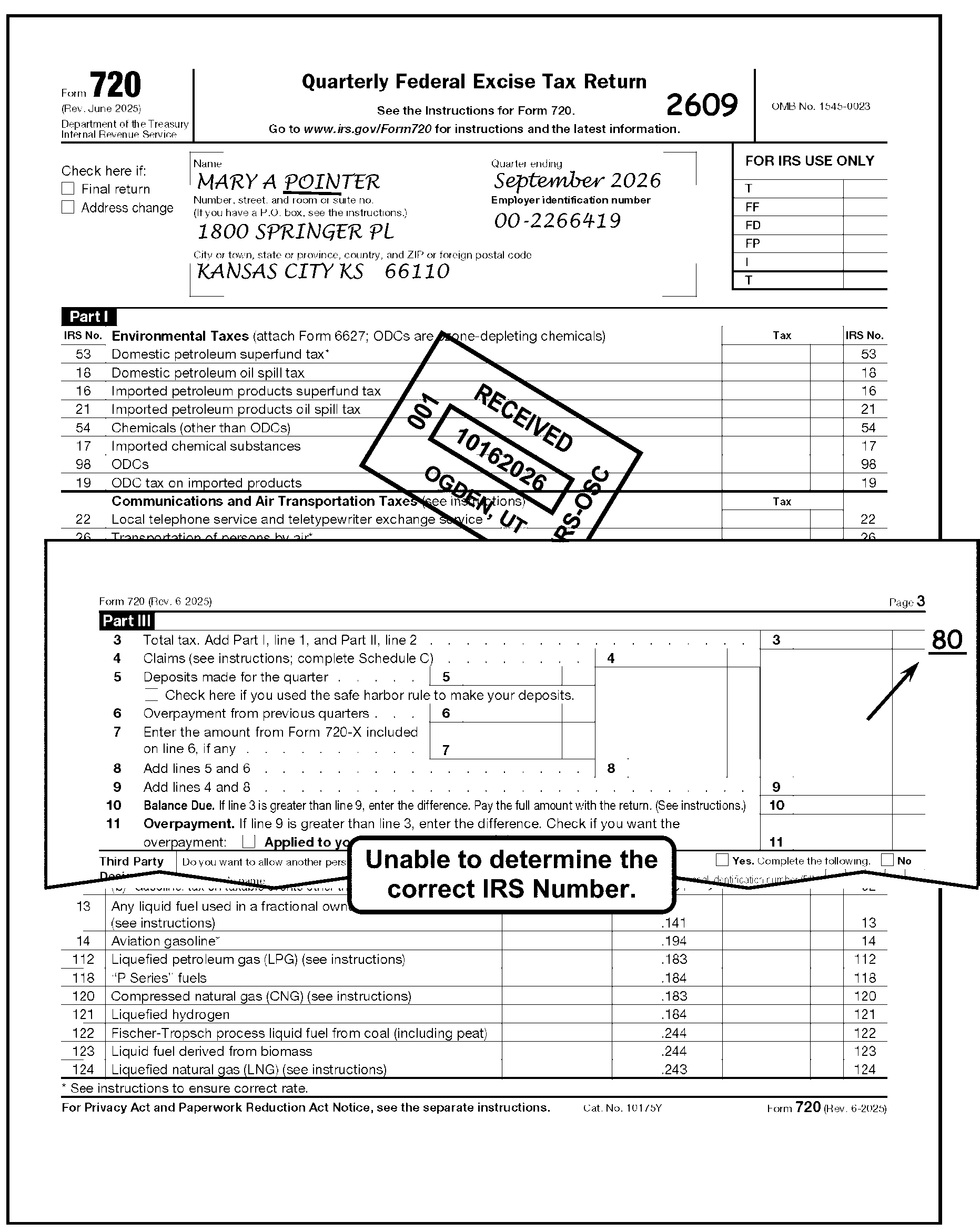
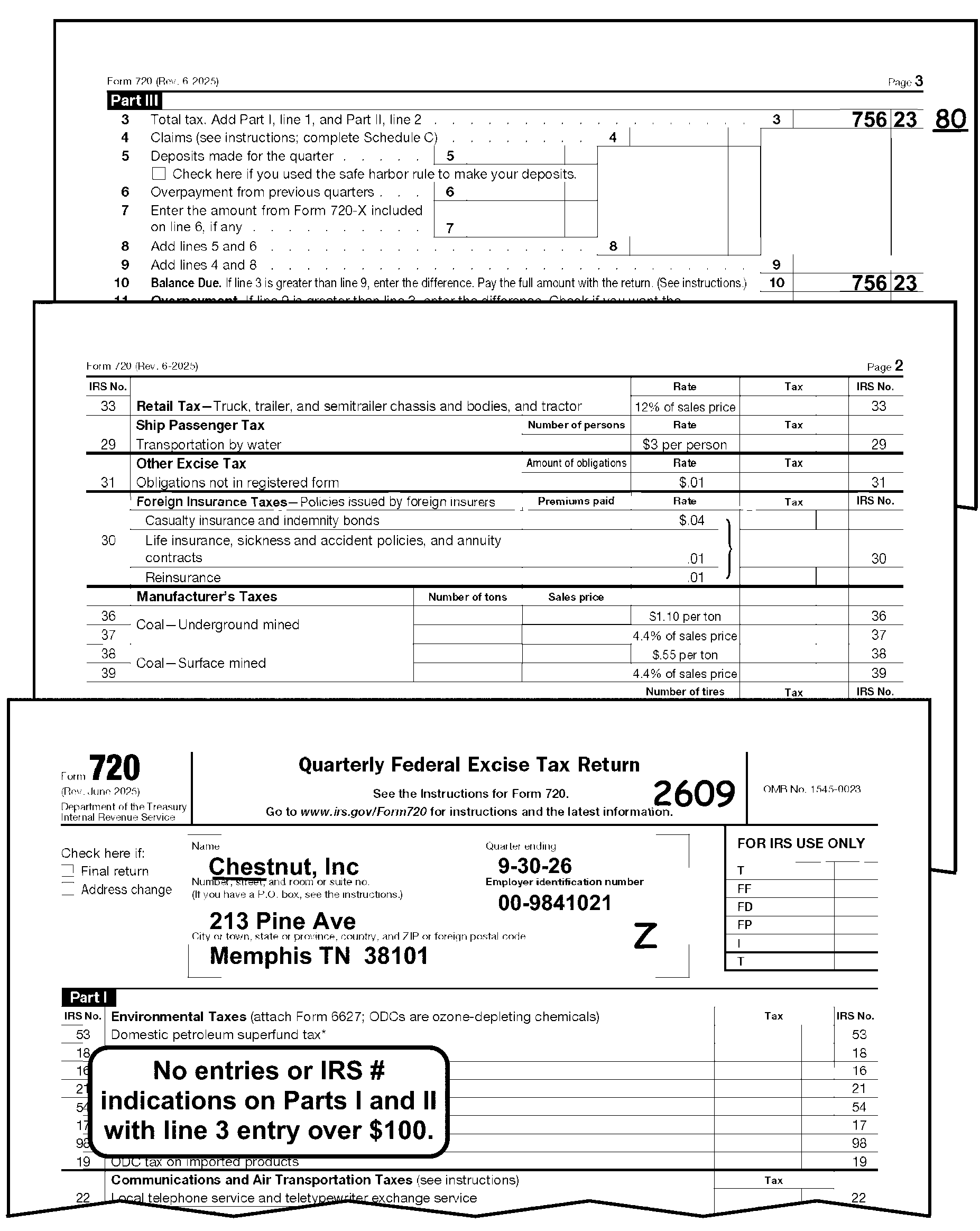
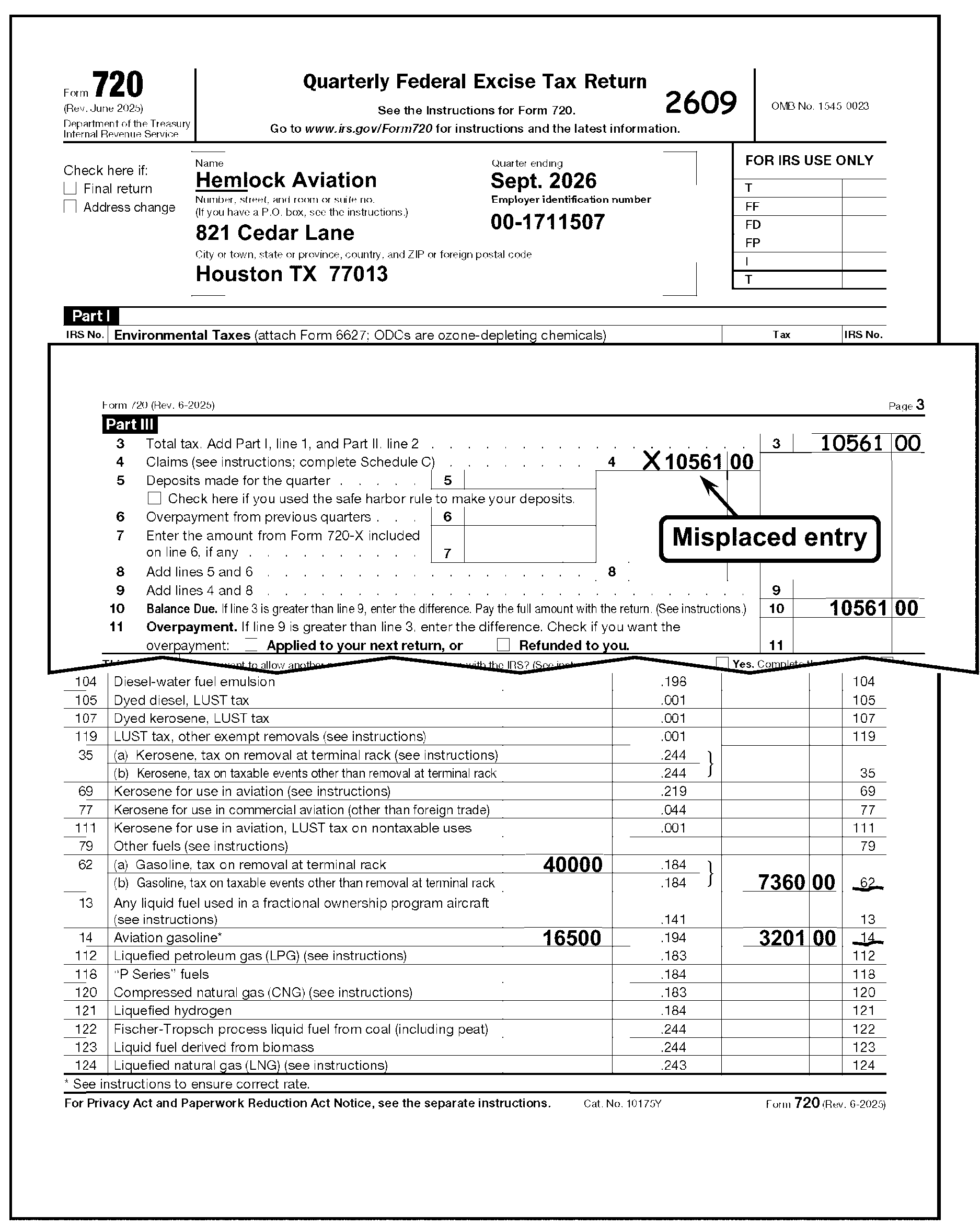
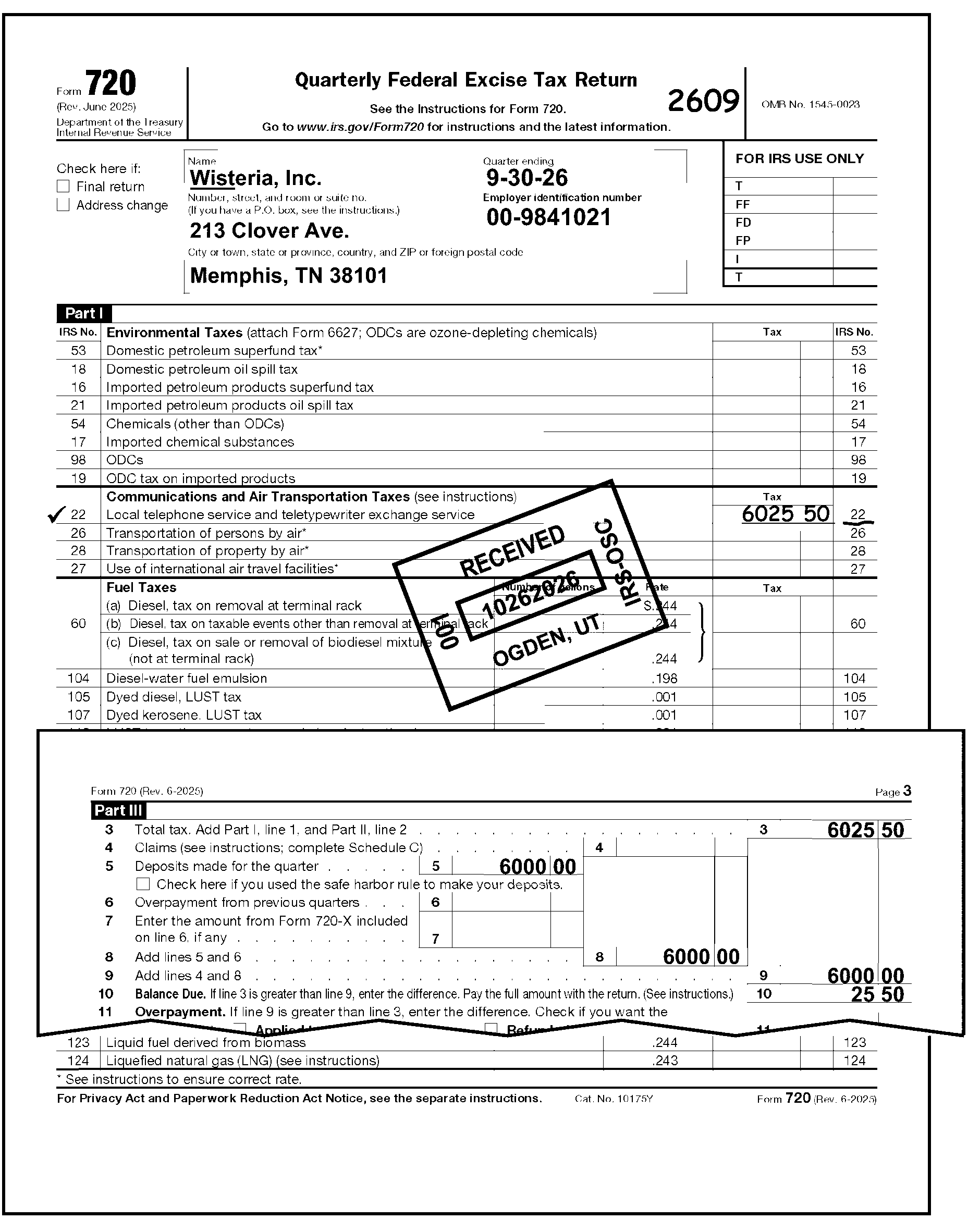
-
Most Line 4 amounts will be sent to the Ogden SBSE Excise Tax Specialist. No photocopies are necessary, just send to the Ogden SBSE Excise Tax Specialist. See Line 4 Exceptions in the table below.
-
When the taxpayer has erroneously entered a negative amount or credit amount in Part I, cross (X) out the amount in Part I and move the amount to Line 4 and the correct Credit Reference Number (CRN) on Schedule C and have the Ogden SBSE Excise Tax Specialist look at the return. For a complete list of CRNs see Exhibit 3.11.23-8, Credit Reference Numbers (CRNs).
Note:
CRNs 307, 388, 390, 426, 427, 428, 430, 431, 432, 436 or 437 not valid after 202412. CRN 440 is not valid after 202509.
If Then Form 720 is not signed, If required. correspond for signature. See IRM 3.11.23.9, Signature. Line 4 is less than ≡ ≡ ≡ ≡ ≡ ≡ and the Form 720 reports a tax liability, Accept the taxpayer’s figure and continue processing. Line 4 has an amount and there is no tax liability reported on the Form 720, -
"X" out the amount on Line 4.
-
Continue processing.
Line 4 is ≡ ≡ ≡ ≡ ≡ ≡ ≡ ≡ ≡, the Form 720 reports a tax liability and no Schedule C is attached, Correspond with the taxpayer requesting Schedule C. -
-
If Form 720, Line 4 has an amount and does not meet any of the criteria above, give the return to the Ogden SBSE Excise Tax Specialist to review the claim.
If Then The return is numbered, Code the return and turn sideways in the batch. The return is unnumbered, -
Code the return.
-
Pull the return out of the batch.
-
Hold for the Ogden SBSE Classifier.
-
-
The Ogden SBSE Excise Tax Specialist will either accept, not consider, or partially disallow the Line 4 credit. If an adjustment to the Line 4 amount is needed, the Ogden SBSE Excise Tax Specialist will indicate a cross (X) out to the left of the amount on Line 4 and (edit or indicate) the correct amount. The Ogden SBSE Excise Tax Specialist will also staple the proper explanation "TPNC 90" to be used on the notice.
-
Perfect CRNs 396, 304, and/or 305 on Form 720 Schedule C, tire tax credit(s), according to the table below:
If And Then There is a credit amount reported on Schedule C Line 14 for CRNs 396, 304, and/or 305, The number of tires is reported for the corresponding CRNs, Underline the CRN and the number of tires being reported. There is a credit amount reported on Schedule C Line 14 for CRNs 396, 304, and/or 305, The number of tires is not reported for the corresponding CRNs, -
Correspond for the missing information.
-
Enter the taxpayer’s response for the number of tires to the left of the correct CRN.
-
Underline the CRN and the number of tires.
There is a number of tires reported on Schedule C Line 14 for CRNs 396, 304, and/or 305, The amount of credit cannot be easily ascertained, -
Correspond for the missing information.
-
Enter the amount of credit based on the taxpayer’s response to the right of the correct CRN.
-
Underline the CRN and the number of tires.
A revision of Form 720 prior to the January 2009 version has been used to file for quarter(s) ending March 31, 2009 or subsequent, The taxpayer is reporting tire credit on Schedule C Line 14 for CRNs 396, 304, and/or 305 and the number of tires cannot be ascertained from the form or attachments, -
Correspond for the current revision of Form 720.
-
When the response has been received underline the CRN and the number of tires.
The taxpayer has provided the tire and tire credit information, It is not reported on a January 2009 or subsequent revision, -
Write in the correct information on Line 14.
-
Write the number of tires to the left of the "amount of claim" .
-
Underline the CRN and the number of tires.
-
-
Accept taxpayer’s entry.
-
Accept taxpayer’s entry.
-
Process Line 7 (Amount from Form 720-X) as follows:
If And Then Form 720-X is attached to Form 720, Form 720-X and Form 720 have same tax period -
Do not process the Form 720.
-
Move and attach the Form 720 behind the Form 720-X.
-
Route Form 720-X and Form 720 to:
Internal Revenue Service
Stop 5701G
7940 Kentucky Drive
Florence, KY 41042
Form 720-X is attached to Form 720, Form 720-X and Form 720 have different tax period, -
Detach and edit the received date of Form 720 to the Form 720-X.
-
Edit the Form 720 tax period to the left of the OMB number on the Form 720-X.
-
Using Schedule 1 date stamps, stamp the current date on the back of the Form 720-X.
-
Route Form 720-X (using Form 3210, Document Transmittal) to:
Internal Revenue Service
Stop 5701G
7940 Kentucky Drive
Florence, KY 41042 -
Edit an action trail (e.g., "Detached F720X" ) in the lower left corner going vertically up the side of the Form 720.
-
Send these returns daily.
Form 720-X is not attached to Form 720, Continue processing the Form 720. -
-
If Line 8 is blank, compute and edit the total of Line 5 plus Line 6.
-
If the taxpayer entered the total of Lines 5 and 6 on Line 7. Arrow Line 7 to Line 8. See Figure 3.11.23-21 Misplaced Entry on Form 720, for an example correcting other common reporting errors in Part III.
-
If Line 9 is blank or zero ("0" ), compute and edit the total of Line 4 plus Line 8.
-
Compare the difference between Line 9 and Line 3.
-
Ensure the difference matches the amount listed on Line 10.
-
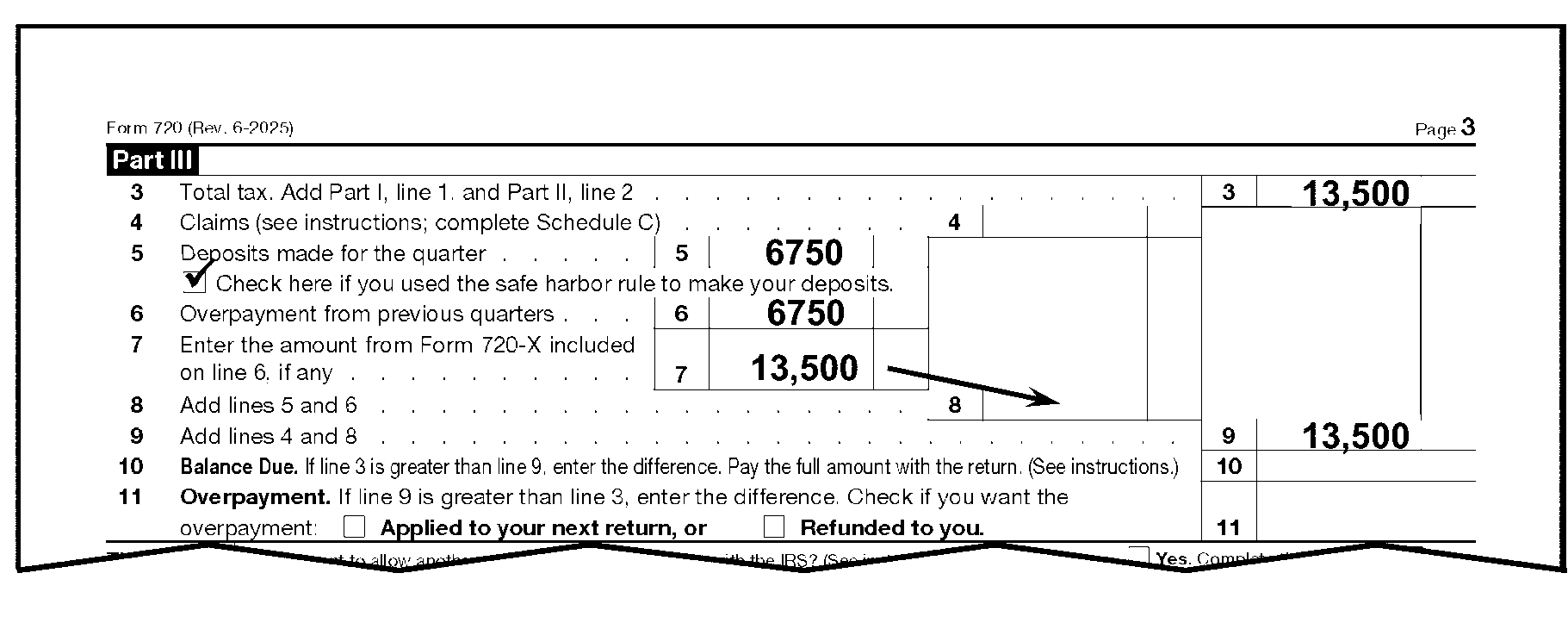
-
Process Line 10 (Balance Due) as follows:
If And Then Line 10 is blank, Line 3 has an amount (other than zero), Subtract Line 9 from Line 3 and edit the result on Line 10. Line 10 is blank or zero ("0" ), Line 5, 6 and 7 are blank or zero, Line 8 has a dollar entry (other than zero), -
Cross (X) out the entry on Line 8.
-
If Line 3 is greater than Line 4, enter the difference on Line 10.
-
If Line 4 is greater than Line 3, enter the difference on Line 11.
The same amount is on Line 3 and Line 9, Lines 4 through 8 are blank, Arrow Line 9 to Line 10. The balance due appears on any line other than Line 10, Line 10 is blank, Edit the amount on Line 10. The taxpayer included penalty (other than a FTD penalty) or interest, or both, on Line 10, Subtract the amount of penalty and/or interest from Line 10. See Figure 3.11.23-22, Penalty/Interest Included in Line 10 on Form 720. Federal Tax Deposit (FTD) penalty is shown on the return, The taxpayer has included it on Line 10 or 11 of the return, Make no changes. The FTD penalty is not included on Line 10 or Line 11 of the return, -
Add the amount to Line 10, or subtract it from Line 11.
-
Also, edit the FTD penalty in the "FD" box in the upper right-hand corner of the return.
See Figure 3.11.23-23, Penalty Not Included in Line 10 on Form 720.
An attachment, Schedule A or editing on the return shows Federal Tax Deposit payments or a remittance being received ≡ ≡ ≡ ≡ ≡ ≡ ≡ ≡ ≡ ≡ ≡ ≡, There are no other tax data entries on the return, -
Correspond for all missing information.
-
If no reply, edit the Schedule A total or remittance amount on Line 3 with the IRS Number 80.
Attachment or editing on the return shows Federal Tax Deposit payments or a remittance being received of ≡ ≡ ≡ ≡ ≡ ≡ ≡ ≡ ≡ ≡ ≡ ≡, There are no tax entries on the return, -
Edit the total of the remittance and Federal Tax Deposits on Line 3.
-
Edit and underline the IRS Number 80 next to Line 3 or the IRS Number if it can be determined.
-
Edit the amount of Federal Tax Deposits on Line 8.
-
Edit the remittance, if any, on Line 10.
See Figure 3.11.23-24, No Tax Entries and Form 720 Indicates Deposits or Remittance.
-
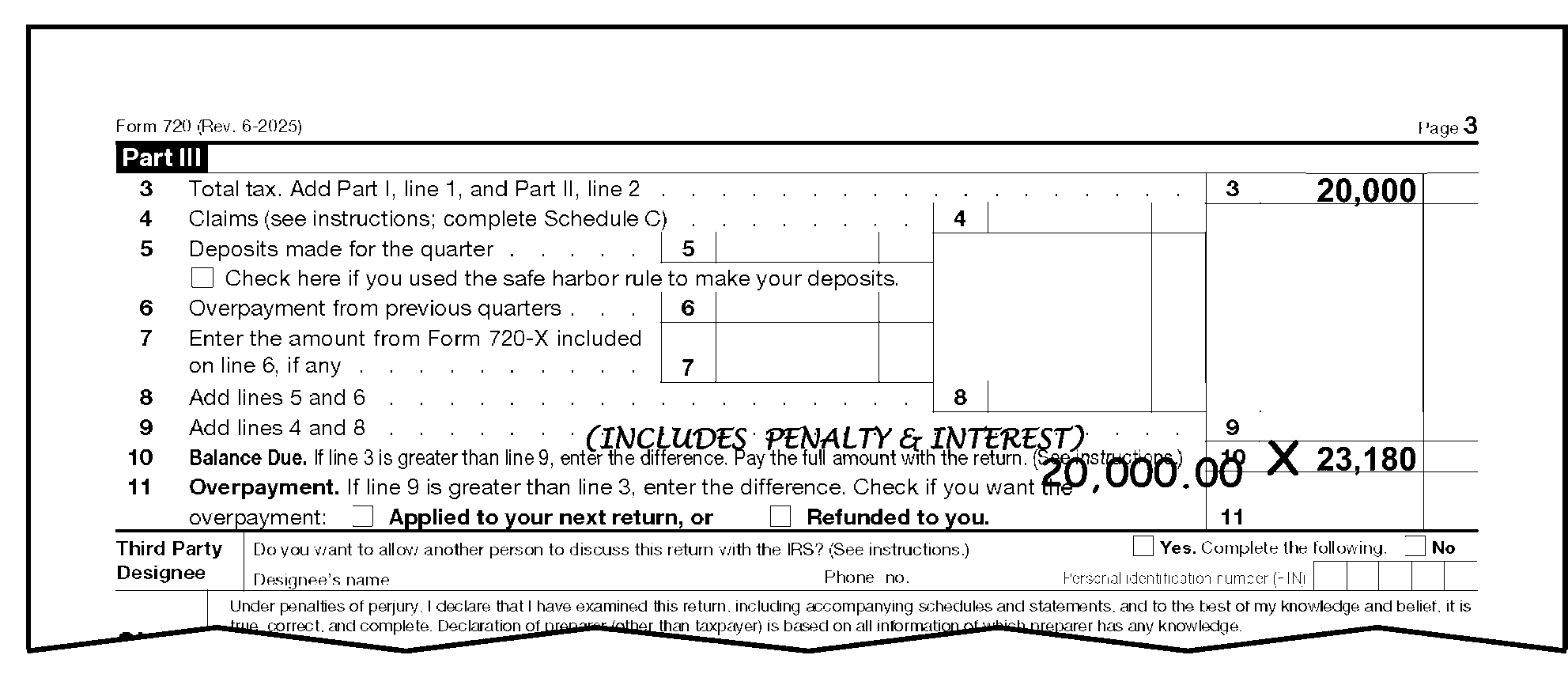
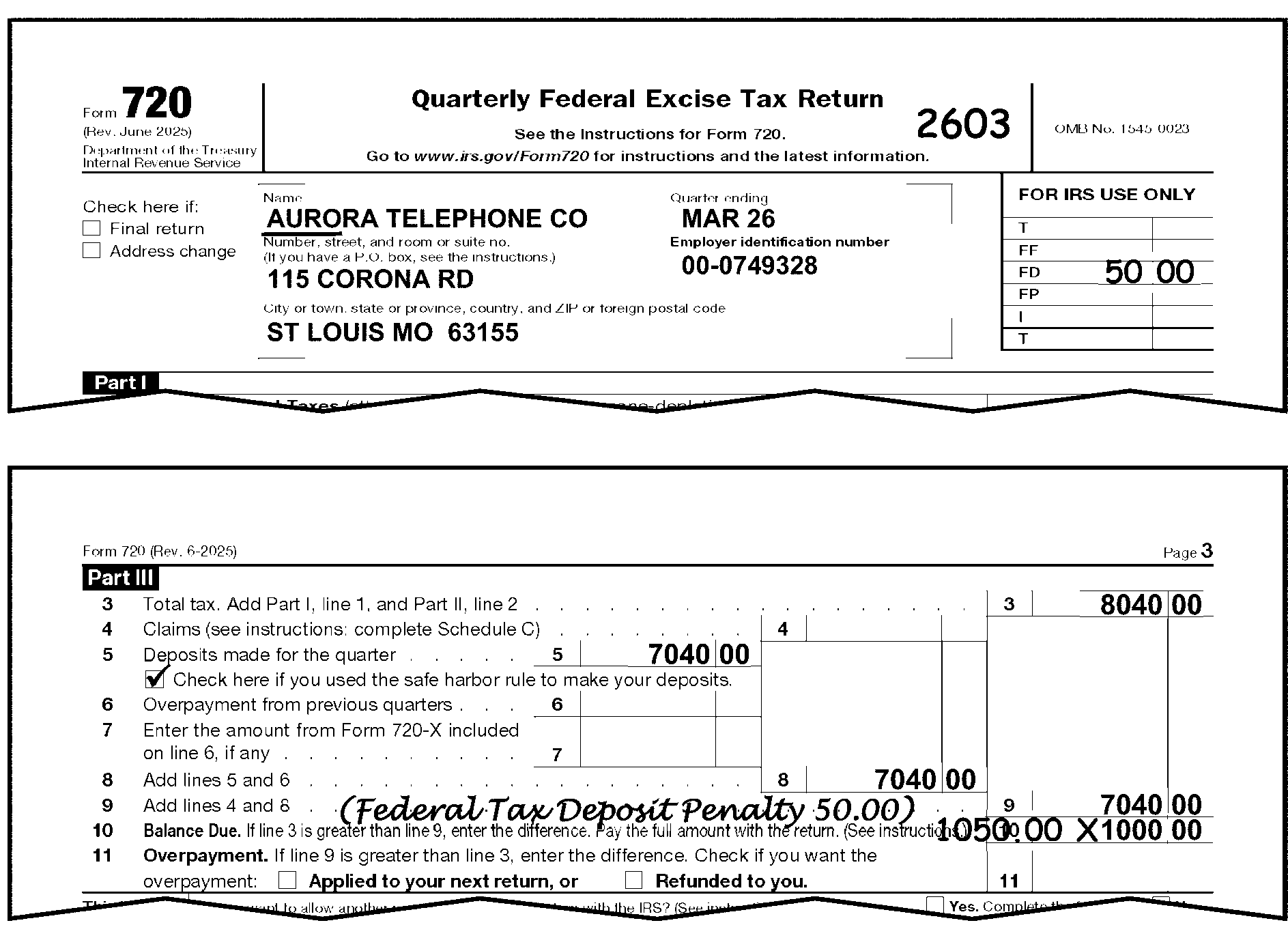
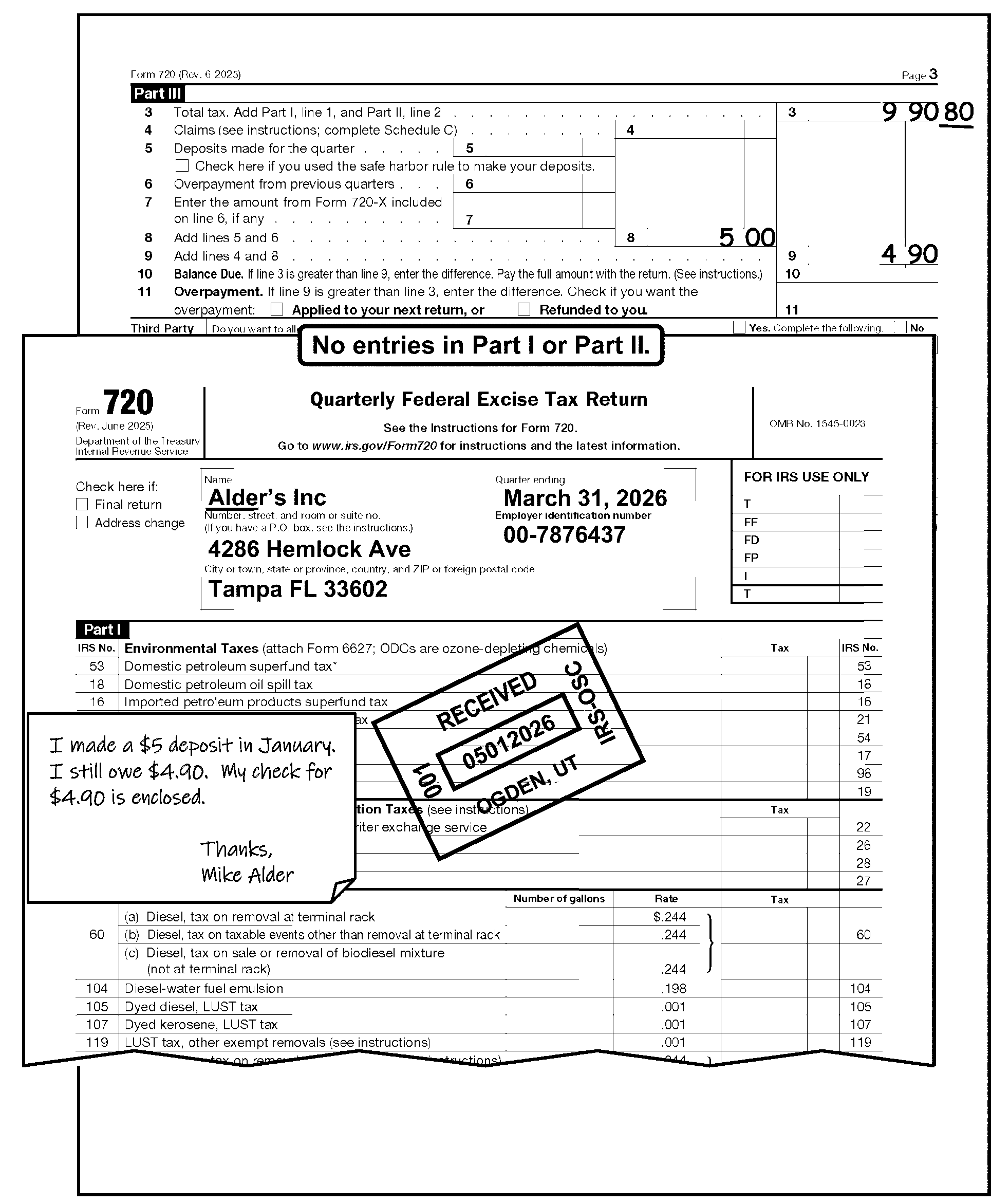
-
Balance due amount contains penalty and/or interest.
If Then The Balance Due amount contains penalty and/or interest, -
X-out the money amount.
-
Delete the penalty and interest from the total.
-
Edit the Balance Due to the left of the original entry.
-
Edit a Received date if one is not present.
-
-
Process Line 11 (Overpayment) as follows:
If And Then Line 10 and 11 are blank, Line 9 is larger than Line 3, -
Subtract Line 9 from Line 3 and enter the result on Line 11.
-
Do not bracket Line 11.
-
Edit out "X" the Refunded Box if checked and there is no refund.
Line 10 is blank, Line 11 has an entry, Ensure Line 11 is not a misplaced entry before computing a blank Line 10. Move to line 10 if it was misplaced. -
-
When Part I, Line 1, of Form 720 has an entry of ≡ ≡ ≡ ≡ ≡ ≡ ≡ ≡ ≡ ≡ (or total entries of ≡ ≡ ≡ ≡ ≡ ≡ ≡) Schedule A must be attached unless the taxpayer has indicated that the taxpayer is a one-time filer.
-
If missing or blank, correspond.
-
If no reply, see IRM 3.11.23.8.4, Processing No Reply Cases.
-
-
If Schedule A has entries but there are no entries in Part I of Form 720, correspond see IRM 3.11.23.16.8.7, Part III, Line 10 - Balance Due.
-
Perfecting Schedule A - Due to deposit laws, the Schedule A has Section 1 (14-day rule taxes A-F) and Section 2 (alternative method taxes M-R). The taxpayer may have entries on any or all of Lines A through F and M through R.
-
Verify that the taxpayer has entered only numeric amounts. If other than numeric amounts are entered, cross (X) out the entry.
-
If multiple entries are on one line, combine and edit the correct amount. For example, if Line A contains entries of $10, $12, and $12 for the first period, (1st - 15th), then $34 will be edited for Line A.
-
If the entry is illegible or you are unable to perfect the entry, cross (X) out the entry.
-
-
Form 720 may be required monthly or semimonthly from persons who have been taken off quarterly filing of the regular Form 720 because of delinquency in making Federal Tax Deposits or other reasons.
-
The returns are secured and processed by the CSTO and held until three monthly returns are received. They are consolidated on one Form 720 and input to the BMF through the Document Perfection function. Any remittance received in payment of the liability has been deposited by Clearing and Deposit for Master File input by the preparation of Form 3244, Payment Posting Voucher. A copy of Form 3244 will be attached to the unnumbered Form 720 for monthly filers. If the Form 720 for monthly filers is received in Code and Edit, forward it to CSTO at:
Internal Revenue Service
Stop 5701G
7940 Kentucky Drive
Florence, KY 41042 -
The entity on the consolidated return must be perfected to ensure that it has all the required data.
-
The Centralized Specialty Tax Operation (CSTO) will precompute penalty and interest on late filed returns filed directly with them. If penalty is not shown or there is a "O" in the penalty box, return to the Centralized Excise Operation for a determination if reasonable cause has not been established.
-
Contact the CSTO for any data found missing.
-
These quarterly returns will be considered for Master File processing as non-remittance taxable returns.
-
Remember, all transcription lines must be completed.
-
Enter CCC "F" if the last monthly return is marked "Final" .
-
Enter CCC "J" .
-
-
All Form 2290 and Form 2290(SP) returns are centrally filed at the Ogden Submission Processing Center (OSPC).
-
Electronic filing for taxpayers reporting 25 or more taxable vehicles is a mandatory requirement per the American Jobs Creation Act, HR 4520 beginning July 1, 2005.
-
The MFT code is 60 and the document code is 95. See Exhibit 3.11.23-5, Form 2290, Heavy Highway Vehicle Use Tax Return.
-
The valid Computer Condition Codes on Form 2290 are D, F, G, O, R, W, X, 3, and 4.
-
Form 2290 and Form 2290(SP) return processing volume and time is reported under Program Code 12300.
-
Follow normal procedures for:
-
Edit Marks - IRM 3.11.23.3, Edit Marks
-
Unprocessable Returns - IRM 3.11.23.8, Unprocessable Returns
-
Signature - IRM 3.11.23.9, Signature
-
Third-Party Designee - IRM 3.11.23.9.1.4, Third-Party Designee.
-
Entity Perfection - IRM 3.11.23.10, Entity Perfection
-
Entity Perfection of Domestic Addresses - IRM 3.11.23.10.5, Entity Perfection of Domestic Addresses
-
Entity Perfection of Foreign Addresses - IRM 3.11.23.10.6, Entity Perfection of Foreign Addresses
-
Entity Perfection of Tax Period - IRM 3.11.23.10.7.4, Entity Perfection of Tax Period
-
Received Date Editing - IRM 3.11.23.11, Received Date
-
Computer Condition Codes - IRM 3.11.23.12, Computer Condition Codes
-
Amended Returns - IRM 3.11.23.2.11, Amended Returns
-
-
For specific Amended return procedures, refer to IRM 3.11.23.2.11, Amended Returns.
-
All Form 2290 must be edited in dollars and cents.
-
The Form 2290 may have several pages and attachments that must be filed. The Form 2290 and attachments must be in the following order:
-
Page 1
-
Page 2
-
All other attachments, schedules, forms, etc., may be in any order
-
-
Form 2290 with a remittance may be processed through the Lockboxes.
-
The amount of remittance must be notated in the upper left-hand portion of the Form 2290 by the Lockbox function. See Figure 3.11.23-25, Form 2290 Lockbox. The Lockbox function will put a red "NP" in the top left corner of the Form 2290 to indicate non-payment. Research to see if payment was made to a Field Office or the Campus.
-
The tax period will be notated under the remittance amount if the lockbox processed the remittance to a month other than 07.
-
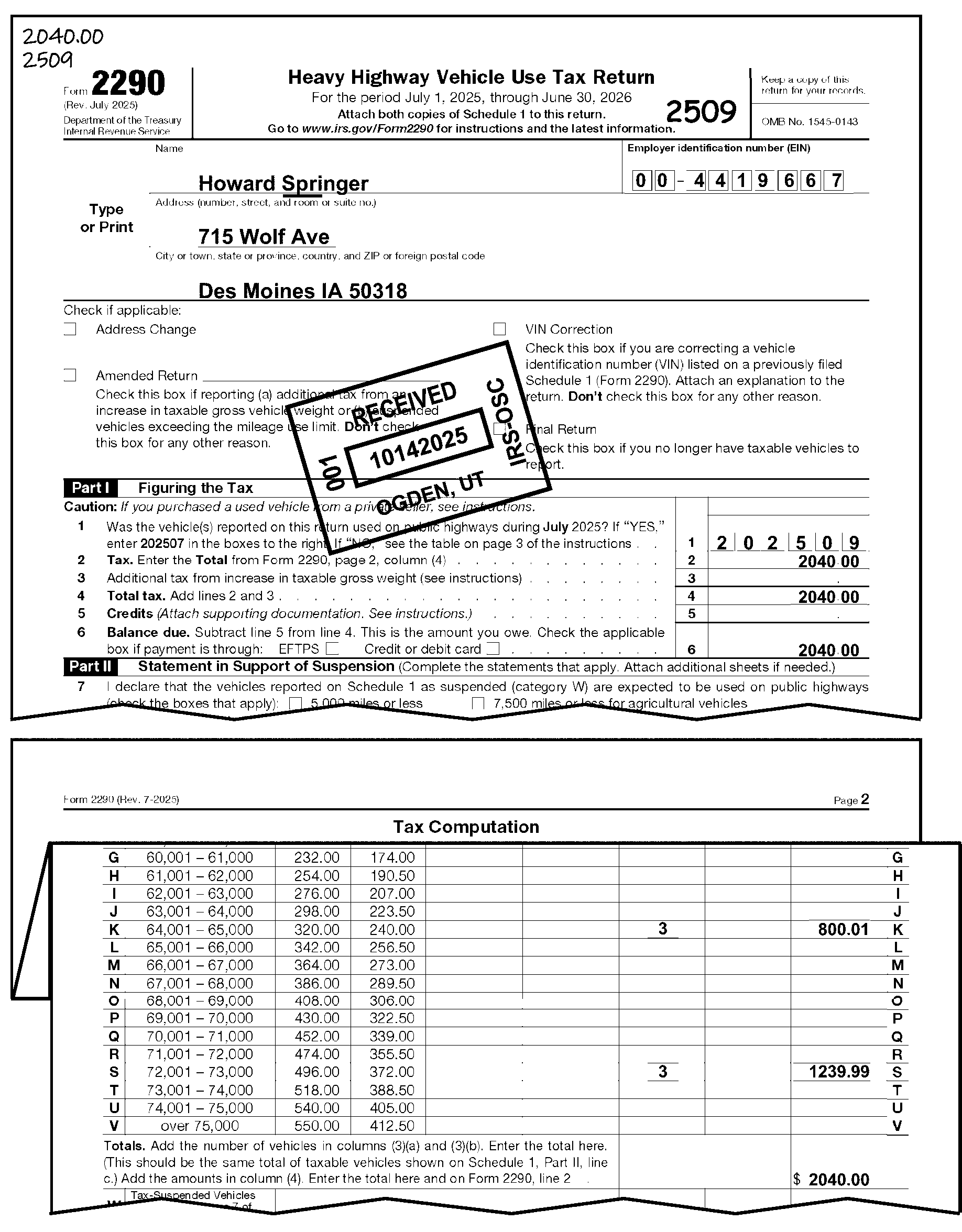
-
Taxpayers who are reporting tax on logging must list the number of vehicles they are reporting at the reduced rate on Page 2 in column 3b.
If And Then The taxpayer uses the reduced rate, You determine that they are not loggers, -
Correspond using Letter 140C for clarification. Suggested language: Form 2290 indicates the rate for "Logging Vehicles" but the Number of Vehicles indicates "Vehicles except logging" . Send us an explanation for the differences.
-
Do not return Schedule 1.
The taxpayer uses the reduced rate, No determination can be made that they are not loggers, Do not move the number in column 3b. See Figure 3.11.23-26, Form 2290 Logging. -
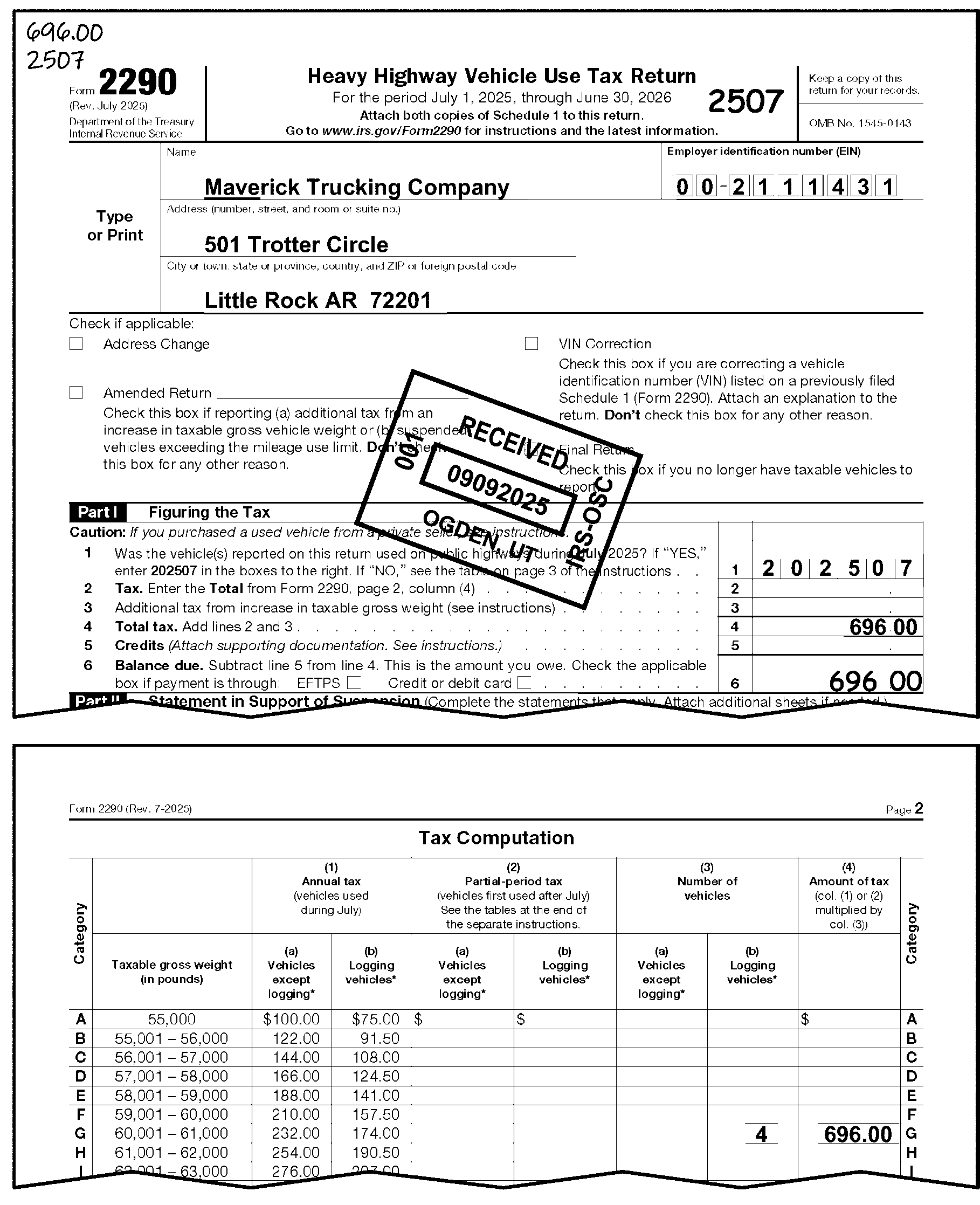
-
The categories of vehicles are printed on the left side of Page 2 of the form and are designated by the letters A through W.
-
Prepare a dummy Page 2 if missing.
-
The computer will math verify the tax computations for all categories.
-
Category W - This is a non-taxable category. A highway motor vehicle is in this category if a taxpayer suspends the tax on a vehicle because it is reasonable to expect that it will not be driven a total of 5,000 miles on U.S. highways (7,500 for agricultural vehicles). Check Form 2290, Page 1 for entries of tax-suspended (Category W) vehicles.
-
If Line 2 is blank, compute if necessary to perfect Line 4 and/or Line 6. Check attachments or misplaced entries to perfect. Editing of Line 2 is not required.
-
Accept taxpayer’s entry.
-
If it can be determined the amount on line 3 is a misplaced entry, follow taxpayer intent and edit the amount on the intended line.
-
Edit Line 4 as follows:
If Then Line 4 is blank, -
Add Lines 2 and 3.
-
Edit the result on Line 4.
Lines 2, 3 and 4 are blank, Edit the total amount of tax from Page 2 to Line 4. Unable to compute Line 4, Edit the remittance amount notated by the Lockbox function to Line 4. -
-
Documentation is required for Line 5 credits.
If Then There is documentation attached, Continue processing. The taxpayer is taking a credit for their payment, Delete the amount on Line 5. The taxpayer is reporting suspended vehicle(s) and that applicable amount is reported on Line 5, -
Delete the amount on Line 5
-
Also adjust Line 4 to exclude the applicable amount reported on Line 5
The taxpayer is taking a credit to show their pro-rated tax due amount on a partial tax period (Line 6 amount matches the partial tax period for the return), -
Delete the amount on Line 5
-
Also adjust Line 4 to exclude the applicable amount reported on Line 5
If there is no documentation attached and Line 5 is not a misplaced entry, Correspond for documentation. -
-
Treat this amount as any other credit, unless otherwise noted.
If Then The amount on Line 5 exceeds the tax on Line 4. -
Allow enough of the adjustment to reduce the tax to zero.
-
Cross (X) out Line 6, and prepare Form 3465 for the remaining credit.
-
Photocopy Form 2290 (Page 1 and Page 2) and attach the Form 3465.
-
For OSPC use Form 3210, Document Transmittal, to route to the following address:
Internal Revenue Service
Stop 5701G
7940 Kentucky Drive
Florence, KY 41042
The taxpayer is reporting only one suspended vehicle (e.g., entry only on Line "W" ), and completes "Statement in Support of Suspension" and indicates the same amount on Line 5. -
Delete the Line 2 and Line 5 amounts.
-
Do not send return to the Centralized Specialty Tax Operation (CSTO).
-
Continue to process the return and send Schedule 1 with the edited suspended VIN back to the taxpayer.
-
-
Line 6 - Balance Due.
If Then Blank Subtract Line 5 from Line 4 and edit the results on Line 6. Lines 3 through 5 are blank Edit the Line 2 amount to Lines 4 and 6. -
See IRM 3.11.23.20.1, Non-Taxable Returns Reflecting No Line Entries.
-
A statement of consent to disclose tax information is included with the Form 2290.
-
The document must be signed by the taxpayer and/or third-party before information can be shared with participating states and other federal agencies. The information shared includes:
-
Vehicle Identification Numbers (VIN) reported on Schedule 1.
-
Verification that the tax has been paid.
-
-
If the document is signed, the IRS may disclose the information to the Federal Department of Transportation (DOT), U.S. Customs and Border Protection (CBP), and to state Departments of Motor Vehicles (DMV).
-
The consent to disclose document needs to remain attached to the Form 2290 regardless if the statement has been signed or not. If only one copy of the Schedule 1 is completed with VINs and the consent to disclose statement is on back, then the VINs need to be transferred to a copy of the Schedule 1 and the copy returned to the taxpayer.
-
If the Form 2290 is received without a consent to disclose document attached it will not be necessary to correspond.
-
Beginning January 2017 new Field 01CDS (Consent to Disclose Statement) will be coded at the bottom-center of all Form 2290 returns. See Exhibit 3.11.23-5, Form 2290, Heavy Highway Vehicle Use Tax Return, Page 1 for location.
-
Valid entries for the Consent to Disclosure of Tax Information Indicator is as follows:
-
0 - The consent to disclose statement is not signed or not attached
-
1 - The consent to disclose statement is attached and signed
-
-
Column 3 (Page 2, "Tax Computation" ), Number of Vehicles - Examine each category reported for entries in column 3, and verify the entries by comparing:
-
Number of Vehicles
-
Amount of Tax
-
-
Each category entered by the taxpayer must have an entry in column 3. When column 3 is blank, compare the entry in column 4 with the entry in column 2 for:
-
Rate of tax
-
Entry on "Month" box line, (Line 1)
-
-
Using this information, the data from Schedule 1, and the charts for tax rates for Form 2290 in IRM 3.11.23.10.7.4, Entity Perfection of Tax Period (Form 2290 / Form 2290(SP)), determine the correct number of vehicles and edit in column 3. See Figure 3.11.23-27, Form 2290, Determining Correct Number of Vehicles.
-
If Page 2 or Category W is blank and Page 1 has entries for suspension of tax, then edit the number of vehicles from Schedule 1, Line b to Page 2, column 3a, Category W. See Figure 3.11.23-28, Form 2290. Suspended Vehicle Editing.
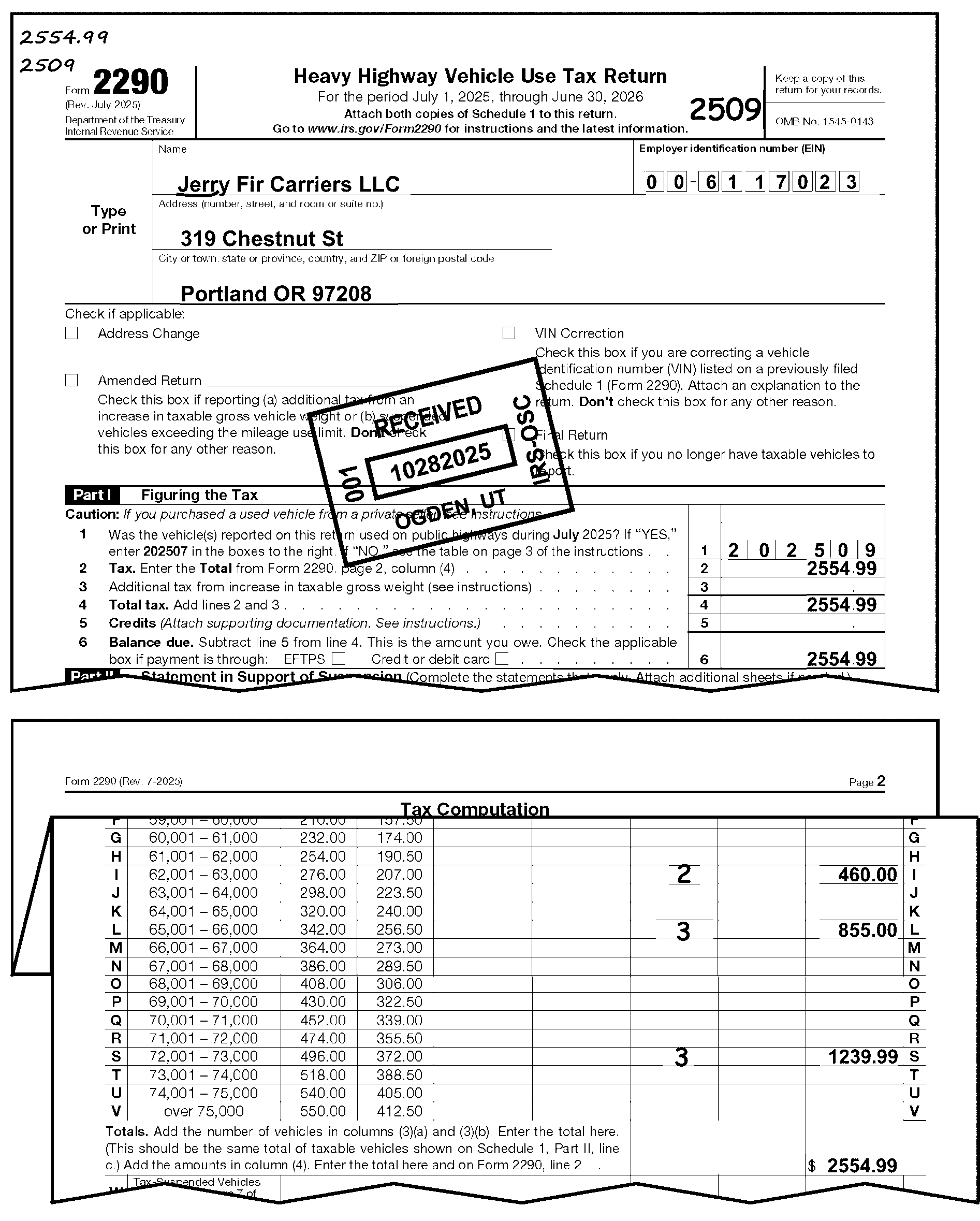
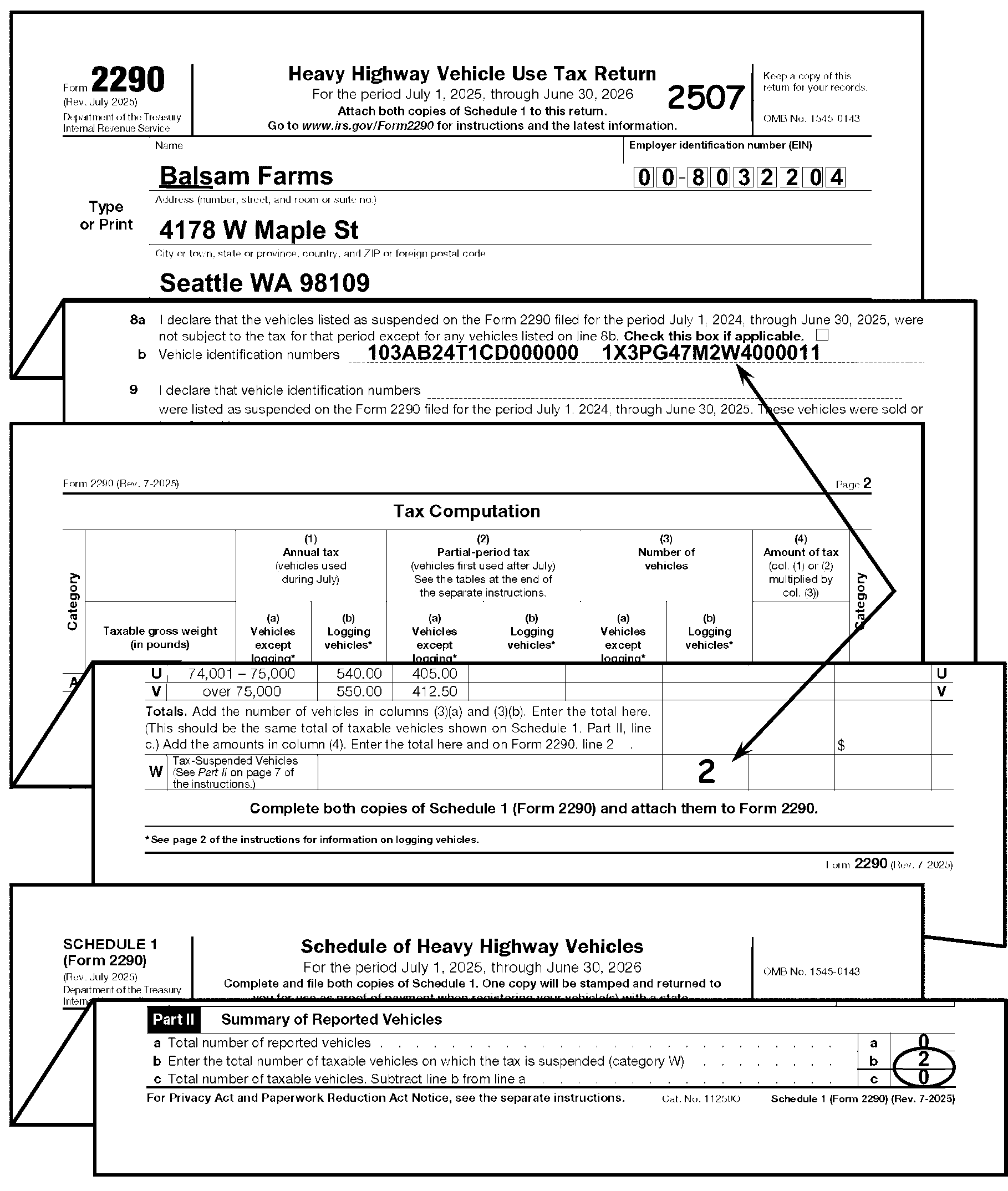
-
Indicates excess money (excess fees paid) was submitted with the tax return and the remittance needs to be split and applied to multiple periods or forms. The Green Rocker amount may be the balance due including penalty and/or interest.
If Then The Balance Due amount contains penalty and/or interest, -
X out the green rocker amount.
-
Delete the penalty and interest from the total.
-
Edit the Balance Due to the left of the original entry.
-
-
All returns using revisions 200307 and prior must be converted to the current year revision. Renumber the lines according to instructions.
Revision July 1997 Revisions July 1998 to July 2004 Revisions July 2004 or later Name of item being reported Line 1 Line 1 Tax Period Line 1 Line 2 Line 2 Tax Line 2 Line 3 Line 3 Additional Tax Line 1 + Line 2 Line 2 + Line 3 Line 4 Total Tax Line 3 Line 4 Line 5 Credits Line 4 Line 5 Line 6 Balance Due -
On returns with a tax period prior to July 1, 2005, the Canadian/Mexican taxpayers are entitled to the reduced rate.
-
Form 2290 Schedule 1 for tax periods beginning July 1, 2011 and later that are filed on a July 2010 or early revision must be converted to the current corresponding year revision. Follow the chart below for conversion:
Prior Year revision: July 2011 revision and subsequent: Entity Complete Entity as it appears on prior year revision. Part I - Vehicles on Which You Are Reporting Tax Edit the VIN and Category to Part I on the current corresponding Schedule 1. Part II - Vehicles for Which Tax Is Suspended - 5,000 Miles or Less (7,500 for agricultural vehicles) Edit the VIN and Category to Part I on the current corresponding Schedule 1. Part III - Summary of Reported Vehicles Line a Edit amount to Part II, Line c on the current corresponding Schedule 1. Part III - Summary of Reported Vehicles Line b Edit amount to Part II, Line b on the current corresponding Schedule 1. Note:
All date stamp receipted Form 2290 Schedule 1 being returned to the taxpayer must be on the correct corresponding revision of the Schedule 1 to match the taxable period being reported. For instance, if the Schedule 1 being returned is for any taxable period from July 1, 2021 through June 30, 2022 it must be issued on the July 2021 version. If the Schedule 1 being returned is for any taxable period from July 1, 2022 through June 30, 2023 then the stamped Schedule 1 must be on the July 2022 version. This applies to past years as well. If the Schedule 1 is for a 2020 taxable period the stamped Schedule 1 must be the July 2020 version, if it is for a 2019 taxable period the stamped Schedule 1 must be the July 2019 version, etc.
-
Taxpayers may request that the tax be suspended on any vehicle which they reasonably expect will not be used a total of 5,000 miles during the tax period on U.S. highways.
-
The limit is 7,500 miles for agricultural vehicles.
-
To suspend the tax, the taxpayer must complete the applicable statement(s) on Page 1 (Part II, Statement in Support of Suspension). This requirement includes returns filed by a taxpayer who purchases a used highway motor vehicle under a suspension from tax (see Part II, Line 7), and a taxpayer who purchased a used vehicle under a suspension from tax in the prior period and did not exceed the mileage limit (see Part II, Line 8).
If Then A return is received showing no entries on Page 2, Look at Page 1 to see if the statement is completed, and/or Schedule 1 for suspended VINS. The Page 1 statement is completed, or there are VIN numbers on Schedule 1, Part l, -
Get the number of vehicles on which the taxpayer is suspending the tax and mark that number in Category "W" on Page 2 under Number of Vehicles. See Figure 3.11.23-29, Form 2290, Determining Suspended Vehicles.
-
Taxpayers may report all vehicles in use and under suspension on the same return.
A vehicle is reported as suspended, and the owner disposes of that vehicle by sale, trade, etc., before the 5,000/7,500 mile limit is reached, the new owner must either: -
File a partial period return for the remainder of the tax period showing the vehicle as suspended, or
-
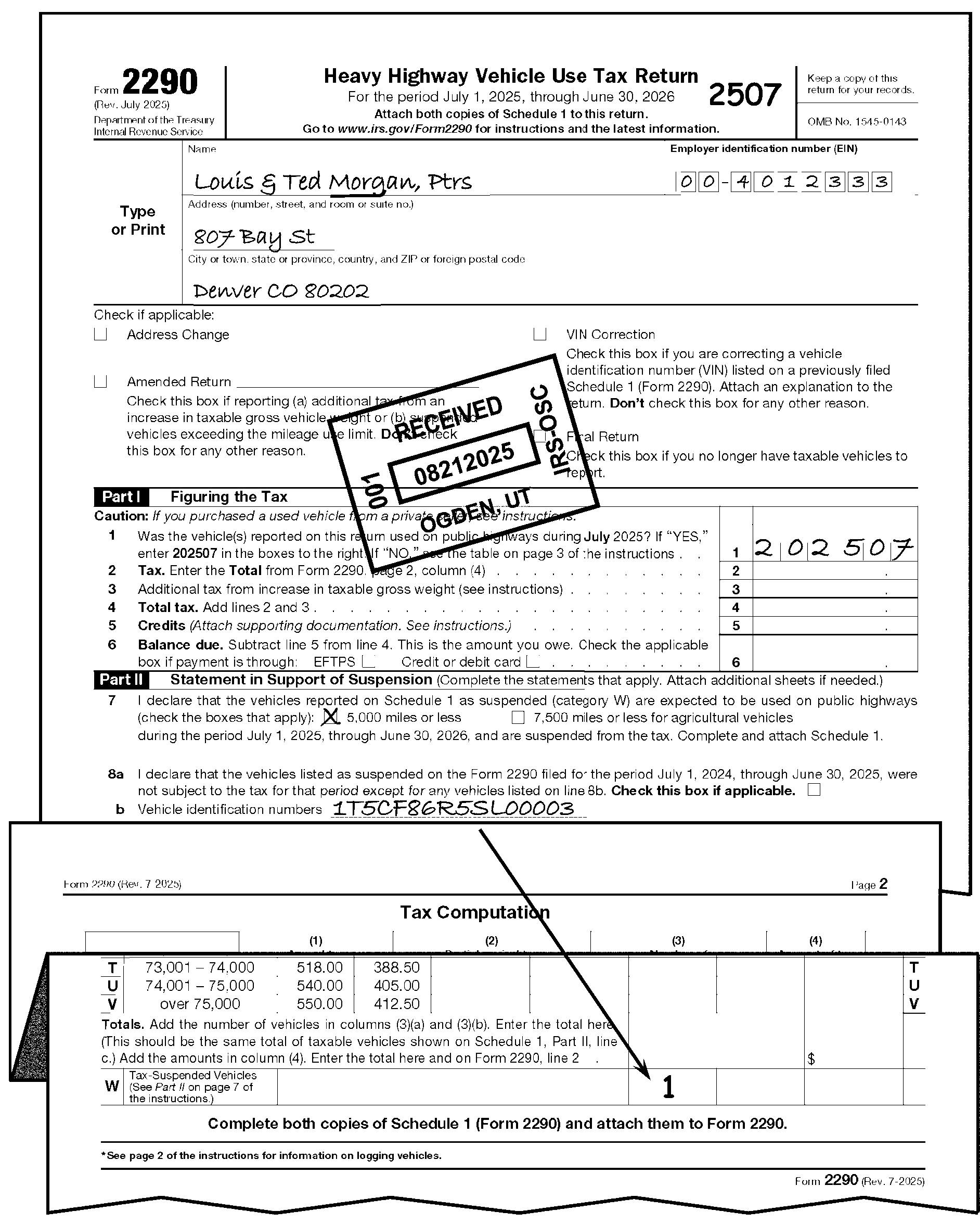
-
A State Motor Vehicle Department must verify that the heavy highway motor vehicle use tax has been paid for a highway motor vehicle before it can issue state registration tags for the vehicle. After a taxpayer has submitted the highway use tax for the taxable period and reported the tax on a Form 2290 return, the Schedule 1 of the Form 2290 and Form 2290(SP) is stamped by the IRS (on a paper Schedule 1, or, for electronic filers, digitally on an electronic copy) and provided to the taxpayer as a receipt, to be used by the taxpayer to verify payment of the tax.
-
Proof of payment will be verified and sent to the taxpayer when:
-
Return is a full paid return whether it is an original or amended Form 2290 return.
Exception:
If the taxpayer is filing an amended return just to correct the Vehicle Identification Number (VIN), do not return Schedule 1 and edit CCC "G" . See IRM 3.11.23.2.11, Amended Returns.
Note:
If a taxpayer indicates on an original filed Form 2290 that they want the Schedule 1 returned on an expedited basis (e.g., "as soon as possible" , "ASAP" , "need Sch. 1 to get tags" , etc.) or faxed and the fax number has been provided, make copy of Request Letter and attach 1 copy of receive stamped Schedule 1, then give to lead to fax. Retain original request with return. Complete Action Trail Sch 1 to TP faxed. Otherwise, detach the stamped Schedule 1 and send as normal. See IRM 3.11.23.2.11, Amended Returns, for expedite Schedule 1 requests for amended returns. If a copy of any part of the return was made for faxing, dispose of the copy as classified waste and continue processing the original received return.
-
Taxpayer has checked the Electronic Federal Tax Payment System (EFTPS) box or the Credit or debit card box on Form 2290.
-
There is an EFTPS receipt, confirmation number and/or other proof of payment attached indicating the tax has been paid.
-
The return was taken from a folder with a batch sheet notated with a "$" or "610" .
-
The return is part of a batch of work with the notation "LB" (for Lockbox) on the Transmittal Sheet. Also see table below.
-
On Form 2290 there is a dollar amount in green along the top, or there is green dye on the upper left corner.
-
There is any indication that the Form 2290 was received at an IRS Taxpayer Assistance Center (TAC), an IRS Field Office, etc., and the tax has been paid in full.
-
Taxpayer has suspended the tax on vehicles (Category W) and no tax is due on them. If a taxpayer shows a category other than W and number of vehicles on Page 2, but does not show a tax and shows the same number of vehicles on Schedule 1, Part II, Line b, as being tax suspended vehicles, cross (X) out the categories and move the number of vehicles to Category W.
-
-
When Form 2290 is received in Code and Edit:
If Then Correspondence is being issued requiring a response, Do not date stamp and return Schedule 1 until the taxpayer responds with the requested information provided the tax has been paid in full. If there is no response to the correspondence then follow procedures in IRM 3.11.23.8.4, Processing No Reply Cases. Any of the conditions listed in (2) above apply, -
Date stamp and circle the number of VINs on Lines b and c, Part II, on both copies of the Schedule 1. Detach a copy and return it to the taxpayer.
-
Before returning Schedule 1 to the taxpayer, ensure that the name, complete address including ZIP Code, and EIN are all entered in the entity portion of the schedule.
-
If all of the information in 2. above is not shown on the Schedule 1, then transfer the information from the return.
-
On the Schedule 1 being returned to the taxpayer, line out the lines where no VINs are present by drawing a slanted line from the first empty line through the last line. The number of vehicles on lines b and c may be shown using either alpha or numeric character(s). See Figure 3.11.23-30, Form 2290, Editing Schedule 1, and Figure 3.11.23-31, Form 2290, Editing Schedule 1.
The second copy is not there, or not complete, and the Form 2290 or Schedule(s) 1 remaining does not contain a notation that a copy of the Schedule 1 has been provided to the taxpayer, -
Prepare a photocopy of the Schedule 1.
-
Before returning Schedule 1 to the taxpayer, ensure that the name, complete address including ZIP Code, and EIN are all entered in the entity portion of the schedule.
-
If all of the information in (2) above is not shown on the Schedule 1, then transfer the information from the return.
The total number of vehicles reported on Form 2290, Page 2, column 3 agrees with the Schedule 1, Part II, Lines b and c, -
Verify the number of VINs on both copies of Schedule 1, Lines b and c by circling them.
-
Verify that the taxpayer has listed all VINs. Correspond for missing VINs if necessary.
-
Before returning Schedule 1 to the taxpayer, ensure that the name, complete address including ZIP Code, and EIN are all entered in the entity portion of the schedule.
-
If all of the information in 3. above is not shown on the Schedule 1, then transfer the information from the return.
-
On the Schedule 1 being returned to the taxpayer, line out the lines where no VINs are present by drawing a slanted line from the first empty line through the last line. The number of vehicles on Line b and c may be shown using either alpha or numeric character(s). See Figure 3.11.23-30, Form 2290, Editing Schedule 1, and Figure 3.11.23-31, Form 2290, Editing Schedule 1.
-
Date stamp both copies of Schedule 1.
The total number of vehicles reported on Form 2290, Page 2, column 3 does not agree with the Schedule 1, Part II, Lines b and c, -
Perfect both copies of Schedule 1, Part II, Lines b and c, if the taxpayer has not done so.
-
Verify that the taxpayer has listed all VINs. Correspond for missing VINs if necessary.
-
Before returning Schedule 1 to the taxpayer, ensure that the name, complete address including ZIP Code, and EIN are all entered in the entity portion of the schedule.
-
If all of the information in 3. above is not shown on the Schedule 1, then transfer the information from the return.
-
On the Schedule 1 being returned to the taxpayer, line out the lines where no VINs are present by drawing a slanted line from the first empty line through the last line. The number of vehicles on Lines b and c may be shown using either alpha or numeric character(s). See Figure 3.11.23-30, Form 2290, Editing Schedule 1, and Figure 3.11.23-31, Form 2290, Editing Schedule 1.
-
Date stamp both copies of Schedule 1.
The taxpayer reported taxable or suspended vehicles with the VINs on an attachment(s), -
Date stamp the Schedule 1 and attachment(s). Also, circle the number of vehicles on the first Schedule 1.
-
If the number of vehicles is missing from the first Schedule 1, then enter the number and circle the entry.
-
Before returning Schedule 1 to the taxpayer, ensure that the name, complete address including ZIP Code, and EIN are all entered in the entity portion of the schedule.
-
If all of the information in 3. above is not shown on the Schedule 1, then transfer the information from the return.
-
Return both the Schedule 1 and attachment to the taxpayer.
-
Retain a copy of both the Schedule 1 and the attachment with the Form 2290.
Note:
On prior year returns compare the number of taxable vehicles on Line a and b of Part III, Schedule 1 with the Totals Line of column 3 Page 2 and/or Line W of column 3, Page 2 respectively.
Reminder:
A copy of the Schedule 1 with the VINs or a copy of an attachment with the VINs should be retained with the filed Form 2290. However, if the Form 2290 was received through a field office, local office, returns prepared by Centralized Specialty Tax Operation (CSTO), etc., and a copy of the Schedule 1 has been provided to the taxpayer but the VINs aren't reflected on the Form 2290 being processed, it is not necessary to correspond for the VINs.
-
-
Form 2290 processed and signed by IRS personnel under IRC 6020(b) will be treated as original taxpayer filed returns. Do not send Schedule 1 to the taxpayer.
-
When verifying Schedule 1, be sure the taxpayer has used the correct revision of the Schedule. The tax period is shown directly below the title of the Schedule, and must say, "For the tax period July 1, 20xx (current year) through June 30, 20xx (next year)" .
If Then The wrong version is received, -
Convert to the correct year revision. See IRM 3.11.23.17.10, Prior Year Returns.
-
Date stamp both copies and return a complete, corrected version to the taxpayer, if payment was received.
2010 revision and prior.
The taxpayer has entered the same VINs in Part I and Part II of Schedule 1 and on Page 2 as suspended vehicles and there is no tax liability on the return,Cross out the VIN(s) in Part I and treat as suspended tax vehicles. 2010 revision and prior.
The taxpayer has entered the same VINs in Part I and Part II of Schedule 1 and there is a tax liability on the return,Prepare the Schedule 1 so that it matches the tax liability as reported and return Schedule 1 to the taxpayer if there is an indication the tax liability was paid. Form 2290 or Form 2290(SP) is received without Schedule 1 attached, -
Review Page 1 or an attachment for suspended or taxable VINs.
-
Prepare a dummy Schedule 1 if the VIN information is available on Page 1.
-
If the VINs information is not available on Page 1, correspond with the taxpayer to complete Schedule 1. Advise the taxpayer that they must provide Schedule 1 as proof of payment before the State Motor Vehicle Department issues state registration tags.
-
If no reply, continue processing.
The proof of payment form, Schedule 1, is received without a Form 2290, Route to the Centralized Specialty Tax Operation (CSTO) with a Form 4227 notating "Loose Schedule 1 Rec'd" . Use the following address:
Internal Revenue Service
Stop 5701G
7940 Kentucky Drive
Florence, KY 41042 -
-
Code and Edit will identify and research through IDRS all taxable, non-remit Form 2290 returns that have no indication of payment annotated on the return. If research indicates payment, Code and Edit will return the Schedule 1 to the taxpayer if the full amount of tax has been paid. Tax examiners must completely code the return before placing in the basket. It is not necessary to research payments for all Form 2290 returns received from the IRS field offices if a payment has been indicated on the return or if there is an indication that the Schedule 1 has been provided to the taxpayer. Similarly, if the Schedule 1 attached to the Form 2290 being processed contains an e-file watermark, it is not necessary to return a copy of that Schedule 1 to the taxpayer.
Note:
If the Taxpayer sends in full payment for Form 2290≡ ≡ ≡ ≡ ≡ ≡ ≡ ≡ ≡ ≡ ≡ ≡ ≡ ≡ ≡ ≡ ≡ ≡ ≡ ≡ ≡ of the amount due consider it full paid and send back the Schedule 1. If proof of payment has not been confirmed do not return a stamped Schedule 1 to the taxpayer. Leave the Schedule 1 attached to the Form 2290 and continue processing.
-
When Schedule 1 has been issued to the taxpayer, leave a history item such as, "Sch. 1 to TP" , "Sch. 1 sent" , etc., in the left-hand margin of the Form 2290.
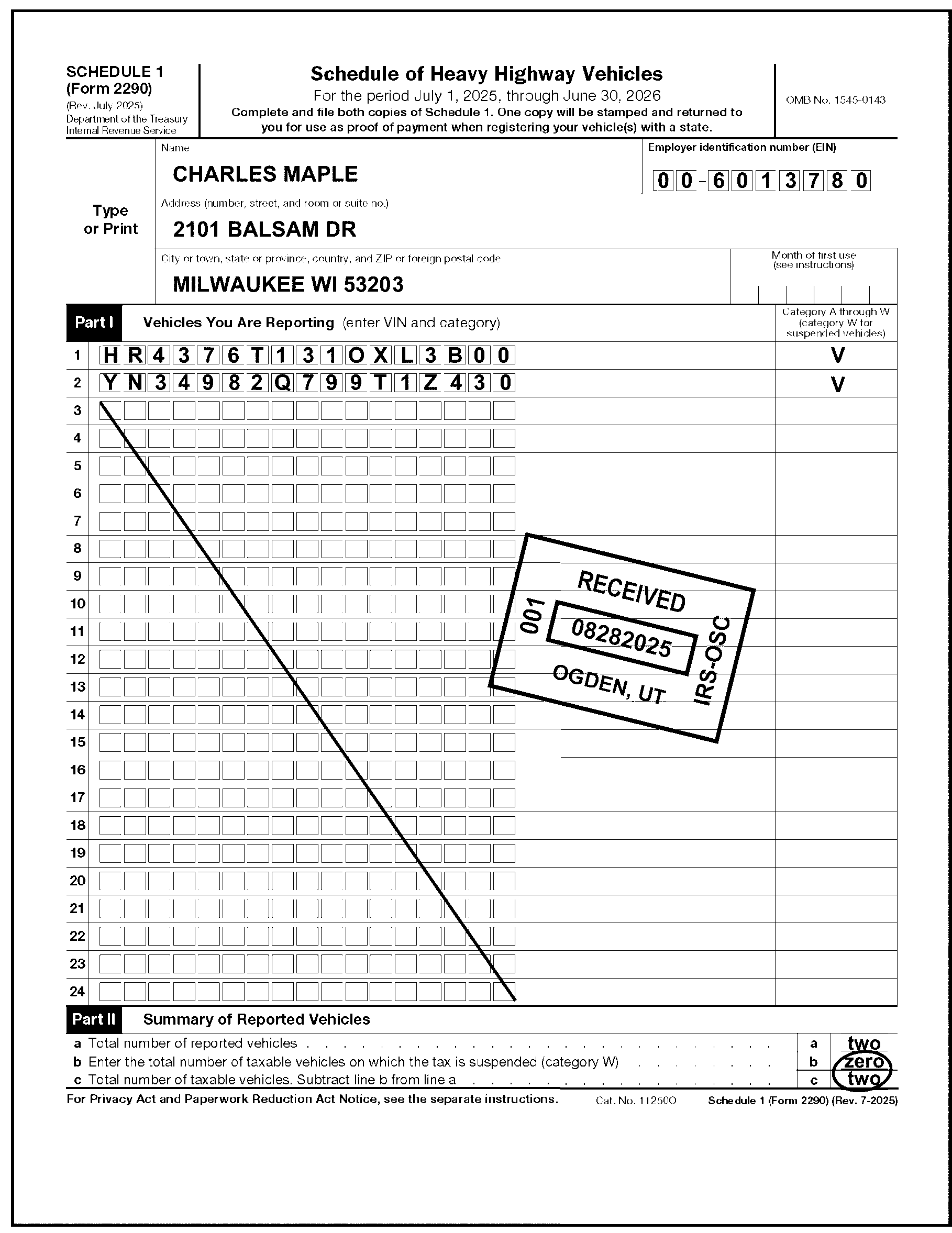
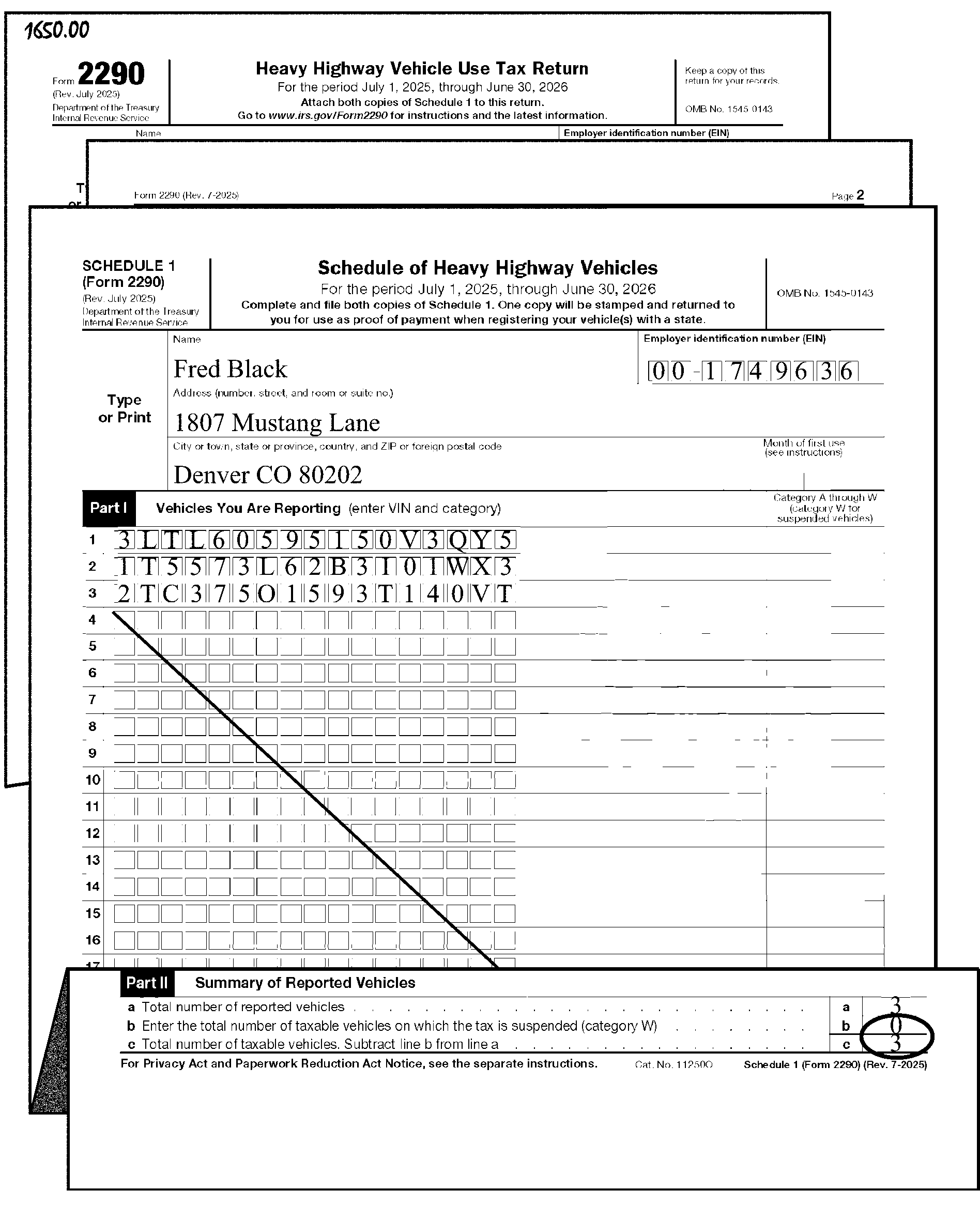
-
The IRS has developed a Memorandum of Understanding (MOU) with various state agencies that allow the agency to accept the Form 2290 and payment for the IRS on behalf of the taxpayer. This MOU is referred to as the Alternative Proof of Payment (APP) program. When a Form 2290 is received from a state Department of Motor Vehicles (DMV) treat the filing as if it is part of the APP program.
-
Process the Form 2290 and payment as normal. Follow guidelines in IRM 3.11.23.11.2 for determining the received date.
-
The state agency will not date stamp a Form 2290 or Schedule 1 or otherwise mark it with any type of stamp or acknowledgement. The state agency will keep a copy of Schedule 1 to satisfy the Federal Highway Administration requirements for a period of one year.
-
If Form 2290 has been received from a state agency listed in the table below for States Participating in the Form 2290 Alternative Proof of Payment Program process the Form 2290 and Schedule 1 normally. Verify payment and return a stamped copy of the Schedule 1 to the taxpayer as appropriate.
-
If Form 2290 is received from a state agency other than a participating state listed in the table above forward a copy of the Form 2290 and Schedule 1 to the IRS Liaison below. Continue processing the Form 2290 and Schedule 1 as normal.
≡ ≡ ≡ ≡ ≡ ≡ ≡ ≡ ≡ ≡ ≡ ≡ ≡ ≡ ≡ ≡ ≡ ≡ ≡
≡ ≡ ≡ ≡ ≡ ≡ ≡ ≡ ≡ ≡ ≡ ≡ ≡ ≡ ≡ ≡
-
The processing of Form 11-C is centralized at the Ogden Submission Processing Center (OSPC). See Exhibit 3.11.23-6, Form 11-C, Occupational Tax and Registration Return for Wagering, for transcription lines (T-lines).
-
Report processing time and volume under Organization Function Program (OFP) 12701 for Form 11-C.
-
A principal, someone engaged in the business of accepting taxable wagers for their own account, or an agent, who accepts taxable wagers on the principal’s behalf, is required to file Form 11-C.
-
This includes organizations that are otherwise exempt from tax under IRC 501 or IRC 521.
-
Taxable wagers include bets placed on a sports event or contest with a person engaged in the business of accepting such wagers, bets placed in a wagering pool with respect to a sports event or contest conducted for profit, and bets placed in a lottery conducted for profit (other than state conducted lottery). See IRM 3.11.23.18.1, Taxable and Non-Taxable Wagers.
-
-
The dual-purpose Form 11-C allows the taxpayer to:
-
Report and pay the occupational tax, or
-
Register certain information with the IRS before accepting taxable wagers.
-
-
The return is filed and the tax is paid by both principal operators and by agents prior to conducting business. Each taxpayer indicates his or her status by checking the correct box in Part I, Line 3.
-
A principal operator is a person who is in the business of accepting taxable wagers on his or her own behalf. This person is at risk for the profit or loss depending on the outcome of the event or contest for which the wager was accepted.
-
An agent is any person who accepts wagers for the Principal Operator.
-
-
The first return must be filed before taxable wagers are accepted. The first return will cover the tax period from the start of the business until June 30 of the current year. The taxpayer must file a renewal Form 11-C return by July 1 of each year as long as taxable wagers are accepted. See IRM 3.11.23.18.2, Due Dates, for further due date information.
-
If the activity of accepting taxable wagers starts after July, the tax is prorated for the first year. The correct tax is computed by the computer.
-
Under certain circumstances, a taxpayer must file a supplemental registration return and no tax is due. These include when there has been a change of address or a change of corporate name. See IRM 3.11.23.18.5, Supplemental Registration Return Filing Status, for more circumstances.
-
Under other circumstances, such as when a change in ownership has occurred, a taxpayer must file a first return and pay the correct tax for the new entity.
-
-
There are two amounts of tax which apply to both principal operators and agents:
-
$50 per year if taxable wagers are authorized under the laws of the state in which accepted.
-
$500 per year for all other taxable wagers.
-
-
Edit CCC "1" when the Renewal box is checked and the $50.00 category is paid rather than the $500.00 category. The lower amount is used for those wagers authorized by their respective states.
-
Edit all fields on Form 11-C in dollars and cents. See Exhibit 3.11.23-6, Form 11-C, Occupational Tax and Registration Return for Wagering, for transcription lines (T-lines).
-
The valid Computer Condition Codes on Form 11-C are D, F, G, O, R, U, W, X, 1, 3, and 4.
-
Follow normal procedures for:
-
Edit Marks - IRM 3.11.23.3, Edit Marks
-
Unprocessable Returns - IRM 3.11.23.8, Unprocessable Returns
-
Signature - IRM 3.11.23.9, Signature
-
Third-Party Designee - IRM 3.11.23.9.1.4, Third-Party Designee
-
Entity Perfection - IRM 3.11.23.10, Entity Perfection
-
Entity Perfection of Domestic Addresses - IRM 3.11.23.10.5, Entity Perfection of Domestic Addresses
-
Entity Perfection of Foreign Addresses - IRM 3.11.23.10.6, Entity Perfection of Foreign Addresses
-
Entity Perfection of Tax Period - IRM 3.11.23.10.7.4, Entity Perfection of Tax Period
-
Received Date Editing - IRM 3.11.23.11, Received Date
-
Computer Condition Codes - IRM 3.11.23.12, Computer Condition Codes
-
Amended Returns - IRM 3.11.23.2.11, Amended Returns
-
-
Only certain activities constitute wagers subject to tax. These include:
-
Any wager with respect to a sports event or contest placed with a person who is in the business of accepting such wagers.
-
Any wager placed in a wagering pool with respect to a sports event or contest, if the pool is conducted for profit. A wagering pool conducted for profit includes any scheme or method for the distribution of prizes to one or more winning bettors based upon the outcome of a sports event or contest, or a combination or series of events or contests, provided that the pool is managed or conducted for profit. A wagering pool or lottery may be conducted for profit even if a direct profit doesn’t occur. If a taxpayer operates the wagering pool or lottery with the expectation of a profit in the form of increased sales, attendance, or other indirect benefits, the taxpayer conducts it for profit.
-
Any wager placed in a lottery conducted for profit (other than a state-conducted lottery). The term lottery includes the numbers game, a wager or gambling policy, punch boards, pull tabs, and similar types of wagers. In general, a lottery conducted for profit includes any method or scheme for the distribution of prizes among persons who have paid or promise to pay for a chance to win the prizes. The winning prizes are generally determined by the drawing of numbers, symbols, or tickets from a wheel, or other container, or by the outcome of a given event.
-
-
Other activities are not wagers subject to tax if certain conditions are met:
-
A drawing conducted by an organization exempt from tax under IRC 501 or IRC 521 is not taxable as long as the net proceeds from the drawing don’t benefit any individual or shareholder.
-
A game is not taxable if it is the type in which usually the wagers are placed, the winners are determined, and the prizes are distributed in the presence of all persons placing wagers in the game. These games generally include card games, roulette, dice games, bingo, keno, and gambling wheels.
-
Parimutuel wagering, including horse racing, dog racing, and jai alai, when licensed under state law
-
Coin-operated devices, such as slot machines, pinball machines and video games.
-
Sweepstakes, wagering pools or lotteries that are conducted by an agency of a state, if the wager is placed with the state agency or its authorized agents or employees.
-
-
A taxpayer who is liable for the occupational tax on wagering is required to file a first Form 11-C return before any taxable wagers are accepted. A first return is also required when there has been a change in ownership or control of a taxpayer that previously filed a Form 11-C. This return must be filed within 30 days of the change. See Figure 3.11.23-32, Form 11-C Due Date.
-
For each following year in which taxable wagers are accepted, a taxpayer must file a renewal Form 11-C return by July 1. See Figure 3.11.23-33, Form 11-C Due Date.
-
A taxpayer is required to file a "Supplemental Registration Return" under certain circumstances but no additional tax is due.
-
When there has been a change of address, a Supplemental Registration Return must be filed before the earlier of the time a taxable wager is accepted at the new location or 30 days.
-
When there has been the continuation of the business by the surviving spouse or child, executor, administrator or legal representative of a deceased person who paid the occupational tax, a Supplemental Registration Return must be filed within 30 days of the date of death. See Figure 3.11.23-34, Form 11-C, Continuation of Business.
-
When there is a continuation of the business by an assignee for the benefit of creditors or by the trustee or receiver in bankruptcy, a Supplemental Registration return must be filed within 30 days of the change.
-
When there has been a change of corporate name or the withdrawal or death of a member of a firm or partnership, a Supplemental Registration Return must be filed within 30 days of the change.
-
When a new agent is engaged, a Supplemental Registration Return must be filed within 10 days of the engagement.
-
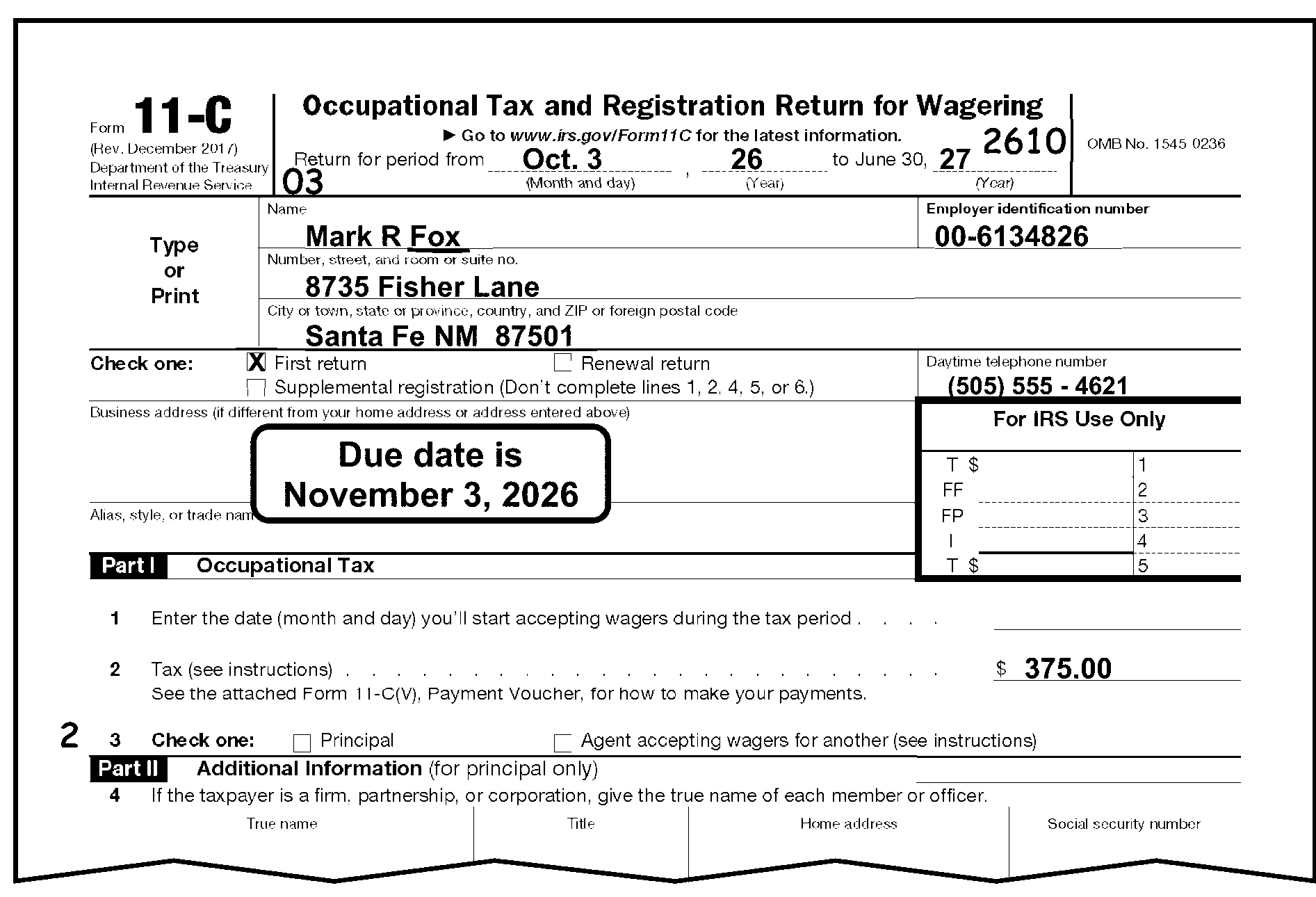
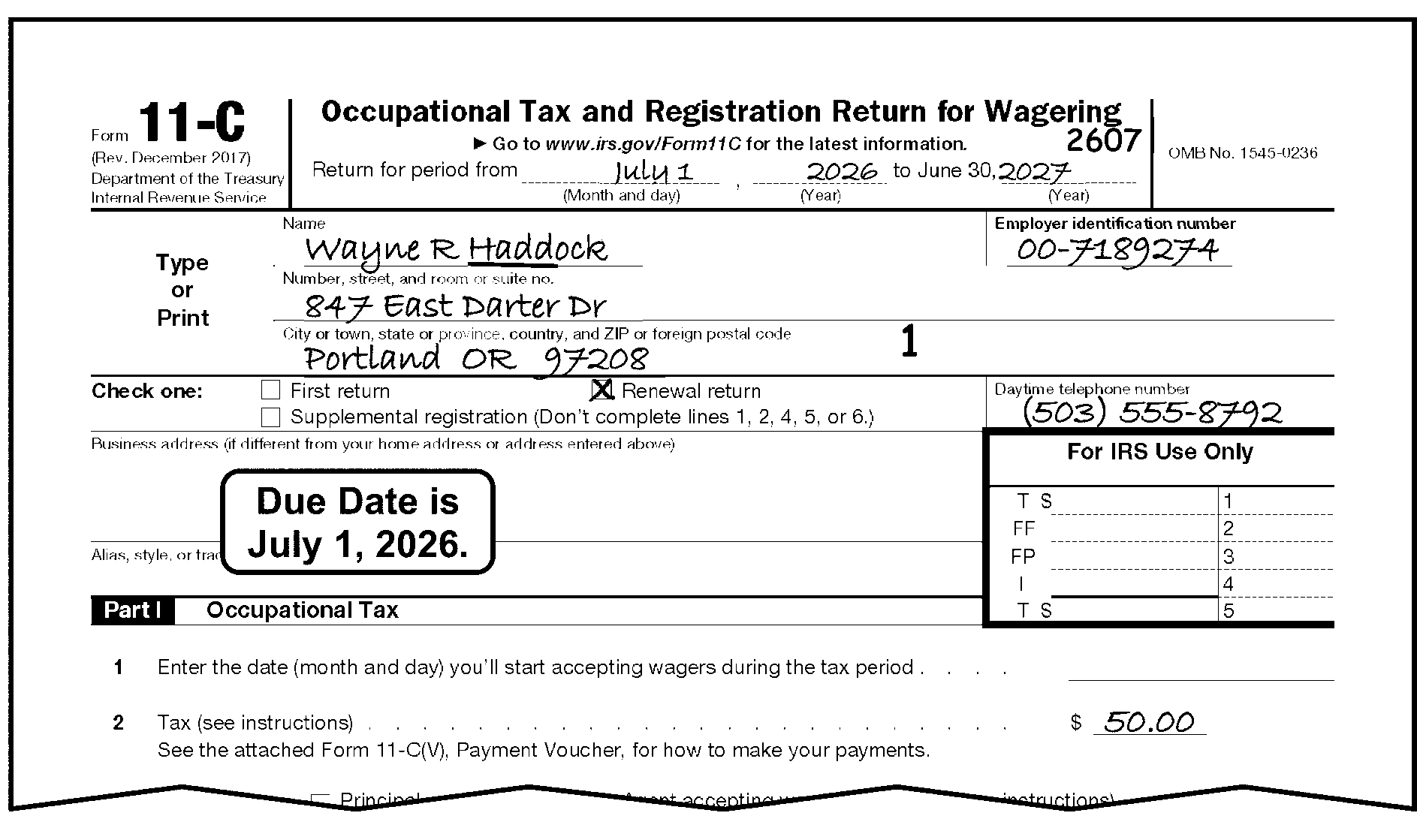
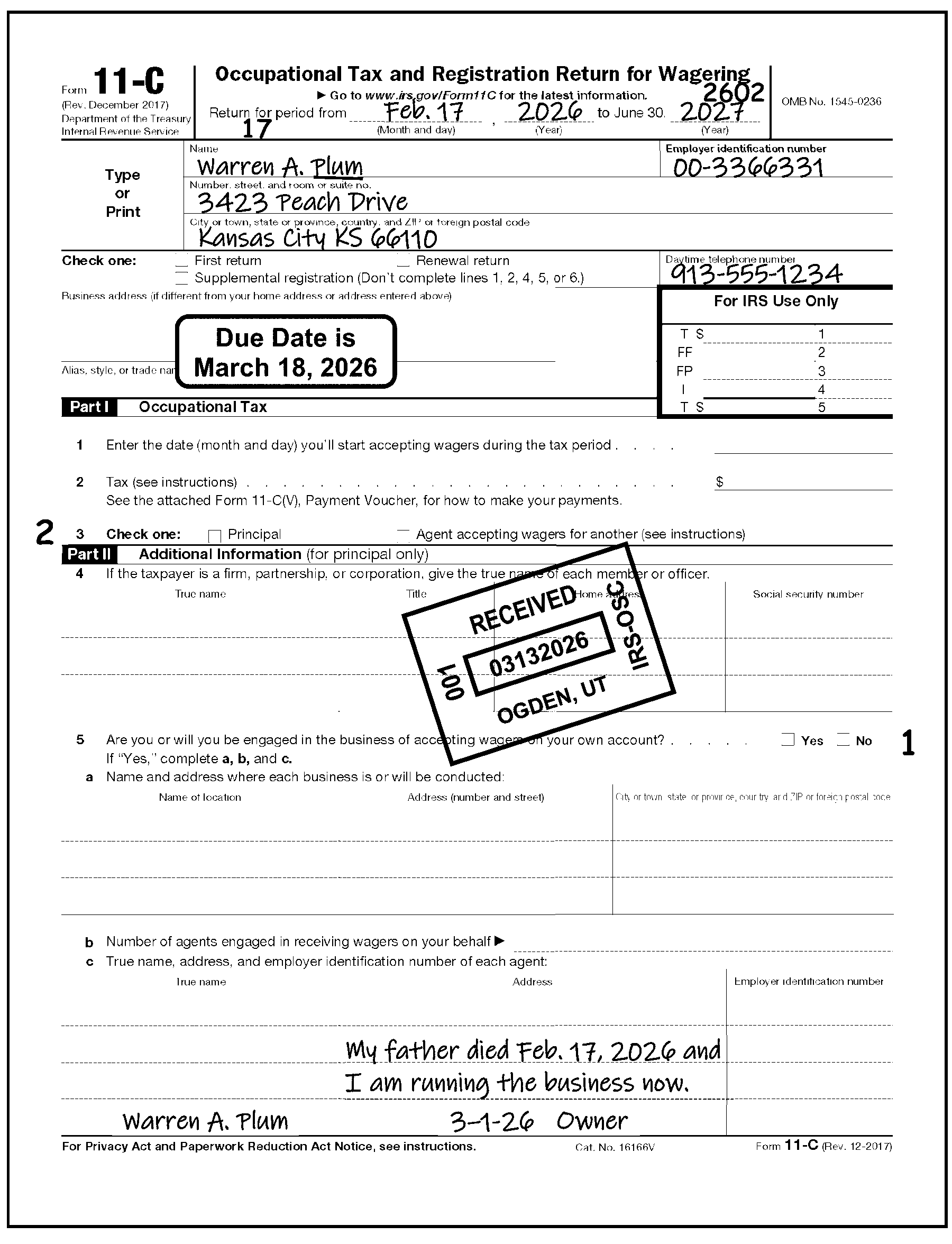
-
Use the following table to determine how to process a Form 11-C that indicates a liability of zero, not liable, exempt, or has no tax liability:
If And Then Return is received with $0 (zero), no wagers, not liable, or none with no explanation of liability. -
A signature on return or attachment,
-
The return includes the name of an association or organization (e.g., Veterans, Elks, Firemen), or a city, state or federal government, or
-
The wagering activity is represented as non-taxable. See IRM 3.11.23.20.1, Non-Taxable Returns Reflecting No Line Entries.
-
Process return.
-
Edit "Principal Operator/Agent" code "1" in margin to the right of Form 11-C, Line 5.
An unsigned return is received with $0 (zero), no wagers, not liable, or none and no explanation of liability. -
Prepare Form 15210 for Letter 228C to request the missing signature and an explanation for filing a no liability return.
-
Edit the "Principal Operator/Agent" code to the right of Form 11-C, Part II, Line 5 as follows:
-
If "Principal Operator" box is checked, or only Part II is completed, edit a "0" .
-
If the "Agent" box is checked, or neither box is checked, or only Form 11-C, Part III is completed, edit a "1" .
-
-
If no reply, edit CCC "3" and process return.
Return indicates an exempt status and/or contains an explanation of why the organization is exempt. -
The taxpayer indicates that it is an organization exempt from tax under IRC 501 or IRC 521, or
-
The name of an association or organization (e.g., Veterans, Elks, Firemen) or a city, state or federal government is indicated, or
-
Wagering activity is represented as non-taxable, (See IRM 3.11.23.20.1, Non-Taxable Returns Reflecting No Line Entries),
-
If signature is present on return or attachments edit the "Principal Operator/Agent" code to the right of Form 11-C, Part II, Line 5 as follows and process the return:
-
If "Principal Operator" box is checked, or only Part II is completed, edit a "0" .
-
If the "Agent" box is checked, or neither box is checked, or only Part III is completed, edit a "1" .
-
-
If signature is not present on return or attachment prepare Form 15210 for Letter 228C to request the signature.
-
If reply, edit the return as in c1 above and process return.
-
If no reply, edit the return as in c1 above, and edit CCC "3" , process the return
-
-
-
If the return shows a tax liability, and the first return or supplemental registration return filing status box is marked on the return, or if Form 11-C, Part II, III, or IV have been completed on the return, use the procedures contained in IRM 3.11.23.18.4, "First Return" Filing Status, through IRM 3.11.23.18.5.1, Change in Control. Also use the procedures contained in IRM 3.11.23.10.7, Entity Perfection of Tax Period, to ensure correct editing of the tax period.
-
A First Return is required if:
-
A new business is formed
-
A corporate business is continued by a stockholder after the business is dissolved
-
A corporation is formed to continue the business of a partnership
-
A person, with no previous history as an agent becomes one
-
-
When the Form 11-C indicates any of the conditions above, process the return as follows:
If Then Unnumbered or numbered. -
Assume the EIN belongs to a new taxpayer. DO NOT ROUTE TO ENTITY CONTROL.
-
Review the return for a Start Date (SD). Check Form 11-C, Part IV, Line 7, or on an attachment. If start date cannot be determined, correspond.
-
Edit the day the taxpayer entered into business under the new ownership in a two-digit format (01-31) on the return under the words, "Return For Period From..." .
-
Edit the Nature of Change Indicator (NCI) of "2" to the left of the words "Check One" . The NCI is required whenever the SD has been edited.
-
Also edit to the right of Form 11-C, Part II, Line 5, as follows:
-
If "Principal Operator" box is checked, or only Part II is completed, edit a "0" .
-
If the "Agent" box is checked, or neither box is checked, or only Form 11-C, Part III is completed, edit a "1" .
-
-
-
A taxpayer can file a supplemental return by:
-
Checking the "Supplemental Registration Return" box on the return, or
-
Writing an explanation on Form 11-C, Part IV, Line 7, or
-
Attaching a written explanation or letter. See Figure 3.11.23-35, Form 11-C, Supplemental Registration Return.
-
-
A supplemental registration return must be filed if:
-
There is a change in the business or home address by the principal operator or agent. This includes when the principal operator engages a new agent to receive taxable wagers. A supplemental return is filed by the principal operator to report the new name, address, and EIN of the new agent. Additionally, the agent must also file a supplemental (or first) return to report the name, address, and EIN of the new principal operator.
-
The business is continued by the surviving spouse, executor, administrator or legal representative of a deceased person who paid the occupational tax.
-
The business is continued by a receiver or trustee in bankruptcy,
-
The business is continued by an assignee on behalf of a creditor,
-
One or more members withdraws from a firm or partnership, including by the death of a member.
-
The corporation name is changed.
-
-
When a Form 11-C indicates a filing status of Supplemental Registration Return:
If And Then Return is numbered or unnumbered, There is no indication of a reason for filing, (e.g., Form 11-C, Part II or III is completed, or Form 11-C, Part II, III, and IV are blank.) -
Edit "0" to the right of Form 11-C, Part II, Line 5.
-
Review the return for a signature.
If signed, continue to process.
If not, prepare Form 15210 for Letter 228C to request signature. -
If reply, process return.
If no reply, edit CCC "3" and process.
Return is unnumbered, It is being filed to add or drop agents, (e.g., check for an explanation in Form 11-C, Part IV, Line 7, or on a written attachment) -
Route return to the Centralized Specialty Tax Operation (CSTO) at:
Internal Revenue Service
Stop 5701G
7940 Kentucky Drive
Florence, KY 41042 -
Do not edit the return.
Return is unnumbered, It is being filed to change ownership (e.g., check for an explanation in Form 11-C, Part IV, Line 7, or on a written attachment). Process the return using procedures in IRM 3.11.23.18.4, First Return Filing Status. Return is unnumbered, It is being filed due to a change in the control of a registered taxpayer Process the return using procedures in IRM 3.11.23.18.5.1, Change in Control. Return is numbered, It is being filed to add or drop agents, (e.g., check for an explanation in Form 11-C, Part IV, Line 7, or on a written attachment) -
Edit a CCC "G" on the return and continue to process.
-
See IRM 3.11.23.2.11, Amended Returns.
Return is numbered, It is being filed to change ownership (e.g., check for an explanation in Form 11-C, Part IV, Line 7, or on a written attachment). Process the return using procedures in IRM 3.11.23.18.4, First Return Filing Status. Return is numbered, It is being filed due to a change in the control of a registered taxpayer Process the return using procedures in IRM 3.11.23.18.5.1, Change in Control. -
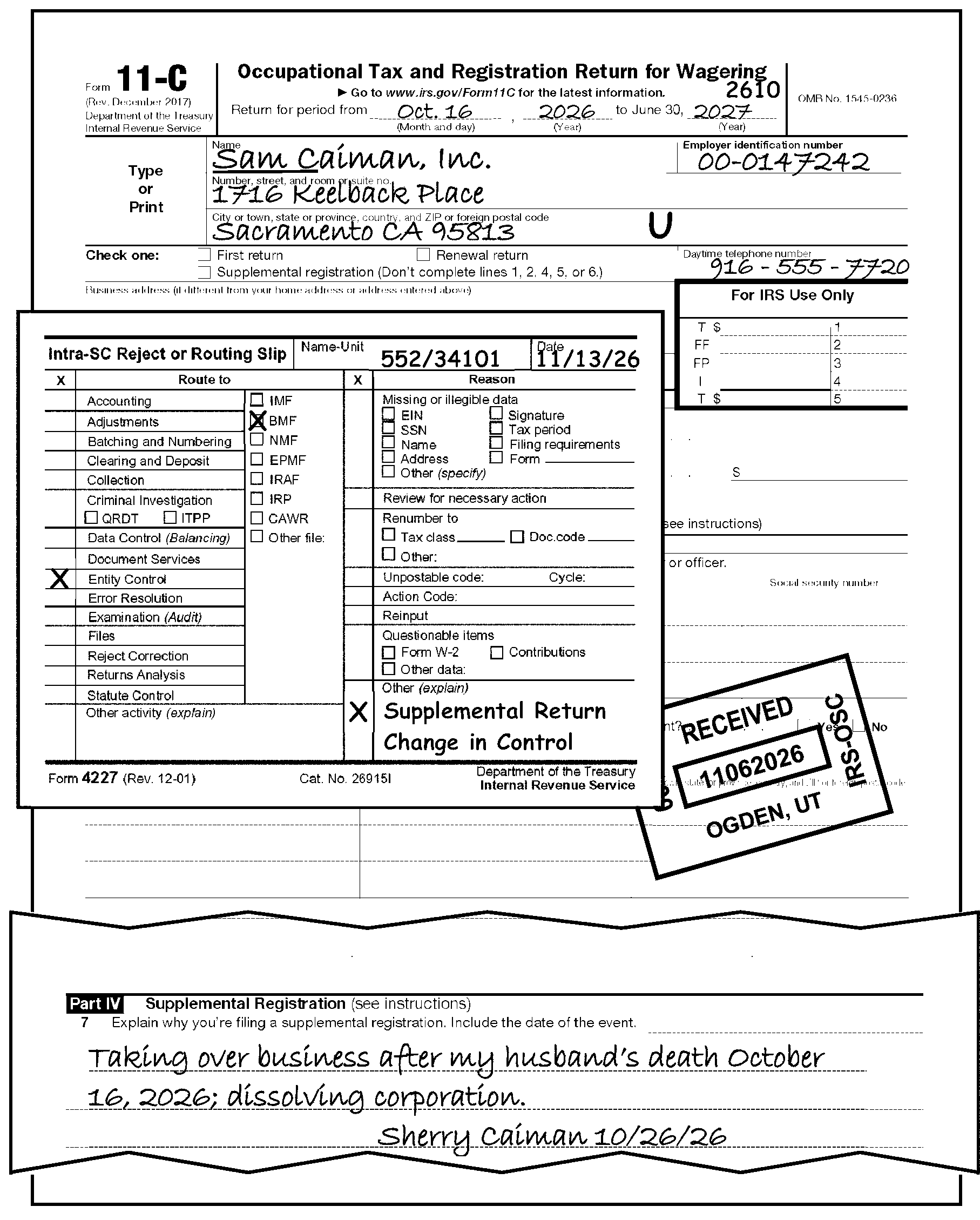
-
The taxpayer must notify us of a Change in Control within 30 days by filing a Supplemental Registration Return.
-
When the taxpayer indicates a change in control, take the following actions:
-
Route the return to Entity Control.
-
After the return is received from Entity Control, edit CCC "G" and continue to process. See IRM 3.11.23.2.11, Amended Returns.
-
-
The taxpayer will file an initial return that covers the tax period from the start of the business through June 30 of the current year. The taxpayer must file a renewal Form 11-C, Occupational Tax and Registration Return for Wagering, by July 1st of each year as long as taxable wagers are accepted.
-
For each following year in which taxable wagers are accepted, a taxpayer must file a renewal Form 11-C return by July 1st. See Figure 3.11.23-33, Form 11-C, Occupational Tax and Registration Return for Wagering, Due Date.
-
Edit CCC "1" when the "Renewal return" box is checked and the $50.00 category is paid rather than the $500.00 category.
-
See IRM 3.11.23.18.3(1), Form 11-C - Tax Settlement and Editing Parts I, II, and III, to edit Form 11-C with the correct Principal Operator code in the margin to the right of Line 5.
-
The processing of Form 730 is centralized at the Ogden Submission Processing Center (OSPC). See Exhibit 3.11.23-7, Form 730, Monthly Tax Return for Wagers, for transcription lines (T lines).
-
Document Perfection will report processing time and volume under Program Code 12702 for Form 730.
-
Any person engaged in the business of accepting taxable wagers on their own behalf is liable for the tax and must file this monthly form. This person is called a Principal Operator. See IRM 3.11.23.18, Form 11-C, Occupational Tax and Registration Return for Wagering. A Form 730 must be filed for each month (including months in which no taxable wagers are received) by the end of the following month. See paragraph (6) below.
-
Similarly, any person required to register on Form 11-C who receives taxable wagers for or on behalf of another person but didn’t report that person’s name and address is liable for the wagering tax and must file Form 730. This person is called an Agent.
-
Prior to conducting any type of wagering activity, a Form 11-C must be filed and then renewed each year a person accepts taxable wagers. See IRM 3.11.23.18, Form 11-C, Occupational Tax and Registration Return for Wagering for Form 11-C details.
-
The monthly Form 730 is due on or before the last day of the month following the month in which the taxable wagers are received. However, if it is determined that the collection of the tax is in jeopardy, the immediate filing of the return and payment of the tax may be required.
-
Laid off wagers are wagers given to another person in the business of accepting taxable wagers when the number of wagers made or the dollar amount wagered exceeds the risk the principal operator is willing to handle.
-
If a laid off wager is accepted from another taxpayer and the amount must be reported by both the principal operator and the person who receives the laid off wager.
-
A credit may be claimed for the tax paid or due on a wager laid off with another taxpayer who is liable for the tax on that wager. A statement fully explaining the claim for credit must be attached to the return along with the information listed below.
-
A credit may also be claimed for an overpayment on a previously filed return and must be substantiated by a full explanation and information required by the regulations.
-
-
No credit is allowed for a laid off wager unless the following information is attached to the return:
-
The certificate described in IRC 44.6419-2(d) of the regulations. See Figure 3.11.23-36, Form 730, IRC 44.6419-2d Certificate.
-
A statement giving the reason for the credit, the month in which the tax was paid, the date of the payment, whether any previous claim covering the amount involved, or any part, has been filed.
-
-
The tax rate is .0025 for taxable wagers authorized under the laws of the state in which accepted, (Line 4a). For all other taxable wagers, the tax rate is .02 (Line 4b).
-
The valid Computer Condition Codes on Form 730 are D, F, G, O, R, U, W, X, 3, and 4.
-
Follow normal procedures for:
-
Edit Marks - IRM 3.11.23.3, Edit Marks
-
Unprocessable Returns - IRM 3.11.23.8, Unprocessable Returns
-
Signature - IRM 3.11.23.9, Signature
-
Third-Party Designee - IRM 3.11.23.9.1.4, Third-Party Designee
-
Entity Perfection - IRM 3.11.23.10, Entity Perfection
-
Entity Perfection of Domestic Addresses - IRM 3.11.23.10.5, Entity Perfection of Domestic Addresses
-
Entity Perfection of Foreign Addresses - IRM 3.11.23.10.6, Entity Perfection of Foreign Addresses
-
Entity Perfection of Tax Period - IRM 3.11.23.10.7.6, Entity Perfection of Tax Period
-
Received Date Editing - IRM 3.11.23.11, Received Date
-
Computer Condition Codes - IRM 3.11.23.12, Computer Condition Codes
-
Amended Returns - IRM 3.11.23.2.11, Amended Returns
-
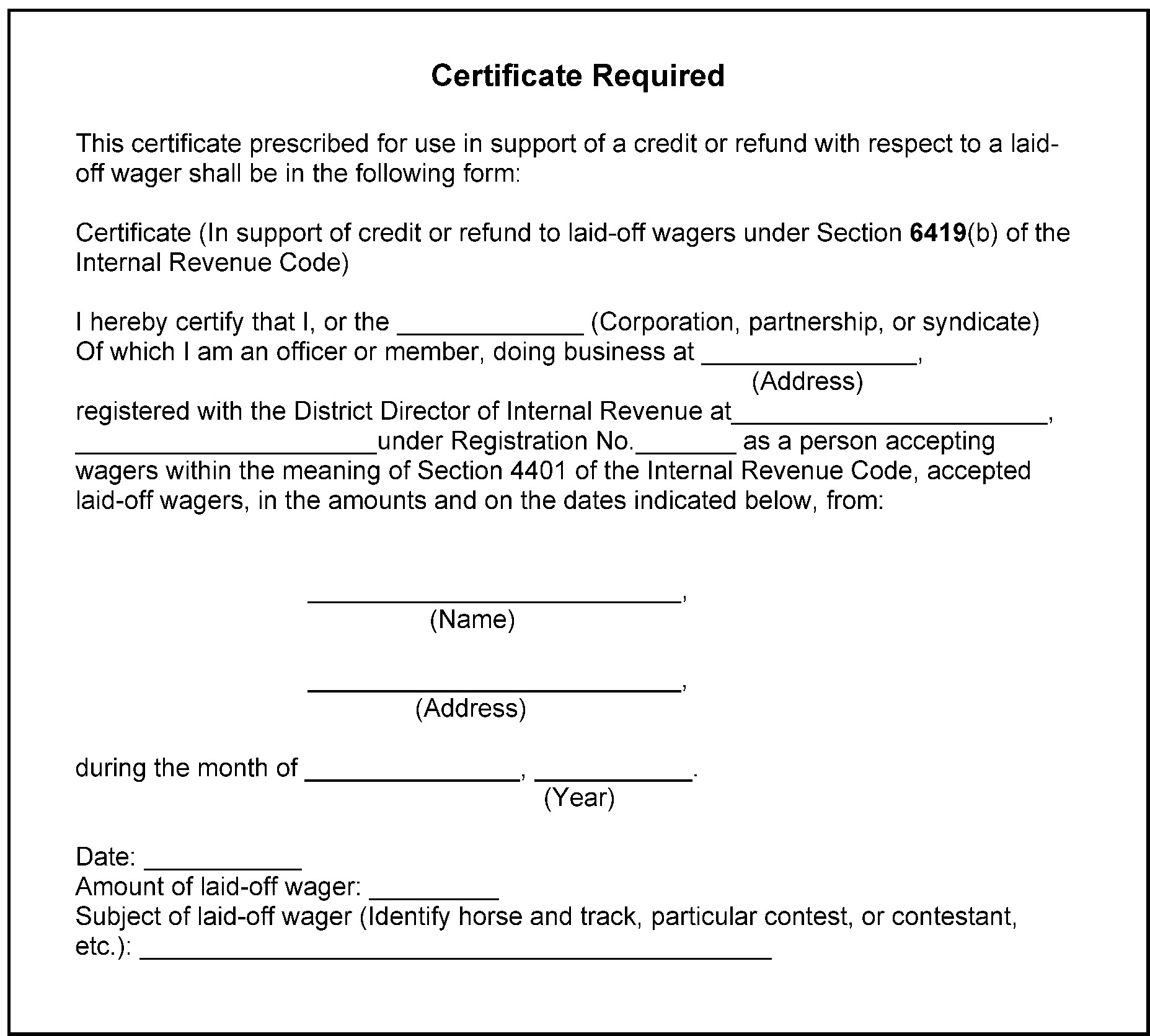
-
Examine Lines 1 through 6 for taxpayer entries:
Note:
The amount of wagers (Lines 4a and 4b) are now T-lines and will be used in the computation of tax. One or both must have entries if the return has tax entries.
Reminder:
It may be necessary to "perfect" Line 4c in order to determine subsequent lines on the Form 730.
Line 5 Credits - All adjustments or credits entered by the taxpayer on Line 5 of the return must be supported by data on the return or by an attachment to the return.If Then If the dotted portion (Rev. 1-2003) or boxes (earlier revisions) of Lines 4a and 4b (in the middle of the page) are blank and there is an amount on Line 3, Edit (or arrow) the Line 3 amount to Line 4a and/or 4b, whichever is correct. If the dotted portion or boxes of Lines 4a and 4b (in the middle of the page) are blank and there is an amount on Lines 4a and/or 4b (on the right-hand side of the page) -
If it is the tax amount divide any tax amount reported on Line 4a by .0025 and enter the result on the dotted portion of Line 4a (in the middle of the page). Likewise divide any tax amount reported on Line 4b by .02 and enter the result on the dotted portion of Line 4b.
-
If it is the amount of wagers arrow to the dotted portion of 4a and/or 4b.
If there is an amount reported on the dotted portion of Line 4a and/or 4b and no amount reported on Line 1 -
If there is only an amount reported on the dotted portion of Line 4a or 4b, double arrow that amount up to Line 1.
-
If there are amounts reported on Lines 4a and 4b add the amounts together and enter the result on Line 1.
There are no entries on the return and return is without remittance Edit Line 6 with "0" and continue to process. See IRM 3.11.23.20.1, Non-Taxable Returns Reflecting No Line Entries. There is an entry on Line 3, but no entry on Line 1 or 2, Edit or arrow the Line 3 amount to Line 1. Tax is entered on Line 4a or 4b, but Lines 5 and 6 are blank, Edit the total of Line 4a and 4b to Line 6. Either Line 4a or 4b, and 5 are entered, but Line 6 is blank Subtract Line 5 from Line 4a (tax) and/or 4b (tax) and enter the result on Line 6. Either Line 4a or 5 are entered, but Line 6 is blank, Subtract Line 5 from 4c, and edit the result on Line 6. Line 4c is entered, but Lines 4a, 4b, 5 and 6 are all blank, If you are unable to determine the correct entries for Lines 1, 4a and/or 4b, and 6, correspond for the missing information. Lines 4a and 4b are entered, and Line 5 may be blank, Total Lines 4a and 4b.
If an entry appears on Line 5, subtract Line 5 from total of Lines 4a and 4b and edit the result on Line 6.
Otherwise, edit Line 6 with total of Lines 4a and 4b.There is an entry on Lines 1 and 6, but Lines 2 through 5 are blank, Correspond for the missing entries unless Line 1 times .0025 or .02 equals Line 6. If it does, put Line 1 in the correct line (Line 4a or 4b). If Then The taxpayer has an entry on Line 5, but does not include an explanation, -
Correspond with the taxpayer for the required statements using Form 15210 for Letter 228C tor.
-
If no reply, disallow (X) the Line 5 entry. Add Line 5 entry amount to Line 6 and enter results on Line 6.
-
Continue to process.
The amount on Line 5 exceeds the amount on Line 4c and there is no Form 8849 attached, -
Reduce Line 5 to the amount on Line 4c.
-
Continue processing the Form 730.
The amount on Line 5 exceeds the amount on Line 4c and there is a Form 8849 attached, -
Reduce Line 5 to the amount on Line 4c.
-
Photocopy the Form 8849 and Form 730.
-
Attach the photocopy of the Form 8849 to the original Form 730.
-
Write "Copy" on the photocopy of the Form 730. attach the original Form 8849 and forward them to:
Centralized Specialty Tax Operation (CSTO)
Stop 5701G.
7940 Kentucky Drive
Florence, KY 41042 -
Continue processing the original Form 730.
There is an entry on Line 6, but no entries on Lines 1 through 5, Correspond for the missing entries. -
-
Each return must contain the tax liability for only one tax period. If a taxpayer has reported more than one tax period on a single return, and the information necessary to prepare the additional period returns is present, process as follows:
Exception:
For all Form 2290 filers, correspond and request the taxpayer complete the additional Form 2290 and Schedule 1.
If Then The original return is numbered, -
For Form 11-C and Form 730 - Edit CCC "U" and route to Rejects using Form 4227. See Figure 3.11.23-37, Multiple Periods on a Numbered Form 730.
-
For Form 720 - Edit with Action Code 611 if no remittance, or Action Code 610 if with remittance and route to Rejects using Form 4227.
The return is unnumbered, -
For Form 720, Form 11-C and Form 730 - Reduce the total tax liability on the multiple period return to the amount the taxpayer allotted for the most recent period.
-
Edit the return with that tax period.
-
Notate “Dummy Return Prep” in the action trail of all returns.
-
Prepare a separate dummy return for each of the other tax periods. See Figure 3.11.23-38, Multiple Periods on an Unnumbered Form 720, and Figure 3.11.23-39, Multiple Periods on an Unnumbered Form 720.
-
-
When information is not present for all tax periods:
If Then Numbered Form 720 and Form 2290 (see exception below for Form 2290), Edit Action Code 211 and correspond. Numbered Form 11-C and Form 730, Edit CCC "U" and correspond. Unnumbered Form 720, Form 11-C, Form 730, or Form 2290, (see exception below for Form 2290), -
Prepare correspondence.
-
If taxpayer replies, follow the processing procedures for determining the tax period found in IRM 3.11.23.10.7, Entity Perfection of Tax Period, for the particular form.
-
If taxpayer does not reply, edit CCC "3" . If the return is also overpaid, edit the return with CCC "X" .
-
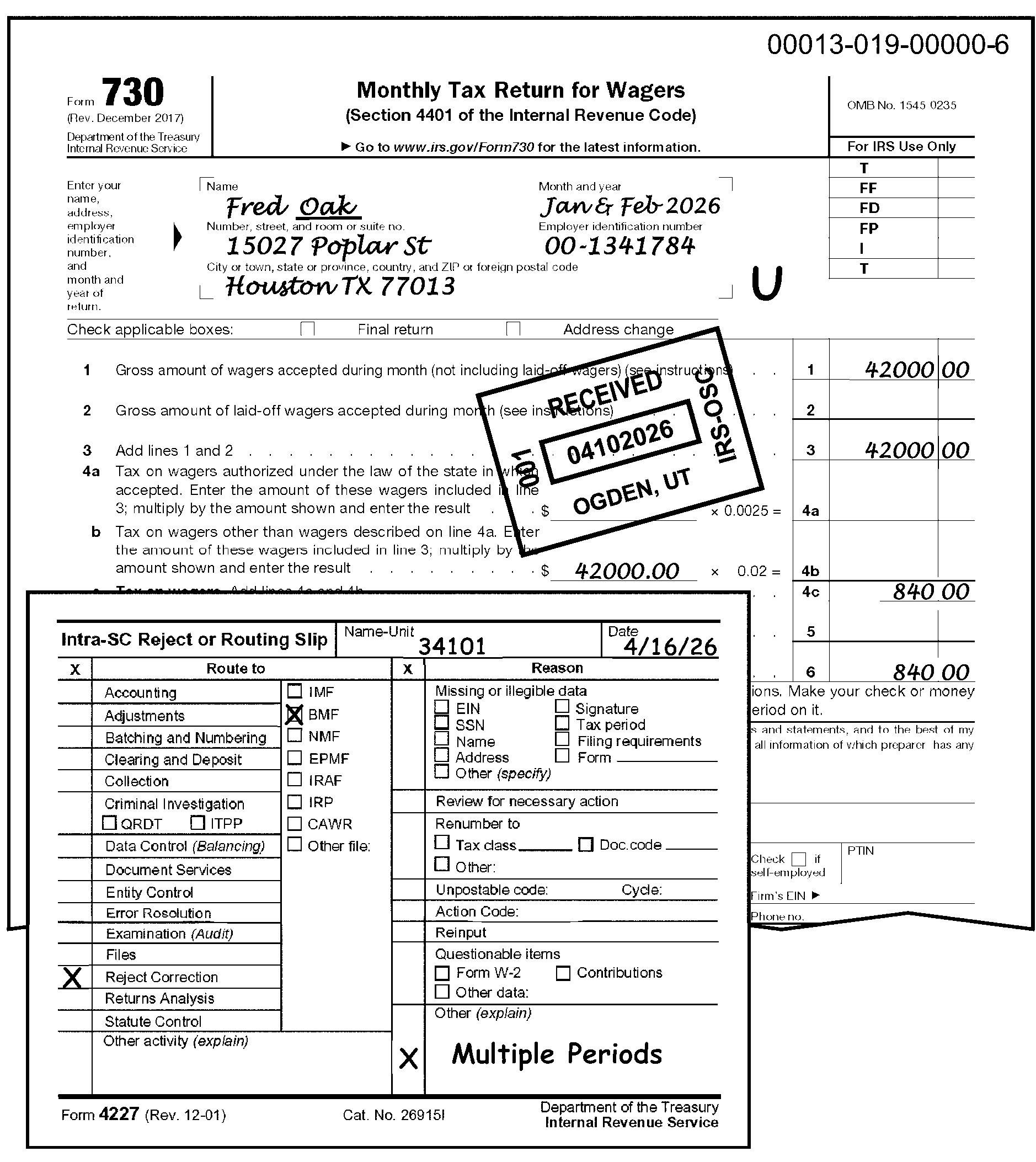
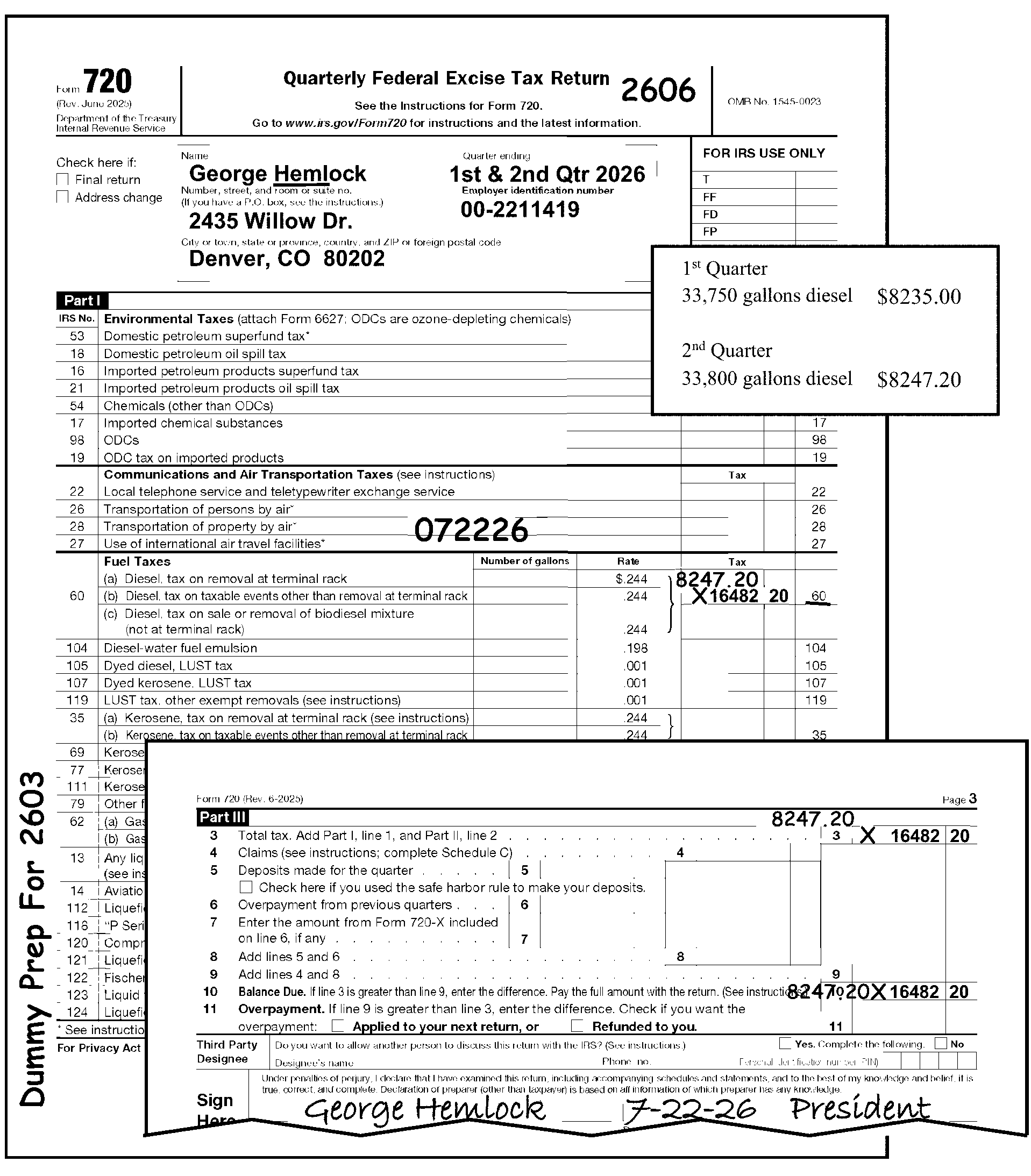
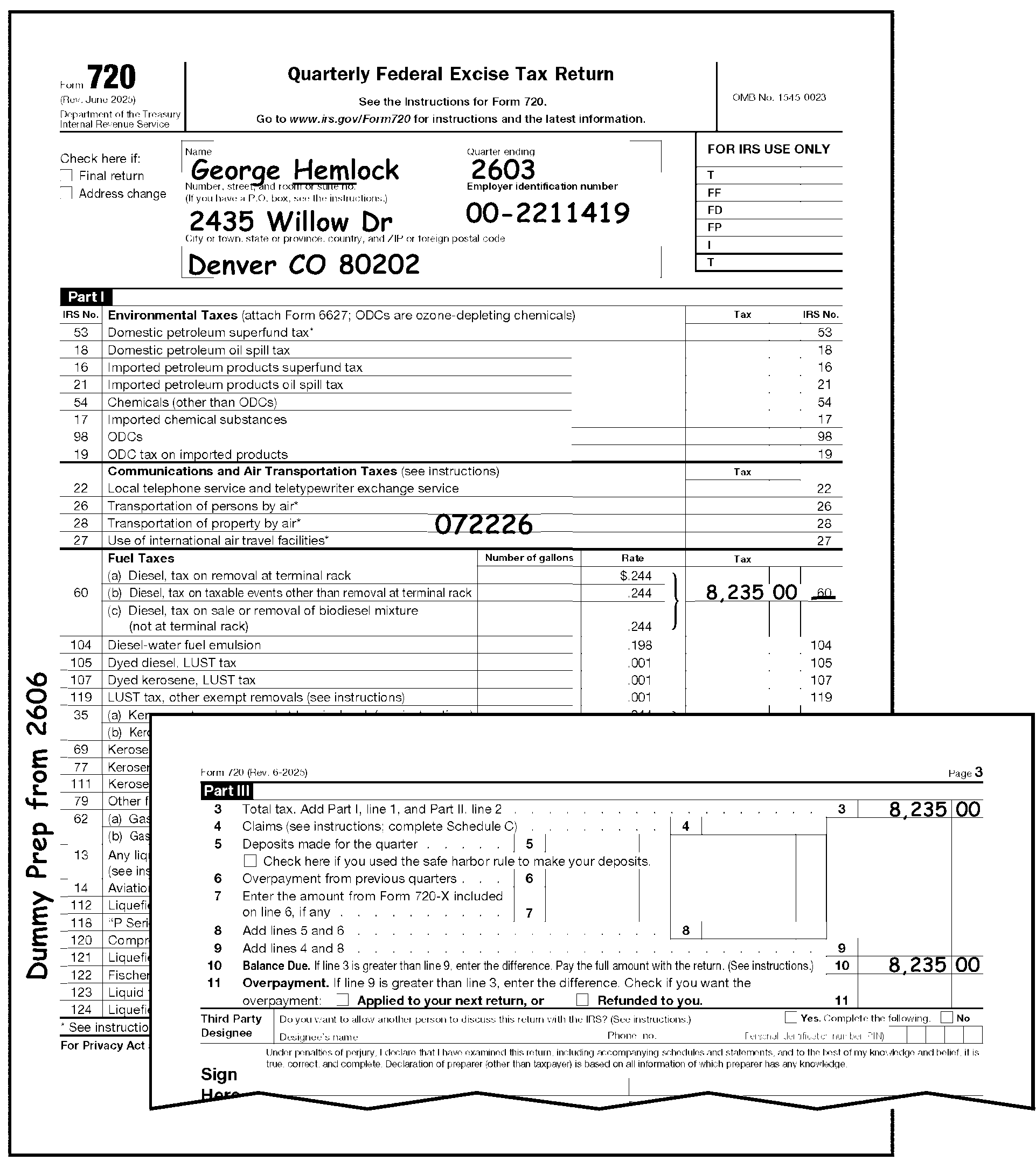
-
Process a non-taxable return showing no line entries based on the procedures below.
If the signed return is And Then Form 730 or Form 11-C -
Shows "No Liability" ,
-
Taxpayer writes "None" ,
-
Shows "0" , or "Zero" ,
-
Process as a non-taxable return.
-
Do not enter CCC "F" unless the taxpayer writes "FINAL" or indicates it in writing.
Form 2290 or Form 2290(SP) -
Shows "No Liability" ,
-
Taxpayer writes "None" ,
-
Taxpayer checks "Final" box.
Form 720 -
Shows "Not Liable" ,
-
Taxpayer writes "No Longer in Business" ,
-
Taxpayer checks either "Final" or "One-Time Filing" box.
-
Edit the return with CCC "F" .
-
Otherwise, process as a non-taxable return.
-
-
If a return is unsigned or the signature is invalid, and contains no other entries or attachments, correspond for a complete return.
-
If the return (e.g., Form 720, Form 11-C, Form 730, Form 2290, or Form 2290(SP)) lists an address outside of the 50 states and the District of Columbia (including APO, DPO, or FPO addresses and addresses in Canada and Mexico), follow normal processing procedures. Entity perfection procedures for International returns are shown in IRM 3.11.23.10.6, Entity Perfection of Foreign Address. These returns are processed with domestic returns at Ogden Submission Processing Center.
-
Compliance functions (Collections and Examination) secure returns from the taxpayer and prepare returns if the taxpayer does not provide them.
-
Prepared tax returns are notated with "6020(b)" or "SFR" (Substitute for Return).
-
Secured tax returns are notated with "TC 59X" or "ICS" (Integrated Collection System) or notated "Process as Original" with an attached Form 13133, Expedite Processing Cycle. The "Delinquent Return" box on Form 13133 should be checked.
-
-
When the taxpayer does not file a required return IRC 6020(b) of the Internal Revenue Code (IRC) is the authority for the IRS to prepare the return.
-
These are identified by the notation: "PREPARED AND SIGNED UNDER AUTHORITY OF IRC 6020(B) of the Internal Revenue Code" which is located in the center bottom of Page 1.
-
Returns must have an IRS Received Date. If missing, follow the normal procedures for editing the IRS Received Date. See IRM 3.11.23.11, Received Date.
-
Compliance Function representatives must sign returns. If not signed, route to the Planning and Analysis analyst (responsible for Code and Edit) for routing to the National Office, Field Compliance analyst. Edit CCC "W" if the return has been cleared by Statute Control. Statute Control will stamp or indicate clearance on the front of the return.
-
Edit CCC "4" .
-
Edit CCC "D" if the revenue officer notates: "DO NOT ASSESS FAILURE TO PAY PENALTY."
-
Do not send the return back or correspond with the taxpayer for unprocessable conditions. If the return contains unprocessable conditions, edit CCC "3" and continue processing.
-
Edit CCC "W" if the received date is more than two years nine months after the return due date. Do not send the return to Statute Control.
-
-
These returns are identified by the notations: "TC 59X" or "ICS" .
-
Do not edit CCC "G" on these returns.
-
Use approved Correspondence Action Sheet to correspond for conditions that are unprocessable (e.g., missing signatures, missing schedules).
-
Edit CCC "W" if the IRS Received Date is more than two years nine months after the Return Due Date. Do not send the return to Statute Control. See IRM 3.11.23.2.10, Statute Returns
-
-
These returns are identified by the notation SFR or SUBSTITUTE RETURN on Page 1.
-
Return must have an IRS Received Date. If no IRS Received Date is present, follow the normal procedures for editing the Received Date.
-
Do not correspond with the taxpayer for unprocessable conditions. If the return is unprocessable, edit CCC 3 and continue processing.
-
If Form 13133, Expedite Processing Cycle, is attached, edit the Computer Condition Code(s) that are checked on the form.
-
Edit CCC "W" if the IRS Received Date is more than two years nine months after the Return Due Date. Do not send the return to Statute Control. See IRM 3.11.23.2.10, Statute Returns.
-
-
These returns are identified by the notation Process as Original on Page 1 of the return with a Form 13133, Expedite Processing Cycle, attached with the Delinquent Return box checked.
-
Do not edit CCC "G" on these returns.
-
Use approved Correspondence Action Sheet to correspond for conditions that are unprocessable (e.g., missing signatures, missing schedules).
-
Edit the Computer Condition Code(s) that are checked on Form 13133.
-
Edit CCC "W" if the IRS Received Date is more than two years nine months after the Return Due Date. Do not send the return to Statute Control. See IRM 3.11.23.2.10, Statute Returns.
-
-
Reprocess a return posted to the wrong account or module to post it to the correct account module.
-
Some re-entry returns may have originally been filed electronically (E-file). These returns may be identified by the presence of Mod E-File printouts orefile GRAPHIC print - DO NOT PROCESSor"TRPRT Print Do Not Process" in lieu of an actual return. Do not correspond for missing signatures on these documents. See IRM 3.11.23.8.3.2, Issuing Correspondence, for more information.
-
If the return is incomplete and appears to be a duplicate, give the return to the lead. The lead will initiate research for a Transaction Code (TC) 150 and/or any other research necessary to determine if the return will continue to be processed or other actions taken. If research determines a duplicate return, see IRM 3.11.23.2.11, Amended Returns. A duplicate return could include any of the following:
-
A one-page return, with or without a signature.
-
Incomplete returns indicating "Payment Only" .
-
Incomplete returns indicating they have previously e-filed.
-
-
Each re-entry return must have Form 3893, Re-Entry Document Control, or Form 13596, Reprocessing Returns, attached.
-
Form 3893 is used to re-input documents that have not posted to an account or module.
-
Form 13596 is used to reprocess documents to the correct account or module, that had previously posted to the wrong account or module.
-
-
Always leave Form 3893 or Form 13596 on the front of the return. It must remain as a permanent part of the document.
-
Examine Form 3893 or Form 13596 to determine the action needed to make the return processable.
-
Form 3893, Re-Entry Document Control, is used to re-input a return that has not posted to an account or module.
-
If more than one return is in the batch and only the top Form 3893 has an entry in Box 1 (Alpha/Numeric block control no.), edit all returns using current processing instructions and keep all returns clipped together.
-
Circle CCC "G" if present.
-
Do not edit CCC "G" on amended returns.
-
Do not send Letter 1382C, Penalty Removal Request Incomplete, if a request for reasonable cause is attached.
-
If the return was not edited according to current processing instruction, circle out any Action Codes, Computer Condition Codes and any other edit marks that are no longer applicable. Re-edit according to current processing instructions.
-
If the return is edited according to current processing instructions, ensure that the information from Form 3893 is edited on the return.
Form 3893 Action Taken Box 14 (Remarks) Ensure that the information is edited to the return. Box 15 (Process as) -
Circle any green rocker and edit marks that may indicate a receipt of remittance.
-
Do not change any tax due amounts.
-
-
Examine returns that have any color other than red editing in the tax data section to determine if the corrections are the result of improper perfection or taxpayer error.
If Then Improper perfection, Edit the same correction in red/green (per local procedure) to the appropriate area. Taxpayer error, Leave the entries as shown on the document. -
An IRS Received Date must be present on all re-input returns.
If Then An IRS Received Date is not present, Edit an IRS Received Date to the middle of the return. Multiple received dates are present, Circle all but the earliest date. -
When more information is still needed to make the return processable, prepare approved Correspondence Action Sheet) or Form 4227, Intra-SC Reject or Routing Slip, for the correct action (e.g., correspondence, research).
-
When perfection is not possible, edit Action Code 640 or CCC U (whichever is applicable) on the return and attach Form 4227 noting, "PERFECTION NOT POSSIBLE" and return to initiator.
-
Form 13596, Reprocessing Returns, is used to reprocess a return to the correct account or module that had previously posted to the wrong account or module.
-
Circle CCC "G" if present.
-
Do not edit CCC "G" on amended returns.
-
Do not send Letter 1382C, Penalty Removal Request Incomplete, if a request for reasonable cause is attached.
-
If the return was not edited according to current processing instruction, circle out any Action Codes, Computer Condition Codes (including CCC "G" ) and any other edit marks that are no longer applicable. Re-edit according to current processing instructions.
-
If the return was edited according to current processing instructions, ensure that the information from Form 13596 is edited on the return.
Form 13596 Action Taken TIN correction, Edit correct TIN on return. Tax period correction, Edit correct tax period on the return. Reasonable Cause, Edit correct Computer Condition Code. -
Edit CCC "R" if the "FTF" box is checked.
-
Edit CCC "D" if the "FTP" box is checked.
-
-
Examine returns that have any color other than red editing in the tax data section to determine if the corrections are the result of improper perfection or taxpayer error.
If Then Improper perfection, Edit the same correction in red/green (per local procedure) to the correct area. Taxpayer error, Leave the entries as shown on the document. -
A received date must be present on all reprocessed returns.
If Then An IRS Received Date is not present, Edit an IRS Received Date to the middle of the return. Multiple received dates are present, Circle out all but the earliest date. -
Circle any green rocker and edit marks that may indicate a receipt of remittance.
-
When more information is still needed to make the return processable prepare an "approved" Correspondence Action Sheet or Form 4227, Intra-SC Reject or Routing Slip, for the proper action (e.g., correspondence, research).
-
When perfecting a reprocessable return, do not suspend processing to verify payment application as the originating function should have already made the necessary corrections.
If And Then The reprocessable return is a Form 2290, Schedule 1 is attached, Issue a date stamped Schedule 1 on a revision corresponding to the tax period for which the return is intended. This action is not necessary if the originating function has indicated Schedule 1 has been issued. The reprocessable return is a Form 2290, Schedule 1 is not attached, -
Correspond for the missing Schedule 1 except in the following instances:
-
The return is a "dummy" return
-
The return is a secured return as identified in IRM 3.11.23.22, Secured Returns/Prepared Returns.
-
-
If the reply includes the Schedule 1 as requested, date stamp a copy on the correct revision and return to the taxpayer.
-
If no reply is received continue processing following procedures in IRM 3.11.23.8.4, Processing No Reply Cases.
-
-
The return format changes often, usually as a result of legislation affecting excise taxes.
-
If the taxpayer files a prior year (quarter) return as a current year (quarter) return, or a return which varies from the current year (quarter) return (e.g., different line numbers, IRS Numbers), edit the return using one of the following methods:
-
Edit all transcription entries onto the current year (quarter) revision.
-
Edit the current form line numbers onto the taxpayer’s return. This would require DIS/ISRP concurrence.
-
-
Returns requiring prompt, quick, jeopardy, or termination assessments will be received in Document Perfection accompanied by one of the following forms:
-
Form 2644, Recommendation for Jeopardy/Termination Assessment
-
Form 2859, Request for Quick or Prompt Assessment
-
Form 895, Notice of Statute Expiration
-
Form 3198, Special Handling Notice for Examination Case Processing
-
Form 5403, Appeals Closing Record
-
-
Math verify these returns (or route to the proper function for this action). A 100 percent review is required.
-
If a math error is found, flag the return with a note labeled, "Math Error" . When these returns are returned to the Accounting Branch, an adjustment will be requested. For more details, see the instructions in IRM 3.11.25, Miscellaneous Tax Returns.
-
-
If Form 2859 is attached to the return and there is a TC 59X with no received date, edit the received date on the return from the "Date of Request" box on the Form 2859.
-
Form 2290 is the only excise tax form that can request an extension of time to file. Before the due date of the return, a taxpayer can request an extension of time to file Form 2290 by writing to the Internal Revenue Service Center, 7940 Kentucky Drive, Florence KY 41042. The request must fully explain the cause of the delay. Except for taxpayers abroad, the extension may be for no more than 6 months. An extension of time to file does not extend the time to pay the tax. A separate request must be made for an extension of time to pay.
-
If a request for an extension of time to file or pay is received, prepare Form 3210, Document Transmittal, and send the request to:
Internal Revenue Service
Stop 5701G
7940 Kentucky Drive
Florence, KY 41042
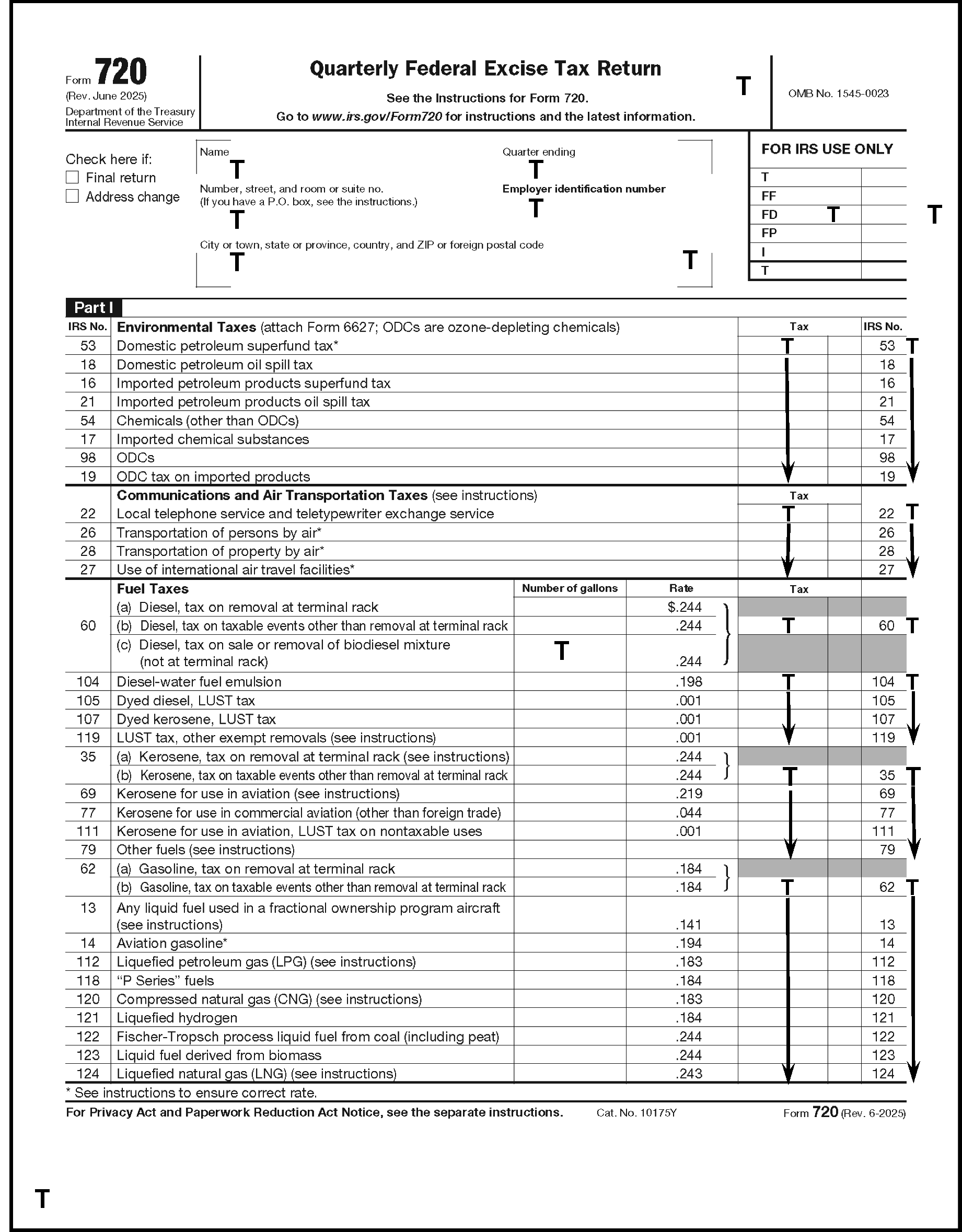
Please click here for the text description of the image.
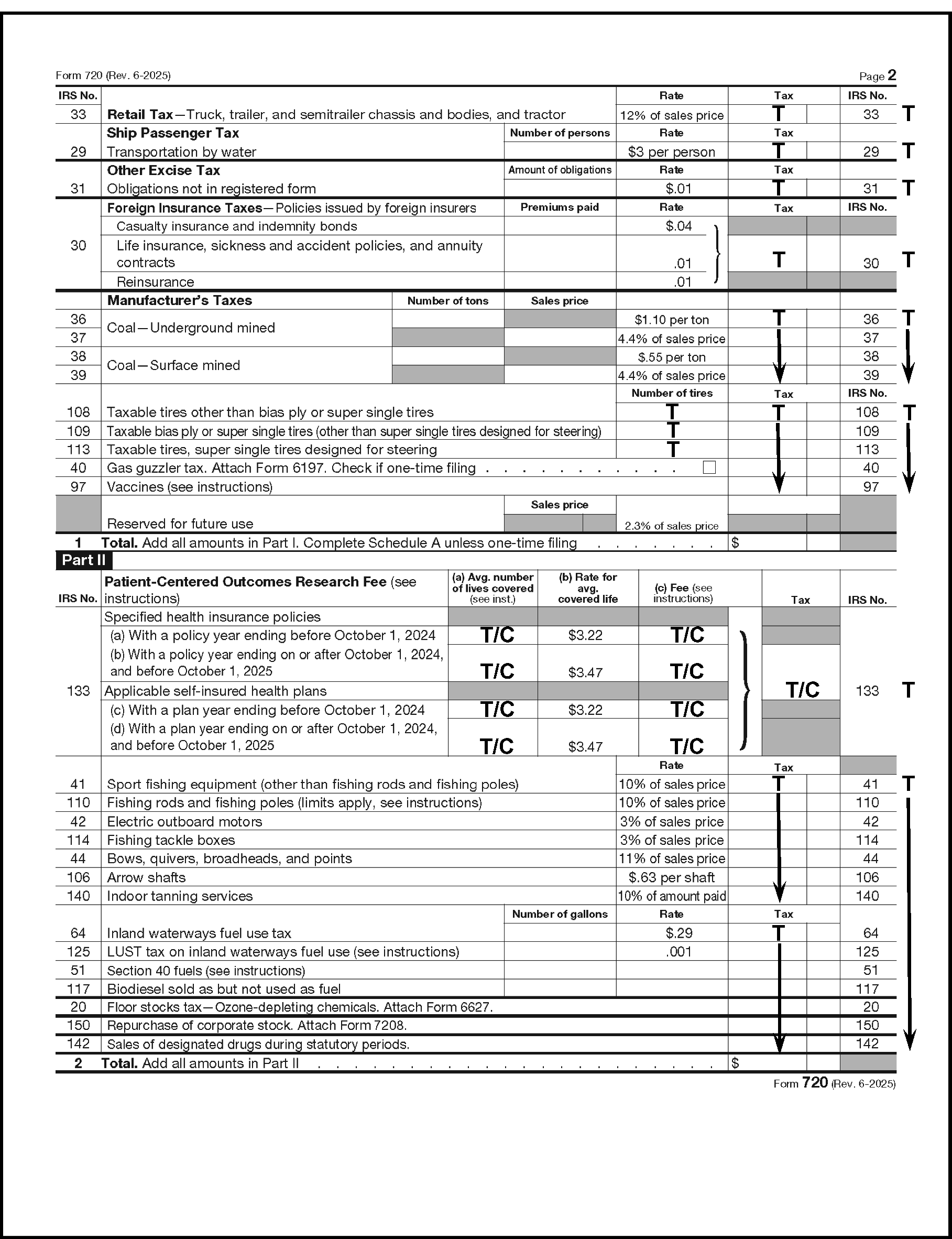
Please click here for the text description of the image.
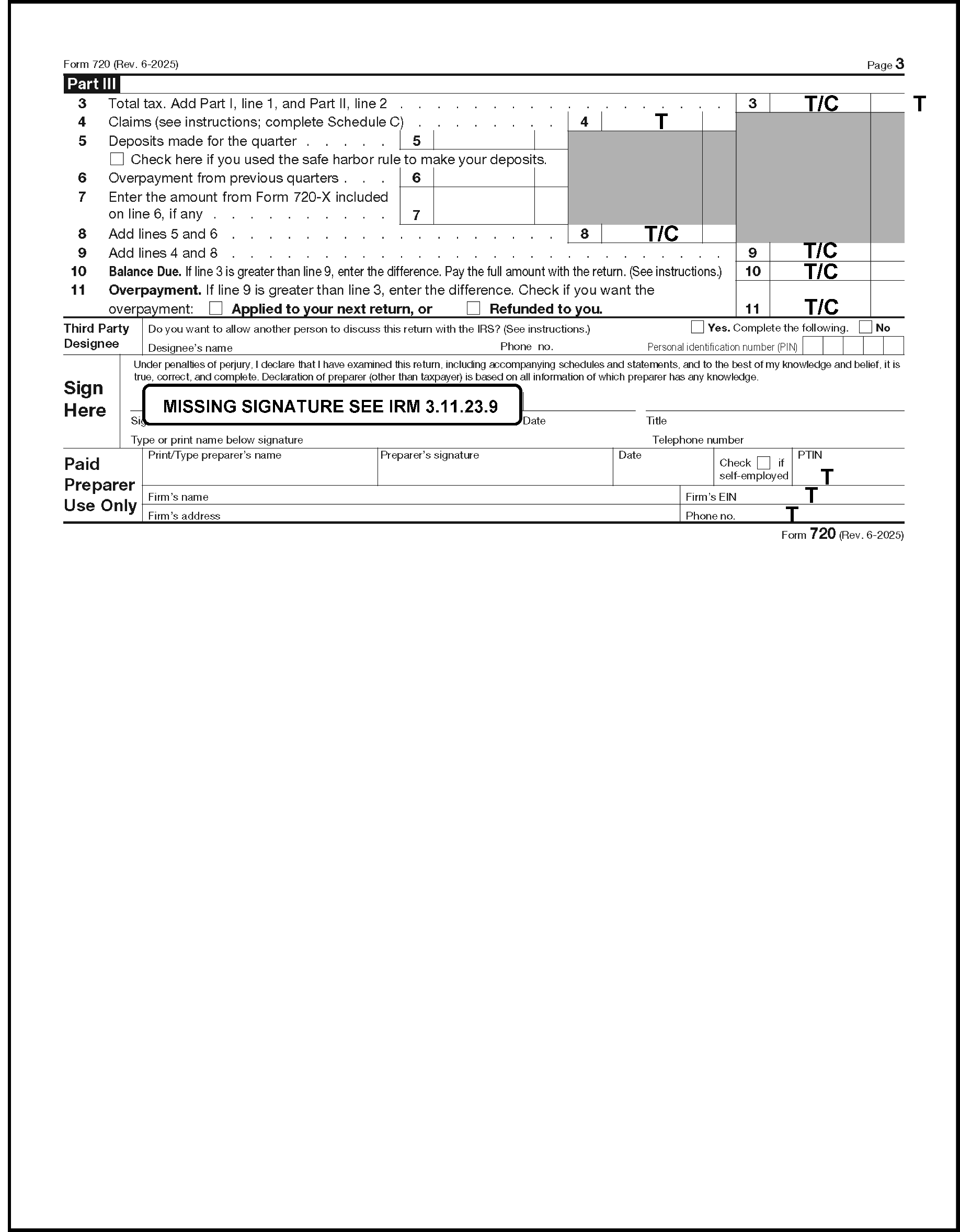
Please click here for the text description of the image.
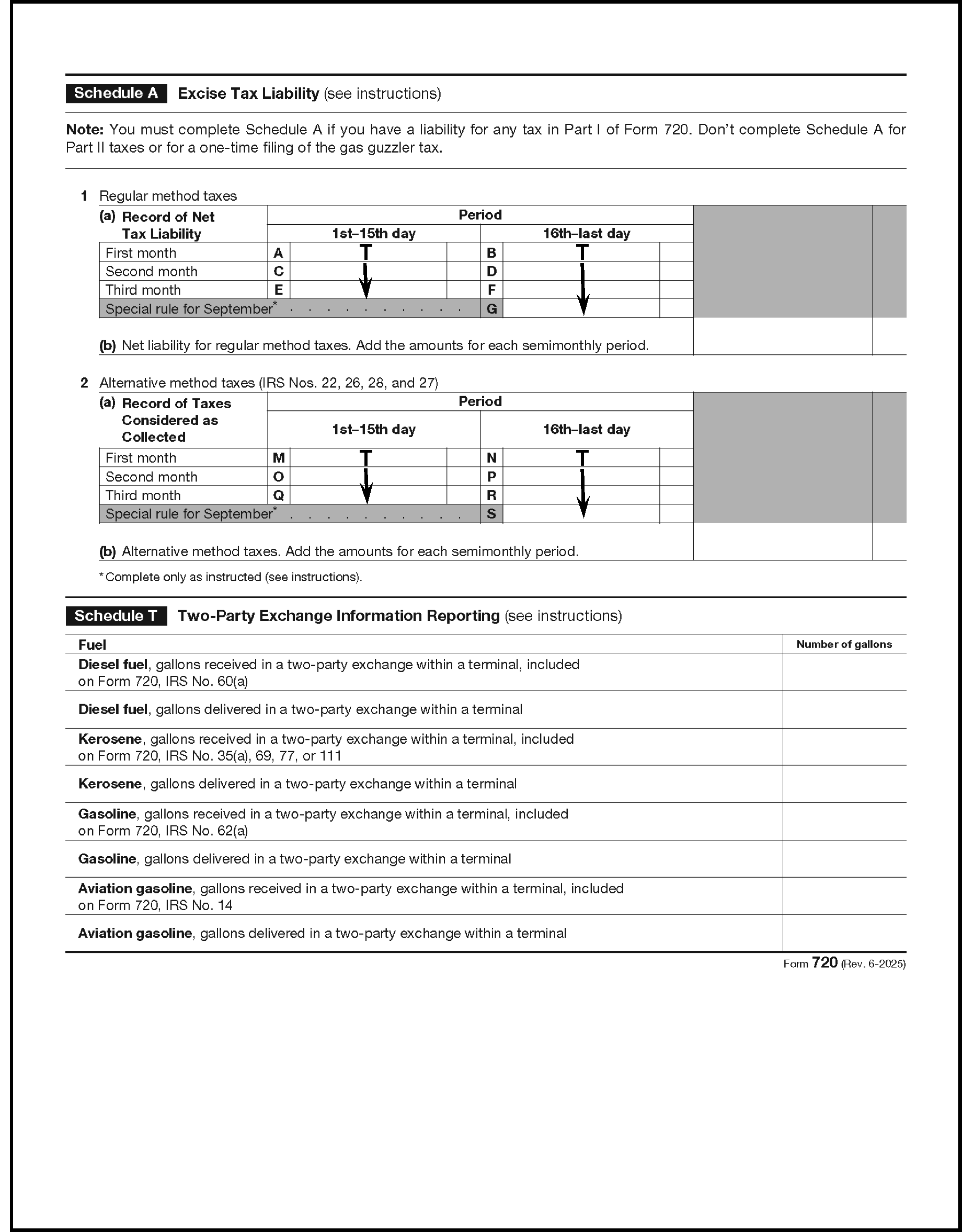
Please click here for the text description of the image.
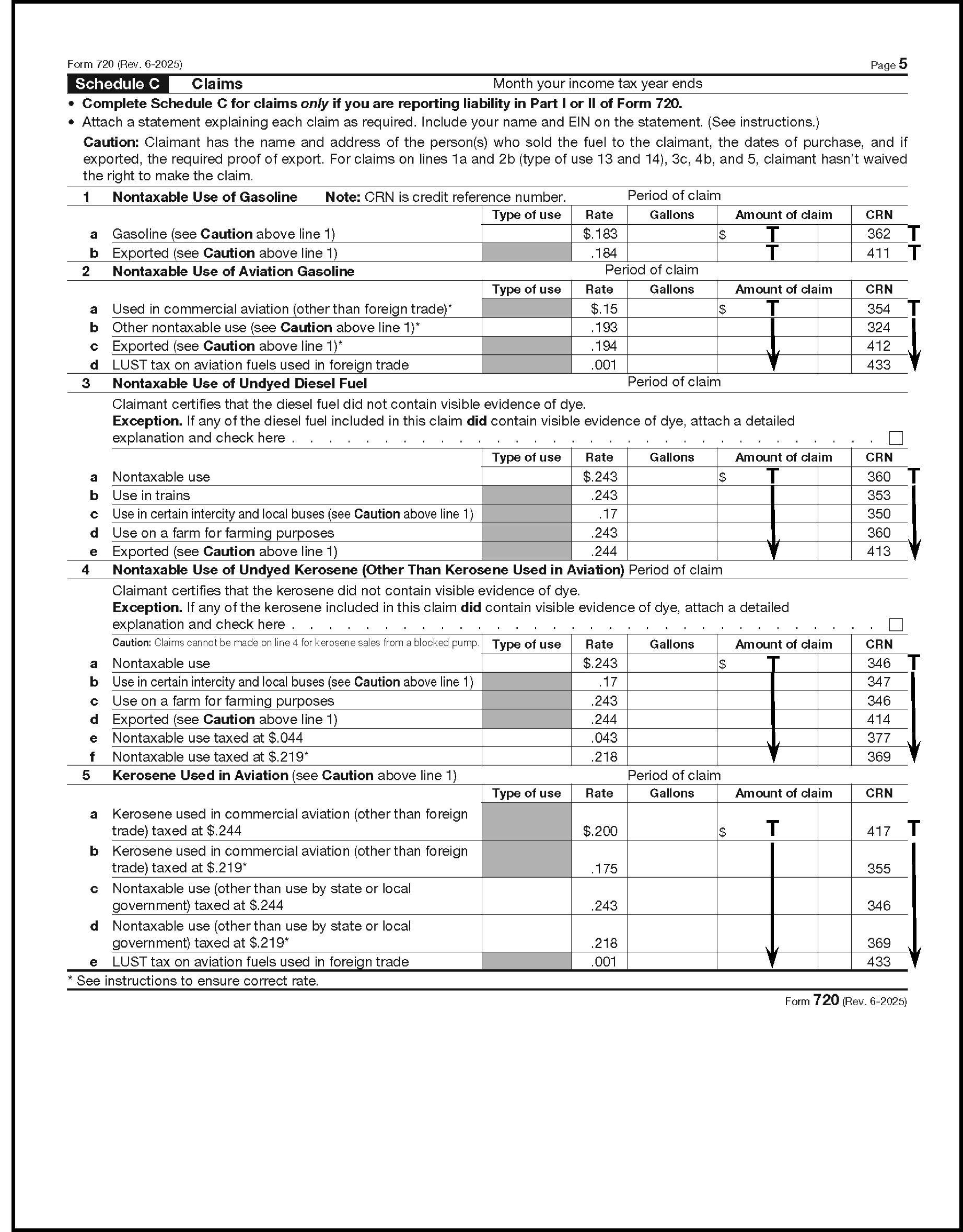
Please click here for the text description of the image.
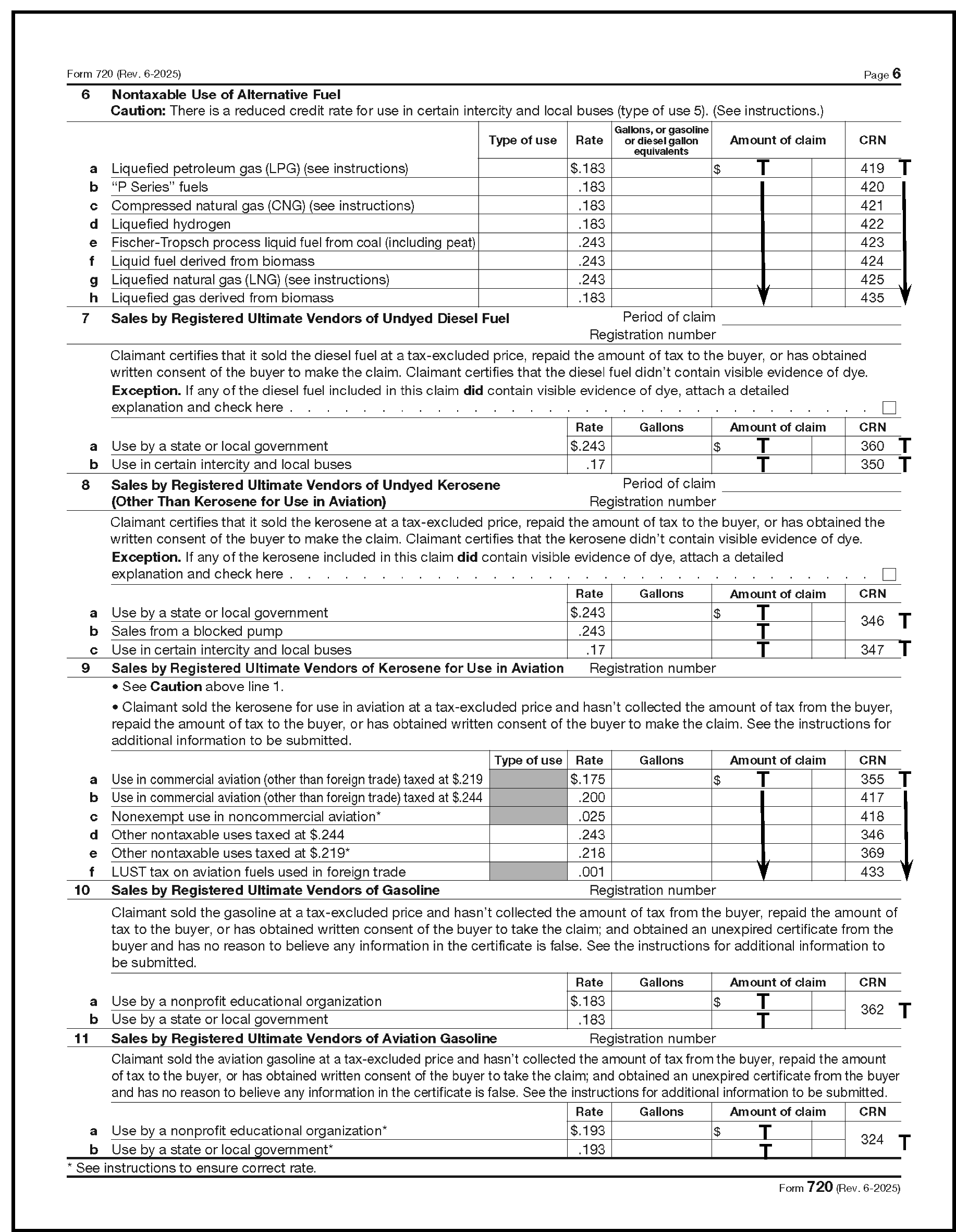
Please click here for the text description of the image.
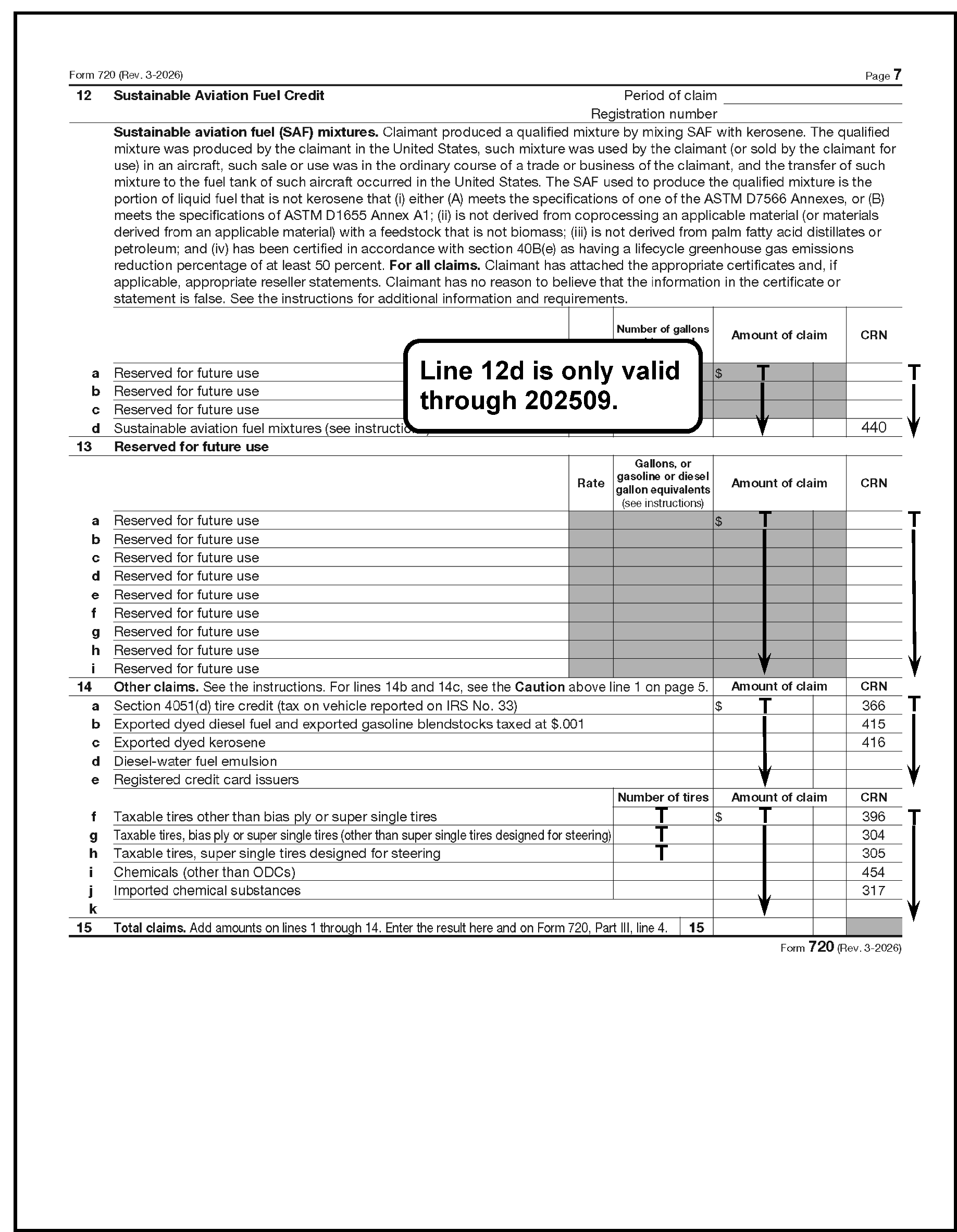
Please click here for the text description of the image.
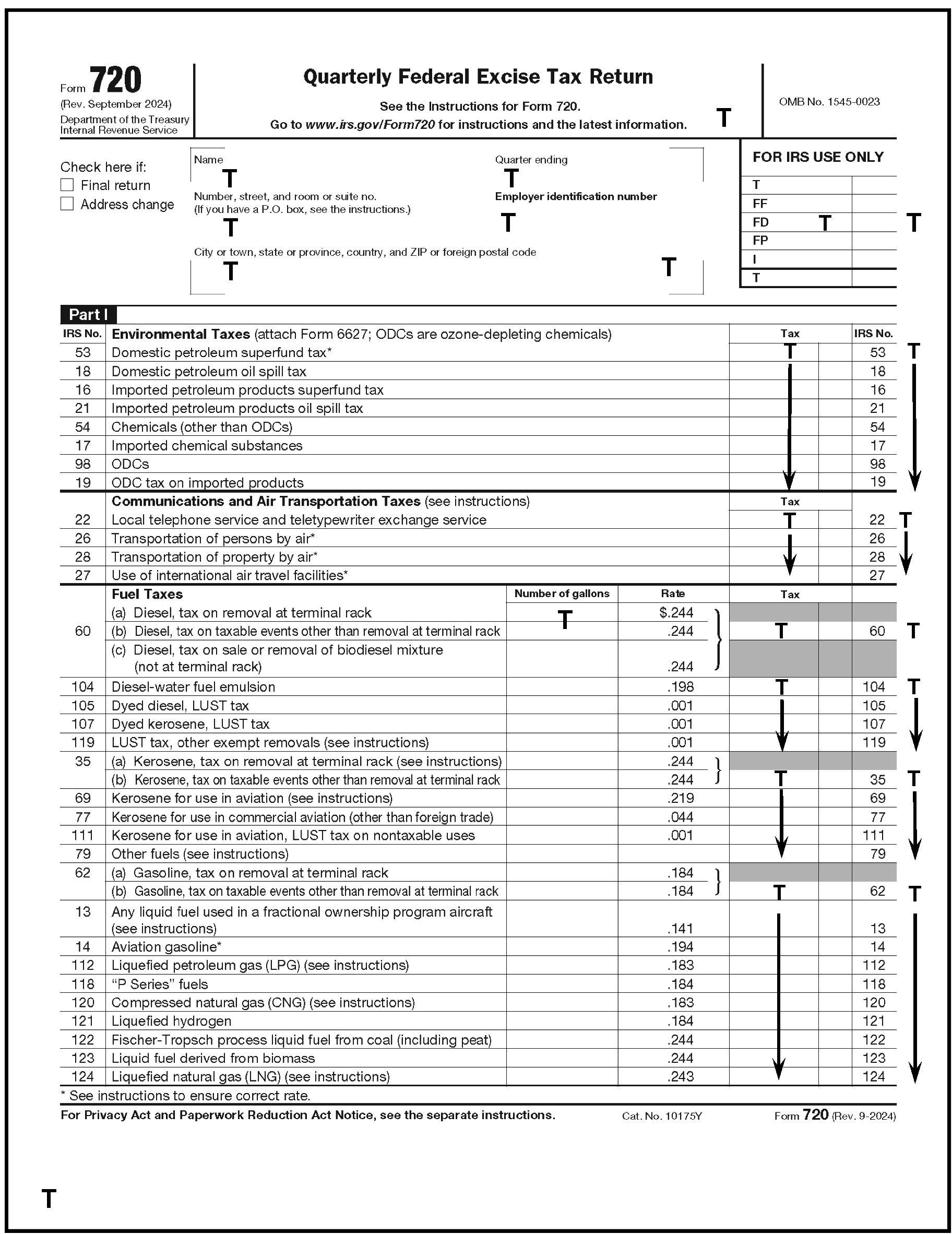
Please click here for the text description of the image.
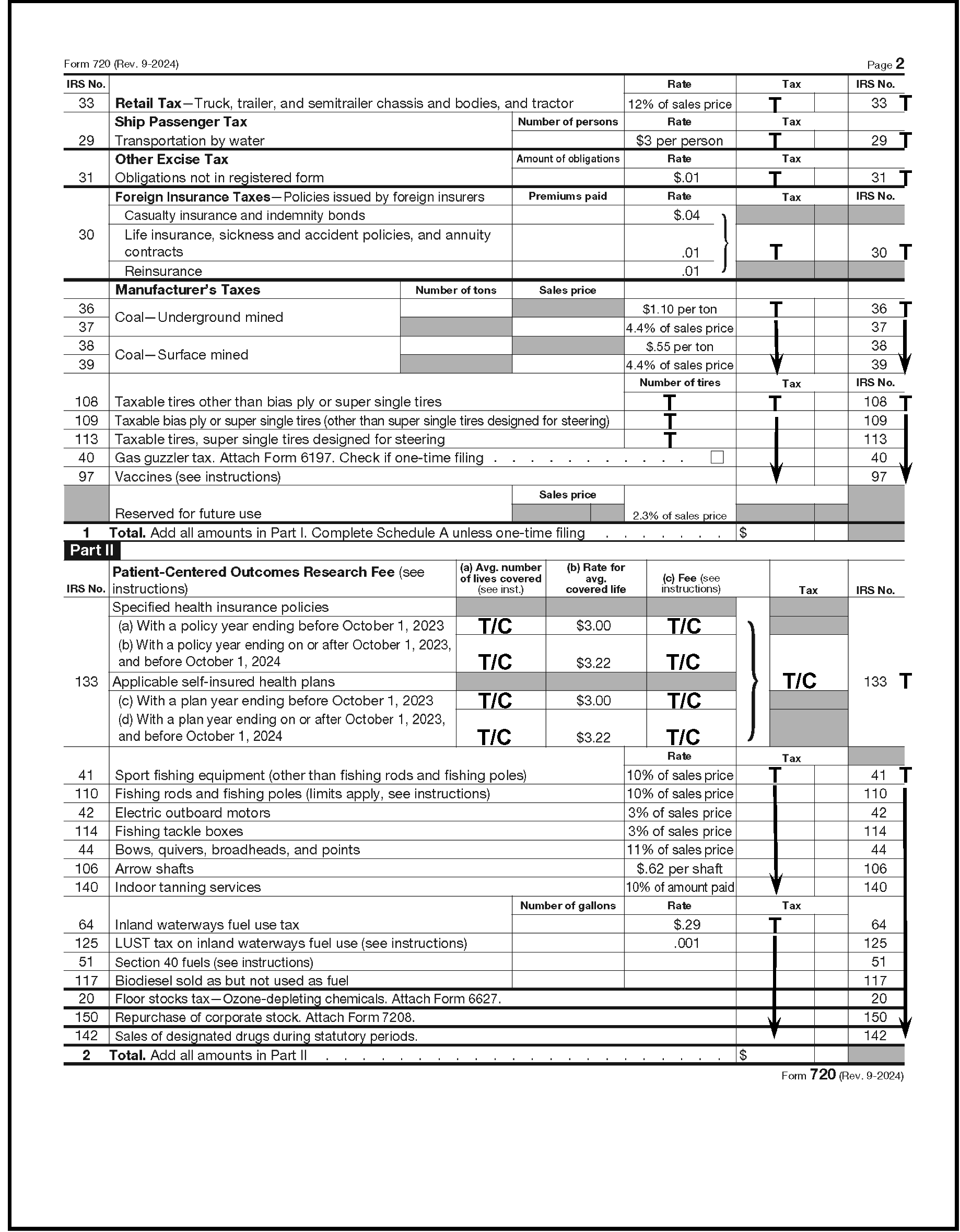
Please click here for the text description of the image.
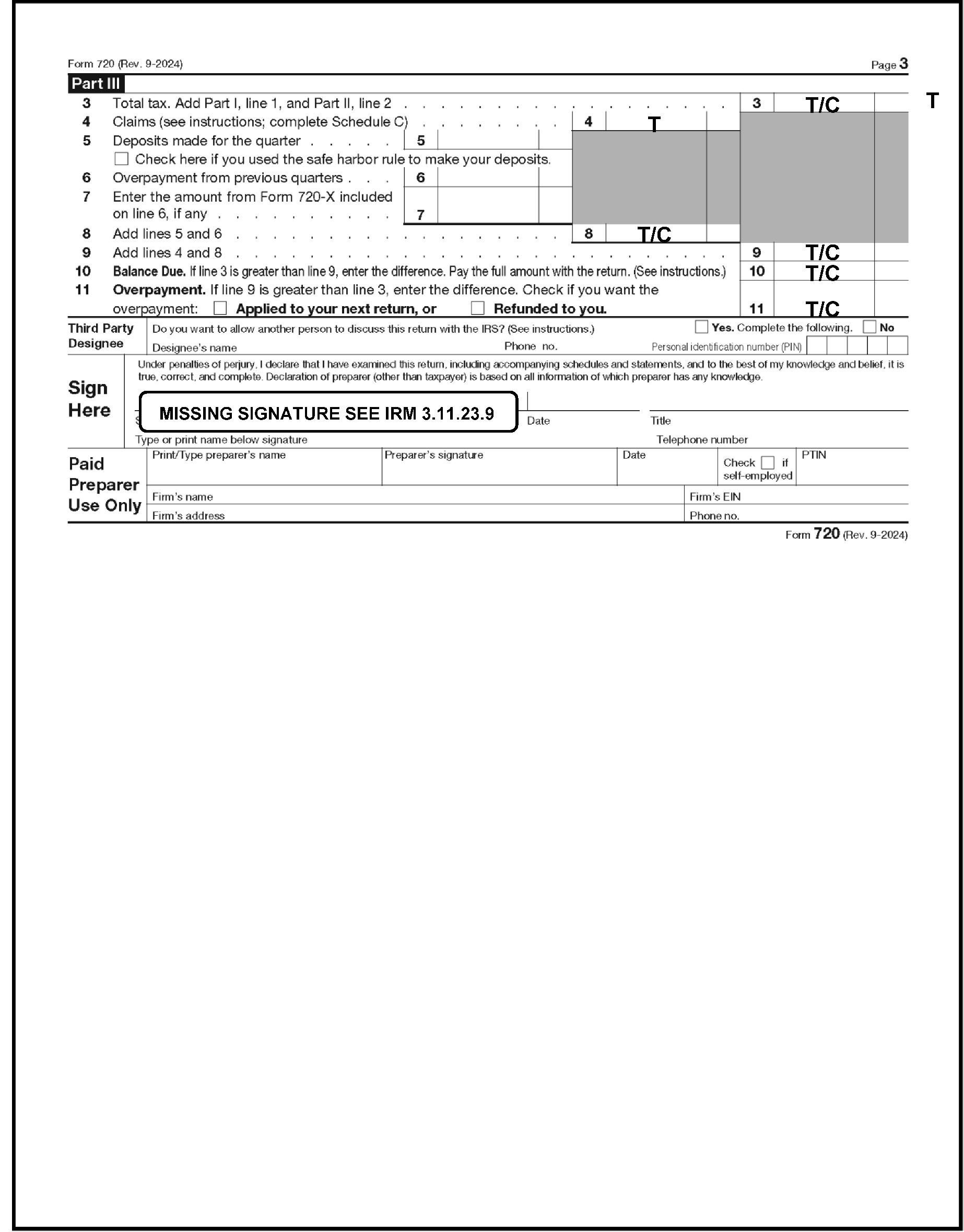
Please click here for the text description of the image.
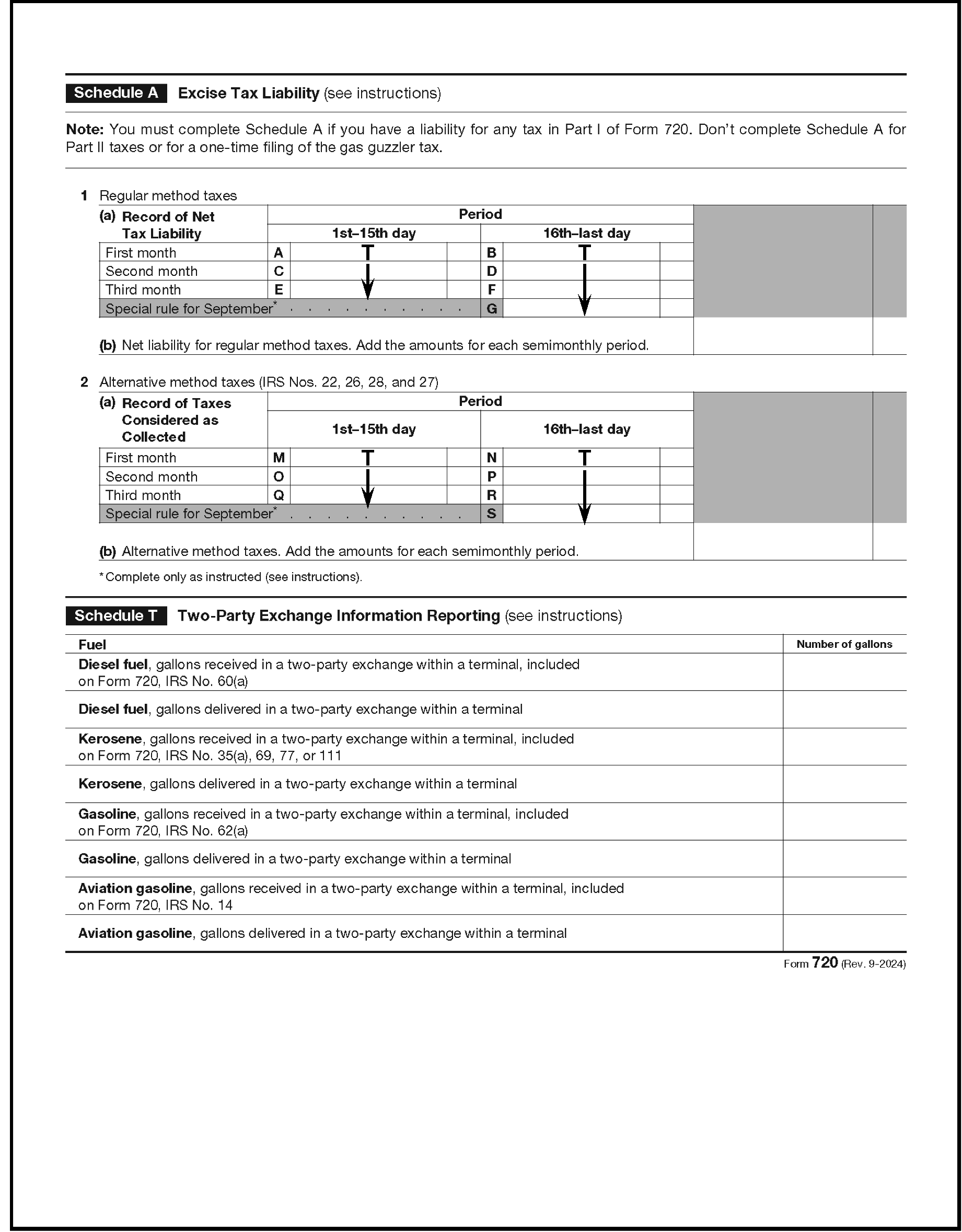
Please click here for the text description of the image.
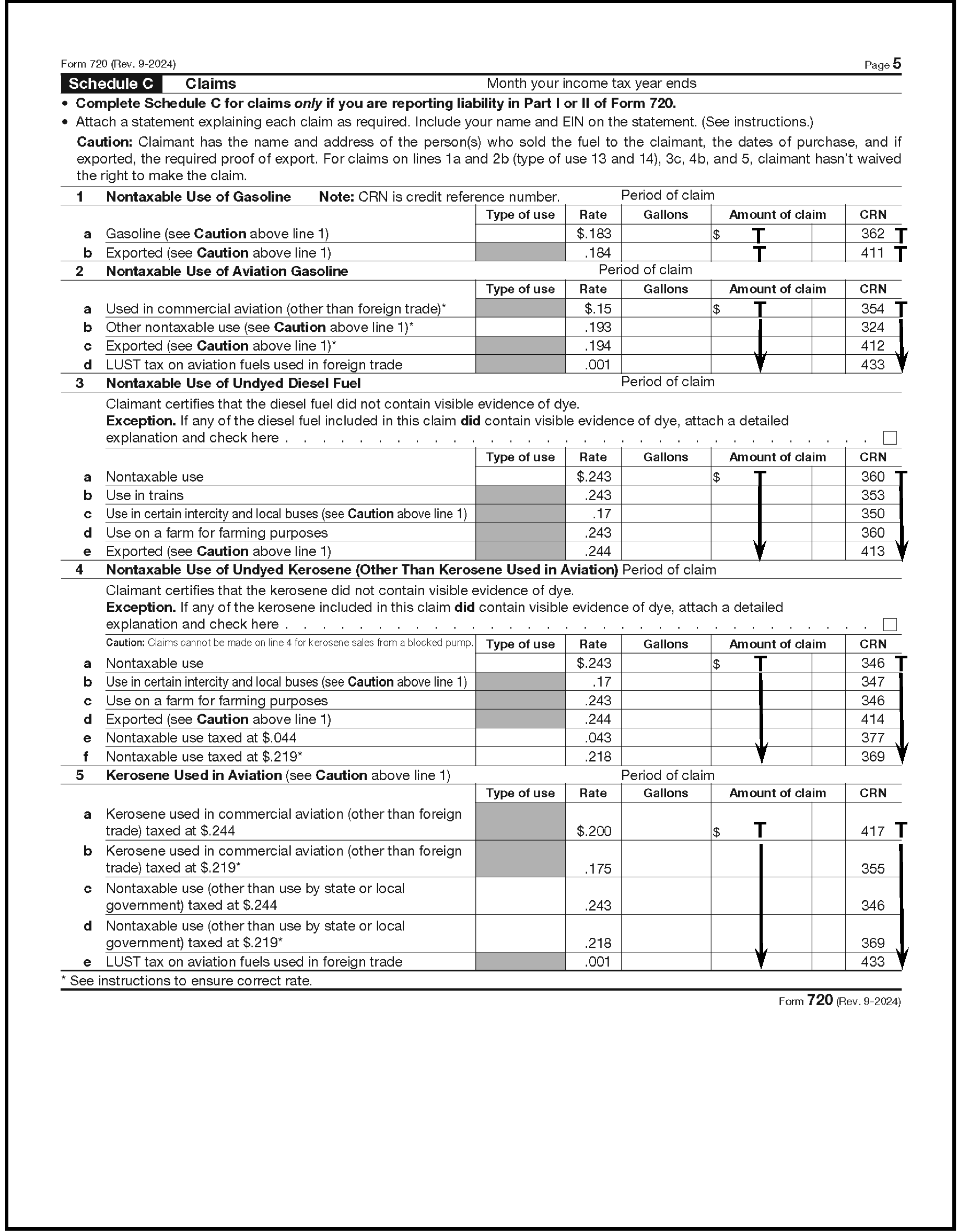
Please click here for the text description of the image.
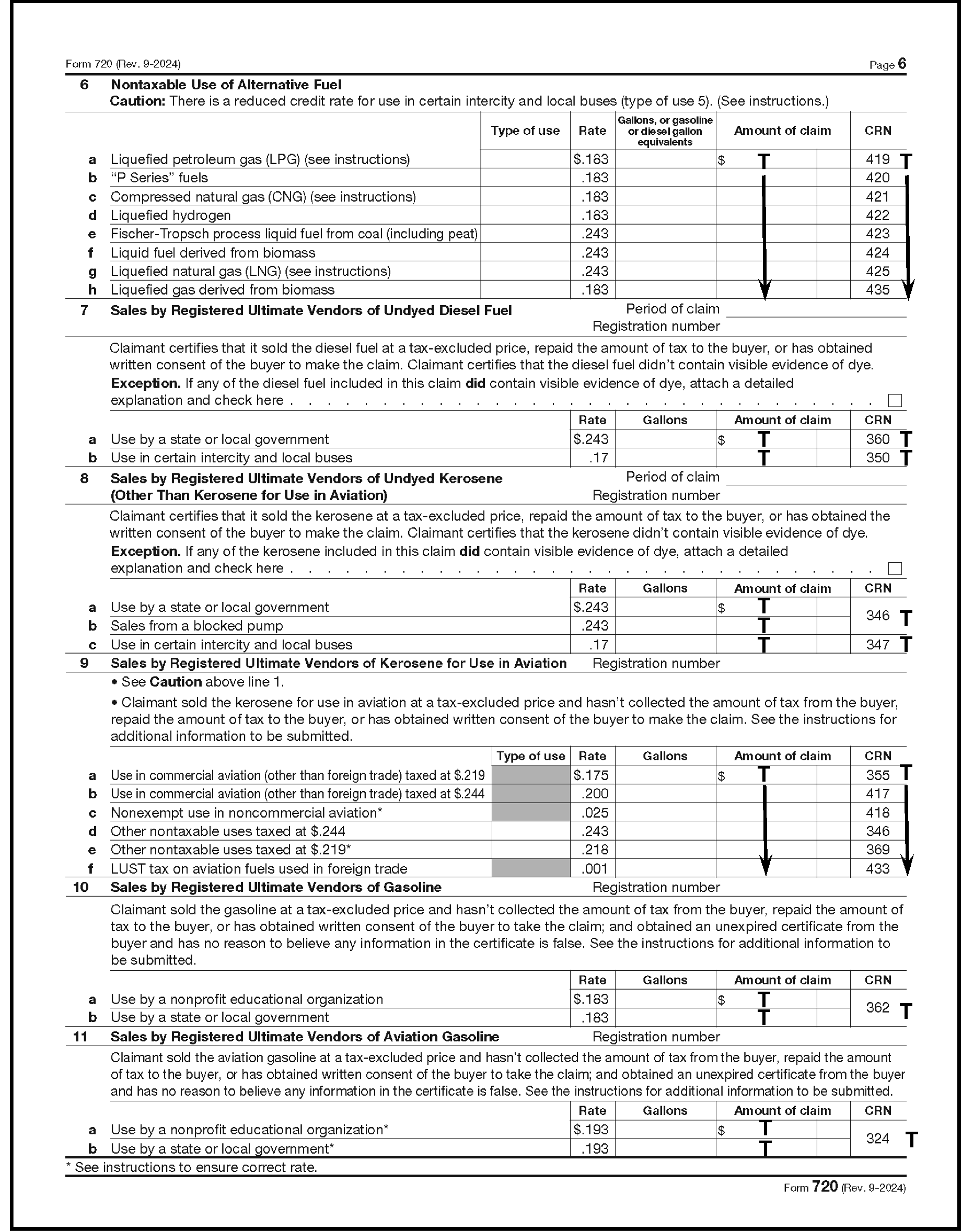
Please click here for the text description of the image.
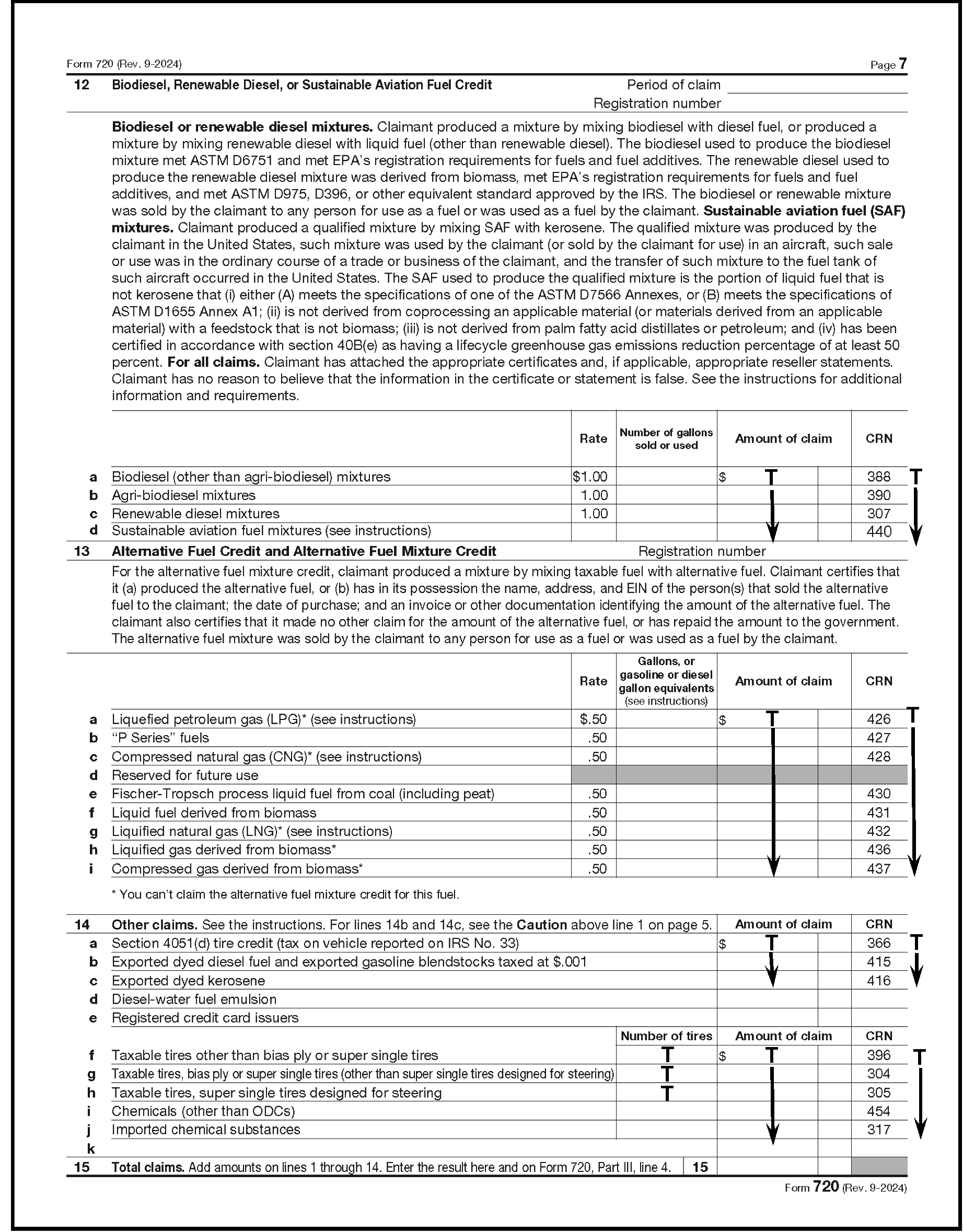
Please click here for the text description of the image.
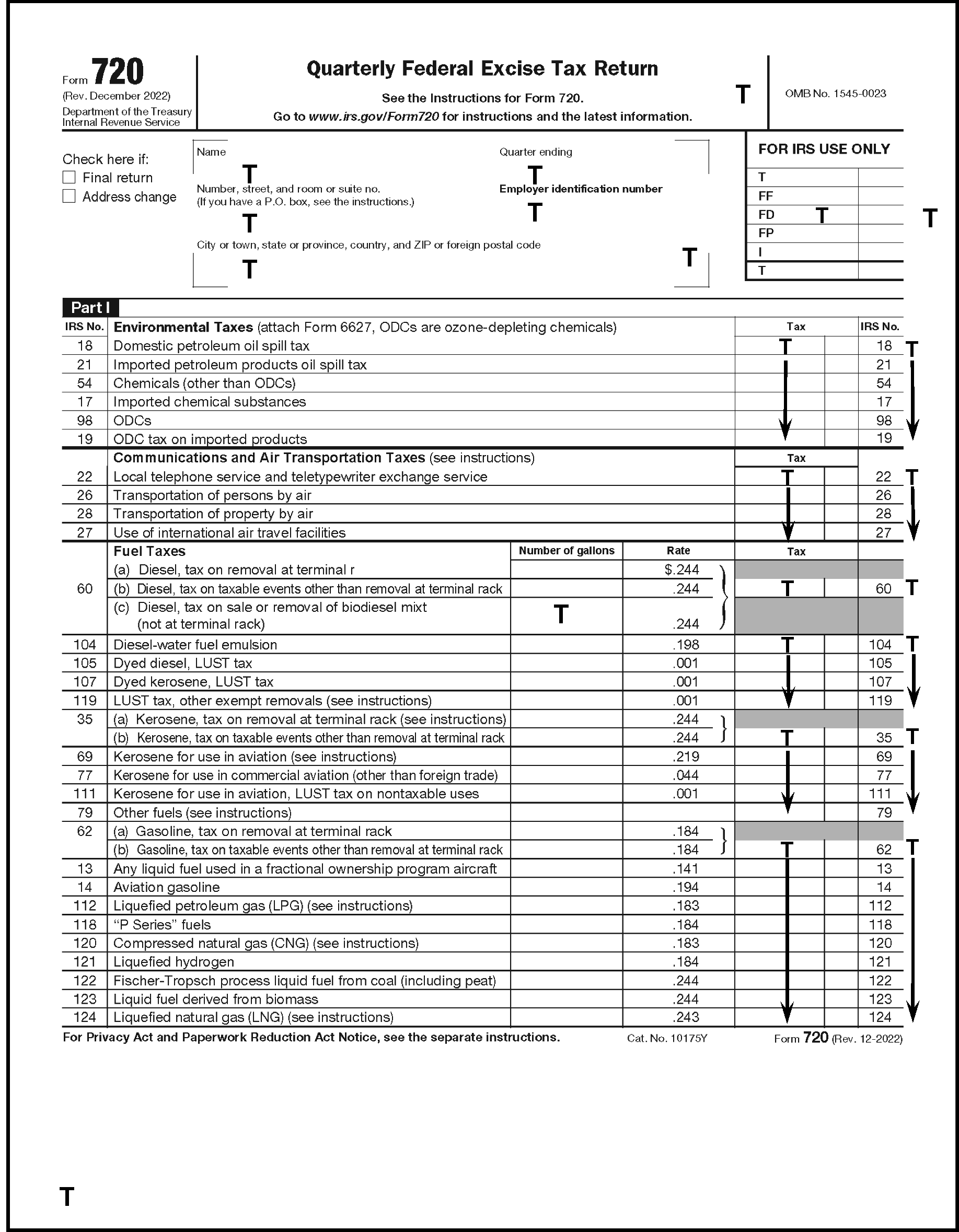
Please click here for the text description of the image.
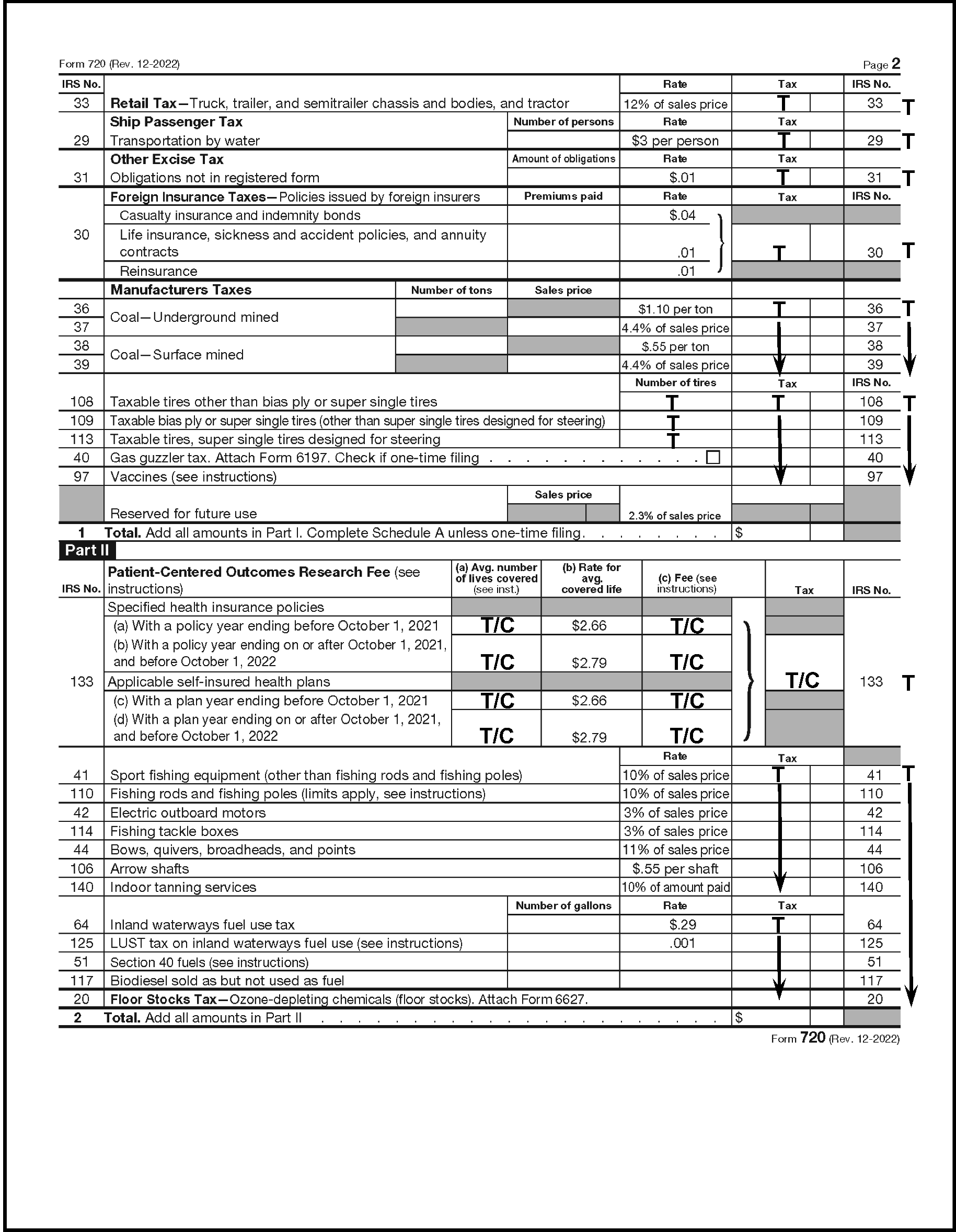
Please click here for the text description of the image.
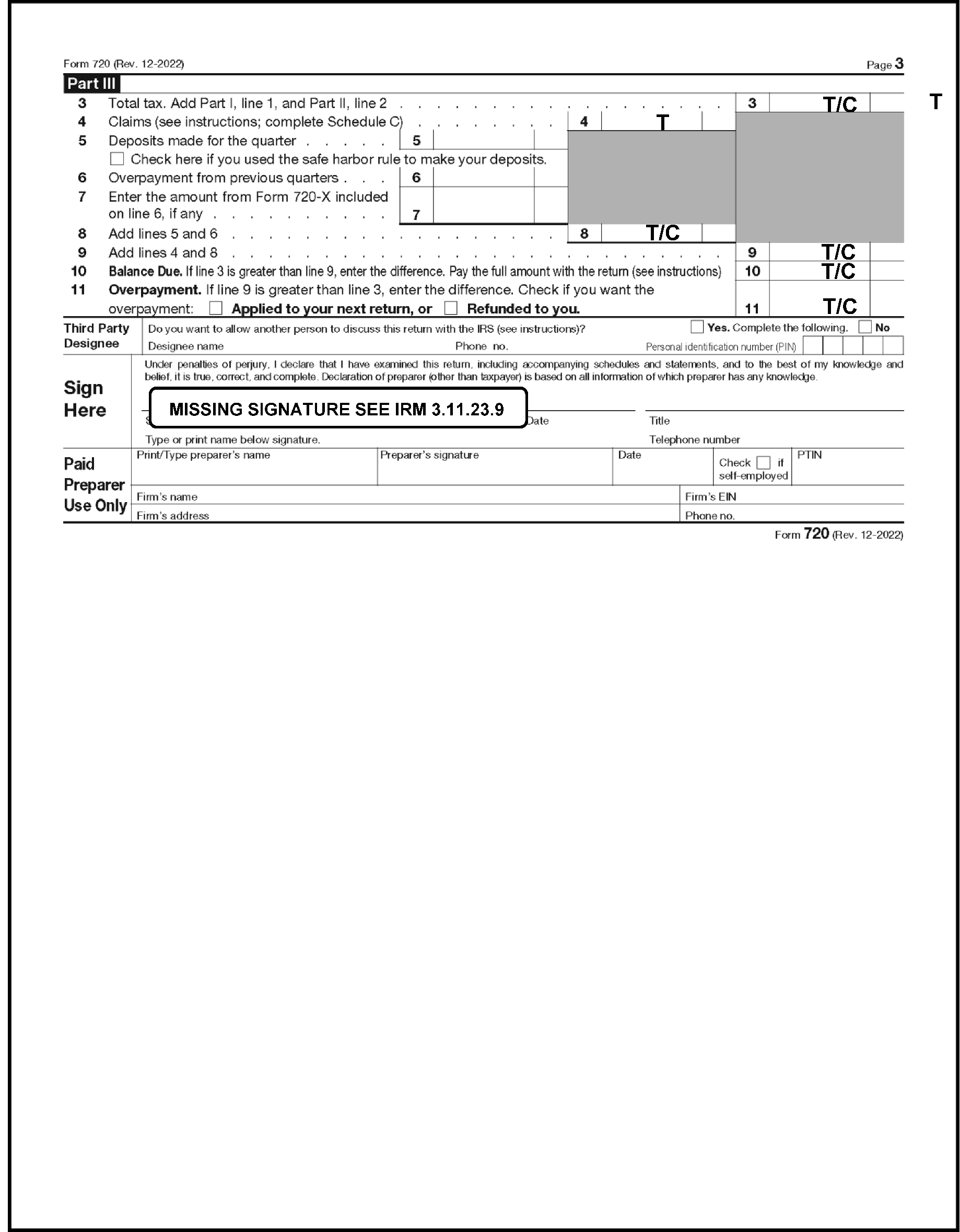
Please click here for the text description of the image.
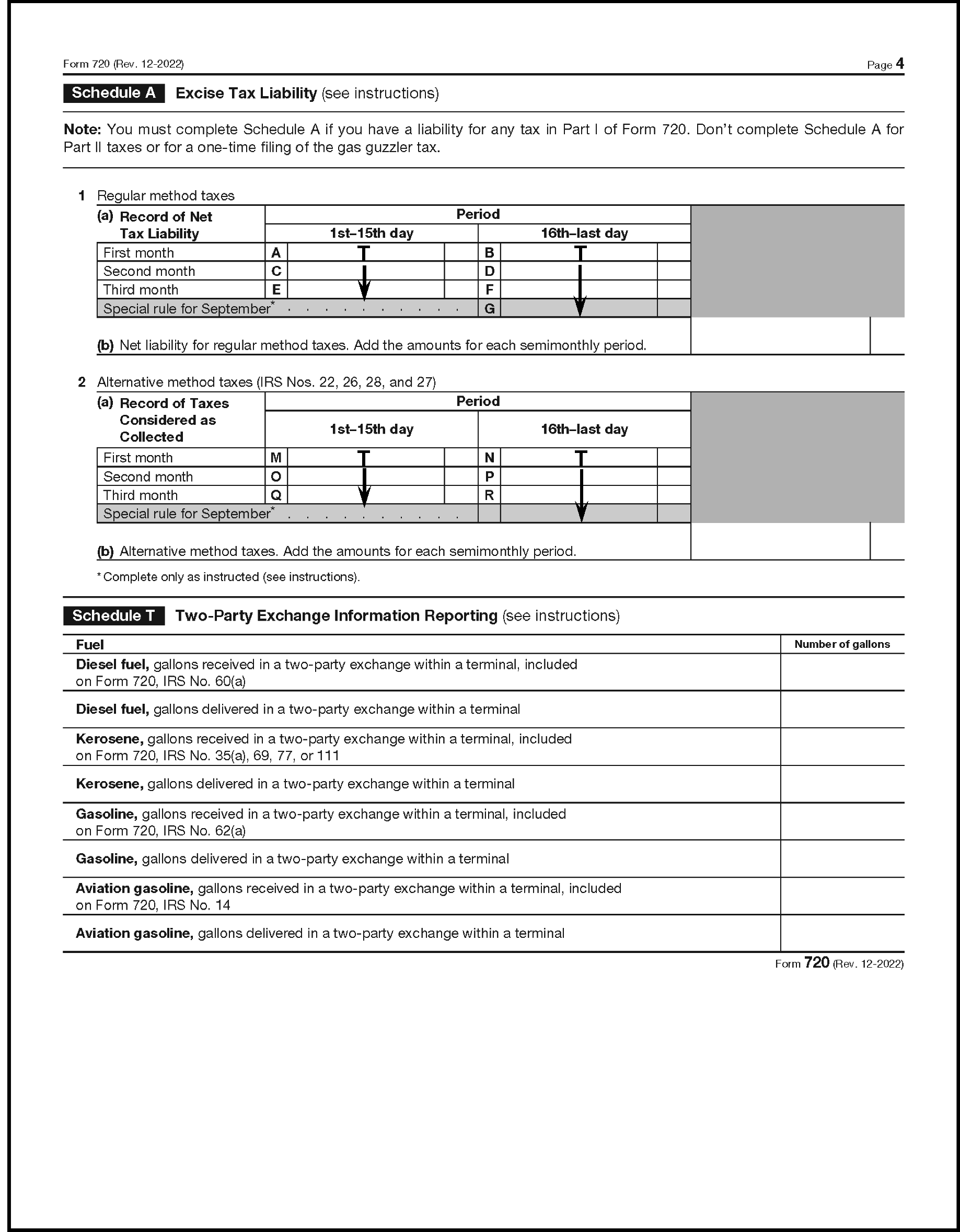
Please click here for the text description of the image.
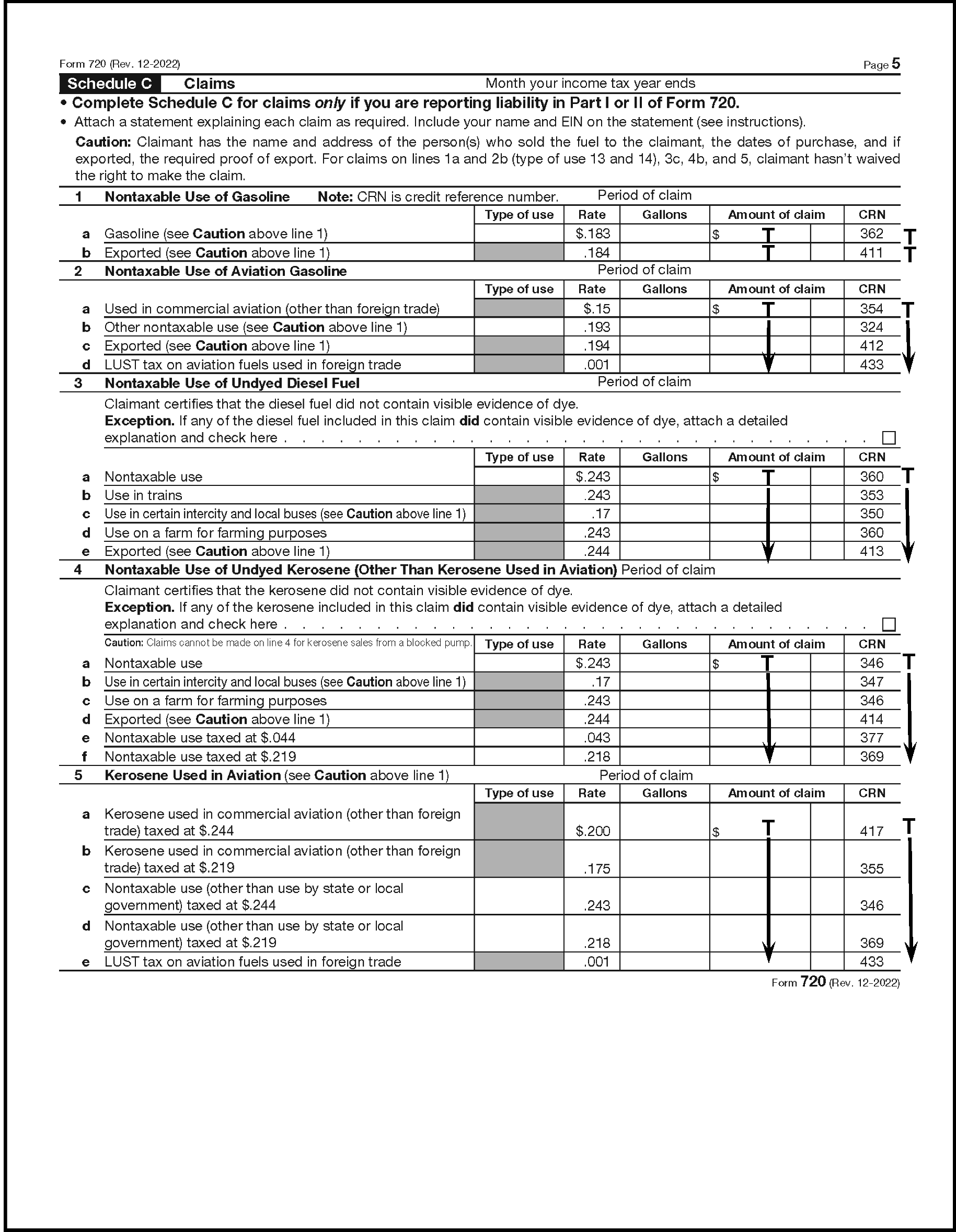
Please click here for the text description of the image.
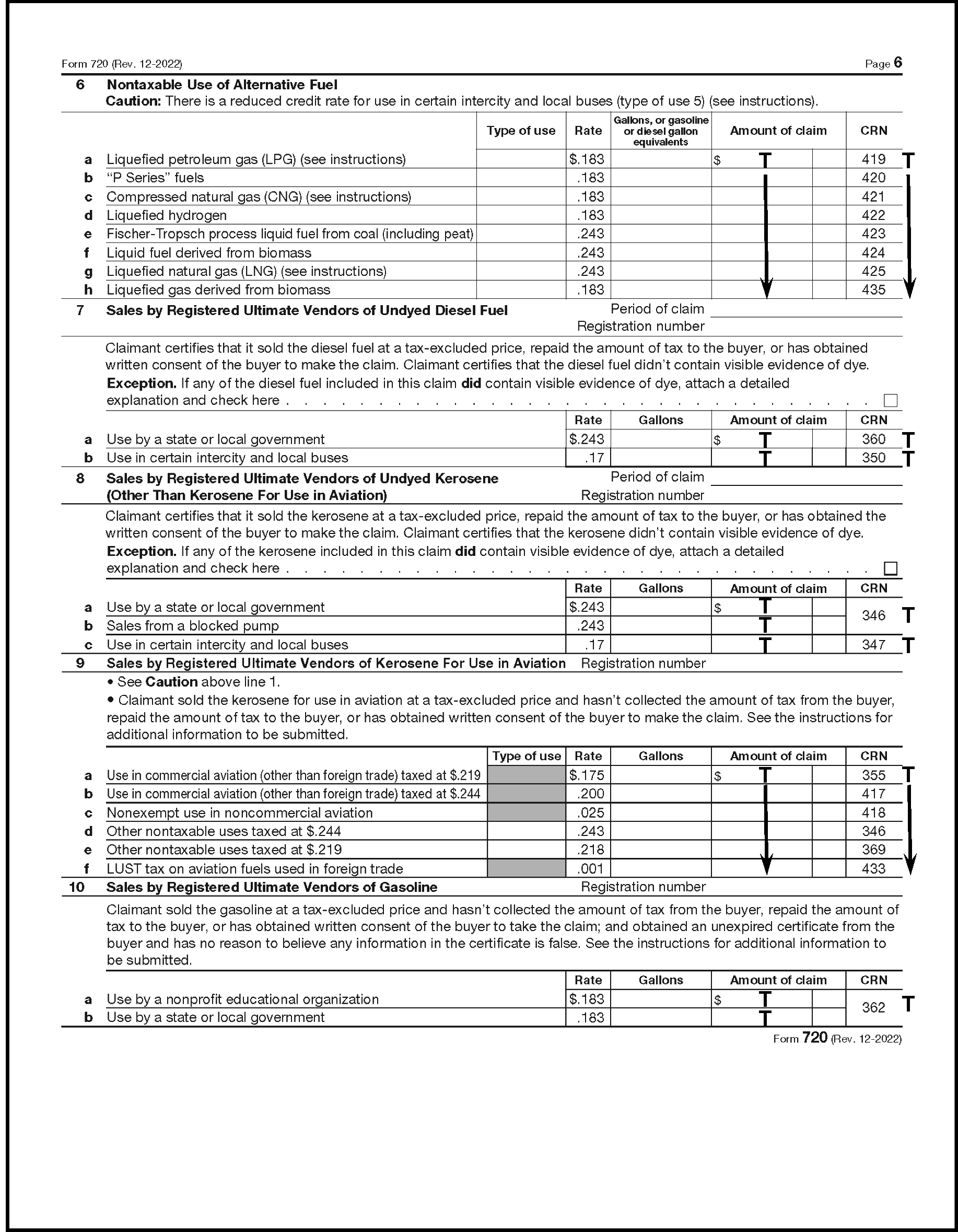
Please click here for the text description of the image.
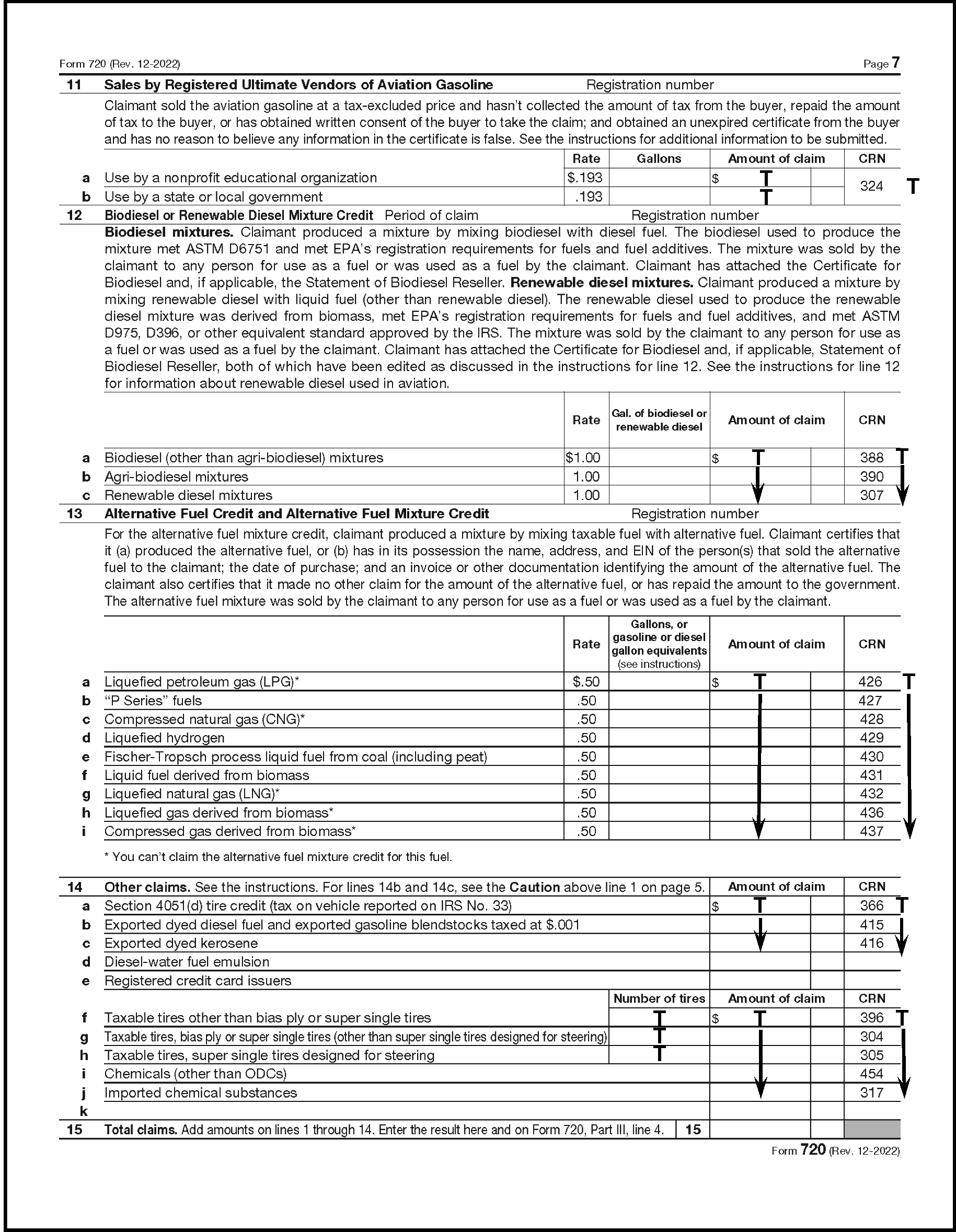
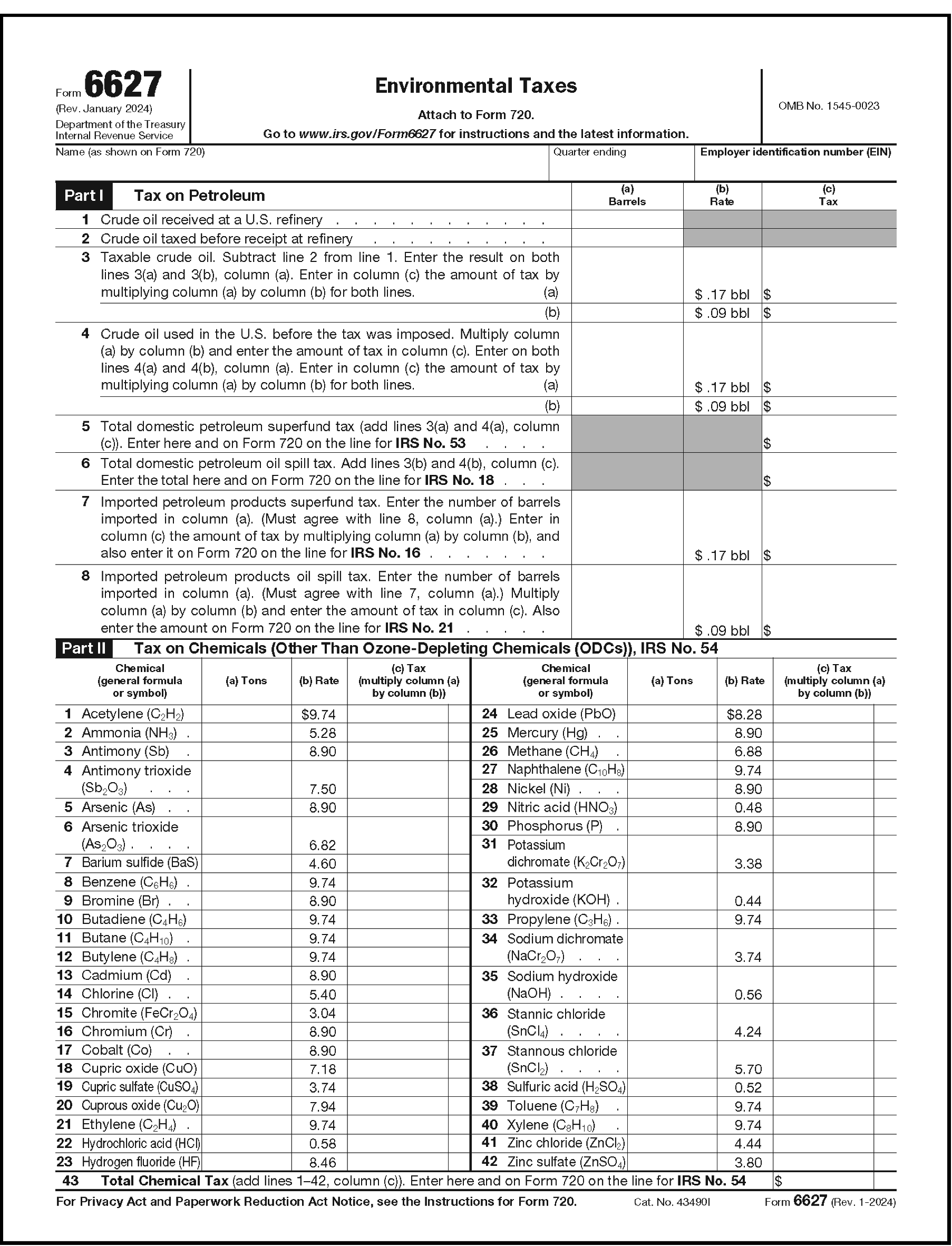
Please click here for the text description of the image.
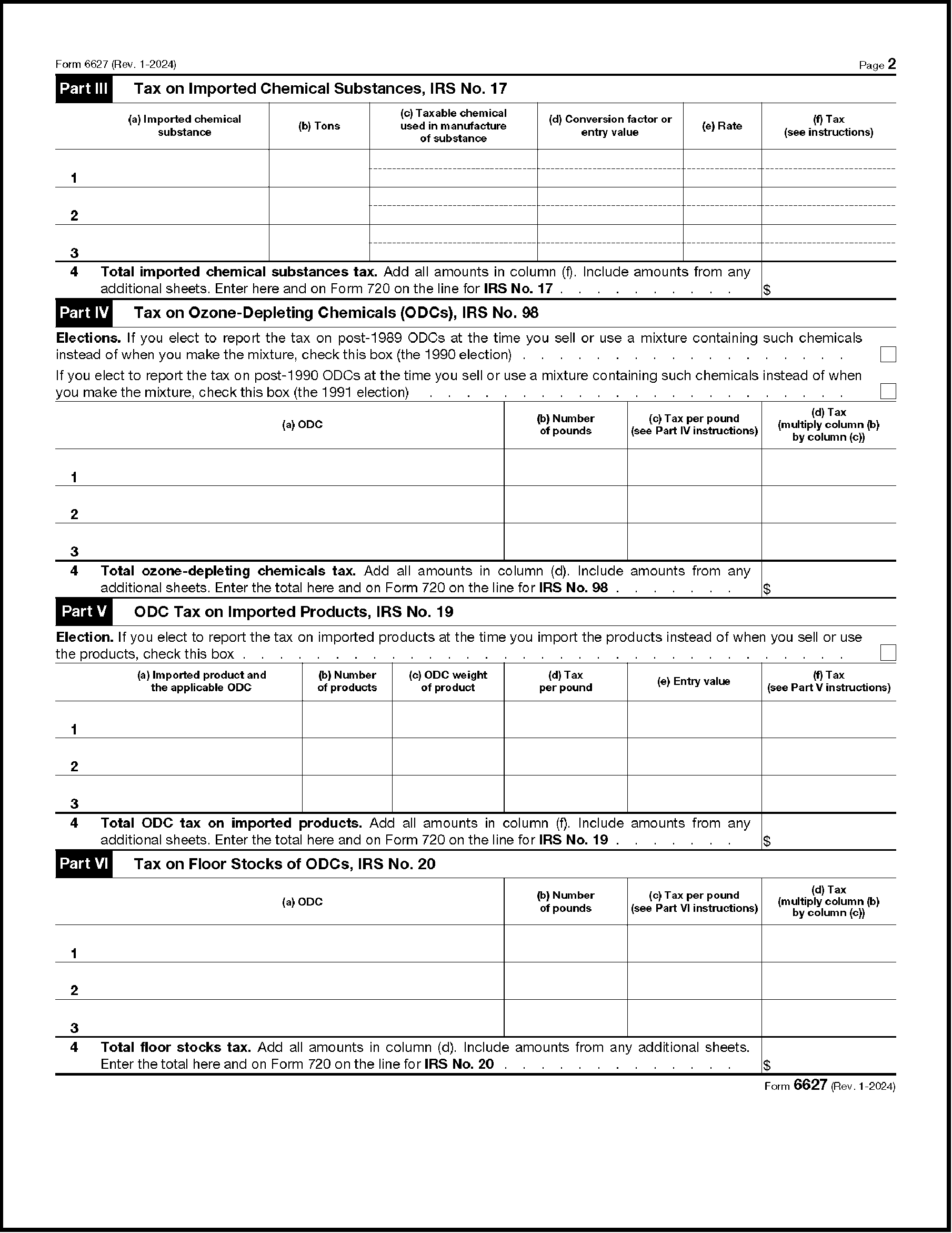
Please click here for the text description of the image.
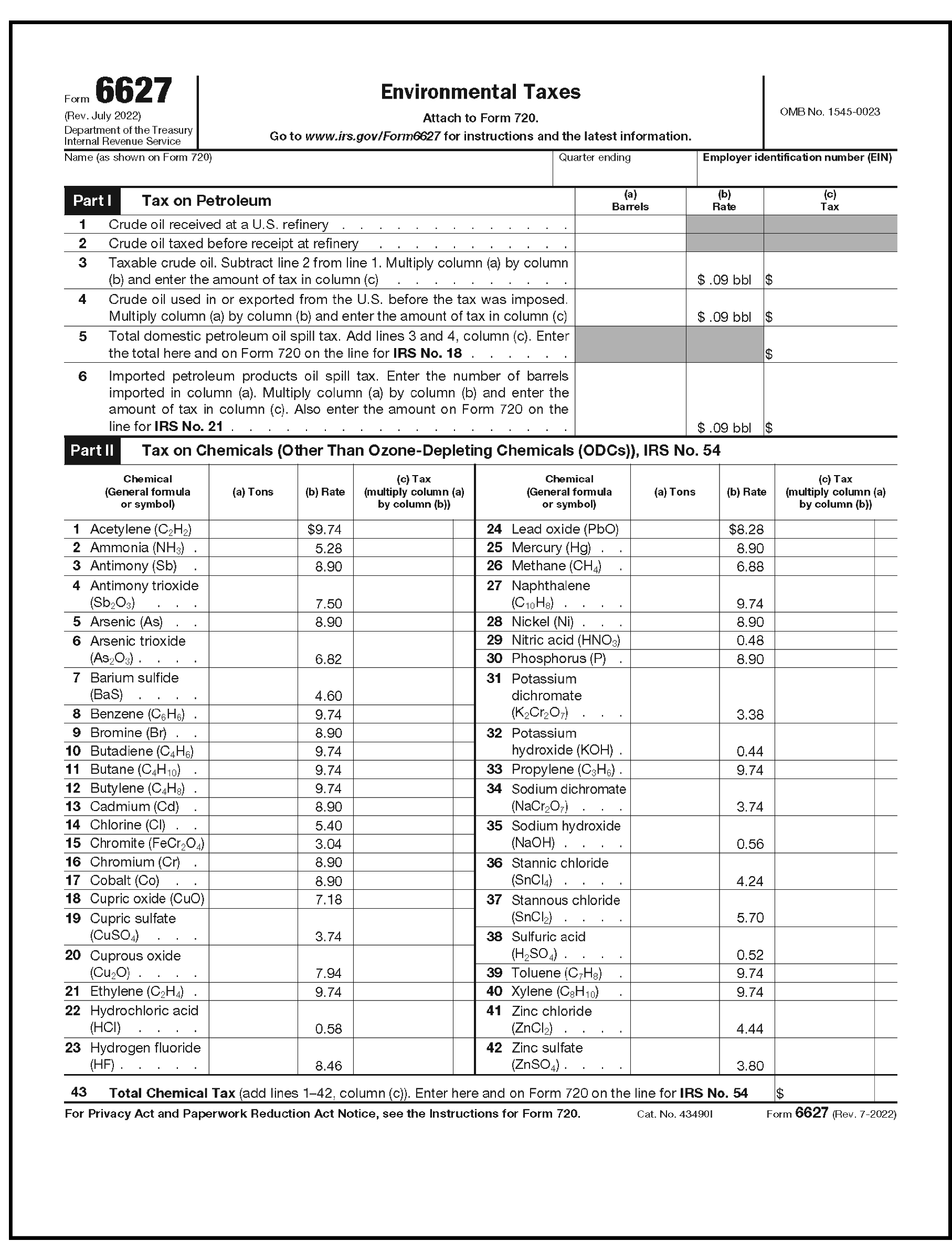
Please click here for the text description of the image.
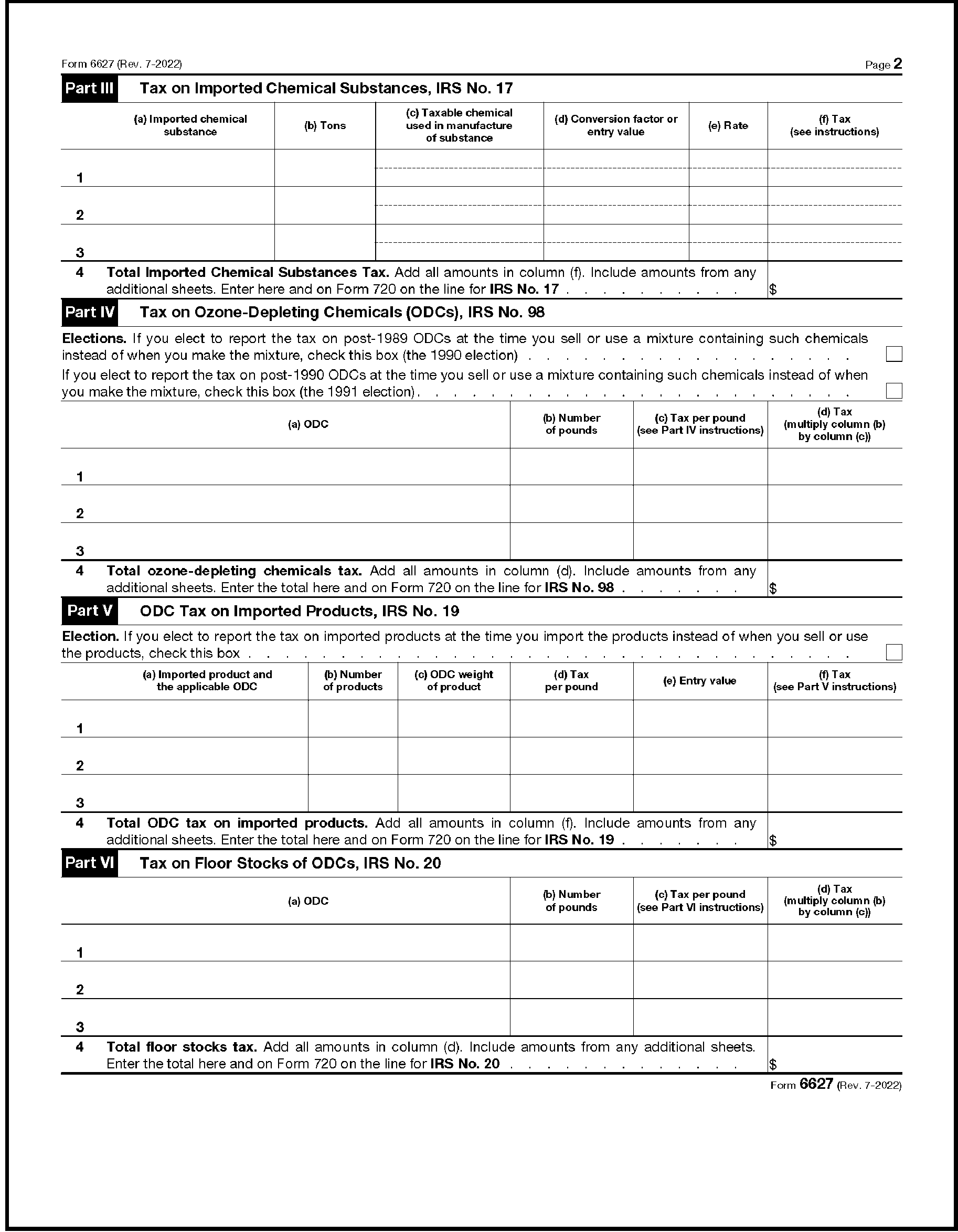
Please click here for the text description of the image.
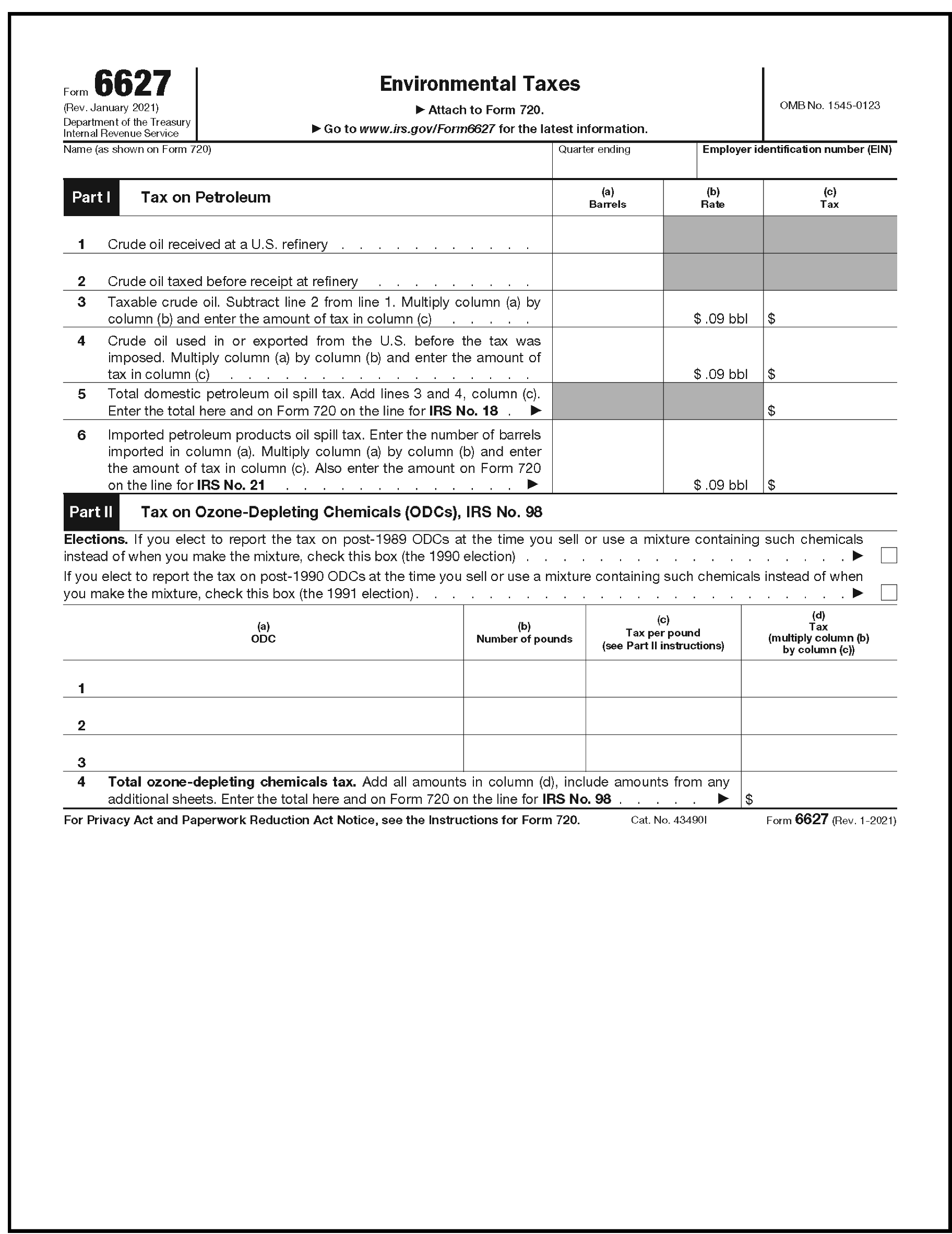
Please click here for the text description of the image.
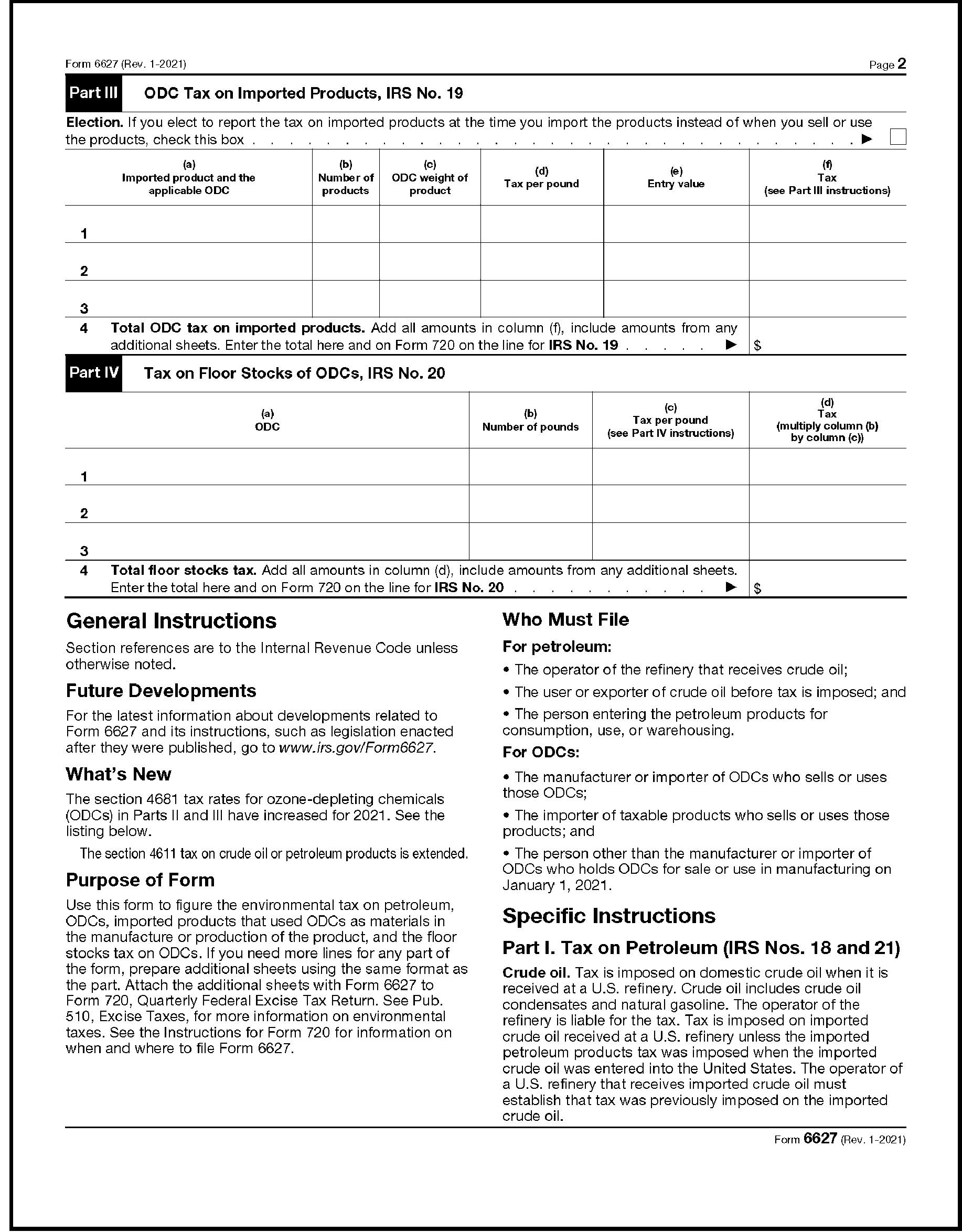
Please click here for the text description of the image.
The following Ozone-Depleting Chemicals (ODCs), the IRS Number (No.) 98 are taxable.
Tax Rates (per pound) for the IRS Number 98, Ozone-Depleting Chemicals by Year
| Type of ODC | 2016 | 2017 | 2018 | 2019 | 2020 | 2021 | 2022 | 2023 | 2024 | 2025 | 2026 |
|---|---|---|---|---|---|---|---|---|---|---|---|
| CFC-11 | $14.80 | $15.25 | $15.70 | $16.15 | $16.60 | $17.05 | $17.50 | $17.95 | $18.4 | $18.85 | $18.85 |
| CFC-12 | 14.80 | 15.25 | 15.70 | 16.15 | 16.60 | 17.05 | 17.50 | 17.95 | 18.4 | 18.85 | 18.85 |
| CFC-113 | 11.84 | 12.20 | 12.56 | 12.92 | 13.28 | 13.64 | 14.00 | 14.36 | 14.72 | 15.08 | 15.08 |
| CFC-114 | 14.80 | 15.25 | 15.70 | 16.15 | 16.60 | 17.05 | 17.50 | 17.95 | 18.4 | 18.85 | 18.85 |
| CFC-115 | 8.88 | 9.15 | 9.42 | 9.69 | 9.96 | 10.23 | 10.50 | 10.77 | 11.04 | 11.31 | 11.31 |
| Halon-1211 | 44.40 | 45.75 | 47.10 | 48.45 | 49.80 | 51.15 | 52.50 | 53.85 | 55.2 | 56.55 | 56.55 |
| Halon-1301 | 148.00 | 152.50 | 157.00 | 161.50 | 166.00 | 170.50 | 175.00 | 179.50 | 184 | 188.5 | 188.5 |
| Halon-2402 | 88.80 | 91.50 | 94.20 | 96.90 | 99.60 | 102.30 | 105.00 | 107.70 | 110.4 | 113.1 | 113.1 |
| CT | 16.28 | 16.775 | 17.27 | 17.765 | 18.26 | 18.76 | 19.25 | 19.74 | 20.235 | 20.73 | 20.73 |
| MC | 1.48 | 1.525 | 1.57 | 1.615 | 1.66 | 1.71 | 1.75 | 1.79 | 1.835 | 1.88 | 1.88 |
| CFC-13 | 14.80 | 15.25 | 15.70 | 16.15 | 16.60 | 17.05 | 17.50 | 17.95 | 18.4 | 18.85 | 18.85 |
| CFC-111 | 14.80 | 15.25 | 15.70 | 16.15 | 16.60 | 17.05 | 17.50 | 17.95 | 18.4 | 18.85 | 18.85 |
| CFC-112 | 14.80 | 15.25 | 15.70 | 16.15 | 16.60 | 17.05 | 17.50 | 17.95 | 18.4 | 18.85 | 18.85 |
| CFC-211 - 217 | 14.80 | 15.25 | 15.70 | 16.15 | 16.60 | 17.05 | 17.50 | 17.95 | 18.4 | 18.85 | 18.85 |
The following types of Floor Stocks of ODCs, the IRS Number (No.) 20, are taxable.
Tax Rates (per pound) for the IRS Number 20, Floor Stocks of ODCs by Year
| Type of Floor Stock | 2016 | 2017 | 2018 | 2019 | 2020 | 2021 | 2022 | 2023 | 2024 | 2025 | 2026 |
|---|---|---|---|---|---|---|---|---|---|---|---|
| CFC-11 | $0.45 | $0.45 | $0.45 | $0.45 | $0.45 | $0.45 | $0.45 | $0.45 | $0.45 | $0.45 | $0.45 |
| CFC-12 | 0.45 | 0.45 | 0.45 | 0.45 | 0.45 | 0.45 | 0.45 | 0.45 | 0.45 | 0.45 | 0.45 |
| CFC-113 | 0.36 | 0.36 | 0.36 | 0.36 | 0.36 | 0.36 | 0.36 | 0.36 | 0.36 | 0.36 | 0.36 |
| CFC-114 | 0.45 | 0.45 | 0.45 | 0.45 | 0.45 | 0,45 | 0.45 | 0.45 | 0.45 | 0.45 | 0.45 |
| CFC-115 | 0.27 | 0.27 | 0.27 | 0.27 | 0.27 | 0.27 | 0.27 | 0.27 | 0.27 | 0.27 | 0.27 |
| Halon-1211 | 1.35 | 1.35 | 1.35 | 1.35 | 1.35 | 1.35 | 1.35 | 1.35 | 1.35 | 1.35 | 1.35 |
| Halon-1301 | 4.50 | 4.50 | 4.50 | 4.50 | 4.50 | 4.50 | 4.50 | 4.50 | 4.50 | 4.50 | 4.50 |
| Halon-2402 | 2.70 | 2.70 | 2.70 | 2.70 | 2.70 | 2.70 | 2.70 | 2.70 | 2.70 | 2.70 | 2.70 |
| CT | 0.495 | 0.495 | 0.495 | 0.495 | 0.495 | 0.495 | 0.495 | 0.495 | 0.495 | 0.495 | 0.495 |
| MC | 0.045 | 0.045 | 0.045 | 0.045 | 0.045 | 0.045 | 0.045 | 0.045 | 0.045 | 0.495 | 0.495 |
| CFC-13 | 0.45 | 0.45 | 0.45 | 0.45 | 0.45 | 0.45 | 0.45 | 0.45 | 0.45 | 0.45 | 0.45 |
| CFC-111 | 0.45 | 0.45 | 0.45 | 0.45 | 0.45 | 0.45 | 0.45 | 0.45 | 0.45 | 0.45 | 0.45 |
| CFC-112 | 0.45 | 0.45 | 0.45 | 0.45 | 0.45 | 0.45 | 0.45 | 0.45 | 0.45 | 0.45 | 0.45 |
| CFC-211 - 217 | 0.45 | 0.45 | 0.45 | 0.45 | 0.45 | 0.45 | 0.45 | 0.45 | 0.45 | 0.45 | 0.45 |
The following Imported Chemical Substances, the IRS Number (No.) 17, are taxable beginning July 1, 2022.
Note:
* Tax rate per ton (Rate/Ton) to be determined at a later date and updated as soon as they become available.
Tax Rates per Ton for the IRS Number 17, Imported Chemical Substances (Effective date July 1, 2022)
| Imported Chemical Substance | Rate/Ton ($) | Effective Date |
|---|---|---|
| 1,3-butylene glycol | 7.28 | 7/1/2022 |
| 1,4 butanediol | 4.68 | 7/1/2022 |
| 1,5,9-cyclododecatriene | 9.74 | 7/1/2022 |
| 2,2,4-trimethyl-1,3-pentanediol diisobutyrate | * | 7/1/2022 |
| 2,2,4-trimethyl-1,3-pentanediol monoisobutyrate | * | 7/1/2022 |
| 2-ethyl hexanol | 7.16 | 7/1/2022 |
| 2-ethylhexyl acrylate | 7.34 | 7/1/2022 |
| acetic acid | * | 7/1/2022 |
| acetone | 20.06 | 7/1/2022 |
| acetylene black | 10.52 | 7/1/2022 |
| acrylic acid resins | 5.65 | 7/1/2022 |
| methacrylic acid resins | 14.94 | 7/1/2022 |
| acrylonitrile | 9.38 | 7/1/2022 |
| adipic acid | 6.13 | 7/1/2022 |
| adiponitrile | 8.57 | 7/1/2022 |
| allyl chloride | 10.38 | 7/1/2022 |
| alpha-methylstyrene | 9.93 | 7/1/2022 |
| ammonium nitrate | 1.49 | 7/1/2022 |
| aniline | 9.40 | 7/1/2022 |
| benzaldehyde | 8.47 | 7/1/2022 |
| benzoic acid | 7.31 | 7/1/2022 |
| bisphenol-A | 10.23 | 7/1/2022 |
| butanol | 6.31 | 7/1/2022 |
| butyl acrylate | 6.84 | 7/1/2022 |
| butyl benzyl phthalate | 12.15 | 7/1/2022 |
| carbon tetrachloride | 10.62 | 7/1/2022 |
| chlorinated polyethylene | 10.25 | 7/1/2022 |
| chloroform | 10.51 | 7/1/2022 |
| chromic acid | 4.37 | 7/1/2022 |
| cumene | 9.74 | 7/1/2022 |
| cyclododecanol | 9.05 | 7/1/2022 |
| cyclohexane | 10.02 | 7/1/2022 |
| decabromodiphenyl oxide | 17.99 | 7/1/2022 |
| di-2 ethyl hexyl phthalate | 7.37 | 7/1/2022 |
| diethanolamine | 6.01 | 7/1/2022 |
| diglycidyl ether of bisphenol-A | 13.86 | 7/1/2022 |
| diisopropanolamine | 12.76 | 7/1/2022 |
| dimethyl terephthalate | 5.91 | 7/1/2022 |
| dimethyl-2, 6-naphthalene dicarboxylate | 6.81 | 7/1/2022 |
| di-n-hexyl adipate | 8.23 | 7/1/2022 |
| diphenyl oxide | 13.73 | 7/1/2022 |
| diphenylamine | 10.28 | 7/1/2022 |
| epichlorohydrin | 12.89 | 7/1/2022 |
| ethyl acetate | * | 7/1/2022 |
| ethyl acrylate | 4.09 | 7/1/2022 |
| ethyl alcohol for nonbeverage use | 5.94 | 7/1/2022 |
| ethyl chloride | 4.52 | 7/1/2022 |
| ethyl methyl ketone | 7.60 | 7/1/2022 |
| ethyl benzene | 9.74 | 7/1/2022 |
| ethylene dibromide | 9.03 | 7/1/2022 |
| ethylene dichloride | 6.62 | 7/1/2022 |
| ethylene glycol | 4.38 | 7/1/2022 |
| ethylene oxide | 6.23 | 7/1/2022 |
| ethylene bistetrabromophthalimide | * | 7/1/2022 |
| ferrochrome ov 3 pct. carbon | 4.83 | 7/1/2022 |
| ferrochromium nov 3 pct. | 4.83 | 7/1/2022 |
| ferronickel | * | 7/1/2022 |
| formaldehyde | * | 7/1/2022 |
| formic acid | * | 7/1/2022 |
| glycerine | * | 7/1/2022 |
| hexabromocyclododecane | 9.11 | 7/1/2022 |
| hexamethylenediamine | 8.93 | 7/1/2022 |
| hydrogen peroxide | * | 7/1/2022 |
| isobutyl acetate | 4.47 | 7/1/2022 |
| isophthalic acid | 6.23 | 7/1/2022 |
| isopropyl acetate | 4.54 | 7/1/2022 |
| isopropyl alcohol | 6.82 | 7/1/2022 |
| linear alpha olefins | 9.74 | 7/1/2022 |
| maleic anhydride | 5.75 | 7/1/2022 |
| melamine | 4.28 | 7/1/2022 |
| methanol | * | 7/1/2022 |
| methyl acrylate | 5.39 | 7/1/2022 |
| methyl chloroform | 6.37 | 7/1/2022 |
| methyl isobutyl ketone | 23.65 | 7/1/2022 |
| methyl methacrylate | 14.75 | 7/1/2022 |
| methylene chloride | 10.33 | 7/1/2022 |
| monochlorobenzene | 10.12 | 7/1/2022 |
| monoethanolamine | 5.96 | 7/1/2022 |
| monoisopropanolamine | 11.74 | 7/1/2022 |
| nickel oxide | 7.03 | 7/1/2022 |
| nickel powders | * | 7/1/2022 |
| nickel waste and scrap | * | 7/1/2022 |
| normal butyl acetate | 4.47 | 7/1/2022 |
| normal propyl acetate | 3.73 | 7/1/2022 |
| nylon 6/6 | 8.67 | 7/1/2022 |
| ortho-dichlorobenzene | 10.35 | 7/1/2022 |
| ortho-nitrochlorobenzene | 7.49 | 7/1/2022 |
| para-dichlorobenzene | 10.35 | 7/1/2022 |
| paraformaldehyde | * | 7/1/2022 |
| para-nitrochlorobenzene | 7.49 | 7/1/2022 |
| para-nitrophenol | 8.59 | 7/1/2022 |
| pentaerythritol | 3.86 | 7/1/2022 |
| perchloroethylene | 10.89 | 7/1/2022 |
| phenol | 12.47 | 7/1/2022 |
| phenolic resins | 9.86 | 7/1/2022 |
| phosphorous pentasulfide | 2.49 | 7/1/2022 |
| phosphorous trichloride | 6.21 | 7/1/2022 |
| phthalic anhydride | 7.01 | 7/1/2022 |
| poly (69/31 ethylene/cyclohexylenedimethylene terephthalate) | * | 7/1/2022 |
| poly (96.5/3.5 ethylene/cyclohexylenedimethylene terephthalate) | * | 7/1/2022 |
| poly (98.5/1.5 ethylene/cyclohexylenedimethylene terephthalate) | * | 7/1/2022 |
| poly 1,4 butyleneterephthalate | 7.21 | 7/1/2022 |
| poly (ethyleneoxy) glycerol | * | 7/1/2022 |
| poly (propylene) glycol | 10.38 | 7/1/2022 |
| poly (propylene/ethylene) glycol | 8.84 | 7/1/2022 |
| poly (propyleneoxy) glycerol | * | 7/1/2022 |
| poly (propyleneoxy) sucrose | 2.04 | 7/1/2022 |
| poly (propyleneoxy/ethyleneoxy) benzenediamine | * | 7/1/2022 |
| poly (propyleneoxy/ethyleneoxy) diamine | * | 7/1/2022 |
| poly (propyleneoxy/ethyleneoxy) glycerol | * | 7/1/2022 |
| poly (propyleneoxy/ethyleneoxy) sucrose | 2.57 | 7/1/2022 |
| polyalphaolefins | 11.37 | 7/1/2022 |
| polybutadiene | 9.74 | 7/1/2022 |
| polybutene | 9.74 | 7/1/2022 |
| polybutylene | 9.74 | 7/1/2022 |
| polybutylene/ethylene | 9.74 | 7/1/2022 |
| polycarbonate | 10.84 | 7/1/2022 |
| polyethylene resins (total) | 9.74 | 7/1/2022 |
| polyethylene terephthalate pellets | 6.82 | 7/1/2022 |
| polypropylene | 9.74 | 7/1/2022 |
| polypropylene resins | 9.74 | 7/1/2022 |
| polystyrene homopolymer resins | 9.93 | 7/1/2022 |
| polystyrene resins and copolymers | * | 7/1/2022 |
| polyvinylchloride resins | 7.46 | 7/1/2022 |
| propanol | 5.47 | 7/1/2022 |
| propylene glycol | 10.38 | 7/1/2022 |
| propylene oxide | 13.60 | 7/1/2022 |
| sodium nitriolotriacetate monohydrate | * | 7/1/2022 |
| styrene | 9.93 | 7/1/2022 |
| styrene-butadiene (latex) | 9.84 | 7/1/2022 |
| styrene-butadiene (snpf) | * | 7/1/2022 |
| synthetic linear fatty alcohol ethoxylates | 7.12 | 7/1/2022 |
| synthetic linear fatty alcohols | 9.29 | 7/1/2022 |
| synthetic rubber (not containing fillers) | * | 7/1/2022 |
| terephthalic acid | 6.23 | 7/1/2022 |
| tetrabromobisphenol-A | 14.79 | 7/1/2022 |
| tetrachlorophthalic anhydride | 8.95 | 7/1/2022 |
| tetrahydrofuran | 5.78 | 7/1/2022 |
| texanol benzyl phthalate | * | 7/1/2022 |
| toluene diisocyanate | 10.85 | 7/1/2022 |
| toluenediamine | 9.18 | 7/1/2022 |
| trichloroethylene | 10.79 | 7/1/2022 |
| triethanolamine | 6.04 | 7/1/2022 |
| triisopropanolamine | 12.84 | 7/1/2022 |
| trimethylolpropane | 4.63 | 7/1/2022 |
| unwrought nickel | * | 7/1/2022 |
| urea | 3.01 | 7/1/2022 |
| vinyl acetate | 3.83 | 7/1/2022 |
| vinyl chloride | 7.46 | 7/1/2022 |
| vinyl resins (nspf) | * | 7/1/2022 |
| vinyl resins | * | 7/1/2022 |
| wrought nickel rods and wire | * | 7/1/2022 |
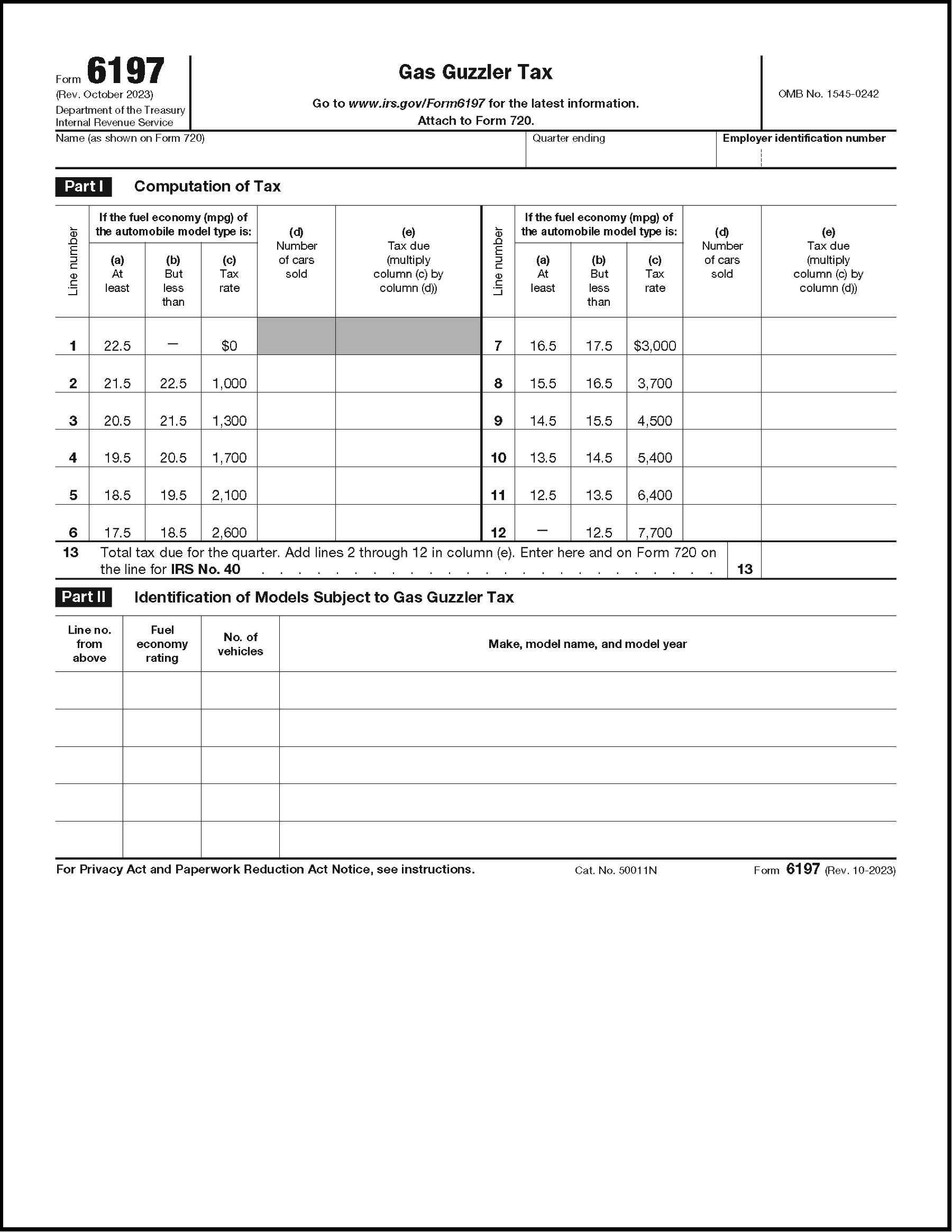
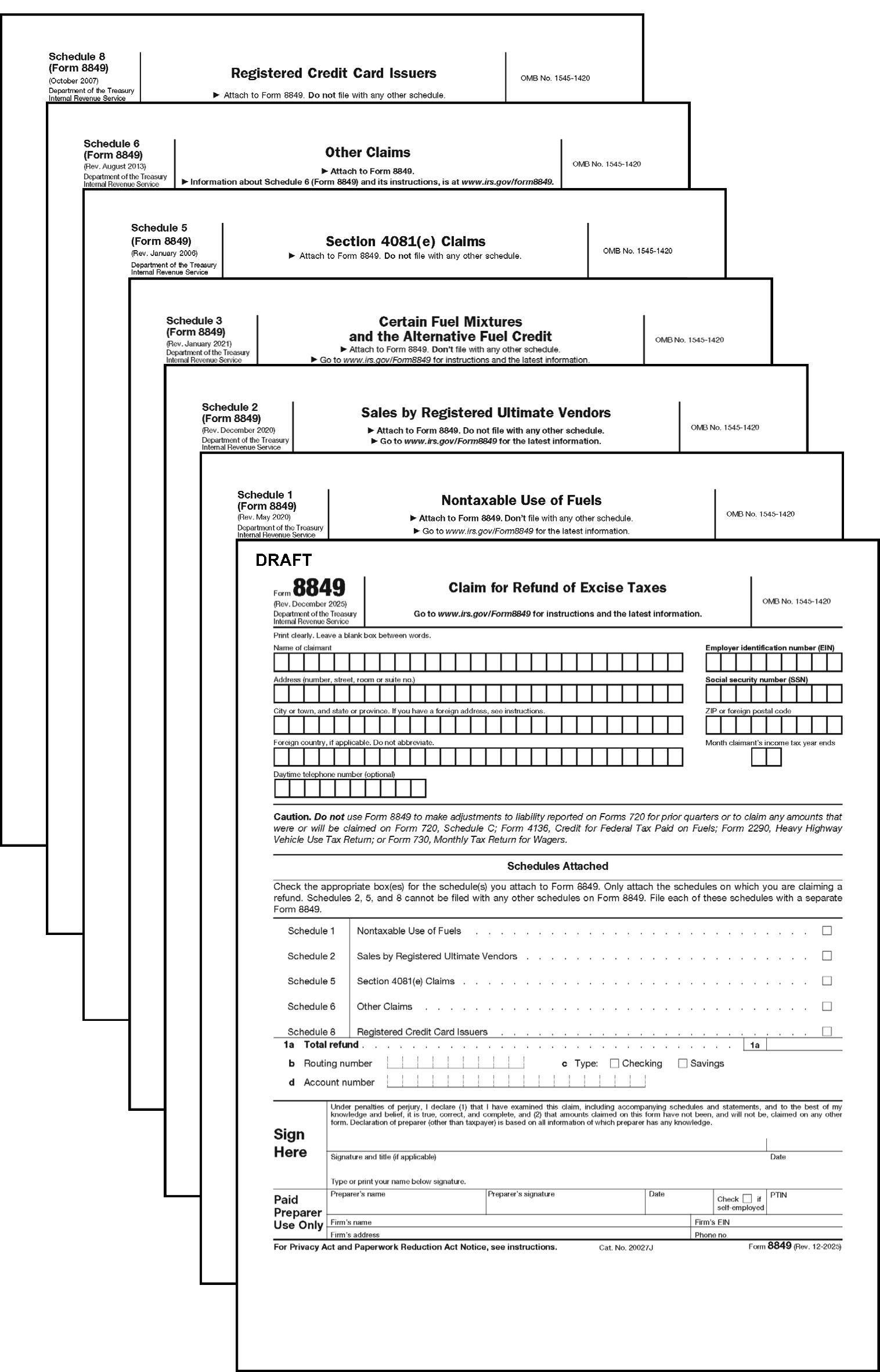
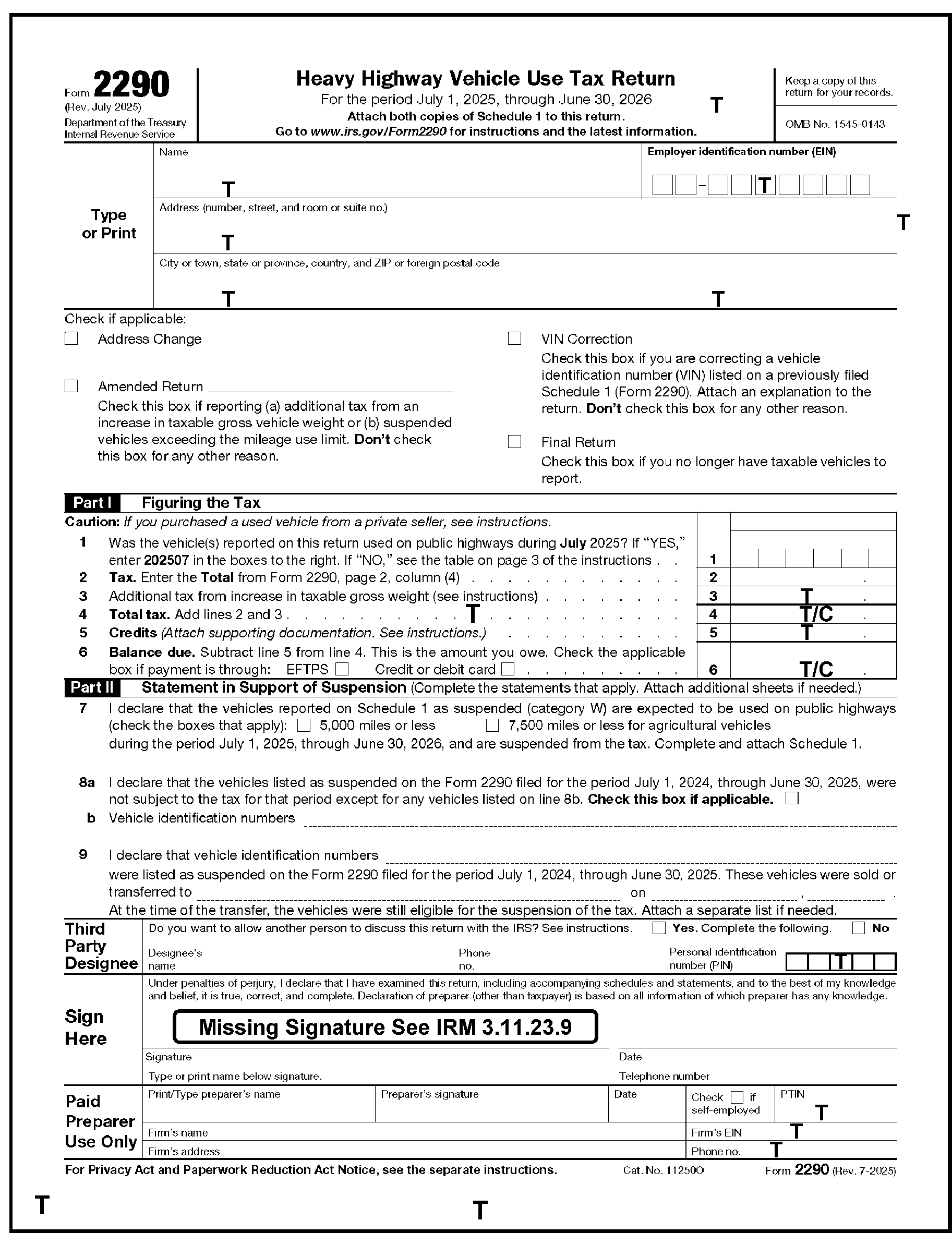
Please click here for the text description of the image.
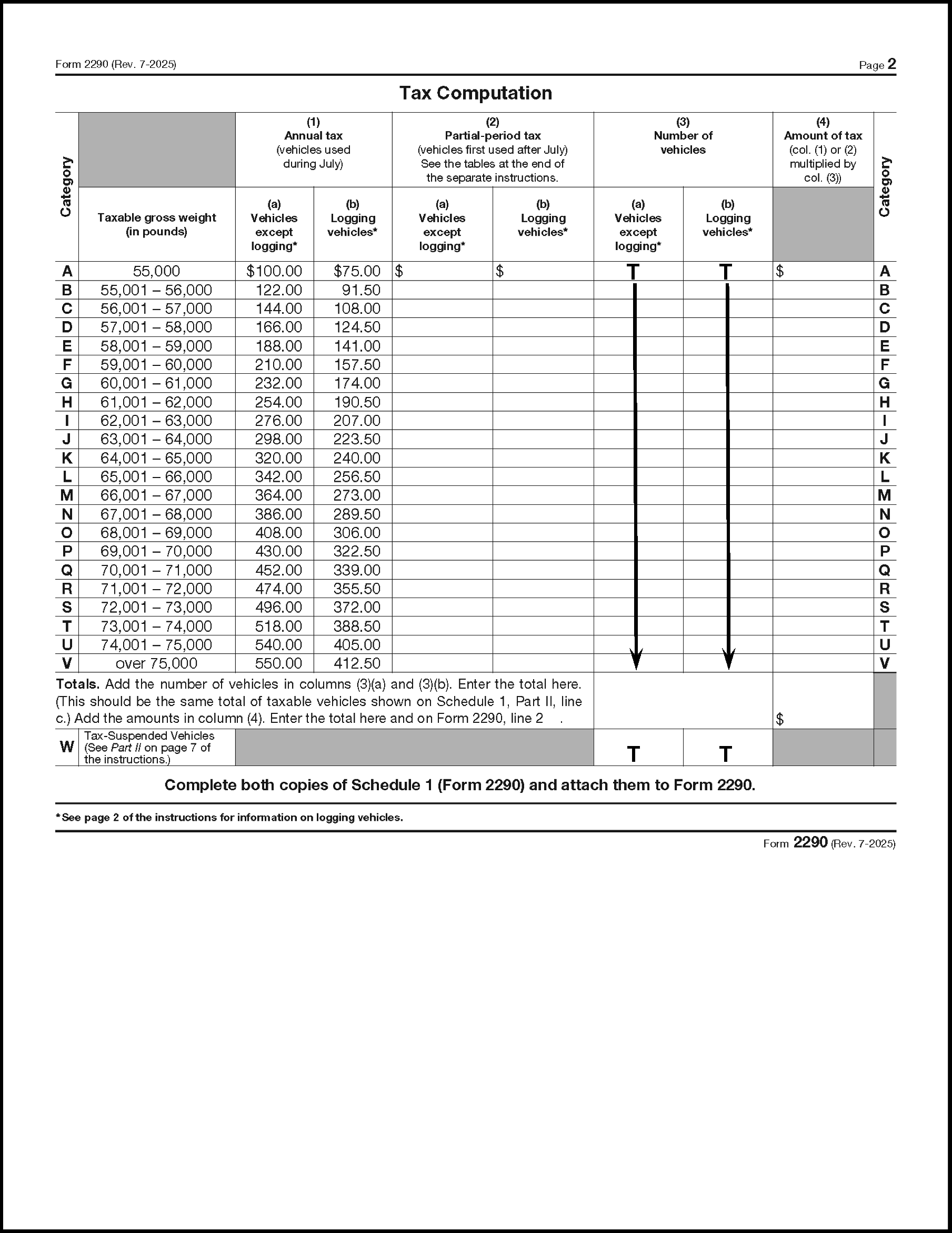
Please click here for the text description of the image.
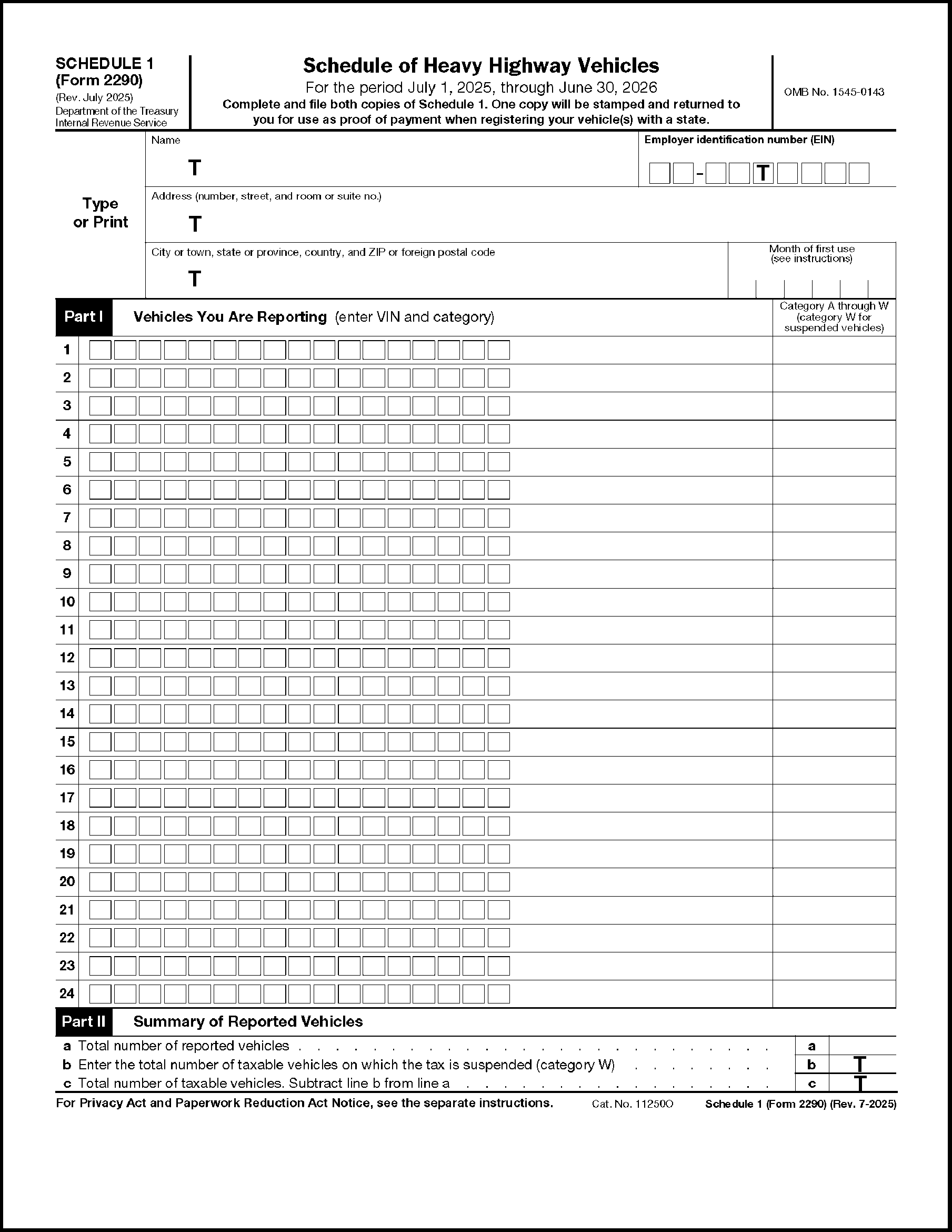
Please click here for the text description of the image.
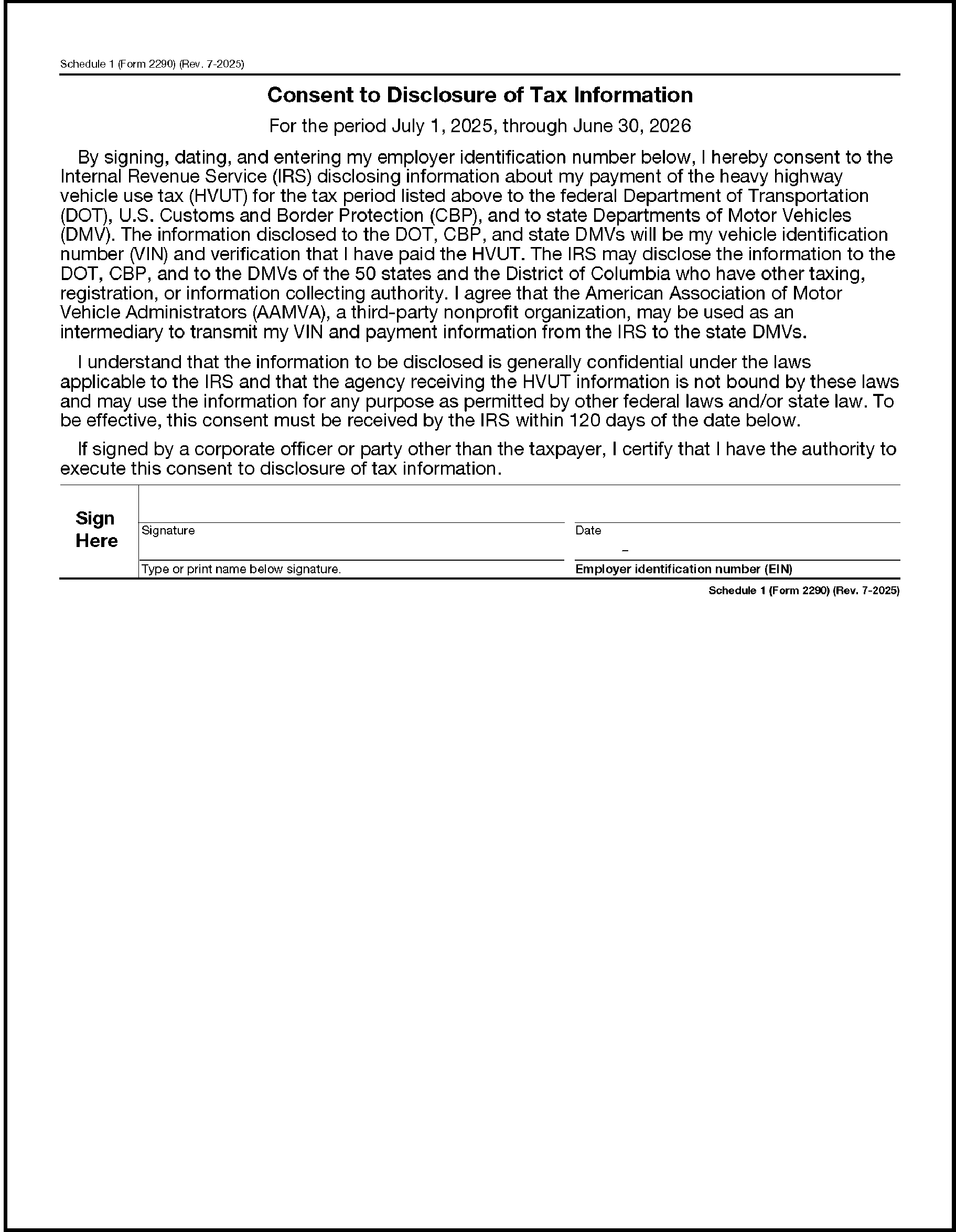
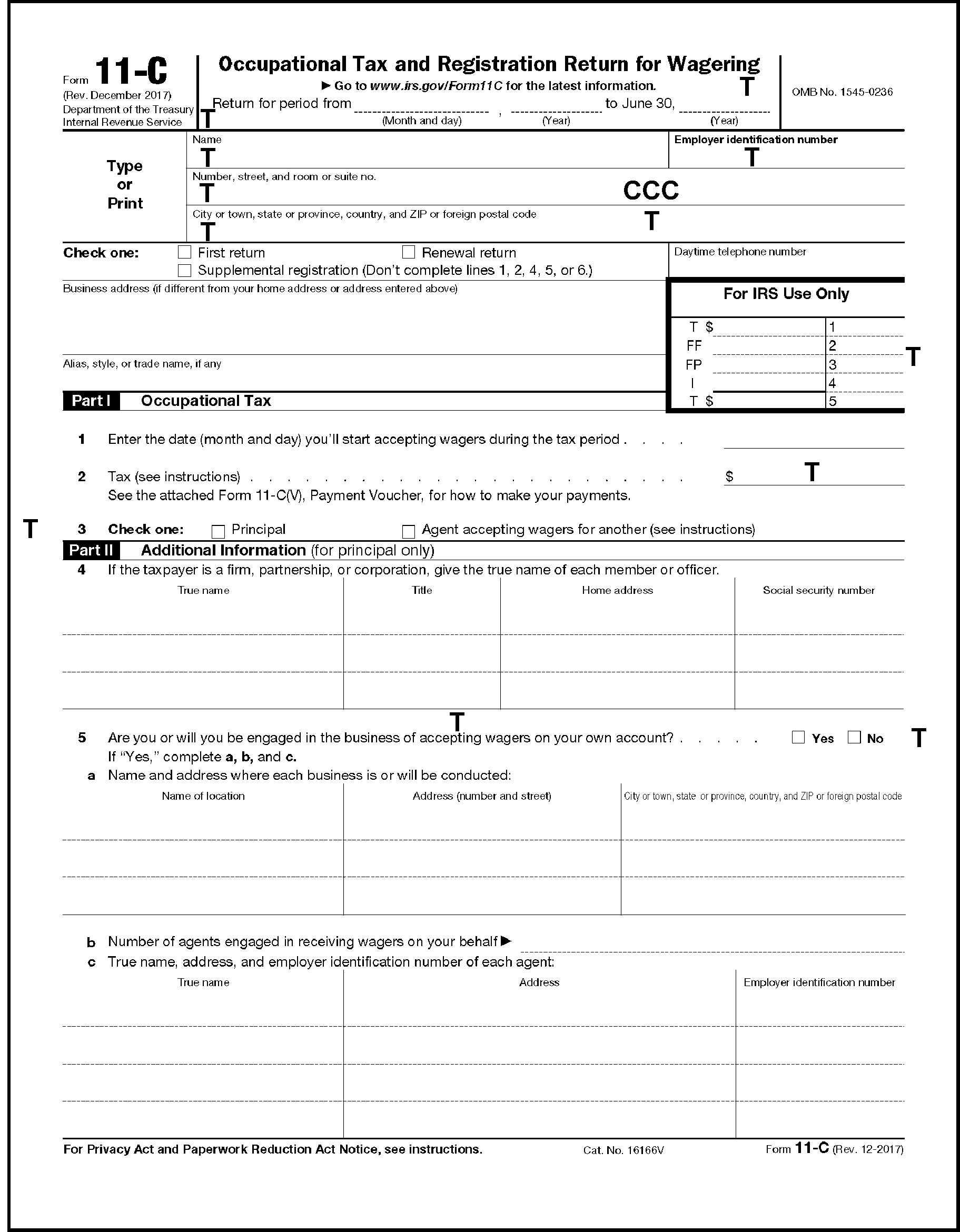
Please click here for the text description of the image.
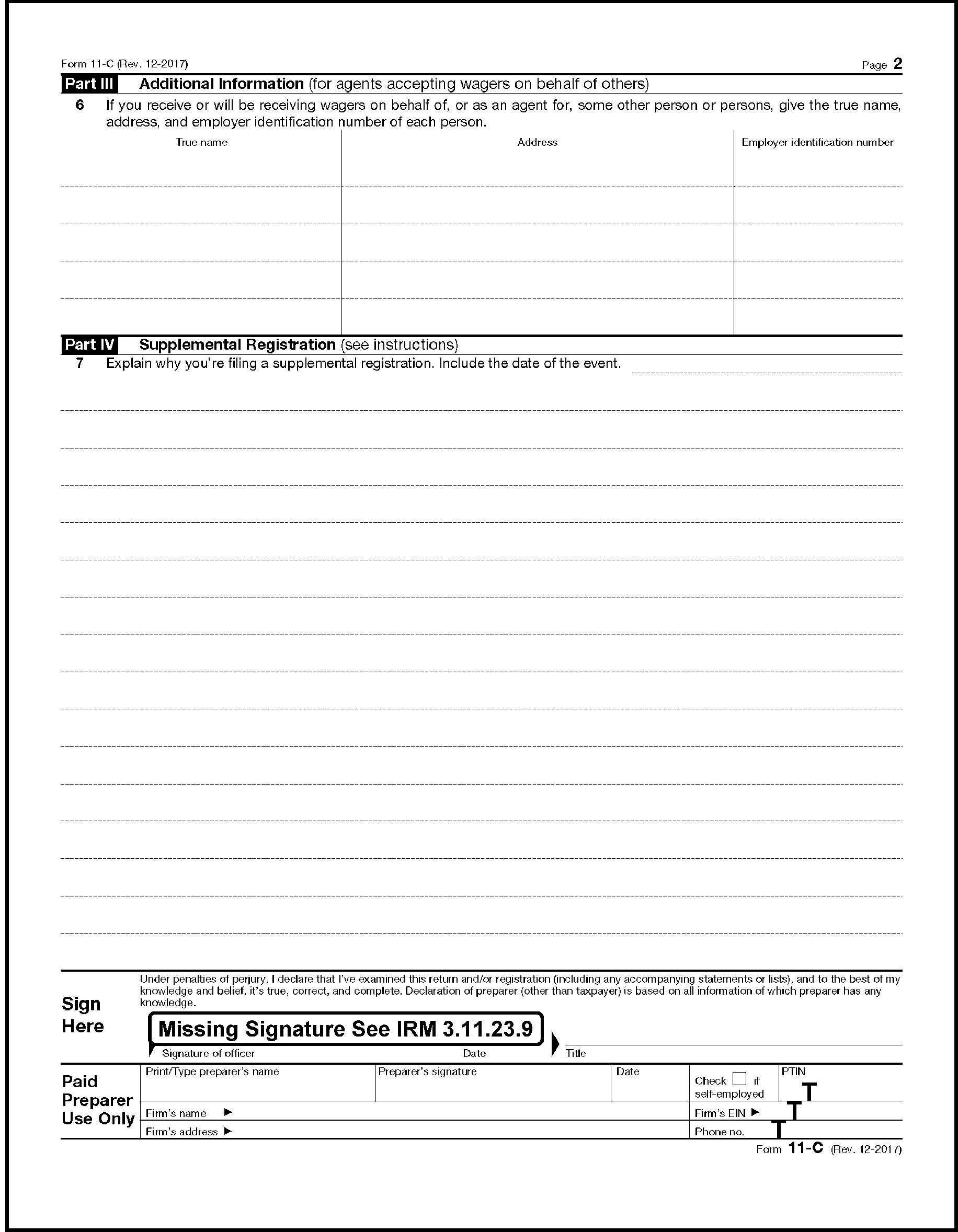
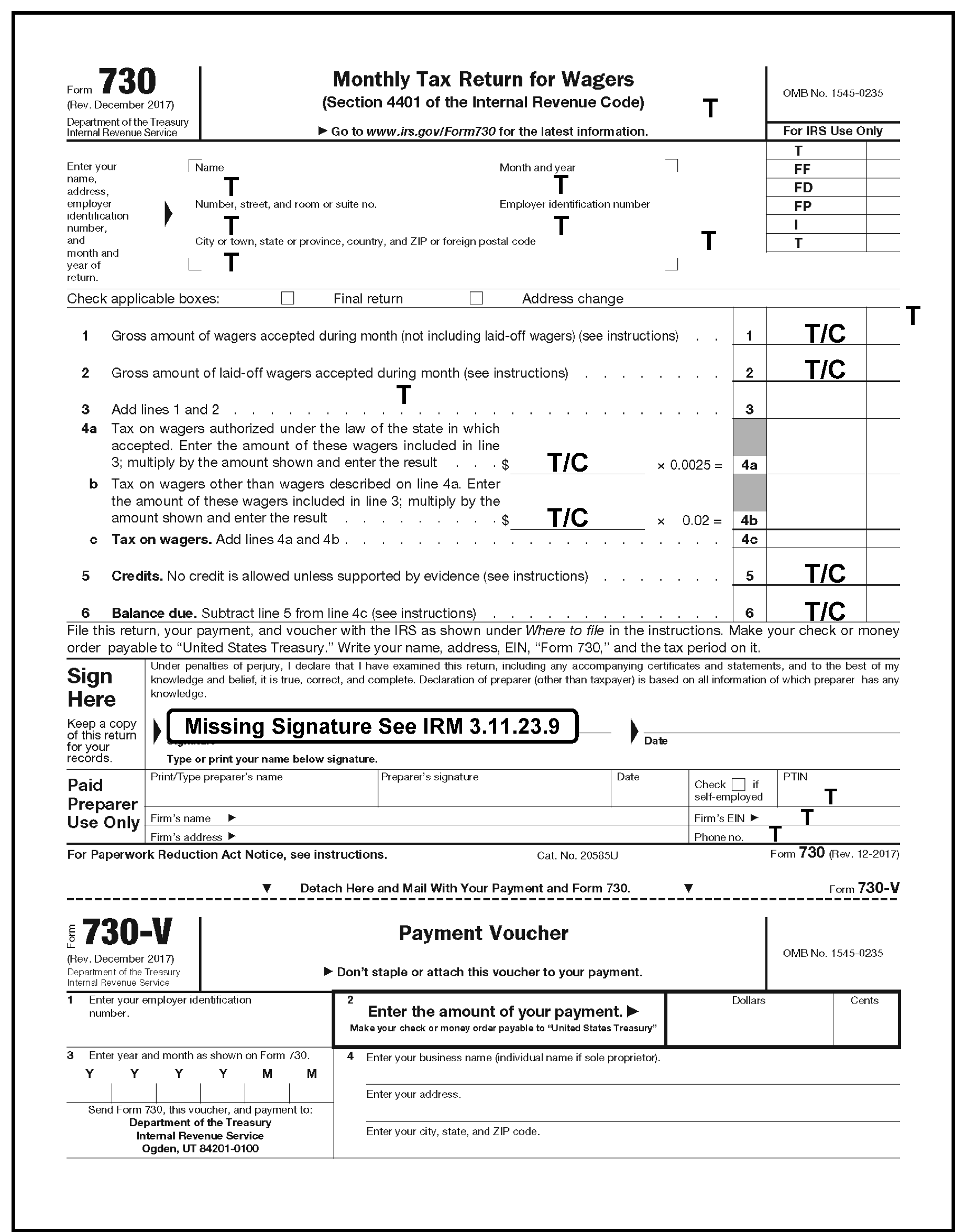
| Credit Reference Number (CRN) | Description |
|---|---|
| 304 | Taxable bias-ply or super single tires |
| 305 | Taxable tires, super single tires designed for steering |
| 306 | Exported Diesel-Water Fuel Emulsion |
| 307 | Renewable diesel mixtures Not valid after 202412. |
| 308 | Fishing rods and fishing poles |
| 309 | Diesel-water fuel emulsion |
| 310 | Diesel-water emulsion (Blender claims) |
| 317 | Imported chemical substances (the IRS Number 17) |
| 322 | Local telephone, toll telephone, and teletypewriter exchange service |
| 323 | Compressed natural gas (the IRS Number 101) |
| 324 | Aviation gasoline (the IRS Number 14) (Other than CRN 354) |
| 326 | Transportation of persons by air |
| 327 | Use of international air travel facilities |
| 328 | Transportation of property by air |
| 329 | Transportation by water |
| 340 | Gas guzzler |
| 341 | Sport fishing equipment |
| 342 | Electric outboard motors and sonar devices |
| 344 | Bows |
| 345 | Ozone depleting chemicals (floor stocks) (the IRS Number 20) |
| 346 | Kerosene (the IRS Number 35) (other than CRNs 347 and 348) |
| 347 | Non-taxable use of undyed kerosene in certain intercity and local buses |
| 348 | Non-taxable use of undyed kerosene in trains |
| 349 | ODC tax on imported products (the IRS Number 19) |
| 350 | Non-taxable use of undyed diesel fuel in certain intercity and local buses |
| 351 | Alcohol sold as but not used as fuel |
| 352 | Non-taxable use of LPG in certain intercity and local busses |
| 353 | Non-taxable use of undyed diesel fuel in trains |
| 354 | Non-taxable use of aviation gasoline in commercial aviation (other than foreign trade) |
| 355 | Non-taxable use of aviation fuel (other than gasoline) in commercial aviation (other than foreign trade) |
| 356 | Use of gasoline for 10 percent gasohol blending |
| 357 | Use of gasoline for 7.7 percent gasohol blending |
| 358 | Gasoline for 10 percent gasohol |
| 359 | 10 percent gasohol |
| 360 | Diesel fuel (other than CRNs 350 and 353) |
| 361 | LPG (other than CRN 352) |
| 362 | Gasoline |
| 363 | Use of gasoline for 5.7 percent gasohol blending |
| 364 | Inland waterways fuel use |
| 365 | Form 2290 |
| 366 | Highway type tires |
| 367 | Form 11-C |
| 368 | Form 730 |
| 369 | Aviation fuel (other than gasoline) (other than CRNs 355 and 377) |
| 370 | Arrow components (the IRS Number 102) |
| 371 | Dyed diesel fuel used in trains |
| 373 | Gasoline for 7.7 percent gasohol |
| 374 | Gasoline for 5.7 percent gasohol |
| 375 | 7.7 percent gasohol |
| 376 | 5.7 percent gasohol |
| 377 | Aviation fuel (other than gasoline) for use in commercial aviation (other than foreign trade) (other than CRN 355) |
| 378 | Dyed diesel fuel used in certain intercity or local buses |
| 379 | Other fuels |
| 380 | Foreign insurance (the IRS Number 30) |
| 381 | Obligations not registered form (the IRS Number 31) |
| 382 | Coal underground mined (the IRS Number 36) (per ton) |
| 383 | Truck, trailer, and semitrailer chassis and bodies, and tractors (the IRS Number 33) |
| 384 | Coal underground mined (the IRS Number 37) (percent of sales price) |
| 385 | Coal surface mined (Per ton) |
| 386 | Coal surface mined (percent of sales price) |
| 387 | Fishing Tackle boxes |
| 388 | Biodiesel mixtures (other than agri-biodiesel) Not valid after 202412. |
| 389 | Arrows shafts |
| 390 | Agri-biodiesel mixtures Not valid after 202412. |
| 392 | Passenger vehicles |
| 393 | Alcohol fuel mixtures containing ethanol |
| 394 | Alcohol mixtures containing alcohol (other than ethanol) |
| 395 | Other non-taxable use (LPG) |
| 396 | Taxable tires other than bias ply or super single |
| 397 | Vaccines |
| 398 | Ozone depleting chemicals |
| 411 | Gasoline (Exported) |
| 412 | Aviation gasoline (Exported) |
| 413 | Diesel fuel (Exported) |
| 414 | Kerosene (Exported) |
| 415 | Exported dyed diesel fuel |
| 416 | Exported dyed kerosene |
| 417 | Kerosene for use in commercial aviation (other than foreign trade) |
| 418 | Kerosene non-exempt use in non-commercial aviation |
| 419 | Non-taxable use of Liquid Petroleum Gas (LPG) |
| 420 | Non-taxable use of P series fuels |
| 421 | Non-taxable use of Compressed natural gas |
| 422 | Non-taxable use of Liquefied hydrogen |
| 423 | Non-taxable use of Any liquid fuel derived from coal (including peat) |
| 424 | Non-taxable use of Liquid hydrocarbons derived from biomass |
| 425 | Non-taxable use of Liquefied natural gas |
| 426 | Alternative Fuel Credit for Liquefied natural gas Not valid after 202412. |
| 427 | Alternative Fuel Credit for P series fuels Not valid after 202412. |
| 428 | Alternative Fuel Credit for Compressed natural gas Not valid after 202412. |
| 429 | Alternative Fuel Credit for Liquefied hydrogen |
| 430 | Alternative Fuel Credit for any liquid fuel derived from coal (including peat) Not valid after 202412. |
| 431 | Alternative Fuel Credit for liquid hydrocarbons derived from biomass Not valid after 202412. |
| 432 | Liquefied natural gas Not valid after 202412. |
| 438 | Taxable Medical Devices |
| 439 | Patient-Centered Outcomes Research (PCOR) Fee |
| 440 | Sustainable Aviation Fuel Not valid after 20509. |
| 454 | Chemicals (other than ODCs) (the IRS Number 54) |
| 475 | Remittance Transfers Valid beginning 202601. |
| Action Code | Description | Workday Suspense Period | Function Used In CE = Code and Edit EC = Error Correction S = Suspense Correction GEN = Computer Generated |
|---|---|---|---|
| 001 | Input Document | 0 | GEN |
| 210 | EPMF Correspondence | 60 | EC, S |
| 211 | First Taxpayer Correspondence | 40 | CE, EC, S |
| 212 | Second Taxpayer Correspondence | 25 | CE, EC, S |
| 213 | Correspondence to Other Than Taxpayer | 40 | CE, EC, S |
| 215 | International Correspondence | 45 | CE, EC, S |
| 225 | Signature Only | 40 | CE, EC, S |
| 226 | Signature Only (International) | 40 | CE, EC, S |
| 300 | Examination (Fuel Tax Credit) | 10 | CE, EC, S |
| 310 | Statute Control | 10 | CE, EC, S |
| 320 | Entity Control | 10 | CE, EC, S |
| 331 | Frivolous Review | 3 | CE, EC |
| 332 | QRDT Review | 3 | CE, EC |
| 333 | Prompt Audit | 10 | CE, EC, S |
| 334 | Joint Committee | 10 | CE, EC, S |
| 335 | Frivolous Case | 10 | CE, EC, S |
| 336 | QRDT Case | 10 | CE, EC, S |
| 337 | Other CID | 10 | CE, EC, S |
| 341 | Manual Refund | 10 | CE, EC, S |
| 342 | Credit Verification | 10 | CE, EC, S |
| 343 | Other Accounting | 10 | CE, EC, S |
| 344 | Manual Refund (ERS) | 0 | EC |
| 351 | TIN Research | 0 | EC, S |
| 352 | Name Research | 3 | CE, EC, S |
| 353 | Address Research | 3 | CE, EC, S |
| 354 | Filing Requirement Research | 3 | CE, EC, S |
| 355 | Other MFTRA Research | 5 | CE, EC, S |
| 360 | Other In-House Research | 10 | CE, EC, S |
| 370 | Examination | 10 | CE, EC, S |
| 410 | Assistance Needed | 0 | EC |
| 420 | Management Suspense A | 5 | CE, EC, S |
| 430 | Management Suspense B | 10 | CE, EC, S |
| 440 | Management Suspense C | 15 | CE, EC, S |
| 450 | Management Suspense D | 20 | CE, EC, S |
| 460 | Management Suspense E | 25 | CE, EC, S |
| 470 | Complex Error Code | 0 | EC |
| 480 | Early Filed Suspense | 150 | CE, EC, S |
| 490 | System Problem | 5 | CE, EC, S |
| 510 | Missing Document | 0 | CE |
| 511 | Missing Document - 1st Suspense | 25 | EC, S |
| 512 | Missing Document - 2nd Suspense | 20 | S |
| 513 | Missing Document - 3rd Suspense | 20 | S |
| 515 | Missing Document - Short Term | 5 | EC, S |
| 550 | Magnetic Tape Return - Check for Attachments | 0 | CE |
| 551 | Magnetic Tape Return - Inconsistent Data | 0 | CE |
| 560 | Form 720 tax < $1 million and Part III, Line 4 "Claims" has a value | 0 | GEN |
| 570 | Form 720 tax ≥ $1 million and Part III, Line 4 "Claims" does not have a value | 0 | GEN |
| 580 | Form 720 has a value ≥ $1 million and Part III, Line 4 has a value | 0 | GEN |
| 610 | Renumber - Non-Remit | 0 | CE, EC |
| 611 | Renumber - Remit | 0 | CE, EC |
| 620 | NMF/Non-ADP | 0 | CE, EC |
| 630 | Reinput | 0 | EC, S |
| 640 | Void | 0 | CE, EC, S |
| 650 | International | 0 | CE, EC, S |
| 660 | Data Control Delete | 0 | S |
| 670 | Rejected Missing Document | 0 | S |
| 700 | Duplicate Block DLN | 0 | GEN |
| 711 | Duplicate Document DLN from Code and Edit | 0 | GEN |
| 712 | Duplicate Document from Error Correction | 0 | GEN |
| 713 | Duplicate Document from Unpostables | 0 | GEN |
| 714 | Duplicate Document from Unworkable Suspense | 0 | GEN |
| 715 | Duplicate Document from Workable Suspense | 0 | GEN |
| 800 | NAP Linkage Problem | 2 | EC, S |
| 900 | Unpostable Record | 0 | GEN |
Returns or submissions that contain positions/arguments not listed below, which on their face have no basis for validity in existing law, or which have been deemed frivolous in a published opinion of the United States Tax Court or other court of competent jurisdiction, may be determined to reflect a desire to delay or impede the administration of Federal tax laws and thereby subject to the $5,000 penalty.
Note:
Notice 2007-30 has been revised. For submissions made and issues raised between January 14, 2008 and April 7, 2010, Notice 2010-33 applies. Effective for submissions made and issues raised after April 7, 2010, Notice 2010-33 dated April 2010 applies.
| Potential Frivolous Arguments | Description |
|---|---|
| Alleged Churches/First Amendment | Income from non-religious sources and may claim a vow of poverty. |
| Altered Form | Altering any or all line items with the intent of facilitating non-compliance with the tax laws. |
| Altered Jurat/UCC (Uniform Commercial Code) 1-207 or UCC 1-308 | Return contains income and deductions but the jurat has been altered or stricken. May include reference to UCC 1-207 / UCC 1-308 or a statement that the return was not signed under penalties of perjury. |
| Amended Returns/Form 843 Claim | Amended return or a Form 843 filed to obtain a total refund of all taxes paid in prior years, based on a tax avoidance argument. |
| Challenges to Authority/Due Process | Questions various administrative authorities such as delegation orders, summons authority, privacy act, etc. Argues that they must be afforded a hearing or a trial before taxes can be assessed or before property can be seized. |
| Challenges to Authority/Title 26 or "law" in Other Documents | Argues that Title 26 of the United States Code is not law because it was never enacted as named |
| Disclaimer | Submits a disclaimer stating, "disclaims the liability for the tax due" , making the liability on the return zero. |
| Fifth Amendment | Assertion of the Fifth Amendment right against self-incrimination as a basis for not providing any financial information. |
| Foreign Income | Argues that United States citizens and residents are not subject to tax on their wages or other income derived from sources within the United States, as only foreign based income or income received by non-resident aliens and foreign corporations from sources within the United States is taxable. |
| The IRS is a Private Organization/Collects Tribute, Not Taxes | Argues that the IRS is an entity named the Internal Revenue and Tax Service, Inc., which was incorporated in Delaware in 1933, it is a collection agency for the Federal Reserve Bank, or is part of the United Nations and is clandestinely leading the tax paying public into a "new world order." |
| Not a Person | Argues that a taxpayer is not a "person" within the meaning of IRC 7701(a)(14). |
| Protest Against Government Action/Inaction | Argues that refusal to file or pay is justified because they disagree with government policies or spending plans. |
| Sixteenth Amendment | Argues the Sixteenth Amendment was not properly ratified and therefore the federal government does not have the legal authority to collect an income tax without apportionment. |
| Straw Men | Argues the government has created an entity separate and distinct from the taxpayer. A "straw man" and any tax obligations are exclusively those of the "straw man" . |
| Taxes are Voluntary/Law Does Not Require | Submits a return, amended return or correspondence that argues income taxes are voluntary. |
| Unsigned Returns | The individual completes a return but does not sign, a statement indicating disagreement with the tax system is attached or added to the return. |
| Valuation | Income is not taxable because of the declining fair market value of the dollar, because the dollar is not backed by gold/silver, because the value of services is offset by the value of the labor (barter income), etc. |
| Zero Returns | Submits a return with zero money amounts. A statement is attached claiming there is no section of the Internal Revenue Code that established an income tax liability. The statement may also contain arguments about the definition of income. |
| Other | All others including those listed in Notice 2010-33. This category includes non-filer accounts resulting from initial compliance check such as cross reference TINs. |
American Samoa
| American Samoa (AS) City | American Samoa (AS) ZIP Code |
|---|---|
| Faga'itua | 96799 |
| Leone | 96799 |
| Olosega Manua | 96799 |
| Pago Pago | 96799 |
Federated States of Micronesia
| Federated States of Micronesia (FM) City | Federated States of Micronesia (FM) ZIP Code |
|---|---|
| Chuuk | 96942 |
| Kosrae | 96944 |
| Pohnpei | 96941 |
| Yap | 96943 |
Guam
| Guam (GU) City | Guam (GU) ZIP Code |
|---|---|
| Agana | 96910 |
| Inarajan | 96917 |
| Merizo | 96916 |
| Tamuning | 96931 |
| Umatac | 96915 |
| Yona | 96915 |
Northern Marianna Islands
| Northern Marianna Islands (MP) City | Northern Marianna Islands (MP) ZIP Code |
|---|---|
| Capitol Hill | 96950 |
| Rota | 96951 |
| Saipan | 96950 |
| Tinian | 96952 |
Puerto Rico
| Puerto Rico (PR) City | Puerto Rico (PR) ZIP Code |
|---|---|
| Adjuntas | 00601 |
| Aguada | 00602 |
| Aguadilla | 00603 |
| Aguas Buenas | 00703 |
| Aguirre | 00704 |
| Aibonito | 00705 |
| Anasco | 00610 |
| Angeles | 00611 |
| Arecibo | 00612 |
| Arroyo | 00714 |
| Bajadero | 00616 |
| Barceloneta | 00617 |
| Barranquitas | 00794 |
| Barrio Obrero Station | 00935 |
| Bayamon | 00956 |
| Boqueron | 00622 |
| Cabo Rojo | 00623 |
| Caguas | 00725 |
| Camuy | 00627 |
| Canovanas | 00729 |
| Caparra Heights | 00920 |
| Carolina | 00982 |
| Catano | 00962 |
| Cayey | 00736 |
| Ceiba | 00735 |
| Cerro Gordo | 00754 |
| Ciales | 00638 |
| Cidra | 00739 |
| Coamo | 00769 |
| Comerio | 00782 |
| Condado | 00907 |
| Corozal | 00783 |
| Coto Laurel | 00780 |
| Culebra | 00775 |
| Dorado | 00646 |
| Ensenada | 00647 |
| Esperanza | 00765 |
| Fajardo | 00738 |
| Fernandez Juncos | 00936 |
| Florida | 00650 |
| Fort Buchanan | 00934 |
| Garrochales | 00652 |
| Guanica | 00653 |
| Guayama | 00784 |
| Guayanilla | 00656 |
| Guaynabo | 00965 |
| Gurabo | 00778 |
| Hatillo | 00659 |
| Hato Rey | 00936 |
| Hormigueros | 00660 |
| Humacao | 00791 |
| Isabela | 00662 |
| Jayuya | 00664 |
| Juana Diaz | 00795 |
| Juncos | 00777 |
| La Cumbre | 00926 |
| Lajas | 00667 |
| La Plata | 00786 |
| Lares | 00669 |
| Las Marias | 00670 |
| Las Piedras | 00771 |
| Levittown | 00949 |
| Loiza | 00772 |
| Loiza Street Station | 00936 |
| Luquillo | 00773 |
| Manati | 00674 |
| Maricao | 00606 |
| Maunabo | 00707 |
| Mayaguez | 00680 |
| Mercedita | 00715 |
| Minillas Center | 00936 |
| Moca | 00676 |
| Morovis | 00687 |
| Naguabo | 00718 |
| Naranjito | 00719 |
| Orocovis | 00720 |
| Palmer | 00721 |
| Patillas | 00723 |
| Penuelas | 00624 |
| Ponce | 00731 |
| Puerta de Tierra | 00936 |
| Puerta Real | 00740 |
| Punta Santiago | 00741 |
| Quebradillas | 00678 |
| Ramey | 00603 |
| Rincon | 00677 |
| Rio Blanco | 00744 |
| Rio Grande | 00721 |
| Rio Piedras | 00927 |
| Rosario | 00636 |
| Sabana Grande | 00637 |
| Sabana Hoyos | 00688 |
| Sabana Seca | 00952 |
| Saint Just | 00978 |
| Salinas | 00751 |
| San Antonio | 00690 |
| San Francisco | 00927 |
| San German | 00683 |
| San Juan | 00936 |
| San Lorenzo | 00754 |
| San Sebastian | 00685 |
| Santa Isabel | 00757 |
| Santurce | 00936 |
| Toa Alta | 00953 |
| Toa Baja | 00949 |
| Trujillo Alto | 00976 |
| University | 00936 |
| Utuado | 00641 |
| Vega Alta | 00692 |
| Vega Baja (Box 1 - 9049) | 00694 |
| Vieques | 00765 |
| Villalba | 00766 |
| Yabucoa | 00767 |
| Yauco | 00698 |
Australia State
| Australia State | Abbreviation |
|---|---|
| Australian Capital Territory | ACT |
| New South Wales | NSW |
| Northern Territory | NT |
| Queensland | QLD |
| South Australia | SA |
| Tasmania | TAS |
| Victoria | VIC |
| Western Australia | WA |
Brazil State
| Brazil State | Abbreviation |
|---|---|
| Acre | AC |
| Alagoas | AL |
| Amapa | AP |
| Amazonas | AM |
| Bahia | BA |
| Ceara | CE |
| Distrito Federal | DF |
| Espirito Santo | ES |
| Goias | GO |
| Maranhao | MA |
| Mato Grasso | MT |
| Mato Grosso do Sul | MS |
| Minas Gerais | MG |
| Para | PA |
| Paraiba | PB |
| Parana | PR |
| Pernambuco | PE |
| Piaui | PI |
| Rio de Janeiro | RJ |
| Rio Grande do Norte | RN |
| Rio Grande do Sul | RS |
| Rondonia | RO |
| Roraima | RR |
| Santa Catarina | SC |
| Sao Paulo | SP |
| Sergipe | SE |
| Tocantins | TO |
Canada Province/Territory
| Canada Province/Territory | Abbreviation |
|---|---|
| Alberta | AB |
| British Columbia | BC |
| Manitoba | MB |
| New Brunswick | NB |
| Newfoundland and Labrador | NL |
| Northwest Territories | NT |
| Nova Scotia | NS |
| Nunavut | NU |
| Ontario | ON |
| Prince Edward Island | PE |
| Quebec | QC |
| Saskatchewan | SK |
| Yukon | YT |
Cuba Province
| Cuba Province | Abbreviation |
|---|---|
| Camaguey | CG |
| Ciego de Avila | CA |
| Cienfuegos | CF |
| Ciudad de La Habana | CH |
| Gramma (Bayamo) | GR |
| Guantanamo | GT |
| Holguin | HO |
| La Habana | HA |
| Matanzas | MT |
| Municipio Especial Isla de La Juventud | IJ |
| Pinar del Rio | PR |
| Sancti Spiritus | SS |
| Santiago de Cuba | SC |
| (Victoria de) Las Tunas | LT |
| Villa Clara | VC |
Italy Province
| Italy Province | Abbreviation |
|---|---|
| Agrigento | AG |
| Alessandria | AL |
| Ancona | AN |
| Aosta/Aoste | AO |
| Arezzo | AR |
| Ascoli Piceno | AP |
| Asti | AT |
| Bari | BA |
| Belluno | BL |
| Benevento | BN |
| Bergamo | BG |
| Biella | BI |
| Bologna | BO |
| Bolzano Bolzen | BZ |
| Brescia | BS |
| Brindisi | BR |
| Cagliari | CA |
| Caltanissetta | CL |
| Campobasso | CB |
| Caserta | CE |
| Catania | CT |
| Catanzaro | CZ |
| Chieti | CH |
| Como | CO |
| Cosenza | CS |
| Cremona | CZ |
| Crotone | KR |
| Cuneo | CV |
| Enna | EN |
| Ferrara | FE |
| Firenze | FI |
| Foggia | FG |
| Forli | FO |
| Frosinone | FR |
| Genova | GE |
| Gorizia | GO |
| Grosseto | GR |
| Imperia | IM |
| Isernia | IS |
| L'Aquila | AQ |
| La Spezia | SP |
| Latina | LT |
| Lecce | LE |
| Livorno | LI |
| Lodi | LO |
| Lucca | LU |
| Macerata | MC |
| Mantova | MN |
| Massa-Carrara | MS |
| Matera | MT |
| Messina | ME |
| Milano | MI |
| Modena | MO |
| Napoli | NA |
| Novara | NO |
| Nuoro | NU |
| Oristano | OR |
| Padova | PD |
| Palermo | PA |
| Parma | PR |
| Pavia | PV |
| Perugia | PG |
| Pesaro-Urbino | PS |
| Pescara | PE |
| Piacenza | PC |
| Pisa | PI |
| Pistoia | PT |
| Pordenone | PN |
| Potenza | PZ |
| Prato | PO |
| Ragusa | RG |
| Ravenna | RA |
| Reggio de Calabria | RC |
| Reggio nell'Emilia | RE |
| Rieti | RI |
| Rimini | RN |
| Roma | RM |
| Rovigo | RO |
| Salerno | SA |
| Sassari | SS |
| Savona | SV |
| Siena | SI |
| Siracusa | SR |
| Sondrio | SO |
| Taranto | TA |
| Teramo | TE |
| Terni | TR |
| Torino | TO |
| Trapani | TP |
| Trento | TN |
| Treviso | TV |
| Trieste | TS |
| Udine | UD |
| Varese | VA |
| Venezia | VE |
| Verbania | VB |
| Vercelli | VC |
| Verona | VR |
| Vibo Valentia | VV |
| Vincenza | VI |
| Viterbo | VT |
Mexico State
| Mexico State | Abbreviation |
|---|---|
| Aguascalientes | AGS |
| Baja California Norte | BCN |
| Baja California Sur | BCS |
| Campeche | CAM |
| Chiapas | CHIS |
| Chihuahua | CHIH |
| Coahuila | COAH |
| Colima | COL |
| Distrito Federal | DF |
| Durango | DGO |
| Guanajuato | GTO |
| Guerrero | GRO |
| Hidalgo | HGO |
| Jalisco | JAL |
| Mexico | MEX |
| Michoacan | MICH |
| Morelos | MOR |
| Nayarit | NAY |
| Nuevo Leon | NL |
| Oaxaca | OAX |
| Puebla | PUE |
| Queretaro | QRO |
| Quintana Roo | QROO |
| San Luis Potosi | SLP |
| Sinaloa | SIN |
| Sonora | SON |
| Tabasco | TAB |
| Tamaulipas | TAMPS |
| Tlaxcala | TLAX |
| Veracruz | VER |
| Yucatan | YUC |
| Zacatecas | ZAC |