)
or https:// means you've safely connected to the .gov website. Share sensitive information only on official, secure websites.
)
or https:// means you've safely connected to the .gov website. Share sensitive information only on official, secure websites.


- 3.24.133 Residual Remittance Processing System
- 3.24.133.1 Program Scope and Objectives
- 3.24.133.1.1 Background
- 3.24.133.1.2 Authority
- 3.24.133.1.3 Roles and Responsibilities
- 3.24.133.1.4 Program Management and Review
- 3.24.133.1.5 Program Controls
- 3.24.133.1.6 Terms/Acronyms/Definitions
- 3.24.133.1.7 Related Resources
- 3.24.133.2 Introduction
- 3.24.133.3 General Instructions Original Entry (OE)
- 3.24.133.4 General Instructions Key Verification (KV)
- 3.24.133.5 Generated Data
- 3.24.133.6 Taxpayer Identification Number (TIN)
- 3.24.133.7 Check Digit (CD) for OE/KV
- 3.24.133.8 Name Control for OE/KV
- 3.24.133.9 General Remittance Information
- 3.24.133.10 Money Amounts
- 3.24.133.11 Questionable Payments
- 3.24.133.12 Dates
- 3.24.133.13 Illegible/Incomplete Elements
- 3.24.133.14 Mis-sorted/Mis-batched Source Documents
- 3.24.133.15 Magnetic Ink Character Recognition (MICR) Reader
- 3.24.133.16 Accessing Integrated Data Retrieval System (IDRS)
- 3.24.133.17 Program Numbers
- 3.24.133.18 Program 00000 Splits and Multiples Blocks
- 3.24.133.19 Integrated Submission and Remittance Processing (ISRP) Transcription Operation Sheets
- Exhibit 3.24.133-1 Block Header Data Entry
- Exhibit 3.24.133-2 Programs 15510, 45510, 44201, and 11921, Section 1
- Exhibit 3.24.133-3 Programs 15500, 15505, 45500, and 45505, Section 1
- Exhibit 3.24.133-4 Programs 15503 and 45503, Section 1
- Exhibit 3.24.133-5 Program 44701, Section 1
- Exhibit 3.24.133-6 Program 00001 Non-Masterfile, Section 1
- Exhibit 3.24.133-7 Programs 00002 and 00003, Section 1
- Exhibit 3.24.133-8 Program 00004 Refund Repayments, Section 1
- Exhibit 3.24.133-9 Program 00000 Splits/Multiples - Block Header, Section 1
- Exhibit 3.24.133-10 Multiple Payments - Step/Action Table for Input
- Exhibit 3.24.133-11 Split Payments - Step/Action Table for Input
- Exhibit 3.24.133-12 Ending a Splits or Multiples Block
- Exhibit 3.24.133-13 Form Processing Table
- Exhibit 3.24.133-14 Date Stamp Requirements
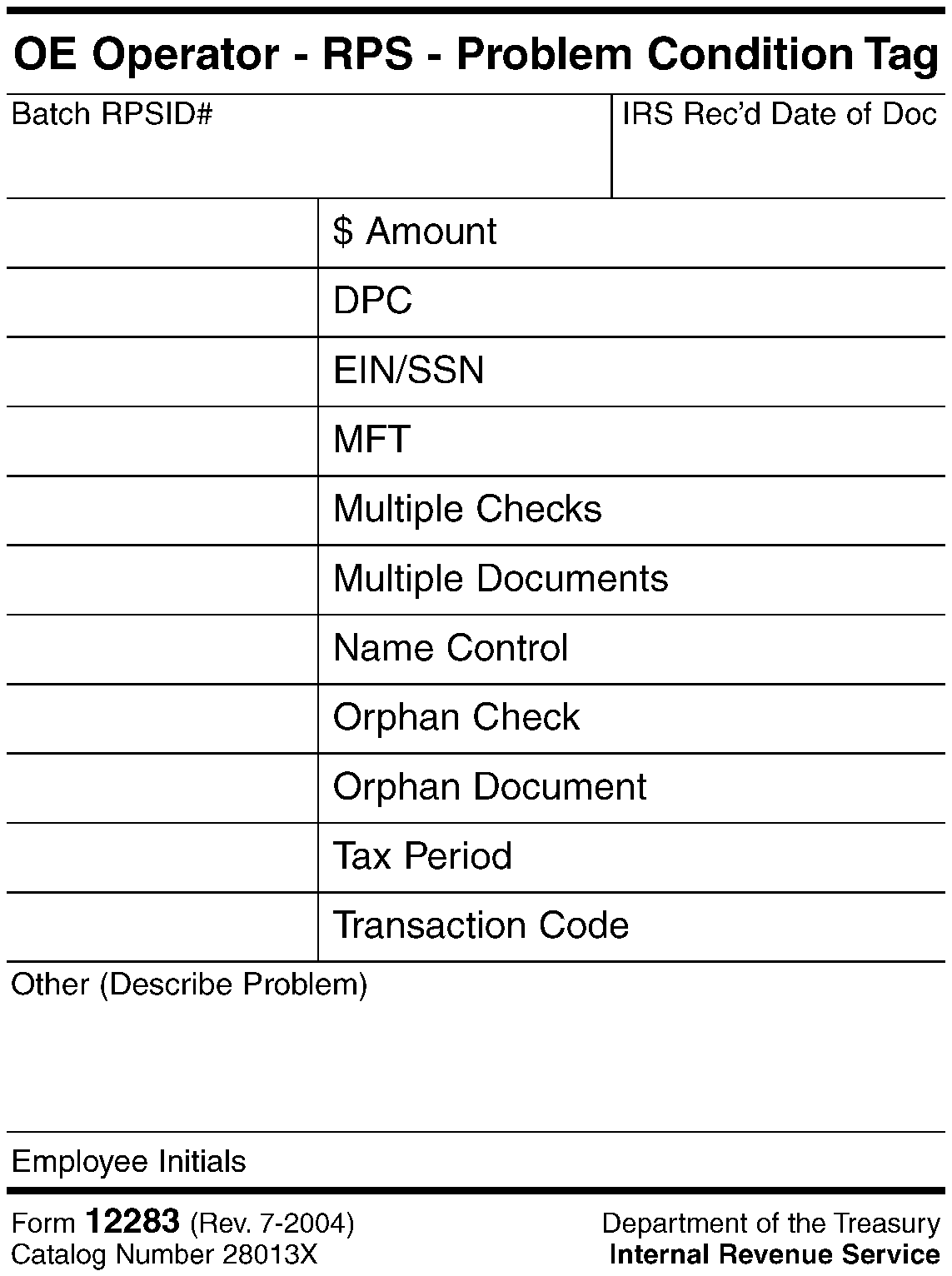
- Exhibit 3.24.133-15 RPS Pull-Out Tag
- 3.24.133.1 Program Scope and Objectives
Part 3. Submission Processing
Chapter 24. ISRP System
Section 133. Residual Remittance Processing System
3.24.133 Residual Remittance Processing System
Manual Transmittal
September 03, 2025
Purpose
(1) This transmits revised IRM 3.24.133, Residual Remittance Processing Integrated Submission Remittance Processing System (ISRP System).
Material Changes
(1) IRM 3.24.133.1.3 - Removed all references to distributing the IRM. Physical copies of this IRM are no longer distributed.
(2) IRM 3.24.133.3 - Revised subsection to provide clarity.
(3) IRM 3.24.133.4 - Updated subsection title.
(4) IRM 3.24.133.6 - Added link to IRM 3.24.37.4.9.
(5) IRM 3.24.133.12 - Added link to IRM 3.24.37.4.8 and Exhibit 3.24.133-14. Changed “oldest” to “earliest” for clarity.
(6) IRM 3.24.133.12(1)(b) - Updated section to reflect change that all returns are required to be date stamped per Executive Directive.
(7) IRM 3.24.133.17 - Added Note to provide guidance for guidance for condensing work into fewer program numbers.
(8) Editorial changes made throughout the IRM for clarity, to correct IRM references, exhibit numbers, and dates to reflect the current processing year.
Effect on Other Documents
IRM 3.24.133, Residual Remittance Processing (ISRP System), dated November 27, 2024, (effective January 01, 2025) is superseded.Audience
The primary users of this IRM are data entry operator clerks working in the Residual Remittance Processing function.Effective Date
(01-01-2026)Scott Wallace
Director, Submission Processing
Taxpayer Services
-
-
Purpose: The purpose of this IRM is to provide instructions for the data input of paper checks through the Integrated Submission Remittance Processing (ISRP) Remittance Processing System (RPS).The Internal Revenue Service is committed to ensuring a 24-hour deposit standard, aiming to deposit the largest amount of money in the shortest possible time frame. Residual Payment Processing function employees processing checks through the Integrated Submission Remittance Processing (ISRP) Remittance Processing System (RPS) play an important part in meeting the 24-hour deposit standard through timely and accurate input of checks and source documents.
-
Audience: The primary users of this IRM are data entry operator clerks working in the Residual Remittance Processing function. Data entry operator clerks input check and source document data into the Integrated Submission and Remittance Processing (ISRP) Remittance Processing System (RPS) for posting of payment onto the taxpayer’s account. This process creates an electronic voucher for the Deposit function.
-
Policy Owner: Director of Submission Processing.
-
Program Owner: Submission Processing, Return Processing Branch.
-
Primary Stakeholders:
Taxpayer
U.S. Treasury Depository Banks
Submission Processing Accounting Branch
Redesign Revenue Accounting Control System (RRACS)
Chief Financial Office (CFO)
Submission Processing Unpostables
Submission Processing Manual Deposit function -
Program Goals: Accurately and timely process paper checks to allow for deposit of the checks within 24 hours of receipt.
-
-
This work is to process paper checks received at the Submission Processing Centers listed below.
-
Austin Submission Processing Center (AUSPC)
-
Kansas City Submission Processing Center (KCSPC)
-
Ogden Submission Processing Center (OSPC)
-
-
The citations listed below provide authority for the instructions in this IRM, performed in support of completing compliance functions to make credits or refunds of any internal revenue tax, processing of non-revenue forms, and administrative support forms.
-
Title 26 of the United States Code (USC) or more commonly known as the Internal Revenue Code (IRC).
-
All Policy Statements for Submission Processing contained in IRM 1.2.1.4, Servicewide Policies and Authorities, Policy Statements for Submission Processing Activities.
-
-
The Campus Director monitors the flow of receipts to meet the program objective of accurately and timely processing checks and source documents to meet the deposit standard of 24 hours.
-
The Operations Manager and Department Managers monitor:
-
The flow of receipts to meet the program objective of accurately and timely processing checks and source documents to meet the deposit standard of 24 hours.
-
Product reviews conducted by the team managers.
-
The Team Managers follow the ISRP End of Day (EOD) Processing Guidelines when working outside the scope of a normal workday. IRM 3.24.202.1.9, Managerial Responsibilities (ISRP EOD Processing Guidelines When Working Outside The Scope of A Normal Workday).
-
The Team Managers follow the Peak Processing Extended Hardware Maintenance Shift Cancellation Procedures in a timely manner. This is a shared responsibility with the Receipt and Control Operations Manager and Department Manager, along with the ISRP Coordinator. IRM 3.8.44.2.4, Managerial Responsibilities (Peak Processing Extended Hardware Maintenance Shift Cancellation Procedures).
-
Team managers conduct security monitoring and reviews. IRM 3.8.44.2.6, Security Responsibilities.
-
-
Team Managers responsibilities include:
-
Monitoring the flow of receipts to meet the program objective of accurately and timely processing checks and source documents to meet the deposit standard of 24.
-
Conducting product reviews.
-
Following the ISRP End of Day (EOD) Processing Guidelines when working outside the scope of a normal workday. IRM 3.24.202.1.9, Managerial Responsibilities (ISRP EOD Processing Guidelines When Working Outside The Scope of A Normal Workday).
-
Conducting security monitoring and reviews. IRM 3.8.44.2.6, Security Responsibilities.
-
-
Team employees’ responsibilities include:
-
Following the instructions contained in this IRM, including all IRM procedural updates (IPU) posted to the SERP (Servicewide Electronic Research Program) website.
-
-
Reports: Use the following reports to manage and review the Residual Remittance Processing function. See IRM 3.8.44 Exhibits.
-
Deposit Summary Report - Provides block totals, money totals, and lists processed blocks in DLN order by tax class. See IRM 3.8.44-28
-
Transport Batch Status Report (SCRS/ISRP). See IRM 3.8.44-41
-
-
Program Effectiveness: Residual Remittance Processing is measured and controlled through:
-
Quality Review
-
Managerial Reviews
-
Deposit Timeliness Business Measure
-
Key Verification (KV)
-
-
Integrated Submission and Remittance Processing (ISRP) Remittance Processing System (RPS) access is granted through Business Entitlement Access Request System (BEARS).
-
Security level monitoring.
-
Key Verification of input data by a second employee other than the original entry operator.
-
The table below contains the term in column 1. If the term has an acronym, the acronym is shown in column 2. The definition of the term is shown in column 3.
TERM ACRONYM DEFINITION Account Tax records maintained on magnetic tape in Enterprise Computing Center-Martinsburg (ECC-MTB), identified and controlled by Social Security Number (SSN), Individual Taxpayer Identification Number (ITIN), Employer Identification Number (EIN), or IRS Number (IRSN). Alpha Block Control ABC A three-character code used to identify blocks of work processed through the Data Conversion function. Amended Return A return filed to correct data submitted on an original return. Annotate To explain or call attention to critical information by marking, coding, or editing. Batch A group of related tax returns or documents processed in Deposit Activity. A batch can consist of 100 or less items of like returns or documents, or 300 scannable notices/vouchers at Scanners. Batch/Block Tracking System BBTS A comprehensive, integrated batch creation and tracking system. It is used to generate block headers for Original Entry (OE)/Key Verification (KV) input. Block Header Record BHR The information transcribed by Remittance Processing System (RPS)/Integrated Submission and Remittance Processing (ISRP) to precede each block of documents to introduce balancing and identifying items common to the block. Business Master File BMF A Master File of various types of business return data which is maintained under an Employer Identification Number (EIN). Calendar Year CY Twelve (12) consecutive months ending December 31. Check Digit CD A two-character alpha code, A to Z, computer generated and derived from a mathematical formula applied to the EIN or SSN. It is used in lieu of name control (to reduce keystrokes) for unaltered EIN or SSN on IRS preprinted labels and forms. Computer Paragraph Notice CP A computer-generated message resulting from an analysis of the taxpayer’s account. It is used to notify the taxpayers of a balance due, refund, or no balance status. It is also used for internal research and review. Date Stamp The campus received date is stamped on tax returns and documents indicating the date received at IRS campus, territory office, area office or by an authorized agent of the IRS. Designated Payment Code DPC Two-digit code used with payments secured by Compliance to identify source of payment (e.g., levy, seizure, installment, etc.). Document Locator Number DLN A fourteen-digit number that identifies the document. See Document 6209 for more information on DLNs. Employer Identification Number EIN A nine-digit number used to identify a taxpayer’s business account. Endorsement The authorized name of payee on the back of a remittance to obtain the cash or credit represented on the front. Each check deposited must show the IRS endorsement, date of deposit (manual endorsements excluded) and legend, and must contain the same Agency Location Code (ALC) and depositor address as shown on Form SF 215-A, Deposit Ticket. Entity The area on source documents where the name, address, account number, tax period and other identifying data appears. Entry Operator EOP Entry Operator working the batch. Fiscal Year FY Twelve consecutive months ending on the last day of any month other than December. Green Rocker The editing required to annotate the remittance amount for manual processing. Green rockers represent the amount of money received for that return. Individual Master File IMF A Master File of individual tax return data which is accessed by input of a Social Security Number (SSN). Individual Taxpayer Identification Number ITIN An ITIN is a nine-digit number (assigned by IRS) to those individuals who do not qualify for a Social Security Number (SSN) but require an identifying number for tax purposes. Integrated Data Retrieval System IDRS A computerized system used throughout IRS for adjusting, researching, ordering, and monitoring tax accounts. Integrated Submission Remittance Processing ISRP The Integrated Submission and Remittance Processing (ISRP) System transcribes and formats data from paper returns/documents/vouchers for input into the Generalized Mainline Framework (GMF) and other systems by key entry operators. It also captures check images for archiving. Transaction Management System (TMS) is a COTS product that is an integral part of ISRP. Internal Revenue Code IRC The tax laws as set forth by Congress. Internal Revenue Manual IRM A handbook of procedure and law specifically designed to cover one area of processing. Julian Date A system of numbering days of the year from 001 through 365 (366, if a leap year). Key Verification KV A status for ISRP terminals that enables data records verification by a second operator other than the original entry operator. Levy Used to collect taxes by seizure of taxpayer’s assets. Frequently funds are seized from bank accounts or wages. Lien A claim on the property of a taxpayer as security against payment of taxes due. Manual Processing Type of deposit consisting of manually numbering source documents, manually preparing separate documents and remittance registers and separately recapping both the registers. Master File MF A magnetic tape record containing entity and accounting information concerning taxpayer tax returns and related documents. Master File Tax Code MFT
MFTCA two-digit number which identifies the type of tax. Magnetic Ink Character Recognition MICR Print used in the encoding of the payment amounts, routing transit number, and account number shown on the remittance. Menu System A system used to indicate the type of operation. These include the Operator Menu, Master Menu and Supervisor Menu on the ISRP System. Mis-batch/Mis-batched/Mis-sort Returns and documents within a block, and not of the same type or class of tax. Missing Section Data A section present and transcribed by the OE operator but the document is physically missing at KV. The operator shows this by deleting document. Mixed Data An operator has transcribed the data from one document and the remaining information from another document. Mixed Entity An operator has transcribed entity from one document and the remaining information from another document. Multiple Remittances Two or more remittances applied to the same source document. Name Control NC Up to four characters derived from an individual’s last name, the corporation name, or first listed partner’s last name in a partnership to identify the tax account. Non-negotiable Checks not honored by banks for transfer of funds. Non-Master File NMF An account established off the Master File that meets certain criteria. Original Entry OE Initial entry of data into the Integrated Submission Remittance Processing (ISRP) Remittance Processing System (RPS). Payment Perfection Unit PPU A function within Deposit Activity responsible for researching attachments on source documents and researching the Integrated Data Retrieval System (IDRS), Manual Accounting Replacement System (MARS), or Automated Collection System (ACS) terminals to perfect documents for payment processing. Payment Sequence Number PSN Last three digits of the terminal payment number assigned by the IDRS terminal number identifying a specific remittance input. The PSN carries information used in constructing a true payment DLN. Posting Voucher A source document (posting voucher) containing the required information for input by the deposit activity. Pre-Batch A function within the Deposit function that establishes the batches of work and controls for each group of documents processed through RPS. Primary SSN PSSN Nine-digit number required on all IMF input documents. (Usually located in first Social Security Number box on returns.) Prior Year PY A tax return with a due date prior to the current operating year. Procedure The established way or course of action for processing remittances/source documents. Processing Year The actual calendar year a return is filed and processed, e.g., 2023 tax return filed and processed in calendar year 2024. Program Number A five-digit number used to identify types of remittance source documents entered into RPS. Quality Review QR The appraisal of the quality of work input and output through the Deposit function. Remittance Amount A sum of money received in payment of taxes. The money received is usually in the form of a check, money order, cashier’s check, or cash. Remittance Processing System Identification RPSID A six-digit number assigned in BBTS (Exception: Scannable vouchers ran through the scanner) that identifies the origination and type of payment, such as, whether the payment met imperfect or perfect criteria, or a transshipped payment, etc. The RPSID is encoded on the back of the remittance check. Secondary Amount A second transaction code, with money amount, posted to taxpayer’s account and shown on one document. Secondary Transaction A second transaction code posted to the taxpayer’s account and shown on one document. Slipped Blocks/Mixed Data/Mixed Entity An operator has mixed data or mixed entity on several documents within a block. Social Security Number SSN A nine-digit number assigned to the taxpayer by the Social Security Administration, and used as the account number of a taxpayer on IMF, or on certain BMF accounts. Split Remittance (Splits) One or more remittances applied to one or more remittance transactions. Subsequent Payment (Sub/Pay) A payment on an account for a filed, but not full paid tax return. Supervisor Operator SOP Supervisor owning the block of work. Substitute for Return SFR A procedure by which Examination is able to establish accounts and examine the records of taxpayers when taxpayers refuse or do not have the ability to file, and information received shows that the tax payer file a return. Tobacco Tax and Trade Bureau TTB A bureau under the Department of the Treasury. Mission is to collect Federal excise taxes on alcohol, tobacco, firearms, and ammunition. Taxpayers are instructed to file Form 5000.24 and Form 5630.5, with TTB. Taxpayer Identification Number TIN The controlling nine-digit number assigned to identify each taxpayer’s master file account, in SSN or EIN format. Tax Receipt An official IRS receipt issued for tax payments submitted in cash, Form 809. Teller The employee designated to process cash payments and issue tax receipts. Temporary Social Security Number/Internal Revenue Number Assigned by the campus. On ECC-MTB or IDRS transcripts an asterisk (*) appears following the invalid number. The fourth and fifth digits indicate the campus issuing the number. Terminal Payment Number A 13-digit number established each day for each terminal from which remittance is input. The last three digits represents the payment sequence number of the payments input. Tertiary Amounts A third transaction amount for one document. Must be a debit amount assessed. Transaction Code TC A three-digit code used to identify credit and debit actions taken on a taxpayer’s account. Transaction Date Eight-numeric digits in MMDDCCYY format. This date is the actual IRS Received Date.
MM: Two-digit month (01-12)
DD: Two-digit day (01-31)
CC: Two-digit century (19-20)
YY: Two-digit year (00-99)Treasury Bonds Certain bonds redeemable by the Bureau of Public Debt or Federal Reserve Banks, where purchased, in payment of decedent returns. Treasury Checks Checks which may consist of Taxpayer Refund Checks, checks from another government agency in payment of their taxes, and checks from the Bureau of Public Debt for redeemed Treasury Bonds. Unidentified Source documents that remain unperfected without sufficient information to properly apply to a taxpayer’s account. Input Unidentified payments through IDRS, using CC URADD.
-
A list of related resources is shown below.
-
The Taxpayer bill of Rights (TBOR) lists rights that already existed in the tax code, putting them in simple language and grouping them into 10 fundamental rights. Employees are responsible for being familiar with and acting in accord with Taxpayer Rights. See IRC 7803(a)(3), Execution of Duties in Accord with Taxpayer Rights. For more information about the TBOR, see Taxpayer Bill of Rights.
-
IRM 1.14.5, Occupational Health and Safety Program
-
IRM 3.8.44, Campus Deposit Activity
-
IRM 3.8.45, Manual Deposit Process
-
IRM 3.8.46, Discovered Remittance
-
IRM 3.24.37, General Instructions
-
IRM 3.24.38, BMF General Instructions
-
IRM 3.30.123, Processing Timeliness: Cycles, Criteria and Critical Dates
-
IRM 11.3.1, Introduction to Disclosure
-
Search Servicewide Electronic Research Program (SERP) for IRMs shown above. The IMF Data Conversion Research Portal, has specific instruction links available.
-
-
This IRM provides instructions for entering and verifying data from various taxpayer and other source documents and related remittances through the Original Entry (OE) and Key Verification (KV) functions of the Residual Remittance Processing System (RRPS), a part of the Integrated Submission and Remittance Processing (ISRP) system. It is of utmost importance that operators strive to transcribe and verify these payments with accuracy and efficiency. Group payment source documents into categories for maximizing inputs. The Internal Revenue Service receives payments with/for:
-
Tax Returns
-
Form 1040-ES, Form 1041-ES
-
Non-scannable vouchers
-
Form 4868
-
Correspondence, notices, form and levy payments, etc.
-
Subsequent payments
-
Split or multiple conditions
-
Non-Master file payments (currently not used for processing)
-
Deposits to the General Fund
-
Deposits to the Deposit Fund
-
Deposits to the Refund Repayment Fund (currently not used for processing)
-
-
To ensure accuracy and timely deposit, employees should familiarize themselves with the following IRMs:
-
IRM 3.8.44, Campus Deposit Activity
-
IRM 3.8.45, Manual Deposit Process
-
IRM 3.24.37, General Instructions
-
IRM 3.24.38, BMF General Instructions
-
-
Submit IRM deviations in writing following instructions from IRM 1.11.2.2, Internal Management Documents System - Internal Revenue Manual (IRM) Process, IRM Standards and elevated through proper channels for executive approval.
-
To access a block for Original Entry (OE) of work use the following instructions.
.IF Then You are starting OE of a new block, -
Select Original Entry→OE→New
-
Enter program number. Press <Tab>
-
Enter ABC. Press <Tab>.
-
Enter SOP ID if different from your SOP ID.
-
Select “OK” or press <Enter>.
You are resuming OE of a block that has been partially entered, -
Select Original Entry → OE → Resume
-
Enter ABC. Press <Tab>
-
Enter SOP ID if different from your SOP ID.
-
Select "OK" or press <Enter>.
-
-
Create electronic payment posting vouchers by entering information into various screen formats and control by program number. Use the following program numbers to identify the type of payment you enter.
-
Use programs 45510 and 15510 for inputting payments received with tax returns and scannable vouchers.
-
Use program 44201 for inputting payments received with Form 1040-ES and program 11921 for Form 1041-ES.
-
Use program 44701 for inputting approved payments designated as extensions for Form 1040 received with Form 4868 (Secondary transaction code (TC) 460 is systemically generated).
-
Use Programs 45500 and 15500 for inputting payments received with various receipts, notices, form and levy payments, approved Form 4868 designated as extensions for Form 709 and Form 8736 (Secondary TC 460 input is required). The SOP can set up these program numbers for "must enter" fields.
-
Use programs 45503 and 15503 for inputting payments received with subsequent payments.
-
Use programs 45505 and 15505 for inputting payments with a notice payment voucher containing 2D barcode that masks the taxpayer identifying number.
-
Use program 00000 for inputting payments received with split or multiple conditions.
-
Use program 00001 for inputting payments received as Non-Master File payments (unavailable).
-
Use program 00002 for inputting payments received for deposit to the General Fund.
-
Use program 00003 for inputting payments received for deposit to the Deposit Fund.
-
Use program 00004 for inputting payments received for deposit to the Refund Repayment Fund.
Note:
To maximize batch volumes, it is permissible to input different types of work under a single program number not designated for their specific use, however, do not mix returns. For example, it is possible to enter Individual Master File (IMF) and Business Master File (BMF) payments of all types under programs 45500 and 45505, if each transaction is input as the Master File Tax (MFT) code and other differing fields change. Processing work in this manner is acceptable and preferred since the ISRP program number is not output to other systems. The use of program numbers is to open a template for data input based upon the work type needs.
-
-
Batches of work received from the Pre-Batch/Clerical function contain Block Header information used to control the batch of remittances and related source documents throughout payment processing. Some information from the Block Headers generates into each of the individual payment records. The following items generate into the individual payment records:
-
Remittance Processing System Identifier (RPSID)
-
Transaction Code
-
Master File Tax Code (MFT)
-
Tax Period
-
Transaction Received Date
-
-
After the Block Header is entered, the system is ready for input of the individual payment records.
-
The individual payment record serial number generates starting with "00" and continuing through "99" , or until input of the batch is complete, whichever comes first. The serial number increases by one each time a payment record is entered into RRPS. The section number also generates.
-
Some source documents such as, Computer Paragraph notice vouchers and Correspondex notice vouchers, may have the taxpayer identifying number masked with a two-dimensional (2D) barcode. Scan the 2D barcode located on the notice voucher using the 2D barcode handheld or hands-free scanner. The system automatically populates the fields in the program display and input screen with the information contained in the 2D barcode. If program 15505 or program 45505 is not able to populate the display fields when the 2D barcode is scanned, open program 15500 or program 45500, open the Payment Notice 2D Barcode Reader and scan the 2D barcode on the notice payment voucher into the Payment Notice 2D Barcode Reader. Manually input the displayed data into the program screen.
-
Do not enter the data elements in the individual payment records if they match the data element(s) in the Block Header. In these cases, pressing <ENTER> generates data into the individual payment record fields.
-
Pay attention to use of the <ENTER> key as specified in the Fld. Term. column of the Block Header sheet. If no data is present for an element and an <ENTER> key appears in the Fld. Term. column, press <ENTER> to advance. If there is no more data for the document, press F6 to advance to the first MICR field.
-
Press F6 to advance to the first MICR field.
Note:
Place the screen cursor in the first MICR field of the active input screen prior to advancing to (b) below. Close or minimize all other open application on your desktop, such as Microsoft Outlook, Microsoft Word, etc., and ensure the active window on your workstation desktop is the intended input screen prior to scanning any remittance. Failure to do so may cause the scanned remittance information displaying in other active open windows, not the intended input screen, resulting in disclosure of Personal Identifying Information (PII).
-
Scan the remittance using the MICR Reader. If the MICR Reader does not read the MICR line on the bottom of the remittance, the OE operator must key in the MICR line.
-
Continue to the next document.
-
-
If an operator enters a money amount containing more than the valid maximum number of characters, the system responds with a beep and an error message. Press <F9> to clear the error message and <F10> to clear the field. Re-enter the money amount or pull and route per local pullout procedures.
-
If during Original Entry (OE) and/or Key Verification (KV), the source documents or remittances become mixed, the operator can go back to previous document(s) and correct the mixed situation. Use <F9> to access Command Mode. The following table lists the keys available in Command Mode and their function:
Function Key Action <ENTER> Pressing the <ENTER> key without entering a command causes no action. To execute a command enter the command and press the <ENTER> key. <F1>, PREVIOUS SECTION Moves to the previous section in all sections except for Block Header. <F2>, NEXT SECTION Moves to the next section. <F3>, EDIT Returns operator to Edit mode. <F4>, APPEND TO END Returns operator to Append mode. <F5>, FIND VOUCHER Initiates a search to find a document and section within the block. <F6>, Next Must Enter Moves to the next must enter field. <F7>, DELETE VOUCHER Deletes a section or document within the block except for Block Header. If in section 01, this key deletes the document. <F8>, INSERT V/C Inserts voucher in the current document. <F9>, EXIT Exits the operation. <F10>, Clear Field Clears the field. <F11>, PREVIOUS VOUCHER For all sections except Block Header and 1st document, moves to previous document. <F12>, NEXT VOUCHER Moves to the same section of the next document except when the current document is the last document in the block. Page Up Moves to previous section for all sections except Block Header. Page Down Moves to next section. Delete Deletes section except for Block Header. -
If more source documents and remittances remain after transmitting serial number "99" , route the extra documents back to Pre-Batch/Clerical for re-batch (see Exhibit 3.24.133-15, RPS Pull Out Tag), or add them to your next batch of work, if similar.
-
When the serial number "99" is transmitted, the system closes out the batch and display the EOP Dialog Box at the "ABC" prompt for the next batch of work.
-
If a batch has fewer than 100 documents, after entering and accepting the last document, close the batch by overlaying the Section Number with "EB" . The system closes out the batch and display the Dialog Box at the "ABC" prompt for the next batch of work.
-
If the next batch of work does not have the same program number as the previous batch, enter the new program number followed by the new "ABC" . (Use "TAB" key to go between Program, ABC, and SOP).
-
All instructions covered for OE apply to KV unless mentioned otherwise.
-
Verify individual payment records one element at a time in ascending serial and element sequence. The number of payment record data elements requiring verification depends on the type of tax document processed.
-
Do not input during the KV operation documents not entered by the OE operator. Pull the document and send to Re-batch to be batched under another batch control.
-
The OE entry of a valid Check Digit is signaled by the cursor skipping the taxpayer identification number (TIN), e.g. employer identification number (EIN) and social security number (SSN) and Check Digit fields.
-
If the cursor does not bypass these fields, the KV operator should begin with the TIN.
-
If the cursor does bypass these fields, the KV operator should begin with the first element after the Check Digit (CD)/Name Control (NC) field.
-
-
If a discrepancy on any field between OE and KV occurs, an error message window displays the error condition. Follow screen prompts and make necessary corrections to the field in error.
-
If the data in the Block Header mismatches between OE and KV, the KV operator has an opportunity to correct the entries. Press the <F9> key to clear the error message window. The KV operator can then make any necessary corrections. Exercise caution when making corrections to the Block Header, since several data elements duplicate into all the records in the batch.
-
When the mismatch in the block header involves any of the following fields: Tax Period, Transaction Date or MFT Code, DO NOT CORRECT THE ENTRY AND RELEASE THE BLOCK HEADER but EXIT the block of work by pressing <F9> to clear the error message and pressing <F9> again to continue to exit the block.
-
Take the block of work to your supervisor.
-
The supervisor ensures the block of work is set for full KV before returning it for verification.
-
-
If the KV operator changes any generated fields of the Block Header, then verify all records within that batch to ensure accuracy of the data. See the preceding paragraph, (6).
-
During KV, the need may arise to remove a source document and remittance (or group) from processing. Removal of a source document and remittance should only occur under the following situations:
-
A source document is mis-batched, e.g., a Form 1040 tax return mixed in a batch of Form 941.
-
There is an invalid entry on the source document that requires research prior to correcting, e.g., a missing TIN or a TIN other than nine digits.
-
A transaction entered by the OE operator, but the source document and/or the remittance is not located in the batch.
-
The check has been cancelled.
-
-
If the KV operator must delete a transaction, use the Function Key Menu. Once the record is deleted, route the source document and remittance to Pre-Batch/Clerical for re-batching with other items of like work. See Exhibit 3.24.133-15, RPS Pull-Out Tag.
-
During the KV process, if it becomes necessary to reject an entire batch of work, the KV operator enters "RB" in the section number. The rejected batch of work is routed back to Pre-Batch/Clerical for correction or re-batching.
-
Use the reject action only when there is no other feasible correction action available. The immediate supervisor must decide these cases with consideration given to the number of documents in the batch.
-
A KV operator must not verify a batch of work that he/she previously entered unless authorized by the supervisor.
-
Input of the BBTS generated Form 1332, "ABC" is explained in IRM 3.24.133.16.
-
The Serial Number and Section Number 01 always generates. The system bypasses these elements, and no entry is required during OE or KV.
-
The tax period, transaction date, transaction code and Master File Tax (MFT) code generates from the Block Header. The generated data is NOT available for verification unless it has been changed. Therefore, before releasing the Block Header, ensure the data is correct.
-
The OE operator must enter the tax period, transaction received date, transaction code and MFT code when the data on an individual record is different from the data in the Block Header. If the data is NOT different from the Block Header, press <ENTER> and the system generates the information into those fields. The EXCEPTION occurs when the "Must Enter" indicator is set at OE. When this functionality is activated, the OE and KV operator enter the received date and the tax period field 100 percent of the time. No information generates into those two fields.
-
The KV operator verifies only the fields identified for verification. The information in the tax period, transaction received date, transaction code and/or MFT code is typically NOT verified, unless different from the Block Header Information. However, sight verify the data. Programs 15500, 15505, 45500 and 45505 require 100 percent verification because of the frequency of change in the four elements mentioned above. It is acceptable to set programs 15500, 15505, 45500 and 45505 for "Must Enter" . If this is the case, see (4) above for specific processing guidance.
-
If the KV operator changes elements in an individual record generated from the Block Header, the KV entries will be retained.
-
The designated payment code is generated into each document with data originating from Document "00" . Once changed, the value is generated from then on, until it is changed again.
-
The IRS deposit account number is generated from Document Serial Number "00" into each of the succeeding documents, until changed. When changed, the value is generated from then on, until it is changed again.
-
A taxpayer identification number (TIN) is a nine-digit identification number required on all documents. The TIN is a social security number (SSN) or an employer identification number (EIN). Please see IRM 3.24.37.4.9, Taxpayer Identification Numbers (TINs), for more information. The following rules apply to the SSN or EIN element.
-
If the first digit in the SSN is a "T" , ignore the "T" and enter the nine-digit TIN. If less than nine digits, pull the item from processing.
-
If identical SSNs are shown for the primary taxpayer and spouse, enter as shown.
-
-
Remove the source document and related remittance from processing and route per local pullout procedures (See Exhibit 3.24.133-15, RPS Pull-Out Tag) if the following conditions exists:
-
No TIN is present
-
Less than nine-digit TIN is present
-
More than nine-digit TIN is present
-
Multiple TINs present
-
TIN is illegible
-
-
Source documents can have either a Check Digit (CD) or Name Control (NC). Enter the Check Digit using the following procedures.
-
If the document has a complete, legible TIN, enter the two alpha characters as shown or edited on the label or document. It is not necessary to press the <ENTER> key.
-
If the Check Digit is valid, the Name Control (NC) field is grayed-out.
-
If the Check Digit is illegible, enter the Name Control.
-
If the Check Digit is invalid, the error message window displays INVALID CHECK DIGIT.
-
Check the Check Digit and TIN fields for errors.
-
For an incorrectly entered TIN, press <F9> to clear the error message, and <F1> to return to the TIN field and correct the entry. Press <ENTER> to return to the Check Digit field and continue.
-
For an incorrectly entered Check Digit, press <F9> to clear the error message and enter the correct Check Digit.
-
If both the Check Digit and TIN display as correct, press <F9> to clear the error message, press <F2> to delete the Check Digit and continue to the Name Control field. Enter the Name Control.
-
-
If the source document does not have a Check Digit (CD), enter the Name Control (NC) using the following procedures.
-
Press <ENTER> to skip the Check Digit field. The Check Digit field is grayed-out, and the cursor positioned in the Name Control field.
-
Enter the four-character Name Control from the source document. Honor editing if present. See IRM 3.24.37.4.14 Name Control Determination, for IMF instructions or IRM 3.24.38.3.4.14.3, Determining the Name Control, for BMF instructions. It is not necessary to press <ENTER> when entering four characters.
-
If less than four characters, enter those shown and press <ENTER>.
-
If the Name Control is missing or illegible, pull the document and the remittance route per local pullout procedures. See Exhibit 3.24.133-15, RPS Pull-Out Tag.
-
-
Check Digit and Name Control fields cannot both contain entries.
-
Types of possible remittances the IRS may receive can include any of the following:
-
Personal Check
-
Money Order
-
Cashier Check
-
Cash, refer to your supervisor for guidance
-
Business Check
-
Certified Check
-
Voucher Check
-
Treasury Check
-
Draft/Postcard Type Check
-
Irregular Checks, pull from processing and route per local pullout procedures
-
Foreign check drawn on U.S. dollars
Note:
Process Foreign checks through RPS when payable in U.S. dollars through a U.S. bank. The U.S. bank's routing symbols and a nine-digit routing number must be printed in magnetic ink in the lower left corner of the check. If the check does not meet any of these conditions, pull the remittance and document from processing and route per local pullout procedures. See Exhibit 3.24.133-15, RPS Pull-Out Tag.
-
-
If a remittance is not made payable to the United States Treasury or one of the acceptable payees listed within the following figure, pull the remittance and source document and route per local pullout procedures.
Figure 3.24.133-1
Payee Accept/Reject Overstamp/
EndorseInternal Revenue Service Accept No United States Treasury Accept No U.S. Treasury/
US TreasuryAccept No Department of the Treasury/
Department of TreasuryAccept No IRS Accept Overstamp Director (or Commissioner) of Internal Revenue Accept Overstamp Estimated Tax Accept Overstamp Federal Tax Deposit (FTD) Accept if clearly intended as FTD payment Overstamp Social Security Administration (or SSA) Accept if received with SSA Form 4511 Overstamp FICA Accept Overstamp Blank Accept Overstamp Other U.S. Government Agency Accept Overstamp Taxpayer (personal check or money order) Accept if taxpayer has endorsed. Reject if taxpayer has not endorsed. Endorse "For Deposit Only - United States Treasury" below last endorsement. Third Party Reject unless third party has endorsed. If third party has endorsed the check over to the taxpayer, the taxpayer must also have endorsed. Endorse "For Deposit Only - United States Treasury" below last endorsement. Construe variations of any agency or department of the United States Government as a payment to the United States Government. Accept Overstamp State Agency or Franchise Tax Board Accept if money amount matches the Federal Document. Overstamp
-
Process a partially complete remittance, whether signed or not, if the money amount can be determined and the bank routing and account information is present at the bottom of the remittance.
-
Enter dollars and cents for every remittance amount. The following figure provides procedures for entering money amounts when the cent portion of the numeric amount needs clarification.
Figure 3.24.133-2
If... Then... no cents present enter two zeros. cents lined through enter two zeros. one digit of the cents present enter the digit shown followed by one zero. no dollar amount present but cents show on the remittance enter the cents only without any leading zeros. For example, 0.50 shown on the check, enter as 50. -
Use the numeric amount on the remittance for processing unless there is an amount annotated above the remittance date line. When present, use the annotated money amount for processing. Sometimes the money amount to use is questionable. Use the following table to determine how to process the payment:
Figure 3.24.133-3
If... Then... the numeric amount is legible and matches the written amount process the payment using the numeric amount. the numeric amount is illegible process the payment using the written amount. Annotate, in pencil, the amount used above the remittance date line. the numeric and written amounts do not match, and the numeric amount matches the source document process the payment using the numeric amount. the numeric and written amounts do not match, and the written amount matches the source document process the payment using the written amount. Annotate, in pencil, the amount used above the remittance date line. the numeric and written amounts do not match, and neither one matches the source document process the payment using the written amount from the remittance. Annotate, in pencil, the amount used above the remittance date line. illegible or blank numeric and written amounts or unable to make a determination pull the source document and related remittance and route to Payment Perfection. -
A singles batch of work will contain one remittance with one source document. For multiple remittances with one source document discovered at OE, pull the source document, all related remittances, and route per local pullout procedures. See Exhibit 3.24.133-15, RPS Pull-Out Tag.
-
A singles batch of work will contain one remittance with one source document. For multiple remittances discovered at KV, delete the transaction and route per local pullout procedures. See Exhibit 3.24.133-15, RPS Pull-Out Tag.
-
Checks and Money Orders are described below.
-
A money order as defined in Treasury Regulation 301.6311–1 is an instrument issued by a United States post office, bank, express, telegraph, or domestic building and loan association, as defined by IRC 77011(a)(19), or by a similar association incorporated under the laws or a possession of the United States, or such other organization as the Commissioner may designate.
-
A check must be drawn on banks and domestic building and loan associations incorporated in the United States and must contain magnetic encoding. IRS personnel cannot accept a check when it is a known fact that the bank or financial institution does not exist (Closed banks that did not merge with another financial institution).
-
A sight/site draft (a form of check negotiable through commercial banks) requires a service charge to process. This fails Treasury Regulation 301.6311–1 only if there is no deduction for exchange or other charges.
-
The Internal Revenue Service cannot accept the following documents, defined as not legal negotiable remittances:
Lien Drafts
Certified Bankers checks
Public Office Money Certificates
Certified Documentary Drafts
Comptroller Warrants
Certified Money Certificates
-
-
Sites may receive questionable remittances that resemble checks and money orders. In most cases, these remittances show the taxpayer and the "United States Bureau of Internal Revenue" as payees. The bogus remittances may include other identifying characteristics. DO NOT PROCESS ANY REMITTANCES CONTAINING THE FOLLOWING CHARACTERISTICS:
-
Unusual or no financial organization names
-
Monetary instruments printed on check quality paper or photocopying paper
-
Monetary instruments that reference Title 31 USC 371
-
No bank routing information (All American checks have a nine-digit number surrounded by symbols |:|:. For example, |:123456789|:.)
-
A lien number
-
The words "Certified Bankers Check" , "Public Office Money Certificate" , or "Certified Documentary Draft" , "Lien Draft" , "Certified Money Certificate" , and "Comptroller Warrant"
-
-
The Internal Revenue Service receives the majority of bogus remittances by certified or registered mail. The following documents may accompany a bogus remittance:
-
A letter requesting a refund for overpayment or the taxpayer renouncing his/her U.S. citizenship.
-
A document titled "WARRANT PROCESSING PROCEDURES" . THIS IS NOT A LEGAL OR VALID DOCUMENT. DO NOT PROCESS A REMITTANCE BECAUSE IT IS ATTACHED TO THE WARRANT PROCESSING PROCEDURES.
-
-
Upon receipt of a suspicious remittance, process using the following procedures:
-
Suspicious Remittance Avoid removing evidence, such as lifting finger or palm prints. Handle the remittance, envelope and any correspondence as little as possible. Place remittance in check saver. Immediately contact your manager and the Questionable Refund Coordinator at your Campus if there is any doubt about the legitimacy of a remittance. The Questionable Refund Coordinator determines whether the remittance requires referral to the Fraud Detection Center in Criminal Investigations or the Treasury Inspector General for Tax Administration (TIGTA). Do not contact the taxpayer, payer, banking institution or remitter indicated on the remittance to ascertain if the item is legitimate or not. Do not refer to or discuss the questionable remittance with anyone or any agency outside the IRS. This includes supplying photocopies of the item or a fax of the item to anyone other than an authorized IRS employee. If the Fraud Detection Center or the Treasury Inspector General of Tax Administration (TIGTA) chooses not to pursue the matter, the manager coordinates with the Payment Perfection Unit to return the suspicious remittance to the taxpayer.
-
-
Use the following procedures to enter the tax period and the transaction received date, except in the Block Header.
-
The tax period (YYMM format) is the period ending for the payment record and is entered from various areas on the different source documents. See IRM 3.24.37.4.8(6), Date, IRS Received Date, Tax Year and Tax Period Fields, for more information.
Number Tax Period (YYMM Format) 1. For IRS Use Only 2. Return Period 3. Tax Period 4. Period Ended 5. Period Ending Date 6. Year Ending 7. Taxable Year 8. Year Ended 9. Tax Period Ended 10. Taxable Period -
The transaction received date (MMDDYY format) is the official received date on the face of the source document. The received date is sometimes located on the face of the document edited in green. See Exhibit 3.24.133-14, Date Stamp Requirements, for more information.
-
-
Apply a single payment with multiple tax periods listed on the source document to the earliest listed tax period, unless otherwise noted by the taxpayer.
-
If the source document contains two or more transaction received dates, use the earliest official date stamp as the remittance received date.
-
Input transactions with received dates six months or older than the current processing date, after the Payment Perfection Unit research has verified the remittance as an acceptable payment.
-
If an error message appears after entering the older date:
-
Press <F9> to clear the error message.
-
Enter the older date again.
-
If a match, the system accepts the date, if not a match with the first entry, the operator must start over with the first step.
-
-
For illegible or missing transaction received date (when required) or tax period, pull the document and remittance from processing and route per local pullout procedures. See Exhibit 3.24.133-15, RPS Pull-Out Tag. All pulled documents must include a transaction received date. If a document is pulled because it does not have a received date, use the date from the block header to maintain date integrity during re-batching.
-
If possible, OE or KV operator corrects illegible or incomplete elements, other than the received date, on a source document. This includes searching documents, remittances and attachments for the correct data. For illegible, missing field, or the correct data cannot be found, pull the source document and related remittance, tagging it with the received date from the Block Header and route per local pullout procedures. See Exhibit 3.24.133-15, RPS Pull-Out Tag.
-
If a source document is mis-batched, e.g., Form 1040-ES mixed in with a batch of Form 941; or Form 1120 mixed in with a batch of Form 1040, pull the mis-batched source document and the related remittance and route to Pre-Batch/Clerical Unit for re-batching into the correct program. To maintain transaction received date integrity when re-batching, tag the work with the proper received date. See Exhibit 3.24.133-15, RPS Pull-Out Tag.
Note:
It is acceptable to have mixed MFTs, both IMF and BMF, within a subsequent payment and voucher type batch of work. However, clerks transcribe the MFTs within the batch when the MFTs differ from the Block Header MFT. When batching true BMF forms using program 15500 and 15505, it is acceptable to batch all BMF type forms together.
-
The Magnetic Ink Character Recognition (MICR) Reader is used to scan and capture the MICR data from the bottom of the checks and money orders. The MICR data is included in the individual payment record and is used to associate the check with the electronically created voucher during transport processing.
-
If the MICR Reader does not read the MICR line on the bottom of the remittance, the OE operator must key in the MICR line. If the information is missing or illegible, pull the remittance and document then route to Manual Deposit Unit. See Exhibit 3.24.133-15, RPS Pull-Out Tag.
-
The MICR Data Line consists of four fields. Below is a list of the fields along with the length of each field.
-
MICR# Auxiliary (AUX) Field—up to 16 characters
-
MICR# Routing (RTN) Field—up to nine characters
-
MICR Account (ACCT) Field—up to 16 characters
-
MICR Transit (TRAN) Field—up to six characters
-
-
Payment Perfection employees have access to the Integrated Data Retrieval System (IDRS) and enter information into an RRPS terminal.
-
A Form 1332, Block Selection Record (block header) must accompany the batch of work requiring research or data entry. Use the program number on the Block Header to pull up the correct screen for input of data into RRPS.
-
Payment Perfection employees log on to RRPS using the instructions found in the Lockheed Martin Federal System (LMFS) User Guide, Document 97–209.
-
After logging on to the system, the Data Entry Operations Window appears.
-
From the Original Entry Menu, select "OE" . Selection of the "NEW" option brings up the "EOP Dialog" box.
-
Enter the program number and press the "TAB" key and enter the "ABC" from the Form 1332-BBTS, and <ENTER> or click on "OK" . The "Block Header" screen displays.
-
After the Block Header screen is available, size the screen/window to allow the IDRS screen/window to share the viewing space.
-
Use the mouse to bring the bottom of the screen up to, and just under the "OE Status" line of the Block Header screen/window.
-
After sizing the Block Header screen/window, press the "Windows Logo" key to open the task bar and "Start" menu.
-
Select "IDRS Access" from the "Start" menu. The IDRS Access screen/window displays.
-
Size the IDRS window to see both the Block Header screen/window and the IDRS screen/window.
-
Log on to IDRS using current log on procedures.
-
Before researching account information on IDRS and entering that information in RRPS, enter the Block Header information. For procedures on entering the Block Header, see Exhibit 3.24.133-1, Block Header Data Entry.
-
After completing the input of the Block Header, the RRPS OE screen/window displays for input of data and creating the electronic voucher. Research each individual item, and enter the IDRS displayed data from the IDRS window into the RRPS OE Display screen/window.
-
For procedures on entering information by Program Number into RRPS OE Display screen/window, see Exhibit 3.24.133-2 through Exhibit 3.24.133-9.
-
Continue entering data until the batch of work is complete or serial number "99" is reached. If entering 100 items, end the batch after the last item is entered. Press <F1> to back up to the "Sect:" prompt, and enter "EB" to end the batch. The system ends the batch after item "99" is transmitted.
-
For specific instructions on entry of the Block Header data elements and individual program number data elements, see Exhibit 3.24.133-1 through Exhibit 3.24.133-12. Use the following valid program numbers when creating electronic payment posting vouchers.
-
Program 11921 - Form 1041-ES.
-
Program 15500 - Various BMF payments.
-
Program 15503 - Various BMF subsequent payments, BMF non-scannable vouchers.
-
Program 15505 - Various BMF subsequent payments and non-scannable vouchers with a 2D barcode masking the taxpayer identifying number.
-
Program 15510 - BMF Tax Return payments, BMF non-scannable vouchers.
-
Program 44201 - Form 1040-ES.
-
Program 44701 - Form 4868 (Timely).
-
Program 45500 - Various IMF payments.
-
Program 45503 - Various IMF subsequent payments.
-
Program 45505 - Various IMF subsequent payments, non-scannable vouchers with a 2D barcode masking the taxpayer identifying number.
-
Program 45510 - IMF Tax Return payments, IMF non-scannable vouchers.
-
Program 00001 - Non-Masterfile payments (unavailable).
-
Program 00002 - General Fund deposits.
-
Program 00003 - Deposit Fund deposits.
-
Program 00004 - Refund Repayment deposits.
Note:
To maximize batch volumes, it is permissible to input different types of work under a single program number not designated for their specific use, however, do not mix returns. For example, it is possible to enter Individual Master File (IMF) and Business Master File (BMF) payments of all types under programs 45500 and 45505, if each transaction is input as the Master File Tax (MFT) code and other differing fields change. Processing work in this manner is acceptable and preferred since the ISRP program number is not output to other systems. The use of program numbers is to open a template for data input based upon the work type needs.
-
-
Enter the data elements for the Block Header from Form 1332-BBTS, included with the batch of work.
-
For instructions on entry of the Block Header data elements for Program 00000, see Exhibit 3.24.133-10, (Splits and Multiples).
-
Enter data elements, by program number, until a batch of work is complete, or serial number "99" is reached. For entries less than 100 items, end the batch after the last item is entered. The system ends the batch after item "99" is transmitted.
-
Process Splits and Multiples using Program Number 00000. The Block Header screen in this case only prompts to enter an "S" for Splits or an "M" for Multiples.
-
It is acceptable to enter several splits and multiples under one RPSID number, by following the procedures in Exhibit 3.24.133-10 and Exhibit 3.24.133-11. When entering several splits or multiples in a batch with the same RPSID, do not enter a new Block Header if the program number is already in use or has been used. See Exhibit 3.24.133-9, Exhibit 3.24.133-10, Exhibit 3.24.133-11, and Exhibit 3.24.133-12, for specific splits and multiples processing procedures.
-
The following exhibits represent specific data entry procedures.
| Elem. No. | Data Element Name | Prompt | Fld. Term. | Instructions |
|---|---|---|---|---|
| (1) | SC Block Control | ABC | <ENTER> | The "ABC" always generates. |
| (2) | Block DLN | DLN | <ENTER> | Enter the six-digit RPSID number from the "Document Locator Number" box of Form 1332-BBTS. |
| (3) | Tax Period | TP | <ENTER> | Enter the four numeric digits in the YYMM format located in the "Batch Control Number" box of Form 1332-BBTS. (Century "CC" generates). Tax Period "0000" is valid for General and Deposit Funds, Programs 00002, 00003, and MFT 52 and MFT 53. |
| (4) | Transaction Code | TRCODE | <ENTER> | Enter the Transaction Code from the "Transaction Code" box in the upper right corner of Form 1332-BBTS. Always enter the transaction code listed below for each specific CP, form, notice, program or voucher.
|
| (5) | Transaction Date | TRDATE | <ENTER> | Enter the six numeric digits in MMDDYY format from the "Date" box of Form 1332-BBTS. (Century "CC" generates). |
| (6) | Master File Tax Code | MFT | <ENTER> | Enter the two numeric digits from the "MFT Code" box of Form 1332-BBTS. "00" always for General and Deposit Funds, Programs 00002 and 00003. Note: This field must always be present. If the MFT is missing, incorrect or unable to determine, return the block to the supervisor to obtain an MFT code. |
| Elem. No. | Data Element Name | Prompt | Fld. Term. | Instructions |
|---|---|---|---|---|
| (1) | Section Number | SECT: | Section "01" always generates. When necessary, change the Section Number to one of the following:
|
|
| (2) | Serial Number | SER# | The Serial Number always generates. No entry is required. | |
| (3) | E.I. or S.S. Number | TIN | Enter the nine digits as shown under caption "Your Social Security Number" , "ITIN" , "SSN/EIN Box" , "SS Account No." , "Identifying No" . See IRM 3.24.133.6 for more instructions. | |
| (4) | Check Digit | CD | <ENTER> | If the TIN is unaltered on a pre-printed form, enter the Check Digit shown to the left of the TIN.
|
| (5) | Name Control | NC | <ENTER> | If the Check Digit is not present, enter the Name Control. See IRM 3.24.133.8 for more instructions. |
| (6) | Primary Transaction Amount | AMT1 | <ENTER> | Enter the numeric amount from the Remittance (check, money order, etc.). Enter DOLLARS AND CENTS. Omit dollar signs, commas, and decimal points. See IRM 3.24.133.10 for more instructions. |
| (7) | Tax Period | TAXPR | <ENTER> | Press <ENTER> to accept the default from the Block Header. If the Tax Period is different than the block header, enter the new Tax Period in YYMM format (the Century "CC" generates).
|
| (8) | Transaction Date | TRDATE | <ENTER> | Enter the six-digit Transaction Date in MMDDYY format if different from the Transaction Date entered in the block header. The Transaction Date is shown as follows:
|
| (9) | MICR Fields |
|
||
| MICR#AUX | <ENTER> | a. MICR#AUX - enter up to 16 characters ONLY if the MICR reader is unable to read. b. Enter from the bottom of the check or money order. c. If AUX is illegible or missing, leave blank and press <ENTER>. |
||
| MICR#RTN | <ENTER> | d. MICR#RTN - enter nine characters ONLY if the MICR reader is unable to read. e. Enter from the bottom of the check or money order. f. If RTN is illegible, see IRM 3.24.133.15. |
||
| MICR ACCT | <ENTER> | g. MICR ACCT - enter up to 16 characters ONLY if the MICR reader is unable to read. h. Enter from the bottom of the check or money order. i. If the ACCT is illegible, see IRM 3.24.133.15. |
||
| MICR TRAN | <ENTER> | j. MICR TRAN - enter up to six characters ONLY if the MICR reader is unable to read. k. Enter from the bottom of the check or money order. l. If the TRAN is missing or illegible, leave blank and press <ENTER>. |
||
| Elem. No. | Data Element Name | Prompt | Fld. Term. | Instructions |
|---|---|---|---|---|
| (1) | Section Number | SECT: | Section "01" will always generate. When necessary, change the Section Number to one of the following: a. Enter "EB" to end a block. b. Enter "RB" to reject a block. c. Enter "ES" to end a split. d. Enter "RR" to enter remittances for a split or multiple. |
|
| (2) | Serial Number | SER# | The Serial Number always generates. No entry is required. | |
| (3) | E.I. or S.S. Number | TIN | Enter the nine numeric digits as shown under caption "Your Social Security Number" , "ITIN" , "SSN/EIN Box" , "SS Account No." , "Identifying No." , or on the pre-printed form. See IRM 3.24.133.6 for more instructions. | |
| (4) | Check Digit | CD | <ENTER> | If the TIN is unaltered on a pre-printed form or label, enter the Check Digit shown to the left or right of the TIN. a. If not present, press <ENTER>. b. See IRM 3.24.133.7 for more instructions. c. For the error message INVALID CHECK DIGIT, see IRM 3.24.133.7. |
| (5) | Name Control | NC | <ENTER> | If the Check Digit is not present, enter the Name Control. See IRM 3.24.133.8 for more instructions. |
| (6) | Primary Transaction Amount | AMT1 | <ENTER> | Enter the numeric amount from the Remittance (check, money order, etc.). Enter DOLLARS AND CENTS. Omit dollar sign, commas, and decimal points. See IRM 3.24.133.10 for more instructions. |
| (7) | Tax Period | TAXPR | <ENTER> | Press <ENTER> to accept the default from the Block Header. If the Tax Period is different than the Block Header, enter the new Tax Period in YYMM format (the Century "CC" generates). a. Look for the edited or underlined Tax Period located below the Entity portion of the source document. b. See IRM 3.24.133.12 for more instructions. |
| (8) | Transaction Date | TRDATE | <ENTER> | Enter the six-digit Transaction Date in MMDDYY format if different from the Transaction Date entered in the Block Header. The Transaction Date is shown as follows: a. "IRS" or "Internal Revenue Service" Received Date stamp, stamped on the face of the subsequent payment. b. Edited on the source document. c. See IRM 3.24.133.12 for more instructions. |
| (9) | Master File Tax Code | MFT | <ENTER> | Enter the two-digit code if different than the MFT Code entered in the Block Header. Look for the edited or underlined MFT Code in the upper right portion of the name and address area. |
| (10) | MICR Fields |
|
||
| MICR#AUX | <ENTER> | a. MICR#AUX -enter up to 16 characters ONLY if the MICR reader is unable to read. b. Enter from the bottom of the check or money order. c. If AUX is illegible or missing, leave blank and press <ENTER>. |
||
| MICR#RTN | <ENTER> | d. MICR#RTN - enter up to nine characters ONLY if the MICR reader is unable to read. e. Enter from the bottom of the check or money order. f. If the RTN is illegible, see IRM 3.24.133.15. |
||
| MICR ACCT | <ENTER> | g. MICR ACCT - enter up to 16 characters ONLY if the MICR reader is unable to read. h. Enter from the bottom of the check or money order. i. If the ACCT is illegible, see IRM 3.24.133.15. |
||
| MICR TRAN | <ENTER> | j. MICR TRAN - enter up to six characters ONLY if the MICR reader is unable to read. k. Enter from the bottom of the check or money order. l. If illegible or missing, leave blank and press <ENTER>. |
||
| Elem. No. | Data Element Name | Prompt | Fld. Term. | Instructions |
|---|---|---|---|---|
| (1) | Section Number | SECT: | Section "01" always generates. When necessary, change the Section Number to one of the following: a. Enter "EB" to end a block. b. Enter "RB" to reject a block. c. Enter "ES" to end a split. d. Enter "RR" to enter remittances for a split or multiple. |
|
| (2) | Serial Number | SER# | The Serial Number always generates. No entry is required. | |
| (3) | E.I. or S.S. Number | TIN | Enter the nine numeric digits. See IRM 3.24.133.6 for more instructions. |
|
| (4) | Check Digit | CD | <ENTER> | If the TIN is unaltered on a pre-printed form, enter the Check Digit shown to the left of the TIN. a. If not present, press <ENTER>. b. See IRM 3.24.133.7 for more instructions. |
| (5) | Name Control | NC | <ENTER> | If the Check Digit is not present, enter the Name Control. See IRM 3.24.133.8 for more instructions. |
| (6) | Primary Transaction Amount | AMT1 | <ENTER> | Enter the numeric amount from the Remittance (check, money order, etc.). Enter DOLLARS AND CENTS. Omit dollar sign, commas, and decimal points. See IRM 3.24.133.10 for more instructions. |
| (7) | Tax Period | TAXPR | <ENTER> | Press <ENTER> to accept the default from the Block Header. If the Tax Period is different than the Block Header, enter the new Tax Period in YYMM format (the Century "CC" generates). a. Look for the edited or underlined Tax Period below the Entity portion of the source document. b. See IRM 3.24.133.12 for more instructions. |
| (8) | Transaction Date | TRDATE | <ENTER> | Enter the six-digit Transaction Date in MMDDYY format if different from the Transaction Date entered in the Block Header. The Transaction Date is shown as follows: a. "IRS" or "Internal Revenue Service" Received Date stamp, stamped on the face of the subsequent payment. b. Edited on the source document. c. See IRM 3.24.133.12 for more instructions. |
| (9) | Master File Tax Code | MFT | <ENTER> | Enter the two-digit code if different from the MFT Code entered in the Block Header. Look for the edited or underlined MFT in the upper right portion of the name and address area. |
| (10) | MICR Fields |
|
||
| MICR#AUX | <ENTER> | a. MICR#AUX - enter up to 16 characters ONLY if the MICR reader is unable to read. b. Enter from the bottom of the check or money order. c. If AUX is illegible or missing, leave blank and press <ENTER>. |
||
| MICR#RTN | <ENTER> | d. MICR#RTN - enter up to nine characters ONLY if the MICR reader is unable to read. e. Enter from the bottom of the check or money order. f. If the RTN is illegible, see IRM 3.24.133.15. |
||
| MICR ACCT | <ENTER> | g. MICR ACCT - enter up to 16 characters ONLY if the MICR reader is unable to read. h. Enter from the bottom of the check or money order. i. If the ACCT is illegible, see IRM 3.24.133.15. |
||
| MICR TRAN | <ENTER> | j. MICR TRAN - enter up to six characters ONLY if the MICR reader is unable to read. k. Enter from the bottom of the check or money order. l. If illegible or missing, leave blank and press <ENTER>. |
||
| Elem. No. | Data Element Name | Prompt | Fld. Term. | Instructions |
|---|---|---|---|---|
| (1) | Section Number | SECT: | Section "01" always generates. When necessary, change the Section Number to one of the following: a. Enter "EB" to end a block. b. Enter "RB" to reject a block. c. Enter "ES" to end a split. d. Enter "RR" to Enter remittances for a split or multiple. |
|
| (2) | Serial Number | SER# | The Serial Number always generates. No entry is required. | |
| (3) | E.I. or S.S. Number | TIN | Enter the nine numeric digits if present on the source document. a. If the document is computer generated reflecting Check Digit, the account number (ITIN, SSN/EIN) appears to the right of the Check Digit. See IRM 3.24.133.6 for more instructions. |
|
| (4) | Check Digit | CD | <ENTER> | If the TIN is unaltered on a pre-printed form, enter the Check Digit as follows: a. Computer generated form - two spaces to the left or right of the TIN. b. If not present, press <ENTER>. c. See IRM 3.24.133.7 for more instructions. d. For the error message INVALID CHECK DIGIT, see IRM 3.24.133.7. |
| (5) | Name Control | NC | <ENTER> | If the Check Digit is not present, enter the Name Control. See IRM 3.24.133.8 for more instructions. |
| (6) | Primary Transaction Code | CODE1 | <<ENTER>> | Enter the three-digit code, if different from the Primary Transaction Code entered in the Block Header. Look for the Primary Transaction Code stamped or edited before or after the Primary Transaction Amount. a. On computer generated forms, the primary transaction code follows the return period. Look for correction editing of a primary transaction code. b. If the Primary Transaction Code is not present with an amount, or if partially present, withdraw the source document and related remittance and route per local pullout procedures. |
| (7) | Primary Transaction Amount | AMT1 | <ENTER> | Enter the numeric amount from the Remittance (check, money order, etc.). Enter DOLLARS AND CENTS. Omit dollar sign, commas, and decimal points. See IRM 3.24.133.10 for more instructions. |
| (8) | Tax Period | TAXPR | <ENTER> | Press <ENTER> to accept the default from the Block Header. If the Tax Period is different than the Block Header, enter the new Tax Period in YYMM format (the Century "CC" generates). See IRM 3.24.133.12 for more instructions. |
| (9) | Transaction Date | TRDATE | <ENTER> | Enter the six-digit Transaction Date in MMDDYY format if different from the Transaction Date entered in the Block Header. The Transaction Date is shown as follows: a. "IRS" or "Internal Revenue" Received Date Stamp, stamped on the face of the source document. b. Edited on the source document. c. See IRM 3.24.133.12 for more instructions. |
| (10) | Master File Tax Code | MFT | <ENTER> | Enter the two-digit code if different from the MFT Code entered in the Block Header. Look for the edited or underlined MFT Code in the upper right portion of the name and address area. |
| (11) | Secondary Transaction Code | CODE2 | <ENTER> | Enter the three-digit code. Look for the Secondary Transaction Code stamped or edited before or after the Secondary Transaction Amount. a. If the Secondary Transaction Code is not present, press <ENTER> only. |
| (12) | Secondary Transaction Amount | AMT2 | <ENTER> | Enter the Secondary Transaction Amount shown with the Secondary Transaction Code. Enter DOLLARS AND CENTS. Omit the dollar sign, commas and decimal points. a. If the Secondary Transaction Code is "570" , press <ENTER> only. |
| (13) | Tertiary Transaction Code | CODE3 | <ENTER> | Enter the three-digit code. Look for the Tertiary Transaction Code stamped or written before or after the Tertiary Transaction Amount. Enter as shown: a. If the Tertiary Transaction Code is not present, press <ENTER>. |
| (14) | Tertiary Transaction Amount | AMT3 | <ENTER> | Enter the Tertiary Transaction Amount associated with the Tertiary Transaction Code. Enter DOLLARS AND CENTS. Omit the dollar sign, commas and decimal point. a. If the Tertiary Transaction Code is shown without an amount and is other than "680" or "690" , press <ENTER>. b. A zero amount (0) is valid, enter with Tertiary Transaction Code "680" and "690" . In this case, look for the zero amount present on the source document. |
| (15) | Designated Payment Code | DPC | <ENTER> | Enter the code from the document Serial No 00, to generate into the following documents until changed. If a new Designated Payment Code is entered, it then generates in the following documents until changed again. Valid codes, 00 to 99. |
| (16) | Report/Plan Number | RPT# | <ENTER> | a. Form 5330, MFT 76 only, must enter program/plan number from the form. Valid values, 000-999. b. For all forms other than Form 5330, MFT 76, press <ENTER>. Field generates "000" . |
| (17) | MICR Fields |
|
||
| MICR#AUX | <ENTER> | a. MICR#AUX - enter up to 16 characters ONLY if the MICR reader is unable to read. b. Enter from the bottom of the check or money order. c. If AUX is illegible or missing, leave blank and press <ENTER>. |
||
| MICR#RTN | <ENTER> | d. MICR#RTN - enter up to nine characters ONLY if the MICR reader is unable to read. e. Enter from the bottom of the check or money order. f. If the RTN is illegible, see IRM 3.24.133.15. |
||
| MICR ACCT | <ENTER> | g. MICR ACCT - enter up to 16 characters ONLY if the MICR reader is unable to read. h. Enter from the bottom of the check or money order. i. If the ACCT is illegible, see IRM 3.24.133.15. |
||
| MICR TRAN | <ENTER> | j. MICR TRAN - enter up to six characters ONLY if the MICR reader is unable to read. k. Enter from the bottom of the check or money order. l. If illegible or missing, leave blank and press <ENTER>. |
||
| Elem. No. | Data Element Name | Prompt | Fld. Term. | Instructions |
|---|---|---|---|---|
| (1) | Section Number | SECT: | Section "01" always generates. When necessary, change the Section Number to one of the following: a. Enter "EB" to end a block. b. Enter "RB" to reject a block. |
|
| (2) | Serial Number | SER# | The Serial Number always generates. No entry is required. | |
| (3) | E.I. or S.S. Number | TIN | Enter the nine numeric digits. See IRM 3.24.133.6 for more instructions. |
|
| (4) | Check Digit | CD | <ENTER> | If the TIN is unaltered on a pre-printed form, enter the Check Digit as follows: a. Computer generated form - two spaces to the left or right of the TIN. b. If not present, press <ENTER>. c. See IRM 3.24.133.7 for more instructions. d. For the error message INVALID CHECK DIGIT, see IRM 3.24.133.7. |
| (5) | Name Control | NC | <ENTER> | If the Check Digit is not present, enter the Name Control. See IRM 3.24.133.8 for more instructions. |
| (6) | Primary Transaction Amount | AMT1 | <ENTER> | Enter the numeric amount from the Remittance (check, money order, etc.). Enter DOLLARS AND CENTS. Omit dollar sign, commas, and decimal points. See IRM 3.24.133.10 for more instructions. |
| (7) | Tax Period | TAXPR | <ENTER> | Press <ENTER> to accept the default from the Block Header. The tax period will always be "0000." See IRM 3.24.133.12 for more instructions. |
| (8) | Transaction Date | TRDATE | <ENTER> | Enter the six-digit Transaction Date in MMDDYY format if different from the Transaction Date entered in the Block Header. The Transaction Date is shown as follows: a. "IRS" or "Internal Revenue" Received Date Stamp, stamped or edited on the face of the source document. b. See IRM 3.24.133.12 for more instructions. |
| (9) | State Location Code | LC | <ENTER> | Enter the two-alpha code representing the State Location. Refer to the standard state abbreviations in IRM 3.24.37. |
| (10) | Deposit Account Number | DEPACCT# | <ENTER> | Enter the Deposit Account Number in the first document of the batch to generate into the following documents, until changed. If the Deposit Account Number changes, the new number generates into the following documents, until changed again. |
| (11) | MICR Fields |
|
||
| MICR#AUX | <ENTER> | a. MICR#AUX - enter up to 16 characters ONLY if the MICR reader is unable to read. b. Enter from the bottom of the check or money order. c. If AUX is illegible or missing, leave blank and press <ENTER>. |
||
| MICR#RTN | <ENTER> | d. MICR#RTN - enter up to nine characters ONLY if the MICR reader is unable to read. e. Enter from the bottom of the check or money order. f. If the RTN is illegible, see IRM 3.24.133.15. |
||
| MICR ACCT | <ENTER> | g. MICR ACCT - enter up to 16 characters ONLY if the MICR reader is unable to read. h. Enter from the bottom of the check or money order. i. If the ACCT is illegible, see IRM 3.24.133.15. |
||
| MICR TRAN | <ENTER> | j. MICR TRAN - enter up to six characters ONLY if the MICR reader is unable to read. k. Enter from the bottom of the check or money order. l. If illegible or missing, leave blank and press <ENTER>. |
||
| Elem. No. | Data Element Name | Prompt | Fld. Term. | Instructions |
|---|---|---|---|---|
| (1) | Section Number | SECT: | Section "01" always generate. When necessary, change the Section Number to one of the following: a. Enter "EB" to end a block. b. Enter "RB" to reject a block. |
|
| (2) | Serial Number | SER# | The Serial Number always generates. No entry is required. | |
| (3) | E.I. or S.S. Number | TIN | Enter the nine numeric digits if present on the source document. a. If the document is computer generated reflecting a Check Digit, the account number (ITIN, SSN/EIN) appears to the right or left of the Check Digit. See IRM 3.24.133.6 for more instructions. |
|
| (4) | Check Digit | CD | <ENTER> | If the TIN is unaltered on a pre-printed form, enter the Check Digit as follows: a. Computer generated form - two spaces to the left or right of the TIN in the un-captioned area. b. If not present, press enter. c. See IRM 3.24.133.7 for more instructions. d. For the error message INVALID CHECK DIGIT, see IRM 3.24.133.7. |
| (5) | Name Control | NC | <ENTER> | If the Check Digit is not present, enter the Name Control. See IRM 3.24.133.8 for more instructions. |
| (6) | Primary Transaction Amount | AMT1 | <ENTER> | Enter the numeric amount from the Remittance (check, money order, etc.). Enter DOLLARS AND CENTS. Omit dollar sign, commas, and decimal points. See IRM 3.24.133.10 for more instructions. |
| (7) | Tax Period | TAXPR | <ENTER> | Press <ENTER> to accept the default from the Block Header. If the Tax Period is different than the block header, enter the new Tax Period in YYMM format (the Century date "CC" generates upon release. See IRM 3.24.133.12 for more instructions. |
| (8) | Transaction Date | TRDATE | <ENTER> | Enter the six-digit Transaction Date in MMDDYY format if different from the Transaction Date entered in the Block Header. The Transaction Date is shown as follows: a. "IRS" or "Internal Revenue" Received Date Stamp, stamped or edited on the face of the source document. b. See IRM 3.24.133.12 for more instructions. |
| (9) | Master File Tax Code | MFT | <ENTER> | Enter the two-digit code if different from the MFT Code entered in the Block Header. Look for the edited or underlined MFT Code in the upper right portion of the name and address area. |
| (10) | Deposit Account Number | DEPACCT# | <ENTER> | Enter the Deposit Account Number in the first document of the batch to generate into the following documents, until changed. If the Deposit Account Number changes, the new number generates into the following documents, until changed again. |
| (11) | MICR Fields |
|
||
| MICR#AUX | <ENTER> | a. MICR#AUX - enter up to 16 characters ONLY if the MICR reader is unable to read. b. Enter from the bottom of the check or money order. c. If AUX is illegible or missing, leave blank and press <ENTER>. |
||
| MICR#RTN | <ENTER> | d. MICR#RTN - enter up to nine characters ONLY if the MICR reader is unable to read. e. Enter from the bottom of the check or money order. f. If the RTN is illegible, see IRM 3.24.133.15. |
||
| MICR ACCT | <ENTER> | g. MICR ACCT - enter up to 16 characters ONLY if the MICR reader is unable to read. h. Enter from the bottom of the check or money order. i. If the ACCT is illegible, see IRM 3.24.133.15. |
||
| MICR TRAN | <ENTER> | j. MICR TRAN - enter up to six characters ONLY if the MICR reader is unable to read. k. Enter from the bottom of the check or money order. l. If illegible or missing, leave blank and press <ENTER>. |
||
| Elem. No. | Data Element Name | Prompt | Fld. Term. | Instructions |
|---|---|---|---|---|
| (1) | Block DLN | DLN | Enter the six-digit numeric RPSID number from the "Document Locator Number" box of Form 1332-BBTS. | |
| (2) | Split/Multiples Indicator | S/M CODE | Enter an "S" if split remittances or enter an "M" if multiple remittances/source documents. |
| Step | Action |
|---|---|
| 1 | Enter the M for a Multiples block. Result: The Enter Program Number box appears. |
| 2 | Enter the five-digit program number following the forward slash for the block Header provided. Result: The Block Header screen appears. |
| 3 | Enter the Block Header. Result: SECT: 01 for transaction 00 appears. |
| 4 | Enter the document. Use the green rocker payment amount from the source document for the AMT1 field. Do not enter amount from remittance. Result: SECT:RR appears for the remittance. |
| 5 | Enter the remittance amount from the first associated remittance. |
| 6 | Press <ENTER>. Result: The cursor moves to the MICR#AUX prompt. |
| 7 | Run the remittance through the MICR reader. Result: SECT:RR continues to appear so that you can enter the remittances for the transaction. |
| 8 | Enter and scan each of the remaining remittances for the transaction. |
| 9 | Press <F1>. |
| 10 | Is there another source document in this block? -If yes, type 01. Result: The Enter Program Number box appears. -If no, type EB to end the block. Result: Returned to the EOP applications screen. |
| 11 | Enter the program number. Is the program number different from the previous one? -If yes enter the header information using the correct data from the document. -Tax Period. -Transaction Code. -Transaction Date. -MFT. Result: SECT:01 for the next document appears. -If no, or once the new header information is completed repeat Steps 4 through 10. |
To insert a document or remittance, a document or remittance must already exist for that transaction. Otherwise, delete all the subsequent documents and remittances before inserting a document or payment.
| Step | Action |
|---|---|
| 1 | Enter S for a Splits block. Result: The Enter Program Number box appears. |
| 2 | Enter the five-digit program number following the forward slash for the Block Header provided. The Block Header data screen appears. |
| 3 | Enter the Block Header. Result: SECT:01 for transaction 00 appears. |
| 4 | Enter the first document for this transaction. Result: SECT:01 appears. |
| 5 | Is the program number of the next document different from the previous one? -If yes, 1. Press <F1>, 2. Type ES (End Split). Result: The Enter Program Number box appears. -If no, 1. Enter the next document. 2. Go to Step 9. Result: SECT:01 for the next document appears. |
| 6 | Enter the five-digit program number, determined from the type of source document. Result: The Block Header data screen appears with the ABC and DLN generated from the original Block Header. |
| 7 | Enter the Block Header information using the new document to determine the Tax Period, Transaction Code, Transaction Date and MFT. Result: SECT:01 for the next transaction appears. |
| 8 | Enter the document information. Result: SECT:01 for the next transaction appears. |
| 9 | Is input required for another document in the transaction? -If yes, go back to Step 5. -If no, 1. Press <F1>. 2. Type RR. Result: SECT:RR for the first remittance appears. |
| 10 | Enter the amount from the first remittance in the AMT1 field. |
| 11 | Press <ENTER>. Results: The cursor moves to the MICR#AUX prompt. |
| 12 | Process the remittance. Results: SECT:RR for the next remittance appears. |
| 13 | Is there another remittance in the transaction? -If yes, go back to Step 10. -If no, press <F1>. Result: The cursor appears in the SECT:RR field. |
| 14 | Is there another transaction in this block? -if yes, 1. Type 01. Go back to Step 6. Result: The Split is completed and the Enter Program Number box appears. -If no, type EB. |
To insert a document or remittance, a document or remittance must already exist for that transaction. Otherwise, delete all the subsequent documents and remittances before inserting a document or payment.
When EB is entered for a Splits or Multiples block, the system compares the document and check totals for each transaction and not allow you to end the block until the documents balance. If these totals do not match, an "RP ZERO BALANCE FAILED" message appears. If this occurs use the following table for correction procedures.
| Step | Action |
|---|---|
| 1 | Press <F9> to clear the error message. Result: The SECT:01 screen for the first out of balance transaction appears. |
| 2 | Look at each transaction and remittance screen to determine which AMT1 field is in error. |
| 3 | Edit the document or remittance that is in error. |
| 4 | Press <F4> to return to the Append Mode. |
| 5 | Press <F1>. |
| 6 | Type EB to end the block. |
| Form Number | MFT | Tran Code |
Tax Period Ending | Prog Code | Type |
|---|---|---|---|---|---|
| 11C | 63 | 610 | 01–12 | 15510 | BMF |
| 11C | 96 | 610 | 0000 | 00001 | NMF |
| 98C | 55/13/01 | 640 | 01–12 | 15500 15505 45500 45505 |
BMF IMF |
| 99C | 01 | 640 | 01–12 | 15500 15505 45500 45505 |
BMF IMF |
| 656PPV | Various | 670/570 | 01–12 | 45500 45505 15500 15505 |
IMF BMF |
| 668A(C) | Various | 670/570, 640, 690, 694 | 01–12 | 45500 45505 15500 15505 |
IMF BMF |
| 668W(C) | Various | 670/570,640,690, 694 | 01–12 | 45500 45505 15500 15505 |
IMF BMF |
| 706 | 52 | 610 | 0000 | 15510 | BMF |
| 706(Sch S) | 52 | 670/570 | 0000 | 15500 15505 |
BMF |
| 706(Sch R) | 53 | 670/570 | 0000 | 00001 | NMF |
| 706A | 53 | 610 | 0000 | 00001 | NMF |
| 706B | 52 | 610 | 0000 | 15510 | BMF |
| 706GS(D) | 78 | 610 | 12 | 15510 | BMF |
| 706GS(T) | 77 | 610 | 12 | 15510 | BMF |
| 706NA | 52 | 610 | 0000 | 15510 | BMF |
| 706NA | 53 | 610 | 0000 | 00001 | NMF |
| 706QDT | 53 | 610 | 12 | 00001 | NMF |
| 709 | 51 | 610 | 12 | 15510 | BMF |
| 709 | 54 | 610 | 12 | 00001 | NMF |
| 709A | 51 | 610 | 12 | 00001 | BMF |
| 720 | 03 | 610 | 03/06/09/12 | 15510 | BMF |
| 720 | 45 | 610 | 03/06/09/12 | 00001 | NMF |
| 720 | 03 | 670 | 03/06/09/12 | 15503 | BMF |
| 720M | 45 or 03 | 670 | 03/06/09/12 | 00001 | NMF |
| 730 | 64 | 610 | 01–12 | 15510 | BMF |
| 730 | 64 | 670 | 01–12 | 15503 15505 |
BMF |
| 730 | 97 | 610 | 01–12 | 00001 | NMF |
| 809 | Various | 670 | 01–12 | 45503 15503 |
IMF BMF |
| 809 | Various | 670/570, 640 690, 694 | 01-12 | 45500 45505 15500 15505 |
IMF BMF |
| 809 | Various | 670/570, 640, 690, 694 | 01–12 | 00001 | NMF |
| 843 | Various | 670/570 | 01-12 | 45503 45505 15503 15505 |
IMF BMF |
| 870P | 30 | 640 | 01–12 | 45500 45505 |
IMF |
| 870P(AD) | 30 | 640 | 01–12 | 45500 45505 |
IMF |
| 926 | 81 | 610 | 12 | 00001 | NMF |
| 940 | 10 | 610 | 12 | 15510 | BMF |
| 940 | 10 | 670 | 12 | 15500 15503 15505 |
BMF |
| 940 | 80 | 610 | 12 | 00001 | NMF |
| 940EZ | 10 | 610 | 12 | 15510 | BMF |
| 940PR | 10 | 610 | 12 | 15510 | BMF |
| 940V | 10 | 610 | 12 | 15510 | BMF |
| 940VEZ | 10 | 610 | 12 | 15510 | BMF |
| 941 | 01 | 610 | 03/06/09/12 | 15510 | BMF |
| 941 | 01 | 670 | 03/06/09/12 | 15500 15503 15505 |
BMF |
| 941C | 01, 04 or 11 | 610, 670/570 | 03/06/09/12 | 15510 | BMF |
| 941M | 01 | 670 Only | 03/06/09/12 | 15510 | BMF |
| 941PR | 01 | 610 | 03/06/09/12 | 15510 | BMF |
| 941SS | 01 | 610 | 03/06/09/12 | 15510 | BMF |
| 941V | 01 | 610 | 03/06/09/12 | 15510 | BMF |
| 941X/941PRX | 01 | 670/570 | 03/06/09/12 | 15500 15505 |
BMF |
| 943 | 11 | 610 | 12 | 15510 | BMF |
| 943 | 11 | 670 | 12 | 15500 15503 |
BMF |
| 943A | 11 | 670/570 | 12 | 15500 | BMF |
| 943PR | 11 | 610 | 12 | 15510 | BMF |
| 943V | 11 | 610 | 12 | 15510 | BMF |
| 944 | 14 | 610 | 12 | 15510 | BMF |
| 944 and Series | 14 | 670 | 12 | 15500 15503 15505 |
BMF |
| 945 | 16 | 610 | 12 | 15510 | BMF |
| 945 | 16 | 670 | 12 | 15503 15505 |
BMF |
| 945V | 16 | 610 | 12 | 15510 | BMF |
| 990 | 67 | 610 | 01–12 | 15510 | BMF |
| 990 | 67 | 670/570 | 01–12 | 15500 15505 00001 |
BMF NMF |
| 990C | 33 | 610 | 01–12 | 15510 00001 |
BMF NMF |
| 990EZ | 67 | 610 | 01–12 | 15510 | BMF |
| 990EZ | 67 | 670/570 | 01–12 | 15500 15505 00001 |
BMF NMF |
| 990EZ | 67 | 670/570 | 01–12 | 15510 | BMF |
| 990PF | 44 | 610 | 01-12 | 15510 | BMF |
| 990PF | 44 | 670/570 | 01–12 | 15503 15505 00001 |
BMF NMF |
| 990T | 34 | 610 | 01–12 | 15510 | BMF |
| 990T | 34 | 670/570 | 01–12 | 15500 15505 00001 |
BMF NMF |
| 990-T IRC Section 965, Sec 965, 965(h), 2017 965 Tax, or similar statement |
83 | 670/360, 680, 690, 694 | 12 First valid tax period is 201712 |
15500 15505 |
BMF |
| 990-T - Partner Pymt Share BBA IU - Ltr 6547 | 34 | 670 | 01-12 | 15500 15505 |
BMF |
| 990W | 44 | 670 | 01–12 | 15500 15505 |
BMF |
| 1040 Returns | 30 | 610 | 01–12 | 45510 | IMF |
| 1040 IRC Section 965, Sec 965, 965(h), 2017 965 Tax, or similar statement |
82 | 670/360, 680, 690, 694 | 12 First valid tax period is 201712 |
45500 45505 |
IMF |
| 1040 - Partner Pymt Share BBA IU - Ltr 6547 | 30 | 670 | 1-12 | 45500 45505 |
IMF |
| 1040 Unsigned Returns | 30 | 670 | 01–12 | 45503 | IMF |
| 1040 Notices | 30 | 670 | 01–12 | 45503 | IMF |
| 1040 Returns | 20 | 610 | 01-12 | 00001 | NMF |
| 1040 Notices | 20 | 670 | 01–12 | 00001 | NMF |
| 1040 Notices | 20 | 670/570, 640, 690, 694 | 01–12 | 00001 | NMF |
| 1040 Innocent Spouse | 31 | 610 | 01–12 | 45510 | IMF |
| 1040 Innocent Spouse Notices | 31 | 670 | 01–12 | 45503 | IMF |
| 1040 Innocent Spouse Notices | 31 | 670/570, 640, 690, 694 | 01–12 | 45500 45505 |
IMF |
| 1040-ES | 30 | 430 | 12 | 44201 | IMF |
| 1040 Voucher *See Note |
30 | 610 | 01–12 | 45510 | IMF |
| 1040VTEL | 30 | 670 Only | 01–12 | 45503 | IMF |
| 1040X | 30 | 670/570 | 01–12 | 45500 45505 |
IMF |
| 1040XV | 30 | 670/570 | 01–12 | 45500 45505 |
IMF |
| 1041 | 05 | 610 | 01–12 | 15510 | BMF |
| 1041 | 05 | 670 | 01–12 | 15500 45505 |
BMF |
| 1041 IRC Section 965, Sec 965, 965(h), 2017 965 Tax, or similar statement |
83 | 670/360, 680, 690, 694 | 12 First valid tax period is 201712 |
15500 15505 |
BMF |
| 1041 - Partner Pymt Share BBA IU - Ltr 6547 | 05 | 670 | 01-12 | 15500 15505 |
BMF |
| 1041 | 21 | 610 | 01–12 | 00001 | NMF |
| 1041A | 36 | 610 | 01–12 | 15510 00001 |
BMF NMF |
| 1041-ES | 05 | 660 | 01–12 | 11921 | BMF |
| 1041T | 05 | 610 | 01–12 | 15510 | BMF |
| 1041V *See Note |
05 | 610 | 01–12 | 15510 | BMF |
| 1042 | 12 | 610 | 12 | 15510 00001 |
BMF NMF |
| 1042 | 12 | 670 | 12 | 15500 15503 15505 00001 |
BMF NMF |
| 1042S/T | 12 | 670 | 12 | 00001 | NMF |
| 1065 | 06 | 610/670 | 01-12 | 15510 | BMF |
| 1065 IRC Section 965, Sec 965, 965(h), 2017 965 Tax, or similar statement |
83 | 670/360, 680, 690, 694 | 12 First valid tax period is 201712 |
15500 15505 |
BMF |
| 1065 - Partner Pymt Share BBA IU - Ltr 6547 | 06 | 670 | 1-12 | 15500 15505 |
BMF |
| 1066 | 07 | 670 | 12 | 15503 00001 |
BMF NMF |
| 1096 | 13 | 640 | 12 | 15503 | BMF |
| 1096 | 55 | 640 | 12 | 45503 | IMF |
| 1098 | Route to Payment Perfection | ||||
| 1099 | Route to Payment Perfection | ||||
| 1120 Returns | 02 | 610 | 01–12 | 15510 | BMF |
| 1120 IRC Section 965, Sec 965, 965(h), 2017 965 Tax, or similar statement |
83 | 670/360, 680, 690,694 | 12 First valid tax period is 201712 |
15500 15505 |
BMF |
| 1120-L IRC Section 965, Sec 965, 965(h), 2017 965 Tax, or similar statement |
83 | 670/360, 680, 690,694 | 12 First valid tax period is 201712 |
15500 15505 |
BMF |
| 1120-PC IRC Section 965, Sec 965, 965(h), 2017 965 Tax, or similar statement |
83 | 670/360, 680, 690,694 | 12 First valid tax period is 201712 |
15500 15505 |
BMF |
| 1120-REIT IRC Section 965, Sec 965, 965(h), 2017 965 Tax, or similar statement |
83 | 670/360, 680, 690,694 | 12 First valid tax period is 201712 |
15500 15505 |
BMF |
| 1120-RIC IRC Section 965, Sec 965, 965(h), 2017 965 Tax, or similar statement |
83 | 670/360, 680, 690,694 | 12 | 15500 15505 |
BMF |
| 1120-S IRC Section 965, Sec 965, 965(h), 2017 965 Tax, or similar statement |
83 | 670/360, 680, 690,694 | 12 | 15500 15505 |
BMF |
| 1120 - Partner Pymt Share BBA IU- Ltr 6547 | 02 | 670 | 1-12 | 15500 15505 |
BMF |
| 1120 Notices | 02 | 670 Only | 01–12 | 15503 15505 |
BMF |
| 1120 Notices | 02 | 670/570, 640, 690, 694 | 01-12 | 15500 15505 |
BMF |
| 1120 Returns | 32 | 610 | 01–12 | 00001 | NMF |
| 1120 Notices | 32 | 670 | 01–12 | 00001 | NMF |
| 1120 Notices | 32 | 670/570, 640, 690, 694 | 01–12 | 00001 | NMF |
| 1120-IC-DISC | 23 | 610 | 01–12 | 00001 | NMF |
| 1120X | 02 | 670/570 | 01–12 | 15500 15505 |
BMF |
| 1120W | 02 | 670 | 01–12 | 15500 15505 |
BMF |
| 1128 | Route to Paymt Per- fection |
||||
| 1902B | 30 | 640 | 01–12 | 45503 45505 |
IMF |
| 2030 | 02, 05 | 640 | 01-12 | 15500 15505 |
BMF |
| 2158 with Form 5330 | 01–12 | 00001 | EPMF Cr Trans Vou- chers |
||
| 2210 | 30 | 670 | 01–12 | 45503 45505 |
IMF |
| 2210 | 05 | 670 | 01–12 | 15503 15505 |
BMF |
| 2220 | 02 | 670 | 01–12 | 15503 15505 |
BMF |
| 2290 | 60 | 610 | 01–12 | 15510 | BMF |
| 2290 | 60 | 670 | 01–12 | 15503 15505 |
BMF |
| 2290 | 93 | 610 | 01–12 | 00001 | NMF |
| 2290V | 60 | 610 | 01–12 | 15510 | BMF |
| 2350 | 30 | 670 | 01–12 | 45503 45505 |
IMF |
| 2350 | 51 | 670 | 12 | 15503 15505 |
BMF |
| 2438 | 38 | 610 | 12 | 00001 | NMF |
| 2555 | 30 | 610 | 01–12 | 45510 | IMF |
| 2688 | 30 | 670 | 01–12 | 45503 45505 |
IMF |
| 2688 | 51 | 670 | 12 | 15503 15505 |
BMF |
| 2758 | 08 | 670 | 01–12 | 15503 15505 |
BMF |
| 2758 | 34 | 670 | 01–12 | 15503 15505 |
BMF |
| 2758 | 12 | 670 | 01–12 | 15503 15505 |
BMF |
| 2758 | 08, 33, 36, 37, 40, 50, 67, 77, 78 | 670 | 01–12 | 15503 15505 |
BMF |
| 2758 | 36, 56, 57 | 670 | 01–12 | 00001 | NMF |
| 2758 | 89, 14 | 670 | 01–12 | 00001 | NMF |
| 3244 | Various | 670/570, 640, 690, 694 | 01-12 | 45500 45505 15500 15505 |
IMF BMF |
| 3244 | Various | 640 | 01–12 | 45503 45505 15503 15505 |
IMF BMF |
| 3244A | Various | 640 | 01–12 | 45500 45505 15500 15505 |
IMF BMF |
| 3244A | Various | 640 | 01–12 | 00001 | NMF |
| 3244A | 17, 20, 21 | 640 | 01–12 | 00001 | NMF |
| 3244A | 30, 05, 15, 55 | 640 | 01–12 | 45503 45505 15503 15505 |
IMF BMF |
| 3244A | 35, 65 | 640, 670 | 01-12 first valid tax period is 201412 |
45500 45505 |
IMF |
| 3244A | 43 | 640, 670 | 12 first valid tax period is 201512 |
15500 15505 |
BMF |
| 3465 | Route to Adj. Br. | ||||
| 3552 | Various | 670/570 | 01-12 | 45500 45505 15500 15505 |
IMF, IRAF, BMF |
| 4089 | 02, 05 | 640 | 01-12 | 15500 15505 |
BMF |
| 4219 | 01 | 610 | 03/06/09/12 | 15510 | BMF |
| 4219 | 01 | 670 | 03/06/09/12 | 15503 15505 |
BMF |
| 4666 | 01, 10 | 640 | 03/06/09/12 | 15503 15505 |
BMF |
| 4667 | 10 | 640 | 12 | 15503 15505 |
BMF |
| 4668 | 01, 04, 11 | 640 | 03/06/09/12 | 15503 15505 |
BMF |
| 4720 | 50 | 610 | 01-12 | 15510 | BMF |
| 4720 | 50 | 670 | 01-12 | 15503 15505 |
BMF |
| 4768 | 52 | 670 | 0000 | 15503 15505 |
BMF |
| 4768 | 53 | 670 | 0000 | 00001 | NMF |
| 4868 (Timely) | 30 | 670 | 01–12 | 44701 | IMF |
| 4868 (Delinquent) | 30 | 670 | 01–12 | 45503 15505 |
IMF |
| 4868 (Timely) | 51 | 670/460 | 01–12 | 15500 15505 |
BMF |
| 4868 (Delinquent) | 51 | 670 | 01–12 | 15503 15505 |
BMF |
| 4868V | 30 | 670 | 01–12 | 44701 | IMF |
| 5000.24 | Route to TTB | ||||
| 5227 | 37 | 610 | 01–12 | 00001 15500 |
NMF BMF |
| 5227 | 37 | 670/570 | 01–12 | 00001 15503 |
NMF BMF |
| 5329 | 29 | 670 | 01–12 | 45503 45505 |
IMF |
| 5330 1984 and prior |
76 | 610 | 01–12 | 00001 If nothing indicated input date that is in "F". |
NMF |
| 5330 1984 and prior |
76 | 670 | 01-12 | 00001 | NMF |
| 5330 1985 and subsequent-received with EIN (If SSN-process manually) |
76 | 610 | 01–12 | 15500 15505 If nothing indicated input date that is in "F" |
EO/ BMF |
| 5330 1985 and subsequent-received with EIN (If SSN-process manually) |
76 | 610 | 01-12 | 15500 15503 15505 |
BMF |
| 5498 | 74 | 670 | 01–12 | 45500 45505 |
EP/IMF |
| 5500 Series | 74 | 670 | 01–12 | 45500 45505 |
EP/IMF |
| 5500EZ | 74 | 670 | 01–12 | 45500 45505 |
EP/IMF |
| 5558 | Route to Paymt Perfection | ||||
| 5564 | Various | 640 | 01–12 | 45503 45505 15503 15505 |
IMF BMF |
| 5630.5 | Route to TTB | ||||
| 6069 | 57 | 670 | 12 | 00001 | NMF |
| 5248 | 03 | 670 | 12 | 15503 15505 |
BMF |
| 6069 | 57 | 610 | 12 | 00001 | NMF |
| 7004 | Various | 670 | 01–12 | 15500 15505 |
BMF |
| IRC7803(c) | 20 | 670/570 | 01–12 | 00001 | NMF |
| 8038/ 8038CP 8038T |
46 | 610 or 670 | 01–12 | BMF NMF |
|
| 8082 | 30 | 670/570 | 01–12 | 45500 45505 |
IMF |
| 8109/ 8109B |
01, 02, 03, 09, 10, 11, 12, 14, 16, 17, 33, 34, 44 | 670 | 01–12 | 15503 15505 |
BMF |
| 8288 2004 and Prior |
17 | 610 | 01–12 | 00001 | BMF |
| 8288 2004 and Prior |
17 | 670 | 01-12 | 00001 | BMF |
| 8288 2005 and Subsequent-received with EIN (W/SSN-process manually) |
17 | 610 | 01–12 | 15510 | BMF |
| 8288 2005 and Subsequent-received with EIN (W/SSN-process manually) |
17 | 670 | 01-12 | 15500 15503 15505 |
BMF |
| 8379 | 30 | 670/570 | 01–12 | 45500 45505 |
IMF |
| 8404 | 23 | 610 | 01–12 | 00001 | NMF |
| 8453 | 30 | 670 | 01–12 | 45503 45505 |
IMF |
| 8453C | 02 | 670 | 01-12 | 15503 15505 |
BMF |
| 8453F | 05 | 670 | 01–12 | 15500 15505 |
BMF |
| 8489 | 13 | 670 | 01–12 | 15503 15505 |
BMF |
| 8489 | 55 | 670 | 01–12 | 45503 45505 |
IMF |
| 8519 | Various | 670/570, 640, 690, 694 | 01–12 | 45500 45505 15500 15505 |
IMF BMF |
| 8612 | 89 | 610 | 01–12 | 00001 | NMF |
| 8615 | 30 | 670/570 | 01–12 | 45500 45505 |
IMF |
| 8697 | 69 | 610 | 01–12 | 00001 | NMF |
| 8716 | Route to Paymt Per- fection |
||||
| 8725 | 27 | 670 | 01–12 | 00001 | NMF |
| 8736 | 05, 06 | 670 | 01–12 | 15500 15505 |
BMF |
| 8736 | 07 | 670 | 01–12 | 15500 15505 |
BMF |
| 8752 | 15 | 610 | 12 | 15500 15505 |
BMF |
| 8752 | 15 | 670 | 12 | 15500 15505 |
BMF |
| 8800 | 05, 06 | 670 | 01–12 | 15503 15505 |
BMF |
| 8800 | 07 | 670 | 01–12 | 15503 15505 |
BMF |
| 8804 2003 and Prior |
08 | 610 | 01–12 | 00001 | NMF |
| 8804 TY 2004 and Subsequent |
08 | 610 or 670 | 01–12 | 15503 15505 |
BMF |
| 8805 2003 and Prior |
08 | 610 | 01–12 | 15503 15505 |
BMF |
| 8805 TY 2004 and Subsequent |
08 | 670 | 01–12 | 00001 | NMF |
| 8813 2003 and Prior |
08 | 670 | 01–12 | 00001 | NMF |
| 8813 TY 2004 and Subsequent |
08 | 670 | 01–12 | 15503 15505 |
BMF |
| 8820 | 13 | 640 | 01–12 | 15503 15505 |
BMF |
| 8831 | Various | 670 | 01–12 | 15500 15505 |
BMF |
| 8831 | 89 | 610 | 01–12 | 00001 | NMF |
| 8868 | Various | 670 | 01–12 | 15500 15505 |
BMF |
| 8872 | 49 | 610 | 01–12 | 15510 | BMF |
| 8879 | 30 | 670 | 01–12 | 45503 45505 |
IMF |
| 8879C | 02 | 670 | 01–12 | 15503 15505 |
BMF |
| 8879-EO | Various | 670 | 01-12 | 15500 15505 |
BMF |
| 8879S | 02 | 670 | 01–12 | 15503 15505 |
BMF |
| 8879F | 05 | 670 | 01–12 | 15503 15505 |
BMF |
| 8892 | 51 | 670 | 01–12 | 15500 15505 |
BMF |
| 9465 | Various | 670 or 640 |
01–12 | 45503 15503 |
IMF BMF |
| 14764 | 43 | 640 | 12 | 15500 15505 |
BMF |
| 14765 | 43 | 640 | 12 | 15500 15505 |
BMF |
| CT-1 | 09 | 610 | 12 | 15510 | BMF |
| CT-2 | 72 | 610 | 12 | 00001 | NMF |
| CP14H ACA SRP |
35, 65 | 670 | 01–12 First Valid Tax period 201412 |
45500 45505 |
IMF |
| CP21H ACA SRP |
35, 65 | 670 | 01-12 First Valid Tax period 201412 |
45500 45505 |
IMF |
| CP22H ACA SRP |
35, 65 | 670 | 01-12 First Valid Tax period 201412 |
45500 45505 |
IMF |
| CP45 | 30 | 430 | 12 | 44201 | IMF |
| CP45 | 30 | 670 | 01–12 | 45503 45505 |
IMF |
| CP56 | 82 | 670 | 01-12 | 45500 45505 |
IMF |
| CP56V | 30 | 670 | 01-12 | 45500 45505 |
IMF |
| CP59 | Various | 610/670 570 | 01–12 | 45500 45505 15500 15505 |
IMF BMF |
| CP215 | 13 | 640 | 01–12 | 15503 15505 |
BMF |
| CP215 | 55 | 640 | 01–12 | 45500 45505 |
IMF |
| CP251 | 01 | 640 | 01–12 | 15500 15505 |
BMF |
| CP251 | 13 | 640 | 01–12 | 45500 45505 |
IMF |
| CP251 | 17 | 640 | 01–12 | 00001 | NMF |
| CP252 | 01 | 670 | 01–12 | 15500 15505 |
BMF |
| CP252 2005 and subsequent |
17 | 670/570 | 01–12 | 15500 15505 |
BMF |
| CP252 TY 2004 and prior |
17 | 670/570 | 01–12 | 00001 | NMF |
| CP253 | 13 | 640 | 01–12 | 15503 15505 |
BMF |
| CP256 | 83 | 670 | 01-12 | 15500 15505 |
BMF |
| CP256V | 01, 02 | 670 | 01-12 | 15500 15505 |
BMF |
| CP515–518 | Various | 670–570 | 01–12 | 45500 45505 15500 15505 |
IMF BMF |
| CP501H ACA SRP |
35, 65 | 670 | 01–12 | 45500 45505 |
IMF |
| CP503H ACA SRP |
35, 65 | 670 | 01–12 | 45500 45505 |
IMF |
| CP523H ACA SRP |
35, 65 | 670 | 01–12 | 45500 45505 |
IMF |
| CP543 | 16 | 670/570 | 01–12 | 15500 15505 |
BMF |
| CP756V | 30 | 670 | 01-12 | 45500 45505 |
IMF |
| CP956V | 01. 02 | 670 | 01-12 | 15500 15505 |
BMF |
| CP972CG | 13 | 640 | 01–12 | 15500 15505 |
BMF |
| CP972CG | 55 | 640 | 01–12 | 45500 45505 |
IMF |
| CP2000 | 30 | 640 | 01–12 | 45500 45505 |
IMF |
| CP2100 | 13 | 640 | 01–12 | 15500 15505 |
BMF |
| CP2100 | 55 | 640 | 01–12 | 45500 45505 |
IMF |
| CP2102 | 13 | 640 | 01–12 | 15500 15505 |
BMF |
| CP2102 | 55 | 640 | 01–12 | 45500 45505 |
IMF |
| CP2501 | 30 | 640 | 01–12 | 45500 45505 |
IMF |
| Letter 226J | 43 | 640 | 12 | 15500 15505 |
BMF |
| Letter 227J | 43 | 640 | 12 | 15500 15505 |
BMF |
| Letter 227K | 43 | 640 | 12 | 15500 15505 |
BMF |
| Letter 227L | 43 | 640 | 12 | 15500 15505 |
BMF |
| Letter 227M | 43 | 640 | 12 | 15500 15505 |
BMF |
| Letter 227N | 43 | 640 | 12 | 15500 15505 |
BMF |
| Letter 5040J | 43 | 640 | 12 | 15500 15505 |
BMF |
| EUR CP2000 | 30 | 640 | 01–12 | 45500 45505 |
IMF |
| Sch. H | 30, 05 | 670/570 | 12 | 45500 45505 15500 15505 |
IMF BMF |
Note:
Exhibit 3.24.133-13: Tax periods ending showing 01–12 in processing table end with 12, unless taxpayer indicates different.
Note:
Exhibit 3.24.133-13: Form 1040V and Form 1041V only. During April peak, if a tax period is not indicated on Form 1040V or Form 1041V, apply payment to the current year due. For example, IRS received a payment on April 19, 2026 with Form 1041V. A tax period is not indicated on the voucher or the check, apply the payment to tax period ending December 31, 2025. Do not send the payment to PPU for research unless other research is necessary.
| Form | Due Date | Date Becomes Regular | Date Stamp | Date Becomes Special/Prior |
|---|---|---|---|---|
| 11C | August 30 | N/A | Always | N/A |
| 706 | 15 Months after D.O.D. | N/A | Always | N/A |
| 709 | April 15 | N/A | Always | N/A |
| 720-1st qtr., 2nd qtr., 3rd qtr., 4th qtr. | April 30, July 31, October 31, January 31 | April 1, July 1, October 1, January 1 | Always | July 1, October 1, January 1, April 1 |
| 730 (Monthly) | Last day of the following months | N/A | Always | N/A |
| 940 (Family) | January 31 | N/A | Always | N/A |
| 941-1st qtr., 2nd qtr., 3rd qtr., 4th qtr. | April 30, July 31, October 31, January 31 | April 1, July 1, October 1, January 1 | Always | July 1, October 1, January 1, April 1 |
| 943 | January 31 | N/A | Always | N/A |
| 944 | January 31 | N/A | Always | N/A |
| 945 | January 31 | N/A | Always | N/A |
| 990 | The 15th day of the 5th month after the tax period ending date. | N/A | Always | N/A |
| 990BL | The 15th day of the 5th month after the tax period ending date. | N/A | Always | N/A |
| 990EZ | The 15th day of the 5th month after the tax period ending date. | N/A | Always | N/A |
| 990PF | The 15th day of the 5th month after the tax period ending date. | N/A | Always | N/A |
| 990T (Trust) (401(a), 408(a), 408(e), 220(d), 220(e), 530(a), 529(a), or other Trust |
The 15th day of the 4th month after the tax period ending date. | N/A | Always | N/A |
| 990T (Trust and Corp) | The 15th day of the 5th month after the tax period ending date. | N/A | Always | N/A |
| 1040 Prior | N/A | N/A | Always | N/A |
| 1040 Family | April 15 | N/A | Always | January 1 |
| 1040-ES-1st qtr., 2nd qtr., 3rd qtr., 4th qtr. | April 15, June 15, September 15, January 15 | N/A all qtrs. | N/A | N/A |
| 1041 | April 15 | N/A | Always | N/A |
| 1041-ES-1st qtr., 2nd qtr., 3rd qtr., 4th qtr. | April 15, June 15, September 15, January 15 | N/A all qtrs. | N/A | N/A |
| 1041T | April 15 | N/A | Always | N/A |
| 1120 (Family) | April 15 | N/A | Always | N/A |
| 2290 | Monthly/Aug 30 | N/A | Always | N/A |
| 5330 | Varies depending on type of excise tax | N/A | Always | N/A |
| 8752 | May 15 | N/A | Always | N/A |
| Extensions | ||||
| 2350 | April 15 | N/A | Always | N/A |
| 2688 | August 15 | N/A | Always | N/A |
| 2758 | April 15 | N/A | Always | N/A |
| 4768 | 15 Months After D.O.D. | N/A | Always | N/A |
| 4868 | April 15 | N/A | Always | N/A |
| 5558 |
|
N/A | Always | N/A |
| 7004 | March 15 (1065 family) April 15 (1041 and 1120) |
N/A | Always | N/A |
| 8736 | April 15 | N/A | Always | N/A |
| 8800 | April 15 | N/A | Always | N/A |
| 8868 | The 15th day of the 5th month after the tax period ending date. | N/A | Always | N/A |
| 8892 | April 15 | N/A | Always | N/A |