


 )
oswa https:// vle di ou konekte ak sitwèb .gov san danje. Pataje enfòmasyon sansib sèlman sou sit entènèt ofisyèl ki an sekirite.
)
oswa https:// vle di ou konekte ak sitwèb .gov san danje. Pataje enfòmasyon sansib sèlman sou sit entènèt ofisyèl ki an sekirite.


- 8.20.7 Examination and Specialized Examination Programs and Referrals (SEPR) Closing Procedures
- 8.20.7.1 Program Scope and Objectives
- 8.20.7.1.1 Background
- 8.20.7.1.2 Authority
- 8.20.7.1.3 Roles and Responsibilities
- 8.20.7.1.4 Program Management and Review
- 8.20.7.1.5 Program Controls
- 8.20.7.1.6 Terms and Acronyms
- 8.20.7.1.7 Related Resources
- 8.20.7.2 Introduction to Closing Procedures
- 8.20.7.2.1 “Auto-Close” Case Closures With No APS Involvement
- 8.20.7.2.2 ACMS Closing Procedures
- 8.20.7.2.3 Common Account Adjustment and Research Command Codes Used by APS
- 8.20.7.2.4 Appeals Feedback Loop Process and Requirements
- 8.20.7.2.5 Electronic Case Closures (ECC)
- 8.20.7.2.6 Paperless Examination Case Closures
- 8.20.7.2.7 Electronically Stored Documents in the Appeals Case Management System (ACMS)
- 8.20.7.3 Appeals Quality Measurement System (AQMS) Review
- 8.20.7.3.1 Cases Selected for AQMS Review
- 8.20.7.3.1.1 AQMS Cases Closed on ACMS but No Tax, Penalty, or Interest Adjustments are Processed by APS
- 8.20.7.3.1.2 AQMS Cases Closed on ACMS and Processed by APS
- 8.20.7.3.1.3 Controlling Cases Shipped to AQMS Reviewers
- 8.20.7.3.1.4 Related Cases with a Different Appeal Number
- 8.20.7.3.1.5 Shipping Cases to the AQMS Reviewer
- 8.20.7.3.1.5.1 IC and CIC/LCC Cases Selected for AQMS Review
- 8.20.7.3.1.6 AQMS Refile Procedures for Non-Collection Cases
- 8.20.7.3.2 AQMS Reviewed Cases Returned to APS for Correction
- 8.20.7.3.3 Errors That Require Correction but Do Not Require a Potential Error Report (PER)
- 8.20.7.3.1 Cases Selected for AQMS Review
- 8.20.7.4 Complex Interest Quality Measurement System (CIQMS) Notification of Interest Error
- 8.20.7.5 Account and Processing Support - Complex Interest Team (APS-CIT)
- 8.20.7.6 Balance Due > $10 Million Additional Closing Requirements
- 8.20.7.7 Expedite Processing for Certain Large Dollar Cases >$100,000
- 8.20.7.8 Form 3210, Document Transmittal, Follow-up Requirement
- 8.20.7.8.1 E3210 Awareness
- 8.20.7.9 Procedures for Shipping Personally Identifiable Information (PII)
- 8.20.7.10 Form 5403 Instructions to APS Worksheet
- 8.20.7.10.1 Specific Dollar Settlements Under Authority of Policy Statement 8-48 - Non-Docketed Cases
- 8.20.7.10.2 Specific Dollar Settlements - Docketed Cases
- 8.20.7.10.3 Credit Reference Numbers (CRN) and Item Reference Numbers (IRN)
- 8.20.7.10.4 General Income Tax Credit Reference Numbers and Item Reference Numbers
- 8.20.7.10.5 Refundable and Non-Refundable Credit Adjustments
- 8.20.7.10.6 Self-Employment Tax Adjustment
- 8.20.7.10.7 Schedule H, Household Employment Tax Adjustments
- 8.20.7.10.8 Item Reference Numbers for Estate Tax and Gift (E&G) Tax
- 8.20.7.10.9 Penalty Reference Numbers for IRC 6662 (Replace PRN 680)
- 8.20.7.10.10 Penalty Reason Code Entered in Item 02 of Form 5403, Appeals Closing Record
- 8.20.7.10.11 Restricted Interest and Special Processing Cases
- 8.20.7.10.12 Railroad Retirement Tax
- 8.20.7.11 Integrated Automation Technology (IAT)
- 8.20.7.12 Integrated Data Retrieval System (IDRS) Command Code Job Aid
- 8.20.7.13 Administrative File Closing Assembly Order
- 8.20.7.13.1 Forms Prepared in Appeals Cases
- 8.20.7.13.2 Closing Letter
- 8.20.7.13.3 Form 872-A, Special Consent to Extend the Time to Assess Tax
- 8.20.7.14 AIMS CC: AMCLSA General Processing
- 8.20.7.14.1 ZAP Approvals
- 8.20.7.14.2 Non-AIMS Adjustments General Closing
- 8.20.7.14.3 Non-AIMS CC: REQ54/ADJ54
- 8.20.7.14.4 Whistleblower / Informant Claim Examiner (ICE) Cases
- 8.20.7.14.5 Final Disposition of the Taxpayer's Account Balance
- 8.20.7.15 Bankruptcy Examination Case Closing Procedures
- 8.20.7.15.1 Identifying Bankruptcy Cases
- 8.20.7.15.2 Bankruptcy Case Closing Procedures
- 8.20.7.15.3 Bankruptcy - Agreed Closing Procedure
- 8.20.7.15.4 Bankruptcy - Unagreed Case Processing/Closing
- 8.20.7.15.5 Bankruptcy - Dismissed Docketed Case Closing Procedure
- 8.20.7.16 Civil Penalty MFT 13 (BMF) MFT 55 (IMF) Closing Procedures
- 8.20.7.17 Claim Case Closings
- 8.20.7.17.1 Agreed or Defaulted 90-Day Cases Involving Claims
- 8.20.7.17.2 Abatement of Interest Claim Cases
- 8.20.7.17.3 Methods and Examples for Computing Interest Abatement
- 8.20.7.17.4 Claim Cases - Campus Source
- 8.20.7.17.5 Claim Cases - Field Source
- 8.20.7.17.5.1 Claim Closing When AIMS Controls Are Open
- 8.20.7.17.6 Excess Social Security and Medicare Tax (Formerly FICA Tax) Claims Processing
- 8.20.7.18 Closing Agreements (CA)
- 8.20.7.19 Conversion of Tax Return Cases
- 8.20.7.19.1 Form 1041 to Form 1120 Conversion
- 8.20.7.19.2 Form 1120S to Form 1120 Conversion
- 8.20.7.19.3 Joint to Separate Return Conversion
- 8.20.7.19.4 Separate to Joint Return Conversion
- 8.20.7.20 Criminal Investigation Division (CID) MF "-Z" , or "Z-" Freeze
- 8.20.7.21 Department of Justice Cases
- 8.20.7.22 Docketed Cases
- 8.20.7.22.1 Docketed Case Closing
- 8.20.7.22.1.1 Tried Cases, Counsel Settlements, and Final Decision from Appeal of Tax Court Decision
- 8.20.7.22.1.2 Docketed BBA Cases
- 8.20.7.22.1.2.1 Tried Cases or Counsel Settlements
- 8.20.7.22.1.2.2 Final Decision from Appeal of Tax Court Decision
- 8.20.7.22.1.2.3 Department of Justice Cases
- 8.20.7.22.2 Dismissed for Lack of Jurisdiction Case Closing, Other Than a Premature Petition
- 8.20.7.22.3 Dismissed for Lack of Jurisdiction for Assessment of Less than the Notice of Deficiency Amount
- 8.20.7.22.4 Dismissed for Lack of Jurisdiction - Compliance-Issued Statutory Notice of Deficiency is No Changed After Petition Filed
- 8.20.7.22.5 Dismissed for Lack of Prosecution Case Closing
- 8.20.7.22.6 Docketed Personal Holding Company Tax Cases
- 8.20.7.22.7 Docketed Closing When a Delinquent Return has been Processed
- 8.20.7.22.8 Docketed Closing When a SFR is the Only Return Posted
- 8.20.7.22.9 Sealed Case
- 8.20.7.22.10 Assessment of Civil Penalties under IRC 6673 Closing Procedures
- 8.20.7.22.1 Docketed Case Closing
- 8.20.7.23 EITC Recertification Program (Refundable Credits ACTC/CTC/AOTC/EIC)
- 8.20.7.24 Employer Shared Responsibility Payment (ESRP) Cases
- 8.20.7.25 Employee Tax Compliance (ETC) Case Closing Procedures
- 8.20.7.26 Employment Tax Case Closing
- 8.20.7.27 Estate Tax and Gift Tax Case Closing
- 8.20.7.27.1 Docketed Estate and Gift Tax Closings Which Include IRC 6161
- 8.20.7.27.2 Non-Docketed Estate Tax IRC 6161 Closing (MFT 52)
- 8.20.7.27.3 Non-Docketed Gift Tax IRC 6161 Closing (MFT 51)
- 8.20.7.27.4 Docketed and Non-Docketed Estate Tax IRC 6166 Closing
- 8.20.7.27.5 IRC 2057 or IRC 2032A Closing
- 8.20.7.27.5.1 Restricted Interest in Estate Tax Cases
- 8.20.7.27.6 Gift Tax Case Closing
- 8.20.7.27.7 Gift Tax MFT 51 / MFT 54 Item 422 and Item 425 Entries
- 8.20.7.28 Excise Tax IRC 4251 - Direct Assessment
- 8.20.7.28.1 Excise Tax - Preparing Form 1331
- 8.20.7.28.2 Dyed Fuel and Refusal Penalty Case Closing
- 8.20.7.28.3 MFT 40 Ultimate Purchaser Claims
- 8.20.7.29 ID Theft Liability Adjustments
- 8.20.7.29.1 ID Theft Income Related Adjustment
- 8.20.7.29.2 ID Theft Return Related Adjustment -Taxpayer Didn't File
- 8.20.7.29.3 ID Theft Return Related Adjustment - Multiple Returns Filed
- 8.20.7.29.4 Identity Theft - Additional References
- 8.20.7.30 Individual Retirement Account (IRA) Closing Procedure
- 8.20.7.31 Innocent Spouse Case Closing Overview
- 8.20.7.31.1 Innocent Spouse Routing for Closure
- 8.20.7.31.2 Innocent Spouse APS Statute Responsibility
- 8.20.7.31.3 Innocent Spouse Preliminary Closing Procedures
- 8.20.7.31.4 Innocent Spouse ACMS Closing
- 8.20.7.31.5 Innocent Spouse Unprocessable Requests for Relief and Requests Not Meeting Basic Requirements (No Consideration)
- 8.20.7.31.6 Innocent Spouse Invalid Joint Election
- 8.20.7.31.7 Innocent Spouse Relief Allowed in Full
- 8.20.7.31.8 Innocent Spouse Relief Denied in Full
- 8.20.7.31.9 Innocent Spouse Relief Partially Allowed
- 8.20.7.31.10 Innocent Spouse Pre-Assessment Cases
- 8.20.7.31.11 Innocent Spouse AIMS Closings
- 8.20.7.31.12 Innocent Spouse NMF Account Processing
- 8.20.7.31.13 Innocent Spouse Inputting TC 972
- 8.20.7.31.14 Innocent Spouse Form 12810 Procedures
- 8.20.7.31.15 Innocent Spouse Collection Statute Expiration Date (CSED) Expired
- 8.20.7.31.16 Innocent Spouse Special Processing Instructions
- 8.20.7.31.17 Innocent Spouse Validation Reports
- 8.20.7.31.18 Innocent Spouse Reconsideration Closing Procedures
- 8.20.7.31.19 Innocent Spouse Case File Assembly
- 8.20.7.32 IRC 7430 Docketed Case - ACMS Update Request
- 8.20.7.32.1 IRC 7430 Administrative Cost Case Closing
- 8.20.7.33 Joint Committee (JC) Cases
- 8.20.7.33.1 Non-Docketed JC Case Closing Procedures
- 8.20.7.34 MFT 31 Separate Assessment Module Overview
- 8.20.7.34.1 MFT 31 Conditions
- 8.20.7.34.2 MFT 31 Mirrored Accounts
- 8.20.7.34.3 MFT 31 Exam/Appeals/AUR Modules
- 8.20.7.35 Manual Refund Processing
- 8.20.7.36 Non-Docketed Case Closing
- 8.20.7.36.1 Agreed Pre 90-Day Case Processing Procedures
- 8.20.7.36.1.1 Closing the Case on ACMS
- 8.20.7.36.2 Delinquent Return Included in an Appeals Case
- 8.20.7.36.3 SFR Cases Processed in Appeals
- 8.20.7.36.1 Agreed Pre 90-Day Case Processing Procedures
- 8.20.7.37 Non-Filer Barred Refund Statute Expiration Date (RSED) Overpayment Cases
- 8.20.7.38 Non-Master File (NMF) Processing
- 8.20.7.39 OIC DATL Cases
- 8.20.7.39.1 DATL OIC Acceptance Procedures
- 8.20.7.39.1.1 Paperless DATL OIC Acceptance Procedures
- 8.20.7.39.1.2 AOIC Closing Procedures for Accepted Offer
- 8.20.7.39.2 DATL OIC Withdrawn Procedures
- 8.20.7.39.2.1 Paperless DATL OIC Withdrawn Procedures
- 8.20.7.39.2.2 AOIC Closing Procedures for a Withdrawn Offer
- 8.20.7.39.3 Rejected DATL OIC Procedures
- 8.20.7.39.3.1 Paperless DATL OIC Sustaining Rejection Procedures
- 8.20.7.39.3.2 AOIC Closing Procedures for Rejected Offers
- 8.20.7.39.3.3 OIC Premature Referrals
- 8.20.7.39.3.3.1 AOIC Closing Procedures for Premature Referrals
- 8.20.7.39.4 AOIC Closing Procedures for a Potential Default Case
- 8.20.7.39.5 Paperless OIC Closures
- 8.20.7.39.1 DATL OIC Acceptance Procedures
- 8.20.7.40 Penalty Appeal (PENAP) Case Closing Procedures
- 8.20.7.41 Petitioning/Non-Petitioning Spouse Case Closing Procedures
- 8.20.7.41.1 Non-Petitioning Spouse (NPS) Assessed on MFT 31
- 8.20.7.41.2 Non-Petitioning Spouse (NPS) Assessed on NMF
- 8.20.7.41.3 Non-Petitioning Spouse (NPS) Previously Assessed and Final Settlement Closing Procedures
- 8.20.7.41.4 Closing ACMS on Non-Petitioning Spouse Case
- 8.20.7.41.5 MFT 31 Spousal Assessments Additional References
- 8.20.7.42 Premature Referrals or Improper Referrals
- 8.20.7.43 Reference Returns
- 8.20.7.44 Shared Responsibility Payment (SRP) Closing Procedures
- 8.20.7.45 Statutory Notice of Deficiency (SND) 90-Day/150-Day Case Closing
- 8.20.7.46 Tax Equity and Fiscal Responsibility Act (TEFRA) Investor Case Closings
- 8.20.7.46.1 Case Routing
- 8.20.7.46.2 TEFRA Interest Rules
- 8.20.7.46.3 ACMS Processing
- 8.20.7.46.4 Closing the Investor Case
- 8.20.7.46.5 Closing the CIC Corporation, LCC, Joint Committee, or Other Corporate Specialty Investor Case
- 8.20.7.46.5.1 Closing Package
- 8.20.7.47 Tax Equity and Fiscal Responsibility Act (TEFRA) Defaulted Cases (No Petition Filed)
- 8.20.7.47.1 Closing the Case after FPAA Defaults
- 8.20.7.47.2 Petition to the U.S. Court of Federal Claims or a U.S. District Court
- 8.20.7.47.3 Authorization to Send Administrative File
- 8.20.7.47.4 Preparing Administrative File and Closing Package
- 8.20.7.47.5 Closing the TEFRA Case
- 8.20.7.47.6 Preparation of Key Case Administrative File
- 8.20.7.47.7 Tried Cases or Counsel Settlement
- 8.20.7.47.8 Final Decision from Appeal of Tax Court Decision
- 8.20.7.47.9 Closing Docketed TEFRA Key Cases
- 8.20.7.47.10 Department of Justice TEFRA Cases
- 8.20.7.47.11 Closing the Case
- 8.20.7.48 Tax Exempt and Government Entity (TE/GE) Cases
- 8.20.7.48.1 Employee Plans Exempt Organizations (EP/EO) Examination Taxable Returns
- 8.20.7.48.2 EP and EO General Case Closing Procedures
- 8.20.7.48.2.1 EP and EO Determination Case Closing Procedures
- 8.20.7.48.2.2 EP and EO Revocation Case Closing Procedures
- 8.20.7.48.2.3 EP and EO Examination Cases
- 8.20.7.49 Taxpayer Advocate Service (TAS) Cases
- 8.20.7.50 Termination and Jeopardy Assessment Case Processing
- 8.20.7.51 Transferee/Transferor Case Closing
- 8.20.7.51.1 Jurisdiction of Tax Court
- 8.20.7.52 Unpostables
- 8.20.7.52.1 Online Research Resources for Unpostables
- 8.20.7.52.2 APS Online Input and Non-AIMS Adjustment Monitoring Procedures
- 8.20.7.52.3 APS Unpostable Team - AIMS Unpostable Procedures
- 8.20.7.52.4 Unpostable Quick or Prompt Assessments
- Exhibit 8.20.7-1 Form 5403, Appeals Closing Record (Instructions)
- Exhibit 8.20.7-2 ACMS Attachments Required for the AQMS TE/TCS Reviewers
- Exhibit 8.20.7-3 Innocent Spouse - ACMS Statute Date /Statute Code Tables
- Exhibit 8.20.7-4 Sources of Information and IDRS References
- Exhibit 8.20.7-5 How to Determine the TC 521 Date
- Exhibit 8.20.7-6 APS Instructions - Method and Example For Computing Interest Abatement
- Exhibit 8.20.7-7 General Acronyms and Acronym Definitions Included in APS IRMs
- Exhibit 8.20.7-8 Audit Information Management System (AIMS) Acronyms and Command Codes (CC) Included in IRMs 8.20.5, 8.20.6, and 8.20.7
- Exhibit 8.20.7-9 Integrated Data Retrieval System (IDRS) and Corporate Files On-Line (CFOL) Acronyms and Command Codes (CC) Included in APS IRMs
- Exhibit 8.20.7-10 Interest-Related IRC, Rev. Proc., Rev. Rul., and Applicable IRM References
- Exhibit 8.20.7-11 Table of the Most Common Credit Reference Numbers (CRN) and Item Reference Numbers (IRN) Applicable to an Income Tax (MFT 30/05/02) Account
- Exhibit 8.20.7-12 Entries for the Final Form 5403 Preparation to Close AIMS After a Quick Assessment has been Processed
- Exhibit 8.20.7-13 Assembly Order for Non-Collection Cases
- Exhibit 8.20.7-14 TC 520 Closing Codes (cc) and Master File (MF) Freezes
- Exhibit 8.20.7-15 Automated Offer in Compromise (AOIC) Update Procedures
- 8.20.7.1 Program Scope and Objectives
Part 8. Appeals
Chapter 20. Account and Processing Support (APS)
Section 7. Examination and Specialized Examination Programs and Referrals (SEPR) Closing Procedures
8.20.7 Examination and Specialized Examination Programs and Referrals (SEPR) Closing Procedures
Manual Transmittal
August 10, 2026
Purpose
(1) This transmits revised IRM 8.20.7, Account and Processing Support (APS), Examination and Specialized Examination Programs and Referrals (SEPR) Closing Procedures.
Material Changes
(1) IRM 8.20.7, title, and IRM 8.20.7.1, Program Scope and Objectives - Retitled this IRM from Account and Processing Support (APS), Closing Procedures, to Account and Processing Support (APS), Examination and Specialized Examination Programs and Referrals (SEPR) Closing Procedures. Revised the scope to retain Examination and SEPR closing procedures in this section and remove Collection-based and selected non-APS closing workstreams. Collection closing procedures are addressed in new IRM 8.20.16, Collection Closing Procedures, and selected workstreams are now closed through Appeals Case Management System (ACMS) auto-close functionality with no APS closing action.
(2) IRM 8.20.7, throughout - Incorporated Interim Guidance AP-08-0226-0004, Appeals Case Management System (ACMS) procedure guidance for new IRM 8.20.16, Collection Closing Procedures, dated February 20, 2026. Updated IRM 8.20.7 to reflect ACMS terminology and procedures where applicable and removed or relocated Collection-based workstream procedures from IRM 8.20.7 to new IRM 8.20.16 because Appeals Centralized Database System (ACDS) is being replaced by ACMS and Collection closing guidance is being separated from Examination and SEPR closing guidance.
(3) IRM 8.20.7.1.4, Program Management and Review, and IRM 8.20.7.1.5, Program Controls - Revised former program-report guidance to describe APS program management and review activities and added Program Controls guidance. Renumbered former Terms and Acronyms and Related Resources subsections to IRM 8.20.7.1.6 and IRM 8.20.7.1.7.
(4) IRM 8.20.7.2, Introduction to Closing Procedures - Removed former IRM 8.20.7.2.1, Appeals Inventory Validation System (AIVP), and updated general closing procedures to reflect ACMS case validation, assignment, action record, attachment, and case closure terminology.
(5) IRM 8.20.7.2.1, “Auto-Close” Case Closures With No APS Involvement - Added procedures identifying workstreams closed using ACMS auto-close functionality with no APS involvement, including Report of Foreign Bank and Financial Accounts (FBAR) pre-assessed and post-assessed cases; Category “Other” cases for Director of Practice/e-file, Freedom of Information Act (FOIA) appeals, and administrative review of jeopardy assessments; and cases with an Alternative Dispute Resolution selection, including Fast Track Settlement and Early Referral.
(6) IRM 8.20.7.2.2, ACMS Closing Procedures - Added ACMS closing procedures requiring APS to create a Case closed on ACMS by APS (CL) action record and then a Final Closure out of APS (FC) action record to fully close the case on ACMS.
(7) IRM 8.20.7.2.4, Appeals Feedback Loop Process and Requirements; IRM 8.20.7.2.5, Electronic Case Closures (ECC); IRM 8.20.7.2.6, Paperless Examination Case Closures; and IRM 8.20.7.2.7, Electronically Stored Documents in the Appeals Case Management System (ACMS) - Renumbered former IRM 8.20.7.2.3 through IRM 8.20.7.2.6 and updated retained Feedback Loop, ECC, paperless examination closing, and electronic document retention procedures to use ACMS terminology and current electronic closing processes.
(8) IRM 8.20.7.3, Appeals Quality Measurement System (AQMS) Review - Removed former IRM 8.20.7.3.1, Automated AQMS Coversheet, and reorganized AQMS review procedures under revised IRM 8.20.7.3.1, Cases Selected for AQMS Review, and related subsections. Removed former Exhibit 8.20.7-2, Sample AQMS Coversheet, and updated the AQMS attachment exhibit to reflect ACMS terminology.
(9) IRM 8.20.7.16, Civil Penalty MFT 13 (BMF) and MFT 55 (IMF) Closing Procedures - Consolidated civil penalty closing guidance within IRM 8.20.7.16 and removed separate former subsections for Abusive Transaction IRC 6707A Penalty Closing Procedures, Accelerated International Penalty Case Closing Procedures, and Return Preparer Penalty Closing Procedures. Retained general civil penalty (CVPN) processing procedures, including the five-business-day processing requirement for International Penalty adjustments and the ACMS closing-code table for fully sustained, not sustained, and partially sustained penalty determinations.
(10) Former IRM 8.20.7.19, Collection Appeal Program (CAP) Case Closing Procedures - Removed CAP closing procedures from IRM 8.20.7. These procedures are now located in IRM 8.20.16.6, Collection Appeal Program (CAP) Case Closing Procedures.
(11) Former IRM 8.20.7.20, Collection Due Process (CDP) Overview of Back-End Processing - Removed CDP closing procedures from IRM 8.20.7. These procedures are now located in IRM 8.20.16.7, Collection Due Process (CDP) Overview of Back-End Processing.
(12) IRM 8.20.7.22, Docketed Cases - Reorganized and renumbered docketed case closing procedures from former IRM 8.20.7.24. Added IRM 8.20.7.22.1.1, Tried Cases, Counsel Settlements, and Final Decision from Appeal of Tax Court Decision, and renumbered docketed Bipartisan Budget Act (BBA) case procedures under IRM 8.20.7.22.1.2 and related subsections.
(13) IRM 8.20.7.22.2, Dismissed for Lack of Jurisdiction Case Closing, Other Than a Premature Petition - Revised the former title and procedures to remove Collection Due Process (CDP) Notice of Determination references because CDP closing procedures were relocated to new IRM 8.20.16.
(14) IRM 8.20.7.22.10, Assessment of Civil Penalties under IRC 6673 Closing Procedures, and IRM 8.20.7.22.10.1, Statute of Limitations for Assessing Costs Under Section 6673(b)(2) - Added docketed case procedures for assessing Tax Court and other court-imposed civil penalties under IRC 6673 on MFT 13 or MFT 55 civil penalty modules, including penalty reference number guidance and the requirement to assess IRC 6673(b)(2) costs promptly upon receipt of the judgment.
(15) Former IRM 8.20.7.24.1.1.2, Tax Court Decision Appealed, and former IRM 8.20.7.57.8, Tax Court Decision Appealed - Removed these procedures from IRM 8.20.7. These procedures are now located in IRM 8.20.6.29.7, Tax Court Decision Appealed.
(16) Former IRM 8.20.7.25, e-file Procedures (DOP) - Removed e-file closing procedures from IRM 8.20.7. Director of Practice/e-file cases are now identified in IRM 8.20.7.2.1 as ACMS auto-close cases with no APS involvement.
(17) Former IRM 8.20.7.26, Early Referral (ER) Case Closing Procedures - Removed Early Referral closing procedures from IRM 8.20.7. Alternative Dispute Resolution cases with an Early Referral selection are now identified in IRM 8.20.7.2.1 as ACMS auto-close cases with no APS involvement.
(18) Former IRM 8.20.7.33, Fast Track Mediation Collection (FTMC) Case Closing Procedure - Removed FTMC closing procedures from IRM 8.20.7. These procedures are now located in IRM 8.20.16.8, Fast Track Mediation - Collection (FTMC) Case Closing Procedures.
(19) Former IRM 8.20.7.34, Fast Track Settlement (FTS) SB/SE Cases, and former IRM 8.20.7.35, Fast Track Settlement (FTS) Tax Exempt / Government Entity (TE/GE) Case Closing Procedure - Removed Fast Track Settlement closing procedures from IRM 8.20.7. Alternative Dispute Resolution cases with a Fast Track Settlement selection are now identified in IRM 8.20.7.2.1 as ACMS auto-close cases with no APS involvement.
(20) Former IRM 8.20.7.36, Foreign Bank and Financial Account (FBAR) Penalty Case Closing Procedure, and former IRM 8.20.7.37, Freedom of Information Act (FOIA) Case Closing - Removed FBAR and FOIA closing procedures from IRM 8.20.7. Those workstreams are now identified in IRM 8.20.7.2.1 as ACMS auto-close cases with no APS involvement.
(21) IRM 8.20.7.39, OIC DATL Cases - Retitled and renumbered OIC Non-CDP case closing procedures from former IRM 8.20.7.49, Offer in Compromise (OIC) Non-CDP Cases, to retain Examination or Specialty originated DATL OIC procedures in IRM 8.20.7 and remove Collection-originated OIC procedures from this section. Collection OIC Non-CDP case closing procedures are now located in IRM 8.20.16.9, Offer in Compromise (OIC) Non-CDP Case Closing Procedures, and Trust Fund Recovery Penalty (TFRP) and Personal Liability Excise Tax (PLET) DATL OIC procedures are now located in IRM 8.20.16.9.4 and related subsections.
(22) IRM 8.20.7.39.1.1, Paperless DATL OIC Acceptance Procedures; IRM 8.20.7.39.2.1, Paperless DATL OIC Withdrawn Procedures; IRM 8.20.7.39.3.1, Paperless DATL OIC Sustaining Rejection Procedures; and IRM 8.20.7.39.3.3.1(3) and (4), AOIC Closing Procedures for Premature Referrals - Incorporated Interim Guidance AP-08-0425-0002, Appeals APS Paperless Procedures for Doubt as to Liability (DATL) Offers in Compromise (OIC) from Small Business/Self-Employed (SB/SE) Field Examination, dated April 16, 2025, by adding paperless SB/SE Field Examination DATL OIC closing and AOIC remark procedures.
(23) Former IRM 8.20.7.40.1, Innocent Spouse/CDP Case Closing - Removed Innocent Spouse/CDP closing procedures from IRM 8.20.7. These procedures are now located in IRM 8.20.16.7.15.2.5, CDP With an Innocent Spouse Claim.
(24) Former IRM 8.20.7.41, Installment Agreements (IA) - Removed IA procedures from IRM 8.20.7 because they are Collection closing procedures. These procedures, including procedures from Interim Guidance AP-08-0425-0004, Reinstatement of Compliance Secured Installment Agreements (IA) as part of a Collection Due Process (CDP) Lien Hearing, dated April 18, 2025, are now located in IRM 8.20.16.7.15.3, CDP/EH With an Installment Agreement, and IRM 8.20.16.7.15.3.1, Installment Agreement - APS Processing Information.
(25) IRM 8.20.7.52, Unpostables - Renumbered Unpostable procedures from former IRM 8.20.7.63 to IRM 8.20.7.52 and added IRM 8.20.7.52.4, Unpostable Quick or Prompt Assessments. Added procedures requiring APS to prepare Form 4442, Inquiry Referral, and submit it to the appropriate Submission Processing Unpostable referral location when a quick or prompt assessment goes unpostable.
(26) Former IRM 8.20.7.62, Trust Fund Recovery Penalty (TFRP) Cases - Removed TFRP closing procedures from IRM 8.20.7. These procedures are now located in IRM 8.20.16.10, Trust Fund Recovery Penalty (TFRP) Case Closing Procedures.
(27) Former Exhibit 8.20.7-2, Sample AQMS Coversheet; former Exhibit 8.20.7-9, Appeals Centralized Database System (ACDS) Acronyms and Codes; and former Exhibit 8.20.7-18, Electronic Case Closures (ECC) Frequently Asked Questions (FAQs) - Removed these exhibits to conform to the revised scope of IRM 8.20.7 and the conversion from ACDS to ACMS terminology. Retitled and renumbered remaining exhibits, including the AQMS attachment exhibit and statute-date/code tables, to reflect ACMS terminology.
(28) IRM 8.20.7, throughout - Reviewed and updated IRM references, website addresses, form titles, cross-references, terminology, and subsection numbering, as necessary. Made editorial changes throughout this IRM. An artificial intelligence (AI) tool assisted with edits and drafting this Material Changes list.
Effect on Other Documents
This IRM supersedes IRM 8.20.7, Account and Processing Support (APS), Closing Procedures, dated May 13, 2026 and incorporates the following Interim Guidance Memoranda:
Interim Guidance AP-08-0425-0002, Appeals APS Paperless Procedures for Doubt as to Liability (DATL) Offers in Compromise (OIC) from Small Business/Self-Employed (SB/SE) Field Examination.
Interim Guidance AP-08-0425-0004, Reinstatement of Compliance Secured Installment Agreements (IA) as part of a Collection Due Process (CDP) Lien Hearing, was incorporated into IRM 8.20.16.7.15.3, CDP/EH With an Installment Agreement, and IRM 8.20.16.7.15.3.1, Installment Agreement - APS Processing Information.
Audience
IRS Independent Office of Appeals (Appeals)
Effective Date
(08-10-2026)
Steven M. Martin
Director, Operations Support
Purpose: This IRM section describes APS closing actions and procedures for Examination and SEPR cases covered by this IRM section. APS processes the applicable resolution for an Appeals case or the final determination of the United States Tax Court (USTC). APS uses the closing forms and documents provided by the technical employee to prepare adjustment documents for applicable databases, systems, and taxpayer accounts under Appeals’ or USTC’s jurisdiction. IRM 8.20.7, Account and Processing Support (APS), Examination and SEPR Closing Procedures:
- Provides guidance and procedures for the range of closing actions applicable to the full range of case types under Appeals’ and/or Counsel’s jurisdiction.
- Provides specific instructions for processing closing actions for all systems and databases associated with the taxpayer’s case.
- Includes instructions for identifying closing requirements for both docketed and non-docketed cases.
- Includes an exhibit for editing and completing Form 5403, Appeals Closing Record.
- Includes an exhibit for the ACMS Attachments Required for the AQMS Tax Examiner/Tax Computation Specialist (TE/TCS) Reviewers.
- Includes an exhibit for the Innocent Spouse (INNSP) - ACMS Statute Date/Code Table.
- Includes an exhibit for Sources of Information and Integrated Data Retrieval System (IDRS) References.
- Includes an exhibit for How to Determine the Transaction Code (TC) 521 Date.
- Includes an exhibit for APS Instructions - Method and Example For Computing Interest Abatement.
- Includes an exhibit for General Acronyms and Acronym Definitions Included in APS IRMs 8.20.5, 8.20.6, and 8.20.7.
- Includes an exhibit for Automated Information Management System (AIMS) Acronyms and Command Codes (CC) Included in APS IRMs 8.20.5, 8.20.6, and 8.20.7.
- Includes an exhibit for IDRS and Corporate Files Online (CFOL) Acronyms and Command Codes (CC) Included in APS IRMs.
- Includes an exhibit for Interest-Related Internal Revenue Code (IRC), Revenue Procedures (Rev. Proc.), Revenue Ruling (Rev. Rul.), and applicable IRM References.
- Includes an exhibit titled, “Table of the Most Common Credit Reference Numbers (CRN) and Item Reference Numbers (IRN) Applicable to an Income Tax (Master File Tax (MFT) 30/05/02) Account.”
- Includes an exhibit titled, “Entries for the Final Form 5403 Preparation to Close AIMS After a Quick Assessment has been Processed.”
- Includes an exhibit for Assembly Order for Non-Collection Cases.
- Includes an exhibit for TC 520 Closing Codes (cc) and Master File (MF) Freezes.
- Includes an exhibit for Automated Offer in Compromise (AOIC) Update Procedures.
- Audience: APS Employees.
- Policy Owner: Appeals Policy is under Director, Operations Support (OS).
- Program Owner: Appeals Policy is the program office responsible for providing technical and procedural guidance to the Appeals organization and is under the Director, Policy, Planning, Quality, & Analysis (PPQ&A).
- Primary Stakeholders: APS employees.
- Contact Information: Appeals employees follow established procedures on How to Contact an Analyst. All other employees should contact the Product Content Owner provided on the Product Catalog page for this IRM.
- Appeals’ mission is to resolve Federal tax controversies without litigation on a basis which is fair and impartial to both the Government and the taxpayer, promote a consistent application and interpretation of, and voluntary compliance with, the Federal tax laws, and enhance public confidence in the integrity and efficiency of the IRS. See IRC 7803(e)(3), Purposes and Duties of Office. Appeals accomplishes this mission by considering protested and Tax Court cases, holding conferences, and negotiating settlements in a manner which ensures Appeals employees act in accord with the Taxpayer Bill of Rights (TBOR) in every interaction with taxpayers. See IRM 8.1.1.2, Accomplishing the Appeals Mission.
- APS Area Directors report to the Director, Case Support.
- The APS-specific IRMs are in IRM 8.20, Account and Processing Support (APS).
- APS responsibilities are described in IRM 8.20.7.1.3, Responsibilities.
- IRM 8.20, Account and Processing Support (APS), establishes the APS program and policy framework for Appeals.
- The Director, OS, is the executive responsible for designing, developing, delivering, and monitoring short- and long-range tax administration policies, programs, strategies, and objectives for the Appeals organization.
- The Director, PPQ&A, is responsible for providing technical and procedural guidance to Appeals employees, establishing and maintaining policies and standard procedures for Appeals workstreams.
- Policy is comprised of two teams of analysts: Collection Policy and Examination Policy. The analyst(s) responsible for APS programs report to the manager for Collection Policy.
- For more information on Appeals Policy, see the PPQ&A SharePoint site.
APS has primary responsibility for the following:
- Receiving, controlling, and processing ACMS, AIMS, IDRS, and other system/account update requests from the Appeals Technical Employees (ATE) and Counsel attorney.
- Mailing closing letters prepared by the technical employee when appropriate.
- Verifying and updating assessment statute expiration dates (ASED) for each taxpayer’s account in Appeals’ or Counsel’s jurisdiction.
- Processing and monitoring final account adjustment processing based upon the disposition of the case to ensure the correct billing notice or refund is released to protect the taxpayer’s right to finality for their respective case.
- Identifying account adjustment errors and/or unpostable conditions and expeditiously performing corrective actions to ensure the taxpayer’s account is accurate and resolved.
- Adherence to the Appeals Feedback Loop requirements based upon the case type.
APS utilizes a variety of reports from the following systems to verify, control, analyze, monitor, and close cases resolved under Appeals’ and/or Counsel’s jurisdiction:
- ACMS
- Automated Information Management System (AIMS)
- AOIC
- Innocent Spouse Tracking System (ISTS)
- IDRS
The following IRMs provide specific information related to APS program reports:
- IRM 8.10.1, Internal Reports
- IRM 8.20.13, Appeals Case Management System
- APS program oversight includes participation in operational and evaluative reviews.
The APS processing IRM terms and acronyms are provided in the following Exhibits:
- Exhibit 8.20.7-7, General Acronyms and Acronym Definitions Included in APS IRMs
- Exhibit 8.20.7-8, Automated Information Management System (AIMS) Acronyms and Command Codes (CC) Included in APS IRMs 8.20.5, 8.20.6, and 8.20.7
- Exhibit 8.20.7-9, Integrated Data Retrieval System (IDRS) and Corporate Files Online (CFOL) Acronyms and Command Codes (CC) Included in APS IRMs
Additional APS program information and resources are available as provided below:
- APS SharePoint site
- IRM 8.20.13, Appeals Case Management System (ACMS)
- IRM 8.20.5, Carding New Examination and Specialized Examination Programs and Referrals (SEPR) Receipts
- IRM 8.20.6, Examination and Specialized Examination Programs and Referrals (SEPR) Interim Actions
- IRM 8.20.14, Carding New Collection Receipts
- IRM 8.20.15, Collection Interim Actions
- IRM 8.20.16, Collection Closing Procedures
APS is responsible for the following closing actions:
- Processing MF and Non-Master File (NMF) account updates and adjustments for all docketed and non-docketed cases in the Appeals workstreams
- Updating and closing ACMS records
- Updating and closing AIMS controls
- Updating AOIC
- Updating ISTS
- Updating and closing Partnership Control System (PCS)
- Updating taxpayer’s entity (e.g., Name Line, Address, Filing Status)
- Updating taxpayer’s IDRS account(s) via appropriate tax, credit, penalty, interest adjustment(s)
- Updating all relevant reference item adjustments (Taxable Income (TXI), Adjusted Gross Income (AGI), Self-Employment (SE), etc.)
- Updating taxpayer’s IDRS account(s) via input of miscellaneous TCs and/or closing the TC 520 with the correct closing code (cc)
- Using all applicable processing strategies to avoid an unpostable Condition on the taxpayer’s account
- The term ATE is used throughout this IRM and is defined in exhibit IRM 8.1.1-1, Common Terms Used in Appeals.
The Appeals team manager (ATM) will enter the ATM Approval Date on ACMS prior to forwarding the case to APS for closing actions.
- The ACMS approval action is required for all closing submissions to APS for processing action(s).
When a case is approved for closure, it is systemically transferred to APS on ACMS. The processing team manager (PTM) assigns the case to an APS TE for processing.
In addition to researching the Appeals-specific IRMs, APS TEs must also research the appropriate non-Appeals IRMs for general IDRS, AIMS, and account processing guidance. Non-Appeals-specific IRM guidance is the primary "source" of policy and procedural instruction to staff, owned by the originating business units, and must be referenced as the source information to ensure that all users adhere to the same policy and procedure throughout the IRS.
Reminder:
Policy and procedural guidance owned by another business unit will not be duplicated within the APS IRMs, but will be cross-referenced when appropriate.
- Closing procedure details vary based on the type of case being processed, the presence or absence of AIMS Controls, the MFT code, and final disposition of the case.
Closing actions that generally apply to every case type closed by APS are listed below:
- Analyze IDRS transcript to identify account status and take all necessary adjustment/update actions
- Confirm critical data fields (CDFs) during case validation
- Date and mail closing letters (if applicable)
- Follow disclosure guidelines and transmit copies of the applicable documents to the designated federal/state office identified on the Disclosure Spreadsheet
- Identify and resolve MF freeze codes and account conditions when release of the refund or notice is appropriate
- Process and monitor Non-AIMS Adjustments until posted
- Process Appeals/Counsel/Tax Court final decision on taxpayer's account(s)
- Recognize potential unpostable conditions and use the correct priority code (PC) and/or TC to avoid an unpostable
- Submit cases selected for AQMS to the designated reviewer
- Transmit administrative file and account adjustment source document (SD)(s), as appropriate
- Transmit the ACMS “E-5402 (Printable View),” and attachment(s), per ATE instruction to comply with Appeals Feedback Loop agreements
- Update and close ACMS
- Update and close AIMS Control(s)
- Update, suspense, and document the Case Action Record (CAR), and close the appeal number when all processing and monitoring action(s) is/are completed
- Update tracking systems (e.g., AOIC, ISTS)
- Verify the ATE included all interest-related notations, forms, and schedules** (see Reminder in (10) below)
- Upon receipt of the case, verify that the applicable statute is correctly reflected on both ACMS and AIMS (when applicable) and ensure that the file contains all returns identified for the appeal number (if applicable) per ACMS and Form 3210, Document Transmittal, or E3210. See IRM 8.21.2, Account and Processing Support (APS) Statute Responsibility, for guidance on APS tax examiner (TE) statute verification responsibilities. If the correct ASED is not reflected on ACMS, IDRS, and AIMS, the ASED must be corrected on ACMS within 24 hours of assignment of the case.
- The APS TE assigned to close a case must be aware of interest-related case features, recognize and analyze interest-related forms and documents, and must also recognize when any of the interest-related instructions are missing or incomplete.
If an interest-related form, document, or notation is missing or incomplete, the APS TE will use a support request on ACMS to request the necessary form, document, or notation from the ATE (allow five business days). If no further action can be taken on the case, place the case in suspense. When the ATE timely provides the requested interest-related item(s), associate the item(s) with the respective case, remove the case from suspense, and prioritize the case, as appropriate, for processing and closing actions.
Note:
See IRM 8.20.7.2, Introduction to Closing Procedures, for additional information related to interest related items.
If no further action can be taken on the case, place the case in suspense, and set a follow-up for the day after the response due date. When the ATE timely provides the requested interest-related item(s), associate the item(s) with the respective case, remove the case from suspense, and prioritize the case, as appropriate, for processing and closing actions. Whenever the ATE/TCS attaches the requested interest-related document to the ACMS record using the ACMS attachment functionality instead of submitting the document directly to the APS TE, they must notify the APS TE. Providing the requested information and notifying APS closes the document request suspense period.
Reminder:
*All MFT 30 cases (whether docketed or non-docketed) received by APS for AIMS closing, must have the applicability of IRC 6404(g) verified in writing by the ATE, TCS, or Counsel attorney. The ATE, TCS, or Counsel attorney will provide a 6404(g) worksheet for all MFT 30 tax periods on which IRC 6404(g) is applicable, and when IRC 6404(g) is not applicable, the ATE must make a notation on the E-5402 (Printable View) stating that "IRC 6404(g) does not apply." When an MFT 30 docketed case does not already include an E-5402 (Printable View), the Counsel attorney will provide APS with the required IRC 6404(g) information as well as the determination as to if IRC 6404(g) does not apply whenever appropriate. See IRM 20.2.7.8.5.2, Recording IRC 6404(g) Notice Date, and IRM 20.2.7.8.5.3, Input of IRC 6404(g) Notice Date on Master File, for additional information.
Note:
If the case was never assigned to an ATE and the Counsel attorney did not include the interest-related documentation in the docketed case file, the APS TE must submit a request to TCS for preparation of the missing documents. Generate Form 3608, Request for TCS Services. The general instructions for preparing the Form 3608 are accessible via the Technical Support - Tax Computation Specialists page:
⇒ Click Request for Tax Computation - Instructions and Forms in the For Appeals Only section
⇒ Click on a. Appeals - Information for TCS Requests and the Information for TCS Requests for Computations will open
⇒ Use the TCS Assignment Grid, to identify the correct TCS ATM for your Appeal’s post of duty (POD). (Appeals Team Case Leader (ATCL) cases will have been assigned to an ATCL, so these procedures do not apply to assigned ATCL cases)Instructions for APS to Complete Form 3608 to Request TCS Preparation of "Interest-Related" Documentation on Docketed Cases
Information for TCS Requests for Computations Form 3608 Section and Page Number for Instructions Identify taxpayer information Box 1 - 6 will auto-populate APGolf Form 3608 SEQUA Worksheet Box 7 Secondary Items Other 1. pg. 3 Form 2285, Concurrent Determinations of Deficiencies Box 7 Secondary Items Other 2. pg. 3 IRC 6404(g) Spreadsheet Box 12 Additional Clarification pg. 4
Exception:
If the requested interest-related item(s) are not received timely, notify the ATE, PTM, and ATM via encrypted email that you are rejecting the case back to the ATE to make it "fit for use." Always include the earliest ASED in the encrypted email subject line. The ATE must make all applicable corrections and resubmit it to their ATM to be reviewed and approved with a new approval date. Always document the CAR to reflect your actions and decisions prior to rejecting the case back to the ATE.
Each administrative file may contain the following items:
- Appeals generated forms, letters, waivers, notices, and E-5402 (Printable View)
- Statute Extension form(s)
- Form 5403, Appeals Closing Record, Instruction Worksheet
- Form 3870, Request for Adjustment, prepared and signed by the ATE
- Interest related forms and worksheets
- Counsel generated forms, letters, settlement computations, and transmittal
- Tax Court Entered Decision or Order Entered document and/or settlement computations
- Compliance generated forms, letters, waivers, notices and work papers
- IDRS and AIMS prints utilized by other IRS and Appeals personnel to perform their job duties throughout the casework cycle
Note:
For all assigned cases submitted to APS for processing, the ATE is responsible for organizing the administrative file contents in a logical and chronological order prior to submitting the case to their ATM for review and approval. The ATM will ensure all closing documents relevant to the processing of the case are included in the front of the case for access by APS.
- When the APS TE completes a processing action and can take no further action on the case until adjustment verification is received, or the input transaction posts, they must notate the CAR and place the case in suspense for the appropriate timeframe based upon the reason they are placing the case in suspense.
In docketed cases, verify that the decision document, settlement computation, and Form 5403 all contain the same:
- Taxpayer Identification Number (TIN)
- Taxpayer Name
- Tax Period
- Tax Adjustment Amount
- Penalty Adjustment Amount
Note:
If the docketed case has never been assigned to an ATE, and there is no Appeals time applied, a completed Form 1734, Transmittal Memorandum, or other Transmittal/Memorandum prepared by Counsel, will be included with the case and serve as the transmittal.
Reminder:
Whether the case is docketed or non-docketed, the accurate application of interest law is mandatory, thus all interest-related forms, schedules, and notations must be provided to APS by Counsel and/or TCS to support APS ability to accurately update the taxpayer’s account and accurately process the case resolution adjustments. Whenever interest-related forms, schedules, and notations are missing, or are incorrect, the APS TE must prepare Form 3608, Request for TCS Service, to request the missing or corrected information. See IRM 8.20.7.2 (10) Note for procedures on preparing Form 3608. Whenever the case has not previously been assigned to an ATE/TCS, access the TCS Assignment Grid for Non-ATCL Cases via the TCS SharePoint site to identify the correct TCS ATM on the Form 3608.
In all agreed cases, verify that the signed and executed agreement form, decision document, settlement computation, and Form 5403 all contain the same:
- TIN
- Tax period
- Taxpayer name
- Tax
- Penalty
- The employee who is responsible for processing the AIMS adjustments must review the Fed/State Disclosure criteria to determine if the IRS has an existing Fed/State Disclosure agreement applicable to the taxpayer based on their address at the time their return was filed. The links to the docketed and non-docketed Disclosure spreadsheets and the Disclosure codes are available on the APS SharePoint site under the Fed/State Issues section. Follow the docketed or non-docketed Disclosure guidance provided for the state in which the taxpayer lived at the time they filed their return. If there is an existing Fed/State agreement in place for the state and type of tax return being processed, the spreadsheet will identify the type(s) of documents you must copy and include in the Disclosure package. The spreadsheet will provide the address and designated name to include in the "Attention:" line to which the Disclosure package must be mailed. All documents containing PII must be transmitted via Form 3210/E3210. Each time you perform a disclosure, you must also document the taxpayer's account by entering the applicable state disclosure code in Item 39 on Form 5403.
- If Compliance sends a disk containing the work papers, Revenue Agent Report (RAR), etc., leave the disk in the administrative file.
Valid ACMS closing codes:
- 01 - FTS/FTMC/ER Rejected/Denied/Withdrawn
- 03 - Agreed Pre-Ninety/Agreed Early Referral
- 04 - Agreed Statutory Notice of Deficiency/Non-Filer
- 05 - Defaulted Statutory Notice of Deficiency
- 06 - Claim Timeliness Determination made
- 07 - Competent Authority, return to Compliance
- 08 - Agreed Docketed - Appeals Secured Agreement
- 10 - Agreed Docketed - Counsel Secured Agreement with Appeals Time
- 11 - Dismissed for Lack of Jurisdiction (Appeals-Issued Statutory Notice of Deficiency or Notice of Determination ONLY)
- 12 - Dismissed for Lack of Prosecution (Appeals-Issued Statutory Notice of Deficiency or Notice of Determination ONLY)
- 13 - Unagreed Pre-Ninety/Collection Due Process (CDP) Disregarded Request/Section 6330(g)/Unagreed Early Referral
- 14 - Claim Fully Disallowed/Offer in Compromise (OIC) Rejected/Penalty Appeal Fully Sustained/Mediated - Agreed
- 15 - Claim Fully Allowed/OIC Accepted/Penalty Appeal Fully Abated/Mediated - Unagreed
- 16 - Claim Partially Allowed/OIC Withdrawn/Penalty Appeal Partially Abated/Mediated - Partially Agreed
- 17 - Tried Tax Court Case
- 18 - Tax Equity and Fiscal Responsibility Act (TEFRA) key/other Department of Justice (DOJ) case Claims Court
- 19 - TEFRA key/other DOJ District Court/Bankruptcy
- 20 - Premature Referral/Returned to Campus or Compliance Technical Services function
- 21 - Premature Referral Jurisdiction Released/Returned to Compliance Technical Services (CTS), Dismissed Compliance Area or Campus Notice cases with No Appeals time, or a Tried Counsel Secured Agreement that was never assigned in Appeals
- 30 - Transfer to Another Appeals Area
- 40 - Reassigned Within the Same Appeals Area
- 42 - Docketed Appeals Jurisdiction
- 43 - Docketed Counsel Jurisdiction (Trial Prep)
- 45 - Reference/Team Member Closing
- 86 - Early Referral canceled
- 98 - Reject Corrected
- 99 - Removed
The following workstreams are closed using ACMS “auto-close” functionality and no longer require closure processing by APS:
- Category - “Reports of Foreign Bank and Financial Accounts” (FBAR Post-Assessed, FBAR Pre-Assessed)
- Category - “Other” (Director of Practice (E-FILE), Freedom of Information Act (FOIA) Appeal, and Administrative Review of Jeopardy Assessments)
- Any case with a selection made for the “Alternative Dispute Resolution” field during carding (Fast Track Settlement, Early Referral)
To fully close a case on ACMS, APS must create the following action records in sequence:
- Create a "Case closed on ACMS by APS (CL)" action record to indicate that APS is closing the case on ACMS.
- Create a "Final Closure out of APS (FC)" action record. This closes the case on ACMS.
APS account adjustment work requires an understanding of multiple AIMS and IDRS Command Codes (CC). The most common CCs used by APS are listed below and associated with a link to their respective IRMs. When an APS TE receives an error message based upon the data they’ve input, they must access the applicable IRM to locate the error message cause and cure. The IRM associated with the respective CC also provides detailed explanations for the various fields applicable to the CC.
Command Code (AIMS/CAF/CFOL/IDRS/PCS) Internal Revenue Manual - ACTON
(IDRS)IRM 2.3.12, Command Code ACTON - ADD24/34/48
- ADC24/34/48
(IDRS)IRM 2.4.17, Command Codes ADD24/34/48, ADC24/34/48, FRM34 and DRT24/48 - ADJ54
- REQ54
(IDRS)IRM 2.4.16, Command Codes REQ54 and ADJ54 - AM424
(AIMS)IRM 2.8.2, AIMS Command Code AM424 - AMAXU
(AIMS)IRM 2.8.6, AIMS Command Code AMAXU - AMCLS
(AIMS)IRM 2.8.7, AIMS Command Code AMCLS - AMDIS
(AIMS)IRM 2.8.3, AIMS Command Code AMDIS - AMSOC
(AIMS)IRM 2.8.5, AIMS Command Code AMSOC - AMSTU
(AIMS)IRM 2.8.4, AIMS Command Code AMSTU - BMFOL
- BMFOR
(CFOL)IRM 2.3.59, Command Codes BMFOL and BMFOR - BRTVU
(CFOL)IRM 2.3.57, Command Code BRTVU - CFINK
(CAF)IRM 2.3.31, Command Codes CFINK, RPINK, KAFFQ and KAFTQ for CAF Inquiry - EMFOL
(CFOL Entity)IRM 2.3.64, Command Code EMFOL - ENMOD
(IDRS Entity)IRM 2.3.15, Command Code ENMOD - ENREQ
- INCHG
- IRCHG
- BNCHG
- BRCHG
(IDRS Entity)IRM 2.4.9, Command Codes ENREQ, INCHG, IRCHG, BNCHG and BRCHG - ESTAB
(IDRS)IRM 2.3.62, Command Code ESTAB - IDT48
- IDT58
- RPM48
- RPM58
- ELP45
(IDRS)IRM 2.4.61, Command Code IDT48/IDT58/RPM48/RPM58/CSO48/CSO58/ELP45 - IMFOL
(CFOL)IRM 2.3.51, Command Code IMFOL - INOLE
- SPARQ
(CFOL)IRM 2.3.47, Command Codes INOLE, EOGEN, and SPARQ - INTST
- ICOMP
- COMPA
(IDRS)IRM 2.3.29, Command Codes INTST, ICOMP, and COMPA - ISTSD
(IDRS)IRM 2.3.76, Command Code ISTSD - ISTSE
(IDRS)IRM 2.3.77, Command Code ISTSE - ISTSR
(IDRS)IRM 2.4.56, Command Code ISTSR - MFREQ
- RECON
(IDRS)IRM 2.3.10, Command Codes MFREQ and RECON - NAMES
- NAMEE
(CFOL Entity)IRM 2.3.60, Command Codes NAMES, NAMEE, NAMEI, NAMEB, FINDS, FINDE, AND TPIIP - REQ77
- FRM77
- FRM7A
(IDRS)IRM 2.4.19, Command Codes REQ77, FRM77 and FRM7A - RTVUE
- RTFTP
(CFOL)IRM 2.3.52, Command Code RTVUE and RTFTP - STAUP
- STATI
- STATB
(IDRS)IRM 2.4.28, Command Codes STAUP, STATI AND STATB - TERUP
(IDRS)IRM 2.4.13, Command Code TERUP - TRDBV
- TRPRT
(CFOL)IRM 2.3.73, Command Codes TRDBV, TRERS, TRPRT, and R8453 - TSCHG
(PCS)IRM 2.2.3, PCS Command Code TSCHG - TSCLS
(PCS)IRM 2.2.7, PCS Command Code TSCLS - TSUMY
(PCS)IRM 2.2.9, PCS Command Code TSUMY - TXMOD
- SUMRY
(IDRS)IRM 2.3.11, Command Codes TXMOD and SUMRY - UPDIS
(Generalized Unpostable Framework (GUF))IRM 2.3.48, Command Code UPDIS for the GUF System - UPTIN
(GUF)IRM 2.3.37, Command Code UPTIN for the GUF System - XSINQ
(Excess Collection File (XSF))IRM 2.3.45, Command Code XSINQ
- When the ATE does not populate the "Instruction to APS" on the E-5402 (Printable View), APS does not perform feedback loop procedures (see the Exception below for SB/SE Field Examination cases).
- Several workstreams (e.g., Industry Case (IC) and Coordinated Industry Case (CIC)/Large Corporate Compliance (LCC) case types, among others) require the ATE or ATM to forward the E-5402 (Printable View) and Appeals case memorandum (ACM) to the Compliance function and for these cases, the closing remarks will not include "Instruction to APS" to forward the E-5402 (Printable View).
When the ATE provides instructions to transmit a copy of the E-5402 (Printable View) and ACM back to the originating function, APS must use a secure electronic process when available for the specific workstream; otherwise see (4) below. When necessary, make a copy of the E-5402 (Printable View) and ACM to retain the original in the administrative file.
Note:
APS is not required to prepare or include a Form 3210/E3210 when electronically transmitting the Appeals Feedback Loop file.
The step action chart below provides instructions for APS employees to electronically transmit Appeals Feedback Loop documents to the compliance function designated by the ATE on the E-5402 (Printable View):
Step Action Chart for Transmitting the Electronic Appeals Feedback E-5402 (Printable View) to Compliance
Step No. Action 1. Perform ACMS closing data entry and validation using existing procedures. 2. Save the E-5402 (Printable View) and ACM attachment named "AppealXXXXXXXXXX-ACM" to your computer; the actual appeal number is inserted in place of the Xs. 3. Open the saved E-5402 (Printable View) and select the email option from the PDF to generate an email to the compliance function identified by the ATE in the closing remarks 4. Attach the E-5402 (Printable View) and ACM file saved in Step 2 to the email opened in Step 3. 5. Encrypt the email and enter the following information in the Subject line: "Appeal-XXXXXXXXXX" (inserting the correct appeal number for the Xs). Click Send. 6. Delete the saved E-5402 (Printable View) and ACM from the temporary working folder on your computer.
Note:
APS will electronically transmit all final ACMs/E-5402 (Printable View), according to the closing remarks, for all Small Business / Self-Employed (SB/SE) Exam cases.
Exception:
For SB/SE Field Examination cases with primary business code (PBC) 201 through 207, upload the feedback documents using the SBSE Feedback Loop link found on the APS SharePoint site.
If the PBC is ... And the closing instructions to APS... Then... 201 through 207 Say send the E-5402 (Printable View). Do not send the ACM. APS will send both the E-5402 (Printable View) and the ACM to the email address printed on the closing remarks.
General hardcopy E-5402 (Printable View) Appeals Feedback Loop distribution procedures are detailed below and are used when electronic transmission is not possible:
- Transmit all hard copy documentation containing Personally Identifiable Information (PII) via Form 3210/E3210. In a high volume office the E-5402 (Printable View) and ACM Feedback Copies can be batched and submitted to the appropriate office weekly. In a lower volume office, each E-5402 (Printable View) "Feedback Copy" may be transmitted individually. Local procedures should be implemented and followed based on efficiency, accuracy, and mail cost savings.
- Use Form 3210/E3210 for the purpose of transmitting ACM Feedback Copies which list the name control and TIN of each case for which PII is being transmitted. Follow existing Form 3210/E3210, suspense, and follow-up guidance to verify the PII is received by the designated recipient and the acknowledgement copy is returned timely. In addition, upload a copy of the Feedback Loop Form 3210/E3210 to ACMS.
- Electronic case closures (ECC) allows for a flexible closure process, which enables the closure of selected Examination Appeals and SEPR cases without the shipment of the case file to APS. ECC is limited to the case types listed in the table below, Case Eligibility and Required Documentation.
The ATM will confirm that all documents required for APS processing are uploaded into ACMS. The ATE or ATM, as appropriate, will electronically sign closing letters. The ATM will sign and date other forms requiring the ATM's signature and approve the case closure in ACMS. The ATE/ATM will retain possession of the closed case file until shipping instructions are provided by APS. APS will perform the normal case closing actions, including any feedback loop processes. After APS has completed all closing actions:
- APS will prepare a Form 3210 and a Form 9856, Attachment Alert, as appropriate, upload to ACMS; and
- Notify ATE/ATM, via email, that the closing actions are complete, attaching a copy of the Form 3210 and Form 9856 (if applicable), as well as the date to be used on the closing letter (to match the ACMS closing date).
- The ATE/ATM will mail the signed and dated closing letter(s) to the taxpayer and representative, if applicable, placing a copy in the administrative file; and
- The ATE will attach Form 3210 and Form 9856 (if applicable) to the front of the closed case file and provide the file to a case processor for shipping. If no case processor is available at the ATE’s location, the ATE/ATM will ensure the case file is shipped.
Case Eligibility and Required Documentation* If necessaryExamination Appeals/SEPR
Case Type Required Documents AGREED, Non-docketed Form 1040, Individual Income Tax Return E-5402 (Printable View), Schedule of Adjustments (SOA), ACM, Form 870, Waiver of Restrictions on Assessment & Collection of Deficiency in Tax & Acceptance of Overassessment, income tax change report, closing letter.
- If case includes Shared Responsibility Payment (SRP), then E-5402 (Printable View), Form 8278, Assessment and Abatement of Miscellaneous Civil Penalties, and tax computations are required.
- If case includes Federal Insurance Contributions Act (FICA) tax, then E-5402 (Printable View) must include separate tax period with "F" modifier, a computation of FICA tax and penalty (Report Generation Software (RGS) Form 885-T, Adjustment of Social Security Tax on Tip Income Not Reported to Employer), and Form 2504, Agreement to Assessment and Collection of Additional Tax and Acceptance of Overassessment, (if secured).
AGREED, Non-docketed Form 1120, 1120S, or 1065 E-5402 (Printable View), SOA, ACM, Form 870, Income tax change report, closing letter. AGREED, Non-docketed Form 940, Employer's Annual Federal Unemployment (FUTA) Tax Return, and Form 941, Employer's QUARTERLY Federal Tax Return E-5402 (Printable View), SOA, ACM, Form 2504, examination reports (Form 4666, Summary of Employment Tax Examination; Form 4667, Examination Changes - Federal Unemployment Tax; Form 4668, Employment Tax Examination Changes Report), Form 5403 instructions to APS, Form 906, Closing Agreement on Final Determination Covering Specific Matters (if applicable), closing letter. AGREED, Non-docketed Form 706, U.S. Estate Tax Return, & Form 709, United States Gift (and Generation - Skipping Transfer) Tax Return E-5402 (Printable View), Form 5403 instructions, SOA, ACM, Form 870 or Form 890, Waiver of Restriction on Assessments & Collection of Deficiency & Acceptance of Overassessments - Estate, Gift, and Generation- Skipping Transfer Tax, estate or gift tax changes report, closing letter. AGREED, Docketed Form 1040, Form 1120 E-5402 (Printable View), SOA, ACM, Form 5278, Statement - Income Tax Changes, Form 5403 instructions to APS (if on AIMS), Decision Document, closing letter, Form 1734 / Counsel Memo. AGREED, Docketed Form 706 & Form 709 E-5402 (Printable View), Form 5403 instructions (if on AIMS), SOA, ACM, estate or gift tax changes report, decision document, closing letter. Claims E-5402 (Printable View), Form 5403 instructions (if on AIMS), SOA, ACM, tax change report, closing letter, Form 3870 (if not on AIMS). Penalty Appeal (PENAP) E-5402 (Printable View), SOA, ACM, closing letter, Form 8278, if applicable. INNSP Agreement Form, Final determination letter or entered decision, E-5402 (Printable View), Form 5278, and Exam paperwork, Form 3870, Allocation Worksheet completed by Compliance or Appeals, if applicable. All types of Premature Referrals E-5402 (Printable View), Form 10467, Appeals Division Feedback Report and Transmittal Memorandum, if applicable.
APS will follow these steps to close a paperless case:
Step APS Actions 1. Appeals assessments to IDRS will have a Document Locator Number (DLN) with blocking series (BS) 77X to identify them as electronic. 2. If the case is agreed/settled and non-docketed, APS will close the case in ACMS and IDRS. 3. If the case is unagreed and non-docketed:
- the ATE will prepare a Statutory Notice of Deficiency (SND) as needed.
- APS will date, mail (by certified mail), and upload the SND to ACMS.
If the taxpayer doesn’t petition Tax Court:- APS will close the case on IDRS and ACMS.
If the taxpayer petitions Tax Court:- APS will notify Counsel via SharePoint and will update ACMS to Counsel’s Jurisdiction.
- For Appeals-issued notices (e.g., SND), Counsel will complete their work on the case (e.g., settle or try the case) and submit the case to APS via SharePoint. APS will then fully close the case in IDRS using the attorney’s instructions included in the case file.
- APS will update the docket number, combine all ACMS attachments to a PDF file, and upload it to Counsel’s SharePoint site.
4. If the case is settled and docketed:
- The ATE will upload signed documents in ACMS following normal case procedures. Chief Counsel will continue to upload decision documents to ACMS for docketed EZ close cases. Counsel will upload the Form 1734, decision, and other closing documents to ACMS and submit a closing/assessment request to the APS SharePoint site. If Counsel has the administrative file, they will keep it.
- Once the case is closed, APS will send a Form 3210 to either Counsel through their SharePoint site or the ATE with information to send the case to Files.
- APS will notify Counsel through the Counsel SharePoint site.
- Once a decision is entered with the Tax Court, Counsel will upload closing documents to ACMS and submit an intake request for closure and assessment through the SharePoint site.
- APS will close the case in ACMS and IDRS following normal case procedures.
5. If the case is unagreed and docketed:
- APS will forward the case to Counsel for trial preparation via SharePoint site.
- The closed case will be stored electronically in ACMS. Counsel will upload the Form 1734, decision, and other closing documents to ACMS and submit a closing/assessment request to the APS SharePoint site. If Counsel has the administrative file they, will keep it.
6. If the case is selected for Appeals Quality Measurement System (AQMS):
- APS will receive a notification advising which AQMS reviewer is assigned.
- APS will email the selection sheet to the AQMS reviewer.
- AQMS reviewer will access the case using Appeals CEAS View and ACMS.
- APS will close case upon confirmation of case receipt by AQMS reviewer.
- APS will verify all IDRS postings prior to notifying the AQMS reviewer.
APS employees will not print documents for archiving if the documents are already uploaded to ACMS. The procedures for printing documents during the closing stage is described below:
- Electronic cases require uploading all case documents to the ACMS record.
- Paper cases may require APS to print the respective document(s) for association with the case file, as well as create a PDF record to upload as an ACMS attachment.
- Do not print paper copies of the document if the sole purpose is for storage and retention in the administrative file.
- Mail a paper copy of the documents to another business unit (i.e., feedback loop), if required.
- See (2) below for additional information about documents which APS must print and associate with the paper case file, as well as hardcopy documentation requirements for manual interest computations.
Account and adjustment source documents must still be completed and affixed to the paper case file or adjustment authorization document(s) by APS when submitting the completed paper case to campus files.
Note:
When a paper copy of the various document(s), form(s), and/or interest computation is required to be associated with the paper case file, the APS TE can also upload the item as an ACMS attachment. This practice facilitates post-closure access to an item that would otherwise require an ESTAB request for the paper case file from campus files or another function.
All manual interest computations must be printed and associated with the respective SD(s):
- Form 2859, Request for Quick or Prompt Assessment
- Form 3753, Manual Refund Posting Voucher
- Form 3870
- Form 5403
- Form 5792, Request for IDRS Generated Refund (IGR)
- Form 8485, Assessment Adjustment Case Record
- IRM 20.2.1.4.2.1, Manual Calculation of Interest - Documentation, provides details for the interest computation documentation requirements.
- IRM 8.20.6.3.6, ACMS File Attachments, provides details for uploading an item as an ACMS attachment as well as a recommended attachment description process.
- AQMS relies on a statistically valid sample of closed cases in completing the quality review of the Appeals process. AQMS selects cases for review by setting a unique skip interval of closed cases for each area on ACMS. These individual skip intervals are monitored throughout the year and are adjusted accordingly by AQMS.
- The validity of the statistical sample is critical to AQMS and the receipt of selected cases directly impacts the ability to achieve a statistically valid sample. In order to ensure the validity of the reviews, the Manager, AQMS periodically sends a report of cases selected but not received to the Director, APS for appropriate follow-up.
Standard 8 measures the following factors on Non-Collection cases:
- Accuracy of interest computation(s)
- Accuracy of ACMS update(s)
- Final closing documents and processing instructions are accurate and present
- Computational and assessment/abatement procedures are followed
- Accuracy and timeliness of assessments/abatements
- Appropriate time spans and time applied
Standard 8 Non-Collection cases are rated at the maximum allowable score when the following occurs:
- Interest is correctly computed by the TE
- ACMS is updated with the revised statute date and tax/penalty/claim amount
- All final closing documents and instructions are accurately prepared and in the administrative file
- Proper procedures for assessment/abatements are applied
- Assessments/abatements are completed timely and accurately
- Time span and time applied are appropriate
Cases will be identified for AQMS review:
- Cases closed on ACMS but account adjustments are not processed by APS - these cases are normally Collection cases.
Cases closed on ACMS and Non-AIMS Collection cases that require account adjustments are processed by APS - these cases are normally non-AIMS but may include some Collection cases that require APS to process account adjustments. After processing the AIMS/Non-AIMS adjustment(s), the APS TE will suspense and monitor the taxpayer’s account(s) until all adjustments have posted to the account, and AIMS controls are closed, as appropriate. The entire administrative file is then forwarded by APS to the AQMS reviewer.
Reminder:
APS must suspense and monitor the case until all required Appeals adjustments, credit adjustments, credit transfers, etc., are posted to the account(s) before submitting the case to AQMS. APS must also use CC ACTON to close any open Appeals IDRS Control Base, 66XXX, prior to releasing the case to AQMS.
- IC and CIC/LCC Cases Selected for AQMS Review - see IRM 8.20.7.3.1.5.1 for APS procedures.
- Cases closed for trial preparation and forwarded to Area Counsel - these cases will have an ATM approval date, but there is no interim assessment action required by APS.
The table below identifies specific types of cases, some of which APS processes an adjustment as an interim action, but for which an adjustment is not processed at closing:
Type of Case Action FBAR - EEFax E-5402 (Printable View) and if agreed, also fax the Form 13449, Agreement to Assessment and Collection of Penalties Under 31 USC 5321 (a)(5) and 5321 (a)(6), to Enterprise Computing Center.
- Suspense case until assessment of the verification is received.
- Send the original FBAR case directly to the AQMS reviewer with a copy of the Appeals generated documents and applicable adjustment document(s).
- Prepare the Form 3210/E3210 for AQMS to send the FBAR case to the Enterprise Computing Center after their review is completed.
Dyed Diesel Fuel - Send the original case file to the originating function.
- Send the copies of the file to the AQMS reviewer.
Form 3210/E3210 Procedures for Returning cases after AQMS review. When the APS TE closes a case type identified above for AQMS review, the following procedures apply:
- Complete Form 3210/E3210, for the AQMS reviewer to use when shipping to the recipient. Ensure the proper address, return information, and your return address is notated with your name, phone, and fax numbers as the releasing official.
- Prepare a separate Form 3210/E3210, for each recipient, if the case requires multiple recipients.
- Sign and address the Form 3210/E3210, as the Releasing Official. Send all 4 parts of the Form 3210 or 2 prints of the E3210, to the AQMS reviewer.
- Ship the case to the AQMS reviewer with all Form 3210/E3210s in an envelope/file folder notated Form 3210/E3210 and the reviewer's name.
- See Table #1, Form 3210 Part and Purpose, below if you generate Form 3210 from the product catalog and are not actively using the Transmittal Database to generate E3210s.
See Table #2, E3210 Print and Purpose, below if you are using the Transmittal Database to generate E3210s.
Note:
If there are any potential errors, the AQMS reviewer may return the case to the originating APS office for corrective action.
Table #1 Form 3210 Part and Purpose
Form 3210 Part Purpose Part 1 For the recipient(s) records. Part 2 For the AQMS reviewer to retain for his/her records. Part 3 For the recipient(s) to acknowledge receipt of the case and return to the originator. Part 4 For the AQMS reviewer to return to the APS TE upon shipment of the case to the recipient(s). In addition, the AQMS reviewer will provide a copy of the UPS Shipping Receipt which lists the UPS tracking numbers or submit Form 12634, Routing Sheet, when tracking is not applicable.
When the APS TE has access to the CCS Transmittal site and initiates E3210s instead of Form 3210s, only 1 print of the E3210 is needed to transmit the paper case to the AQMS reviewer. The AQMS reviewer will verify the item(s) listed on the E3210 as received, then sign and date the E3210 as acknowledged and return the acknowledged E3210 to the EEFax number identified by the initiator. Upon receipt of the EEFax acknowledged E3210, the initiator will acknowledge the E3210 in the mailbox folder by (Month, YYYY), and also "self-acknowledge" the E3210 in the Transmittal Database. This closes the E3210 process with only 1 paper print needed to transmit the paper case to AQMS.
Exception:
As the E3210 process is expanded to additional Appeals functions, the extra printing for the AQMS reviewer’s "3210 package" will become obsolete because of the E3210 Forward Transmittal functionality.
- When both the E3210 Initiator and the E3210 Recipient have access to the CCS Transmittal Database, then the receipt and acknowledgement process is performed within the Transmittal Database and the EEFax acknowledgement process is not necessary.
See Table #2 below for the E3210 print requirements for the AQMS E3210 Envelope/Folder Package:
Table #2 E3210 Print and Purpose for AQMS Cases ONLY
E3210 Envelope/Folder E3210 Details Purpose Three Prints - Addressed to the appropriate campus files function using the applicable Distribution ID
- APS TE information entered as the initiator
- Request Acknowledgement via EEFax
- One print of E3210 is for the campus files EEFax Acknowledgement upon receipt of the case after the AQMS review is completed.
- One print is for the AQMS reviewer to retain for their records after they EEFax it to the APS TE once they’ve shipped the case to campus files.
- In addition, the AQMS reviewer will EEFax a copy of the UPS Shipping Receipt which lists the UPS tracking numbers or EEFax the Form 12634 when tracking is not applicable.
- Upon completion of the AQMS review, the AQMS reviewer will use the Form 3210/E3210 prepared by APS to transmit the case to the campus files and/or field function, as appropriate. If APS did not provide the Form 3210/E3210 for AQMS to transmit the reviewed file to the campus files function, AQMS will return those files to the originating APS office.
- Update "APS Notes" to document receipt of the Form 3210/E3210 acknowledgement from the campus files and/or field function.
When identified as an AQMS selected review case, the following actions will be taken:
- Process all required Appeals adjustments. APS must suspense the case until all required Appeals adjustments, credit transfers, etc. are posted on the account transcript before sending the case to AQMS.
- Make the required copies for the applicable AQMS TE/TCS packages (see Exhibit 8.20.7-2, ACMS Attachments Required for the AQMS TE/TCS Reviewers, for a listing of required documentation when a manual interest computation is prepared).
If applicable, recharge the file to the AQMS reviewer assigned to the case at the time of closing. Use Integrated Automation Technologies (IAT) tool Fill Forms to prepare Form 2275, Records Request, Charge and Recharge, including the AQMS reviewer's name and office address in Part C section 15 E on the Form 2275 for case tracking purposes. In addition, enter in remarks "Please enter new DLN from CF5147 in Item #6" . Attach Form 2275 to the APS adjustment document (Form 5403/Form 3870/Form 8485/IAT Tag, etc.) and ship to the appropriate campus files.
Reminder:
When campus files returns the Form 3210/E3210 acknowledging receipt of the refile package for association with the CF5147, a system-generated transaction record from IDRS, the APS TE will document this in "APS Notes" and will upload the Form 3210/E3210 to the appeal number.
Exception:
Form 2275 is not required for a Field Collection-sourced case on which no account adjustment was processed. Whenever a TC 290 for $0.00 or any dollar amount is processed, then Form 2275 is necessary for proper handling by campus files.
- Prepare Form 3210/E3210 when sending the paper case to the AQMS reviewer and monitor the Form 3210/E3210 suspended copy to verify receipt of the acknowledgement copy returned by AQMS.
Update the "APS Notes" section by documenting the following:
- AQMS reviewer’s POD and the date the case was sent to the AQMS reviewer (e.g., AQMS Review – Newark, sent MM/DD/YYYY).
- Received date of Form 3210/E3210 acknowledgment from AQMS reviewer (e.g., AQMS acknowledgment received MM/DD/YYYY).
- Received date of Form 3210/E3210 acknowledgement from campus files (e.g., Campus files acknowledgment received MM/DD/YYYY).
Send related paper cases with a different appeal number to the AQMS reviewer. The reviewer will determine if the case file forwarded to AQMS contains sufficient information for conducting a review. In general, the AQMS reviewer needs all items that were produced by the ATE for the AQMS selected case, as well as what was received from the originating business unit (e.g., tax returns, administrative/workpaper files obtained from the revenue agent (RA), revenue officer (RO), or Service Center). Complete case file information also includes the Appeals case files for any cases related to the case selected for AQMS review.
Note:
If you have any questions as to which specific related case(s) must be sent with the AQMS selected case, contact the AQMS ATE reviewer for clarification.
Examples of related cases include:
- Flow-Through Entities, such as Partnerships, "S" Corporations, Trusts/Estates
- Examinations of Individuals and Corporations with proposed offsetting, whipsaw, and other types of issues
- Employment Tax cases
- Transferee/Transferor cases
- INNSP cases
- Non-Petitioning Spouse (NPS) cases
- Each Area Office has specific AQMS reviewers assigned based on the type and grade of the case. The AQMS reviewer's name and POD are found on the generated selection sheet. See IRM 8.20.7.3.1.5.1, Category IC and CIC/LCC Cases Selected for AQMS Review for APS procedures when a category "IC" or "CIC/LCC" case is selected for AQMS review.
Use the following instructions for the shipment of cases to the AQMS reviewer:
- Forward the AQMS selected case along with all related cases to the attention of the AQMS reviewer.
- Enter the AQMS reviewer's name and office location on the Form 3210/E3210 and annotate "AQMS REVIEW - NOT FOR CARDING BY APS."
- List the AQMS selected case along with the related cases (if applicable) on the Form 3210/E3210.
- Add the AQMS reviewer's name on the shipping envelope/boxes to facilitate easy identification of the work.
- For non-Collection cases, include copies of various documents for the AQMS TE/TCS reviewers. Refer to Exhibit 8.20.7-2 for details.
All "IC" (Industry Case) and "CIC/LCC" (Coordinated Industry Case / Large Corporate Compliance) will have all of the documents needed by the AQMS reviewers for Standards 1 through 7 uploaded to Issue Management System (IMS) by the ATCL and TCS before the case is submitted to APS - Complex Interest Team (APS-CIT) for closing. The APS-CIT TE will take the following actions when the Category IC/CIC/LCC case is selected for AQMS review:
- Document the CAR for the AQMS review-selected case(s) with the AQMS Selection Number and an APS Note to forward the AQMS Selection Sheet PDF to the AQMS reviewer when you close the case on ACMS.
- Complete all processing actions, place the case in suspense, as appropriate, and monitor the adjustment(s) until fully posted.
Use the ACMS attachment functionality to attach all completed adjustment documents, all manual interest computations, and all interest-related forms and schedules to the ACMS record.
Reminder:
Attaching the completed adjustment documents and all interest-related forms, schedules and computations, is mandatory to provide the AQMS Tax Examiners with all of the APS documentation required to complete the Standard 8 AQMS review.
For paper cases, transmit the administrative file and all tax periods to campus files following existing procedures.
Note:
The AQMS AO and the AQMS TCS will use the IMS case documentation to complete their review. The AQMS Tax Examiners will use the ACMS attachments to complete their Standard 8 review. The APS-CIT TE who closes the IC or CIC/LCC case will not prepare an:
♦ AQMS TCS review folder
♦ AQMS APS review folder
♦ AQMS Form 3210/E3210- When all case closing actions are completed, alert the AQMS reviewer that all case actions are completed and all account transactions are posted so the IC/CIC/LCC case is ready for AQMS review.
- Document your actions in the CAR and close ACMS.
The AQMS reviewer will send all non-Collection cases to the campus files function identified by the APS TE on the Form 3210/E3210, prepared by APS for AQMS.
Note:
If Appeals has been alerted to forward the closed case to a function other than campus files, the APS TE will use IAT Tool Fill Form to prepare Form 2275, Records Request, Charge and Recharge, as well as the applicable Form 3210/E3210(s).
When the APS TE closes a case identified for AQMS review, the following procedures apply:
- Prepare Form 9856 and attach it to the front of each return.
- See:
✓ Exhibit 8.20.7-2, ACMS Attachment(s) Required for AQMS Cases
✓ IRM 8.20.7.2.7, Electronically Stored Documents in the Appeals Case Management System (ACMS)
✓ IRM 8.20.7.13, Administrative File Closing Assembly Order
✓ Exhibit 8.20.7-13, Assembly Order for Non-Collection Cases, table row 9 - Work Papers for multi-year appeal numbers cross-referencing TC 971 AC 057 procedures. - Complete Form 3210/E3210, for the AQMS reviewer to use when shipping the case to campus files. Ensure the proper Campus address, return information, refile DLN, and your return address are notated with your name, phone, and fax numbers, as the releasing official.
- Sign and address the Form 3210/E3210, as the releasing official. Send the Form 3210 folder/envelope to the AQMS reviewer, as applicable.
Ship the case to the AQMS reviewer.
Note:
If the appropriate forms(s) are not attached to the returns and/or the Form 3210/E3210(s) are not included, the AQMS reviewer will return the case to the originating APS office for refile action. In addition, if there are any potential errors, the AQMS reviewer may return the case to the originating APS office for corrective action.
- AQMS reviewed cases requiring account correction(s) will be returned to APS.
AQMS will:
- Email the Potential Error Report (PER) to the APS Director.
- If a paper case, ship the administrative file to the APS office to the attention of the PTM or TE.
- Notify the PTM, if PTM is not co-located with the TE, and transmit the paper file to the TE.
APS will:
- Verify the ASED for each tax period requiring correction.
- Ensure the correct ASED is reflected for each tax period to be corrected, as required by the AQMS PER.
- Identify the case as a post closure case by adding "Post Closure" to the "APS Notes."
- Process the correction(s) to the taxpayer account, as identified by AQMS.
- Document the CAR to reflect actions taken and apply direct time.
- Place case in suspense and monitor adjustments until fully posted.
- Notify PTM when account corrections have posted.
- Close case on ACMS and send to campus files, or refile, as appropriate.
The following list provides an explanation of errors that result in AQMS-selected cases being returned to APS but do not require issuance of a PER:
- Form 3210/E3210 prepared incorrectly or incomplete.
- Errors that must be corrected by APS but are not caused by APS (e.g., Incorrect IRN adjustment amount or adjustment omitted from the Form 5403 Instruction Worksheet).
- Upon returning the case to APS for their action, an email is also sent to the APS Area Director, PTM, and APS TE. AQMS has no provision for informally returning or referring cases with errors to the TCS, Examination Appeals, Collection Appeals, or SEPR.
- The APS TE who processes the account correction is also responsible for suspense and monitoring actions until the adjustment/correction is fully posted.
- When AQMS returns a case to an ATE or TCS for correction(s), APS is responsible for processing any account corrections based upon the ATE/TCS-corrected forms/schedules/documentation, as necessary.
Upon identification of an interest error by CIQMS, the CIQMS reviewer will complete a report and email it to the:
- APS TE who processed the interest adjustment
- PTM of the APS TE
- Appeals Interest Program Manager
- The Appeals Interest Analyst will forward the CIQMS Report to the APS Senior Technical Advisor, the applicable APS Area Manager, and the APS Area Technical Advisor(s) for their information and follow-up, as appropriate.
- If the CIQMS Review designation of the error is "Information Only," APS will consider the review specifics for training and development purposes, as appropriate.
- If the CIQMS Review designation of the error is "Correction must be made," APS will follow the steps below to assign the case and take all necessary action(s) to process the interest correction in a timely manner.
APS will:
Verify the ASED for each tax period requiring correction.
Reminder:
The ASED verification is for statute awareness purposes and to remind the TE that the tax assessment must not be abated in error when processing the interest correction. Interest corrections do not require an open ASED but an interest assessment must be posted within the 10 year collection statute expiration dated (CSED) date for the respective tax adjustment. An interest abatement can be processed at any time regardless of the ASED or CSED.
- Update ACMS to ensure the correct ASED is reflected for each tax period to be corrected as required by the CIQMS Error Report.
Process the correction(s) to the taxpayer account as identified by CIQMS and confirmed as accurate by APS.
Reminder:
If APS disagrees with the CIQMS interest error report for any reason, the APS Area Technical Advisor or Area Manager should coordinate the resolution of the issue with the Appeals Interest Program Manager.
- Document the CAR to reflect actions taken and apply direct time.
- Place case in suspense and monitor adjustment(s) until fully posted.
- Notify PTM when account correction(s) have posted.
- Close case on ACMS and send adjustment documents to campus files, or refile, as appropriate
APS-CIT provides the following interest accuracy support actions for Appeals:
- Interest computation "assistance" to the ATE and TCS.
- Pre-assessment interest review upon request by an APS PTM
Interest computation "assistance" to the Appeals TCS in compliance with IRM 8.17.5.25, Refund Litigation Cases
Exception:
Appeals does not process DOJ Refund Litigation case adjustments. Upon request from TCS, APS-CIT will calculate interest on DOJ cases.
Reminder:
DOJ Refund Litigation case processing guidance is provided in IRM 25.3.6.5.3, Special Notices of Abatement/Adjustment
- APS-CIT examiners correct their own unpostable account adjustments.
- APS-CIT examiner work requires mandatory review by the manager or lead if the interest adjustment amount is ≥$500,000.00.
- For additional information on APS-CIT, see APS-CIT resources on the APS SharePoint site.
When a case has a balance due over $10 million, including interest and penalty, APS will follow the procedures in IRM 4.38.1.9.7.4, Over $10 Million Deficiency, and send a copy of the following forms to the Chief Financial Office Staff at the address provided below:
- E-5402 (Printable View)
- ACM
- Settlement Computations
- Agreement or Decision Document
- Form 2859
- Special Handling Instructions
Office of Unpaid Assessment Analysis
Attn: OS:CFO:R:R:B
333 W. Pershing Road
Mail Stop S-2 1035
Kansas City, MO 64108-4302
- Upon receipt of an agreed and unpaid deficiency (as defined in IRC 6211, relating to Income, Gift, Estate, and certain Excise Taxes) where the Deficiency >$100,000, APS will assign the case for expedited processing.
- The assessment of an agreed and unpaid deficiency must be processed with a 23C Date prior to the waiver + 30-day date to avoid a deficiency interest suspension under IRC 6601(c).
- If processing the adjustment via CC: AMCLSA will cause the 23C date of the assessment to be later than the waiver + 30-day date, the assessment must be processed via quick assessment in order to avoid a suspension of deficiency interest whenever possible. See IRM 20.2.7.9, IRC 6601(c), Suspension of Interest on Deficiencies, and IRM 4.38.1.9.7.2, Processing Agreed and Unpaid Deficiencies, for additional information.
- Upon receipt of a Large Dollar Overpayment >$100,000 case, APS will assign the case for expedited processing. Expedited processing of large dollar overpayments reduces the amount of credit interest accrual the government must pay under IRC 6611. See IRM 21.4.4, Manual Refunds, for guidance on manual refund processing.
- Managerial review is mandatory for each tax period with an adjustment greater than $100,000.
When processing a large dollar case:
- Use the most applicable suspense code to identify why additional processing action(s) cannot be taken as of the date the case is placed in suspense
- Set a follow-up date to alert you of the earliest follow-up date
- The APS TE must update the CAR to reflect the reason why the case is in suspense and provide an explanation of next action to be taken once the suspense timeframe is expired
See Example below
Example:
CAR entry on 12/15/2016 - Form 2285 included with the administrative file was incomplete/incorrect. Contacted TCS Jane Doe via email 12/15/2016 and confirmed via telephone to request a corrected Form 2285. Follow-up date 12/22/2016.
CAR entry on 12/21/2016 - Corrected Form 2285 received and Quick Assessment (MAAS) prepared and submitted with a 12/30/2016 23C Date. Follow-up date 12/30/2016.
- The APS TE will place the case in suspense for monitoring until the required account adjustment verification is received.
- APS will monitor all manual assessments and manual refunds until DLN verification of the transaction is received.
All APS employees are required to use the AMA2859 tool in the Automated Form 2859 Portal when preparing Form 2859. Use of the portal by APS TEs and PTMs requires a BEARS request for access. Information on the use of this tool is available at the Automated Manual Assessments SharePoint site.
Note:
This requirement applies to any references to the preparation of Form 2859 in this IRM section. It does not apply to assessments that APS is not authorized to make, such as Trust Fund Recovery Penalty (TFRP) or Restitution Based Assessments (RBA).
When an APS TE prepares the Form 2859, a complete manual re-computation of the interest for the account, which is also known as a "running module balance" is required. See IRM 20.2.5.6.2, Manual Computations, and the specific paragraphs identified below in ( ) for the following information:
- (1) Interest accuracy review requirements
- (2) Random quality review requirements
- (3) SD and interest computation attachment requirements
- (3) c. Note: Non-Restricting TC 340 guidance
- (5) Manual debit interest transactions must include "DB-INT-TO-DT"
- (6) Use of TC 190 on quick and prompt assessments unless the interest already is restricted, or must be restricted with a TC 340
- (7) Mandatory module recomputation for all manually calculated interest
- (8) Reversal of some tax credits require manual computation and restriction of debit interest
- (9) Posting delay code (PDC) and adjustment cycling procedures are required when a TC 772 is included on the adjustment document but the taxpayer’s account is in credit balance status so the credit must be held via a hold code (HC) to avoid an erroneous refund or incorrect computer generated overpayment interest
- (10) Use of TC 342 and PC 5
- (11) IRC 6631 Notice Requirement Letter 3535, Interest Computation Cover Letter
- (12) All manual interest computations must be associated with the applicable documentation supporting the interest computation
- (13) All manual interest computations must be uploaded to ACMS as an attachment
The online Form 2859 includes detailed instructions on page 3. Instruction 5 directs the reader to a table of Special Instructions specific to the respective Tax Return Form Number. Part C entries must be completed per the instructions based upon the MFT being assessed.
Note:
Whenever an IRC 6662 accuracy-related penalty must be included on Form 2859, the TE must enter the correct Penalty Reference Number (PRN) on the correct line (4c). In the Remarks field, also identify the exact IRC 6662 penalty being assessed since each IRC 6662 penalty, now has a unique PRN. This is important so that the Revenue Accounting Control System (RACS) Unit will accurately post the IRC 6662 penalty with the respective PRN to identify it as a "Return Related Penalty" for interest computation purposes. If a TC 240 is entered, and the correct PRN is not associated when posted, IDRS programming will compute underpayment penalty interest from the 23C Date of the assessment instead of the Return Due Date.
Example:
Form 2859 prepared for a Form 1040, 201012 to assess:
Tax Deficiency $ 178,111.00
IRC 6662(a) Penalty $ 35,622.20 (See Caution * below)
Failure to File Penalty $ 44,527.75
23C Date of 10/10/2017Form 2859 Entries for the Example:
Form 2859 Part C - Assessment Information: Transaction Code Transaction Amount Line 4b. Tax - Exam/Appeals 300 $ 178,111.00 Line 4c. Reference Code 680 $ 35,622.20 Line 6. Failure to File Penalty 160 $ 44,527.75 Line 17. Interest 190 $ 58,781.74 Line 18. Total Assessments N/A $ 317,042.69 Line 22. Total Lines 18-21 N/A $ 317,042.69 Line 24. Balance of Tax Due N/A $ 317,042.69 Remarks:
If a different IRC 6662 PRN is appropriate, always enter the correct PRN to ensure accurate posting to the taxpayer’s account.IRC 6662(a) PRN 680 Identifies TC 240 as IRC 6662 Return Related Penalty assessment with penalty interest due from the Return Due Date of 04152011, instead of a miscellaneous penalty with penalty interest accruing as of 10102017.
Caution:
* IRC 6662(a) was used as an "umbrella" IRC reference during the timeframe where each IRC 6662 reference did not have a unique PRN assigned. Whenever IRC 6662(a) is the only identifier provided to APS for an IRC 6662 penalty assessment, the TE will use PRN 680, unless they can ascertain the specific IRC 6662 penalty and then utilize the appropriate PRN for the assessment. See the table in IRM 20.1.5.4.2(8), Penalty Assessments and Abatements, for a list of IRC 6662 (b), (h), (i), and (j) PRNs. The 680 PRN historically used to assess the IRC 6662(a) is no longer specifically listed because it should not be used unless the correct PRN cannot be determined based upon the assessment authority document.
- The interest TC and interest amount are entered in Item 17 of the Form 2859 using TC 190 (manually computed interest not restricted), or TC 340 (manually computed interest restricted).
When a manual interest computation is prepared, the tax examiner who manually calculates the interest must prepare and mail to the taxpayer Letter 3535, Interest Computation Cover Letter, and the ACT Report 490 Activity Summary, in compliance with IRC 6631. Adherence to this requirement supports the Taxpayer Bill of Rights:
- The Right to Be Informed
- The Right to Quality Service
- The Right to Pay No More than the Correct Amount of Tax
Note:
IRC 6631, Notice Requirements, only apply to notices which "include an amount of interest required to be paid" by the taxpayer.
Reminder:
While there is no requirement under IRC 6631 to provide an explanation on Business Master File (BMF) modules, it is recommended that an explanation be provided to the taxpayer when interest on a BMF module is manually computed.
- A CAR entry is required to document the date Letter 3535 and Report 490 Activity Summary are prepared and mailed to the taxpayer. A dated copy of the Letter 3535 and Report 490 Activity Summary must also be included in the administrative file.
- Letter 3535 can be accessed via the IRS publishing web site. Complete the entries, as appropriate, for the case.
- For additional information on the requirement to provide manual interest computations to the taxpayer, see IRM 20.2.5.6.2(11), Manual Computations.
See IRM 4.38.1.7.3.4.4, Research and Actions Required Prior to Quick Assessment, CCP or Campus Examination Procedures, for IDRS related actions.
Reminder:
Input two history items on TXMOD as follows:
History Items and Actions Required for Quick Assessments
History Item Requirement Purpose "MAAS with the 23C date"
- Alerts other IRS employees than an assessment is in the process of being posted with the 23C date provided.
- Prevents a manual refund of any payment sitting on the account that must be used to pay the deficiency.
"HOLDDOC51" - This causes the module to stay active on IDRS until a Doc Code 51 posts.
- See IRM 4.38.1, Organization and Responsibilities, for additional guidance of preparation of the Form 2859.
- See SERP - Prompt, Quick, Jeopardy & Termination Assessments for a list of Campus fax numbers and after-hours assessment contacts for each Campus Accounting function.
See IRM 4.38.1.7.3.4.10, Quick Assessment Verification Form 3552, Prompt Assessment Billing Assembly, paragraphs (1) - (3) are included below for emphasis and insertion of specific APS actions:
- Receipt of a copy of Form 3552, Prompt Assessment Billing Assembly, is verification the assessment has been made.
- Upon receipt, verify the accuracy of the assessment amount, as well as the name, address, TIN, and tax period on Form 3552 for consistency with Form 2859.
- If any errors are detected on Form 3552, IMMEDIATELY contact the campus accounting function for issuance of a corrected bill. Do not remove the statute date from ACMS, and do not enter the Statute Code ASESD until a corrected Form 3552 is received and verified to be correct.
IRM 4.38.1.7.3.4.10.1, Follow-up on Form 3552, paragraphs are partially duplicated below for emphasis and insertion of specific APS actions:
- Upon submission of the Form 2859 to the campus function for processing, the APS TE will place the case in suspense and set a follow-up for the 23C Date.
- The APS TE must:
▸ Follow-up with the campus if verification of the assessment is not received by the 23C Date entered on the Form 2859.
▸ Document the follow-up action(s) in the CAR and include the name of the person contacted and their phone number.
▸ Alert their lead and/or PTM if the Form 3552 is not faxed as requested, and the ASED is within 30 days of expiring.
Reminder: All follow-up actions must be documented on the CAR. - Upon receipt of the Form 3552 assessment verification:
▸ Enter the DLN of the assessment in the record for each respective tax period.
▸ Remove the statute date on ACMS, and enter the Statute Code ASESD to exclude the ACMS record from appearing on a future statute report.
▸ Use suspense and monitor the account(s) until all transactions are fully posted.
- When quick assessment procedures are used to process the account adjustments, the APS TE must record the Form 5403, Item 800 and 801 entries in the same manner as if the account adjustments had been included in Items 12 and 15. The Item 80X entry process ensures that the AIMS database correctly reflects systemic accounting for Appeals and Counsel audit adjustment results and reporting purposes.
The ACMS record can be closed upon completion of the following actions:
- AMCLSA input
- Verification of the Quick Assessment DLN(s)
- Mailing of the Letter 3535 and Report 490 Activity Summary
- Conclusion of all suspense and monitoring requirements
- Shipment of the administrative file to AQMS or campus files
- Once the tax, penalty (if any), and interest has been processed for assessment using Form 2859, the APS TE must also prepare a Form 5403 to post the item and reference entries to the taxpayer’s account, update the AIMS database and properly close the AIMS controls.
The following acronyms and abbreviations are used within Exhibit 8.20.7-12, Entries for the Final Form 5403 Preparation to Close AIMS After a Quick Assessment has been Processed:
- AIMS Adjustment (Doc. Cd. 47)
- AIMS Status Code (ST)
- Assessment Statute Expiration Date (ASED)
- Blocking Series (BS)
- Carry-Back (C/B)
- Command Code (CC)
- Credit Reference Number (CRN)
- Delinquent Return Indicator (Del-Ret-Ind)
- Disposal Code (DC)
- Document Code (Doc. Cd.)
- Document Locator Number (DLN)
- Failure to File Penalty (FTF) and (TC 160)
- General Adjustment (GA)
- Hold Code (HC)
- Item Reference Number (IRN)
- Manual Assessment (Doc. Cd. 51)
- Master File (MF)
- Overpayment (OP)
- Penalty Reason Code (PRC)
- Priority Code (PC)
- Quick Assessment (Q/A)
- Transaction Code (TC)
- Revenue Accounting Control System (RACS)
- Restricted Interest (RI)
- Return Due Date (RDD)
- Underpayment (UP)
- Unpostable Code (UPC) and UPC Reason Code (RC)
- See Exhibit 8.20.7-12, Entries for the Final Form 5403 Preparation to Close AIMS After a Quick Assessment has been Processed, for detailed instructions.
- See IRM 3.13.62.8.2, Suspense Copies, Form 3210, for procedures on Form 3210 monitoring and acknowledgement follow-up requirements.
Appeals uses the Corporate Database Initiative (CDI) Transmittal Database for Form 3210. This has replaced printing multiple copies, filing, follow-up, physical retention and maintenance, storage, and the manual purge process of Form 3210 with an electronic process. The CDI Transmittal Database SharePoint site provides an active user with the following benefits and efficiencies:
- Electronic process for creating document transmittals (E3210) with auto-population of initiator’s identifying information as well as auto-population of recipient information using a Distribution ID list item selected by the user
- Systemic process to acknowledge an E3210 when the recipient is also an active user of the CDI Transmittal Database
- Systemic process to self-acknowledge an E3210 when the receipted E3210 is returned to the initiator via a traditional method or EEFax
- Systemic retention of the acknowledged/self-acknowledged E3210 for 12 months from the acknowledgement date
- Systemic transfer of the acknowledged E3210 at 12 months to an inactive archive for an additional 6-month retention
- Systemic deletion of the electronic record at 18th month from the acknowledgement date
- Research capability for any E3210 by the transmittal number assigned by the database, or by the TIN throughout the 12-month retention period
Note:
A paper case will require one (1) print of the E3210 which will be affixed to the front of the paper case. The recipient of the paper case will perform receipt and acknowledgement and return the acknowledged E3210 using the EEFax number provided by the initiator. Upon receipt of the acknowledgement, the initiator will self-acknowledge the E3210 in the CDI Transmittal Database. If the recipient is also an active user of the CDI Transmittal Database, they will acknowledge the E3210 within the CDI Transmittal Database, and the initiator need take no further action because the system will change the E3210 status to "Acknowledged" and the document transmittal record will be flagged for the systemic purge at 12 months from the acknowledgement date.
E3210 initiators will click on the "Unacknowledged" button to retrieve a listing of the unacknowledged transmittals associated with their User Profile. This systemic process replaces the manual process of locating the retained paper copy of the Form 3210 to perform mandatory follow-up and acknowledgement verification.
The IRS shipping policy and data protection procedures for PII documents is covered in IRM 10.5.1.6.9.3, Shipping through Private Delivery Carrier. Additional guidance and procedures for shipping PII is found in the following online references:
- Postal and Transport Policy
- Shipping Procedures for Personally Identifiable Information
- Proper PII Shipping Procedures
- Disclosure and Privacy Knowledge Base site
Form 5403 Instructions to APS Worksheet is completed by the ATE or TCS who prepares the settlement computation. The Form 5403 Instructions to APS Worksheet provides specific account adjustment information for each tax period being submitted for processing, and is meant to assist APS in preparing Form 5403.
Reminder:
For additional and detailed explanations of Item 15 Item entries, see Exhibit 8.20.7-11, Table of the Most Common Credit Reference Numbers (CRN) and Item Reference Numbers (IRN) Applicable to an Income Tax (MFT 30/05/02) Account.
There are two types of case resolutions for which a Form 5403 Instructions to APS Worksheet will not be prepared for APS, and, thus, APS will not be responsible to enter IRNs or their respective adjustment amounts in Item 15 of the Form 5403:
- Non-docketed case settled for a "Specific Dollar Amount" in Appeals’ Jurisdiction
- Docketed case settled for a "Specific Dollar Amount" in Counsel’s Jurisdiction
When a docketed or non-docketed case is settled for a "Specific Dollar Amount" by the ATE, or by Counsel, the Form 5403 Instructions to APS Worksheet may not be prepared, or if prepared, may not include the specific Item 15 entries, since the dollar amount settlement was not calculated using RGS, thus the relative item adjustments cannot be numerically calculated. For these specific cases, APS is not required to enter IRNs or their respective adjustment amounts in Item 15.
Reminder:
Whether the Form 5403 Instructions to APS Worksheet is prepared or not, all interest-related laws and provisions apply to the tax and penalty assessments in the same manner as any other type of closing, thus the interest-related documentation, forms, worksheets, and/or notations must be provided to APS just like any other AIMS assessment or abatement case. See Exhibit 8.20.7-10, Interest-Related Internal Revenue Codes (IRC), Revenue Procedures (Rev. Proc), Revenue Rulings (Rev. Rul.), and Applicable Internal Revenue Manual (IRM) References, for details on information the ATE, TCS, or Counsel attorney must provide to APS when submitting a case for closing actions.
- See IRM 8.20.7.2 (8) for information and procedures to follow when the interest-related information is not provided by the ATE, TCS, or Counsel and associated with the case submitted to APS for closing actions.
It is of critical importance to illustrate the distinction between an Appeals’ Agreed case which is settled based upon hazards of litigation under IRM 1.2.1.9.6, Policy Statement 8-47 (Rev. 1), Consideration to be given to offers of settlement, and an Appeals’ Agreed case which is settled based upon a percentage or stipulated amount of the tax in controversy under IRM 1.2.1.9.7, Policy Statement 8-48 (Rev. 2), Split-Issue and Specific Dollar Settlements Permitted Under Certain Circumstances. The table below is provided to assist APS in recognizing the type of settlement (non-docketed case resolution) and then also, the processing information prepared for APS to accurately process the adjustment(s) to the taxpayer’s account.
Appeals Non-Docketed Case Resolutions and Associated Documentation Provided to APS
Appeals Non-Docketed Case Resolution Processing Documentation APS Requirements Agreed - Fully Sustained Compliance Determination
- ACMS cc 03
- Approved E-5402 (Printable View)
- Signed Form 870-AD, Offer to Waive Restrictions on Assessment and Collection of Tax Deficiency and to Accept Overassessment
- Form 5403 Instructions to APS Worksheet
- Applicable Interest-Related Instructions
- Update and close ACMS based on approved closing remarks
- Prepare account adjustment documents to reflect agreed upon adjustments
- Review and verify all interest-related documentation
- Request interest-related instruction whenever it is needed but was not provided
Agreed - Settled Based on Hazards of Litigation (Policy Statement 8-47)
- ACMS cc 03
- Approved E-5402 (Printable View)
- Signed Form 870-AD
- Form 5278
- Form 5403 Instructions to APS Worksheet
- Applicable Interest-Related Instructions
- Update and close ACMS based on approved closing remarks
- Prepare account adjustment documents to reflect agreed upon adjustments
- Review and verify all interest-related documentation
- Request interest-related instruction whenever it is needed but was not provided
Agreed - Settled Based on a Percentage or Stipulated Amount (Policy Statement 8-48)
- ACMS cc 03
- Approved E-5402 (Printable View)
- Signed Form 870-AD
- Applicable Interest-Related Instructions
- Update and close ACMS based on approved E-5402 (Printable View)
- Prepare account adjustment documents to reflect agreed upon adjustments
- Review and verify all interest-related documentation
- Request interest-related instruction whenever it is needed but was not provided
Reminder:
When Appeals cannot reach a settlement with the taxpayer, the ATE requests TCS prepare an SND. APS issues the SND and suspenses the case following procedures in IRM 8.20.6, Interim Actions. If the taxpayer signs the SND waiver of agreement (cc 04) or defaults (cc 05), APS uses the Form 5403 Instructions to APS and interest-related forms and documentation provided by the TCS to process the agreed or defaulted adjustments to the taxpayer’s account. If the taxpayer files a petition to the United States Tax Court (USTC), APS pulls the case from SND suspense, updates ACMS and AIMS, and transmits the case to Counsel’s Jurisdiction. Under normal circumstances, the case will not return to Appeals until the case is submitted to APS for closing actions. In this instance, Counsel acquires responsibility for ensuring the interest-related information is provided to APS when the case is submitted to APS for processing.
Once Compliance issues an SND, and the taxpayer files a petition to the USTC, the case is resolved in one of the following ways:
Docketed Case Resolutions and Associated Documentation Provided to APS
Docketed Counsel/Appeals Resolution Processing Documentation APS Requirements Appeals secures agreement
- Agreed - Fully Sustained Compliance SND
- Agreed - Settled Compliance SND
- Entered decision document with waiver paragraph
- Form 5403 Instructions to APS Worksheet
- Applicable Interest-Related Instructions
- Update and close ACMS based on approved closing remarks and entered decision document
- Prepare account adjustment documents to reflect agreed upon adjustments
- Review and verify all interest-related documentation
- Request interest-related instruction from ATE/TCS whenever it is needed but not provided
Counsel secures agreement:
- Agreed - Fully Sustained Compliance SND
- Agreed - Settled Compliance SND
- Entered decision document with waiver paragraph
- Form 5403 Instructions to APS Worksheet
- Applicable Interest-Related Instructions
- Update and close ACMS based on approved Form 1734 and entered decision document
- Prepare account adjustment documents to reflect agreed upon adjustments
- Review and verify all interest-related documentation
- Request interest-related instruction from TCS whenever it is needed but was not provided
Tax Court Tried and Decided - Entered decision document without a waiver paragraph
- Form 5403 Instructions to APS Worksheet will not be provided when the case is *settled for a specific dollar amount and the Form 5403 Item 15, IRNs and adjustment amounts will not be provided to APS
- Applicable Interest-Related Instructions
* See IRM 8.20.7.10 (3), IRM 8.20.7.10 (8), and IRM 8.20.7.10.2, Specific Dollar Settlements - Docketed Cases, for additional information- When the waiver paragraph is absent, verify that at least 100 days have elapsed from the entered decision date** (see Note below) and do not include an agreement date on the adjustment document
- Update and close ACMS based on approved Form 1734 and Entered Decision Document
- Prepare account adjustment documents to reflect tax and penalty determination included in the Entered Decision
- Review and verify all interest-related documentation
- Request interest-related instruction from TCS whenever it is needed, but was not provided
Note:
** If 100 days have not elapsed from the entered decision date, alert your PTM because the appeal period has not expired and the case may have been prematurely released from Counsel to APS.
The APS TE is responsible for the following actions:
- Verify the Form 5403 Instructions to APS Worksheet information is accurate and complete prior to transferring the code(s) and adjustment amount(s) to the Form 5403.
- Analyze and compare the Form 5403 Instructions to APS Worksheet information with the current account transcript to ensure inputting the data will not create an unpostable on the account and will correctly update the taxpayer's account.
- Resolve discrepancies or omissions upon their discovery (this includes omissions of interest-related instructions which must be prepared and provided by the ATE/TCS/Counsel).
- Identify when the Form 5403 Instructions to APS Worksheet has not been included within the administrative file, but should have been. APS will request the Form 5403 Instructions to APS Worksheet using the Form 3608 procedures provided in IRM 8.20.7.2 (10).
- If RGS is used for the computation, instead of entering the Item 15 Reference Number information on the Form 5403 Instruction Worksheet, the ATE or TCS may print either the RGS Form 5403, or the RGS Form 5344, Examination Closing Record, and attach one of them to the Form 5403 Instructions Worksheet. The Form 5403 Instructions Worksheet has a line to indicate that the RGS Form 5403 or Form 5344 is attached.
- See IRM 8.17.5.3, Form 5403 Instructions to APS Worksheet, for additional information.
When a case is settled by Appeals or by Counsel for a specific dollar amount agreed to by both parties, TCS is not required to prepare Form 5278 or provide amounts to change reference codes since these adjustments cannot be determined. Cases on which Appeals or Counsel reaches a settlement for a specific dollar amount agreed to by both parties will not include a Form 5403 Instruction Worksheet in the case file. These types of closings require special consideration by the APS TE assigned to process the taxpayer's settlement. The APS TE will not submit a request to TCS for a Form 5403 Instruction Worksheet on these case closings and must instead make an entry in the CAR:
Example:
"Case settled for a specific dollar amount agreed to by both parties and Form 5403 Item 15 entries cannot be determined."
This CAR entry serves the purpose of meeting the AQMS Standard 8 for Form 5403 Item 15 accuracy.Regardless of the method used to resolve the taxpayer’s case, all applicable interest-related requirements continue to apply according to the law, and whenever the interest-related information is missing, or is incorrect, the APS TE must request TCS prepare the required interest-related information to ensure an accurate account adjustment that results in an accurate interest adjustment.
- IRC 6404(g), Suspension of interest and certain penalties where Secretary fails to contact taxpayer, interest suspension, requires TCS prepare the 6404(g) worksheet for APS. (All MFT 30 cases must be flagged to identify if 6404(g) Does Apply or 6404(g) Does Not Apply per IRM 20.2.7.8.5.2, Recording IRC 6404(g) Notice Date.
- IRC 6601(d), Income tax reduced by carryback or adjustment for certain unused deductions, interest application, requires TCS to prepare the Form 2285 for APS (BMF and IMF cases).
- IRC 6621(c), Increase in underpayment rate for large corporate underpayments (LCU), interest require the TCS to identify the earliest notice date that triggers LCU interest application for APS (BMF cases only).
- Rev. Rul. 99-40, "May/Sequa" interest suspension requires TCS to prepare a May-Sequa Spreadsheet for APS (BMF and IMF cases).
- When the APS TE must suspense the case until the required document(s) is/are received, document the CAR as follows:
1) Identify the date when the "Interest Related Requirements Request" was sent via secure email
2) Provide a brief identification of the requested items, e.g., "May/Sequa WS" , "F-2285" , "6404(g) WS" , "LCU Date"
3) Identify the person to whom the request was sent, e.g., "ATE Oak" , "TCS Elm" , "TCS ATM Maple"
4) Place the case in suspense "Waiting on TCS information/response"
5) Set a follow-up date for no later than five business days from the request date
6) Update the CAR when additional suspense time is required and return case to suspense "Waiting on TCS information/response"
7) Notate the item(s) received on the CAR upon receipt
8) Remove the case from suspense
9) Continue processing actions
- IRM 1.2.1.9.7, Policy Statement 8-48, states that Appeals may consider and accept proposals for "Specific Dollar Settlements" . Whenever the ATE resolves their case by means of a "Specific Dollar Settlement" , they will provide the following statement on the E-5402 (Printable View) in the Remarks Section: "This is an Appeals Settlement for a specific dollar amount. There is no audit statement or schedule of adjustments, and the change to AGI and TXI can’t be determined."
- The ATE must provide APS with the interest-related forms, schedules, worksheets, and spreadsheets in the same manner as any other case despite the fact that the "Specific Dollar Settlements" will not go through a TCS. See Exhibit 8.20.7-10, Interest-Related Internal Revenue Codes (IRC), Revenue Procedures (Rev. Proc.), Revenue Rulings (Rev. Rul.), and Applicable Internal Revenue Manual (IRM) References for additional information.
- When Counsel resolves their case by means of a "Specific Dollar Settlement" , the Counsel attorney will include a Counsel Settlement Memorandum within the case as well as a notation on the Form 1734 to alert APS that there are no tax computations associated with the case that match the tax and/or penalty included in the entered decision document. See Chief Counsel Directives Manual 35.5.2, Settlements by Counsel, for additional information.
- The Counsel attorney must provide APS with the interest-related forms, schedules, worksheets, and spreadsheets in the same manner as any other case despite the fact that the "Specific Dollar Settlements" will not go through a TCS for the purpose of a tax computation or Rule 155 Computation. See Exhibit 8.20.7-10, Interest-Related Internal Revenue Codes (IRC), Revenue Procedures (Rev. Proc.), Revenue Rulings (Rev. Rul.), and Applicable Internal Revenue Manual (IRM) References for additional information.
- Each tax return/tax class has a variety of CRNs and IRNs which populate and/or update the associated field on the transcript of account when reported on a filed return, or are adjusted during the IRS review, correction, or audit process.
Document 6209 contains a detailed listing of CRNs and IRNs for the following types of Tax Returns/Forms:
- Form 706, U.S. Estate Tax Return
- Form 709, United States Gift (and Generation Skipping Transfer) Tax Return
- Form 720, Quarterly Federal Excise Tax Return
- Form 940, Employer's Annual Federal Unemployment Tax Return
- Form 941, Employer's Quarterly Federal Tax Return
- Form 943, Employer’s Annual Federal Tax Return for Agricultural Employees
- Form 944, Employer’s Annual Federal Employment Tax Return
- Form 945, Annual Return of Withheld Federal Income Tax
- Form 990, Return of Organization Exempt From Income Tax
- Form 1040, U.S. Individual Income Tax Return
- Form 1041, U.S. Income Tax Return for Estates and Trusts
- Form 1042, Annual Withholding Tax Return for U.S. Source Income of Foreign Persons
- Form 1116, Foreign Tax Credit (Individual, Estate or Trust)
- Form 1120, U.S. Corporate Income Tax Return
- Form 2441, Child and Dependent Care Expenses
- Form 3468, Investment Credit
- Form 3800, General Business Credit
- Form 4136, Credit for Federal Tax Paid on Fuels
- Form 5329, Additional Taxes on Qualified Plans (Including IRAs) and Other Tax-Favored Accounts
- Form 5695, Residential Energy Credits
- Form 5884, Work Opportunity Credit
- Form 5884-A, Employee Retention Credit for Employers Affected by Qualified Disasters
- Form 6478, Biofuel Producer Credit
- Form 6765, Credit for Increasing Research Activities
- Form 8396, Mortgage Interest Credit
- Form 8586, Low-Income Housing Credit
- Form 8801, Credit for Prior Year Minimum Tax - Individuals, Estates and Trusts
- Form 8804, Annual Return for Partnership Withholding Tax (Section 1446)
- Form 8820, Orphan Drug Credit
- Form 8826, Disabled Access Credit
- Form 8830, Enhanced Oil Recovery Credit
- Form 8834, Qualified Electric Vehicle Credit
- Form 8835, Renewable Electricity Production Credit
- Form 8839, Qualified Adoption Expenses
- Form 8844, Empowerment Zone Employment Credit
- Form 8845, Indian Employment Credit
- Form 8846, Credit for Employer Social Security and Medicare Taxes Paid on Certain Employee Tips
- Form 8847, Credit for Contributions to Selected Community Development Corporations
- Form 8849, Claim for Refund of Excise Taxes
- Form 8860, Qualified Zone Academy Bond Credit
- Form 8861, Welfare-to-Work Credit
- Form 8962, Premium Tax Credit
- Form 8864, Biodiesel, Renewable Diesel, or Sustainable Aviation Fuels Credit
- Form 8965, Health Coverage Exemptions
- Form 8863, Education Credits (American Opportunity and Lifetime Learning Credits)
- Form 8874, New Markets Credit
- Form 8880, Credit for Qualified Retirement Savings Contributions
- Form 8881, Credit for Small Employer Pension Plan Startup Costs
- Form 8882, Credit for Employer-Provided Childcare Facilities and Services
- Form 8896, Low Sulfur Diesel Fuel Production Credit
- Form 8900, Qualified Railroad Track Maintenance Credit
- Form 8906, Distilled Spirits Credit
- Form 8907, Nonconventional Source Fuel Credit
- Form 8908, Energy Efficient Home Credit
- Form 8910, Alternative Motor Vehicle Credit
- Form 8911, Alternative Fuel Vehicle Refueling Property Credit
- Form 8912, Credit to Holders of Tax Credit Bonds
- Schedule H, Household Employment Taxes
- Schedule R, Credit for the Elderly of the Disabled
- Schedule 8812, Child Tax Credit
See Document 6209, Section 8C - Master File Codes, for each code and code definition.
For additional information on account analysis and account codes, see:
- IRM 21.5, Account Resolution
- IRM 21.6, Individual Tax Returns
- IRM 21.7, Business Tax Returns and Non-Master File Accounts
- IRM 21.8, International
- The CRNS and IRNS provided in this IRM are the most common adjustment types for Appeals’ and Counsel accounts. The CRNs and the IRNs are entered in Item 15 of Form 5403 when AIMS controls are open, and are entered on a Form 3870 or a Form 8485 when AIMS controls are not open.
- Income Tax Credits apply to Income Tax Forms 1040 (MFT 30), 1041 (MFT 05) and 1120 (MFT 02). Income Tax MFT 30/05/02 accounts also include Item Reference fields which must be adjusted to reflect the changes associated with the income tax adjustment whenever applicable. MFT 30 accounts are controlled on the Individual MF (IMF) and MFT 05 and MFT 02 accounts are controlled on the Business MF (BMF).
- Form 5403, Items 51, 52, and 53 are used whenever an IMF RC must be associated with a CRN/IRN adjustment. The AMCLS IMF RCs mimic the purpose of the ADJ54 IMF RCs and their entry, (up to 3), triggers the correlating message on the taxpayer’s notice to explain the item(s) adjusted on their IMF account. When more than one IMF RC is required, enter them in ascending numeric order, e.g., lowest IMF RC in Item 51 to highest Item 52 or Item 53. See Exhibit 8.20.7-11, Table of the Most Common Credit Reference Numbers (CRN) and Item Reference Numbers (IRN) Applicable to an Income Tax (MFT 30/05/02) Account. For a complete listing of IMF RCs, see Document 6209, Section 8C 2-2 IMF Reason Codes or IRM 21.6.7-1, Reason Codes.
When the CRN and IRN adjustment entries exceed the maximum number of entries allowable on either type of adjustment document, use the decision table in IRM 8.20.7.10.4 (5) below to accurately process multiple account adjustments input within the same IDRS Cycle.
- See Exhibit 8.20.7-11, Table of the Most Common Credit Reference Numbers (CRN) and Item Reference Numbers (IRN) Applicable to an Income Tax (MFT 30/05/02) Account, for additional information.
- See IRM 8.20.7.10.5, Refundable and Non-Refundable Credit Adjustments, for additional information.
- See IRM 8.20.7.10.6, Self-Employment Tax Adjustment, for additional information.
- See IRM 8.20.7.10.7, Schedule H, Household Employment Tax Adjustments, for additional information.
- See IRM 8.20.7.23, EITC Recertification Program (Refundable Credits (ACTC/CTC/AOTC/EIC)
Reminder:
The APS TE must always verify the IRN and CRN, their associated amounts, and "+/-" provided on the Form 5403 Instruction Worksheet before inputting the entries on the adjustment document to ensure the entry of the code(s) or amount(s) will not cause an unpostable condition.
When two separate adjustment documents must be used in order to input the full range of CRNs/IRNs applicable to that tax period’s account, use the decision table below to determine how the first and the final adjustment documents must be prepared for the AIMS or the Non-AIMS adjustment(s).
Decision Table when more than one adjustment document is required to process the changes to the taxpayer’s account
Condition Requirement Purpose First adjustment document. - Always use HC 4.
- Avoid release of a premature notice or an erroneous refund.
- Use suspense to effectively monitor posting of the adjustment(s).
Final adjustment document. - Always use a PDC (1-6) on the final adjustment if both the first and the final adjustment documents are input in the same cycle.
- Include adjustment to tax, penalty, interest (if restricted), and credit adjustments (if applicable) on the Final adjustment document.
- When inputting both the first and the final adjustment documents in the same cycle, a PDC must be included with the final adjustment document to control the cycle in which MF will process the final account adjustment(s) and release the notice or refund to the taxpayer.
- Use suspense to effectively monitor posting of the adjustment(s).
- See Reminder below.
ASED within 60 days of the posting cycle 23C for the final AIMS adjustment.
(CC: AMCLS)Determine if Quick Assessment procedures are required. - ASED protection.
ASED within 90 days of the posting cycle 23C for the final Non-AIMS adjustment.
(CC: ADJ54)Determine if Quick Assessment procedures are required. - ASED protection.
IRN or CRN which also requires an IMF RC in Item 51-53. Associate the IRN/CRN with the respective IMF RC when inputting the adjustment. - Avoid an unpostable condition and accurately process the adjustment.
Both Self-employment and Medicare IRNs apply to the period being adjusted. Associate the SE and Medicare IRNs on the first adjustment document. - Efficient resolution of unpostable conditions applicable to one or more of the SE and Medicare IRNs.
CRNs apply to the period being adjusted. Associate the credit adjustments with the final tax adjustment. - Control the account module balance condition and avoid the release of an erroneous notice or erroneous refund.
- This practice also ensures the debit or credit interest computation "to date" matches the final account resolution and timing of the notice or refund, regardless of whether interest is computer generated or manually computed.
Reminder:
Underpayment interest (which is not also subject to an interest suspension) accrues daily on tax and "return-related penalties" from the effective interest date until full paid. Assessed penalties accrue interest from the 23C date until full paid. Assessed interest accrues compound interest until full paid. When the taxpayer’s balance due notice is systemically prevented with input of a HC (2, 3, or 4), MF will not post accruals of Failure to Pay (FTP) penalty (IRC 6651(a)(3), or interest. To avoid the necessity to take additional account correction/update actions, enter the tax, penalty, interest (if TC 34X is needed), and any credit adjustments (CRN) on the Final adjustment document. See IRM 20.2.5.2.2, Assessment of Interest Accruals, for additional information.
- Credits associated with a taxpayer’s account can serve the purpose of reducing the net tax amount due, or they can serve the purpose of reducing the amount the taxpayer owes once the tax amount is determined. The Internal Revenue Tax Code differentiates between a credit which is refundable (Refundable Credit), and a regulated credit which only serves the purpose of reducing the amount of tax due (Non-Refundable Credit). Some Non-Refundable Credits are limited to the current year’s tax liability, and others can be carried back to prior years or carried forward to subsequent years to offset a tax deficiency. IDRS uses specific codes to identify and record the refundable credits and credit amounts. Whenever a refundable or non-refundable credit is adjusted as a result of an Appeals or Counsel settlement, the TCS will provide the IRN and CRN adjustment information to APS via the Form 5403 Instruction Worksheet.
- A credit which is refundable serves a dual purpose, first, it is applied to pay the tax liability and if any excess credit remains, it becomes available for offset to pay another outstanding liability for the taxpayer or it can be released as a refund to the taxpayer.
- A regulated credit is Non-Refundable and is limited to the amount of the tax liability.
- See IRM 21.6.3.4.1, Non-Refundable Credits Procedures, and IRM 21.6.3.4.2, Refundable Credits, for additional information.
- See IRM 8.20.7.23, EITC Recertification Program (Refundable Credits ACTC/CTC/AOTC/EIC) for detailed processing requirements subject to Recertification procedures.
- Self-employment adjustments for returns posted after December 31, 1985, are updated using reference numbers on the Form 5403 in Item 15. The ATE or TCS who prepares the settlement computation provides the correct IRN and adjustment amount(s) via the Form 5403 Instructions to APS Worksheet.
The Form 5403 for a no change case with self-employment income/tax adjustments must reflect any adjustments to IRN 878/879, 895/896, and 889. Complete as follows for Items 12, 13, and 15:
- Item 12 - Enter TC 300 for $0.00
- Item 13 - Enter Disposal Code (DC) 12
- Item 15 - Enter appropriate IRN(s) and amount(s)
Reminder:
For additional and detailed explanations of Item 15 Item entries see Exhibit 8.20.7-11, Table of the Most Common Credit Reference Numbers (CRN) and Item Reference Numbers (IRN) Applicable to an Income Tax (MFT 30/05/02) Account.
To view the Social Security Tax Rate Table and Wage Limitation established for each tax year see:
✓ Social Security Tax Rate Table.Reminder:
The Social Security Wage Limitation is programmed for each tax year. If the IRNs 873, 874, 878, 879, 891, or 892 adjustment(s) will cause the Self-Employment Income amount to exceed the assigned wage limitation set for that tax period, the adjustment will unpost with UPC 189 RC 8. The APS TE may need to access this resource, prior to input of their adjustment document entries, to verify that their account adjustment entries will not create an unpostable condition.
Reminder:
Certain IRNs cannot be adjusted below zero. See UPC 189 RC 1 for specific codes considered Column A entries in addition to the ones identified in the Reminder above.
See the following resources for additional information:
- IRM 8.17.5.3, Form 5403 Instructions to APS Worksheet
- IRM 8.20.7.52, Unpostables
for additional information.
- Schedule H can be filed with a Form 1040, Form 940, Form 941, or it can be filed separately. Schedule H carries its own ASED which is not based on the filing requirements of the taxpayer’s Form 1040, Form 940, Form 941. Schedule H taxes can be assessed even if the original filer’s ASED has expired per IRM 21.6.4.4.8, Schedule H, Household Employment Taxes (7).
Schedule H adjustments, when are authorized by a signed Form 2504, or a signed Form 2504-AD, Offer of Agreement to Assessment and Collection of Additional Tax and Offer of Acceptance of Overassessment (Employment Tax). Schedule H adjustment amount(s) are provided to APS via the following forms:
- Form 5278
- Form 5403 Instructions
- Schedule H
The following IRNs are used to process Social Security and Medicare adjustments to the MFT 30 Schedule H account fields:
Schedule H Item Credit Reference Numbers (CRN) and Item Reference Numbers (IRN) and Titles
IRN Title Adjusts TXMODA Field: - CRN 003 Primary Taxpayer
- CRN 903 Secondary Taxpayer
Schedule H Income Tax Withheld for tax period 199512 and subsequent FICA WAGES PAID:
- PR-FICA-PD>
- SE-FICA-PD>
Combines with P/S-FD-INC-TX-WTHLD> field to equal P/S-TOT-FICA>- IRN 004 Primary Taxpayer
- IRN 904 Secondary Taxpayer
Total Social Security Administration (SSA) Schedule H Wages Total Schedule H Wages:
- P-F8919-SSA-WGS-CMP>
- S-F8919-SSA-WGS-CMP>
- IRN 007 Primary Taxpayer
- IRN 907 Secondary Taxpayer
Sum of SSA Tax and Medicare Tax Adjusts sum of SSA Tax and Medicare Tax:
- P-CMB-FICA-MED-TX>
- S-CMB-FICA-MED-TX>
- IRN 073 Primary Taxpayer
- IRN 973 Secondary Taxpayer
Total Medicare Wages Adjusts Schedule H Wages subject to Medicare:
- PR-MED-TX>
- SE-MED-TX>
- IRN 074 Primary Taxpayer
- IRN 974 Secondary Taxpayer
Additional Medicare Tax (AdMT) Posts Schedule H Additional Medicare Tax:
- PR-ADDL-MED-TX-AMT>
- SCD-ADDL-MED-TX-AMT>
- IRN 993 Primary Taxpayer
- IRN 994 Secondary Taxpayer
Enter .00
Enter .00Schedule H Employer Identification Number (EIN)
See IRM 21.6.4.4.8.2, Schedule H, Household Employment Taxes - EIN CorrectionsPrimary or Secondary Taxpayer’s Schedule H EIN entered in CC: ADJ54 "XREF-TIN" field.
- PRIM-EIN>
- SECNDRY-EIN>
- CRN 335
- IRN 885
Schedule H Advanced Earned Income Credit (AEITC) - Posts as a TC 766/767 with CRN 335
- IRN 885 adjusts AEIC> field
- When the ATE identifies that IRC 6205, Special Rules Applicable to Certain Employment Taxes, Interest-free provision applies, use a TC 308/298 for the Schedule H Medicare Tax amount only. If there is also a general tax adjustment use a TC 300/290 for the applicable assessment amount. A TC 308/298 requires an Interest Computation Date entry to identify the underpayment interest start date for the amount of tax entered with the TC 308/298. The applicable interest start date is provided by the ATE. See IRM 21.6.4.4.8.6, Schedule H, Household Employment Taxes - Interest-Free Provisions - Underpayments, for additional information.
The following IRNs are used to process Federal Unemployment Tax Act (FUTA) adjustments to the MF Schedule H account fields:
Schedule H FUTA State Code and Item Reference Numbers (IRN) and Titles
IRN for State Code (XX) Tax and Wages Title Adjusts MF Field: - TXX (997) Primary
- YXX (995) Secondary
Federal Unemployment Schedule H Tax Schedule H FUTA Tax for Primary or Secondary Taxpayer
- P-FUTA-TOT>
- S-FUTA-TOT>
- WXX (998) Primary
- ZXX (996) Secondary
Federal Unemployment Schedule H Wages Schedule H FUTA Wages for Primary or Secondary Taxpayer
- P-FUTA-TXBL>
- S-FUTA-TXBL>
Schedule H adjustments must be processed correctly to avoid the following Unpostables:
- UPC 189 RC 1 - Input reference number attempts to reduce the related field below zero
- UPC 291 RC 3-1 - Input reference number input without a significant money amount (cannot be $0.00)
- UPC 290 RC 4 j - Input attempts to post to an invalid tax period
- UPC 169 RC 8 - Secondary taxpayer reference numbers input on other than an MFJ account (903, 904, 907, 973, 994, 995, 996)
- UPC 169 RC 0 - Schedule H adjustment input and no EIN is present for the primary/secondary taxpayer
- UPC 150 RC 3 - Schedule H tax assessment is input to a module where the ASED has expired and PC 1 is not used
Note:
See IRM 21.6.4.4.8.9, Schedule H, Household Employment Taxes, Unpostables, for additional information.
- IRNs for Form 706 and Form 709 are provided by the TCS or the ATE who prepare the computations and Form 5403 Instruction Worksheet.
Estate and Gift tax IRNs are used to identify adjustments to each specific tax type:
- 074 - Generation Skipping Tax (MFT 51 and MFT 52)
- 076 - Net Estate Tax (MFT 52)
- 077 - Net Gift Tax (MFT 51)
- IRN 074 when entered on either an Estate Tax or Gift Tax adjustment will be combined with the IRN 076 or IRN 077 amount to = the TC 300 amount.
- IRN 076 is required on all Estate Tax adjustments and will = the TC 300 amount unless IRN 074 is also entered per IRM 8.20.7.10.8 (3) above.
- IRN 077 is required on all Gift Tax adjustments and will = the TC 300 amount unless IRN 074 is also entered per IRM 8.20.7.10.8 (3) above.
The following fields are also entered for MFT 51/54 on page 2 of Form 5403 when adjustment amounts are included on the Form 5403 Instructions to APS prepared by the TCS:
- Item 422, Applicable Credit Adj Amount
- Item 425, (Deceased Spousal Unused Exclusion) DSUE Amount
- The employee who prepares the settlement computation is responsible for completing the Form 5403 Instruction Worksheet. If a Counsel case is received by APS and the Form 5403 Instruction Worksheet is not included, APS can submit a Form 3608, Request for TCS Service, to request preparation of a Form 5403 Instruction Worksheet. See IRM 8.20.7.2 (10) for instructions on how to prepare and submit Form 3608.
- RGS version 16.0 (and subsequent versions) use more specific PRN for the accuracy-related penalty previously entered in Item 15 of Form 5403 via a single PRN "680." When the TCS does not use the RGS generated Form 5403 to prepare the tax computation and report, then the TCS should identify the correct PRN for APS on the Form 5403 Instructions.
The new more specific PRNs are as follows:
- PRN 681 - IRC 6662A - Accuracy-Related Penalty on Reportable Transactions
- PRN 683 - IRC 6662(b)(7) and IRC 6662(j) - Undisclosed foreign financial asset understatement
- PRN 780 - IRC 6662(b)(6) - Transaction lacking economic substance
- PRN 781 - IRC 6662(i) - Non-disclosed noneconomic substance transactions
- PRN 786 - IRC 6662(b)(1) and IRC 6662(c) - Negligence
- PRN 787 - IRC 6662(b)(2) and IRC 6662(d) - Substantial understatement
- PRN 788 - IRC 6662(b)(3) and IRC 6662(e) - Substantial valuation misstatement
- PRN 789 - IRC 6662(b)(4) and IRC 6662(f) - Substantial overstatement of pension liabilities
- PRN 790 - IRC 6662(b)(5) and IRC 6662(g) - Substantial estate of gift tax valuation understatement
- PRN 792 - IRC 6662(h) - Increase in penalty in case of gross valuation misstatements
- Interest on accuracy-related penalties is applicable per IRM 20.2.5.3, Interest on Penalties and Additions to Tax.
- Penalty Reason Codes (PRCs) were established to enable the IRS to systemically track the abatement and suppression of penalties. Accurate reporting of the PRC is vital for the IRS to generate an accurate report to Congress. PRCs provide the basis for determining a taxpayer’s compliance history and also provides the foundation for analyzing trends in penalty abatements. PRCs are used with both BMF and IMF Document Code 54 and 47 transactions. See IRM 20.1.1.5.1, Master File Penalty Reason Codes, for source guidance and additional information.
- IRM 20.1.1.5.1, Master File Penalty Reason Codes (4) c. "Appeals: The PRC must be used to identify the reason for the abatement or non-assertion of a penalty when completing any of the following forms: Form 5403 (CC: ADJ47), E-5402 (Printable View) (CC: ADJ54), and Form 8278 (CC: ADJ54)."
APS TEs process adjustments on AIMS and Non-AIMS cases. The Form 5403 is an AIMS adjustment document (Document Code 47), and the Form 5403 Item 02, PRC, is a 2 digit code entered by the APS TE to identify the justification provided by the ATE or Counsel attorney for reducing or suppressing the penalty(ies) proposed by the Compliance revenue agent. Reduction of a proposed penalty is different than reduction of a previously assessed penalty because although the penalty amount was proposed, it has not been assessed prior to being transferred into Appeals’ or Counsel’s Jurisdiction. For procedures on partially or fully abating "previously assessed" penalties using a Non-AIMS Command Code ADJ54, see the following IRM section(s), as applicable:
- IRM 8.20.7.14.3, Non-AIMS CC: REQ54/ADJ54
- IRM 8.20.7.16, Civil Penalty MFT 13 (BMF) MFT 55 (IMF) Closing Procedures
- IRM 8.20.7.40, Penalty Appeal (PENAP) Case Closing Procedures
- When the ATE considers a case on which a penalty is proposed, the ATE must always select the appropriate Penalty Resolution Reason ID (1 through 10) when preparing the closing documentation. Identification of the applicable Penalty Resolution Reason ID communicates the ATE’s penalty determination for the respective case, and provides APS with the necessary case processing information to accurately adjust the taxpayer’s account and accurately employ penalty suppression techniques, as appropriate, to avoid erroneous computer-generated penalty assessments.
- Whenever a docketed case decision is entered and the penalty is not fully sustained, and the penalty relief reason is not otherwise identified, APS will enter the correct PRC based upon the disposition of the penalty on the closing documents.
- The APS TE must recognize and determine the appropriate processing actions to take when the proposed (not yet assessed) penalty is only partially sustained, or when the taxpayer is granted full relief from the penalty assessment. MF programming will systemically assess IRC 6651(a)(1), Failure to File Penalty (TC 166), and IRC 6651(a)(2), Failure to Pay Tax Shown on Return Penalty (TC 276), on a balance due delinquent return unless the penalty is manually restricted via input of a TC 160 or TC 270 for a specific dollar amount or manually suppressed via input of a TC 160 or TC 270 for $0.00+.
When the FTP (TC 27X) is sustained, but has not previously been restricted and has not been calculated to be assessed at a specific dollar amount, APS may use a PC to trigger the IDRS programming computation and adjustment for FTP (TC 27X). See list below for PC 5 and PC 9 criteria:
PC 5 - "Causes IMF or BMF MCC posting process to generate and post assessments (or abatements) of accrued, unrestricted FTP penalty and/or interest based upon the adjustment to which it is associated. PC 5 may be used with TC 290 or TC 300 for any amount and in combination with other transaction codes."
- PC 9 - "FTP back to RDD for TC 300 adjustment - Only necessary on IMF. BMF automatically generates FTP from RDD unless TC 270 is input. Entering a TC 270 amount will prevent MF from computing back to RDD even though PC 9 is input. Use PC 9 when inputting a return or adjustment, if the module contains a substitute for return (SFR), to compute FTP from return due date."
Additional information on PC 5 and 9 is provided via the following online references:
Reference Link Title - Document 6209 Processing Codes
- Document 6209, Section 8C 2 - Source Codes, Reason Codes, Hold Codes and Priority Codes
See 4 - Priority Codes
- IRM 4.13.1.5.3.5
- Recalculating SFR Penalties
- IRM 20.1.1.4.1
- The Appeals Function
- Pre-Assessment Appeals
- Post-Assessment Appeals
- Deficiency Procedures
- Non-Deficiency Procedures
- Master File Indicators
- Master File Penalty Reason Codes
- Penalty Transaction Codes
- Penalty Reference Numbers
- Corporate Files On-Line (CFOL)
- IRM 20.1.2.2.5
- Manual Penalty Adjustments
- IRM 20.2.5.2.2
- Assessment of Interest Accruals
When the taxpayer’s AIMS account reflects a late filed return (AMDISA Del-Ret-Ind = 1) and the ATE does not sustain assessment of the Failure to File Penalty (FTF) and/or Failure to Pay Tax (FTP) penalty shown on the Form 4549, Report of Income Tax Examination Changes, prepared by Compliance, the APS TE must systemically "suppress" MF programming from generating the TC 16X and/or TC 27X penalty. APS will enter the applicable PRC in Item 02 of Form 5403, and also enter the applicable penalty TC in Item 12 with a $0.00 to suppress the FTF and FTP penalty.
- TC 16X = FTF penalty IRC 6651(a)(1)
- TC 27X = FTP penalty IRC 6651(a)(2)
Example:
An individual taxpayer filed their 201112 1040 on December 14, 2013. The Compliance RAR reflected an additional tax deficiency of $1,000.00, a FTF penalty of $ 250.00, and a FTP penalty of $ 225.00. The ATE settled the taxpayer’s case for the full amount of the tax deficiency but did not sustain the proposed FTF/FTP penalties for any amount. The ATE selected Penalty Resolution Reason ID"5" Not sustained in full by Appeals due to the lack of proper development of the penalty issue by the examiner, to document their penalty determination on the E-5402 (Printable View). APS will prepare the Form 5403 for the tax deficiency and penalty determination as shown in the table below:
Form 5403 Item Number and Title APS Entry Based on Example Item 02, Penalty Reason Code 42 Item 12, Tax Liability Adjustment TC 300 1,000.00+ Item 12, Penalty TC 160 0.00 + Item 12, Penalty TC 270 0.00 + - To suppress MF programming from generating the FTF and/or FTP enter the manual assessment TC 160 and/or TC 270 in Item 12 Form 5403, with $0.00+. The TC 160 $0.00 entry in Item 12 of Form 5403, bypasses the Delinquent Return Indicator (Del-Ret-Ind) and restricts MF from computer generated updates for this TC. The TC 270 $0.00 entry in Item 12 of Form 5403, restricts computer generated updates of the IRC 6651(a)(2) FTP Penalty.
IRC 6651(a)(1) (FTF Penalty suppression) and IRC 6651(a)(2) TC 270 $0.00 (FTP Penalty suppression). When ACMS includes an amount in the Proposed Penalty field on ACMS and the APS TE enters a lesser amount in the Revised Penalty field, then the APS TE must also enter the applicable PRC in Item 02 of Form 5403.
Example:
A Compliance non-docketed case RAR includes a proposed accuracy-related penalty. The ATE settles the case for the full tax amount, but with no penalty. The ATE selects Penalty Resolution Reason ID 7 - Settled using hazards of litigation. Using the crosswalk below, the APS TE will enter PRC 40 in Item 02 of the Form 5403. The ACMS record will reflect that a penalty was proposed but was not sustained. The ACMS Return Level Proposed Penalty field will include $$$ and the Revised Penalty field will be blank. Form 5403 will include a TC 300 for the tax assessment amount but will not include a Penalty TC for the proposed but not sustained accuracy-related penalty. See (11) below for additional information.
Caution:
Entry of an accuracy-related penalty code with a $0.00 will cause the TC 29X/30X adjustment to go unpostable. Unpostable Code 291-3, TC 29X or TC 30X with invalid line reference items.
Example:
A Compliance non-docketed case RAR includes a Failure to File Penalty (FTF) and the Del-Ret-Ind field is set to "1" on TXMODA and is also reflected on AIMS. The ATE settles the case and uses Penalty Resolution Reason ID 4 - Not sustained in full by Appeals due to the merits of the taxpayer’s argument or because the taxpayer meets reasonable cause criteria. Using the crosswalk below, the APS TE will enter PRC 22 in Item 02 of the Form 5403. The ACMS record will reflect that a penalty was proposed but not sustained. The ACMS return level Proposed Penalty field will include $$$ and the Revised Penalty field will be for less $$$, or will be blank if the ATE deemed the FTF penalty does not apply.
Reminder:
Whenever the Del-Ret-Ind field is set to "1" , all subsequent account adjustment transactions, including a TC 300 for $0.00 must also include the TC 16X for the correct penalty adjustment amount, or for $0.00 to avoid the AIMS Reject Message "DELINQUENT RETURN IND SET Delinquency Penalty Must be Addressed" and the Unpostable Code 179 RC 0 or RC 1.
- IRC 6662, Accuracy-Related Penalty, (TC 240 assessed via entry of the applicable PRN in Item 15). The accuracy-related penalty is not systemically assessed by MF programming, thus a proposed accuracy-related penalty which is not sustained only requires entry of the PRC on Form 5403 in Item 02 but does not require a manual entry of a penalty suppression TC 240 for $0.00 in Item 12 or Item 15. The IRC 6662 accuracy-related penalty is only posted and adjusted via a manual assessment or a manual abatement entry input via CC: AMCLS or CC: REQ54.
The PRCs available for manual input in Item 02 of Form 5403 on a non-docketed or docketed case are as follows:
Crosswalk of Penalty Relief Reason and Applicable Penalty Reason Code Entry in Form 5403 Item 02
Penalty Abatement or Suppression Reason Identified By/On: Penalty Relief Reason ID and Description: PRC Used on the Adjustment Document: ATE/closing documents 1 - Sustained in full by Appeals 41 ATE/closing documents 2 - Not sustained in full by Appeals due to a computation adjustment only 42 ATE/closing documents 3 - Not sustained in full by Appeals due to additional information provided by the taxpayer in Appeals 30 ATE/closing documents 4 - Not sustained in full by Appeals due to the merits of the taxpayer’s argument or because the taxpayer meets reasonable cause criteria 22 ATE/closing documents 5 - Not sustained in full by Appeals due to the lack of proper development of the penalty issue by the examiner 42 ATE/closing documents 6 - Not sustained in full by Appeals due to the misapplication of tax law by the examiner 45 ATE/closing documents 7 - Settled using hazards of litigation 40 ATE/closing documents 8 - N/A, includes no penalty was proposed by the examiner Blank ATE/closing documents 9 - Not sustained in full by Appeals for a reason not listed 42 ATE/closing documents 10 - Not resolved (e.g., cc 13, 43, 20, 30, 40) If penalty is not fully sustained at closing, identify the correct PRC based upon the final determination.
Note:
IRM 2.8.7-7, Item Number Description, Item Number 02 Penalty Reason Code specifies the range for the 2 character field as 21-45. If an entry is not within this range the following error message is returned: "INVALID PENALTY REASON Code #02" .
Restricted interest and/or special processing actions may apply to a variety of case types. APS TEs will perform interest computation and special processing actions as appropriate to each tax period. The TCS prepares the following forms and/or notates the Form 5403 Instructions to APS Worksheet when specific interest provisions apply:
- Form 2285 (increases in tax) and overassessments (decreases in tax) in cases involving restricted interest provisions of the IRC
- Sequa Worksheet when Rev. Rul. 99-40 applies
IRC 6404(g), Suspension of interest Worksheet, when applicable, on an Individual MF account.
Reminder:
IRM 20.2.7.8.5.2(1), Recording IRC 6404(g) Notice Date, states "Examiners must notate IRC 6404(g) does not apply or IRC 6404(d) does apply and the date the notice was provided on the following forms or equivalent:"
Forms Prepared by Compliance and Used to Identify if IRC 6404(g) Applies
6404(g) Documentation Form Title Appeals Use For 6404(g) Awareness Form 3198 Special Handling Notice for Examination Case Processing The ATE identifies when 6404(g) applies when preparing the E-5402 (Printable View).
When 6404(g) applies, the ATE will also include the 6404(g) Worksheet to provide APS with the Interest Suspension Start and End Dates and Amount.Form 4549 Report of Income Tax Examination Changes The ATE selects one of the following when preparing the E-5402 (Printable View) 6404(g) Applies:
- Yes
- No
When 6404(g) Applies is Yes, the ATE will also include the 6404(g) Worksheet to provide APS with the Interest Suspension Start and End Dates and Amount.Form 4605-A Examination Changes - Partnerships, Fiduciaries, S Corporations, and Interest Charge Domestic International Sales Corporations The ATE selects one of the following when preparing the E-5402 (Printable View) 6404(g) Applies:
- Yes
- No
When 6404(g) Applies is Yes, the ATE will also include the 6404(g) Worksheet to provide APS with the Interest Suspension Start and End Dates and Amount.
Reminder:
The APS TE must ensure that the 6404(g) TC 971 AC 064 is posted whenever IRC 6404(g) applies. For additional information see IRM 20.2.7.8.5.3, Input of IRC 6404(g) Notice Date on Master File.
Caution:
Whenever the ATE determines IRC 6404(g) does not apply, but the TC 971 AC 064 indicator is present on the taxpayer’s account, APS must reverse the 6404(g) indicator via a TC 972 AC 064. CC: FRM77 is used to post or reverse the 6404(g) indicator. The IRC 6404(g) notice date is entered in the TRANS-DT field, and the liability amount eligible for IRC 6404(g) interest suspension must be entered in the FREEZE-RELEASE-AMT field. For additional information see IRM 20.2.7.8.5.3, Input of IRC 6404(g) Notice Date on Master File.
- Earliest 30-Day or 90-Day Notice Date and Amount when IRC 6621(c) Large corporate underpayment, applies.
Note:
Interest and special processing actions required for specific case types processed by APS (e.g., Employment Tax, Estate and Gift Tax, INNSP, TEFRA) are provided in alphabetic order by topic later in this IRM.
- See IRM 8.17.6, Interest Issues in Settlement Computations, for additional information.
- See IRM 20.2, Interest, for service-wide guidance and procedures for all interest-related topics.
- See IRM 20.2.1.2.2, Notice Requirements, for guidance on providing the manual interest computation to the taxpayer.
- When closing a case with two agreements, special processing steps must be taken to ensure both timely assessment and accurate interest application.
To avoid unnecessarily restricting IDRS programming from performing interest computation, take the following steps to process each agreement separately, whenever the ASED date allows for the timely assessment of both account adjustment documents:
- Process the first agreement as a partial assessment and enter the applicable agreement date in Item 08 on Form 5403. This will allow AIMS to remain open, as well as associate the earliest agreement date with the first amount of agreed deficiency.
- Once the partial assessment for the first agreement has posted, process the second agreement for the additional deficiency agreed to as the final closing and enter the second agreement date in Item 08 on Form 5403.
- When appropriate, the second adjustment for final closing can be input within the same cycle as the partial adjustment as long as the appropriate PDC is entered on Form 5403 in Item 43 to ensure that both transactions do not attempt to post to the account within the same cycle.
- Ensure that the total tax posted to the account will not exceed the total amount of tax agreed to by the taxpayer.
- If the ASED will not provide enough time to process both the first and the second agreement as two different adjustments, the combined amount of tax from the separate agreements can be assessed as one TC 30X, however, the deficiency interest must be manually computed to ensure accurate application of the agreement date to each respective tax amount. Once the total interest amount is determined, the interest assessment can then be posted with a TC 340. This will set the MF "-I" freeze on the account. "Non-Restricting TC 340" procedures must be used whenever possible to avoid unnecessarily restricting the module to allow MF to generate future interest calculations on the account.
Reminder:
See IRM 20.2.5.6.3, Non-Restricting Transaction Code (TC) 340, for additional information on using a Non-Restricting TC 340.
When closing a case where Appeals secured and assessed a partial agreement (1st Agreement), enter the following on Form 5403:
- Item 12 = Final Tax to be assessed according to the second agreement;
- Item 800 = Final settlement amount to be assessed PLUS the partial agreement amount previously assessed by Appeals;
- Item A - Special Handling Instructions = Enter partial agreement date and amount. If more than one partial agreement, list separately.
- Determine if MF can computer generate the interest computation and if not, follow restricted interest computation and assessment actions.
- The ATE or the TCS who prepares the case determination and closing information documents for APS must identify the following interest-related account features as well as prepare the applicable worksheets or notifications to alert APS and support interest accuracy on the taxpayer’s accounts.
- The ATE and TCS interest-related account features and awareness responsibilities apply to both non-docketed and docketed cases.
One or more of the following interest features may be applicable to the Individual Master File (IMF) MFT 30 account:
IMF Interest Feature ACMS Code MF Code(s) ATE/TCS Identifies (Yes or No) IRM Reference(s) Carryback Loss Allowance or Recapture IRC 6511(d)(2) Statute Date Alpha Code "BB" for Loss Year MF Freeze -I or
- TC 294
- TC 295
- TC 308
- TC 309
Yes
- Form 2285
- Form 5403 Instructions
- IRM 20.2.9, Interest on Carryback of Net Operating Loss
Combat Zone IRC 7508 None Module or Entity Freeze -C
- TC 150 CCC K
- TC 500 cc 52, 54, or 56
No - IRM 20.2.7.11, IRC 7508, Combat Zone
Disaster Relief IRC 7508A Feature Code "DR" with start and stop date(s) in Notes Field MF Freeze -O
- TC 971 AC 86 or AC 87
MF Freeze-S
- TC 971 AC 688
Yes on ACMS - IRM 20.2.7.13, IRC 7508A, Authority to postpone certain deadlines by reason of Federally declared disaster, significant fire, or terroristic or military actions
Untimely Notice IRC 6404(g) None - TC 971 AC 064
Yes via 6404(g) Worksheet - IRM 20.2.7.8, IRC 6404(g) Interest Suspension
May/SEQUA Rev. Rul. 99-40 None - TC 836
- TC 846
- TC 896
- TC 971 AC 653
Yes via May/Sequa Worksheet - IRM 20.2.5.7, Revenue Ruling 99-40, Use of Money
Note:
Use the Disaster Assistance Information page verify "-O" MF freeze start and end date, or to verify the "-S" freeze start and end date.
One or more of the following interest features may be applicable to the Business MF MFT 02 account:
BMF Interest Feature ACMS Code MF Code(s) ATE/TCS Identifies
(Yes or No)IRM Reference(s) Carryback Loss Allowance or Recapture IRC 6511(d)(2) Statute Date Alpha Code "BB" for Loss Year MF Freeze -I or
- TC 294
- TC 295
- TC 308
- TC 309
Yes
- Form 2285
- Form 5403 Instructions
- IRM 20.2.9, Interest on Carryback of Net Operating Loss
Disaster Relief IRC 7508A Feature Code "DR" with start and stop date(s) in Notes Field MF Freeze -O
- TC 971 AC 86 or AC 87
MF Freeze-S
- TC 971 AC 688
Yes
- ACMS
- IRM 20.2.7.13, IRC 7508A, Authority to postpone certain deadlines by reason of Federally declared disaster, significant fire, or terroristic or military actions
General Agreement on Tariffs and Trade (GATT) IRC 6621 (a)(1)(B) None Prior or Current Overpayment in excess of $10, 000.00
- TC 836
- TC 84X
Yes and No
- The O/P amount is provided on E-5402 (Printable View), and APS is responsible for determining if the GATT Threshold has been met
- IRM 20.2.4.10.1, GATT Interest - Computations on Overpayments
MAY/SEQUA Rev. Rul. 99-40 None - TC 836
- TC 846
- TC 896
- TC 971 AC 653
Yes
- Sequa Worksheet
- IRM 20.2.5.7, Revenue Ruling 99-40, Use of Money
Note:
Use the Disaster Assistance Information page to verify "-O" MF freeze start and end date, or to verify the "-S" freeze start and end date.
During the APS TE’s initial review of a case assigned for closing action, the APS TE must take the following actions to verify that the case is "Fit for Use," meaning it is complete and ready to be analyzed and processed without additional delay:
- Verify the ASED
- Verify that all account adjustment documentation is associated and properly authorized via signature whenever applicable
- Verify that all interest-related forms, schedules, and documentation is provided, when necessary - the paragraphs below provide more specific detail with respect to the interest-related information
- All "compliance-sourced" IMF MFT 30 cases with open AIMS controls being closed through APS must always include an IRC 6404(g) statement on the E-5402 (Printable View) prepared by the ATE, and be signed by the ATM. The IRC 6404(g) statement will identify if IRC 6404(g) applies or does not apply. If IRC 6404(g) applies, the ATE will also provide the interest suspension beginning and ending dates and the dollar amount to which IRC 6404(g) applies. Without the 6404(g) statement, the case is not "Fit For Use."
- If a "collection-sourced" account adjustment is required on an IMF MFT 30 account, the IRC 6404(g) determination will have already been made by the Compliance revenue agent at the time of the tax assessment; however, if the account adjustment also requires a manual interest computation, the APS TE must identify if the IRC 6404(g) indicator is present and when present, incorporate the 6404(g) interest suspension into the manual interest computation. MF programming can accurately update the interest unless two separate 6404(g) suspense periods are applicable to the account.
Whenever IRC 6404(g) applies, APS will then verify that the TC 971 AC 064 is posted to the taxpayer’s account, or if it is not yet posted, APS will input the 6404(g) TC 971 AC 064 using CC: REQ77. See IRM 20.2.7.8.5.3, Input of IRC 6404(g) Notice Date on Master File, for additional information.
Reminder:
If the 6404(g) Indicator (TC 971 AC 064) is set, but the ATE notifies APS that IRC 6404(g) does not apply to the account, then use CC: REQ77 to post a TC 971 AC 164 to the account. This removes the indicator and allows underpayment interest to accrue without application of the interest suspense period. Always document the CAR with the reason for the entry of TC 971 AC 164 to provide a clear audit trail and to justify the reversal of the 6404(g) Indicator.
IMF MFT 30 account adjustments may also require the following interest-related form, schedule(s), or instruction(s):
- IRC 6404(a) Interest Abatement (Form 3870)
- IRC 6404(d) Interest Abatement (Form 3870)
- IRC 6404(e) Interest Abatement (Form 3870)
- IRC 6601(d) Carryback of a Net Operating Loss (Form 2285(s))
- IRC 6603 Deposit posted to the account (over-deposited or under-deposited)
- IRC 6611(e)(3) IRS Initiated Overpayment (Remark on E-5402 (Printable View) to alert APS)
- IRC 7508 Combat Zone (CZ) (MF “-C” freeze)
- IRC 7508A Disaster Area or Terroristic or Military Actions, (ACMS feature code "DR" and MF “-O” or “-S” freeze)
- Revenue Ruling 99-40, Use of Money (SEQUA), (SEQUA Spreadsheet)
If the required interest-related form(s), schedule(s), or instruction(s) are not provided by the ATE, the case is not fit for use and the APS TE will take the following action:
- Use secure email to contact the ATE, identify the missing item(s), and request they provide the required documentation within 5 business days (Cc the ATM and your PTM).
- Document your action in CAR and use the follow-up feature to set a reminder for yourself on the applicable date.
- Place the case in suspense.
- When the requested item is received, associate it with the case file, document the CAR, remove the case from suspense, and reinsert the file in the applicable inventory processing order.
- If the requested item(s) are not received timely, notify your PTM before rejecting the case back to the ATE/ATM. The ATE will then have to complete their work on the case, get the case closure approval again, and then resubmit to APS for closing.
- When the verification process steps 1-6 are taken, the problem is identified as early as possible, and an attempt to resolve the problem at the lowest level provides the most efficient resolution for the ATE, APS TE, and, ultimately, the taxpayer. This process allows the ATE to complete their actions while they still have recall of the case, and the APS TE can continue to process their existing inventory without delay, because as they open each case for processing and closing, the case is Fit For Use.
Process Table for Making a Case Fit For Use
Case Status Case Movement Additional Actions by APS Approved by the ATE Case transmitted to APS Monitor Unassigned Systemically moved into APS Unassigned Case received in APS Form 3210/E3210 reviewed, verified, receipted and returned to initiator PTM or lead assigns to an APS TE Case assigned to an APS TE APS TE performs case receipt and verification APS TE performs a Fit For Use verification upon accepting the assignment - Case is Fit For Use
- Case is not Fit For Use
- If case is Fit For Use, APS prioritizes the case within their existing inventory
- If case is not Fit For Use, APS takes action to secure the missing item(s) from the ATE
APS TE uses secure email to request the missing or incomplete items from the ATE within 5 business days APS TE enters a CAR to include a brief explanation of the items requested from the ATE. Case remains in APS TE’s inventory in suspense and APS TE sets a follow-up date APS TE continue to work existing Fit For Use inventory until the follow-up date APS TE receives the completed items timely via EEFax or Email APS TE enters a CAR entry to document the receipt of the items, removes the case from suspense, and prioritizes case within existing inventory APS TE processes the Fit For Use case timely and accurately If the completed correct documents are not received timely, APS rejects the case back to the originator APS TE enters a CAR to document the reason why the case cannot be closed and to whom the case is being returned and on what date APS TE closes their ACMS record once the case is in transit back to the ATE
If the adjustment involves railroad retirement tax Form CT-1, Employer's Annual Railroad Retirement Tax Return (MFT 09), and/or Form CT-2, Employee Representative's Quarterly Railroad Tax Return (MFT 72), the ATE or ATCL will prepare the disclosure information package for APS to forward to the Railroad Retirement Board (RRB):
- E-5402 (Printable View);
- ACM, if prepared;
- Form 4549 and/or Form 5278; and
Settlement Computations
For docketed Tax Court cases, APS will secure and also include the following document:
- Entered decision document, or
- Entered order of dismissal
APS will use Form 3210/E3210 to transmit the disclosure package to the RRB at the following address:
Railroad Retirement Board
Attention: Chief Financial Officer
844 N. Rush Street
Chicago, IL 60611
- APS will not enter a disclosure code in Item 39 on Form 5403 for RRB disclosures.
Integrated Automation Technology (IAT) is available to all IDRS users and use of IAT is mandatory for all APS employees. IAT automates many of the AIMS and IDRS command code input screens, provides real-time analysis of the taxpayer's account to identify account condition(s) which may cause an unpostable, and auto-populates field entries to reduce keystrokes and eliminate input errors.
Reminder:
IDRS users will only be able to use the CCs currently available in their IDRS profile. IAT always verifies you have the command code active in your IDRS SFDISP profile prior to allowing you to use the CC Tool.
- For additional information, visit the IAT Home Page.
The following CCs are available via IAT:
Type of Input Action Command Code AIMS and Non-AIMS Adjustment(s) to Tax, Penalty, CRN, and IRN - AMCLS
- ADJ54
- CMODE
- TSCHG
- TSCLS
AIMS Status - AMSOC
- AMSTU
Control Base Actions - ACTON
Credit Transfers - ADD24
- ADD34
- ADD48
- DRT24
- DRT48
- FRM34
Populate the ASED field on taxpayer’s account
(Only for Delinquent Return Received
Sets the ASED on MF TC 599 cc 89*
*IRS Received Date Required entry in the
COR-RECD-DATE field.)- FRM49
Entity Changes - BNCHG
- INCHG
Installment Agreements (IA) - IADIS
- IAGRE
- IAPND
- IAREV
Manual Refund Form 3753 and Form 5278 - Form Completion Only
Request or Re-Charge a Return - ESTAB
Stop Computer Generated Refund TC 846 - NOREF
Suspend Notice and Collection Action - STAUP
- STATI
- STATB
Unpostables - UPTIN
- UPCAS
- UPRES
The IAT Job Aid page displays an extensive list of job aids for existing tools. The IAT Tools have required command codes for the specific IDRS user, based upon the tool’s functionality. Each job aid identifies the required CCs for the respective tool. CC SFDISP is used to display all active command codes in an IDRS user’s profile. After using CC: SINON, type SFDISP then transmit to see a list of your active command codes. You can access the IAT instructions and job aids listed below via the following link: IAT Job Aids.
IAT Jobs Aids for Existing Tools Crosswalk for Identified Command Codes
IAT Tool Title Command Code Interaction/Functionality Act On - ACTON
- IDRS user can also create a personalized list of the most common history item entries they utilize for one click efficiency on all subsequent ACTON inputs.
Examples:- MAAS 23C MM-DD-YYYY
- F-3753 MR MM-DD-YYYY
- F-5792 MR MM-DD-YYYY
- F-12810 MM-DD-YYYY
Address - ENREQ
- BNCHG
- INCHG
- RECON
AIMS Closures
Minimum CC requirements in the users IDRS SFDISP Profile:- BMFOL
- ENMOD
- IMFOL
- INOLE
- TXMOD
- AMAXU
- AMCLS* (A/F/I/S/U)
- AMSOC
- AMSTU
- FRM77**
- REQ77**
- TSCHG
- TSCLS
- TSUMY
Partial list of automated options:- *Hash Calculator - For Appeals: The tool will automatically compute the hash total based on the information entered into the Form 5403 line number fields.
- ** TC 971 AC 057 Cross-reference workpaper tax period(s).
- ** TC 971 AC 064 Identify 6404(g) critical data for systemic or manual interest application.
- ** TC 971 AC 256 Identifies adjustments authorized by a Closing Agreement.
- ** TC 971 AC 282 Sets the ASED when a Delinquent Return is secured after the posting of an SFR TC 150. Will not set the duplicate return freeze. Use only when a delinquent return has been secured and do not use for an agreement on an SFR account which is not deemed a return under IRC 6020(a). Also See CC: FRM49 in table above.
- ** TC 971 AC 653 Identify Rev. Rul 99-40 verification for the respective module was completed and is applicable.
This tool opens and allows on screen preparation of the following forms:- Form 5403
- Form 2275
Clerical - ACTON
- ESTAB
- STAUP
Code Search Index (CSI) Tool The CSI is designed to:
- Provide customers with easy access to nearly 30 code databases.
- Allow single or multiple code type searches.
- Replace the Code Lookup and 6209 Search Tools.
Compliance Suite - There are too many CCs to list separately - see link below to access the Compliance Suite Command Codes Spreadsheet.
- IAT Compliance Suite Job Aid
Credit Transfer - ADD24
- DRT24
- ADD34
- FRM34
- ADD48
- DRT48
Quick Command Code Tool (QCC) Purpose and Scope of the QCC: (partial listing)
- Initiate CCs on IDRS
- Navigate through IDRS tax periods
- Page through CCs
- Provide Multi-Print and Legacy Grab Print functionality
- Provide multiple tax period functionality for CCs BMFOLB, IMFOLB, MFREQ, RECON, STAUP
ESTAB Tool - ESTAB
Fill Forms Tool Partial List of Available Forms:
- Form 2275
- Form 2424
- Form 2859
- Form 3809
- Form 8758
FRM49 Purpose and Scope of the QCC: (partial listing)
- Allows single or multiple input of TC 59X
- Allows user to create custom list of TCs and cc’s used to perform work - user can name lists for quick reference and selection.
- Auto-populates account TIN when TXMOD is already opened.
- Automatically alerts user if the CC requires X-reference information.
Manual Refund Tool Tool displays all fields for user input:
- Form 3753
- Form 5792
REQ54 Tool- Adjustment Calculator Available for Forms:
- 940
- 941
- 1040
Additional functionality is in development.
The tool can be used to input adjustment column data for other types of returns although the as posted figures may not display correctly.
- All REQ54 fields are available on the tool.
REQ77 Tool Tool provides drop-down menus and fillable fields for all REQ77 TCs and related entries. Universal Unpostable Tool Tool is designed to assist Tax Examiners in research, decision, and repetitive tasks related to UPs. UPTIN Histories Allows user to add, update, or delete unpostable history items.
- For a listing of AIMS and IDRS CCs, their purpose, and the applicable field names and descriptions applicable for each CC, see the IDRS Command Code Job Aid.
When closing an Appeals (non-collection source) case, the APS TE will insert any additional forms, computations, and other documents, as applicable, in the administrative file prior to releasing the case to the next recipient:
- AQMS
- Campus files function
- Compliance (when requested by the ATE)
- Court of Appeals
- Other
- The assembly order for non-Collection cases is provided in Exhibit 8.20.7-13. This is not all inclusive, but is intended to serve as a guide for the APS TE when closing their case and describes the order of documents from the top to the bottom of the file(s).
Below is a list of forms prepared in different cases but not necessarily in every case. The following guidance is provided for associating these forms with the tax return at closing.
- Agreement Forms with AD Extensions Form 870-AD, Form 2504-AD, Offer of Agreement to Assessment and Collection of Additional Tax and Offer of Acceptance of Overassessment (Employment Tax), etc. – Send a copy of the agreement form to the taxpayer with the closing letter. Include the original agreement in the administrative file.
- Form 885-E, Schedule for FICA Tax Adjustment of Wages not Previously Reported - Attach behind the return or to the face of the return.
- Form 885-F, Self-Employment Tax Adjustment - Attach behind the return or to the face of the return.
- Form 885-T - Attach behind the return.
Form 866 and Form 906 - Attach a copy of the closing agreement to each applicable return. Include a copy with the closing letter. Send a copy to Compliance if noted on E-5402 (Printable View) by the ATE.
Reminder:
Since APS no longer creates a Closed Office File, the APS TE must transmit one of the duplicate Original Closing Agreements to the address below, using Form 3210/E3210, where all Closing Agreements will be retained for 6 years to comply with the Appeals Records Control Schedule retention period.
- Form 1331 or Form 1331-B, Notice of Adjustment - Attach the original to Form 5403.
- Form 2285 - Attach original form to reverse side of the front page of return.
- Form 2859 - Attach the original form to the front page of the return.
- Form 3753 - Attach the original form to the front page of the return.
- Form 3870 - Attach the original form to the front page of the return.
- Form 5792 - Attach the original form to the front page of the return.
- Form 5403 - Attach Form 5403 and Form 5403 Instructions to APS Worksheet, on top of the return.
- Form 8485 - Attach the completed form to the front page of the return.
- Form 8758, Excess Collections File Addition - Prepared by APS when refundable credits are barred from refund and must be moved to Excess Collections in order to resolve the taxpayer’s account. Attach the completed form to the front page of the return.
- Form 8765, IDRS Control File Credit Application - Prepared by APS to request credits that have been moved to Excess Collections be returned to offset an outstanding balance on the same tax period from which they were originally applied. Attach the completed form to the front page of the return.
Appeals
Attn: Closing Agreement Suspense
55 North Robinson
Oklahoma City, OK
73102-9226
Appeals sends a closing letter to notify taxpayers that their case is being closed.
The ATE:- Prepares the letter.
- Signs it if authorized to do so, or leaves the signature section blank and prepared for the ATM’s signature.
- The letter is left undated in the administrative file.
- Generally, APS dates and mails the closing letter, although an ATM may direct a secretary or other employee under their supervision to date and send the closing letter. The date on the closing letter must be on or after the ATM approval date.
The employee who sends the closing letter will:
- Date the closing letter.
- Mail the closing letter to the taxpayer and if there is a Power of Attorney (POA), also mail a copy to the closing letter to the POA using cover Letter 937, Transmittal for Power of Attorney.
- Include copies of applicable enclosures (Form 870-AD, Form 2504-AD, Form 906, Form 872-T, Notice of Termination of Special Consent to Extend the Time to Assess Tax, etc.) as stated on the closing letter.
- Retain copies in the administrative file.
- If the statute is open under a Form 872-A, Special Consent to Extend the Time to Assess Tax, and the return is closed no change, the ATE will prepare a Form 872-T which APS will mail to the taxpayer with the closing letter.
- Exercise caution prior to sending a Form 872-T on a no change case. You must ensure carryback years with statutes controlled by the originating year Form 872-A are protected or assessed. The statute date for any carryback returns open under an originating year Form 872-A is 90 days from the date 872-T is mailed.
Verify that all required forms and documents necessary for processing and closing the case are included, contain the correct taxpayer name and entity information, and include all necessary signatures.
- E-5402 (Printable View) is approved and dated
- Form 5403 Instructions to APS Worksheet, if applicable
- Form 5403
- Interest related worksheets and forms (e.g., 6404(g) Worksheet, Sequa Worksheet, Form 2285 specialized forms required for specific case types and return types, as applicable)
- Agreement Form (signed), Entered Decision, or Defaulted SND as appropriate to legally authorize the account adjustment(s) and closing action(s)
Review AIMS and IDRS prints for each tax period to identify AIMS and MF freeze codes and account conditions, which require special actions to accurately process the account adjustments.
Note:
If CC AMDISA is showing an Informant Claim Examiner (ICE) Indicator – 3, the Whistleblower Office (WBO) needs to be contacted to have the ICE Indicator updated so that closing adjustments can be processed. See IRM 8.20.7.14.4 , Whistleblower / Informant Claim Examiner (ICE) Cases.
Verify item and credit adjustments will correctly adjust the respective field on the account without creating an unpostable condition.
- IRN 886 reduction (-) cannot be for an amount greater than the TXI field amount currently posted.
- IRNs for Self-Employment Income (SEI) increase cannot cause the total SEI amount to exceed the maximum SEI for the tax period.
- IRNs for secondary self-employment income, and/or secondary Medicare income adjustments cannot be made to an account with a filing status other than Married Filing Joint.
- CRN 764 cannot increase a refundable credit (e.g., Earned Income Credit) to an amount greater than the maximum allowed amount for the respective tax period.
- CRN reductions cannot decrease an existing credit below $0.00.
- See Document 6209 for specific information on TCs, CRNs, IRNs, MF Freeze Codes, and Unpostable Codes.
Exhibit 8.20.7-1 provides instructions for completing Form 5403.
Caution:
When processing an agreed assessment on a TC 150 $0.00 SFR account, and the taxpayer has not filed an original delinquent return, the agreement date must be entered in Item 08 and associated with the SFR assessment transaction(s) to ensure accurate computer generated interest assessment (TC 196/336). Rev. Rul. 2005-59 revoked Rev. Rul. 74-203 which means that when a taxpayer signs a waiver of agreement, e.g., Form 870, Form 870-AD, Form 4549, or has an Entered Tax Court Decision which also includes the 6213 Waiver Paragraph, the agreement is for assessment of a deficiency, and is not in "lieu of a return" (original tax). If the agreed SFR deficiency assessment is not posted with a 23C date within 30 days of the waiver date (agreement date), the underpayment interest is suspended until the earlier of:
⇒ Full paid date
⇒ 23C (assessment date)Note:
If there are two or more agreements on the case, see IRM 8.20.7.10.11.1, Form 5403, Item 08 Entry When There Are Two Agreements.
- Form 2285 is needed for cases involving carry-back adjustments. The TCS function completes the top portion of the form and will provide APS with all prior Form(s) 2285 as appropriate when there have been multiple carry-back transactions posted to the account. APS is responsible for performing the complete module recomputation using ACT/DMI and attaching the interest computation along with the Form(s) 2285 behind the front page of the return.
Verify the agreement form, settlement computation, and Form 5403 all have the same:
- Tax amount
- Penalty amount
- TIN
- Tax period
- Taxpayer name
- Verify signature and date on E-5402 (Printable View).
- Follow the applicable Feedback Loop procedure using the information provided by the ATE on the closing remarks.
- Affix the completed AMCLSA adjustment SD on top of the applicable return.
- Follow appropriate administrative file procedures for cross-referencing the location of the workpapers via input of TC 971 AC 057.
- Access the docketed/non-docketed Disclosure spreadsheet on the APS SharePoint site applicable to the type of case you are processing to determine if the adjustment meets the disclosure criteria. If the disclosure criteria are met, enter the applicable Disclosure Code in Item 39 on Form 5403 and transmit copies of all required documents to the address provided on the Disclosure Spreadsheet using Form 3210/E3210.
- Monitor account adjustment posting and update/suspense/close ACMS timely in compliance with current APS policy and procedure. CAR entries must be brief and yet clearly document the processing action(s) taken and/or the reason the case must be placed in suspense. A TC521 is required to reverse the TC 520 that generated to the tax module when it was originally updated to Status 82 on AIMS or if the TC 520 was manually input. The TC 521 will generate when the AIMS database is closed via CC AMCLSA. The posting of AIMS closures and their related transactions are monitored though the AIMS Unpostable Reports. If the TC 521 or related transactions go unpostable, ACMS will be open/controlled until the resolution of the unpostable condition(s).
See IRM 21.1.7.11.4, Suspense Copies, Form 3210, Document Transmittal, for procedures on monitoring and acknowledgement follow-up requirements.
Exception:
If the APS TE uses the CCS Transmittal Database to generate an E3210, all monitoring and follow-up actions are managed using the CCS Database Transmittal functionality.
- Occasionally, due to programming issues, records on AIMS cannot be closed through CC AMCLS or cannot be updated out of Status 90. The only way to remove the record is to request a "ZAP" . This is a special utility that only the IDRS user support staff at the campus can input. A contact list for the campus IDRS user support is available at Campus User Support.
- Approval by designated APS Exam technical advisors must be secured before the ZAP request can be completed. ZAP approval will not be given if the AIMS record can be removed in any other manner (e.g., CC AMSOC/CC AMCLS or allowing the AIMS record to age out of the database).
Prepare Form 6759, Request for Taxpayer Data, and forward to a designated APS Exam approver as listed on the APS SharePoint site. Once the signed Form 6759 is received back, forward to the appropriate user support contact.
Note:
In addition to the Form 6759, you must include a current IDRS printout of AMDISA, a written explanation of the ZAP request, and the IDRS number of the requestor.
- APS also receives cases for closing action which are not controlled on AIMS.
These Non-AIMS adjustment closings are explained within this IRM under each case type:
- Abatement of Interest Claim
- Campus Source Claim
- Identity Theft
- OIC (certain OIC Doubt as to Liability (DATL))
- PENAP
- Form 3870 is prepared and approved by the ATE/ATM and is submitted to APS for processing Non-AIMS account adjustments via CC: REQ54/ADJ54. The Approving Official Signature authorizes APS to process the account adjustments requested by the ATE.
- IRM 2.4.16, IDRS Terminal Input - Command Codes REQ54 and ADJ54, provides detailed item entry instructions and explanations for reference by APS TEs authorized to input Non-AIMS adjustments.
APS must verify the following items when entered by ATE, or complete the following items on Form 3870 as follows:
- Item 15 Sequence Number, identified by IDRS upon completion of the adjustment input action.
- Item 16 Blocking Series:
⇒ 00 - Original return is associated with the Non-AIMS adjustment SD
⇒ 05 - IMF adjustment made without the original return
⇒ 15 - BMF adjustment made without the original return
⇒ 18 - Adjustment without the original return - creates a Refile DLN
⇒ 96 - Penalty Appeal Indicator -N MF freeze is set - creates a Refile DLN
⇒ 97 - Penalty Appeal Indicator -N MF freeze is released
⇒ 98 - Certified Claim Disallowance Letter issued by Appeals - adjustment SD without original return
⇒ 99 - Certified Claim Disallowance Letter issued by Appeals - adjustment SD includes the original return - Item 17 Deficiency Interest to Date, MM-DD-YYYY when restricted interest TC 34X is adjusted.
- Item 18 Source Code, this is a required field for IMF TC 29X adjustments. The Source Code (SC) chooses the beginning explanation appearing on the taxpayer's adjustment notice with the RC completing the statement. See Document 6209, Section 8C - Master File Codes, Source Codes, Reason Codes, Hold Codes and Priority Codes, to identify the appropriate SC for the Appeals adjustment. The most common SC used for Appeals adjustments is "02" which begins the adjustment notice with "We changed your [YYYYMM]" account to correct your [RC].
- Item 19 Reason Code, this is a required entry and up to 3 RCs may be input. When a penalty RC is also appropriate, it is entered in position #4. When multiple RCs are input, enter them in numeric order from lowest number to highest number. RC 099 is used when other RCs do not apply and to complete the notice statement with "Account Information" . See Document 6209, Section 8C - Master File Codes, Source Codes, Reason Codes, Hold Codes and Priority Codes, to identify the appropriate Reason Code for the Appeals adjustment.
- Item 21 Hold Code, is entered when appropriate. See Document 6209, Section 8C - Master File Codes, Source Codes, Reason Codes, Hold Codes and Priority Codes, to identify the appropriate HC for the Appeals adjustment.
- Item 23 Priority Code, is entered by APS whenever necessary and must be used when certain conditions exist on the module. The most common PC used on Appeals non-AIMS adjustments is "1" whenever the taxpayer’s account includes an unreversed TC 420 or a TC 424. Input of PC 1 will bypass the following Unpostable Codes:
✓ UPC 150 RC 3
✓ UPC 160 RC 0
✓ UPC 328 RC 1
✓ UPC 330 RC 1
✓ UPC 330 RC 2
See Document 6209, Section 8C - Master File Codes, Source Codes, Reason Codes, Hold Codes and Priority Codes, to identify the appropriate PC for the Appeals adjustment. - Item 24 Posting delay code, is entered by APS when the adjustment is input during the current cycle, but the posting of the transactions must be delayed from 1-6 cycles. A PDC is only entered when needed.
- Item 25 Source Document (SD) Attached, this is a required entry.
"Y" , means the SD will be submitted to files for association with the REQ54/ADJ54 Form 5147, IDRS Transaction Record.
"N" means no SD "NSD" will be submitted to files
"R" , means the SD is being retained by the input function Item 29 TC No. is where the TC(s) being adjusted are entered along with the increase or decrease dollar amount for each respective TC entered on the associated row, e.g., 291, 161, 271, 341.
Caution:
In the rare instance where a Non-AIMS Adjustment is authorized for a TAX Increase (TC 290/298) and an Agreement Date (Waiver Date) must also be associated with the tax assessment (ASED must be open and at least 90 days from the REQ54 input date*), the TE uses the "Correspondence Received Date (CRD)" field for entry of the applicable Agreement Date. MF programming recognizes the CRD for underpayment interest computation in the same manner as the 870 Agreement Date (TC 30X AIMS assessment). See IRM 8.20.7.14.3 (8) for applicable IRS and Appeals IRM references.
* If the ASED is less than 90 days from the current date, Quick Assessment processing is required. The Agreement Date is entered in the Form 2859 Correspondence Received Date field (instead of the 870 Agreement Date (TC 30X Only) field, and the Non-AIMS Tax Assessment amount is entered in row 4a Tax - Adjustment TC 290.- Item 29 Ref. No. Item Adjustment is where the IRN(s) being adjusted are entered along with the increase or decrease amount for each respective IRN, e.g., 888, 886, 889, 878, 887.
- Item 29 Ref. No. Credit Adjustment is where the CRN(s) being adjusted are entered along with the increase or decrease amount for each respective CRN, e.g., 807, 765, 338, 256, 257.
- Item 30 Remarks is used to identify any other specific information needed to complete the adjustment, e.g., Refund Statute Control Date (RFSCDT), TCB-DT, and other information not specifically provided an item entry.
- Item 31 Complete as appropriate.
- A Form 8485 or Form 12249, Adjustment Document, can be prepared by APS, based on the Form 3870 provided by the ATE, to process the Non-AIMS account adjustments if additional fields are needed since the Form 3870 only allows for 4 TC Numbers to be entered.
- The APS TE must verify that their adjustments have posted to the account before closing the ACMS record. Suspense must be used as appropriate.
All adjustments AIMS and Non-AIMS must have the adjustment SD associated with the administrative file as well as a copy of the adjustment SD sent to campus files for association with the Form 5147, IDRS Transaction Record, when Item 25 SD = "Y" .
Exception:
Non-AIMS Adjustments input with "NSD" in CC: ADJ54 Remarks, do not require that the adjustment SD be sent to files because the Form 5147, IDRS Transaction Record, will not print out for the Files Operation to associate with the SD.
- The adjustment SD must be affixed to the face of the return or if no return is present, on top of the case closing package serving as the administrative file under Appeals’ jurisdiction.
The following IRM references provide guidance on Non-AIMS Adjustments and the Correspondence Received Date (CRD):
- IRM 2.4.16.3.1, Terminal Messages (ADJ54) (Message Numbers are Displayed With the Message on the Screen for Easy Cross Referencing to the Definitions below). See (45) ASED IS IMMINENT/EXPIRED, CLEAR THROUGH STATUTE UNIT (3) states that only certain authorized employee numbers can bypass this validity check. APS TEs must use Quick Assessment procedures.
- Exhibit IRM 2.4.16-4, Input Screen CC ADJ54 CORSP-DT (CORRESPONDENCE DATE)
- IRM 3.13.222.40, Correspondence Received Date (CRD)
- IRM 21.7.7.6.23.1.4, Correspondence Received Date
Reminder:
APS TEs must follow guidance in IRM 8.21.2, Account and Processing Support (APS) Statute Responsibility, for consistent ASED protection throughout the time the taxpayer’s case is under Appeals’ and/or Counsel’s jurisdiction:
✓ Verifying the Statute of Limitations on New Receipts see (6) c.
✓ Cases Not Accepted by Appeals
✓ Actions When Statute Date is Uncertain
✓ Statute Verification on Case Closings
✓ Processing Closings on Short Statute Cases
✓ Cases That Reject as Closing
Accounts showing an Informant Claim Indicator of "3" on CC AMDISA cannot be processed through AIMS without contacting the Whistleblower Office (WBO). IDRS will not allow the adjustment to be input. Tax Examiners are required to reach out to WBO to request the ICE indicator be updated. Requests will be emailed to the ICE team at *WO ICE Team. The following closing documents must be included with the request:
- E-5402 (Printable View)
- Copy of the ACM
- Tax Computations
- Form 906 or Form 870-AD
- Narratives
- Form 3610, Audit Statement, and workpapers
- Form 5278
The Taxpayer Bill of Rights requires all account actions to be made in a timely and accurate manner. The APS TE must ensure the account actions/updates/adjustments are completed as authorized, and the applicable balance due notice, refund of overpayment, and interest adjustment(s) supporting the following taxpayer rights are upheld with the closing of the Appeals or Tax Court case:
- The Right to Be Informed
- The Right to Quality Service
- The Right to Pay No More than the Correct Amount of Tax
- The Right to Finality
- The Right to a Fair and Just Tax System
When a case is decided or determined with finality, by Appeals, Counsel, or the USTC, the APS TE is responsible for taking the following actions:
- Analyze each tax account to identify MF freezes or other account conditions which may impact the current account adjustment(s).
- Identify the appropriate processing codes to use when processing the adjustment(s) to avoid an unpostable condition, and or a delay in the release of the refund or notice to the taxpayer.
- Process the legally authorized account adjustment(s) on each respective tax period, which, upon posting will result in the final settlement of the taxpayer's account.
- When the taxpayer's account after posting of the adjustment(s) results in a balance due, a notice to the taxpayer is computer generated unless an HC 2, 3, or 4 is input with the adjustment transaction(s).
- When the taxpayer's account after posting of the adjustment(s) results in a credit balance, IDRS will (in most cases) offset the credit to any outstanding balance due account(s) for the taxpayer, and then refund the remaining credit with applicable overpayment interest unless an HC 2 is input with the adjustment transaction(s).
- An HC should only be used when appropriate. When the APS TE uses an HC for a specific reason, i.e., to hold a credit balance until the credit can be offset to an outstanding balance, the APS TE must ensure that upon completion of the transfer action, the HC is released to allow final settlement of the taxpayer's account.
- When the taxpayer's accounts require manual processing of the offset of credit to an outstanding balance due account, the tax examiner performing the account adjustment(s) must ensure that their action fully resolves the taxpayer's accounts before the ACMS record is closed.
- Bankruptcy cases require unique processing and statute controls. This section explains the APS procedures for closing Appeals bankruptcy examination cases.
- The bankruptcy automatic stay does not prohibit assessments that are allowed to be immediately assessed absent a bankruptcy. The TFRP and most excise taxes do not involve deficiency procedures and are immediately assessable.
- The ATE will identify a bankruptcy case on the closing remarks.
The following conditions identify a bankruptcy filing:
- TC 520 with bankruptcy closing codes (cc’s 60-67, 81, and 83-89) on TXMODA
- "-V" freeze or a "-W" freeze for cc’s 81 and 84 on TXMODA
- "Bankruptcy" on the 1st page of the AMDISA
- Bankruptcy status code on ACMS
- Bankruptcy cases require unique processing, statute control, and closing procedures.
The ATE will address all bankruptcy conditions on their case prior to forwarding the case to APS for processing actions, whether the case is agreed or unagreed. The IRS is not prohibited from making assessments and the ASED is not suspended as a result of the bankruptcy filing. APS must be aware that on non-docketed cases, the assessment must be made or the SND must be issued prior to the existing ASED.
Agreed cases, the ATE will identify the date the taxpayer filed bankruptcy.
- Unagreed field sourced cases are returned to Compliance Technical Services (CTS) as directed by the ATE for monitoring and statute control.
- Unagreed campus sourced cases are returned to the originating campus as directed by the ATE for monitoring and statute control.
E-5402 (Printable View), Form 5403, and closing letter are forwarded to APS by the ATE. The ATE will identify the correct ASED for APS in Item A on the Form 5403.
Caution:
The agreed assessment must be processed timely to ensure posting of the assessment prior to the ASED identified by the ATE. APS must use quick assessment procedures if the ASED will expire in 60 days or less.
- APS will otherwise use general closing procedures to complete the case processing.
When the ATE submits the unagreed case to APS for issuance of the SND, APS will take the following steps:
Issue the SND using Letter 1384, Notice of Deficiency, provided by the ATE.
Reminder:
When an SND is issued on a bankruptcy case, the case will not be placed in SND suspense but instead the case is forwarded according to the ATE instruction.
- Return field sourced cases to Examination Technical Services.
- Return campus sourced cases to the originating campus function.
- Close ACMS using cc = 05, Defaulted SND.
- If Examination established the AIMS Controls, use CC: AMSTUB to update AIMS controls to appropriate AIMS Status.
- Field Examination Technical Services cases are updated to AIMS Status 21.
- Campus cases are updated to AIMS Status 20.
- If Appeals established the AIMS Controls, use CC: AMCLSA with DC 01 and cc 33 to remove the record from the AIMS database.
When the taxpayer files an objection to the Government’s claim during the time the case is in the ATE's active inventory, the ATE will stop working the case, identify the Counsel or the Department of Justice Office address where the administrative file must be sent after issuance of the notice, and forward the case to APS for the following actions:
- Issue an SND using the Letter 1384, Notice of Deficiency, prepared by the ATE. The file will not be suspended.
- Close AIMS via CC: AMCLSA using Form 5403:
Use the Copy BS 79X,
Item 12 = TC 300 $0.00,
Enter cc 19 in Item 811. Attach a copy of the face of the return and a copy of the Form 5403 to the completed Form 2275.
Reminder:
The office and address where the administrative file is transmitted to must be included on Form 2275.
- Form 2275 is forwarded to campus files for association with the Form 5147, IDRS Transaction Record, to identify that the administrative file has been re-charged to either Counsel or the U.S. Department of Justice.
- Transmit the administrative file to the Counsel or Department of Justice office identified by the ATE, using Form 3210/E3210.
- See IRM 8.20.7.11, Integrated Automation Technology (IAT), for a link to the ESTAB Tool and additional information.
- Certain docketed cases may be dismissed by the Tax Court due to lack of jurisdiction (LOJ).
- 11 U.S.C. 362(a)(8), states that a case may not be filed with the Tax Court if the automatic stay is in place due to a bankruptcy filing.
- To identify these cases, the typical wording from the court on its order of dismissal will state "On (MM-DD-YYYY), respondent filed a Motion To Dismiss for Lack of Jurisdiction, on the ground that the petition was filed in violation of the automatic stay imposed under 11 U.S.C. 362(a)(8). Respondent states in the motion to dismiss that petitioners do not object to the granting of the motion. ORDERED that respondent's Motion To Dismiss for Lack of Jurisdiction is granted and this case is dismissed for lack of jurisdiction."
- APS will not process the assessment on these cases.
- Docketed cases that are dismissed due to this reason must be returned to the originating function to monitor the bankruptcy. When the automatic stay is lifted or terminates, the originating function will make the assessment at the appropriate time, or send the case back to Appeals as a new docketed case if the taxpayer repetitions the Tax Court.
- Field sourced cases will be returned to the Exam Technical Services Bankruptcy Coordinator.
Campus sourced cases will be sent back to the campus functional unit that issued the SND:
- Automated Under Reporter (AUR)
- Automated Substitute for Return (ASFR)
- Correspondence Exam (CORR EXAM)
To return the case to the originating function, APS will take the following actions:
Processing Steps for Dismissed Docketed Bankruptcy Cases
Step Action Update AIMS or Close AIMS:
Compliance Status (21)
or
Close AIMS with cc 33If the campus functions, established the case on AIMS, update the AIMS controls to Status 21 using CC: AMSTUB.
If Appeals established the AIMS control, close the AIMS control via CC: AMCLSA, DC 01 and cc "33" Erroneous AIMS Account.Close the ACMS database ACMS is closed using cc 21 unless the ATE has charged time on the case, then use cc 11 for LOJ. "APS Notes" field Enter a remark that the case is being returned to either the Exam Technical Services coordinator or the campus function (ASFR, AUR, CORR EXAM) that issued the stat notice. In the APS Notes field, place the name of the function and the address where the case is being sent. Scan the SND and any other document which is necessary to accurately make a protective assessment in the event this action is necessary to avoid a barred statute Attach the scanned file(s) to the ACMS record using the ACMS attachment functionality. Prepare Form 3210/E3210 Affix the Form 3210/E3210 to the outside of the case file.
Complete Form 3210/E3210 as follows:
- In the "To" field, place the name and address of the Exam Technical Services coordinator or the name and address of the appropriate campus function where the file is being returned as identified by the ATE.
- In the "Remarks" field, place the following text "Tax Court petition filed in violation of the bankruptcy automatic stay."
- In the body of the Form 3210/E3210 place the exact name of the taxpayer as it is listed on the SND and list all of the tax year or years included on the SND.
- Below the listing of the taxpayer's name and tax year, include the following text:
- "APPEALS HAS NO JURISDICTION" .
- "The U.S. Tax Court has dismissed this petition due to lack of jurisdiction."
- "This case is being returned to the originating function due to an erroneous Tax Court filing. The automatic stay provisions of bankruptcy code section 362(a)(8) preclude a debtor from filing a petition with the U.S. Tax Court until the stay is lifted or is terminated. The stay in this case remains in effect. The taxpayer may re-file a valid Tax Court petition upon the lifting or termination of the stay. The bankruptcy should be monitored so that the assessment is made at the appropriate time."
Complete the remaining fields of Form 3210/E3210 as appropriate.
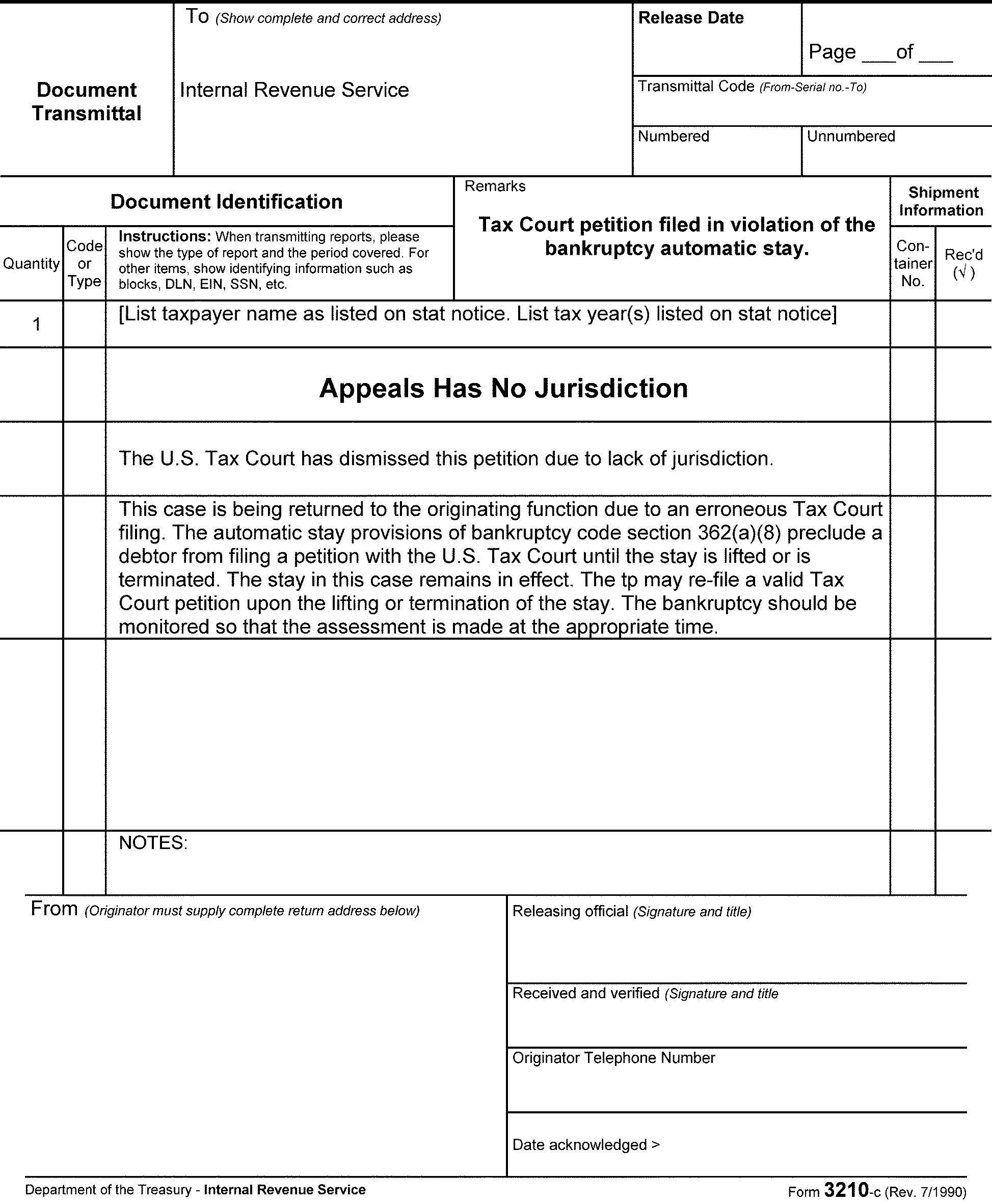
- This section provides procedures for processing both pre-assessed and post-assessed Civil Penalty (CVPN) Appeals.
- When a CVPN case is submitted to APS for processing, APS must identify if the CVPN module(s) have already been created or if the Appeals determination will require the CVPN module be established by APS.
- There are several CVPN codes which carry an ASED and for those cases, ASED protection and assessment timeframes apply. The ATE will validate the ASEDs upon receipt and assignment of the case. Upon closing, the ATE will also enter the ASED for each period on the respective closing document.
When a Form 8278 is used, the ATE will complete the following items:
- If the CVPN adjustment does not have an ASED, the ATE will check the box in Item 4 "Check if no ASED"
- If the CVPN adjustment does have an ASED, the ATE will enter the ASED in Item 6 "Statute date (mandatory) (mmddyyyy)"
A pre-assessed CVPN Appeals determination will likely require that the MFT 13 or MFT 55 CVPN Module be established for each period being closed.
- If the MFT 13 (for BMF) or MFT 55 (for IMF) account has not been established, APS will follow guidance in:
IRM 20.1.7.7, Creating Entities or Name Lines for Non-Return Civil Penalty Cases
IRM 20.1.7.7.1, BMF Entities
IRM 20.1.7.7.2, IMF Entities, to establish a Civil Penalty Module for a secondary taxpayer, or for a tax period that is earlier than the earliest tax period associated with the existing entity name line.
- If the MFT 13 (for BMF) or MFT 55 (for IMF) account has not been established, APS will follow guidance in:
- A pre-assessed CVPN case is routed to Appeals according to the "All Penalty Appeal cases from IRS Field Offices" instructions on the Appeals Case Routing web page and may not already have the CVPN MFT account established.
- A pre-assessed Dyed Fuel and Refusal Penalty is routed to Appeals according to the "Excise Tax Case Routing" instructions on the Appeals Case Routing web page and may not already have the CVPN MFT account established. See IRM 8.20.7.28.2, Dyed Fuel and Refusal Penalty Case Closing, for additional information on this type of case closing.
- Once the CVPN name line is established, the first TC 290 for $0.00 assessment entered with the applicable PRC and penalty assessment amount is processed with a BS 52X, the CVPN module is created. All subsequent CVPN assessments for that same tax module are posted using BS 53X.
- A post-assessed CVPN Appeals determination will already have an MFT 13 or MFT 55 CVPN module established, and must be adjusted whenever the final determination is to partially sustain or fully allow the taxpayer’s penalty appeal. When the Compliance determination and assessment are fully sustained, APS will close the taxpayer’s CVPN appeal via a TC 290 for $0.00 with a BS 96X to identify that Appeals has made a final determination on the respective account.
When APS receives the CVPN case for closing, APS will:
- Assign the case to an APS employee on ACMS
- Review closing documents for special instructions
- Review and update ACMS with the closing information according to the closing documents
- ACMS Revised Penalty - enter the amount of the penalty sustained
- Input the CVPN account adjustments using IDRS CC: REQ54
- APS will send a copy of the E-5402 (Printable View) and ACM to the Compliance location identified by the ATE in the closing remarks
Note:
APS will process all miscellaneous civil penalties covered by the Civil Penalty Module (CPM) system through IDRS, using the ACMS E-5402 (Printable View) and Form 8278 as the SD.
- All Non-AIMS adjustments must be monitored until they are posted to the account. When the CVPN adjustment(s) is input, place the case in suspense with a follow-up date for no later than the applicable 23C Date.
- All International Penalty adjustments must be made within five business days of receipt of the case in APS.
The ACMS cc’s for these types of cases are as follows:
Determination Made cc Fully Sustained (penalties are neither adjusted nor removed) 14 Not Sustained (penalties are fully removed/fully abated) 15 Partially Sustained (penalties are partially abated) 16
Several types of Claim cases are worked in Appeals:
- Agreed or Defaulted 90-Day Cases Involving Claims
- Abatement of Interest
- Campus Source Claim
- Field Source Claim
- If, in response to a notice of deficiency, the taxpayer submits an agreement or fails to file a petition within the time provided, a notice of claim disallowance must be issued before the case is forwarded for assessment, unless the taxpayer submits Form 2297, Waiver of Statutory Notification of Claim Disallowance.
The tax law provides for interest on overpayments in respect to any internal revenue tax, in accordance with IRC 6611. For an examination-sourced case, Appeals will expedite the closing of an overpayment case that meets the "large dollar criteria" - described in IRM 4.10.8.2.4.3, Large Dollar Cases, and as shown on Exam’s Form 3198, Special Handling Notice for Examination Case Processing. An overpayment case meets the "large dollar criteria" if the total amount of a period’s tax overpayment plus penalties exceeds $100,000.
Note:
These procedures do not apply to cases requiring Joint Committee Review. See IRM 8.7.9.6, Appeals Responsibility in Joint Committee (JC) Cases.
The expedite procedures include the following:
- APS - APS will expedite the closing of a "large dollar" overpayment case, as" flagged" by the ATE. APS will assign the case on ACMS and identify the case as a "high priority" requiring "expedite processing." APS will make every effort to process a large dollar overpayment within 30 days of Appeals’ receipt of a waiver form and/or closing agreement.
- Under IRC 6404(e)(1), the IRS has the authority to abate interest in certain situations.
- The ATE will provide APS with Abatement of Interest closing documents, an ACM, and Form 3870 for each claim period.
For abatement of interest claims allowed in full:
- Date and send closing Letter 2393, Abatement of Interest - Fully Allowed or Letter 913, Closing Letter - Agreed Cases, by regular mail.
- Review the adjustment document (Form 3870) for the appropriate closing codes, based on the ATE's conclusion to fully allow the interest abatement claim - TC 290 for $0.00 and TC 341 with the amount of the interest to be abated. Note "RC 82" on the adjustment form.
For abatement of interest claims allowed in part:
- Close as a defaulted disallowance letter, tried case, Counsel settled case, or dismissed from Tax Court. (See (6) below for ACMS closing codes.)
- Process the adjustment document with TC 290 for $0.00, TC 341 interest abatement amount, RC 81 (partially abated), or RC 82 (fully abated), if the Tax Court decides further abatement if allowed.
Process the adjustment document with TC 290 for $0.00, if the Tax Court decides that no further abatement is warranted or the case is closed as a default or dismissal.
Note:
A partial abatement of interest must have been done earlier (with TC 341, RC 81) when Letter 2391, Partial Allowance Letter Abatement of Interest, was issued.
For abatement of interest claims disallowed in full:
- Close as a defaulted Letter 2392, Disallowance Letter for Abatement of Interest, tried case, Counsel settled case, or dismissed from Tax Court. (See (6) table below for ACMS closing codes.)
- Process with TC 290 for $0.00, RC 80 on the adjustment document.
Update ACMS for all abatement of interest closings using general closing procedures and the following cc’s:
cc Definition - 03
- Agreed fully allowed abatement of interest non-docketed case - with closing Letter 2393
- 08
- Agreed Docketed
- 13
- Unagreed Non-docketed
- 20
- Premature Referral
- 43
- Unagreed Docketed
- The APS TE must resolve all freeze codes on the taxpayer's account to ensure that any refund due to the taxpayer is released and refunded timely.
- Use suspense when an account adjustment must be monitored until fully posted.
- Upon completion of the account adjustment and verification that the appropriate refund amount has been released to the taxpayer, remove the case from suspense and close ACMS.
- See Exhibit 8.20.7-6, for guidance on processing an Interest Abatement case which can be submitted to APS as a partial (interim) or a final determination closing.
Campus claims are normally not controlled on AIMS.
When AIMS controls have not been established, process the adjustment to IDRS using Non-AIMS CC: REQ54:
- Form 3870 or Form 8485.
- A separate Form 3870 or Form 8485 is needed for each tax period being adjusted.
Date and mail one of the following closing letters, prepared by the ATE:
- Letter 2681, Appeals Full Disallowance After Previous Claim Disallowance
- Letter 2682, Appeals Full Claim Allowance
- Letter 2683, Appeals Partial Disallowance After Previous Claim Disallowance
Note:
An Appeals disallowance Letter 2681 or Letter 2683 will contain a reminder that the taxpayer has two (2) years from the date of the statutory claim disallowance letter (usually Letter 105-C, Claim Disallowed, or Letter 106-C, Claim Partially Disallowed) to file suit in either the U.S. Court of Federal Claims or a U.S. District Court. Generally, the Compliance Campus has already issued the statutory claim disallowance letter (by certified or registered mail) giving the taxpayer an opportunity to go to Claims Court or District Court. Therefore, send the closing letter by regular mail.
- These cases are not held for suspense.
The following are the ACMS entries required at closing:
ACMS cc’s:
cc Definition 14 Full Disallowance 15 Full Allowance 16 Partial Disallowance 18 Unresolved, closed 20 Premature Referral
Note:
Follow these procedures for non-AIMS controlled claim cases, if a claim disallowance letter was not previously mailed or Form 2297, Waiver of Statutory Notification of Claim Disallowance, was not signed. The ATE will prepare the appropriate closing letter and provide the appropriate closing instructions. If the claim case is controlled on AIMS, follow the general procedures for closing AIMS-controlled cases. The ATE could make a determination to secure an agreement form and/or send (by certified or regular mail) a statutory claim disallowance letter (or secure a Form 2297 in lieu of the statutory claim disallowance letter).
Actions for inputting the adjustment on claims:
- Input TC 29X for appropriate tax change along with applicable RC(s).
- Use HC 3 – prevents issuance of adjustment letter, because the Appeals closing letter has been sent.
- Use BS 00 if the original return is with the claim.
- Use BS 05 (IMF) or 15 (BMF) Non-Refile DLN (NSD) if the original return is not with the claim. SDs are attached to ACMS.
- Use BS 98 - Refile DLN (SD) for paper processing where SDs are returned to files.
- Use BS 99 - Refile DLN (SD) for paper processing where the case file includes the original claim/tax return and SDs are returned to files.
- See Document 6209, Section 4-14, Adjustment Blocking Series, for more information.
Claims for abatement and/or refund may require one or both of the following actions:
- Issuance of a certified letter of claim disallowance
- Account adjustments/abatements
- For claim cases originating from Field Compliance, the amount of the claim that Compliance disallowed will be on the second page of the AMDISA. Close the case on ACMS by following normal closing procedures (docketed or non-docketed).
Prepare Form 5403, according to Exhibit 8.20.7-1 to include applicable Claim related entries. The Form 5403 claim entries are:
- Item 20 - "MM-DD-YYYY" = date the signed Form 2297, Waiver of Statutory Notification of Claim Disallowance, was received in Appeals or the date the claim disallowance letter was issued.
- Item 808 - enter the amount of claim from Compliance that Appeals disallowed.
- Item 809 - (if applicable), enter the amount of a new claim received by the ATE after assignment of the case. This amount will not be reflected on page 2 of the AMDISA under Exam Claim Amount Disallowed).
- Item 810 - enter the amount Appeals disallowed in Item 809, if applicable.
Note:
Item 809 and 810 are only used if during the Appeals hearing, the taxpayer submits a new claim/additional claim which was not previously considered by Compliance.
Date and mail the closing letter:
- Letter 913, Agreed Cases - Closing
- Letter 1363, Appeals Partial Disallowance of Claim - Certified Letter
Letter 1364, Appeals Full Disallowance of Claim - Certified Letter
Note:
The certified claim disallowance letters are not suspensed in the same way a Statutory Notice of Deficiency. Once the certified claim disallowance letter is issued, the case is closed on ACMS and the final determination is processed via AIMS or Non-AIMS, as applicable.
- Excess Social Security and Medicare Tax Claims require unique processing of the tax abatement on the BMF entity and a manual refund of the claim amount allowed to the employee/claimant. The ATE determines the fully or partially allowed withholding adjustment amount which is posted as a TC 291 abatement to the employer’s BMF account; but the refund of the abatement must be issued to the employee who filed the claim.
- Guidance for processing partially or fully allowed Excess Social Security and Medicare Tax Claims is provided in IRM 21.6.4.4.8.5.1, Social Security and Medicare Tax Erroneously Withheld - Employee Claims for Refund - Schedule H, (2) table row 4.
- Excess Social Security and Medicare Tax Claim refunds must be processed via manual refund procedures. See IRM 21.4.4.3, Why Would A Manual Refund Be Needed?
- Guidance for processing the manual refund to the claimant is provided in IRM 21.4.4.5, Preparation of Manual Refund Forms, and IRM 21.4.4.5.1, Preparation of Form 5792, IDRS Generated Refund.
APS will take the following actions for a case settled via a Form 906:
- Scan the signed Form 906 and Form 4222, Closing Agreement Checklist (all pages).
- Attach the scanned file to the applicable ACMS case record.
- Use IDRS CC: FRM77 to input a TC 971 AC 256 for each tax period covered by the CA.
- Update the CAR to document the actions taken.
- Affix the original Closing Agreement to the most recent tax return (latest tax period) covered by the Closing Agreement.
Forward a copy of the E-5402 (Printable View), the ACM, and an original of the Form 906 with Form 4222, Closing Agreement Checklist, to the office identified by the ATE on the closing instructions.
Reminder:
Since APS no longer creates a Closed Office File, the APS TE must transmit one of the duplicate Original Closing Agreements to the address below, using Form 3210/E3210.
All Closing Agreements will be retained for six (6) years to comply with the Appeals Records Control Schedule retention period.
Appeals
Attn: Closing Agreement Suspense
55 North Robinson
Oklahoma City, OK 73102–9226
- This subsection provides guidance for the various types of conversions that may occur in cases considered by Appeals. It covers converting one type of tax return to another; converting separate returns to joint returns; and converting joint to separate returns.
- See IRM 4.38.1.9.8, Conversions, for additional information.
When Appeals sustains conversion of Form 1041, U.S. Income Tax Return for Estates and Trusts to Form 1120, U.S. Corporation Income Tax Return the case requires the following special processing actions:
- There should be Form 1120 prepared by Compliance in the file and marked "1041 converted to 1120 by Compliance." Forward the form to the Campus for processing to MF. Retain a copy for closing.
- Prepare Form 2363, Master File Entity Change, and input TC 016 (CC ENREQ/BNCHG) to eliminate Form 1041 filing requirements.
- After the return posts to MF, input TC 424 to establish the Form 1120 account on AIMS.
- After the AIMS account is fully established, prepare Form 5403 following normal procedures. Annotate Item A "Form 2363 to eliminate Form 1041 FR prepared/input by Appeals."
- Process the AIMS closure on the MFT 02 account per the Appeals Settlement.
When Appeals sustains the conversion from Form 1120S, U.S. Income Tax Return for an S Corporation, to Form 1120, U.S. Corporation Income Tax Return, the case requires the following two steps:
- Prepare Form 2363 and input TC 091 to change the filing requirements to corporation.
- Process Form 2363 and Form 5403, in the same cycle.
- Send the following notification to Entity Control Section at the Campus: "Form 1120S converted to Form 1120 by Appeals. Please update Form 2553, Election by Small Business Corporation."
Furnish the following information:
- Taxpayer name, address, and TIN
- Effective date of termination
- Reason for termination
- Appeals office
- Statement indicating that Form 2363 has been input
- Prepare Form 5403 in the usual manner. Annotate the following in Item A: "Form 2363 to change FR (filing requirement) from Form 1120S to Form 1120 prepared/input and Entity Control notified by Appeals."
- Process the AIMS closure on the MFT 02 account per the Appeals Settlement.
Taxpayers who originally file a joint return may not change the filing status to separate once the time for filing the return of either spouse expires.
Note:
A personal representative for a decedent can change from a joint return elected by the surviving spouse to a separate return. The personal representative has one year from the due date of the return (including extensions) to make the change.
Example:
Mr. and Mrs. J. filed their 200912 joint return on 02/15/2010. Mr. and Mrs. J's 200912 return may not be converted to separate after 04/15/2010.
- For non-docketed cases, the ATE/TCS will provide the Form 5278 and Form 5403 Instructions to APS to identify the approved changes for the taxpayer’s account(s).
- For docketed cases, the TCS/Counsel attorney will provide the Form 5278 and Form 5403 Instructions to APS to identify the approved changes for the taxpayer’s account(s).
- The following instructions apply when it is deemed appropriate to convert the filing status from joint to separate. Process Form 5403 for the spouse’s account being adjusted. Remove the other spouse’s name in Item 4. Annotate "Joint to Separate" in Item A.
- Prepare Form 2363 and input name change and filing status change via IDRS.
Update ACMS following the instructions provided on the E-5402 (Printable View) or Form 1734 to close ACMS.
- Do not change the name line on ACMS. Leave the joint names and primary Social Security Number (SSN) because ACMS must reflect the filed return under consideration in Appeals.
- CAR - Enter a brief description to explain the disposition, e.g., "Conversion to separate filing status." Separate revised deficiency amounts may also be entered (e.g., "Primary TP - $1200, Secondary TP - $1000." )
Each conversion of a Joint to Separate, Single, or Head of Household account must be analyzed and processed based upon the applicable account condition(s). See the following IRM 21.6.1, Filing Status and Exemption/Dependent Adjustments, sections for additional information:
- Married Filing Joint to Married Filing Separate, Single, or Head of Household Procedures
- Allowable Claims Procedures
- Only One Spouse Requesting Filing Status Change
- Married Filing Joint or Married Filing Separate is Invalid or Filed with Incorrect Status
Taxpayers may elect to go from separate filing status to joint filing status if the following apply in that taxable year:
- Joint return is filed within three (3) years of the due date of the return
- Neither spouse files a petition in Tax Court after a notice of deficiency is issued (this applies where returns are filed - see note below)
- Neither spouse has a suit in any Court for a claim (recovery of tax)
- Neither spouse has entered into a closing agreement
For returns beginning before July 30, 1996, the tax shown on the joint return is paid in full
Note:
An SFR prepared by the IRS does not constitute a taxpayer filing a return. Therefore, where no return was filed previously, taxpayers may elect to file joint returns even if the case is in Tax Court.
- Each conversion of Separate to a Joint account, must be analyzed and processed based upon the applicable account condition(s). See IRM 21.6.1.5.3, Processing Married Filing Separate, Single, or Head of Household to Married Filing Joint Adjustments, for additional and supplementary information.
- For non-docketed cases, the ATE/TCS will provide the Form 5278, and Form 5403 Instructions to APS to identify the approved changes for the taxpayer’s account(s). See IRM 8.20.7.19.4 (4)Reminder below.
For docketed cases, the TCS/Counsel attorney will provide the Form 5278 and Form 5403 Instructions to APS to identify the approved changes for the taxpayer’s account(s).
Reminder:
The APS TE will both validate and update the taxpayer entity as identified by the ATE/TCS/Counsel attorney instructions. Whenever necessary, ensure the Filing Status and Name Line changes have processed prior to inputting adjustments that may cause the release of an erroneous/premature billing notice, an erroneous refund or an unpostable condition.
See the following IRM 21.6.1 sections for additional and supplementary information:
- Filing Status Change Procedures
- Processing Married Filing Separate to Married Filing Joint Adjustments
- Married Filing Separate to Married Filing Joint and Both Taxpayer’s Previously Filed
- Married Filing Separate to Married Filing Joint and One Taxpayer Did Not Previously File
- Statute of Limitations Procedures for Married Filing Separate to Married Filing Joint
- If both taxpayers filed separate returns and there are two AIMS accounts, prepare a Form 5403 for each spouse’s return.
Prepare Form 5403 for the primary taxpayer's (PTP) account as follows:
- Item 4 - Add secondary taxpayer's (STP) name.
- Item 12 - Enter the adjustment amount to equal the correct tax and penalty minus that assessed on the PTP's return.
- Item 15 - In addition to the applicable IRN identified on the Form 5403 Instructions for the PTP adjustments based on the STP account, enter the amount of the STP's unrefundable withholding credits. Circle the plus (+) sign since these credits now apply to the Joint account under the PTP and STP name line.
- Items 800 through 811 - Enter statistical data.
- Prepare Form 2363 and input name change and filing status change using IDRS
See IRM 8.20.7.19.4 (4)Reminder above.
Prepare Form 5403 for the STP's account. This form becomes a tax adjustment document.
- Item 12 - Enter the amount necessary to reduce all assessed tax and penalties to zero.
Item 15 - In addition to the applicable IRN(s) identified on the Form 5403 Instruction to adjust the STP account Return Level Entries to $0.00, also enter the amount necessary to reduce the *unrefunded prepayment credit by the amount allowed as a credit on the joint return (STP's credits). Circle the minus (–) sign. These fields adjusted to $0.00 will be adjusted, as applicable, on the PTP MFJ account per (2) c) action above. Also enter reference number 999 (with blank amount in (–) field). This entry prevents the case from subsequently appearing in the Campus Multiple-Filer Program.
Reminder:
Refunds posted to the STP account must be moved to the PTP account following guidance in IRM 21.5.2.4.23.10, Moving Refunds, and IRM 21.5.8-1, Transaction Codes and Reversals, to move posted TC column row "840 or 846" .
- Items 800 through 811 - Enter statistical data.
- Item A - Check "Other" block and enter "Change from separate to joint return. See Form 5403 for (PTP's Name)-(SSN)." If the STP made payments of estimated tax or if there are payments on the return, request that Form 2424, Account Adjustment Voucher, transfer the credits as requested by the ATE.
Update ACMS using general closing instructions. In addition:
- CAR - Add a brief statement to each spouse’s case to explain the disposition, e.g., "Converted to joint filing status under SSN (enter PTP's SSN)." Also indicate the amount of the total joint liability, e.g., "Joint liability assessed is $1,000."
If only one spouse filed a return, process one Form 5403.
- Prepare Form 2363 to change the filing status to joint, and add the spouse's name and SSN to the joint account.
See IRM 8.20.7.19.4 (4)Reminder above. - Item 4, Form 5403 - Include both spouse's names.
- Item 12, Form 5403 - Enter the adjustment amount to equal the correct tax and penalty minus the amounts assessed on the filed return.
- Item 15, Form 5403 - Enter the change to AGI and TXI and circle the plus (+) sign. APS is responsible for transferring credits to the joint account.
- Prepare Form 2363 to change the filing status to joint, and add the spouse's name and SSN to the joint account.
Follow general closing instructions to close ACMS. In addition:
- Do not change name line. Leave only the name of the primary taxpayer because ACMS must reflect the filed return under consideration by Appeals.
- CAR - Add a brief statement to explain the disposition, e.g., "Converted to joint filing status (both taxpayer's names)."
- See IRM 21.6.1.5.3.2, Married Filing Separate to Married Filing Joint and Separate to Joint and One Taxpayer Did Not Previously File, for additional information.
Appeals and the Tax Court receive and make determinations on civil tax cases. Occasionally, a criminal investigation is opened during the time the civil tax case is also open. When this happens, CID posts one of the following TCs on the civil tax entity or MF account:
If a civil tax case is open in Compliance at the time the CID freeze is posted to the account, the case will be routed by Compliance to their Fraud Suspense Unit. On rare occasions, a civil tax case is not properly placed in fraud suspense and can enter Appeals inventory (non-docketed), or be routed to Counsel as (docketed).
Example:
Civil penalty case (MFT 55/13) may be assigned to a revenue agent who does not know there is a CID freeze on the income case and the Examination Return Control System (ERCS) isn't programmed to identify or flag a civil penalty case when a CID freeze is placed on the income case.
Example:
Taxpayer files a Petition on a Compliance issued Statutory Notice of Deficiency and docketed procedures require the case be transmitted to Counsel to answer the petition.
IRM 1.2.1.5.11, Policy Statement 4–26 (Formerly P-4-84), requires that when a case has a CID freeze MF "-Z" or "Z-" , coordination between the responsible functions is necessary. This coordination must be initiated by the ATE who is assigned the case, or the Counsel attorney who is preparing the Answer to the Petition. For additional information, see IRM 8.7.1.9, Cases Involving Criminal Prosecution and Restrictions on Appeals Jurisdiction in Criminal Cases, and also see Chief Counsel Directives Manual 38.3.1.8, Balancing Criminal and Civil Aspects.
If And Then Tax Period has an open CID freeze CID Approval to allow the Civil Enforcement Action is not provided by the ATE or Counsel attorney Notify your PTM via encrypted email and include the earliest ASED in the subject line
Place the case in suspense, as appropriate.
The PTM forwards the email to the respective ATM or Counsel attorney for response.ATM or Counsel attorney has not previously coordinated the civil action with CID The ASED is more than 90 days from current date APS will reject the case back to the ATM, ATE, or Counsel attorney as appropriate and close ACMS. ATM or Counsel attorney has not previously coordinated the civil action with CID The ASED is 90 days or less from the current date APS will fax the E-5402 (Printable View) and the Authority for Assessment document* to the ATM or Counsel attorney for immediate coordination with CID.
*Signed Agreement
*Defaulted SND
*Entered Tax Court Decision or Dismissal
APS will place the case in suspense, as appropriate.
APS will set a follow-up for 1 week and involve the PTM if a response is not received from the ATM/ATE, or Counsel attorney by the follow-up date.ATE or Counsel attorney has previously coordinated the civil action with CID The written approval to proceed with the civil action is included in the file APS will process the Appeals determination, Counsel settlement, or Entered Tax Court Decision and fax the written approval to proceed with the civil action to the Scheme Development Center (SDC) contact for the campus location where the adjustment was input.
- Appeals is notified when the case jurisdiction changes to DOJ.
- The ATE prepares the case for release to DOJ, and forwards the case to APS for ACMS and AIMS closing.
Update ACMS following general closing instructions:
- cc - 18
APS will prepare Form 5403 to close the AIMS controls using Copy BS 79X and complete the following entries:
- Item 9 - PC (2 or 3 as appropriate)
- Item 12 - Enter TC 300 for $0
- Item 13 - DC 01
- Items 800 through 810 - Enter appropriate statistical information
- Item 811 - Enter cc 18 or 19, as appropriate
- Attach a copy of the face of the return and Form 2275 to the Form 5403. Use IAT Tool Fill Forms to prepare Form 2275.
- Forward Form 2275 to the Campus to "re-charge" the administrative file and original return to DOJ.
- Upon completion of the closing actions, APS will transmit the administrative file to the Counsel office identified by the ATE on the E-5402 (Printable View).
The above instructions only apply to cases in Appeals’ jurisdiction. If a taxpayer petitions the District Court or Claims Court while in Examination’s jurisdiction, the DOJ transfer is coordinated between Examination and Counsel without involvement by Appeals. This case will not be controlled on ACMS.
Reminder:
Appeals does not process DOJ Refund Litigation case adjustments. Upon request from TCS, APS-CIT will calculate interest on DOJ cases.
Note:
DOJ Refund Litigation case processing guidance is provided in IRM 25.3.6.5.3, Special Notices of Abatement/Adjustment.
- APS is responsible for final processing actions on all docketed cases. APS must ensure that all TC 520 cc 72 transactions are reversed using a TC 521 with no cc. Some Appeals docketed cases may also contain modules that have both a TC 520 cc 72 and a TC 520 cc 74. The input of a TC 521 with no cc will reverse both of these TCs. APS must ensure that a TC 521 with no cc properly posts to IDRS for each module associated with the docketed case.
- APS-CIT is responsible for final processing actions on all:
⇒ Cases originating from TE/GE
⇒ Estate and Gift (E&G) tax cases (includes IRC 6161 and IRC 6661 E&G cases)
⇒ IC cases
⇒ CIC/LCC cases - When an E&G, TE/GE, IC, or CIC/LCC case has a decision entered, the case will be systemically placed in the APS Specialty Unassigned queue.
- Counsel will not have an administrative file to return to Appeals when an Order to Dismiss for LOJ is entered because an SND has not been issued to the taxpayer. The taxpayer’s case, ASED protection responsibility, and the AIMS control remain under Compliance’s jurisdiction. This type of petition is premature, and thus unique carding and unique closing procedures must be followed. Upon notification that the Order to Dismiss for LOJ is entered, the TE closes ACMS using cc 21.
- Counsel sends all tax court cases back to Appeals for final processing of the decision and closing actions with the one exception of a Premature Petition case explained in IRM 8.20.7.22 (4) above.
- When the entered decision, entered order, or the dismissed case (except for a premature petition) is returned to APS, Counsel prepares Form 1734 or equivalent. See Exhibit 8.20.7-1 for additional information regarding time applied and attorney grade information.
- If the docketed case is received by an APS office other than the one identified on the routing sheet, the case will not be re-routed or rejected. The APS office receiving the case will take the necessary steps to update ACMS and process all applicable account actions and assure timely assessment of the deficiencies in the case.
- All docketed closing administrative files must include the entered decision, entered order, or order of dismissal document.
If The entered decision/order document, or the order of dismissal is not available as an ACMS attachment, it is available via the United States Tax Court Website.
Note:
As case types and functions transition to paperless processing, the court documents will either already be attached to the ACMS record, or APS will need to access the document(s) via the United States Tax Court Website, convert the document to a PDF, and upload the PDF as an attachment to the ACMS record.
The APS TE must always verify whether or not an entered decision includes the IRC 6213(a) waiver paragraph.
Reminder:
When an entered decision includes the IRC 6213(a) waiver paragraph, the entered decision date serves as the agreement date which must be input with the tax assessment. The agreement date identifies the action that gives the IRS authority to process the tax assessment and also documents the taxpayer's account for underpayment interest accrual and suspension application for the "agreed" tax and penalty adjustments.
If the waiver paragraph is not included, the APS TE must verify that 100 days (90 + 10) have elapsed from the decision entered date to avoid an invalid/premature assessment action during the period of time the taxpayer or the IRS can file an appeal the Tax Court decision.
Reminder:
When an entered decision does not include the IRC 6213(a) waiver paragraph, the entered decision date is not an agreement date and must not be input with the tax assessment. The assessment based on an entered decision, or order of dismissal which does not include a waiver paragraph, is legally authorized at the conclusion of the timeframe during which the taxpayer, or the IRS may file an appeal of the Tax Court’s decision with the United States Court of Appeals.
- See Chief Counsel Directives Manual 35.8.2.4, Waiver Paragraph, for additional information.
When the decision is entered, APS will:
- Upon assignment for closure, calculate the statute date using IRM 8.21.2.6, Updating Statutes on ACMS and AIMS.
- Update the statute on ACMS to reflect the 150-day assessment date.
- Update the statute code, per IRM 8.21.2-1, ACMS Statute Codes.
- When closing a docketed BBA case, the ATE will prepare Letter 1645, Approval of Settlement/Docketed Case, and leave an undated copy in the file so that it can be dated and mailed by APS when the case is sent to Counsel for entry of decision.
- When the stipulated decision document has been signed and returned by the Partnership Representative (PR), the ATE will close the case to APS for routing to the Ogden BBA Unit, M/S 4705, Arka Monterey Park Building, 1973 North Rulon White Blvd., M/S 4705, Ogden, UT 84404-5402.
- See IRM 8.19.14.7, Docketed Case Procedures, and subsections for additional details regarding docketed BBA cases.
- For cases that are either tried or settled by Counsel, after the decision is entered Counsel will return the case to Appeals TEFRA/BBA Team (ATT) for closing along with a copy of the entered decision, the Counsel Settlement Memorandum (if applicable) and any special instructions. The case should be sent to APS. ATT will assist, if necessary, in preparing the case for closing. If the case is not appealed, the case will be routed to the Ogden BBA Unit by APS for final closing.
- When an appeal from a Tax Court decision is final, the Department of Justice will return the case to Appeals through Counsel to complete processing. The case should be sent to ATT. ATT will assist, if necessary, in preparing the case for closing. APS will forward the case to the BBA Unit for final closing.
- When a decision is final for a case that had previously been in Appeals and which was petitioned to a District Court of the United States or the U.S. Court of Federal Claims (or a case appealed from these courts), the Department of Justice may return the case to Appeals through Counsel if assistance is needed to complete processing. The case should be sent to ATT. ATT will assist, if necessary, in preparing the case for closing. APS will forward the file to the BBA Unit.
The following APS instructions are for Tax Court Orders to Dismiss for LOJ AFTER an SND has been issued to the taxpayer. These instructions do not apply to the following case types:
- Premature Petition where an SND has not been issued:
✓ See IRM 8.20.5.5.1.5.1, Premature Petition Carding and Certification Procedure
✓ See IRM 8.20.7.22 (4)Exception for a brief explanation of the process used by APS to control and close a Premature Petition case on ACMS.
- Premature Petition where an SND has not been issued:
The Order of Dismissal for LOJ identifies the reason for the dismissal and will also identify if a tax or penalty adjustment must be made. The APS TE will identify the reason for the dismissal and follow the instructions below to close ACMS and resolve the taxpayer’s account. Reasons for Dismissal:
✓ Petition Filing Fee Not Paid
✓ Petition Filed Late
✓ Petition No Change Certification- Update and close ACMS using the applicable ACMS cc:
⇒ 08 - Dismissed Compliance Notice of Deficiency with Appeals Time
⇒ 11 - Dismissed Appeals Notice of Deficiency for LOJ
⇒ 21 - Dismissed Compliance Notice of Deficiency with no Appeals Time - Complete Form 5403 to process any tax and/or penalty adjustment and close AIMS controls using CC: AMCLSA
- If the order of dismissal is not included with the case file, access the United States Tax Court site to locate the order of dismissal, open the file, and print it.
An assessment made as the result of a "prematurely" defaulted SND when the taxpayer has timely filed a petition are not legal/valid assessments. APS follows procedures in IRM 8.20.6.20.2, Partial (Interim) Assessment/Abatement AIMS CC: AMCLSF, upon receipt of written approval from their PTM, the ATM, or the Counsel attorney to abate the premature assessment. As long as no other condition affects the Tax Court Jurisdiction, the case will be controlled as a docketed case with an ASED suspended from the SND issuance date, until the Tax Court Decision is entered + 150 days.
Caution:
When the Tax Court Decision is entered, if the tax, penalty, or credit adjustment(s) identified on the Entered Decision are within $10.00 of the previously posted assessment/abatement amounts, APS must always include PC 8 on the Form 5403 in Item 9, to avoid an unpostable.
- Update and close ACMS using the applicable ACMS cc:
If the case was dismissed because the petition was not timely filed or because the petitioner did not pay the filing fee:
- Verify that the SND has been assessed by reviewing a current TXMODA.
- If the tax/penalty on the notice of deficiency is assessed and it is a valid assessment, it does not need to be abated and re-assessed.
- If AIMS controls are open, prepare Form 5403 for TC 300 for $0.00+ Note in Item A - Tax/penalty assessed previously on MMDDYYYY (MMDDYYYY = the 23C date associated with the previous assessment.) If the Del-Ret-Ind is set, a TC 160 for $0.00+ is also required to avoid an unpostable condition.
If AIMS controls are closed, prepare a Form 8485 to post a TC 290 for $0.00 and in the Remarks field enter Tax/penalty assessed previously on MMDDYYYY. If a TC 16X Failure to File penalty has been previously assessed, also enter a TC 160 for $0.00+ to avoid an unpostable condition. Also prepare a Form 3177, Notice of Action for Entry on Master File, to post a TC 521 with the applicable cc to manually reverse the TC 520 litigation freeze and resume collection activity. This TC 520 closing process is programmed to occur systemically when the adjustments are input using CC: AMCLSA.
Example:
A "Valid" assessment is made timely, prior to the ASED and in compliance with all applicable laws and statutes. Taxpayer files a petition to the USTC after the last day to file a petition. Counsel Dismisses the petition for LOJ. APS close the ACMS record with cc 11, posts a TC 290 for $0.00 on the taxpayer’s account and also inputs a TC 521 with the correct cc to reverse the TC 520 litigation freeze and resume collection activity. APS then forwards the closed case (dummy file or administrative file) to the appropriate Campus files function. The original default assessment posted to the taxpayer’s account will not be altered.
If there is an invalid assessment that has not already been reversed as an interim adjustment per IRM 8.20.6.20, Interim Account Adjustments - Assessment or Abatement Prior to Final Determination, APS will follow the written authority from the PTM, ATM, or Counsel attorney to process any abatement as a partial adjustment CC: AMCLSF, and then also process the final assessment prior to the ASED.
Reminder:
The abatement adjustment* must post before the assessment adjustment so use a PDC on the final adjustment both documents are input in the same cycle. When processing an adjustment to tax, penalty, or credit reference that is within $10.00 of a previously posted tax, penalty, or credit reference amount, PC 8 must be included with the adjustment input to avoid an unpostable condition. If the abatement (partial account adjustment) and the assessment (final account adjustment) are both within $10.00 of the previously posted transactions then a PC 8 must be included on both adjustment inputs.
Caution:
*Always use a HC 4 on the abatement adjustment to suppress the issuance of an incorrect notice and/or erroneous refund to the taxpayer.
- If the tax/penalty on the notice of deficiency has not been assessed, prepare Form 5403 to make the assessment through AIMS. See Exhibit 8.20.7-1, Form 5403, Appeals Closing Record, for detailed instructions.
- Item 08 - leave blank
⇒ A case dismissed for LOJ for any of the reasons identified in IRM 8.20.7.22.2 (2) above are not authorized by an Agreement - Item 12 - use the SND for the tax/penalty amounts
Item 14 - enter the correct statute date and only use tack-on-time when appropriate and approved*
Reminder:
Whenever tack-on time is used to update the ASED, always update the ACMS Statute Code to FINAL. *Use of TACK-ON Time requires PTM approval.
- Item 15 - enter the IRNs and CRNs to correctly update the taxpayer’s account per the SND and supporting documentation
- Item 811 - 08 (if there is ATE time) or 10 (if there is no ATE time)
- APS updates the ACMS record with the correct ASED and Statute Date and closes the dismissed case on ACMS using the applicable cc:
⇒ 08 - Dismissed Compliance Notice of Deficiency with Appeals Time
⇒ 11 - Dismissed Appeals Notice of Deficiency for LOJ
⇒ 21 - Dismissed Compliance Notice of Deficiency with no Appeals Time
- When the Order to Dismiss for LOJ identifies a tax deficiency and/or penalty assessment for less than the amount(s) provided on the SND, APS must verify if the SND has already been assessed or not.
When the SND has been assessed for the full amount reflected on the SND, APS will abate the difference between the SND assessed amount and the lesser amount identified on the Order to Dismiss. APS will use CC: AMCLSA if AIMS controls are open, or use CC: ADJ54 if AIMS controls are not open.
Example:
An Order to Dismiss for LOJ identifies a tax deficiency of $1,000.00 and an IRC 6651(a)(1) (TC 160) penalty for $225.00. The APS TE verifies that the Compliance-Issued SND has already been assessed with a TC 300 tax deficiency of $1,100.00 and a TC 160 $225.00. To correct the account based upon the lesser tax deficiency identified on the Order to Dismiss, the APS TE will prepare Form 5403 with a TC 301 for $100.00- and a TC 160 $0.00.
- When the SND has not already been assessed, APS will use CC: AMCLSA if AIMS controls are open, or CC: ADJ54 if AIMS controls are closed, to assess the tax and/or penalty in the amount provided on the Order to Dismiss prior to the ASED.
- APS will close the case on ACMS with the appropriate cc:
⇒ 08 - Dismissed Compliance Notice of Deficiency with Appeals Time
⇒ 11 - Dismissed Appeals Notice of Deficiency for LOJ
⇒ 21 - Dismissed Compliance Notice of Deficiency with no Appeals Time
- When the Compliance function that issued the Notice of Deficiency secures additional information which fully resolves the underlying amount of tax in dispute, a "No Change Certification" is provided to the Counsel office with jurisdiction for the taxpayer’s petition. The Counsel attorney considers the new information for any case under their jurisdiction. If the taxpayer’s petition is determined to be defective for one or more reasons, an Order to Dismiss for LOJ is prepared, dated, and provided to APS for next action(s).
When APS receives both an order to dismiss for LOJ along with the no change notification, APS will take the following actions:
- Use CC TXMODA to verify that the SND has not already been assessed.
- Update ACMS revised amount of $0.00 and use the applicable cc per IRM 8.20.7.22.2 (2) above.
- Use CC: AMCLSA to post the TC 300 for $0.00+ and if the Del-Ret-Ind is set, also enter TC 160 for $0.00+ to avoid an unpostable condition.
- Forward the case to the appropriate campus files function using Form 3210/E3210.
- This type of dismissal is used when the taxpayer did not pursue their case in the manner required by the Tax Court rules and procedures, for example, failure to appear at calendar call.
- The Order of Dismissal for Lack of Prosecution (LOP) states the tax/penalty amounts to assess.
Close the case following general closing instructions. In addition, the entries for Form 5403 are:
- Item 08 - Leave Blank
- Item 12 - enter tax/penalty to be assessed per the amounts provided on the Order of Dismissal
- Item 14 - enter the correct statute date and only use tack-on-time, when necessary
- Item 15 - enter the IRNs and CRNs to correctly update the taxpayer’s account per the Form 5403 Instructions
- Item 811 - 08 (if there is ATE time) or 10 (if there is no ATE time)
- Close ACMS using general closing instructions and cc 12.
In cases where the liability in personal holding company tax has been established by a decision of the USTC, but deficiency dividends have not been paid and a Form 976, Claim for Deficiency Dividends Deductions by a Personal Holding Company, Regulated Investment Company, or Real Estate Investment Trust, has not been filed, APS will:
- Prepare Form 5403.
- Assess the deficiency according to the entered decision.
- Enter HC 3 in Item 07 on Form 5403. HC 3 prevents the issuance of a notice for the adjustment transaction on which it is entered but does not prevent the issuance of any other notice.
- Close the case on ACMS.
- Send the administrative file after assessment by Form 3210/E3210, to the Compliance function identified by the ATE to await the filing of Form 976 by the taxpayer.
See the following IRM references for additional information:
- IRM 4.10.8.11, Personal Holding Company (PHC) - Deficiency Dividends
- IRM 8.6.4.8.1, Form 2198 Agreement - Personal Holding Company Tax
- IRM 8.7.1.2, Personal Holding Company Tax Alleviated by Deficiency Dividend
When a delinquent return has been received the normal ASED is computed by adding 3 years to the Return Received Date. The normal ASED is suspended as of the date the SND is issued, until:
- A waiver of agreement is received (non-docketed closing)
- Taxpayer defaults on the SND (non-docketed closing)
- Taxpayer petitions the USTC and the docketed case is finalized via:
▸ Dismissal for LOJ
▸ Dismissal for LOP
▸ Entered Tax Court Decision with a waiver paragraph becomes final
▸ Entered Tax Court Decision without a waiver paragraph becomes final after the 90 + 10 day appeal period concludes
▸ Court of Appeals’ determination becomes final - See IRM 8.20.7.36.2 (8), Delinquent Return Included in an Appeals Case, for additional closing instructions
If the IRS or Appeals has issued an SND the case is finalized by one of the events listed below:
- A waiver of agreement is received (non-docketed closing)
- Taxpayer defaults on the SND (non-docketed closing)
- Taxpayer petitions the USTC and the docketed case is finalized via:
▸ Dismissal for LOJ
▸ Dismissal for LOP
▸ Entered Tax Court Decision with a waiver paragraph becomes final
▸ Entered Tax Court Decision without a waiver paragraph becomes final after the 90 + 10 day appeal period concludes
▸ Court of Appeals’ determination becomes final - See IRM 8.20.7.36.3 (6), Substitute for Return Cases Processed in Appeals, for additional closing instructions.
- A docketed case can be "sealed" by a USTC Judge. The Counsel attorney will notify their designated APS PTM to redact the ACMS record and overlay all identifying information as determined by Counsel. The appeal number will stay the same for inventory control purposes.
- APS will process the entered order or entered decision following normal processing guidelines and update the taxpayer's accounts to reflect the Court's determination per the entered order or entered decision.
APS will document the CAR to state that they were not able to apply the Fed/State Disclosure guidelines to this case because the case is sealed.
Caution:
Do not share the case name or any other case information with anyone except your PTM, and only on a need to know basis.
- The APS TE must process the account adjustments and place the case in suspense until all adjustments post.
Upon verifying that all adjustment have posted to the account, take the following actions to physically seal the case for transmission to campus files:
- Associate all documents according to closed case assembly guidelines.
- Enclose each tax period separately in opaque material (brown paper, brown folder, etc.)
- Use shipping tape to affix opaque material around each tax period.
- Clearly annotate the following information on the top of the opaque material:
Sealed Case
Appeal Number
Controlling DLN (enter complete Controlling DLN for each applicable package)
Prepare Form 3210/E3210 with the following exceptions:
- Instead of using the taxpayer name or name control, use "Sealed Case" if preparing a Form 3210, or XXXX with the term Sealed Case in the comments field if using the SB/SE CDI Transmittal Database to generate an E3210. The taxpayer’s complete TIN must be entered in the TIN field of the Transmittal Database but when the E3210 is printed, all but the last four digits will be masked.
- Include the appeal number for reference and privacy of case identification.
- Identify each tax period and include the controlling DLN for each tax period.
- Enter a Remark on the Form 3210/E3210 This case has been sealed by the Tax Court, do not open sealed items and do not disclose case information.
The Tax Court may impose a penalty against a taxpayer not exceeding $25,000 under IRC 6673 (a)(1) if:
- a taxpayer institutes or maintains a proceeding primarily for delay,
- takes a position that is frivolous or groundless, or
- unreasonably fails to pursue available administrative remedies.
Note:
A penalty award under section IRC 6673 (a)(1) is not asserted against the taxpayer in any notice issued by the IRS. The government can request the penalty in its pleadings or the penalty can be imposed by the Tax Court on its own.
- For identification of the IRC 6673 civil penalty amount imposed, refer to the Entered Tax Court Decision.
- If a court other than the Tax Court, including appellate courts, determines that the taxpayer is proposing a frivolous or groundless suit, the court may award sanctions, penalties, or costs not exceeding $10,000 under its rules. IRC 6673 (b)(2) and (3) allows the "award" to be assessed and collected like a tax.
- The TE will prepare a Form 8485 as the civil penalty assessment SD. In this instance, a Form 8278 will not be prepared by the ATE.
- APS will assess civil penalties asserted under IRC 6673 (a)(1) (PRN 643) and IRC 6673 (b)(2) and (3) (PRN 644).
The IRC 6673 penalty is assessed on a CVPN module:
- MFT 13 (BMF)
- MFT 55 (IMF)
Since the IRC 6673 penalty is not associated with a particular tax year before the court, but instead is a sanction imposed by the court for groundless delay, the penalty is assessed using the month and the year of the Court's order imposing the IRC 6673 penalty.
- IMF Entities (MFT 55) - Any month can be used to identify the CVPN 55 Tax Period. Refer to IRC 6673 CVPN IMF Table below.
- BMF Entities (MFT 13) - Calendar year month end is used to identify the CVPN 13 Tax Period. Refer to IRC 6673 CVPN BMF Table below.
IRC 6673 CVPN IMF Table
IF Ordered Entered by the Court on THEN Use Period June 6, 2014 201406 December 7, 2013 201312 February 22, 2012 201202
IRC 6673 CVPN BMF Table
IF Ordered Entered by the Court on THEN Use Period April 14, 2014 201412 August 6, 2013 201312 November 22, 2012 201212
If the CVPN account is not yet established, reference the following IRMs and take the appropriate action(s) to establish the CVPN account for assessment of the IRC 6673 penalty:
- IRM 20.1.7.7, Creating Entities or Name Lines for Non-Return Civil Penalty Cases
- IRM 20.1.7.7.1, BMF Entities
- IRM 20.1.7.7.2, IMF Entities
- IRM 20.1.10.8.1, IRC 6673(a) - Tax Court Proceedings
- IRM 20.1.10.8.1.2, Assertion/Assessment
- IRM 20.1.10.8.2, IRC 6673(b) - Proceedings in Other Courts
- IRM 20.1.10.8.2.2, Assertion/Assessment
Process the CVPN assessment:
- Research IDRS CC BMFOL, IMFOL, INOLE, NAMES/E to ensure the penalty is being assessed on the correct filer’s account.
- Use IDRS CC: ADJ54 to input a TC 290 for $0.00*.
- Input the appropriate PRN:
• PRN 643 for Tax Court (6673(a))
• PRN 644 for other than Tax Court (6673(b)) - Input the dollar amount of the penalty, as identified on the Entered Tax Court Decision.
- Use BS 52X (required for the first assessment). Use BS 53X if this is not the first CVPN assessment to the MFT 13 (BMF) or MFT 55 (IMF) for the respective taxpayer and tax period.
- Use a PDC if the CVPN entity is PN or input the ADJ54 adjustment in the cycle immediately following the cycle in which the CVPN Entity is fully established.
Do not use an HC (see Caution below) because the IRC 6673 Civil Penalty is immediately assessable under the authority of the court imposing the CVPN and is immediately collectible as of the assessment’s 23C date.
Caution:
If you are processing a credit transfer or offsetting an available overpayment from the same taxpayer’s IDRS account(s), then use the appropriate HC to suspend the notice until the credit transfer(s) post(s). Always monitor the account to confirm all transactions post, and once the account correctly reflects all transactions, post a TC 290 for $0.00 with BS 96X without a HC to release the balance due notice and freeze the CVPN from subsequent abatement action by non-Appeals personnel.
Reminder:
Use suspense procedures to ensure the CVPN account condition is timely and accurately adjusted and finalized.
- Take all necessary steps to avoid an unpostable condition.
- The IRC 6673 penalty imposed by the court cannot be mitigated by a subsequent claim or penalty abatement request filed by the taxpayer. For this reason, APS must also post a second TC 290 for $0.00 with a BS 96X to freeze the CVPN from subsequent abatement action by non-Appeals personnel.
- There is no return of tax to trigger the running of the statute of limitations prescribed by IRC 6501. The costs to be assessed under the authority of IRC 6673(b)(2) are not reported on any document filed by a taxpayer. Additionally, the costs are neither related to nor based on a tax return filed by the taxpayer.
- APS will assess the IRC 6673(b)(2) penalty promptly upon receipt of the judgment (i.e., order of the court).
The Protecting Americans from Tax Hikes (PATH) Act was enacted December 18, 2015. The PATH Act prohibits taxpayers from retroactively claiming certain TIN related credits for any tax year in which the taxpayer, spouse, or qualifying child did not have a valid SSN assigned or ITIN/ATIN application received by the return due date or due date as extended. See IRM 3.11.6.5.4.1, Protecting Americans from Tax Hikes (PATH Act), for detailed information covering the account conditions and account update procedures that may occur prior to the protested or petitioned case being submitted to Appeals. This IRM section provides information for awareness and procedural instructions for the following Recertification Program topics:
Recertification Program Overview and Procedures Contained in this IRM Section
Recertification Topic Find in Paragraph Credit Adjustment Codes (2) Recertification Indicators (RI) awareness (3) Setting the 2 Year Ban and when more than one adjustment document must be used (4) RI(s) setting and update instructions and 10 Year Ban awareness (5) When APS processing actions set or adjust the RI(s) (6) How the RI(s) impact the taxpayer’s account and future filing requirements (7) How the ATE identifies and provides Recertification instructions to APS (8) Reversing the RI(s), as instructed (9) Source IRM references for additional research, if needed (10) Taxpayer Bill of Rights (11)
Recertification cases are carded on ACMS with feature code "EI" and can be applicable to an income tax case with Open AIMS Controls, a Campus Audit Reconsideration Case, or can be part of a CDP case. The Recertification Indicator (RI) can apply to one or a combination of the following refundable credit types:
- Additional Child Tax Credit (ACTC) - CRN = 336 +/-
- Child Tax Credit (CTC) - CRN = 336 +/-
- American Opportunity Tax Credit (AOTC) CRN 260 +/-
- Earned Income Credit (EIC) - CRN 764 +/765 -
When the IRS denies the taxpayer certain refundable credit(s) at filing, or later reverses all or part of the refundable credit(s) under deficiency procedures, an RI is set for the adjusted refundable credit(s). (Current IRS procedures use -IND for the EIC-RECERT and use -CD for the AOTC-RECERT and ACTC-RECERT.) For the purpose of this IRM section, the literal -IND and -CD mean the same thing with respect to the Recertification process and adjustment of the respective credits. The RI fields identified below are visible on the taxpayer’s ENMOD:
- ACTC-RECERT-CD> set when Child Tax Credit or Additional Child Tax Credit is denied or reversed as an adjustment
- AOTC-RECERT-CD> set when American Opportunity Tax Credit is denied or reversed as an adjustment
- EIC-RECERT-IND> set when Earned Income Credit is denied or reversed as an adjustment
Example:
To view an image of an ENMOD reflecting these three RIs, see the ENMOD Entity Data Section Response, which is located in SERP.
When the Technical Employee instructs APS to set the 2 year ban for one or more of the refundable credits, a PC 6 must also be input on the adjustment document containing the refundable credit adjustment(s). A PC 7 is used in place of the PC 6, if an Amended Return "-A" freeze is also present on the account to both set the 2 year ban and also bypass the MF -A freeze.
Reminder:
If the taxpayer’s account requires adjustments to more CRNs and IRNs than will fit in Item 15, process the IRNs using Partial CC: AMCLSF procedures, then cycle the final AIMS closing with the tax, penalty, CRNs, and IMF RCs using CC: AMCLSA. See (5) Decision Table in IRM 8.20.7.10.4, General Income Tax Credit Reference Numbers and Item Reference Numbers, for additional guidance when more than one adjustment document is required to process account adjustments.
Each of the refundable credit recertification fields (identified in (3) above) will display its own applicable RI/RI Code and each RI must be addressed at closing to accurately resolve the taxpayer’s account(s) and release the refund or billing notice:
- 0 (or blank) - Recertification not required
- 1 - Recertification (Form 8862, Information to Claim Earned Income Credit After Disallowance) is required for subsequent year Form 1040 series return (systemically set when the specific refundable credit is initially partially or fully disallowed):
✓ TC 29X/30X and IMF RC 181 sets ACTC-RECERT-CD>
✓ TC 29X/30X and IMF RC 178 sets AOTC-RECERT-CD>
✓ TC 765 sets EIC-RECERT-IND> - 2 - Credit denied for two years after the disallowed year set by including PC 6 or PC 7 on the credit adjustment document
- 4 - Credit denied for 10 years after the disallowed year set by Compliance after concurrence by the Manager/Team Leader, Functional Fraud Coordinator (FFC), or Campus Fraud Coordinator/Exam Fraud Coordinator and posting of the specific code applicable to each refundable credit:
✓ TC 29X/30X and IMF RC 183 sets ACTC-RECERT-CD> 4
✓ TC 29X/30X and IMF RC 180 sets AOTC-RECERT-CD> 4
✓ TC 29X/30X, TC 765, and TC 240 with Penalty Reference Code 680 with PC 6 or 7 sets EIC-RECERT-IND> 4 - 8 - Reserved
- 9 - Recertification (Form 8862) is set instead of the 1 when a TC 971 AC 156 is input and posted and recertification will be required for subsequent year Form 1040 series return
If one or all of the refundable credits were fully allowed when the taxpayer filed their return, and as a result of an examination, the open audit results in a pre-assessment protest to Appeals (DC 07) or pre-assessment petition to USTC (DC 11), the resolution of the case may require APS to set one or more of the RIs when closing the case. APS will follow the instructions provided by the ATE/Counsel attorney to set the Recertification Indicator using the procedures provided below:
- TC 29X/30X, CRN 336, and IMF RC 181 (Child Tax Credit (CTC) and Additional Child Tax Credit (ACTC) disallowed/reversed) will set the ACTC-RECERT-CD> to 1
- TC 29X/30X, CRN 336, and IMF RC 181 (Child Tax Credit (CTC) and Additional Child Tax Credit (ACTC) disallowed/reversed) and input with PC 6 or 7 will set the ACTC-RECERT-CD> to 2
- TC 29X/30X, CRN 260, and IMF RC 178 (American Opportunity Tax Credit (AOTC) disallowed/reversed) will set the AOTC-RECERT-CD> to 1
- TC 29X/30X, CRN 260, and IMF RC 178 (American Opportunity Tax Credit (AOTC) disallowed/reversed) and input with PC 6 or 7 will set the AOTC-RECERT-CD> to 2
- TC 29X/30X and CRN 765 (Earned Income Credit (EIC) denied) will set the EIC-RECERT-IND> to 1
- TC 29X/30X and CRN 765 (Earned Income Credit (EIC) denied) and input with a PC 6 or 7 will set EIC-RECERT-IND> to 2
Once the Earned Income Tax Credit (EITC) RI is set, the taxpayer must submit a Form 8862 to recertify they are eligible to receive one or a combination of the EIC, AOTC, ACTC, or CTC credits for the respective tax period.
Note:
The source IRM 4.19.14.7, Recertification:
✓ (5) states "If the EITC, combined CTC/ACTC, or AOTC is disallowed or reduced, a CP 79 notice will be sent to the taxpayer informing them that the credits were disallowed and that they will be required to file Form 8862 to recertify the next time they claim the credit. An RI will remain on the account until the taxpayer recertifies."
✓ (6) states "Credits claimed by taxpayers who are required to recertify but do not attach Form 8862 to their next return will be denied through Math Error procedures during the processing of the tax return under IRC 6213(g)(2)(k), (P) and (Q)."
✓ (7) states "Master File programming automatically removes the RI 1 or 9 when a case is closed and the taxpayer receives the full EITC, CTC/ACTC, or AOTC claimed under the conditions detailed below."
⇒ EIC - Current posted TC 764 with an amount equal or exceeding a prior TC 765 with Doc. Code 47 (CC: AMCLS)
★ All other conditions will require manual removal of the RI by input of TC 971 AC 056.
⇒ CTC/ACTC - Current posted TC 766 CRN 336 with an amount equal or greater than the amount of a previously posted TC 767 Doc. Code 47 with CRN 336
★ All other conditions will require manual removal of the RI by input of TC 971 AC 161.
⇒ AOTC - Current posted TC 766 CRN 260 with an amount equal or greater to the amount of previously posted TC 767 Doc Code 47 with CRN 260
★ All other conditions will require manual removal of the RI by input of TC 971 AC 160.The ATE will select one of the following literal statements from the Recertification Closing Action on the E-5402 (Printable View):
- "None" , Recertification was not at issue in the appealed case
- "Reverse Recertification Indicator - Input TC 971, AC 56" , RI must be reversed by APS input of TC 971 AC 056
- "Do Not Reverse Recertification Indicator do not input TC 971 AC 056" , RI must remain in place
- "Recertification Ban Imposed by Compliance/Reversed by Appeals" , Input TC 971 AC 056
- "Recertification Ban Imposed by Compliance/Sustained by Appeals" , do not input TC 971 AC 056, RI must remain in place
- "Recertification Ban Not Imposed by Compliance/Imposed by Appeals" :
✓ Use PC 6 to set the 2 Year ban on tax period YYYYMM
✓ Use PC 7 to set the 2 Year ban on tax period YYYYMM and bypass the amended return freeze "Recertification Ban Not Imposed by Compliance/Not Imposed by Appeals" , RI was not set
Note:
The ATE/Counsel attorney may need to provide written instructions to clarify if the RI must be reversed for some or all of the refundable credits. The recertification requirements do not apply in the same way to each of the credits containing a RI.
To accurately process a Recertification case and Reverse one or more of the RI per the ATE instructions, APS will use CC: REQ77/FRM77 to input:
- TC 971 AC 161, if requested by the ATE to Reverse the ACTC Recertification CD
- TC 971 AC 160, if requested by the ATE to Reverse the AOTC Recertification CD
- TC 971 AC 056, if requested by the ATE to Reverse the EITC Recertification IND
Source IRMs for the guidance contained in this IRM section and this particular type of account condition are provided below:
- IRM 2.3.15-4, IMF Entity
- IRM 4.38.1.7.3.1.19, Item 09: Priority Code, (2) table PC 6 and PC 7 rows
- IRM 4.19.14, Refundable Credits Strategy:
✓ Recertification
✓ Math Error Referrals to Examination - EITC, CTC/ACTC, AOTC - IRM 4.19.15, Discretionary Programs:
✓ Child and Dependent Care Credit
✓ Lifetime Learning Credit and Hope/American Opportunity Tax Credit (AOTC) - IRM 4.19.20, Automated Correspondence Exam (ACE) Processing Overview
- IRM 8.10.1.3.2, Appeals Program Level Reports
- IRM 8.17.3-3, Settlement Computations - Overpayment with Frozen Refund, plus Earned Income Credit and Additional Child Tax Credit Adjustment
- IRM 8.22.8.9, Earned Income Tax Credit (EITC)
- IRM 21.6.3, Credits:
✓ Credits Procedures
✓ Form 8863, Education Credits
✓ Form 8863, Adjusting the Account
✓ Child Tax Credit
✓ CTC - Adjusting the Account
✓ Refundable Credits
✓ EITC
✓ EITC - Adjusting the Account
✓ EITC Recertification
✓ EITC Recertification Math Errors
✓ Additional Child Tax Credit (ACTC)
✓ ACTC Adjusting the Account
✓ American Opportunity Tax Credit
Accurate processing of the Credit Recertification case supports the following Taxpayer Bill of Rights:
- The Right to Be Informed
- The Right to Quality Service
- The Right to Pay No More than the Correct Amount of Tax
- The Right to Finality
- The Right to A Fair and Just Tax System
- In the fall of 2017, SB/SE’s ESRP compliance group issued letters to certain employers regarding their potential liability for an ESRP under IRC 4980H. The ESRP is assessed on MFT 43.
APS will take the following case closure actions:
Make any necessary closing actions on ACMS.
Note:
SB/SE ESRP compliance group will make the ESRP assessment (if applicable) and will send the taxpayer a Letter 227-N, ESRP Acknowledgment - Appeals Determination
.
- Date stamp and mail the closing letter (Letter 5917, Employer Shared Responsibility Payment (ESRP) - Closing, with enclosures) to the employer and representative (if applicable), upload a copy of the letter to ACMS.
- Send via encrypted email a dated copy of Letter 5917 with enclosures, E-5402 (Printable View), ACM, and agreement form (if applicable), to *SBSE ESRP Issues. When emailing the closed case file to the SB/SE Compliance group, APS will:
1. Request a read receipt.
2. Include closed case in the subject line.
3. Attach Form 3210 and request the SB/SE ESRP group sign, date, and return the Form 3210 to APS.
4. Upload read receipt to ACMS.
IRS employees are entitled to the same privacy and security measures as any other taxpayer regardless of whether they are in an active or inactive employment status. If you know the employee, take the case to your manager or lead for reassignment. If you do not know the employee, continue processing the case.
Example:
The IRS-EMP-CD on TXMODA and on IMFOLT identifies an IRS Employee Tax account:
IRS Employee Code Description P Primary taxpayer is the IRS employee S Secondary taxpayer is the IRS employee B Both taxpayers are IRS employees When the ATM enters an approval on the ACMS record, the closure is assigned to APS. Upon receipt of the case, the APS TE will:
- Close the case off of ACMS.
- Mail the closing letter to the taxpayer and/or POA.
- Process the Appeals determination and make adjustment(s), as applicable.
- Update the AIMS status code to 21.
- Use IAT Tool Fill Forms to prepare Form 2275, Records Request, Charge and Recharge, to identify the location of the case. See the agency address below.
- Associate a copy of the Form 5403 and front page of the tax return with the Form 2275 and transmit the Re-charge Package to the appropriate Campus files function for association with the Form 5147, Transaction Record.
Forward all ETC cases to Compliance at the following address:
Internal Revenue Service
Attn: Technical Services
31 Hopkins Plaza
Baltimore, MD 21201
- See IRM 10.5.5.3.5, Employee UNAX Responsibilities, for additional information.
- IRS Examination and Collection functions forward employment tax cases to Appeals.
- If the case originated in Collection, send a copy of the E-5402 (Printable View) and the closing agreement to the Employment Tax Examinations (ETE) coordinator, as indicated in the routing instructions.
- If the case originated in Examination, send a copy of the E-5402 (Printable View) to the employment tax analyst, as indicated in the routing instructions.
When an income tax case also contains an adjustment for the employee’s share of FICA tax, prepare two Form 5403s. The assessments are done separately because the 30-day interest free waiver period (agreement date) does not apply to the employee share of FICA tax. Prepare Form 5403 for the FICA tax assessment as follows:
- Check "AMCLSF"
- Item 08 - leave blank
- Item 12 - TC 300 amount should reflect only the amount of the employee share of FICA Tax to be assessed and is identified on Form 2504
- Item 16 - no entry
- Item 800 - Enter the Appeals Results Amount in Item 800 if appropriate
- Item 801 - Enter the Counsel Results amount in Item 801 if appropriate
- Item A Note “Form 885-E included See 2nd Form 5403 for income tax deficiency”
Prepare Form 5403 for income tax assessment:
- Check "AMCLSA"
- Item 08 - enter agreement date if the assessment is authorized by an agreement
- Item 12 - TC 300 amount = income tax assessment only (FICA tax assessment must not be duplicated on AMCLSA Form 5403)
- Item 800 - total assessment of FICA tax, income tax, and penalty
- Complete the Form 5403 with all other appropriate closing information provided via the Form 5403 Instruction Worksheet
- Item A - Note "See 1st Form 5403, Appeals Closing Record, for employee share of FICA Tax assessment"
- If inputting both the employee share of FICA adjustment and the income tax adjustment in the same cycle, use a PDC 1 on the second adjustment (closing) input since only one TC 30X can post per cycle. If the adjustment documents are input in different cycles, then the PDC is not required.
- If only the employee share of FICA tax is being assessed, prepare one Form 5403 and leave Item 08 blank.
- Form 2504, reflecting taxpayer’s agreement to the FICA tax must be present in the administrative file. Since the employee share of FICA tax is not an income tax, it is not subject to deficiency procedures and cannot be included on a SND. When a SND is being issued, the ATE will notify APS to process the employee share of FICA as a partial assessment.
Form 941, Employer’s Quarterly Federal Tax Return, is filed by employers who withhold income taxes from wages or who must pay Social Security or Medicare tax. The type of tax reported on a Form 941 is also referred to as FICA tax and is posted to MF on MFT 01. FICA tax audit examination adjustments are documented on one or more of the following forms and included, as applicable, with the Employment Tax case closing package submitted to APS for processing and closing:
- Form 4666, Summary of Employment Tax Examination. The entries summarize FICA taxes, Railroad Retirement Taxes (RRTA), Federal Unemployment Taxes (FUTA), income tax withholding, and backup withholding adjustments. Tax credit(s) and penalty(ies) are also summarized on this form.
- Form 4667, Examination Changes - Federal Unemployment Tax. This form is used to calculate FUTA adjustments for a Form 940 examination. See IRM 8.20.7.26.4 below for additional MFT 10 FUTA procedures.
- Form 4668 - This form is used to calculate FICA and income tax withholding adjustments for employment tax examinations of Form 941 and Form 943, Employer’s Annual Federal Tax Return for Agricultural Employees, MFT 11.
- Form 4669, Statement of Payments Received. This form is used by the payor to show that it is entitled to relief under IRC 3402(d), Tax Paid By Recipient, IRC 3102(f), Special Rules For Additional Tax, IRC 1463, Tax Paid By Recipient Of Income, or Regulations section 1.474-4.
- Form 4670, Request for Relief of Payment of Certain Withholding Taxes. This form is used by the employer to request relief from the payment of income tax required to be withheld from wages when the employee has reported the wages and paid the tax.
Individual Income employment tax and withholding adjustments are reported by the taxpayer on their Form 1040 and/or attachment:
- Schedule H, Household Employment Tax Adjustments
- Form 4137, Social Security and Medicare Tax on Unreported Tip Income
- Form 8919, Uncollected Social Security and Medicare Tax on Wages
- Form 8959, Additional Medicare Tax
FICA tax adjustments (MFT 30 or MFT 01) are not subject to deficiency procedures under IRC 6211 - IRC 6215 which apply to Income, Estate and Gift taxes imposed by subtitles A and B and Excise taxes imposed by Chapters 41, 42, 43, and 44 nor under IRC 6212 which applies to the same tax types identified for IRC 6211. For this reason, the ATE will request APS process the individual taxpayer FICA tax adjustments types (Schedule H, Tip Income Tax, Employee Share of FICA) as interim action partial assessments).
Caution:
Form 94X series accounts are systemically governed by mathematical validity checks for AIMS ADJ47 and Non-AIMS ADJ54 adjustments. See IRM 21.7.2.4.1.1, TC 29X / Item Reference Number (IRN) Valid Adjustment Formulas - Employment Taxes, for details related to the validity checks.
When assigned to process an Employment Tax MFT 01 non-docketed closing, the APS TE will prepare Form 5403 for each Quarter reflected on the Form 4668 by entering the appropriate tax, penalty, credit reference codes, item reference codes, and amount(s) on Form 5403 for all increases or decreases in FICA-related adjustments (Social Security and Medicare Tax) reflected on Form 4668. See IRM 8.20.7-1 Exhibit Table, Form 5403, FICA Tax MFT 01 Item 12 and Item 15 Entries for details covering Tax/Pen/Int adjustments and CRN and IRN codes, and Form 4668 for specific details and explanations.
Reminder:
When Form 5403 Item 15 entries exceed the number allowable for a single CC: ADJ47 AIMS adjustment input, the APS TE must use a two-step process to accurately cycle the account adjustments. STEP 1 - when AIMS controls are open, the APS TE can either prepare a Form 8485 (Non-AIMS CC: ADJ54)) or a Form 5403 (Partial AIMS CC: AMCLSF) to process the overflow Item 15 entries in the current IRDS Cycle. STEP 2 the final Form 5403 (Full AIMS) closure must be cycled to post in a later cycle. The APS TE can use Form 5403 Item 43 PDC to systemically delay posting of the final Form 5403, or they can input the CC: ADJ47 AMCLSA in a later cycle. (See Reminder and Caution below).
Reminder:
Entry of Item 43 PDC is considered a "systemic" ” cycling procedure and allows input of both adjustment documents on the same day. Inputting the second adjustment document on a later date/subsequent cycle is considered a "manual" cycling procedure. The systemic cycling procedure using Item 43 PDC is preferred when there is no known risk of the first adjustment creating an unpostable condition. The manual cycling procedure where the APS TE monitors the posting of the first adjustment input and then once all adjustments post, then inputting the second adjustment document is preferred when the risk of an unpostable condition is not certain. Regardless of the cycling procedure used by the APS TE, the taxpayer’s case must be suspended and the taxpayer’s account must be monitored until all input transactions fully post.
Caution:
*Only one TC 290/300 carrier TC can post in a single cycle. TC 308/309 (IRC 6205 Interest Free Adjustment tax assessment) are compatible with the TC 300 carrier TC and TC 298/299 (Non-AIMS IRC 6205 Interest Free Adjustment) are compatible with TC 290 carrier TC.
See the table below for additional FICA Tax adjustment information and details:
Employment Tax-Related Internal Revenue Manuals and Applicable Subsection Titles
IRM Number and Title: Subsection Title: IRM 4.23.8, Determining Employment Tax Liability - Processing Interest-Free Employment Tax Cases
IRM 4.23.10, Report Writing Guide for Employment Tax Examinations - Examination Procedures for IRC 3402(d) and IRC 3102(f)(3) Relief (includes case processing instructions)
- Form 5344/Form 5599 Additional Entries for Completion of Employment Tax Closures (includes case processing instructions)
IRM 8.7.16, Appeals Employment Tax Procedures - Fact Sheet of Settlement Computations
- Form 4668
- Computations for Unreported Tip Income Cases
- Computations Involving Adjustments to Household Employment Taxes (Schedule H)
- Employment Tax Reference Codes
- Adjustment for Employee FICA Tax (Form 885-E)
- Interest-Free Adjustment under IRC 6205(a)
- Closing Employment Tax Changes
IRM 20.2.10, Interest on Estate, Excise, Employment, and Foreign Taxes - Employment Taxes
- Underpayment Adjustments on Employment Taxes
- Combined Annual Wage Reporting (CAWR) Assessments (IRC 6205 Interest-Free Adjustment)
- Household Employment Taxes
- Interest on Income Tax Withholding Assessments Abated under IRC 3402(d)
- COBRA Benefits
IRM 21.7.2, Employment and Railroad Tax Returns - Item Reference Numbers (IRNs) and Credit Reference Numbers (CRNs) - Employment Taxes
- C 29X / Item Reference Number (IRN) Valid Adjustment Formulas - Employment Taxes (The validity checks identified in this section also apply to TC 30X Employment Tax adjustments.)
- Interest-Free Adjustments (Employment Tax Returns)
- Income Tax Withholding, Backup Withholding, and Additional Medicare Tax Adjustments
- Social Security and Medicare Tax Adjustments
- IRC 6205 Interest-Free Adjustment cases are identified by the ATE on the E-5402 (Printable View).
Prepare Form 5403 following general closing instructions. In addition:
- Item 11 - Enter the date the signed Form 2504 is received by Appeals
- Item 12 - Use TC 308 (instead of TC 300) with the tax amount
See the following references for additional information:
- IRM 8.7.16.13, Interest-Free Adjustment under Section 6205
- IRM 20.2.10.5.1, Underpayment Adjustments on Employment Taxes
- IRM 20.2.10.5.4, Underpayments of Federal Insurance Contributions Act (FICA) and Railroad Retirement Tax Act (RRTA)
Prepare Form 5403 as follows:
- Enter the appropriate reference code for all increases or decreases in FUTA tax or wages in Item 15. The reference code(s) reflect the state for which the tax/wages are being adjusted.
- The three digit reference code for the tax portion of the adjustment is comprised of a "T" followed by the two character state code, e.g., California is TCA; New Jersey is TNJ, etc. The total of the tax (T) reference code amount must equal the TC 300/301 tax adjustment. If the "T" reference code amount does not equal the tax amount or is not entered, the adjustment will reject.
- If the adjustment is due to an increase or decrease in wages, a wage reference code(s) is also required. The three digit reference code for the wage adjustment is comprised of a "W" followed by the two character state code.
- If adjustments are made to more than one state, the appropriate reference code(s) and the tax and/or wage adjustment amount(s) attributed to each state is required.
- Estate Tax and Gift Tax returns are often worked together. Closing procedures for both Estate Tax (Form 706) and for Gift Tax (Form 709) are provided within this section.
ATEs will provide special processing instructions to APS-CIT for processing and closing the following types of Estate and Gift Tax Cases:
- IRC 6161, Extension of Time to Pay Estate Tax
- IRC 6166, Election to Make Installment Payment
- IRC 2032A, Notice of Special Use Valuation Election
- IRC 2057, Notice of Special Use Valuation Election
- The APS TE will use Form 5403 to process all AIMS closings using the information provided by the ATE or TCS on the Form 5403 Worksheet.
Upon resolution of a docketed estate tax or docketed gift tax case on which IRC 6161 is applied, the APS TE will:
- Process the tax and penalty adjustments, as determined in the stipulated or entered decision document using Form 5403 CC: AMCLSA.
- Enter a TC 340 $0.00 in Item 12 of Form 5403, because the interest on the account must be calculated and posted by the Estate and Gift Tax Unit located at the Covington Campus.
- Close ACMS using the information provided on the E-5402 (Printable View).
- Make a copy of the adjustment authority and adjustment document to send to campus files for association with the Form 5147, Transaction Record.
- Use IAT Tool Fill Forms to prepare Form 2275 to re-charge the administrative file to the Estate and Gift Tax Unit. Associate a copy of the front page of the tax return and a copy of the Form 5403 and submit the Re-charge package to the appropriate Campus files function for association with the Form 5147.
APS will update ACMS using the cc provided on the E-5402 (Printable View):
- 14 if unagreed (i.e., extension denied)
- 15 if agreed (i.e., extension granted)
- APS will use IAT Tool Fill Forms to prepare Form 2275 to re-charge the case to the Advisory employee identified by the ATE.
- If the estate tax IRC 6161 case is related to an estate tax deficiency case, there will be one appeal number for each type.
- APS will process the estate tax deficiency based upon the final disposition document, (agreement, default, entered tax court decision) but an estate tax IRC 6161 closing by itself requires no AIMS or IDRS update.
APS will update ACMS using the cc provided on the E-5402 (Printable View):
- 14 if unagreed (i.e., extension denied)
- 15 if agreed (i.e., extension granted)
- APS will use IAT Tool Fill Forms to prepare Form 2275 to re-charge the case to the Advisory employee identified by the ATE.
- If the gift tax IRC 6161 case is related to a gift tax deficiency case, there will be one appeal number for each type.
- APS will process the gift tax deficiency based upon the final disposition document, (agreement, default, entered tax court decision) but a gift tax IRC 6161 closing by itself requires no AIMS or IDRS update.
- IRC 6166, Installment Election, only applies to the Form 706, Estate Tax Return, MFT 52 account and when approved, will post as a TC 468 with a cc 02 which sets the IDRS Status to 14. If the IRC 6166 was denied and is being appealed the TC 468 cc will be 04. All STAT 14 modules must be manually maintained and billed, so the APS TE will process the Appeals determination, or the entered decision via the appropriate TCs and input a TC 340 $0.00 to restrict the account from computer generated interest. The organizational mailbox for the 6166 Unit is FOR INTERNAL USE ONLY.
The APS TE will use IAT Tool Fill Forms to prepare Form 2275 to re-charge the case to the Advisory employee identified by the ATE, see the address below:
SB/SE Estate and Gift 6166
201 W. Rivercenter Blvd. Stop 824G
Covington, KY 41011
- For IRC 2057 and IRC 2032A cases, the ATE will include IRC 2057, and IRC 2032A closing procedure instructions for APS.
To properly close estate tax cases, it is important to understand the definitions of net deficiency/overassessment and gross deficiency/overassessment:
- Net deficiency/overassessment - the amount determined when the maximum amount of state or foreign death taxes is allowed as a credit in the settlement computation.
- Gross deficiency/overassessment - the amount determined when the settlement computation only allows the amount of state or foreign death taxes that have been paid.
When closing a net deficiency estate tax case, show the "net" deficiency in Item 12 of Form 5403 if either of the following two situations exists:
- Substantiation of payment of state or foreign death taxes is not required; or
- Substantiation of payment of state or foreign death taxes is required, but the waiver provides for an additional assessment in event substantiation is not timely submitted, and ample time remains for assessment of the unsubstantiated credit.
- For estate cases that do not involve state or foreign death tax credits, enter the "gross" deficiency/overassessment in Item 12, Form 5403.
- In docketed cases, whether settled or tried, if required substantiation of state or foreign death tax has not been submitted, make the assessment for gross deficiency or gross overpayment and follow the same credit procedure as in agreed nondocketed cases. The petitioner may obtain credit for state inheritance taxes after the decision is entered in the United States Tax Court case if a claim is submitted to the IRS within the statutory period.
- Enter the "net" deficiency or overassessment in Item 800/801, Form 5403.
Appeals will expedite the closing of a certain "agreed and unpaid deficiency" or overpayment case, if the case meets the "large dollar" criteria described in IRM 8.2.1.10.1, Expedite Processing for Certain Large Dollar Cases.
Note:
This guidance does not apply to a deficiency and/or overpayment case that requires Joint Committee. See IRM 8.7.9.3, Cases Requiring JC Review.
To close the case, APS will:
- Update and close ACMS according to the E-5402 (Printable View).
- Prepare and process Form 5403 as appropriate and input via CC: AMCLSA.
- Use IAT Tool Fill Forms to prepare Form 2275 to re-charge the case to the Advisory employee identified by the ATE.
- Make a copy of the closing document and the front page of the return for association with the Form 2275 and send to campus files for association with the Form 5147 generated by the CC: AMCLSA adjustment.
- Prepare Form 3210/E3210 to send the administrative file to the Estate and Gift Examiner identified on the E-5402 (Printable View).
- Estate and Gift will process the case pursuant to IRM 4.25.11.2, IRC 2032A Special Use Valuation Election, and IRM 5.5.8.4, Special Valuation Estate Tax Lien Under IRC 6324B.
- Interest may be limited to specific time periods or rates, or it may be statutorily prohibited; this gives rise to the term "restricted interest." Restricted interest is subject to the same variables (time, rate, amount) as "normal" interest. The primary difference between normal and restricted interest is that the computer may not be able to identify all conditions involved in a restricted interest situation and therefore restricted interest computations may have to be performed manually.
- See IRM 8.7.4, Appeals Estate and Gift Tax Cases, and Exhibit 8.7.4-2, Restricted Interest Provisions for Estate Tax, for additional information.
- If the case involves any of the Code Sections listed in IRM 8.7.4-2, the TCS or ATE will prepare Form 1366, Tax Analysis Worksheet for Overassessment of Estate Tax Involving Restricted Interest, as part of the settlement computation for use by APS in computing the restricted interest.
- The TCS or ATE will also notate that restricted interest applies on the Form 5403 Instruction Worksheet. This alerts APS to look for the Form 1366.
- The ATE is responsible for ensuring that the Form 1366 is attached to the Form 5403 Instruction Worksheet and that both documents are attached to ACMS and the inside left flap of the administrative file folder when the case is closed.
- See IRM 20.2.1.4, Normal and Restricted Interest, for further information concerning restricted interest computations.
- See IRM 20.2.10.2.5, Combination Adjustments, for further information concerning Form 1366.
- The special purpose agreement form for gift tax cases is Form 870-AD or a Form 890. Form 890 is only used when the only issue is the amount of the exemption and there is no tax due.
- The detailed instructions for preparing Form 5403 are found in Exhibit 8.20.7-1, Form 5403 - Appeals Closing Record (Instructions).
Appeals will expedite the closing of a certain "agreed and unpaid deficiency" or overpayment case, if the case meets the "large dollar" criteria. For additional information, see IRM 8.2.1.10.1, Expedite Processing for Certain Large Dollar Cases.
Note:
This guidance does not apply to a deficiency and/or overpayment case that requires Joint Committee. See IRM 8.7.9.3, Cases Requiring JC Review
.
- The ATE or TCS who prepares the tax computations and the Form 5403 Instruction Worksheet will identify the correct IRN and adjustment amount when there are updates required to the Applicable Credit via Item 422 and/or the DSUE Item 425.
- Excise tax imposed by IRC 4251 is assessed directly against the user of communications facilities and services if the tax is not paid to the collecting agency. Although liable for the tax, the user is not required to file an Excise Tax Return, nor is the tax assessed against an MFT 03 account.
- Process the assessment as an NMF assessment in the name of the person against whom the direct assessment is to be made using Form 1331, Notice of Adjustment.
- If there is an overassessment of an NMF direct assessment, process the overassessment on Form 1331.
- If NMF AIMS controls are open, use Form 5403, to close AIMS via CC: AMCLSA.
- Apply these procedures to other direct assessments. See IRM 4.24.6.2.6, Direct Assessment Procedures Under IRC 4251, 4261, and 4271, for more information regarding direct assessments.
- Letter 4451, Employment Tax Closing Letter Unagreed Non WC, will be used for unagreed cases. Letter 913 will be used for agreed cases. APS will date and mail all copies of the closing letter addressed to the taxpayer.
- The Telephone Excise Tax Refund (TETR) Form 8913, Credit For Federal Telephone Excise Tax Paid, applied to the 2006 tax period only. The TETR CRNs (253 and 254) are retained in this IRM for historical purposes only and to provide an explanation of these codes for use in analyzing a 2006 tax period. See Exhibit 8.20.7-11, Table of the Most Common Credit Reference Numbers (CRN) and Item Reference Numbers (IRN), for additional information.
- This form is a three-part assembly, and depending upon local arrangements, may be prepared in part by APS and in part by the Campus on NMF overassessments. The form is not required for an overassessment for which a restricted interest worksheet is prepared. Form 1331-C, Notice of Adjustment (Wage or Excise Tax), is used for NMF excise tax cases.
- For excise tax cases involving restricted interest, the ATE will use the E-5402 (Printable View) and the Form 5403 Instructions to APS Worksheet to provide notification to APS of the interest restriction. The ATE will Include the type of tax and IRC section or applicable regulation authorizing the restriction of interest in the "Special Handling Instructions" section of the Form 5403 Instructions to APS Worksheet.
- APS will update and close ACMS according to the E-5402 (Printable View) provided by the ATE.
- See IRM 8.20.7.16, Civil Penalty MFT 13 (BMF) MFT 55 (IMF) Closing Procedures, for guidance on how to establish the MFT 13 and MFT 55 CVPN account.
- APS will not transmit the E-5402 (Printable View) back to the originating function for this case type because this action is completed by the ATM per IRM 8.7.10.19, Routing Form 5402 and ACM Feedback to SB/SE for Excise Tax Cases.
The APS TE will take the following actions to process a Dyed Fuel and Refusal penalty case assigned to them on ACMS:
- Review closing documents for special instructions.
- Review and update ACMS with the closing information according to the E-5402 (Printable View).
- Input the CVPN account adjustments via IDRS CC: REQ54 according to the Form 8278.
- See IRM 8.20.7.28.2 (5) below for the specific penalty reference number associated with each Dyed Fuel or Refusal penalty IRC.
- Enter your IDRS number in Item 12a "Terminal operator" .
- Enter the amount of the penalty sustained in ACMS Revised Penalty field.
- Suspense the case and monitor the account for posting of the adjustment(s).
- Transmit the closed file per the ATE instructions or to campus files function as appropriate using Form 3210/E3210.
Each Dyed Fuel penalty IRC is assessed via a unique PRN as identified on Form 8278 in block 9 C Excise:
Dyed Fuel and Refusal Penalty IRC and the Associated Penalty Reference Number
Dyed Fuel and Refusal Penalty IRC Penalty Reference Number (PRN) IRC 6675 661 IRC 6715 656 IRC 6715(a)(1) 665 IRC 6715(a)(2) 665 IRC 6717 655 IRC 6718 657 IRC 6719 670 IRC 6720(A) 673 IRC 6725 667
- When processing more than one Penalty Reference Code per CVPN module, use a sequential PDC for the BS 53X adjustment(s).
- Since the taxpayer has availed themselves of their pre-assessment appeal rights, APS must also input a TC 290 for $0.00 with BS 96X to set the Appeals Refusal Abatement Indicator on each of the CVPN modules being closed as the last account adjustment.
- APS is responsible for all processing and adjustments on ID Theft cases in Appeals’ jurisdiction. These cases are identified on ACMS with a feature code "ID" and a TC 971 AC 522 on ENMOD.
Prior to submitting the ID Theft case to Holtsville APS, the ATE must:
- Ensure the taxpayer's address in IDRS is correct. Failure to verify and update IDRS to the taxpayer's correct address may result in the ID thief getting the taxpayer's mail from the IRS, including the Identity Protection Personal Identification Number (IP PIN) needed to file in future years.
- Prepare and sign Form 3870, if needed, to accomplish correction of the taxpayer's account.
Unless the ATE specifies otherwise, APS will:
- Utilize the ID Theft streamlined process.
- Utilize the IDT 48/58 procedures (see Note below).
- Assume the ATE verified the correct taxpayer via their request for an Appeals hearing, Form 14039, Identity Theft Affidavit, and the proof of ID provided.
- Assume the ATE verified the taxpayer's correct address in IDRS on receipt of the case and at closing
Note:
For additional information about IDT 48/58, see IRM references below:
✓ IRM 2.4.61, IDRS TERMINAL INPUT - Command Code IDT48/IDT58/RPM48/RPM58/CSO48/CSO58/ELP45
✓ IRM 25.23.10, Compliance Identity Theft Case Processing- APS will resolve any problems with the adjustment requests with the ATE initiator. If the ATE initiator is not responsive or the issue remains unresolved, raise the issue to the PTM/ATM level.
- The ATE information within the subsections below is included for APS reference to verify the type of "ATE-prepared" documents and instructions that are required for each type of ID Theft case.
When it is confirmed that an ID thief used the taxpayer's SSN to earn income, the ATE must provide instructions to APS (see Step Process Table below for reference) for adjusting the account to reflect the taxpayer's correct account information and to remove the "bad" transactions:
ID Theft Income Related Adjustment Step Process Table
Step Process 1. The ATE will:
- Prepare Form 3870 and write "ID theft adjustment" at the top. Identify the bad transaction(s) that must come off of the account.
2. The ATE will prepare Form 4844, Request for Terminal Action, for APS to input TC 971 AC 501 after the account is adjusted. 3. The completed case will be forwarded to Holtsville APS for processing after it has been approved for closure.
When it is confirmed that an ID thief used the taxpayer's SSN to file a fraudulent return AND the taxpayer had no filing requirement, the ATE must instruct APS to adjust the liability to make the taxpayer whole:
ID Theft Return Related Adjustment Step Process Table - No Return Filed
Step Process 1. The ATE will:
- Prepare Form 3870 and write "ID theft adjustment-treat this fraudulent return as a nullity" at the top.
- Identify the bad transaction(s) that must come off of the account.
- Address any refunds, prepayment credits or payments on the account.
2. The ATE will prepare Form 4844 for APS to input TC 971 AC 501 after the account is fully adjusted. 3. The completed case will be forwarded to Holtsville APS for processing.
When it is confirmed that an ID thief used the taxpayer's SSN to file a fraudulent return and the taxpayer also filed, the ATE must instruct APS to adjust the liability to make the taxpayer whole:
ID Theft Return Related Adjustment Step Process Table - Multiple Returns Filed
Step Process 1. The ATE will:
- Prepare Form 3870 and write "ID theft adjustment-treat this fraudulent return as a nullity" at the top.
- Identify the bad transaction(s) that must come off of the account.
- Address any refunds, prepayment credits or payments on the account.
2. The ATE will:
- Prepare Form 4844 for APS to input TC 971 AC 501 after the account is fully abated/adjusted.
3. The ATE will:
- Attach a copy of the correct taxpayer's "duplicate" TC 976 return (electronic or paper) or the taxpayer's original return if not posted as a "duplicate" TC 976 return.
4. The completed case will be forwarded to Holtsville APS for processing.
The links provided below provide additional references and information for processing IDT Cases:
- IRM 2.4.61, IDRS Terminal Input, Command Codes IDT48/IDT58/RPM48/RPM58/CSO48/CSO58/ELP45
- IRM 3.28.4, Special Processing Procedures - Identity Theft Returns for Submission Processing
- IRM 21.4.5, Erroneous Refunds
- IRM 25.23, Identity Protection and Victim Assistance
- Examination of Form 1040 for 1975 and subsequent tax periods may require adjustments to the IRA Master File (IRA MF) in addition to the normal adjustment to the Individual MF (IMF) account.
Separately post the following adjustments to the IRA MFT 29:
- 6% tax when the taxpayer contributes more than the maximum amount to the retirement fund
- 50% tax when the taxpayer does not take enough money out of the retirement fund (distributions are required at a certain age)
Note:
Do not separately post the 10% tax on early distribution (taxpayer took money from the retirement fund before the proper age was reached). This tax is included in the deficiency and is posted to the MFT 30 account as a portion of the TC 30X adjustment amount.
- See IRM 21.6.5, Individual Retirement Arrangements (IRA), Coverdell Education Savings Accounts (ESA), Archer Medical Savings Accounts (MSA) and Health Savings Accounts (HSA), and IRM 21.2.4, Master File Accounts Maintenance, for additional information.
When joint filers each have separate IRA accounts and both are adjusted, prepare two Form 5403s for the IRA accounts. Check AMCLSI box on the top of each form. Process these forms before processing the joint MFT 30 Form 5403.
- Item 1 - If the IRA adjustment is to the account of the spouse with the secondary SSN on Form 1040, line through the primary SSN.
- Item 2 - Enter MFT 30. After completion of CC: AMCLSI, MFT 29 is generated systemically to the IRA record for transfer to MF. MFT 29 is never reflected on the terminal screen.
- Item 4 - Enter the name control.
- Item 01 - If the IRA adjustment is to the account of the spouse with the secondary SSN on Form 1040, enter the SSN of the spouse. If the IRA adjustment is to the primary SSN, leave this item blank.
- Item 12 - Enter the "excess contribution tax" in the plus or minus field, whichever is applicable. Valid TC’s are 300, 301, 340, 341, 342, 770, and 772.
Item 15 - Enter the reference number and amounts, either increase+ or decrease-. The dollar amount entered for reference number 160 or 162 must be the same dollar amount as the Item 12 TC 30X amount.
IRAF Reference Numbers and Definitions
Ref. No. Definition 160 Increase or decrease 6% tax on excess contributions 162 Increase or decrease 50% tax on under distribution
- Items 800 through 811 - Omit entries. The Item 800 and Item 811 entries are included in the MFT 30 Form 5403 Items 800/811.
- Item A - Enter "IRA adjustment" and cross reference the IMF account with the name and TIN of the related Form 1040.
- Prepare Form 5403 for income tax adjustments in the usual manner. Include the IRA adjustments in results (Items 800/801).
Additional IRM reference for IRA Accounts and IRA Adjustments:
- IRM 21.6.5, Individual Retirement Arrangements (IRA), Coverdell Education Savings Accounts (ESA), Archer Medical Savings Accounts (MSA) and Health Savings Accounts (HSA)
- This section contains instructions for the processing of INNSP cases after the request is determined to be disallowed, partially disallowed, nonqualifying, or allowed in full and the modules are not mirrored. For instructions on processing mirrored modules see IRM 25.15.15, Mirror Modules for Requests for Relief from Joint and Several Liability.
- Allocation of liability could apply to either allowed or partially allowed requests. A partial allowance occurs when the taxpayer does not qualify for full relief but is entitled to some relief. Partial allowance does not include a situation where a taxpayer is eligible for full relief under IRC 6015(c), but is not allowed a refund of payments/offsets made against the liability. Relief under IRC 6015(c) is available only for unpaid liabilities resulting from understatements of liability. This determination is made by the ATE.
Assessments against only one spouse of a joint return were made:
Prior to January, 2001, on the separate NMF MFT 20 account.
- Effective January 2001, on the separate MF MFT 31 account.
- See IRM 8.20.7.34, MFT 31 Separate Assessment Module Overview for additional information.
Florence Campus APS closes and processes INNSP cases in Appeals. This includes closing ACMS, processing account adjustments, and updating ISTS. Florence Campus APS processes these types of cases when:
- Form 870-IS, Waiver of Collection Restrictions in Innocent Spouse Cases, is received
- Taxpayer now accepts Compliance's preliminary determination and asks Appeals to close out their case
- Request for relief is unprocessable or does not meet the basic requirements
- There is an invalid joint election
- The final determination letter defaults
- The U.S. Tax Court enters a decision
- A Circuit Court enters a decision regarding a Tax Court decision
- If a final determination letter was issued, and by the 121st day, no notification is received that the requesting spouse (RS) has petitioned the Tax Court, APS purges the case within seven calendar days and closes the case as a defaulted determination letter.
- If a petition with the Tax Court is filed in response to the final determination letter, the issuing APS office updates ACMS and sends the administrative file to Counsel for "Answer" and trial preparation no later than two days after notification is received the case is docketed.
- APS is responsible for verifying and monitoring the statute dates on all tax periods and returns under their jurisdiction. Correct statute dates must be promptly determined and updated on ACMS and IDRS (AIMS) following the requirements in IRM 8.21.2.6, Updating Statutes on ACMS and AIMS.
- Information for determining and updating statutes on post-assessed cases can be found in Exhibit 8.20.7-3, Innocent Spouse - ACMS Statute Date/Code Table.
For pre-assessed cases, statute dates should be computed and updated in the following order when sufficient time remains on the statute to allow for normal processing through IDRS:
- Normal statute (never shorten the normal 3 year statute)
- Normal or extended statute plus 150 days
- Decision/Dismissal entered date plus 150 days
Tack-on time (computations must be signed and approved by manager)
Note:
A notice of deficiency must have been issued in order for the additional 150 days or tack-on time to apply. If no SND has been issued, the normal 3 year statute applies.
- APS is responsible for reviewing and determining the actual ASED and updating as follows.
Decision entered on a petitioned Tax Court case:
- Enter a date 150 days from what the normal or extended statute date was before the notice of deficiency was issued, or 150 days from the decision entered date, whichever is later.
Delete the statute code DOCKT.
Caution:
If less than 60 days remain on the statute, compute the statute date using tack-on procedures. If the TACKON ASED is within 60 days from the current date, follow quick assessment procedures in IRM 8.20.7.7.1, Quick Assessment Requirements.
- If using a tack-on statute date, also input ACMS Statute Code FINAL.
- See IRM 8.21.2.6, Updating Statutes on ACMS and AIMS, and Exhibit 8.20.7-3, Innocent Spouse - ACMS Statute Date/Code Table.
- Upon receipt of an administrative file for closing, the INNSP case is assigned to an APS employee. That employee is responsible for closing ACMS, processing account adjustments, and updating appropriate systems including IDRS and the ISTS.
First, the assigned employee reviews the closing instructions. The instructions must address:
- TCs: which transactions are to be transferred to MFT 31 or state the Entire Account must be transferred. Entire Account means the TC 150 and all subsequent transactions must be transferred to MFT 31.
- Payments: which payments must be transferred to MFT 31 and which payments must be refunded. Allocation of any payments and credits must be identified. If this information is not available on the closing instructions, reject the case back to the ATE.
See IRM 25.15.9.5.3, Payment and Credit Disposition, for additional information.
See IRM 25.15.9.5.5, Credit Transfers, for instructions on credit transfers.
See IRM 25.15.9.5.6, Manual Refunds, for instructions on manual refunds. - Freeze codes:"-L" (AIMS), "-Z" , and "Z-" (are both Criminal Investigation (CI) freezes). The ATE must have contacted CI and documented the conversation and if account adjustments are needed, CI must have agreed to allow the account to be mirrored (which means that CI temporarily removes the CI freeze), or the case must be rejected to the ATE.
- If CI will not allow the account to be mirrored, the ATE should close the case as a premature referral and return it to CCISO for suspense.
The assigned Florence APS employee reviews the file to:
- Verify the appropriate closing documents are in the administrative file, e.g., agreement form, a final determination letter, or an entered decision. Verify any current Power of Attorney(s) (POA(s)).
- Verify TC 971, Action Code (AC) 065 is posted correctly. See IRM 25.15.2.4.2, Innocent Spouse Indicator Transaction Code (TC) 971/972, for TC 971 AC 065 instructions.
Verify TC 130 is posted correctly on CC ENMOD. See IRM 25.15.2.4.3, TC 130 Entire Account Frozen From Refunding, for additional information on TC 130 and TC 131.
Note:
If TC 130 is incorrect and must be re-input, input TC 131. Then input new TC 130 using a PDC of 1 cycle.
- Check for freeze codes (-A, -L, -Y, -Z, Z-) which could change prior closing instructions. See IRM 25.15.9, Account Processing of Requests for Relief from Joint and Several Liability.
- Identify and review the account for transactions involving levies, liens, OICs, IAs, missing payments, and collection statute expiration dates. Any problems with these transactions must be coordinated with the ATE for resolution.
- Identify whether any payments and credits must be allocated. If this information is not available on the closing instructions, reject back to the ATE.
- Resolve account problems. (See IRM 25.15.9, Account Processing of Requests for Relief from Joint and Several Liability, and IRM 25.15.9.7.1, Account Problems, for guidance in resolving account problems.)
APS will use procedures in IRM 25.15.9, Account Processing of Requests for Relief from Joint and Several Liability, for a reference when closing out INNSP cases. For INNSP and CDP/EH "combo" cases, the ATE working the INNSP portion of the case will make the mirroring request using the Appeals Intake Form or Intake List links which are accessible from the Appeals Innocent Spouse page under the RESOURCES section. The ATE does not need to hold their case once they’ve submitted the mirroring request to CCISO but can forward the case to APS for closing action if all other ATE and ATM actions have been completed. The ATE will include a note in the closing remarks to document the mirroring request has been submitted.
Caution:
The APS TE assigned to process the case for closing is responsible for verifying the mirrored accounts have been established by CCISO prior to closing the Appeals case. See IRM 25.15.9.3.2.1, Partially Allowed Claims - Mirrored, and IRM 25.15.9.3.2.2 Partially Allowed Relief - Not Mirrored, for additional mirroring verification and processing guidance.
- Refer to IRM 25.15.9, Account Processing of Requests for Relief from Joint and Several Liability, for a number of additional IRM resources to use when processing INNSP cases.
- Refer to IRM 25.15.7.5.1, Form 12412, Operations Assistance Request (OAR), for instructions on Form 12412, Operations Assistance Request (OAR).
Close the key case account on ACMS following general closing instructions and follow the additional instructions described below:
- Closing Code - Enter the appropriate cc for the INNSP determination, which includes 03, 04, 05, 08, 10, 11, 12, 17, 18, 19, or 21
- Revised Tax - Figure 8.20.7-2, Revised Dollars
Revised Penalty - Figure 8.20.7-2, Revised Dollars
Figure 8.20.7-2
Revised Dollars
ACMS Field Name Pre-assessment Post-assessment Revised Tax Enter the revised deficiency of tax as shown on the appeals report Leave blank Revised Penalty Enter the revised penalty amount, if any, as shown on the appeals report Leave blank
- Close the non-key cases on ACMS.
When the ATE determines the request for relief is unprocessable or does not meet the basic requirements, APS will:
- Input TC 290 for $0.00. If relief is nonqualifying for multiple years, input one TC 290 on the latest nonqualifying year. Enter the following on the TC 290 adjustment document:
✓ BS 00 (with original return) or 05 (without original return) or 99 (if tax period is more than 10 years earlier and the original return has been destroyed)
✓ RC = 97
✓ SD = Y
✓ SC = 2
✓ HC = 3 - Assemble the file. See IRM 25.15.9.9, Case File Assembly, for case assembly instructions.
- Reverse TC 971 AC 065 if one is on the account, by inputting TC 972 AC 065. See IRM 25.15.2.4.2, Innocent Spouse Indicator Transaction Code (TC) 971/972, for additional information.
- Reverse TC 130, if appropriate. See IRM 25.15.2.4.3, TC 130 Entire Account Frozen From Refunding, IRM 5.1.12.21.5, Use TC 131 to Release a TC 130 Freeze, and IRM 8.20.7.51 (3) table, Form 3177 Entries for Posting TC 130/131, for additional information.
- Update ISTS to Stage 29 including the appropriate activity code and Stage 30, Activity NOACCTP. See IRM 25.15.14, Innocent Spouse Tracking System, for information on the ISTS.
- Transmit the administrative file to campus files using Form 3210/E3210.
- Input TC 290 for $0.00. If relief is nonqualifying for multiple years, input one TC 290 on the latest nonqualifying year. Enter the following on the TC 290 adjustment document:
A return may contain an invalid joint election if the filing status is joint but the return was processed without a signature or if the taxpayer states he/she did not sign the return and there is no indication of intent to file a joint return. The following situations could be determined to be an invalid joint election:
- An original or amended joint return was filed and processed with only one signature.
- The return was signed, however, it was established that the signature was forged and there was no tacit consent.
- The return was signed under duress.
- A return may contain an invalid joint election if the taxpayer filed a joint return, but had no legal right to file jointly. This situation occurs when the taxpayers were not married the year the joint return was filed. If the taxpayer seeks to invalidate the joint election the taxpayer must submit verification for the ATE’s consideration.
When it is determined the secondary taxpayer is not liable because of an invalid joint election, APS will:
- Correct the entity to remove the secondary taxpayer's name, TIN, and change the filing status to 1, 3, 4, or 6, as applicable. To remove the secondary taxpayer's TIN, input 000-00-0001 in the SPOUSES-TIN field on ENREQ if filing status is changed to 6. Filing Status 6 applies to forgery cases only.
- Process any adjustment, if needed, such as a credit transfer or manual refund.
- Input TC 290 for $0.00 with the following entries:
BS = 00 (with original return) or 05 (without original return) or 99 (if tax period is more than 10 years earlier and the original return has been destroyed)
RC = 03/97 (unless the ATE specifies another RC)
SC = 2
HC = 3 - Reverse TC 971 AC 065 if one is on the account, by inputting TC 972 AC 065. Do not extend the CSED since IRC 6015 was not applicable. See IRM 25.15.2.4.2, Innocent Spouse Indicator Transaction Code (TC) 971/972, for additional information.
- Reverse TC 130, if appropriate using TC 131 procedures. Do not reverse the TC 130 on the Entity if there are other INNSP years open.
- Update ISTS to Stage 29, Activity INVA and Stage 30, Activity ACCTCORR.
- Close the IDRS control base using CC: ACTON.
- Transmit the administrative file to campus files using Form 3210/E3210.
When it is determined the primary taxpayer is not liable because of an invalid joint election, APS will:
- Update ISTS to Stage 29 with activity "INVA" and then to Stage 27.
- Request a transfer to secondary spouse’s MFT 31 account.
- Transfer any credits and/or issue refunds, as instructed by the ATE. IRM 25.15.9.5.5, Credit Transfers, and IRM 25.15.9.5.6, Manual Refunds, for additional instructions.
- Prepare Form 12810, Account Transfer Request Checklist. See IRM 25.15.9.3.4, Preparing Form 12810 for Liability Transfer, for detailed instructions.
- Update ISTS to Stage 28.
- Document the CAR with actions taken and suspend the case on ACMS.
- Refunds due a taxpayer for payments made with respect to a tax liability stemming from invalid joint elections are available if the claim was received within 3 years of the date the return was filed, or 2 years from the payment date, whichever is later, and a married filing separate (MFS) return was filed, or the taxpayer was not required to file a return. The amount of the refund will be limited to payments made within the applicable look back period in IRC 6511(b).
- Instructions are provided for closing a fully allowed INNSP case when the tax was assessed on the joint account (either from the tax on the return not being paid or from an additional assessment).
- Claims are considered fully allowed when the RS is granted full relief from all the items giving rise to a deficiency or to the entire underpayment reported on the joint return, regardless of whether the RS has made payments towards the liability. This includes when the RS is granted relief, but is not entitled to a refund. For example, in an election under IRC 6015(c), or when a refund is barred by IRC 6511. The important thing to remember is that "relief" relates to whether the RS remains liable for any of the deficiency or underpayment, not whether the RS is eligible for a refund.
APS will:
Review the case and account information to make sure the TCs (TC 971 AC 065, TC 971 AC 104, and TC 130) are posted correctly whether the case is partially allowed or fully allowed. If not, make the appropriate changes. See IRM 25.15.2.4.2, Innocent Spouse Indicator Transaction Code (TC) 971/972, for additional instructions.
Note:
If TC 971 AC 104 has been input with an incorrect date - do not make a correction to correct the date. A programming problem has been identified and an attempt to re-input the TC 971 AC 104 will unpost. If this does occur and the MFT 31 account was established with the first input, the transfer can still be done. If TC 971 AC 104 has been input in error - a TC 972 AC 104 must be input on both MFT 30 and MFT 31 accounts to reverse the TC 971 AC 104.
- If the account is mirrored input the TC 290 for $0.00 to MFT 31 of RS. See IRM 25.15.15, Mirror Modules for Requests for Relief from Joint and Several Liability, for additional required transactions.
- If the account can be mirrored see IRM 8.20.7.34.2, MFT 31 Mirrored Accounts, for mirroring instructions. Once the account is mirrored input the TC 290 for $0.00 to MFT 31 of RS. See IRM 25.15.15, Mirror Modules for Requests for Relief from Joint and Several Liability, for additional required transactions.
- If the account cannot be mirrored input TC 290 for $0.00 on MFT 30 (BS 00 or 05, RC 98, SD Y, SC 2, and HC 3) on the primary MF account, for each year the request was allowed. On the joint account, use command code REQ77/FRM77 to input TC 971, AC 103, XREF TIN = non-requesting spouse (NRS) TIN (this will create an MFT 31 account). Prepare and process Form 12810 to the campus (this will move the liability to the NRS's account). After the liability has been transferred, if a TC 470 is on the account, use command code REQ77/FRM77 to input TC 472 to start collection activity. Do not reverse the IDRS TCs until the TC 402 posts.
Research to determine if the TC 130 is still needed on the account. Do not remove if there are other INNSP years open. Check ISTS to ensure all INNSP years are in stage 30. Do not remove TC 130 if input by another campus unless the DLN of the TC 971 AC 065 and the TC 130 DLN are for the same center and posting cycle of the TC 130 is one cycle later than the posting cycle of the TC 971 AC 065.
Note:
Do not remove if a "2" is in the ninth digit of the TC 130 DLN. This means the TC 130 was input by NMF and they will reverse it when required.
- Mail the appropriate closing letters.
- Update ISTS, see IRM 25.15.14, Innocent Spouse Tracking System Inventory, and the ISTS Reference Guide.
- Close ACMS.
- Transmit the administrative file to campus files using Form 3210/E3210.
- Instructions are provided for closing a fully denied INNSP case.
APS will:
- Adjust the account(s) as required.
- If the account is mirrored input the TC 290 for $0.00 to MFT 31 of RS.
- If the account can be mirrored see IRM 8.20.7.34.2, MFT 31 Mirrored Accounts, for mirroring instructions. Once account is mirrored input the TC 290 for $0.00 to MFT 31 of RS.
- If the account cannot be mirrored input the TC 290 for $0.00 to MFT 30 (BS 00, 05, 98, or 99, SD Y, RC 97, SC 2, and HC 3) on the primary MF account, for each year the request was disallowed.
- Input TC 972 AC 065. See IRM 8.20.7.31.13, Innocent Spouse Inputting TC 972 and IRM 25.15.2.4.2, Innocent Spouse Indicator Transaction Code (TC) 971/972, for additional guidance.
Research to determine if the TC 130 is still needed on the account. Do not remove if there are other INNSP years open. Check ISTS to ensure all INNSP years are in Stage 30. Do not remove TC 130 if input by another campus unless the DLN of the TC 971 AC 065 and the TC 130 DLN are for the same campus and posting cycle of the TC 130 is one cycle later than the posting cycle of the TC 971 AC 065.
Note:
Do not remove if a "2" is in the ninth digit of the TC 130 DLN. This means the TC 130 was input by NMF and they will reverse it when required.
- Mail the appropriate closing letters.
- Update ISTS, see IRM 25.15.14, Innocent Spouse Tracking System, and the ISTS Reference Guide.
- Close ACMS.
- Transmit the administrative file to campus files using Form 3210/E3210.
- See IRM 8.20.7.31.19, Innocent Spouse Case File Assembly, for additional information.
- Partial relief occurs when the RS remains liable for some portion of the deficiency or underpayment, regardless of whether the RS is eligible for a refund of any payments the RS made towards the liability.
- A claim is considered to be a partial if any part of a tax assessment (including EITC reversal, withholding credit, accuracy-related penalty, etc.) is allocated between the spouses' mirrored accounts before considering any payments by the RS.
APS will:
- Adjust the account(s) as required.
- If the account is mirrored input the TC 290 for $0.00 to MFT 31 of RS. See IRM 25.15.15, Mirror Modules for Requests for Relief from Joint and Several Liability, for additional required transactions.
- If the account can be mirrored see IRM 8.20.7.34.2, MFT 31 Mirrored Accounts, and IRM 25.15.15, Mirror Modules for Requests for Relief from Joint and Several Liability, for mirroring instructions.
- If the account cannot be mirrored input the TC 290 for $0.00 to MFT 30 (BS 00, 05, 98 or 99, SD Y, RC 97, RC 98, SC 2, and HC 3) on the primary MF account, for each year the request was partially disallowed. Input TC 971 AC 103 to establish MFT 31 for the NRS. Prepare Form 12810 and route to the Account Transfer Team. See IRM 25.15.9.3.4.1, Routing Form 12810, Account Transfer Request Checklist, to Account Transfer Team, for additional information.
- Input TC 972 AC 065 after all adjustment transactions are posted to both the MFT 30 and MFT 31 accounts. See IRM 8.20.7.31.13, Innocent Spouse Inputting TC 972, and IRM 25.15.2.4.2, Innocent Spouse Indicator Transaction Code (TC) 971/972, for additional instructions.
Research to determine if the TC 130 is still needed on the account. Do not remove if there are other INNSP years open. Check ISTS to ensure all INNSP years are in stage 30. Do not remove TC 130 if input by another campus unless the DLN of the TC 971 AC 065 and the TC 130 DLN are for the same campus and posting cycle of the TC 130 is one cycle later than the posting cycle of the TC 971 AC 065.
Note:
Do not remove if a "2" is in the ninth digit of the TC 130 DLN. This means the TC 130 was input by NMF and they will reverse it when required.
- Mail the appropriate closing letters.
- Update ISTS. See IRM 25.15.14, Innocent Spouse Tracking System, and the ISTS Reference Guide.
- Close ACMS.
- Transmit the administrative file to campus files using Form 3210/E3210.
- See IRM 8.20.7.31.19, Innocent Spouse Case File Assembly, for additional information.
- The following instructions are provided for when the assessment has not been made and INNSP is allowed in part or in full.
If INNSP relief is granted on a pre-assessment case, APS will process the case using normal procedures for making an assessment to MFT 31. Pay particular attention to the other information section of the Form 5278 and instructions on how the tax is to be assessed to the taxpayers. Examples of situations that can occur (not all-inclusive):
- An assessment against the NRS only
- An assessment against the NRS and an assessment against the joint account
- An assessment against the NRS and an assessment against the RS
- An assessment against the NRS and an overassessment against the RS
If Appeals denies relief and no account adjustment is needed, and the case is on AIMS, APS prepares/inputs a Form 5403 TC 300 $0.00 for the joint account when:
- the determination letter defaults
- the taxpayer asks Appeals to close out their request for INNSP consideration
- the Tax Court determines that INNSP does not apply
If an account adjustment is needed, and the case is on AIMS, APS will:
- Close ACMS.
- Use command code REQ77/FRM77 to input TC 971, AC 103, XREF-TIN = TIN of NRS (this will establish the MFT 31 account).
- Process Form 5403 for each account with AMCLSS.
- Process Form 5403 with AMCLSA after MFT 31 assessment posts.
- After the MFT 31 assessment posts, use command code REQ77/FRM77 to input TC 472 on the MFT 31 account (this will resume collection).
- Mail the appropriate closing letters.
- Update ISTS. See IRM 25.15.14, Innocent Spouse Tracking System, and the ISTS Reference Guide.
- Process Form 3177 using REQ77/FRM77 to release the "L–" INNSP freeze on the account with TC 972. See IRM 8.20.7.31.13, Innocent Spouse Inputting TC 972. This section provides procedures for determining the correct transaction date.
- Transmit the administrative file to campus files using Form 3210/E3210.
- See IRM 8.20.7.31.19, Innocent Spouse Case File Assembly, for additional information.
- When the case is open on AIMS, close the case through AIMS using Form 5403.
✓ Prepare a Form 5403 for the MFT 30 joint account. See Table #1 below.
✓ Prepare a second Form 5403 for the NRS MFT 31 account (CC: AMCLSS). See Table #2 below.
✓ If both spouses are granted INNSP relief, prepare a third Form 5403 for the other spouse MFT 31 account (CC: AMCLSS). See Table #3 below.
✓ Once TC 300 for the MFT 30 account posts and released the MF -L freeze, see IRM 25.15.15, Mirror Modules for Requests for Relief from Joint and Several Liability, for the mirroring process. Additional Form 5403 instructions are provided in the tables below:
Table #1 Form 5403 Instructions - Joint Account
Item Entry Command Code ✓ AMCLSA TIN TIN of Joint account MFT 30 Item 12 TC 300 = amount for which both spouses are liable. Item 14 MFT 30 ASED Item 800 or Item 801 Amount Appeals Results/Counsel Results Item A Note: "TPW or TPH is innocent spouse – Transfer liability of $__ to (culpable spouse's) MFT 31 account."
Table #2 Form 5403 Instructions - Non-Requesting Spouse
Item Entry Check AMCLSS ✓ AMCLSS
At the top of Form 5403TIN TIN of NRS MFT 30 Item 12 TC 300 = tax to be assessed against the NRS only Item 14 MFT 30 ASED Item 800 or Item 801 Amount Appeals Results/Counsel Results Item 56 ✓ PA if NRS is the primary TIN
✓ SA* if NRS is the secondary TIN (checking PA or SA will determine on which MFT 31 account the assessment is made)Item 57* *Enter the name control of secondary spouse when NRS is secondary spouse
Table #3 Form 5403 Instructions - Requesting Spouse
Item Entry Command Code ✓ AMCLSS TIN TIN of RS MFT 30 Item 12 TC 300 = amount for which both spouses are liable Item 14 MFT 30 ASED Item 800 or Item 801 Amount Appeals Results/Counsel Results Item 56 ✓ PA if RS is the primary TIN
✓ SA* if NRS is the secondary TIN (checking PA or SA will determine on which MFT 31 account the assessment is made)Item 57* *Enter the name control of secondary spouse when RS is secondary spouse Item A Note: "TPW or TPH is innocent spouse – Transfer liability of $__ to (culpable spouse's) MFT 31 account."
Form 5403 Item 13 Disposal Codes for Innocent Spouse Cases
Description MFT 30 DC Allowed in full - 03
No change - 01
Disallowed in full
Agreement or no response to 30-day letter- 01
Change to Tax and/or Penalty - 03
Defaulted on final determination letter - 12
Petitioned with Entered Decision - Fully Disallowed - 03
- Partially Disallowed - 03
- Fully Allowed - 03
Change to Reference Codes Only - 01
- Accounts were assessed on NMF prior to January 2001. The following instructions are provided for tax assessed on NMF and INNSP relief is allowed for all or part of the tax.
Prepare Form 5403 to abate the tax/penalty on the INNSP:
- TIN = INNSP TIN with an "N"
- MFT = 20
- TC 301 = amount of tax to be abated
- Note in ITEM A: "TPW (or TPH) is granted INNSP relief for this liability"
- Attach a copy of the NMF transcript to the Form 5403.
- Prepare a Form 1331, Notice of Adjustment, and forward it with the Form 5403 to the Florence Campus Accounting Branch, Stop 21, to process the abatement.
- Mail the appropriate closing letter to the RS. Mail a separate letter to the NRS.
Process Form 3177 using REQ77/FRM77 to release the "L–" INNSP freeze on the account with TC 972. See IRM 8.20.7.31.13, Innocent Spouse Inputting TC 972. This section provides information on determining the correct transaction date.
- Update ISTS.
- Close ACMS.
- When a Form 8857, Request for Innocent Spouse Relief, is received, a TC 971 AC 065 is input in the account to represent the beginning of the CSED suspension period. See IRM 25.15.2.4.2, Innocent Spouse Indicator Transaction Code (TC) 971/972, for TC 971 AC 065 instructions. A TC 972 AC 065 must be input before the AIMS or IDRS closing. The TC 972 AC 065 represents the ending date of the CSED suspension period.
The RS's CSED is suspended for the period during which the IRS is prohibited from collecting pursuant to IRC 6015(e)(1)(B) plus 60 days. The prohibition on collection runs from the time the claim is filed under IRC 6015 until the earlier of:
- the date the IRS signs Form 870-IS, Waiver of Collection Restriction in Innocent Spouse Cases, on behalf of the Commissioner
- the 90/150 day period for filing a petition with Tax Court expires
if a Tax Court petition is filed, until the Tax Court decision becomes final*
Reminder:
*
⇒ An Entered Decision which includes the waiver paragraph becomes final as of the Entered Date.
⇒ An Entered Decision which does not include the waiver paragraph becomes final as of the 100th day from the Entered Decision Date.
⇒ The 100 days = 90 day period during which the IRS or the taxpayer can appeal the decision to a higher court + 10 days.
- Although the IRS is not permitted to collect against the RS while the claim is pending, collection actions against the NRS during this period are not prohibited and should continue.
- Because of the amendment of IRC 6015(e) and the revision to Form 8857, Request for Innocent Spouse Relief, treat any claim for relief filed on or after December 20, 2006, as suspending the CSED from the date the claim was received, no matter which revision of Form 8857, Request for Innocent Spouse Relief, is used by the RS.
- For claims for relief filed before December 20, 2006, for which the RS only requested relief under IRC 6015(f), the prohibition on collection and suspension of the CSED start on December 20, 2006, and not on the date the claim for relief was received.
- If the claim for relief was filed before December 20, 2006, and also included an election under (b) or (c), then the prohibition on collection and suspension of the CSED do begin on the date the claim for relief was received.
The TC 972 AC 065 transaction date for IRC 6015 claim is determined by one of the following:
- Notice of Final Determination date + 150 days (for cases in which the RS didn't petition the Tax Court)
Tax Court Decision + 150 days (for cases in which the RS did petition the Tax Court)
Note:
See IRM 25.15.2.4.2, Innocent Spouse Indicator Transaction Code (TC) 971/972, for further information, especially for situations where the RS filed a Notice of Appeal for the Tax Court decision.
- The date the ATM signed (executed) Form 870-IS, Waiver of Collection Restrictions in Innocent Spouse Cases, plus 60 days
- When the CSED is not being extended, the TC 972 AC 065 transaction date is the same transaction date used for the TC 971 AC 065.
- See IRM 25.15.2.4.2, Innocent Spouse Indicator Transaction Code (TC) 971/972, for more information on the tolling of the CSED during the pendency of INNSP cases.
- Form 12810 is used to request transfer of part or all of a tax assessment to MFT 31 or NMF 20. See IRM 25.15.9.3.4, Preparing Form 12810 for Liability Transfer, and IRM 25.15.9, Account Processing of Requests for Relief from Joint and Several Liability, for additional information.
- Once the Form 12810 request is submitted to the Credit and Account Transfer Unit, the APS TE will monitor for TC 400 and TC 402 posting. Once posted, the case is ready for final closure.
- The CSED is suspended upon receipt of Form 8857, Request for Innocent Spouse Relief, so if the CSED was open when the claim was received, the claim must be evaluated by the ATE.
- If the CSED expired for the RS prior to the filing of Form 8857, the ATE will return the case to CCISO as a premature referral.
The most common conditions that could affect the CSED are:
- TC 290 (Additional tax assessment)
- TC 300 (Additional tax assessment by Compliance)
- TC 340 (Restricted Interest)
- TC 480 (OIC)
- TC 520 (Bankruptcy)
- TC 550 (Waiver to extend to CSED)
- TC 971 AC 065 (INNSP Claim)
- CDP hearing request
- Combat Zone - multiple deployments
- Pending IAs
- Refer to IRM 25.15.9.7.3, Collection Statute Expiration Date (CSED), for guidance on determining the last CSED.
For additional information on CSED determination see the following IRM sections:
- IRM 5.1.19.2.2, Integrated Data Retrieval System (IDRS) Transaction Codes (TC) That Suspend Or Extend A CSED
- IRM 5.1.19.3, Case Actions That Can Suspend And/Or Extend A CSED
- IRM 5.19.10.4, Collection Statute Expiration Date (CSED) Verification and Correction
- IRM 5.19.10.4.1, Transaction Codes with a Ten-Year CSED
- IRM 5.19.10.4.2, Transaction Codes and Case Actions that Suspend or Extend the CSED
- IRM 5.19.10.4.3, CSED Fields on Integrated Data Retrieval System (IDRS)
- IRM 5.19.10.4.4, Determining the Correct CSED
- IRM 5.19.10.4.4.2, MFT 31 Issues
- IRM 5.19.10.4.5.1, Correcting an Existing CSED, No TC 550 on Account
IRM 25.15.9, Account Processing of Requests for Relief from Joint and Several Liability, contains processing instructions for cases needing special processing consideration. This list is not all inclusive.
- Bankruptcy: Freeze -V and/or -W
- Barred Statute One Signature (BSOS)
- Disaster: -O Freeze
- Interest Considerations
- Manual Refunds
- Non-Restricting TC 340
- OIC: -Y Freeze
- Penalty Considerations
- IRM 25.15.9-1, Value Codes, for TC 971 AC 131
- Validation reports may be generated from ISTS.
- APS is responsible for working the validation reports.
Validation reports generated from ISTS may be periodically sent to Appeals to be worked. IRM 25.15.14.6, Validating the Inventory Validation Listing (IVL) - Appeals, contains the procedures to follow when an ISTS inventory listing is received that must be validated:
- Stage 07 - Transferred
- Stage 15 - Claim is open in Appeals and assigned to an ATE
- Stage 16 - Appeals issued SND SNTYPE = 090A and STATUS = E/TSN
- Stage 19 - Taxpayer filed a Petition with USTC
- Stage 20 - Decision is entered DATECLSD = MM/DD/YYYY and ACMS cc = 21 or lower
- When the reconsideration determination is no change to the prior determination and a final determination letter is not issued, APS will follow normal closing procedures and also associate the claim with previous TC 290, using Form 9856.
When forwarding the case to Files, assemble it in the following manner:
- Form 11272, Associable IDRS Input Document Label
- If not mirrored, use controlling DLN document
If mirrored, refile all previous adjustment documents including original return
- Form 8857, Request for Innocent Spouse Relief, with original correspondence or statement "Original Form 8857 and workpapers Are With The YYYYMM Tax Year," as applicable
- ISTSR Input Record
- History Sheet
- Account Management Services (AMS) workpapers
Other documentation the IS case file assembly may include:
- IRPTRL Prints
- Divorce Decree
- Questionnaires
- Form 12508, Innocent Spouse Information Request
- AMS Prints
- Allocation Worksheet(s)
- Phone logs
Form 3465, Adjustment Request
Note:
Do not include any Form 8453, U.S. Individual Income Tax Transmittal for an IRS e-file Return. These documents must be filed separately.
Note:
If IRS employee, leave the case in the white folder and place in a security envelope. Write in red "Employee Case" on the envelope. Seal the envelope and place the envelope in the folder for files with the other closures for that day.
- When appropriate, the ATE will request that APS enter "7430 qualified offer" in the APS Notes section of the ACMS record.
- When an IRC 7430 claim has been approved as part of a Tax Court decision, payment of the award will be the sole responsibility of the Office of the Associate Chief Counsel (Procedure and Administration).
- If approved in Appeals, the ATE forwards the IRC 7430 Administrative Cost Closing Package to the Appeals Policy Program Analyst, who then forwards the approved claim to the Treasury Judgement Fund for processing a payment of the award. APS is not responsible for the issuance of this payment.
- The ATE will provide the closing package to APS for ACMS closing.
APS will update ACMS per the ATE closing instruction:
- cc
14 - if the request was disallowed
15 - if the request was allowed
16 - if the request was partially allowed - Appeals Amount Disallowed – Enter the amount disallowed (If the full amount of the claim is allowed, no entry is made on the return information screen)
- cc
- Cases with adjustments exceeding a designated threshold must be submitted to the Joint Committee (JC) for review and approval. Once the JC approves the adjustment(s), the ATE will forward the case to APS for processing of the adjustment(s) and closing of the case.
- ACMS will be closed following general closing instructions and will include final processing of adjustments and update of appropriate systems.
- On the E-5402 (Printable View), verify the following remark is entered: "Joint Committee’s clearance letter dated MM-DD-YYYY)."
- Date and mail the Letter 1537, Joint Committee No Exception.
Prepare Form 5403 to close to AIMS:
Item 12 - process adjustment(s) cleared by the JC
Caution:
If a partial account adjustment (assessment/abatement) was previously processed, only process the remaining assessment/abatement, as authorized.
- All partial assessments/abatements will be incorporated in the Item 800/801 amount
- All other items on the Form 5403 are completed using general closing procedures
MFT 31 contains split spousal assessments meeting one or more of the following conditions:
- Collection action is prohibited against only one spouse
- Each spouse is liable for different amounts
- Extensions or suspensions result in different CSED or ASED for each spouse
- See IRM 21.6.8, Split Spousal Assessments (MFT 31), for detailed information about MFT 31 accounts.
- Check NMF, as well as MFT 30 and MFT 31 to verify information relating to joint accounts.
MFT 31 is an individual (IMF) MFT account code and is used for assessments against an individual taxpayer on a joint module and is generated by one or more of the following:
- TC 971 AC 100 - Bankruptcy - either spouse is discharged or dismissed from bankruptcy.
- TC 971 AC 101 - OIC - either spouse makes an offer on a liability.
- TC 971 AC 102 - Criminal Restitution - an assessment of criminal restitution ordered payable to the IRS has been made* (see Caution below).
- TC 971 AC 103 - Tax Court - only one spouse files a petition to the tax court on an MFJ account, (Field Exam, Correspondence Exam, Automated Underreporter (AUR), Automated SFR, RICS, AQC, or Appeals issued the SND).
- TC 971 AC 104 - INNSP - an assessment is made against a joint module but one spouse is relieved of the liability fully or partially. INNSP MFT 31 accounts may also be Mirrored which is initiated via entry of a TC 971 AC 145 on the MFT 30 MFJ account. (TC 971 AC 145 generates a TC 400 without updating the control DLN on the MFT 30).
- TC 971 AC 105 - Exam or Appeals agreed/unagreed cases - when only one spouse agrees to the tax deficiency or SND, while the other spouse does not agree on the same date (see Reminder below).
- TC 971 AC 106 - Taxpayer Assistance Order- either spouse files Form 911, Request for Taxpayer Advocate Service Assistance (And Application for Taxpayer Assistance Order).
- TC 971 AC 107 - IA - either spouse requests an IA.
- TC 971 AC 108 - One spouse requests a CDP hearing.
TC 971 AC 109 - CNC - account qualifies for CNC based on either spouse's financial status.
Caution:
* APS does not have authority to assess, abate, or otherwise adjust an MFT 31 Restitution Based Assessment (RBA). See IRM 21.6.8.4.3, Exam/Appeals/AUR MFT 31 Module Overview, to resolve RBA account issues.
Reminder:
IRC 6601(c), Suspension of Interest in Certain Income, Estate, and Gift and Certain Excise Tax Cases, applies to each taxpayer separately on a Married Filing Joint Income Tax account once the MFT 30 MFJ SND is issued to each taxpayer. When the MFJ taxpayers jointly agree, jointly petition, or jointly default, the tax, penalty, and interest is assessed on the MFT 30 account. When the joint taxpayers each take a separate action in response to the SND, MFT 31 split account processing must be used to timely and accurately process the adjustments based upon the respective spouse’s separate action. When one of the taxpayers signs the SND waiver and the other taxpayer does not sign the same waiver, but instead signs a separate waiver received on a later date, or defaults, or files a single signature Petition to the USTC, each taxpayer is jointly liable for the same tax and penalty amount, but are individually liable for different underpayment interest amounts applied in accordance with IRC 6601. The final tax and penalty amount applicable to the MFT 30 MFJ account must be paid only once, but when each of the joint taxpayer’s action causes a separate and different underpayment interest application for their spousal accounts, the lesser interest amount results in a lower balance due for one spouse and a higher balance due for the other spouse on their MFT 31 account based upon the underpayment interest suspension allowed by law and the variation between each adjustment’s 23C date or payment application date.
There are three types of MFT 31 accounts:
- Split/Transfer - MFT 31 accounts created or in process prior to January 2005 or a qualifying NMF MFT 20 account (CSED expired after January 1, 2005).
- Mirrored - Bankruptcy by only one spouse, INNSP claim, agreement to tax adjustment by only one spouse, OIC filed by only one spouse, joint OIC defaulted by one spouse, Form 911 filed by only one spouse, one spouse requests an IA or one spouse qualifies for CNC.
- Exam / Appeals / AUR - one spouse appeals (non-docketed case) or petitions (docketed case) the tax court (not Mirrored).
- The TC 971 action code utilized to create the MFT 31 account will identify the triggering event. See IRM 21.6.8.4, What are MFT 31 / MFT 65 Modules, for a list of triggering events.
When the MFT 31 account is generated by input of a TC 971 AC 10X (non-mirroring process), if a TC 460 is posted to the taxpayer’s MFT 30 account, and the MFT 31 assessment will include a return related penalty (TC 160 or TC 240 with a PRN), then the TC 460 must be separately posted to the MFT 31 account(s) in order to ensure correct computer generation of Return Related Penalty interest from the Extended Return Due Date (ERDD) instead of the earlier Return Due Date (RDD). The APS TE will follow the TC 460 input process as described below and whenever needed to ensure accurate penalty interest computation:
MFT 31 TC 460 Input Requirements and Instructions
Steps: Actions: Notes: 1. - Identify the TC 460 is posted on MFT 30
Will a Return Related Penalty be assessed on MFT 31?- TC 160 IRC 6651(a)(1) Failure to File
- TC 240 with an IRC 6662 PRC
- If Return Related Penalties are not applicable to the account, then TC 460 on MFT 31 is not required.
- If TC 460 is not posted to the MFT 30 account then TC 460 procedures are not followed for MFT 31.
2. - Verify that the MFT 31 account is active
- If the TC 971 AC 10X has not fully generated the MFT 31 account, then input of CC: FRM77 to post a TC 460 cannot be initiated until the MFT 31 account is fully active.
3. Use CC: FRM77 to input the following entries:
- SSN
- MFT 31
- Tax Period
- Name Control
- TC>460
- PDC>3
- Extension-DT>MMDDYYYY
- DLN-CD>10
- Remark: "TC 460 Filing Extension from MFT 30 account"
- Transmit and verify "REQUEST COMPLETED" appears on the screen
- Once the TC 460 in input, use suspense and monitor the MFT 31 account(s) for posting.
PDC:
A PDC of 3 can be associated with the TC 460 input to allow 3 cycles for the MFT 31 account to be activated (normally 2 cycles) and the TC 460 to post in the next cycle.4. - Monitor the MFT 31 account(s) for posting of the TC 460.
- Once the TC 460 posts to the MFT 31 account, then the MFT 31 adjustments can be input and the Return Related Penalty interest will generate from the ERDD instead of the earlier RDD.
5. - Process the MFT 31 account adjustment(s)
- Monitor the MFT 31 account(s) for posting of the adjustment(s)
- Once the MFT 31 account adjustment(s) are input, use suspense.
- Once the MFT 31 account adjustment(s) post, remove the case from suspense and proceed to Step 6.
6. - Complete the case closing actions and input the MFT 30 CC: AMCLSA to update the MFT 30 account and close AIMS controls.
- Update the CAR to identify the action(s) taken.
- Place the case in suspense to monitor the MFT 30 account.
- Once the MFT 30 account adjustment(s) have posted, complete all other closing activities and close ACMS.
- MF programming for the MFT 31 generated by input of a TC 971 AC 145 allows for the systemic "mirroring" of the MFT 30 married filing joint (MFJ) account when certain events occur resulting in one or both spouses being fully or partially liable for the same tax and/or penalty. The mirroring process is only employed on INNSP MFT 31 modules and allows for the correct computation of each taxpayer’s ASED, CSED, and interest law application based upon the action/inaction of each spouse.
- The mirroring process creates two MFT 31 accounts; one for each spouse’s TIN. It provides a greater ability to systemically handle separate treatment of spouses; while maintaining a necessary cross-referencing capability.
- Mirroring allows collection activity to continue for the NRS or non-petitioning spouse (NPS), whenever appropriate.
- See IRM 21.6.8.4.2.1, Mirrored Modules, or IRM 25.15.15, Mirror Modules for Requests for Relief from Joint and Several Liability, for the details of how the mirroring process occurs.
- When one spouse on a Married Filing Joint (MFJ) account is deceased or if one spouse has an invalid SSN, specialized procedures must be used to allow creation of an MFT 31 account for the deceased spouse or spouse with an invalid SSN.
- When the secondary spouse for an MFJ entity has an invalid SSN, see IRM 5.19.7.11.4, Validating the Secondary SSN, and take the actions necessary to validate the secondary SSN.
When one spouse is deceased and the Mail Filing Requirement (MFR) is set to 08 on their entity, take the following steps to temporarily “lift” the MFR 08 and allow MF programming to create the MFT 31 account for the deceased taxpayer:
- Use CC: FRM77 to input a TC 012 on the deceased taxpayer’s entity
- Suspense and monitor until the MFR 08 is changed to MFR 05 (Follow the cycle chart to determine when TC 012 will post)
- Once MFR 05 is reflected on the deceased taxpayer’s entity, then use CC: FRM77 to post a TC 971 AC 103 using the deceased taxpayer’s SSN on the MFT 30 account
- Suspense and monitor until the MFT 31 account for the deceased taxpayer is fully posted (Follow the cycle chart to determine when the MFT 31 account will be fully posted)
- Prepare the MFT 31 Form 5403 assessment document for the deceased taxpayer’s NPS assessment
- Use CC: AMCLSS to input the NPS MFT 31 assessment
- Use CC: FRM77 to input a TC 020 on the deceased taxpayer’s entity, which will reinstate the MFR 08
- Suspense and monitor until the MFT 31 account adjustment(s) and the Entity MFR 08 post
Caution:
The step-by-step process defined above is a new procedure approved for Appeals APS TEs to avoid the more costly and time-consuming NMF processing requirements employed prior to development of these procedures. Stringent adherence to each step is mandatory to control, monitor and accomplish the MFT 31 account creation previously restricted when an MFR 08 was present on the deceased taxpayer’s entity.
Some situations require additional actions prior to mirroring:
- Modules with a credit balance. See IRM 25.15.15.9, Resolving Credit Balance
Modules with an unresolved unpostable condition. See IRM 25.15.15.8, Resolving Mirroring Unpostable Transaction Codes
Note:
Credit balances and unpostables will not prevent the creation of an MFT 31 account using TC 971 AC 103 as these accounts are not mirrored.
The mirroring process occurs through a series of transactions:
- Two TC 971s are input on the MFT 30 account. Each TC 971 contains a XREF-TIN field entry, one with the primary TIN and one with the secondary TIN.
- The TC 971 action code of 100, 101, 104, or 106 on the MFT 30 account indicates the account is mirrored on MFT 31. The action code (AC) identifies the reason.
A TC 971 AC 145 input on the MFT 30 account triggers the mirroring process, generates a TC 400 on the MFT 30 account, and copies all transactions on the MFT 30 account to the two MFT 31 accounts. An "M-" freeze is generated on all three accounts. Credits are generated to all three accounts, making them appear to be in zero balance.
Caution:
The account is not full paid. Any balance due is re-established when the M- freeze is released.
- TC 971 AC 110 is generated to both MFT 31 modules and allows a systemic cross-referencing for payments unless the payment has a Designated Payment Code (DPC) of 31.
- A pending TC 971 AC 10X on the MFT 30 joint account indicates an MFT 31 account(s) is being created.
- See IRM 25.15.15.3, First Read, for procedures on INNSP mirrored modules.
- Exam/Appeals/AUR MFT 31 modules are created when only one spouse petitions Tax Court with regard to a proposed tax adjustment or agrees to a tax adjustment.
- The modules are systemically established but not mirrored.
- Exam/Appeals/AUR MFT 31 accounts are established using similar procedures as for mirrored accounts, except the account is not mirrored because only one TC 971 AC 102 or 103 is input. The NPS's TIN is input as the TC 971 cross-reference TIN.
- See IRM 21.4.4, Manual Refunds, for guidance on processing manual refunds.
Always refer to the source IRM 21.4.4, for the current and controlling guidance for case and/or account conditions which require a manual refund process, and note the specific policy and procedural changes listed below:
- IRM 21.4.4.2, What Is A Manual Refund? (2) Note, which states that as of January 1, 2016, digital signatures are required on Form 3753 and Form 5792. See IRM 3.17.79.3.5, Employees Authorized to Sign Requests for Refunds, (19)(b).
- IRM 21.4.4.3, Why Would a Manual Refund Be Needed? (3)(g), which changes the dollar limitation for a manual refund to $100 million or more. If no other case condition or account condition requires the refund be issued manually, a refund for < $100 million can be released as a computer generated refund TC 846. A refund for ≥ $100 million must be processed via manual refund procedures.
- IRM 21.4.4.4.1, Refund Statute Expiration Date, at (3) Note, which states that if the Refund Statute Expiration Date (RSED) is expired, a notation must be included in the Remarks section of the manual refund Form 3753, or Form 5792. Notations must be clear and can include "Timely Filed, No RSED Issue" or "RSED allowable" .
- IRM 21.4.4.5, Preparation of Manual Refund Forms.
- IRM 21.4.4.6, Other Manual Refund Requirements (4) d), states: "Each refund reviewed must have the "Interest Approved" signature and date" . "Accounting will reject any manual refund requested by Accounts Management more than $1 million that has not been reviewed by the *Technical Unit." For Appeals, *Technical Unit translates to the designated interest reviewer.
- IRM 21.4.4-3 Manual Refund Checklists, is updated to include the items listed above.
- IRM 21.4.4-4 Accounting Function - Manual Refund Team Contact Information, provides the address, telephone number, and email address for each respective Manual Refund Team.
- APS is responsible for processing ACMS, AIMS, and IDRS closing actions on all non-docketed cases within Appeals’ jurisdiction.
The term non-docketed encompasses all cases in which the taxpayer requests an Appeals hearing (protest) prior to the petition of an SND. When Appeals issues an SND, the taxpayer(s) can agree, default, or file a petition. An agreed or defaulted SND is considered a non-docketed closing because AIMS controls remain in AIMS Status 80 in Appeals’ Jurisdiction. Once the taxpayer files a petition to the USTC, the case becomes docketed, and AIMS controls are updated to AIMS Status 82 Counsel’s Jurisdiction.
Note:
Audit reconsideration cases are included in the non-docketed cases category because if the assessment for which the taxpayer is now submitting an audit reconsideration was authorized by agreement or default of a Compliance-issued or Appeals-issued SND, the taxpayer did not timely petition the USTC prior to the SND default date.
- This section contains general ACMS closing guidance for cases on which an SND has not been issued to the taxpayer by any IRS office, or Appeals has issued an SND, and the taxpayer(s) have signed the waiver of agreement, or have defaulted on the Appeals-Issued SND.
Update ACMS using general closing instructions. In addition input the following:
- Closing Code (see IRM 8.20.7.36.1.1 (3) table below)
Statute Date - enter current or newly computed statute date
Note:
See IRM Exhibit 8.20.7-1, Form 5403 Appeals Closing Record (Instructions), ITEM 14-STATUTE EXTENDED TO DATE (MMDDYYYY FORMAT) and IRM 8.21.2, Account and Processing Support (APS) Statute Responsibility, for additional guidance.
- Revised Tax/Penalty/Claim - enter the amounts from the notice of deficiency or notice of determination for Claim cases
- Prepare Form 5403 for assessment.
Update the following fields if they are active (not greyed out)
Closing Code-
Pre-90 (non-docketed) Closing Codes
cc Description 03 Agreed Pre-Ninety
Rev. Rul. 2005-59 treats an agreed SFR tax assessment as a tax deficiency (not original tax) so the agreement date is input with the assessment transaction(s).04 Agreed Notice of Deficiency
Rev. Rul. 2005-59 treats an agreed SFR tax assessment as a tax deficiency (not original tax) so the agreement date is input with the assessment transaction(s).05 Defaulted SND or Determination letter 14 Claim Fully Disallowed/Penalty Appeal Fully Sustained 15 Claim Fully Allowed/Penalty Appeal Fully Abated 16 Claim Partially Allowed/Penalty Appeal Partially Abated 20 Premature Referral 45 Reference return closing 99 Case removed (erroneously established on ACMS)
- Statute Date – statute date
- Statute Code – statute code
- Revised Tax – revised tax
- Revised Penalty – revised penalty
- Amount Disallowed (Compliance) – amount of claim disallowed (claim received from Examination)
- Appeals Amount Disallowed – amount of claim disallowed (claim received from a Campus or directly from a taxpayer)
- Place case in suspense and monitor all non-AIMS adjustments until fully posted. Once all transactions post, close using cc 03.
- APS will transmit the closed administrative file to the appropriate campus files using Form 3210/E3210.
- If a delinquent return is received by Appeals after an SFR TC 150 has posted, the ATE must determine the Return Received Date and the disposition of the delinquent return as well as any impact to the existing case before Appeals. Since an SFR TC 150 was posted, the case will have been opened on AIMS by Compliance prior to transmitting the non-docketed case to Appeals.
- APS does not process original delinquent returns, however, the ATE may have accepted and date stamped an original delinquent return and submitted it to the Submission Processing (SP) function for processing during the time the Appeals case was open for consideration. Receipt of a delinquent return starts the ASED date as of the IRS/Appeals/Counsel Return Received Date.
- Upon receiving a case for closing on which an original delinquent return was received by Appeals and processed by the respective SP function, always analyze a current transcript to ensure all tax and credits shown on the delinquent return along with any applicable penalties (as directed by the ATE) have been assessed and considered as Tax Per Return or as Previously Adjusted within the Appeals tax computation.
- The ATE is responsible for ensuring that the final Appeals decision and determination accurately reflect the correct and final tax and penalty amounts to be processed by APS.
- If entity changes are necessary, the ATE will prepare Form 2363 and input the changes (name, TIN, address, filing status, etc.) to correct the taxpayer’s entity information.
- General closing instructions apply to the case. Prepare Form 5403 using Exhibit 8.20.7-1.
When the case is being closed non-docketed, Form 5403 will be completed as follows:
- Item 08 - Enter agreement date only if an additional agreed tax deficiency is to be assessed in Item 12
- Item 09 - Use PC 9 to allow MF to calculate Failure to Pay penalty from the Return Due Date
- Item 12 - Enter the tax and penalty amount(s) per the Appeals Settlement. (Do not duplicate a previous assessment of tax and/or penalty)
- Item 14 - Delinquent return received date + 3 years, if Appeals also issued an SND and the taxpayer has agreed, or defaulted, then update the ASED based upon Agreed or Defaulted SND ASED computation procedures. See IRM 8.21.2:
▸ Agreement Received during 90(150)-Day Notice Period
▸ Defaulted Statutory Notice of Deficiency Cases
▸ Statutory Notice of Deficiency Issued on a Tax Period Extended with Form 872-A, Special Consent to Extend the Time to Assess Tax - Item 800/801 - Include the amount of tax on the return sent to the SP function for Delinquent Return Processing as well as any additional adjustments reflected in Item 12 and Item 15
If the case is being closed docketed, prepare the Form 5403 using general guidelines and in addition enter the following:
Item 08 - Enter decision entered date only if an additional tax "deficiency" is to be assessed in Item 12 and the Waiver Paragraph is included on the entered decision document.
Reminder:
A TC 150 $0.00 "SFR" account, for which the taxpayer has signed either a waiver of agreement or an Entered Decision which includes the waiver paragraph, entry of the agreement date is required because the assessment is considered a "Tax Deficiency" authorized per a signed agreement. IRC 6601(c), Suspension of Interest in Certain Income, Estate, Gift, and Certain Excise Tax Cases, will apply to the unpaid account adjustment(s) whenever the 23C date for the assessment is earlier than the waiver + 30-day date. Conversely, if the taxpayer files a delinquent tax return, the assessment(s) processed based solely upon the delinquent return are not associated with a waiver date because those adjustments are considered "Original Tax" . "Original Tax" does not qualify for IRC 6601(c) underpayment interest suspension because it is not considered a deficiency under IRC 6211.
- Item 12 - enter the additional tax and penalty assessment amount per the Entered Decision.
- Item 14 - compute using tack–on time (normal statute date is delinquent return received date + 3 years).
- Item 800/801 - Include the amount of tax on the return sent to the SP Campus as well as any additional adjustments reflected in Item 12 and Item 15.
- Item A - Enter "Original delinquent return processed and assessed ___(23C Date)" to clarify that the first assessment is for Original Tax (based on SP Campus’ processing of an original delinquent return), and the second assessment is for an Agreed Deficiency when the entered decision document contains the IRC 6213 waiver paragraph.
- Close on ACMS following general closing instructions.
- If conversion of filing status from separate to joint is required on MF, follow instructions outlined in IRM 8.20.7.19, Conversion of Tax Return Cases.
- When SFR returns are prepared by the originating BOD, the MF account will include a TC 150 $0.00 SFR and AIMS controls will have been established prior to transmitting the docketed (DC 11) or non-docketed (DC 07) case to Appeals.
- If entity changes are necessary, the ATE will notify APS. APS prepares Form 2363 and inputs the changes (name, TIN, address, filing status, etc.) as requested by the ATE.
- Prepare Form 5403 following instructions provided in Exhibit 8.20.7-1, Form 5403 Appeals Closing Record (Instructions).
- In a non-docketed SFR case, the ATE may secure a signed agreement when the taxpayer has neither submitted nor filed a delinquent return. Rev. Rul. 2005-59 revoked Rev. Rul. 74-203 which had allowed the signed agreement to be accepted in lieu of a return (original tax). As a result of the revocation, an agreed assessment on an SFR account requires the agreement date be input with the tax deficiency assessment transaction because the taxpayer agreement authorizes the IRS to assess a tax deficiency. If the agreed and unpaid tax deficiency is not posted with a 23C date on or prior to the waiver + 30-day date, IRC 6601(c) underpayment interest is suspended until the account is full paid or the 23C date, whichever is earlier.
Prepare Form 5403, for an agreed SFR assessment following general procedures and with the following special instructions:
- Item 08 - Enter the agreement date.
Item 14 - Compute the statute date: Default Date + 3 years.
Caution:
An SFR account must have a TC 150 $0.00 SFR posted before the docketed or non-docketed case can be transmitted to Appeals. Docketed and non-docketed SFR cases must have an open AIMS record to comply with Appeals Policy and ASED protection guidance. The SFR account may not have the ASED field populated UNLESSone of the following TCs have already been posted:
✓ TC 599 cc 89 indicates the SFR TC 150 $0.00 SFR account is updated and the Taxpayer Delinquency Investigation (TDI) is resolved because a signed delinquent return has been secured. Since the signed return was secured, there is a live ASED that will be 3 years from the Return Received Date. Posting of a TC 599 cc 89 sets the ASED.
✓ TC 971 AC 282 indicates that a signed delinquent return has been received. The posting of a TC 971 AC 282 will set the ASED field to 3 years from the Return Received Date but will not set the duplicate return freeze.- Item 811 - 04 (will also be cc on ACMS).
On docketed SFR cases, the married taxpayer(s) may elect "joint" status; however, this election must be made by filing a return. SFR for single taxpayers may elect Head of Household (HOH) filing status (FS); however this election can only be made by filing a return.
✓ An SFR FS 1 (single) can be converted to FS 4 (head of household) by the taxpayer filing a return electing the HOH FS.
✓ An SFR FS 3 (married filing separate) can be converted to FS 2 (married filing joint) by the joint taxpayers filing a return electing MFJ FS.- For processing instructions for separate to joint see IRM 8.20.7.19.4, Separate to Joint Conversion.
- For cases which include an original delinquent return see IRM 8.20.7.36.2, Delinquent Return Included in an Appeals Case.
Reminder:
A tax assessment posted based on an original delinquent return is considered "original tax" and not a tax "deficiency" thus an agreement date is not associated with that original tax assessment transaction. An agreed SFR tax assessment (no tax return filed) must have the agreement date associated with the tax "deficiency" assessment transaction because per Rev. Rul. 2005-59, the interest on the tax "deficiency" is calculated under IRC 6601(c) and if the TC 300 is not posted with a 23C date prior to the waiver + 30 date, underpayment interest is suspended until the account is full paid, or until the 23C date, whichever is earlier.
Note:
As long as the taxpayer’s account is not already restricted, and does not require interest to be restricted, the current IDRS programming routine will automatically calculate the underpayment interest correctly on an Appeals tax deficiency assessment.
Prepare Form 5403 for a docketed SFR case following Exhibit 8.20.7-1. In addition:
- Item 08 - Enter date decision was entered if the waiver paragraph is included on the decision document.
- Item 14 = Compute the statute date: Decision Entered Date + 3 years + 150 days = the newly computed statute date. For example: entered date = March 1, 2014 + three years = March 1, 2017 + 150 days = July 29, 2017. The newly computed statute date is July 29, 2017.
- Close on ACMS following general closing instructions.
The following IRM reference links are provided to allow the reader quick access to the Servicewide policy and procedure governing the setting of the ASED on MF. The previous IRM 8.20.7 guidance to enter a date in Item 14 regardless of whether or not a return had been secured was incorrect and if followed, potentially caused the ASED on MF to set in error and in absence of a signed return.
- IRM 1.2.1.4.15, Policy Statement 3-15 (Formerly P-2-89), Reconsideration of an Unpaid Assessment
- IRM 2.3.47.1.1, Background, On Line Entity (OLE) Description (4)
- IRM 4.4.9.4, Delinquent Return Secured - No TC 150 Posted
- IRM 4.4.9.5, SFR
- IRM 4.4.9.6, Delinquent Return Received After SFR TC 150 Posted at Master File
- IRM 4.38.1.7.3.1.23, Item 14: Statute Extended to
- IRM 4.8.9.25.2.2, Delinquent Return Secured
- IRM 4.12.1:
✓ No Return Secured - Agreed Closure IRC 6020(a)
✓ IRC 6020(a)
✓ IRC 6020(b)
✓ SFR
✓ References - Substitute and Delinquent Returns - IRM 5.1.15.4.4, Substitute For Return (SFR) Reconsiderations
IMPORTANT: When the ATE, Counsel, or the USTC determines with finality that an overpayment is due to the taxpayer and the RSED has expired, the APS TE must analyze a current transcript of account to verify if all or a portion of the overpayment is not needed to full pay the tax, penalty, or underpayment interest on the respective tax module. Any remaining overpayment must be moved to the "Excess Collections File" . Barred refunds can only be used to full pay the tax period to which they apply and cannot be offset to another tax period as a credit and may not be released for refund to the taxpayer.
Note:
An amount that appears to be a barred refund can always be applied to full pay the amount determined to be due on the module even though it is barred from being applied to another period or type of tax.
It is also important to remember the distinction between docketed/non-docketed non-filer returns:
- A docketed case for tax year ending before August 5, 1997 has an RSED of 2 years prior to the notice of deficiency.
- A docketed case for tax year ending after August 5, 1997 has an RSED of 3 years prior to the notice of deficiency.
- A non-docketed case has an RSED of 3 years prior to the notice of deficiency.
The following IRM 25.6.1 sections provide additional information for barred refund case processing:
- Time When Payments and Credits are Considered to be Made
- Excess Collection File (XSF) and Unidentified Remittance File (URF)
- Transferring Credit To XSF
- Researching The XSF
- Transferring Credits From the XSF
- SFR
If the RSED has expired and is identified as such by the ATE or Counsel attorney, no refund can be issued to the taxpayer even though the tax liability has been overpaid. On Form 5403 enter the following:
- Item 07 HC = 4
- Note in Item A – "Expired RSED"
If after a credit which is barred from refund and has been moved to excess collections, a deficiency is subsequently determined for the same taxpayer and the same tax period, the barred refund amount which had previously been transferred to excess collections can be requested back from excess collections in order to pay the balance due. The APS TE must calculate the balance due as of the credit availability date and only request the amount of the credit required to full pay the balance on the respective account.
Caution:
Any credit barred from refund is also barred from offset/transfer to a different tax period's outstanding balance (OBL). If only a portion of the credit is needed to full pay the account balance, request only the amount needed and the remaining portion of the credit which is barred from refund will remain in the excess collection account.
- To request a transfer of a credit which had been moved in excess collections, the APS TE will prepare and submit Form 8758, Excess Collection File Addition. See IRM 3.17.220, Excess Collections File, and IRM 3.17.220.2, Excess Collections File, for additional information.
- See IRM 4.13.1.4.10, Statute of Limitations, (3) for additional information on determining the RSED.
NMF processing is required for several types of account adjustments:
- Form 2438, Regulated Investment Company Undistributed Capital Gains Tax Return
- Form 1296, Assessment Against Transferee or Fiduciary
- Form CT-2, Employee Representative’s Quarterly Railroad Retirement Tax Return
- IRC 4251, Excise Tax Direct Assessment
Additional forms are required for processing the NMF returns and documents below.
Form Number and Title
All pre-ADP from Document 6209NMFT Code Form 2438, Regulated Investment Company Undistributed Capital Gains Tax Return 38 Form 1296, Assessment Against Transferee or Fiduciary MFT of Transferor Form CT-2, Employee Representative’s Quarterly Railroad Retirement Tax Return 72 - For instructions applicable to PS/NPS NMF account, see IRM 8.20.7.41.2, Non-Petitioning Spouse (NPS) Assessed on NMF.
- The APS TE will prepare a Form 2859 through the Automated Form 2859 Portal to include all tax, penalty, and interest assessments to be posted to the NMF account.
- The APS TE will prepare a Form 1331-B, Notice of Adjustment, when necessary, to request an NMF Abatement of tax, penalty, and/or interest.
- Interest adjustments for an NMF account must be manually computed and will be posted with a TC 340. Allow at least 7 days for the NMF Team when determining the 23C Date for the underpayment "Interest To Date" .
The APS TE will also prepare a Form 3177 to post a:
TC 470, Taxpayer Claim Pending, prevents Collection notices and refunds from generating on the MF (MFT 30) account until TC 29X or TC 30X (input without a HC) posts and reverses TC 470 input without a cc. MF resumes balance due routine at the point the module was frozen by updating the next status and releasing the appropriate notice.
Exception:
If the last status was 58, 22, 24, or 25 and 18 cycles have passed since the 4th notice was issued, the 4th notice will be reissued. If less than 18 cycles, TDA/BAL DUE will be issued.
TC 470 information taken from Document 6209 Section 11 - Collection, Part 8 - Status Indicators, G. TC 470 Closing Code Chart.
- To request an NMF assessment, the APS TE will fax the Form 2859, Form 3177 and DMI/ACT 490 Activity Summary to:
Kansas City CFO Account East
Kansas City RACS Team
Fax Number: 866-805-2235 - See IRM 8.20.7.7.1, Quick Assessment Requirements (8), for History Item entry requirements to identify when a Quick Assessment is pending but not yet posted. Inputting a History Item will open an IDRS Control Base on the MFT 30 account. Once the NMF assessment/adjustment is posted, APS can process the final AMCLSA on MFT 30 which will auto-close the IDRS Control Base.
- To request an NMF Abatement, the APS TE will fax the Form 1331-B, Notice of Adjustment, and Form 3809, Miscellaneous Adjustment Voucher, to 855-254-9596.
- APS must suspend the case and monitor the entity update(s) and the NMF account adjustment(s) until fully posted.
- Upon receipt of the NMF Assessment DLN, affix the assessment/overassessment document to the front of the return.
- See IRM 4.4.22, Non-Master File (NMF) Processing, for additional information.
This section provides procedures for closing completed OIC DATL cases.
Caution:
TC 480s that were input manually to IDRS will not systemically reverse when closing AOIC, the correct reversal code must be input manually.
- DATL offers involving liabilities other than TFRP and Personal Liability Excise Tax (PLET) assessments originate in the Compliance function and are controlled on AOIC.
- APS is responsible for verifying and monitoring the Statute Date on all tax periods and returns under their jurisdiction in accordance with IRM 8.21.2, Account and Processing Support (APS) Statute Responsibility.
- DATL offers originating in Compliance will now be controlled on the AOIC system, as well as Effective Tax Administration (ETA) offers based upon public policy/equity consideration.
- DATL offers may have open AIMS Controls and will require an AIMS Closing action upon conclusion of the Appeals case.
- DATL offers may require Non-AIMS account adjustments, as determined by the ATE, per Form 3870.
- To determine if a TC 480 was manually entered, access the Transaction Summary Screen on AOIC. If the TRAN CODE and XMT Date are blank, the TC 480 was manually entered on IDRS.
The AOIC system will reverse the TC 480s systemically upon closure. When closing a rejected or withdrawn non-AOIC DATL case, manually input on IDRS the following, as needed:
- Manually input TC 481 using the date the case is closed/Appeals rejection letter date
- Manually input TC 482 using the withdrawal date that is indicated on the closing letter
Caution:
AOIC will not reverse a manually input TC 480. If AOIC was not used to input the TC 480, it must be reversed on IDRS manually.
The OIC case file will contain the following documents:
- Original Form 656-L, Offer in Compromise (Doubt as to Liability)
- Amended Form 656-L, if applicable
Original Form 7249, Offer Acceptance Report
Note:
Counsel review is required when the total unpaid liability (including all assessed and accrued penalties and interest) for all related offers on the same taxpayer is $50,000 or more.
- Form 7249
- E-5402 (Printable View)
- ACM, if applicable
- Examination rejection letter
- Taxpayer's written request for appeal and envelope with postmark (if applicable)
- Letter 5521, Offer in Compromise Acceptance - Doubt as to Liability, signed by the ATM
If the case is controlled on AIMS, close the AIMS controls using AIMS cc 33.
Note:
If it is determined that a DATL offer acceptance is appropriate, the agreement between the taxpayer and the IRS settles the tax debt for less than the full amount owed, and adjustments to tax are not done.
Close the appeal number on ACMS following general closing instructions. In addition:
- cc = 15 (OIC Accepted)
The following closing actions should occur on the date the case is closed on ACMS:
- Date and mail the acceptance letter to the taxpayer and/or POA and include copies of the Form 656-L or amended Form 656-L and any collateral agreements as attachments.
- Copy the acceptance letter with attachments for the administrative file.
- Ensure the OIC file contains the information in (1) above (except Transcript Delivery System (TDS) or AOIC transcript).
- Close ACMS with a completion date equal to the date all closing actions were completed.
- Forward the closed file to Monitoring Offer in Compromise (MOIC) in Memphis or Brookhaven.
- Forward any OIC payments to the campus OIC unit. After the case is closed, the taxpayer should send payments directly to the campus OIC unit.
- The APS PTM checks the unassigned report and assigns the case to a TE.
- All closing documents will have same date as the date case is closed in ACMS.
- APS will date the approved E-5402 (Printable View) and save in ACMS.
From the MOIC Portfolio attached to ACMS, APS will:
- date the Form 7249 and save it to MOIC portfolio,
- date the Letter 5521 acceptance letter, and print and mail to taxpayer, and if applicable, POA, with copy of accepted Form 656-L and any amended offers,
- save the dated acceptance letter to the MOIC Portfolio, and
- save the MOIC portfolio to ACMS.
APS will upload the MOIC portfolio containing the following documents to the SB/SE SharePoint site with the following naming convention: name control, offer number, and acceptance date (e.g.,, BART 1001000000 03252024).
- Original Form 656-L and any amended offer
- Approved Form 7249 dated with acceptance date
- Signed acceptance Letter 5521 dated with acceptance date
- ACM
- APS will close acceptance DATL cases in ACMS and AOIC using current procedures.
- APS will notate in the AOIC Remarks tab that the paperless Appeals closing documents are located in ACMS as attachments.
- If the tax periods are open on AIMS, input AMCLSA at final closure to close controls.
- This section provides general information for closing an accepted OIC case on the AOIC system.
The OIC case is comprised of two files:
- Administrative OIC File
- Public Inspection File (PIF)
APS AOIC closing actions:
- Date and mail AOIC acceptance closing letter (Letter 5490, Appeals Offer in Compromise Acceptance, or Letter 5521).
APS will create an electronic PIF:
- Scan PIF document (Form 7249) to create an electronic PIF.
- Upload OIC PIF to Appeals Library on the SB/SE SharePoint site.
- See Exhibit 8.20.7-15, Automated Offer in Compromise (AOIC) Update Procedures, for step-by-step instructions.
- As soon as possible after closing the accepted offer on AOIC, validate and release it to the appropriate MOIC campus for monitoring. Validation and release on AOIC is required and may be performed by the APS employee or the PTM at the discretion of APS management. See Exhibit 8.20.7-15, Automated Offer in Compromise (AOIC) Update Procedures, for step-by-step instructions.
- Once the case is validated, control of the offer goes to MOIC. For paperless cases, the MOIC portfolio is uploaded to the SB/SE SharePoint site.
For paper cases, prepare Form 3210/E3210 and mail to the appropriate MOIC campus. Be sure the file contains the original copies of:
- Initial Form 656-L
- Amended Form 656-L, if applicable
- Signed Letter 5490 or Letter 5521 (may be a signed copy)
- Form 7249
- Collateral agreement, if applicable
- When the ATE and the taxpayer reach an agreement on the correct tax liability, a "compromise" is not required, and the taxpayer will generally withdraw the OIC. The tax is adjusted to the correct amount via Form 3870.
The case file for a withdrawn OIC should contain:
- E-5402 (Printable View)
- ACM, if information not already contained in the closing instructions
- Letter 241, Offer in Compromise Withdrawal, signed by the ATM
- Compliance rejection letter
- Taxpayer's written request for appeal and envelope with postmark
- Form 3870, if applicable
Close ACMS following general closing instructions. In addition:
- cc = 16 (OIC withdrawn)
- The ATE will indicate if adjustment actions are required. If yes, input the appropriate adjustments to IDRS.
For a case that is not on AOIC, manually input TC 482 using the same date as the withdrawal date that is indicated in the closing letter.
Note:
The legal withdrawal date is the IRS received date if the taxpayer's withdrawal letter was mailed certified or hand delivered, in which case the date should be indicated by the ATE in the body of Letter 241. If the request to withdraw was received by any other method, the withdrawal date is the date Letter 241 is mailed to the taxpayer.
- Date and mail the Letter 241 to the taxpayer and/or POA. Keep a copy in the administrative file.
- Return the case to the originating Compliance office.
Close ACMS with a completion date equal to the date the above actions were completed.
Note:
When Compliance has worked the offer to conclusion before it was sent to Appeals, APS will return the case file to the originating Compliance function upon completion of all closing actions. If Appeals determined the liability, and is the first evaluator of the offer, APS will send the case file to "files" upon the completion of all closing actions.
- TE will date, print, and mail the Letter 241 to the taxpayer, and, if applicable, POA, at same time case is closed in ACMS and attach a copy of dated Letter 241 to ACMS.
- APS will close withdrawn DATL cases in ACMS and AOIC using current procedures.
- APS will notate in the AOIC Remarks tab: “NOTE -“Withdrawn paperless DATL closed in AOIC and Appeals closing documents reside in ACMS.”
- If the tax periods are open on AIMS, input AMCLSA at final closure to close controls.
- This section provides general information for closing a withdrawn OIC case on the AOIC system.
See Exhibit 8.20.7-15, Automated Offer in Compromise (AOIC) Update Procedures, for step-by-step instructions.
- Print the first page of AOIC for the case and attach it to the front of the closed file. For paperless cases, upload the page to ACMS. Route the case file back to the Area Office/COIC offer coordinators. They will maintain the closed offer and ship it to the Federal Records Center (FRC). Attaching the first page from AOIC will assist them in routing the case properly.
- A case is processed as Appeals sustaining rejection of the offer when the taxpayer does not agree with the conclusion of the ATE and does not otherwise withdraw the offer.
The case file for a rejected OIC should contain:
- E-5402 (Printable View)
- Letter 5197, Offer in Compromise Rejection Letter, signed by the ATM
- ACM
Form 1271, Rejection and Withdrawal Memorandum
- Compliance rejection letter
- Taxpayer's written request for appeal and envelope with postmark
- Form 3870, if applicable
Close ACMS following general closing instructions. In addition:
- cc = 14 (OIC rejected)
- For a case that is not on AOIC, manually input TC 481 using the same date the case is closed/Appeals rejection letter date.
- The ATE will indicate if adjustment actions are required. If yes, input the appropriate adjustments to IDRS using Non-AIMS adjustment procedures.
- Date and mail Letter 5197 to the taxpayer and/or POA, and place a copy in the administrative file.
- Return the case to the originating Compliance office.
Close ACMS with a completion date equal to the date the above actions were completed.
Note:
When Compliance has worked the offer to conclusion before it was sent to Appeals, APS will return the case file to the originating Compliance function upon completion of all closing actions. If Appeals determined the liability, and is the first evaluator of the offer, APS will send the case file to "files" upon the completion of all closing actions.
- TE will date, print, and mail Letter 5197 to the taxpayer, and, if applicable, POA, at same time case is closed in ACMS and attach a copy of dated Letter 5197 to ACMS.
- APS will close sustained DATL rejections in ACMS and AOIC using current procedures.
- In AOIC, TE will add in Remarks tab: "NOTE - "Rejected paperless DATL closed in AOIC and closing documents reside in ACMS."
- If the tax periods are open on AIMS, input AMCLSA at final closure to close controls.
- This section provides general information for closing a rejected OIC case on the AOIC system.
- See Exhibit 8.20.7-15, Automated Offer in Compromise (AOIC) Update Procedures, for step-by-step instructions.
- TIPRA 20% down payments are not refundable.
- Close ACMS with a completion date equal to the date the above actions were completed.
Hearing officers may determine that an OIC case must be returned to the originating function as a premature referral. Some of the reasons for this can be:
- The request for an Appeals hearing was not timely
- The taxpayer did not request Appeals consideration
- The offer was never rejected by the IRS
Close the OIC appeal number on ACMS following general closing instructions. In addition:
- cc = 20 (OIC Premature Referral)
- Close ACMS with a completion date equal to the date the above actions were completed.
- ATEs will indicate in closing remarks where APS is to send the electronic OIC file. APS will email closing documents to the office that ATE stated in closing remarks.
- When returning an OIC as a premature referral, the AOIC database is not closed but updated to reflect the Area office assignment number for premature referrals. To return an offer to the originating Area office on AOIC, See Exhibit 8.20.7-15, Automated Offer in Compromise (AOIC) Update Procedures - Premature Referrals.
- APS will note in AOIC remarks which email address the file was sent to and the date it was emailed.
For paperless DATL offers from SB/SE Field Examination, APS will note in Remarks tab:
- the IRM reference for the premature referral that ATE indicates in the closing remarks.
- "NOTE - “Premature referral of paperless DATL, Appeals documents reside in ACMS.”
- If tax periods are open on AIMS and updated back to Exam (Technical Services), update the AIMS status back to Status 20.
- When an OIC case is returned to Appeals as a potential default, take the following AOIC closing actions when the case is ready to be closed.
- In AOIC Remarks enter the Appeals’ action (e.g., Offer to be defaulted).
- See Exhibit 8.20.7-15, Automated Offer in Compromise (AOIC) Update Procedures, for step-by-step instructions.
- Close ACMS following regular OIC Closing procedures above.
- APS finalizes and dates the signed closing letter(s) downloaded from ACMS and mails to the taxpayer and POA (if applicable) on the same day the closing letter is dated.
- APS saves the dated and signed closing letter(s) as Print to PDF to ACMS and, if there is an acceptance letter, it is saved as an attachment in ACMS and in the MOIC portfolio of acceptance documents.
- APS saves the “E-5402 (Printable View)” to ACMS.
When APS receives the PENAP case for closing from the ATM, APS will:
Determine if there is an Open Control Base on IDRS. (IDRS # 66###). If a control base is opened under an Appeals IDRS number, the TE must close the control base as part of their case processing actions. The Control Base can be closed using one of the two following methods:
Use CC: ACTON to close the control base
Use CC: ACTON to assign the control base to your IDRS Number- Review closing documents for special instructions.
- Update and Close ACMS as appropriate.
ACMS update and closing information is outlined below:
Determination Made cc Sustained (penalties are not removed) 14 Abated (penalties are fully removed) 15 Partially Abated (only part of the penalties are removed) 16 Enter in Revised Penalty, the amount of the sum of the penalties sustained for each tax period. This is taken from the E-5402 (Printable View) or Form 8278.
Form What to enter in Revised Penalty E-5402 (Printable View) use the total for each period in the amount sustained column Form 8278 subtract the amount abated from the amount assessed - Send feedback to Compliance when an address is provided in the Route To: field on the E-5402 (Printable View).
Multiple tax periods may be listed. If multiple tax periods are being adjusted for the same taxpayer, the workpapers will be associated with the latest period and that period will be input as a SD. All other related tax periods require the input of the literal "NSD" within the remarks field to satisfy campus files requirements. A TC 971 AC 057 to cross reference the tax period associated with the workpapers must also be input for each non-workpaper tax period.
Example:
The E-5402 (Printable View) identifiy penalty abatements for the following tax periods: 200412, 200512, 200612, 200712, 200812, 200912.
- 200412 ADJ54 Remarks =" NSD" and a TC 971 AC 057 XREF 200912 is posted
- 200512 ADJ54 Remarks =" NSD" and a TC 971 AC 057 XREF 200912 is posted
- 200612 ADJ54 Remarks =" NSD" and a TC 971 AC 057 XREF 200912 is posted
- 200712 ADJ54 Remarks = "NSD" and a TC 971 AC 057 XREF 200912 is posted
- 200812 ADJ54 Remarks = "NSD" and a TC 971 AC 057 XREF 200912 is posted
- 200912 will be input as a SD and sent to files
For "Fully Abated" (cc 15), input a TC 290 for $0.00 and the appropriate TCs for the penalty abatements, use the appropriate BS. A second adjustment with BS 96X is not required since all penalties will be abated.
Note:
Review account for “-N” freeze prior to initiating abatement transactions, if a “-N” freeze exists see (6) below.
- For "Fully Sustained" (cc 14), input a TC 290 for $0.00 and use BS 96X to set the "-N" freeze on the account.
- For "Partially Sustained" (cc 16), input a TC 290 for $0.00 and the appropriate TCs for the partial penalty abatements. Use the appropriate BS to process the partial penalty abatement(s) identified on the E-5402 (Printable View) and then as a second adjustment, use BS 96X to set the "-N" freeze on the account.
The "-N" freeze can only be reversed by Appeals via the input of a TC 290 for $0.00 adjustment with a Blocking 97X.
Note:
Once the "-N" freeze is on the account reflecting Appeals determination, penalties cannot be abated by any other function without Appeals involvement. If an ATE/ATM determines that additional penalty adjustments are appropriate, APS will input TC 290 for $0.00 with BS 97X, and then input the additional penalty abatement amount from the E-5402 (Printable View).
- Additional information on adjustment actions are found in IRM 20.1.2, Failure To File/Failure To Pay Penalties, and IRM 2.4.16, Command Codes REQ54 and ADJ54.
If APS has cases in their inventory awaiting processing, APS should verify through IDRS that the penalty has been abated. If the account/transcript is inconsistent with the conclusion on the closing documents, APS will return the case to the ATM so that the ATE can update the closing letter and recommendation on the E-5402 (Printable View) and ACM.
Caution:
APS will not return cases to ATMs under this paragraph (8) involving fraud penalties, cases with signed decision documents or entered decisions, cases with closing agreements, or any other cases excluded from the scope of Notice 2022-36.
- NPS assessments are normally posted using MFT 31 split account procedures. See IRM 8.20.7.34, MFT 31 Separate Assessment Module Overview, for additional guidance on MFT 31 accounts.
Whenever an NMF assessment process has already been used for one spouse, both spousal assessment must be posted using NMF procedures. NMF is subject to "Manual Journalizing" of debits and credits but MF is programmed to "Systemically Journalize" debits and credits. The Journalizing process must be consistently applied to both spouse’s accounts whenever they have a jointly owed debt. By ensuring both spouses’s accounts are controlled using the same journalizing methodology the IRS ensures accurate and timely application of credits and accurate billing notice issuance. In addition, once Collection Activity Resumes, the spouse’s accounts must be linked to ensure accurate assignment of the jointly liable accounts to the Collection revenue officer. See the table below for the list of conditions which require that the NPS assessment must be processed using NMF. Whenever the PS/NPS assessment requires NMF processing, see IRM 8.20.7.41.2, Non-Petitioning Spouse (NPS) Assessed on NMF, for NMF processing guidance and detailed NMF account adjustment and closing instructions.
NPS is the...
Primary Taxpayer or Secondary TaxpayerCondition Requiring NMF 20 Assessment Primary Taxpayer (Deceased) PTP Entity Mail Filing Requirement (MFR) = 8 Secondary Taxpayer (Deceased) STP No Entity Established Secondary Taxpayer (Deceased) STP Invalid SSN* see Note below Reminder:
The previous practice of only posting the NPS to NMF 20 and then later posting the PS adjustment(s) to MFT 31 per the Entered Tax Court Decision resulted in post closure account IMBALANCES. This past practice resulted in multiple post-closure problems for the IRS Accounting Functions, the IRS NMF Unit, the IRS Collection function as well as the taxpayers who did not receive accurate notices or received untimely notices.
Note:
See IRM 5.19.7.11.4, Validating the Secondary SSN, for step-by-step procedures to use whenever necessary in order to avoid NMF processing actions.
When a PS docketed case is received in APS for closing, the assigned APS TE must compare the tax and/or penalty amount(s) on the decision with the amount(s) previously assessed for the NPS on their MFT 31 account. See the examples and table below for an overview of the processing requirements for each of the three potential outcomes. Specific details are described in IRM 8.20.7.41.1, Non-Petitioning Spouse (NPS) Assessed on MFT 31.
Example:
If the full amount of tax and/or penalty assessed against the NPS is also reflected on the Entered Decision, then the PS MFT 31 account must be assessed for the same amount(s). See Table row #1 below.
Example:
If a lesser amount of tax and/or penalty than what was assessed against the NPS is reflected on the Entered Decision, then the NPS MFT 31 account tax and/or penalty must be adjusted to reduce the assessed amounts to the amount(s), as determined by the Tax Court. See Table row #2 below.
Example:
If the Entered Decision completely eliminates the SND proposed tax deficiency and/or penalty, then the MFT 31 assessment for the PS must be reversed. See Table row #3 below.
Row# PS Entered Decision Document includes: NPS Account assessed based on SND: Documents Prepared for PS MFT 31: 1. Tax and Penalty same as the SND amount:
- *If PS Entered Decision includes a waiver paragraph, include Item 08 Agreement Date with PS MFT 31 assessment.
MFT 30 MFJ Account:- After PS/NPS MFT 31 accounts are complete and accurate, then AIMS control for MFT 30 MFJ account can be closed.
✓ Prepare MFT 30 Form 5403 for closing:
Item 08 - Leave Blank when the waiver does not apply to both taxpayers
Item 12:
⇒ TC 300 $0.00+
⇒ TC 160 $0.00+ (if needed)
Item 14:
⇒ Enter PS ASED to update AIMS and MF.
Item 15:
⇒ Enter IRNs and adjustments per Form 5403 Instructions - FollowForm 5403 general instructions for all other item entries.
NPS MFT 31 Account:
- No Change to Tax and/or Penalty.
- Verify or input TC 971 AC 110 to ensure systemic mirroring of payments.
- Take action to manually mirror any previously posted payments which apply to the joint liability on the PS MFT 31 account.
- Monitor account updates until fully posted.
- If TC 470 is posted, reverse using a TC 472 to Resume Collection Activity on MFT 31.
PS MFT 31 Account:
- Form 3177 - TC 971 AC 103 input on MFT 30 (Input Cycle #1).
- Monitor MFT 31 until present on IMFOL.
- Form 5403* - PS MFT 31 Assessment (Input Cycle #2).
✓ Use Item 07 HC, if needed.
✓ Enter Item 08 Agreement Date, if applicable.
✓ Enter Item 14 ASED for PS. - Monitor adjustment(s) until posted.
- Form 8485 - for manual mirroring of credits
✓ if NPS MFT 31 account includes credits applicable to MFJ liability (Input Cycle #3).
✓ Use HC, if needed.
✓ Always cycle credits to post after assessment to avoid an erroneous refund. - Release MFT 31 account freezes on final input document to Resume Collection Activity.
2. Tax and/or Penalty Less than the SND amounts:
- If PS Entered Decision includes a waiver paragraph, Include Item 08 Agreement Date with PS MFT 31 assessment.
MFT 30 MFJ Account:- After PS/NPS MFT 31 accounts are complete and accurate, then close AIMS control for MFT 30 MFJ account:
✓ Prepare MFT 30 Form 5403 for closing in the same manner as Row 1 above.
NPS MFT 31 Account:
- Process abatement to match correct Tax and/or Penalty.
- Verify or input TC 971 AC 110 to ensure systemic mirroring of payments.
- Take action to manually mirror any previously posted payments which apply to the joint liability on the PS MFT 31 account.
- Monitor adjustment(s) until fully posted.
- If TC 470 is posted, reverse using a TC 472 to Resume Collection Activity on MFT 31.
PS MFT 31 Account:
- Form 3177 - TC 971 AC 103 input on MFT 30 (Input Cycle #1).
- Monitor MFT 31 until present on IMFOL.
- Form 5403* - PS MFT 31 Assessment (Input Cycle #2).
✓ Use Item 07 HC, if needed.
✓ Enter Item 08 Agreement Date, if applicable.
✓ Enter Item 14 ASED for PS. - Monitor adjustment(s) until posted.
- Form 8485 - for manual mirroring of credits
✓ If NPS MFT 31 account includes credits applicable to MFJ liability (Input Cycle #3).
✓ Use HC, if needed.
✓ Always cycle credits to post after assessment to avoid an erroneous refund. - Release MFT 31 account freezes on final input document to Resume Collection Activity.
3. Tax and/or Penalty = $0.00
MFT 30 MFJ Account:- After NPS MFT 31
⇒ account is abated,
⇒ credits are transferred to MFT 30,
⇒ TC 972 AC 103 is posted to remove MFT 31 from MF;
⇒ Then input Form 5403 No-Change closing.
✓ Enter Item 14 ASED for PS.
NPS MFT 31 Account:
- ProcessForm 5403 abatement to reduce SND Tax/Pen assessments to $0.00
- Transfer any credits to MFT 30 MFJ account.
- Monitor MFT 31 account adjustments until fully posted.
- Reverse MFT 31 by posting TC 972 AC 103 XREF for NPS SSN on MFT 30 MFJ account.
PS MFT 31 Account:
- When the Tax Court decision determines the tax and/or penalty amounts on the SND are not upheld, then there is no MFT 31 account created for the PS.
- If an MFT 31 account has been erroneously created, post a TC 972 AC 103 XREF PS SSN to MFT 30 MFJ account.
- If the NPS was assessed on MFT 31, and the entered decision does not entirely eliminate the tax deficiency and/or penalty assessment, then the PS must also be assessed on MFT 31.
APS will process the adjustments in the following manner:
- Establish MFT 31 account for the PS. Input TC 971, AC 103, XREF TIN = PS TIN on the MFT 30 MFJ account.
MFT 31 account must appear on IMFOLI prior to any additional input for adjustments/updates to the MFT 31 account.
Note:
It can take up to 3 cycles for the MFT 31 account to establish at MF. MFT 31 account adjustments/updates input prior to the MFT 31 account being active on IMFOLI will create an unpostable condition.
- Identify both MFT 31 accounts as having duplicate assessments. Input TC 971, AC 110 on both MFT 31 accounts.
- If a TC 640 Advanced Payment is posted to the MFT 30 account, an MF "-F" freeze will also be present to freeze the module from generating a refund or offset. The TC 640 must be moved to one of the MFT 31 accounts and mirrored to the other. If a TC 640 is posted to the NPS MFT 31 account, then APS must manually mirror the credit to the PS MFT 31 account at closing.
Manually mirror any payments posted prior to the TC 971 AC 110 date to the respective MFT 31 Account using guidance provided in IRM 21.6.8.5.1, Split Spousal Assessments - Missing Payments
Caution:
Always ensure the payment posted to the MFT 30 account is accurately applied to the correct balance due module (MFT 31) before input of the TC 300 AMCLSA closing on MFT 30. If the TC 300 AMCLSA posts to the MFT 30 account and the TC 640 payment has not been properly applied to the correct balance due account, the TC 300 will release the MF "-F" freeze and result in an erroneous refund or offset as well as an incorrect notice to the taxpayer.
- Process the AMCLSS adjustment(s) on MFT 31.
- After MFT 31 assessments/adjustments post, process AMCLSA closing for joint account (see Caution above if a TC 640 payment is posted to MFT 30).
- If either MFT 31 account includes a TC 470, input TC 472 on both MFT 31 accounts to start collection activity. Monitor the TC 472 until posted.
Prepare Form 5403 for the PS:
- Check "AMCLSS"
- TIN - TIN of joint account:
✓ Item 56 PA to direct MF to post the PS assessment to the Primary Taxpayer’s SSN
✓ Item 56 SA to direct MF to post the PS assessment to the Secondary Taxpayer’s SSN. Item 57 STP Name Control is also required whenever Item 56 SA is checked. - MFT - 30
- Item 08 - Agreement Date if the IRC 6213 waiver paragraph is included on the entered decision document
- Item 08 - Agreement Date is left blank if the IRC 6213 waiver paragraph is not included on the entered decision document
- Item 12 - tax and penalty on decision document
- Item 13 – enter DC 03
- Item 14 – enter statute date for PS
- Item 15 – enter appropriate CRNs and amounts, do not enter IRNs and amounts as these will be included on the MFT 30 AMCLSA closing in order to update the MFT 30 Return Level Fields. (See IRM 8.20.7.41.1 (8) for additional details about adjusting MFT 31 accounts)
- Item 800 through 811 – leave blank
- Item 42 – leave blank
- If the tax/penalty on the decision document equals the amount assessed on the MFT 31 account, the NPS MFT 31 account will not require an adjustment at closing, and Form 5403 is prepared to adjust the PS MFT 31 account for accurate interest law application based upon an agreement or entered decision without a waiver paragraph.
- If the tax/penalty on the decision document is less than the amount assessed on the MFT 31 account because the PS is found to be an INNSP, do not adjust the NPS account. Forward the case to the Florence APS team for processing and closing.
If the tax/penalty on the decision document is less than the amount assessed on MFT 31, and there is NO INNSP issue, prepare Form 5403 for the NPS:
- Check "AMCLSS"
- TIN = TIN of joint account:
✓ Item 56 PA to direct MF to adjust the NPS MFT 31 account and the NPS is the PTP.
✓ Item 56 SA to direct MF to adjust the NPS MFT 31 account and the NPS is the STP. Item 57 STP Name Control is also required whenever Item 56 SA is checked. - MFT = 30
- Item 12 entry:
⇒ TC is 301 is entered for the amount of tax abatement to reduce the SND tax amount assessed to the reduce Tax Court Decision tax amount. Circle the minus sign.
⇒ If any penalties were assessed based upon the SND, enter the correct TC to reverse the penalty amount(s) to the reduced Tax Court Decision amount. Circle the minus sign. - Item 13 – enter DC 03
- Item 15 – enter appropriate CRN(s) and amount(s), do not enter IRNs or amounts. (See IRM 8.20.7.41.1 (8) for additional details about adjusting MFT 31 accounts)
- Item 800 through 811 – leave blank
Prepare Form 5403 for the MFT 30 joint account but do not input the AIMS Closing until the MFT 31 account adjustments are fully posted:
- Check "AMCLSA"
- MFT = 30
- Item 12 = TC 300 $0.00+ (If the Delinquent Return Indicator is set, also enter TC 160 $0.00+.)
- Item 14 - Enter the correct ASED based upon the docketed case to update AIMS and post a TC 560 to the MFT 30 account.
Item 15 – enter appropriate IRN(s) and adjustment amount(s) per the Form 5403 Instructions
Note:
CRNs and PRNs that were already in the AMCLSS adjustment should not be duplicated on the AMCLSA Form 5403.
- Items 800 through 810 – show statistical data for the entire work unit
- Item 811 – enter cc based on the result of the docketed case: 08, 10, 11, 12, or 17
- Item 42 – Enter appropriate code (was tax owed, paid, not paid or partially paid)
- Item A - Cross-reference to the MFT 31 assessments of both petitioning and NPS
✓ If a RI/Code is present on CC: ENMOD, see IRM 8.20.7.23, EITC Recertification Program (Refundable Credits ACTC/CTC/AOTC/EIC), for additional information and procedures.Only MFT 31 account adjustments (debit and credit amounts attributable to the Individual Spouse can post to their MFT 31 account.
- Each MFT 31 account must be carefully analyzed to correctly process adjustments to refundable credits.
- See IRM 21.6.8.5.2, Adjusting Accounts, for procedures to manage adjustments to refundable credits on MFT 31.
- Whenever a reversal to a refundable credit(s) is required, but the credit(s) is not already posted to the MFT 31 account, always include PC 9 with the adjustment to avoid UPC 168 RC 0 Description #24.
Reminder:
Social Security Administration data is not transmitted from MFT 31. Do not enter IRN adjustments for Self-Employment Tax, SE Income, or Medicare Income on the MFT 31 adjustment document. The IRN(s) and amount(s) are posted to the MFT 30 account.
- If the NPS was assessed on the NMF 20 account, the PS assessment must also be processed on NMF 20.
Prepare a Form 5403 for the MFT 30 joint account: (This Form 5403 is used to post adjustment(s) to any IRNs applicable to the MFT 30 MFJ account and to also update the ASED (as appropriate) and close AIMS once the NMF account adjustments are fully posted.)
Note:
Do not input the CC: AMCLSA for the MFT 30 MFJ account until all NMF account adjustments are posted.
- Check "AMCLSA"
- MFT = 30
- Item 12 TC 300 $0.00+
- Item 12 - If the Delinquent Return Indicator is set then also input a TC 160 $0.00+ to avoid an AIMS Reject
- Item 14 - Enter the correct ASED based upon the PS docketed case’s resolution
- Item 15 - Include entries as appropriate (do not enter adjustments to refundable CRNs - these are included on the NMF 20 account(s)).
- Items 800 through 810 – Show statistical data for the entire work unit
- Item 811 – Enter the Appeals cc based on the result of the docketed case: 08, 10, 11, 12 or 17 see Exhibit 8.20.7-1, Form 5403, Appeals Closing Record (Instructions), Table #1 Item 811 CLOSINGCD for a detailed description of each Appeals cc.
Item 42 - Enter the appropriate Account Receivable Dollar Inventory (ARDI) code for an AGREED joint liability - is the account full paid, no payment received, partial payment received. The account status on the date the APS TE is preparing the Form 5403 is used to determine the ARDI Code. For an Unagreed Assessments e.g., a Defaulted SND, Item 42 entry is not required.
Reminder:
Each taxpayer will have their own NMF account for their joint income tax liability but the total liability must only be paid once. This means that a credit on one spouse’s NMF 20 account must be manually mirrored to the other spouse’s NMF 20 account. If the NPS NMF 20 account has enough credits to full pay the entire balance, then when those credits are mirrored to the other spouse’s NMF 20 account by the NMF Unit, the total liability may be full paid. If one spouse is liable for a greater amount than the other, e.g. in the instance of a fraud penalty or underpayment interest application, then one spouse’s account may be full paid while the other spouse’s account is not. The MFT 30 Item 42 entry must reflect the correct Account Receivable Dollar Inventory (ARDI) code based upon the largest liability owed by either of the taxpayers. See Exhibit 8.20.7-1, Form 5403 General Instructions, Table #1, Item 42, ARDI Indicator for detailed instructions on determining the correct ARDI to enter on the AIMS Closing Document.
- Item A - Enter cross-reference to NMF assessments for both petitioning and NPS.
Do not input the CC: AMCLSA for the MFT 30 MFJ account until all NMF account adjustments are posted. When an NMF 20 account has a balance due, the ANMF transcript can be accessed and viewed using CC: TXMODA by entering the TIN followed by an "N" and NMFT = 20.
Reminder:
All IRM Requirements applicable to Quick Assessments also apply when preparing a Form 2859 to assess the NPS and the PS on NMF. See IRM 8.20.7.7.1, Quick Assessment Requirements, for detailed procedures and instructions. Always document the MFT 30 account with the History Item "MAASMMDDYY" and "NPS = PTP or STP" when submitting the NPS NMF assessment. Always document the MFT 30 account with the History Item "MAASMMDDYY" and "PS = PTP/STP" when submitting the PS NMF assessment.
Entry of the "HOLDDOC51" History Item is not necessary when processing the NPS/PS adjustments on NMF because all notices will be issued by ANMF and the AIMS controls on the MFT 30 MFJ Account will not be closed until all NMF adjustments are fully posted.Prepare a Form 2859 for the NMFT 20 assessment for the PS assessment following normal procedures and include the following additional information:
- Write "Petitioning Spouse Assessment" at the top of the form
- Include "Non-Petitioning Spouse XREF TIN" in the Remarks Field
- Also include the reason the NPS had to be assessed using NMF procedures:
⇒ "NPS Invalid TIN"
⇒ "NPS Deceased - no entity"
⇒ "NPS Deceased - MFR = 8"
- If the tax/penalty on the decision document equals the amount already assessed on the Deceased NPS NMF account, prepare a Form 3177 with TC 471" Resume Collection" . This Form 3177 is faxed to the NMF unit on the same day the PS NMF documentation is faxed.
- If the tax/penalty on the decision document is less than the amount assessed on the NMF account because the PS is found to be an INNSP, do not adjust the NPS account. Forward the case to the Florence APS team for processing and closing. The APS TE who closes the case will send a Form 3177, Notice of Action for Entry on MF, with TC 471 "Resume Collection" to the NMF unit for the NPS.
If the tax/penalty on the decision document is less than the amount assessed on the NMF account, and there is no INNSP issue, prepare a Form 1331-B, Notice of Adjustment, for the NPS NMF 20 abatement action.
Reminder:
Enter the following History Items on the MFT 30 MFJ account:
⇒ "NPS (PTP/STP) NMF 20" Identify if the NPS assessed on NMF is the Primary (PTP) or the Secondary (STP) taxpayer.
⇒ "F1331-B ABTMT"
⇒ "FAX MMDDYYYY"The NMF assessment/adjustment documentation must be completed per the table below:
NMF 20 Documentation Requirements for Primary Taxpayer (PTP) and Secondary Taxpayer (STP)
ROW # Spouse SND Action and Requirement for NMF 20: Interim Action for NPS Assessment to NMF 20 Documentation Requirements: 1. NPS:
- PTP Deceased MFR = 8
- STP Invalid TIN
- STP Deceased No Entity
IF:
- NPS (PTP/STP) is added to the petition, then NMF procedures are not required because there is no longer an NPS go to Doc. Req. column →
- NPS is not added to the petition, then go to row 2 for PTP or row 3 for STP.
ACMS:
- Convert email exchange with Counsel to a PDF and upload as an ACMS attachment.
- Perfected Petition to include both TPs will also be attached to ACMS.
- Correct ACMS to remove any MFT Spousal related records
- Verify that ACMS docketed appeal number does not include PS/NPS remarks.
2. NPS (PTP):
- Deceased MFR = 8
PTP NMF Assessment:
- Must be posted with a 23C date prior to PTP ASED
Form 2859 must include notation:- "NPS Assessment"
- "Decd. MFR = 8"
- XREF PS TIN NNN-NN-NNNN
Verify ACMS includes Spousal Records for MFT 20
Update Statute Date and Statute Code entries, as appropriate
Prepare:- Form 2859
- Form 3177 with TC 130 and TC 470
Include:- Assessment Authorization (Defaulted SND
- Manual Interest DMI 490 Report
3. NPS (PTP):
- Invalid TIN
- Deceased No Entity
STP NMF Assessment:
- Must be posted with a 23C date prior to STP ASED
Form 2859 must include notation:- "NPS Assessment"
- "Invalid TIN"
- "Decd. No Entity"
- XREF PS TIN NNN-NN-NNNN
Verify ACMS includes Spousal Records for MFT 20
Update Statute Date and Statute Code entries, as appropriate
Prepare:- Form 2859
- Form 3177 with TC 130 and TC 470
Include:- Assessment Authorization (Defaulted SND
- Manual Interest DMI 490 Report
- Once the final resolution for the MFT 30 account is determined, the case is submitted to APS for final account processing actions.
- The APS TE is responsible for analyzing the NPS MFT 31 account, the MFT 30 MFJ account, and the PS MFT 31 account (if one has already been established), to determine the correct processing actions to take in order to provide the correct and final billing notice or refund (if appropriate) to both taxpayer’s.
Important factors to know and understand:
The total amount of tax, penalty, and interest applicable to the MFT 30 MFJ account must only be paid once. This means that any payments/credits posted to the NPS MFT 31 account and attributable to the Joint Tax/Pen/Int deficiency, must be either systemically or manually mirrored (credited) to the MFT 31 account for the PS.
Reminder:
When the TC 971 AC 110 is posted to the NPS and/or PS MFT 31 accounts, all subsequent payments/credits will systemically mirror to the MFT 31 accounts for the same tax period. Any payments posted prior to the TC 971 AC 110 23C date will not systemically mirror, but instead must be manually credited via TC 290 procedures using CRN 337. See IRM 21.6.8 sections provided below for additional detailed guidance:
⇒ IRM 21.6.8.4.3 , Exam/Appeals/AUR MFT 31 Modules
⇒ IRM 21.6.8.5 , Split Spousal Assessments - Inquiries / Claims
⇒ IRM 21.6.8.5.1, Split Spousal Assessments - Missing Payments
⇒ IRM 21.6.8.5.2, Split Spousal Assessments - Adjusting Accounts
⇒ IRM 21.6.8.5.3 , Split Spousal Assessments - Refunds
⇒ IRM 21.6.8.6 , Split Spousal Assessments - Transcripts
⇒ IRM 21.6.8.6.1 , DUPASMT Transcripts
If the entered decision for the PS, results in a lesser tax deficiency and/or penalty then APS must adjust the MFT 31 account for the NPS, and only assess the Entered Decision amount(s) on the MFT 31 for the PS. Any credits posted to the NPS MFT 31 are mirrored to the PS MFT 31 account.
Example:
NPS MFT 31 was assessed as a Default SND for TC 300 5,000.00+, and TC 240 for 1,000.00+. The Entered Decision for the PS, does not contain a waiver paragraph, and determines a tax deficiency of $ 4,000.00 and an accuracy-related penalty of $ 800.00. The NPS MFT 31 must be adjusted with a TC 301 for 1,000.00- and a TC 240 for 200.00-. Any payments posted to the MFT 31 must be mirrored to the PS MFT 31 account unless a TC 971 AC 110 had already mirrored the payments systemically to the PS MFT 31 account. The tax assessment of $4,000.00+ and penalty assessment of $800.00+ will be assessed on the PS MFT 31 account but an agreement date will not be associated with the TC 300 assessment because the Entered Decision did not contain a waiver paragraph.
- Once all MFT 31 account adjustments are posted, then the MFT 30 account is closed CC: AMCLSA using TC 300 $0.00 in Item 12 and all applicable IRN adjustments in Item 15 to ensure the Return Information is accurately reflected on TXMODA page 1.
Listed below are examples of account conditions which illustrate how the PS MFT 31 account and the NPS MFT 31 account balance due amounts can differ:
- NPS defaulted, PS Entered Decision includes the waiver paragraph. Underpayment interest suspension applies to the PS, but not to the NPS.
- NPS agreed, PS Entered Decision includes the waiver paragraph but the waiver dates are different.
- NPS was assessed a fraud penalty, PS was relieved of the fraud penalty.
Caution:
The list above is not intended to be all inclusive and complex scenarios may require assistance to ensure the taxpayer’s and each of the taxpayers pay no more than the correct amount of tax. Involve your lead TE and/or PTM, as necessary. Follow IRM 8.20.7.2 (10) procedures to request TCS assistance, when necessary.
- PS/NPS processing requires multiple account actions which must be controlled and monitored for accurate posting. The APS TE must also ensure Notice Suppression and Credit Freeze procedures are employed. The APS TE may need to use a HC, PC, and/or a PDC for each account adjustment in order to avoid an unpostable condition, issuance of an erroneous billing notice, or release of an erroneous refund. The APS TE will suspense and follow-up as appropriate to control all accounts requiring multiple actions. See IRM 8.20.7.52.2, APS Online Input and Non-AIMS Adjustment Monitoring Procedures, for additional information.
When closing an NPS case on ACMS, update and close both MFT 31 records as well as the key case MFT 30 record.
Example:
Dan and Sandra Daisy filed a joint return. A statutory notice of deficiency for $5,000 tax was issued to both taxpayers. Dan filed a petition with Tax Court. Sandra signed and returned the SND Waiver of Agreement to the originating function on July 30, 2017. The originating function assessed the full amount of the SND deficiency on Sandra’s MFT 31 account (Agreement Date = 07302017), and forwarded the Dummy File to APS for association with the docketed case for Dan Daisy. The docketed case for Dan Daisy is now in APS for closing. The Decision document for Dan Daisy shows a deficiency of $2,000 tax, includes the waiver paragraph, and the Entered Decision date is September 20, 2017. There were NO INNSP issues in this case and no payments have been made to date. The deficiency for both Dan and Sandra Daisy should be $2,000.
Prepare three (3) Form 5403s as follows:- Assess Dan Daisy $2,000 on MFT 31 Agreement Date = 09202017.
CC: AMCLSS
Item 56 PA✓
Monitor until posted
Account is not restricted and IDRS will systemically post and update interest accruals
Follow TC 290 CRN 337 procedures to manually mirror any credits posted to NPS MFT 31 account
Post a TC 971 AC 110 to the PS MFT 31 account to systemically mirror payments to the NPS MFT 31 account - Adjust Sandra Daisy's MFT 31 account from $5,000.00 to $2,000.00 via TC 301 for $3,000.00-.
CC: AMCLSS
Item 56 SA ✓
Item 57 DAIS
Monitor until posted
No agreement date is entered for abatements
07302017 agreement date was already associated with MFT 31 TC 300 assessment and IDRS interest will systemically update
Post a TC 971 AC 110 to the NPS MFT 31 account to systemically mirror payments to the PS MFT 31 account - Joint account for $0 CC: AMCLSA
APS will update all Item 15 reference numbers as provided on Form 5403 Instruction Worksheet prepared by TCS
APS will verify the payments posted prior to input of the TC 971 AC 110 are manually mirrored to the other MFT 31 account
APS will verify the TC 971 AC 110 is posted to both MFT 31 account to ensure systemic mirroring of all future payments made by either spouse
APS will verify the MFT 31 adjustments are posted and MF freezes are released to commence balance due notice routine for collection action
- Assess Dan Daisy $2,000 on MFT 31 Agreement Date = 09202017.
Close the joint key case on ACMS using general closing procedures. In addition:
- cc – use the code for the docketed case: 08, 10, 11, 12, 17, or 21
- Revised Tax – Enter the correct joint liability amount as reflected in the Tax Court decision or Order
Close the PS case on ACMS:
- cc – 08, 10, 11, 12, 17 or 21
- Statute Date – compute new statute with tack-on time.
- Revised Tax and Revised Penalty – zero (the revised tax/penalty is reflected on the joint key case)
Close the NPS case on ACMS:
- cc – 45
- Revised Tax and Penalty – zero (the revised tax/penalty is reflected on the joint key case)
- When the APS TE completes a processing action and can take no further action on the case until adjustment verification is received, or the input transaction posts, they must properly notate the CAR, and place the case in suspense for the appropriate timeframe. The APS TE must determine the appropriate follow-up date based upon the reason they are placing the case in suspense.
IRM 21.6.8, Split Spousal Assessments, is the primary source of procedural guidance. See the following sections for additional information:
- IRM 21.6.8.4.1, Split/Transfer Module Overview
- IRM 21.6.8.4.2, Mirrored Module Overview
- IRM 21.6.8.4.3, Exam/Appeals/AUR MFT 31 Module Overview
- When it is determined that a case was improperly or prematurely sent to Appeals, the case should be returned to the originating office (Compliance, Collection, Employee Plans (EP), Exempt Organizations (EO), etc.) for further consideration.
- ACMS is closed using the information provided by the ATE on the E-5402 (Printable View).
- Use Form 3210/E3210 whenever transmitting hard copy taxpayer data.
If Appeals is releasing jurisdiction to the originating office, APS will close the appeal number using cc 20 and will return AIMS controls to the originating function using CC: AMSTUB as follows:
- Compliance cases – update AIMS to status 21 using CC: AMSTUB.
- EP/EO cases – if on AIMS, update to status 20. These cases are usually returned to the originating office.
- Campus compliance cases are generally not returned to the Campus for further development. The ATE will identify the where the case will be sent to for corrective action.
.
Close ACMS following general closing procedures. In addition:
- cc = 20
- No entries are required on the return level – use zeroes for the revised tax/penalty
- If the taxpayer provided electronic records, as uploaded to ACMS by the ATE, the ATE will include a note in the closing remarks to alert APS of these records and the names of the specific files. APS will return these by encrypted email with the E-5402 (Printable View) to the Technical Services group manager, and alternate. See Technical Services Codes and Status 21 Addresses.
- On cases where Appeals releases jurisdiction, Appeals is responsible for the statute of limitations ONLY until a copy of the Form 3210/E3210 is acknowledged. The Form 3210/E3210 must clearly identify the earliest ASED for each tax period being returned to the originating function.
- If the ATE determines that Appeals will retain jurisdiction of the case, but sends the file back to the originating office for further development, then jurisdiction is not released. ACMS is kept open and AIMS is usually not changed (if case is on AIMS).
- Generally, when cases are controlled on AIMS, the AIMS database will remain in the current Appeals status while the originating office considers the Appeals request.
- Appeals is responsible for the statute of limitations on cases where Appeals retains jurisdiction.
- Document the CAR with the actions taken and the date the case was sent to originating office.
Returns associated with protested or petitioned cases for information purposes only (no proposed dollar adjustment), are "reference" returns. These reference returns include:
- Non-Taxable Form 1120-S, U.S. Income Tax Return for an S Corporation
- Non-Taxable Form 1065, U.S. Return of Partnership Income
- Reference returns, when controlled on AIMS are in Status 80.
- Although reference returns controlled on AIMS are generally in status 80, there may be older inventory still in status 86 which may (other than return Form 1120-S and Form 1065) be closed using Form 5570, Appeals Short Closings. All non-taxable returns controlled on AIMS must also be closed off of AIMS using Form 5403 in order to provide information in Item 802, "Appeals Adjustment Amount Non-Taxable" , and Item 805, "Counsel Adjustment Amount Non-Taxable" . The ATE provides closing instructions.
- If Compliance closes the reference returns on AIMS prior to sending the case to Appeals, APS will request the AIMS database from Compliance.
- Close reference returns from ACMS using cc 45.
SRP cases will come with docketed and non-docketed MFT 30 cases. These cases may be assessed or not assessed at time of closing. if not assessed, APS will establish MFT 35 on IDRS via ACTON. APS will verify MFT 35 is on TXMODA. If not established on TXMODA, pull AMDISA of MFT 30 and overlay with ACTON. Use the format below to establish a dummy module of TXMODA, where an immediate assessment can be made:
- FORMAT:
- ACTON_35_YYYYMM_NC
- C#,,B,TPRQ
- *,*
When APS receives the case for closing, APS will:
- Review closing documents for special instructions.
- Update and Close ACMS, as appropriate.
- ACMS update and closing information is outlined below:
Determination Made cc Fully Sustained 14 Not Sustained 15 Part Sustained 16 Enter in "Revised Penalty" , the amount from the E-5402 (Printable View) or Form 8278.
Document What to enter in Revised Penalty E-5402 (Printable View) use the total for each period in the amount sustained column Form 8278 subtract the amount abated from the amount assessed. - For "Not Sustained" , cc 15, input a TC 290 for $0.00 and the appropriate TCs for the SRP payment abatements, use the appropriate BS.
- For "Fully Sustained" , cc 14, input a TC 290 for $0.00 and use BS 05X.
- For "Partially Sustained" , cc 16, input a TC 290 for $0.00 and the appropriate TCs for the partial SRP payment abatements. Use the appropriate BS to process the partial SRP payment abatement(s) identified on the E-5402 (Printable View).
- Additional information on adjustment actions are found in IRM 2.4.16, Command Codes REQ54 and ADJ54.
- Multiple tax periods may be listed for MFT 35. On each tax period input TC 971 AC 057 to cross reference to MFT 30 via REQ77.
This section provides closing instructions for the following:
- Agreed 90/150 Day SND
- Defaulted 90/150 Day SND
- Defaulted 90/150 Day SND involving a Claim
If the taxpayer agrees to the Appeals-Issued SND during the 90-day (150-day) period, upon receipt of the signed waiver of agreement, the APS TE must use the table below to ensure timely and accurate processing of the agreed deficiency.
Processing Agreed "Appeals-Issued" Statutory Notice of Deficiency (SND)
IF AND THEN SEE Form 872-A was controlling the ASED until the Appeals SND was issued the taxpayer signs and submits a signed waiver for the Appeals Issued SND add 60 days to the waiver received date and update ACMS with the revised ASED. The deficiency must be processed using Quick Assessment (MAAS) procedures. There is no Tack-On Time available in this scenario. IRM 8.21.2.6 Updating Statutes on ACMS and AIMS (2) f
IRM 8.20.7.7.1, Quick Assessment RequirementsThe original or extended ASED (Form 872, Consent to Extend the Time to Assess Tax) was controlling the ASED when the Appeals SND was issued the taxpayer signs and submits a signed waiver for the Appeals Issued SND adding 60 days to the waiver received date to calculate the ASED will require a quick assessment, so Tack-On Time must be considered and applied whenever possible to bypass the requirement for processing a MAAS. IRM 8.21.2.6.1, Adding Tack-On Time to Statutes The revised ASED does not expire within 60 days, the agreed deficiency is ≥ $100,000 and is unpaid, the assessment must be processed using quick assessment procedures. IRM 8.20.7.7, Expedite Processing for Certain Large Dollar Cases > $100,000
The revised ASED does not expire within 60 days, the agreed deficiency is < $100,000 and unpaid the assessment can be processed via CC: AMCLSA, however, every effort must be made to input the assessment during an IDRS Cycle in which the 23C date will be earlier than the waiver + 30-day date to avoid deficiency interest suspension under IRC 6601 (c). IRM 20.2.7
- IRM 20.2.7.9, IRC 6601(c), Suspension of Interest on Deficiencies
- IRM 20.2.7.9.1 , IRC 6601(c) Suspension Period Calculation
The revised ASED does not expire within 60 days the agreed deficiency is full paid, regardless of the amount of the deficiency, the assessment can be processed via CC: AMCLSA under general processing timeframes - Priority #1 - process the assessment timely and accurately
- Priority #2 - process the assessment in the most efficient manner
Once the revised ASED is calculated and the payment status identified to determine the correct processing requirements, update ACMS as follows:
- Determine the revised ASED, see IRM 8.21.2.6, Updating Statutes on ACMS and AIMS.
- If the revised ASED ≤ 60 days, determine if TACK-ON Time is available to avoid the need to process a quick assessment, see IRM 8.21.2.6.1, Adding Tack-On Time to Statutes.
- Identify the current payment status = Paid, Partially Paid, Unpaid.
- Identify if expedite processing is required for an unpaid deficiency >$100,000.00.
- Identify if quick assessment procedures are required to ensure the 23C date of the unpaid deficiency >$100,000.00 is prior to the waiver plus 30-day date.
- Determine the revised ASED and consider the payment status to ensure timely and accurate processing of the agreed adjustments.
Compare the agreement form with the copy of the notice of deficiency to ensure the amounts of deficiency and overassessment, if any, are the same. If they differ, notify your PTM, or the ATM, for resolution of the discrepancy.
Compute the new statute as follows:
Example:
Revised Statute = the later of the Agreement received date + 60 days, or the original statute date + 60 days. If the statute was previously opened under Form 872-A, the revised ASED is 60 days from the Agreement received date.
Reminder:
When the ASED is open under a Form 872-A, Special Consent to Extend the Time to Assess Tax, the issuance of an SND is the legal action which closes the open ended consent. Once the SND is issued, the ASED is suspended until the next legal action occurs:
• An agreement to the SND is received, or
• A petition if filed, or
• The SND defaults.Update ACMS as follows:
Statute Date - Revised Statute Date (60 days from the agreement received date, or normal ASED, whichever is later.)
Reminder:
When the Revised Statute Date is within 60 days, and the assessment must be processed as a quick assessment, the APS TE must further analyze the ASED to determine if TACK-ON time is available on the respective account.
- cc - 04
- Statute Date - Revised Statute Date (Default ASED) (See IRM Exhibit 8.20.7-1).
- Revised Tax/Penalty/Claim - enter the amounts from the SND.
- Ensure the correct updated ASED is entered in Item 14 of Form 5403 which, when input via AIMS CC: AMCLSA, will update the ASED on both AIMS and IDRS (TC 560). See IRM 8.21.2.9.2, Agreement Received During 90(150)-day Notice Period, for guidance.
APS will expedite the processing of the case when the ATE has annotated the E-5402 (Printable View) with language similar to the following to indicate the new statute date:
"Agreed SND, must be assessed within 60 days of the agreement received date of MM-DD-YYYY."
Note:
If 60 days or less remain on the updated ASED, the agreed assessment must be processed following the procedures in IRM 8.20.7.7.1, Quick Assessment Requirements. Prepare Form 2859 using the Automated Form 2859 Portal.
- Prepare Form 5403 using procedures provided in Exhibit 8.20.7-1.
- Close the case on ACMS upon input of the account adjustments unless mandatory monitoring actions are necessary, such as when a quick assessment is processed, or when multiple account actions/adjustments must be input.
- When the APS TE completes a processing action which requires mandatory monitoring, and can take no further action on the case until adjustment verification is received, they must properly notate the CAR, and place the case in suspense for the appropriate timeframe. The APS TE must determine the appropriate follow-up date based upon the reason they are placing the case in suspense.
- Upon the SND Default Date (90/150) plus 30 days (120/180), a case that does not appear on the docket list is considered defaulted.
- When the 120 or 180-day period expires in these cases, assess the deficiency using default procedures if the taxpayer has not filed a petition with the United States Tax Court. A defaulted case is a case where a party fails to timely file a valid petition as required under IRC 6213(a).
Update ACMS using general closing instructions. In addition input the following:
- cc - 05
- Statute Date - Revised Statute Date (Default ASED) (See Exhibit 8.20.7-1)
- Revised Tax/Penalty/Claim - enter the amounts from the notice of deficiency
Prepare Form 5403 for assessment. If the revised ASED is <60 days, the assessment must be processed using a Form 2859. See IRM 8.20.7.7.1, Quick Assessment Requirements. When a quick assessment is processed, the Form 5403 is used to update applicable IRN amounts on the taxpayer's account, as well as to post the corrected ASED and close the AIMS Controls via posting of the TC 421.
- Close the case upon input of the account adjustments unless mandatory monitoring actions are necessary, such as when a quick assessment is processed or multiple account adjustment actions are required.
- When the APS TE completes a processing action which requires mandatory monitoring, and can take no further action on the case until adjustment verification is received, they must properly notate the CAR, and place the case in suspense for the appropriate timeframe. The APS TE must determine the appropriate follow-up date based upon the reason they are placing the case in suspense.
- If, in response to a statutory notice of deficiency, the taxpayer submits an agreement or fails to file a petition within the time provided, the notice of claim disallowance prepared by the ATE and included within the suspended case, must be issued before the SND tax periods are assessed, unless the taxpayer submits Form 2297, Waiver of Statutory Notification of Claim Disallowance.
- This section provides instructions when closing TEFRA cases.
The TEFRA web page provides the following reference topics which may be of interest and benefit to APS:
- A link to the Appeals TEFRA Resource Person
- A link to IRM 8.19, Appeals Pass-Through Entity Handbook
- A link to the Appeals TEFRA/BBA Team SharePoint Library
- If a TEFRA audit remains open, the assessments to the non-TEFRA issues must be done as partials AIMS adjustments CC: AMCLSF. ACMS is closed when all cases are ready for final closing actions.
The ATE will determine the proper routing of the investor case file by researching the Partnership Control System (PCS). The ATE will note the proper routing in the closing remarks for APS. After closing, APS will forward cases with an open TEFRA linkage to the appropriate destination as follows:
- CIC corporation, LCC, Joint Committee, or other corporate specialty case files should be sent to the appropriate Compliance Technical Services (CTS) unit based on the location of the originating Examination group.
All other case files should be sent to the key case Campus Pass-through function (CPF).
Note:
Instructions for determining the key case CPF are available on the Appeals TEFRA/BBA Team SharePoint Library using the TEFRA link.
Underpayment interest laws, rules, and procedures which apply to partnerships:
Table of Underpayment Interest Rules Applicable to Partnerships
Legal Statute and Title Details and Resources IRC 6601(c), Suspension of Interest in Certain Income, Estate, Gift, and Certain Excise Tax Cases
- MFT 02 Form 1120
- MFT 05 Form 1041
- MFT 30 Form 1040
- MFT 51 Form 709
- MFT 52 Form 706
- Appeals Technical Employees (ATE) and APS share responsibility for ensuring timely processing of Agreed and Unpaid Deficiencies >$100,000 in order to avoid and/or reduce the underpayment interest suspension timeframe and costs to the government and U.S. Treasury Revenue Base.
- Applies to partnership tax years beginning AFTER August 5, 1997.
- When adjustments are authorized via a signed waiver of agreement, the applicable Agreement Date must be associated with the TC 30X tax assessment amount.
- For agreed and unpaid tax assessments > $100,000, Expedite Processing procedures must be followed to avoid and/or minimize the underpayment interest suspension time period.
- ATE identifies the necessity for Expedite Processing upon receipt of the executed agreement without corresponding payment, and takes appropriate action(s) to accurately document the E-5402 (Printable View) with applicable agreement date(s) and provide APS with the case adjustment documentation and assessment authority in a timely manner to allow for processing actions prior to the waiver + 30-day date.
- All interest-related forms and schedules must be available to APS for accurate account adjustment and timely processing action(s).
IRM References:- IRM 8.19.1.8, Special Interest Features for TEFRA Partners, for additional information.
- IRM 8.21.6.4.6, Assessing the Tax from TEFRA Issues
- IRM 20.2.5.9.4, Waiver Date Processing Regarding TMT Interest and Tax Equity and Fiscal Responsibility Act of 1982 (TEFRA)
- IRM 8.20.7.10.11.1, Form 5403, Appeals Closing Record, Item 08 Entry When There Are Two Agreements
- Exhibit 8.20.7-10, Interest-Related IRC, Rev. Proc., Rev. Rul. and IRM References
IRC 6404(g), Suspension of Interest and Certain Penalties Where Secretary Fails to Contact Taxpayer
- MFT 30 Form 1040 ONLY
- Applies to tax years ending AFTER July 22, 1998.
- The ATE identifies if IRC 6404(g) interest applies on an MFT 30 account, and documents the applicability 6404(g) Applies - Yes, or No on the E-5402 (Printable View).
- Whenever 6404(g) applies, the ATE/TCS prepares the 6404(g) Worksheet and associates it with the case when submitted to APS for processing of an adjustment.
IRM References:- IRM 8.19.1.8, Special Interest Features for TEFRA Partners, for additional information.
- IRM 20.2.7.8, IRC 6404(g) Interest Suspension
- IRM 8.20.7.10.11.2, Interest Related Account Features and Awareness
- IRM 8.20.7.10.11.3, APS Responsibility for Identifying and Securing Interest-Related Forms and Schedules
- Exhibit 8.20.7-10, Interest-Related IRC, Rev. Proc., Rev. Rul. and IRM References
IRC 6621 (c), Increase in Underpayment Rate for Large Corporate Underpayments (LCU)
- Form 1120 which also includes a "C-CORP>1" indicator at the top of the TXMODA page 1.
- Any other BMF taxable entity with a Form 1120, U.S. Corporation Income Tax Return filing requirement (Except Form 1120-S) will include a "C-CORP>1" indicator at the top of the TXMODA page 1.
- The ATE/TCS identifies if IRC 6621(c) LCU interest applies by documenting the EARLIEST notice issuance date of a computational adjustment for a tax deficiency on the Form 5403 Instructions Worksheet.
IRM References:- IRM 20.2.5.8, Large Corporate Underpayment (LCU)
- IRM 20.2.5.8.1, Requirements for Application of LCU Rate
- IRM 20.2.5.8.1.1, Definition of a “C” Corporation
- IRM 8.20.7.10.11.2, Interest Related Account Features and Awareness
- IRM 8.20.7.10.11.3, APS Responsibility for Identifying and Securing Interest-Related Forms and Schedules
- Exhibit 8.20.7-10, Interest-Related IRC, Rev. Proc., Rev. Rul. and IRM References
Rev. Rul. 99-40, Use of Money
- Page 2 of AMDISA indicates if the module contains a TC 836.
- TC 971 AC 653 posted to an account identifies if Rev. Rul. was previously considered.
- When Rev. Rul. 99-40 is applicable, and the TC 971 AC 653 is not already posted to the account, the APS TE must use CC: REQ77 to input TC 971 AC 653.
- ATE/TCS will identify when Rev. Rul 99-40 applies to an account.
- Whenever Rev. Rul. 99-40 applies, the ATE/TCS will prepare a Sequa Spreadsheet for each applicable tax period and associate it with the case prior to closing the case to APS.
IRM References:- IRM 20.2.5.7, Revenue Ruling 99-40 (Modifies and Supersedes Revenue-Ruling 88-98) Use of Money
- IRM 8.20.7.10.11.2, Interest Related Account Features and Awareness
- IRM 8.20.7.10.11.3, APS Responsibility for Identifying and Securing Interest-Related Forms and Schedules
- Exhibit 8.20.7-10, Interest-Related IRC, Rev. Proc., Rev. Rul. and IRM References
- Additional Underpayment Interest Rules and Interest Suspensions apply
- IRM 20.2.1.2.2, Notice Requirements
- IRM 20.2.5.3, Interest on Penalties and Additions to Tax
- IRM 20.2.5.4, Notice and Demand and Underpayment Interest
- IRM 20.2.5.5, Application of IRC 7503 for Interest Computations
- IRM 20.2.5.6.3, Non-Restricting Transaction Code (TC) 340
- IRM 20.2.5.11, Special Rules for Determining Due Date of Payments
- IRM 20.2.7.13, IRC 7508A, Authority to postpone certain deadlines by reason of Federally declared disaster, significant fire, or terroristic or military actions
Systemically identified with a TC 971 and AC 086, 087, or 688 - IRM 20.2.9, Interest on Carryback of Net Operating Loss
- IRM 20.2.9.7, Combination of Adjustments -- Form 2285, Concurrent Determinations of Deficiencies
- IRM 20.2.9-2, Form 2285
Note:
The ATE will include a comment in the closing remarks to alert APS to enter the applicable agreement date in Item 08 of Form 5403. Entry of the agreement date will allow MF programming to recognize the IRC 6601(c) waiver for systemic interest programming application. The comment will include the amount of deficiency from each TEFRA linkage to be assessed, the name of the TEFRA key case, and the date the settlement agreement is accepted on behalf of the Commissioner. If multiple TEFRA linkages will be assessed, there must be an IRC 6601(c) comment for each TEFRA linkage to which IRC 6601(c) suspension of interest applies.
Overpayment interest laws, rules, and procedures which apply to partnerships:
Table of Overpayment Interest Rules Applicable to Partnerships
Legal Statute and Title Details and Resources IRC 6611, Interest on Overpayments
- ATEs and APS share responsibility for ensuring accurate and timely processing of overpayments and refunds in order to avoid and/or reduce the overpayment interest costs to the government and protection of the U.S. Treasury Revenue Base.
- Appeals will expedite the closing of "large dollar" examination-sourced overpayment cases.
- The expedite procedures apply to the following Appeals employees:
⇒ ATE
⇒ ATCL
⇒ ATM
⇒ APS - See IRM 8.7.7.14, Expedite Closing of Large Dollar Examination-Sourced Overpayment Cases (1) - (5) for details applicable to each employee type identified above.
Additional IRM References:- IRM 8.21.6.4.7, Account and Processing Support (APS) Closing TEFRA Partner Cases
- IRM 20.2.4.2, Overpayment Interest Overview
- IRM 20.2.4.3, Definition of Overpayment
- IRM 20.2.4.4, Availability Dates for Overpayments
- IRM 20.2.4.7, Offsets
- IRM 20.2.4.7.6, Master File and Systemic Offsets
- IRM 20.2.4.8, Refunds
- IRM 20.2.4.9, Special Rules
- IRM 20.2.4.10, Special Overpayment Interest Rules for Corporations
The ATE will verify the TEFRA cases and for affected item only cases.
- The investor case may be either docketed or non-docketed.
Since the investor will have resolved the partnership issues, the statute for a non-docketed investor case is the one-year assessment date, or as extended, depending on the type of event that started the one-year ASED.
ASED Extension Form Number Form Title Form 872-F Consent to Extend the Time to Assess Tax Attributable to Items of a Partnership That Have Converted Under Section 6231(b) of the Internal Revenue Code Form 872 Consent to Extend the Time to Assess Tax Form 872-A Special Consent to Extend the Time to Assess Tax - The ASED for a docketed case is the same as any other deficiency determined under IRC 6503, IRC 7481, and IRC 7483. The issuance of an affected item notice of deficiency during the one year period will suspend the period for assessment under IRC 6503 in the same manner as a normal notice of deficiency.
- For partnership tax years ending after August 5, 1997, penalties are assessed when the tax from the partnership items is assessed. Any partner who objects to the penalty must pay the account balance and file a claim for refund.
- If the investor defaults on a statutory notice of deficiency for penalties/other affected items or is an agreed non-docketed/docketed closing, APS will prepare the case for final closing, as instructed by the ATE on the E-5402 (Printable View), the Form 5403 Instructions to APS Worksheet, and any applicable interest-related forms or worksheets.
- APS will update the Partnership Control System (PCS), as instructed by the ATE on Form 8339, PCS Change, and/or Form 8344, PCS Change - Multiple Investor Records, using CC: TSCHG.
Review CC AMDIS to verify the PICF Code
Note:
if there is a PICF 1 and 5 related closings forward the PICF 1 (TEFRA key case) to APS, close the PICF 5 Case locally.
- Review CC TSUMY to verify related key linkage status. If TSUMYI indicates the key linkage has a one-year statute date of 11111111 for TEFRA Cases the assessment(s) have already been made.
If all linkages have been closed on TSUMYI or TSUMYP, full closure can be completed by the local APS
- If the PICF is 5, use CC TSCLS to update the PICF to 7 prior to the input of AMCLSA
- If the PICF is 6, use CC TSCLS to update the PICF to 8 prior to the input of AMCLSA
Close ACMS using normal procedures
If key linkage is open on in AIMS status 33,34,80 or 82 follow the procedures below:
- Process the assessment as a partial closing using CC AMCLSF or Quick Assessment depending on the statute.
- Close ACMS using normal procedures.
- Suspend the case until the assessment has posted.
- Once the assessment has posted update AIMS to Status 34 (for PICF 5) or Status 33 (For PICF 6) (CPF Status) via CC AMSTUB.
Close the administrative file to CPF - Pull TSINQ(P) to verify the CPF unit you will be mailing the administrative file.
- Mail administrative file to CPF Unit via Form 3210, in remarks indicate “Partial assessment has been made. AIMS has been updated to Status 33 or 34”.
- Close ACMS following normal procedures
- If the investor defaults on a statutory notice of deficiency for penalties or other affected items, APS will prepare the case for final closing, as instructed by the ATE on the E-5402 (Printable View), the Form 5403 Instructions to APS Worksheet, and any applicable interest-related forms or worksheets.
- APS will update the Partnership Control System (PCS), as instructed by the ATE on Form 8339, PCS Change, and/or Form 8344, PCS Change - Multiple Investor Records, using CC: TSCHG.
Upon receipt of the case closing package from the ATE, the APS TE will process the ACMS/AIMS/PCS updates, as instructed by the ATE:
Account/System Update and Closing Instructions for APS Action:
Account or System Required Fields and Entries Additional Information and Resources - ACMS
Agreed TEFRA Partnership Case:
- cc - 03/04/08/10
- Revised Tax - Enter amount from the E-5402 (Printable View)
- Revised Penalty - Enter amount from the E-5402 (Printable View) (if applicable)*
- Verify each return level Statute Date and Statute Code is accurate based upon the case condition at time of closing.
- AIMS
Agreed TEFRA Partnership Case:
- PICF other than 4 or 5, can be closed on AIMS via CC: AMCLSA
- PICF of 4 or 5 must be processed using CC: AMCLSF Partial Assessment procedures.
APS will follow the case closing instructions provided by the ATE and Exhibit 8.20.7-1, Appeals Closing Record (Instructions) for an AIMS partial or full closing as appropriate.- Item 08 - Agreement Date:
⇒ Enter the MMDDYYYY Agreement Date on agreed (MFT 02/05/30/51/52) tax increase adjustments
⇒ Leave Blank for 1120S and any other MFT adjustment
⇒ Leave Blank for No Change
⇒ Leave Blank for a TC 301/309 Tax Abatement adjustment
⇒ Leave Blank for an adjustment based on a Default Final Partnership Administrative Adjustment (FPAA) or Entered Decision which does not also contain a 6213 Waiver Paragraph. - Item 13 DC:
⇒ 03 = Agreed
⇒ 01 = No Change
⇒ 12 = Other than Agreed or No Change - Item 14 Statute Extended to Date
⇒ MMDDYYYY entry will update the ASED reflected on the IDRS account if it is different from the ASED currently reflected.
⇒ Posts TC 560 to account. - Item 811 cc:
⇒ 03 = Agreed pre-FPAA or No Change
⇒ 04 = Agreed FPAA
⇒ 05 = Defaulted FPAA
⇒ 08 = Agreed Appeals Settled
⇒ 10 = Agreed Counsel Settled
⇒ 11 = Dismissed LOJ
⇒ 12 = Dismissed LOP
⇒ 13 = Unagreed TEFRA key case returned to CPF to issue FPAA
⇒ 14 = Claim Fully Disallowed
⇒ 15 = Claim Fully Allowed
⇒ 16 = Claim Partially Allowed
⇒ 17 = Tried with Appeals Time
⇒ 18 = Closed to DOJ Claim
⇒ 14 = Closed to DOJ Bankruptcy
⇒ 20 = Premature Referral
⇒ 45 = Reference Return
AIMS Freezes
- The CPF will release the AIMS "H" freeze once a One-Year-Date (OYD) is entered on all key case partners.
- Ogden and Brookhaven CPFs track carry-over or carry-back returns related to the linked loss year return. The carry-over or carry-back returns are not linked in PCS but instead are controlled and tracked via AIMS freeze code 6. Once the tracked return is received in the appropriate EGC, the Ogden or Brookhaven Campus PCS Coordinator will release the freeze.
IRM References:- IRM 4.31.3, TEFRA Examinations - CPF Procedures
▸ IRM 4.31.3.9 , H Freeze Release
▸ Freeze Code 6
▸ IRM 4.31.3.13.7 , Processing of Adjustments
▸ IRM 4.31.3.13.13, No Change Partner Returns
▸ IRM 4.31.3.13.13.1, Special Processing for Tax Changes over $10 Million
▸ IRM 4.31.3.14, Key Case Administrative File Suspense
- PCS
- CC: TSCLS is input prior to CC: AMCLSA if all of the linkages have been set to a closed status via CC: TSCHG.
- Updates PICF Code from 5 to 7
- Updated PICF Code from 6 to 8
- IRM 2.2.7, Partnership Control System, PCS Command Code TSCLS
There will be two audit statements in the file, one for the non-TEFRA adjustments and the other for the TEFRA adjustments. If there is one combined statement, there should be a statement identifying the deficiency attributable to the TEFRA issues for each partnership for each tax year. APS will:
- Update ACMS to reflect the revised tax and penalties attributable to the non-TEFRA adjustments
- Use the Form 8339, PCS Change, provided by the ATE to reflect the revised tax attributable to the TEFRA adjustments and to close the linkage with a statute date of "11111111"
- If the non-TEFRA issues case is transferred to associate area counsel’s jurisdiction before all TEFRA partnership issues are resolved, APS will return the case to the ATE to take additional action. The ATE will ensure Counsel is aware of the transfer of statute responsibility for the TEFRA adjustments prior to returning the case to APS for transfer to Associate Area Counsel.
APS is responsible for the following items when the ATE prepares the closing package for mailing:
- Ensure all documents listed on the Form 3210 are attached,
- Send the completed package to the CPF and/or examiner
- Monitor the return of the acknowledged Form 3210
- APS is not responsible for the completeness of the closing package when the ATT ATE transmits the closing package electronically. If the closing package is transmitted electronically, Form 14298, Appeals Notice Package Check Sheet, is used in place of E3210.
- The ATT ATE will indicate on the closing remarks the date the closing package was transmitted electronically.
- Using instructions and information from the closing package that is prepared by the ATE, the key case CPF and/or the examiner will mail agreements to investors that they are holding in suspense. If the key case was linked on PCS, the key case CPF will release the "H" freeze on the key case once the results of the examination of the key case have been associated with the last investor and the last investor one-year assessment date field is updated to 22222222.
- APS will monitor the docket lists. If a petition has not been identified within 180 days, APS will forward the administrative file to the ATT ATE for preparation of the default package along with the appropriate Form 3210, or Form 14298.
Notification of a default may also come from the key case CPF if they issued the FPAA to the Tax Matters Partner (TMP).
Note:
A petition must be filed within 150 days of when the FPAA is mailed to the TMP. The 180 days mentioned above allows an additional 30 days before defaulting the case.
- APS will electronically transmit the default closing package to the key case CPF by 195 days after the FPAA is mailed to the TMP, unless the FPAA is petitioned
APS prepares Form 14298 to electronically transmit the default closing package to CPF. The documents required for the default closing (the FPAA package) are saved on the shared server used for electronic transmission.
Note:
The ATT should ensure that any instructions to the key case CPF issuing affected-item notices of deficiency are included on Form 14298 used to transmit the FPAA package. APS should ensure the instructions are on the Form 14298 used to transmit the default closing package.
APS will enter the one-year statute date on ACMS. In computing the one-year statute date on ACMS, one day should be subtracted from the date that the FPAA defaulted.
Note:
If the FPAA was mailed to the TMP on August 31, 2009, the one-year statute date should be computed as follows: August 31, 2009 +150 days - January 28, 2010 +1 year = January 28, 2011 - 1 day = January 27, 2011.
- After ATT ATE has prepared the default package, they will forward the case to APS for closing.
Enter TEFRA Key Case Closing in the Form 5403 Special Handling Instructions section.
Caution:
The revised tax is not actually assessed against the partnership and should not be entered on Form 5403.
- After the key case CPF has input the one-year assessment date on PCS for all direct partners, and has released the AIMS "H" freeze, APS will close the case from AIMS unless it has a PICF code of 4 or 5.
If the case has a PICF Code of 4 or 5, it is a partner in another TEFRA partnership and has to be sent to the key case CPF. Instructions for identifying the key case CPF are outlined on the Appeals Technical Guidance - TEFRA web page. Instructions for sending the case to the key case CPF are as follows:
- Prepare Form 5403 following partial procedures. In item A, Special Handling Instructions, write "TEFRA Linkage – After Partial Closing, Forward to CPF" .
- Update the AIMS database to status 34.
- Update the PBC to 295 (for the Brookhaven CPF) or 398 (for the Ogden CPF).
- Forward the administrative file via Form 3210 to the appropriate CPF. Ensure that a copy of the input ("Request Completed" Form 5403 is attached to the face of the return. The CPF will place the file in suspense awaiting the outcome of the TEFRA examination.
APS ensures that copies of the following documents are in the administrative file before it is closed:
- Appeals Form 4605-A, Examination Changes - Partnerships, Fiduciaries, Small Business Corps. & Domestic Intl. Sales Corp. (Unagreed and Excepted Agreed)
- Appeals Form 886-Z, TEFRA Partners' Shares of Income
- ACM
- Affected item ACM (if applicable)
- E-5402 (Printable View)
- All agreement forms or closing agreements for partners who agreed
- Form 5403
- Partnership statute extensions
APS closes the case from ACMS as follows:
- cc 05 and date closed
- Revised Tax-Enter revised tax from the E-5402 (Printable View) (also enter Proposed Tax if not previously entered); if the E-5402 (Printable View) do not contain the revised tax, have the ATT ATE compute the amount using IRM 8.19.10-1, Formula for Assigning Dollar Value to Partnership Case for ACMS
APS responsibilities when the taxpayer files a petition to the U.S. Court of Federal Claims or a U.S. District Court (Bankruptcy):
- Identify petitioned case on the Electronic Docket List (EDL)
- Preparing the administrative file and closing package
- Closing the TEFRA case on ACMS
- Preparing the Key Case administrative file for closing
- For additional information, see IRM 8.19.12, Final Partnership Administrative Adjustment.
- Petitions to the U.S. Court of Federal Claims or a U.S. District Court may be listed on the Electronic Docket List (EDL).
- If there is no listing on the EDL, a copy of the first page of the petition will be accepted by APS as authorization to close these cases from ACMS.
- If a valid petition is filed with one of these courts, APS will give the file to the ATT ATE. The ATT ATE will prepare and electronically transmit the closing package to the key case CPF in order that the partners may be assessed whether or not the deposit was paid. The ATT ATE is responsible for the accuracy and completeness of the Form 14298, including the one-year statute date.
- Filing a petition with the U.S. Court of Federal Claims or with a U.S. District Court does not trigger the one-year assessment date. However, for control purposes, the ATT ATE will enter a one-year assessment date on the Form 14298 when the closing package is transmitted electronically, instructing the CPF to enter a one-year assessment date on PCS. The ATT ATE will use a one-year assessment date that is 60 days after the date that the closing package is mailed to the CPF.
- The ATT ATE will return the case to APS to suspense until the “H” freeze is released.
- After the ATT has prepared the closing package, APS will verify that the documents listed on the transmittal are included in the closing package.
Once the CPF has acknowledged transmittal and the “H” freeze has been released, APS will forward the administrative file to Associate Area Counsel via Form 2828, Transmittal Memorandum. Associate area counsel will forward the file to the Department of Justice. APS will close the case from ACMS as follows:
- Statute Code - DOCKT
- For cases petitioned to the U.S. Court of Federal Claims, input docket number 99999-99C and cc 18
- For cases petitioned to a U.S. District Court, input docket number 99999-99D and cc 19
- Closing date - Enter the date ACMS is closed
- APS Notes: Enter "Department of Justice-Petitioned U.S. Court of Federal Claims or U.S. District Court," as applicable, to match the respective cc 18/19
- Statute Date - remove any date to leave this field BLANK
Revised Tax - Enter revised tax from the E-5402 (Printable View) (also enter Proposed Tax if not previously entered); if the E-5402 (Printable View) do not contain the revised tax, request the ATT ATE compute the amount.
Caution:
The revised tax is not actually assessed against the partnership and should not be entered on Form 5403.
- Enter TEFRA Key Case Closing in the Form 5403 Special Handling Instructions.
- After the key case CPF has input the one-year assessment date on PCS for all direct partners and has released the AIMS "H" freeze, APS will close the case from AIMS unless it has a PICF Code of 4 or 5.
If the case has a PICF Code of 4 or 5, it is a partner in another TEFRA partnership and must be updated on AIMS to the key case CPF (even though the file is sent to associate area counsel). Instructions for identifying the key case CPF are found on the Appeals TEFRA website. Instructions for updating the case to the key case CPF are as follows:
- Prepare Form 5403 following partial procedures to keep AIMS controls open. In item A, Special Handling Instructions, enter TEFRA Linkage – After Closing, Forward to CPF.
Update the AIMS database to status 34 and update the PBC to 295 (for the Brookhaven CPF) or 398 (for the Ogden CPF).
Note:
If the case will be updated on AIMS to the key case CPF, APS must contact the TEFRA Coordinator at the key case CPF to explain why this was done.
- Refer to IRM 8.19.13, Docketed and Department of Justice Cases, for procedures to follow when the case is resolved by the Department of Justice and is returned to Appeals through Associate Area Counsel.
Ensure that the following documents are prepared and are in the file before closing the case:
- E3210 addressed to key case CPF
- Form 5403
- E-5402 (Printable View)
- Appeals Form 4605-A
- Appeals Form 886-Z
- ACM
- Form 2828
- Copies of all FPAAs that were issued
- Copy of Electronic Docket Listing (EDL) or first page of petition/complaint
- Form 2275
- Affected item ACM (if applicable)
- Refer to Figure 8.20.7–2 and Figure 8.20.7–3 for the number and distribution of copies. * These documents should be clearly marked "Information Only-Do Not Mail to Taxpayer."
Use IAT Tool Fill Forms to prepare Form 2275.
Figure 8.20.7-3
Required Forms for Processing Cases to the U.S. Court of Federal Claims or a U.S. District Court
Description Original Copies E3210 addressed to CPF
Only 1 print is necessary to affix to the top of a paper case file. Acknowledgement will be provided to the EEFax or Organizational Mailbox as requested.X 0 Form 5403 X 2 E-5402 (Printable View)* X 3 Form 4605–A* X 2 Form 886–Z* X 2 Appeals Case Memo* X 3 Form 2828 X 2 FPAA 2 EDL or first page of complaint/petition 3 Form 2275 X 2 Penalty ACM, if applicable X 2 Small return envelope X 0
Figure 8.20.7-4
Distribution of Documents For CPF Package and Administrative File
Documents Package to CPF Administrative File E3210 addressed to CPF Original 1 copy acknowledged Form 5403 Original E-5402 (Printable View) 1 copy Original Form 4605-A 1 copy Original Form 886-Z 1 copy Original ACM 1 copy Original Form 2828 Original and 1 copy FPAA 1 copy Original EDL or first page of complaint/petition 1 copy 1 copy Form 2275 Original Penalty ACM 1 copy Original Small return envelope 1
- For cases that are either tried or settled by Counsel, after the decision is entered, Counsel will return the case to ATT for closing along with a copy of the entered decision, the Counsel Settlement Memorandum (if applicable), and any special instructions. The case should be sent to APS. ATT will assist, if necessary, in preparing the case for closing. If the case is not appealed, the case will be routed to the Ogden BBA Unit by APS for final closing.
When the decision becomes final (90 days after the Tax Court entered the decision unless an appeal is filed), APS will:
Update the statute on ACMS to reflect the one-year assessment date. In computing the one-year assessment date, one day should be subtracted from the date that is one year from when the decision became final.
Example:
If the decision was entered by the Tax Court on August 31, 2009, the one-year assessment date should be computed as follows: August 31, 2009 + 90 days = November 29, 2009 + 1 year = November 29, 2010 - 1 day = November 28, 2010.
- Return the case to the ATT to prepare and transmit a closing package to the CPF. The ATT ATE will use Form 14298 when electronically transmitting the closing package to CPF.
- The ATT AO will ensure that all required documents are included in the closing package. The ATT AO is ultimately responsible for the accuracy and completeness of the Form 14298, including the one-year statute date. The ATT AO will electronically transmit the closing package to the CPF using the secure server. After the CPF acknowledges receipt of the package, the ATT AO will return the file to APS.
- For more information, see IRM 8.19.13, Docketed and Department of Justice Cases.
When the decision becomes final (90 days after the Tax Court entered the decision), APS will:
Update the statute on ACMS to reflect the one-year assessment date. In computing the one-year assessment date, one day should be subtracted from the date that is one year from when the decision became final.
Example:
If the decision was entered by the Tax Court on August 31, 2009, the one-year assessment date should be computed as follows: August 31, 2009 + 90 days = November 29, 2009 + 1 year = November 29, 2010 - 1 day = November 28, 2010.
- Return the case to the ATT ATE to prepare and electronically transmit a closing package to the CPF using the secure server. Form 14298 is the cover sheet the ATT uses to electronically transmit documents to the CPF.
- The ATT AO will ensure that all required documents are included in the closing package. The ATT AO is ultimately responsible for the accuracy and completeness of the Form 14298, including the one-year statute date. The ATT AO will electronically transmit the closing package to the CPF using the secure server. After the CPF acknowledges receipt of the package, the ATT AO will return the file to APS.
- For more information, see IRM 8.19.13, Docketed and Department of Justice Cases.
- All TEFRA key cases must be closed by the assigned APS TEFRA team once the ATT has prepared the closing package, sent it to the CPF coordinator, and the H freeze is released. The ATT will notify APS when the TEFRA key file is ready for final closure.
See Exhibit 8.20.7-1, Form 5403, Appeals Closing Record (Instructions), for instructions on completing Form 5403, and also enter "TEFRA Key Case Closing" in the Special Handling section.
Caution:
The revised tax is not actually assessed against the partnership and should not be entered on Form 5403.
- After the key case CPF has input the one-year assessment date on PCS for all direct partners and has released the AIMS “H” freeze, APS will follow the closing instructions found on Form 14642, Appeals TEFRA Team (ATT) TEFRA Key Case Transmittal. APS will either close the case on AIMS, or forward the case to the CPF unit (if the case has a PICF code 4 or 5 and there are unresolved issues open in the campus).
If Form 14642 instructs APS to update the case to CPF when there is a PICF code of 4 or 5, instructions for sending the case (paper files must be shipped) to the key case CPF are as follows:
- Prepare Form 5403 following partial procedures. In item A, Special Handling Instructions, write "TEFRA Linkage – After Partial Closing, Forward to CPF."
- Update the AIMS database to status 34 and update the PBC to 295 (for the Brookhaven CPF) or 398 (for the Ogden CPF).
- Forward the administrative file using an Form 3210 to the appropriate CPF. Ensure that a copy of the input Form 5403 is attached to the face of the return. The CPF will place the file in suspense awaiting the outcome of the TEFRA examination.
APS will ensure that copies of the following documents are in the administrative file before it is closed:
- Appeals Form 4605-A
- Appeals Form 886-Z, TEFRA Partners' Shares of Income
- ACM
- Affected item ACM (if applicable)
- E-5402 (Printable View)
- Form 5403
- All agreement forms or closing agreements for partners who agreed (Tax Court Rules 248(b) or 248(c))
- FPAA issued to the TMP
- Certified mailing list
- Tax Court petition
- Dated/entered decision (or motion and decision) for each Court
- Counsel settlement memorandum (if applicable)
- Stipulation signed by the TMP (Tax Court Rule 248(a) only)
- Form 9724, TEFRA Cases Only (Memorandum) (Counsel memorandum), if applicable
- Acknowledged Form 3210
To close ACMS, APS will input the appropriate cc:
- 08 - docketed Appeals settlement
- 10 - Counsel settled
- 11 - dismissed for LOJ
- 12 - dismissed for LOP
- 17 - tried case
APS will also input the following on ACMS:
- Revised Tax - Enter revised tax from the E-5402 (Printable View) (also enter Proposed Tax if not previously entered); if the closing instructions do not contain the revised tax, request the ATT ATE compute the amount
- When a decision is final for a case for which an FPAA was issued by Appeals and which was petitioned to a U.S. District Court or the U.S. Court of Federal Claims (or a case appealed from these courts), the Department of Justice may return the case to Appeals through Counsel if assistance is needed to complete the processing of the partnership items of the partners and to process the penalties and other affected items. The ATT will assist, if necessary, in preparing the cases for closing.
When the decision becomes final (60 days after the Court entered the decision), APS will:
- Create a new appeal number on ACMS using the information from the previously closed appeal number.
Update the statute on ACMS to reflect the one-year assessment date. In computing the one-year assessment date, one day should be subtracted from the date that is one year from when the decision became final.
Example:
If the decision was entered by the U.S. Court of Federal Claims on August 31, 2009, the one-year assessment date should be computed as follows: August 31, 2009 + 60 days = October 30, 2009 + 1 year = October 30, 2010 - 1 day = October 29, 2010.
- Return the case to the ATT ATE to prepare and electronically transmit a closing package to the CPF using the secure server. Form 14298 is the cover sheet the ATT uses to electronically transmit documents to the CPF.
- The case should not be on AIMS as AIMS should have been closed once the petition was filed in accordance with the procedures in IRM 8.19.12.14.3, Closing the Case. Accordingly, if the file is returned by the Department of Justice, it can simply be closed to files.
- For more information, see IRM 8.19.13, Docketed and Department of Justice Cases.
The ATM signs the Letter 913, approves the closure, and forwards the administrative file to APS.
Reminder:
When the ATE has not used the ATT, the following remarks will be entered on the E-5402 (Printable View): For procedural closing review – ATT not utilized, one-year assessment date posted and H freeze has been released.
After the key case CPF has received signed agreement forms from all direct partners, has input a one-year assessment date on PCS for all direct partners, and the CPF has released the AIMS “H” freeze, APS will:
- The ATT performs a procedural review. The ATT ATM will notify the field when it is time to enter the ATM approval. When it is verified those codes have been entered, the ATT will forward the administrative file to APS.
APS closes the case from ACMS as follows.
- cc 03 and date closed
Revised Tax - Enter revised tax from the E-5402 (Printable View) (also enter Proposed Tax if not previously entered); if the closing instructions do not contain the revised tax, request the TEFRA Team compute the amount.
Caution:
The revised tax is not actually assessed against the partnership and should not be entered on Form 5403.
- See Exhibit 8.20.7-1, Form 5403, Appeals Closing Record (Instructions), for instructions on completing Form 5403 and in addition, enter "TEFRA Key Case Closing" in the Special Handling section.
- APS will close the case from AIMS (per Form 14642 after confirming H freeze release) unless it has a PICF Code of 4 or 5. The case should not be sent to the key case CPF unless it has a PICF Code of 4 or 5.
If the case has a PICF Code of 4 or 5, it is a partner in another TEFRA partnership and has to be sent to the key case CPF. Verify there are no other open TEFRA linkages. Instructions for sending the case to the key case CPF are as follows:
- Prepare Form 5403 following partial procedures. In item A, Special Handling Instructions, write "TEFRA Linkage – After Partial Closing, Forward to CPF. "
- Update the AIMS database to status 34 and update the PBC to 295 (for the Brookhaven CPF) or 398 (for the Ogden CPF).
- Ensure that a copy of the input Form 5403 is attached to the face of the return. The CPF will place the file in suspense awaiting the outcome of the TEFRA examination.
- Forward the administrative file to the appropriate CPF.
APS ensures that copies of the following documents are in the administrative file before it is closed:
- Form 4605-A
- Form 886-Z
- ACM (and Counsel Settlement Memorandum, if applicable)
- Affected Item ACM (if applicable)
- E-5402 (Printable View)
- All agreement forms or closing agreements for partners who agreed
- Closing letter to the TMP (Letter 913)
- Form 5403 (original)
- Partnership statute extensions
- TE/GE cases are processed by the APS-CIT.
- See IRM 4.5.1, TE/GE AIMS Processing, for additional guidance.
Both EP and EO examinations involve imposing various taxes due to the plan (EP) or organization (EO) engaging in financial transactions.
- Examination cases are generally non-docketed, but it is possible to have excise tax and unrelated business income tax issues in docketed status.
- Examination cases are on AIMS, some accounts are MF and others are NMF. NMF is used for inventory control purposes.
- When closing EP and EO cases, in addition to the general closing procedures, there are several specialized procedures that must be followed and are explained in this subsection.
- The ATE submits an agreed case to APS with the E-5402 (Printable View). APS will process the agreement for each applicable account and use suspense to control and monitor the account until the adjustments post. APS will forward the administrative file to the controlling campus files function for association with the Form 5147.
Cases where final adverse letters pursuant to IRC 7476, or a notice of deficiency is issued are closed when the earliest of the following events occurs:
- agreement to the notice of deficiency is received
- default the notice of deficiency when 120 days have elapsed from the date the notice or letter was issued
- a tax court decision is entered
- Upon receipt of an agreement to a notice of deficiency, APS will process the agreement for each applicable account and use Suspense to control and monitor the account until the adjustments post. APS will forward the administrative file to the controlling campus files function for association with Form 5147.
- Upon default of a notice of deficiency, APS will notate the Default Date on ACMS. APS will process the default assessment for each applicable account and use suspense to control and monitor the account until the adjustments post. APS will forward the administrative file to the controlling Campus files function for association with Form 5147.
- If the ATE identifies on the E-5402 (Printable View) that issues remain unresolved on a case after Appeals consideration, close the case using the ACMS cc identified by the ATE and transmit the case to the originating TE/GE office for their action.
- Ensure that the E-5402 (Printable View), and the Appeals notification or determination letter sent to the employer or sponsor is included in the administrative file before closing the case.
- Determination cases are not on AIMS and Form 5403 is not prepared. Close ACMS using the information provided by the ATE on the E-5402 (Printable View) and transmit the case to EP or EO. (APS does not make adjustments to the account.)
- Ensure the application form is fastened on top of the documents in the administrative file.
ACMS is closed using one of the following cc’s:
- 03 - Agreed/Approved
- 05 - Adverse determination letter is defaulted
- 17 - Tried case with an entered decision
Send the EP determination file to:
Internal Revenue Service
Employee Plans
550 Main St. Room 7008
Cincinnati, Ohio 45202-3222
Send the EO determination file to:
Internal Revenue Service
Exempt Organizations
550 Main St. Room 7008
Cincinnati, Ohio 45202-3222
When it is determined the taxpayer should have filed taxable returns but did not, the ATE annotates on the E-5402 (Printable View) that one of the following forms (with a copy of the revocation letter) must be forwarded to Examination:
- Form 5666, TE/GE Referral Information Report (EP cases)
- Form 5349, Examination Information Report (EO cases)
- Upon receipt of the administrative file from Appeals, Examination will initiate the deficiency procedures, as appropriate.
- APS will mail a copy of the final adverse letter to the appropriate state official as identified on the APS Disclosure Spreadsheet.
Revocation cases include returns which are on AIMS and require the following actions:
- Prepare Form 5403 and enter Item 12 tax amount $0.00. Input Form 5403 using AIMS CC: AMCLSA to close AIMS controls.
- If the revocation is sustained, or if there is a change in the exempt status (EO) or plan status (EP), forward a completed Form 2363-A, Request for IDRS Input for BMF/EO Entity Change to:
Internal Revenue Service
TE/GE
1100 Commerce Street
M/S 4920
Dallas, TX 75242–1027
EP and EO examination cases are closed the same way as other examination cases. The assessment, if needed, is made on the taxable return MF account:
- Form 990-T, Exempt Organization Business Income Tax Return
- Form 5330, Return of Excise Taxes Related to Employee Benefit Plans
- Form 4720, Return of Certain Excise Taxes on Charities and Other Persons Under Chapters 41 and 42 of the IRC
- Form 1120, U.S. Corporation Income Tax Return
- Form 1041, U.S. Income Tax Return for Estates and Trusts
- Form 940, Employer's Annual Federal Unemployment (FUTA) Tax Return
- Form 941, Employer's Quarterly Federal Tax Return
- Form 730, Monthly Tax Return for Wagers
The non-taxable returns are closed on Form 5403, Item 12 TC 300 = $0.00
- Form 990, Return of Organization Exempt From Income Tax
- Form 990-PF, Return of Private Foundation or Section 4947(a)(1) Trust Treated as Private Foundation
- Form 5500, Annual Return/Report of Employee Benefit Plan
- All taxable returns, with the EXCEPTION of Form 5330, Return of Excise Taxes Related to Employee Benefit Plans, and Form 990-BL, Information and Initial Excise Tax Return for Black Lung Benefit Trusts and Certain Related Person, are assessed on the MF account NMF AIMS is for inventory control purposes only it is not where the assessment is made.
- If NMF AIMS controls are established, close the NMF AIMS controls by preparing a Form 5403 with Item 12 TC 300 = $0.00. Note in Item A: "AIMS closing only."
NMF assessments for Form 990-BL, Information and Initial Excise Tax Return for Black Lung Benefit Trusts and Certain Related Person and Form 5330, Return of Excise Taxes Related to Employee Benefit Plans are processed at the Cincinnati Campus. Prepare Form 5403 for the NMF account with the tax assessment.
Note:
If no assessment needs to be made, close the NMF AIMS and do not prepare Form 5403 for the MF account.
- APS does not process original returns. If the ATE receives an original return during the hearing, the ATE must forward the unprocessed original return to the appropriate Campus function for processing. When a return has not been previously filed, there will not be a TC 150 posted with a Return Received Date on the module to start the running of the ASED. Once the original return has posted, APS is responsible for making adjustments to the account according to the ATE's determination.
- If the AIMS control for the taxable return is on the MF account, prepare Form 5403 using Exhibit 8.20.7-1, Form 5403, Appeals Closing Record (Instructions), Form 5403 Instructions for TE/GE Entries Item 702 - Item 731, for detailed guidance.
- Complete the case following general closing instructions.
- See TAS & Appeals Service Level Agreement for Appeals guidance on receiving and responding to TAS Operation Assistance Requests (OAR). The TAS and Appeals Service Level Agreement web page links provide all Appeals employees with information and instructions for resolving a TAS case.
- These cases will not be controlled on AIMS unless the taxpayer files a return with Compliance for the full taxable year. If the taxpayer does file, Compliance will establish the full year return on AIMS.
Appeals findings will result in one of the following actions:
- Compliance action sustained in full
- Compliance action sustained in part
- Jeopardy or Termination assessment not warranted (the collection of the tax was not in jeopardy)
- Taxpayer agreement with the action taken
If Appeals sustains the Compliance action in full (taxpayer does not agree):
- Close ACMS following general closing instructions cc = 20.
- Return the file to originating Compliance function, identified by the ATE on the E-5402 (Printable View).
If Appeals sustains the Compliance action in part (taxpayer does not agree):
- The ATE will request on the closing instructions that the Compliance function make the appropriate abatement.
- Close ACMS following general closing instructions. cc = 13.
- Return the file to originating Compliance function, identified by the ATE on the E-5402 (Printable View).
If Appeals finds that the jeopardy or termination assessment was not warranted:
- The ATE will request on the E-5402 (Printable View) that Compliance abate the entire assessment, release liens and any levies, as appropriate, and effect appropriate refund or credit.
- Close ACMS following general closing instructions. cc = 03.
- Return the file to originating Compliance function, identified by the ATE on the E-5402 (Printable View).
If Appeals reaches agreement with the taxpayer:
- The ATE will request on the E-5402 (Printable View) that Compliance abate any excessive tax assessed.
- Close ACMS following general closing instructions. cc = 03.
- Return the file to originating Compliance function, identified by the ATE on the E-5402 (Printable View).
- If the taxpayer files a civil suit at any time prior to the conclusion of the administrative appeal, Collection (Advisory) will request the entire file, including closing documents. The Appeals hearing will be suspended.
- Retain a copy of the file to issue a statutory notice of deficiency within the required period for issuance, which, for a termination assessment, is 60 days after the later of the date the taxpayer files a return for the full taxable year or the due date of the return as extended. The 60-day period does not commence until a return for the taxpayer’s annual accounting period is filed. For a jeopardy assessment, the statutory notice of deficiency must be issued within 60 days after the assessment is made. Send a copy of any report prepared by the ATE to Counsel within 24 hours. On ACMS, document the CAR with the actions taken and the date the case file was sent to special procedures function, Collection Division.
Send the following to the Compliance Area Director identified by the ATE:
- Copies of reports of reconsideration by Appeals
- Copies of any statutory notices issued by Appeals on cases under Appeals jurisdiction
The ATE will coordinate requests for abatements with Compliance prior to notifying APS to returning the case files. APS will prepare Form 5403, marking the "Source Document Only" box at the top of the page.
- In Item 12 enter TC 301 and the amount to be abated
- Make no entry in Item 800-811
- In Item A, enter the following: "Abate excessive portion of jeopardy assessment. Full year return has not been filed. Do not process through terminal"
- Prepare Form 1331, Notice of Adjustment
- Prepare Form 5403 for any full year returns established on AIMS. In Item 12 enter TC 300/301 for the amount of the NET deficiency/overassessment. Consider the amount previously assessed (including the termination assessment) and the tax liability on any tax return filed for the full year.
Show the following computation in Item A or as an attachment, cross-referenced in Item A. Include a transcript of account in the administrative file.
- Termination Assessment (adjusted for any overassessment allowed) $___
- Liability per full year return (assessed or unassessed) $____
- Total of 1 and 2 $___
- Correct liability $____
- Item 12 amount (+ or –) $____
- See IRM 8.17.4.24, Notice of Deficiency Involving Termination Assessment under IRC 6851 (Termination of Taxable Period), for TCS case preparation for APS.
- If any part of the termination assessment is determined by the ATE, to be in excess of the statutory deficiency, then a Form 5403, reflecting the overassessment to be abated will be processed by APS when the case is closed. If all or any part of such excess has been paid, no refund is allowed until the case is closed.
- See IRM 8.17.4.23, Notice of Deficiency on Jeopardy Assessment Case, for TCS case preparation for APS.
- If the ATE determines that the deficiency for any year is either greater or less than the corresponding jeopardy assessment, the notice should reflect such determined deficiency. If any part of the jeopardy assessment is determined to be in excess of the statutory deficiency, Form 5403, reflecting the overassessment to be abated should be processed by APS. If all or any part of such excess has been paid, no refund is allowed until the case is closed.
If the transferee is on AIMS, prepare Form 5403 for the transferor following IRM Exhibit 8.20.7-1. Also make the following entries:
- Item 12 - Enter TC 300 and the tax assessment to be made against the transferor
- If no tax assessment is to be made against the transferor, enter TC 300 $0.00
- Complete Items 800 through 811 as appropriate
- Item A - enter the cross reference information for the transferee, when applicable, and enter "Total transferee liability exceeds transferor liability"
- If the transferee(s) is/are not on AIMS, Form 5403 is not prepared, instead, assess each transferee on NMF using the information provided on Form 1296, Assessment Against Transferee or Fiduciary. See IRM 8.7.5.5.3, Form 1296, Assessment Against Transferee or Fiduciary, for additional information.
Forward Form 1296 and Form 5403 (when also prepared) for the transferor to the appropriate Campus function.
Reminder:
When the MF and NMF account both include the tax/penalty/interest assessment(s) APS must also prepare Form 3177, Notice of Entry for Action on Master File, to input a TC 130, "Entire Account Frozen from Refunding" on the MF Entity/ies. The APS TE must monitor the TC 130 until posted.
Form 3177 Entries for Posting TC 130/131
Fields: Details: Identifying information fields on row 1 and 2 Complete entries for the input action:
- Row 1 is used to identify the requestor and the date of the request
- Row 2 is used to identify the taxpayer and their TIN
TRC 130 Account frozen from refunding - Section Enter 2-digit Service Center Number, e.g., 17 for Florence (Covington), 28 for Philadelphia.
- MFT Enter MFT for the TIN MF Entity, e.g., 02, 05, 30, 52.
- Taxable Period Enter the earliest tax period with an NMF liability for documentation purposes only. The TXPD is not input via CC: FRM77.
References:- IDRS Campus and File Location Codes
- IRM 2.3.15-19, ENMOD - Entity Short Pending Transaction Display
- IRM 3.17.46.7.12, Master File Entity Freeze TC 130
- IRM 5.1.12.21.4, Document Preparation to Request TC 130
To Reverse a TC 130, enter TC 131 in the bottom blank space Complete the Form 3177 entries in the same manner provided above for the applicable Taxpayer Entity.
References:- IRM 5.1.12.21.5, Use TC 131 to Release a TC 130 Freeze
Update ACMS using general closing instructions. In addition make the following entries:
- Revised Tax for the transferor case - enter the amount of tax to be assessed against transferor. If no tax is to be assessed against transferor, enter $0.00 (same as Form 5403).
- Revised Tax for the transferee cases - enter the amount from Form 1296, Assessment Against Transferee or Fiduciary (amount of unpaid tax liability). If no tax is due (Form 1296 is not prepared) enter $0.00.
See the following IRMs for additional information:
- IRM 8.7.5, Transferee and Transferor Liabilities
- IRM 4.10.13.3, Transferee-Transferor Liability
- IRM 4.5.3.12.6.1, Processing Form 5599 and Form 3177
- IRM 5.19.1.1.3, NMF Adjustment File (3) If... Then... Table last row 3.
- IRM 5.19.1.5.3.1, Deceased Taxpayer - Balance Due Actions (8)
- IRM 5.19.1.5.5, Credit Offset (TC 130) and BMF TC 130 Procedures
- IRM 5.19.1.5.5.1, BMF TC 130 Procedures
- IRM 25.6.22.6.17, Special Situations and Transferee Liability
- IRM 25.6.22.6.17.1, Transferee Liability
- IRM 20.2.11.7, Transferee Interest and Assessments
- Tax Court has jurisdiction to redetermine the deficiency determined by the IRS. In a case commenced in the Court by a transferee or fiduciary, jurisdiction depends upon the issuance by the Commissioner of a notice of liability to the transferee or fiduciary.
- The ATE or Counsel may prepare the settlement documents on cases involving transferee or fiduciary liability.
- Unpostable (UP) transactions occur when the input transaction fails to bypass one or more validity checks programmed into IDRS for the purpose of ensuring MF account accuracy.
- Unpostables must be avoided to ensure the ASED is protected, and to ensure the taxpayer receives a timely and accurate resolution to their Appeals or United States Tax Court case.
APS Unpostables are categorized into two general categories for monitoring and corrective actions:
- AIMS Unpostables (UP) - corrected by the APS Unpostable Team
- Online Input/Non-AIMS Unpostables (UP) - corrected by the APS TE who input the adjustment
Caution:
APS TEs who have mandatory monitoring requirements for specific work types, must coordinate correction of any AIMS UP with the APS Unpostable Team.
Exception:
APS-CIT TEs must monitor and correct all of their AIMS and Online Input/Non-AIMS adjustments.
- On a weekly basis, the APS Unpostable Team performs monitoring and correction of all APS generated AIMS Unpostables.
- On a monthly basis, the APS Area Managers will provide the CCA 42-43 - IDRS Overage Report (Non-AIMS UPs) to each PTM for assignment and correction of the online input/Non-AIMS UPs.
- The APS Unpostable Team actions do not relieve or replace the APS TE responsibility for monitoring the transaction(s) input on their assigned inventory.
- Online Input/Non-AIMS step-by-step monitoring process is provided in IRM 8.20.7.52.2, APS Online Input and Non-AIMS Adjustment Monitoring Procedures.
The following references are used to identify, research, and correct Unpostables:
- IRM 1.4.22.11.3, CCA 42-43 - IDRS Overage Report
- IRM 2.3.37, IDRS Terminal Responses, Command Code UPTIN for the GUF System
- IRM 2.9.1.14.2, IDRS Case Control Inventory Reports and Overage Listings
- IRM 2.9.1.15.1, General IDRS Transaction Input
- IRM 2.9.1.15.2, Cycling of IDRS Transactions
- IRM 3.12.32.3, Cycles and Unpostable Processing Time Frames
- IRM 3.12.32.20.3, (GUF 11-40) New Unpostable Report and Summary
- IRM 3.12.32.20.21, (GUF 55-40) UP Employee Assignment/Aged Listing and (GUF 55-42) Summary
- IRM 3.12.32.20.25, GUF 55-46, Nullified Distribution Summary
- IRM 3.12.38.5.7.1, IDRS Procedures
- IRM 3.12.166, EPMF Unpostables
- IRM 3.12.179, Individual Master File (IMF), Payer Master File (PMF) Unpostable Resolution
- IRM 3.12.278, Exempt Organization Unpostable Resolution
- IRM 3.12.279, BMF/CAWR/PMF Unpostable Resolution
- IRM 3.12.279.2.2, Generalized Unpostable Framework (GUF)
- IRM 3.12.279.17, BMF Unpostables Resolution
- IRM 3.12.279.114, Unpostable Category
- IRM 3.13.2.7.1.13, CC UPTIN
- IRM 3.13.2.7.1.14, CCs UPDIS/UPRES
- IRM 8.21.2, Account and Processing Support (APS) Statute Responsibility
- IRM 8.21.2.11.4, Unpostable Closings
- IRM 21.2.4, Master File Accounts Maintenance
- IRM 21.5.5, Unpostables
- IRM 21.5.5.2, What Is An Unpostable?
- IRM 21.5.5.3, Unpostables Research
- IRM 21.5.5.3.1, Identifying Unpostables
- IRM 21.5.5.3.1.1, IDRS Pending Transaction Identification Codes
- IRM 21.5.5.3.1.2, Unpostables Nullified Distribution Listing (GUF 55-47)
- IRM 21.5.5.3.2, Researching Unpostables on IDRS
- IRM 21.5.5.3.2.1, Unpostable Command Codes
- Document 6209 Section 8B, Master File Codes provides a listing of UPCs, UPC Reason Codes (UPC RC), and an explanation of the cause and corrective action.
An online input transaction is made using the following command codes:
- FRM77/REQ77
TC 13X
TC 47X
TC 48X
TC 52X
TC 53X
TC 55X
TC 56X
TC 97X - ADD24/34/48
- DRT24/48
- ENMOD
INCHG
BNCHG
- FRM77/REQ77
- If the online input transaction fails one or more IDRS validity checks, it becomes unpostable and an IDRS Control Base "NLUN" will be opened under the input employee's IDRS Number. The APS TE must close this control base using CC: ACTON.
- A Non-AIMS adjustment is processed using CC: ADJ54/REQ54.
- When the APS TE processes a Non-AIMS adjustment, the IDRS control base will default to "C" which closes the IDRS Control Base assigned to their IDRS Number.
APS TEs are required to place the case in suspense for monitoring.
Reminder:
Monitoring all online input transactions and Non-AIMS adjustments until fully posted, is mandatory and required. See IRM 8.21.2, Account and Processing Support, (APS) Statute Responsibility, for additional information.
- When the transaction(s) post, remove the case from suspense and close the ACMS record.
If the online input transaction, or Non-AIMS adjustment goes Unpostable (UP), the APS TE must:
- Use CC: TXMODA and CC: UPTIN to research the cause of the UP.
- Verify that an IDRS Control Base, Category = NLUN is opened and assigned to their IDRS number.
- Check CC: UPTIN to verify that the UP has been Auto Voided (closed) so it does not erroneously appear on future General Unpostable Framework (GUF) Report(s).
- Research and perfect the adjustment to resolve all potential unpostable conditions.
Reinput the corrected online input or corrected Non-AIMS adjustment to resolve the UP and use CC: ACTON to close the NLUN IDRS Control Base, when necessary.
Reminder:
If the IDRS "NLUN" Control Base is not closed by the APS TE timely, it will generate to the CCA 42-43 IDRS Overaged Report, which is sent to the appropriate APS Area Managers for distribution to the respective PTM and APS TE for resolution. See IRM 8.20.7.52, Unpostables, and the Exception and Reminder below for additional information.
- Place the case in suspense for monitoring.
- Refile corrected SDs, as appropriate.
- Close ACMS when the adjustment has posted.
Exception:
When the APS Area Manager distributes the Non-AIMS Adjustment UP Report to the PTM, if the case has been closed prematurely, the PTM must reopen the case and identify it in APS Notes as a "Post Closure" case.
Reminder:
For statute protection purposes, cases must be reopened and assigned within 2 business days of the APS Area Manager receiving the report.
The APS Unpostable Team works the following GUF Reports on a weekly basis:
- New Unpostable Report and Summary GUF 11-40
- UP Employee Assignment/Aged Listing GUF 55-40
- Unpostables Nullified Distribution Listing GUF 55-47
- CCP, Exam & Appeals UP Inventory GUF 55-50
The reports are generated using Control-D (SYSM and SYSL) and imported into a file which is then sorted and all cases identified are imported and assigned on ACMS to each APS UP tax examiner (TE) for research and correction of the UP. For statute protection purposes, all unpostables must be assigned on ACMS within 3 business days of the report date.
- The APS UP PTM identifies the case as a Post Closure case in the APS Notes.
The APS UP TE will:
- Research IDRS CC TXMODA and CC UPTIN.
- Identify the status of the UP.
- Identify corrective action(s) required to resolve the UP condition.
- Reinput the adjustment(s) to bypass the UP condition and complete the adjustment(s) to the taxpayer's account.
- Monitor the adjustment(s) until posted.
- Refile corrected SDs, as applicable.
- Apply direct time for the action(s) taken.
- Close ACMS.
- The APS Unpostable Team TE does not correct APS-CIT Unpostables, however, the APS UP Team PTM does notify the CIT TE via encrypted email of their UP case and reassigns the UP on UPTIN to the APS-CIT TE.
- The APS UP TE will keep the UP case open and contact the originating APS TE when coordination of the account correction is appropriate.
The APS TE assigned to close the docketed or non-docketed Case on AIMS is responsible for analyzing the current AIMS and IDRS transcript (AMDISA and TXMODA) to identify the following account status and condition(s):
- Verify the TIN, TXPD, and Name Control match the account adjustment authority, case documents and case closing instruction(s).
Identify and address all AIMS freeze codes (AMDISA page 1) and MF freeze codes (TXMODA page 1). See Document 6209 Examination AIMS Freeze Codes, and see Document 6209 Master File Freeze Codes and IDRS Status 48 for MF freeze codes and definitions.
Note:
The TC 520 "-W" freeze is systemically generated when Examination AIMS Controls are transferred using CC: AMCLSE to Status 81 "Appeals Not Assigned" , and the "-W" freeze is systemically reversed when the TC 300 adjustment is input using CC: AMCLSA.
- Always verify the ASED and whenever applicable also verify the RSED on the account to ensure accurate processing steps and processing actions are taken to resolve the account without error, unpostable conditions, or unanticipated delay.
- Determine if and when a HC is required to avoid issuance of an erroneous notice or refund to the taxpayer.
- Determine if and when a PC is required to bypass an unpostable condition.
- Determine if special processing is required to ensure the final account condition will result in the accurate billing notice or accurate refund will be released to the taxpayer in a timely manner. See IRM 8.20.7.14.5, Final Disposition of the Taxpayer’s Account Balance.
- Identify when interest must be restricted and when interest restriction is necessary, use a Non-Restricting TC 340 whenever possible.
- Identify when the necessary interest-related form(s) and/or worksheet(s) are present and when they are missing which requires the APS TE to follow-up with the appropriate Technical Employee to secure them. See IRM 8.20.7.10.11.2, Interest Related Account Features and Awareness, and also see IRM 8.20.7.10.11.3, APS Responsibility for Identifying and Securing Interest-Related Forms and Schedules.
- Monitor posting of AIMS adjustments when also processing a credit transfer, quick assessment, manual refund, or multiple adjustment inputs which include a PDC.
Form 5403 Coding and Editing General Instructions
Item 702 - Enter the appropriate two-digit subsection code from the table below:
| Code | Code Section | Code | Code Section |
|---|---|---|---|
| 01 | 501(c)(1) | 14 | 501(c)(14) |
| 02 | 501(c)(2) | 15 | 501(c)(15) |
| 03 | 501(c)(3) | 16 | 501(c)(16) |
| 04 | 501(c)(4) | 17 | 501(c)(17) |
| 05 | 501(c)(5) | 18 | 501(c)(18) |
| 06 | 501(c)(6) | 19 | 501(c)(19) |
| 07 | 501(c)(7) | 20 | 501(c)(20) |
| 08 | 501(c)(8) | 21 | 501(c)(21) |
| 09 | 501(c)(9) | 40 | 501(d) |
| 10 | 501(c)(10) | 50 | 501(e) |
| 11 | 501(c)(11) | 60 | 501(f) |
| 12 | 501(c)(12) | 80 | 521 |
| 13 | 501(c)(13) | 90 | NECT |
ITEM 703 – When closing a 990–PF account, enter the appropriate one-digit code from the table below. In all other instances, leave blank.
| Code | Asset Range | ||
|---|---|---|---|
| 0 | No Assets | ||
| 1 | Under $5,000 | ||
| 2 | $5,000 — $9,999 | ||
| 3 | $10,000 — $24,999 | ||
| 4 | $25,000 — $99,999 | ||
| 5 | $10,000 — $499,999 | ||
| 6 | $500,000 — $999,999 | ||
| 7 | $1,000,000 — $9,999,999 | ||
| 8 | $10,000,000 — $49,999,999 | ||
| 9 | $50,000,000 — Greater | ||
Items 704, 705, 28, and Items 707-731
Form 5403, FICA Tax MFT 01 Item 12 and Item 15 Entries
Some cases require upload of the AQMS TE and/or AQMS TCS documentation as attachments to the ACMS record. For the AQMS TE and AQMS TCS documentation that is not already uploaded, the APS TE will follow procedures in IRM 8.20.7.2.7, Electronically Stored Documents in the Appeals Case Management System (ACMS), to upload the following documents which are applicable to the particular case:
ACMS Attachments Required for AQMS Review
Non-Docketed Pre-Assessment:
| ASED Jurisdiction: | Joint Return Key Case | Requesting Spouse Related Case | Non-Requesting Spouse Related Case |
|---|---|---|---|
| Proposed Deficiency/Appeals’ Responsibility |
|
|
|
| Proposed Deficiency/Exam’s Responsibility |
|
|
|
Non-Docketed Post-Assessment:
| Both Spouses Assessed: | Joint Return Key Case | Requesting Spouse Related Case | Non-Requesting Spouse Related Case |
|---|---|---|---|
| Mirrored on MFT 31 Accounts |
|
|
|
| Jointly on MFT 30 |
|
|
|
Docketed Pre-Assessment:
| Both Spouses Petition SND: | Joint Return Key Case | Requesting Spouse Related Case | Non-Requesting Spouse Related Case |
|---|---|---|---|
| Same docket number |
|
|
|
| Separate docket number |
|
|
|
Note:
Each separate docket number must be controlled as a key case record on ACMS with a cross reference in the APS Notes field to the other appeal number/docket number.
Requesting Spouse (RS) Petitions, Non-Requesting Spouse (NRS) is a Non-Petitioning Spouse (NPS):
| Status of NRS NPS Assessment: | Joint Return Key Case | Requesting Spouse Related Case | Non-Requesting Spouse Related Case |
|---|---|---|---|
| NRS NPS not yet assessed |
|
|
|
| NRS NPS assessment is posted |
|
|
|
Note:
Once APS has verified the posting of the NRS)/NPS assessment, the NRS/NPS ACMS record Statute Date, Statute Code fields must be updated to accurately reflect the correct ASED information for the NRS/NPS and the 23C Date of the NRS/NPS assessment must be entered in the NOTE field.
Requesting Spouse (RS) Petitions Notice of Determination - Assessment Posted:
| Assessment Posted: | Joint Return Key Case | Requesting Spouse Related Case | Non-Requesting Spouse Related Case |
|---|---|---|---|
| Jointly on MFT 30 |
|
|
|
| Separately on MFT 31 |
|
|
|
Note:
When a RS files a Petition of a Notice of Determination, and the assessment has already been processed for both taxpayers on a Married Filing Joint return on their MFT 30 or their separate MFT 31 accounts, Appeals is neither obligated, nor responsible for monitoring or controlling the Collection Statute thus the Statute Date will be blank and the Statute Code will reflect ASESD.
Married Filing Separate (MFS) Returns ACMS Statute Date/Statute Code Entries (For Married Taxpayers Who Filed Separate Returns in Community Property States (IRC 66(c)):
| Non-Docketed/Docketed & Assessment Status: | Requesting Spouse MFS MFT 30 Key Case | Non-Requesting Spouse MFS MFT 30 Related Case |
|---|---|---|
| Non-Docketed 66(c) Assessed |
|
|
| Non-Docketed 66(c) Not Assessed |
|
|
| Docketed 66(c) Assessed |
|
|
| Docketed 66(c) Not Assessed |
|
|
Note:
When the NRS is not already assessed and AIMS control is in Appeals’ or Counsel’s Jurisdiction (AIMS Status 80/81/82) leave the ACMS Related appeal number Statute Code Blank to ensure the NRS ASED will be included on the applicable ACMS and AIMS Statute Reports. When the NRS is not already assessed and the AIMS control is not open in Appeals or Counsel’s jurisdiction, enter EXAM in the ACMS Statute Code field to exempt the NRS ASED from being controlled and monitored for Appeals statute protection purposes. Appeals only controls and monitors ASEDs under Appeals’ or Counsel’s Jurisdiction in AIMS Status 80/81/82.
The following sources of information explain the IDRS requirements for back-end processing of collection alternatives:
| Source | Description |
|---|---|
| Document 6209 | IRS Processing Codes & Information – a reference guide on IDRS |
| IRM 2.3 | IDRS Terminal Responses – Use and contents of IDRS – also provides instructions on command codes |
| IRM 2.4 | IDRS Terminal Input – Instructions for input of Entity and Tax Account Transaction Codes |
| IRM 2.8 | Audit Information Management System (AIMS) - Use and content of AIMS - also provides instructions on command codes |
| SERP | Reference Materials Overview, for additional information on SERP see SERP Job Aids
|
TC 521 Determination Checksheet
| ✓ Box | Type of Action Triggering TC 521 Date | ACMS cc | TC 521 Date |
|---|---|---|---|
| Expiration of NOD/taxpayer did not petition Tax Court | 05 | TC 521 date is 30 days after NOD date | |
| Form 12257 waiver secured | 04 | TC 521 is date ATM or ATE signed waiver | |
| Form 12256 withdrawal secured | 16 | TC 521 is date Appeals received the withdrawal, as indicated on Letter 4383 | |
| Expiration of NOD with spousal defense issues and taxpayer seeks review of only the IRC 6015 determination. Taxpayer did not petition Tax Court. | 05 | TC 521 date is 90 days after NOD date | |
| Expiration of NOD with abatement of interest issues and taxpayer seeks review of only the IRC 6404(e) determination. Taxpayer did not petition Tax Court. | 05 | TC 521 date is 180 days after NOD date | |
| Tax Court decision "Pursuant to the agreement of the parties" withoutan IRC 6330(e) waiver paragraph. Taxpayer did not appeal to a higher court | 10 | TC 521 date is 90 days after decision entered | |
| Tax Court decision "Pursuant to the agreement of the parties" with an IRC 6330(e) waiver paragraph | 10 | TC 521 is date decision entered | |
| Tax Court decision with wording "Pursuant to the determination of the Court" signed only by the judge | 17 | TC 521 date is 90 days after decision entered | |
| Dismissed in Tax Court for LOJ (cc 11), LOP (cc 12), or as moot (cc 11). Taxpayer did not appeal to a higher court. | 11 12 | TC 521 is date 90 days after decision entered | |
| Disregarded Hearing Request (only frivolous issues raised) | 13 | TC 522 is used not TC 521 | |
| Premature Referrals | 20 | TC 522 is used not TC 521 | |
| Tax Court decision appealed to a higher court | * | Use ACMS cc most applicable to outcome of appeal court decision. Chief Counsel Directives Manual (CCDM) 36.2.5 |
TC 521 Determination Checksheet
| ✓ Box | Method Used to Determine the TC 521 Date |
|---|---|
| Computed by using "Target Date" calculator from the ACDS utilities menu | |
| Computed manually | |
| TC 521 date provided by Counsel on Form 1734 | |
| TC 521 date provided by Counsel after APS requested date from attorney | |
| The Tax Court website was researched and TC 521 date was computed using the "Target Date" calculator from the ACDS utilities menu. Caution: (APS should view the actual document on the Tax Court website to verify the date entered and not rely on the docket sheet date) | |
| The Tax Court website was researched and TC 521 date was calculated manually Caution: (APS should view the actual document on the Tax Court website to verify the date entered and not rely on the docket sheet date) | |
| Other (Write a brief description) |
Use the following method to compute the interest abatement amount, based on information provided by the ATE. The ATE will provide the "principal amount" and the "interest suspension period" to allow for this computation. The ATE might decide to abate interest for more than one suspension period and/or in regards to more than one "principal amount" .
The effective date for an assessment is the date from which interest is due. Generally, the same effective date (used for the assessment) is used to compute interest on the abatement. There are exceptions to this general rule. The effective date for credits is the date the credit is available for application (generally the transaction date). Credits dated prior to the return due date cannot have an effective date prior to the due date of the return.
Method for Computing Interest Abatement
| Step # | Action |
|---|---|
| 1. | Using a current TXMODA, compute a running module balance to the latest interest assessment date using DMI/ACT. The "Deficiency Interest As Computed Amount" (on the 490 Report) should match the total amount of deficiency interest assessed on TXMODA. |
| 2. | Using a current TXMODA, compute a separate running module balance to the latest "interest assessment date" - using DMI/ACT. Include an" interest suspension period" for the "principal amount" , using the dates provided by the ATE. The "Deficiency Interest As Computed Amount" (on the 490 Report) will be the total corrected amount of interest that should have been assessed. The difference between the "Deficiency Interest As Computed Amount" in Step 1 and Step 2 is the Total Interest Abatement Amount, and this sum will be reflected on the 490 report as the Deficiency Interest Adjustment Amount. |
| 3. | If this is an interim request, provide the following information to the ATE via fax: "DMI/ACT Interest Computation 490 Reports" (completed in Steps 1 and 2). Identify the "Interest Abatement Amount/Adjusted Deficiency Interest Amount" from the interest computation (completed in Step 2). |
| 4. | When processing an Interest Abatement via Form 3870, use a current TXMODA - to determine if the account has been updated or restricted subsequent to the latest interest assessment date used in Step 2. If the account has not been updated or previously restricted, seeIRM 20.2.5.6.3, Non-Restricting Transaction Code (TC) 340, for non-restricting TC 34X procedures; and process the interest abatement. If the TXMODA indicates account activity subsequent to the interest computation date used in step 2, prepare an updated interest computation to determine the correct "Interest Abatement Amount/Adjusted Deficiency Interest Amount." Contact your Primary or Secondary CIT Interest reviewer for assistance, as necessary. |
| Acronym | Acronym Definition |
|---|---|
| ABINT | Abatement of Interest |
| AC | Action Code |
| ACA | Affordable Care Act |
| ACM | Appeals Case Memorandum |
| ACMS | Appeals Case Management System |
| ACS | Automated Collection System |
| ACT/DMI | Automated Computation Tool (Decision Modeling Inc.) |
| AGI | Adjusted Gross Income |
| AIVP | Appeals Inventory Validation Process |
| AMT | Alternative Minimum Tax |
| AOC | Appeals Office Code |
| AOIC | Automated Offer in Compromise |
| APO | Army or Air Force Post Office |
| APS | Account and Processing Support |
| ASED | Assessment Statute Expiration Date |
| ATCL | Appeals Team Case Leader |
| ATE | Appeals Technical Employee, which includes the following Appeals Employee Categories: Appeals Officer, Hearing Officer, Settlement Officer, Tax Computation Specialist (when applicable), Appeals Team Case Leader |
| ATM | Appeals Team Manager |
| ATT | Appeals TEFRA/BBA Team |
| AUR | Automated Underreporter |
| BBA | Bipartisan Budget Act of 2015 |
| BMF | Business Master File |
| BOD | Business Operating Division |
| BS | Blocking Series |
| CAF | Centralized Authorization File |
| CAP | Collection Appeal Program |
| CAR | Case Action Record |
| CCISO | Cincinnati Centralized Innocent Spouse Operation |
| CCP | Compliance Case Processing |
| CDP | Collection Due Process |
| CDP/EH | Collection Due Process Equivalent Hearing |
| CDPTD | Collection Due Process Timeliness Determination |
| CFO | Chief Financial Officer |
| CG | Computer Generated |
| CI | Criminal Investigation |
| CNC | Currently Not Collectible |
| CPF | Campus Pass-Through Function |
| CPM | Control Point Monitor |
| CRN | Credit Reference Number |
| CSED | Collection Statute Expiration Date |
| CVPN | Civil Penalty |
| DATC | Doubt as to Collectability |
| DATL | Doubt as to Liability |
| DC | Disposal Code |
| DDIA | Direct Deposit Installment Agreement |
| DLN | Document Locator Number |
| DO | District Office |
| E&G | Estate and Gift |
| E3210 | Electronic 3210 |
| ERC | Electronic Case Receipts |
| EDL | Electronic Docket List |
| EEFax | Electronic Employee Fax Number |
| EFIN | Electronic Filing Identification Number |
| EH | Equivalent Hearing |
| EIC | Earned Income Credit |
| EIN | Employer Identification Number |
| EITC | Earned Income Tax Credit |
| EMPL | Employment |
| EP/EO | Employee Plan Exempt Organization |
| EPSS | Electronic Products & Services Support |
| ES | Estate Tax |
| ESA | Education Savings Accounts |
| EX | Excise |
| FBAR | Report of Foreign Bank and Financial Account |
| FE | Field Examination |
| FLC | File Location Code |
| FOIA | Freedom of Information Act |
| FPAA | Final Partnership Administrative Adjustment |
| FPO | Fleet Post Office |
| FS | Filing Status |
| FTE | Flow-Through Entity |
| FTMC | Fast Track Mediation Collection |
| FTS | Fast Track Settlement |
| HOH | Head of Household |
| HSA | Health Savings Accounts |
| IA | Installment Agreement |
| IAT | Integrated Automation Tool |
| IDT | Identity Theft |
| IGM | Interim Guidance Memorandum |
| IM | Incident Management |
| IMF | Individual Master File |
| IMS | Issue Management System |
| INNSP | Innocent Spouse |
| INTL | International |
| IRA | Individual Retirement Account |
| IRA MF | Individual Retirement Account MF |
| IRC | Internal Revenue Code |
| IRM | Internal Revenue Manual |
| IRN | Item Reference Number |
| IRS | Internal Revenue Service |
| ISTS | Innocent Spouse Tracking System |
| ITIN | Individual Taxpayer Identification Number |
| MAAS | Manual Assessment (used to identify a Quick Assessment) |
| MEF | Modernized E-File |
| MF | Master File |
| MFJ | Married Filing Joint |
| MFS | Married Filing Separate |
| MFT | Master File Tax |
| MMIA | Manually Monitored Installment Agreement |
| MOIC | Monitoring Offer in Compromise |
| MR | Manual Refund |
| MSA | Medical Savings Accounts |
| NAP | National Account Profile |
| NF | Non-Filer |
| NMF | Non-Master File |
| NOD | Notice of Determination |
| NPS | Non-Petitioning Spouse |
| NPY | Non-Petitioned Year |
| NRS | Non-Requesting Spouse |
| NRU | Non-Returns Unit |
| NSD | No Source Document |
| OAR | Operations Assistance Request |
| OIC | Offer in Compromise |
| OMB | Organizational Mailbox |
| PC | Post Closing |
| PCS | Pass-Through Control System |
| PDC | Posting Delay Code |
| PDIA | Payroll Deduction Installment Agreement |
| PENAP | Penalty Appeal |
| PER | Potential Error Report (AQMS) |
| PICF | Partnership Investor Control File |
| PII | Personally Identifiable Information |
| POA | Power of Attorney |
| POD | Post of Duty |
| PR | Premature Referral |
| PREPSTIP | Stipulation sent to Counsel for preparation |
| PRN | Penalty Reference Number |
| PS | Petitioning Spouse |
| PTM | APS Processing Team Manager |
| Q/A | Quick Assessment (Manual Assessment MAAS) |
| RAR | Revenue Agent Report |
| RDD | Return Due Date |
| REF | Reference |
| REP | Representative |
| RJ | Retained Jurisdiction |
| RRAP | Rapid Response Appeals Process |
| RRB | Railroad Retirement Board |
| RS | Requesting Spouse |
| RSD | Retained Source Document |
| RSED | Refund Statute Expiration Date |
| SB/SE | Small Business/Self-Employed |
| SC | Source Code (If not used for Source Code, may be used to indicate Service Center (Campus) (e.g., SC Claim)) |
| SD | Source Document |
| SFR | Substitute For Return |
| SND | Statutory Notice of Deficiency |
| SSN | Social Security Number |
| ST | Status |
| SUB | Substitute For Return (ACMS Statute Code) |
| TAS | Taxpayer Advocate Service |
| TBOR2 | Taxpayer Bill of Rights 2 |
| TC | Transaction Code |
| TCS | Tax Computation Specialist |
| TE | Tax Examiner |
| TE/GE | Tax Exempt & Government Entities |
| TEFRA | Tax Equity and Fiscal Responsibility Act of 1982 |
| TETR | Telephone Excise Tax Refund |
| TFRP | Trust Fund Recovery Penalty |
| TIN | Taxpayer Identification Number |
| TIPRA | Tax Increase Prevention and Reconciliation Act of 2005 |
| TL | Team Leader |
| TM | Team Member |
| TMP | Tax Matters Partner |
| TS | Taxpayer Services |
| TSA | Technical Services Advisory |
| TXI | Taxable Income |
| UNC | Unclaimed Notice |
| UND | Undeliverable Notice |
| USTC | United States Tax Court |
| VTS | Validation Tracking System |
| WH | Withholding |
| WHC | Withholding Compliance |
| Acronym/CC | Acronym/CC Definition |
|---|---|
| AIMS | Audit Information Management System |
| AM424 | AIMS CC used to request establishment of AIMS controls IRM 2.8.2 |
| AMAXU | AIMS CC used to update the AIMS Database IRM 2.8.6 |
| AMCLS | AIMS CC used to input account adjustments IRM 2.8.7 |
| AMDIS | AIMS research CC IRM 2.8.3 |
| AMSOC | AIMS CC used for short closing of the AIMS record IRM 2.8.5 |
| AMSTU | AIMS CC used to update the AIMS Status Code IRM 2.8.4 |
| Acronym/CC | Acronym/CC Definition |
|---|---|
| ACTON | IDRS CC used to open, update, and close an IDRS control base. IRM 2.3.12 |
| BMFOL | CFOL CC used to research a business taxpayer's account information. IRM 2.3.59 |
| CFINK | CFOL CC used to research Power of Attorney (POA) information on the Centralized Authorization File (CAF). IRM 2.3.31 |
| CFOL | Corporate Files On-Line. |
| ENMOD | IDRS CC used to research a taxpayer's entity information. IRM 2.3.15 |
| ESTAB | IDRS CC used to enter requests for original paper documents, copies, information, etc. The kind of request made depends on the request code input with CC ESTAB. IRM 2.3.17, IRM 2.3.18, IRM 2.3.56, IRM 2.3.62, IRM 2.3.81, and IRM 2.3.82 |
| IDRS | Integrated Data Retrieval System. |
| IMFOL | CFOL CC used to research an individual taxpayer's account information. IRM 2.3.51 |
| INOLES | CFOL CC used to research a taxpayer's entity information. IRM 2.3.47 |
| ISTS(D/E/R) | ISTSR with Definer A displays a case with all its data fields, stages, and comments. IRM 2.3.76 and IRM 2.3.77 |
| MFREQ | IDRS CC with definer C is used to bring the module data from MF to IDRS upon display of Request Approved. IRM 2.3.10 |
| RECON | IDRS CC used to download the module data from CFOL to IDRS upon display of Request Approved. IRM 2.3.10 |
| REQ77/FRM77 | IDRS CC used to input miscellaneous TCs to the tax module. IRM 2.4.19 |
| STAUP | IDRS CC used to update/suspend MF Status for modules that are or have been balance due modules. Command Code STAUP is valid for IMF, BMF, IRAF, and NMF. IRM 2.4.28 |
| TERUP | IDRS CC used to allow an employee to delete their erroneous entry on the day of input. IRM 2.4.13 |
| TSCHG | PCS CC used to effect changes to PICF data elements. IRM 2.2.3 |
| TSCLS | PCS CC used to close the partnership/partner linkage. IRM 2.2.7 |
| TSUMY | PCS CC used access a Partner record and all of Its linkage records. IRM 2.2.7 |
| TXMODA | IDRS CC used to display a taxpayer's account, monitor account updates, and research pending, posted, and unpostable TCs. IRM 2.3.11 |
| UPCAS | GUF CC used to add information to aid in the resolution of the unpostable condition. |
| UPDIS | GUF CC used to display all open unpostable cases for a specific sequence number. IRM 2.3.48 |
| UPRES | GUF CC generated with the input of UPDIS and generates CC: UPCAS |
| UPTIN | GUF CC used to display all open and closed Unpostables for a specific TIN and will maintain the Unpostable on its file for display purposes for 90 days after it is closed. IRM 2.3.37 |
| XSINQ | IDRS CC used to research the Excess Collections File. IRM 2.3.45 |
| Item/Credit Reference Number (IRN/CRN) | MFT, Form, and Definition | Type of Change to Tax Account |
|---|---|---|
|
| See IRM 8.20.7.10.7, Schedule H, Household Employment Tax Adjustments for specific guidance. |
|
|
|
Related IRNs:
|
|
|
|
|
|
|
|
|
|
|
|
|
|
|
|
|
|
|
FTHBC IMF RCs:
IRN 880 IMF RCs:
|
|
|
CRN 259 IMF RCs:
|
|
|
|
|
|
|
|
|
|
|
|
|
|
|
|
|
|
|
|
|
|
|
|
|
|
|
|
|
|
|
|
|
|
|
|
|
|
|
|
|
|
|
|
|
|
|
|
|
|
|
Substantiated Credit Adjustment |
|
|
|
|
|
|
|
|
|
|
|
Form 8960, Net Investment Income Tax (NIIT) |
|
|
Form 8960, Net Investment Income Tax (NIIT) |
|
|
Form 8959, Additional Medicare Tax on Medicare Wages PLUS Additional Medicare Tax on SE Income |
|
|
Form 8959, Additional Medicare Tax on Railroad Retirement Board (RRB) Compensation |
|
|
Form 8962, Premium Tax Credit (PTC) (Line 25) |
|
|
Form 8962, Premium Tax Credit (PTC) (Line 24) |
|
|
Form 8962, Premium Tax Credit (PTC) Line 29 |
|
|
Form 8962, Premium Tax Credit (PTC) Repayment Limitation. The difference between line 27 and line 28 if line 27 is greater than 28 |
|
|
|
|
|
|
|
|
|
|
|
|
|
|
FTHBC IMF RCs:
2nd FTHBC IMF RCs:
|
|
|
FTHBC IMF RCs:
|
|
|
FTHBC IMF RCs:
|
|
|
|
|
|
|
|
|
|
|
|
|
|
|
|
|
|
Advanced EIC |
|
|
Form 1040/1120/1041 TXI |
|
|
Form 1040, Number of Exemptions |
|
|
Form 1040, AGI |
|
|
|
|
|
Form 4137, Social Security and Medicare Tax on Unreported Tip Income |
Employee Share of FICA adjustments are based on Tip Income adjustments associated with the taxpayer’s Form 1040. |
|
|
|
|
|
|
|
Form 5405, Repayment of First-Time Homebuyer Credit (FTHBC)
|
|
|
Form 5405, Repayment of First-Time Homebuyer Credit (FTHBC)
|
|
|
MFS Separate to MFJ Joint account adjustment |
|
| Order/Document | Type |
|---|---|
1 - Current Adjustment Document
| Adjustment Type
|
2 - Legal Tax Document Filed by Taxpayer
| Return Type
|
3 - Attachments to Return
| *Prior Account Adjustment SD(s):
|
| 4 - Behind last Page of Tax Return | Adjusted Return(s) or Claim
|
5 - Authority for Adjustment
| Authority Type
|
6 - Audit Statement
| Statement Types
|
7 - Closing Instructions
| Title(s)
|
| 8 - Closing Letter(s) |
|
9 - Work Papers
|
|
| TC 520 cc | MF Freeze | IDRS Status | Notes |
|---|---|---|---|
| 60 | -V | 72 |
|
| 61 | -V | 72 |
|
| 62 | -V | 72 |
|
| 63 | -V | 72 |
|
| 64 | -V | 72 |
|
| 65 | -V | 72 |
|
| 66 | -V | 72 |
|
| 67 | -V | 72 |
|
| 70 | -W | 72 |
|
| 72 | -W | No Change |
|
| 76 | -W | 72 |
|
| 77 | -W | 72 |
|
| 80 | -W | 72 |
|
| 81 | -W | 72 |
|
| 82 | -W | 72 |
|
| 83 | -V | 72 |
|
| 85 | -V | 72 |
|
| 86 | -V | 72 |
|
| 87 | -V | 72 |
|
| 88 | -V | 72 |
|
| 89 | -V | 72 |
|
- Accepted OIC
| Screen | Input Fields |
|---|---|
| Query | Enter TIN |
| AO Offer Query Results | Select case from list |
| AO Offer Update |
|
| Update AO Offer |
|
| AO Offer | Select MFT Tab |
| MFT Summary |
|
| AO Offer |
|
| AO Offer |
|
| Remarks & Case History |
|
| AO Offer | Select "Update Offer" |
| Update AO Offer | Select "Final Disposition" |
| Update Final Disposition |
|
| AO Offer |
|
- Rejected OIC
| Screen | Input Actions |
|---|---|
| Query | Input TIN |
| AO Offer Query Results | Select case from list |
| AO Offer |
|
| Remarks and Case History | Select "Submit" and return to "AO Offer" Screen |
| AO Offer | Select "Update Offer" |
| AO Offer | Select "Remarks" and indicate the offer was rejected |
| Update AO Offer | Final Disposition |
| Update Final Disposition |
|
| AO Offer | Verify the case is closed |
- Withdrawn OIC
| Screen | Input Actions |
|---|---|
| Query | Input TIN |
| AO Offer Query Results |
|
| AO Offer | Select "Update Offer" |
| Update AO Offer |
|
| AO Offer | Verify the case is closed |
- Potential Default
| Screen | Input Actions |
|---|---|
| AO Offers Query | TIN |
| AO Offer | Select "Remarks" |
| Add Remark to Case History |
|
- Premature Referral
| Screen | Input Actions |
|---|---|
| Query | Input TIN |
| AO Offer Query Results | |
| AO Offer | Verify the case is assigned to correct area |